

Information Architecture Hallie Wilfert Information Architect SRA International, Inc.
What I’ll talk about What is information architecture (IA)? Why is it important? Best Practices in IA A Case Study “Selling” IA to others The Future of IA
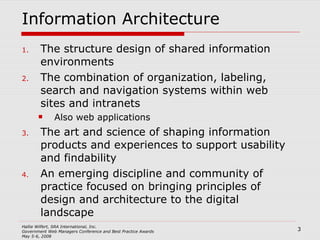
Information Architecture The structure design of shared information environments The combination of organization, labeling, search and navigation systems within web sites and intranets Also web applications The art and science of shaping information products and experiences to support usability and findability An emerging discipline and community of practice focused on bringing principles of design and architecture to the digital landscape
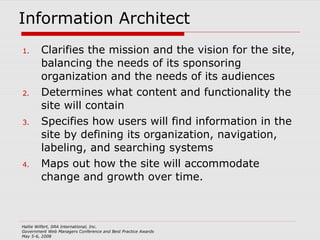
Information Architect Clarifies the mission and the vision for the site, balancing the needs of its sponsoring organization and the needs of its audiences Determines what content and functionality the site will contain Specifies how users will find information in the site by defining its organization, navigation, labeling, and searching systems Maps out how the site will accommodate change and growth over time.
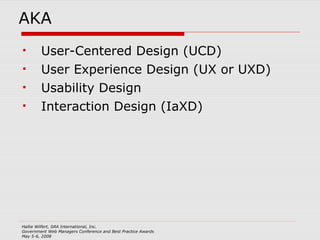
AKA User-Centered Design (UCD) User Experience Design (UX or UXD) Usability Design Interaction Design (IaXD)
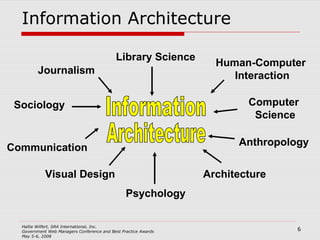
Information Architecture Information Architecture Journalism Architecture Anthropology Computer  Science Human-Computer  Interaction Communication Sociology Library Science Visual Design Psychology
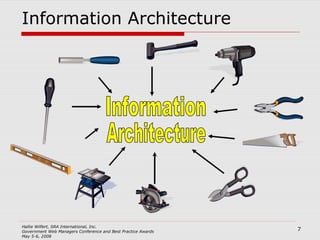
Information Architecture Information Architecture
Information Architecture The most important function of an IA is USER ADVOCATE Provides the balance between the user needs and the business needs
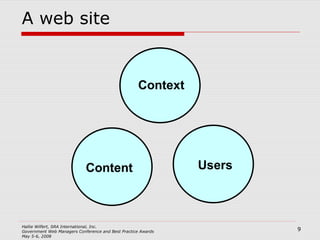
A web site Context Users Content
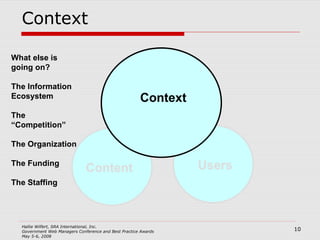
Context Users Content What else is going on? The Information Ecosystem The “Competition” The Organization The Funding The Staffing Context
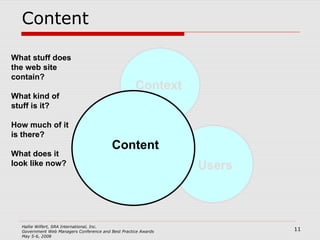
Content What stuff does the web site contain? What kind of stuff is it? How much of it  is there? What does it look like now? Context Users Content
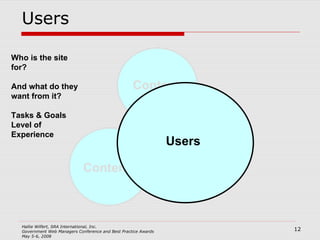
Users Users Who is the site for? And what do they want from it? Tasks & Goals Level of Experience Content Context
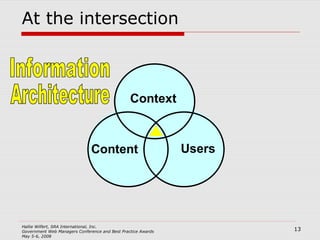
At the intersection Context Users Content Information Architecture
Good Information Architecture Is invisible Communicates the right information Finds the right solution for the problem
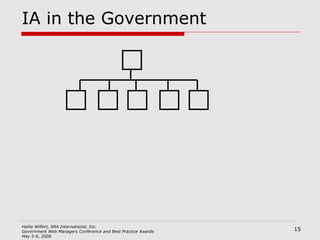
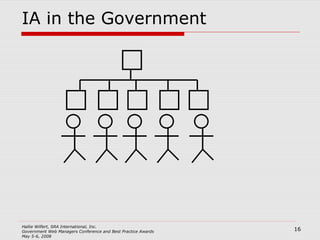
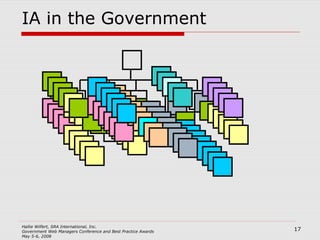
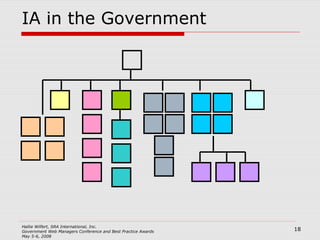
IA in the Government
IA: The specifics Organization Labeling  Search & Navigation The Users
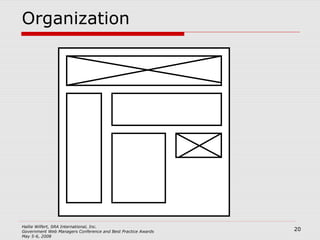
Organization
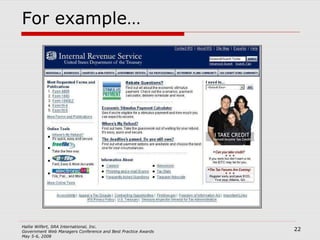
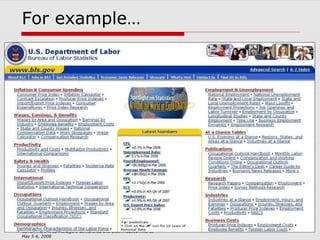
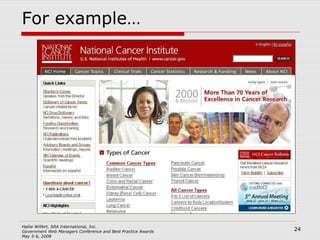
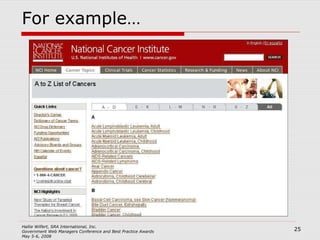
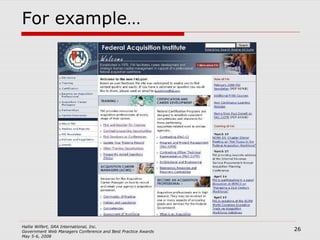
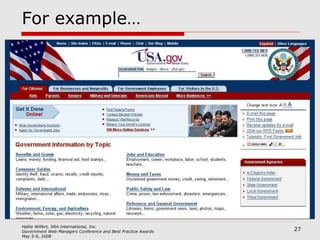
Organization Grouping of information into logical categories, for example by Task Audience  Subject / Category Date Location Alphabetical Most sites use a hybrid approach
For example…
For example…
For example…
For example…
For example…
For example…
Task Based Navigation Organizing site by task Allows users to quickly identify their path Is specific Improves the “scent of information”
Tasks on Information Sites Task is to find information! Break down the type of information
Informational Sites A policy organization Conducts studies Holds events Issues reports Converted to tasks Locate a study underway Attend an event Download a report
ENERGY STAR.gov
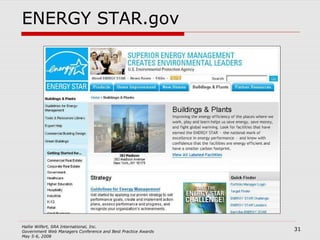
ENERGY STAR.gov Site audit for the Commercial and Industrial branch of the ENERGY STAR.gov web site Identify tasks through opened ended questions from the Foresee survey data Grouped micro-tasks into macro-tasks Content inventory matched content to task
Organization Tools Content inventory   Card Sorting   Task Analysis Mental Modeling
Content Inventory
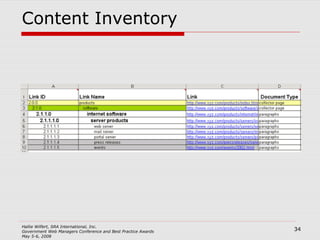
Content Inventory Use a spreadsheet Systematic log of all content on web site and relevant information about that content Incredibly tedious, but essential Columns will likely include: Name of page URL Type of content: html, PDF, excel, photo Owner of content Content status: Redundant, Outdated, Trivial Recommendation for action
Card Sorting
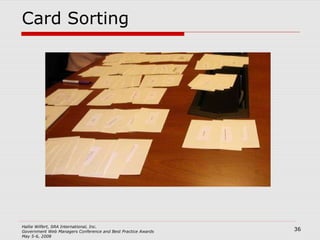
Card Sorting Use sticky notes or index cards Informs the structure, organization, labeling of your design Provides insight into users’ mental model of the task at hand Very easy & low tech Open or Closed Open allows users to determine the categories and sort the cards Closed asks the users to sort cards into predetermined categories
Task Analysis
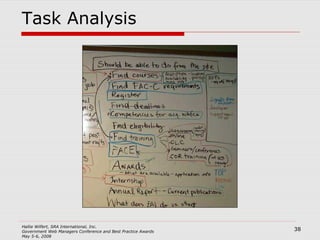
Task Analysis Use your voice and sticky notes/ index cards Interviews with users and stakeholders Goal is to elicit top tasks Why, why, why? Get as much in the users own language as possible Sort these too!
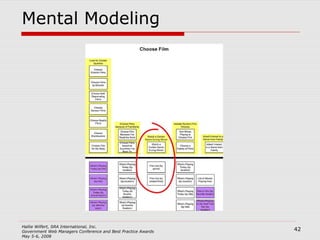
Mental Modeling
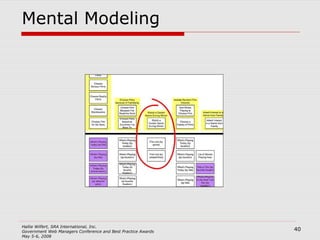
Mental Modeling Use more pen & paper or use your sticky notes! See what is going on in people’s minds as they accomplish their goals  Identify tasks needed to reach goals Map current content to tasks Identifies gaps in content
Mental Modeling
Labeling Do the labels make sense to everyone? Are they obvious and written clearly? Are they used consistently through the site? Are they appropriate for the site? Do they use jargon appropriately?
Where do labels come from? The Users and the Language they use Site analytics User interviews Customer Service / Helpdesk Subject Matter Experts (SME) Stakeholder Interviews The Content Card Sorting Content Inventory
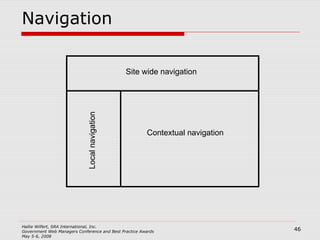
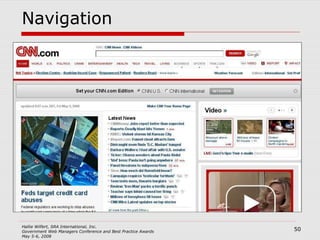
Navigation Site Wide (Global) Navigation Local Navigation Context Specific Navigation Supplemental navigation: Indexes Guides Site Map
Navigation Contextual navigation Site wide navigation Local navigation
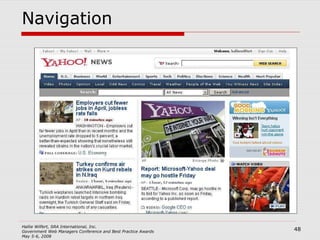
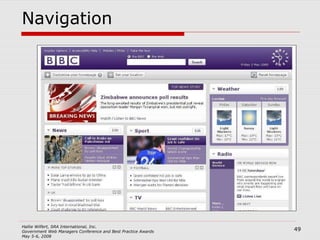
Navigation Consistency is important Don’t break conventions Site wide or industry wide Steal from others!
Navigation
Navigation
Navigation
Search Should be available from every page Reaches down into the long tail of information Search engine logs can be used to determine what is and is not being found As well as language choices that inform labels and metadata
Involving Users User Testing Focus Groups Personas Scenarios
Involving Users Where can I go to meet users? GET CREATIVE! Take paper prototypes on to the Mall and talk to tourists Contact the communications office / public affairs office Go to events Sit at your agencies’ booth at convention exhibit hall
A Case Study We have been asked to refresh the site  www.homebuyers.gov  (fictional) How can we use Information Architecture to make the site great?
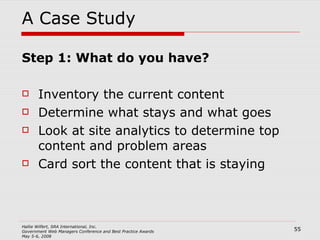
A Case Study Step 1: What do you have? Inventory the current content Determine what stays and what goes Look at site analytics to determine top content and problem areas Card sort the content that is staying
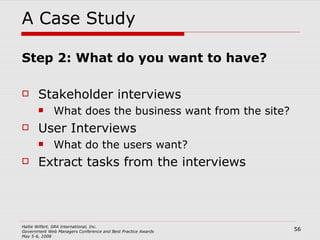
A Case Study Step 2: What do you want to have? Stakeholder interviews What does the business want from the site? User Interviews What do the users want? Extract tasks from the interviews
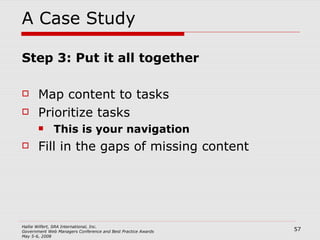
A Case Study Step 3: Put it all together Map content to tasks Prioritize tasks This is your navigation Fill in the gaps of missing content
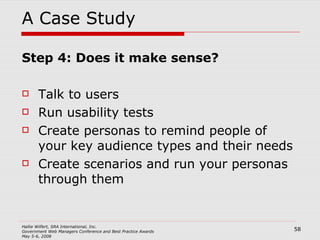
A Case Study Step 4: Does it make sense? Talk to users Run usability tests Create personas to remind people of your key audience types and their needs Create scenarios and run your personas through them
Best Practices Be Consistent and Predictable Don’t Reinvent the Wheel Follow Conventions  Investigate Talk and Listen
Selling IA What are the benefits of IA? Financial: Planning upfront saves time and money later Financial: Common templates save money (and are consistent with 508 regs) Customer Satisfaction: Designing with the user in mind makes happy users Use anecdotes and personal experiences to communicate the value of good IA Support value with analytics
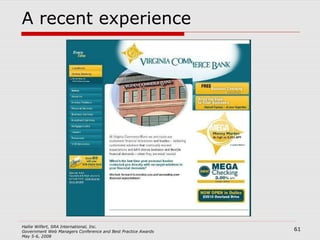
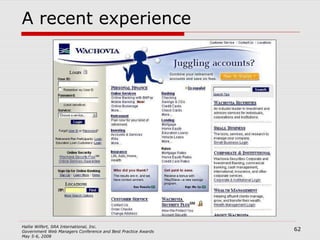
A recent experience
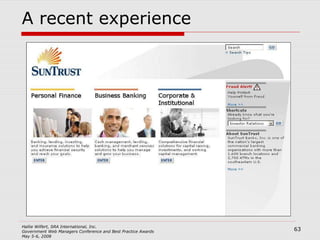
A recent experience
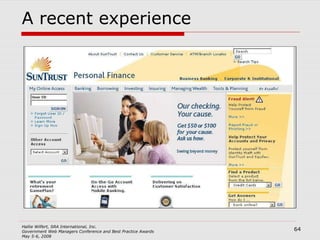
A recent experience
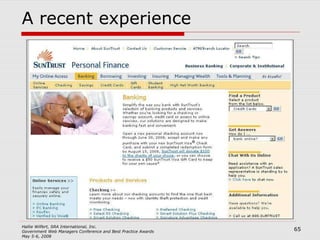
A recent experience
A recent experience
Why did the Suntrust site work? Limited the amount of initial information Labeling was clear and appropriate Directed me down a clear path Information available on each path was relevant Gave me what I needed when I needed it
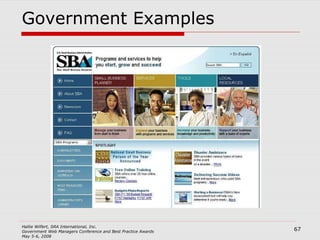
Government Examples
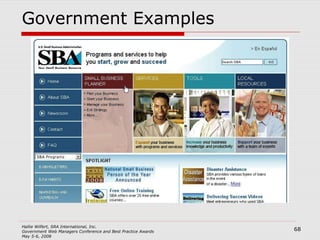
Government Examples
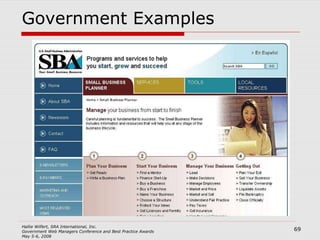
Government Examples
The Future of IA Web 2.0 Blogging Tagging & Folksonomy Aggregation of Content Mashups Social bookmarking sites User Generated Content User Organized Content User Rated/ Reviewed Content
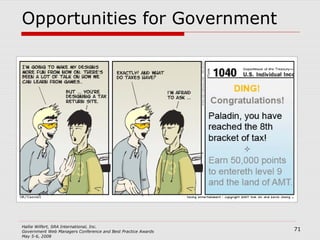
Opportunities for Government
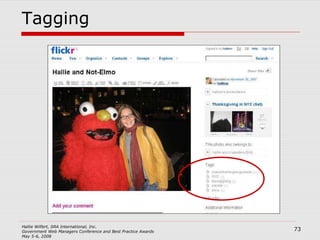
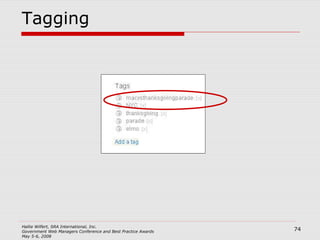
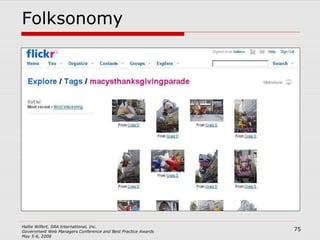
Web 2.0 and IA Tagging Allows users to label content themselves Works best in highly controlled architectures Folksonomy A user generated taxonomy
Tagging
Tagging
Folksonomy
In Summary Think like an IA Advocate for your users Use the right tool for the job You can use IA iteratively
Resources Books Information Architecture for the World Wide Web , Peter Morville & Lou Rosenfeld Don’t Make Me Think , Steve Krug Elements of User Experience , Jesse James Garrett. Also at  http://www.jjg.net/elements Mental Models , Indi Young. Also see  http://www.rosenfeldmedia.com/books/mental-models/ Web Form Design , Luke Wroblewski. Also see  http://rosenfeldmedia.com/books/webforms/   IA Web Resources User Interface Engineering – User Experience research group:  http://www.uie.com   Check out BrainSparks! (podcast) and the email newsletter Boxes & Arrows – IA best practices, case studies, and other articles:  http://www.boxesandarrows.com   Information Architecture Institute – professional organization for IAs:  http://www.iainstitute.org   Peter Morville’s search & navigation pattern gallery:  http://www.flickr.com/photos/morville/collections/72157603785835882/ Usability.gov:  http://www.usability.gov Plain Language.gov:  http://www.plainlanguage.gov/index.cfm   Alexa (web site rankings):  http://www.alexa.com/
Thank You! Contact: Hallie Wilfert SRA International [email_address]

2008 web-managers-hwilfert-final

  • 1.
    Information Architecture HallieWilfert Information Architect SRA International, Inc.
  • 2.
    What I’ll talkabout What is information architecture (IA)? Why is it important? Best Practices in IA A Case Study “Selling” IA to others The Future of IA
  • 3.
    Information Architecture Thestructure design of shared information environments The combination of organization, labeling, search and navigation systems within web sites and intranets Also web applications The art and science of shaping information products and experiences to support usability and findability An emerging discipline and community of practice focused on bringing principles of design and architecture to the digital landscape
  • 4.
    Information Architect Clarifiesthe mission and the vision for the site, balancing the needs of its sponsoring organization and the needs of its audiences Determines what content and functionality the site will contain Specifies how users will find information in the site by defining its organization, navigation, labeling, and searching systems Maps out how the site will accommodate change and growth over time.
  • 5.
    AKA User-Centered Design(UCD) User Experience Design (UX or UXD) Usability Design Interaction Design (IaXD)
  • 6.
    Information Architecture InformationArchitecture Journalism Architecture Anthropology Computer Science Human-Computer Interaction Communication Sociology Library Science Visual Design Psychology
  • 7.
  • 8.
    Information Architecture Themost important function of an IA is USER ADVOCATE Provides the balance between the user needs and the business needs
  • 9.
    A web siteContext Users Content
  • 10.
    Context Users ContentWhat else is going on? The Information Ecosystem The “Competition” The Organization The Funding The Staffing Context
  • 11.
    Content What stuffdoes the web site contain? What kind of stuff is it? How much of it is there? What does it look like now? Context Users Content
  • 12.
    Users Users Whois the site for? And what do they want from it? Tasks & Goals Level of Experience Content Context
  • 13.
    At the intersectionContext Users Content Information Architecture
  • 14.
    Good Information ArchitectureIs invisible Communicates the right information Finds the right solution for the problem
  • 15.
    IA in theGovernment
  • 16.
    IA in theGovernment
  • 17.
    IA in theGovernment
  • 18.
    IA in theGovernment
  • 19.
    IA: The specificsOrganization Labeling Search & Navigation The Users
  • 20.
  • 21.
    Organization Grouping ofinformation into logical categories, for example by Task Audience Subject / Category Date Location Alphabetical Most sites use a hybrid approach
  • 22.
  • 23.
  • 24.
  • 25.
  • 26.
  • 27.
  • 28.
    Task Based NavigationOrganizing site by task Allows users to quickly identify their path Is specific Improves the “scent of information”
  • 29.
    Tasks on InformationSites Task is to find information! Break down the type of information
  • 30.
    Informational Sites Apolicy organization Conducts studies Holds events Issues reports Converted to tasks Locate a study underway Attend an event Download a report
  • 31.
  • 32.
    ENERGY STAR.gov Siteaudit for the Commercial and Industrial branch of the ENERGY STAR.gov web site Identify tasks through opened ended questions from the Foresee survey data Grouped micro-tasks into macro-tasks Content inventory matched content to task
  • 33.
    Organization Tools Contentinventory Card Sorting Task Analysis Mental Modeling
  • 34.
  • 35.
    Content Inventory Usea spreadsheet Systematic log of all content on web site and relevant information about that content Incredibly tedious, but essential Columns will likely include: Name of page URL Type of content: html, PDF, excel, photo Owner of content Content status: Redundant, Outdated, Trivial Recommendation for action
  • 36.
  • 37.
    Card Sorting Usesticky notes or index cards Informs the structure, organization, labeling of your design Provides insight into users’ mental model of the task at hand Very easy & low tech Open or Closed Open allows users to determine the categories and sort the cards Closed asks the users to sort cards into predetermined categories
  • 38.
  • 39.
    Task Analysis Useyour voice and sticky notes/ index cards Interviews with users and stakeholders Goal is to elicit top tasks Why, why, why? Get as much in the users own language as possible Sort these too!
  • 40.
  • 41.
    Mental Modeling Usemore pen & paper or use your sticky notes! See what is going on in people’s minds as they accomplish their goals Identify tasks needed to reach goals Map current content to tasks Identifies gaps in content
  • 42.
  • 43.
    Labeling Do thelabels make sense to everyone? Are they obvious and written clearly? Are they used consistently through the site? Are they appropriate for the site? Do they use jargon appropriately?
  • 44.
    Where do labelscome from? The Users and the Language they use Site analytics User interviews Customer Service / Helpdesk Subject Matter Experts (SME) Stakeholder Interviews The Content Card Sorting Content Inventory
  • 45.
    Navigation Site Wide(Global) Navigation Local Navigation Context Specific Navigation Supplemental navigation: Indexes Guides Site Map
  • 46.
    Navigation Contextual navigationSite wide navigation Local navigation
  • 47.
    Navigation Consistency isimportant Don’t break conventions Site wide or industry wide Steal from others!
  • 48.
  • 49.
  • 50.
  • 51.
    Search Should beavailable from every page Reaches down into the long tail of information Search engine logs can be used to determine what is and is not being found As well as language choices that inform labels and metadata
  • 52.
    Involving Users UserTesting Focus Groups Personas Scenarios
  • 53.
    Involving Users Wherecan I go to meet users? GET CREATIVE! Take paper prototypes on to the Mall and talk to tourists Contact the communications office / public affairs office Go to events Sit at your agencies’ booth at convention exhibit hall
  • 54.
    A Case StudyWe have been asked to refresh the site www.homebuyers.gov (fictional) How can we use Information Architecture to make the site great?
  • 55.
    A Case StudyStep 1: What do you have? Inventory the current content Determine what stays and what goes Look at site analytics to determine top content and problem areas Card sort the content that is staying
  • 56.
    A Case StudyStep 2: What do you want to have? Stakeholder interviews What does the business want from the site? User Interviews What do the users want? Extract tasks from the interviews
  • 57.
    A Case StudyStep 3: Put it all together Map content to tasks Prioritize tasks This is your navigation Fill in the gaps of missing content
  • 58.
    A Case StudyStep 4: Does it make sense? Talk to users Run usability tests Create personas to remind people of your key audience types and their needs Create scenarios and run your personas through them
  • 59.
    Best Practices BeConsistent and Predictable Don’t Reinvent the Wheel Follow Conventions Investigate Talk and Listen
  • 60.
    Selling IA Whatare the benefits of IA? Financial: Planning upfront saves time and money later Financial: Common templates save money (and are consistent with 508 regs) Customer Satisfaction: Designing with the user in mind makes happy users Use anecdotes and personal experiences to communicate the value of good IA Support value with analytics
  • 61.
  • 62.
  • 63.
  • 64.
  • 65.
  • 66.
    Why did theSuntrust site work? Limited the amount of initial information Labeling was clear and appropriate Directed me down a clear path Information available on each path was relevant Gave me what I needed when I needed it
  • 67.
  • 68.
  • 69.
  • 70.
    The Future ofIA Web 2.0 Blogging Tagging & Folksonomy Aggregation of Content Mashups Social bookmarking sites User Generated Content User Organized Content User Rated/ Reviewed Content
  • 71.
  • 72.
    Web 2.0 andIA Tagging Allows users to label content themselves Works best in highly controlled architectures Folksonomy A user generated taxonomy
  • 73.
  • 74.
  • 75.
  • 76.
    In Summary Thinklike an IA Advocate for your users Use the right tool for the job You can use IA iteratively
  • 77.
    Resources Books InformationArchitecture for the World Wide Web , Peter Morville & Lou Rosenfeld Don’t Make Me Think , Steve Krug Elements of User Experience , Jesse James Garrett. Also at http://www.jjg.net/elements Mental Models , Indi Young. Also see http://www.rosenfeldmedia.com/books/mental-models/ Web Form Design , Luke Wroblewski. Also see http://rosenfeldmedia.com/books/webforms/ IA Web Resources User Interface Engineering – User Experience research group: http://www.uie.com Check out BrainSparks! (podcast) and the email newsletter Boxes & Arrows – IA best practices, case studies, and other articles: http://www.boxesandarrows.com Information Architecture Institute – professional organization for IAs: http://www.iainstitute.org Peter Morville’s search & navigation pattern gallery: http://www.flickr.com/photos/morville/collections/72157603785835882/ Usability.gov: http://www.usability.gov Plain Language.gov: http://www.plainlanguage.gov/index.cfm Alexa (web site rankings): http://www.alexa.com/
  • 78.
    Thank You! Contact:Hallie Wilfert SRA International [email_address]

Editor's Notes

  • #2 Good afternoon I’m Hallie Wilfert and I work as an information architect at SRA International, which is a technology and strategic consulting firm based here in the DC area. I first discovered IA about 8 years ago while working in the communications office at the Institute of Medicine. I was working on a web redesign and was reading everything I could on best practices and emerging conventions. During my research, the term Information Architecture kept popping everywhere, especially in the articles that really resounded with me. It made perfect sense that if you were building a site with a particular audience in mind then you should make sure that the site made sense to those people. And IA provided me with a set of tools to do just that. So that was the beginning of the end so to speak. In the Fall of 2006, I made the move from an in-house web professional to the consulting side and since then I have be fortunate to work with a number of different government clients including ENERGY STAR, the Bureau of Land Management’s Abandoned Mine Lands program, business.gov, USAID, FEMA, the Federal Acquisition Institute, and EPA. I understand many of the problems that you face as government web managers and hopefully this talk with give you some ideas for how to tackle your next project. So let’s get started…
  • #4 This definition is taken from the book “Information Architecture for the World Wide Web” by Peter Morville and Lou Rosenfeld Affectionately Known as the Polar Bear Book A must read for anyone interested in IA This definition is pretty abstract
  • #5 Here is the definition of an Information Architect - - this gets a little more specific into what Information Architecture actually entails, as you see, it’s a fairly broad scope of responsibilities Not all agencies will ever work with an Information Architect, but that doesn’t mean that members of your team can’t learn to think like one and still use Information Architecture and User Centered Design to improve your site. So when I talk about “US” as Information Architects, I am including you too.
  • #6 So I just used the term User Centered Design - and that’s OK. We all have a bit of a personality disorder when it comes to naming ourselves - - ironic when you think that we are the In fact, we don’t even always call ourselves the same thing - sometimes we are doing Information Architecture, sometimes we are doing User Centered Design, sometimes we are doing User Experience Design, sometimes we are doing Usability Design. But at the center of it is the same thing- - we want to get the users to what they need quickly and easily and in a way that makes sense to them.
  • #7 It’s in part the wide scope of responsibilities that fall under IA that are responsible for the wide variety of places that the discipline of Information Architecture draws from. And that’s the fun of Information Architecture. It’s not an exact science, and just like the web it is constantly evolving. Jared Spool, a very talented and respected member of the User Centered Design community, gave the keynote at the IA Summit last month. He talked about how IA is not a process or a methodology, but rather it’s a toolkit.
  • #8 And depending on the task at hand, the IA will use different tools to get the job done. I really like this metaphor, especially when it comes to doing Information Architecture in the government. Rarely will there ever be enough time or money on a government project to do all the things I will talk about today, however having an IA on your team will ensure that you pick the right tools for the job. So my choice of tools here was arbitrary, but you’ll see that in this set here, there are several tools that do the same type of work: scissors, saws, table saws, and circular saws all cut things, but you probably wouldn’t use the circular saw to prune your rose bush. Just like you wouldn’t hold a national set of focus groups to see if users preferred the navigation on the top or on the side - - it’s the wrong tool for the job
  • #9 Moving away from the tool metaphor, the most important role of the IA is that he/she is the advocate for the user and no one else. It is the role of the IA to think in the users best interest - - because often during discussions about web sites, you have the business perspective present and the technology perspective present - but the one thing you’re missing is the user - and that’s where the IA fills in.
  • #10 To try to explain Information Archit3ecture a little better, let’s take a look at the three main parts of any web site
  • #11 First we have context. The site you are building does not exist in a bubble and what you build is affected by lots of external sources. So think about your web site and the things that affect it. How many people do you have working on it? How much money do you have? How long is the site going to be around for? What does the Information Ecosystem look like around your topic? We often think that in the government we don’t have competition. Well sometimes that’s true, but often it’s not. To the average citizen, if they are researching a medical condition they don’t care if you are NIH, Mayo, WebMD, or Revolution Health. All they care about is getting the right information quickly and easily. So the The context is what are people coming to accomplish - -
  • #12 Next is content. What is the information or stuff that will be on your web site. Who owns this content? How can it be described? What kind of shape is it in?
  • #13 Third - the users. Who is the site for? What kind of information are they looking for? Are they expert or novice users? Talk about the general public - - need to define this better. Talk about IOM’s move to “health interested public”
  • #14 Information Architecture lives at the center of these three things.
  • #15 Now the funny part about Information Architecture is that when it’s done right it’s invisible. Users get to what they want without trouble and you never ever hear from them what a wonderful experience they had on your site. But what happens when the IA is bad? You hear about it and so does everyone else.
  • #16 Government sites started small Organized according to the organizational structure Then came the data And the sites grew organically The original structure of the sites was not sustainable Sites became out of control IA to the rescue!!
  • #17 Government sites started small Organized according to the organizational structure Then came the data And the sites grew organically The original structure of the sites was not sustainable Sites became out of control IA to the rescue!!
  • #18 Government sites started small Organized according to the organizational structure Then came the data And the sites grew organically The original structure of the sites was not sustainable Sites became out of control IA to the rescue!!
  • #19 IA to the rescue!! Also - many government web sites pull information out of applications to be displayed on the web. While IAs might not be involved in the application design, they should be involved to offer input on how the data can best be displayed and reused across the web It’s important to realize that you don’t need to attack you site with a sledge hammer - -- Government can use the tools of IA to improve the site through incremental changes and improvements.
  • #20 So how do you make sure that you have Good IA? when most people talk about Information Architecture they are really talking about three things: I’m going to go through them all for you and show examples of each
  • #21 So one of the most visible deliverables that comes from Information Architecture is the wireframe. This is the low fidelity schema that outlines where things should go on a page and communicates the level of importance of each thing. I’m not going to talk about the wireframe because most IA work should happen before you even get to a wireframe stage.
  • #22 So there are many different ways to organize information on a web site Different approaches are suited to different types of sites Let’s take a look at some government sites for examples
  • #23 IRS breaks down it’s information by audience type
  • #24 This site is a favorite with information architects for the sheer amount of data that is exposed on the home page This site might look cluttered at first, but the people who use the BLS site regularly
  • #25 Features most accessed information upfront
  • #26 But an index of all cancers one step down
  • #28 Hybrid Approach – By Task By Audience type By Topic
  • #30 I know one of the approaches that is being emphasized in the government web space is task based organization. I also know that many of you in the government deal with sites that provide a lot of information. How you do you make this a task? Break down the information into types of tasks
  • #31 Under these task
  • #34 Let’s get in the weeds a little bit - - how do you figure out what type of organization your site needs? Well, here are a number of tools we use to help with site organization When are these tool appropriate and when? Add references for more information where people can go Content inventory identifies all the content Card Sorting groups content into buckets Task Analysis figures out what people are coming to do Mental Modeling matches the appropriate content with the tasks
  • #36 Another session on this
  • #37 Let’s get in the weeds a little bit - - how do you figure out what type of organization your site needs? Well, here are a number of tools we use to help with site organization When are these tool appropriate and when? Add references for more information where people can go Content inventory identifies all the content Card Sorting groups content into buckets Task Analysis figures out what people are coming to do Mental Modeling matches the appropriate content with the tasks
  • #38 There are programs that you can use to do this remote
  • #39 Let’s get in the weeds a little bit - - how do you figure out what type of organization your site needs? Well, here are a number of tools we use to help with site organization When are these tool appropriate and when? Add references for more information where people can go Content inventory identifies all the content Card Sorting groups content into buckets Task Analysis figures out what people are coming to do Mental Modeling matches the appropriate content with the tasks
  • #40 Top tips for interviews
  • #41 Let’s get in the weeds a little bit - - how do you figure out what type of organization your site needs? Well, here are a number of tools we use to help with site organization When are these tool appropriate and when? Add references for more information where people can go Content inventory identifies all the content Card Sorting groups content into buckets Task Analysis figures out what people are coming to do Mental Modeling matches the appropriate content with the tasks
  • #43 These diagrams are typically many many feet wide, so here’s a snapshot of a portion of one – Choose film - largest task Each stack on the top is a part of the overall larger task, like choose film because of familiarity or watch a certain genre during the winter The stack on the bottom is the content that supports each one of those subtasks – such as film list by genre (for the people who only watch certain films during the winter)
  • #44 The second part of Information Architecture is labeling Look for examples of bad or inappropriate labels - look at Gerry McGovern Look for examples of clear labels
  • #45 Look for examples of bad or inappropriate labels - look at Gerry McGovern Look for examples of clear labels
  • #46 I’m not going to spending much time with navigation or search, but there are a number of different types of navigation that you should know about
  • #47 Here is the conventional diagram about where these things should appear. As you might have noticed, you can move the location of the site wide and local navigation around, but you have to remember that whatever you do, you must remain consistent Also, many visitors arrive at your web site on pages other than the home page. A well thought out global navigation will allow them to get oriented no matter where they arrive Look at what others are doing - - people are not coming to your site to learn to use your site. They are coming to find what they are looking for. So give them consistency
  • #49 Just in case you think there is shame in copying others, here are the top 3 news sites as reported by Alexa
  • #51 Here is the conventional diagram about where these things should appear. As you might have noticed, you can move the location of the site wide and local navigation around, but you have to remember that whatever you do, you must remain consistent Also, many visitors arrive at your web site on pages other than the home page. A well thought out global navigation will allow them to get oriented no matter where they arrive Look at what others are doing - - people are not coming to your site to learn to use your site. They are coming to find what they are looking for. So give them consistency
  • #52 I’m not going to spending much time with navigation or search
  • #53 What I’ve talked about so far involves users to a point, but it is essential to make sure that the users points of view and objectives are represented through out the process
  • #54 FAI examples - - going to annual meeting
  • #55 Insert slides on process in developing this site
  • #56 Insert slides on process in developing this site
  • #57 Insert slides on process in developing this site
  • #58 Insert slides on process in developing this site
  • #59 Insert slides on process in developing this site
  • #61 Use anecdotes and customer stories. Try to find something that the person you are talking to can relate to. For instance, I’d like to tell you a personal story. My fiance and I just bought a house. I wanted to set us up with a joint bank account that we could contribute into for shared expenses. I also wanted a bank that was within walking distance of our house. I found three banks - Wachovia, Virginia Commerce Bank, and Suntrust. I went to all three of their web sites to compare.
  • #68 So let’s look at another site that does the same thing - - Tasks - - Manage your Business Expand your business Increase Support
  • #69 Plan your Business Start your Business Manage your Business
  • #70 Even more explicit - - with steps under each task
  • #71 Last I am going to talk about the future of IA and how it fits in to the new web technologies If you know anything about the IA community you know that we are constantly navel gazing - - we want to know who we are, why we are, are we going to last as an industry, an so on A big part of Web 2.0 is that it is people powered - - a lot of the control of what you can do on the web is back in the hands of the people who use the web. And that freaked a lot of IAs out - - were we becoming irrelevant? After the buzz subsided, we realized that no, IA is still just as important as it ever was.
  • #72 Need to choose which new technologies are appropriate
  • #76 User generated taxonomy