Kai Pata Center of Educational Technology, Tallinn University Designing  learning experiences for soft competence acquisition: *iCamp:  innovative, inclusive, interactive & intercultural learning campus and beyond
What can we do? What is  iCamp  doing: overview of what we learnt in  field trials Towards new learning design model: interventional, ecological Planning for  activities   and  landscapes Recording affordances of learning spaces How to  visualize  learning space as a niche iCamp Folio  testing
iCamp project  (http://www.icamp.eu)  Intervention strategies  for educational design in a formal higher-educational setting Supporting competence advancement  in self-directing, social networking, and collaboration  Applying the distributed web 2.0 landscapes  in parallel with institutional learning systems  Favouring learning  across national borders
Intervention is needed Learners should not only plan, conduct and monitor their activities in institutionally offered walled and protected learning environments. For achieving their various personal and group objectives, learners must gain competences of choosing the most suitable environments and plan their activities.
How should we teach it? Challenging learning environments and real-life tasks Building Personal Learning Environments (PLE) Getting connected with other PLEs Competences to cope with tools Planning activities  On my own and with the others Collaboration and networking Self-directing and -reflecting Interoperable tools?
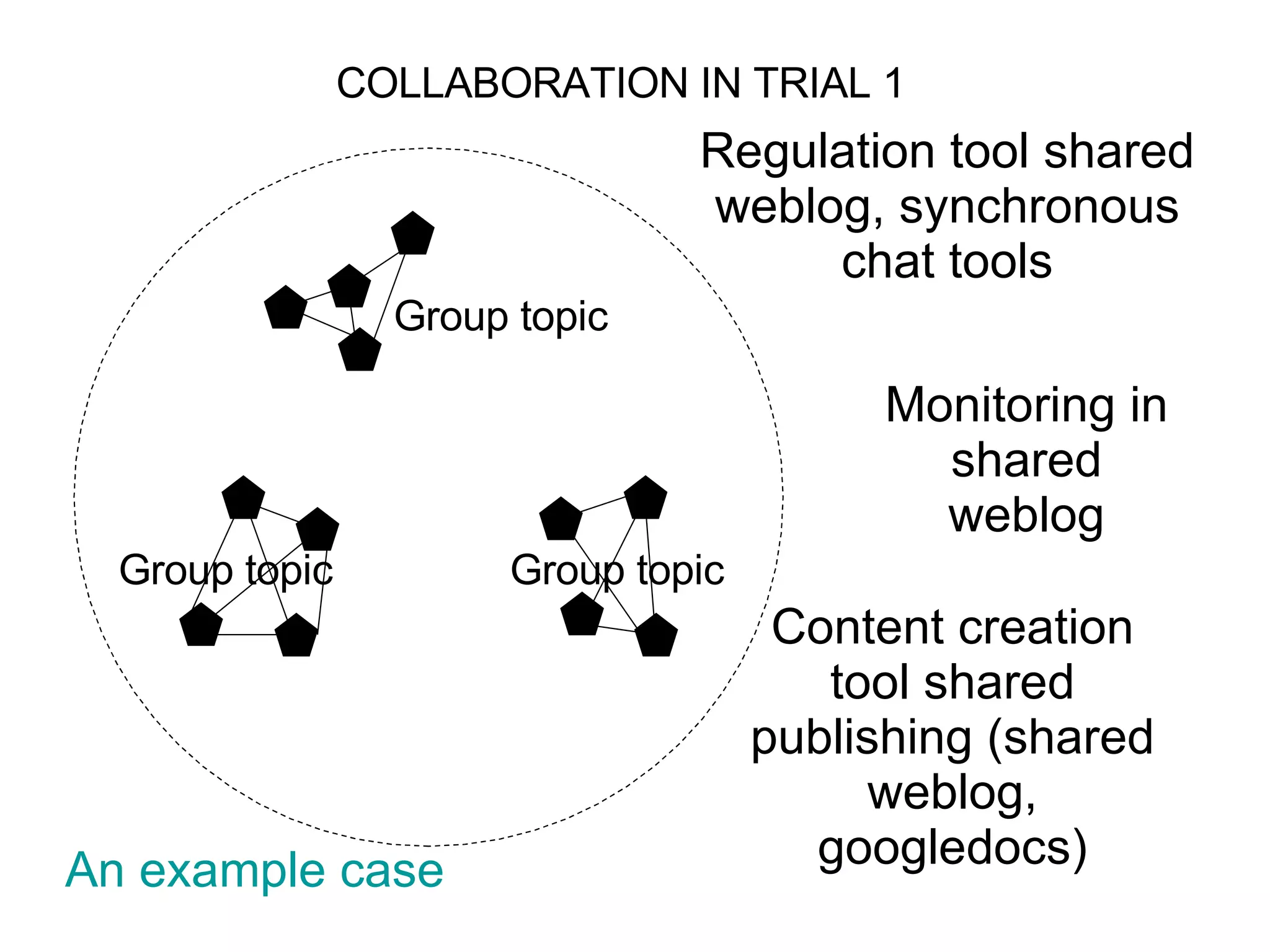
Group topic Group topic Group topic COLLABORATION IN TRIAL 1 Regulation tool shared weblog, synchronous chat tools Content creation tool shared publishing (shared weblog, googledocs) Monitoring in shared weblog An example  case
People perceive tools differently
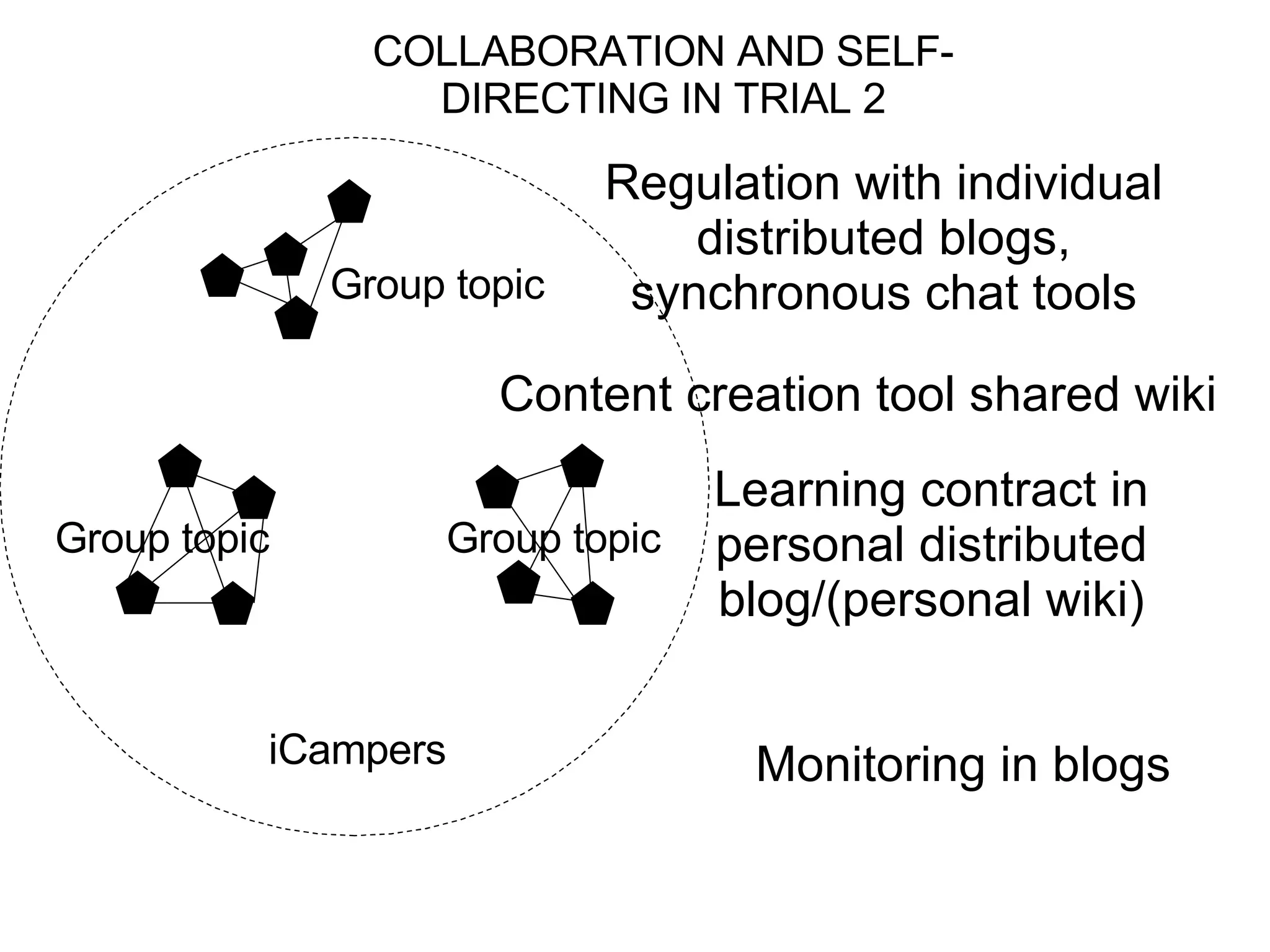
iCampers Group topic Group topic Group topic COLLABORATION AND SELF-DIRECTING IN TRIAL 2 Regulation with individual distributed blogs, synchronous chat tools Content creation tool shared wiki Monitoring in blogs Learning contract in personal distributed blog/(personal wiki)
Most of the groups used conquer-and-divide cooperation (but not collaboration) strategy. Each member did their parts (most of them used Word and then later copied-and-pasted the text in their blogs for group-mates/facilitator to view/comment). Towards the final stage, students glued up the parts together as the final joint artifact. It didn’t work so well!
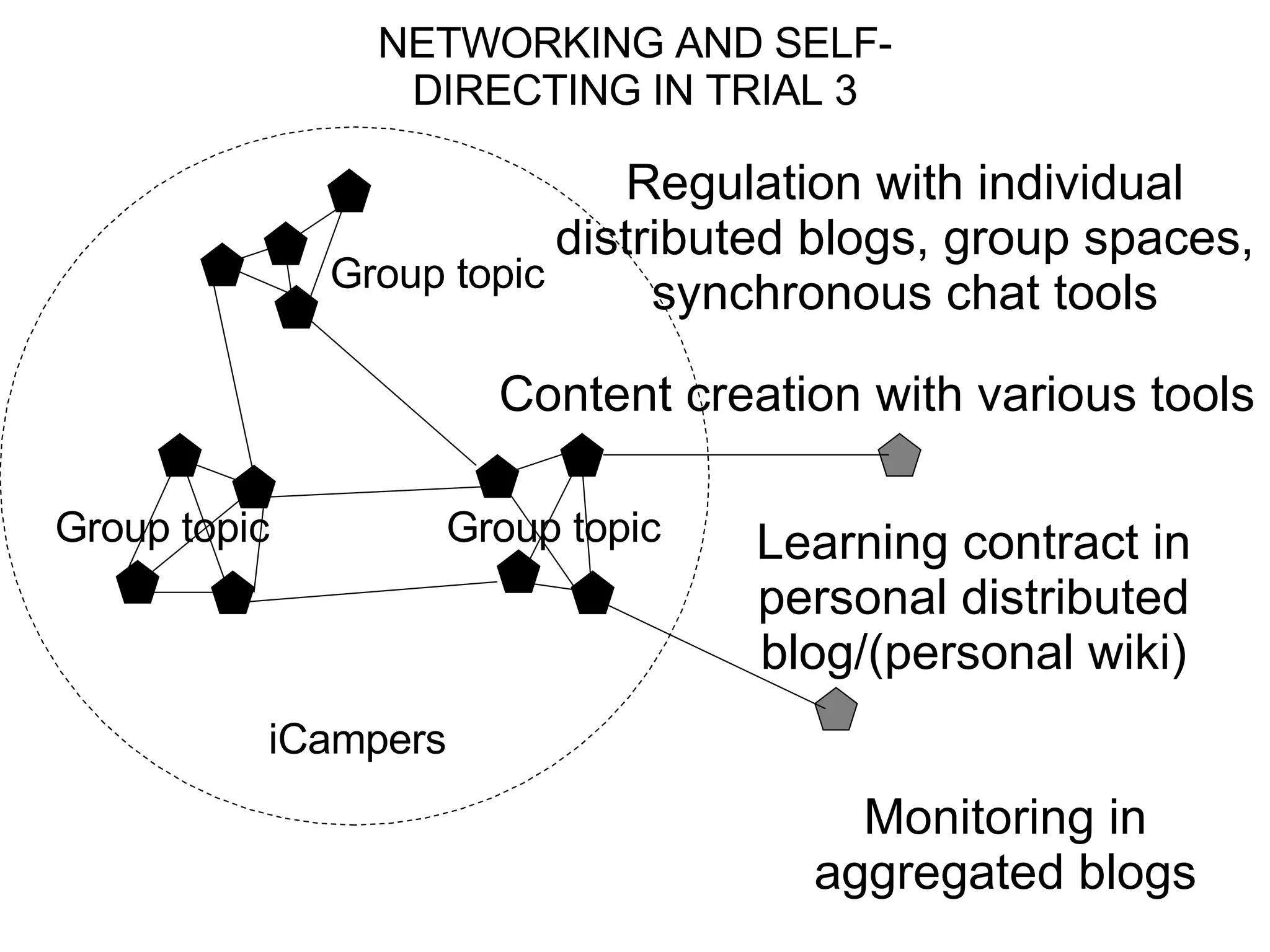
NETWORKING AND SELF-DIRECTING IN TRIAL 3 iCampers Group topic Group topic Group topic Monitoring in aggregated blogs Learning contract in personal distributed blog/(personal wiki) Regulation with individual distributed blogs, group spaces, synchronous chat tools Content creation with various tools
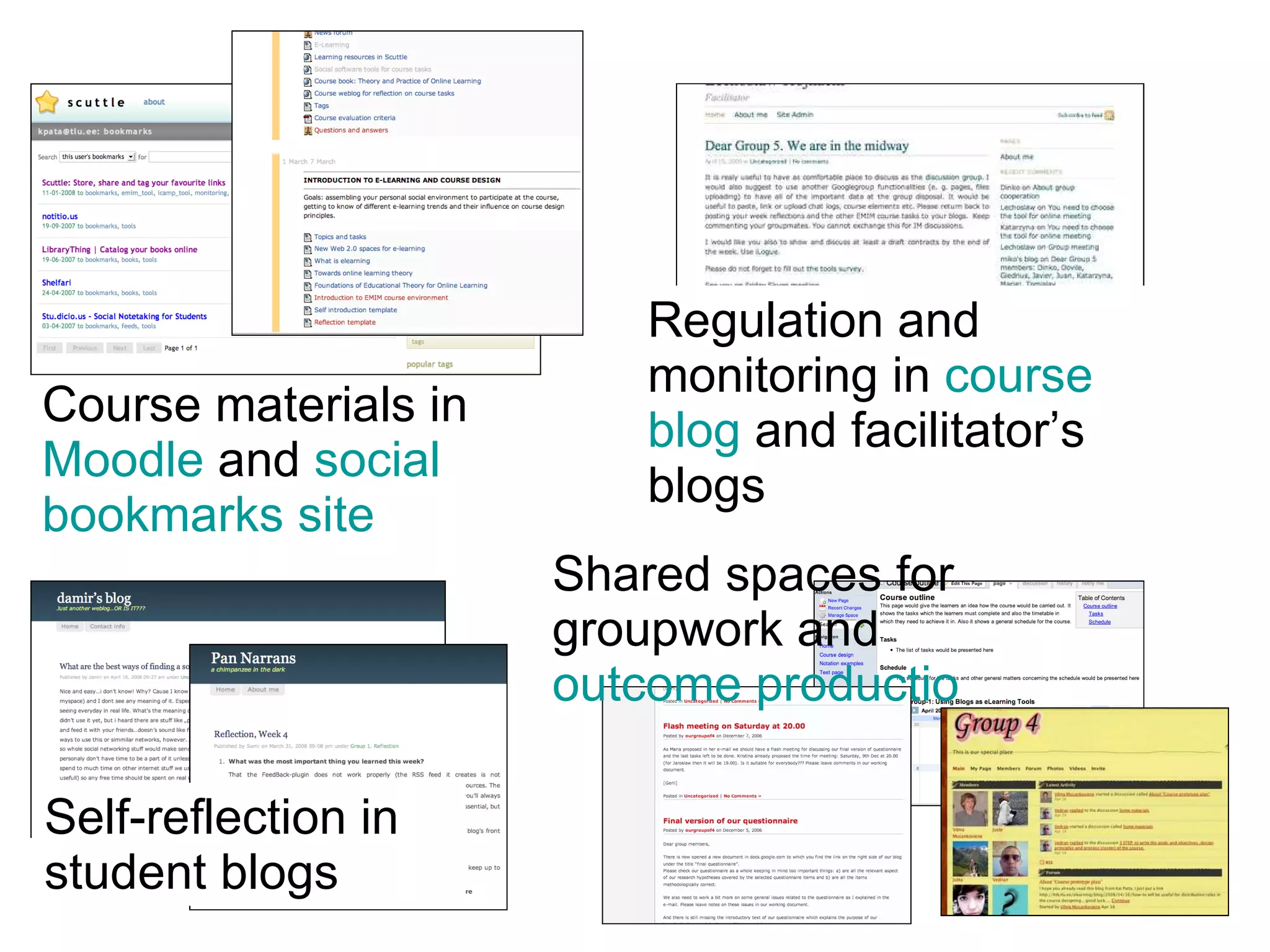
Course materials in  Moodle  and  social  bookmarks site Regulation and monitoring in  course  blog   and facilitator’s blogs Self-reflection in student blogs Shared spaces for groupwork and  outcome production
Introducing the assignment Toolbox links Specific tags Participants weblogs Facilitator’s weblogs Facilitation weblog in wordpress:  http:// htk.tlu.ee/elearning /
Facilitator’s weblog Feedback and assignments Monitoring comments and feeds
Individual landscapes Filter comment feeds Pulling postings Mashed filtered groupfeed Filter group bookmarks
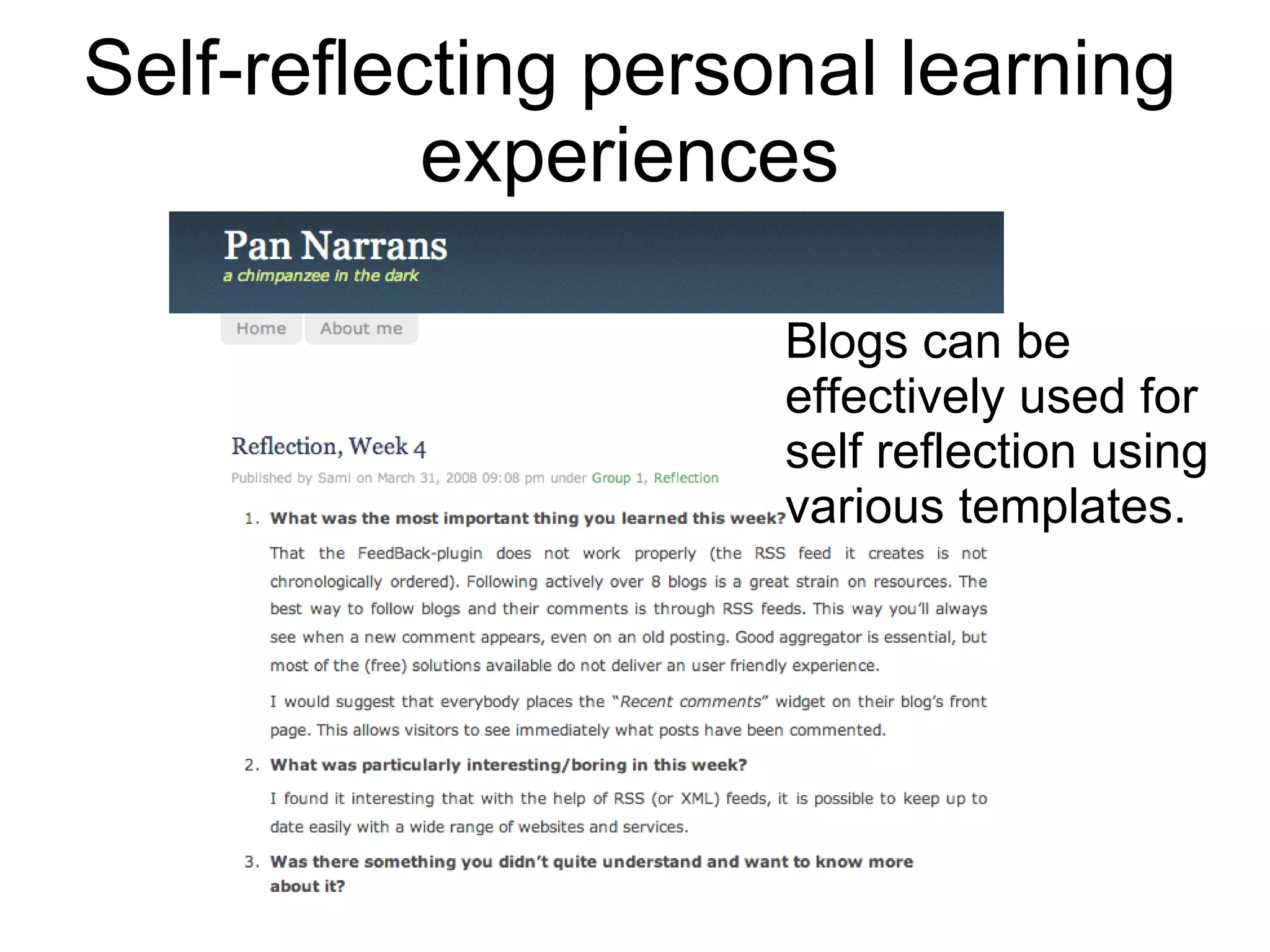
Self-reflecting personal learning experiences Blogs can be effectively used for self reflection using various templates.
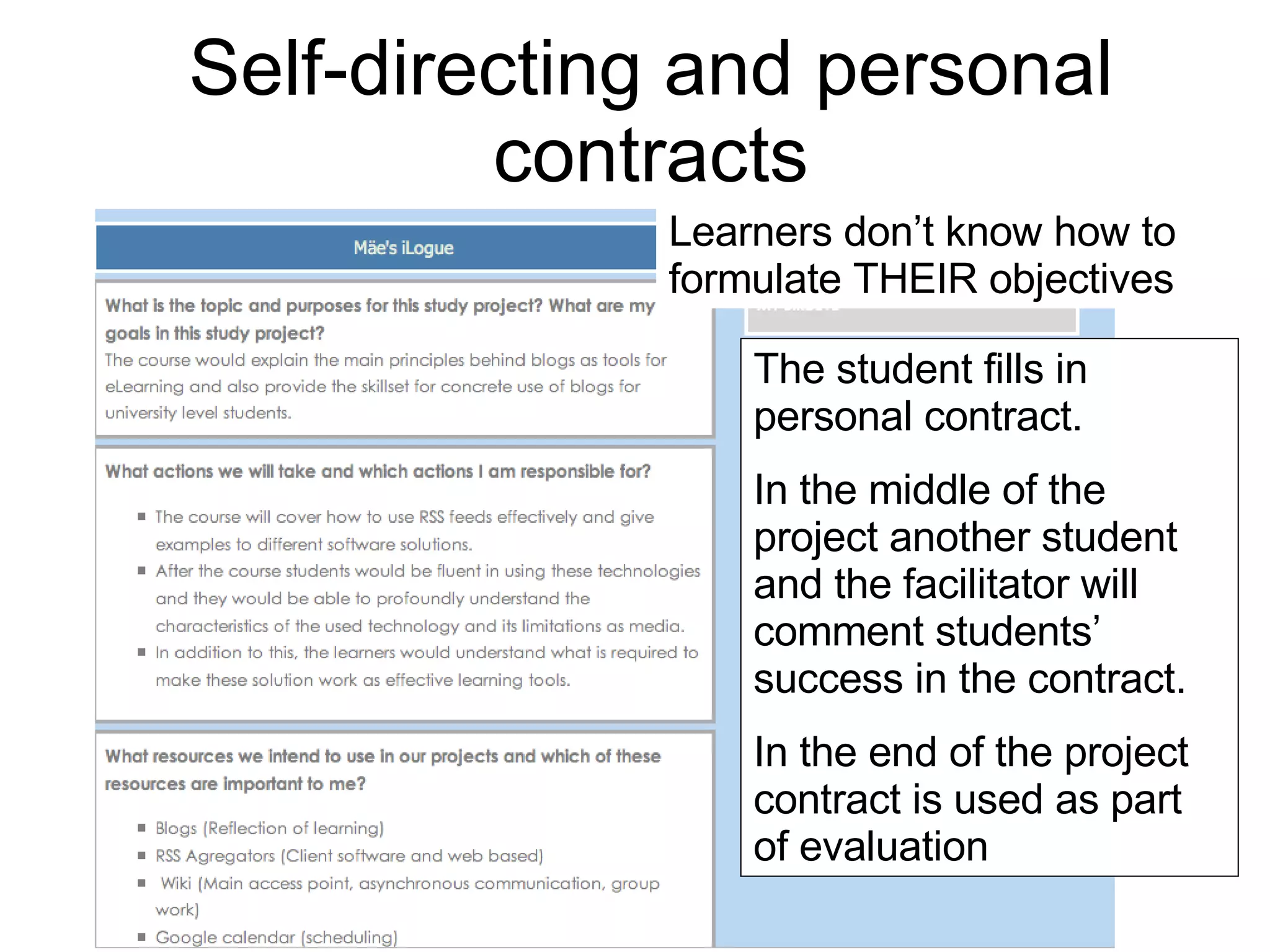
Self-directing and personal contracts The student fills in personal contract.  In the middle of the project another student and the facilitator will comment students’ success in the contract.  In the end of the project contract is used as part of evaluation Learners don’t know how to formulate THEIR objectives
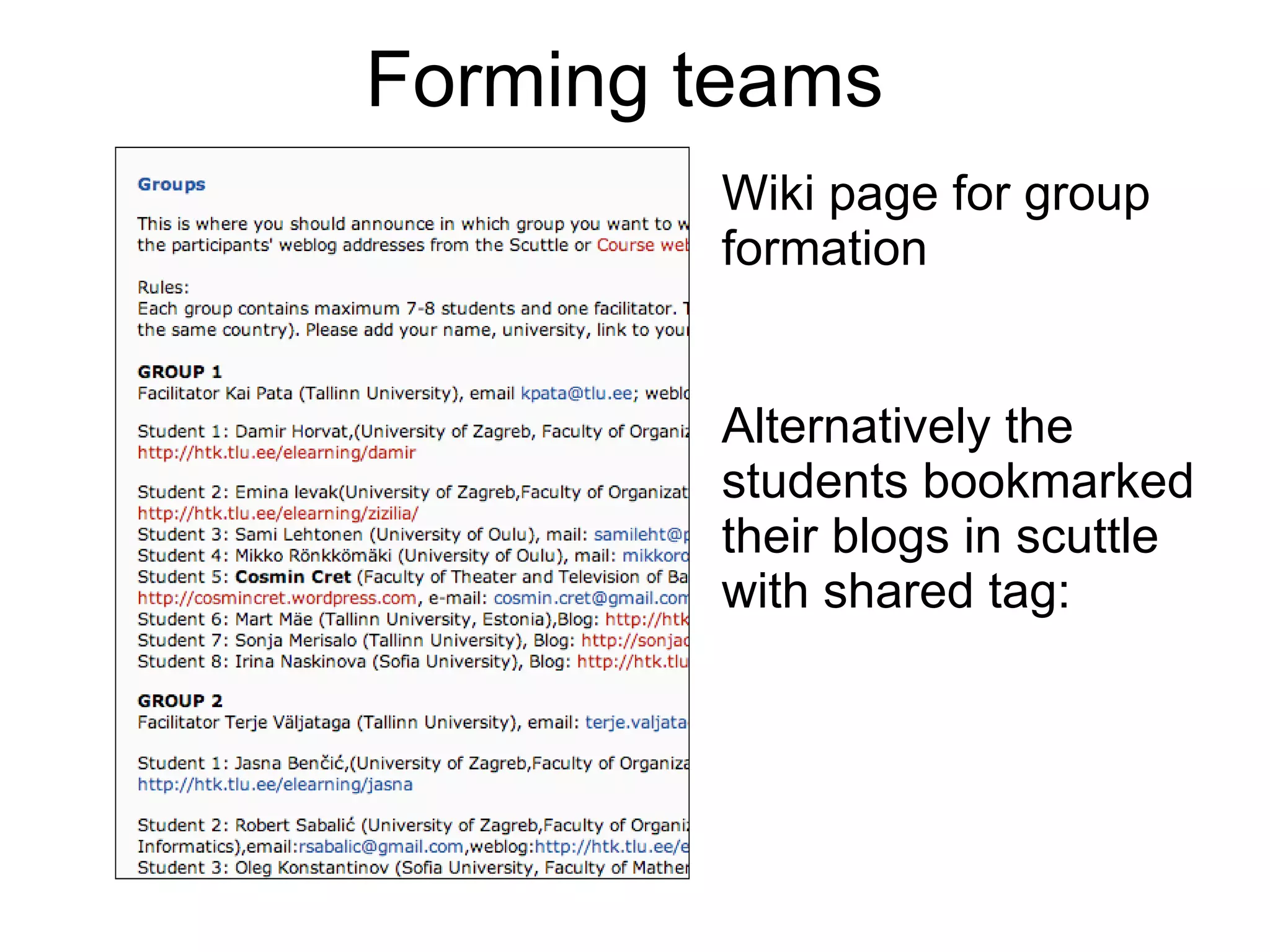
Forming teams Wiki page for group formation Alternatively the students bookmarked their blogs in scuttle with shared tag:
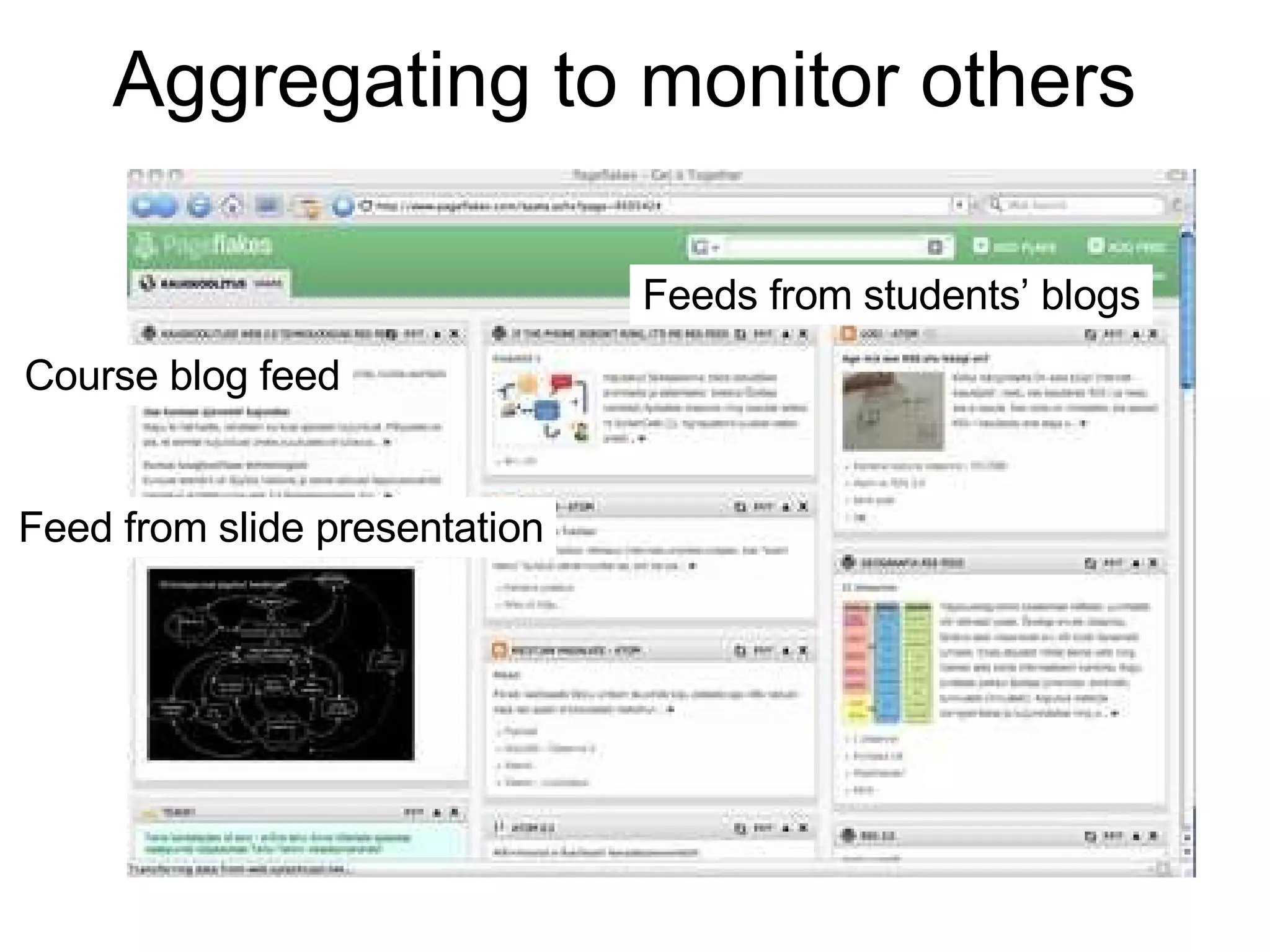
Aggregating to monitor others Course blog feed Feeds from students’ blogs Feed from slide presentation
Facilitator’s blog Feed from group wiki Feeds from student blogs
Collaborative writing wikis Collaborative assignments in social environments collaborative annotation shared blogs shared images spreadsheets co-construction Collaborative co-construction of knowledge presumes: - the formation of shared collaborative workplaces -  grounding of plans, action and shared knowledge
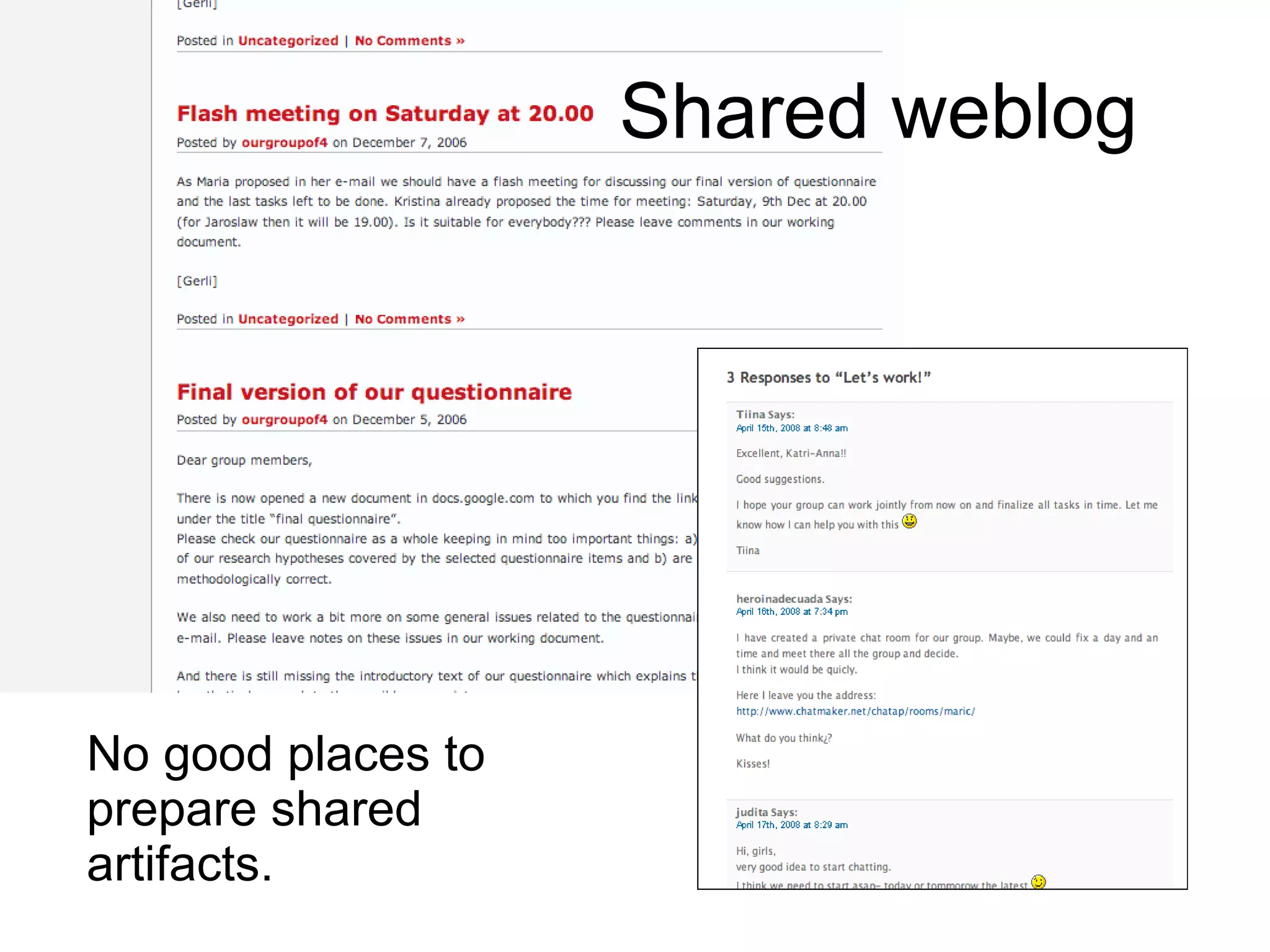
Shared weblog No good places to prepare shared artifacts.
Group wiki as a shared space Problems with discussions!
Group space in Ning.com
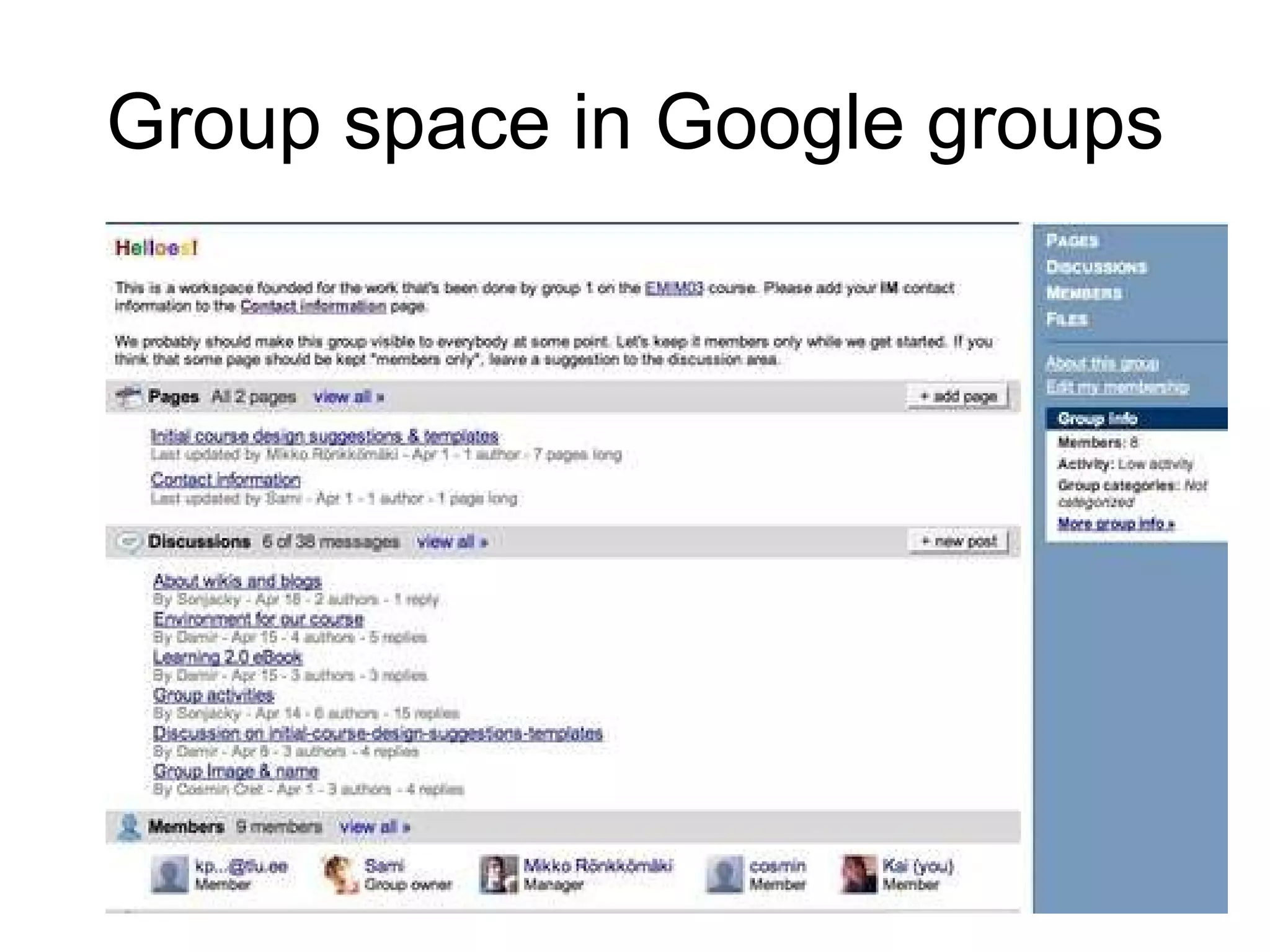
Group space in Google groups
Towards new  model  Using traditional ID model reduces the complexity level of learners‘ objectives and actions, presuming that facilitator can determine these instead of learners.  Design elements of courses are sequential and leave little space for self-directing and developing the self-reflection competences.  How does integrating the elements of self-direction into learning change the whole setting?
Competing self-direction and collaboration Individual space Individual space Collaborative space Cooperative space Individual space Collaborative space Trial 1 Trial 2 Trial 3 Self-reflection must feed collaborative work and vice versa Shared objective prevails Individual objective prevails Difficult to balance
Towards new model Difficulties in forming the shared spaces for actual group-work  Student-centered learning landscape formation takes time and a lot of grounding and testing the spaces - the shared space changes dynamically The need for the different type but entwined spaces both for shared regulation and for creating the joint product Teams may not use the learning environments effectively and need external feedback to get better impression how thet work
Towards new model Learners have few possibilities of making judgements on tools and services of their learning landscapes.  The activities of learning designs copy the facilitator‘s workingstyle and apply his/her personal preferences of learning landscapes on learners.  Supports uneven distribution of competences between the educational specialists (designers, facilitators) and learners.
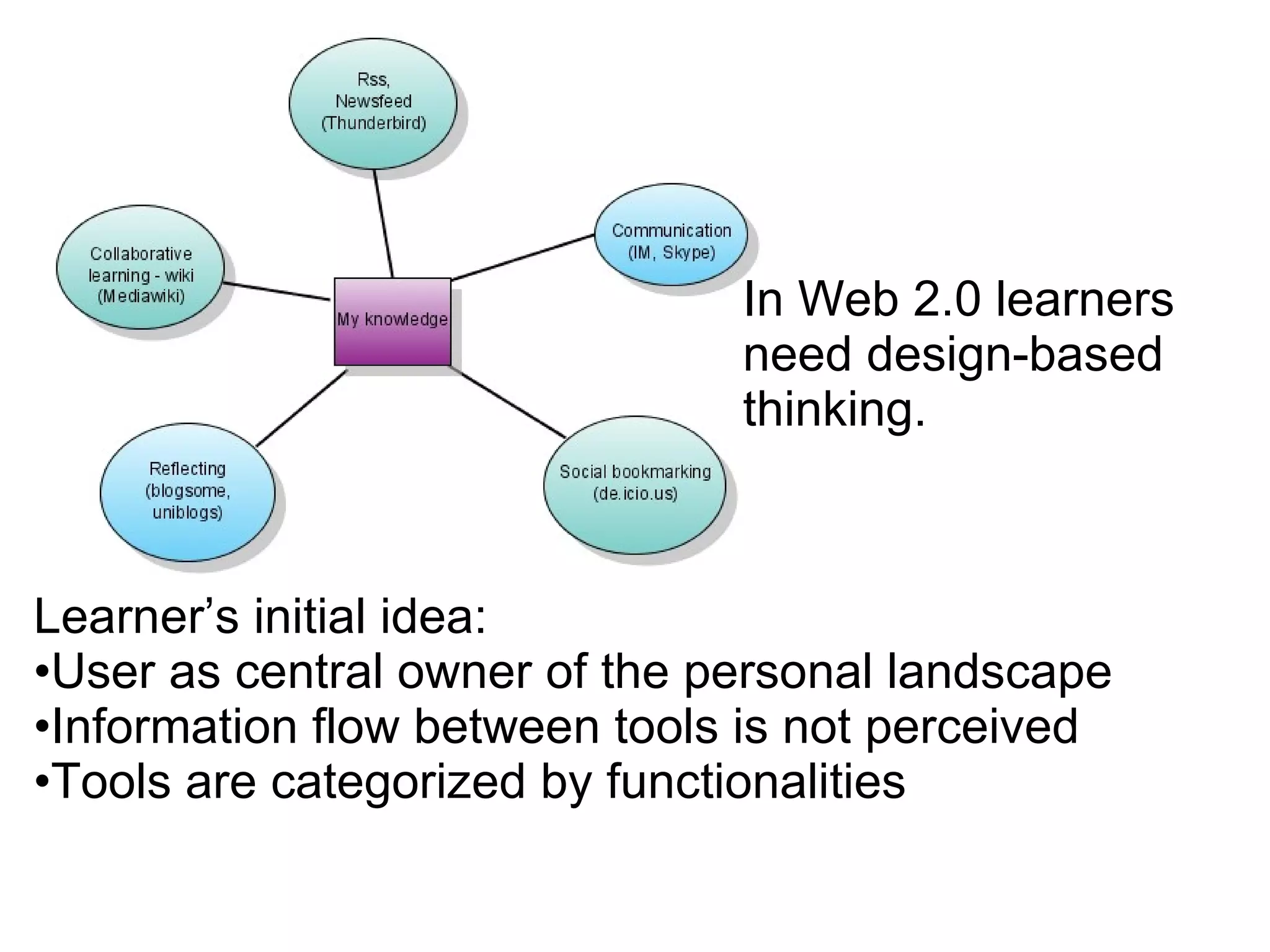
Learner’s initial idea: User as central owner of the personal landscape Information flow between tools is not perceived Tools are categorized by functionalities In Web 2.0 learners need design-based thinking.
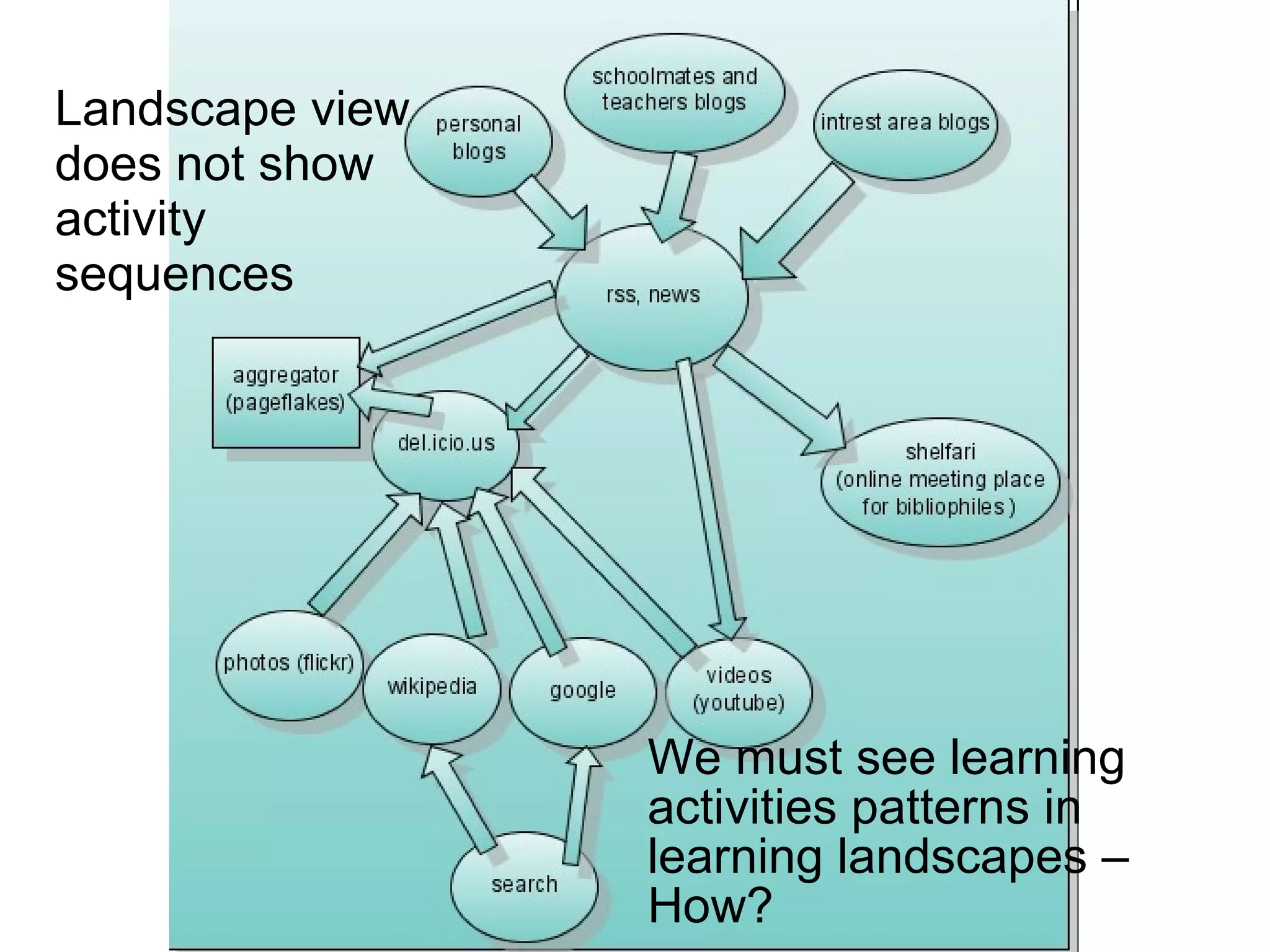
Landscape view does not show activity sequences We must see learning activities patterns in learning landscapes  –  How?
The activity diagram does not show how landscape looks like. Collaborative writing and learning from it Self-reflection and analysis Sharing files Communication with peers Interest- or community-based reading weblogs  Based on weblog information searching videos, images, books  Marking important information found from weblogs  Individualized aggregation of information  Both the landscape and activity diagram views are needed to describe learning! Do we need some rules for learners how to draw?
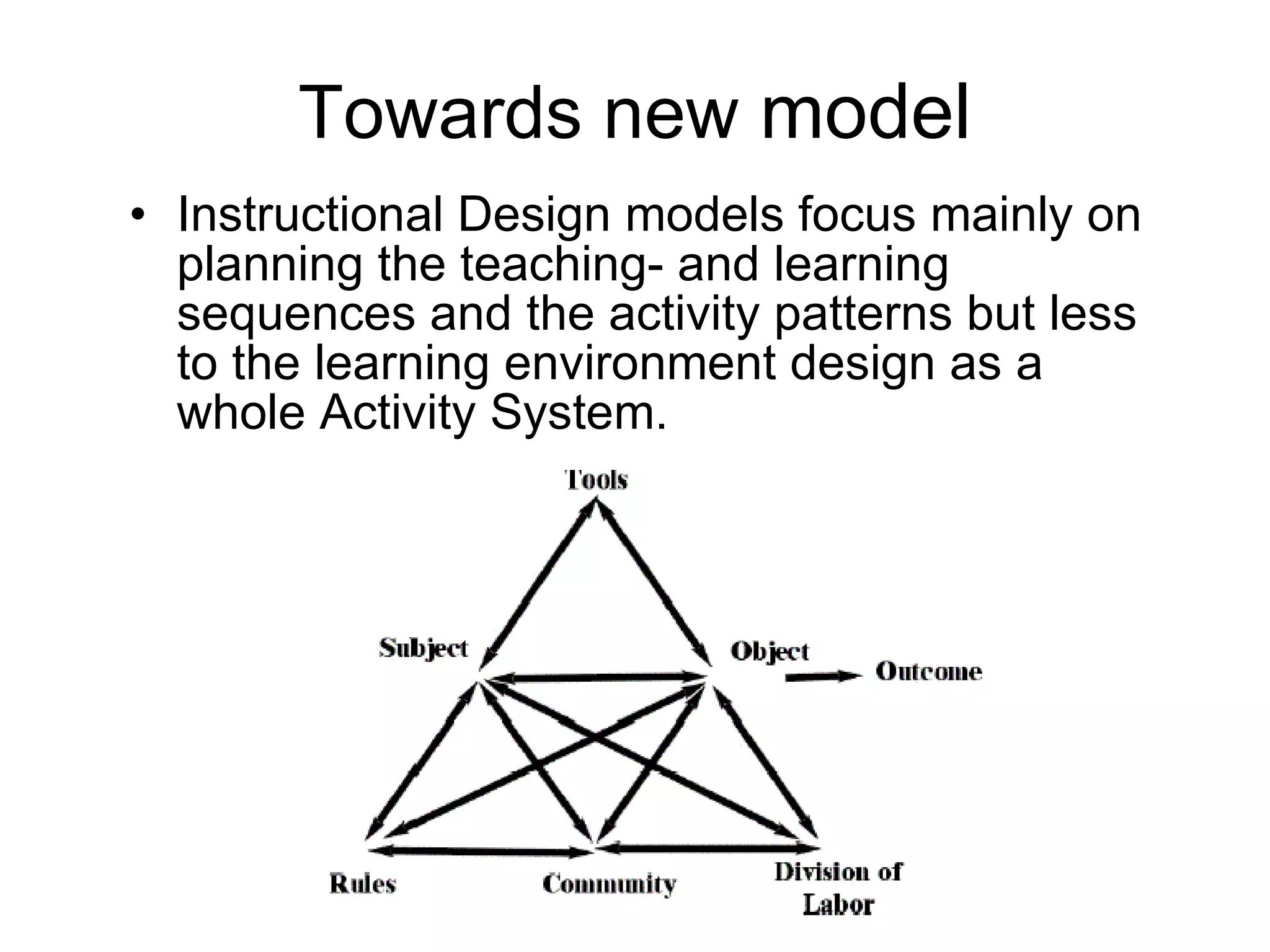
Towards new  model  Instructional Design models focus mainly on planning the teaching- and learning sequences and the activity patterns but less to the learning environment design as a whole Activity System.
 
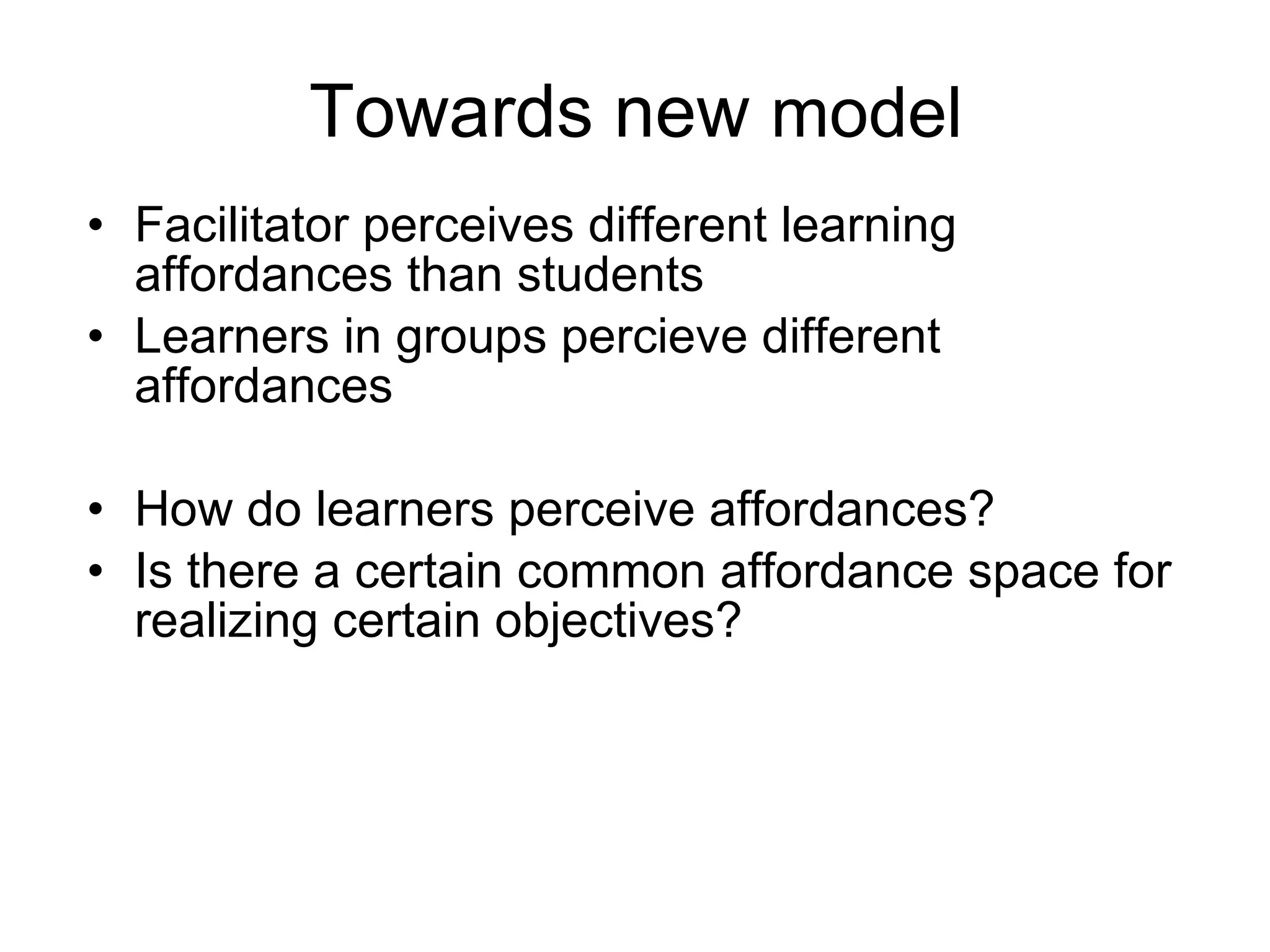
Towards new  model  Facilitator perceives different learning affordances than students Learners in groups percieve different affordances How do learners perceive affordances?  Is there a certain common affordance space for realizing certain objectives?
An ecological view Populations inhabit abstract spaces or niches. Each niche is defined by several ecological characteristics, which can be seen as fitness gradients. There is interdependence of the organism and the niche  - one doesn’t exits without another. So in new ID models, let’s forget the TOOLS with fixed functions, INSTRUCTIONS that always make people do similar things – we need to define the learning spaces as a niches. Niche for certain learning populations can be described by affordances, niche can be repeated even if using different tools.
We need to collect and reuse effective activity descriptions We need to collect and reuse learning landscape ideas We need to consider in course designs what the actual users would perceive in new learning landscapes We need define learning niches as abstract affordance  spaces – then they are repeatable
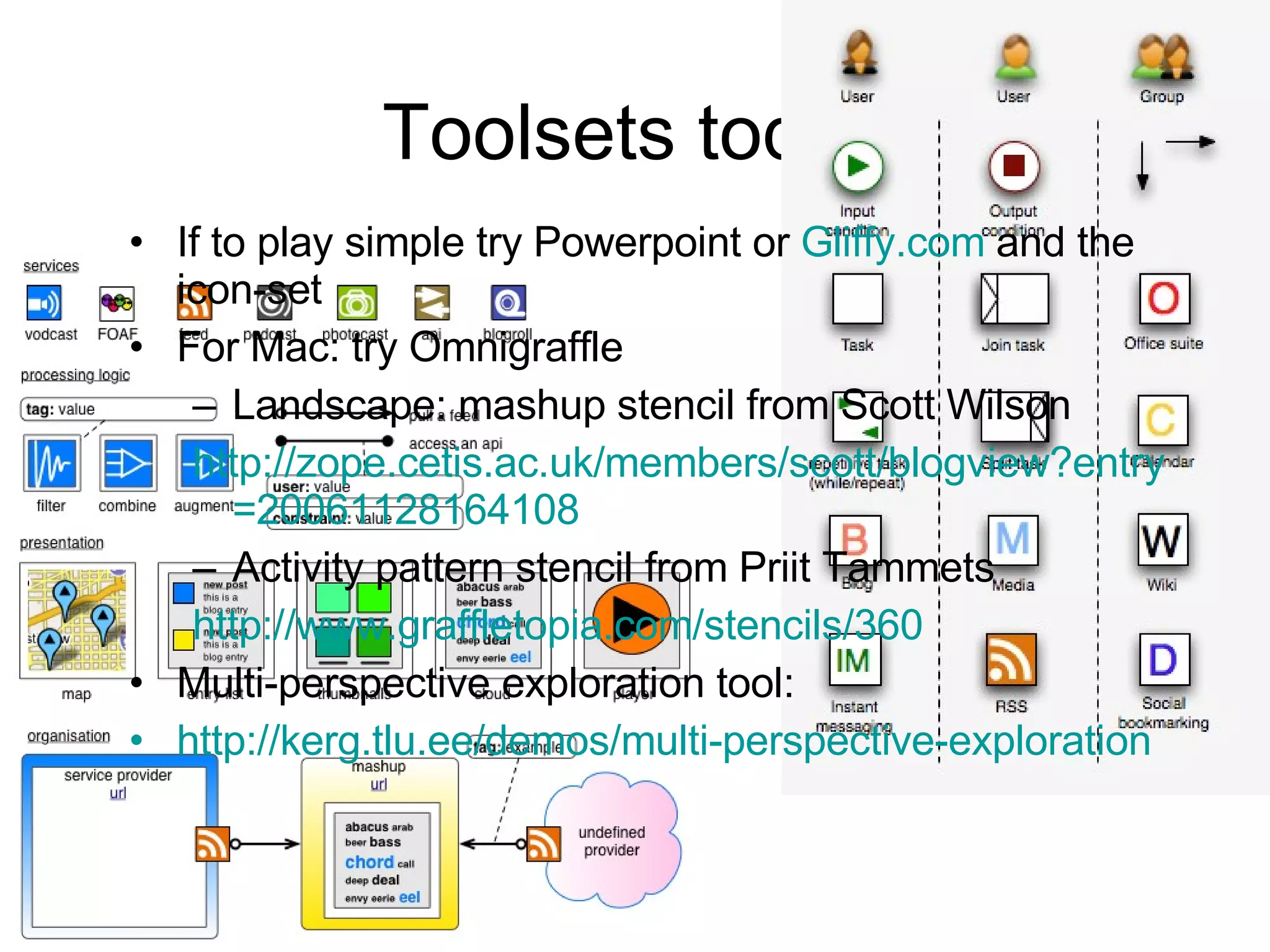
Toolsets today If to play simple try Powerpoint or  Gliffy.com  and the icon-set  For Mac: try Omnigraffle Landscape: mashup stencil from Scott Wilson http:// zope.cetis.ac.uk/members/scott/blogview?entry =20061128164108 Activity pattern stencil from Priit Tammets http://www.graffletopia.com/stencils/360 Multi-perspective exploration tool: http://kerg.tlu.ee/demos/multi-perspective-exploration
Tasks for pairs 1. Draw a diagram of:  a) your landscape  b) one activity pattern you can do at this landscape  (in Gliffy.com, Powerpoint or Omnigraffle) and share the link  here  or sent to kpata@tlu.ee 2. Discuss and analyze your landscape – which affordances you perceive when doing this activity? Fill data into Excel table (raw.xls). Record affordances in shared spreadsheet:  http://spreadsheets.google.com/ccc?key=ps4XWyM81HM2xgkE5MkbfVw
 
Playing with paperclips
If you need more ideas,  see how the students struggled http://www.slideshare.net/kpata/web-20-landscapes or look the stencil descriptions for  activities   and  landscapes
Action verb + artifact or/and subject noun + adjectives A soft ontological way to describe affordances:
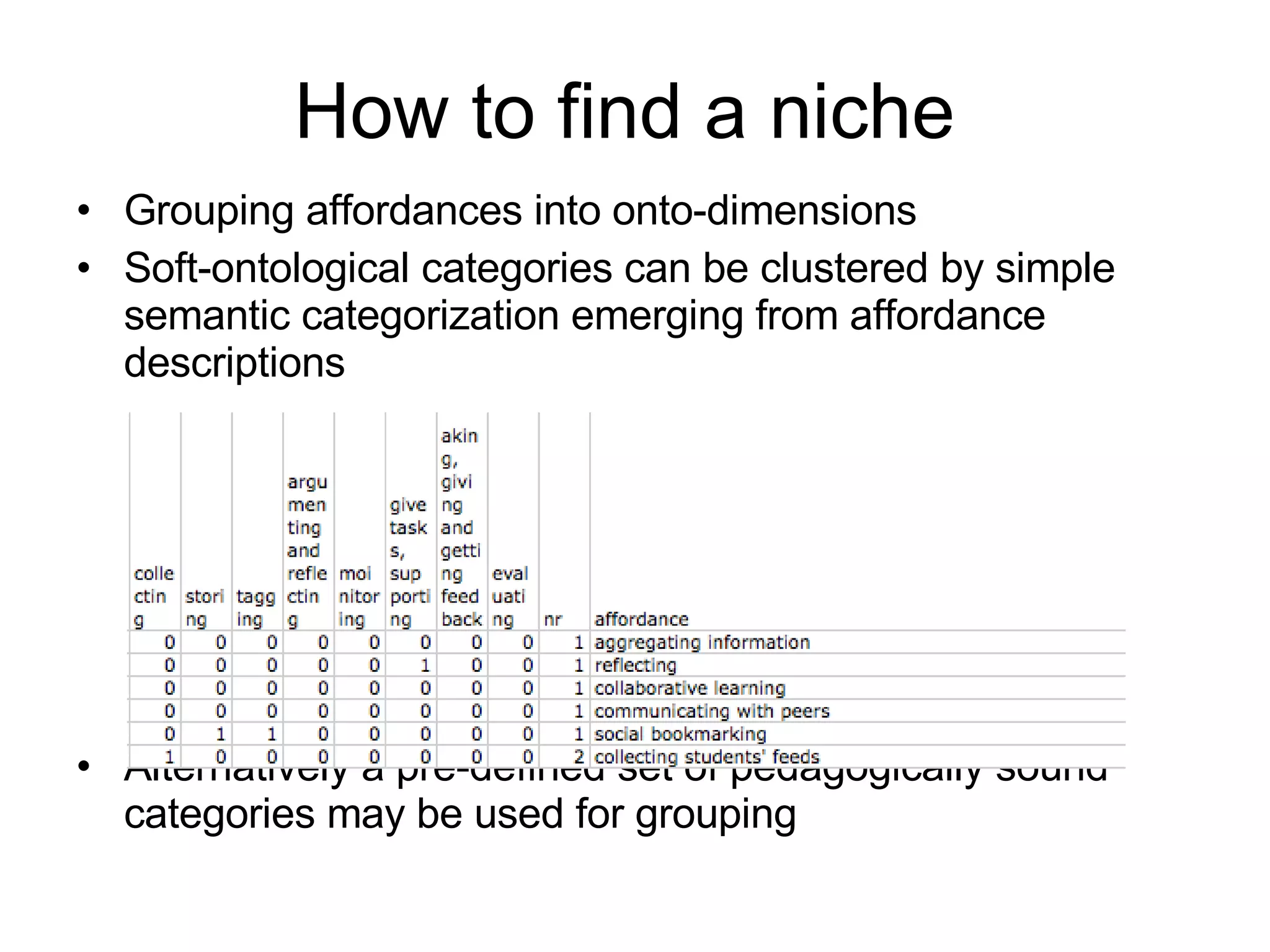
How to find a niche Grouping affordances into onto-dimensions Soft-ontological categories can be clustered by simple semantic categorization emerging from affordance descriptions Alternatively a pre-defined set of pedagogically sound categories may be used for grouping
How to find a niche Calculate each onto-dimension as a fitness landscape gradient in respect of tool usage Niche as an abstract n-dimensional learning space can be defined by many affordance onto-dimensions
Niche visualizations
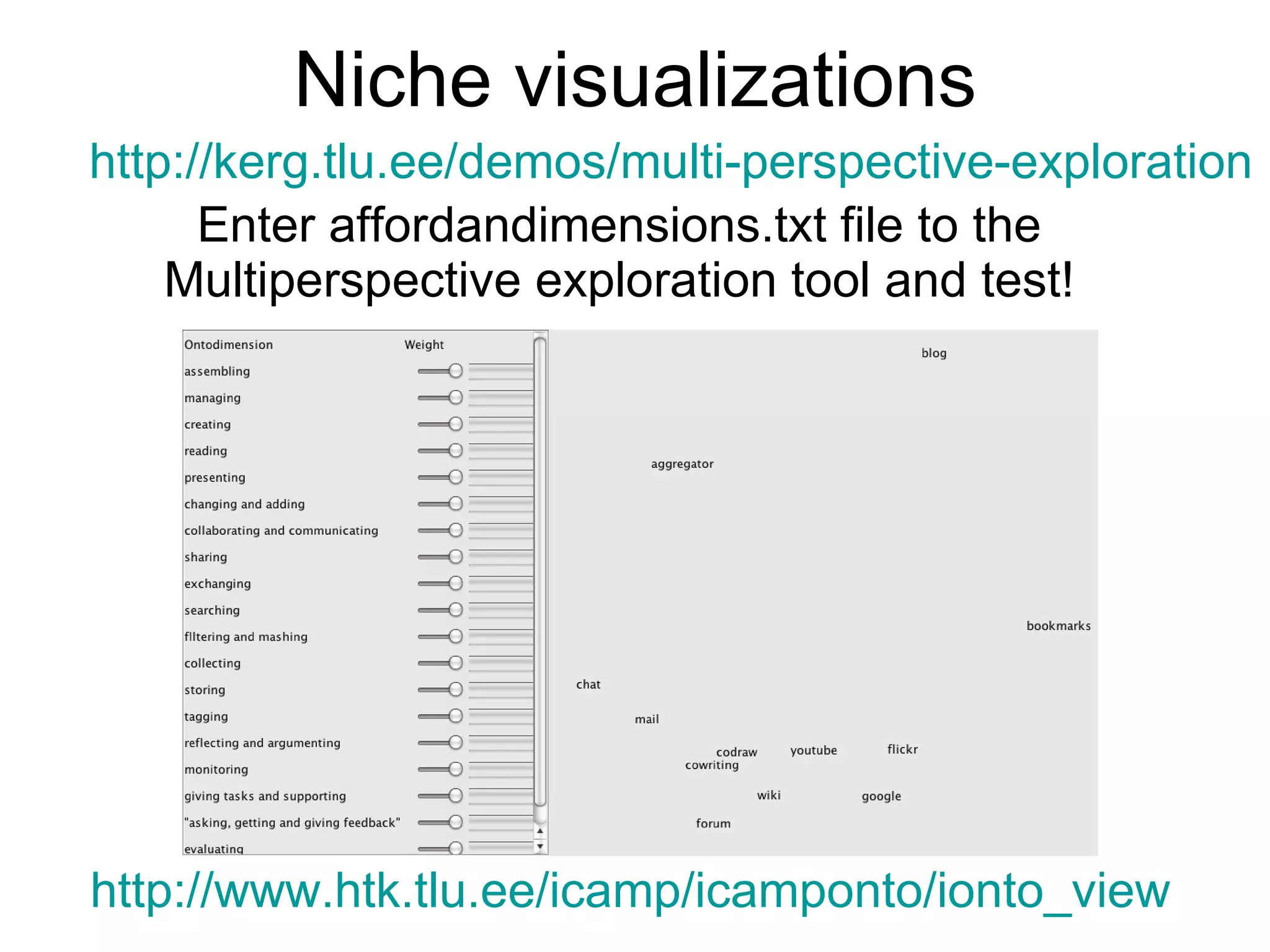
Niche visualizations Enter affordandimensions.txt file to the Multiperspective exploration tool and test! http://kerg.tlu.ee/demos/multi-perspective-exploration http://www.htk.tlu.ee/icamp/icamponto/ionto_view
Contact me:  [email_address] Or read my ideas:  http://tihane.wordpress.com Most of iCamp experimental data are still waiting an in-depth analysis, read about our progress in:  http://www.icamp.eu

Macedonia Icamp

  • 1.
    Kai Pata Centerof Educational Technology, Tallinn University Designing learning experiences for soft competence acquisition: *iCamp: innovative, inclusive, interactive & intercultural learning campus and beyond
  • 2.
    What can wedo? What is iCamp doing: overview of what we learnt in field trials Towards new learning design model: interventional, ecological Planning for activities and landscapes Recording affordances of learning spaces How to visualize learning space as a niche iCamp Folio testing
  • 3.
    iCamp project (http://www.icamp.eu) Intervention strategies for educational design in a formal higher-educational setting Supporting competence advancement in self-directing, social networking, and collaboration Applying the distributed web 2.0 landscapes in parallel with institutional learning systems Favouring learning across national borders
  • 4.
    Intervention is neededLearners should not only plan, conduct and monitor their activities in institutionally offered walled and protected learning environments. For achieving their various personal and group objectives, learners must gain competences of choosing the most suitable environments and plan their activities.
  • 5.
    How should weteach it? Challenging learning environments and real-life tasks Building Personal Learning Environments (PLE) Getting connected with other PLEs Competences to cope with tools Planning activities On my own and with the others Collaboration and networking Self-directing and -reflecting Interoperable tools?
  • 6.
    Group topic Grouptopic Group topic COLLABORATION IN TRIAL 1 Regulation tool shared weblog, synchronous chat tools Content creation tool shared publishing (shared weblog, googledocs) Monitoring in shared weblog An example case
  • 7.
  • 8.
    iCampers Group topicGroup topic Group topic COLLABORATION AND SELF-DIRECTING IN TRIAL 2 Regulation with individual distributed blogs, synchronous chat tools Content creation tool shared wiki Monitoring in blogs Learning contract in personal distributed blog/(personal wiki)
  • 9.
    Most of thegroups used conquer-and-divide cooperation (but not collaboration) strategy. Each member did their parts (most of them used Word and then later copied-and-pasted the text in their blogs for group-mates/facilitator to view/comment). Towards the final stage, students glued up the parts together as the final joint artifact. It didn’t work so well!
  • 10.
    NETWORKING AND SELF-DIRECTINGIN TRIAL 3 iCampers Group topic Group topic Group topic Monitoring in aggregated blogs Learning contract in personal distributed blog/(personal wiki) Regulation with individual distributed blogs, group spaces, synchronous chat tools Content creation with various tools
  • 11.
    Course materials in Moodle and social bookmarks site Regulation and monitoring in course blog and facilitator’s blogs Self-reflection in student blogs Shared spaces for groupwork and outcome production
  • 12.
    Introducing the assignmentToolbox links Specific tags Participants weblogs Facilitator’s weblogs Facilitation weblog in wordpress: http:// htk.tlu.ee/elearning /
  • 13.
    Facilitator’s weblog Feedbackand assignments Monitoring comments and feeds
  • 14.
    Individual landscapes Filtercomment feeds Pulling postings Mashed filtered groupfeed Filter group bookmarks
  • 15.
    Self-reflecting personal learningexperiences Blogs can be effectively used for self reflection using various templates.
  • 16.
    Self-directing and personalcontracts The student fills in personal contract. In the middle of the project another student and the facilitator will comment students’ success in the contract. In the end of the project contract is used as part of evaluation Learners don’t know how to formulate THEIR objectives
  • 17.
    Forming teams Wikipage for group formation Alternatively the students bookmarked their blogs in scuttle with shared tag:
  • 18.
    Aggregating to monitorothers Course blog feed Feeds from students’ blogs Feed from slide presentation
  • 19.
    Facilitator’s blog Feedfrom group wiki Feeds from student blogs
  • 20.
    Collaborative writing wikisCollaborative assignments in social environments collaborative annotation shared blogs shared images spreadsheets co-construction Collaborative co-construction of knowledge presumes: - the formation of shared collaborative workplaces - grounding of plans, action and shared knowledge
  • 21.
    Shared weblog Nogood places to prepare shared artifacts.
  • 22.
    Group wiki asa shared space Problems with discussions!
  • 23.
  • 24.
    Group space inGoogle groups
  • 25.
    Towards new model Using traditional ID model reduces the complexity level of learners‘ objectives and actions, presuming that facilitator can determine these instead of learners. Design elements of courses are sequential and leave little space for self-directing and developing the self-reflection competences. How does integrating the elements of self-direction into learning change the whole setting?
  • 26.
    Competing self-direction andcollaboration Individual space Individual space Collaborative space Cooperative space Individual space Collaborative space Trial 1 Trial 2 Trial 3 Self-reflection must feed collaborative work and vice versa Shared objective prevails Individual objective prevails Difficult to balance
  • 27.
    Towards new modelDifficulties in forming the shared spaces for actual group-work Student-centered learning landscape formation takes time and a lot of grounding and testing the spaces - the shared space changes dynamically The need for the different type but entwined spaces both for shared regulation and for creating the joint product Teams may not use the learning environments effectively and need external feedback to get better impression how thet work
  • 28.
    Towards new modelLearners have few possibilities of making judgements on tools and services of their learning landscapes. The activities of learning designs copy the facilitator‘s workingstyle and apply his/her personal preferences of learning landscapes on learners. Supports uneven distribution of competences between the educational specialists (designers, facilitators) and learners.
  • 29.
    Learner’s initial idea:User as central owner of the personal landscape Information flow between tools is not perceived Tools are categorized by functionalities In Web 2.0 learners need design-based thinking.
  • 30.
    Landscape view doesnot show activity sequences We must see learning activities patterns in learning landscapes – How?
  • 31.
    The activity diagramdoes not show how landscape looks like. Collaborative writing and learning from it Self-reflection and analysis Sharing files Communication with peers Interest- or community-based reading weblogs Based on weblog information searching videos, images, books Marking important information found from weblogs Individualized aggregation of information Both the landscape and activity diagram views are needed to describe learning! Do we need some rules for learners how to draw?
  • 32.
    Towards new model Instructional Design models focus mainly on planning the teaching- and learning sequences and the activity patterns but less to the learning environment design as a whole Activity System.
  • 33.
  • 34.
    Towards new model Facilitator perceives different learning affordances than students Learners in groups percieve different affordances How do learners perceive affordances? Is there a certain common affordance space for realizing certain objectives?
  • 35.
    An ecological viewPopulations inhabit abstract spaces or niches. Each niche is defined by several ecological characteristics, which can be seen as fitness gradients. There is interdependence of the organism and the niche - one doesn’t exits without another. So in new ID models, let’s forget the TOOLS with fixed functions, INSTRUCTIONS that always make people do similar things – we need to define the learning spaces as a niches. Niche for certain learning populations can be described by affordances, niche can be repeated even if using different tools.
  • 36.
    We need tocollect and reuse effective activity descriptions We need to collect and reuse learning landscape ideas We need to consider in course designs what the actual users would perceive in new learning landscapes We need define learning niches as abstract affordance spaces – then they are repeatable
  • 37.
    Toolsets today Ifto play simple try Powerpoint or Gliffy.com and the icon-set For Mac: try Omnigraffle Landscape: mashup stencil from Scott Wilson http:// zope.cetis.ac.uk/members/scott/blogview?entry =20061128164108 Activity pattern stencil from Priit Tammets http://www.graffletopia.com/stencils/360 Multi-perspective exploration tool: http://kerg.tlu.ee/demos/multi-perspective-exploration
  • 38.
    Tasks for pairs1. Draw a diagram of: a) your landscape b) one activity pattern you can do at this landscape (in Gliffy.com, Powerpoint or Omnigraffle) and share the link here or sent to kpata@tlu.ee 2. Discuss and analyze your landscape – which affordances you perceive when doing this activity? Fill data into Excel table (raw.xls). Record affordances in shared spreadsheet: http://spreadsheets.google.com/ccc?key=ps4XWyM81HM2xgkE5MkbfVw
  • 39.
  • 40.
  • 41.
    If you needmore ideas, see how the students struggled http://www.slideshare.net/kpata/web-20-landscapes or look the stencil descriptions for activities and landscapes
  • 42.
    Action verb +artifact or/and subject noun + adjectives A soft ontological way to describe affordances:
  • 43.
    How to finda niche Grouping affordances into onto-dimensions Soft-ontological categories can be clustered by simple semantic categorization emerging from affordance descriptions Alternatively a pre-defined set of pedagogically sound categories may be used for grouping
  • 44.
    How to finda niche Calculate each onto-dimension as a fitness landscape gradient in respect of tool usage Niche as an abstract n-dimensional learning space can be defined by many affordance onto-dimensions
  • 45.
  • 46.
    Niche visualizations Enteraffordandimensions.txt file to the Multiperspective exploration tool and test! http://kerg.tlu.ee/demos/multi-perspective-exploration http://www.htk.tlu.ee/icamp/icamponto/ionto_view
  • 47.
    Contact me: [email_address] Or read my ideas: http://tihane.wordpress.com Most of iCamp experimental data are still waiting an in-depth analysis, read about our progress in: http://www.icamp.eu