A Brief (and Practical) Introduction to Information Architecture Usability and Accessibility for the Web International Seminar Monterrey, Nuevo Leon July 26, 2007 Louis Rosenfeld www.louisrosenfeld.com
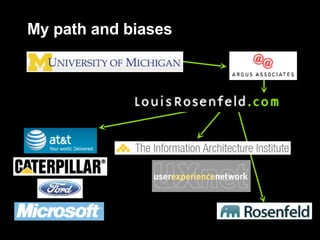
My path and biases
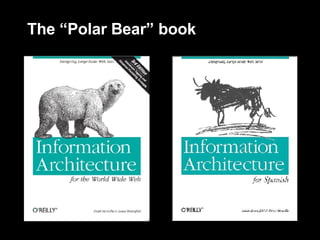
The “Polar Bear” book
Agenda:  emphasis on  practical Introduction to information architecture How to think like an information architect Some practical advice on methods and design approaches Where the field is going Questions?  Please write them down
Introduction:  IA in six slides
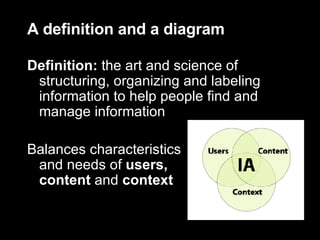
A definition and a diagram Definition:  the art and science of structuring, organizing and labeling information to help people find and manage information Balances characteristics  and needs of  users,  content  and  context
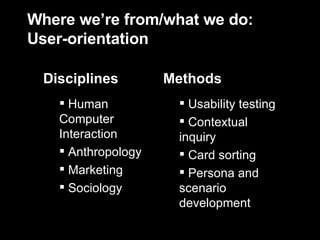
Where we’re from/what we do: User-orientation Usability testing Contextual inquiry Card sorting Persona and scenario development Human Computer Interaction Anthropology Marketing Sociology Methods Disciplines
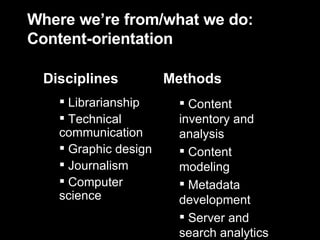
Where we’re from/what we do: Content-orientation Content inventory and analysis Content modeling Metadata development Server and search analytics Librarianship Technical communication Graphic design Journalism Computer science Methods Disciplines
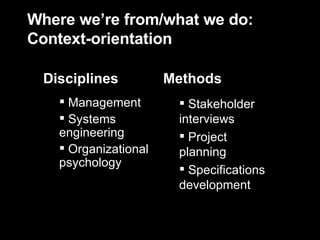
Where we’re from/what we do: Context-orientation Stakeholder interviews Project planning Specifications development Management Systems engineering Organizational psychology Methods Disciplines
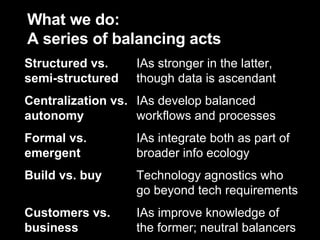
What we do:  A series of balancing acts IAs improve knowledge of the former; neutral balancers Customers vs. business Technology agnostics who go beyond tech requirements Build vs. buy IAs integrate both as part of broader info ecology Formal vs. emergent IAs develop balanced workflows and processes Centralization vs. autonomy IAs stronger in the latter, though data is ascendant Structured vs. semi-structured
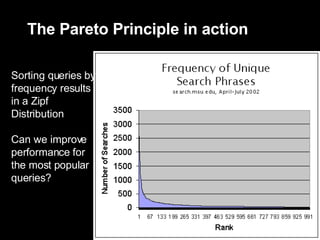
Information architecture’s  single rule Pareto Principle  (“the 80/20 rule”) Information architecture is  all about prioritization:  determine which 20% is  most important  (information needs,  content, design) There are no other rules, just guidelines
Before we continue:  A question Aren’t usability and  information architecture  really just  the same thing?
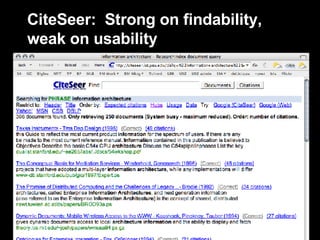
CiteSeer:  Strong on findability, weak on usability
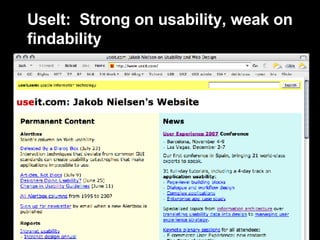
UseIt:  Strong on usability, weak on findability
IA for novices  and  veterans:  Start with Two Big Questions
My questions for you Who are your site’s major audiences? What are each audience’s  primary information needs  (and how well are you addressing them)? Are you confident in your answers?
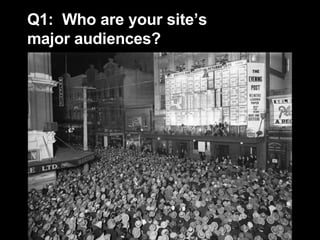
Q1:  Who are your site’s  major audiences?
Audience definition is  surprisingly difficult Too little data… or too much Who/what/where/why/when/how questions Political challenges Defining audience by silo leads to stakeholder infighting Goal:  err toward  apolitical  segmenting that cuts across silos; examples: Job functions (admin, clerical, research, mgmt) Demographics
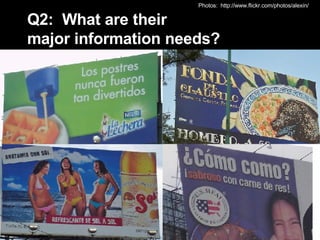
Q2:  What are their  major information needs?  Photos:  http://www.flickr.com/photos/alexin/
Information needs are common tasks and topics Examples  How do I obtain a driver’s license? Are there scholarships available for my 18-year old son? Who are my elected representatives? Can the state government help me find investors?
Uncovering information needs: Ask people who would know Webmasters and the “hate mail” they receive Switchboard operators and their FAQs (Frequently Asked Questions) Subject Matter Experts and the people who bother them Who else? Avoid:  focus groups
Uncovering information needs: Analyze behavioral data Switchboard logs Server logs (Web Analytics)  Search logs (Search Analytics) Information and call center logs Where else? Grouping log data can help you (re)define audience segments
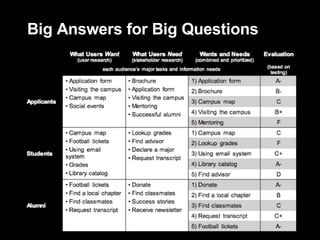
Big Answers for Big Questions
The end of redesigns Redesigns are  Expensive and wasteful Cosmetic User-hostile Pointless Instead, institute a  process Ask and answer these Big Questions on a regular basis Allows all aspects of IA and UX to become procedural and institutional
Sample Method:  Search Analytics
Anatomy of a search log Google Search Appliance; critical elements in bold:  IP address ,  time/date stamp ,  query , and  # of results: XXX.XXX.X.104  - - [ 10/Jul/2006:10:25:46  -0800] "GET /search?access=p&entqr=0&output=xml_no_dtd&sort=date%3AD%3AL%3Ad1&ud=1&site=AllSites&ie=UTF-8&client=www&oe=UTF-8&proxystylesheet=www&q= lincense+plate &ip=XXX.XXX.X.104 HTTP/1.1" 200 971  0  0.02 XXX.XXX.X.104  - - [ 10/Jul/2006:10:25:48  -0800] "GET /search?access=p&entqr=0&output=xml_no_dtd&sort=date%3AD%3AL%3Ad1&ie=UTF-8&client=www&q= license+plate &ud=1&site=AllSites&spell=1&oe=UTF-8&proxystylesheet=www&ip=XXX.XXX.X.104 HTTP/1.1" 200 8283  146  0.16 XXX.XXX.XX.130  - - [ 10/Jul/2006:10:24:38  -0800] "GET /search?access=p&entqr=0&output=xml_no_dtd&sort=date%3AD%3AL%3Ad1&ud=1&site=AllSites&ie=UTF-8&client=www&oe=UTF-8&proxystylesheet=www&q= regional+transportation+governance+commission &ip=XXX.XXX.X.130 HTTP/1.1" 200 9718  62  0.17 Full legend and more examples here: http://www.rosenfeldmedia.com/books/searchanalytics/blog/log_sample_google_appliance/
The Pareto Principle in action Sorting queries by frequency results in a Zipf Distribution Can we improve performance for the most popular queries?
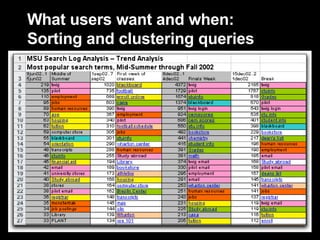
What users want and when: Sorting and clustering queries
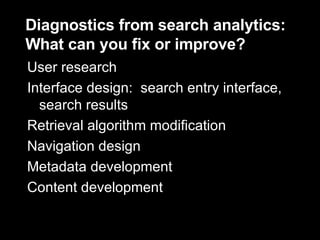
Diagnostics from search analytics:  What can you fix or improve? User research Interface design:  search entry interface, search results Retrieval algorithm modification Navigation design Metadata development Content development
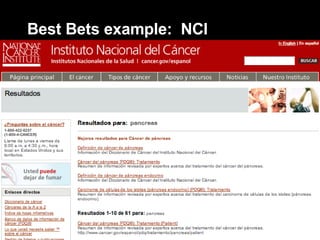
Best Bet search results:  Big answers for Big Questions Manually-assigned recommended links Ensure useful results for top search queries Useful resources for each popular query are manually determined (guided by documented logic) Useful resources manually linked to popular queries; automatically displayed in result page
Best Bets example:  NCI
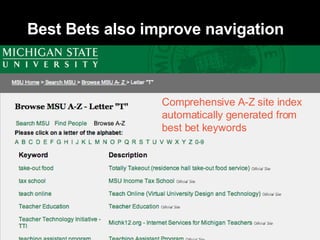
Best Bets also improve navigation Comprehensive A-Z site index automatically generated from best bet keywords
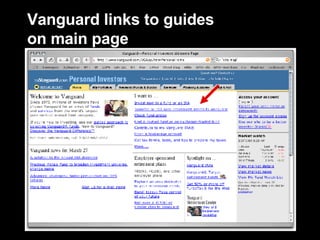
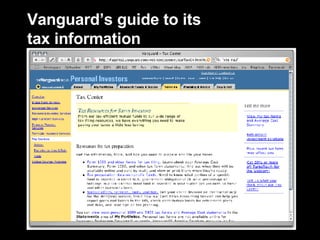
Guides: Bigger answers to Big Questions Guides are single pages that contain A selective set (5-10) of important links related to a Big Question Narrative text that explains the topic and what’s available to help with that topic Generally linked from the main page, but also used in more specific contexts Subsite main pages Search results
Vanguard links to guides  on main page
Vanguard’s guide to its tax information
Guides are painless and efficient Low impact on IT (single HTML page) Cut across departmental silos Gap fillers; complement comprehensive methods of navigation and search Can be timely (e.g., news-oriented guides, seasonal guides) Minimize political headaches by creating new real estate Can grow into fuller subsites
Sample Design Approach:  Contextual Navigation
Contextual navigation: Focusing on  where  users are Contextual navigation supports users deep in site Where am I? Where can I go from here? Critical in a Web 2.0 world Top layers of information systems are increasingly bypassed Search engines  Syndication (RSS, Atom) Banner advertising Deep content becomes starting point
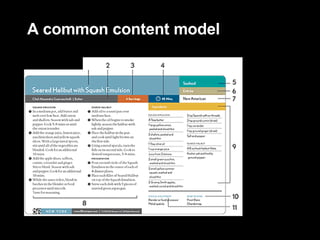
A common content model
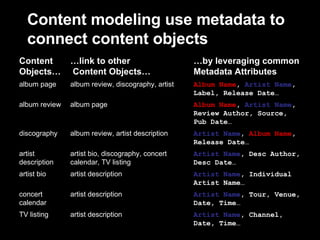
Contextual navigation is  powered by  content models “Data modeling for semi-structured content” Content modeling process helps narrow down both content and metadata choices Content models consist of Content objects Links between objects  Metadata Use sparingly to support high-value contextual navigation
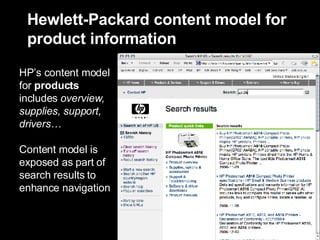
Hewlett-Packard content model for product information  HP’s content model for  products  includes  overview, supplies, support, drivers… Content model is exposed as part of search results to enhance navigation
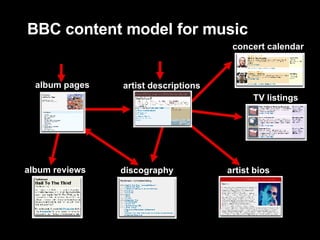
BBC content model for music artist descriptions album reviews album pages artist bios discography concert calendar TV listings
Content modeling use metadata to connect content objects artist description artist description artist description artist bio, discography, concert calendar, TV listing album review, artist description album page album review, discography, artist … link to other  Content Objects… Artist Name , Channel, Date, Time… Artist Name , Tour, Venue, Date, Time… Artist Name , Individual Artist Name… Artist Name , Desc Author, Desc Date… Artist Name ,  Album Name , Release Date… Album Name ,  Artist Name , Review Author, Source, Pub Date… Album Name ,  Artist Name , Label, Release Date… … by leveraging common Metadata Attributes TV listing concert calendar artist bio artist description discography album review album page Content Objects…
At last:  A little bit of inspiration
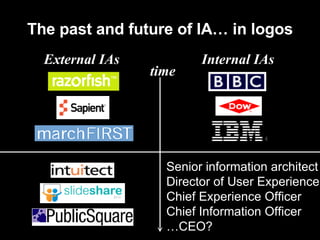
The past and future of IA… in logos time External IAs Internal IAs Senior information architect Director of User Experience Chief Experience Officer Chief Information Officer … CEO?
What I’ve covered Introduction to information architecture How to think like an information architect Some practical advice on methods and design approaches Where the field is going Now, about those questions…
How to reach me Louis Rosenfeld 705 Carroll Street, #2L Brooklyn, NY  11215  USA +1.718.306.9396 voice +1.734.661.1655 fax [email_address] www.louisrosenfeld.com www.rosenfeldmedia.com

A Brief (and Practical) Introduction to Information Architecture

  • 1.
    A Brief (andPractical) Introduction to Information Architecture Usability and Accessibility for the Web International Seminar Monterrey, Nuevo Leon July 26, 2007 Louis Rosenfeld www.louisrosenfeld.com
  • 2.
  • 3.
  • 4.
    Agenda: emphasison practical Introduction to information architecture How to think like an information architect Some practical advice on methods and design approaches Where the field is going Questions? Please write them down
  • 5.
    Introduction: IAin six slides
  • 6.
    A definition anda diagram Definition: the art and science of structuring, organizing and labeling information to help people find and manage information Balances characteristics and needs of users, content and context
  • 7.
    Where we’re from/whatwe do: User-orientation Usability testing Contextual inquiry Card sorting Persona and scenario development Human Computer Interaction Anthropology Marketing Sociology Methods Disciplines
  • 8.
    Where we’re from/whatwe do: Content-orientation Content inventory and analysis Content modeling Metadata development Server and search analytics Librarianship Technical communication Graphic design Journalism Computer science Methods Disciplines
  • 9.
    Where we’re from/whatwe do: Context-orientation Stakeholder interviews Project planning Specifications development Management Systems engineering Organizational psychology Methods Disciplines
  • 10.
    What we do: A series of balancing acts IAs improve knowledge of the former; neutral balancers Customers vs. business Technology agnostics who go beyond tech requirements Build vs. buy IAs integrate both as part of broader info ecology Formal vs. emergent IAs develop balanced workflows and processes Centralization vs. autonomy IAs stronger in the latter, though data is ascendant Structured vs. semi-structured
  • 11.
    Information architecture’s single rule Pareto Principle (“the 80/20 rule”) Information architecture is all about prioritization: determine which 20% is most important (information needs, content, design) There are no other rules, just guidelines
  • 12.
    Before we continue: A question Aren’t usability and information architecture really just the same thing?
  • 13.
    CiteSeer: Strongon findability, weak on usability
  • 14.
    UseIt: Strongon usability, weak on findability
  • 15.
    IA for novices and veterans: Start with Two Big Questions
  • 16.
    My questions foryou Who are your site’s major audiences? What are each audience’s primary information needs (and how well are you addressing them)? Are you confident in your answers?
  • 17.
    Q1: Whoare your site’s major audiences?
  • 18.
    Audience definition is surprisingly difficult Too little data… or too much Who/what/where/why/when/how questions Political challenges Defining audience by silo leads to stakeholder infighting Goal: err toward apolitical segmenting that cuts across silos; examples: Job functions (admin, clerical, research, mgmt) Demographics
  • 19.
    Q2: Whatare their major information needs? Photos: http://www.flickr.com/photos/alexin/
  • 20.
    Information needs arecommon tasks and topics Examples How do I obtain a driver’s license? Are there scholarships available for my 18-year old son? Who are my elected representatives? Can the state government help me find investors?
  • 21.
    Uncovering information needs:Ask people who would know Webmasters and the “hate mail” they receive Switchboard operators and their FAQs (Frequently Asked Questions) Subject Matter Experts and the people who bother them Who else? Avoid: focus groups
  • 22.
    Uncovering information needs:Analyze behavioral data Switchboard logs Server logs (Web Analytics) Search logs (Search Analytics) Information and call center logs Where else? Grouping log data can help you (re)define audience segments
  • 23.
    Big Answers forBig Questions
  • 24.
    The end ofredesigns Redesigns are Expensive and wasteful Cosmetic User-hostile Pointless Instead, institute a process Ask and answer these Big Questions on a regular basis Allows all aspects of IA and UX to become procedural and institutional
  • 25.
    Sample Method: Search Analytics
  • 26.
    Anatomy of asearch log Google Search Appliance; critical elements in bold: IP address , time/date stamp , query , and # of results: XXX.XXX.X.104 - - [ 10/Jul/2006:10:25:46 -0800] "GET /search?access=p&entqr=0&output=xml_no_dtd&sort=date%3AD%3AL%3Ad1&ud=1&site=AllSites&ie=UTF-8&client=www&oe=UTF-8&proxystylesheet=www&q= lincense+plate &ip=XXX.XXX.X.104 HTTP/1.1" 200 971 0 0.02 XXX.XXX.X.104 - - [ 10/Jul/2006:10:25:48 -0800] "GET /search?access=p&entqr=0&output=xml_no_dtd&sort=date%3AD%3AL%3Ad1&ie=UTF-8&client=www&q= license+plate &ud=1&site=AllSites&spell=1&oe=UTF-8&proxystylesheet=www&ip=XXX.XXX.X.104 HTTP/1.1" 200 8283 146 0.16 XXX.XXX.XX.130 - - [ 10/Jul/2006:10:24:38 -0800] "GET /search?access=p&entqr=0&output=xml_no_dtd&sort=date%3AD%3AL%3Ad1&ud=1&site=AllSites&ie=UTF-8&client=www&oe=UTF-8&proxystylesheet=www&q= regional+transportation+governance+commission &ip=XXX.XXX.X.130 HTTP/1.1" 200 9718 62 0.17 Full legend and more examples here: http://www.rosenfeldmedia.com/books/searchanalytics/blog/log_sample_google_appliance/
  • 27.
    The Pareto Principlein action Sorting queries by frequency results in a Zipf Distribution Can we improve performance for the most popular queries?
  • 28.
    What users wantand when: Sorting and clustering queries
  • 29.
    Diagnostics from searchanalytics: What can you fix or improve? User research Interface design: search entry interface, search results Retrieval algorithm modification Navigation design Metadata development Content development
  • 30.
    Best Bet searchresults: Big answers for Big Questions Manually-assigned recommended links Ensure useful results for top search queries Useful resources for each popular query are manually determined (guided by documented logic) Useful resources manually linked to popular queries; automatically displayed in result page
  • 31.
  • 32.
    Best Bets alsoimprove navigation Comprehensive A-Z site index automatically generated from best bet keywords
  • 33.
    Guides: Bigger answersto Big Questions Guides are single pages that contain A selective set (5-10) of important links related to a Big Question Narrative text that explains the topic and what’s available to help with that topic Generally linked from the main page, but also used in more specific contexts Subsite main pages Search results
  • 34.
    Vanguard links toguides on main page
  • 35.
    Vanguard’s guide toits tax information
  • 36.
    Guides are painlessand efficient Low impact on IT (single HTML page) Cut across departmental silos Gap fillers; complement comprehensive methods of navigation and search Can be timely (e.g., news-oriented guides, seasonal guides) Minimize political headaches by creating new real estate Can grow into fuller subsites
  • 37.
    Sample Design Approach: Contextual Navigation
  • 38.
    Contextual navigation: Focusingon where users are Contextual navigation supports users deep in site Where am I? Where can I go from here? Critical in a Web 2.0 world Top layers of information systems are increasingly bypassed Search engines Syndication (RSS, Atom) Banner advertising Deep content becomes starting point
  • 39.
  • 40.
    Contextual navigation is powered by content models “Data modeling for semi-structured content” Content modeling process helps narrow down both content and metadata choices Content models consist of Content objects Links between objects Metadata Use sparingly to support high-value contextual navigation
  • 41.
    Hewlett-Packard content modelfor product information HP’s content model for products includes overview, supplies, support, drivers… Content model is exposed as part of search results to enhance navigation
  • 42.
    BBC content modelfor music artist descriptions album reviews album pages artist bios discography concert calendar TV listings
  • 43.
    Content modeling usemetadata to connect content objects artist description artist description artist description artist bio, discography, concert calendar, TV listing album review, artist description album page album review, discography, artist … link to other Content Objects… Artist Name , Channel, Date, Time… Artist Name , Tour, Venue, Date, Time… Artist Name , Individual Artist Name… Artist Name , Desc Author, Desc Date… Artist Name , Album Name , Release Date… Album Name , Artist Name , Review Author, Source, Pub Date… Album Name , Artist Name , Label, Release Date… … by leveraging common Metadata Attributes TV listing concert calendar artist bio artist description discography album review album page Content Objects…
  • 44.
    At last: A little bit of inspiration
  • 45.
    The past andfuture of IA… in logos time External IAs Internal IAs Senior information architect Director of User Experience Chief Experience Officer Chief Information Officer … CEO?
  • 46.
    What I’ve coveredIntroduction to information architecture How to think like an information architect Some practical advice on methods and design approaches Where the field is going Now, about those questions…
  • 47.
    How to reachme Louis Rosenfeld 705 Carroll Street, #2L Brooklyn, NY 11215 USA +1.718.306.9396 voice +1.734.661.1655 fax [email_address] www.louisrosenfeld.com www.rosenfeldmedia.com