A+ HardwareSection 1.2 Introduction to Personal ComputerMade By : Gagandeep Singh
What you learn todayCompTIA A+  220-701 , Section 1.2Explain the motherboard components, types and features.    - I/O interfaces    - Memory Slots    - Processor Socket.    - Bus Architecture     - Bus Slots    - Floppy Drives    - Hard drives.    - BIOS/CMOS/POST
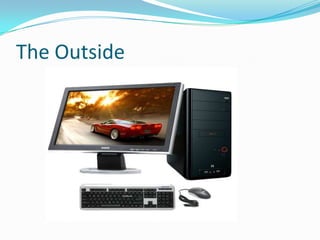
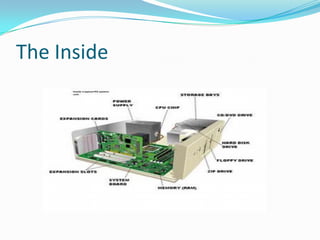
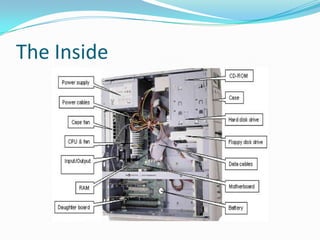
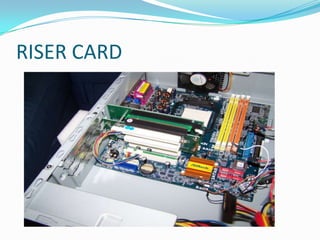
Introduction to Personal ComputerThe outside     - Monitor, Keyboard, Mouse, Computer Case.The inside    - Power supply, motherboard, CPU, memory, cooling fans.Computer operation primer.
The Outside
The Inside
The Inside
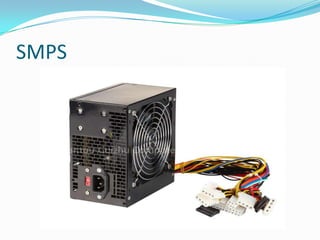
SMPS
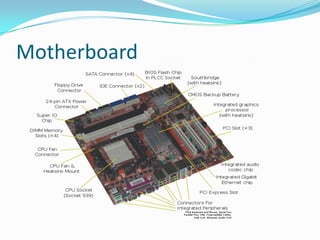
Motherboard
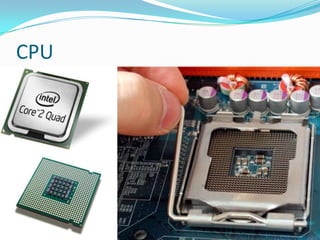
CPU
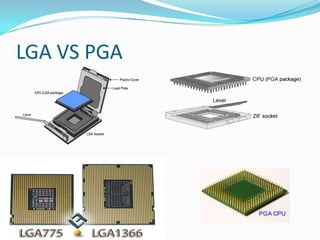
LGA VS PGA
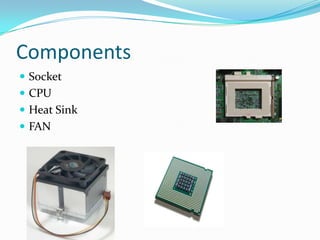
Components Socket CPUHeat SinkFAN
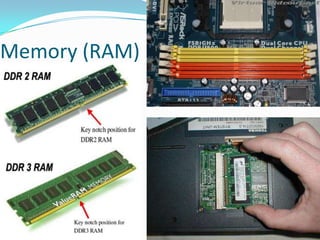
Memory (RAM)
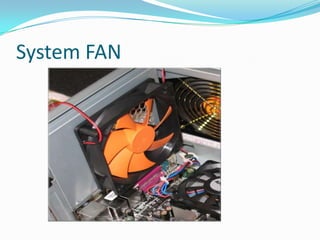
System FAN
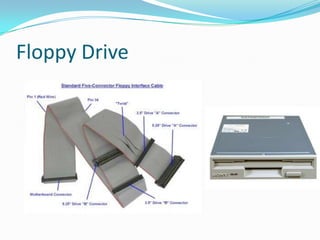
Floppy Drive
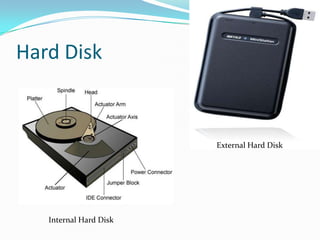
Hard DiskExternal Hard DiskInternal Hard Disk
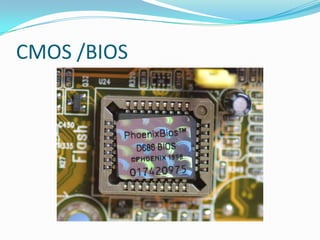
CMOS /BIOS
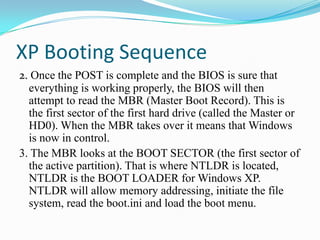
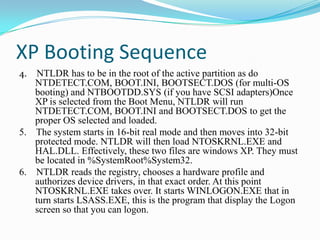
OS Booting Sequence Steps
OS Booting Sequence StepsFirst is the POST, this stands for Power On Self Test, for the computer.The computer power-on self-test (POST) tests the computer to make sure it meets the necessary system requirements and that all hardware is working properly before starting the remainder of the boot process. If the computer passes the POST the computer will have a single beep (with some computer BIOS manufacturers it may beep twice) as the computer starts and the computer will continue to start normally. However, if the computer fails the POST, the computer will either not beep at all or will generate a beep code, which tells the user the source of the problem.
The steps of a POSTEach time the computer boots up the computer must past the POST. Below is the common steps a POST performs each time your computer starts.1.    Test the power supply to ensure that it is turned on and that it releases its reset signal.2.   CPU must exit the reset status mode and thereafter be able to execute instructions.3.   BIOS checksum must be valid, meaning that it must be readable.4.   CMOS checksum must be valid, meaning that it must be readable.
The steps of a POSTCPU must be able to read all forms of memory such as the memory controller, memory bus, and memory module.6. The first 64KB of memory must be operational and have the capability to be read and written to and from, and capable of containing the POST code.7. I/O bus / controller must be accessible.8. I/O bus must be able to write / read from the video subsystem and be able to read all video RAM.
The steps of a POST If the computer does not pass any of the above tests, your computer will receive an irregular POST. An irregular POST is a beep code that is different from the standard one or two beeps. This could be either no beeps at all or a combination of different beeps indicating what is causing the computer not to past the POST.
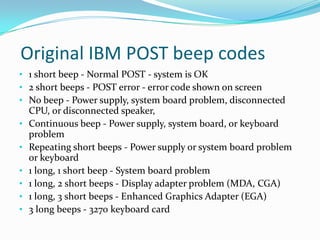
 Original IBM POST beep codes1 short beep - Normal POST - system is OK
2 short beeps - POST error - error code shown on screen
No beep - Power supply, system board problem, disconnected CPU, or disconnected speaker,
Continuous beep - Power supply, system board, or keyboard problem
Repeating short beeps - Power supply or system board problem or keyboard
1 long, 1 short beep - System board problem
1 long, 2 short beeps - Display adapter problem (MDA, CGA)

1.0 introduction to personal computer

  • 1.
    A+ HardwareSection 1.2Introduction to Personal ComputerMade By : Gagandeep Singh
  • 2.
    What you learntodayCompTIA A+ 220-701 , Section 1.2Explain the motherboard components, types and features. - I/O interfaces - Memory Slots - Processor Socket. - Bus Architecture - Bus Slots - Floppy Drives - Hard drives. - BIOS/CMOS/POST
  • 3.
    Introduction to PersonalComputerThe outside - Monitor, Keyboard, Mouse, Computer Case.The inside - Power supply, motherboard, CPU, memory, cooling fans.Computer operation primer.
  • 4.
  • 5.
  • 6.
  • 7.
  • 8.
  • 9.
  • 10.
  • 11.
  • 12.
  • 13.
  • 14.
  • 15.
    Hard DiskExternal HardDiskInternal Hard Disk
  • 16.
  • 17.
  • 18.
    OS Booting SequenceStepsFirst is the POST, this stands for Power On Self Test, for the computer.The computer power-on self-test (POST) tests the computer to make sure it meets the necessary system requirements and that all hardware is working properly before starting the remainder of the boot process. If the computer passes the POST the computer will have a single beep (with some computer BIOS manufacturers it may beep twice) as the computer starts and the computer will continue to start normally. However, if the computer fails the POST, the computer will either not beep at all or will generate a beep code, which tells the user the source of the problem.
  • 19.
    The steps ofa POSTEach time the computer boots up the computer must past the POST. Below is the common steps a POST performs each time your computer starts.1. Test the power supply to ensure that it is turned on and that it releases its reset signal.2. CPU must exit the reset status mode and thereafter be able to execute instructions.3. BIOS checksum must be valid, meaning that it must be readable.4. CMOS checksum must be valid, meaning that it must be readable.
  • 20.
    The steps ofa POSTCPU must be able to read all forms of memory such as the memory controller, memory bus, and memory module.6. The first 64KB of memory must be operational and have the capability to be read and written to and from, and capable of containing the POST code.7. I/O bus / controller must be accessible.8. I/O bus must be able to write / read from the video subsystem and be able to read all video RAM.
  • 21.
    The steps ofa POST If the computer does not pass any of the above tests, your computer will receive an irregular POST. An irregular POST is a beep code that is different from the standard one or two beeps. This could be either no beeps at all or a combination of different beeps indicating what is causing the computer not to past the POST.
  • 22.
    Original IBMPOST beep codes1 short beep - Normal POST - system is OK
  • 23.
    2 short beeps- POST error - error code shown on screen
  • 24.
    No beep -Power supply, system board problem, disconnected CPU, or disconnected speaker,
  • 25.
    Continuous beep -Power supply, system board, or keyboard problem
  • 26.
    Repeating short beeps- Power supply or system board problem or keyboard
  • 27.
    1 long, 1short beep - System board problem
  • 28.
    1 long, 2short beeps - Display adapter problem (MDA, CGA)