Data Retrieval Systems
Text-based Database
Searching
The amount of biologically relevant data
accessible via the WWW is increasing at a very
rapid rate.
It is important for Scientists to have easy and
efficient ways of wading through the data and
finding what is important for their research.
Knowing how to access and search for
information in the database is essential.
Depending on the type of data at hand, there
are two basic ways of searching:
• using descriptive words to search text
databases
• using a nucleotide or protein sequence to
search sequence databases
Text-based Database Searching
There are three important data retrieval systems
of particular relevance to molecular biologists:
Entrez (at NCBI)
Sequence Retrieval System, SRS (at EBI)
DBGET/LinkDB (at Japan)
The advantage of these retrieval systems is that
they not only return matches to a query, but also
provide handy pointers to additional important
information in related databases
Text-based Database Searching
The three systems differ in the databases they
search and the links they provide to other
information.
In using any of these systems, queries can be as
simple as entering the accession number of a
newly published sequence or as complex as
searching multiple database fields for specific
terms
Text-based Database Searching
Basic Search Concepts
• Boolean Search – An advanced query search using two or more
terms, using Boolean operator AND, OR, NOT, default – AND
• Broadening the Search – If the results of a search produce no
useful entries, change or remove terms
• Narrowing the Search – If the results of a search produce too
many entries, change or add terms
• Proximity Searching – To search with multiword terms or
phrases, place quotes around the terms
• Wild Card – The character * prepended or appended to a search
term make a search less specific., e.g., to look for all authors with
last name Zav, search using Zav*
Entrez
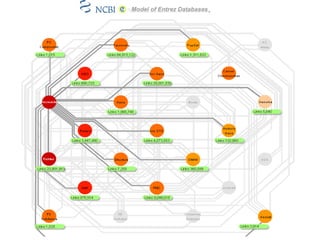
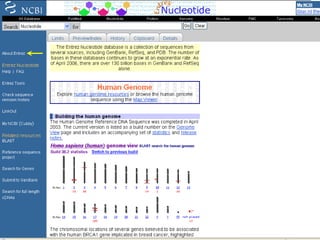
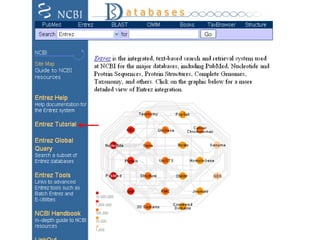
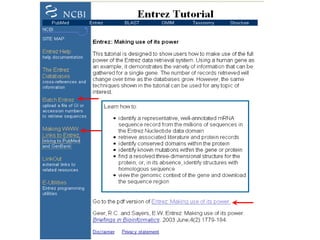
Entrez - is a molecular biology database and
retrieval system developed by the National Center
for Biotechnology Information (NCBI)
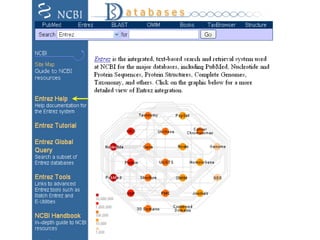
It is an entry point for exploring distinct but
integrated databases.
Reference:
Entrez: Molecular Biology Database and Retrieval System,
Schuler GD, Epstein JA, Ohkawa H, Kans JA, Methods
Enzymol. 266, 141-62, 1996.
(http://www.ncbi.nlm.nih.gov/Entrez/)
Entrez
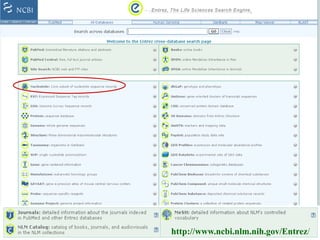
The Entrez system provides access to:
• Nucleotide sequence databases – GenBank/DDBJ/EBI
• Protein sequence databases - Swiss-Prot, PIR, PRF, PDB,
and translated protein sequences from DNA sequence databases
• Genome and chromosome mapping data
• Molecular Modeling 3-D structures Database
• Literature database, PubMed - provides excellent and
easy access to MEDLINE and pre-MEDLINE articles.
• Taxonomy database - allows retrieval of DNA and protein
sequences for any taxonomic group.
• Specialized Databases – OMIM, dbSNP, UniSTS, etc.
http://www.ncbi.nlm.nih.gov/Entrez/
Entrez
The most valuable feature of Entrez is
- its exploitation of the concept of ‘neighbouring’
- which allows related articles in different
databases to be linked to each other, whether or
not they are cross-referenced directly.
Neighbours and links are listed in the order of
similarity to the query.
The similarity is based on pre-computed analyses
of sequences, structures and the literature.
Entrez
One particularly useful feature in Entrez is –
The ability to retrieve large sets of data based on
some criterion and to download them to a local
computer – Batch Entrez
- allowing these sequences to be worked on using
analytical tools available on local computer.
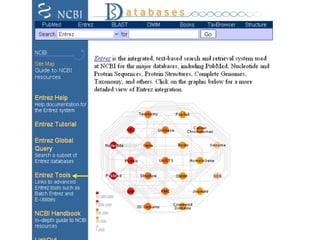
Entrez Features
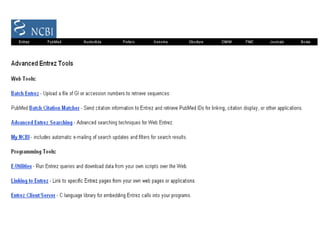
• Entrez Global Query - Search a subset of Entrez databases
• Batch Entrez - Upload a file of GI or accession numbers to
retrieve sequences
• Making Links Entrez - Linking to PubMed and GenBank
• E-Utilities - Entrez programming utilities
• LinkOut - External links to related resources
• Cubby - provides with a Stored Search feature to store and
update searches, allows to customize your LinkOut display
SRS
The Sequence Retrieval System (SRS) – a network
browser for databases in molecular biology.
It is a powerful sequence information indexing, search
and retrieval system (http://srs.ebi.ac.uk/)
Reference:
1. T. Etzold, A. Ulyanov, and P. Argos, SRS: Information
Retrieval System for Molecular Biology Data Banks.
Methods in Enzymology, 266, 114, 1996.
2. T. Etzold and P. Argos, SRS - An Indexing and Retrieval Tool
for Flat File Data Libraries. Comp. Appl. Biosciences
(CABIOS), 9, 49-57, 1993.
SRS
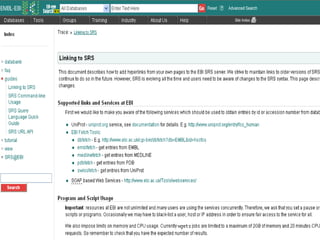
SRS is a homogeneous interface to over 80 biological
databases developed at the European Bioinformatics
Institute (EBI) at Hinxton, UK.
The types of databases included are sequence and
sequence related, metabolic pathways, transcription
factors, application results (e.g., BLAST), protein 3D-
structure, genome, mapping, mutations, and locus-
specific mutations.
One can access and query their contents and navigate
among them.
SRS
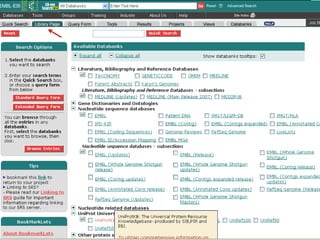
The Web page listing all the databases contains a
link to a description page about the database and
includes the date of last update.
One can select one or more databases to search
before entering the query.
Over 30 versions of SRS are currently running on
the WWW. Each includes a different subset of
databases and associated analytical tools.
SRS
SRS Features:
• SRS databases are well indexed, thus reducing the
search time for the large number of potential databases
• SRS allows any flat file database to be indexed to any
other. The advantage being the derived indices may be
rapidly searched, allowing users to retrieve, link and
access entries from all the interconnected resources
• The system has the particular strength that it can be
readily customized to use any defined set of databanks.
SRS
Simple SRS queries
• By accession number
• Query on accession number: J00231
• By a simple author or organism name
• Query on author and organism: Ausubel
AND Rhizobium
• Boolean relations between keywords: and, or,
but not
SRS
contd….
• Searching by dates: 01-Jan-1995: 31-Dec-1995
• Searching by size: 400:600
• Using hypertext links in an entry: Medline,
Swiss-Prot, and PDB entries can be linked from within
the EMBL database
• Display of molecules via Rasmol plug-in
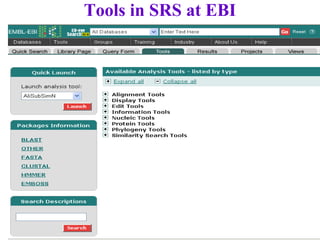
Tools in SRS at EBI
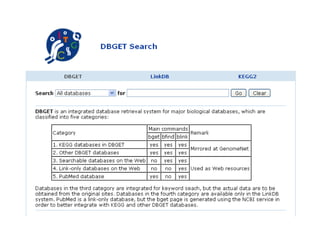
DBGET
DBGET/LinkDB - is an integrated bioinformatics
database retrieval system at GenomeNet, developed by
the Institute for Chemical Research, Kyoto University,
and the Human Genome Center of the University of
Tokyo.
References:
1. M. Kanehisa, Linking databases and organisms: GenomeNet
resources in Japan. Trends Biochem Sci. 22, 442-444 (1997).
2. Fujibuchi, W., Goto, S., Migimatsu, H., Uchiyama, I.,
Ogiwara, A., Akiyama, Y., & Kanehisa, M.;
DBGET/LinkDB: an integrated database retrieval system.
Pacific Symp. Biocomputing 1998, 683-694 (1997).
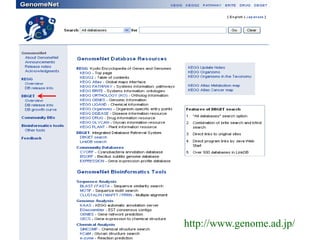
http://www.genome.ad.jp/
DBGET
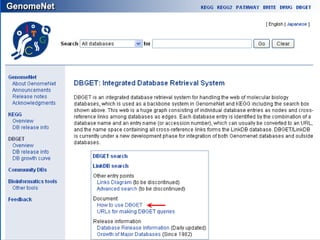
DBGET - is used to search and extract entries
from a wide range of molecular biology databases
LinkDB - is used to compute links between
entries in different databases.
It is designed to be a network distributed database
system with an open architecture, which is
suitable for incorporating local databases or
establishing a server environment.
http://www.genome.ad.jp/dbget/
DBGET
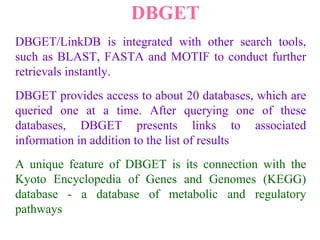
DBGET/LinkDB is integrated with other search tools,
such as BLAST, FASTA and MOTIF to conduct further
retrievals instantly.
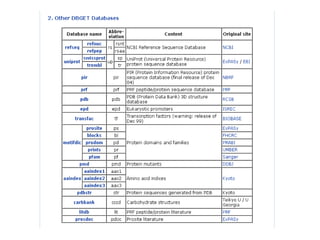
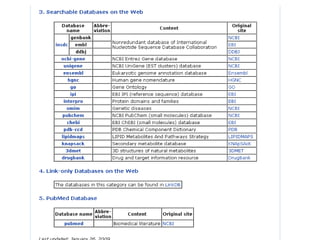
DBGET provides access to about 20 databases, which are
queried one at a time. After querying one of these
databases, DBGET presents links to associated
information in addition to the list of results
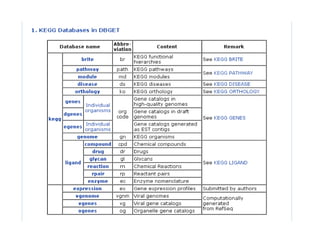
A unique feature of DBGET is its connection with the
Kyoto Encyclopedia of Genes and Genomes (KEGG)
database - a database of metabolic and regulatory
pathways
DBGET
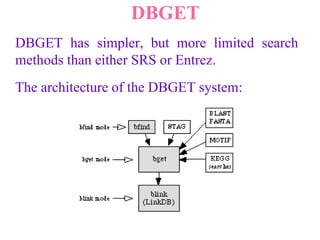
DBGET has simpler, but more limited search
methods than either SRS or Entrez.
The architecture of the DBGET system:
DBGET
DBGET has three basic commands (or three basic
modes in the Web version), bfind, bget, and
blink, to search and extract database entries.
bget – performs the retrieval of database entries
specified by the combination of dbname:identifier
bfind – is used for searching entries by keywords
Notable feature of DBGET, different from other
text search systems, is that no keyword indexing
is performed when a database is installed or
updated.
DBGET
Selected fields are extracted and stored in separate
files for bfind searches.
- an advantage for rapid database updates, but
sometimes a disadvantage for elaborate searching
To supplement bfind, the full text search STAG is
provided
blink - the LinkDB search. Once entries of
interest are found, it can be used to retrieve
related entries in a given database or all databases
in GenomeNet
Example
Let’s consider an example to show how each
system can be used to retrieve the SwissProt entry
P04391, an ornithine carbamoyltransferase protein
in Escherichia coli
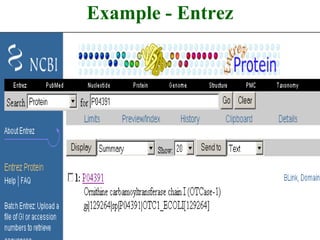
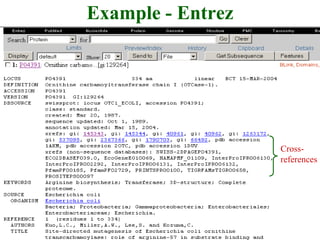
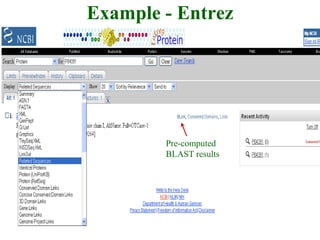
In Entrez, enter the name P04391 in the protein
database query form and view the entry and
associated links and neighbours
Example - Entrez
Example - Entrez
Cross-
references
Example - Entrez
Pre-computed
BLAST results
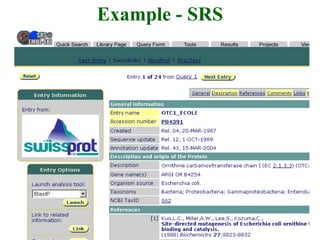
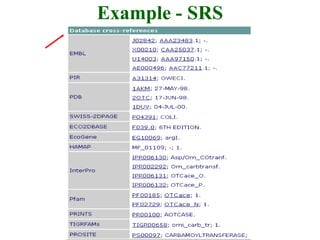
Example - SRS
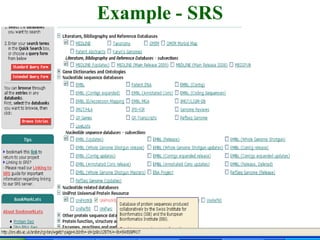
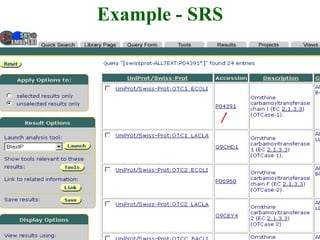
In SRS, first select the SwissProt database,
then enter P04391 in the query form and,
once the entry is displayed, search for links
to other related databases.
Example - SRS
Example - SRS
Example - SRS
Example - SRS
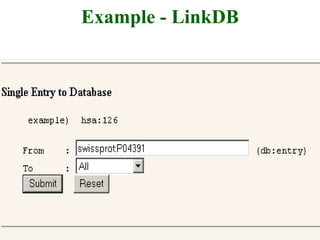
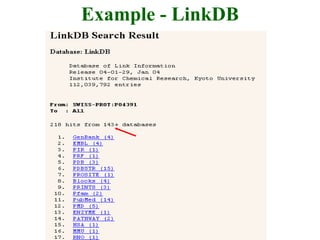
Example - LinkDB
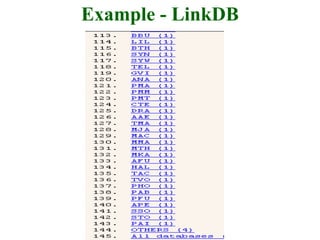
However, the fastest way of gathering the related
information for this entry is to search LinkDB.
By simply entering swissprot:P04391, a list of all
links to all the related databases is displayed
Example - LinkDB
Example - LinkDB
Example - LinkDB

Data Retrieval Systems

  • 1.
  • 2.
    The amount ofbiologically relevant data accessible via the WWW is increasing at a very rapid rate. It is important for Scientists to have easy and efficient ways of wading through the data and finding what is important for their research. Knowing how to access and search for information in the database is essential.
  • 3.
    Depending on thetype of data at hand, there are two basic ways of searching: • using descriptive words to search text databases • using a nucleotide or protein sequence to search sequence databases
  • 4.
    Text-based Database Searching Thereare three important data retrieval systems of particular relevance to molecular biologists: Entrez (at NCBI) Sequence Retrieval System, SRS (at EBI) DBGET/LinkDB (at Japan) The advantage of these retrieval systems is that they not only return matches to a query, but also provide handy pointers to additional important information in related databases
  • 5.
    Text-based Database Searching Thethree systems differ in the databases they search and the links they provide to other information. In using any of these systems, queries can be as simple as entering the accession number of a newly published sequence or as complex as searching multiple database fields for specific terms
  • 6.
    Text-based Database Searching BasicSearch Concepts • Boolean Search – An advanced query search using two or more terms, using Boolean operator AND, OR, NOT, default – AND • Broadening the Search – If the results of a search produce no useful entries, change or remove terms • Narrowing the Search – If the results of a search produce too many entries, change or add terms • Proximity Searching – To search with multiword terms or phrases, place quotes around the terms • Wild Card – The character * prepended or appended to a search term make a search less specific., e.g., to look for all authors with last name Zav, search using Zav*
  • 7.
    Entrez Entrez - isa molecular biology database and retrieval system developed by the National Center for Biotechnology Information (NCBI) It is an entry point for exploring distinct but integrated databases. Reference: Entrez: Molecular Biology Database and Retrieval System, Schuler GD, Epstein JA, Ohkawa H, Kans JA, Methods Enzymol. 266, 141-62, 1996. (http://www.ncbi.nlm.nih.gov/Entrez/)
  • 8.
    Entrez The Entrez systemprovides access to: • Nucleotide sequence databases – GenBank/DDBJ/EBI • Protein sequence databases - Swiss-Prot, PIR, PRF, PDB, and translated protein sequences from DNA sequence databases • Genome and chromosome mapping data • Molecular Modeling 3-D structures Database • Literature database, PubMed - provides excellent and easy access to MEDLINE and pre-MEDLINE articles. • Taxonomy database - allows retrieval of DNA and protein sequences for any taxonomic group. • Specialized Databases – OMIM, dbSNP, UniSTS, etc.
  • 10.
  • 17.
    Entrez The most valuablefeature of Entrez is - its exploitation of the concept of ‘neighbouring’ - which allows related articles in different databases to be linked to each other, whether or not they are cross-referenced directly. Neighbours and links are listed in the order of similarity to the query. The similarity is based on pre-computed analyses of sequences, structures and the literature.
  • 18.
    Entrez One particularly usefulfeature in Entrez is – The ability to retrieve large sets of data based on some criterion and to download them to a local computer – Batch Entrez - allowing these sequences to be worked on using analytical tools available on local computer.
  • 19.
    Entrez Features • EntrezGlobal Query - Search a subset of Entrez databases • Batch Entrez - Upload a file of GI or accession numbers to retrieve sequences • Making Links Entrez - Linking to PubMed and GenBank • E-Utilities - Entrez programming utilities • LinkOut - External links to related resources • Cubby - provides with a Stored Search feature to store and update searches, allows to customize your LinkOut display
  • 20.
    SRS The Sequence RetrievalSystem (SRS) – a network browser for databases in molecular biology. It is a powerful sequence information indexing, search and retrieval system (http://srs.ebi.ac.uk/) Reference: 1. T. Etzold, A. Ulyanov, and P. Argos, SRS: Information Retrieval System for Molecular Biology Data Banks. Methods in Enzymology, 266, 114, 1996. 2. T. Etzold and P. Argos, SRS - An Indexing and Retrieval Tool for Flat File Data Libraries. Comp. Appl. Biosciences (CABIOS), 9, 49-57, 1993.
  • 23.
    SRS SRS is ahomogeneous interface to over 80 biological databases developed at the European Bioinformatics Institute (EBI) at Hinxton, UK. The types of databases included are sequence and sequence related, metabolic pathways, transcription factors, application results (e.g., BLAST), protein 3D- structure, genome, mapping, mutations, and locus- specific mutations. One can access and query their contents and navigate among them.
  • 24.
    SRS The Web pagelisting all the databases contains a link to a description page about the database and includes the date of last update. One can select one or more databases to search before entering the query. Over 30 versions of SRS are currently running on the WWW. Each includes a different subset of databases and associated analytical tools.
  • 25.
    SRS SRS Features: • SRSdatabases are well indexed, thus reducing the search time for the large number of potential databases • SRS allows any flat file database to be indexed to any other. The advantage being the derived indices may be rapidly searched, allowing users to retrieve, link and access entries from all the interconnected resources • The system has the particular strength that it can be readily customized to use any defined set of databanks.
  • 26.
    SRS Simple SRS queries •By accession number • Query on accession number: J00231 • By a simple author or organism name • Query on author and organism: Ausubel AND Rhizobium • Boolean relations between keywords: and, or, but not
  • 27.
    SRS contd…. • Searching bydates: 01-Jan-1995: 31-Dec-1995 • Searching by size: 400:600 • Using hypertext links in an entry: Medline, Swiss-Prot, and PDB entries can be linked from within the EMBL database • Display of molecules via Rasmol plug-in
  • 28.
  • 29.
    DBGET DBGET/LinkDB - isan integrated bioinformatics database retrieval system at GenomeNet, developed by the Institute for Chemical Research, Kyoto University, and the Human Genome Center of the University of Tokyo. References: 1. M. Kanehisa, Linking databases and organisms: GenomeNet resources in Japan. Trends Biochem Sci. 22, 442-444 (1997). 2. Fujibuchi, W., Goto, S., Migimatsu, H., Uchiyama, I., Ogiwara, A., Akiyama, Y., & Kanehisa, M.; DBGET/LinkDB: an integrated database retrieval system. Pacific Symp. Biocomputing 1998, 683-694 (1997).
  • 30.
  • 32.
    DBGET DBGET - isused to search and extract entries from a wide range of molecular biology databases LinkDB - is used to compute links between entries in different databases. It is designed to be a network distributed database system with an open architecture, which is suitable for incorporating local databases or establishing a server environment. http://www.genome.ad.jp/dbget/
  • 37.
    DBGET DBGET/LinkDB is integratedwith other search tools, such as BLAST, FASTA and MOTIF to conduct further retrievals instantly. DBGET provides access to about 20 databases, which are queried one at a time. After querying one of these databases, DBGET presents links to associated information in addition to the list of results A unique feature of DBGET is its connection with the Kyoto Encyclopedia of Genes and Genomes (KEGG) database - a database of metabolic and regulatory pathways
  • 38.
    DBGET DBGET has simpler,but more limited search methods than either SRS or Entrez. The architecture of the DBGET system:
  • 39.
    DBGET DBGET has threebasic commands (or three basic modes in the Web version), bfind, bget, and blink, to search and extract database entries. bget – performs the retrieval of database entries specified by the combination of dbname:identifier bfind – is used for searching entries by keywords Notable feature of DBGET, different from other text search systems, is that no keyword indexing is performed when a database is installed or updated.
  • 40.
    DBGET Selected fields areextracted and stored in separate files for bfind searches. - an advantage for rapid database updates, but sometimes a disadvantage for elaborate searching To supplement bfind, the full text search STAG is provided blink - the LinkDB search. Once entries of interest are found, it can be used to retrieve related entries in a given database or all databases in GenomeNet
  • 41.
    Example Let’s consider anexample to show how each system can be used to retrieve the SwissProt entry P04391, an ornithine carbamoyltransferase protein in Escherichia coli In Entrez, enter the name P04391 in the protein database query form and view the entry and associated links and neighbours
  • 42.
  • 43.
  • 44.
  • 45.
    Example - SRS InSRS, first select the SwissProt database, then enter P04391 in the query form and, once the entry is displayed, search for links to other related databases.
  • 46.
  • 47.
  • 48.
  • 49.
  • 50.
    Example - LinkDB However,the fastest way of gathering the related information for this entry is to search LinkDB. By simply entering swissprot:P04391, a list of all links to all the related databases is displayed
  • 51.
  • 52.
  • 53.