Information Storage & Retrieval

Sadaf Rafiq
Mphil Scholar (DLIS,PU )
Library & Information Officer
Contents
• Information storage and retrieval
• Basic concept of information storage
• Types of Information storage media
• Basic concept of Information Retrieval
• Major Components of IR
• Retrieval Techniques
• Information Retrieval Systems
Cont.…

• Evaluation of information Retrieval Systems
• Evaluation Measures for IR
• Steps for Evaluation
• Future Trends of IR
• Conclusion
Information storage and retrieval
• Systematic process of collecting and cataloging data so that they can be located

and displayed on request. Computers and data processing techniques have
made possible to access the high-speed and large amounts of information for
government, commercial, and academic purposes.

• A branch of computer or library science relating to storage, locating, searching
and selecting, upon demand , relevant data on a given subject.

(Encyclopedia of Medical concept)
Basic concept of information storage
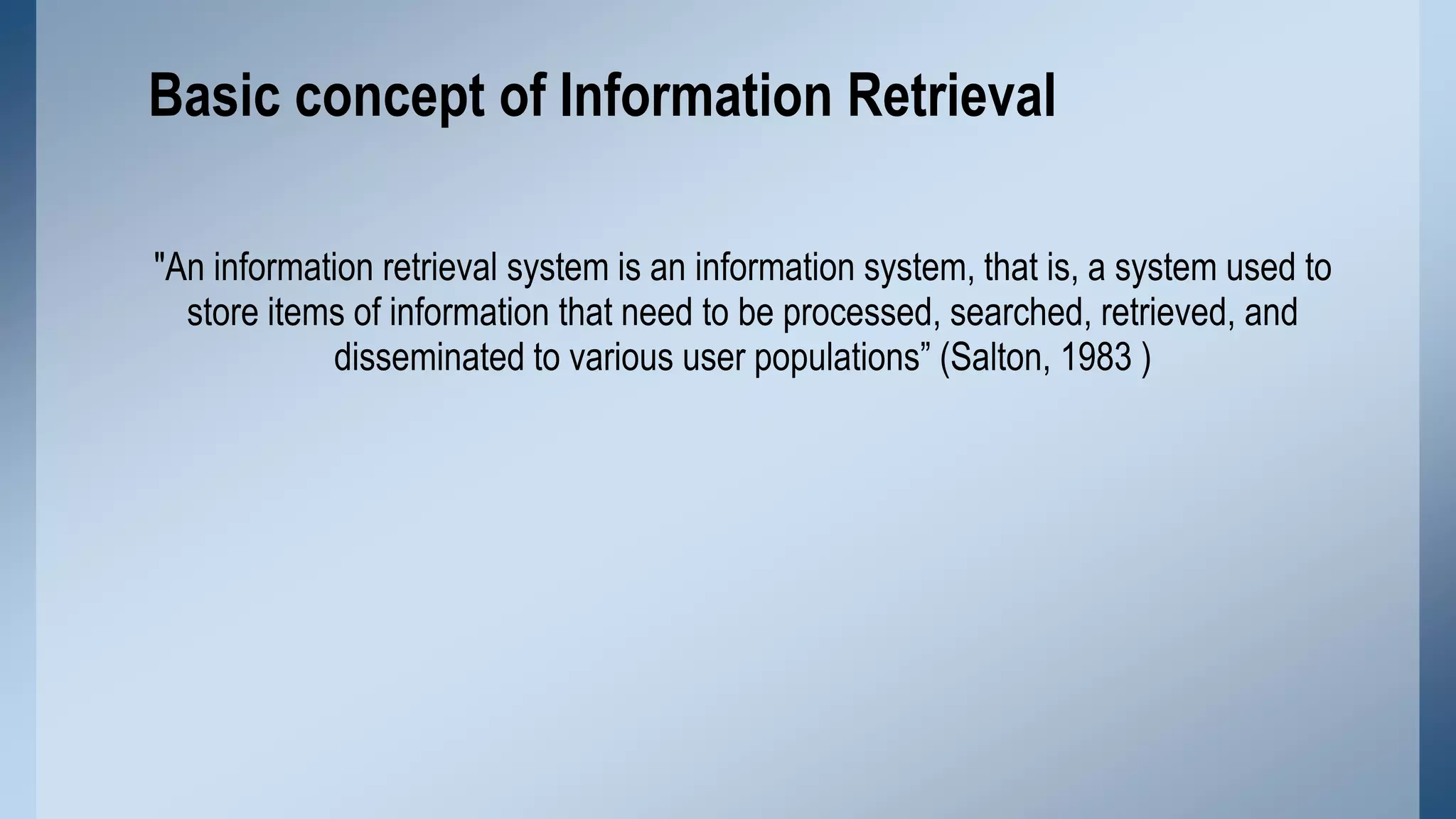
It can refer to a place like a storage room where paper records are kept. It can also
refer to a storage device such as a computer hard disk, CD, DVD, or similar device
which can hold data.
Types of Information storage media
Storage keeps data and information for use in the future. Common storage
mediums are:
1.

Hard Drive

2.

Floppy Disk

3.

CD&DVD

4.

USB Flash Drive
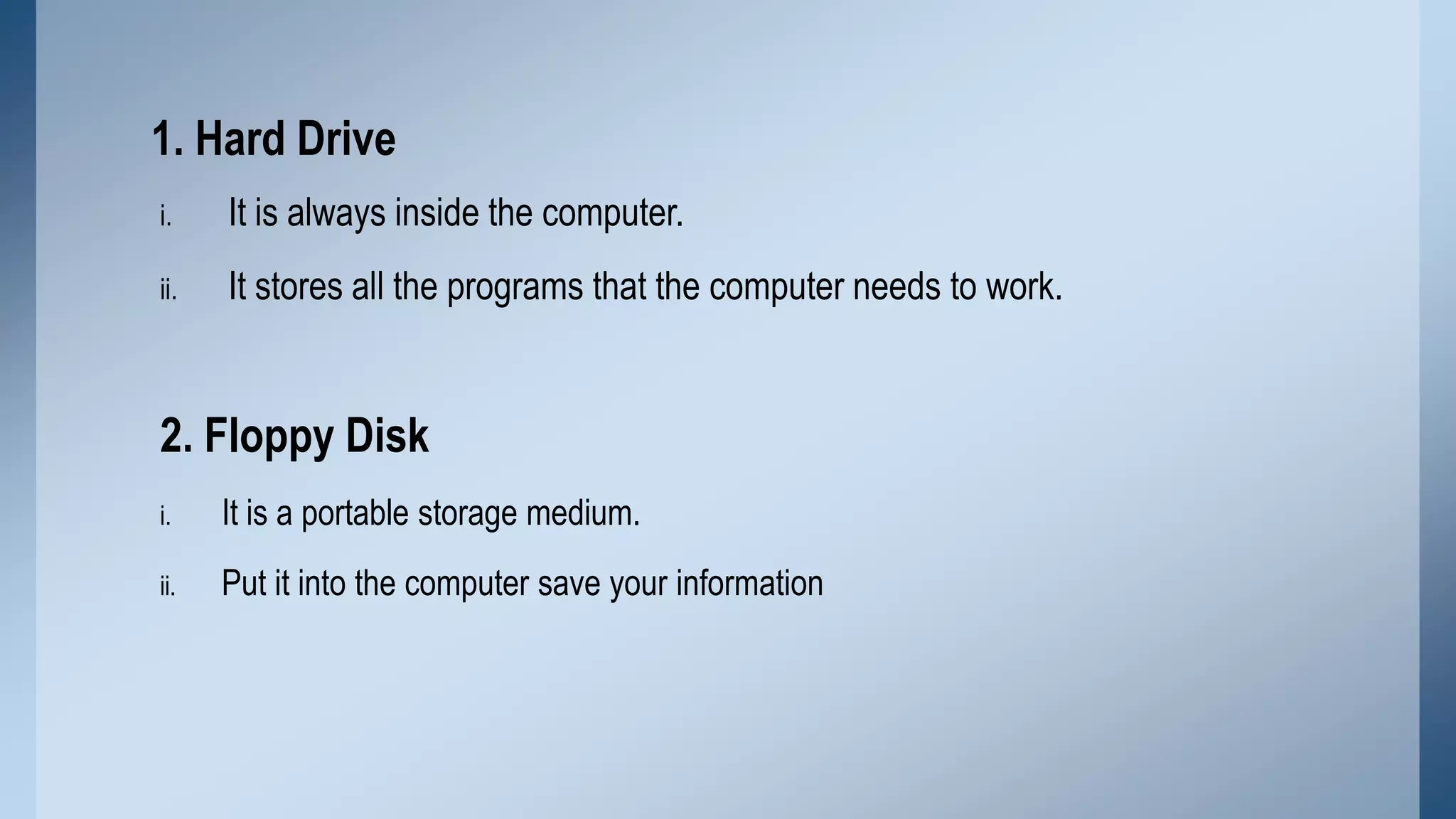
1. Hard Drive
i.

It is always inside the computer.

ii.

It stores all the programs that the computer needs to work.

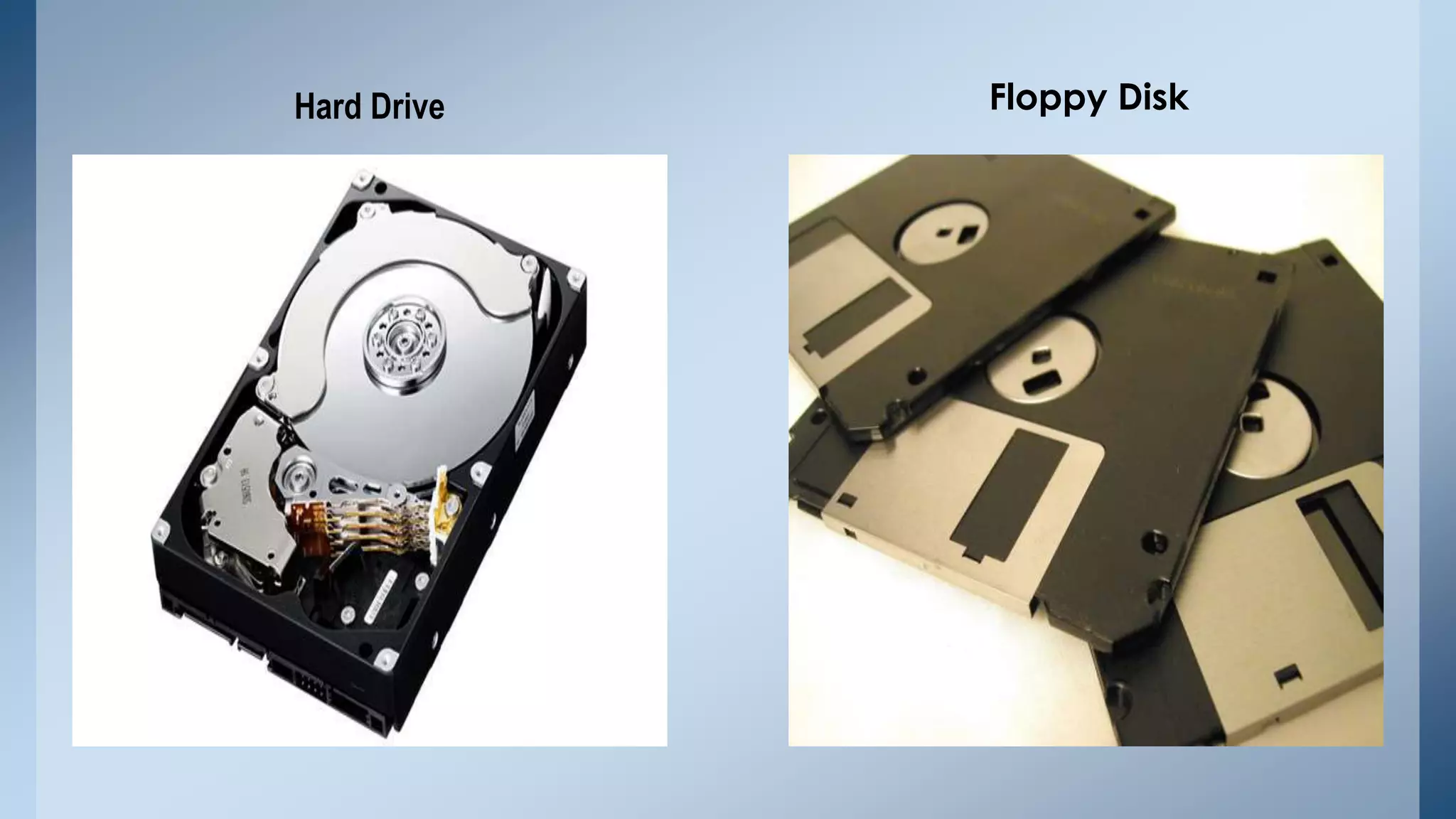
2. Floppy Disk
i.

It is a portable storage medium.

ii.

Put it into the computer save your information
Hard Drive

Floppy Disk
3. CD&DVD
i.

It is a portable storage.

ii.

It allows you to save information on it.

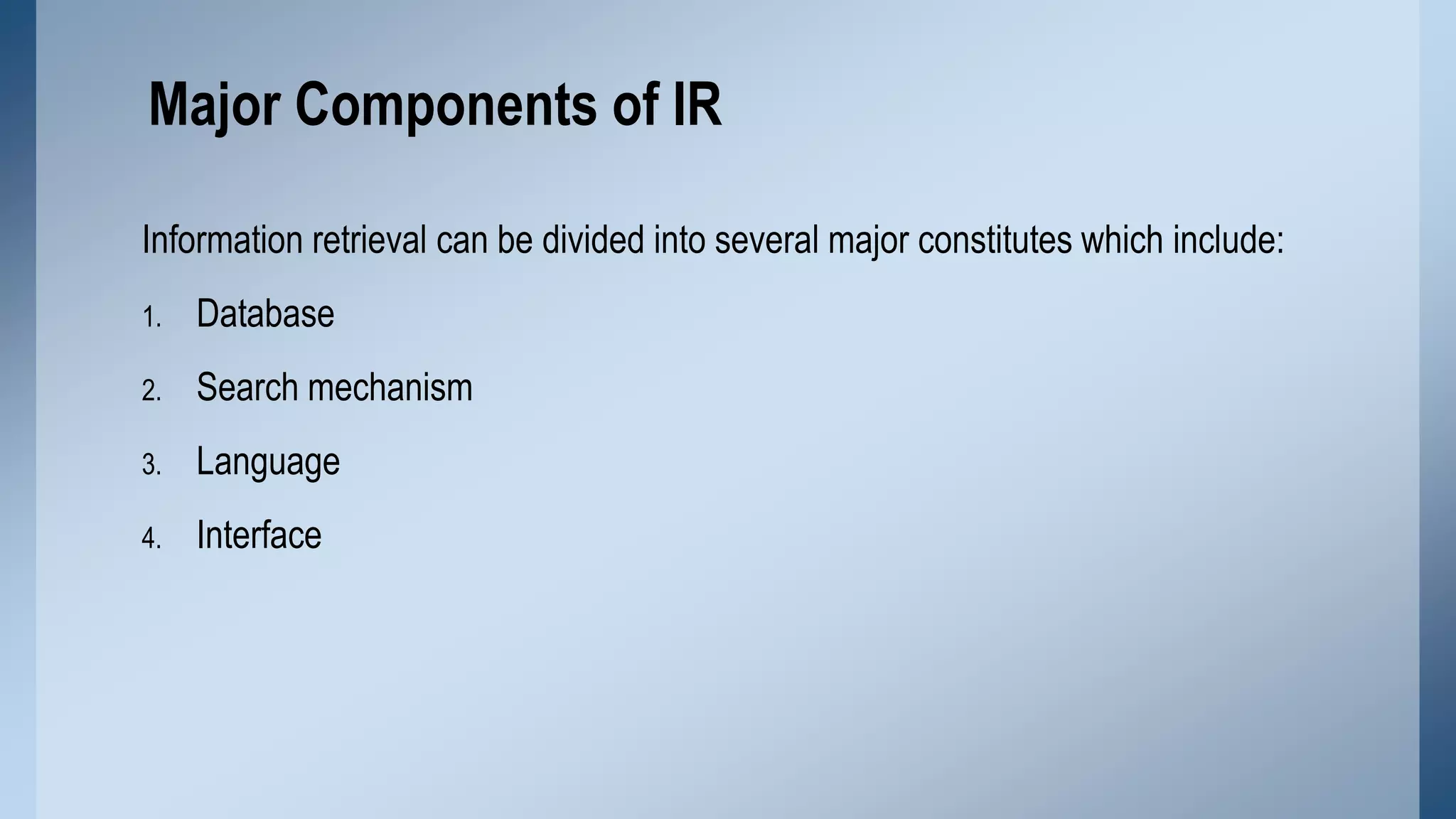
4. USB Flash Drive
i.

It is very easy to carry

ii.

It holds more data than a floppy disk.

iii.

It is very small device than others.
CD&DVD

USB Flash Drive
Basic concept of Information Retrieval
"An information retrieval system is an information system, that is, a system used to
store items of information that need to be processed, searched, retrieved, and
disseminated to various user populations” (Salton, 1983 )
Major Components of IR
Information retrieval can be divided into several major constitutes which include:
1.

Database

2.

Search mechanism

3.

Language

4.

Interface
Database
A system whose base, whose key concepts, is simply a particular way of handling
data & its objective is to record and maintain information.
Search mechanism
• Information organized systematically that can be searched and retrieved when a
corresponding search mechanism is provided.

• Search procedures can be categorized as basic or advance search procedure.
• Capacity of search mechanism determines what retrieval techniques will be
available to users and how information stored in databases can be retrieved.
Language
• Information relies on language when being processed, transferred or
communicated.

• Language can be identified as natural language and controlled vocabulary.
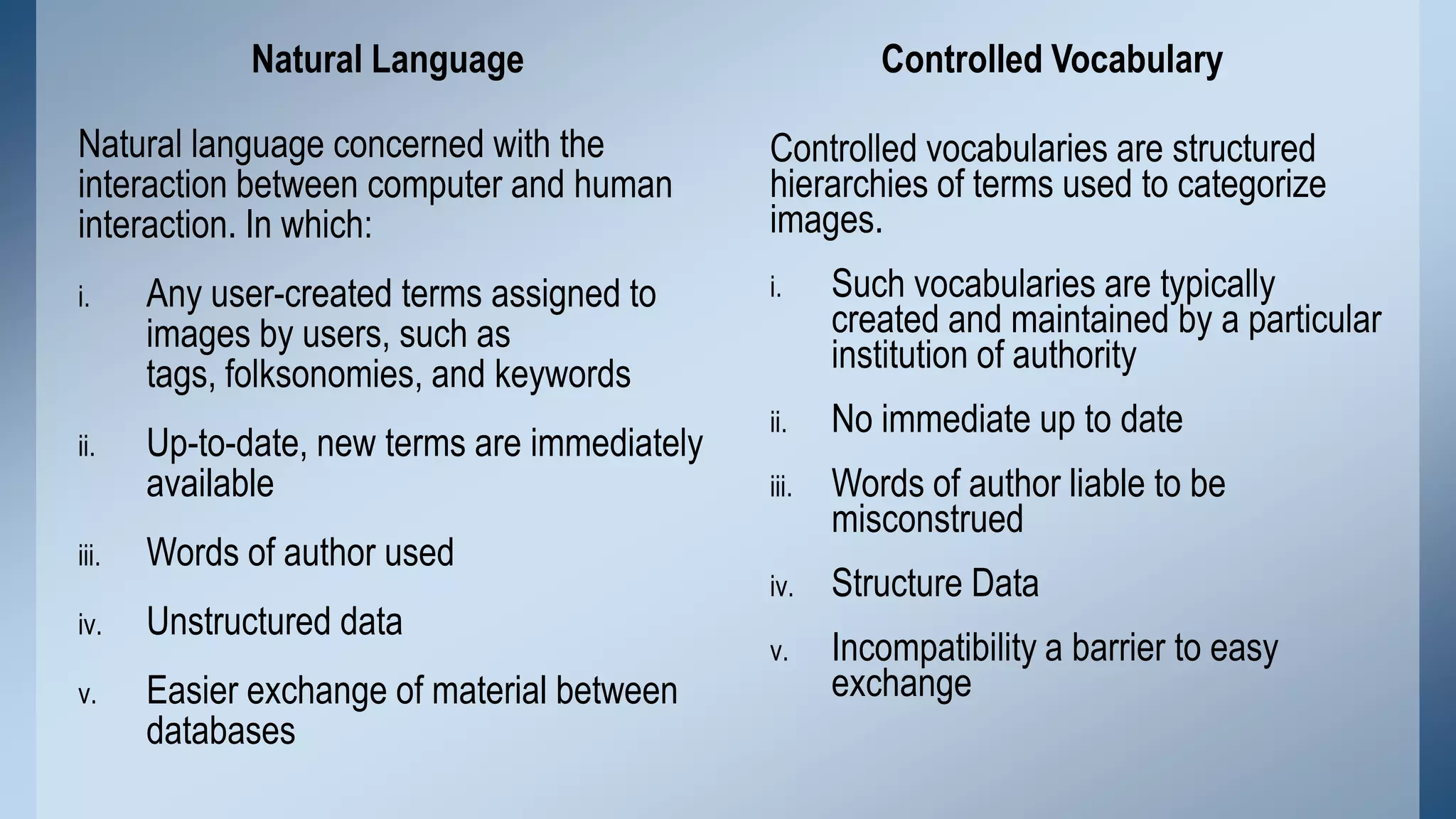
Natural Language
Natural language concerned with the
interaction between computer and human
interaction. In which:
i.

ii.

Controlled Vocabulary
Controlled vocabularies are structured
hierarchies of terms used to categorize
images.

Any user-created terms assigned to
images by users, such as
tags, folksonomies, and keywords

i.

Such vocabularies are typically
created and maintained by a particular
institution of authority

Up-to-date, new terms are immediately
available

ii.

No immediate up to date

iii.

Words of author liable to be
misconstrued

iv.

Structure Data

v.

Incompatibility a barrier to easy
exchange

iii.

Words of author used

iv.

Unstructured data

v.

Easier exchange of material between
databases
Interface
Interface regularly considered whether or not an information retrieval system is
user friendly.

• Quality of interface checked by interaction mode
• Determines the ultimate success of a system for information retrieval
Retrieval Techniques
Major retrieval techniques are:
1.

Basic Retrieval Techniques

2.

Advanced Retrieval Techniques
1. Basic Retrieval Techniques
• Boolean Searching

• Case sensitivity searching
• Truncation
• Proximity searching
• Range searching
Boolean Searching
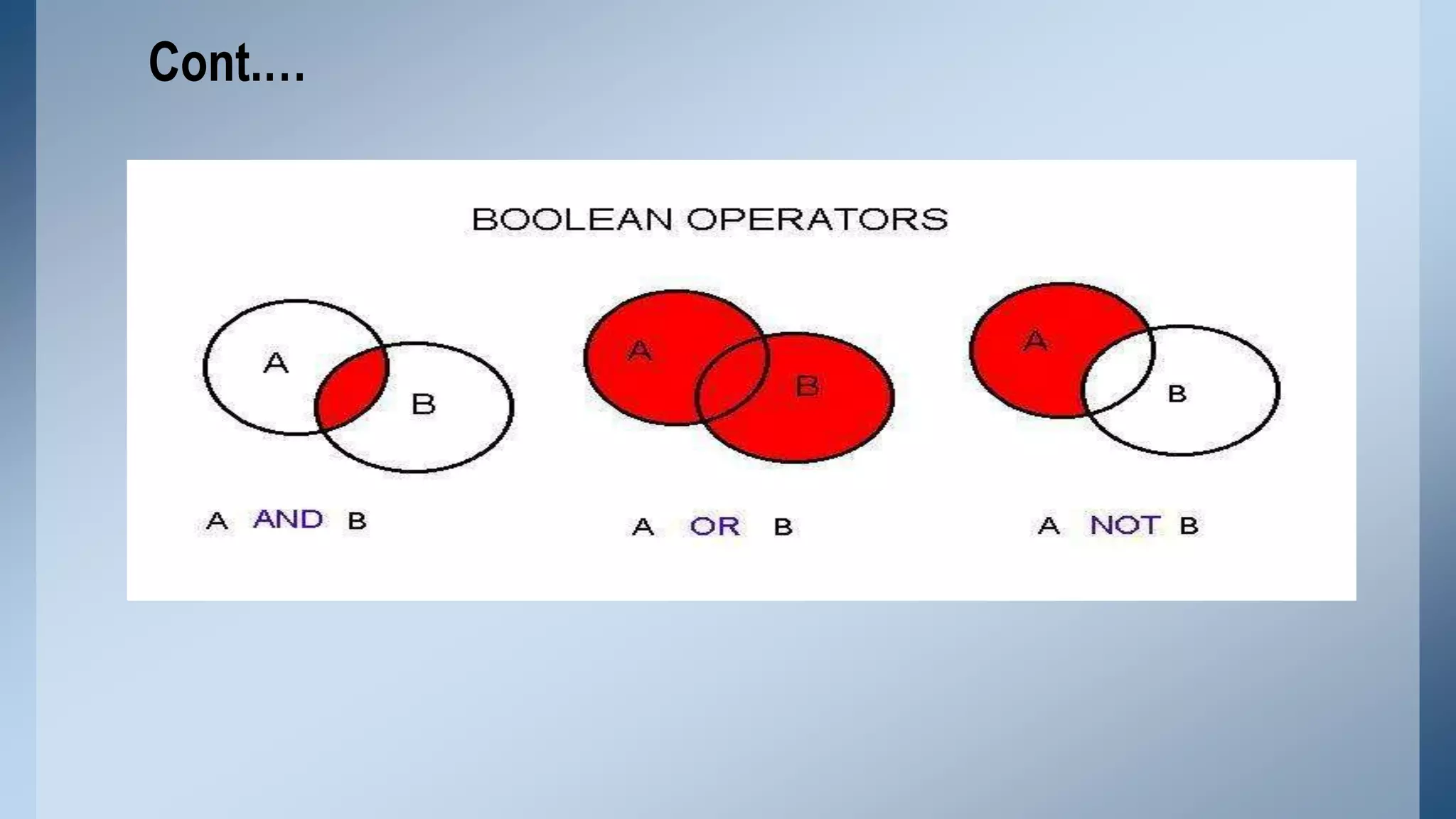
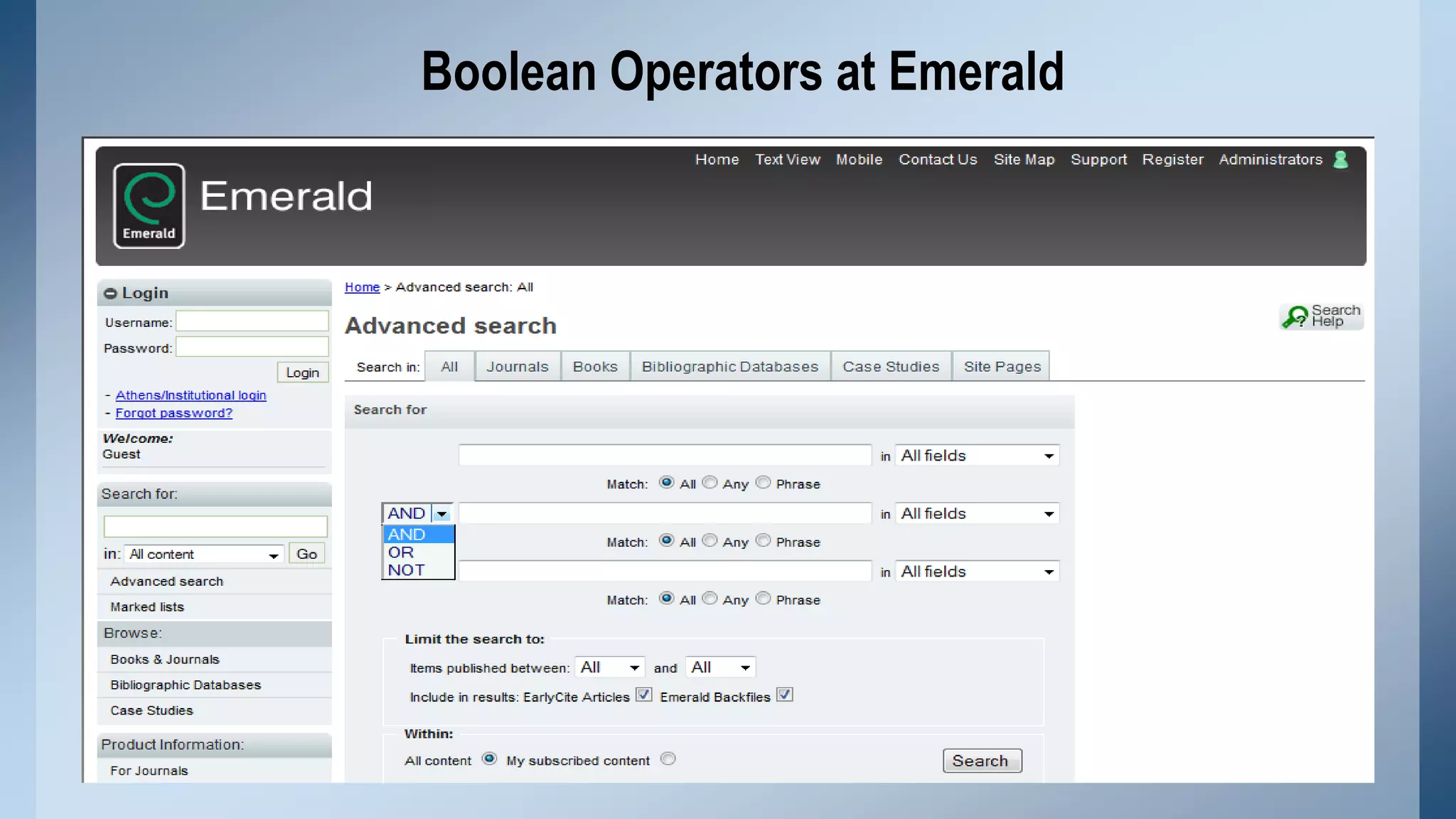
Logical operations are also known as Boolean Logic. When Boolean logic is applied to
information retrieval, the three operators, called Boolean operators.

 The AND operate for narrowing down a search
 The OR operate for broadening a search
 The NOT operator for excluding unwanted results
Cont.…
Boolean Operators at Emerald
Case sensitivity searching
• Text sometimes exhibits case sensitivity; that is, words can differ in meaning
based on differing use of uppercase and lowercase letters. Words with capital
letters do not always have the same meaning when written with lowercase
letters.

• For example, Bill is the first name of former U.S. president William Clinton, who
could sign a bill

• The opposite term of "case-sensitive" is "case-insensitive“
• For example, Google searches are generally case-insensitive and Gmail is
case-sensitive by default.
Truncation
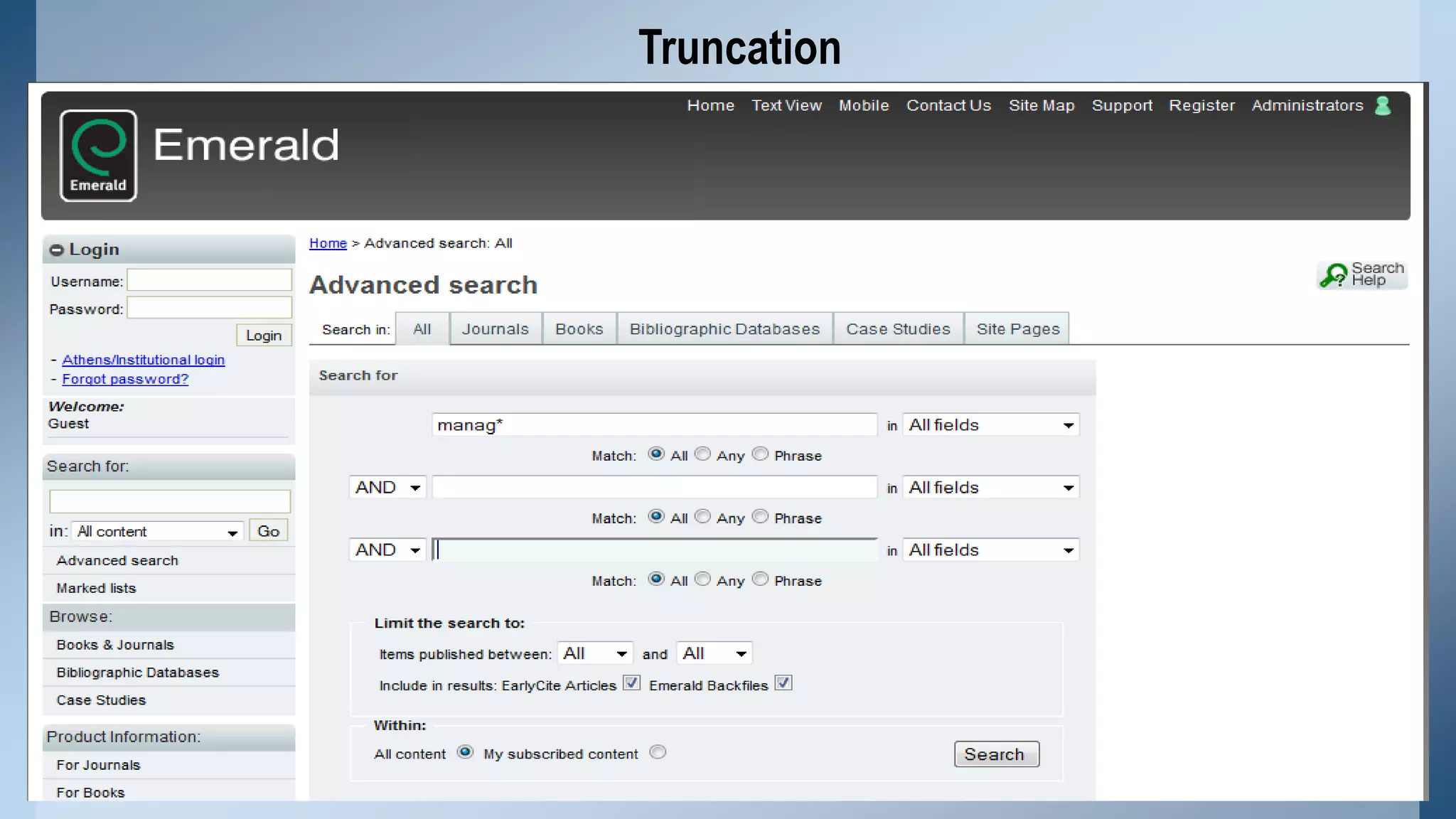
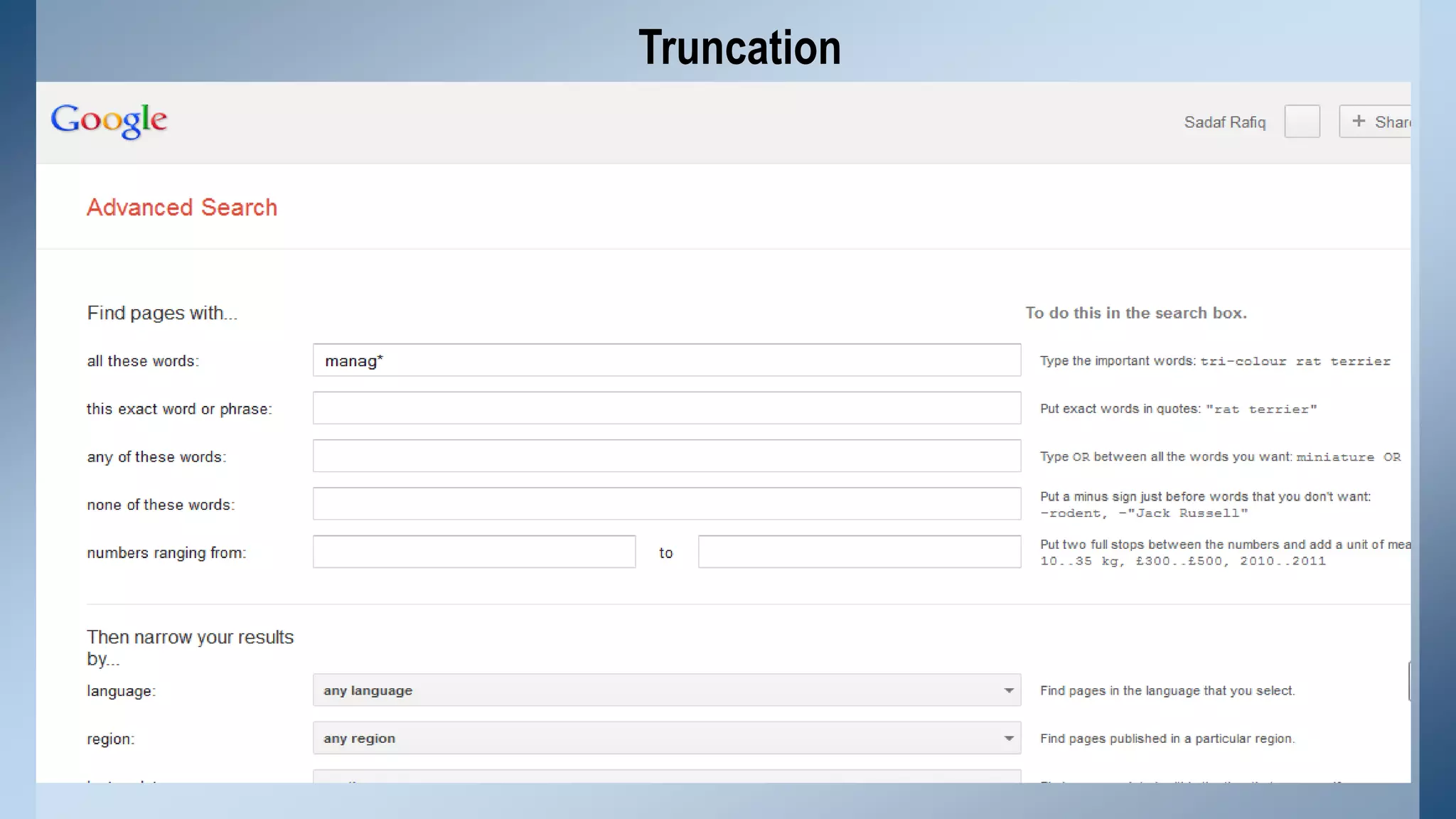
• Truncation allows a search to be conducted for all the different forms of a word
having the same common roots

• Used symbol (Question mark? , asterisk* and pound sign # ) for truncation
purpose.

• A number of different options are available for truncation like Left
truncation, Right truncation and middle truncation.
Cont.…

• Left truncation retrievals all the words having the same characteristics at the
right hand part, for example, *hyl will retrieval words such as “methyl” and
“ethyl”

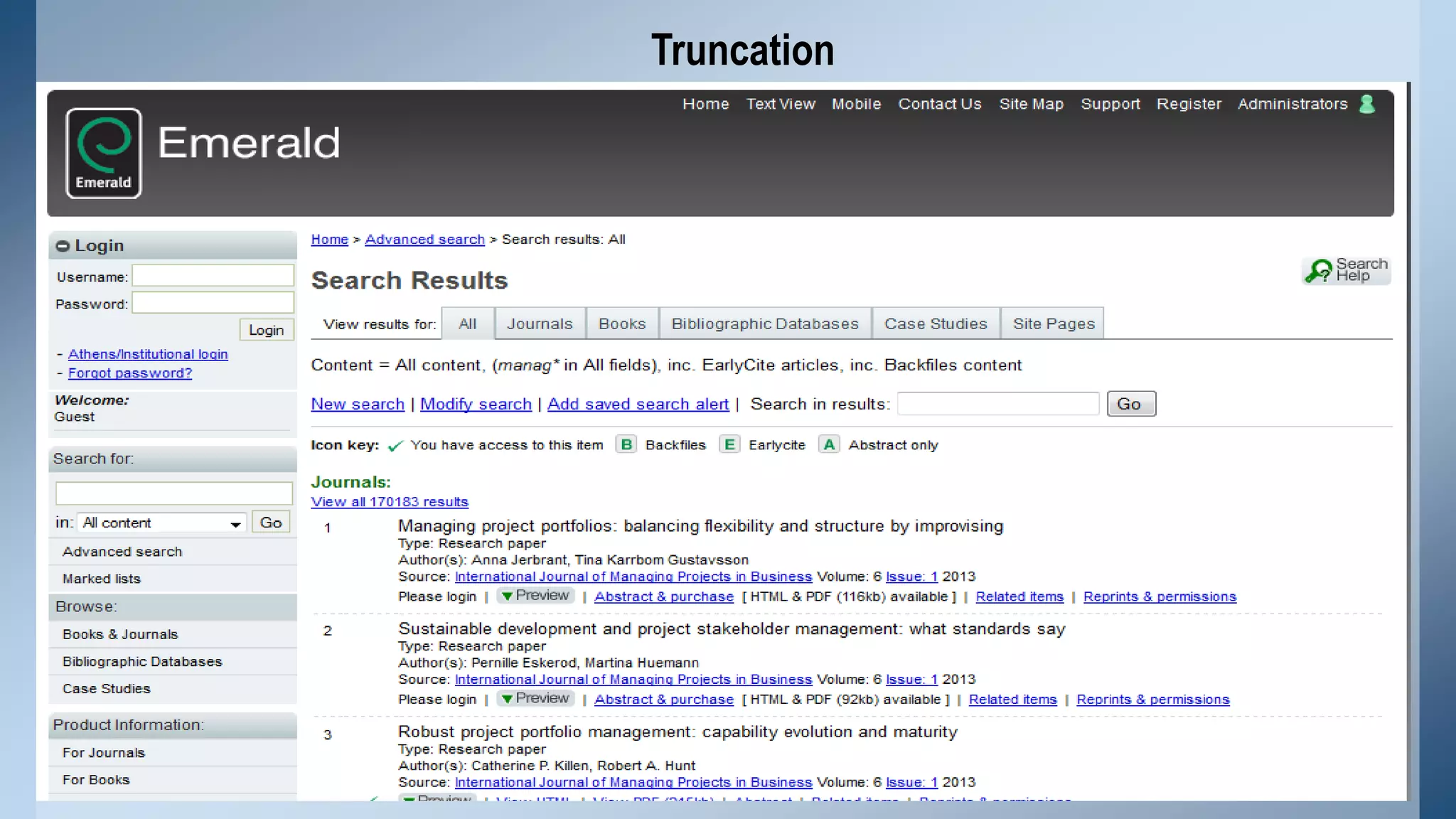
• Right truncation, for example the term of Network* as a query results in
retrieving documents on networks and networking.

• Similarly middle truncation retrieval the words having the same characteristics

at the left hand and right hand part, for example, “Colo*r” will retrieval both the
term “colour” and “color”.
Truncation
Truncation
Truncation
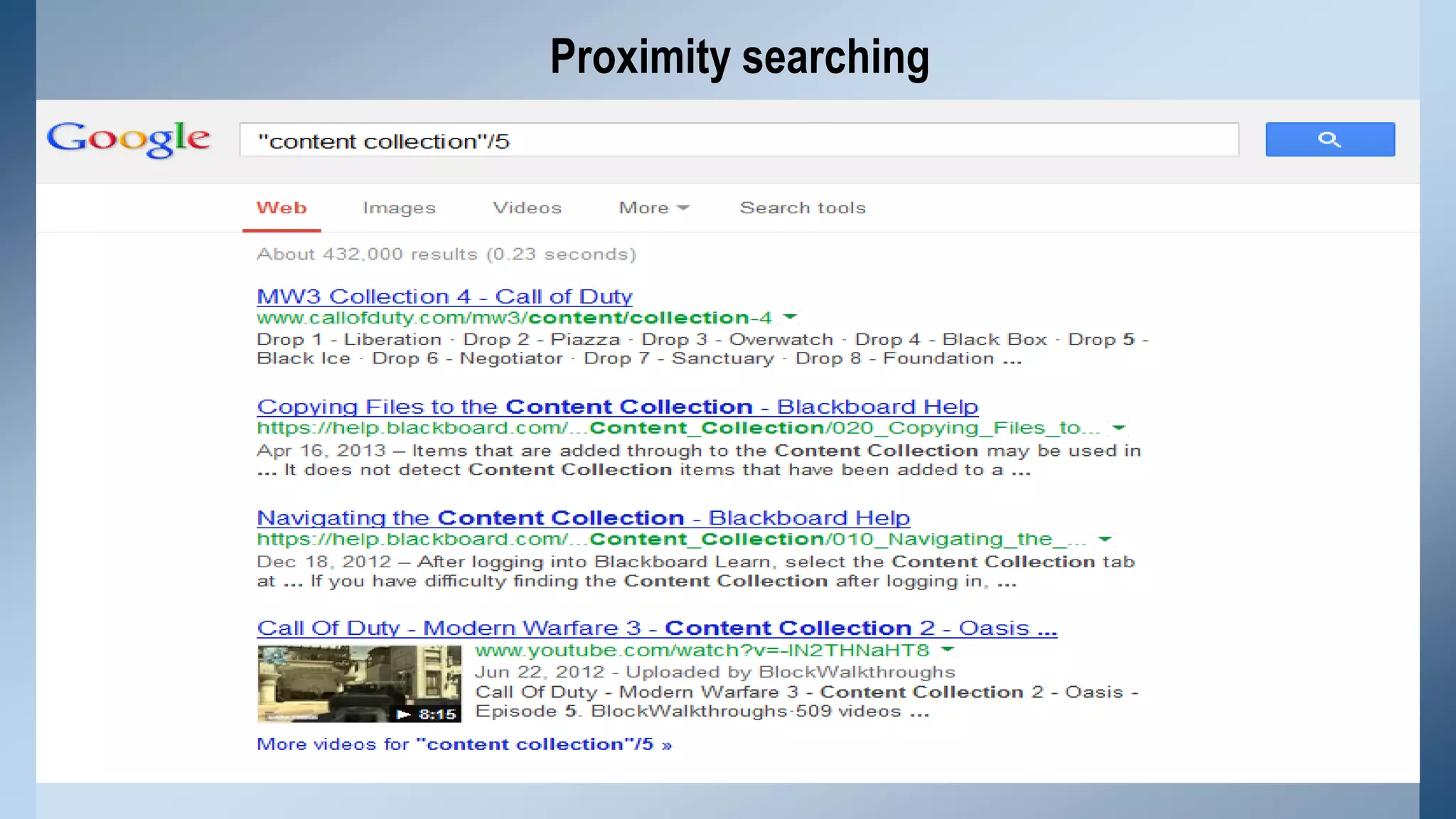
Proximity searching
A proximity search allows you to specify how close two (or more) words must be to
each other in order to register a match.

There are three types of proximity searches:

• Word proximity
• Sentence proximity
• Paragraph proximity
Proximity searching
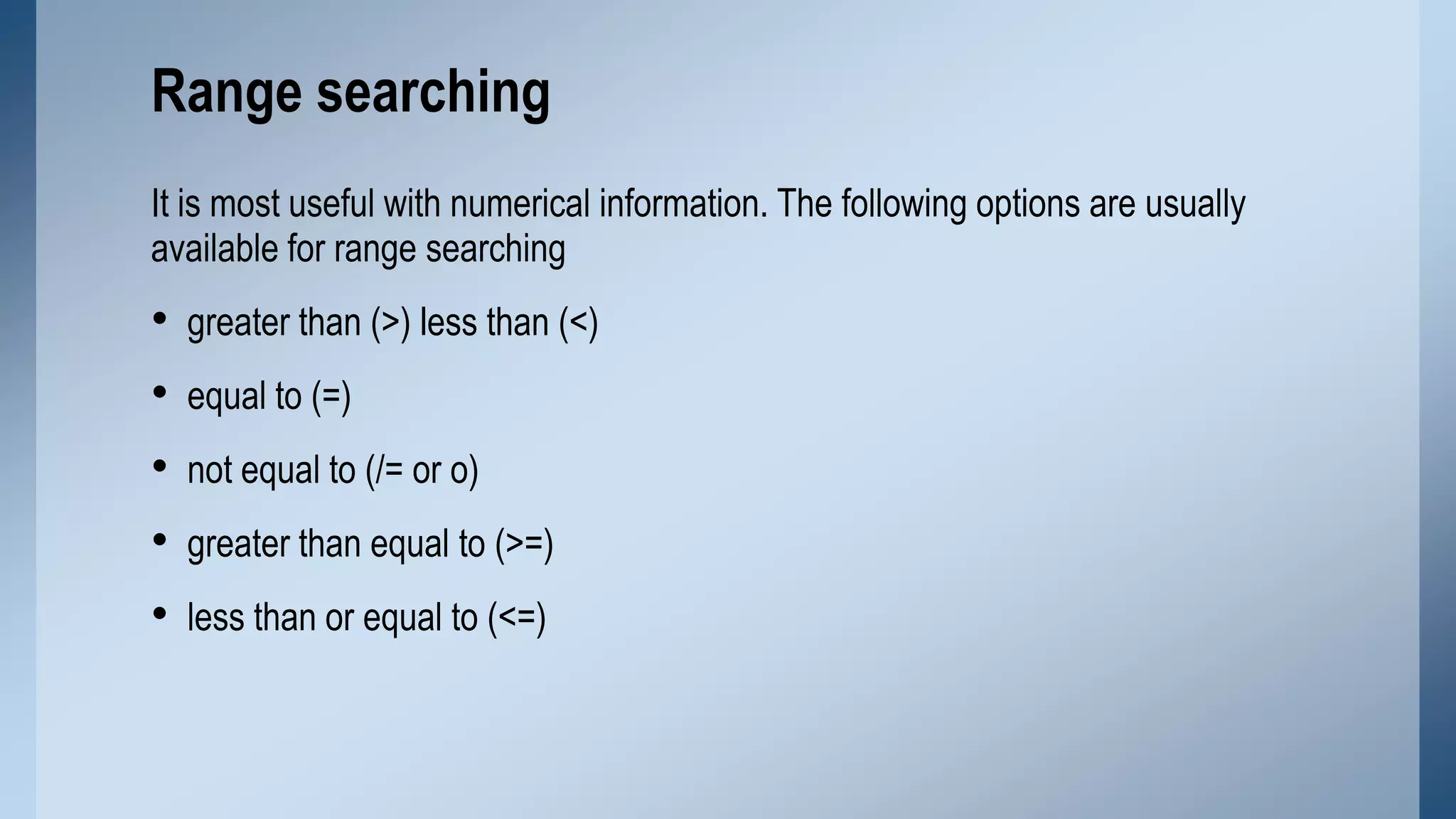
Range searching
It is most useful with numerical information. The following options are usually
available for range searching

•
•
•
•
•

greater than (>) less than (<)
equal to (=)
not equal to (/= or o)
greater than equal to (>=)
less than or equal to (<=)
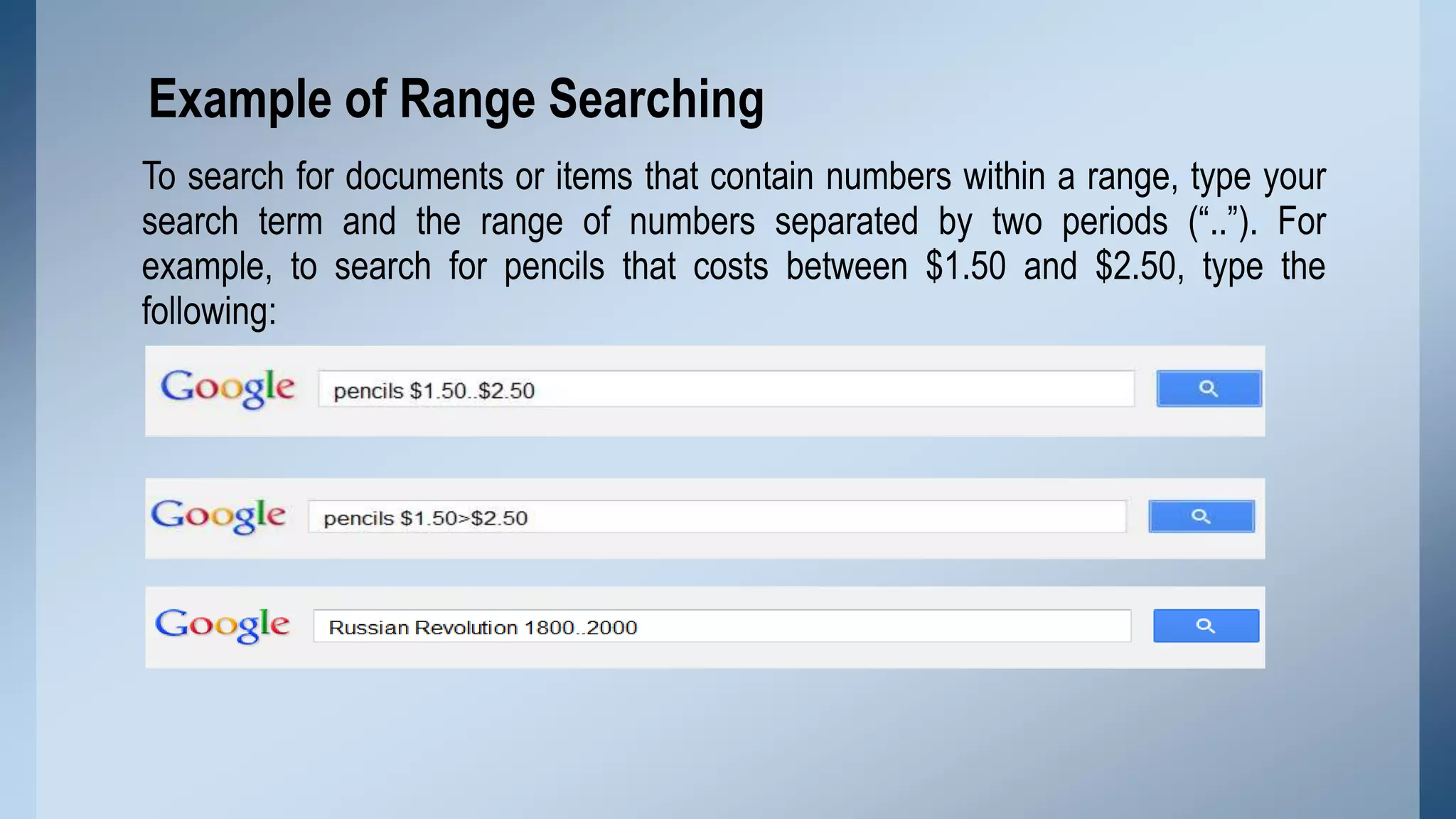
Example of Range Searching
To search for documents or items that contain numbers within a range, type your
search term and the range of numbers separated by two periods (“..”). For
example, to search for pencils that costs between $1.50 and $2.50, type the
following:
Advanced Retrieval Techniques
• Fuzzy searching
• Query expansion
• Multiple databases searching
Fuzzy searching
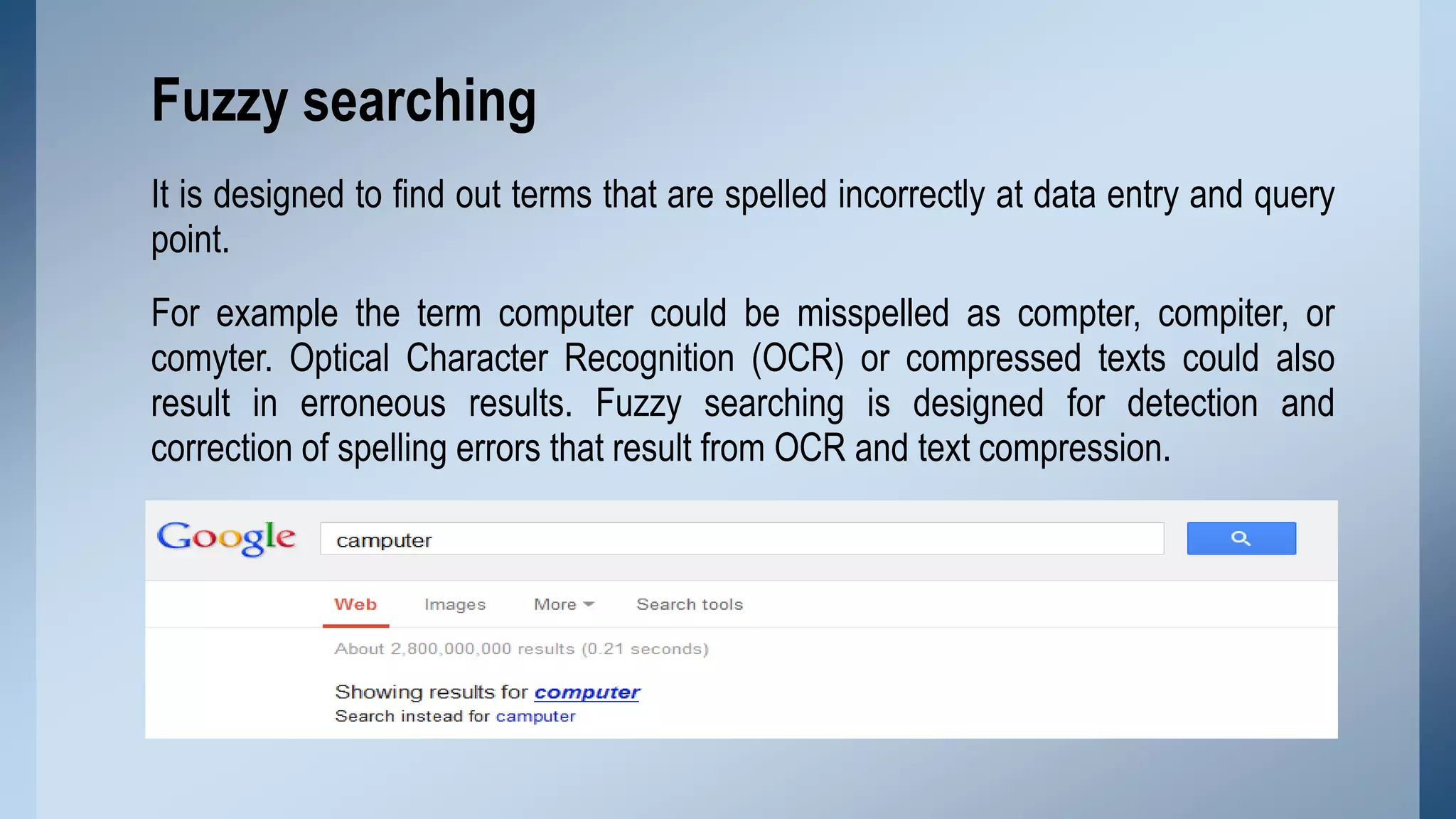
It is designed to find out terms that are spelled incorrectly at data entry and query
point.

For example the term computer could be misspelled as compter, compiter, or
comyter. Optical Character Recognition (OCR) or compressed texts could also
result in erroneous results. Fuzzy searching is designed for detection and
correction of spelling errors that result from OCR and text compression.
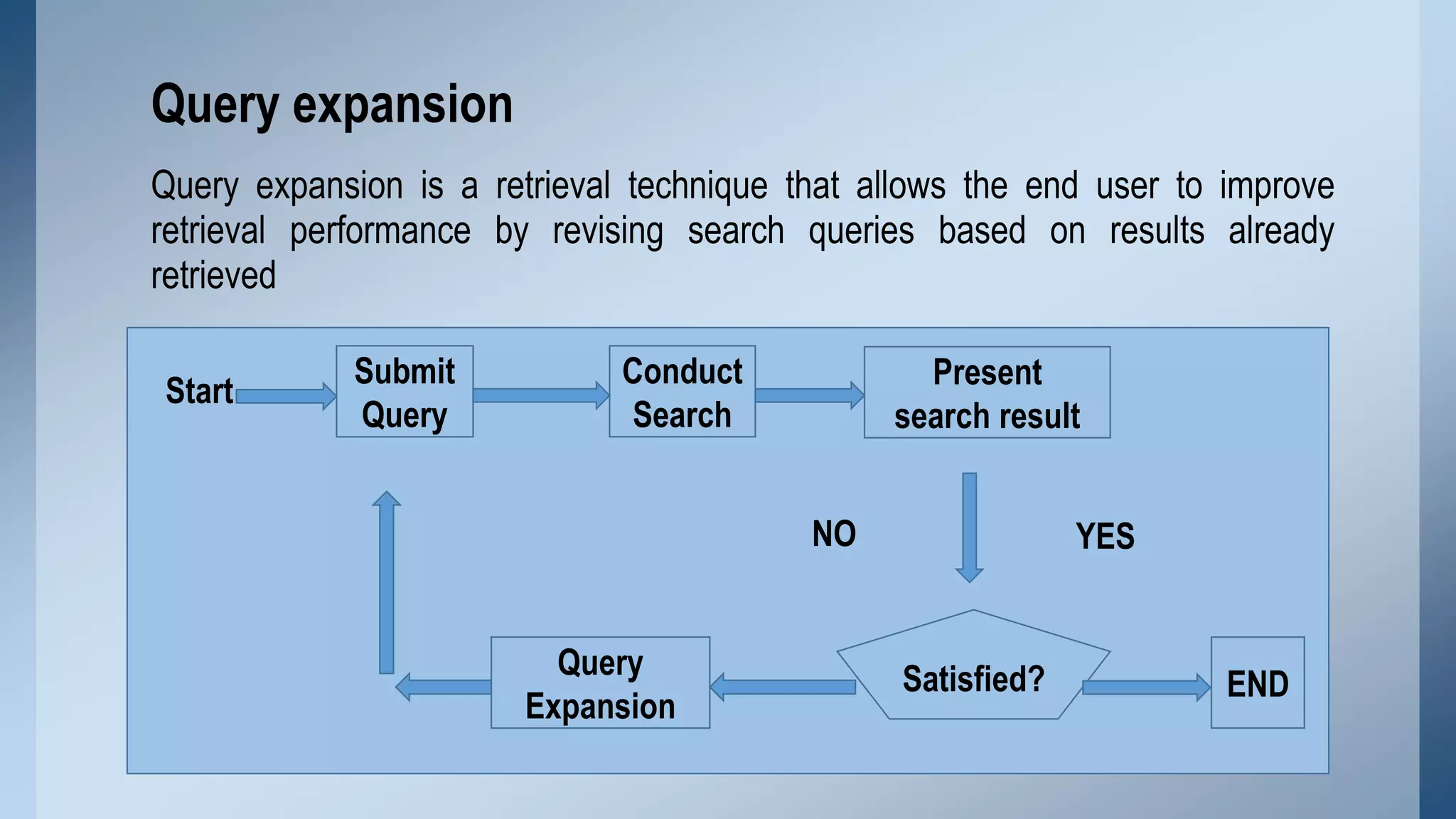
Query expansion
Query expansion is a retrieval technique that allows the end user to improve
retrieval performance by revising search queries based on results already
retrieved
Start

Submit
Query

Conduct
Search

Present
search result
NO

Query
Expansion

YES

Satisfied?

END
Multiple Database Searching
It means searching more than one IR systems. The need for searching multiple
databases seems threefold.

1. First, searching in single IR system may not get what the user is looking for.
2. Secondly, multiple databases searching can serve as a selection tool if the
user is not sure which systems would be the best choice for a given query .

3. Third, result obtained from multiple databases searching can suggest or
indicate suitable systems for the user to conduct further searches.
Examples:

EBSCOhost, ProQuest
Information Retrieval Systems
•
•
•
•

Online systems
CD-ROM systems
OPAC
Web information Retrieval Systems
Online systems
Online information retrieval systems allow the user to search databases located
remotely with the help of the computer and telecommunication technology.

• Basic searching techniques
• Advanced retrieval techniques
Examples:
Library of Congress, University of Punjab Library
CD-ROM systems
 CD-ROM systems are usually searched locally and it works if the systems are
not networked.

 Basic retrieval techniques are supported in CD-ROM systems while advanced
search facilities are applied in limited scope.

 The data which is stored on compact disc (CD) can to read by any computer
operating systems and any CD-ROM drive.

Example:
LISA
OPAC
• Online public access catalogs (OPACs) are traditional catalogs executed in a
different medium.

• Different features of OPACs are
 First, OPACs contains bibliographic information about library resources.
 Second, OPACs can be considered as an extension of MARC records.

 Third, OPACs support at least field searching, keyword searching and Boolean
searching.
Examples

Library of congress catalogue
University of Punjab online catalogue
Web information Retrieval Systems
• It deals with text as well as multimedia information resources that are linked with
other documents and there is no target user’s community as such.

• Basically web is a platform where anyone from anywhere can publish virtually
any information, in any language or in any format.

Examples,
Google, Alta Vista
Evaluation of information Retrieval Systems
Lancaster states that we can evaluate an information retrieval system by
considering the following three issues.

• How well the system is satisfying its objectives, how well it is satisfying the
demands placed upon it

• How efficiently it is satisfying its objectives and finally
• Whether the system justifies its existence
Evaluation Measures for Information Retrieval
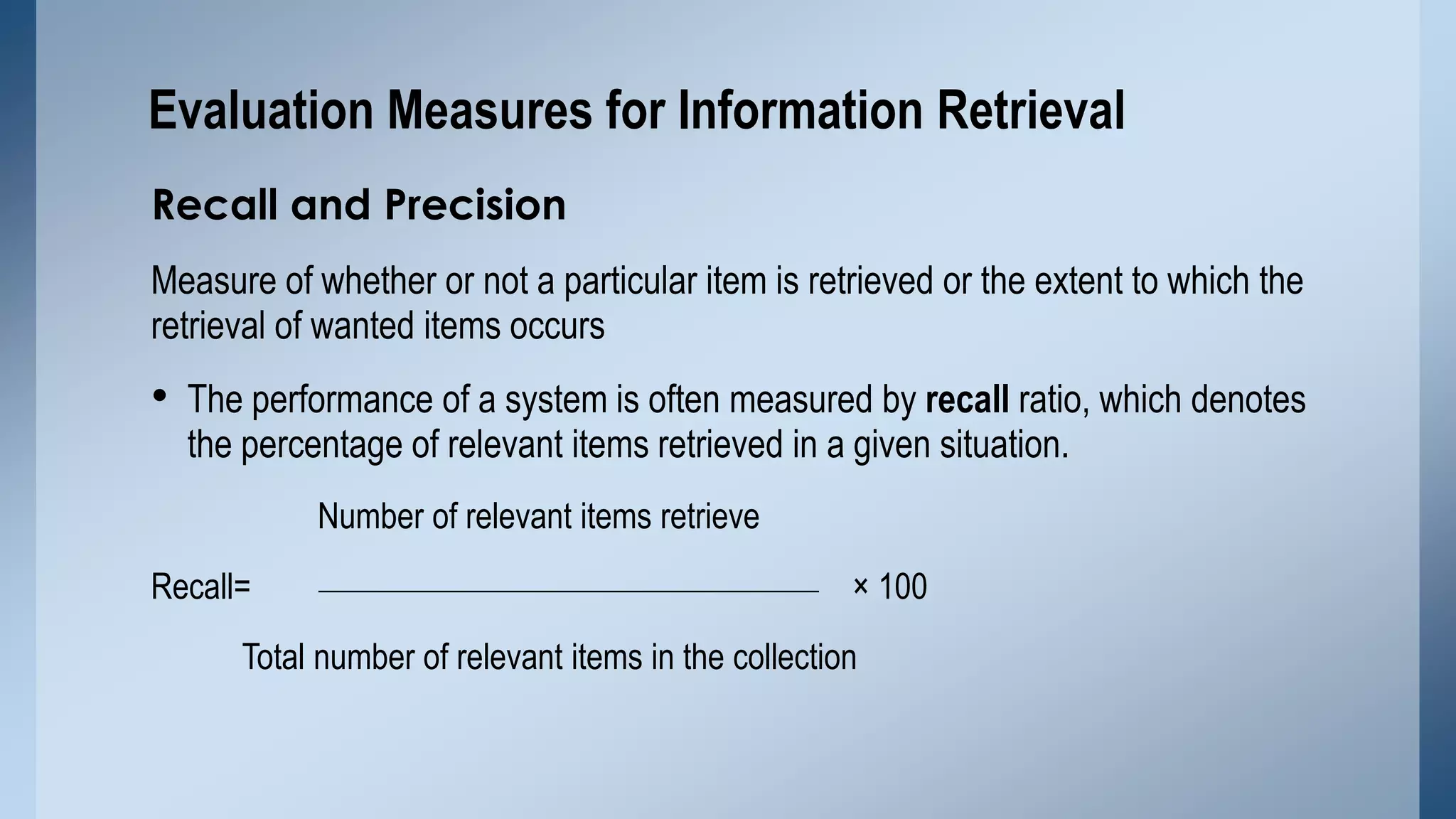
Recall and Precision
Measure of whether or not a particular item is retrieved or the extent to which the
retrieval of wanted items occurs

• The performance of a system is often measured by recall ratio, which denotes
the percentage of relevant items retrieved in a given situation.
Number of relevant items retrieve
Recall=

× 100

Total number of relevant items in the collection
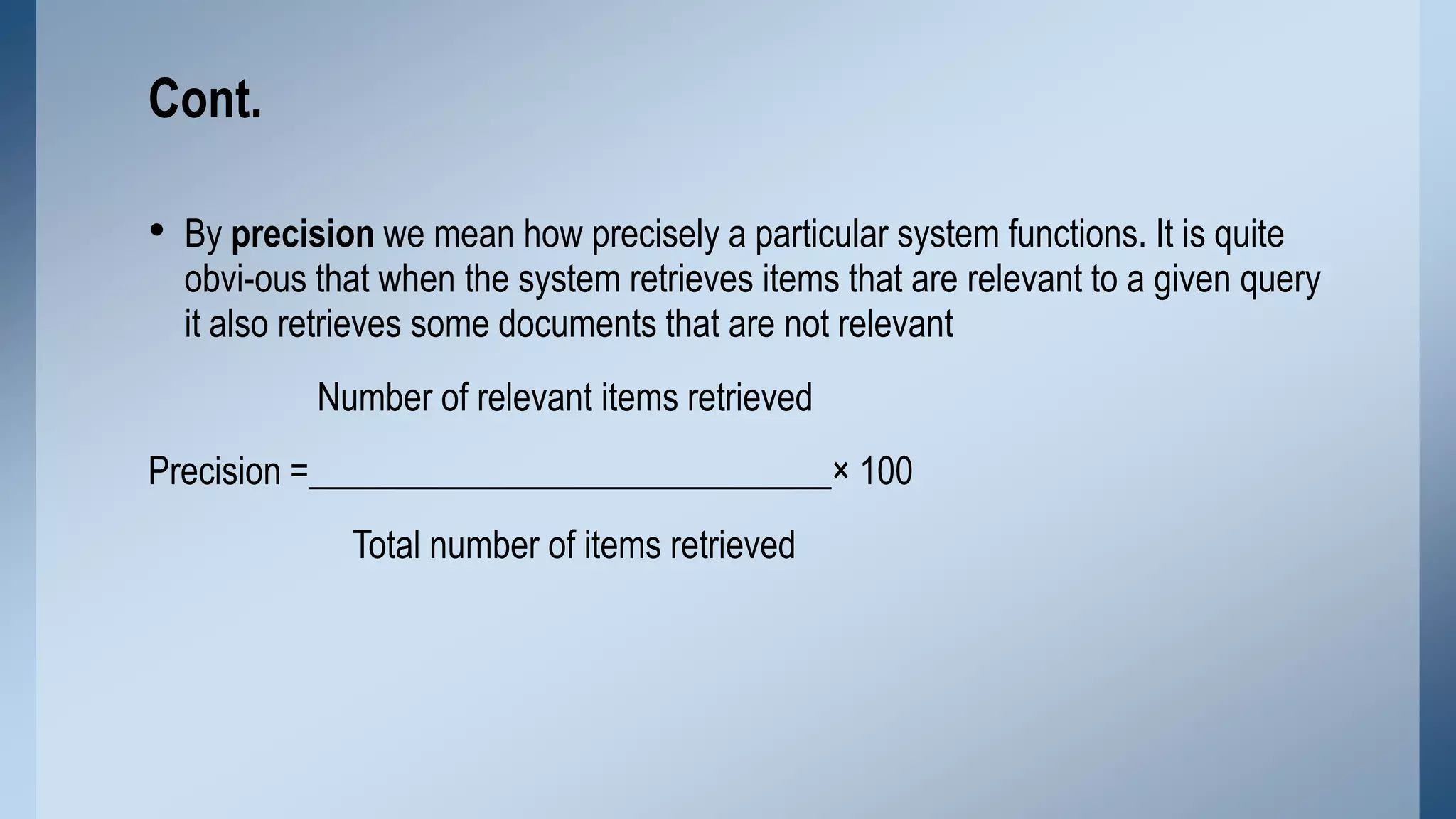
Cont.
• By precision we mean how precisely a particular system functions. It is quite

obvi-ous that when the system retrieves items that are relevant to a given query
it also retrieves some documents that are not relevant
Number of relevant items retrieved

Precision =_____________________________× 100
Total number of items retrieved
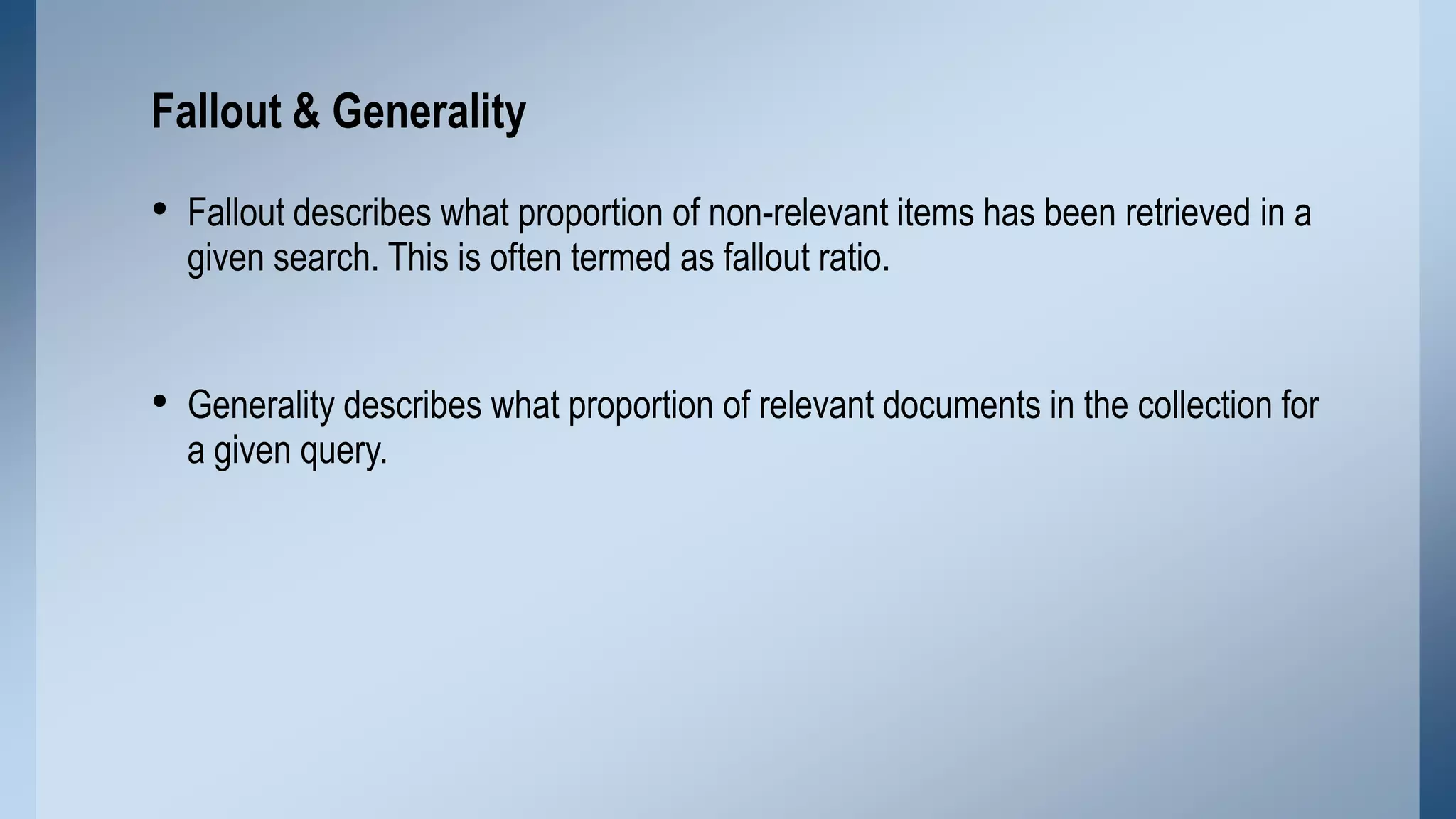
Fallout & Generality

• Fallout describes what proportion of non-relevant items has been retrieved in a
given search. This is often termed as fallout ratio.

• Generality describes what proportion of relevant documents in the collection for
a given query.
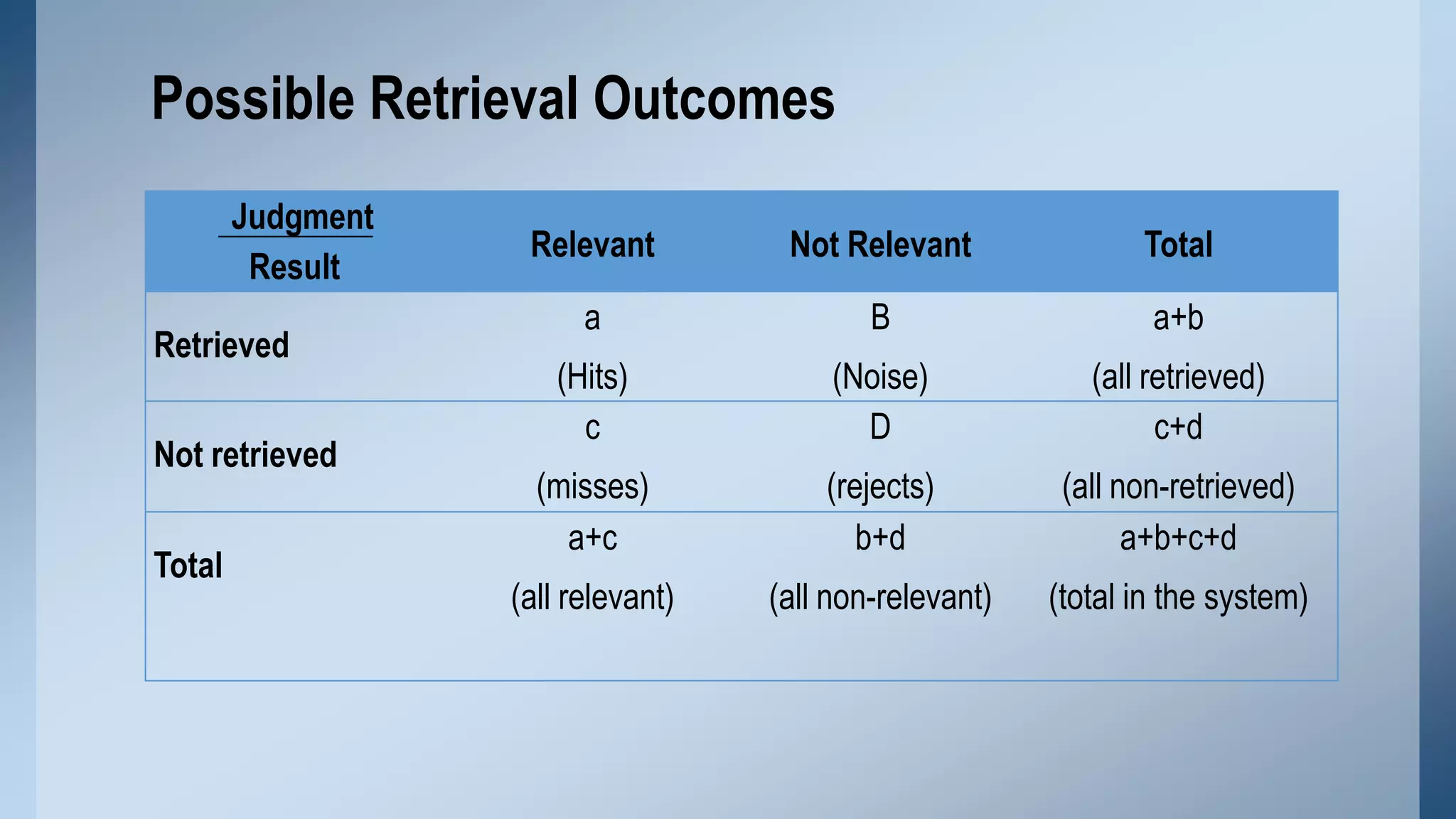
Possible Retrieval Outcomes
Judgment
Result
Retrieved
Not retrieved
Total

Relevant

Not Relevant

Total

a

B

a+b

(Hits)
c

(Noise)
D

(all retrieved)
c+d

(misses)
a+c

(rejects)
b+d

(all non-retrieved)
a+b+c+d

(all relevant)

(all non-relevant)

(total in the system)
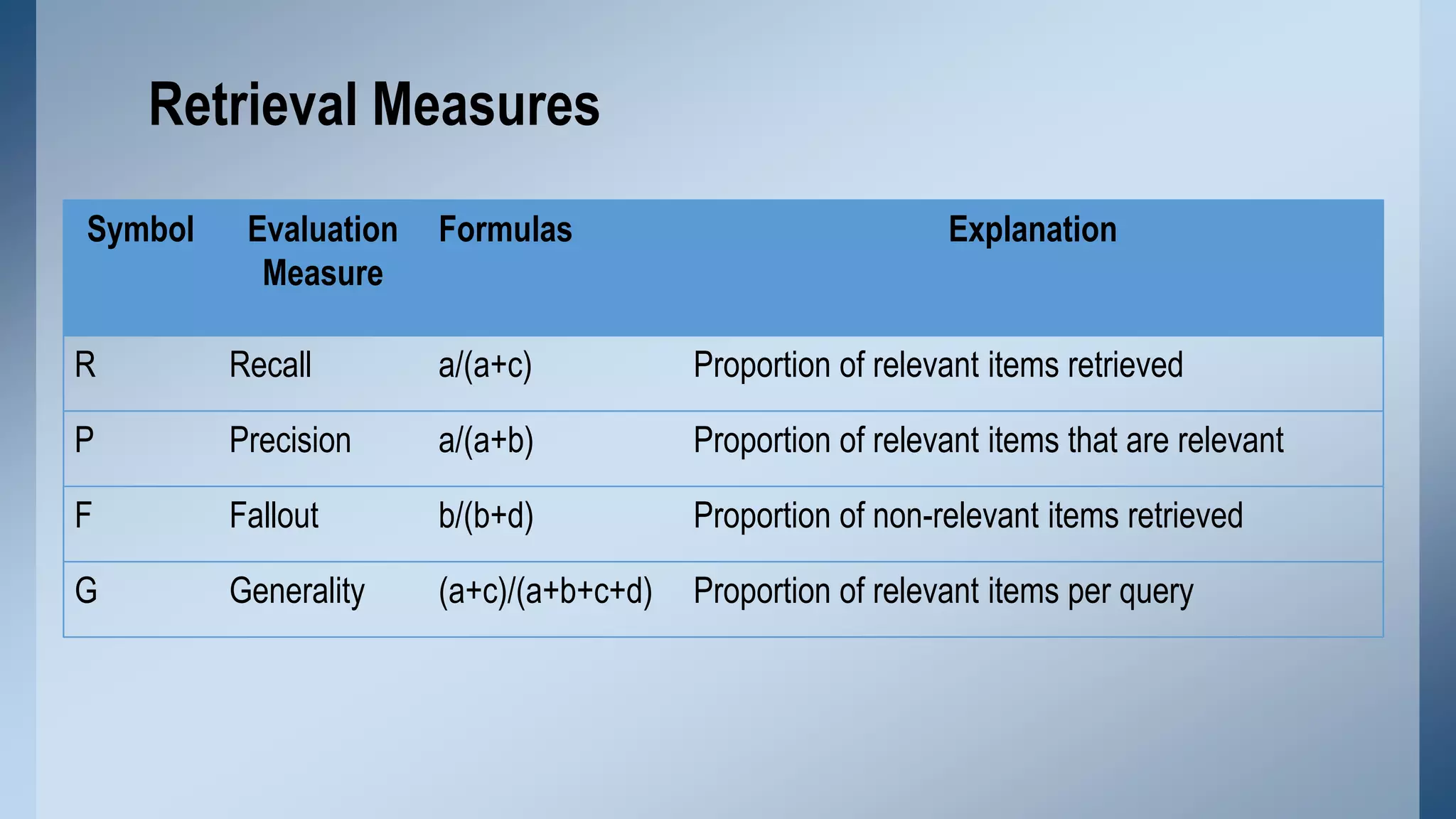
Retrieval Measures
Symbol

Evaluation
Measure

Formulas

Explanation

R

Recall

a/(a+c)

Proportion of relevant items retrieved

P

Precision

a/(a+b)

Proportion of relevant items that are relevant

F

Fallout

b/(b+d)

Proportion of non-relevant items retrieved

G

Generality

(a+c)/(a+b+c+d)

Proportion of relevant items per query
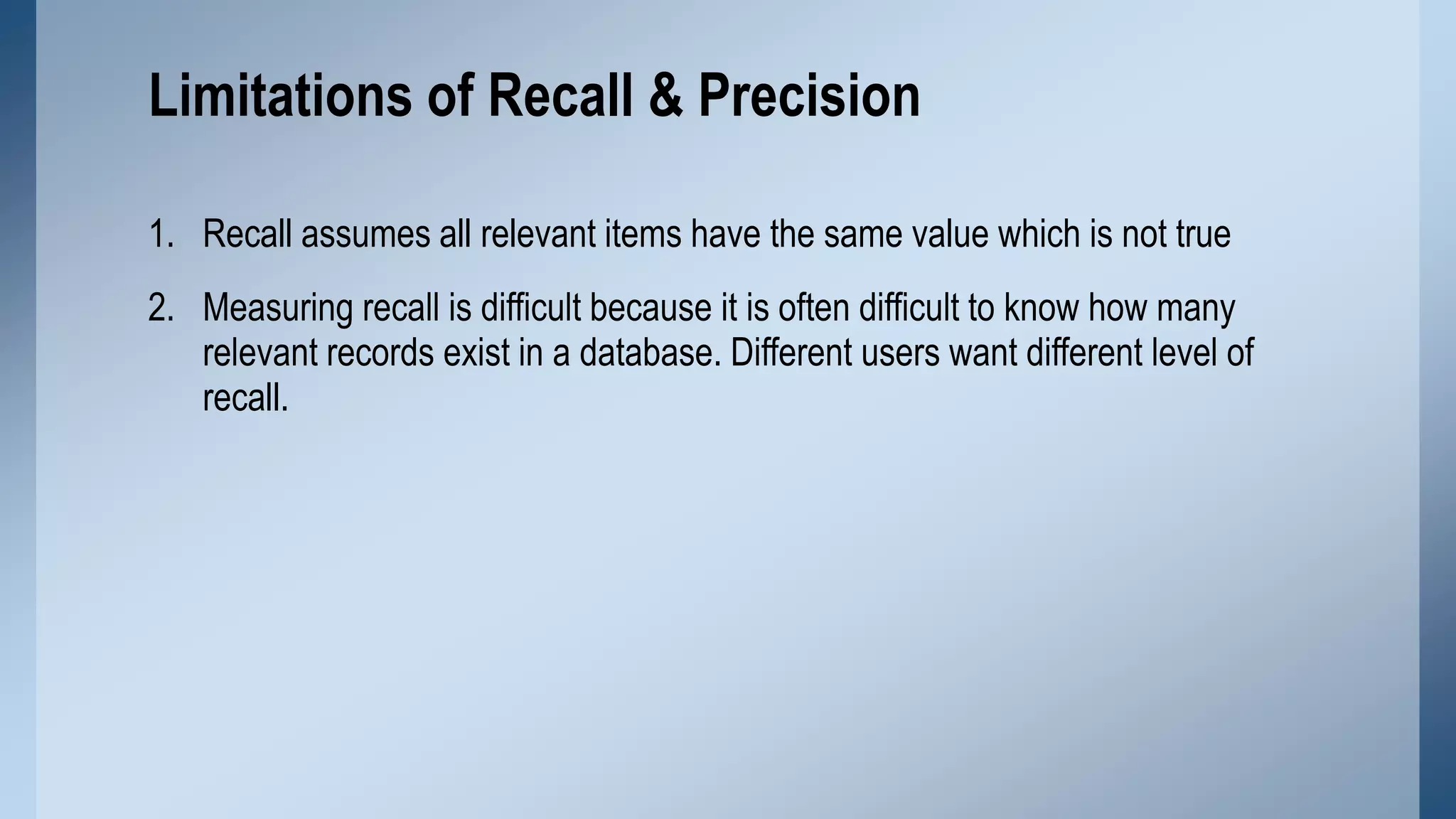
Limitations of Recall & Precision
1. Recall assumes all relevant items have the same value which is not true
2. Measuring recall is difficult because it is often difficult to know how many
relevant records exist in a database. Different users want different level of
recall.
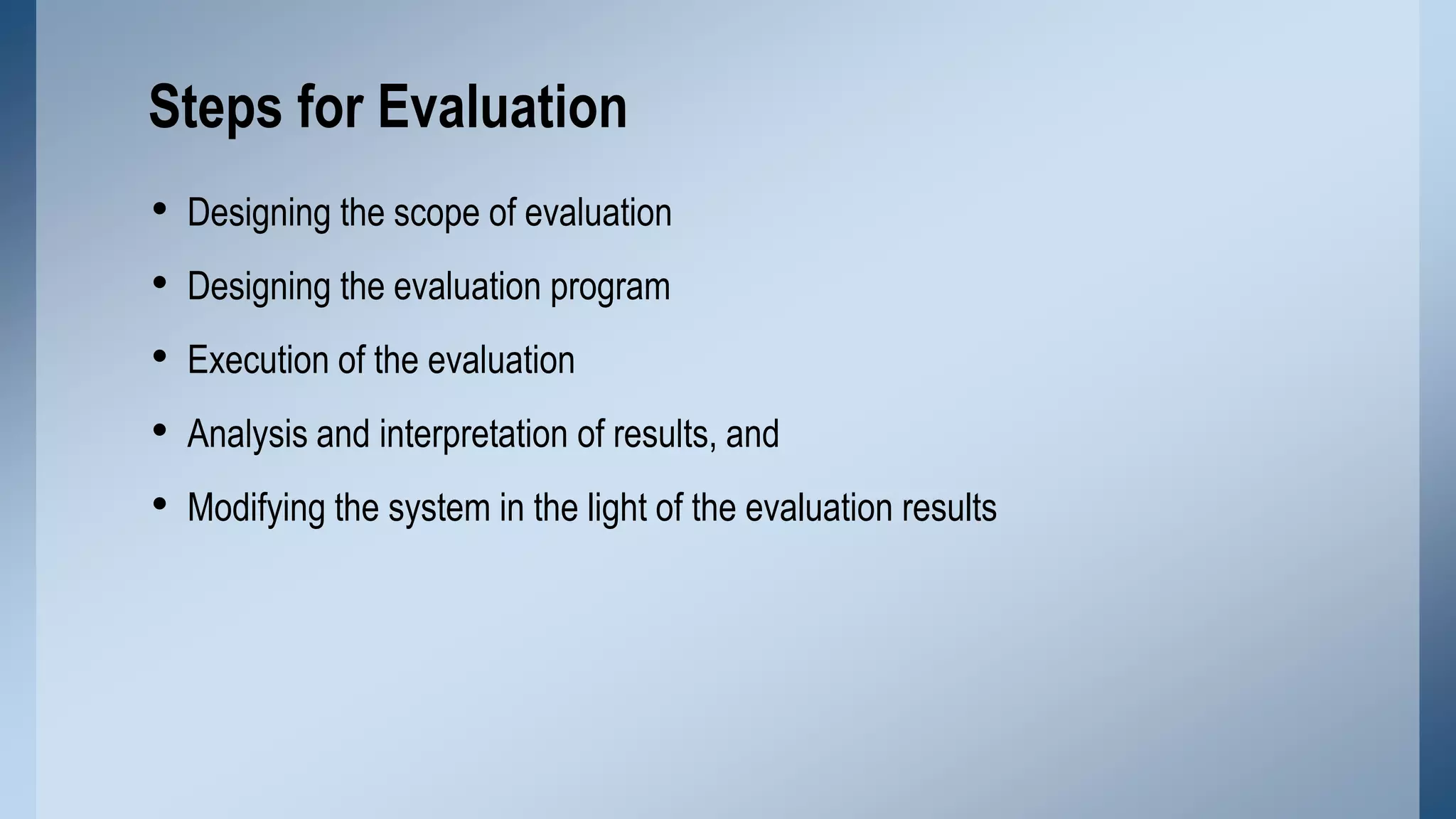
Steps for Evaluation
•
•
•
•
•

Designing the scope of evaluation
Designing the evaluation program
Execution of the evaluation
Analysis and interpretation of results, and

Modifying the system in the light of the evaluation results
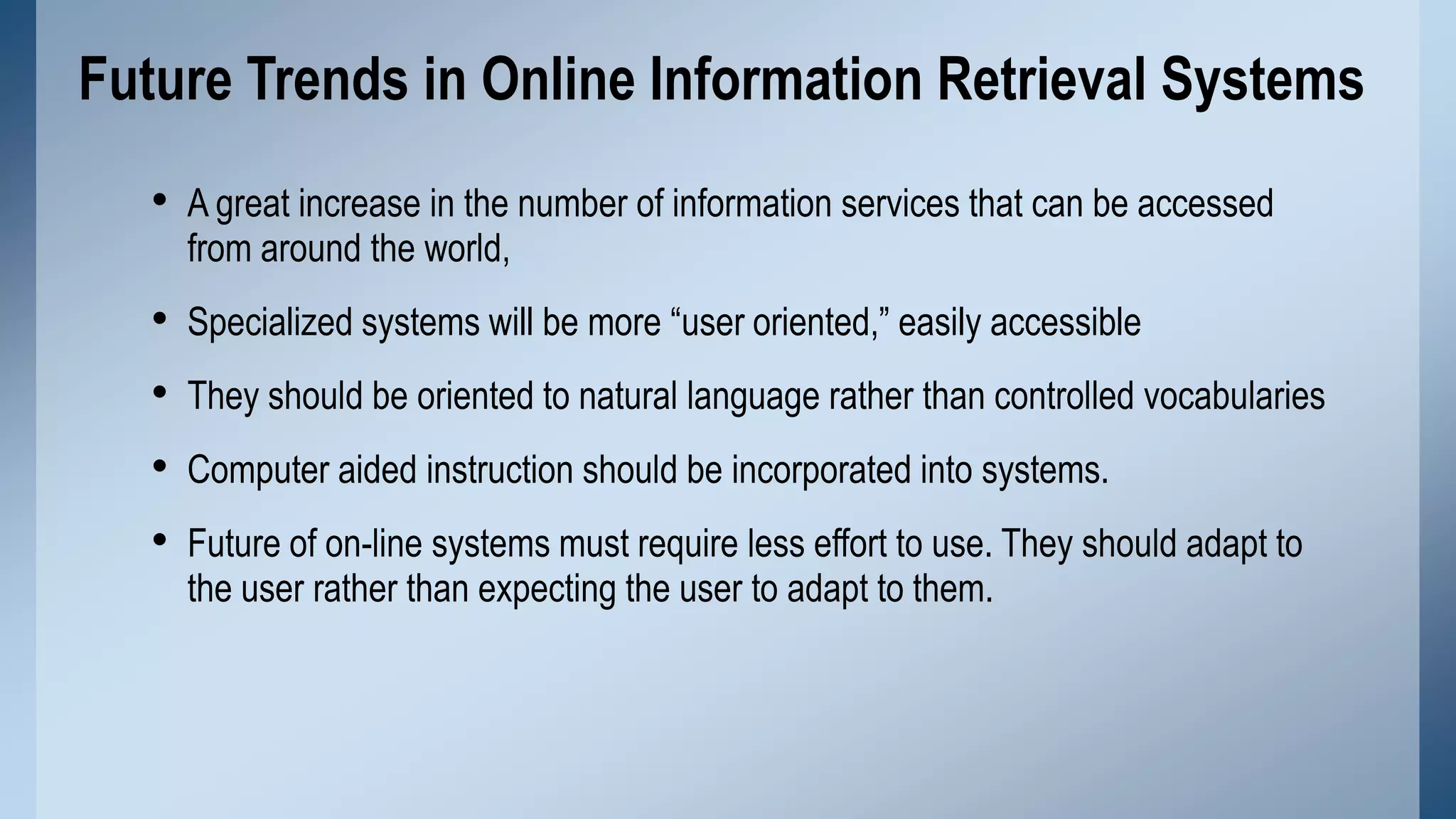
Future Trends in Online Information Retrieval Systems
• A great increase in the number of information services that can be accessed
from around the world,

•
•
•
•

Specialized systems will be more “user oriented,” easily accessible
They should be oriented to natural language rather than controlled vocabularies
Computer aided instruction should be incorporated into systems.
Future of on-line systems must require less effort to use. They should adapt to
the user rather than expecting the user to adapt to them.
Conclusion
Internet and web developments have brought significant changes to the economics of
the information industry, from which end-users are benefits. Through the information
storage and retrieval system, Users can freely or on payment of a fee access the
relevant information.
Thank You
Question ?

Information storage and retrieval

  • 1.
    Information Storage &Retrieval Sadaf Rafiq Mphil Scholar (DLIS,PU ) Library & Information Officer
  • 2.
    Contents • Information storageand retrieval • Basic concept of information storage • Types of Information storage media • Basic concept of Information Retrieval • Major Components of IR • Retrieval Techniques • Information Retrieval Systems
  • 3.
    Cont.… • Evaluation ofinformation Retrieval Systems • Evaluation Measures for IR • Steps for Evaluation • Future Trends of IR • Conclusion
  • 4.
    Information storage andretrieval • Systematic process of collecting and cataloging data so that they can be located and displayed on request. Computers and data processing techniques have made possible to access the high-speed and large amounts of information for government, commercial, and academic purposes. • A branch of computer or library science relating to storage, locating, searching and selecting, upon demand , relevant data on a given subject. (Encyclopedia of Medical concept)
  • 5.
    Basic concept ofinformation storage It can refer to a place like a storage room where paper records are kept. It can also refer to a storage device such as a computer hard disk, CD, DVD, or similar device which can hold data.
  • 6.
    Types of Informationstorage media Storage keeps data and information for use in the future. Common storage mediums are: 1. Hard Drive 2. Floppy Disk 3. CD&DVD 4. USB Flash Drive
  • 7.
    1. Hard Drive i. Itis always inside the computer. ii. It stores all the programs that the computer needs to work. 2. Floppy Disk i. It is a portable storage medium. ii. Put it into the computer save your information
  • 8.
  • 9.
    3. CD&DVD i. It isa portable storage. ii. It allows you to save information on it. 4. USB Flash Drive i. It is very easy to carry ii. It holds more data than a floppy disk. iii. It is very small device than others.
  • 10.
  • 11.
    Basic concept ofInformation Retrieval "An information retrieval system is an information system, that is, a system used to store items of information that need to be processed, searched, retrieved, and disseminated to various user populations” (Salton, 1983 )
  • 12.
    Major Components ofIR Information retrieval can be divided into several major constitutes which include: 1. Database 2. Search mechanism 3. Language 4. Interface
  • 13.
    Database A system whosebase, whose key concepts, is simply a particular way of handling data & its objective is to record and maintain information.
  • 14.
    Search mechanism • Informationorganized systematically that can be searched and retrieved when a corresponding search mechanism is provided. • Search procedures can be categorized as basic or advance search procedure. • Capacity of search mechanism determines what retrieval techniques will be available to users and how information stored in databases can be retrieved.
  • 15.
    Language • Information relieson language when being processed, transferred or communicated. • Language can be identified as natural language and controlled vocabulary.
  • 16.
    Natural Language Natural languageconcerned with the interaction between computer and human interaction. In which: i. ii. Controlled Vocabulary Controlled vocabularies are structured hierarchies of terms used to categorize images. Any user-created terms assigned to images by users, such as tags, folksonomies, and keywords i. Such vocabularies are typically created and maintained by a particular institution of authority Up-to-date, new terms are immediately available ii. No immediate up to date iii. Words of author liable to be misconstrued iv. Structure Data v. Incompatibility a barrier to easy exchange iii. Words of author used iv. Unstructured data v. Easier exchange of material between databases
  • 17.
    Interface Interface regularly consideredwhether or not an information retrieval system is user friendly. • Quality of interface checked by interaction mode • Determines the ultimate success of a system for information retrieval
  • 18.
    Retrieval Techniques Major retrievaltechniques are: 1. Basic Retrieval Techniques 2. Advanced Retrieval Techniques
  • 19.
    1. Basic RetrievalTechniques • Boolean Searching • Case sensitivity searching • Truncation • Proximity searching • Range searching
  • 20.
    Boolean Searching Logical operationsare also known as Boolean Logic. When Boolean logic is applied to information retrieval, the three operators, called Boolean operators.  The AND operate for narrowing down a search  The OR operate for broadening a search  The NOT operator for excluding unwanted results
  • 21.
  • 22.
  • 23.
    Case sensitivity searching •Text sometimes exhibits case sensitivity; that is, words can differ in meaning based on differing use of uppercase and lowercase letters. Words with capital letters do not always have the same meaning when written with lowercase letters. • For example, Bill is the first name of former U.S. president William Clinton, who could sign a bill • The opposite term of "case-sensitive" is "case-insensitive“ • For example, Google searches are generally case-insensitive and Gmail is case-sensitive by default.
  • 24.
    Truncation • Truncation allowsa search to be conducted for all the different forms of a word having the same common roots • Used symbol (Question mark? , asterisk* and pound sign # ) for truncation purpose. • A number of different options are available for truncation like Left truncation, Right truncation and middle truncation.
  • 25.
    Cont.… • Left truncationretrievals all the words having the same characteristics at the right hand part, for example, *hyl will retrieval words such as “methyl” and “ethyl” • Right truncation, for example the term of Network* as a query results in retrieving documents on networks and networking. • Similarly middle truncation retrieval the words having the same characteristics at the left hand and right hand part, for example, “Colo*r” will retrieval both the term “colour” and “color”.
  • 26.
  • 27.
  • 28.
  • 29.
    Proximity searching A proximitysearch allows you to specify how close two (or more) words must be to each other in order to register a match. There are three types of proximity searches: • Word proximity • Sentence proximity • Paragraph proximity
  • 30.
  • 31.
    Range searching It ismost useful with numerical information. The following options are usually available for range searching • • • • • greater than (>) less than (<) equal to (=) not equal to (/= or o) greater than equal to (>=) less than or equal to (<=)
  • 32.
    Example of RangeSearching To search for documents or items that contain numbers within a range, type your search term and the range of numbers separated by two periods (“..”). For example, to search for pencils that costs between $1.50 and $2.50, type the following:
  • 33.
    Advanced Retrieval Techniques •Fuzzy searching • Query expansion • Multiple databases searching
  • 34.
    Fuzzy searching It isdesigned to find out terms that are spelled incorrectly at data entry and query point. For example the term computer could be misspelled as compter, compiter, or comyter. Optical Character Recognition (OCR) or compressed texts could also result in erroneous results. Fuzzy searching is designed for detection and correction of spelling errors that result from OCR and text compression.
  • 35.
    Query expansion Query expansionis a retrieval technique that allows the end user to improve retrieval performance by revising search queries based on results already retrieved Start Submit Query Conduct Search Present search result NO Query Expansion YES Satisfied? END
  • 36.
    Multiple Database Searching Itmeans searching more than one IR systems. The need for searching multiple databases seems threefold. 1. First, searching in single IR system may not get what the user is looking for. 2. Secondly, multiple databases searching can serve as a selection tool if the user is not sure which systems would be the best choice for a given query . 3. Third, result obtained from multiple databases searching can suggest or indicate suitable systems for the user to conduct further searches. Examples: EBSCOhost, ProQuest
  • 37.
    Information Retrieval Systems • • • • Onlinesystems CD-ROM systems OPAC Web information Retrieval Systems
  • 38.
    Online systems Online informationretrieval systems allow the user to search databases located remotely with the help of the computer and telecommunication technology. • Basic searching techniques • Advanced retrieval techniques Examples: Library of Congress, University of Punjab Library
  • 39.
    CD-ROM systems  CD-ROMsystems are usually searched locally and it works if the systems are not networked.  Basic retrieval techniques are supported in CD-ROM systems while advanced search facilities are applied in limited scope.  The data which is stored on compact disc (CD) can to read by any computer operating systems and any CD-ROM drive. Example: LISA
  • 40.
    OPAC • Online publicaccess catalogs (OPACs) are traditional catalogs executed in a different medium. • Different features of OPACs are  First, OPACs contains bibliographic information about library resources.  Second, OPACs can be considered as an extension of MARC records.  Third, OPACs support at least field searching, keyword searching and Boolean searching. Examples Library of congress catalogue University of Punjab online catalogue
  • 41.
    Web information RetrievalSystems • It deals with text as well as multimedia information resources that are linked with other documents and there is no target user’s community as such. • Basically web is a platform where anyone from anywhere can publish virtually any information, in any language or in any format. Examples, Google, Alta Vista
  • 42.
    Evaluation of informationRetrieval Systems Lancaster states that we can evaluate an information retrieval system by considering the following three issues. • How well the system is satisfying its objectives, how well it is satisfying the demands placed upon it • How efficiently it is satisfying its objectives and finally • Whether the system justifies its existence
  • 43.
    Evaluation Measures forInformation Retrieval Recall and Precision Measure of whether or not a particular item is retrieved or the extent to which the retrieval of wanted items occurs • The performance of a system is often measured by recall ratio, which denotes the percentage of relevant items retrieved in a given situation. Number of relevant items retrieve Recall= × 100 Total number of relevant items in the collection
  • 44.
    Cont. • By precisionwe mean how precisely a particular system functions. It is quite obvi-ous that when the system retrieves items that are relevant to a given query it also retrieves some documents that are not relevant Number of relevant items retrieved Precision =_____________________________× 100 Total number of items retrieved
  • 45.
    Fallout & Generality •Fallout describes what proportion of non-relevant items has been retrieved in a given search. This is often termed as fallout ratio. • Generality describes what proportion of relevant documents in the collection for a given query.
  • 46.
    Possible Retrieval Outcomes Judgment Result Retrieved Notretrieved Total Relevant Not Relevant Total a B a+b (Hits) c (Noise) D (all retrieved) c+d (misses) a+c (rejects) b+d (all non-retrieved) a+b+c+d (all relevant) (all non-relevant) (total in the system)
  • 47.
    Retrieval Measures Symbol Evaluation Measure Formulas Explanation R Recall a/(a+c) Proportion ofrelevant items retrieved P Precision a/(a+b) Proportion of relevant items that are relevant F Fallout b/(b+d) Proportion of non-relevant items retrieved G Generality (a+c)/(a+b+c+d) Proportion of relevant items per query
  • 48.
    Limitations of Recall& Precision 1. Recall assumes all relevant items have the same value which is not true 2. Measuring recall is difficult because it is often difficult to know how many relevant records exist in a database. Different users want different level of recall.
  • 49.
    Steps for Evaluation • • • • • Designingthe scope of evaluation Designing the evaluation program Execution of the evaluation Analysis and interpretation of results, and Modifying the system in the light of the evaluation results
  • 50.
    Future Trends inOnline Information Retrieval Systems • A great increase in the number of information services that can be accessed from around the world, • • • • Specialized systems will be more “user oriented,” easily accessible They should be oriented to natural language rather than controlled vocabularies Computer aided instruction should be incorporated into systems. Future of on-line systems must require less effort to use. They should adapt to the user rather than expecting the user to adapt to them.
  • 51.
    Conclusion Internet and webdevelopments have brought significant changes to the economics of the information industry, from which end-users are benefits. Through the information storage and retrieval system, Users can freely or on payment of a fee access the relevant information.
  • 52.
  • 53.

Editor's Notes

  • #5 http://www.infoplease.com/encyclopedia/science/information-storage-retrieval.html
  • #6 Information storage is the central pillar of information technology. A large amount of digital information is created every moment by individuals and organizations. This information need to be stored, protected and managed in classic, virtualized and cloud environment. Information storage was seen as a bunch of disks or taps attached to the back of computer to store data
  • #12 The concept of &quot;information retrieval&quot; is broad meaning. It is used to denote systems designed to provide users or a group of users with information
  • #30 http://search.legis.state.ia.us/nxt/gateway.dll?f=templates$fn=help_search-proximity.htm$3.0
  • #50 evaluation study entails the preparation of a set of objectives The purpose and scope of the whole evaluation program are set at this step