The document discusses operating system support and services including program creation, execution, I/O access, file access control, error handling, and accounting. It covers the evolution of early batch processing systems to time-sharing systems that allow interactive use. Key components discussed include process scheduling, memory management through techniques like paging, segmentation, and virtual memory.
In this document
Powered by AI
Introduction to operating systems with a focus on support and architecture.
Discusses the objectives of operating systems: convenience and efficiency.
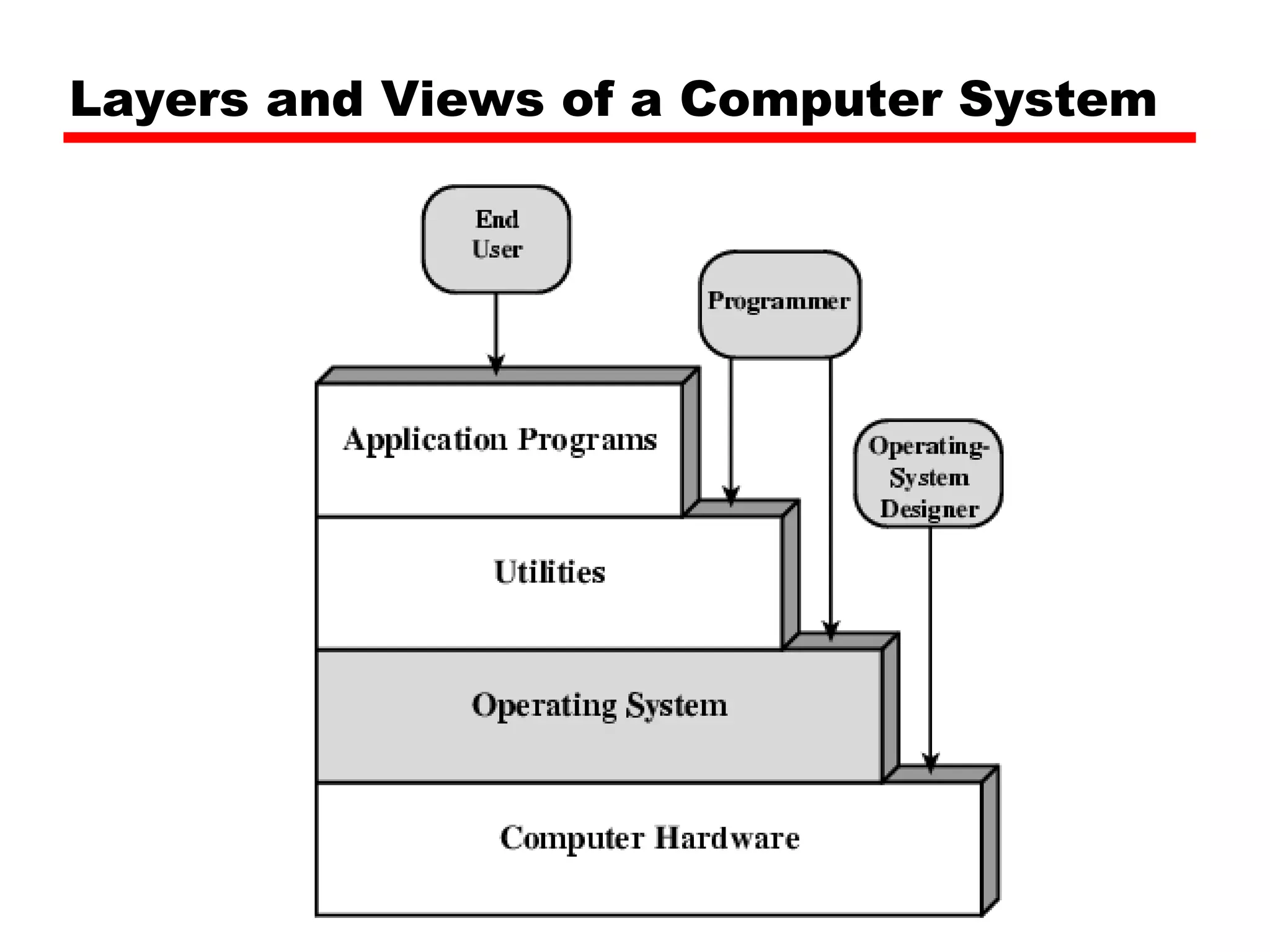
Overview of layered architecture in computer systems.
Services provided by operating systems including program creation and execution.
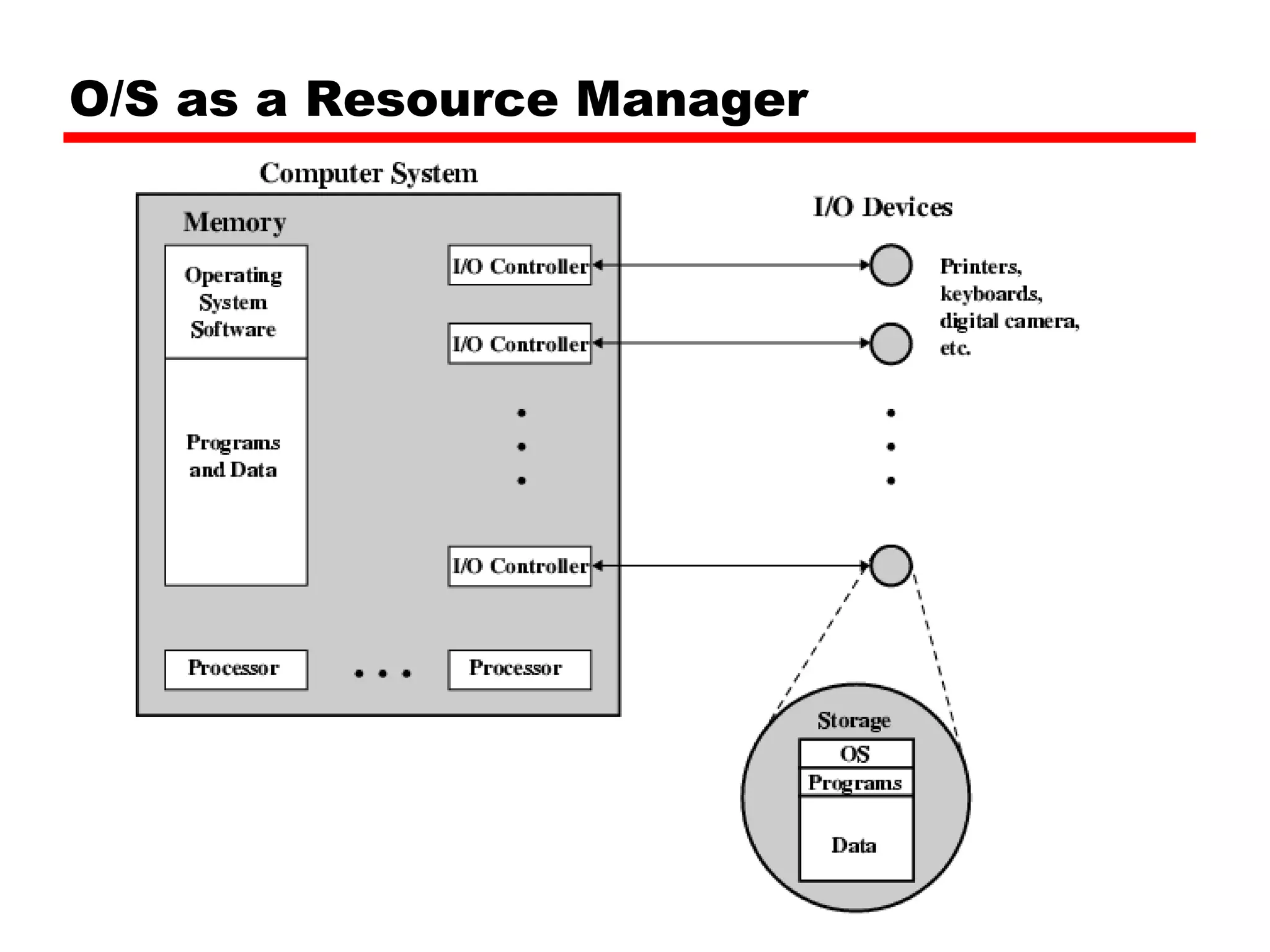
The role of operating systems as resource managers.
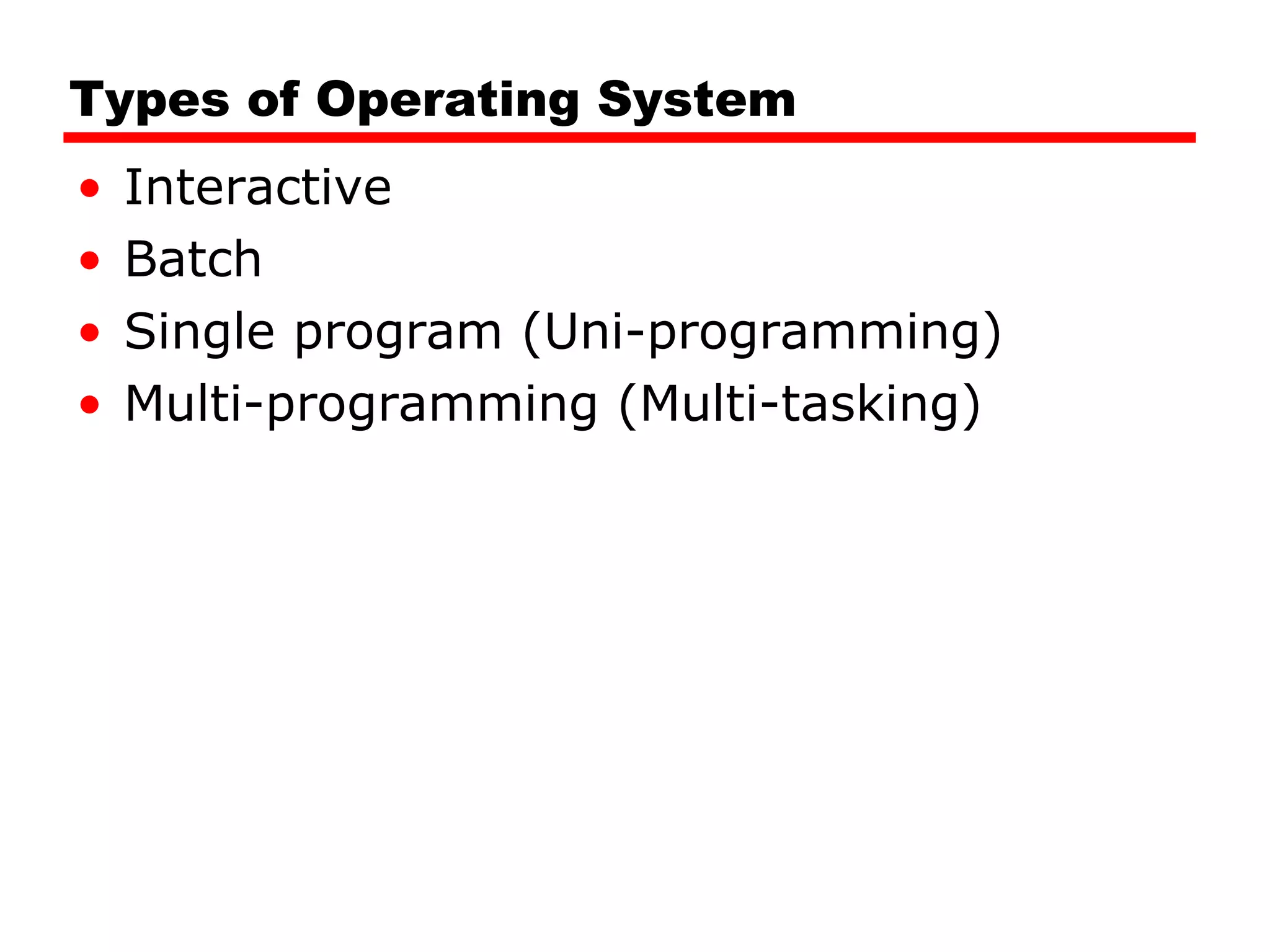
Different types of operating systems: interactive, batch, uni-programming, multi-programming.
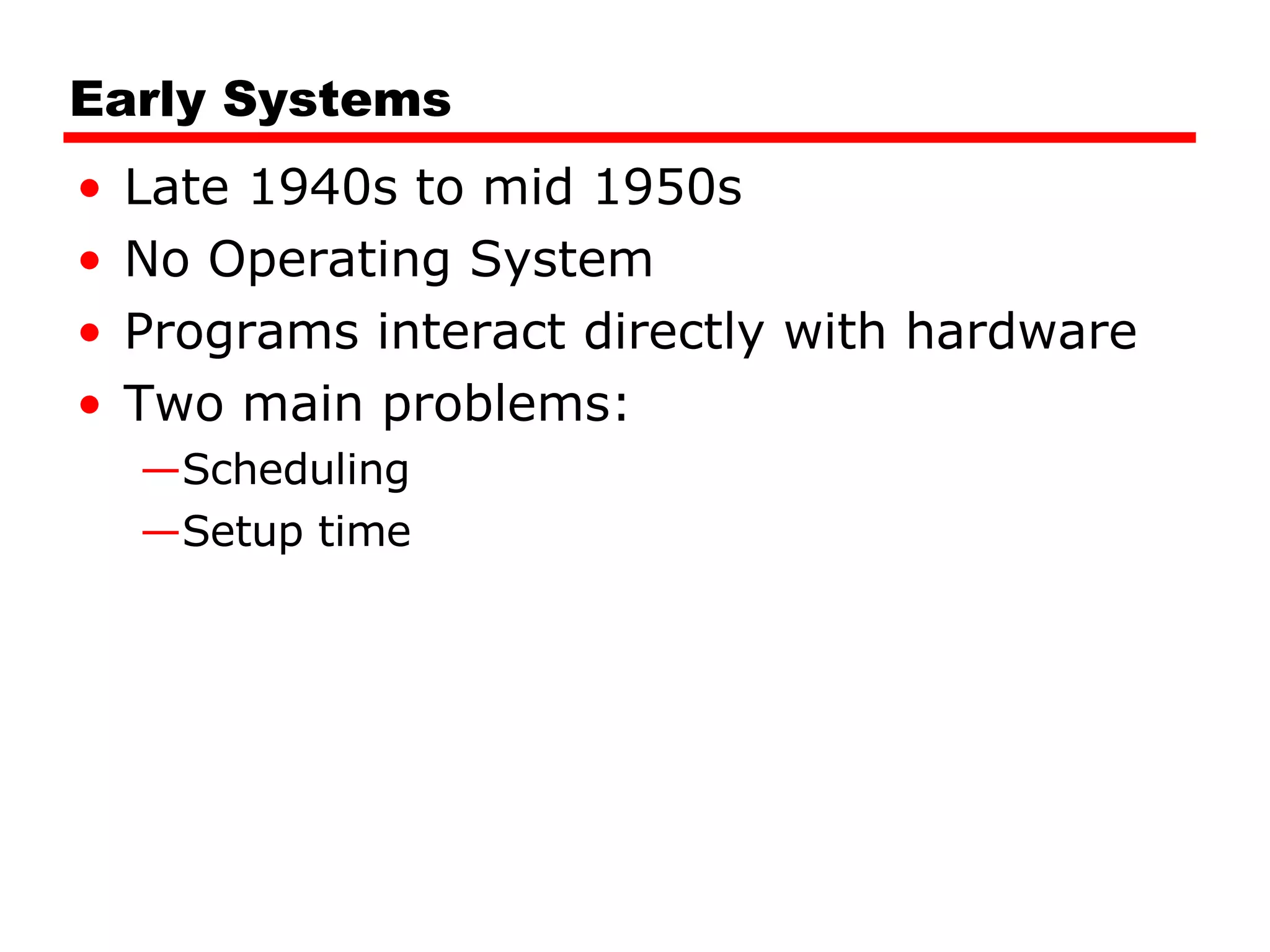
Description of early systems before OS development and the scheduling challenges faced.
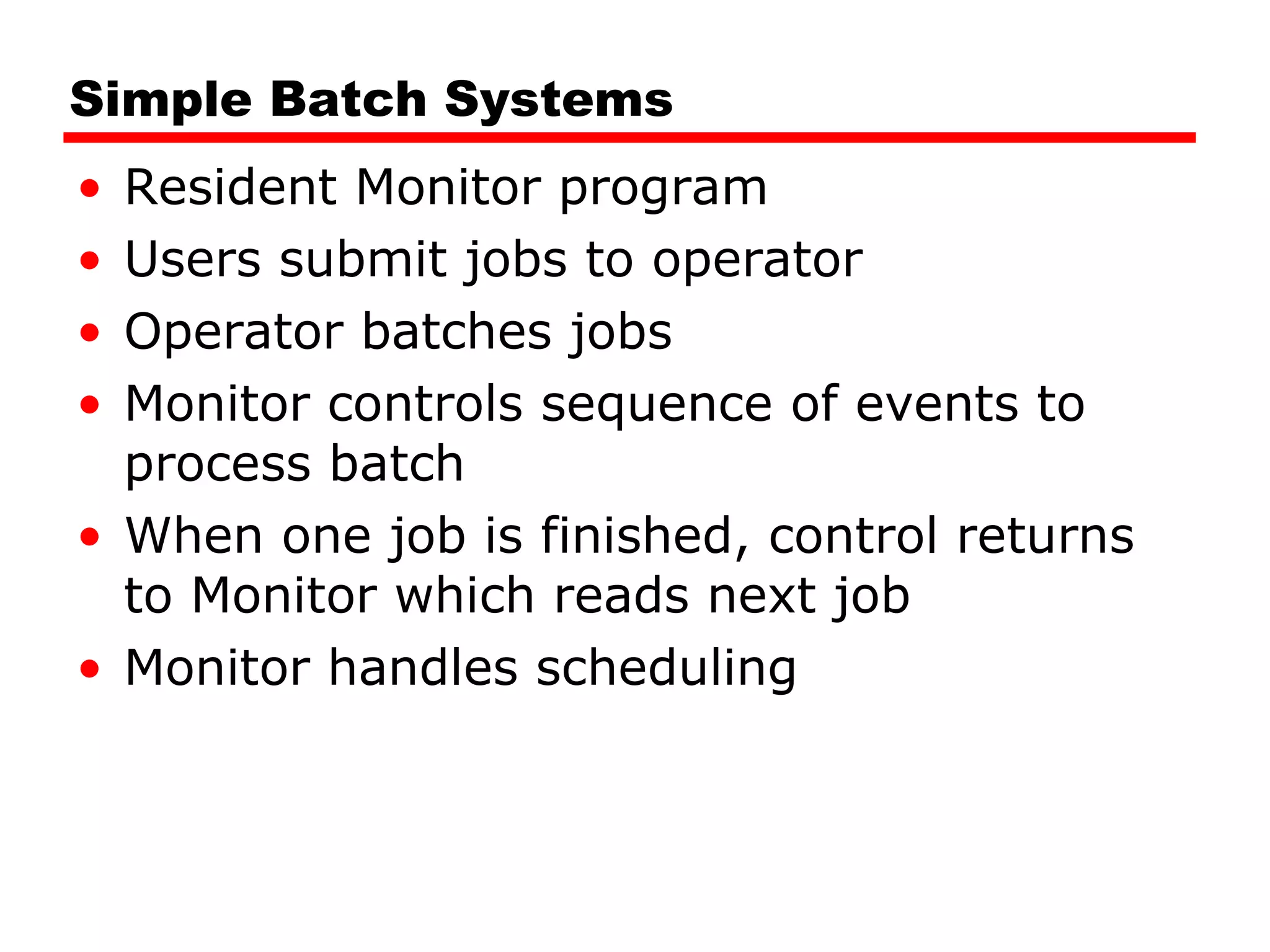
Functionality and memory layout of early simple batch systems using resident monitors and JCL.
Essential hardware features such as memory protection and privileged instructions.
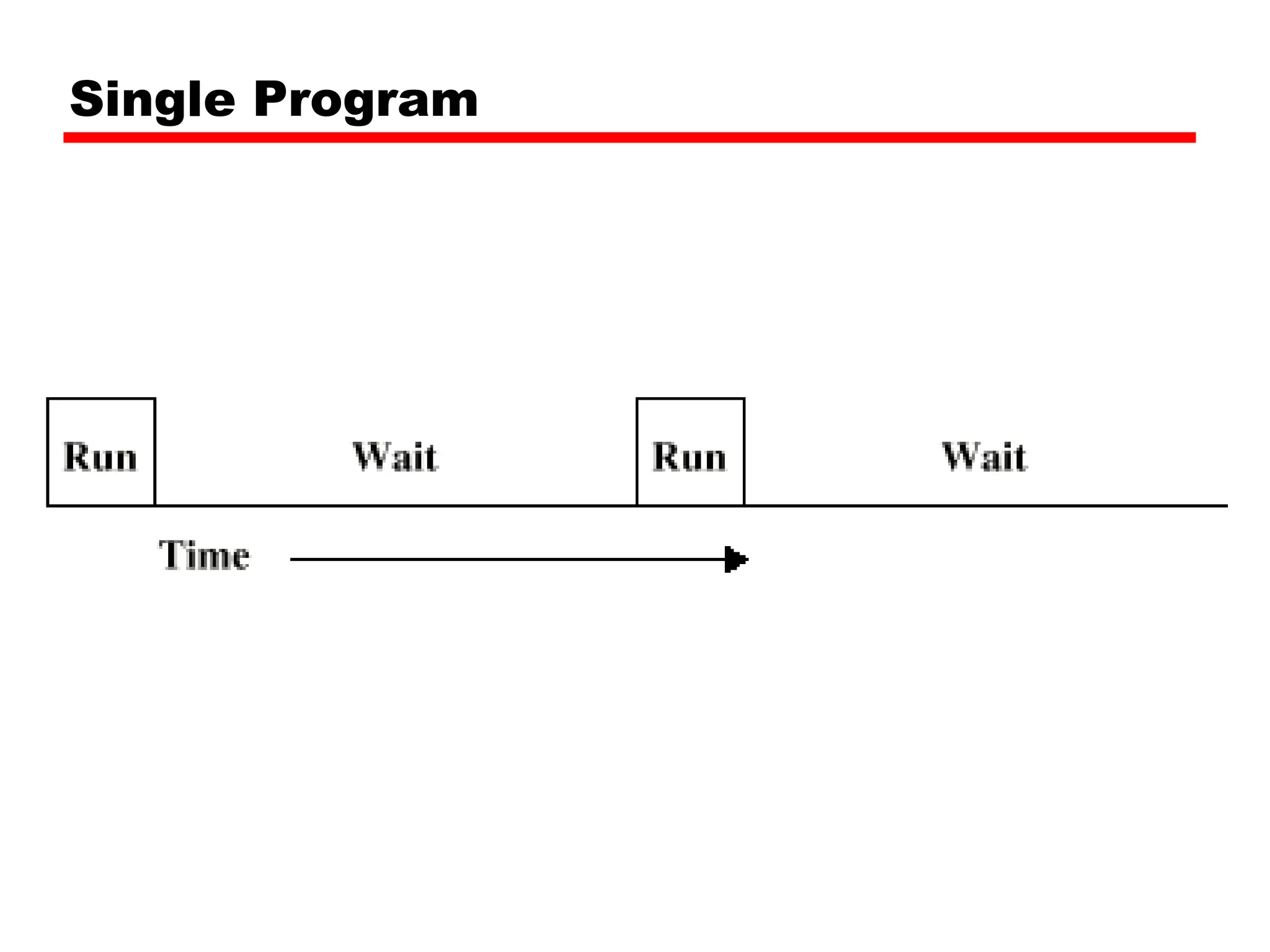
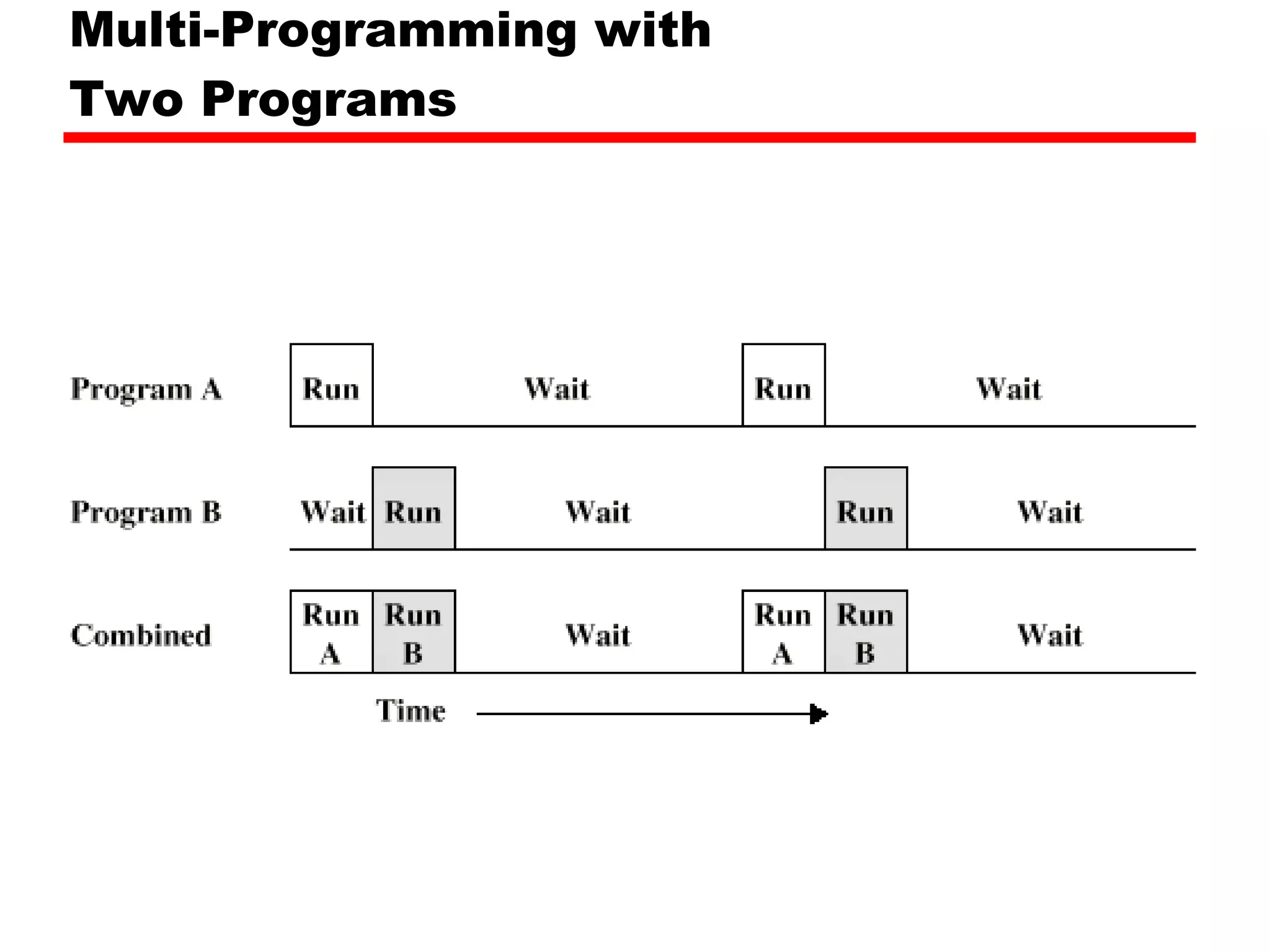
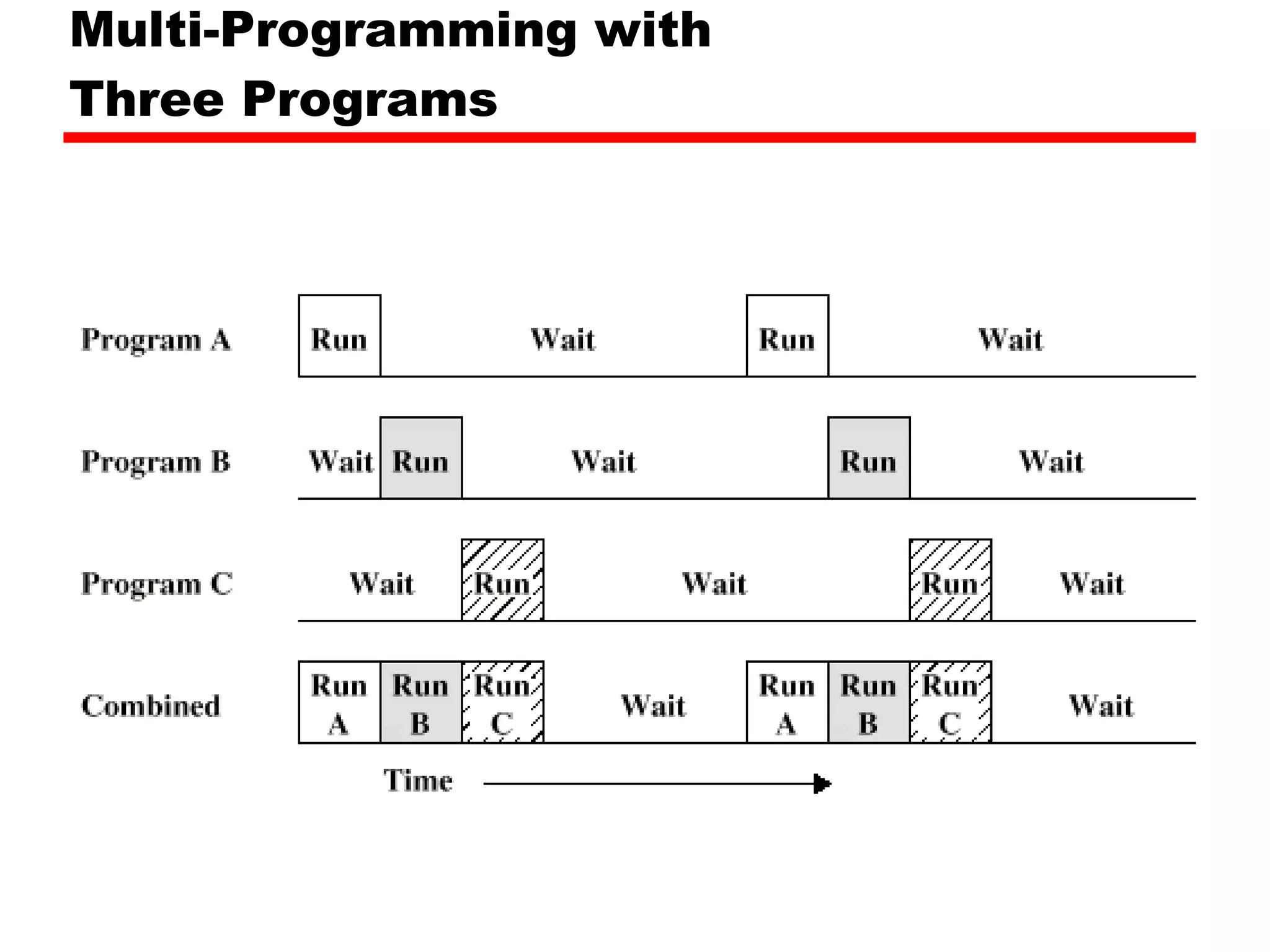
Multi-programming techniques to utilize CPU while waiting for I/O operations.
Explains the principles of single and multi-programming with examples.
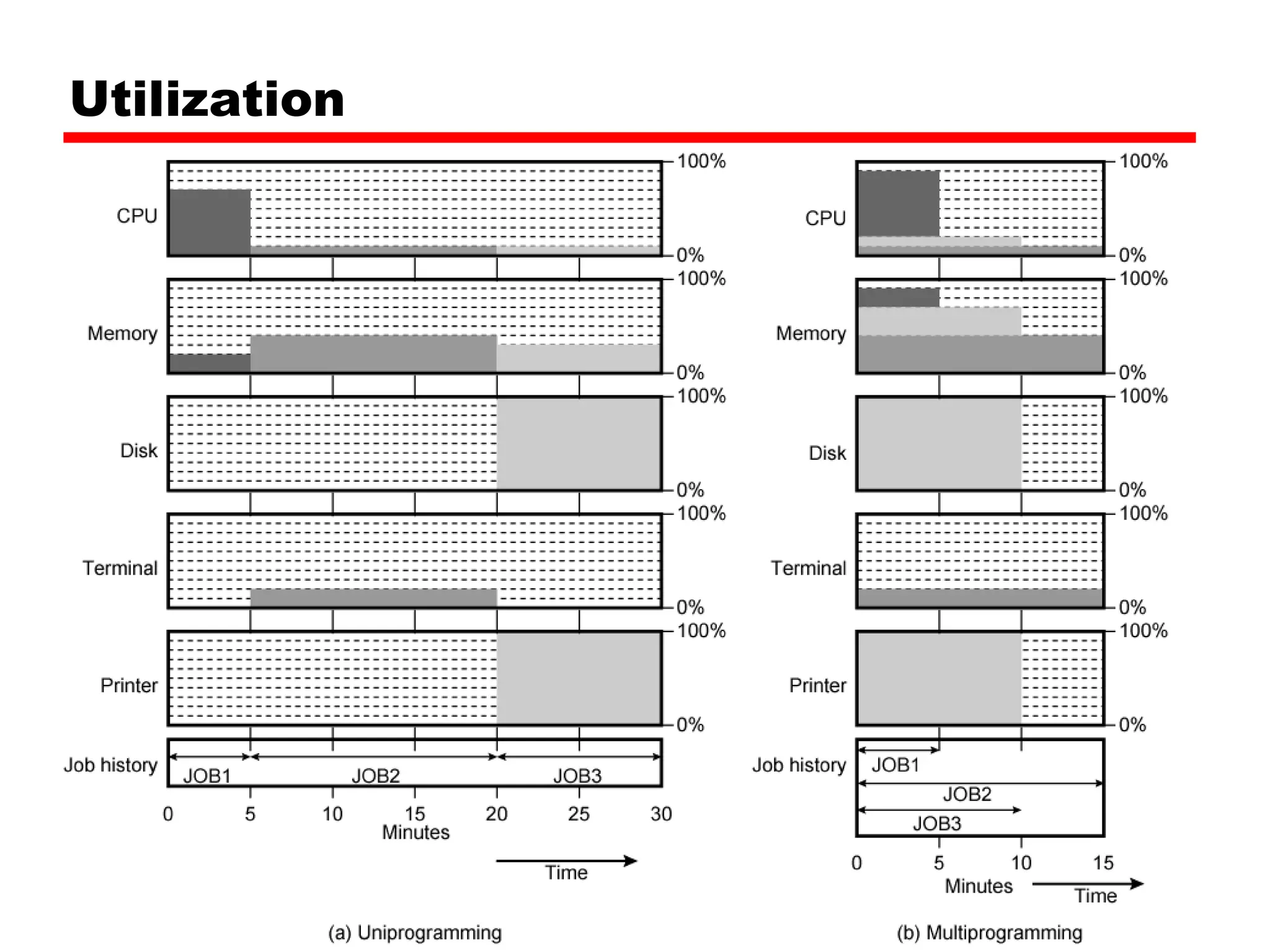
Discusses the target utilization rates of operating systems.
Introduction to time-sharing systems enabling direct user interactions.
Different types of scheduling in operating systems: long-term, medium-term, and short-term.
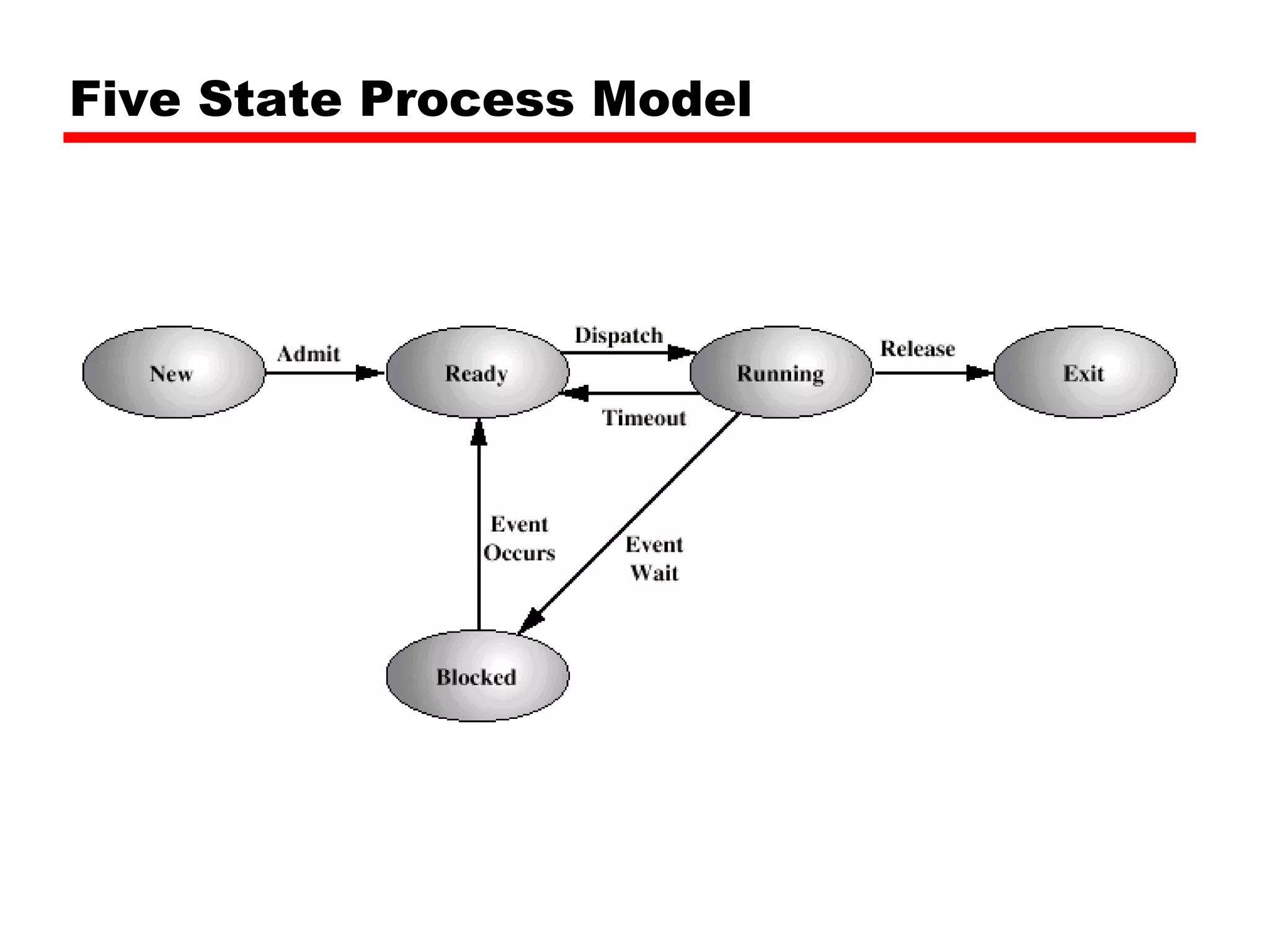
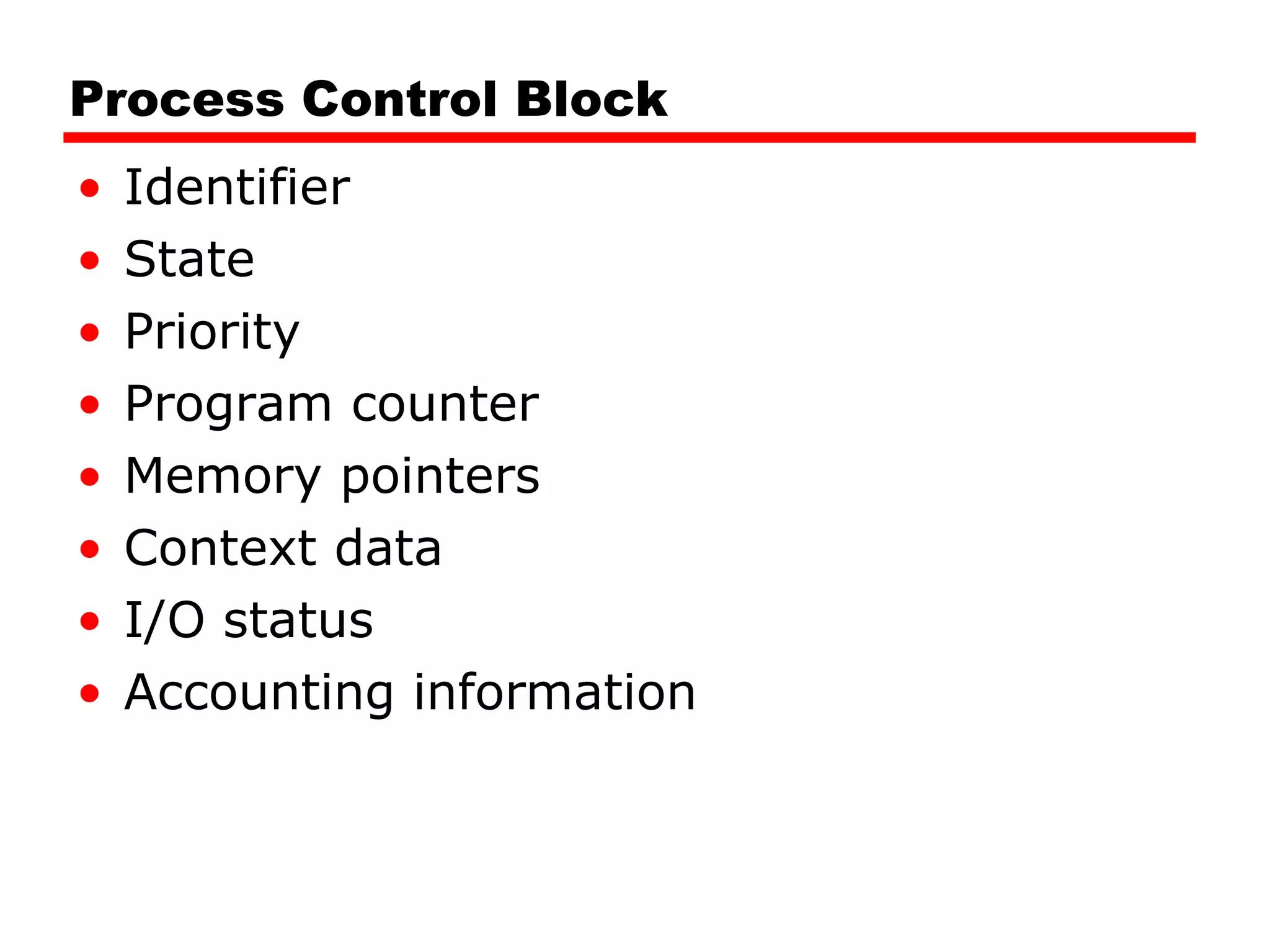
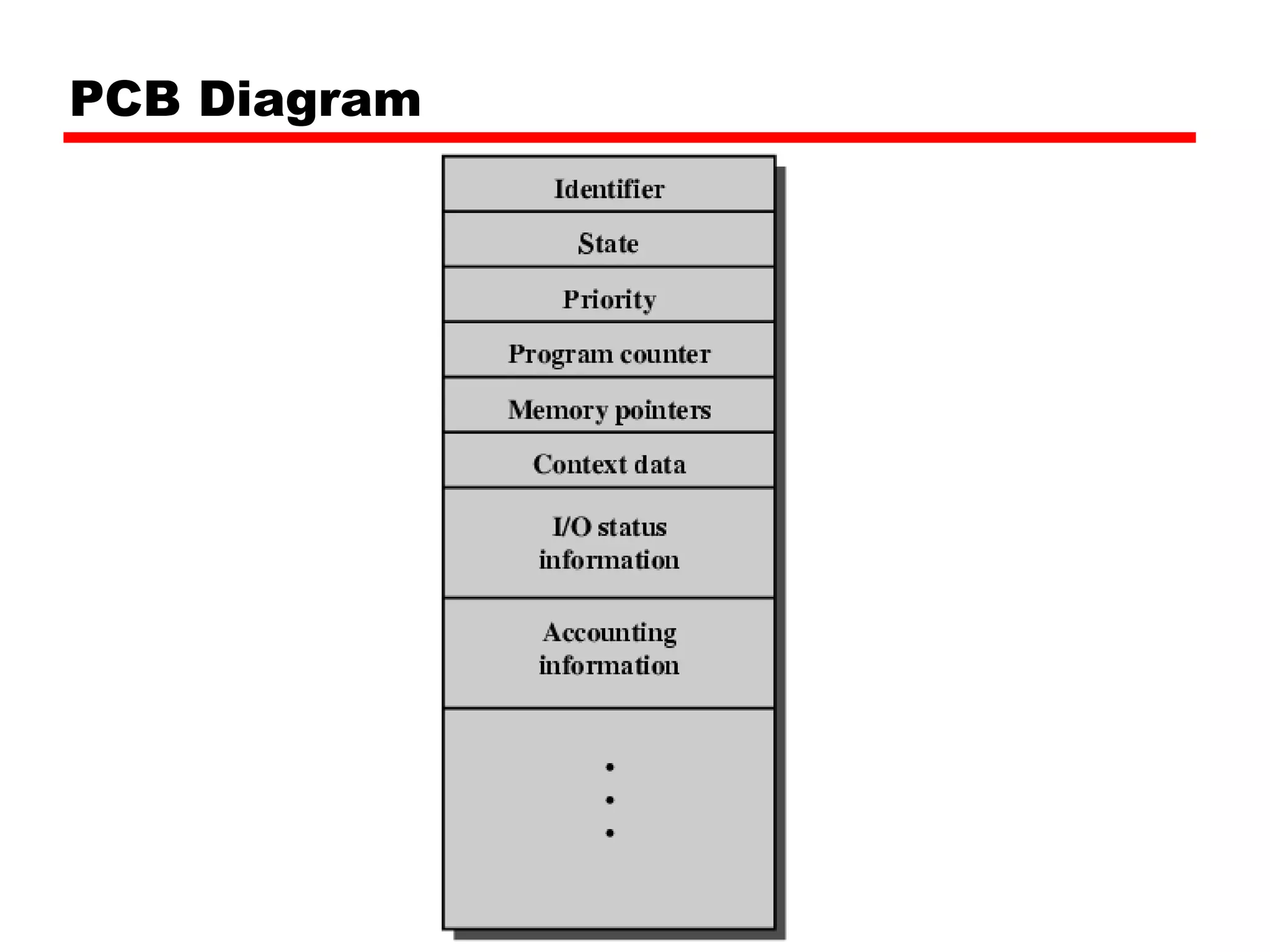
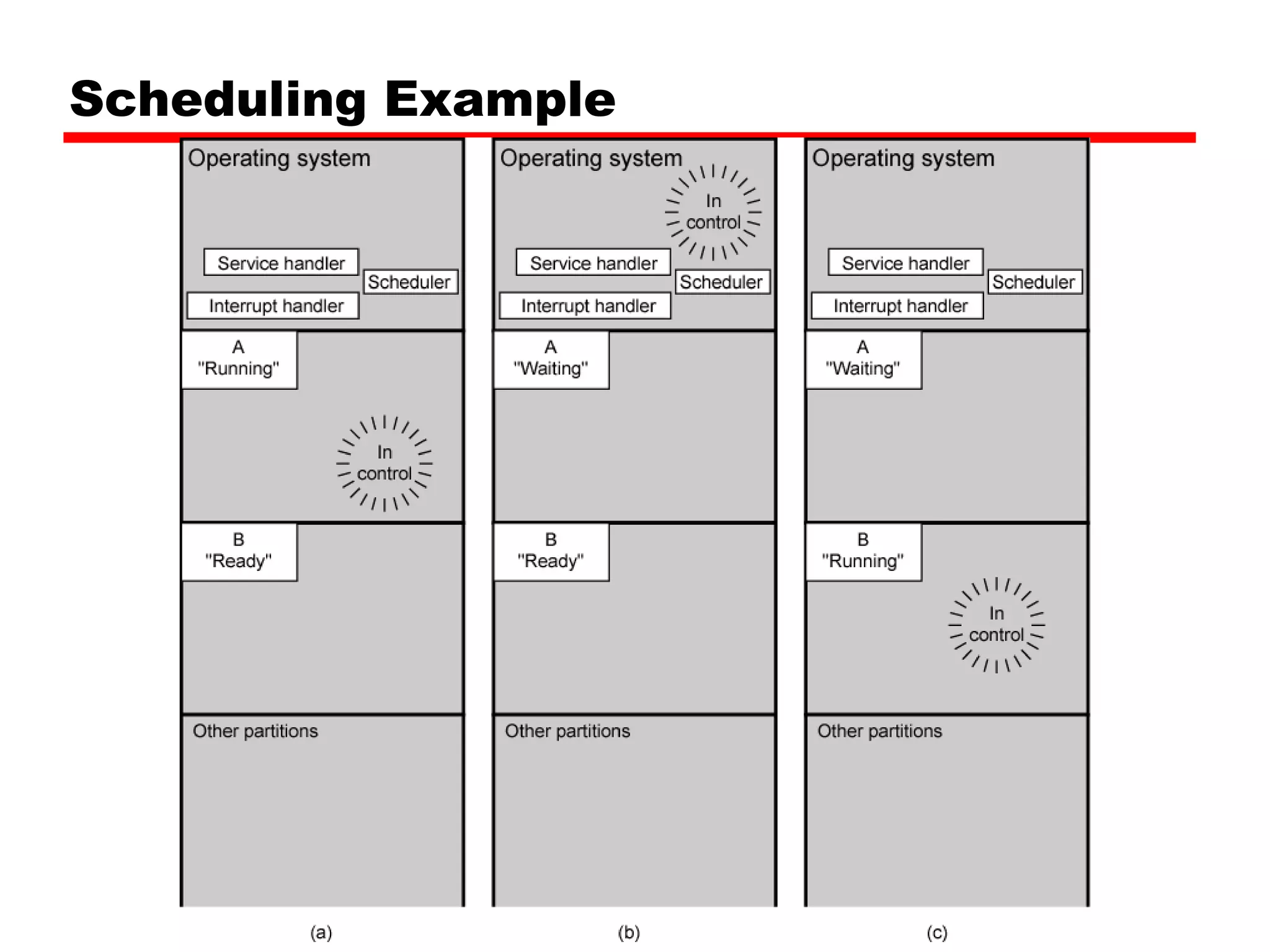
Key elements of process management and scheduling in operating systems.
Fundamental principles of memory management in both uni-program and multi-program environments.
Explanation of swapping processes in and out of memory and managing I/O bottlenecks.
Techniques for memory allocation including fixed and variable sized partitions.
Methods to solve fragmentation problems in memory management.
Techniques for relocating processes in memory without loss of data.
Concept of paging memory allocation and the handling of logical and physical addresses.
How virtual memory works with demand paging and page replacement strategies.
Issues of thrashing in operating systems and potential solutions.
Advantages of running processes larger than available memory using virtual memory.
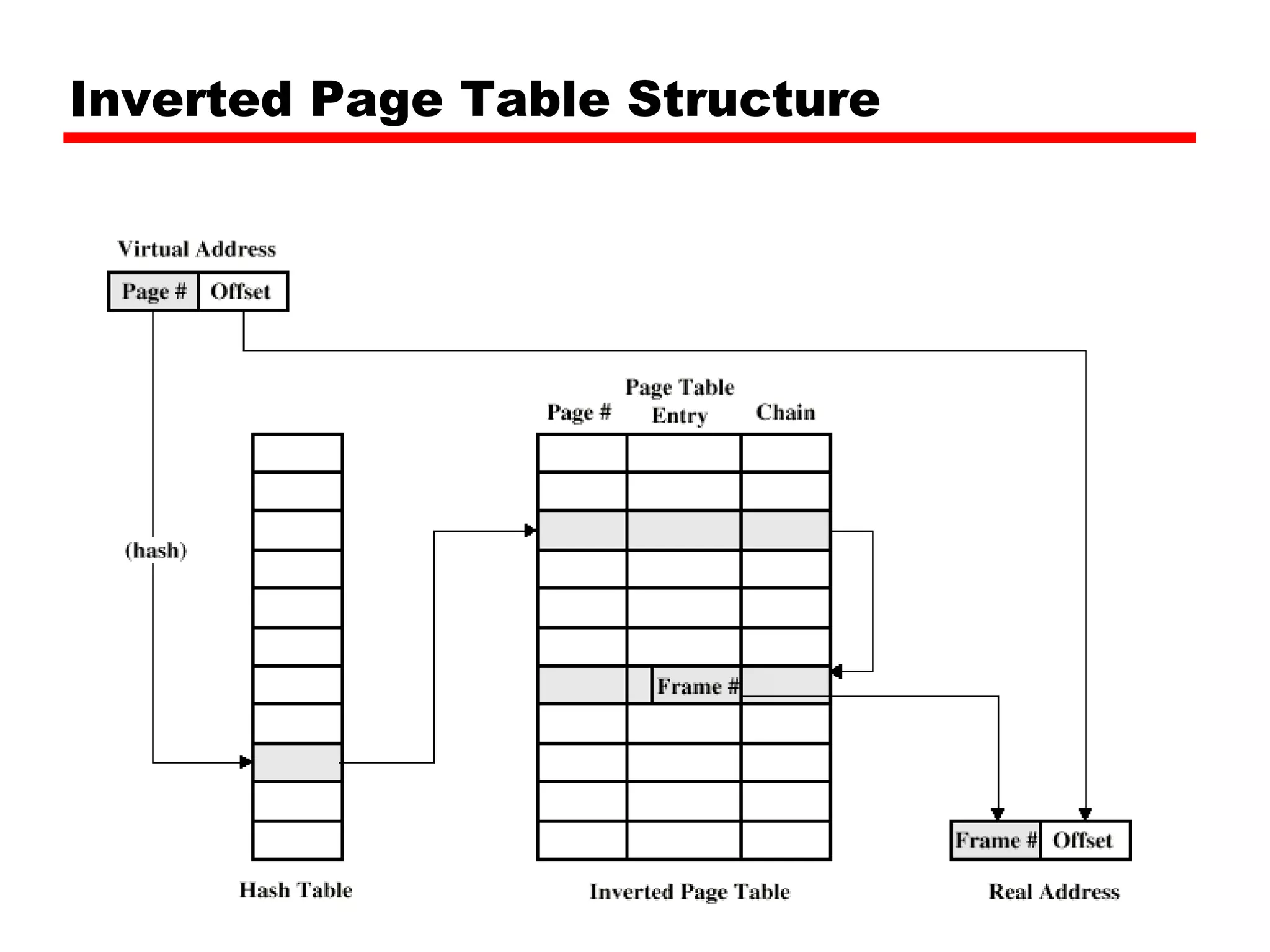
Structure of inverted page tables for effective memory management.
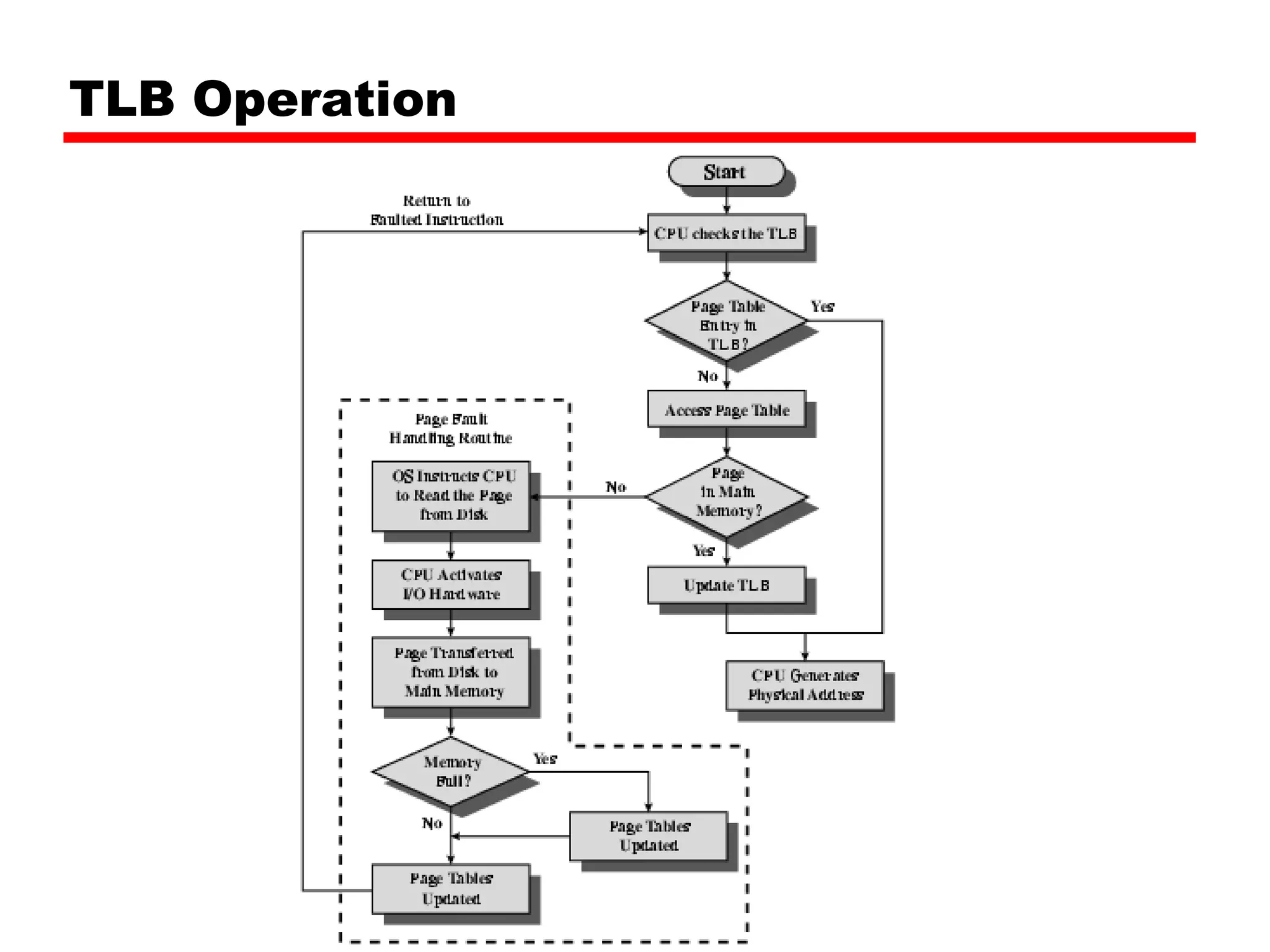
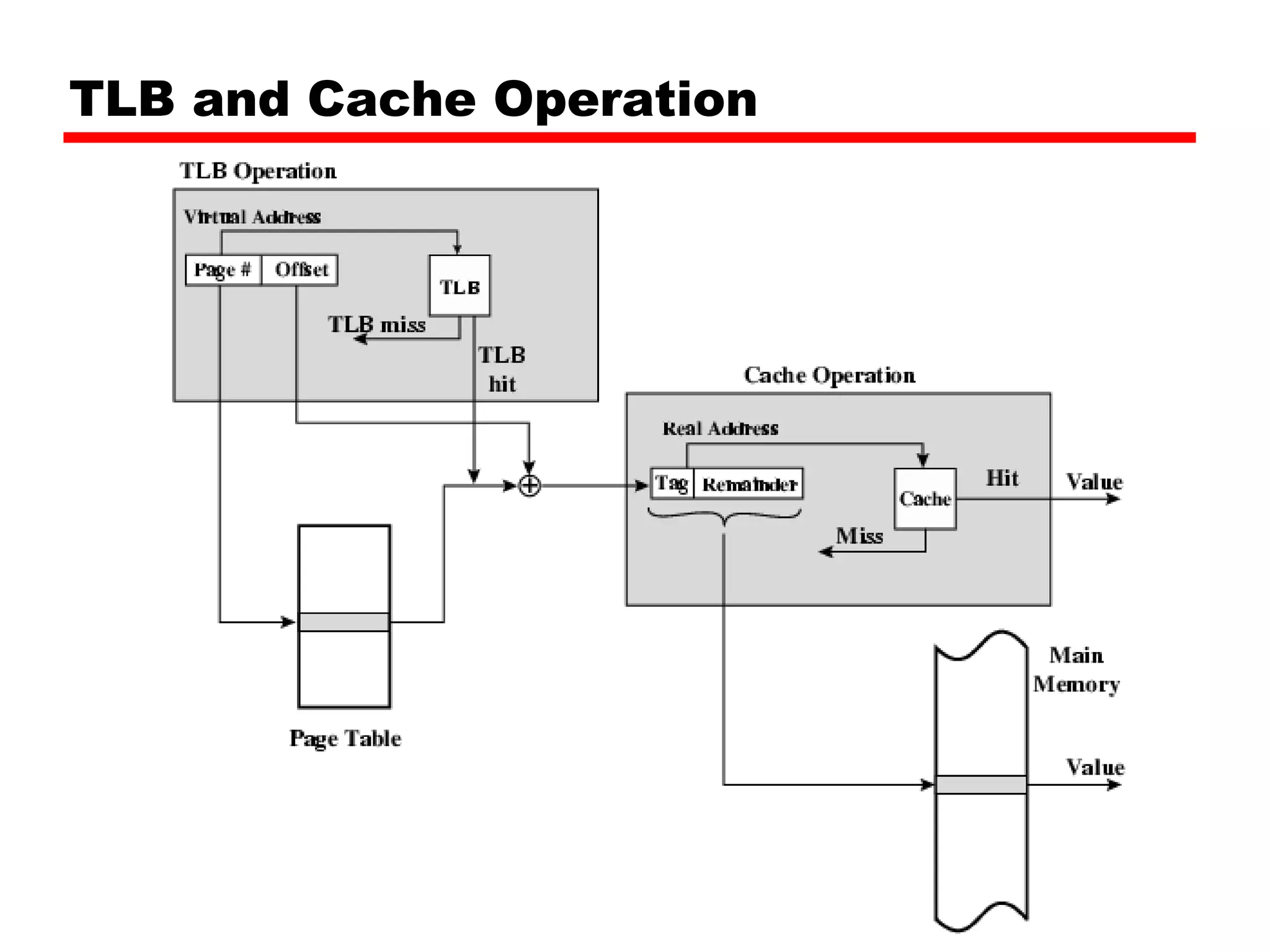
Explanation of Translation Lookaside Buffer operations in memory management.
Differences between segmentation and paging, and their applications.
Benefits of segmentation in memory management and program handling.
Overview of Pentium II's hardware support for segmentation and paging in memory.
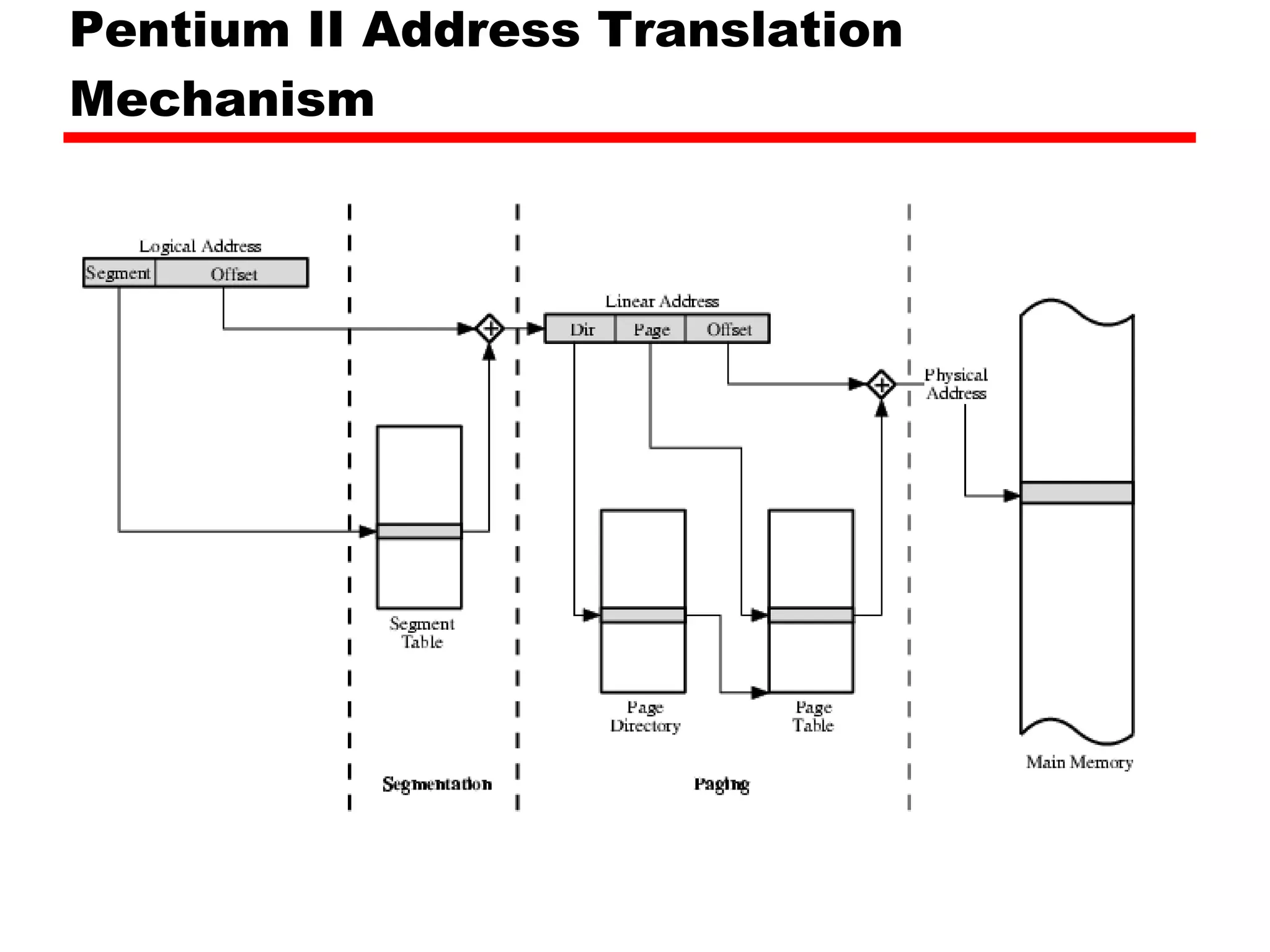
Description of address translation mechanisms in Pentium II architecture.
Security and privilege levels in Pentium II processor architecture.
Detailed mechanisms of paging in Pentium II architecture, including page directory lookup.
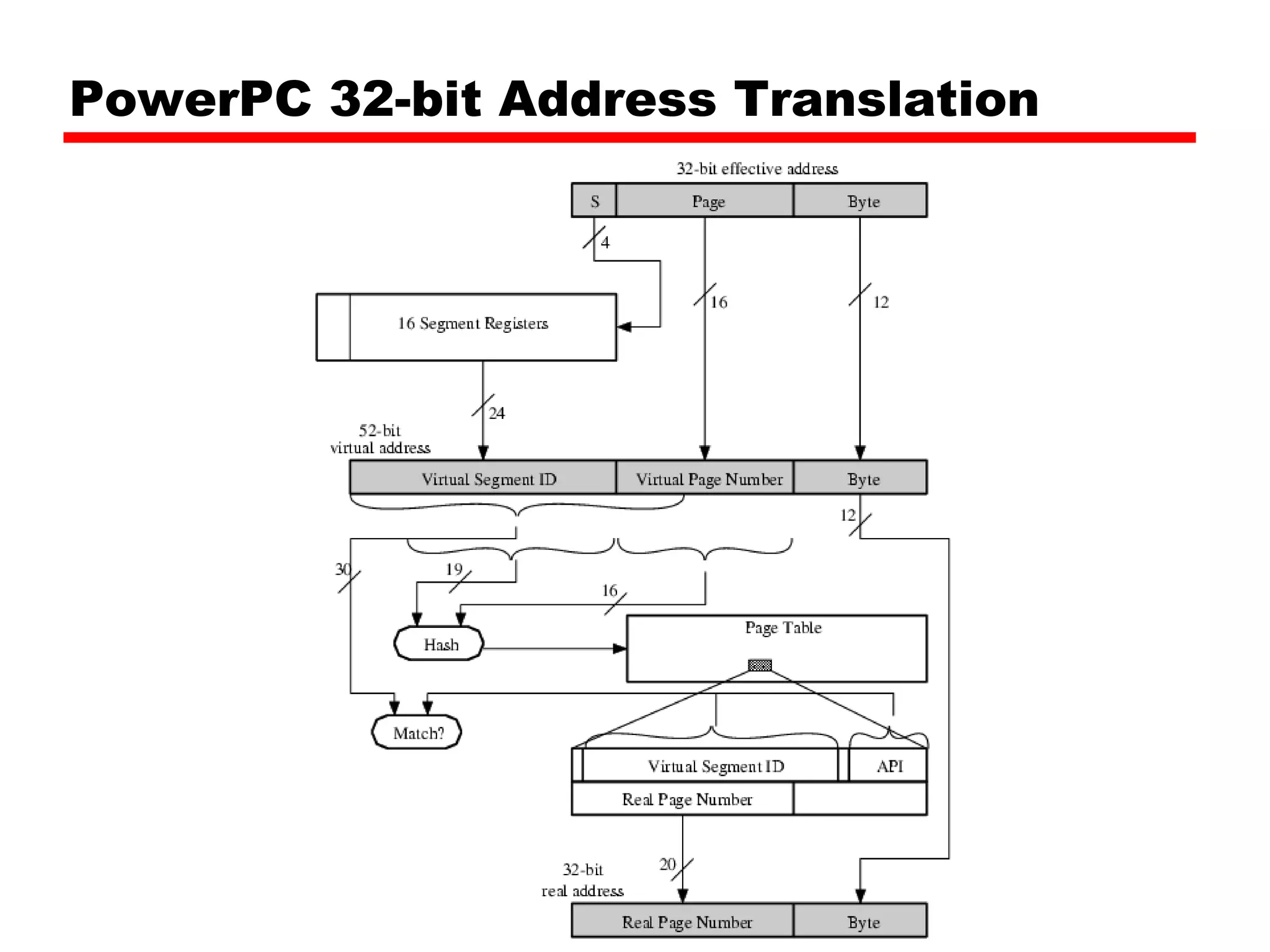
Overview of PowerPC's memory management mechanisms for addressing and segmentation.
Address translation techniques in PowerPC architecture and relevant standards.
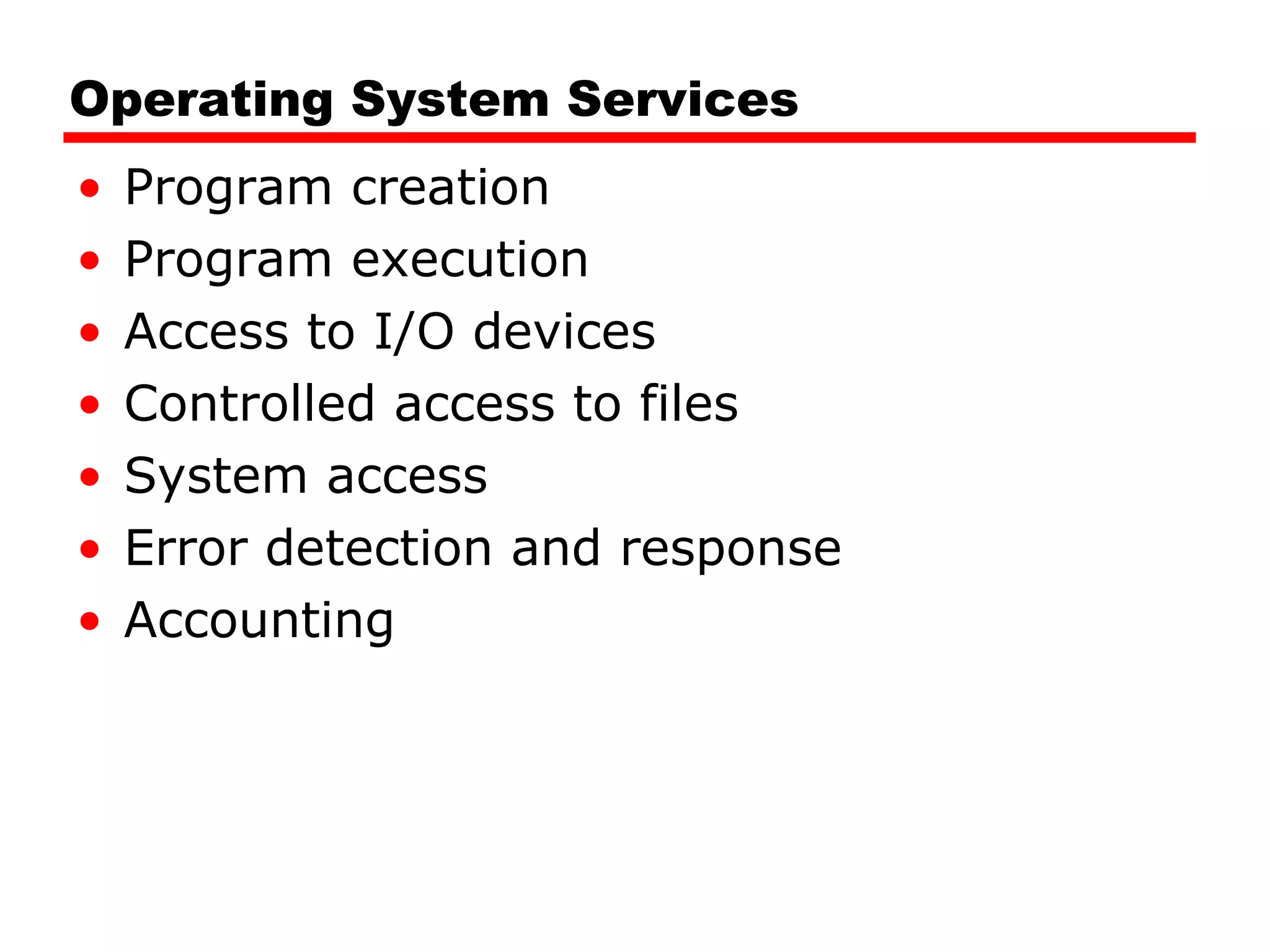
Operating System ServicesProgram creation Program execution Access to I/O devices Controlled access to files System access Error detection and response Accounting
Types of OperatingSystem Interactive Batch Single program (Uni-programming) Multi-programming (Multi-tasking)
7.
Early Systems Late1940s to mid 1950s No Operating System Programs interact directly with hardware Two main problems: Scheduling Setup time
8.
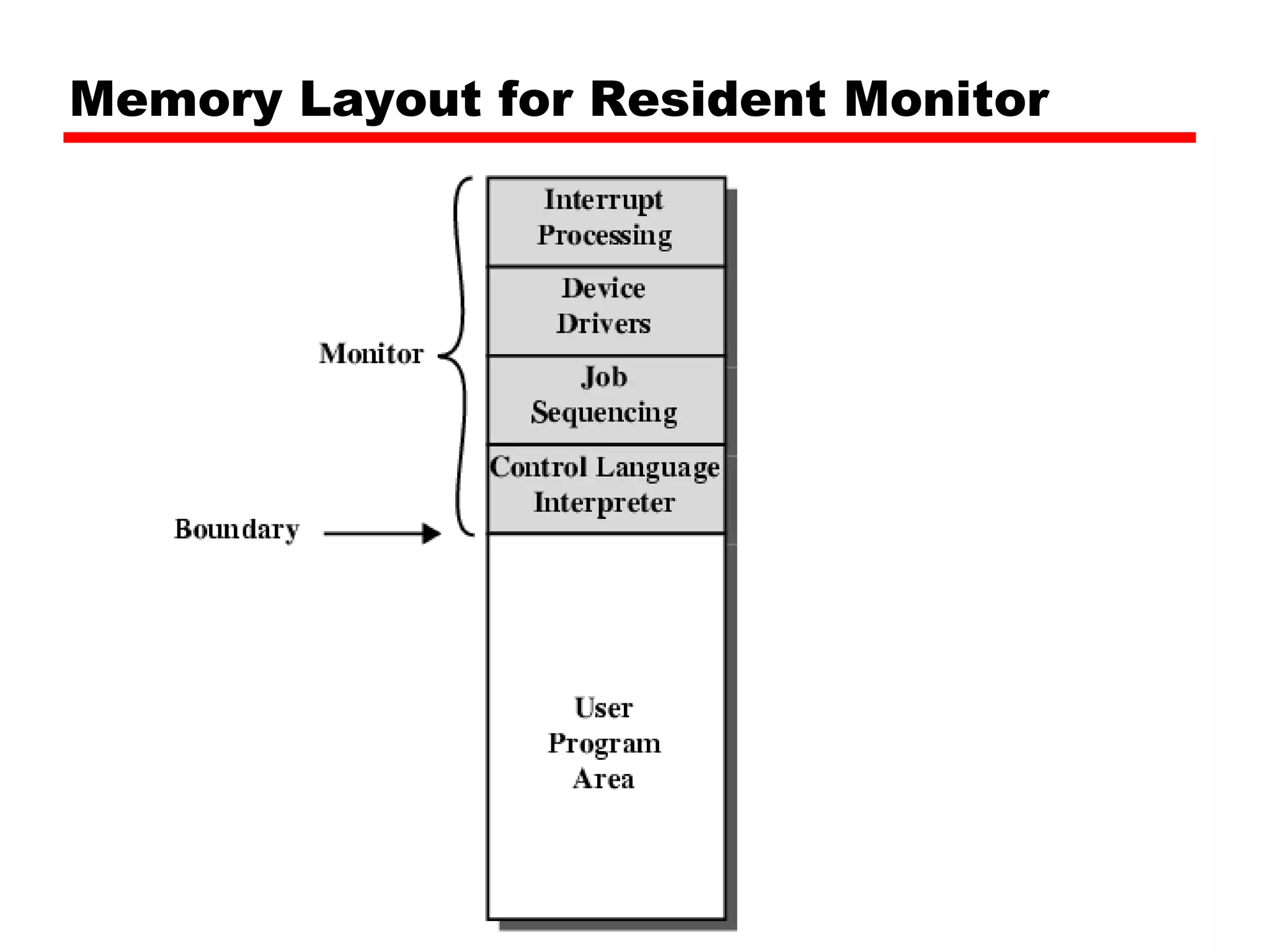
Simple Batch SystemsResident Monitor program Users submit jobs to operator Operator batches jobs Monitor controls sequence of events to process batch When one job is finished, control returns to Monitor which reads next job Monitor handles scheduling
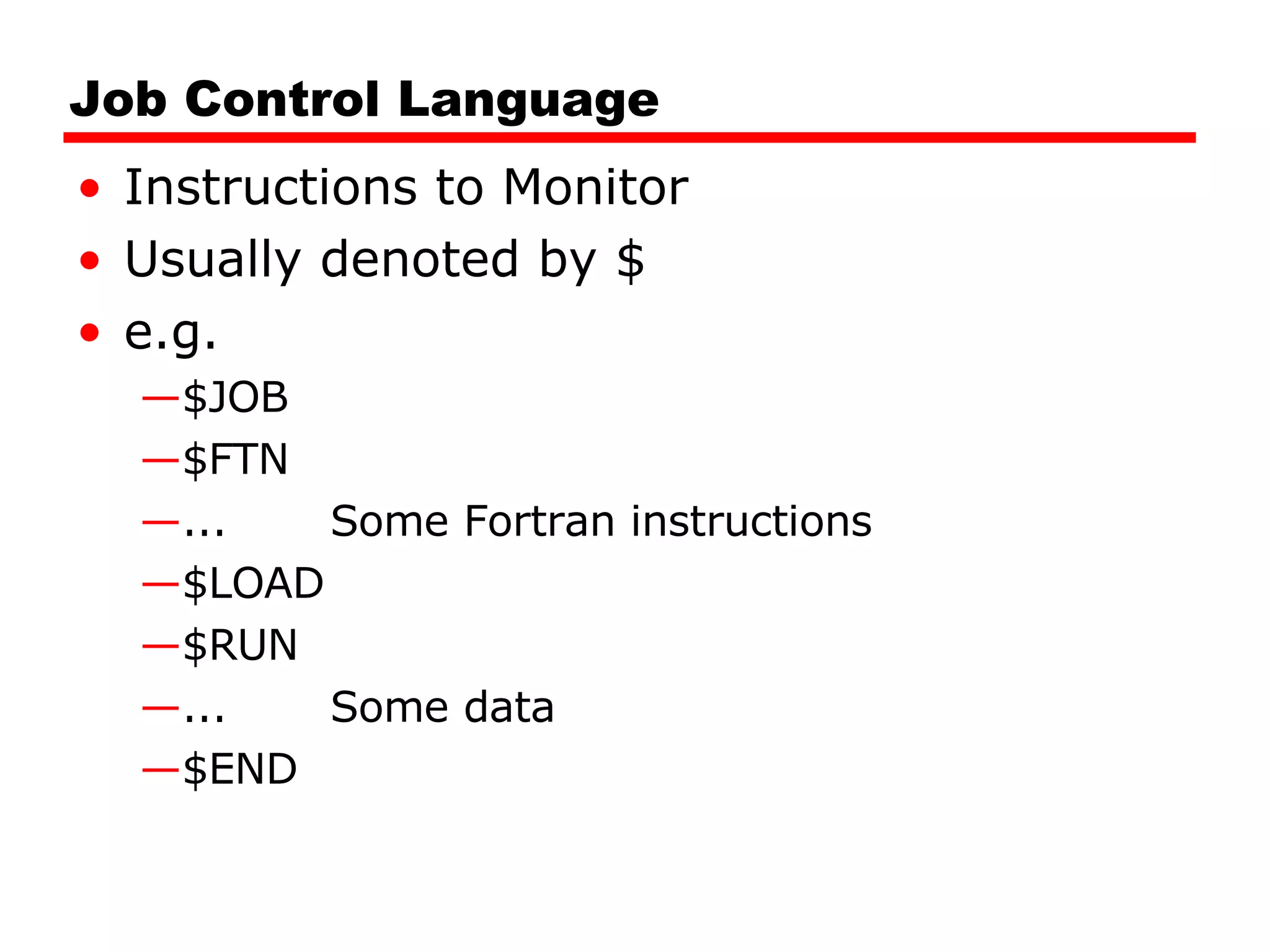
Job Control LanguageInstructions to Monitor Usually denoted by $ e.g. $JOB $FTN ... Some Fortran instructions $LOAD $RUN ... Some data $END
11.
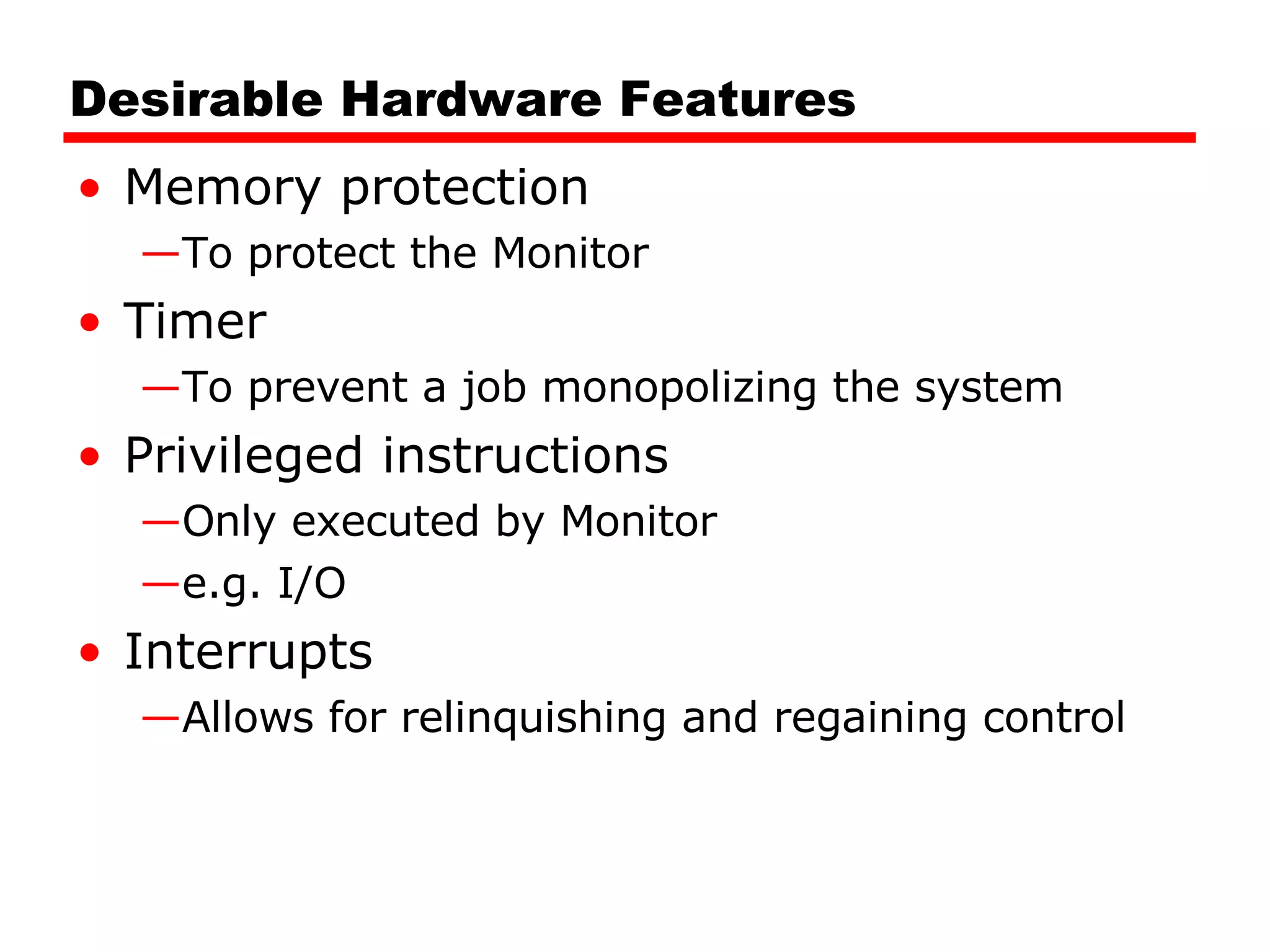
Desirable Hardware FeaturesMemory protection To protect the Monitor Timer To prevent a job monopolizing the system Privileged instructions Only executed by Monitor e.g. I/O Interrupts Allows for relinquishing and regaining control
Time Sharing SystemsAllow users to interact directly with the computer i.e. Interactive Multi-programming allows a number of users to interact with the computer
18.
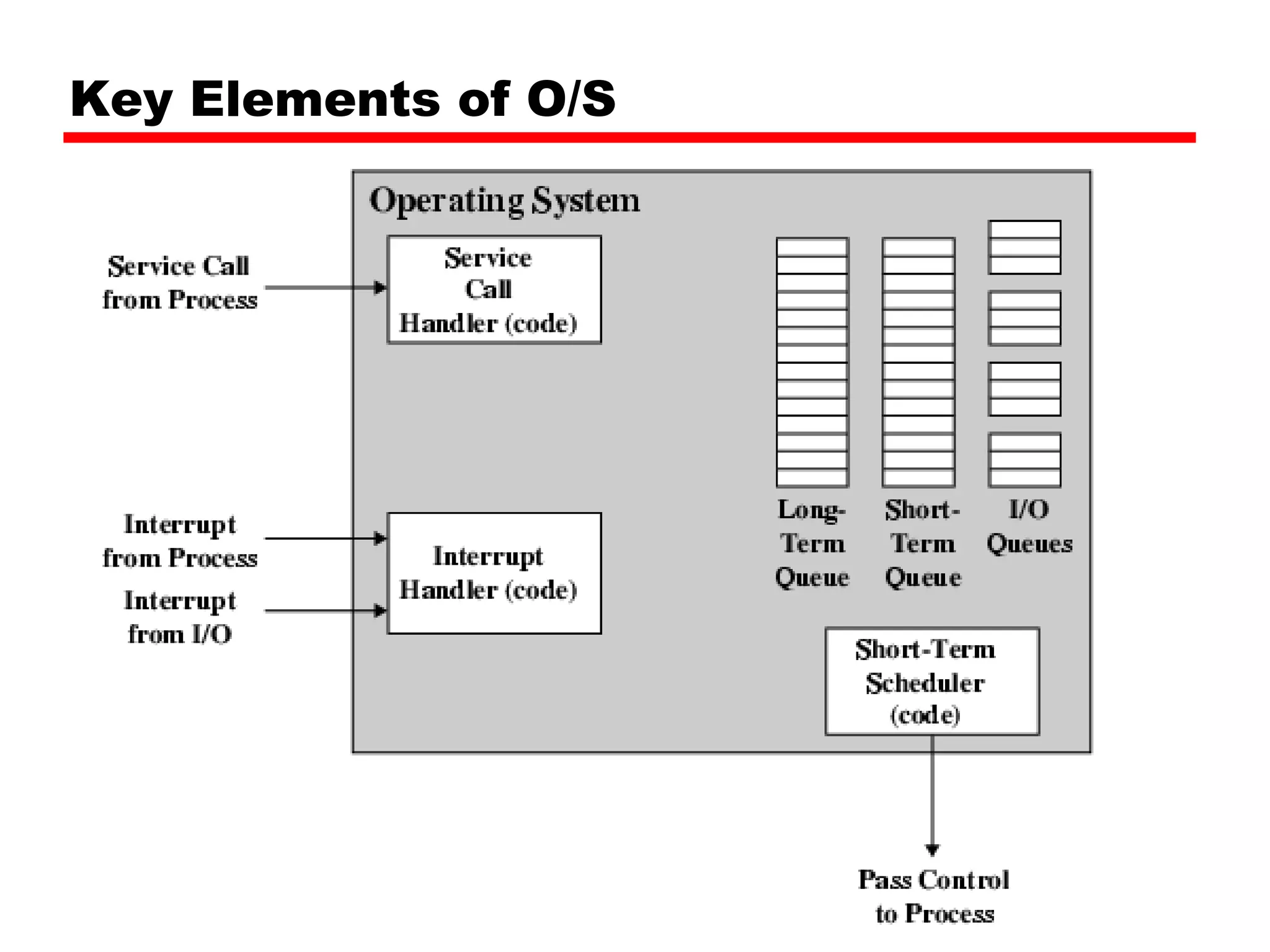
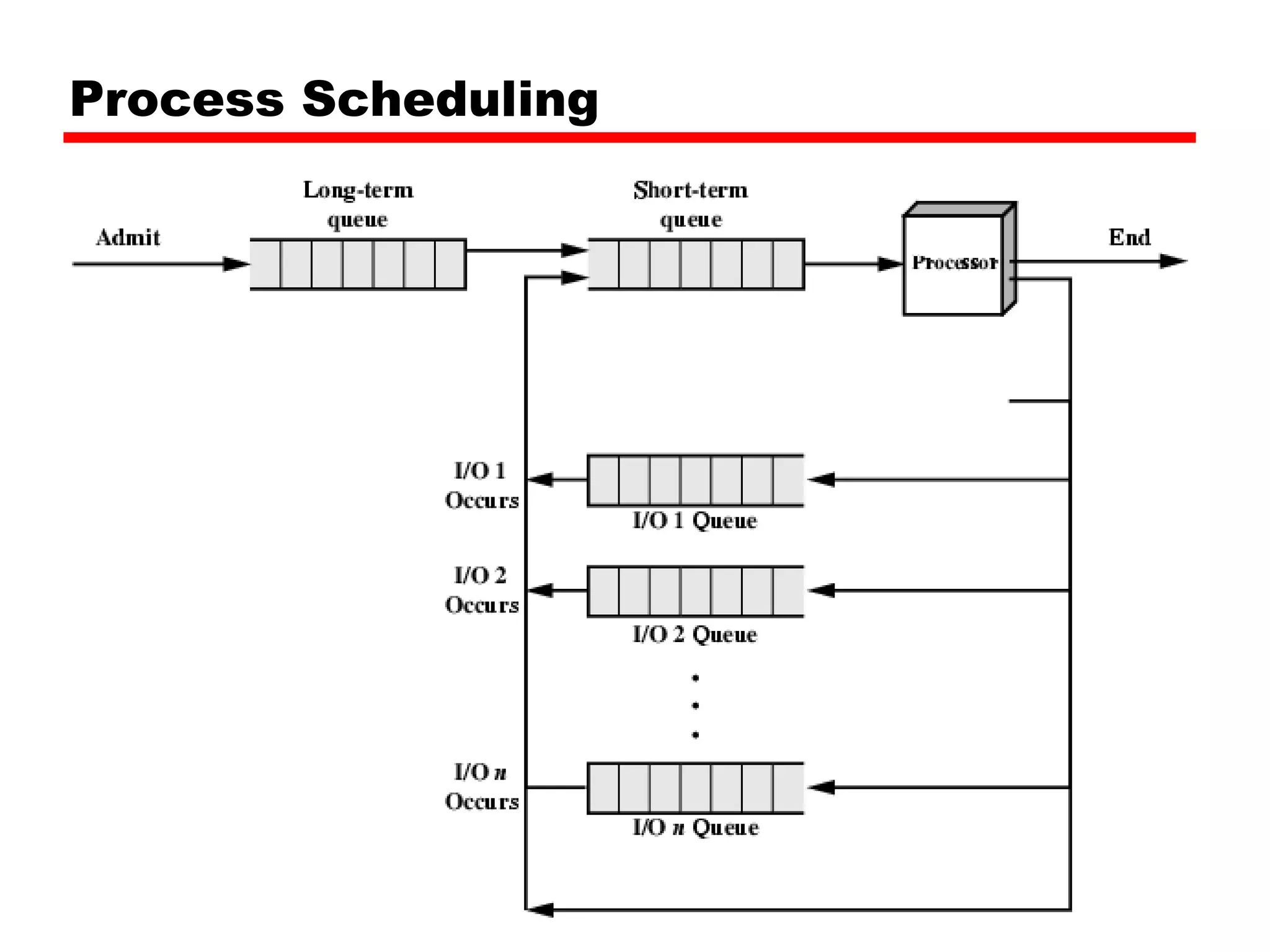
Scheduling Key tomulti-programming Long term Medium term Short term I/O
19.
Long Term SchedulingDetermines which programs are submitted for processing i.e. controls the degree of multi-programming Once submitted, a job becomes a process for the short term scheduler (or it becomes a swapped out job for the medium term scheduler)
20.
Medium Term SchedulingPart of the swapping function (later…) Usually based on the need to manage multi-programming If no virtual memory, memory management is also an issue
21.
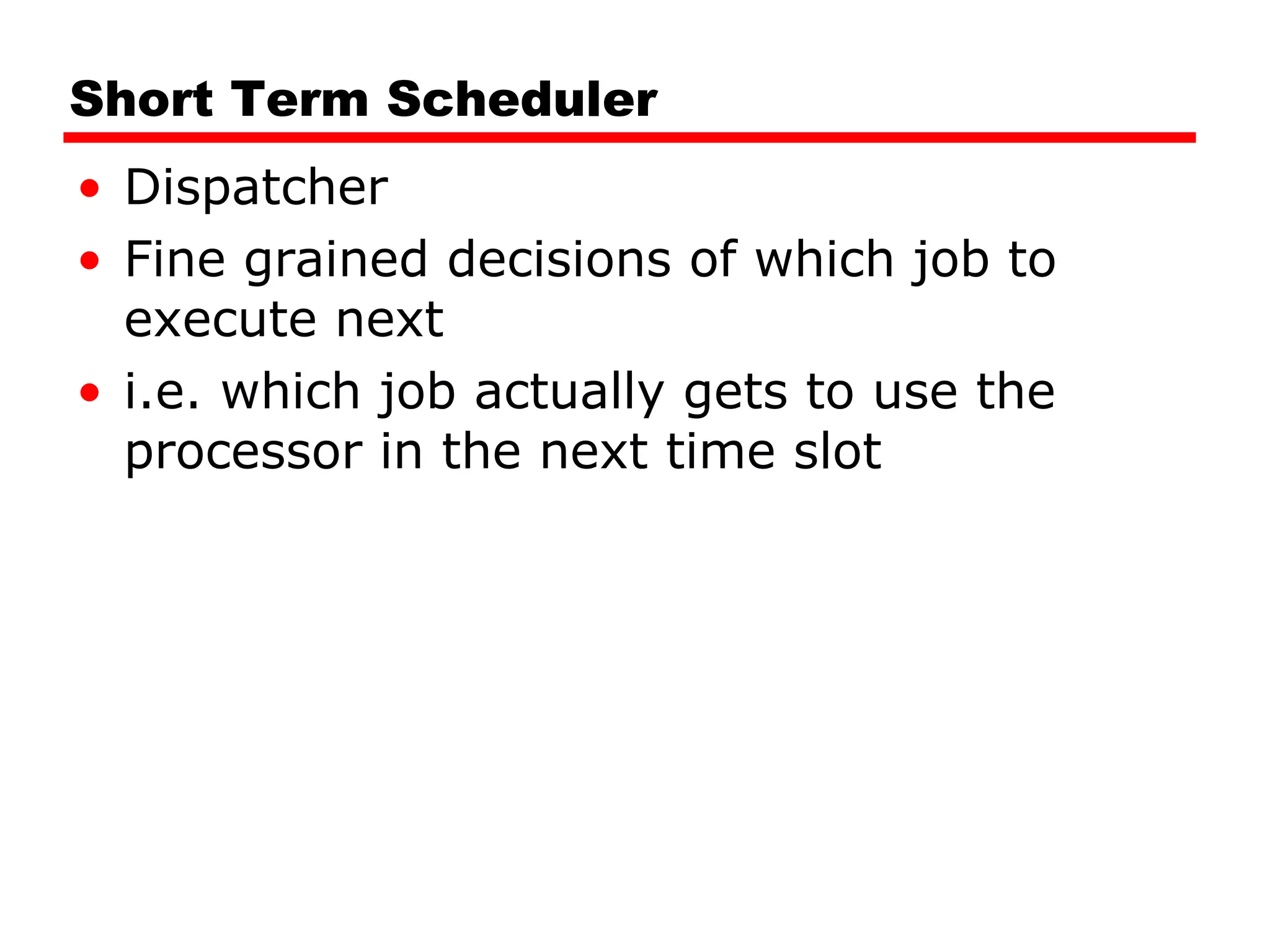
Short Term SchedulerDispatcher Fine grained decisions of which job to execute next i.e. which job actually gets to use the processor in the next time slot
Memory Management Uni-programMemory split into two One for Operating System (monitor) One for currently executing program Multi-program “ User” part is sub-divided and shared among active processes
29.
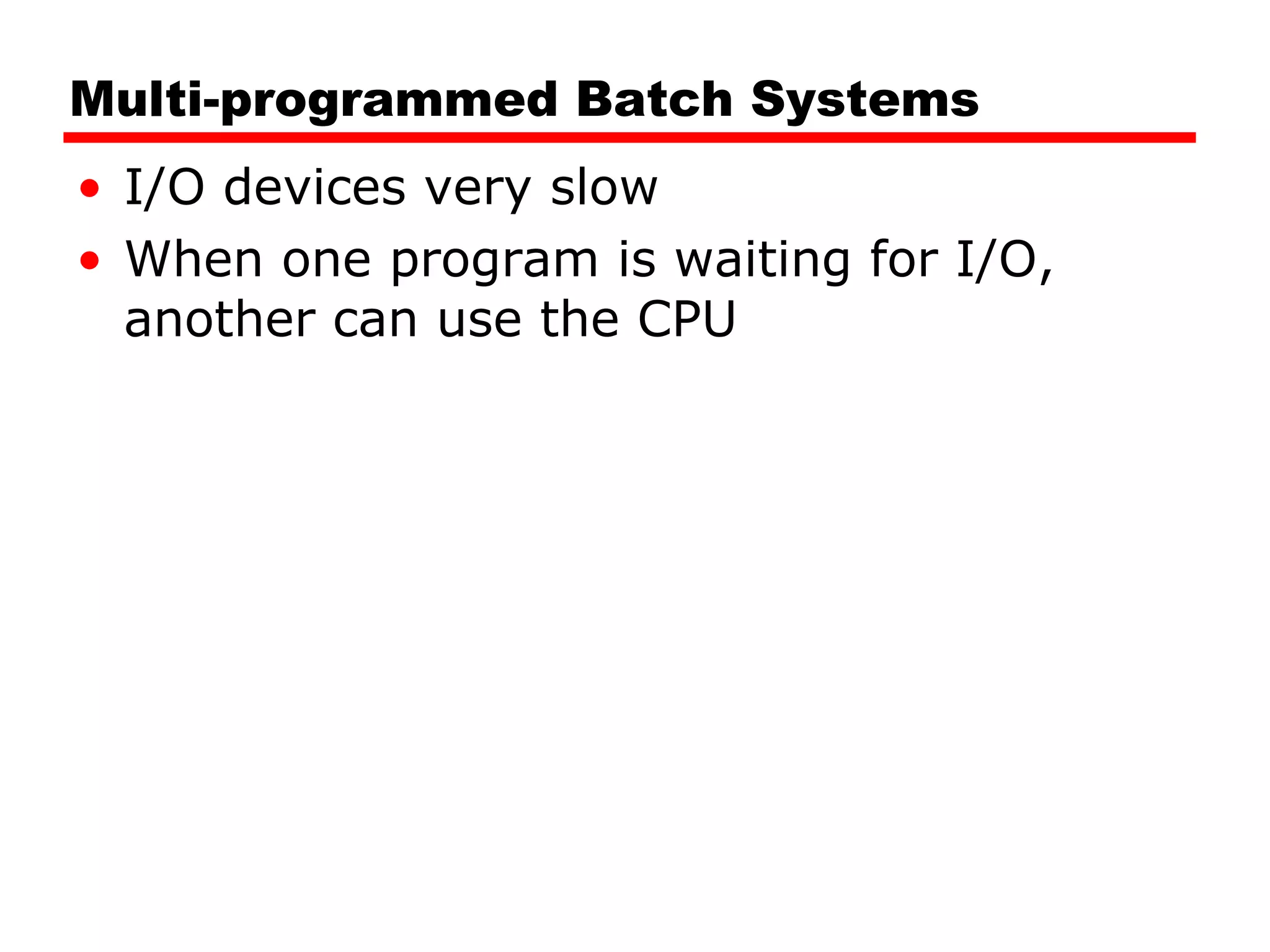
Swapping Problem: I/O is so slow compared with CPU that even in multi-programming system, CPU can be idle most of the time Solutions: Increase main memory Expensive Leads to larger programs Swapping
30.
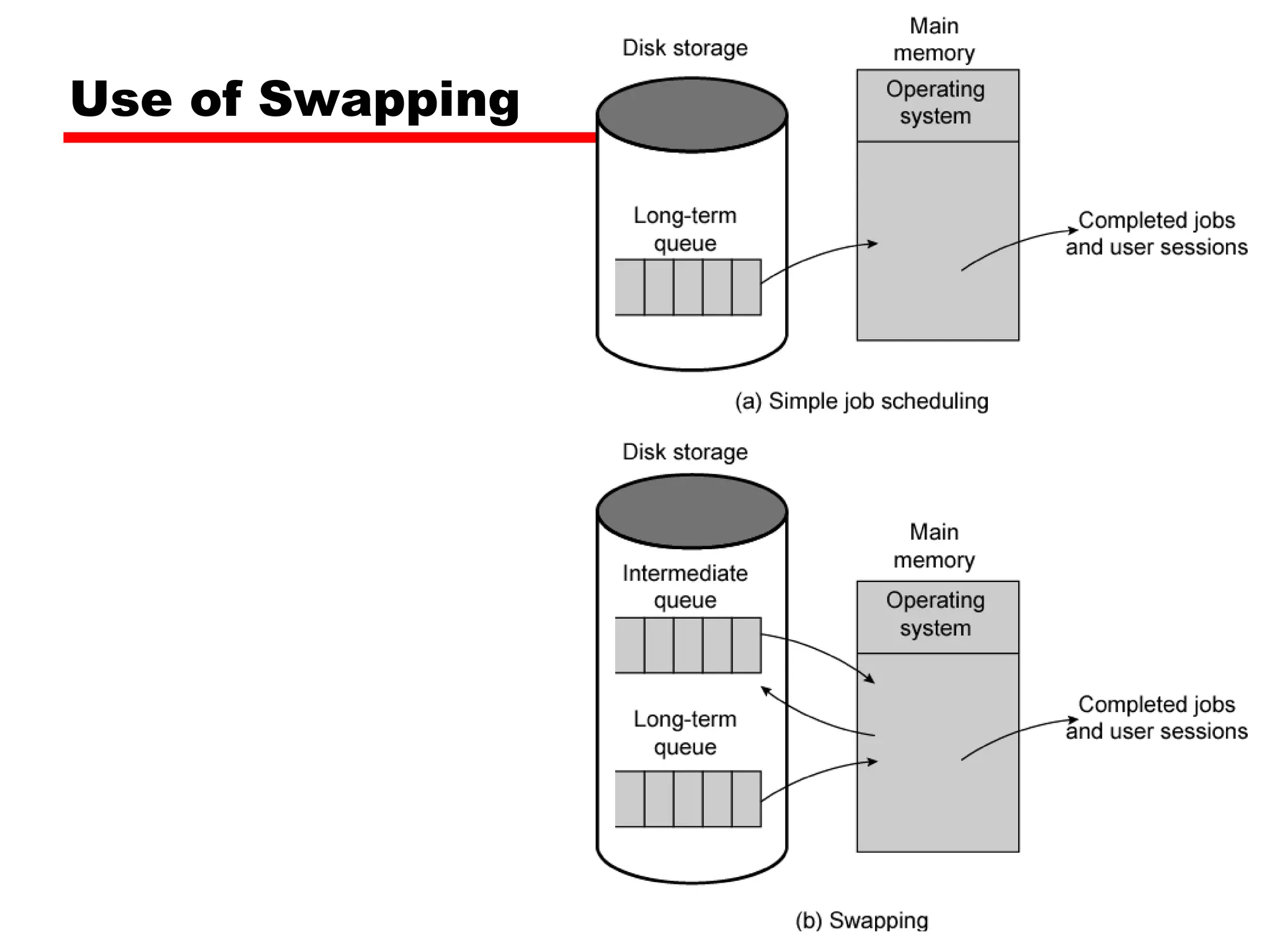
What is Swapping?Long term queue of processes stored on disk Processes “swapped” in as space becomes available As a process completes it is moved out of main memory If none of the processes in memory are ready (i.e. all I/O blocked) Swap out a blocked process to intermediate queue Swap in a ready process or a new process But swapping is an I/O process…
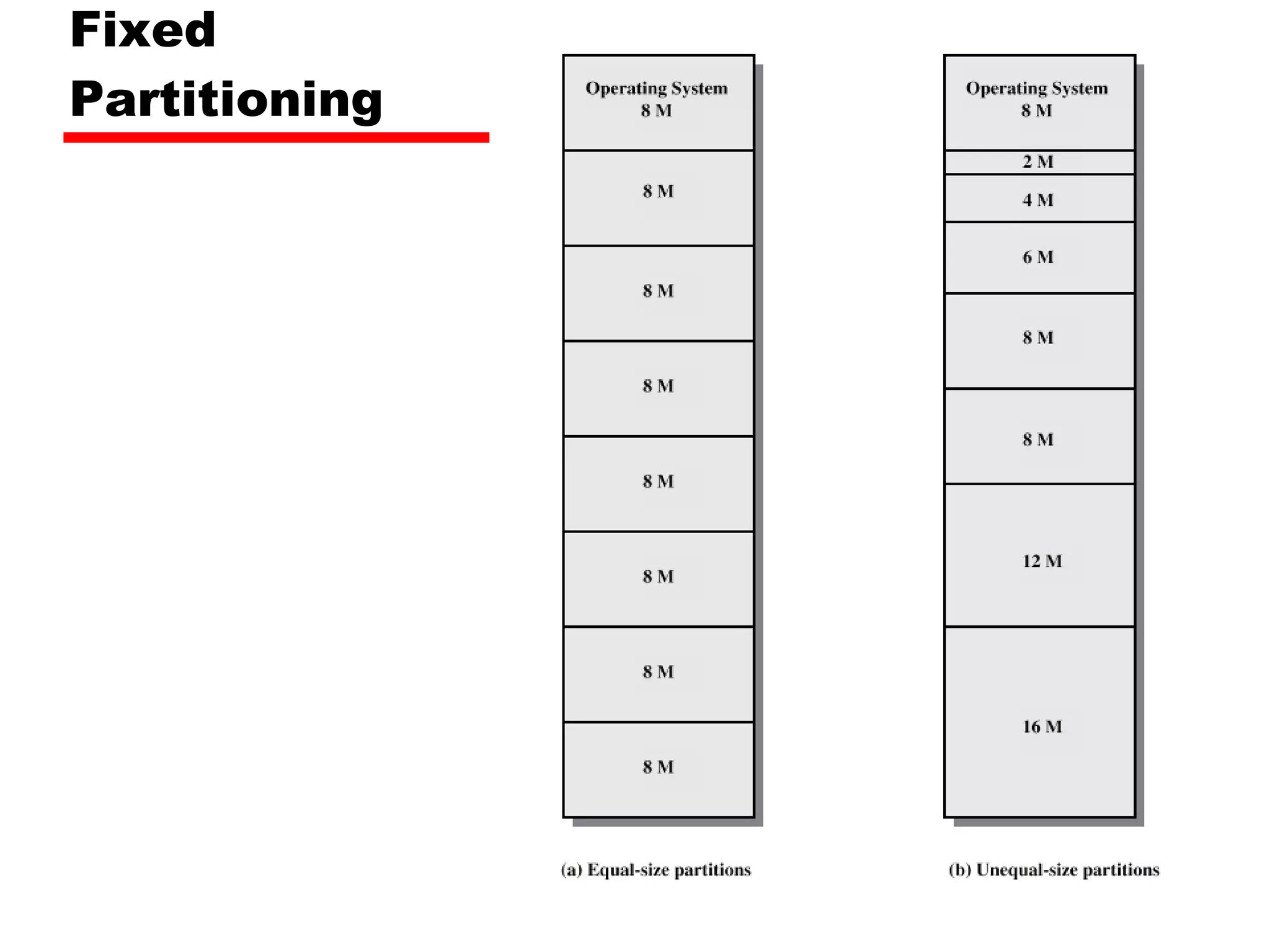
Partitioning Splitting memoryinto sections to allocate to processes (including Operating System) Fixed-sized partitions May not be equal size Process is fitted into smallest hole that will take it (best fit) Some wasted memory Leads to variable sized partitions
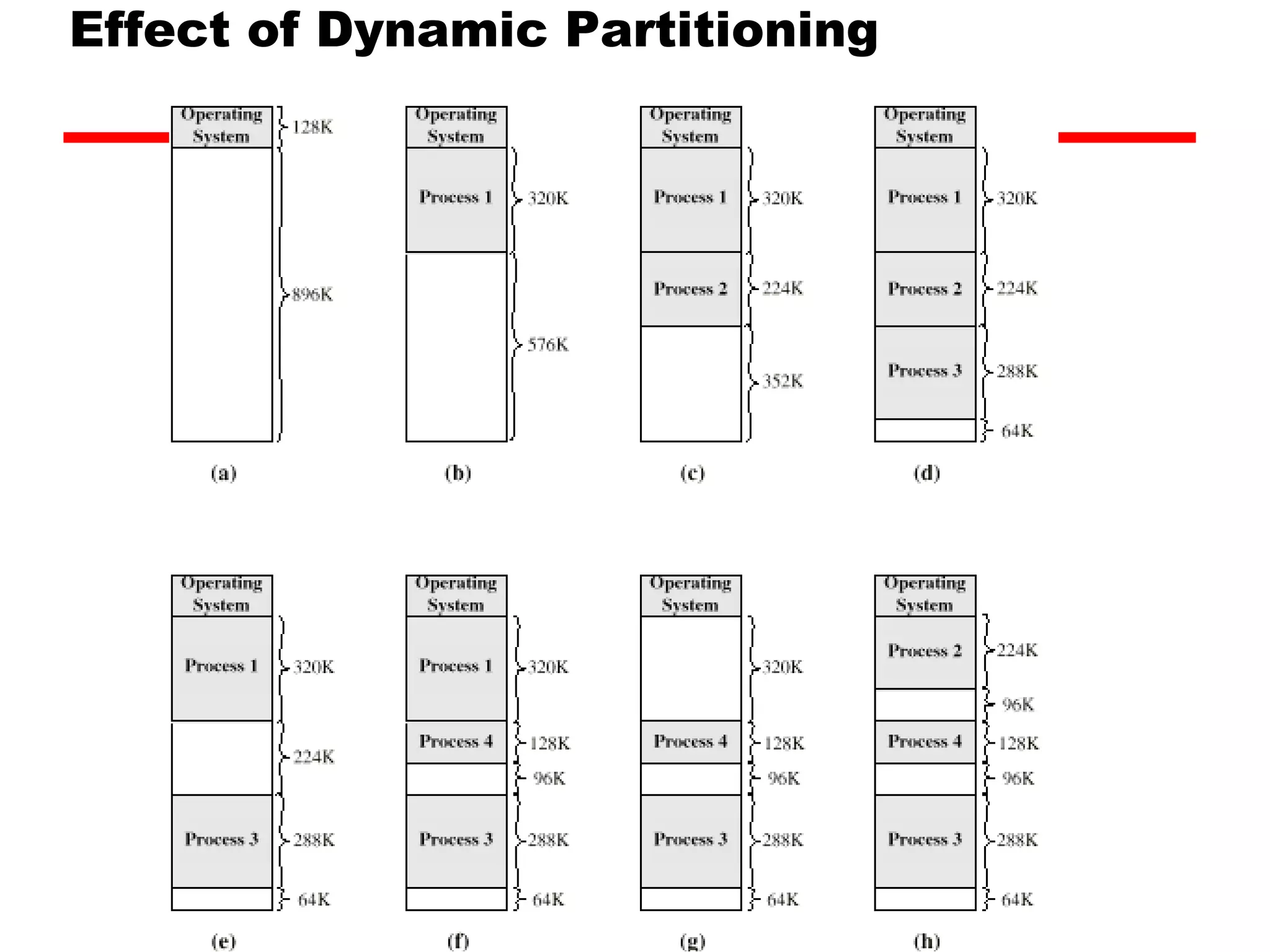
Variable Sized Partitions(1) Allocate exactly the required memory to a process This leads to a hole at the end of memory, too small to use Only one small hole - less waste When all processes are blocked, swap out a process and bring in another New process may be smaller than swapped out process Another hole
35.
Variable Sized Partitions(2) Eventually have lots of holes (fragmentation) Solutions: Coalesce - Join adjacent holes into one large hole Compaction - From time to time go through memory and move all hole into one free block (c.f. disk de-fragmentation)
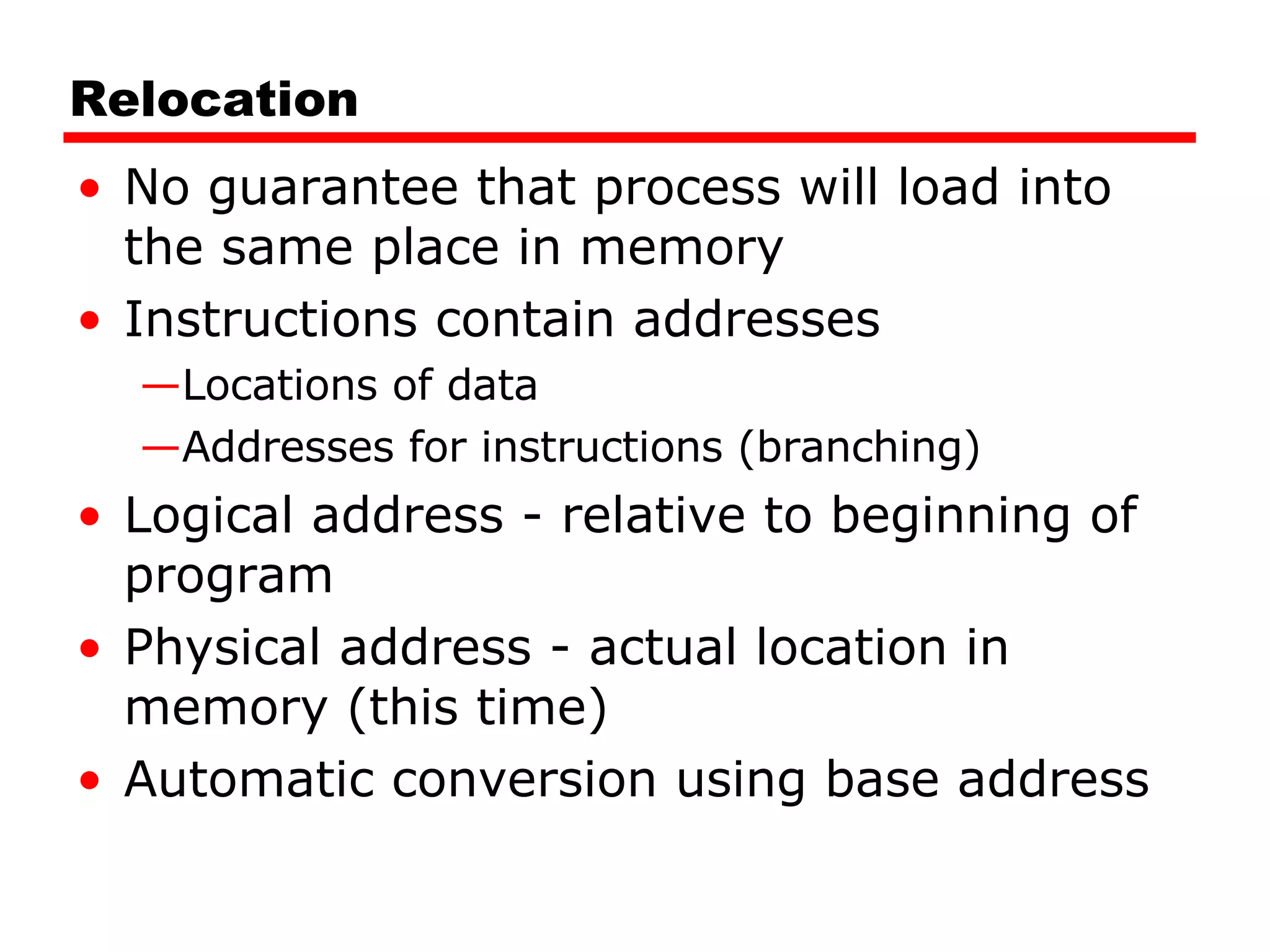
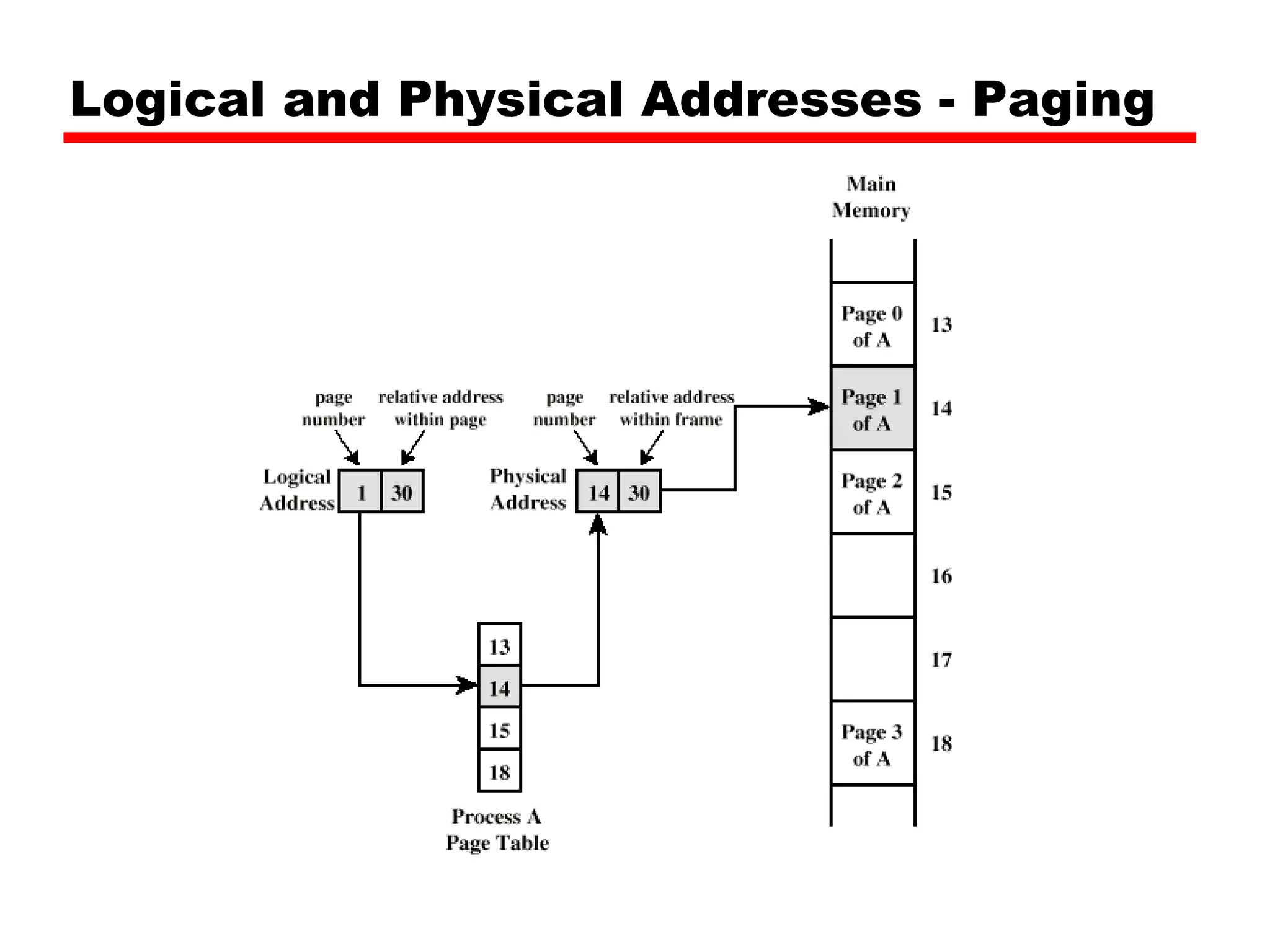
Relocation No guaranteethat process will load into the same place in memory Instructions contain addresses Locations of data Addresses for instructions (branching) Logical address - relative to beginning of program Physical address - actual location in memory (this time) Automatic conversion using base address
38.
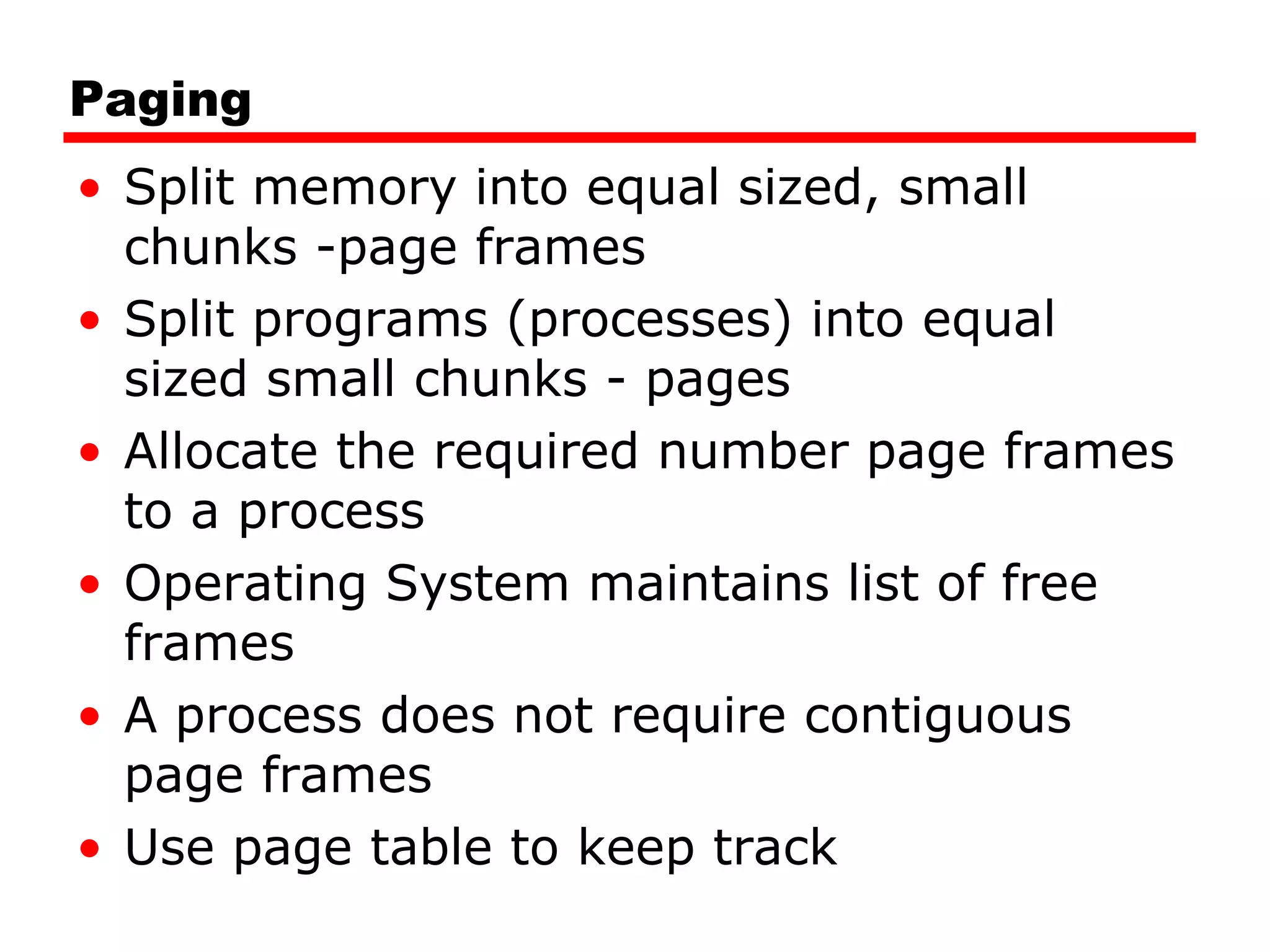
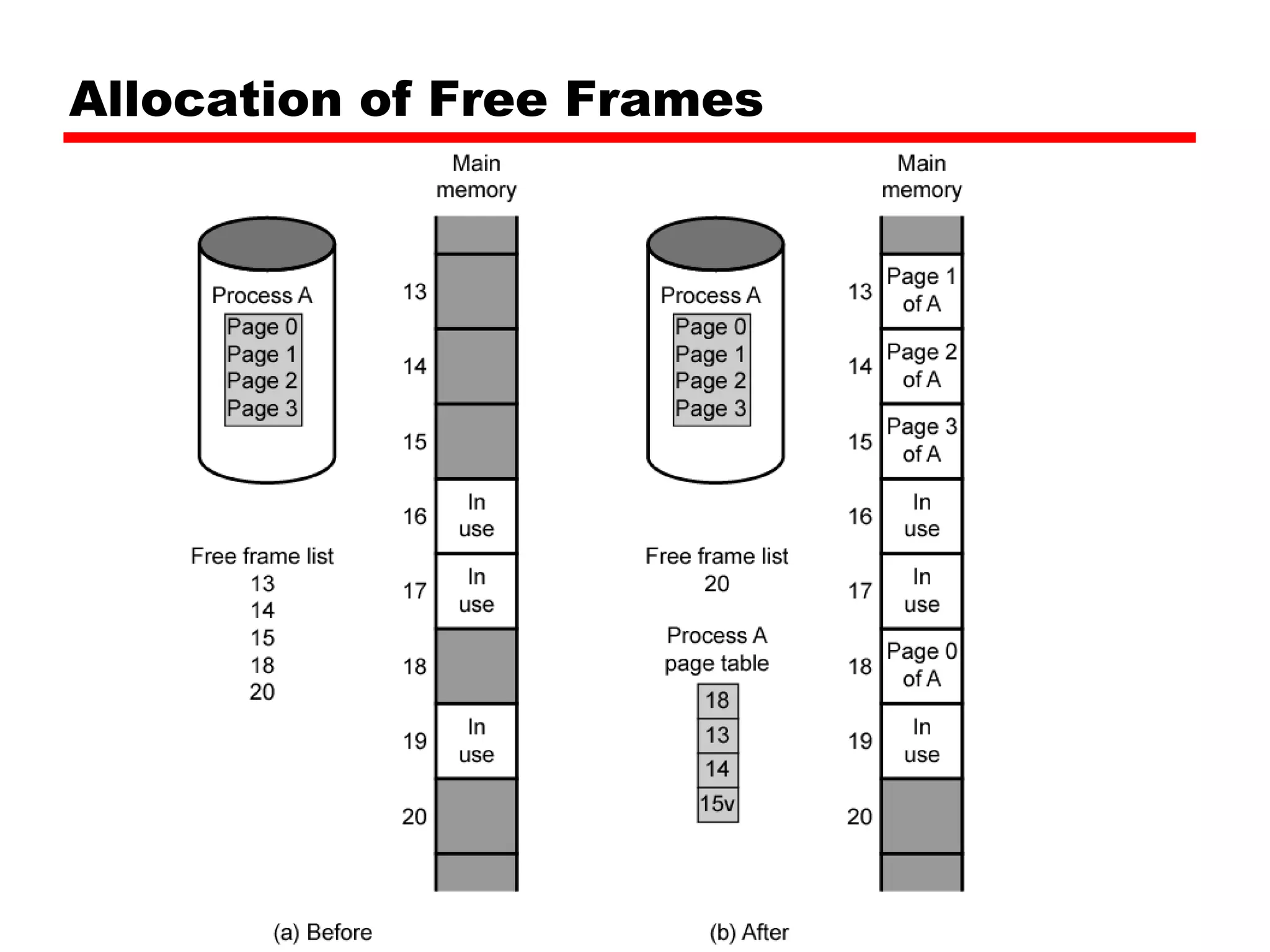
Paging Split memoryinto equal sized, small chunks -page frames Split programs (processes) into equal sized small chunks - pages Allocate the required number page frames to a process Operating System maintains list of free frames A process does not require contiguous page frames Use page table to keep track
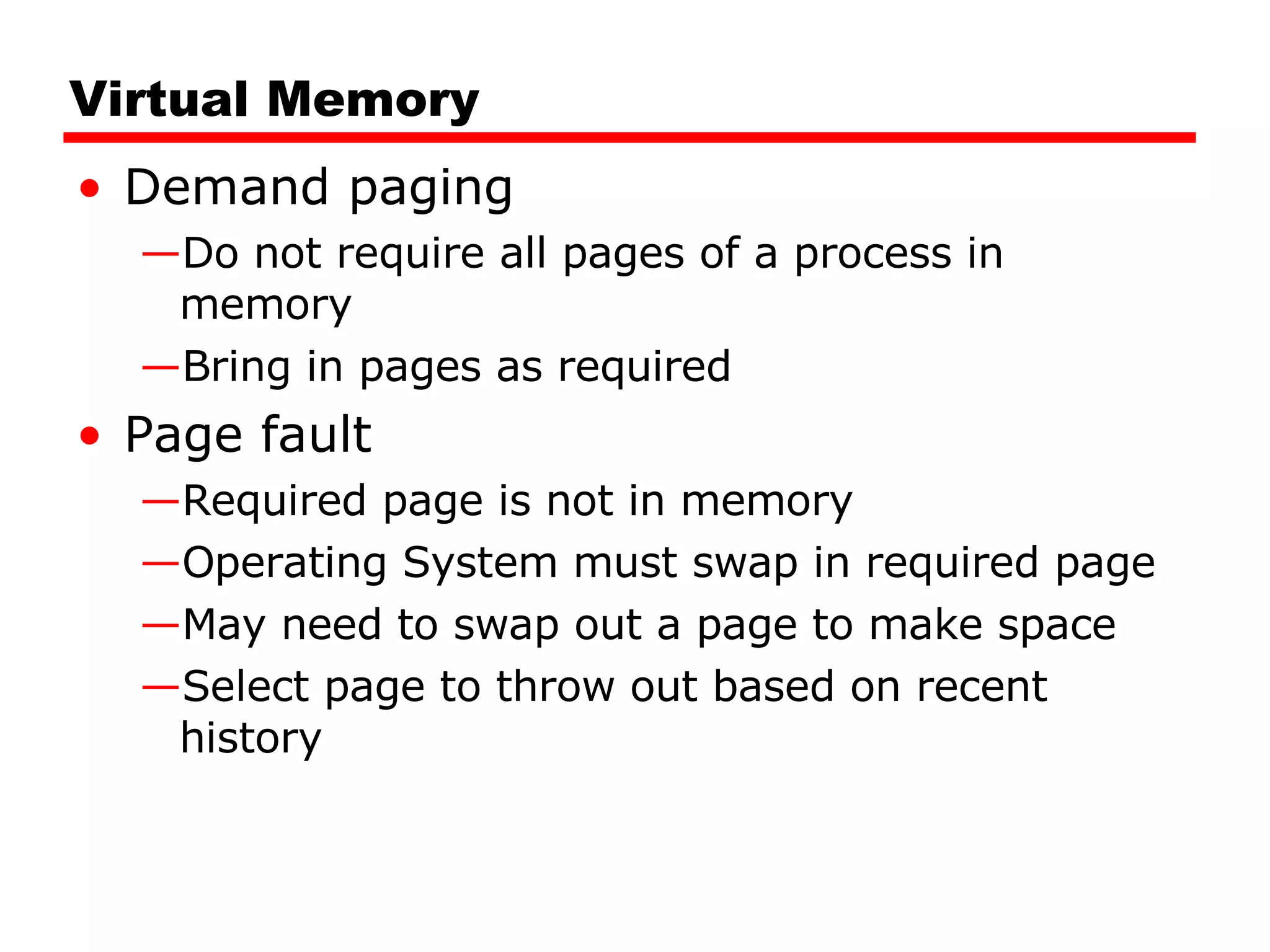
Virtual Memory Demandpaging Do not require all pages of a process in memory Bring in pages as required Page fault Required page is not in memory Operating System must swap in required page May need to swap out a page to make space Select page to throw out based on recent history
42.
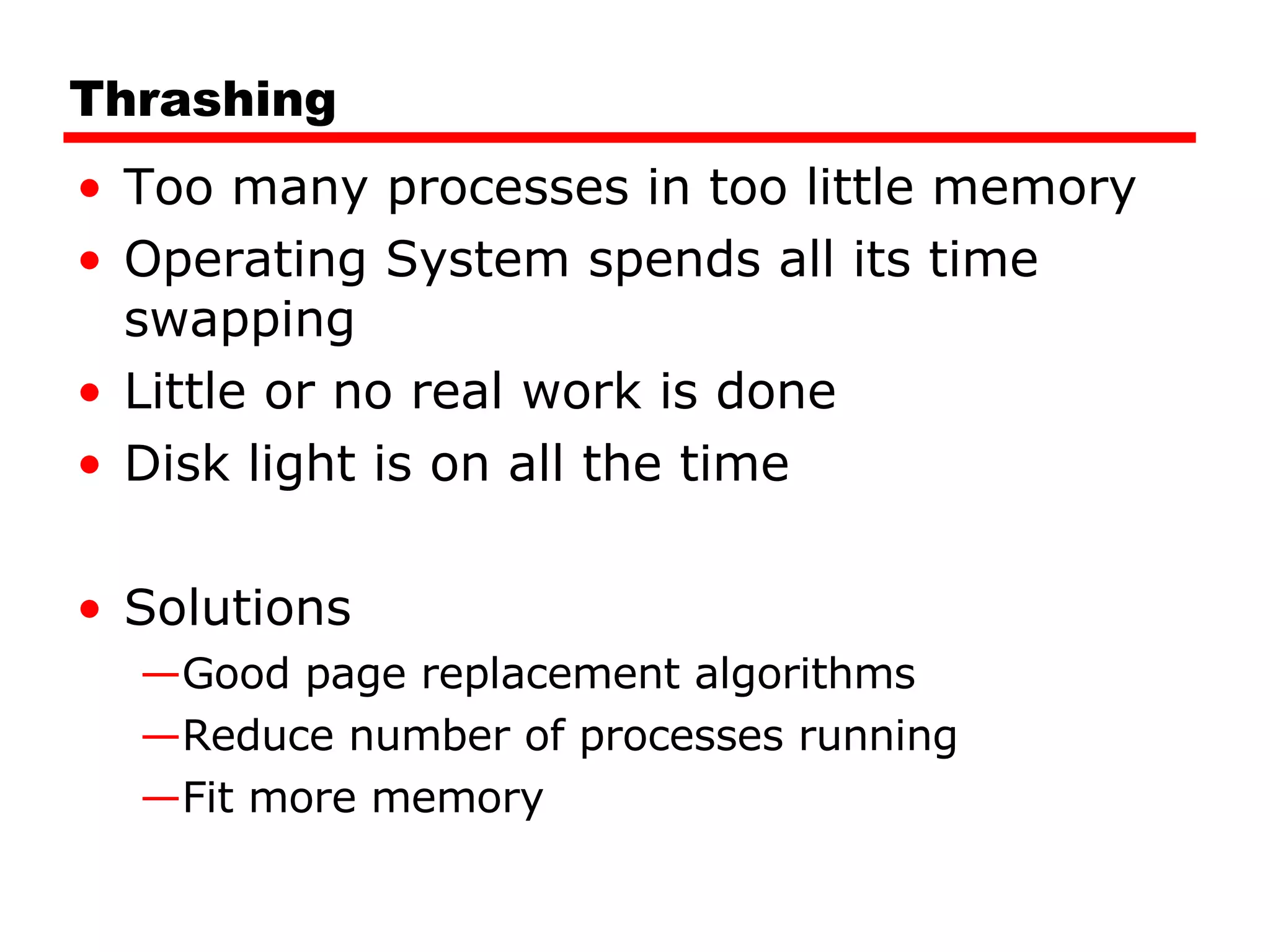
Thrashing Too manyprocesses in too little memory Operating System spends all its time swapping Little or no real work is done Disk light is on all the time Solutions Good page replacement algorithms Reduce number of processes running Fit more memory
43.
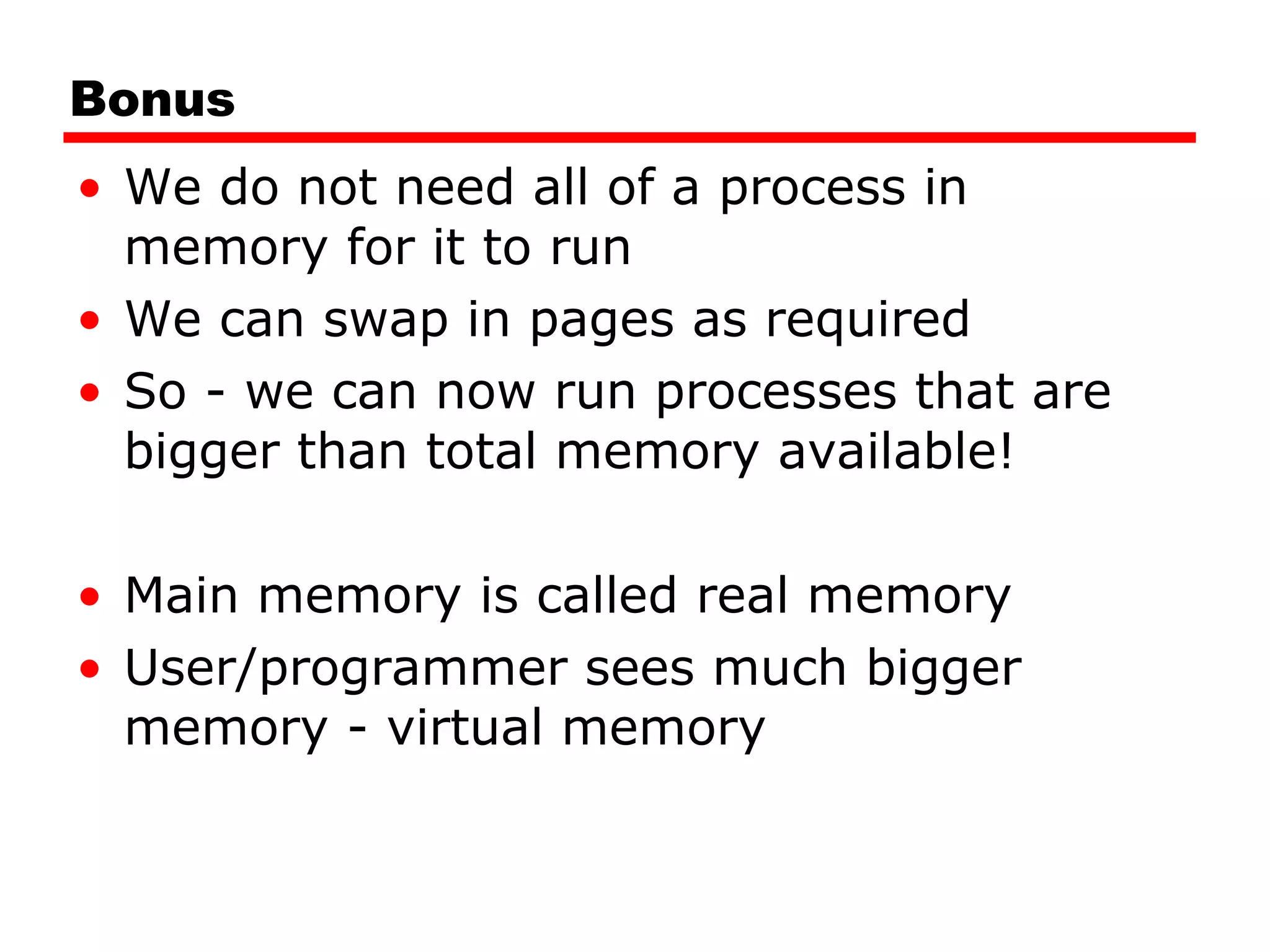
Bonus We donot need all of a process in memory for it to run We can swap in pages as required So - we can now run processes that are bigger than total memory available! Main memory is called real memory User/programmer sees much bigger memory - virtual memory
Translation Lookaside BufferEvery virtual memory reference causes two physical memory access Fetch page table entry Fetch data Use special cache for page table TLB
Segmentation Paging isnot (usually) visible to the programmer Segmentation is visible to the programmer Usually different segments allocated to program and data May be a number of program and data segments
49.
Advantages of SegmentationSimplifies handling of growing data structures Allows programs to be altered and recompiled independently, without re-linking and re-loading Lends itself to sharing among processes Lends itself to protection Some systems combine segmentation with paging
50.
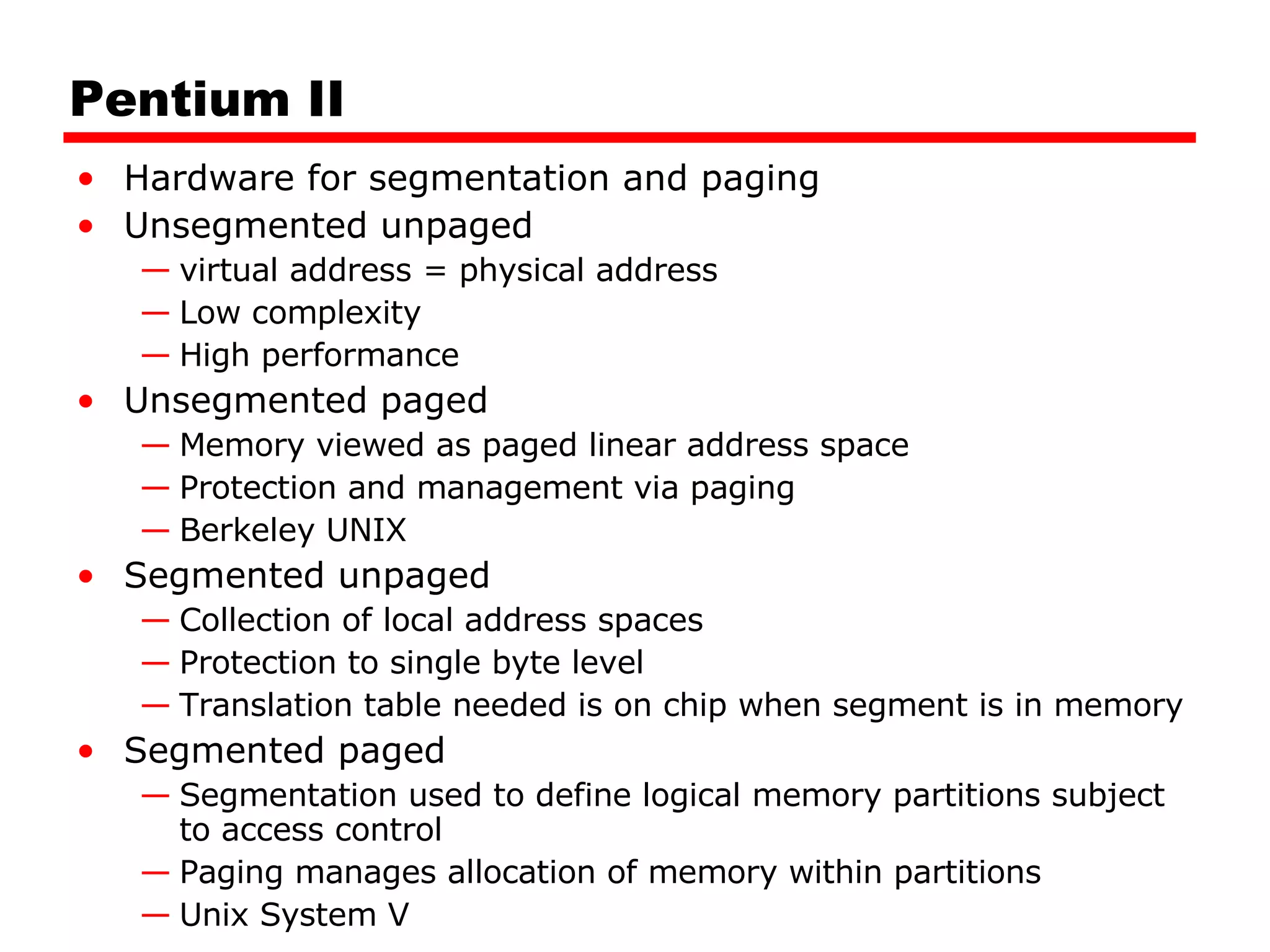
Pentium II Hardwarefor segmentation and paging Unsegmented unpaged virtual address = physical address Low complexity High performance Unsegmented paged Memory viewed as paged linear address space Protection and management via paging Berkeley UNIX Segmented unpaged Collection of local address spaces Protection to single byte level Translation table needed is on chip when segment is in memory Segmented paged Segmentation used to define logical memory partitions subject to access control Paging manages allocation of memory within partitions Unix System V
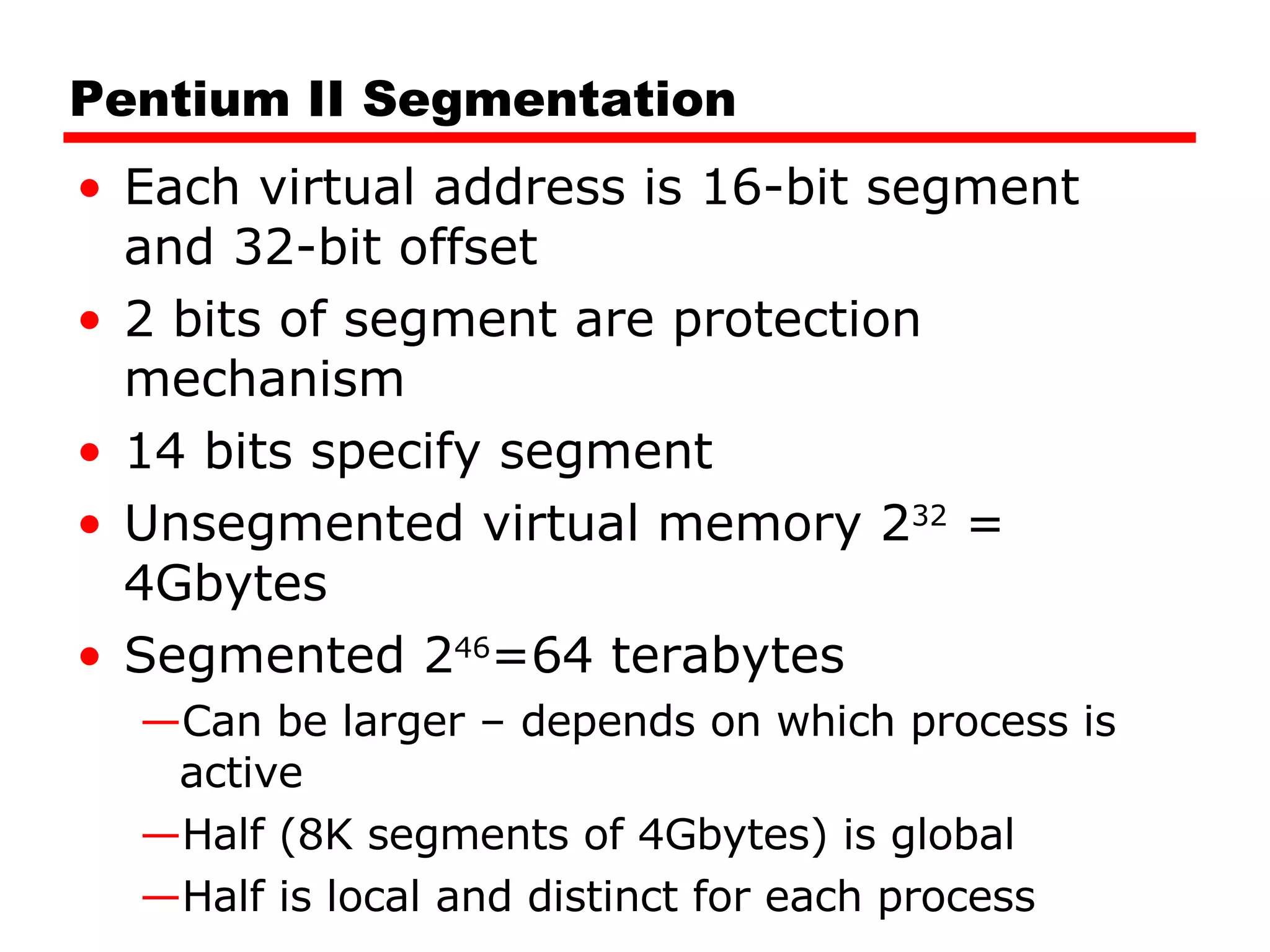
Pentium II SegmentationEach virtual address is 16-bit segment and 32-bit offset 2 bits of segment are protection mechanism 14 bits specify segment Unsegmented virtual memory 2 32 = 4Gbytes Segmented 2 46 =64 terabytes Can be larger – depends on which process is active Half (8K segments of 4Gbytes) is global Half is local and distinct for each process
53.
Pentium II ProtectionProtection bits give 4 levels of privilege 0 most protected, 3 least Use of levels software dependent Usually level 3 for applications, level 1 for O/S and level 0 for kernel (level 2 not used) Level 2 may be used for apps that have internal security e.g. database Some instructions only work in level 0
54.
Pentium II PagingSegmentation may be disabled In which case linear address space is used Two level page table lookup First, page directory 1024 entries max Splits 4G linear memory into 1024 page groups of 4Mbyte Each page table has 1024 entries corresponding to 4Kbyte pages Can use one page directory for all processes, one per process or mixture Page directory for current process always in memory Use TLB holding 32 page table entries Two page sizes available 4k or 4M
55.
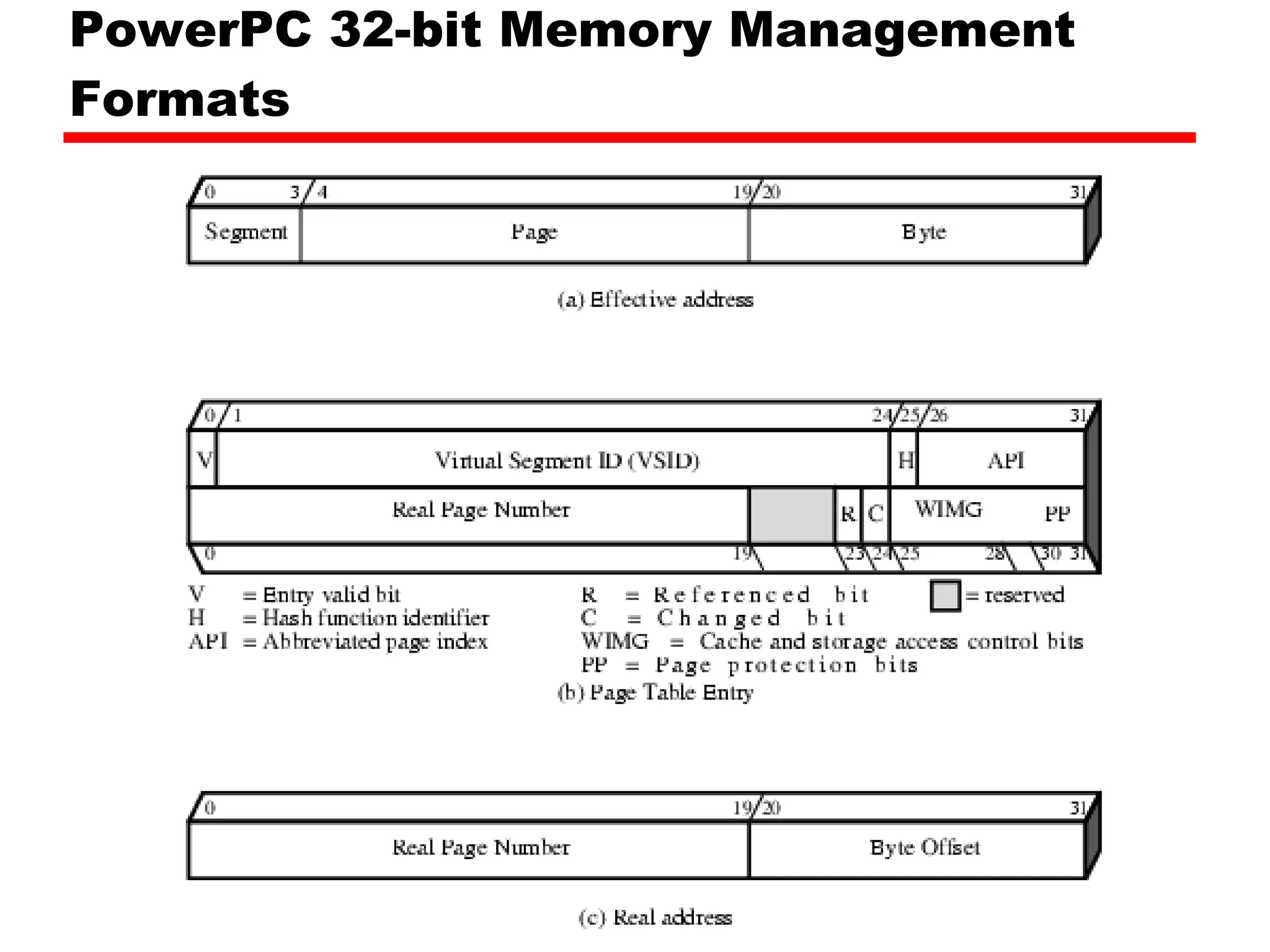
PowerPC Memory ManagementHardware 32 bit – paging with simple segmentation 64 bit paging with more powerful segmentation Or, both do block address translation Map 4 large blocks of instructions & 4 of memory to bypass paging e.g. OS tables or graphics frame buffers 32 bit effective address 12 bit byte selector =4kbyte pages 16 bit page id 64k pages per segment 4 bits indicate one of 16 segment registers Segment registers under OS control
![Required Reading Stallings chapter 8 Stallings, W. [2004] Operating Systems , Pearson Loads of Web sites on Operating Systems](https://image.slidesharecdn.com/08operatingsystemsupport-090507024631-phpapp02/75/08-Operating-System-Support-58-2048.jpg)


