Quality Control Tools
Rabin Bhandari
7 Quality Control Tools
 designation given to a fixed set of graphical techniques
identified as being most helpful in troubleshooting issues
related to quality.
 are called basic because they are suitable for people
with little formal training in statistics and because they
can be used to solve the vast majority of quality-related
issues.
Seven Quality Control Tools are:
 Cause-and-effect diagram (also known as the "fishbone"
or Ishikawa diagram)
 Check sheet
 Histogram
 Pareto Chart
 Flow chart
 Scatter Diagram
 Run chart
1. Cause-and-effect diagram
 tool to analyze and illustrate a process by showing the main causes and
sub causes leading to an effect.
 also known as “ Ishikawa Diagram” and “ fishbone diagram”
 Constructing steps:
a. Identify the problems
b. Draw spines and bones
c. Identify different areas where problem may arise from
d. Identify what these specific causes could be
e. Use the finished diagram to brainstorm solutions to the main
problems
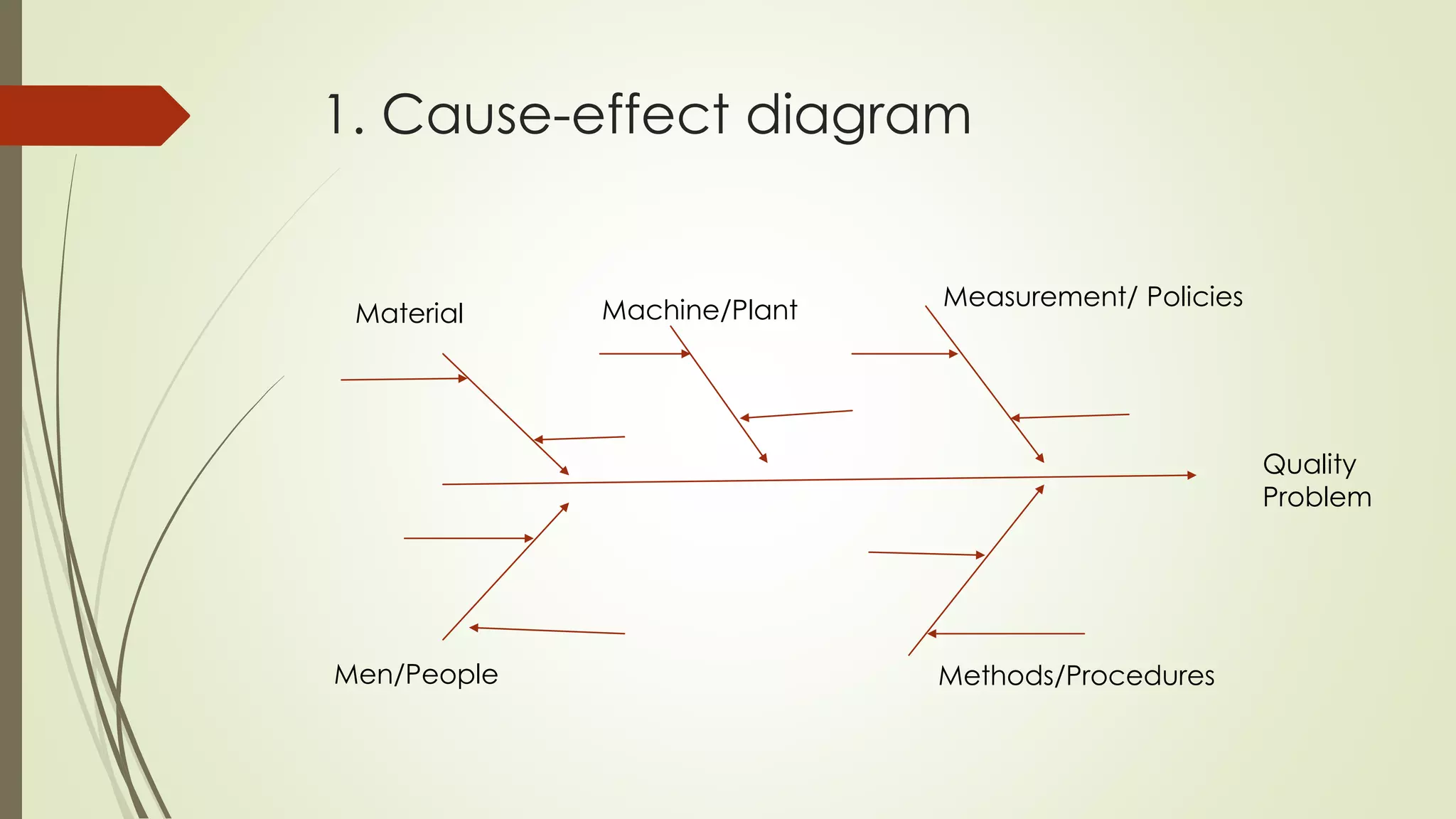
1. Cause-effect diagram
Material Machine/Plant Measurement/ Policies
Men/People Methods/Procedures
Quality
Problem
Cause-effect diagram
 6 basic categories also known as 5ME
a. Man
b. Method
c. Machine
d. Material
e. Measurement
f. Environment
1 .Why should we use cause-and-
effect diagram?
 It helps to determine the root cause of a problem or quality
characteristic using a structured approach
 It encourages group participation and utilizes group knowledge of
the process
 They use an orderly, easy-to-read format
 It indicates possible causes of variation in a process
 It increases knowledge of the process by helping everyone to learn
more about the factors at work and how they relate
 It identifies areas where data should be collected for further study
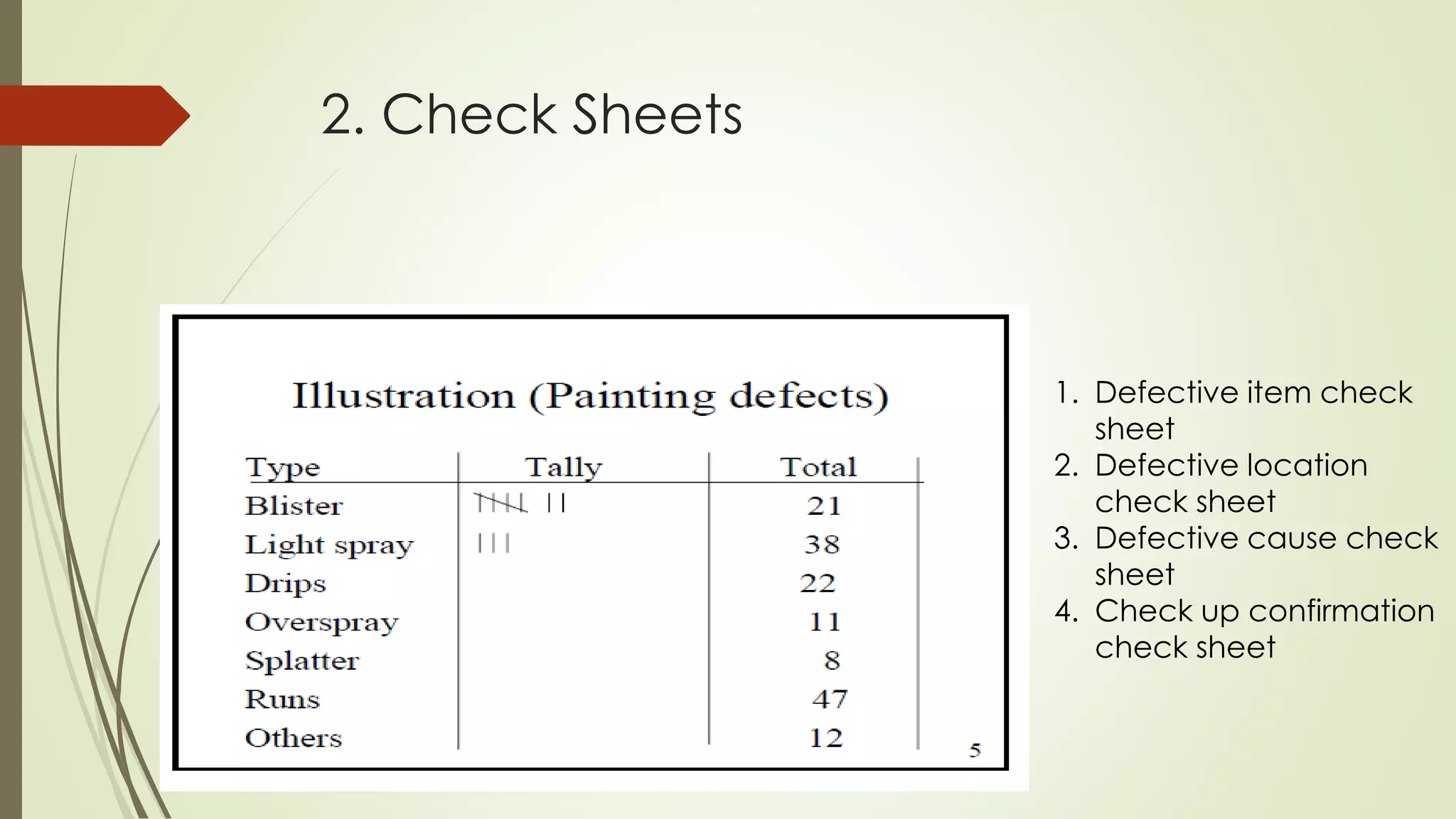
2. Check Sheets
 special types of form for data collection
 make easier to collect data, make data collection
effort more accurate and summarize the data which is
very effective for quick analysis
 creates easy to understand data
 clear picture of the facts
 collect data about “how many” or “what type” of
something occurred
2. Check Sheets
1. Defective item check
sheet
2. Defective location
check sheet
3. Defective cause check
sheet
4. Check up confirmation
check sheet
3. Histogram
 A simple tool that allows the user to identify and interpret the
variation found in a set of data points
 Used to summarize and display data in a simple but clear manner
 It do not provide solutions to problems
 They provide a starting point for the improvement process
 If the data is inaccurate then any result obtained from the
histogram is also inaccurate
 Displays large amount to data that are difficult to display in tabular
form
 Bar chart
3. Constructing a histogram
From a set of data, it computes
 sum
 mean (x)
 Max
 Min
 Range (max-min)
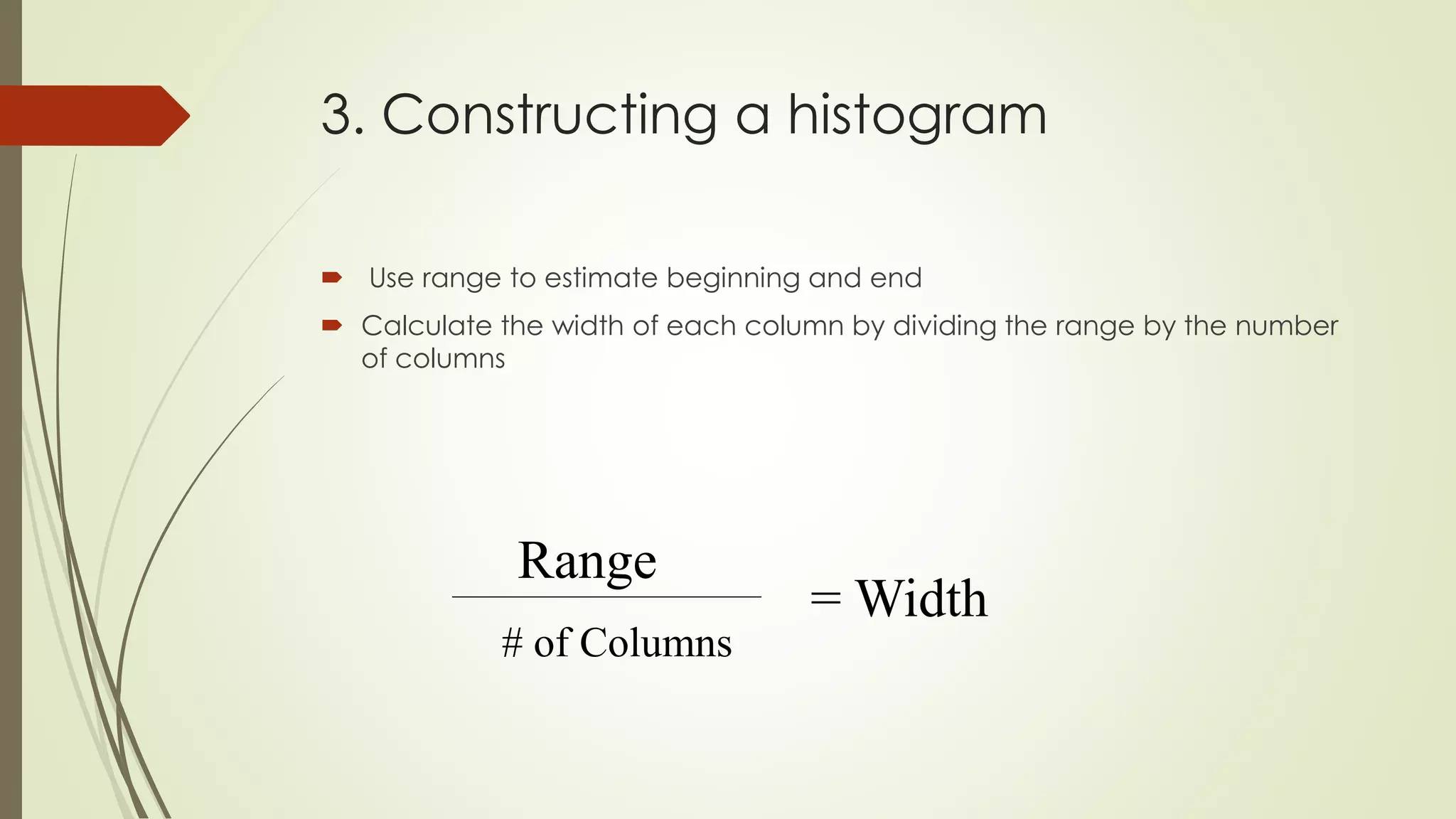
3. Constructing a histogram
 Use range to estimate beginning and end
 Calculate the width of each column by dividing the range by the number
of columns
Range
# of Columns
= Width
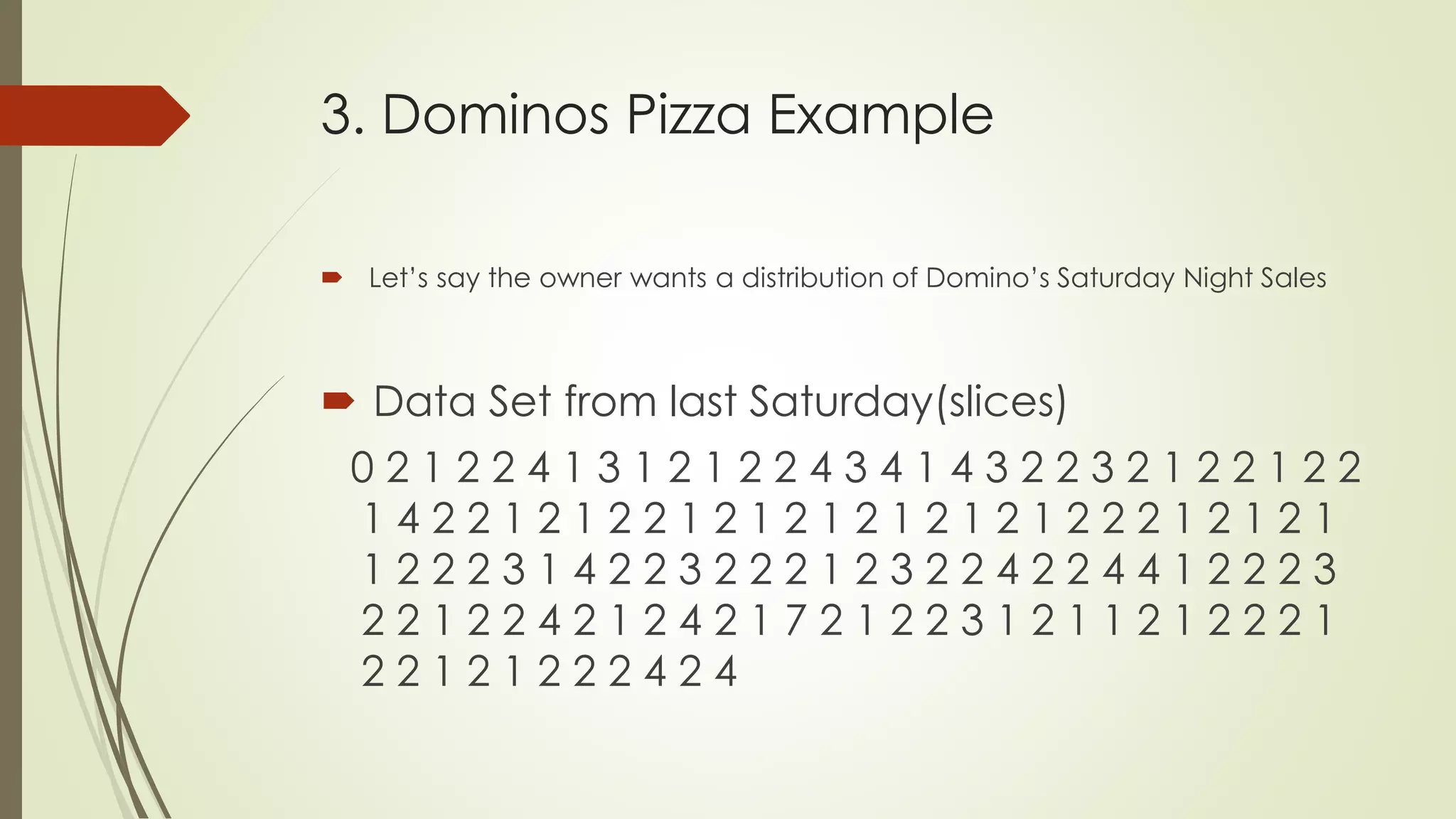
3. Dominos Pizza Example
 Let’s say the owner wants a distribution of Domino’s Saturday Night Sales
 Data Set from last Saturday(slices)
0 2 1 2 2 4 1 3 1 2 1 2 2 4 3 4 1 4 3 2 2 3 2 1 2 2 1 2 2
1 4 2 2 1 2 1 2 2 1 2 1 2 1 2 1 2 1 2 1 2 2 2 1 2 1 2 1
1 2 2 2 3 1 4 2 2 3 2 2 2 1 2 3 2 2 4 2 2 4 4 1 2 2 2 3
2 2 1 2 2 4 2 1 2 4 2 1 7 2 1 2 2 3 1 2 1 1 2 1 2 2 2 1
2 2 1 2 1 2 2 2 4 2 4
3. Dominos Pizza Example
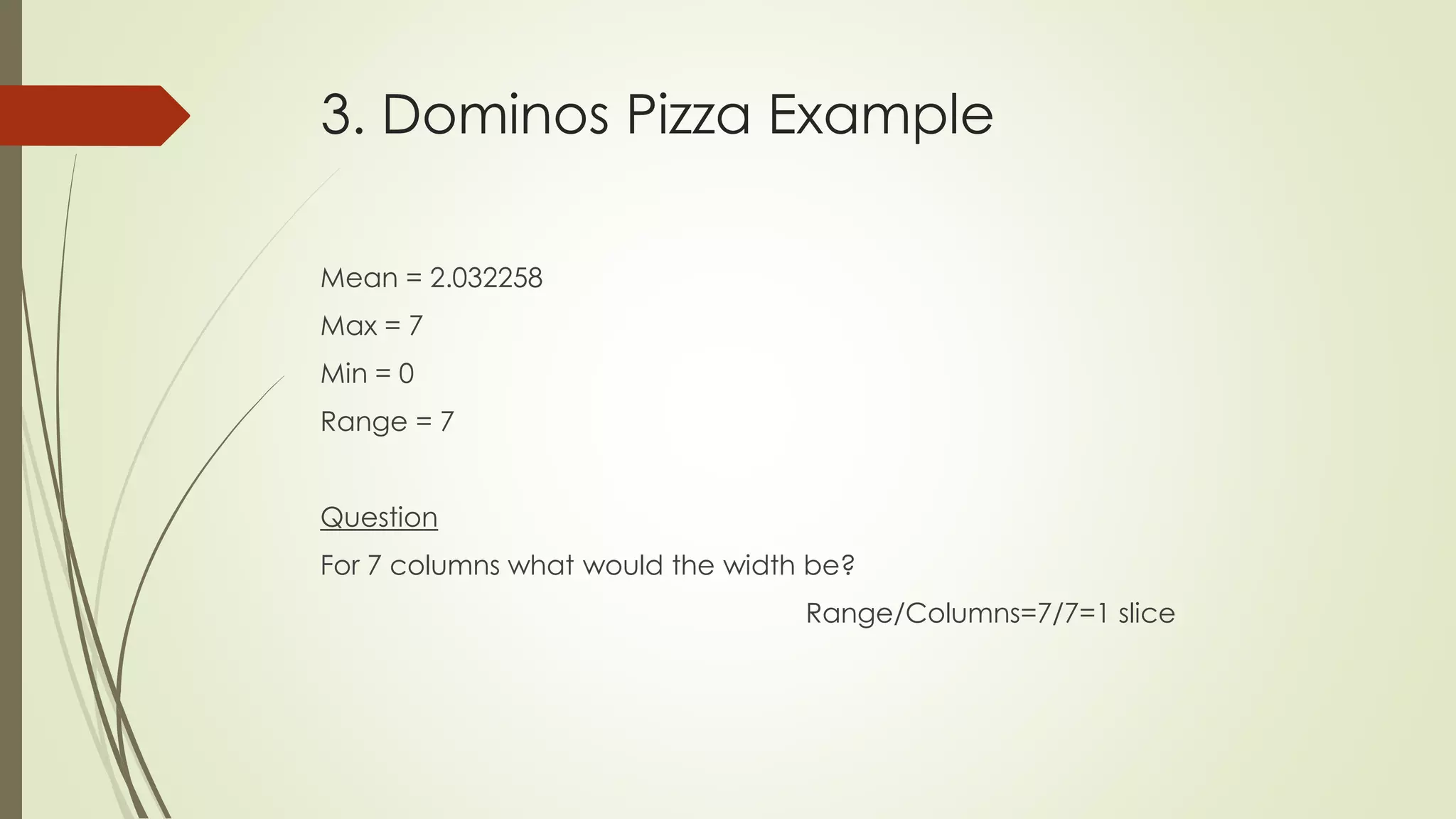
Mean = 2.032258
Max = 7
Min = 0
Range = 7
Question
For 7 columns what would the width be?
Range/Columns=7/7=1 slice
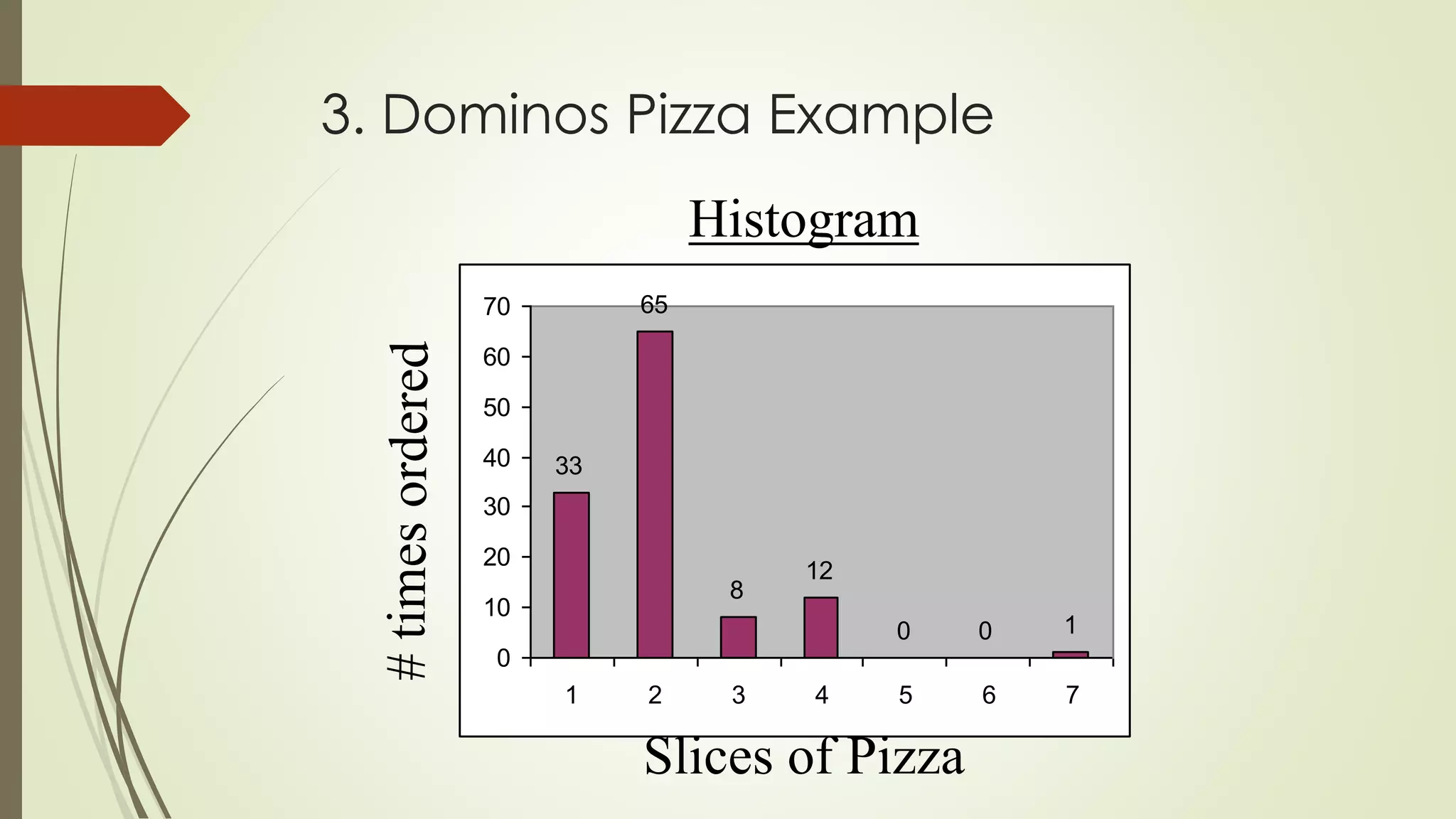
3. Dominos Pizza Example
33
65
8
12
0 0 1
0
10
20
30
40
50
60
70
1 2 3 4 5 6 7
Slices of Pizza
Histogram
3. Constructing a Histogram
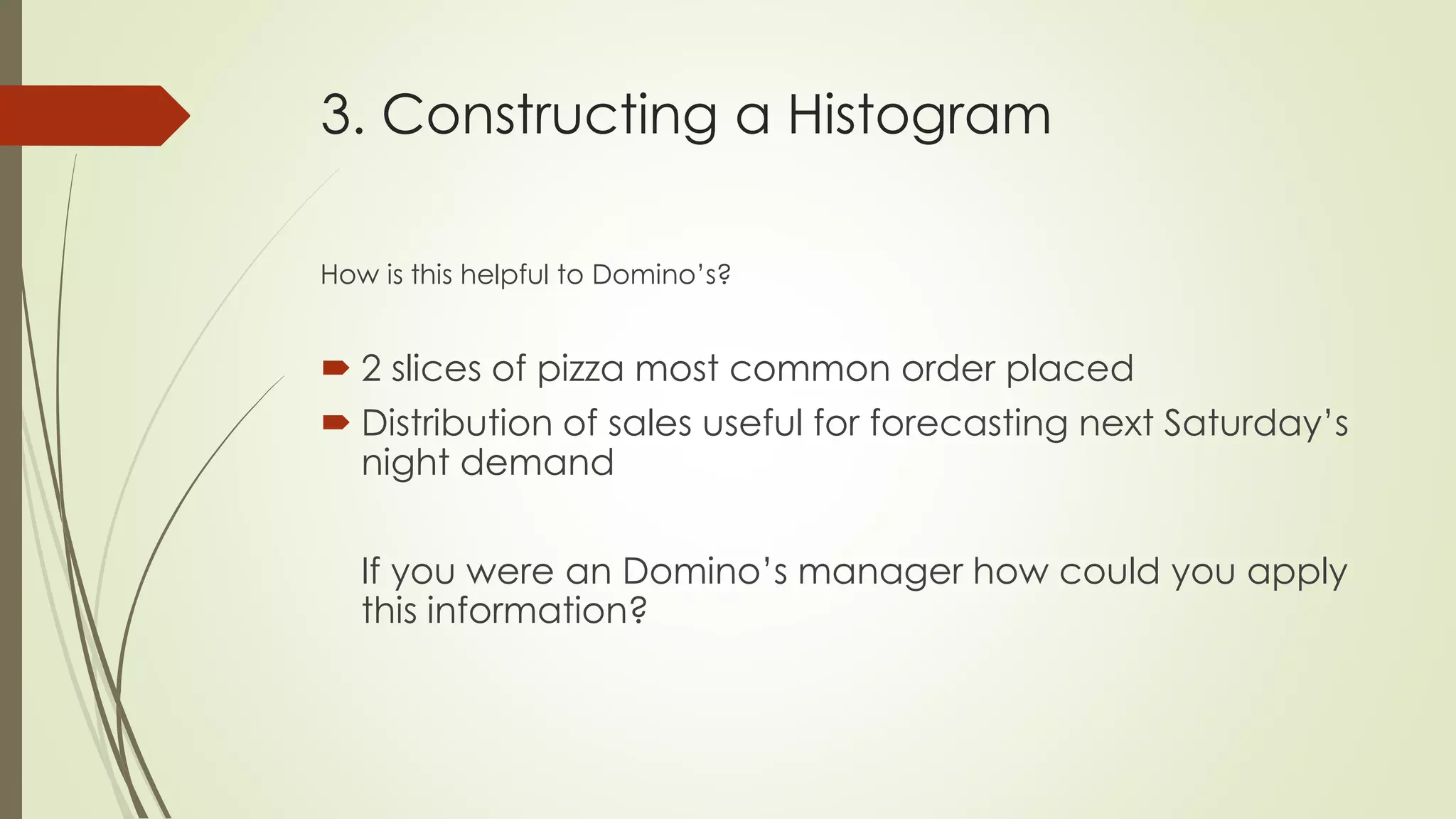
How is this helpful to Domino’s?
 2 slices of pizza most common order placed
 Distribution of sales useful for forecasting next Saturday’s
night demand
If you were an Domino’s manager how could you apply
this information?
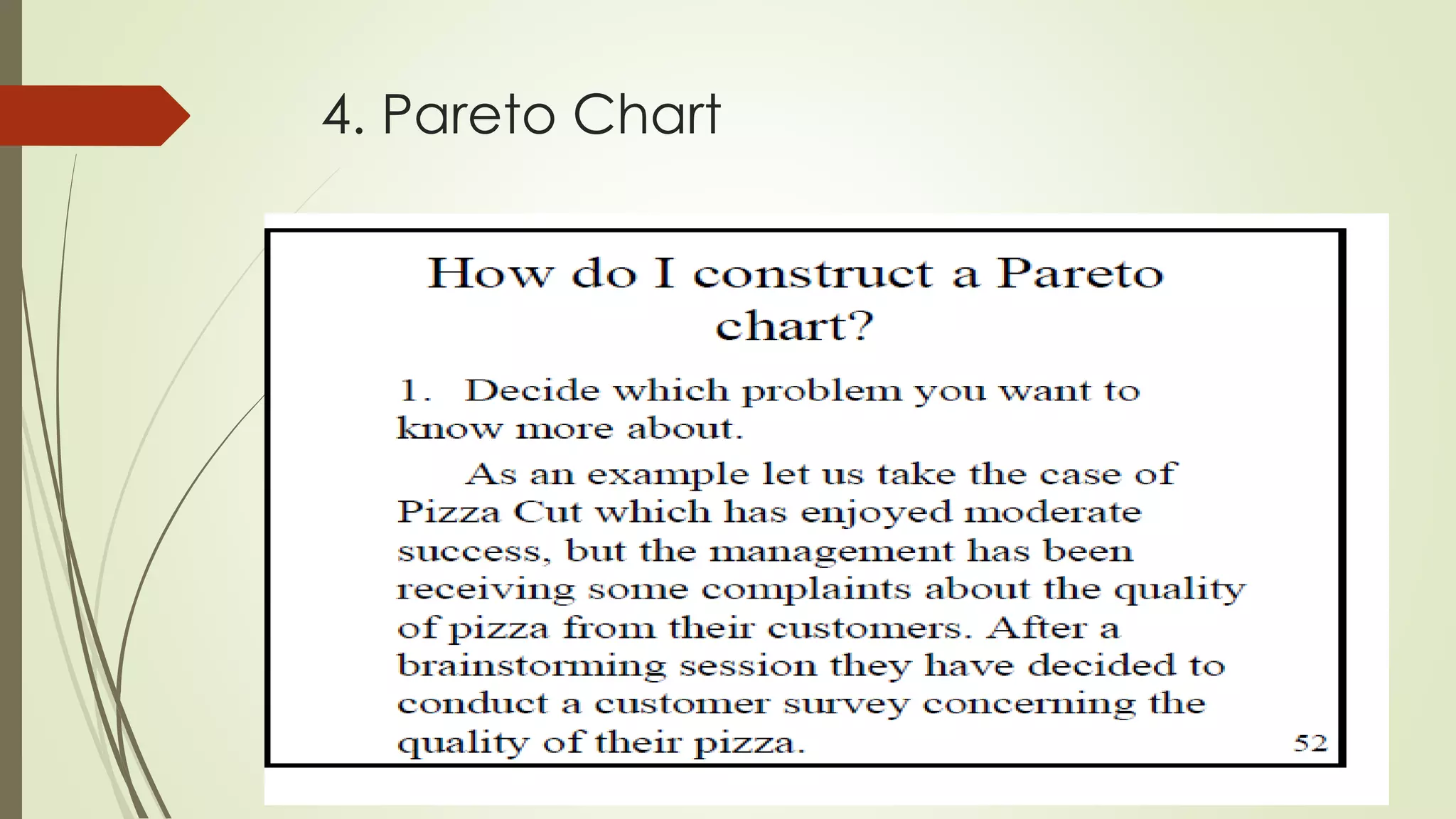
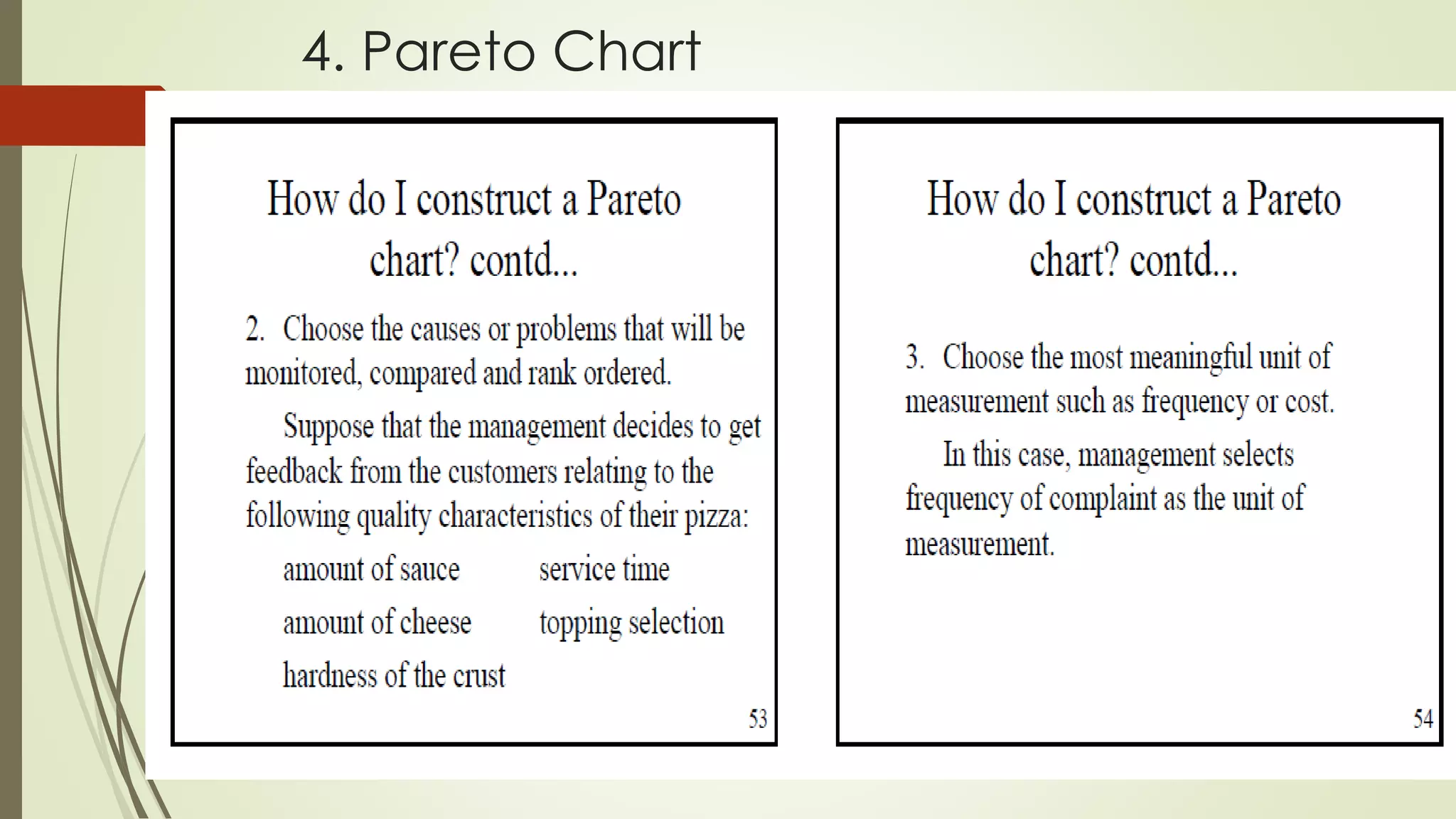
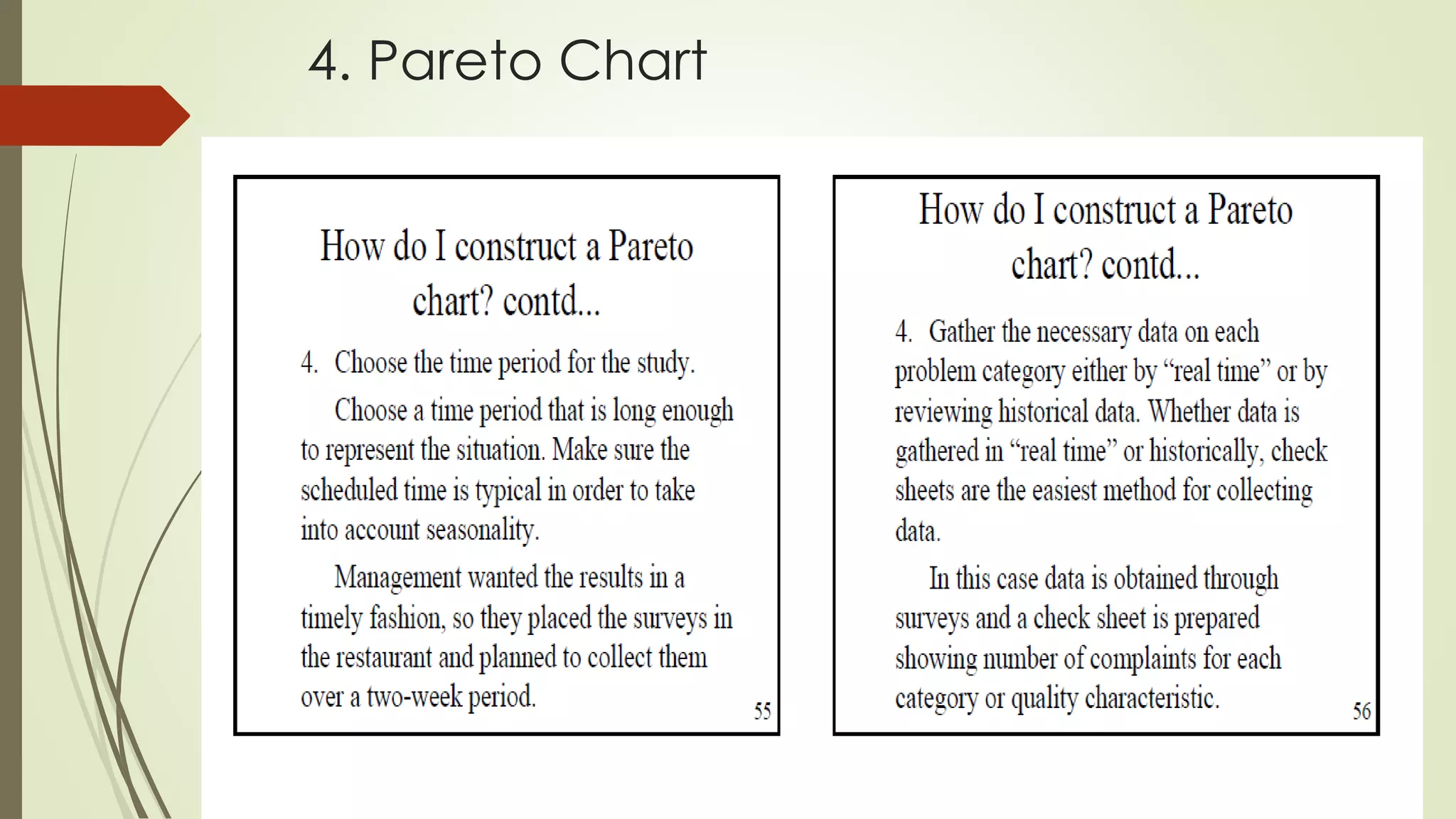
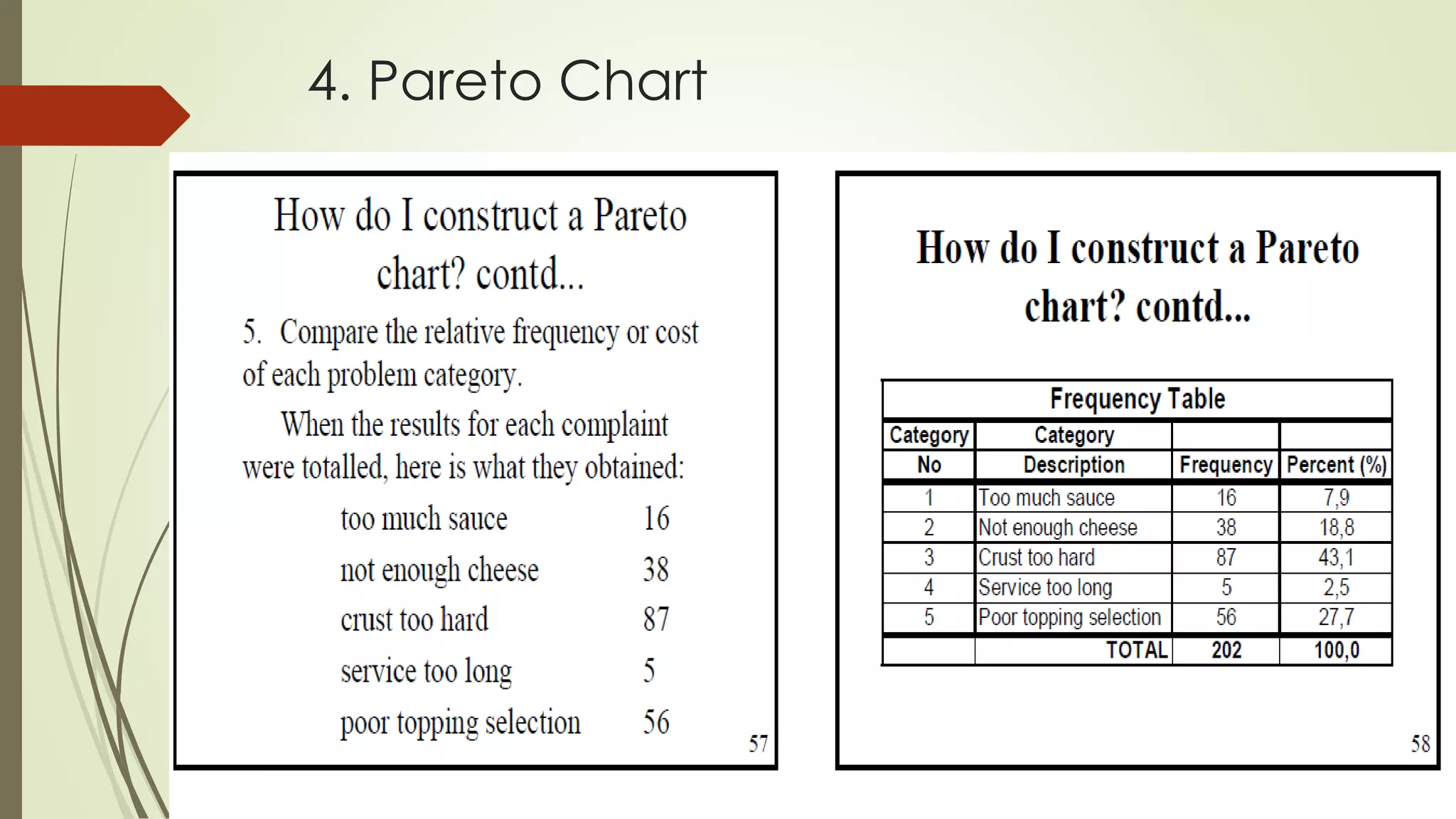
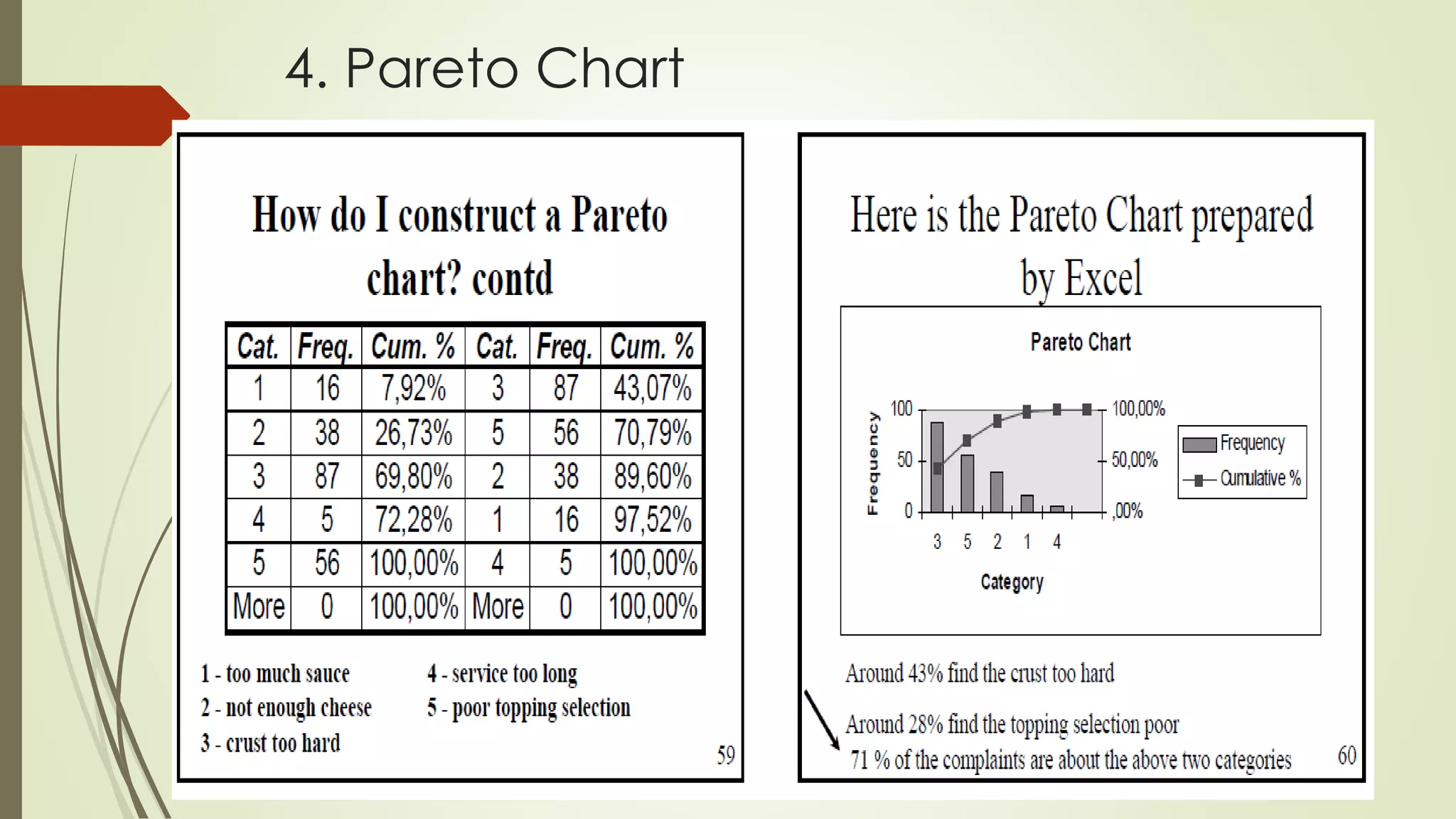
4. Pareto Chart
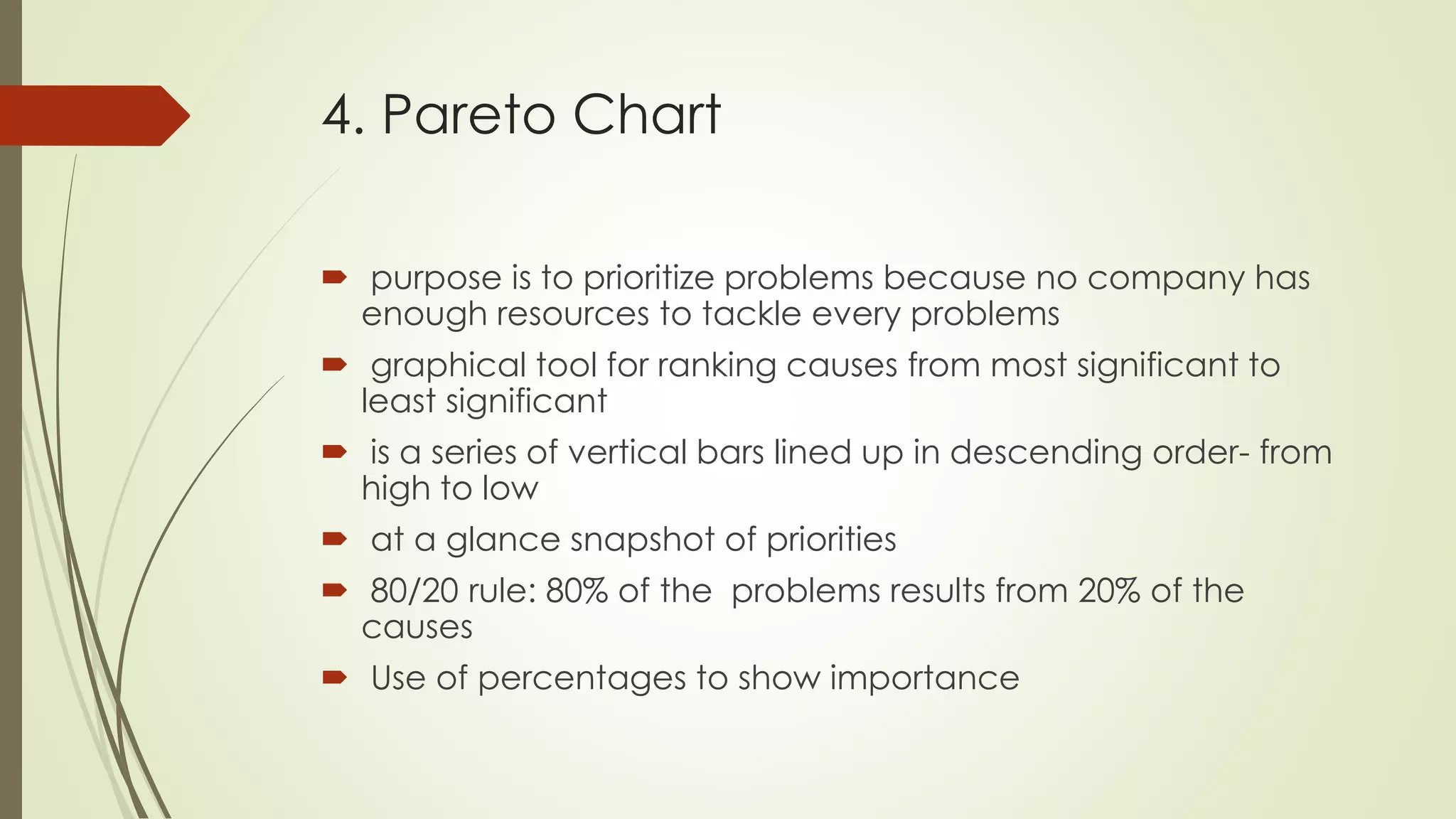
 purpose is to prioritize problems because no company has
enough resources to tackle every problems
 graphical tool for ranking causes from most significant to
least significant
 is a series of vertical bars lined up in descending order- from
high to low
 at a glance snapshot of priorities
 80/20 rule: 80% of the problems results from 20% of the
causes
 Use of percentages to show importance
4. Pareto Chart
4. Pareto Chart
4. Pareto Chart
4. Pareto Chart
4. Pareto Chart
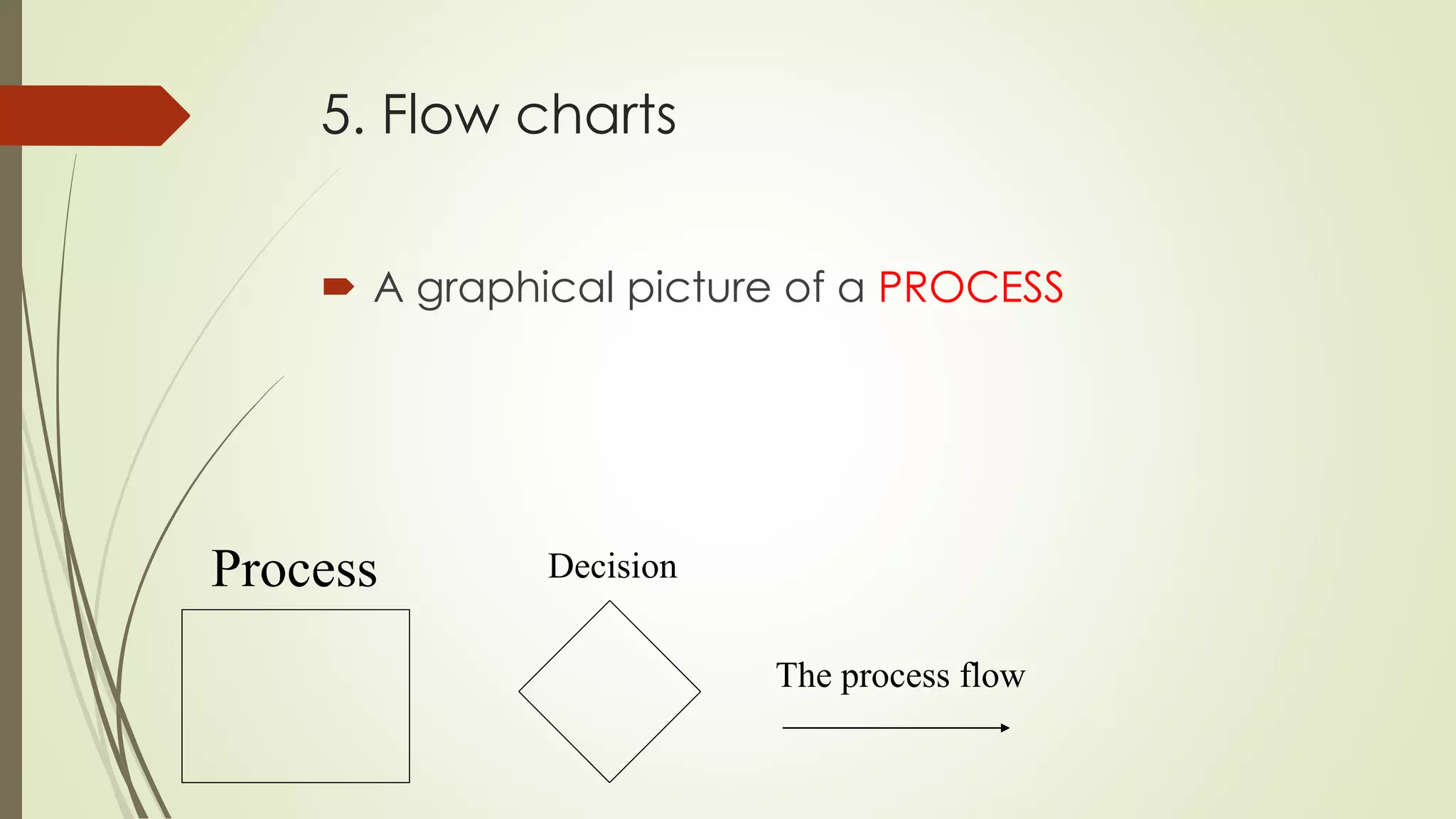
5. Flow charts
 A graphical picture of a PROCESS
Process Decision
The process flow
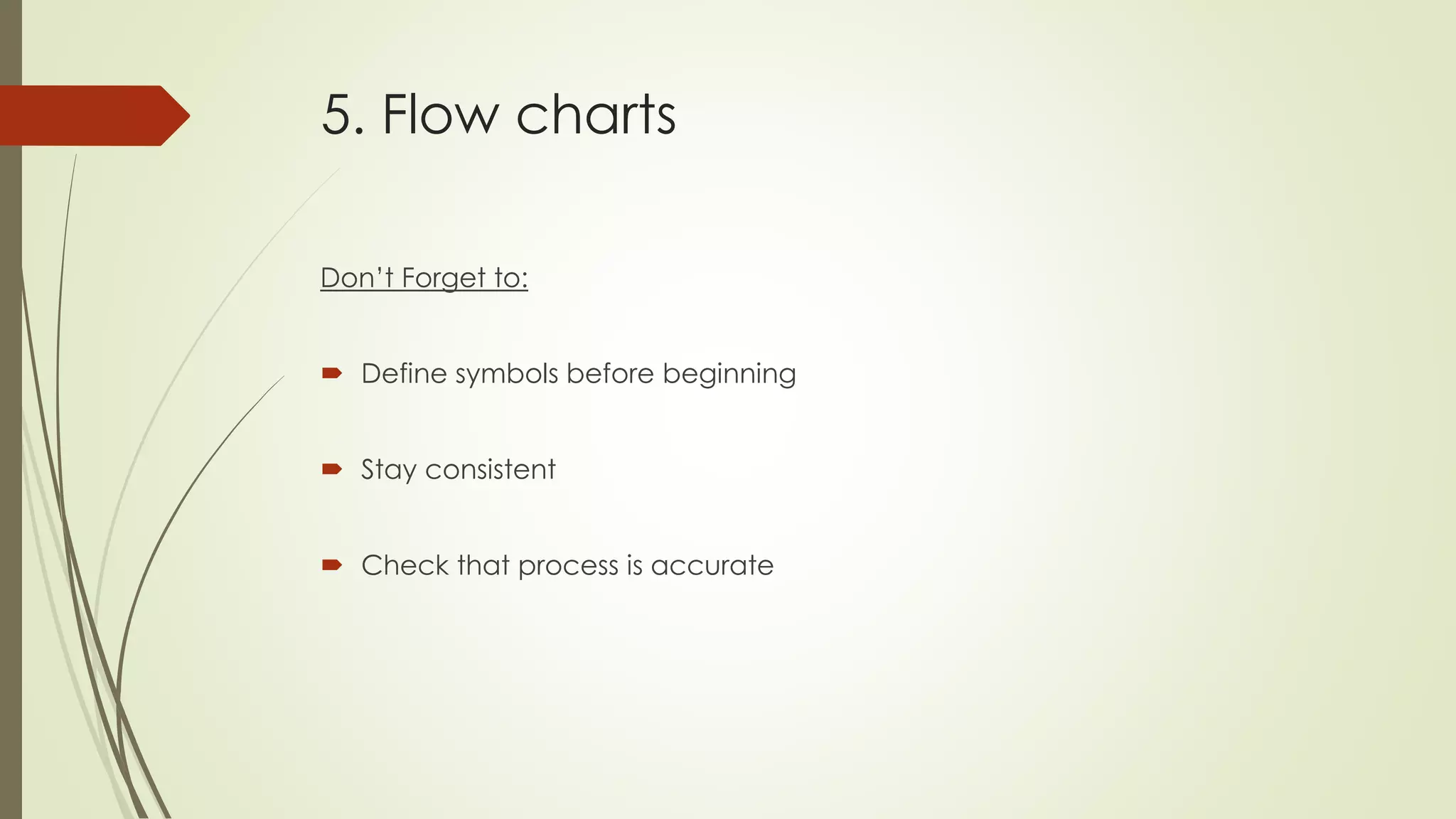
5. Flow charts
Don’t Forget to:
 Define symbols before beginning
 Stay consistent
 Check that process is accurate
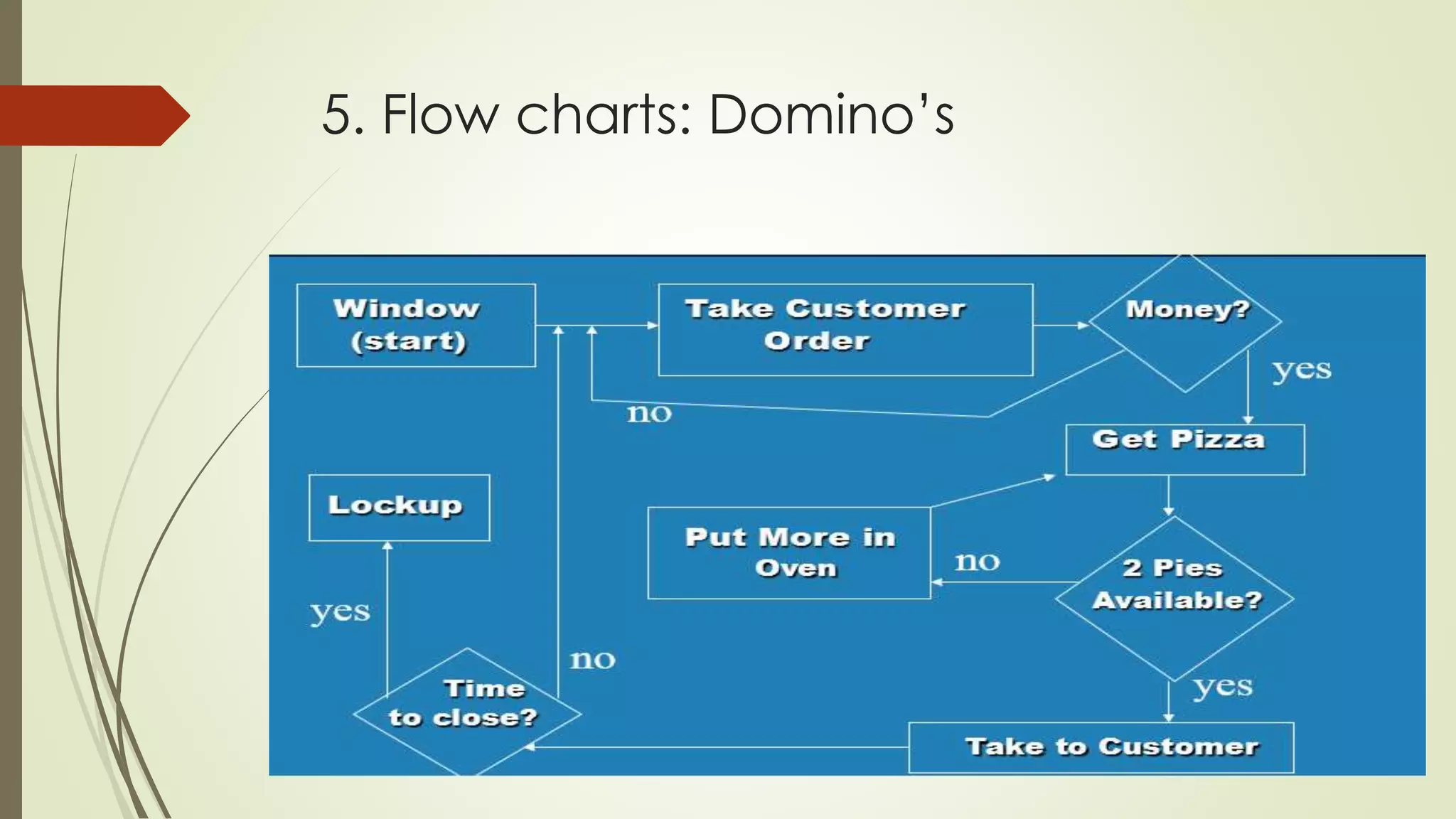
5. Flow charts: Domino’s
5. Flow charts
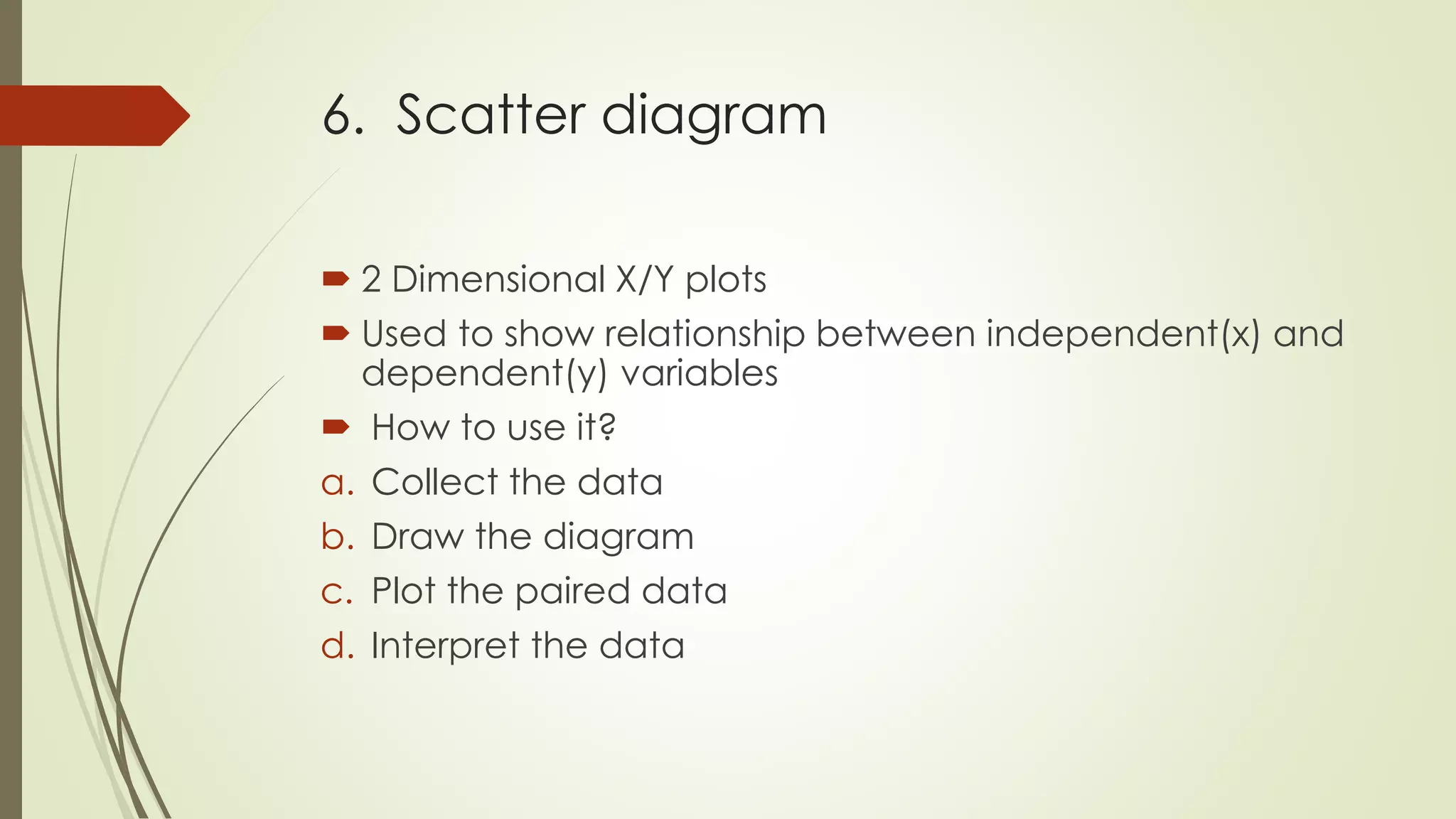
How can we use the flowchart
to analyze improvement ideas
from the Histogram?
 5W1H rule: who, what, when,
where, why, how
6. Scatter diagram
 2 Dimensional X/Y plots
 Used to show relationship between independent(x) and
dependent(y) variables
 How to use it?
a. Collect the data
b. Draw the diagram
c. Plot the paired data
d. Interpret the data
6. Scatter diagram
 Strong positive correlation
 Strong negative correlation
 Weak positive correlation
 Weak negative correlation
 No correlation
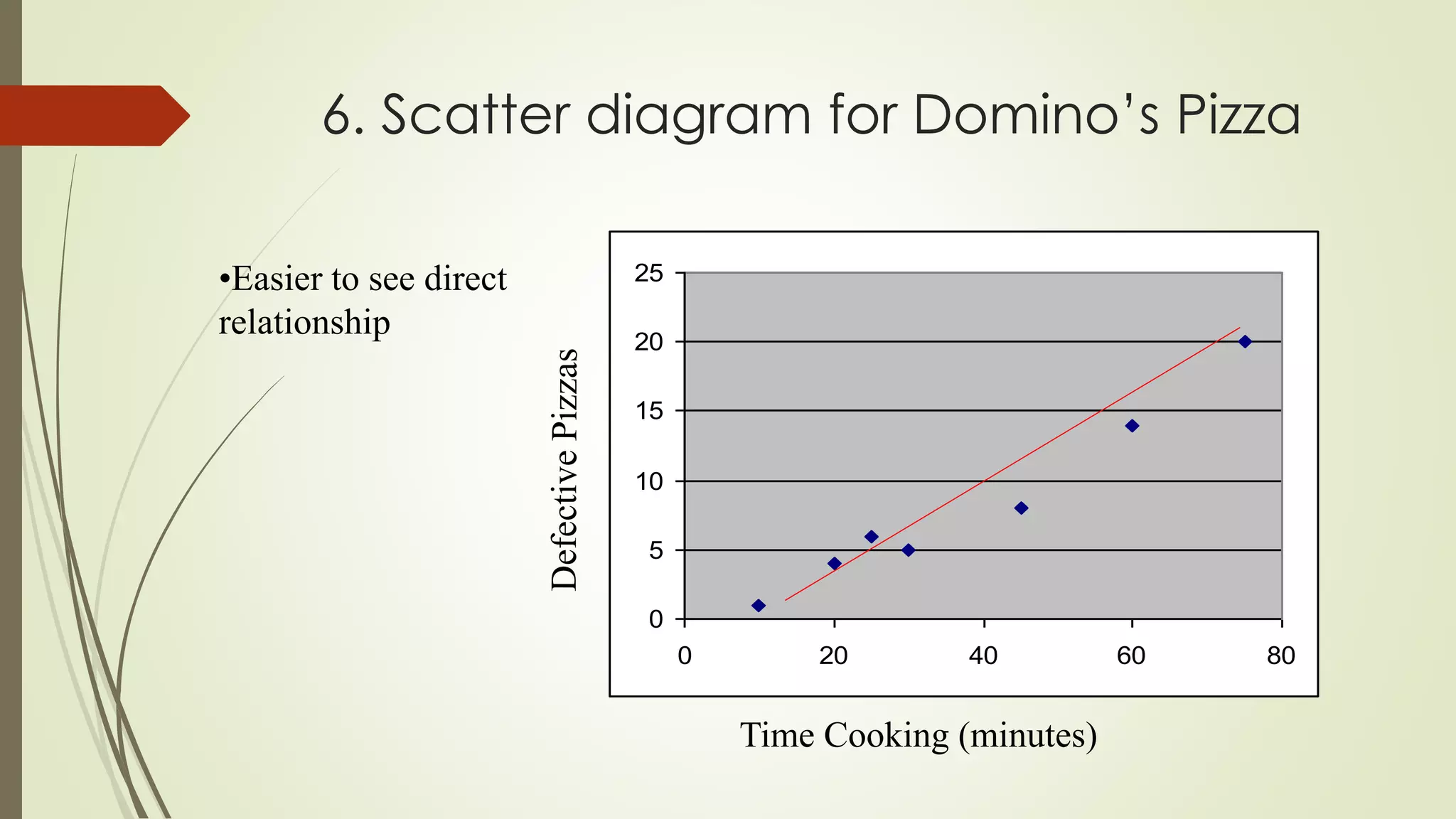
6. Scatter diagram for Domino’s Pizza
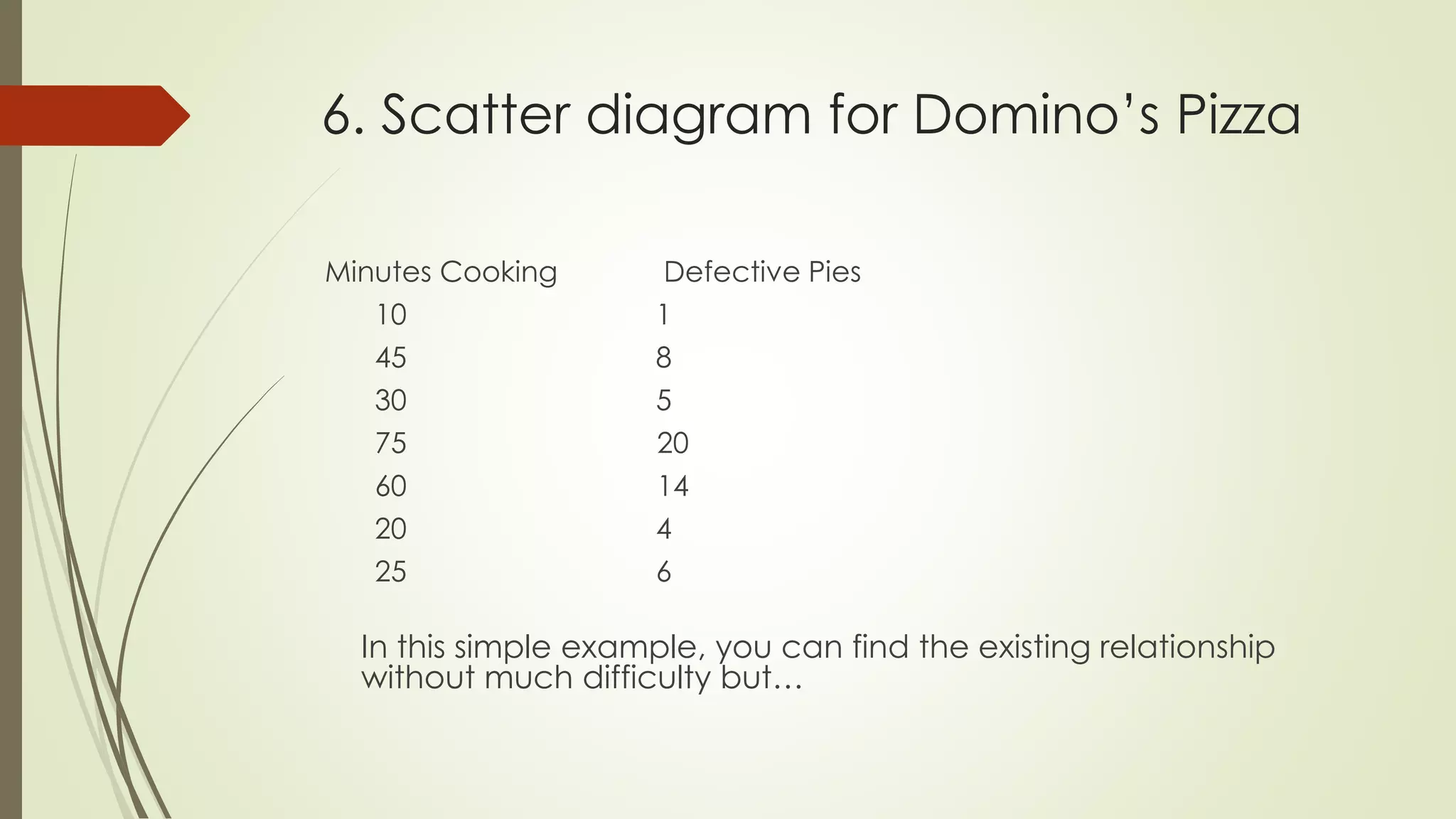
Minutes Cooking Defective Pies
10 1
45 8
30 5
75 20
60 14
20 4
25 6
In this simple example, you can find the existing relationship
without much difficulty but…
6. Scatter diagram for Domino’s Pizza
0
5
10
15
20
25
0 20 40 60 80
•Easier to see direct
relationship
Time Cooking (minutes)
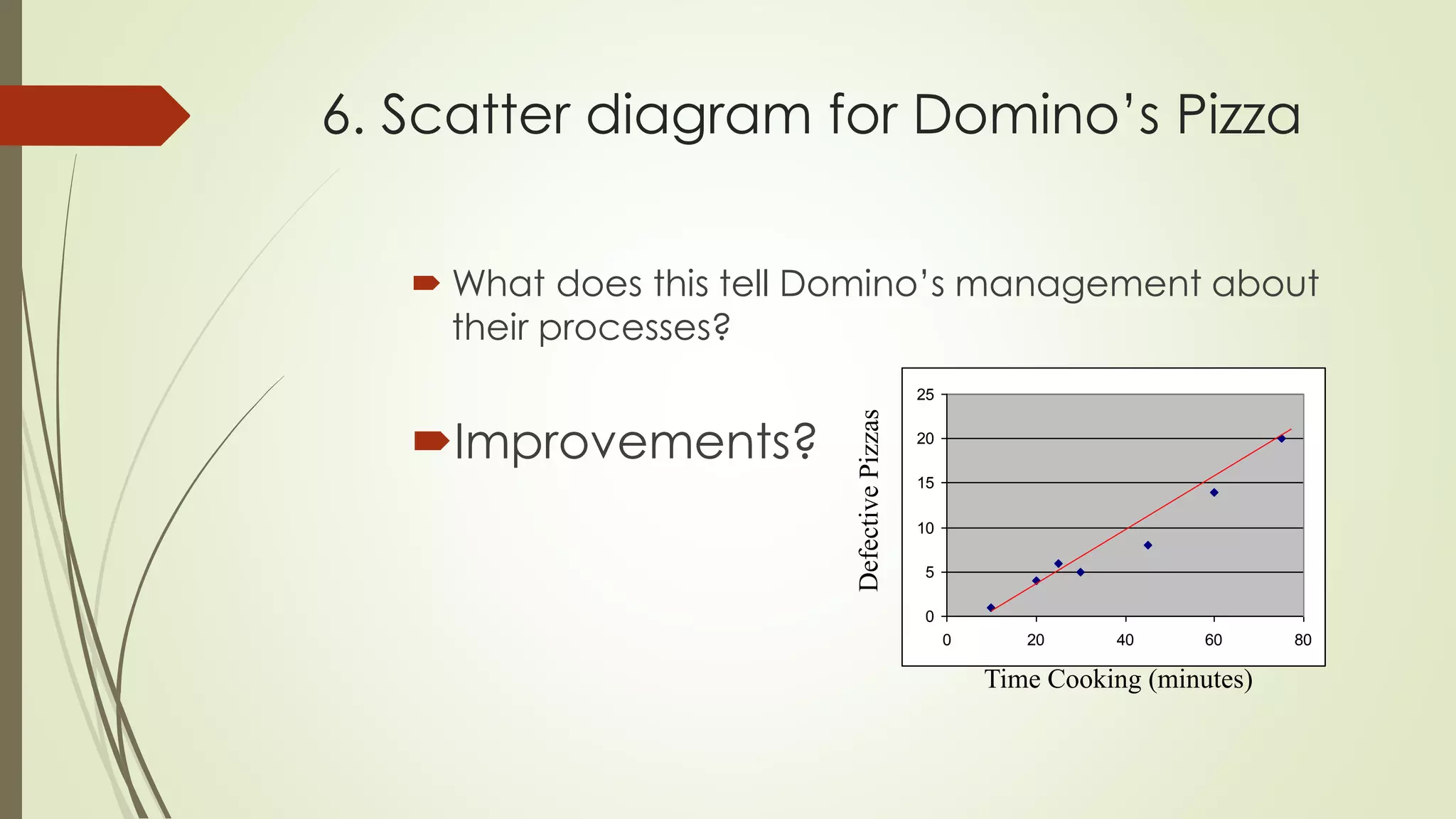
6. Scatter diagram for Domino’s Pizza
 What does this tell Domino’s management about
their processes?
Improvements?
0
5
10
15
20
25
0 20 40 60 80
Time Cooking (minutes)
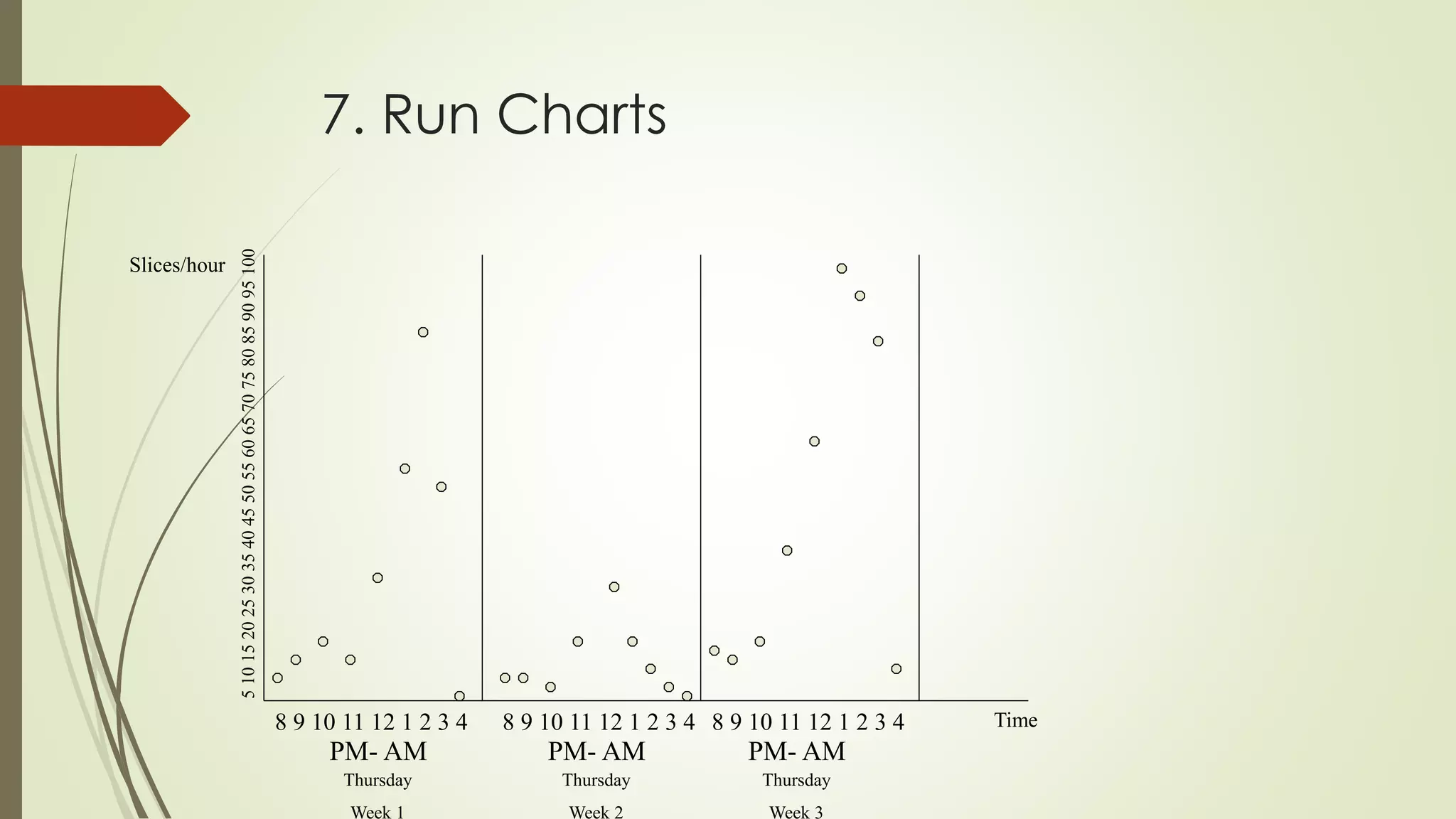
7. Run Chart
Time-based (x-axis)
Cyclical
Look for patterns
7. Run Charts
8 9 10 11 12 1 2 3 4 8 9 10 11 12 1 2 3 4 8 9 10 11 12 1 2 3 4
PM- AM PM- AM PM- AM
Thursday
Week 1
Thursday
Week 2
Thursday
Week 3
Slices/hour
Time
Control Charts
 To ensure that the process is in control and to monitor process
variation on a continuous basis
 Common Vs Special cause variation
 Deviation from Mean
 Upper and Lower Specification limit
 Range
Variation
POKA-YOKE
 is about stopping processes as soon as a defects
occurs, identifying the defect source and preventing it
from happening again.
 Zero defects concepts
 Defined by Shigeo Shingo at Toyota
 Either prevents a mistake from being made or makes
the mistake obvious at glance
Principles of Poka-Yoke
 Prediction: recognizing that a defect is about to occur and
providing a warning
eg. Warning message at computer
 Detection: recognizing that defect has occurred and stopping
the process
eg. Antivirus
 PDCA approach

Quality control tools

  • 1.
  • 2.
    7 Quality ControlTools  designation given to a fixed set of graphical techniques identified as being most helpful in troubleshooting issues related to quality.  are called basic because they are suitable for people with little formal training in statistics and because they can be used to solve the vast majority of quality-related issues.
  • 3.
    Seven Quality ControlTools are:  Cause-and-effect diagram (also known as the "fishbone" or Ishikawa diagram)  Check sheet  Histogram  Pareto Chart  Flow chart  Scatter Diagram  Run chart
  • 4.
    1. Cause-and-effect diagram tool to analyze and illustrate a process by showing the main causes and sub causes leading to an effect.  also known as “ Ishikawa Diagram” and “ fishbone diagram”  Constructing steps: a. Identify the problems b. Draw spines and bones c. Identify different areas where problem may arise from d. Identify what these specific causes could be e. Use the finished diagram to brainstorm solutions to the main problems
  • 5.
    1. Cause-effect diagram MaterialMachine/Plant Measurement/ Policies Men/People Methods/Procedures Quality Problem
  • 6.
    Cause-effect diagram  6basic categories also known as 5ME a. Man b. Method c. Machine d. Material e. Measurement f. Environment
  • 7.
    1 .Why shouldwe use cause-and- effect diagram?  It helps to determine the root cause of a problem or quality characteristic using a structured approach  It encourages group participation and utilizes group knowledge of the process  They use an orderly, easy-to-read format  It indicates possible causes of variation in a process  It increases knowledge of the process by helping everyone to learn more about the factors at work and how they relate  It identifies areas where data should be collected for further study
  • 8.
    2. Check Sheets special types of form for data collection  make easier to collect data, make data collection effort more accurate and summarize the data which is very effective for quick analysis  creates easy to understand data  clear picture of the facts  collect data about “how many” or “what type” of something occurred
  • 9.
    2. Check Sheets 1.Defective item check sheet 2. Defective location check sheet 3. Defective cause check sheet 4. Check up confirmation check sheet
  • 10.
    3. Histogram  Asimple tool that allows the user to identify and interpret the variation found in a set of data points  Used to summarize and display data in a simple but clear manner  It do not provide solutions to problems  They provide a starting point for the improvement process  If the data is inaccurate then any result obtained from the histogram is also inaccurate  Displays large amount to data that are difficult to display in tabular form  Bar chart
  • 11.
    3. Constructing ahistogram From a set of data, it computes  sum  mean (x)  Max  Min  Range (max-min)
  • 12.
    3. Constructing ahistogram  Use range to estimate beginning and end  Calculate the width of each column by dividing the range by the number of columns Range # of Columns = Width
  • 13.
    3. Dominos PizzaExample  Let’s say the owner wants a distribution of Domino’s Saturday Night Sales  Data Set from last Saturday(slices) 0 2 1 2 2 4 1 3 1 2 1 2 2 4 3 4 1 4 3 2 2 3 2 1 2 2 1 2 2 1 4 2 2 1 2 1 2 2 1 2 1 2 1 2 1 2 1 2 1 2 2 2 1 2 1 2 1 1 2 2 2 3 1 4 2 2 3 2 2 2 1 2 3 2 2 4 2 2 4 4 1 2 2 2 3 2 2 1 2 2 4 2 1 2 4 2 1 7 2 1 2 2 3 1 2 1 1 2 1 2 2 2 1 2 2 1 2 1 2 2 2 4 2 4
  • 14.
    3. Dominos PizzaExample Mean = 2.032258 Max = 7 Min = 0 Range = 7 Question For 7 columns what would the width be? Range/Columns=7/7=1 slice
  • 15.
    3. Dominos PizzaExample 33 65 8 12 0 0 1 0 10 20 30 40 50 60 70 1 2 3 4 5 6 7 Slices of Pizza Histogram
  • 16.
    3. Constructing aHistogram How is this helpful to Domino’s?  2 slices of pizza most common order placed  Distribution of sales useful for forecasting next Saturday’s night demand If you were an Domino’s manager how could you apply this information?
  • 17.
    4. Pareto Chart purpose is to prioritize problems because no company has enough resources to tackle every problems  graphical tool for ranking causes from most significant to least significant  is a series of vertical bars lined up in descending order- from high to low  at a glance snapshot of priorities  80/20 rule: 80% of the problems results from 20% of the causes  Use of percentages to show importance
  • 18.
  • 19.
  • 20.
  • 21.
  • 22.
  • 23.
    5. Flow charts A graphical picture of a PROCESS Process Decision The process flow
  • 24.
    5. Flow charts Don’tForget to:  Define symbols before beginning  Stay consistent  Check that process is accurate
  • 25.
    5. Flow charts:Domino’s
  • 26.
    5. Flow charts Howcan we use the flowchart to analyze improvement ideas from the Histogram?  5W1H rule: who, what, when, where, why, how
  • 27.
    6. Scatter diagram 2 Dimensional X/Y plots  Used to show relationship between independent(x) and dependent(y) variables  How to use it? a. Collect the data b. Draw the diagram c. Plot the paired data d. Interpret the data
  • 28.
    6. Scatter diagram Strong positive correlation  Strong negative correlation  Weak positive correlation  Weak negative correlation  No correlation
  • 29.
    6. Scatter diagramfor Domino’s Pizza Minutes Cooking Defective Pies 10 1 45 8 30 5 75 20 60 14 20 4 25 6 In this simple example, you can find the existing relationship without much difficulty but…
  • 30.
    6. Scatter diagramfor Domino’s Pizza 0 5 10 15 20 25 0 20 40 60 80 •Easier to see direct relationship Time Cooking (minutes)
  • 31.
    6. Scatter diagramfor Domino’s Pizza  What does this tell Domino’s management about their processes? Improvements? 0 5 10 15 20 25 0 20 40 60 80 Time Cooking (minutes)
  • 32.
    7. Run Chart Time-based(x-axis) Cyclical Look for patterns
  • 33.
    7. Run Charts 89 10 11 12 1 2 3 4 8 9 10 11 12 1 2 3 4 8 9 10 11 12 1 2 3 4 PM- AM PM- AM PM- AM Thursday Week 1 Thursday Week 2 Thursday Week 3 Slices/hour Time
  • 34.
    Control Charts  Toensure that the process is in control and to monitor process variation on a continuous basis  Common Vs Special cause variation  Deviation from Mean  Upper and Lower Specification limit  Range Variation
  • 35.
    POKA-YOKE  is aboutstopping processes as soon as a defects occurs, identifying the defect source and preventing it from happening again.  Zero defects concepts  Defined by Shigeo Shingo at Toyota  Either prevents a mistake from being made or makes the mistake obvious at glance
  • 36.
    Principles of Poka-Yoke Prediction: recognizing that a defect is about to occur and providing a warning eg. Warning message at computer  Detection: recognizing that defect has occurred and stopping the process eg. Antivirus  PDCA approach