Electronic Writing
Processes
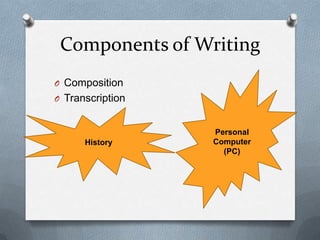
Components of Writing
O Composition
O Transcription
History
Personal
Computer
(PC)
Use of computers in business
writing
O Identify, search, record, organize and
modify relevant text.
O Write, edit and revise the documents.
O Used in writing assignments(thesis,
proposals, feasibility study, or case study
etc)
OBut they can never
replace poor writing
skills
Uses:
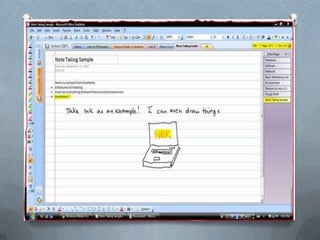
O Note-taking:
 Skeletonize the notes
 PC, Laptop or PDA
 Search and Replace features
( Eg. Replacing J. with Journal after the
meeting)
Searching
O Lengthy Research paper, Long-term
project should be stored in database in
order to use it in future use as reference.
O Report Writing Software
 Search in the database
 Join data into one file
 Organize and Generate
daily, weekly, monthly report automatically.
Word-Polishing
 Built in dictionary in word processor
 “Wordhunter”- helps you to find right word when
you are stumped.
founder + of + facebook = Mark Zuckerburg
right + side + ship = Starboard
 Word pronunciation by computer
 Grammar checking
 Spelling Checking
 “Spell Checkers”
Outlining
 Part of word-processing package or a
separate program
 Outline of thoughts quickly and rearrange
the sections rapidly, change levels and so
on
 Import text from other files to the outliner
to other files vice versa
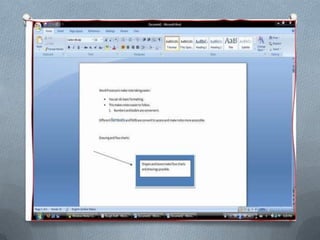
Changing defaults
 Word Processing software
 Enhance document appearance on
screen as well as layout
 Templates
 Change margin width, heading text,
headers and footers, page numbers,
tables, font,
 Correct typing errors: don ; t  don’t
teh  the
Using multiscreens
 Split the screen – multiple work place
 Outline in in one window
 And drafting in another window
Searching and replacing
 Word search and replace
 Text search and replace
Linking
 Data stored in database shared with another
program
 Statistical Analysis & Graphical Presentation
linked to report generating software
Adding Attribution
 Inserting footnote, endnote, superscript
number
 Citation(short note) in picture, graph, text and
renumber as well as reposition
Using e-mail
 Quicker to deliver, cheaper to send
 Instantaneous sending, but may not be
instantaneous response
 Mass distribution of message quickly CC
and BCC
 Recording of sending message
Hey John,
Do U know what d assignment is about? Can U help me?
Using e-mail ( contd.)
O Guidelines:
 Avoid words all in capital letters.
 Proofread (read for errors) the mail before
sending
 If your message is unusually long, warn your
reader early so he or she can decide how to
handle it.
 Use valuable and descriptive subject lines
 Relevant and valuable to the audience
 Tone
E-mail
 Use abbreviations such as “LOL” or
smiley  :P :D  only with your close
friends or family
 Do not forward chain letters or joke-of-the-
day to a list of email recipients
 Keep signature lines brief; maximum four
lines
Thank You
Presented by,
Rabin Bhandari

Electronic writing processes

  • 1.
  • 2.
    Components of Writing OComposition O Transcription History Personal Computer (PC)
  • 3.
    Use of computersin business writing O Identify, search, record, organize and modify relevant text. O Write, edit and revise the documents. O Used in writing assignments(thesis, proposals, feasibility study, or case study etc) OBut they can never replace poor writing skills
  • 4.
    Uses: O Note-taking:  Skeletonizethe notes  PC, Laptop or PDA  Search and Replace features ( Eg. Replacing J. with Journal after the meeting)
  • 5.
    Searching O Lengthy Researchpaper, Long-term project should be stored in database in order to use it in future use as reference. O Report Writing Software  Search in the database  Join data into one file  Organize and Generate daily, weekly, monthly report automatically.
  • 6.
    Word-Polishing  Built indictionary in word processor  “Wordhunter”- helps you to find right word when you are stumped. founder + of + facebook = Mark Zuckerburg right + side + ship = Starboard  Word pronunciation by computer  Grammar checking  Spelling Checking  “Spell Checkers”
  • 7.
    Outlining  Part ofword-processing package or a separate program  Outline of thoughts quickly and rearrange the sections rapidly, change levels and so on  Import text from other files to the outliner to other files vice versa
  • 10.
    Changing defaults  WordProcessing software  Enhance document appearance on screen as well as layout  Templates  Change margin width, heading text, headers and footers, page numbers, tables, font,  Correct typing errors: don ; t  don’t teh  the
  • 13.
    Using multiscreens  Splitthe screen – multiple work place  Outline in in one window  And drafting in another window Searching and replacing  Word search and replace  Text search and replace
  • 14.
    Linking  Data storedin database shared with another program  Statistical Analysis & Graphical Presentation linked to report generating software Adding Attribution  Inserting footnote, endnote, superscript number  Citation(short note) in picture, graph, text and renumber as well as reposition
  • 15.
    Using e-mail  Quickerto deliver, cheaper to send  Instantaneous sending, but may not be instantaneous response  Mass distribution of message quickly CC and BCC  Recording of sending message Hey John, Do U know what d assignment is about? Can U help me?
  • 16.
    Using e-mail (contd.) O Guidelines:  Avoid words all in capital letters.  Proofread (read for errors) the mail before sending  If your message is unusually long, warn your reader early so he or she can decide how to handle it.  Use valuable and descriptive subject lines  Relevant and valuable to the audience  Tone
  • 17.
    E-mail  Use abbreviationssuch as “LOL” or smiley  :P :D  only with your close friends or family  Do not forward chain letters or joke-of-the- day to a list of email recipients  Keep signature lines brief; maximum four lines
  • 18.