OUTLINES
• What is XML?
• Family of XML Technologies
• Syntax
• Comments
• XML DTD
• Rules
• Comparison
• Example
• Advantages
WHAT IS XML?
• XML stands for eXtensible Markup Language
• Markup language for documents containing structured
information.
• Used to describe the contents of the document.
• Useful in exchanging data between the applications.
• Makes data:
- easy to read
- unambiguous
- extensible
- platform-independent
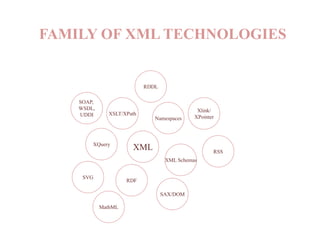
FAMILY OF XML TECHNOLOGIES
XML
Namespaces
XSLT/XPath
XML Schemas
RDF
XQuery
SVG
SAX/DOM
SOAP,
WSDL,
UDDI
Xlink/
XPointer
RDDL
MathML
RSS
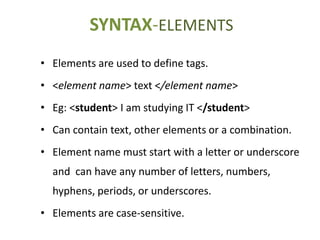
SYNTAX-ELEMENTS
• Elements are used to define tags.
• <element name> text </element name>
• Eg: <student> I am studying IT </student>
• Can contain text, other elements or a combination.
• Element name must start with a letter or underscore
and can have any number of letters, numbers,
hyphens, periods, or underscores.
• Elements are case-sensitive.
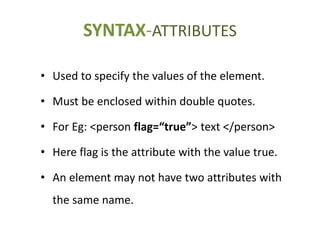
• Used to specify the values of the element.
• Must be enclosed within double quotes.
• For Eg: <person flag=“true”> text </person>
• Here flag is the attribute with the value true.
• An element may not have two attributes with
the same name.
SYNTAX-ATTRIBUTES
7
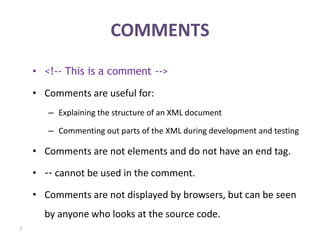
COMMENTS
• <!-- This is a comment -->
• Comments are useful for:
– Explaining the structure of an XML document
– Commenting out parts of the XML during development and testing
• Comments are not elements and do not have an end tag.
• -- cannot be used in the comment.
• Comments are not displayed by browsers, but can be seen
by anyone who looks at the source code.
XML DTD
• Document Type Definition is used to define the basic
building blocks of any XML document.
• It is a set of rules that allow us to specify our own set of
elements and attributes.
• DTD is grammar to indicate what tags are legal in XML
documents
• XML Document is valid if it has an attached DTD and
document is structured according to rules defined in DTD.
RULES
• XML is case sensitive which means <marks> & <Marks>
are treated differently.
• Each start tag must have a matching end tag.
• Elements must be properly nested.
For Eg: <one><two> Numbers </two></one>
• An empty tag can be defined like this <student/>.
• A space or tab character is not allowed in the element
name or attribute name.
• Comments and processing instructions may not appear
inside tags.
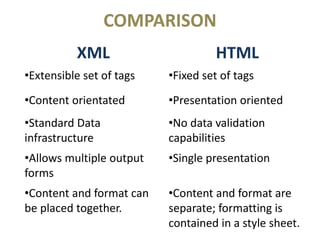
COMPARISON
XML HTML
•Extensible set of tags •Fixed set of tags
•Content orientated •Presentation oriented
•Standard Data
infrastructure
•No data validation
capabilities
•Allows multiple output
forms
•Single presentation
•Content and format can
be placed together.
•Content and format are
separate; formatting is
contained in a style sheet.
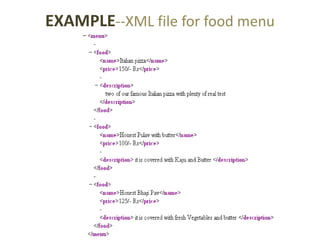
EXAMPLE--XML file for food menu
ADVANTAGES
• Easily readable & we can edit any XML document in simple text
editors.
• It is language neutral, means a Java program can generate an
XML document which can be parsed by Perl.
• Every XML document has a tree structure, so complex data can
be arranged & understood in a simple manner.
• XML files are independent of an operating system.
• Very flexible, compressible and customizable.
• Widely used and supported.
Extensible Markup Language (XML)

Extensible Markup Language (XML)

  • 2.
    OUTLINES • What isXML? • Family of XML Technologies • Syntax • Comments • XML DTD • Rules • Comparison • Example • Advantages
  • 3.
    WHAT IS XML? •XML stands for eXtensible Markup Language • Markup language for documents containing structured information. • Used to describe the contents of the document. • Useful in exchanging data between the applications. • Makes data: - easy to read - unambiguous - extensible - platform-independent
  • 4.
    FAMILY OF XMLTECHNOLOGIES XML Namespaces XSLT/XPath XML Schemas RDF XQuery SVG SAX/DOM SOAP, WSDL, UDDI Xlink/ XPointer RDDL MathML RSS
  • 5.
    SYNTAX-ELEMENTS • Elements areused to define tags. • <element name> text </element name> • Eg: <student> I am studying IT </student> • Can contain text, other elements or a combination. • Element name must start with a letter or underscore and can have any number of letters, numbers, hyphens, periods, or underscores. • Elements are case-sensitive.
  • 6.
    • Used tospecify the values of the element. • Must be enclosed within double quotes. • For Eg: <person flag=“true”> text </person> • Here flag is the attribute with the value true. • An element may not have two attributes with the same name. SYNTAX-ATTRIBUTES
  • 7.
    7 COMMENTS • <!-- Thisis a comment --> • Comments are useful for: – Explaining the structure of an XML document – Commenting out parts of the XML during development and testing • Comments are not elements and do not have an end tag. • -- cannot be used in the comment. • Comments are not displayed by browsers, but can be seen by anyone who looks at the source code.
  • 8.
    XML DTD • DocumentType Definition is used to define the basic building blocks of any XML document. • It is a set of rules that allow us to specify our own set of elements and attributes. • DTD is grammar to indicate what tags are legal in XML documents • XML Document is valid if it has an attached DTD and document is structured according to rules defined in DTD.
  • 9.
    RULES • XML iscase sensitive which means <marks> & <Marks> are treated differently. • Each start tag must have a matching end tag. • Elements must be properly nested. For Eg: <one><two> Numbers </two></one> • An empty tag can be defined like this <student/>. • A space or tab character is not allowed in the element name or attribute name. • Comments and processing instructions may not appear inside tags.
  • 10.
    COMPARISON XML HTML •Extensible setof tags •Fixed set of tags •Content orientated •Presentation oriented •Standard Data infrastructure •No data validation capabilities •Allows multiple output forms •Single presentation •Content and format can be placed together. •Content and format are separate; formatting is contained in a style sheet.
  • 11.
  • 12.
    ADVANTAGES • Easily readable& we can edit any XML document in simple text editors. • It is language neutral, means a Java program can generate an XML document which can be parsed by Perl. • Every XML document has a tree structure, so complex data can be arranged & understood in a simple manner. • XML files are independent of an operating system. • Very flexible, compressible and customizable. • Widely used and supported.