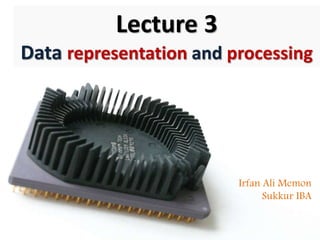
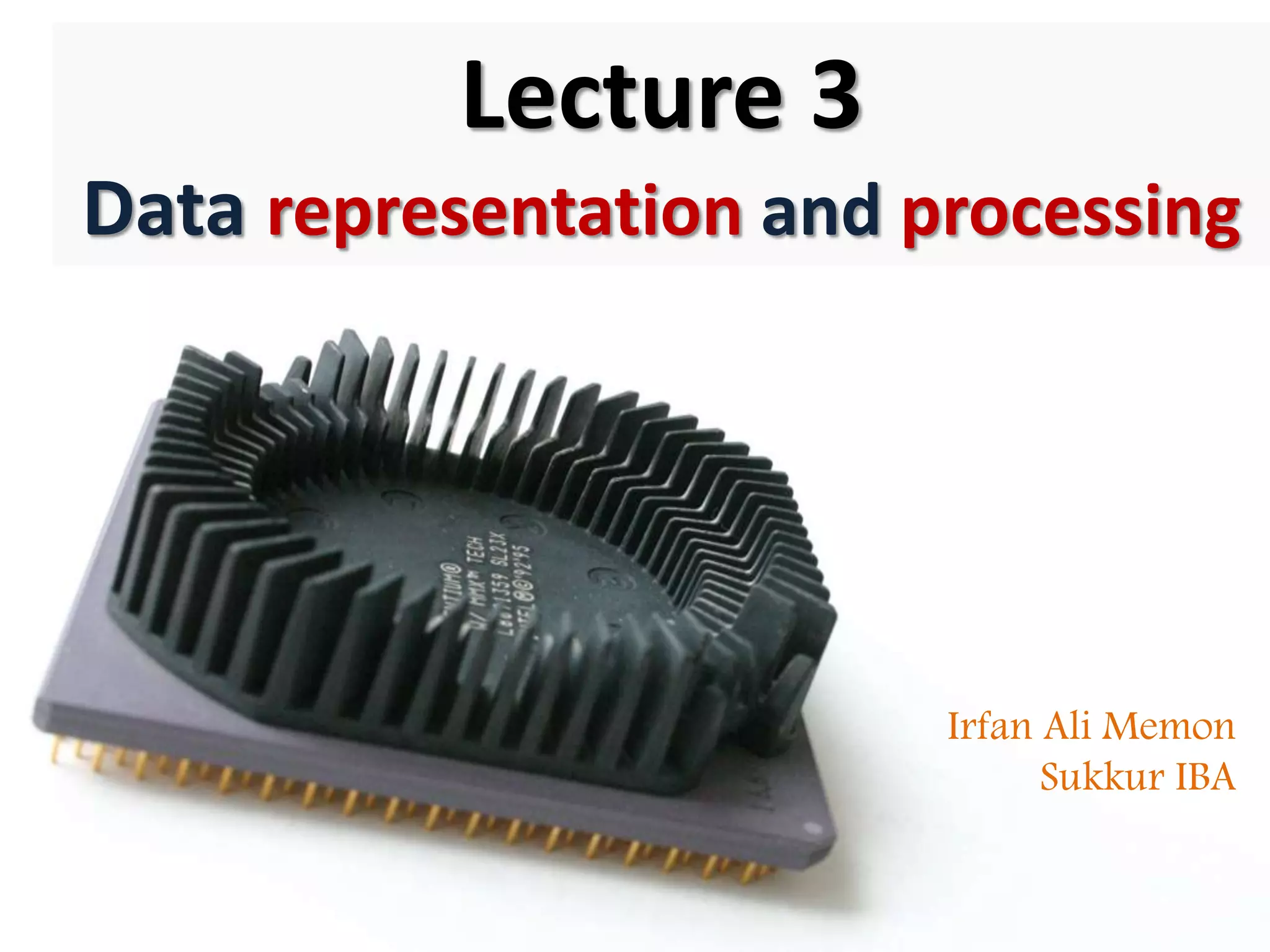

Lecture 3
Data representation and processing
Irfan Ali Memon
Sukkur IBA
How computers
represent data
Bits and bytes
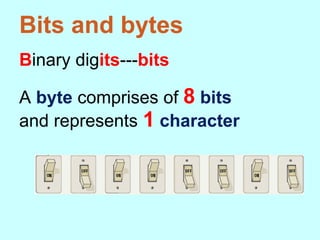
Binary digits---bits
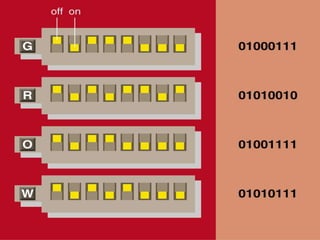
A byte comprises of 8 bits
and represents 1 character
Text codes
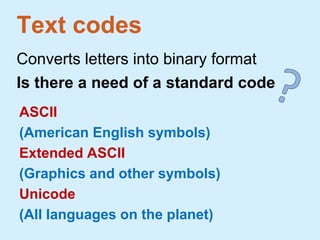
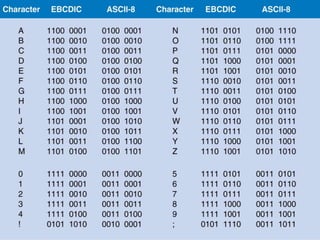
Converts letters into binary format
Is there a need of a standard code
ASCII
(American English symbols)
Extended ASCII
(Graphics and other symbols)
Unicode
(All languages on the planet)
How computers
process data
CPU
Arithmetic/
Logic Unit
(ALU)
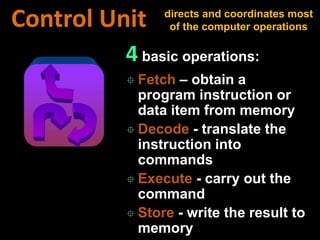
Control Unit
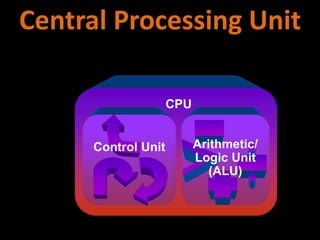
Central Processing Unit
Synchronizes all computer operations
Faster clock speed means the CPU can
execute more instructions each second
Units: MHz and GHz
System Clock
1. Instruction while being decoded
2. Location from where instruction
was fetched
3. Data while the ALU processes it
4. Results of a calculation
CPU Registers
Temporary storage location used by the CPU
High speed memory in CPU that stores:
4 basic operations:
 Fetch – obtain a
program instruction or
data item from memory
 Decode - translate the
instruction into
commands
 Execute - carry out the
command
 Store - write the result to
memory
Control Unit directs and coordinates most
of the computer operations
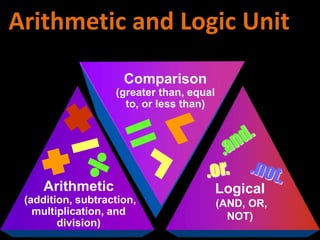
Arithmetic
(addition, subtraction,
multiplication, and
division)
Comparison
(greater than, equal
to, or less than)
Logical
(AND, OR,
NOT)
Arithmetic and Logic Unit
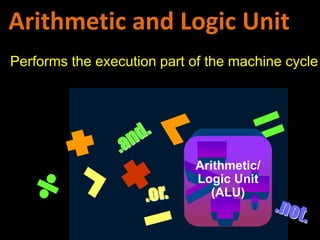
CPU
Control Unit Arithmetic/
Logic Unit
(ALU)
Arithmetic and Logic Unit
Performs the execution part of the machine cycle
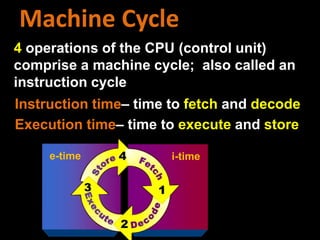
4 operations of the CPU (control unit)
comprise a machine cycle; also called an
instruction cycle
e-time i-time
Machine Cycle
Instruction time– time to fetch and decode
Execution time– time to execute and store
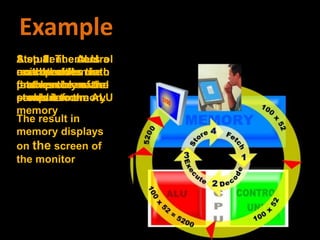
A student enters a
math problem into
the memory of the
computer
Step 1: The
control unit
fetches the math
problem from
memory
Step 2: The control
unit decodes the
math problem and
sends it to the ALU
Step 3: The ALU
executes the math
problem
Step 4: The
results of the
math problem are
stored in memory
The result in
memory displays
on the screen of
the monitor
Example
Volatile Memory
Loses its contents when the
computer's power is turned off
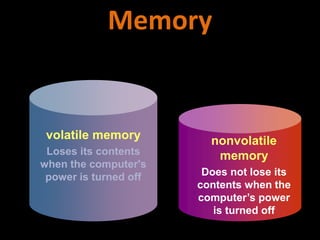
volatile memory
Loses its contents
when the computer's
power is turned off
nonvolatile
memory
Does not lose its
contents when the
computer’s power
is turned off
Memory
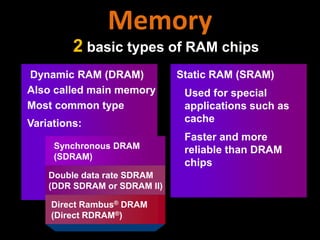
2 basic types of RAM chips
Dynamic RAM (DRAM)
Also called main memory
Most common type
Static RAM (SRAM)
Used for special
applications such as
cache
Faster and more
reliable than DRAM
chips
Synchronous DRAM
(SDRAM)
Double data rate SDRAM
(DDR SDRAM or SDRAM II)
Direct Rambus® DRAM
(Direct RDRAM®)
Variations:
Memory
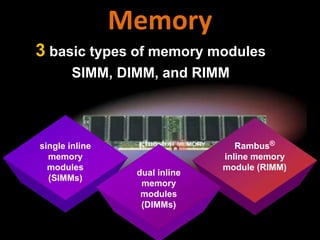
3 basic types of memory modules
SIMM, DIMM, and RIMM
single inline
memory
modules
(SIMMs)
Rambus®
inline memory
module (RIMM)
dual inline
memory
modules
(DIMMs)
Memory
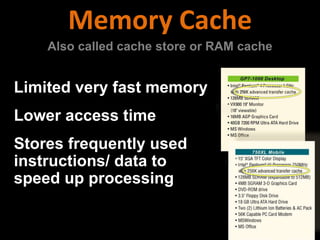
Limited very fast memory
Lower access time
Stores frequently used
instructions/ data to
speed up processing
Memory Cache
Also called cache store or RAM cache
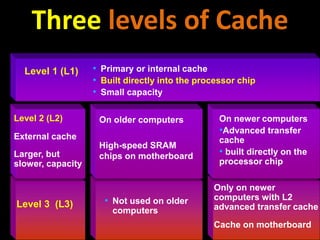
• Not used on older
computers
Level 3 (L3)
Only on newer
computers with L2
advanced transfer cache
Cache on motherboard
Level 2 (L2)
External cache
Larger, but
slower, capacity
On older computers
High-speed SRAM
chips on motherboard
On newer computers
•Advanced transfer
cache
• built directly on the
processor chip
• Primary or internal cache
• Built directly into the processor chip
• Small capacity
Level 1 (L1)
Three levels of Cache
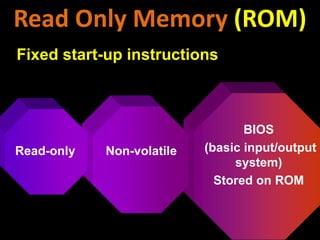
BIOS
(basic input/output
system)
Stored on ROM
Non-volatileRead-only
Read Only Memory (ROM)
Fixed start-up instructions
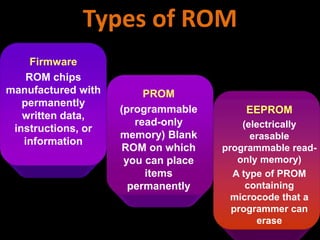
PROM
(programmable
read-only
memory) Blank
ROM on which
you can place
items
permanently
Firmware
ROM chips
manufactured with
permanently
written data,
instructions, or
information
EEPROM
(electrically
erasable
programmable read-
only memory)
A type of PROM
containing
microcode that a
programmer can
erase
Types of ROM
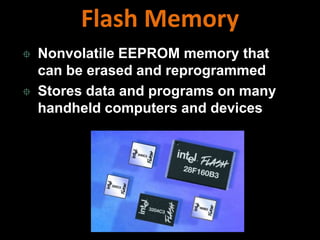
 Nonvolatile EEPROM memory that
can be erased and reprogrammed
 Stores data and programs on many
handheld computers and devices
Flash Memory
Complementary
metal-oxide
semiconductor
memory
Stores configuration
information about
the computer
• Disk drives
• Keyboard
• Monitor
• Time/ date
Uses a battery
to retain the
information
when the
computer is
turned off
CMOS Memory
Flexible start-up
instructions
What are the different
CPU Architectures
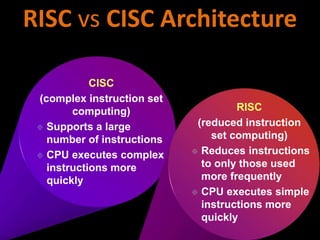
CISC
(complex instruction set
computing)
 Supports a large
number of instructions
 CPU executes complex
instructions more
quickly
RISC
(reduced instruction
set computing)
 Reduces instructions
to only those used
more frequently
 CPU executes simple
instructions more
quickly
RISC vs CISC Architecture
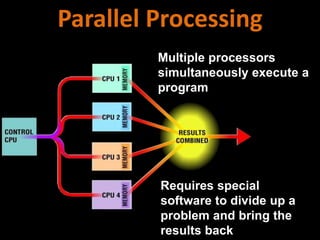
Multiple processors
simultaneously execute a
program
Requires special
software to divide up a
problem and bring the
results back
Parallel Processing
How can different CPUs be
compared
Clock Speed
MIPS
FLOPS
What factors affect CPU
speed
Registers
Cache Memory
System and I/O Bus
Computer’s Clock
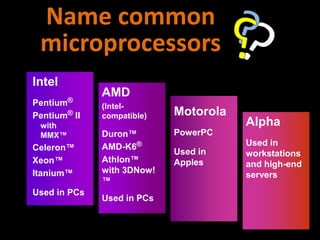
Name common
microprocessors
Intel
Pentium®
Pentium® II
with
MMX™
Celeron™
Xeon™
Itanium™
Used in PCs
AMD
(Intel-
compatible)
Duron™
AMD-K6®
Athlon™
with 3DNow!
™
Used in PCs
Motorola
PowerPC
Used in
Apples
Alpha
Used in
workstations
and high-end
servers
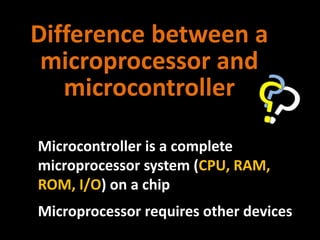
Difference between a
microprocessor and
microcontroller
Microcontroller is a complete
microprocessor system (CPU, RAM,
ROM, I/O) on a chip
Microprocessor requires other devices
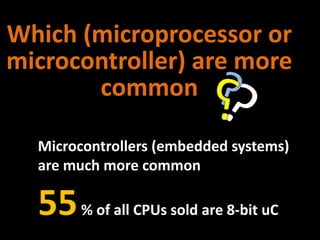
Which (microprocessor or
microcontroller) are more
common
Microcontrollers (embedded systems)
are much more common
55% of all CPUs sold are 8-bit uC
http://tinyurl.com/5hb8pp

Week3 v2 (1)

  • 1.
    Lecture 3 Data representationand processing Irfan Ali Memon Sukkur IBA
  • 3.
  • 4.
    Bits and bytes Binarydigits---bits A byte comprises of 8 bits and represents 1 character
  • 6.
    Text codes Converts lettersinto binary format Is there a need of a standard code ASCII (American English symbols) Extended ASCII (Graphics and other symbols) Unicode (All languages on the planet)
  • 8.
  • 9.
  • 10.
    Synchronizes all computeroperations Faster clock speed means the CPU can execute more instructions each second Units: MHz and GHz System Clock
  • 11.
    1. Instruction whilebeing decoded 2. Location from where instruction was fetched 3. Data while the ALU processes it 4. Results of a calculation CPU Registers Temporary storage location used by the CPU High speed memory in CPU that stores:
  • 12.
    4 basic operations: Fetch – obtain a program instruction or data item from memory  Decode - translate the instruction into commands  Execute - carry out the command  Store - write the result to memory Control Unit directs and coordinates most of the computer operations
  • 13.
    Arithmetic (addition, subtraction, multiplication, and division) Comparison (greaterthan, equal to, or less than) Logical (AND, OR, NOT) Arithmetic and Logic Unit
  • 14.
    CPU Control Unit Arithmetic/ LogicUnit (ALU) Arithmetic and Logic Unit Performs the execution part of the machine cycle
  • 15.
    4 operations ofthe CPU (control unit) comprise a machine cycle; also called an instruction cycle e-time i-time Machine Cycle Instruction time– time to fetch and decode Execution time– time to execute and store
  • 16.
    A student entersa math problem into the memory of the computer Step 1: The control unit fetches the math problem from memory Step 2: The control unit decodes the math problem and sends it to the ALU Step 3: The ALU executes the math problem Step 4: The results of the math problem are stored in memory The result in memory displays on the screen of the monitor Example
  • 17.
    Volatile Memory Loses itscontents when the computer's power is turned off volatile memory Loses its contents when the computer's power is turned off nonvolatile memory Does not lose its contents when the computer’s power is turned off Memory
  • 18.
    2 basic typesof RAM chips Dynamic RAM (DRAM) Also called main memory Most common type Static RAM (SRAM) Used for special applications such as cache Faster and more reliable than DRAM chips Synchronous DRAM (SDRAM) Double data rate SDRAM (DDR SDRAM or SDRAM II) Direct Rambus® DRAM (Direct RDRAM®) Variations: Memory
  • 19.
    3 basic typesof memory modules SIMM, DIMM, and RIMM single inline memory modules (SIMMs) Rambus® inline memory module (RIMM) dual inline memory modules (DIMMs) Memory
  • 20.
    Limited very fastmemory Lower access time Stores frequently used instructions/ data to speed up processing Memory Cache Also called cache store or RAM cache
  • 21.
    • Not usedon older computers Level 3 (L3) Only on newer computers with L2 advanced transfer cache Cache on motherboard Level 2 (L2) External cache Larger, but slower, capacity On older computers High-speed SRAM chips on motherboard On newer computers •Advanced transfer cache • built directly on the processor chip • Primary or internal cache • Built directly into the processor chip • Small capacity Level 1 (L1) Three levels of Cache
  • 22.
    BIOS (basic input/output system) Stored onROM Non-volatileRead-only Read Only Memory (ROM) Fixed start-up instructions
  • 23.
    PROM (programmable read-only memory) Blank ROM onwhich you can place items permanently Firmware ROM chips manufactured with permanently written data, instructions, or information EEPROM (electrically erasable programmable read- only memory) A type of PROM containing microcode that a programmer can erase Types of ROM
  • 24.
     Nonvolatile EEPROMmemory that can be erased and reprogrammed  Stores data and programs on many handheld computers and devices Flash Memory
  • 25.
    Complementary metal-oxide semiconductor memory Stores configuration information about thecomputer • Disk drives • Keyboard • Monitor • Time/ date Uses a battery to retain the information when the computer is turned off CMOS Memory Flexible start-up instructions
  • 26.
    What are thedifferent CPU Architectures
  • 27.
    CISC (complex instruction set computing) Supports a large number of instructions  CPU executes complex instructions more quickly RISC (reduced instruction set computing)  Reduces instructions to only those used more frequently  CPU executes simple instructions more quickly RISC vs CISC Architecture
  • 28.
    Multiple processors simultaneously executea program Requires special software to divide up a problem and bring the results back Parallel Processing
  • 29.
    How can differentCPUs be compared Clock Speed MIPS FLOPS
  • 30.
    What factors affectCPU speed Registers Cache Memory System and I/O Bus Computer’s Clock
  • 31.
    Name common microprocessors Intel Pentium® Pentium® II with MMX™ Celeron™ Xeon™ Itanium™ Usedin PCs AMD (Intel- compatible) Duron™ AMD-K6® Athlon™ with 3DNow! ™ Used in PCs Motorola PowerPC Used in Apples Alpha Used in workstations and high-end servers
  • 32.
    Difference between a microprocessorand microcontroller Microcontroller is a complete microprocessor system (CPU, RAM, ROM, I/O) on a chip Microprocessor requires other devices
  • 33.
    Which (microprocessor or microcontroller)are more common Microcontrollers (embedded systems) are much more common 55% of all CPUs sold are 8-bit uC
  • 35.