
VI
R
T
U
A
LI
S
A
TI
O
N
 Virtualization is a framework or methodology of dividing the
  resources of a computer into multiple execution environments,
 Done by applying one or more concepts or technologies such
  as:
 Hardware & software partitioning,
 Time-sharing,
 Partial or complete machine simulation,
 Emulation,
 Quality of service,
 And many others.
 “Virtualization is an abstraction layer that decouples the
  physical hardware from the operating system to deliver greater
  IT resource utilization & flexibility”.
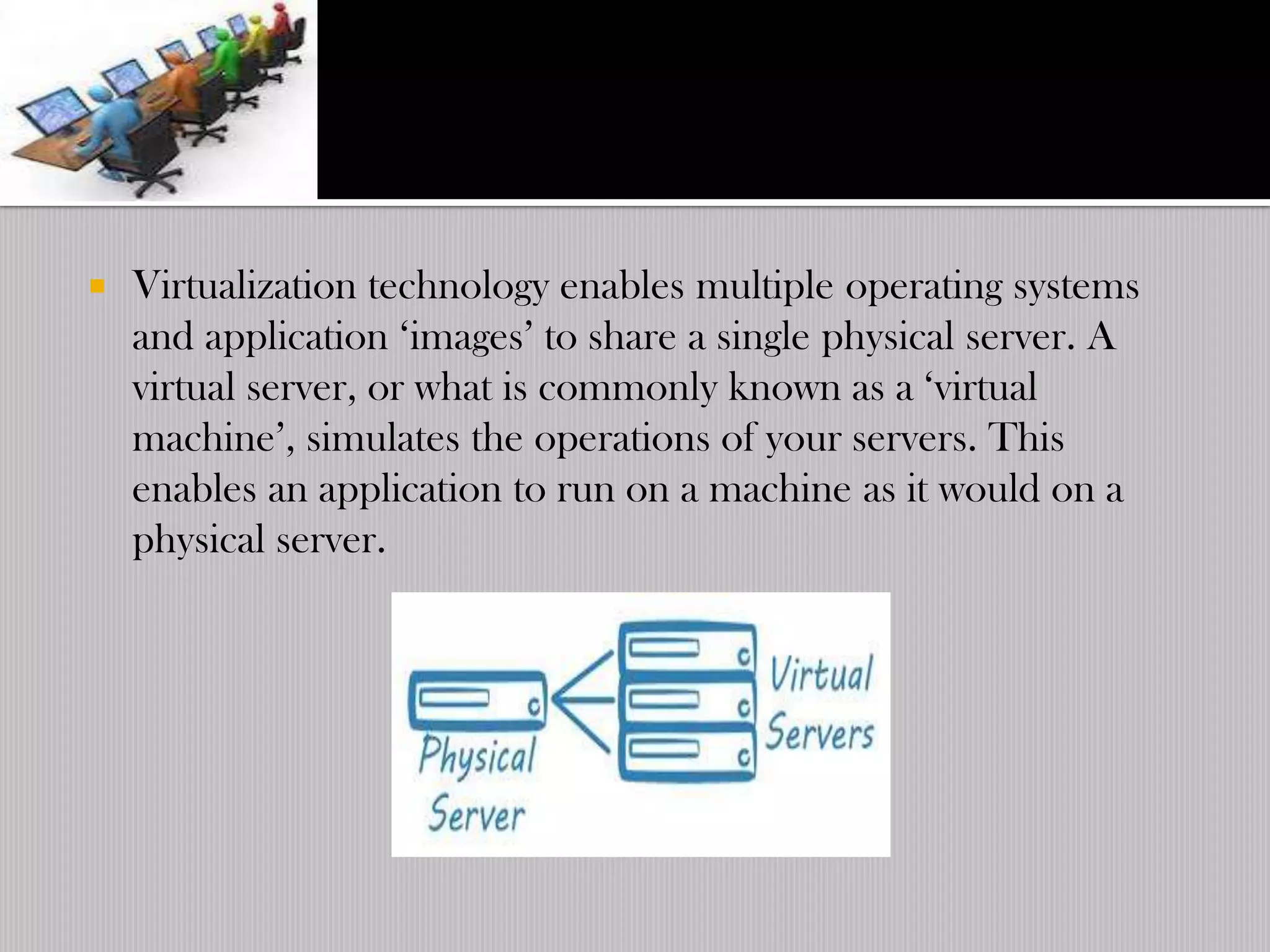
   Virtualization technology enables multiple operating systems
    and application „images‟ to share a single physical server. A
    virtual server, or what is commonly known as a „virtual
    machine‟, simulates the operations of your servers. This
    enables an application to run on a machine as it would on a
    physical server.
   Not a new concept
   1960‟s at IBM:
   M44/44X Project, the goal of which was being to evaluate the
    then emerging time sharing system concepts.
   The architecture was based on virtual machines: the main
    machine was an IBM 7044(M44) and each virtual machine was
    an experimental image of the main machine(44X).
   IBM & MIT headed research through the years & eventually
    developed the idea of a virtual Machine Monitor(VMM).
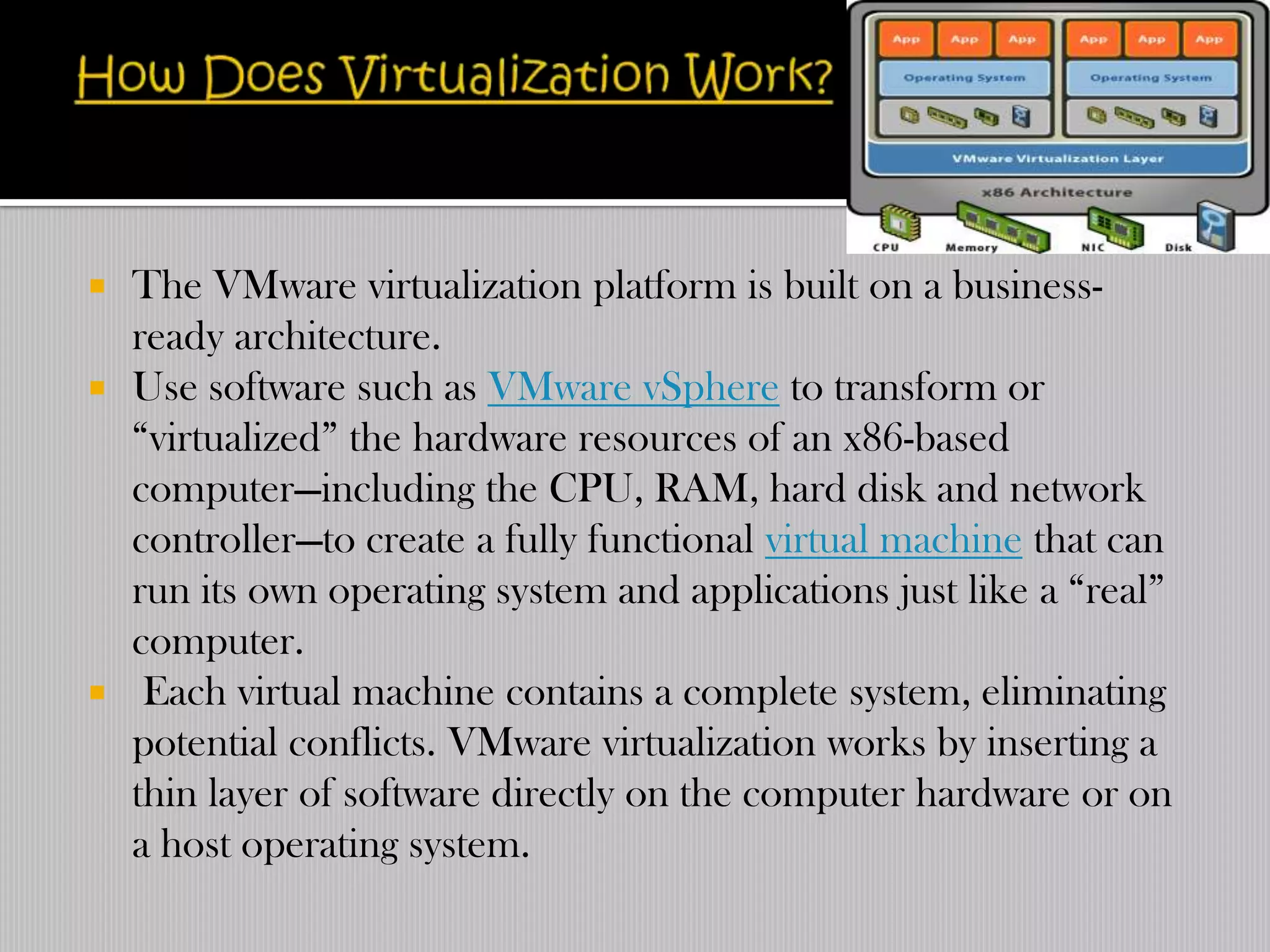
   The VMware virtualization platform is built on a business-
    ready architecture.
   Use software such as VMware vSphere to transform or
    “virtualized” the hardware resources of an x86-based
    computer—including the CPU, RAM, hard disk and network
    controller—to create a fully functional virtual machine that can
    run its own operating system and applications just like a “real”
    computer.
    Each virtual machine contains a complete system, eliminating
    potential conflicts. VMware virtualization works by inserting a
    thin layer of software directly on the computer hardware or on
    a host operating system.
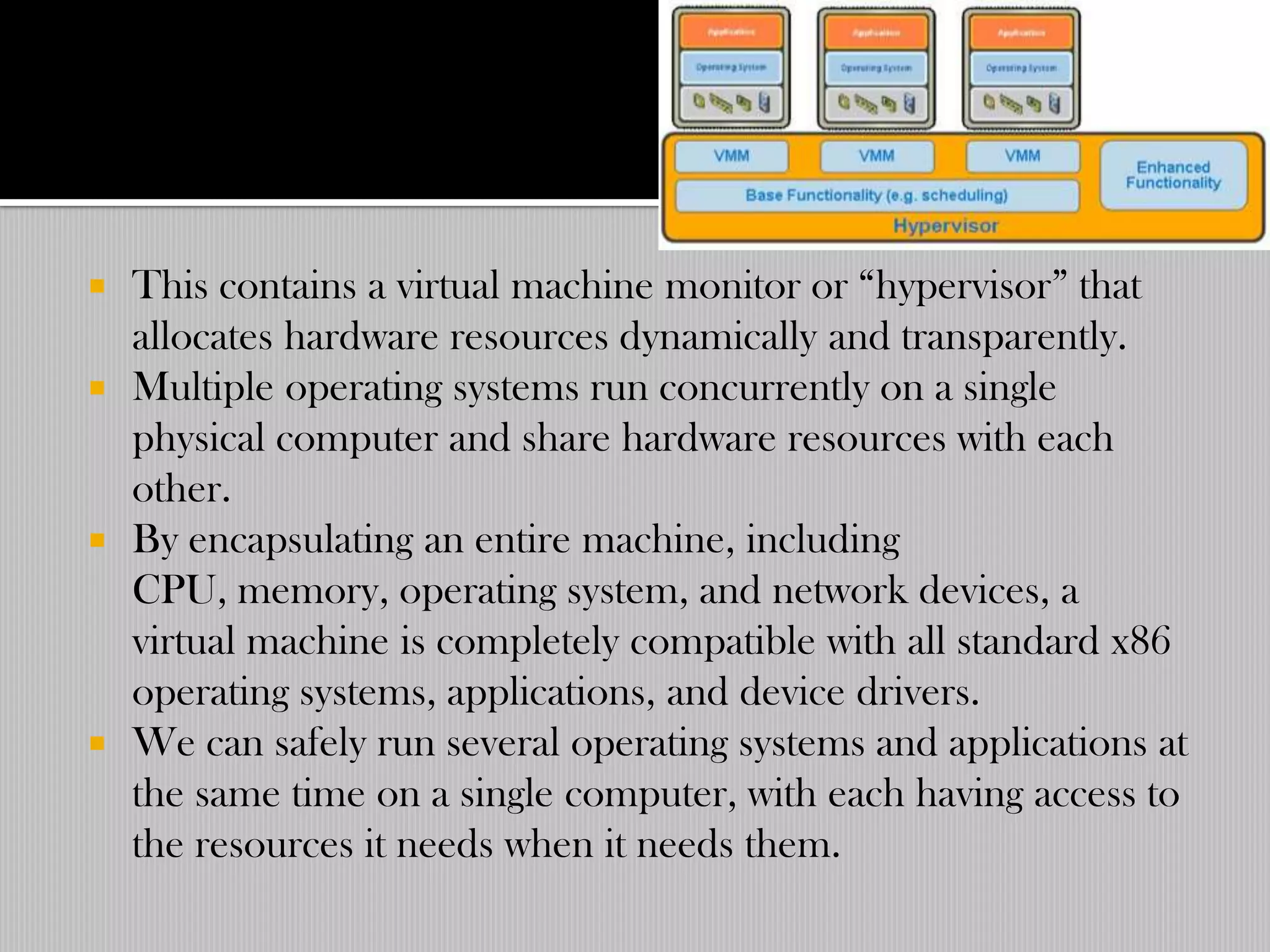
 This contains a virtual machine monitor or “hypervisor” that
  allocates hardware resources dynamically and transparently.
 Multiple operating systems run concurrently on a single
  physical computer and share hardware resources with each
  other.
 By encapsulating an entire machine, including
  CPU, memory, operating system, and network devices, a
  virtual machine is completely compatible with all standard x86
  operating systems, applications, and device drivers.
 We can safely run several operating systems and applications at
  the same time on a single computer, with each having access to
  the resources it needs when it needs them.
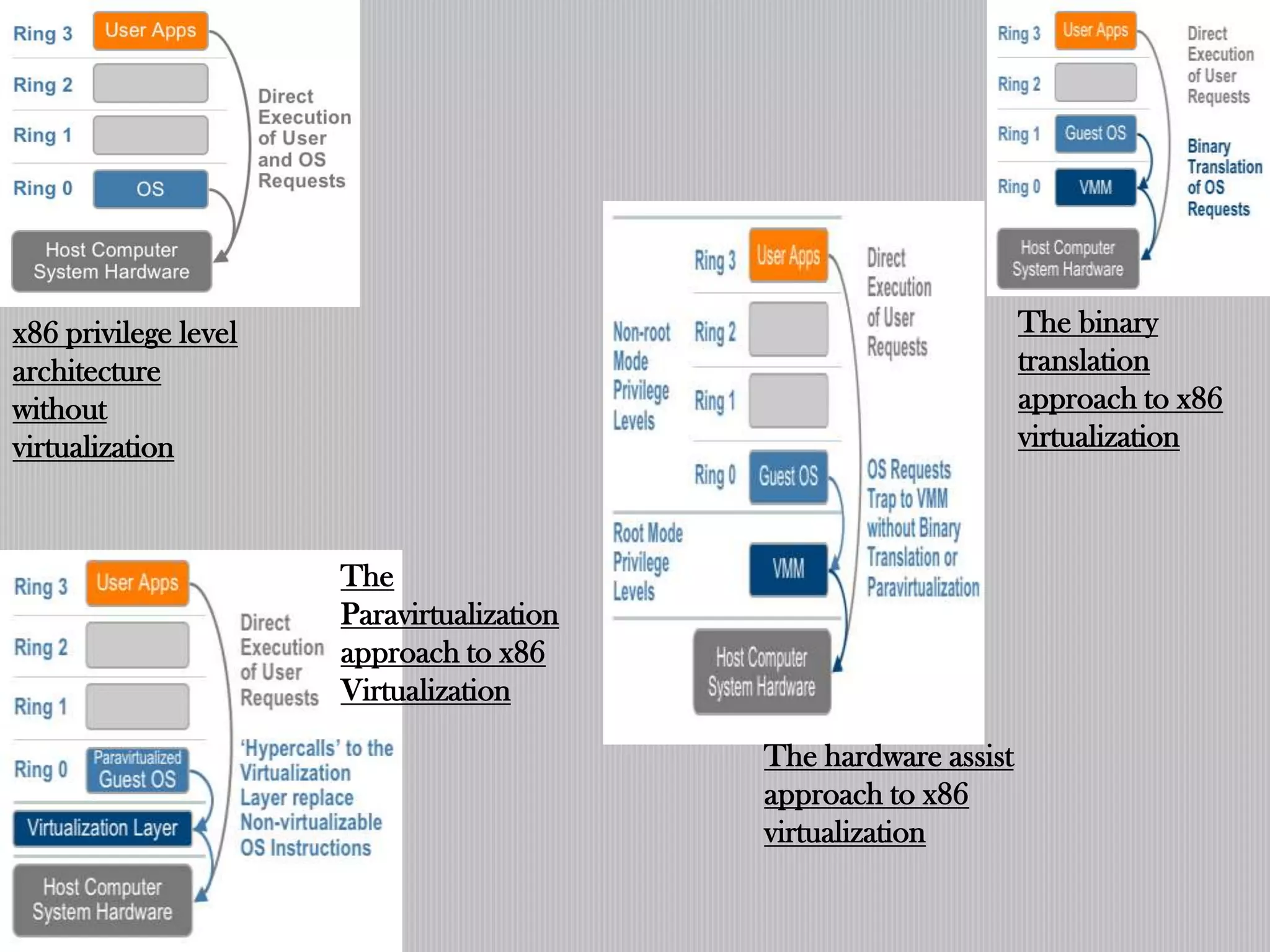
x86 privilege level                                              The binary
architecture                                                     translation
without                                                          approach to x86
virtualization                                                   virtualization


                      The
                      Paravirtualization
                      approach to x86
                      Virtualization

                                           The hardware assist
                                           approach to x86
                                           virtualization
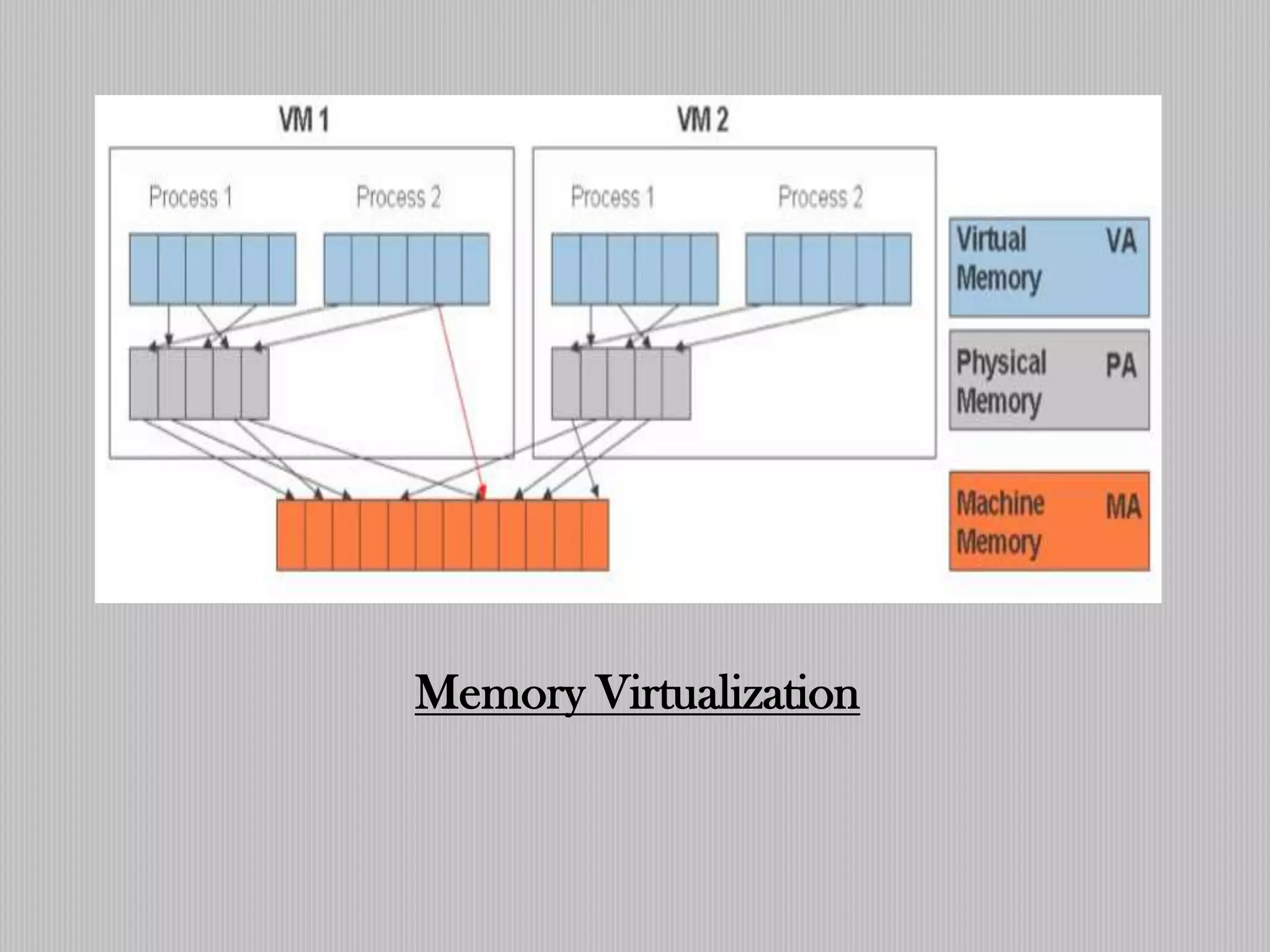
Memory Virtualization
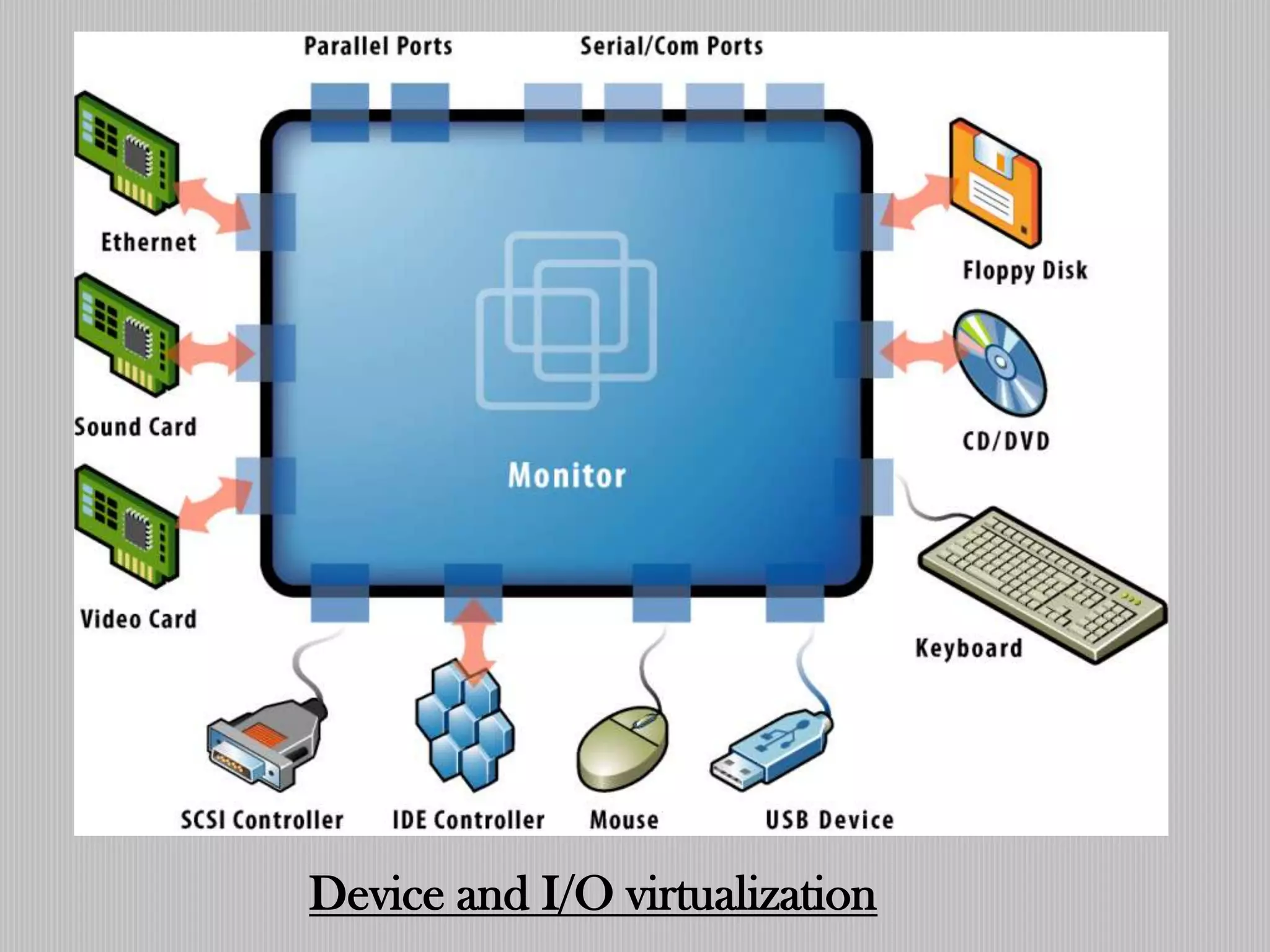
Device and I/O virtualization
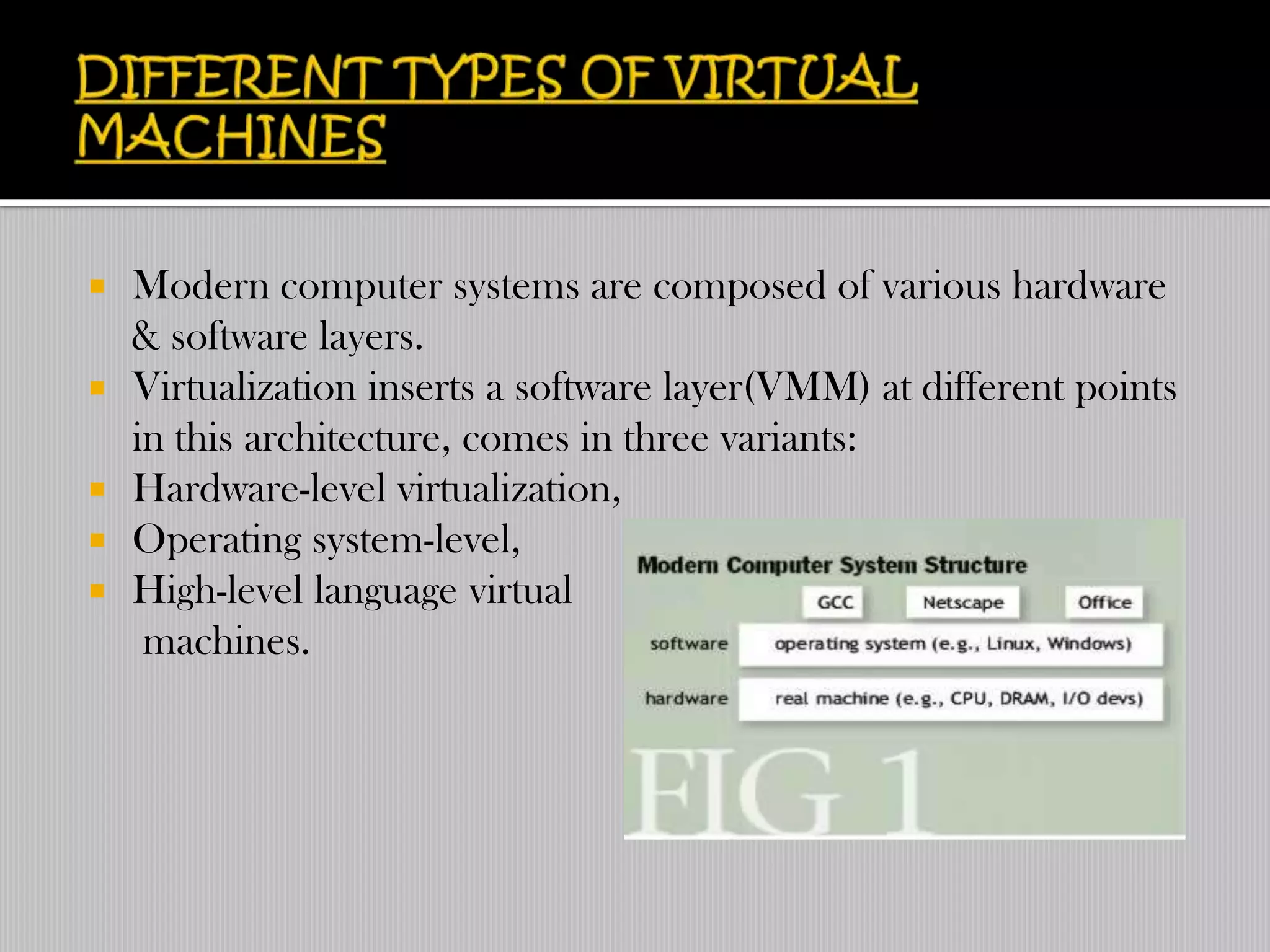
   Modern computer systems are composed of various hardware
    & software layers.
   Virtualization inserts a software layer(VMM) at different points
    in this architecture, comes in three variants:
   Hardware-level virtualization,
   Operating system-level,
   High-level language virtual
     machines.
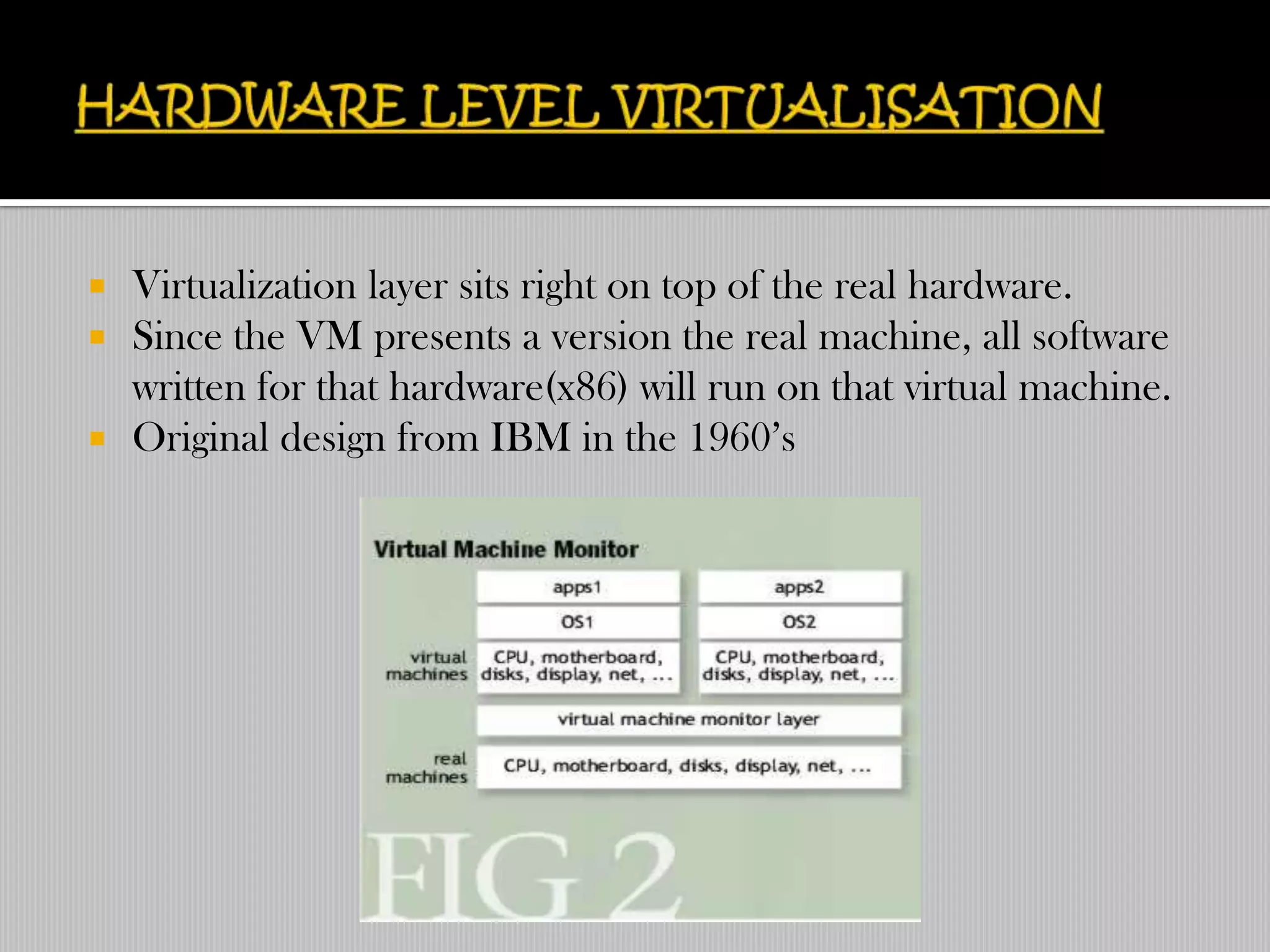
   Virtualization layer sits right on top of the real hardware.
   Since the VM presents a version the real machine, all software
    written for that hardware(x86) will run on that virtual machine.
   Original design from IBM in the 1960‟s
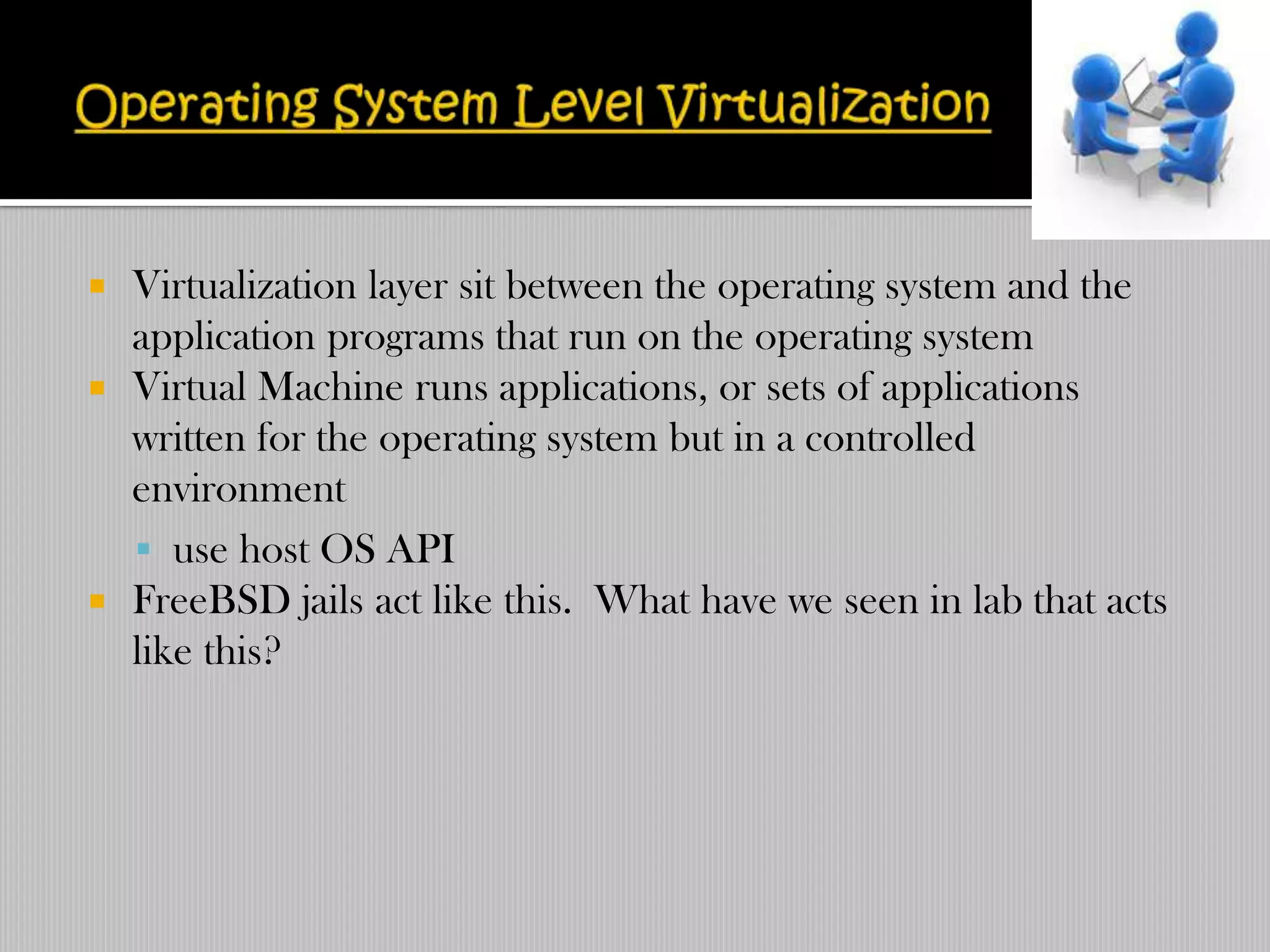
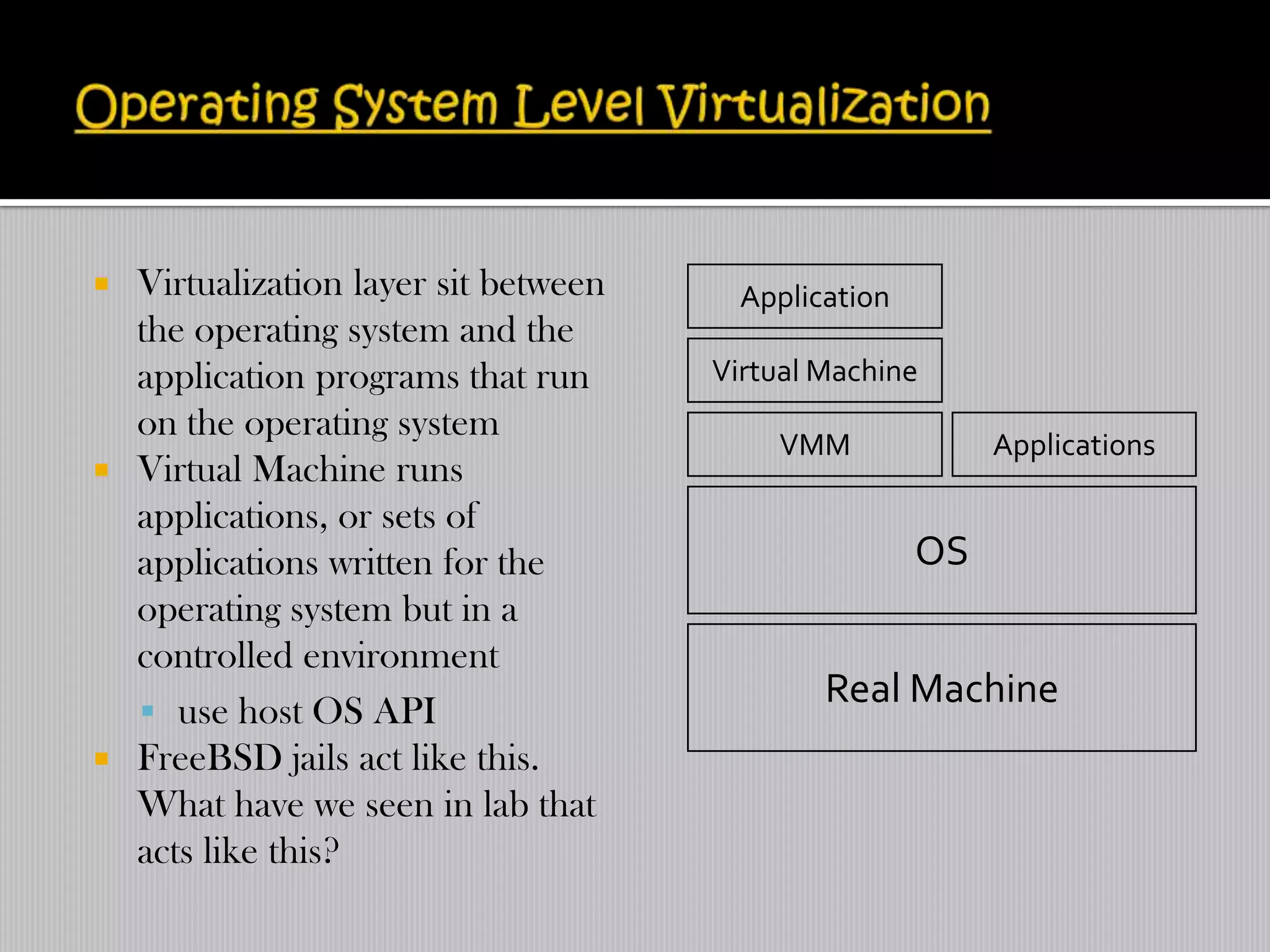
   Virtualization layer sit between the operating system and the
    application programs that run on the operating system
   Virtual Machine runs applications, or sets of applications
    written for the operating system but in a controlled
    environment
     use host OS API
   FreeBSD jails act like this. What have we seen in lab that acts
    like this?
 Virtualization layer sit between     Application
  the operating system and the
  application programs that run      Virtual Machine
  on the operating system
                                         VMM              Applications
 Virtual Machine runs
  applications, or sets of
  applications written for the                       OS
  operating system but in a
  controlled environment
                                             Real Machine
   use host OS API
 FreeBSD jails act like this.
  What have we seen in lab that
  acts like this?
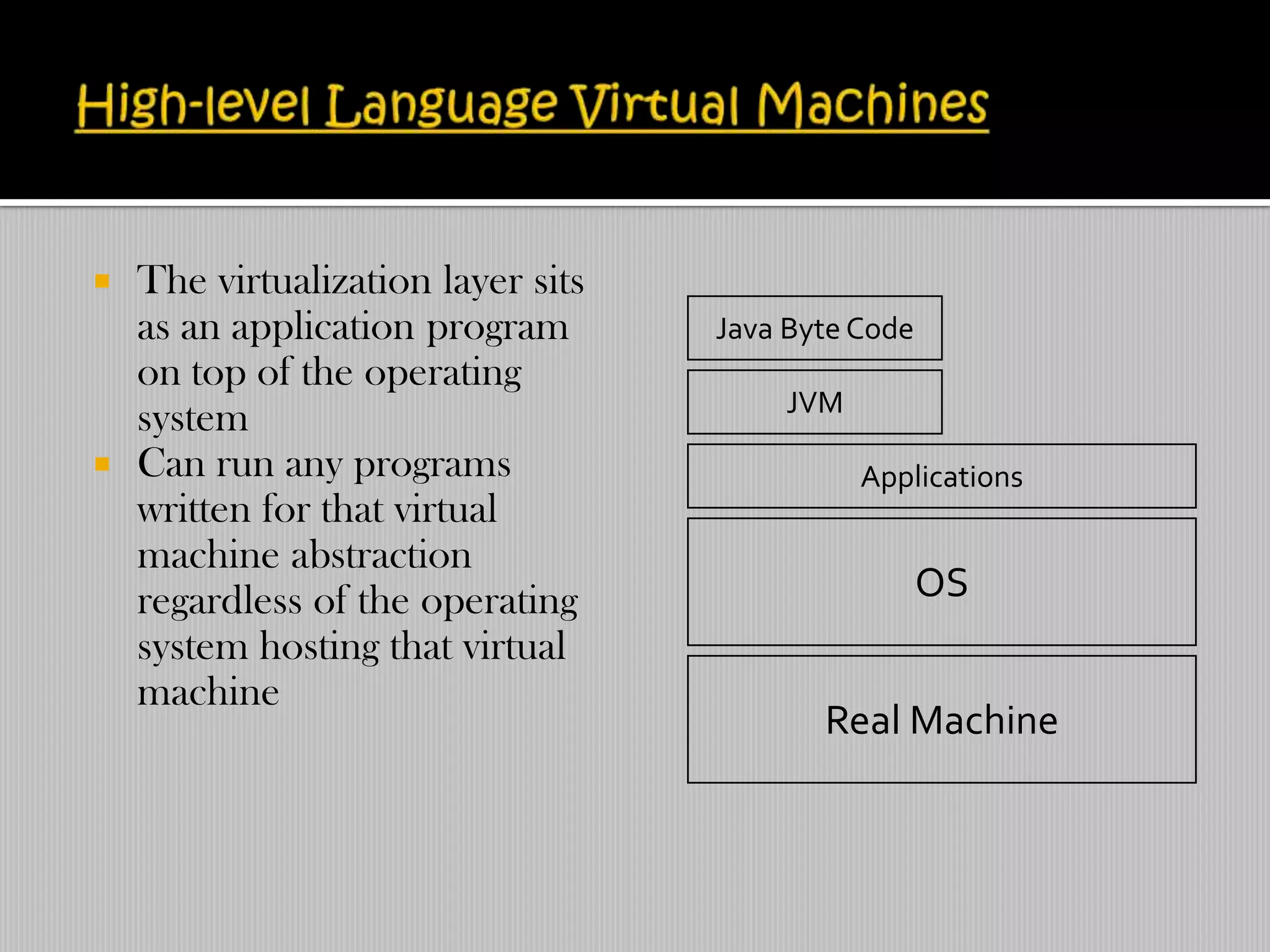
   The virtualization layer sits
    as an application program       Java Byte Code
    on top of the operating
                                        JVM
    system
   Can run any programs                      Applications
    written for that virtual
    machine abstraction
    regardless of the operating                      OS
    system hosting that virtual
    machine
                                           Real Machine
  It enables us to get the most out of our server hardware.
 It will allow us to set up redundant servers for better fault
  tolerance.
 Management is simplified.
 We can partition applications on separate OSes for greater
  reliability.
 Provisioning new servers for prototyping, testing and migration
  is simplified.
 We can save energy.
 Virtual Desktop Infrastructure can save us a fortune on PCs
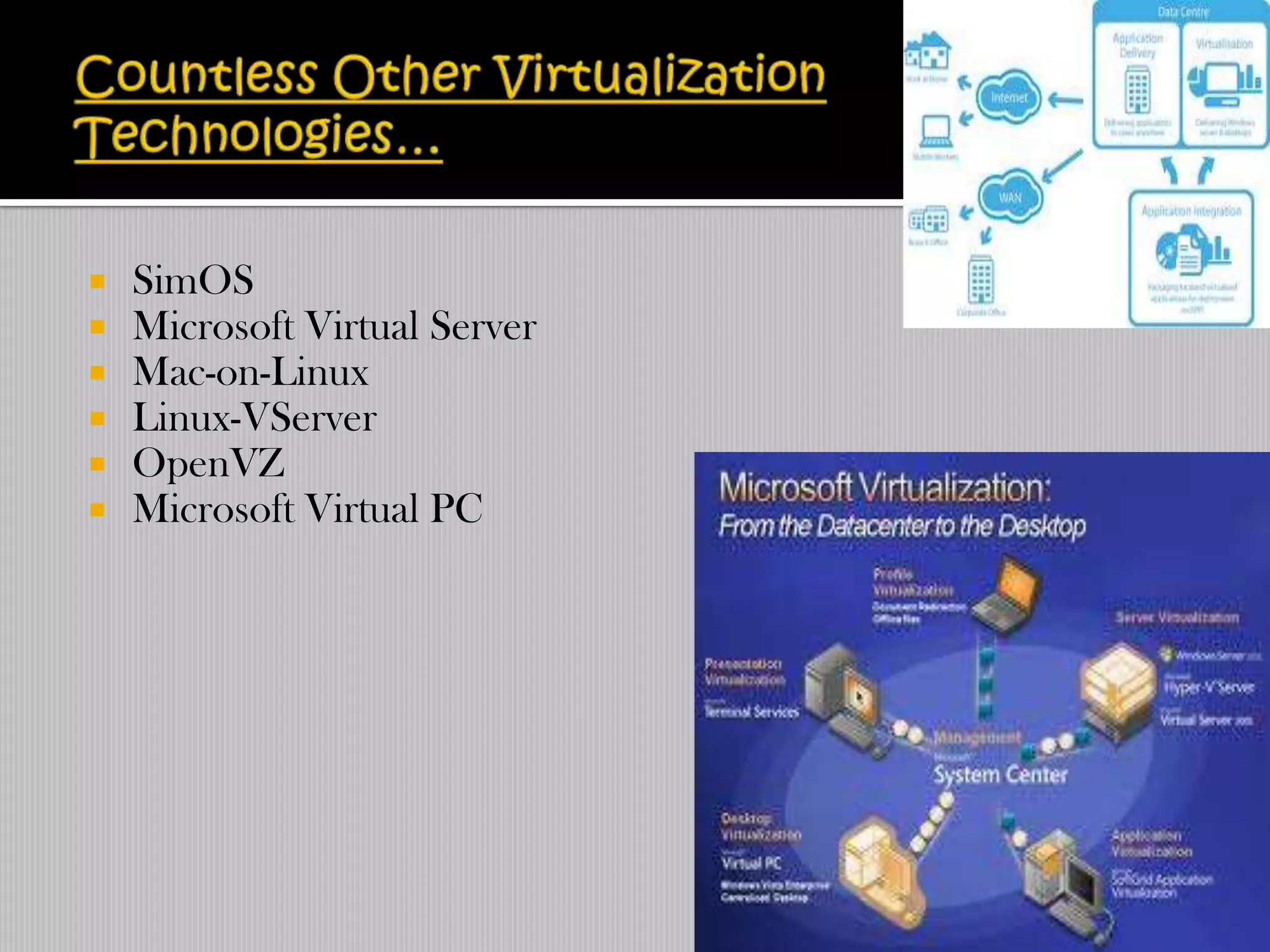
   SimOS
   Microsoft Virtual Server
   Mac-on-Linux
   Linux-VServer
   OpenVZ
   Microsoft Virtual PC
   Hardware companies have taken notice of virtualizations
    growing popularity and advantages
   Intel (called Virtualization Technology or VT-X Vander pool)
    and AMD (Pacifica) are releasing processors that have built in
    software virtualization support that try to eliminate emulation
    costs
   This support will allow Xen to support unmodified
    unprivileged OS‟s (hello Windows support)
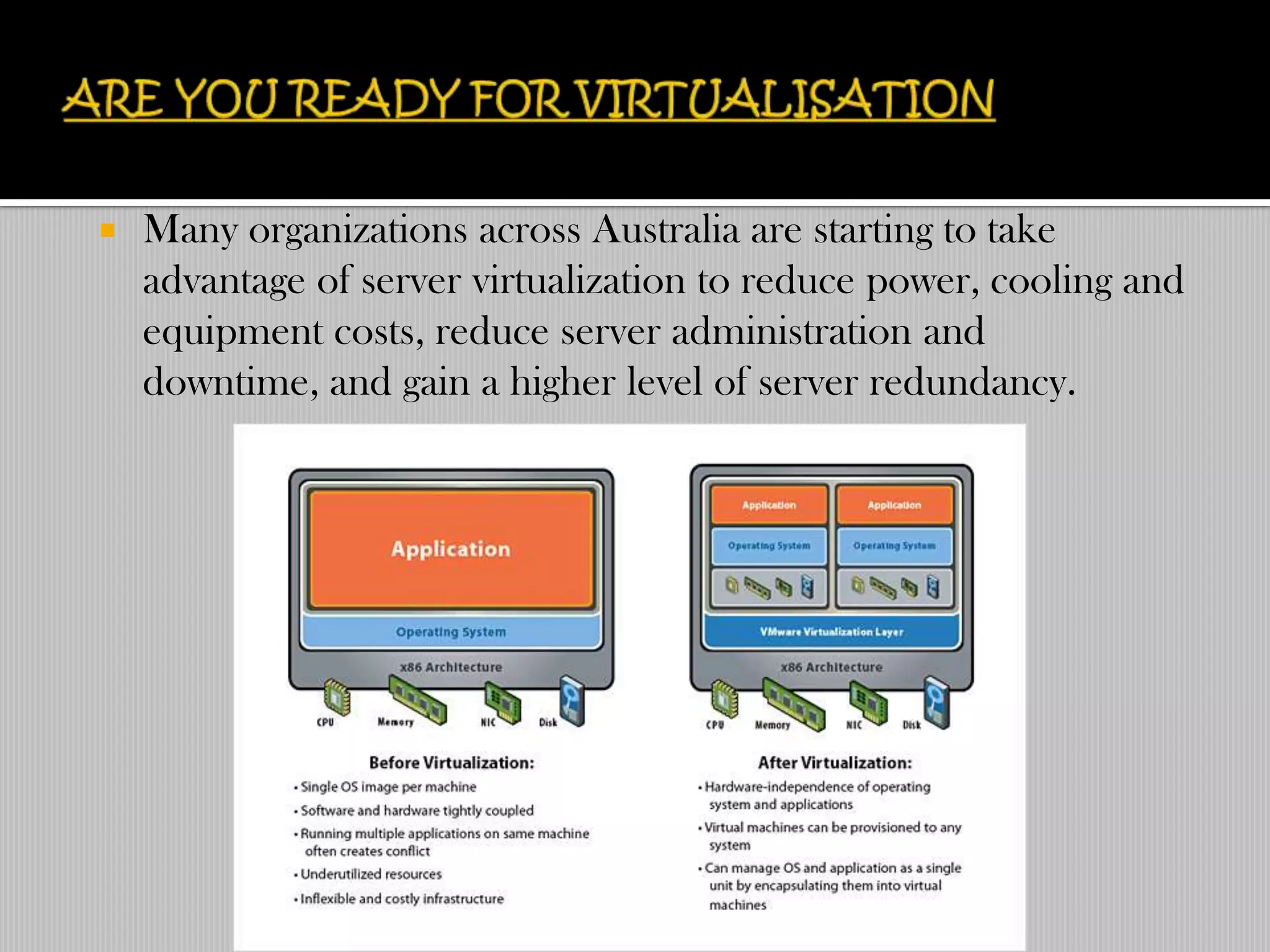
   Many organizations across Australia are starting to take
    advantage of server virtualization to reduce power, cooling and
    equipment costs, reduce server administration and
    downtime, and gain a higher level of server redundancy.
Vitualisation

Vitualisation

  • 1.
  • 2.
     Virtualization isa framework or methodology of dividing the resources of a computer into multiple execution environments,  Done by applying one or more concepts or technologies such as:  Hardware & software partitioning,  Time-sharing,  Partial or complete machine simulation,  Emulation,  Quality of service,  And many others.  “Virtualization is an abstraction layer that decouples the physical hardware from the operating system to deliver greater IT resource utilization & flexibility”.
  • 3.
    Virtualization technology enables multiple operating systems and application „images‟ to share a single physical server. A virtual server, or what is commonly known as a „virtual machine‟, simulates the operations of your servers. This enables an application to run on a machine as it would on a physical server.
  • 4.
    Not a new concept  1960‟s at IBM:  M44/44X Project, the goal of which was being to evaluate the then emerging time sharing system concepts.  The architecture was based on virtual machines: the main machine was an IBM 7044(M44) and each virtual machine was an experimental image of the main machine(44X).  IBM & MIT headed research through the years & eventually developed the idea of a virtual Machine Monitor(VMM).
  • 5.
    The VMware virtualization platform is built on a business- ready architecture.  Use software such as VMware vSphere to transform or “virtualized” the hardware resources of an x86-based computer—including the CPU, RAM, hard disk and network controller—to create a fully functional virtual machine that can run its own operating system and applications just like a “real” computer.  Each virtual machine contains a complete system, eliminating potential conflicts. VMware virtualization works by inserting a thin layer of software directly on the computer hardware or on a host operating system.
  • 6.
     This containsa virtual machine monitor or “hypervisor” that allocates hardware resources dynamically and transparently.  Multiple operating systems run concurrently on a single physical computer and share hardware resources with each other.  By encapsulating an entire machine, including CPU, memory, operating system, and network devices, a virtual machine is completely compatible with all standard x86 operating systems, applications, and device drivers.  We can safely run several operating systems and applications at the same time on a single computer, with each having access to the resources it needs when it needs them.
  • 7.
    x86 privilege level The binary architecture translation without approach to x86 virtualization virtualization The Paravirtualization approach to x86 Virtualization The hardware assist approach to x86 virtualization
  • 8.
  • 9.
    Device and I/Ovirtualization
  • 10.
    Modern computer systems are composed of various hardware & software layers.  Virtualization inserts a software layer(VMM) at different points in this architecture, comes in three variants:  Hardware-level virtualization,  Operating system-level,  High-level language virtual machines.
  • 11.
    Virtualization layer sits right on top of the real hardware.  Since the VM presents a version the real machine, all software written for that hardware(x86) will run on that virtual machine.  Original design from IBM in the 1960‟s
  • 12.
    Virtualization layer sit between the operating system and the application programs that run on the operating system  Virtual Machine runs applications, or sets of applications written for the operating system but in a controlled environment  use host OS API  FreeBSD jails act like this. What have we seen in lab that acts like this?
  • 13.
     Virtualization layersit between Application the operating system and the application programs that run Virtual Machine on the operating system VMM Applications  Virtual Machine runs applications, or sets of applications written for the OS operating system but in a controlled environment Real Machine  use host OS API  FreeBSD jails act like this. What have we seen in lab that acts like this?
  • 14.
    The virtualization layer sits as an application program Java Byte Code on top of the operating JVM system  Can run any programs Applications written for that virtual machine abstraction regardless of the operating OS system hosting that virtual machine Real Machine
  • 15.
     Itenables us to get the most out of our server hardware.  It will allow us to set up redundant servers for better fault tolerance.  Management is simplified.  We can partition applications on separate OSes for greater reliability.  Provisioning new servers for prototyping, testing and migration is simplified.  We can save energy.  Virtual Desktop Infrastructure can save us a fortune on PCs
  • 16.
    SimOS  Microsoft Virtual Server  Mac-on-Linux  Linux-VServer  OpenVZ  Microsoft Virtual PC
  • 17.
    Hardware companies have taken notice of virtualizations growing popularity and advantages  Intel (called Virtualization Technology or VT-X Vander pool) and AMD (Pacifica) are releasing processors that have built in software virtualization support that try to eliminate emulation costs  This support will allow Xen to support unmodified unprivileged OS‟s (hello Windows support)
  • 18.
    Many organizations across Australia are starting to take advantage of server virtualization to reduce power, cooling and equipment costs, reduce server administration and downtime, and gain a higher level of server redundancy.