Visualizing Model Selection
with Scikit-Yellowbrick
An Introduction to Developing Visualizers
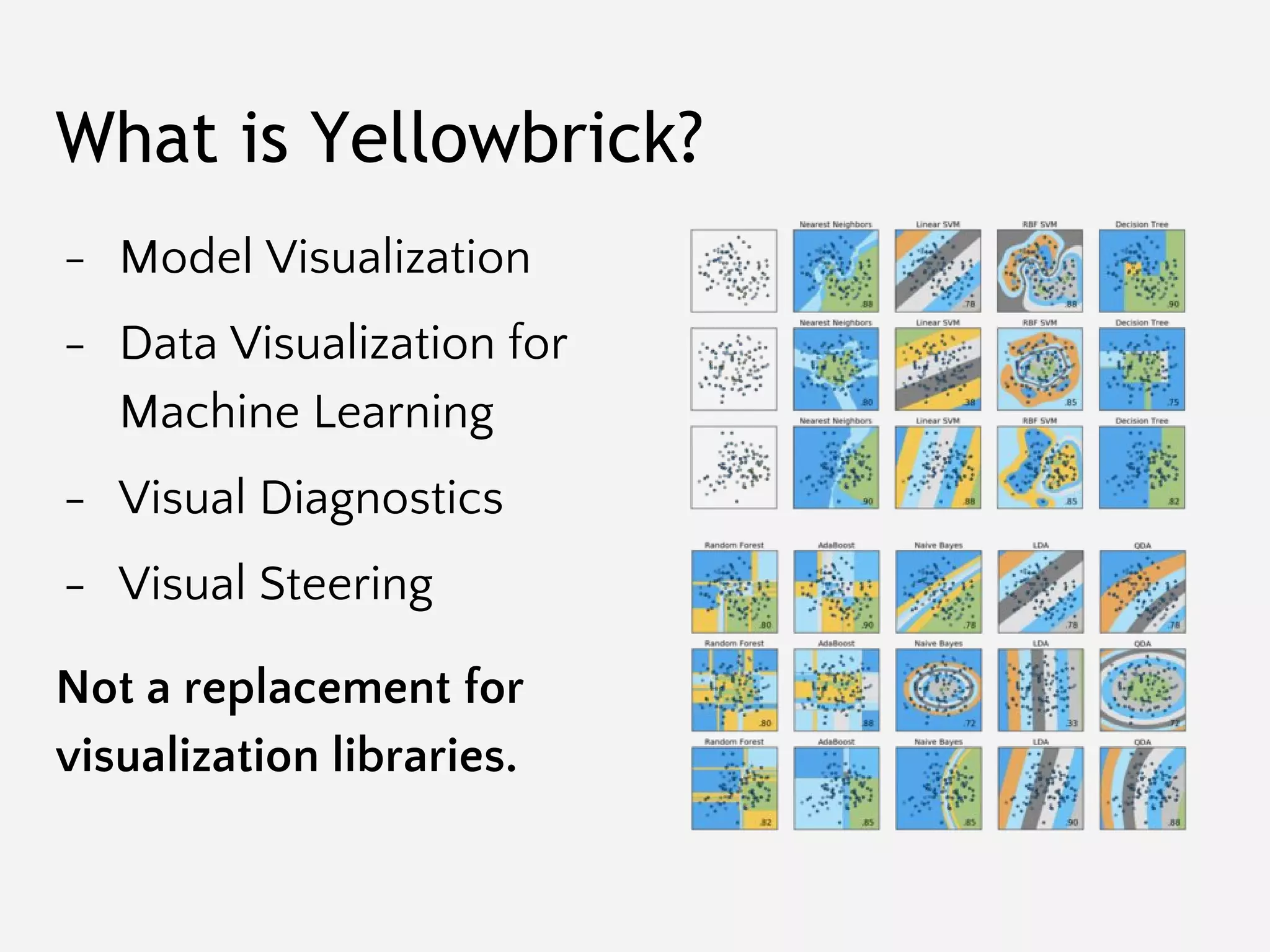
What is Yellowbrick?
- Model Visualization
- Data Visualization for
Machine Learning
- Visual Diagnostics
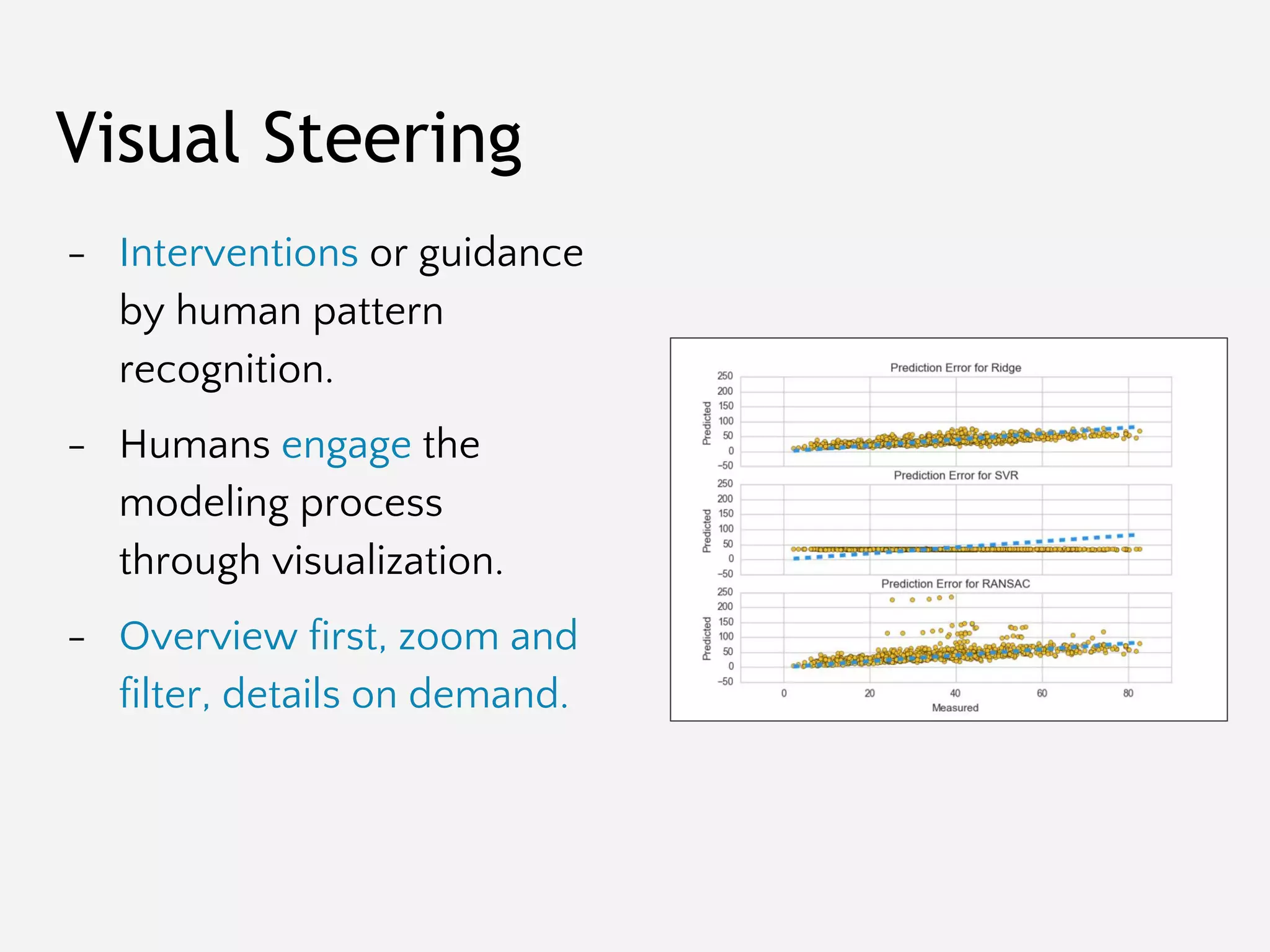
- Visual Steering
Not a replacement for
visualization libraries.
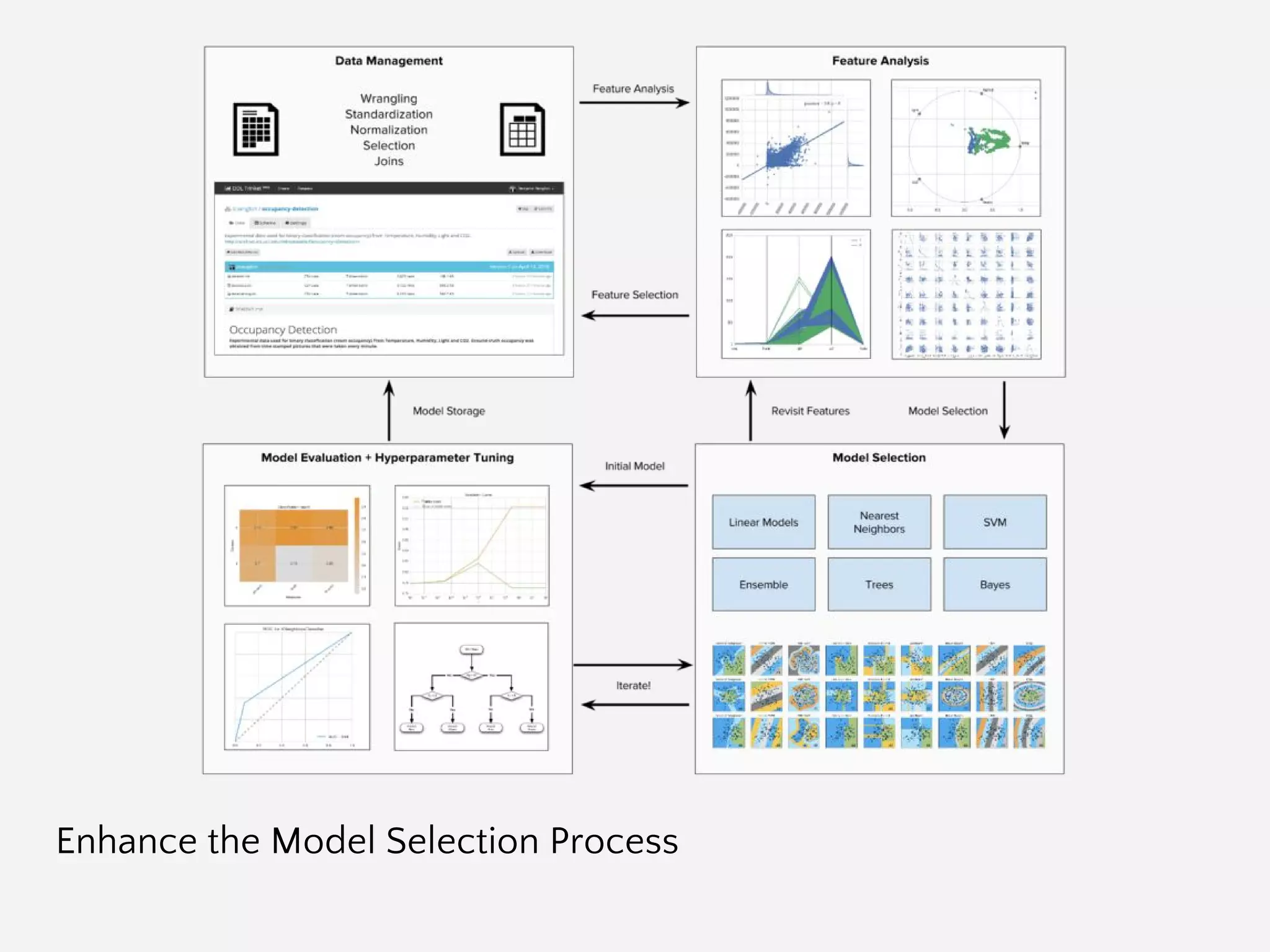
Enhance the Model Selection Process
The Model Selection Process
The Model Selection Triple
Arun Kumar http://bit.ly/2abVNrI
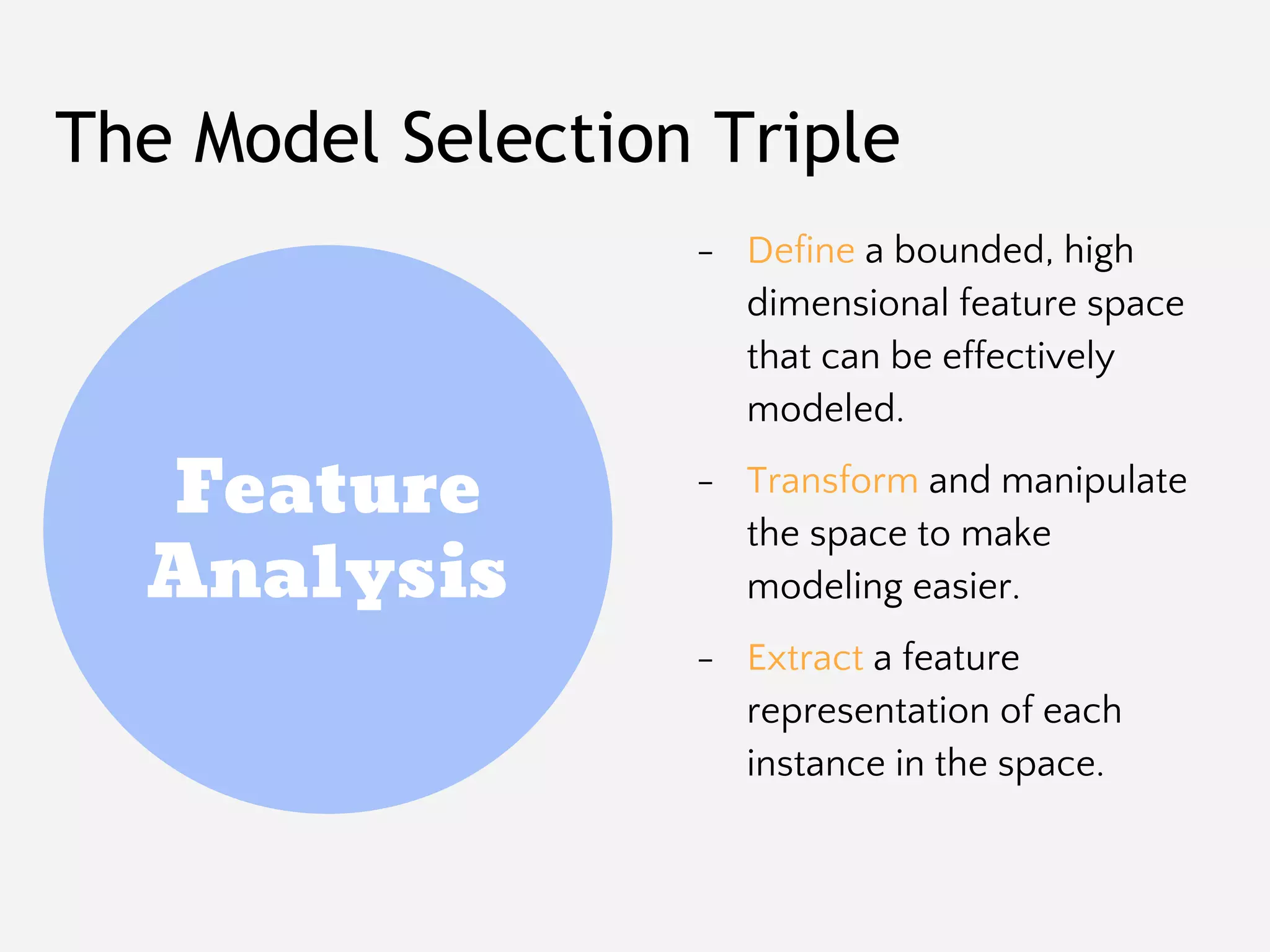
Feature
Analysis
Algorithm
Selection
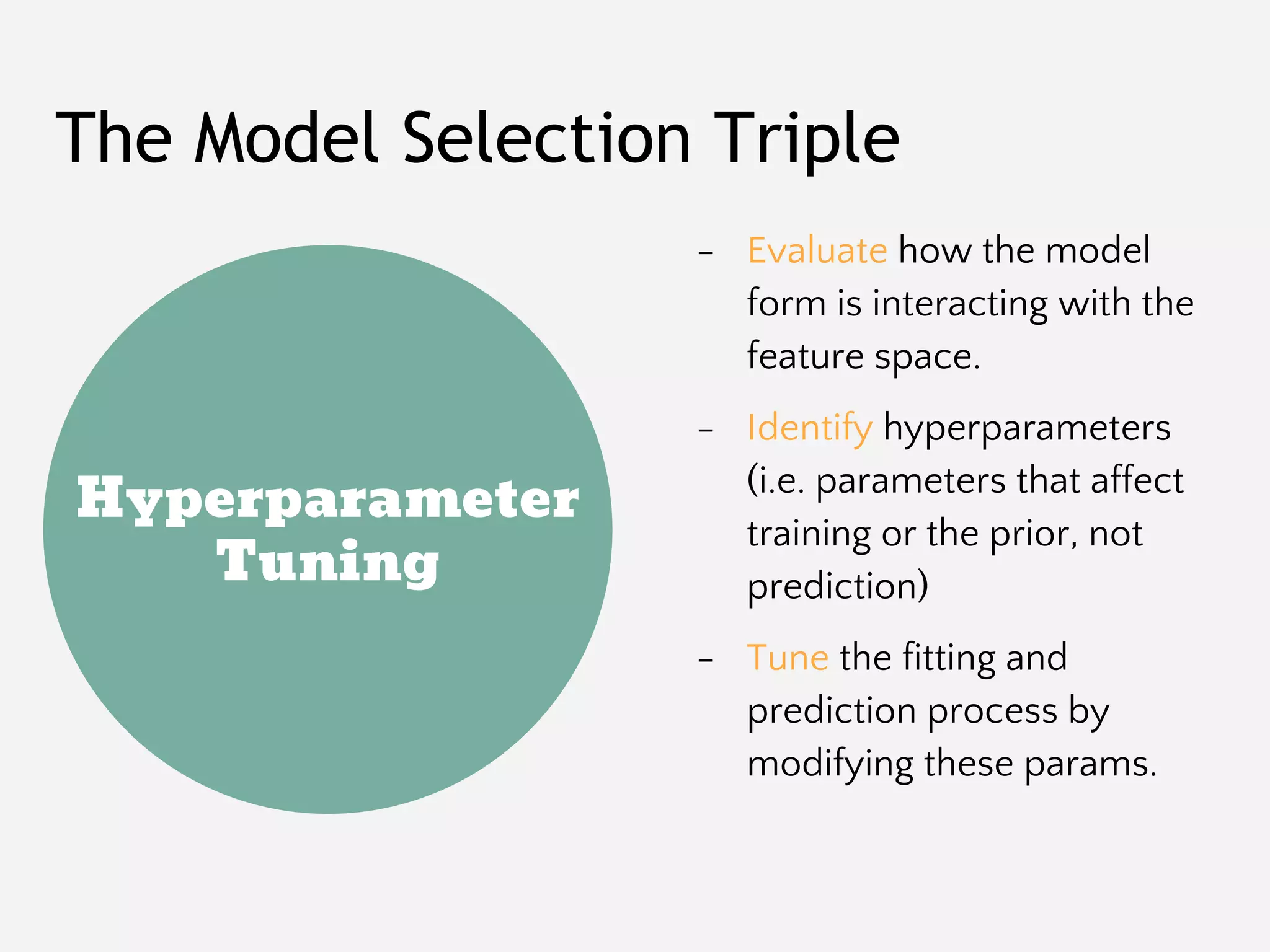
Hyperparameter
Tuning
The Model Selection Triple
- Define a bounded, high
dimensional feature space
that can be effectively
modeled.
- Transform and manipulate
the space to make
modeling easier.
- Extract a feature
representation of each
instance in the space.
Feature
Analysis
Algorithm
Selection
The Model Selection Triple
- Select a model family that
best/correctly defines the
relationship between the
variables of interest.
- Define a model form that
specifies exactly how
features interact to make a
prediction.
- Train a fitted model by
optimizing internal
parameters to the data.
Hyperparameter
Tuning
The Model Selection Triple
- Evaluate how the model
form is interacting with the
feature space.
- Identify hyperparameters
(i.e. parameters that affect
training or the prior, not
prediction)
- Tune the fitting and
prediction process by
modifying these params.
Automatic Model Selection Criteria
from sklearn.cross_validation import KFold
kfolds = KFold(n=len(X), n_folds=12)
scores = [
model.fit(
X[train], y[train]
).score(
X[test], y[test]
)
for train, test in kfolds
]
F1
R2
Try Them All!
from sklearn.svm import SVC
from sklearn.neighbors import KNeighborsClassifier
from sklearn.ensemble import RandomForestClassifier
from sklearn.ensemble import AdaBoostClassifier
from sklearn.naive_bayes import GaussianNB
from sklearn import cross_validation as cv
classifiers = [
KNeighborsClassifier(5),
SVC(kernel="linear", C=0.025),
RandomForestClassifier(max_depth=5),
AdaBoostClassifier(),
GaussianNB(),
]
kfold = cv.KFold(len(X), n_folds=12)
max([
cv.cross_val_score(model, X, y, cv=kfold).mean
for model in classifiers
])
Search Hyperparameter Space
from sklearn.feature_extraction.text import *
from sklearn.linear_model import SGDClassifier
from sklearn.grid_search import GridSearchCV
from sklearn.pipeline import Pipeline
pipeline = Pipeline([
('vect', CountVectorizer()),
('tfidf', TfidfTransformer()),
('model', SGDClassifier()),
])
parameters = {
'vect__max_df': (0.5, 0.75, 1.0),
'vect__max_features': (None, 5000, 10000),
'tfidf__use_idf': (True, False),
'tfidf__norm': ('l1', 'l2'),
'model__alpha': (0.00001, 0.000001),
'model__penalty': ('l2', 'elasticnet'),
}
search = GridSearchCV(pipeline, parameters)
search.fit(X, y)
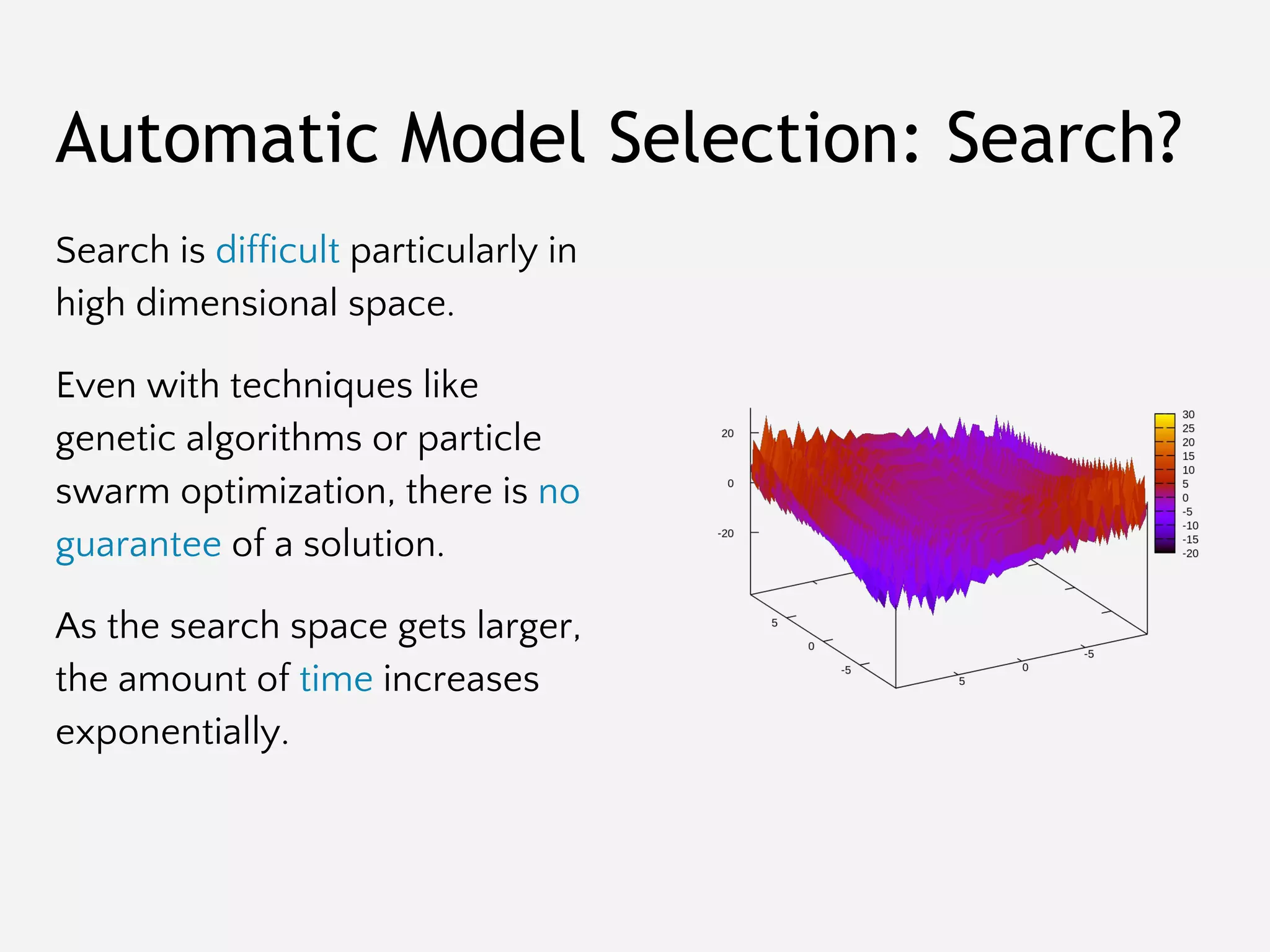
Automatic Model Selection: Search?
Search is difficult particularly in
high dimensional space.
Even with techniques like
genetic algorithms or particle
swarm optimization, there is no
guarantee of a solution.
As the search space gets larger,
the amount of time increases
exponentially.
Visual Steering
Improves Model
Selection to Reach
Better Models, Faster
Visual Steering
- Interventions or guidance
by human pattern
recognition.
- Humans engage the
modeling process
through visualization.
- Overview first, zoom and
filter, details on demand.
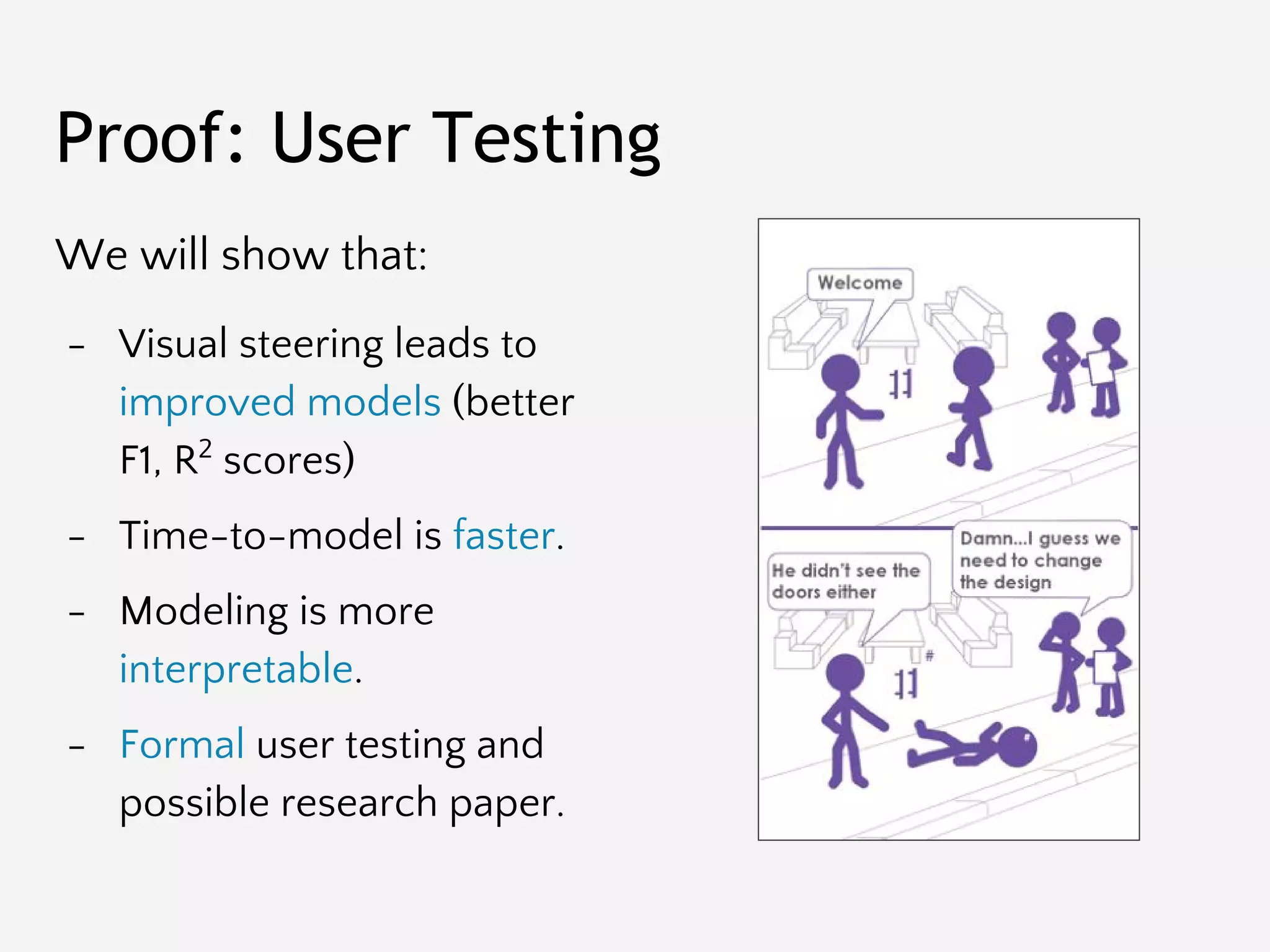
We will show that:
- Visual steering leads to
improved models (better
F1, R2
scores)
- Time-to-model is faster.
- Modeling is more
interpretable.
- Formal user testing and
possible research paper.
Proof: User Testing
Yellowbrick Extends the Scikit-Learn API
The trick: combine functional/procedural
matplotlib + object-oriented Scikit-Learn.
Yellowbrick
Estimators
The main API implemented
by Scikit-Learn is that of the
estimator. An estimator is
any object that learns from
data;
it may be a classification,
regression or clustering
algorithm, or a transformer
that extracts/filters useful
features from raw data.
class Estimator(object):
def fit(self, X, y=None):
"""
Fits estimator to data.
"""
# set state of self
return self
def predict(self, X):
"""
Predict response of X
"""
# compute predictions pred
return pred
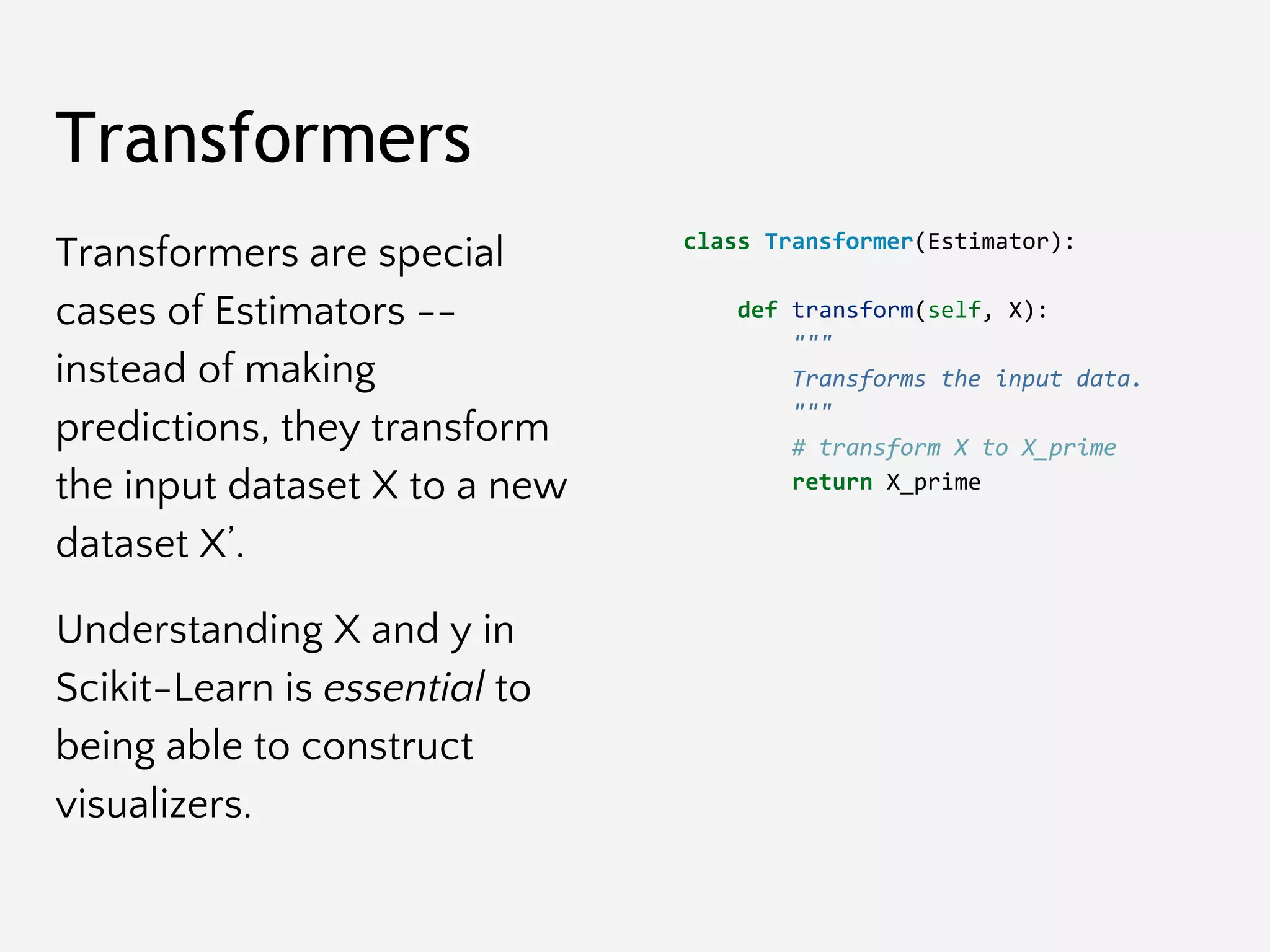
Transformers
Transformers are special
cases of Estimators --
instead of making
predictions, they transform
the input dataset X to a new
dataset X’.
Understanding X and y in
Scikit-Learn is essential to
being able to construct
visualizers.
class Transformer(Estimator):
def transform(self, X):
"""
Transforms the input data.
"""
# transform X to X_prime
return X_prime
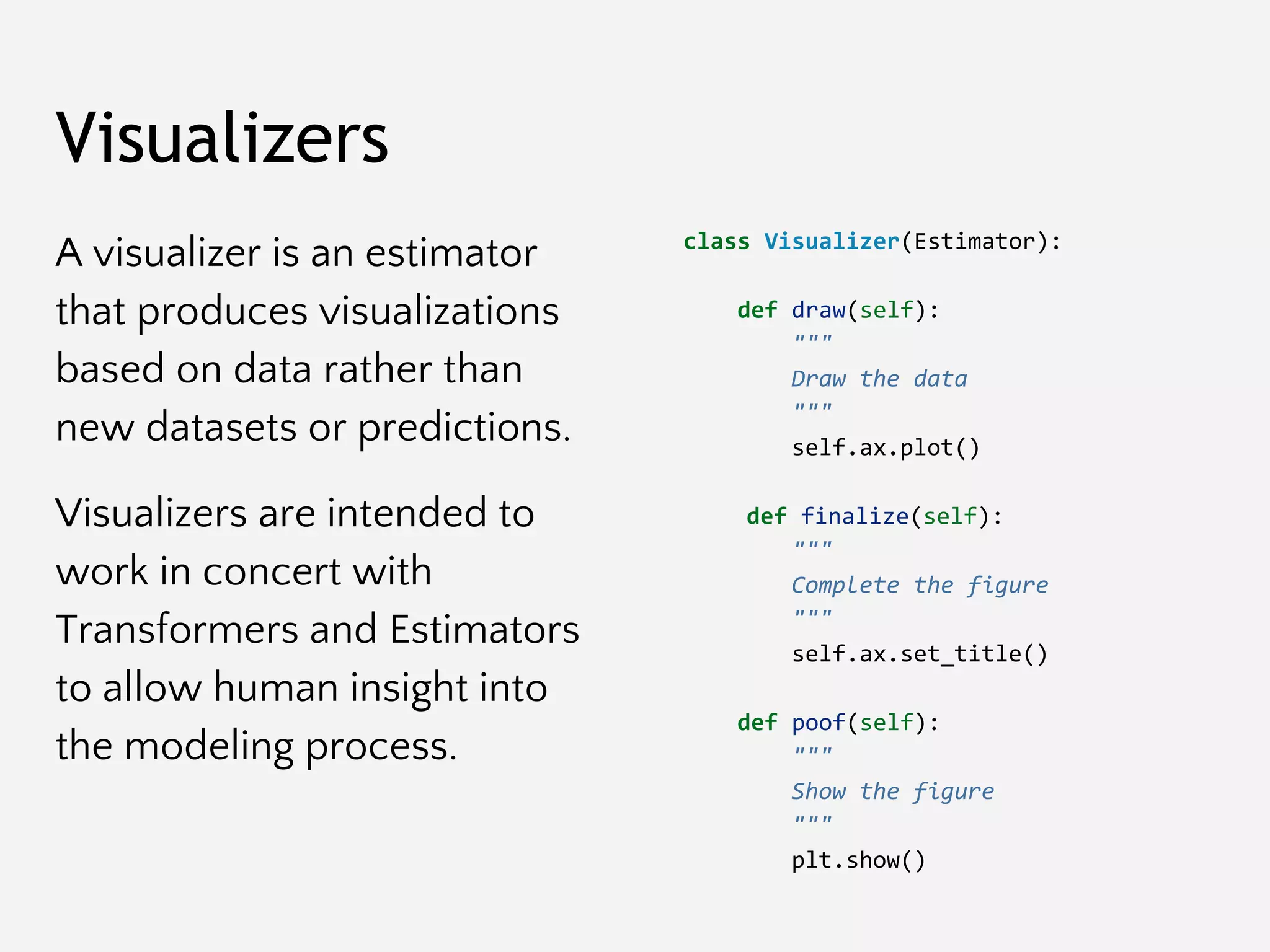
Visualizers
A visualizer is an estimator
that produces visualizations
based on data rather than
new datasets or predictions.
Visualizers are intended to
work in concert with
Transformers and Estimators
to allow human insight into
the modeling process.
class Visualizer(Estimator):
def draw(self):
"""
Draw the data
"""
self.ax.plot()
def finalize(self):
"""
Complete the figure
"""
self.ax.set_title()
def poof(self):
"""
Show the figure
"""
plt.show()
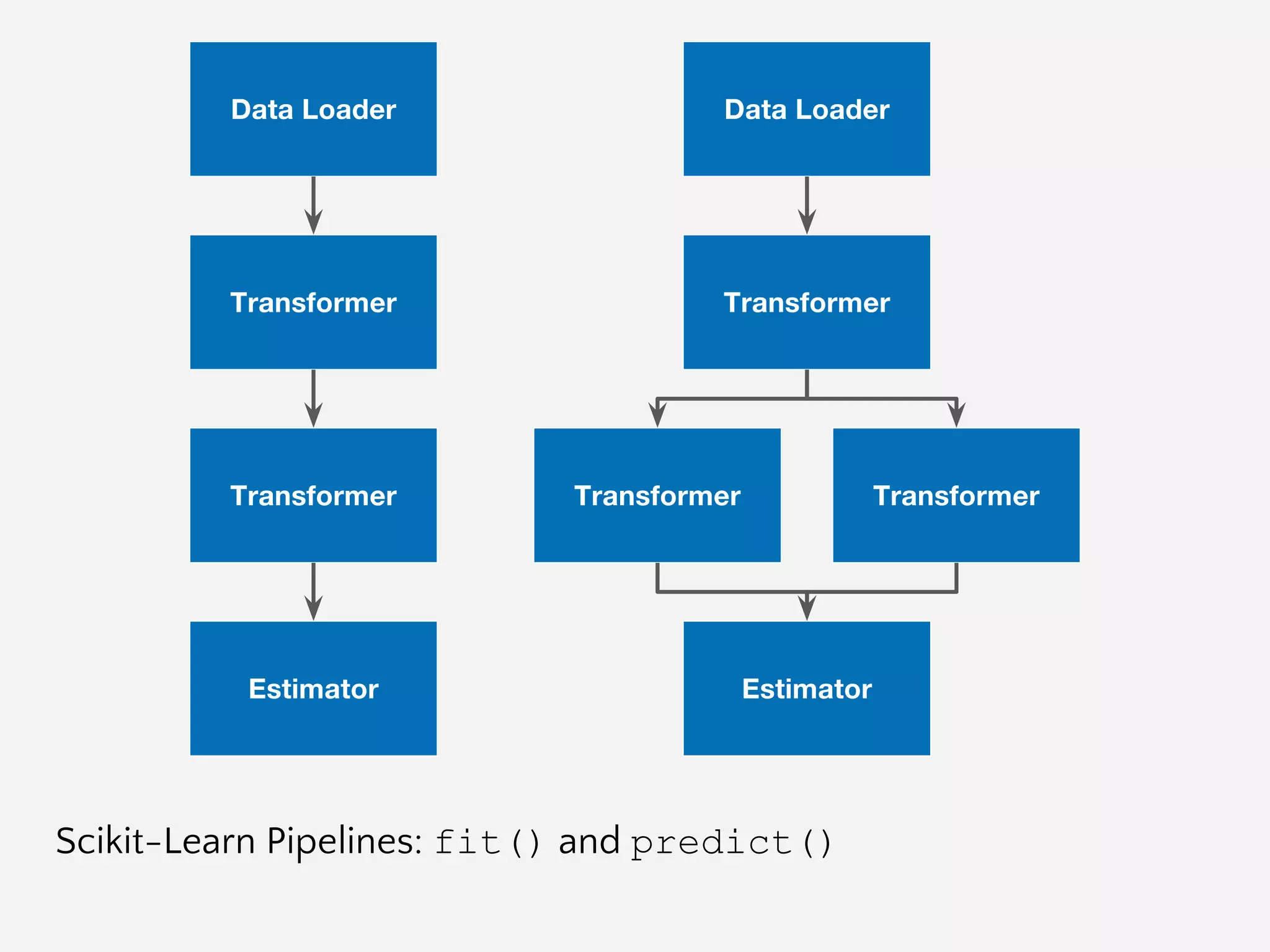
The purpose of the pipeline is
to assemble several steps that
can be cross-validated and
operationalized together.
Sequentially applies a list of
transforms and a final estimator.
Intermediate steps of the pipeline
must be ‘transforms’, that is, they
must implement fit() and
transform() methods. The final
estimator only needs to implement
fit().
Pipelines
class Pipeline(Transformer):
@property
def named_steps(self):
"""
Sequence of estimators
"""
return self.steps
@property
def _final_estimator(self):
"""
Terminating estimator
"""
return self.steps[-1]
Scikit-Learn Pipelines: fit() and predict()
Yellowbrick Visual Transformers
fit()
draw()
predict()
fit()
predict()
score()
draw()
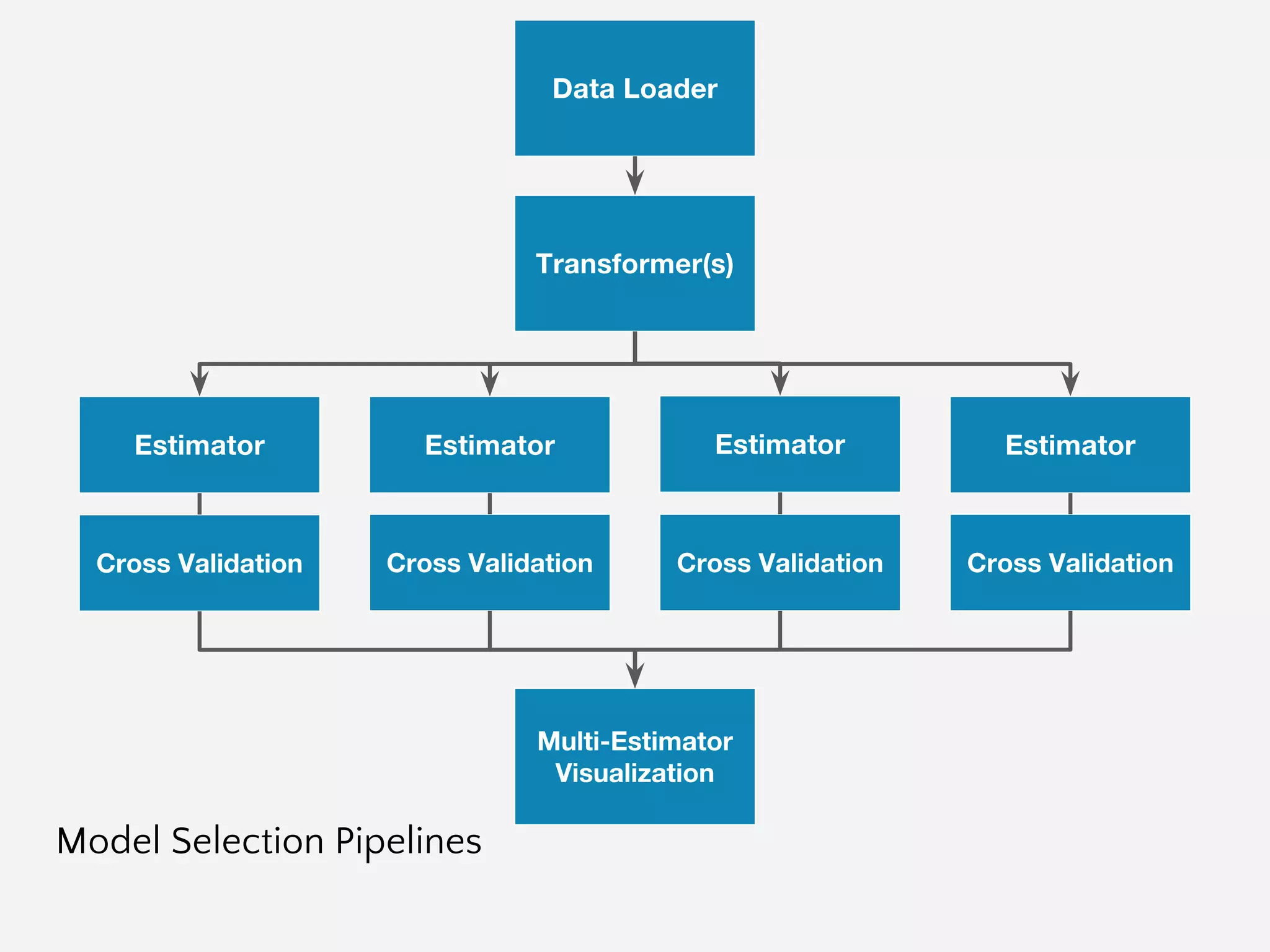
Model Selection Pipelines
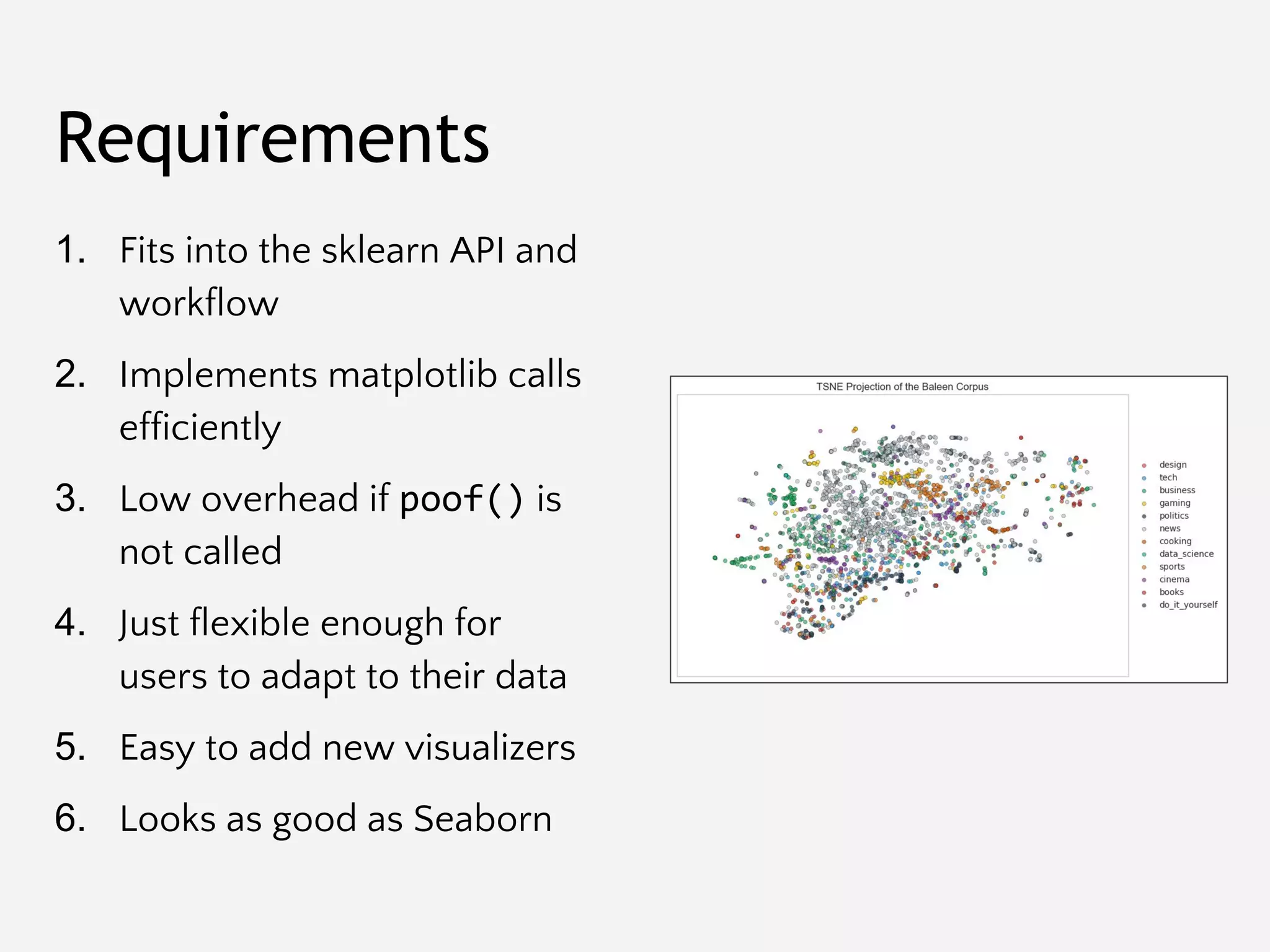
Primary YB Requirements
Requirements
1. Fits into the sklearn API and
workflow
2. Implements matplotlib calls
efficiently
3. Low overhead if poof() is
not called
4. Just flexible enough for
users to adapt to their data
5. Easy to add new visualizers
6. Looks as good as Seaborn
Primary Requirement:
Implement Visual Steering
Dependencies
Like all libraries, we want to
do our best to minimize the
number of dependencies:
- Scikit-Learn
- Matplotlib
- Numpy
… c’est tout!
The Visualizer
Current Package Hierarchy: make uml
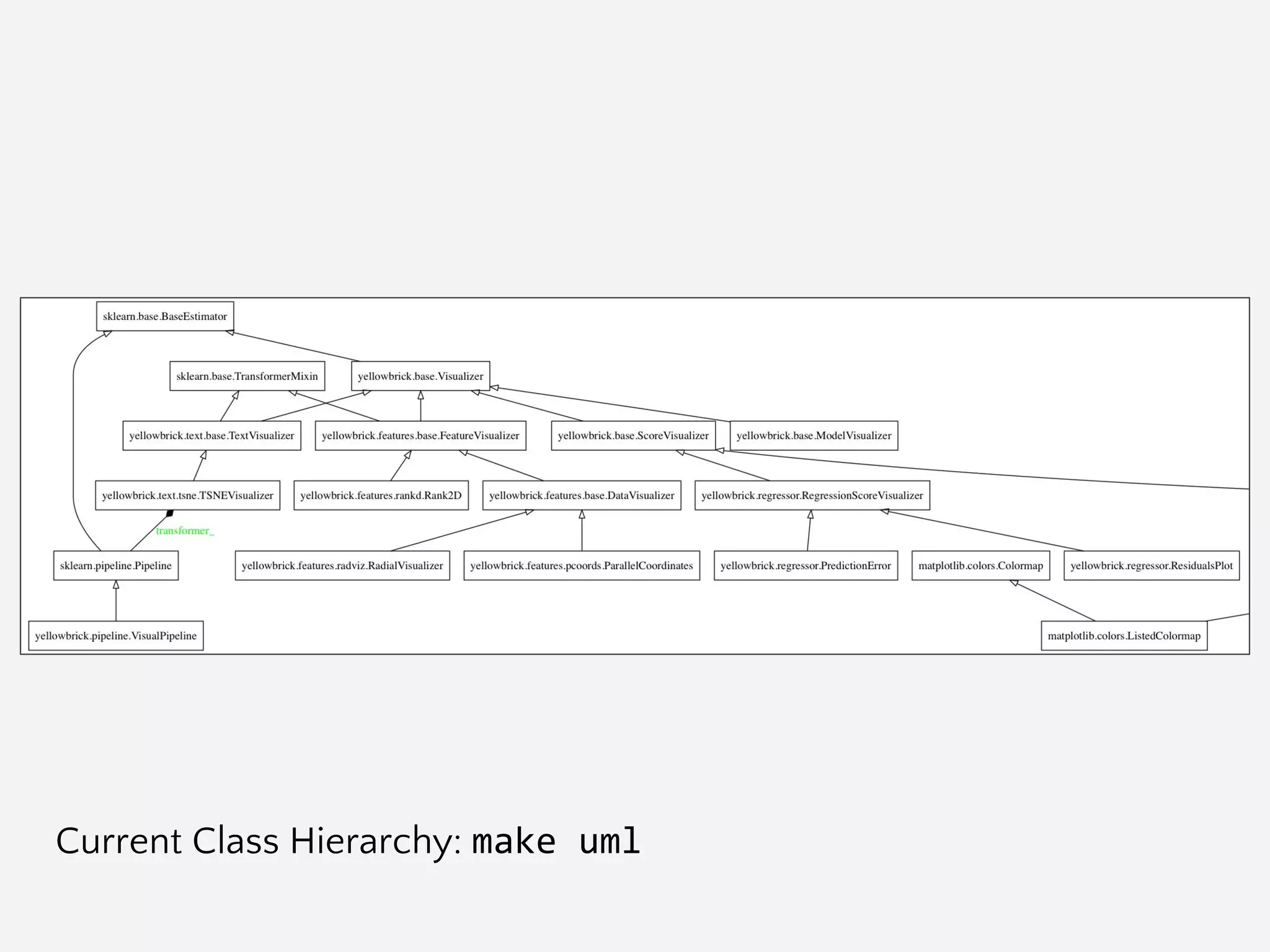
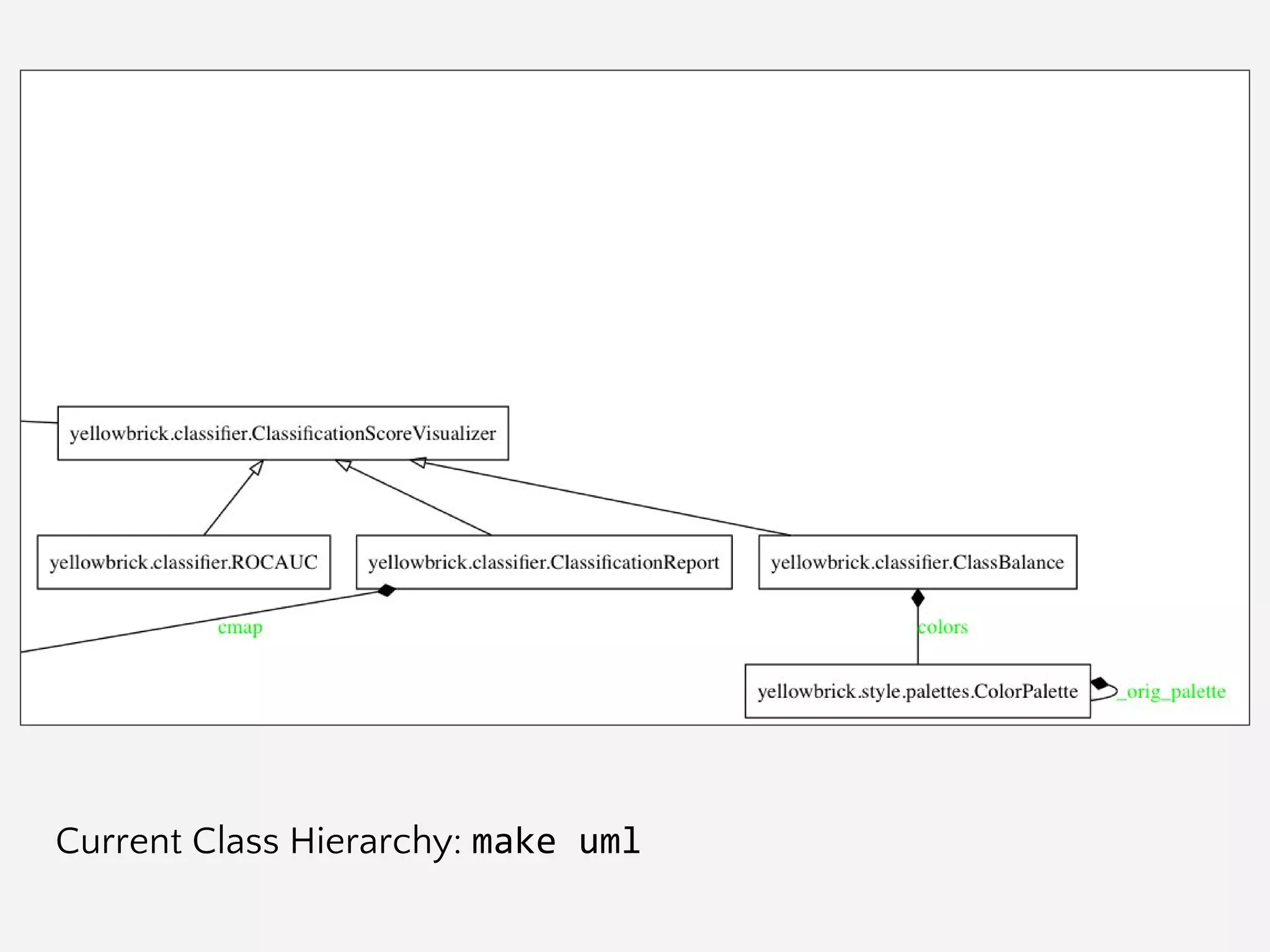
Current Class Hierarchy: make uml
Visualizer Interface
Visualizers must hook into
the Scikit-Learn API; data is
received from the user via:
- fit(X, y=None, **kwargs)
- transform(X, **kwargs)
- predict(X, **kwargs)
- score(X, y, **kwargs)
These methods then call the
internal draw() method.
Draw could be called
multiple times for different
reasons.
Users call for visualizations
via the poof() method
which will:
- finalize()
- savefig() or show()
Visualizer Interface
# Instantiate the visualizer
visualizer = ParallelCoordinates(classes=classes, features=features)
# Fit the data to the visualizer
visualizer.fit(X, y)
# Transform the data
visualizer.transform(X)
# Draw/show/poof the data
visualizer.poof()
Axes Management
Multiple visualizers may be
simultaneously drawing.
Visualizers must only work
on a local axes object that
can be specified by the user,
or created on demand.
E.g. no plt.method() calls,
use the corresponding
ax.set_method() call.
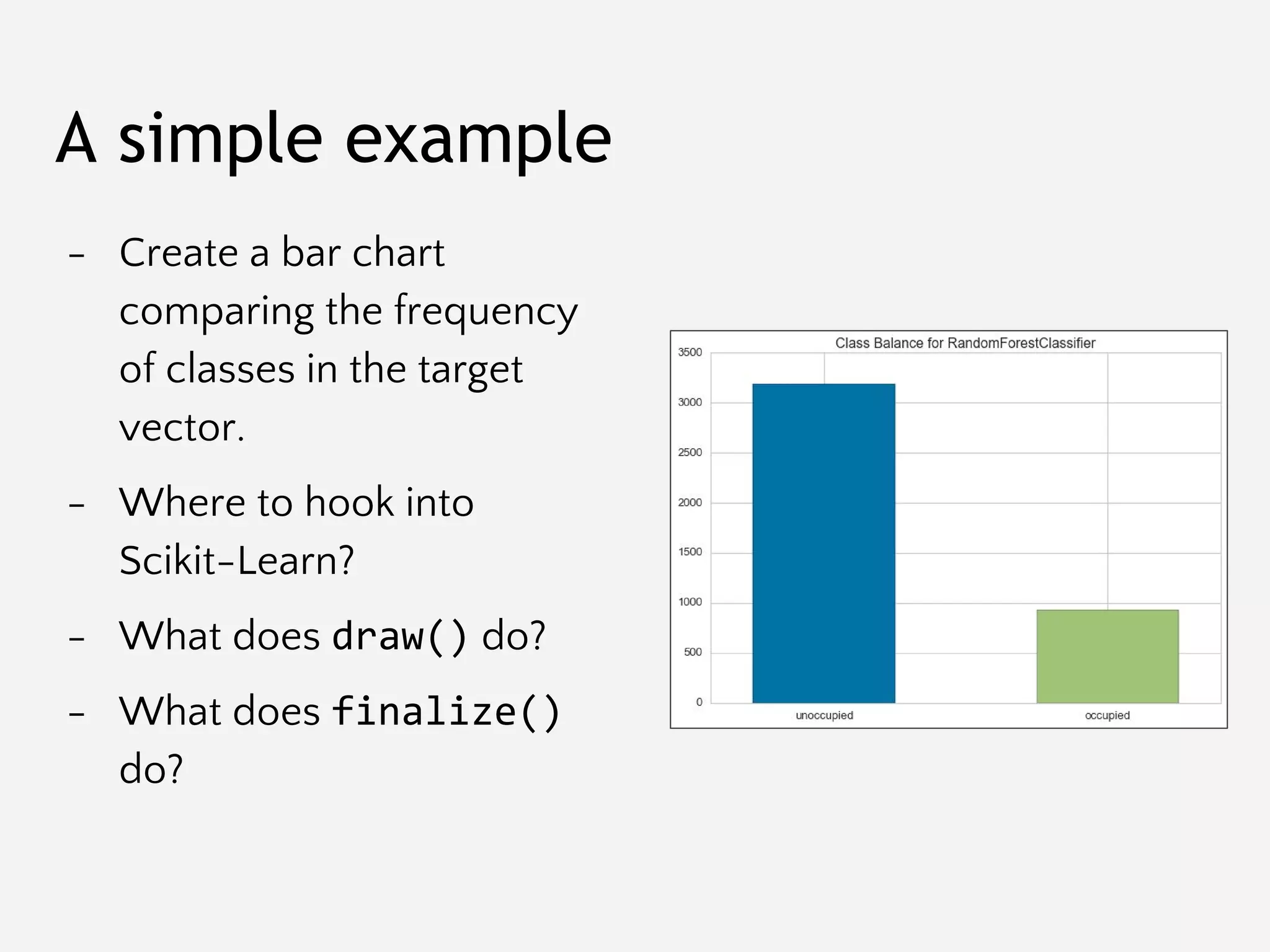
A simple example
- Create a bar chart
comparing the frequency
of classes in the target
vector.
- Where to hook into
Scikit-Learn?
- What does draw() do?
- What does finalize()
do?
Feature Visualizers
FeatureVisualizers describe
the data space -- usually a
high dimensional data
visualization problem!
Come before, between, or
after transformers.
Intersect at fit() or
transform()?
fit()
draw()
predict()
Some Feature Visualizer Examples
Score Visualizers
Score visualizers describe
the behavior of the model in
model space and are used to
measure bias vs. variance.
Intersect at the score()
method.
Currently we wrap
estimators and pass through
to the underlying estimator.
fit()
predict()
score()
draw()
Score Visualizer Examples
Multi-Estimator Visualizers
Not implemented yet, but
how do we enable visual
model selection?
Need a method to fit
multiple models into a single
visualization.
Consider hyperparameter
tuning examples.
Multi-Model visualizations
Visual Pipelines
Multiple Visualizations
How do we engage the
pipeline process to add
multiple visualizer
components?
How do we organize
visualization with steering?
How can we ensure that all
visualizers are called
appropriately?
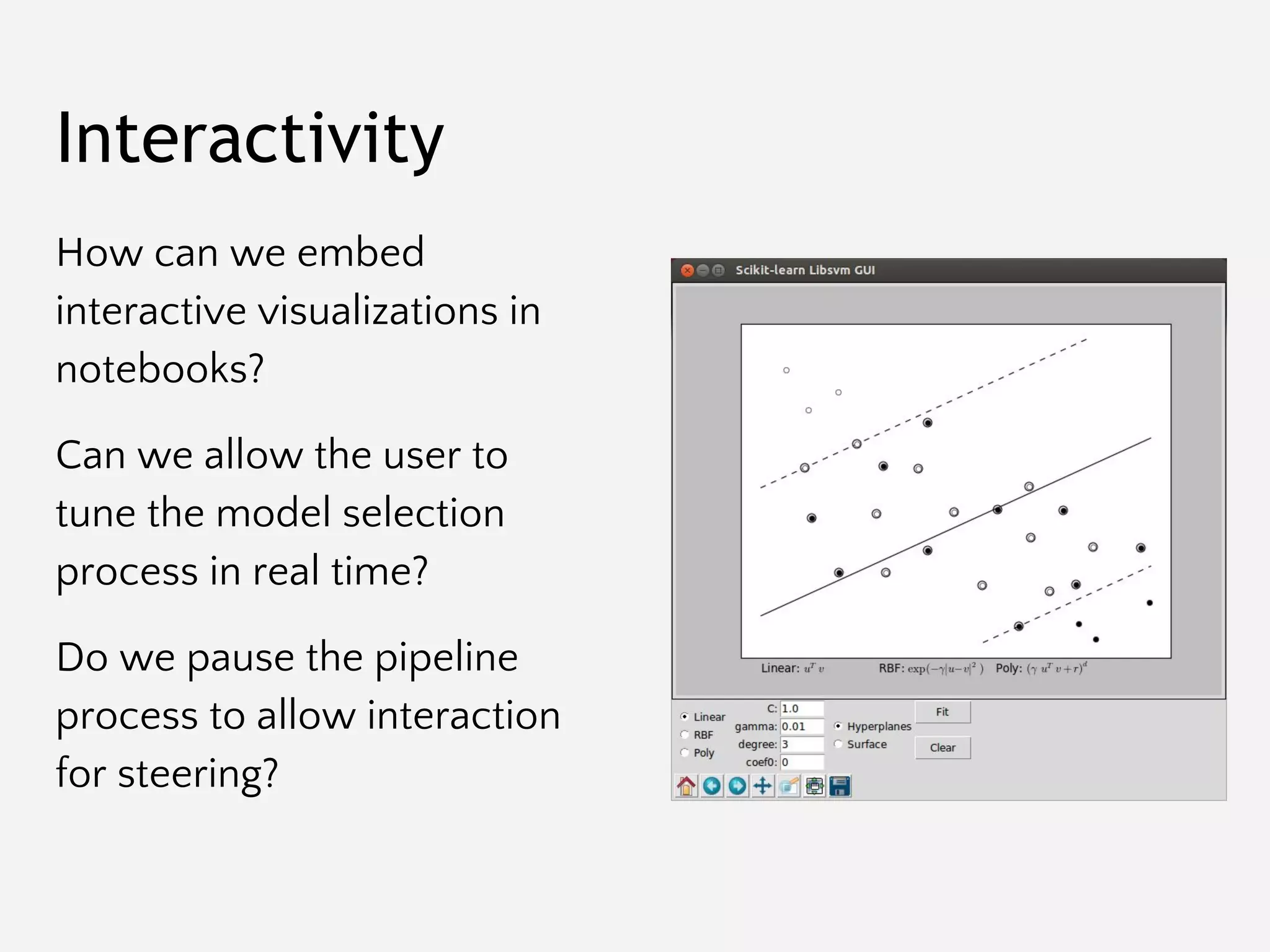
Interactivity
How can we embed
interactive visualizations in
notebooks?
Can we allow the user to
tune the model selection
process in real time?
Do we pause the pipeline
process to allow interaction
for steering?
Features and Utilities
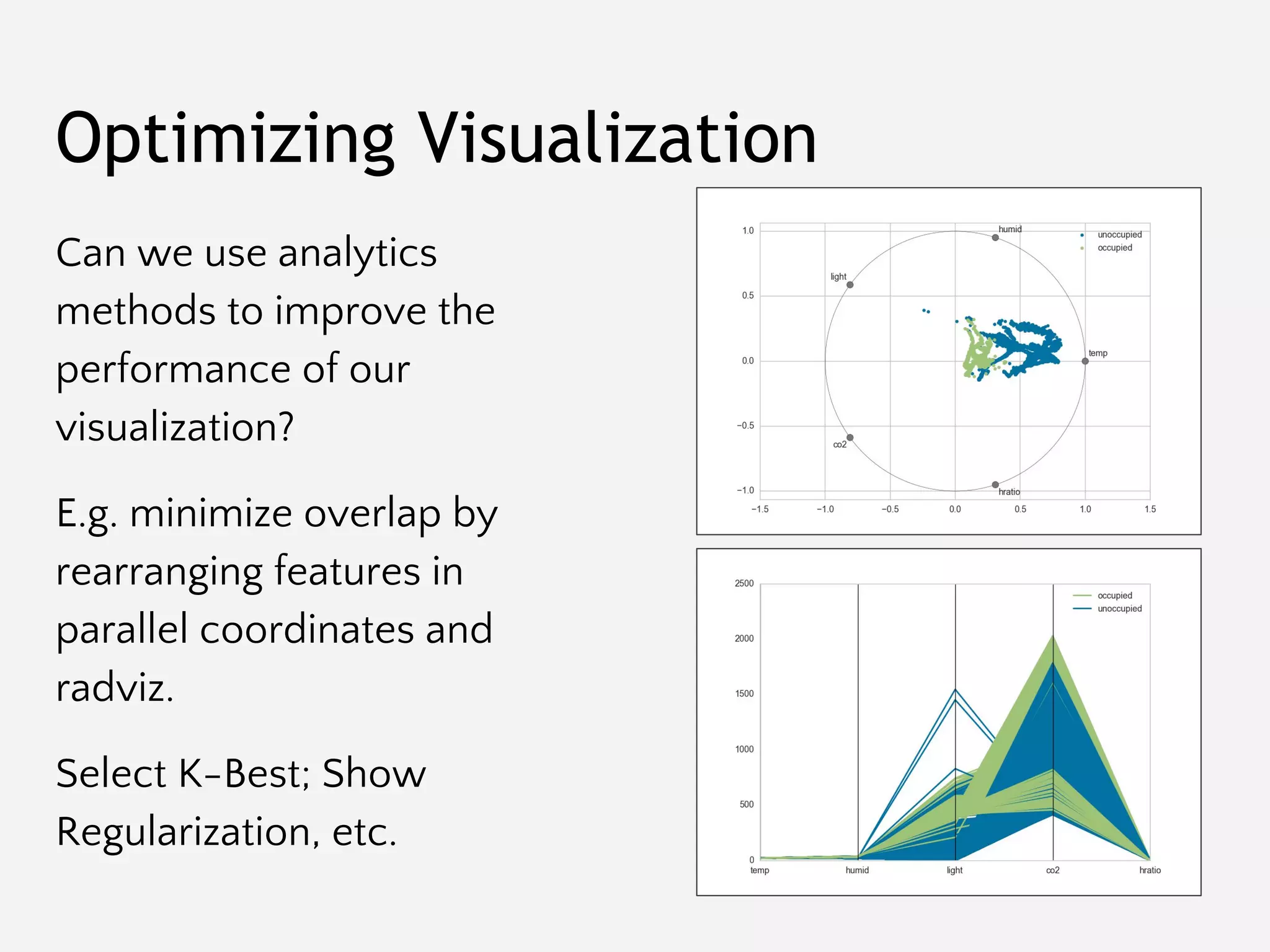
Optimizing Visualization
Can we use analytics
methods to improve the
performance of our
visualization?
E.g. minimize overlap by
rearranging features in
parallel coordinates and
radviz.
Select K-Best; Show
Regularization, etc.
Style Management
We should look good doing
it! Inspired by Seaborn we
have implemented:
- set_palette()
- set_context()
Automatic color code
updates: bgrmyck
As many palettes and
sequences as we can fit!
Best Fit Lines
Support for automatically
drawing best fit lines by
fitting a:
- Linear polyfit
- Quadratic polyfit
- Exponential fit
- Logarithmic fit
Type Detection
We’ve had to do a lot of
manual work to polish
visualizations:
- is_estimator()
- is_classifier()
- is_regressor()
- is_dataframe()
- is_categorical()
- is_sequential()
- is_numeric()
Exceptions
Documentation
reStructuredText: cd docs && make html
Contributing
Git/Branch Management
All work happens in develop.
Select a card from “ready”, move to “in-progress”.
Create a branch called “feature-[feature name]”, work & commit into that branch:
$ git checkout -b feature-myfeature develop
Once you are done working (and tested) merge into develop.:
$ git checkout develop
$ git merge --no-ff feature-myfeature
$ git branch -d feature-myfeature
$ git push origin develop
Repeat.
Once a milestone is completed, it is pushed to master and released.
Milestones, Issues, and Labels
Each release (identified by
semantic versioning; e.g. major
and minor releases) is stored in
a milestone.
Each milestone is a sprint.
Issues are added to the
milestone, and the release is
done with all issues are
complete.
Issues are labeled for easy
categorization.
Waffle Kanban
Testing (Python 2.7 and 3.5+): make test
User Testing and Research

Visualizing Model Selection with Scikit-Yellowbrick: An Introduction to Developing Visualizers

  • 1.
    Visualizing Model Selection withScikit-Yellowbrick An Introduction to Developing Visualizers
  • 2.
    What is Yellowbrick? -Model Visualization - Data Visualization for Machine Learning - Visual Diagnostics - Visual Steering Not a replacement for visualization libraries.
  • 3.
    Enhance the ModelSelection Process
  • 4.
  • 5.
    The Model SelectionTriple Arun Kumar http://bit.ly/2abVNrI Feature Analysis Algorithm Selection Hyperparameter Tuning
  • 6.
    The Model SelectionTriple - Define a bounded, high dimensional feature space that can be effectively modeled. - Transform and manipulate the space to make modeling easier. - Extract a feature representation of each instance in the space. Feature Analysis
  • 7.
    Algorithm Selection The Model SelectionTriple - Select a model family that best/correctly defines the relationship between the variables of interest. - Define a model form that specifies exactly how features interact to make a prediction. - Train a fitted model by optimizing internal parameters to the data.
  • 8.
    Hyperparameter Tuning The Model SelectionTriple - Evaluate how the model form is interacting with the feature space. - Identify hyperparameters (i.e. parameters that affect training or the prior, not prediction) - Tune the fitting and prediction process by modifying these params.
  • 9.
    Automatic Model SelectionCriteria from sklearn.cross_validation import KFold kfolds = KFold(n=len(X), n_folds=12) scores = [ model.fit( X[train], y[train] ).score( X[test], y[test] ) for train, test in kfolds ] F1 R2
  • 10.
    Try Them All! fromsklearn.svm import SVC from sklearn.neighbors import KNeighborsClassifier from sklearn.ensemble import RandomForestClassifier from sklearn.ensemble import AdaBoostClassifier from sklearn.naive_bayes import GaussianNB from sklearn import cross_validation as cv classifiers = [ KNeighborsClassifier(5), SVC(kernel="linear", C=0.025), RandomForestClassifier(max_depth=5), AdaBoostClassifier(), GaussianNB(), ] kfold = cv.KFold(len(X), n_folds=12) max([ cv.cross_val_score(model, X, y, cv=kfold).mean for model in classifiers ])
  • 11.
    Search Hyperparameter Space fromsklearn.feature_extraction.text import * from sklearn.linear_model import SGDClassifier from sklearn.grid_search import GridSearchCV from sklearn.pipeline import Pipeline pipeline = Pipeline([ ('vect', CountVectorizer()), ('tfidf', TfidfTransformer()), ('model', SGDClassifier()), ]) parameters = { 'vect__max_df': (0.5, 0.75, 1.0), 'vect__max_features': (None, 5000, 10000), 'tfidf__use_idf': (True, False), 'tfidf__norm': ('l1', 'l2'), 'model__alpha': (0.00001, 0.000001), 'model__penalty': ('l2', 'elasticnet'), } search = GridSearchCV(pipeline, parameters) search.fit(X, y)
  • 12.
    Automatic Model Selection:Search? Search is difficult particularly in high dimensional space. Even with techniques like genetic algorithms or particle swarm optimization, there is no guarantee of a solution. As the search space gets larger, the amount of time increases exponentially.
  • 13.
    Visual Steering Improves Model Selectionto Reach Better Models, Faster
  • 14.
    Visual Steering - Interventionsor guidance by human pattern recognition. - Humans engage the modeling process through visualization. - Overview first, zoom and filter, details on demand.
  • 15.
    We will showthat: - Visual steering leads to improved models (better F1, R2 scores) - Time-to-model is faster. - Modeling is more interpretable. - Formal user testing and possible research paper. Proof: User Testing
  • 16.
    Yellowbrick Extends theScikit-Learn API
  • 17.
    The trick: combinefunctional/procedural matplotlib + object-oriented Scikit-Learn. Yellowbrick
  • 18.
    Estimators The main APIimplemented by Scikit-Learn is that of the estimator. An estimator is any object that learns from data; it may be a classification, regression or clustering algorithm, or a transformer that extracts/filters useful features from raw data. class Estimator(object): def fit(self, X, y=None): """ Fits estimator to data. """ # set state of self return self def predict(self, X): """ Predict response of X """ # compute predictions pred return pred
  • 19.
    Transformers Transformers are special casesof Estimators -- instead of making predictions, they transform the input dataset X to a new dataset X’. Understanding X and y in Scikit-Learn is essential to being able to construct visualizers. class Transformer(Estimator): def transform(self, X): """ Transforms the input data. """ # transform X to X_prime return X_prime
  • 20.
    Visualizers A visualizer isan estimator that produces visualizations based on data rather than new datasets or predictions. Visualizers are intended to work in concert with Transformers and Estimators to allow human insight into the modeling process. class Visualizer(Estimator): def draw(self): """ Draw the data """ self.ax.plot() def finalize(self): """ Complete the figure """ self.ax.set_title() def poof(self): """ Show the figure """ plt.show()
  • 21.
    The purpose ofthe pipeline is to assemble several steps that can be cross-validated and operationalized together. Sequentially applies a list of transforms and a final estimator. Intermediate steps of the pipeline must be ‘transforms’, that is, they must implement fit() and transform() methods. The final estimator only needs to implement fit(). Pipelines class Pipeline(Transformer): @property def named_steps(self): """ Sequence of estimators """ return self.steps @property def _final_estimator(self): """ Terminating estimator """ return self.steps[-1]
  • 22.
  • 23.
  • 24.
  • 25.
  • 26.
    Requirements 1. Fits intothe sklearn API and workflow 2. Implements matplotlib calls efficiently 3. Low overhead if poof() is not called 4. Just flexible enough for users to adapt to their data 5. Easy to add new visualizers 6. Looks as good as Seaborn
  • 27.
  • 28.
    Dependencies Like all libraries,we want to do our best to minimize the number of dependencies: - Scikit-Learn - Matplotlib - Numpy … c’est tout!
  • 29.
  • 30.
  • 31.
  • 32.
  • 33.
  • 34.
    Visualizer Interface Visualizers musthook into the Scikit-Learn API; data is received from the user via: - fit(X, y=None, **kwargs) - transform(X, **kwargs) - predict(X, **kwargs) - score(X, y, **kwargs) These methods then call the internal draw() method. Draw could be called multiple times for different reasons. Users call for visualizations via the poof() method which will: - finalize() - savefig() or show()
  • 35.
    Visualizer Interface # Instantiatethe visualizer visualizer = ParallelCoordinates(classes=classes, features=features) # Fit the data to the visualizer visualizer.fit(X, y) # Transform the data visualizer.transform(X) # Draw/show/poof the data visualizer.poof()
  • 36.
    Axes Management Multiple visualizersmay be simultaneously drawing. Visualizers must only work on a local axes object that can be specified by the user, or created on demand. E.g. no plt.method() calls, use the corresponding ax.set_method() call.
  • 37.
    A simple example -Create a bar chart comparing the frequency of classes in the target vector. - Where to hook into Scikit-Learn? - What does draw() do? - What does finalize() do?
  • 38.
    Feature Visualizers FeatureVisualizers describe thedata space -- usually a high dimensional data visualization problem! Come before, between, or after transformers. Intersect at fit() or transform()? fit() draw() predict()
  • 39.
  • 40.
    Score Visualizers Score visualizersdescribe the behavior of the model in model space and are used to measure bias vs. variance. Intersect at the score() method. Currently we wrap estimators and pass through to the underlying estimator. fit() predict() score() draw()
  • 41.
  • 42.
    Multi-Estimator Visualizers Not implementedyet, but how do we enable visual model selection? Need a method to fit multiple models into a single visualization. Consider hyperparameter tuning examples.
  • 43.
  • 44.
  • 45.
    Multiple Visualizations How dowe engage the pipeline process to add multiple visualizer components? How do we organize visualization with steering? How can we ensure that all visualizers are called appropriately?
  • 46.
    Interactivity How can weembed interactive visualizations in notebooks? Can we allow the user to tune the model selection process in real time? Do we pause the pipeline process to allow interaction for steering?
  • 47.
  • 48.
    Optimizing Visualization Can weuse analytics methods to improve the performance of our visualization? E.g. minimize overlap by rearranging features in parallel coordinates and radviz. Select K-Best; Show Regularization, etc.
  • 49.
    Style Management We shouldlook good doing it! Inspired by Seaborn we have implemented: - set_palette() - set_context() Automatic color code updates: bgrmyck As many palettes and sequences as we can fit!
  • 50.
    Best Fit Lines Supportfor automatically drawing best fit lines by fitting a: - Linear polyfit - Quadratic polyfit - Exponential fit - Logarithmic fit
  • 51.
    Type Detection We’ve hadto do a lot of manual work to polish visualizations: - is_estimator() - is_classifier() - is_regressor() - is_dataframe() - is_categorical() - is_sequential() - is_numeric()
  • 52.
  • 53.
  • 54.
  • 55.
  • 56.
    Git/Branch Management All workhappens in develop. Select a card from “ready”, move to “in-progress”. Create a branch called “feature-[feature name]”, work & commit into that branch: $ git checkout -b feature-myfeature develop Once you are done working (and tested) merge into develop.: $ git checkout develop $ git merge --no-ff feature-myfeature $ git branch -d feature-myfeature $ git push origin develop Repeat. Once a milestone is completed, it is pushed to master and released.
  • 57.
    Milestones, Issues, andLabels Each release (identified by semantic versioning; e.g. major and minor releases) is stored in a milestone. Each milestone is a sprint. Issues are added to the milestone, and the release is done with all issues are complete. Issues are labeled for easy categorization.
  • 58.
  • 59.
    Testing (Python 2.7and 3.5+): make test
  • 60.