VIRTUAL MOUSE
          By
   Vivek A. Khutale
    Amey S. Kasar
  Reshma A. Indulkar
Introduction
• As computer technology continues to develop, people have smaller
  and smaller electronic devices.
• Increasingly we are recognizing the importance of human
  computing interaction (HCI), and inparticular vision-based gesture
  and object recognition.
• In our project, we propose a novel approach that uses a video device
  to control the mouse system(Mouse tasks).
• We employ several image processing algorithms to implement this.
Project Scope
• For most laptop touchpad is not the most comfortable and
  convenient.
• Virtual mouse, known as Virtual Multitask Mouse.
• This is real time application.
• User friendly application.
• This project removes the requirement of having a physical.
Goal and Objective
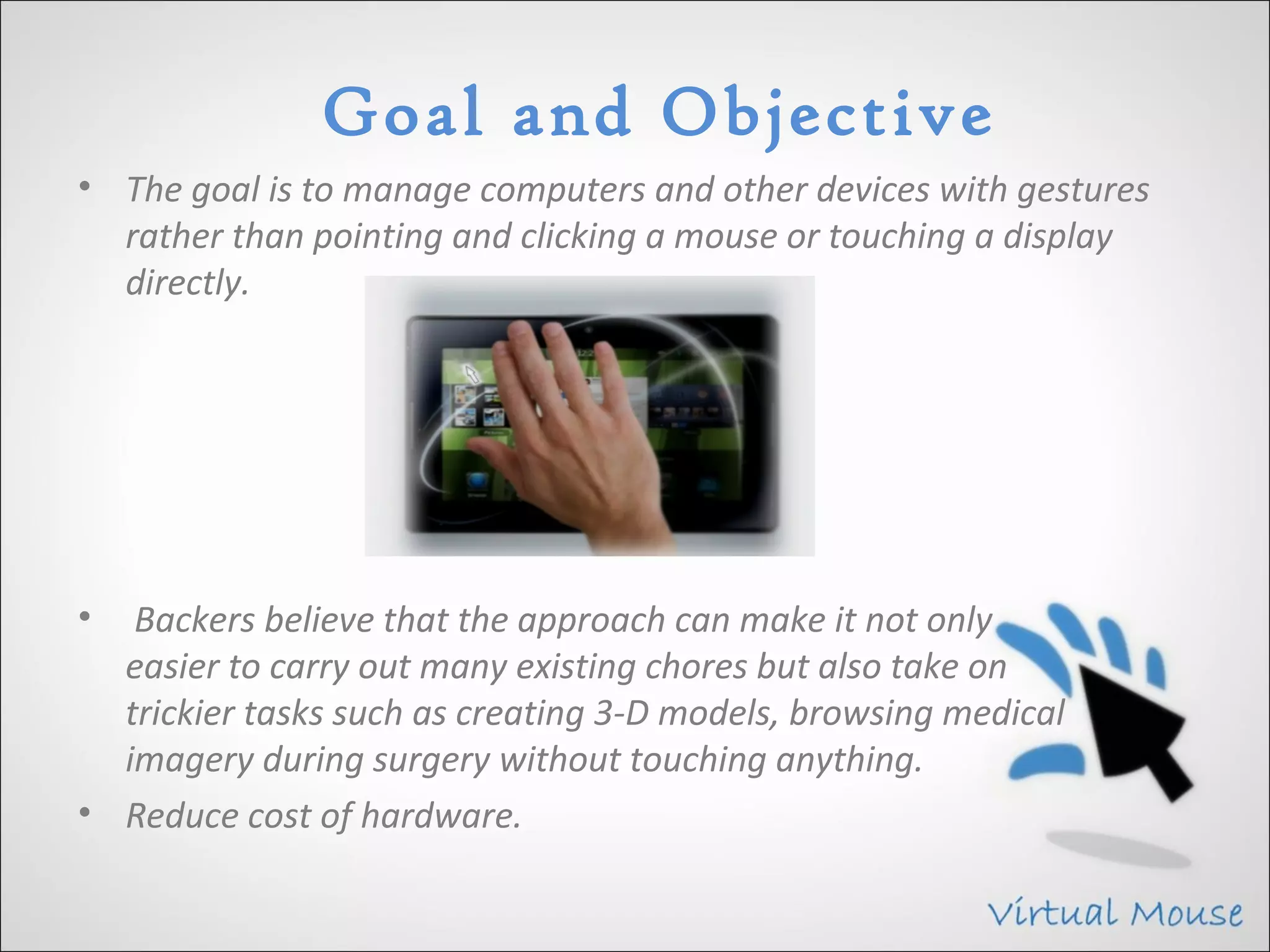
• The goal is to manage computers and other devices with gestures
  rather than pointing and clicking a mouse or touching a display
  directly.


•  Backers believe that the approach can make it not only
  easier to carry out many existing chores but also take on
  trickier tasks such as creating 3-D models, browsing medical
  imagery during surgery without touching anything.
• Reduce cost of hardware.
Problem Statement
• To design virtual mouse which detects hand gestures patterns
  instead of physical mouse.
• Basically we use colored tips for detection which are captured by
  webcam.
• Here, the colored fingertip acts as an object which the web cam
  senses.
• The camera is positioned such that it recognizes the moment of
  finger tips and performs the operations of mouse.
• The utilization of virtual mouse appears in space saving
  situations or in movement situation.
Literature Survey
• HCI Technology
     Human-computer interaction (HCI) is an area of research and
     practice that emerged in the early 1980s.
• Gesture Recognition
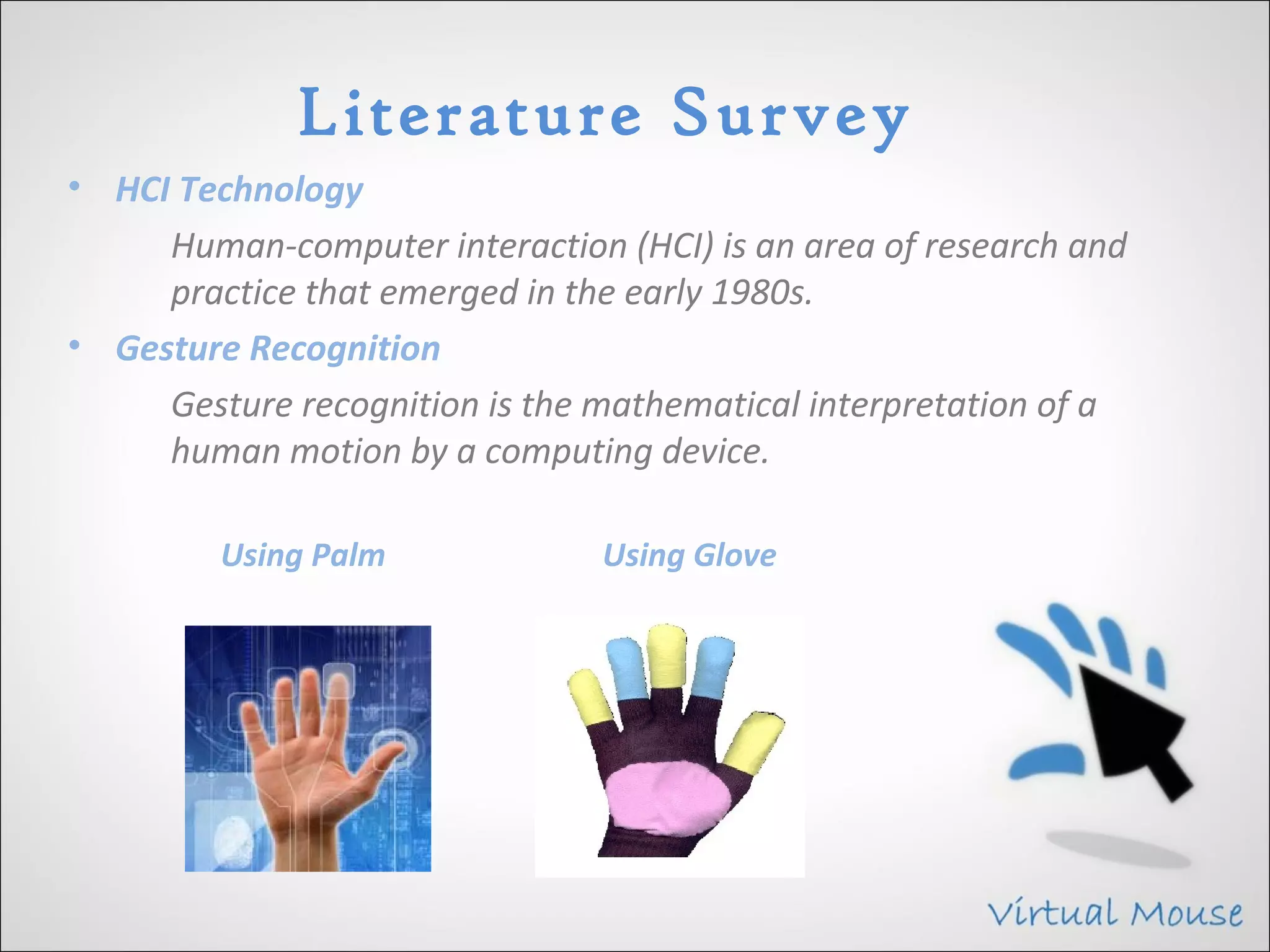
     Gesture recognition is the mathematical interpretation of a
     human motion by a computing device.

         Using Palm             Using Glove
Architecture
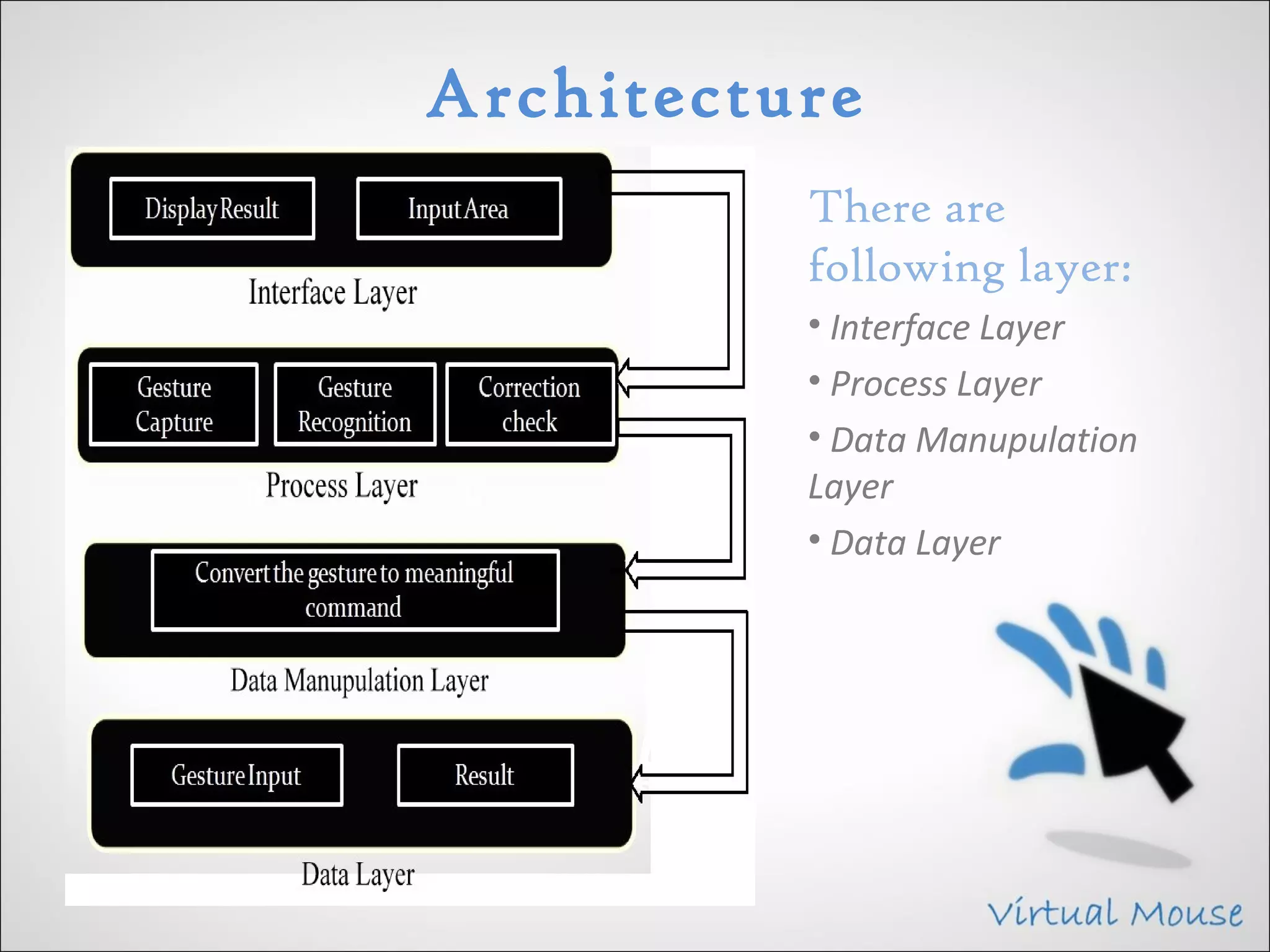
          There are
          following layer:
          • Interface Layer
          • Process Layer
          • Data Manupulation
          Layer
          • Data Layer
Design
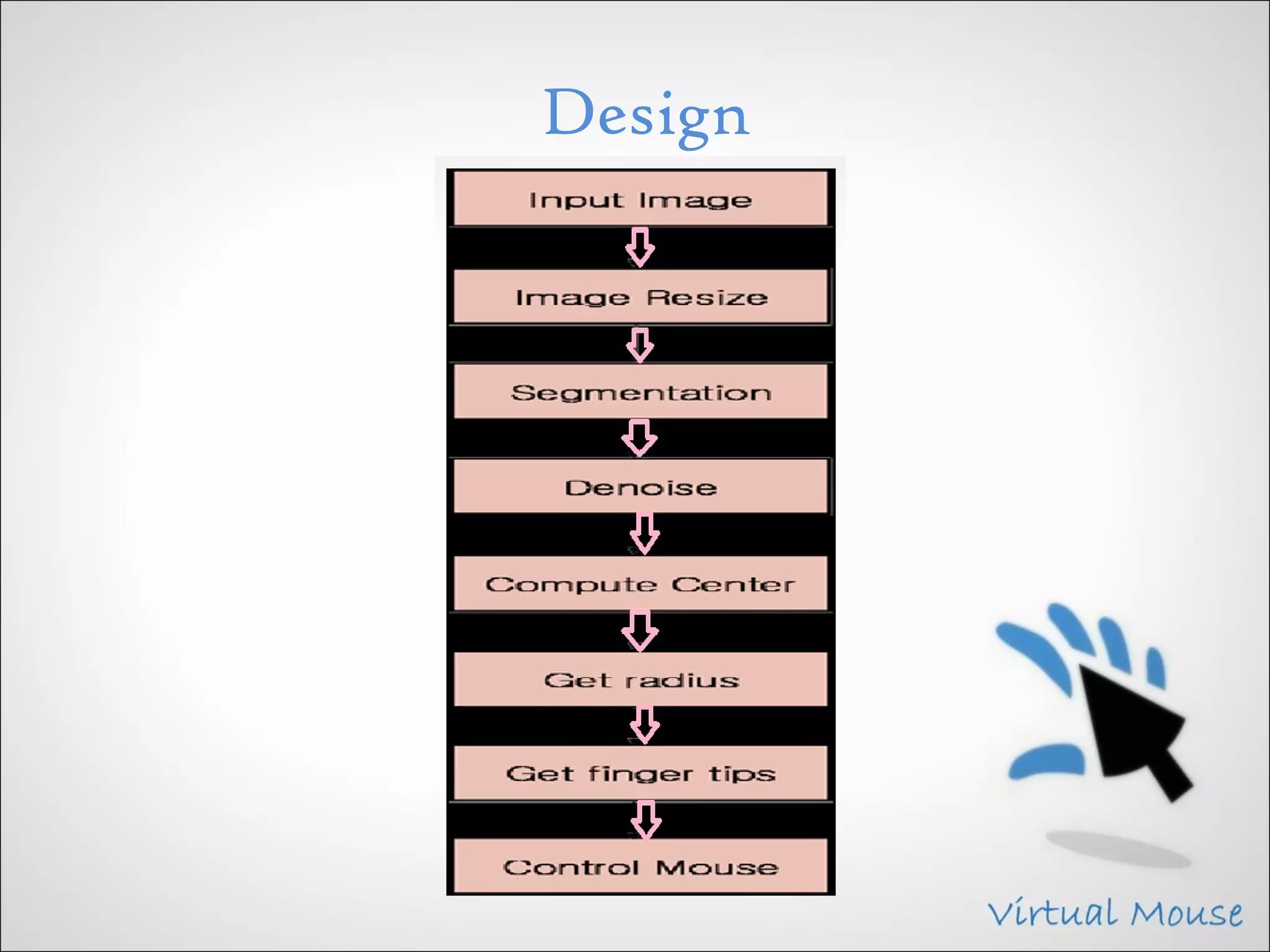
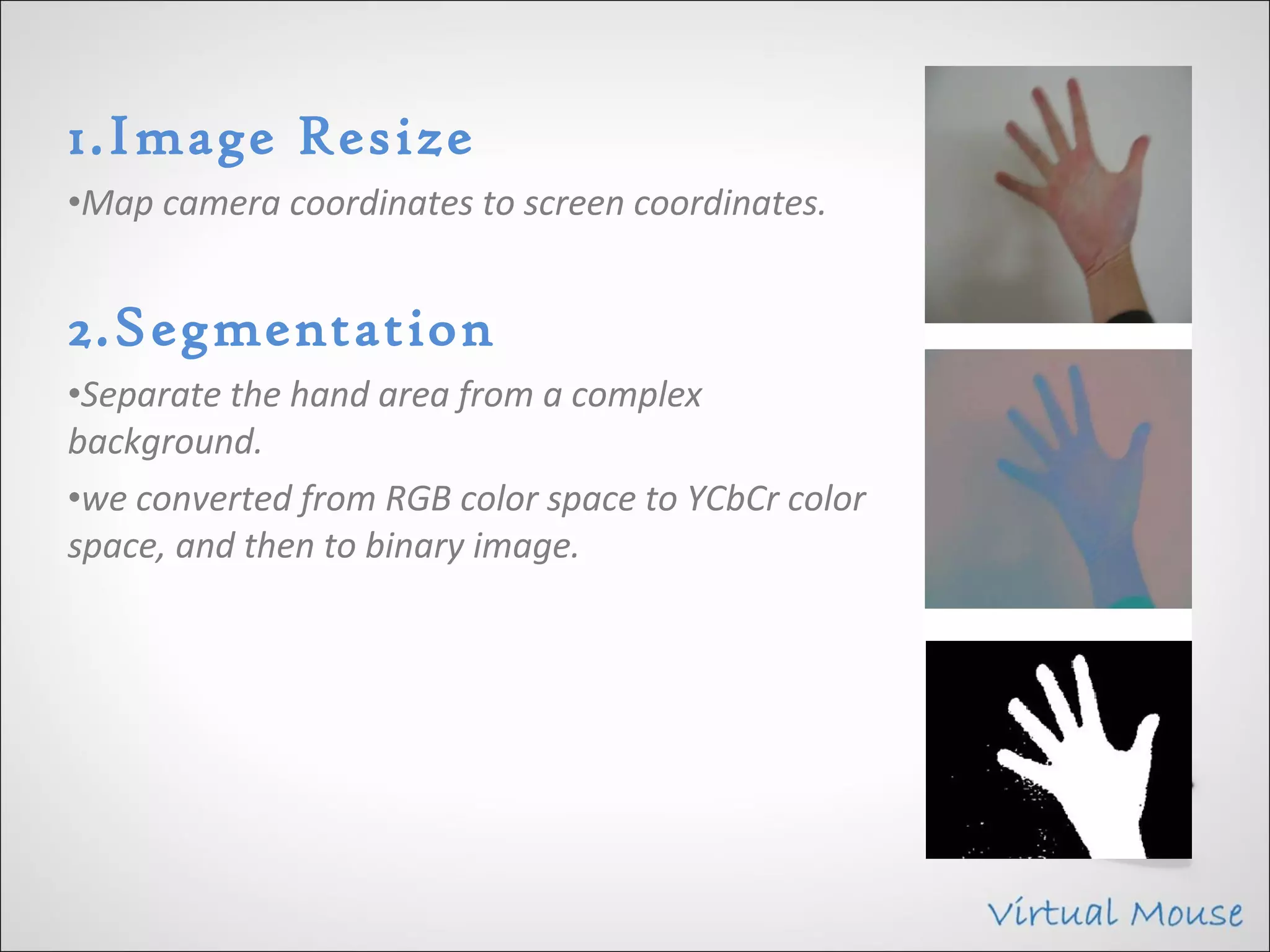
1.Image Resize
•Map camera coordinates to screen coordinates.


2.Segmentation
•Separate the hand area from a complex
background.
•we converted from RGB color space to YCbCr color
space, and then to binary image.
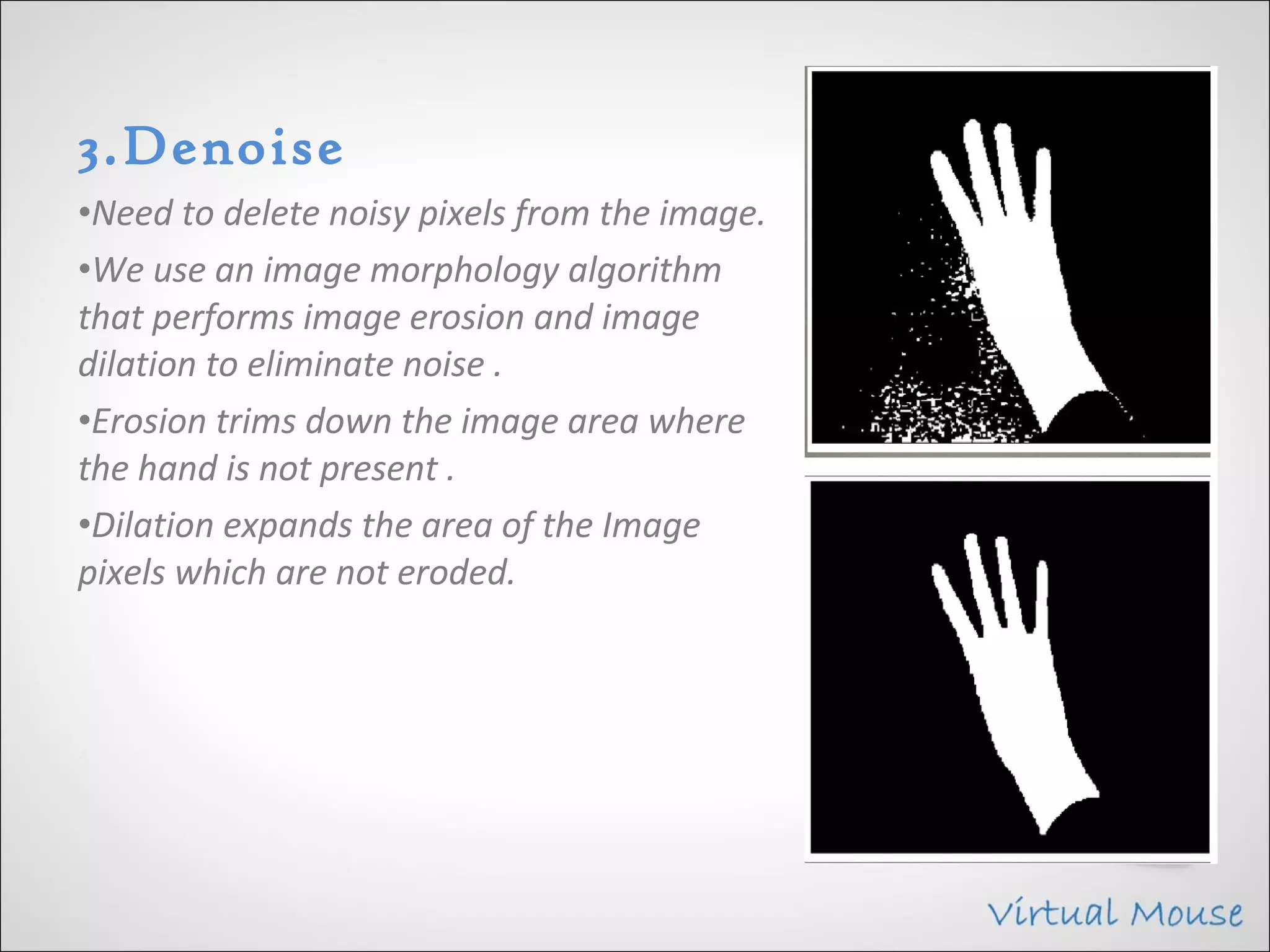
3.Denoise
•Need to delete noisy pixels from the image.
•We use an image morphology algorithm
that performs image erosion and image
dilation to eliminate noise .
•Erosion trims down the image area where
the hand is not present .
•Dilation expands the area of the Image
pixels which are not eroded.
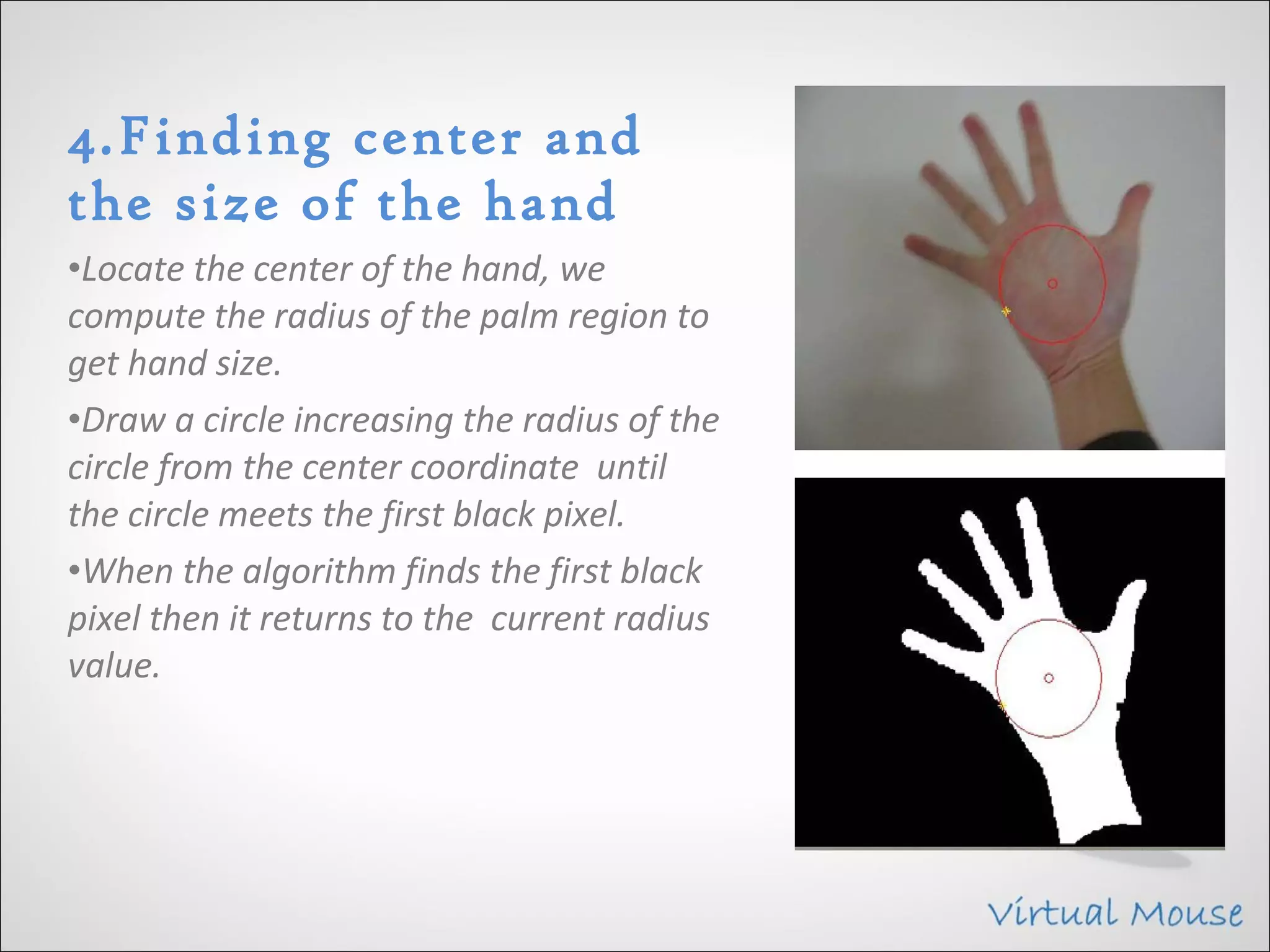
4.Finding center and
the size of the hand
•Locate the center of the hand, we
compute the radius of the palm region to
get hand size.
•Draw a circle increasing the radius of the
circle from the center coordinate until
the circle meets the first black pixel.
•When the algorithm finds the first black
pixel then it returns to the current radius
value.
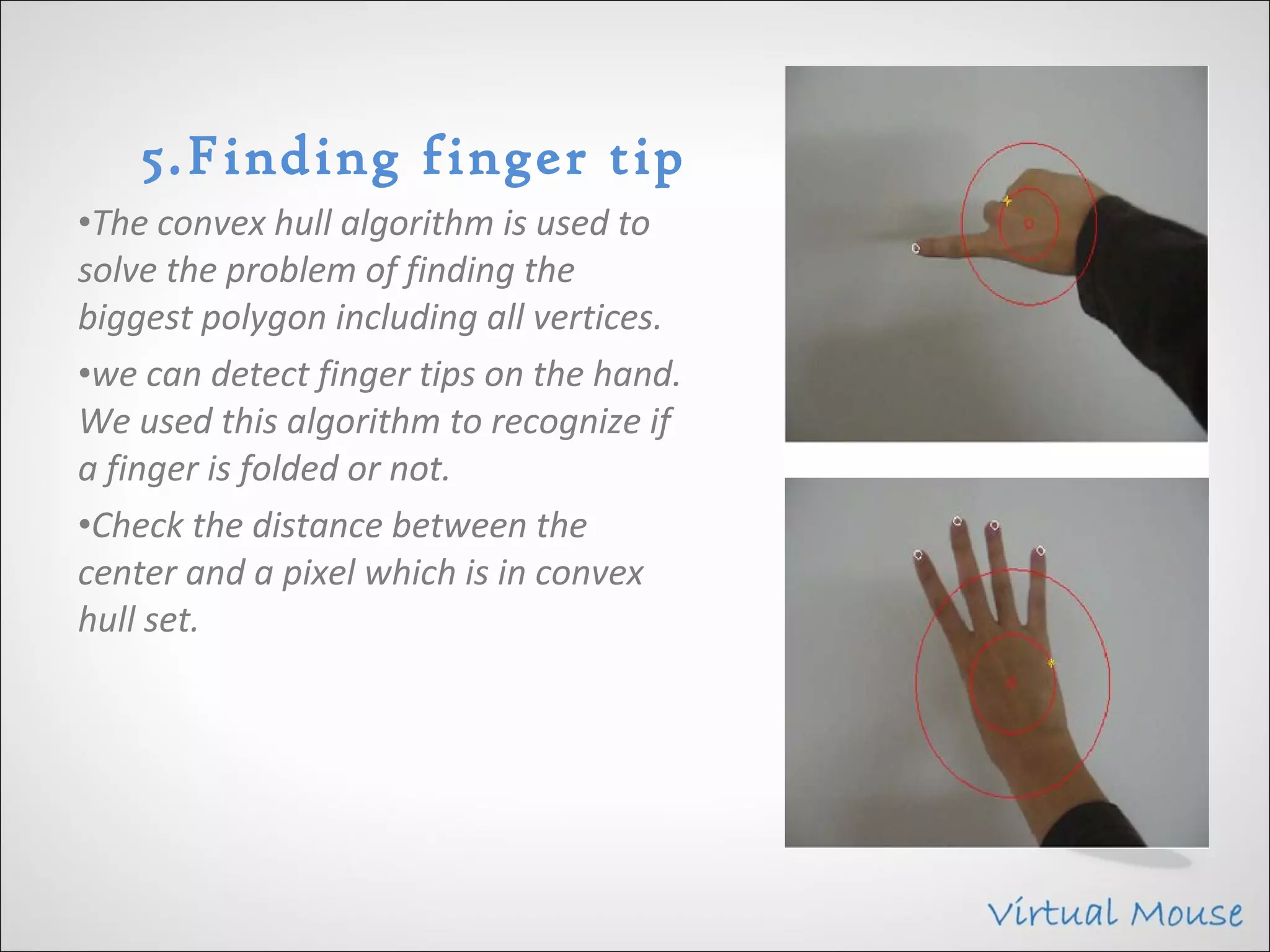
5.Finding finger tip
•The convex hull algorithm is used to
solve the problem of finding the
biggest polygon including all vertices.
•we can detect finger tips on the hand.
We used this algorithm to recognize if
a finger is folded or not.
•Check the distance between the
center and a pixel which is in convex
hull set.
6.Controlling Mouse
• Weighted speed cursor control. We get a difference of the finger of
  the current image and the previous image and compute the
  distance between the two.
• Next, we move the mouse cursor if the gap between the two finger
  images (current and previous frame) is far then the mouse cursor
  moves fast or, if the gap is close then the cursor moves slow.
• Left clicking.
• Right clicking.
• Double clicking.
• Scrolling.
Hardware & Software
               Requirement
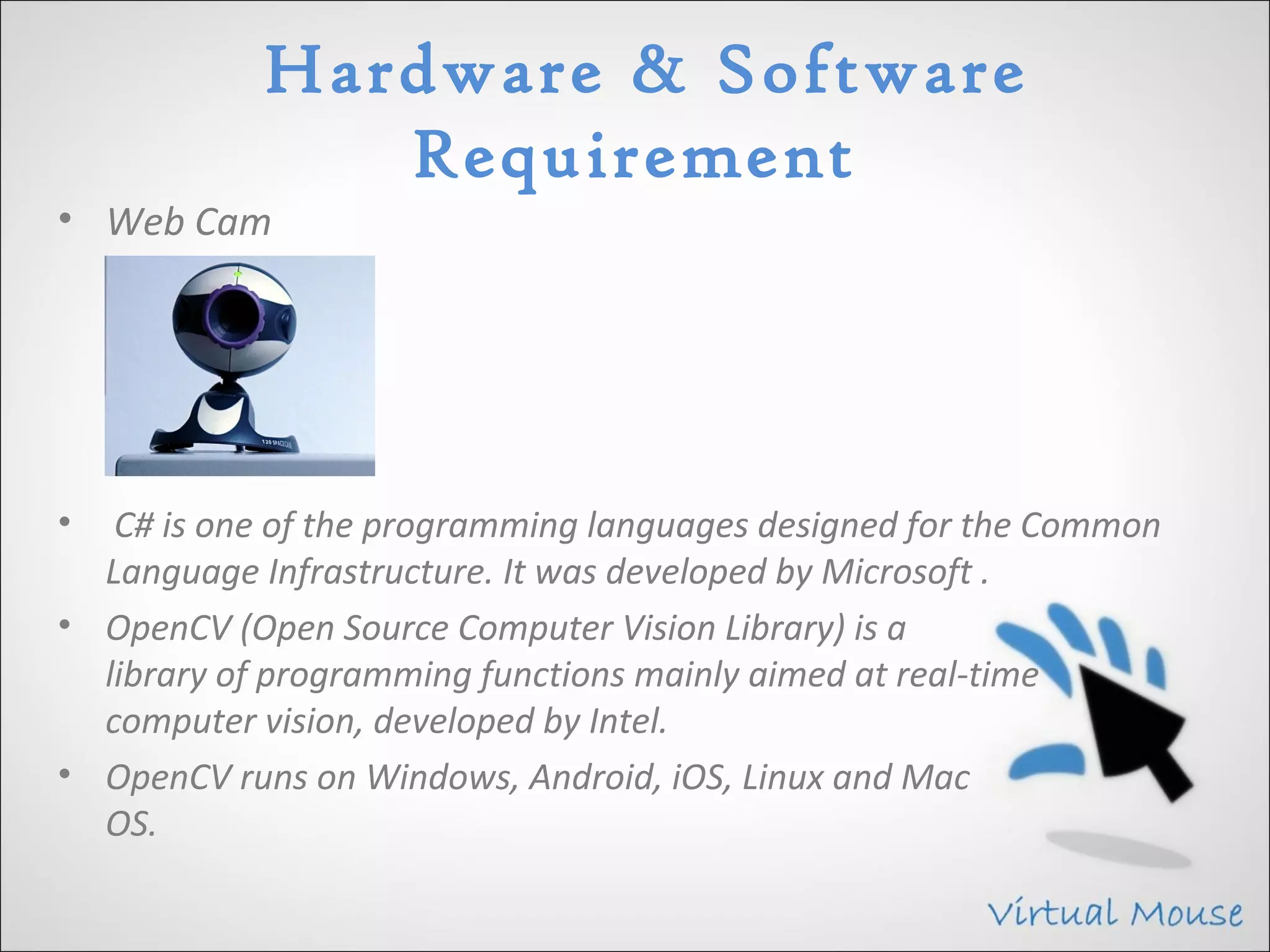
• Web Cam


•  C# is one of the programming languages designed for the Common
  Language Infrastructure. It was developed by Microsoft .
• OpenCV (Open Source Computer Vision Library) is a
  library of programming functions mainly aimed at real-time
  computer vision, developed by Intel.
• OpenCV runs on Windows, Android, iOS, Linux and Mac
  OS.
Advantages
• The main advantage of using hand gestures is to interact with
  computer as a non-contact human computer input modality.
• Reduce hardware cost by eliminating use of mouse.
• Convenient for users not comfortable with touchpad.
• The framework may be useful for controlling different types of
  games and other applications dependent on the controlled through
  user defined gestures.

 
Limitations
• The present application though seems to be feasible and more user
  friendly.
• An attempt to make the input modes less constraints dependent for
  the users hand gestures has been preferred.
• Another important aspect for the related development could be
  design of an independent gesture vocabulary framework.
• The colour detection algorithm can cause detection
  problem if another coloured rubber in working domain of webcam.
Future Scope
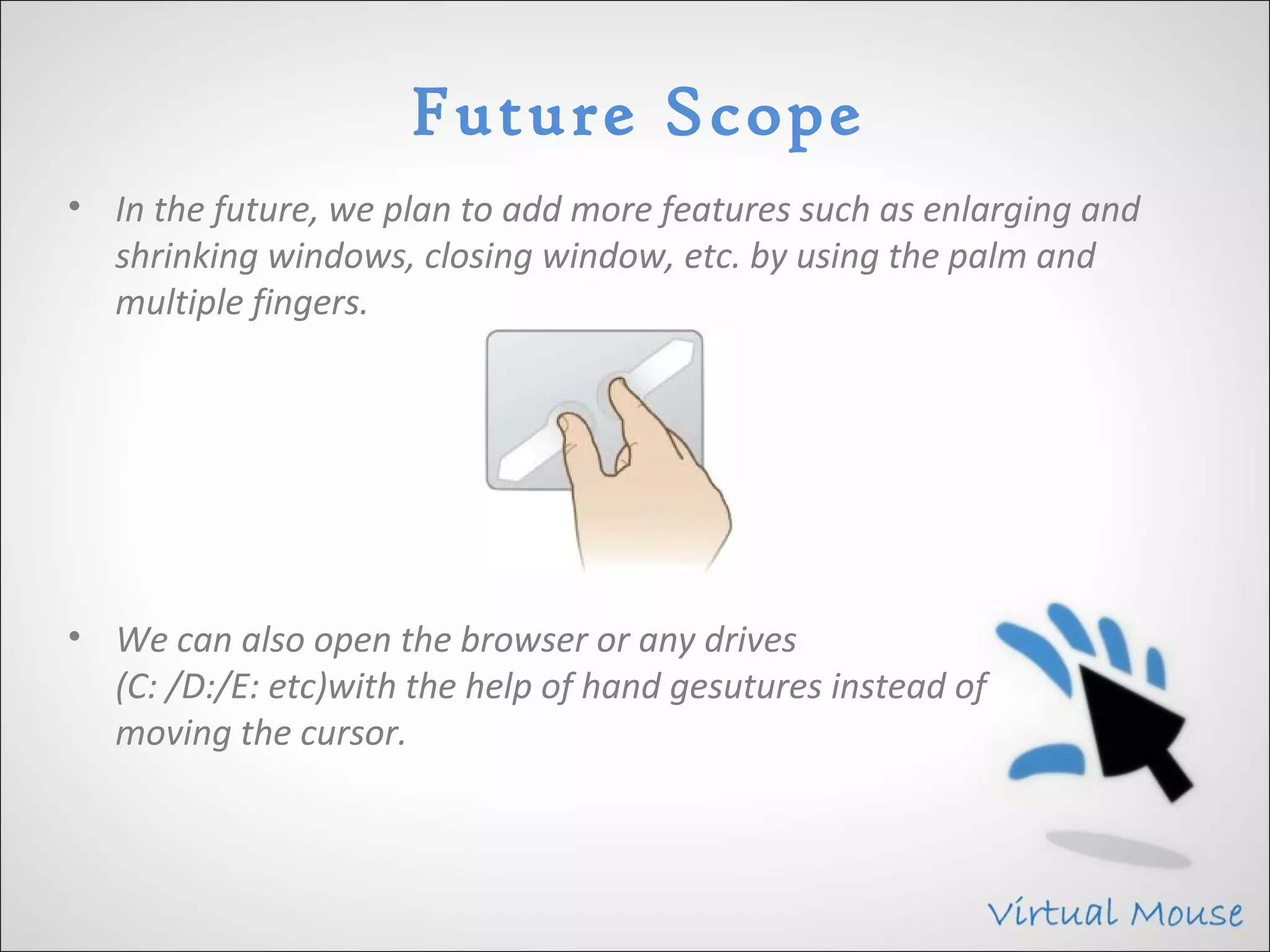
• In the future, we plan to add more features such as enlarging and
  shrinking windows, closing window, etc. by using the palm and
  multiple fingers.


• We can also open the browser or any drives
  (C: /D:/E: etc)with the help of hand gesutures instead of
  moving the cursor.
Conclusion
• We are developing a system to control the mouse cursor using a
  real-time camera.
• This system is based on computer vision algorithms and can do all
  mouse tasks.
• However, it is difficult to get stable results because of the variety of
  lighting and skin colors of human races.
• This system could be useful in presentations and to reduce work
  space.
• Features such as enlarging and shrinking windows,
  closing window, etc. by using the palm and multiple fingers.
ThAnk YOU

Virtual Mouse

  • 1.
    VIRTUAL MOUSE By Vivek A. Khutale Amey S. Kasar Reshma A. Indulkar
  • 2.
    Introduction • As computertechnology continues to develop, people have smaller and smaller electronic devices. • Increasingly we are recognizing the importance of human computing interaction (HCI), and inparticular vision-based gesture and object recognition. • In our project, we propose a novel approach that uses a video device to control the mouse system(Mouse tasks). • We employ several image processing algorithms to implement this.
  • 3.
    Project Scope • Formost laptop touchpad is not the most comfortable and convenient. • Virtual mouse, known as Virtual Multitask Mouse. • This is real time application. • User friendly application. • This project removes the requirement of having a physical.
  • 4.
    Goal and Objective •The goal is to manage computers and other devices with gestures rather than pointing and clicking a mouse or touching a display directly. • Backers believe that the approach can make it not only easier to carry out many existing chores but also take on trickier tasks such as creating 3-D models, browsing medical imagery during surgery without touching anything. • Reduce cost of hardware.
  • 5.
    Problem Statement • Todesign virtual mouse which detects hand gestures patterns instead of physical mouse. • Basically we use colored tips for detection which are captured by webcam. • Here, the colored fingertip acts as an object which the web cam senses. • The camera is positioned such that it recognizes the moment of finger tips and performs the operations of mouse. • The utilization of virtual mouse appears in space saving situations or in movement situation.
  • 6.
    Literature Survey • HCITechnology Human-computer interaction (HCI) is an area of research and practice that emerged in the early 1980s. • Gesture Recognition Gesture recognition is the mathematical interpretation of a human motion by a computing device. Using Palm Using Glove
  • 7.
    Architecture There are following layer: • Interface Layer • Process Layer • Data Manupulation Layer • Data Layer
  • 8.
  • 9.
    1.Image Resize •Map cameracoordinates to screen coordinates. 2.Segmentation •Separate the hand area from a complex background. •we converted from RGB color space to YCbCr color space, and then to binary image.
  • 10.
    3.Denoise •Need to deletenoisy pixels from the image. •We use an image morphology algorithm that performs image erosion and image dilation to eliminate noise . •Erosion trims down the image area where the hand is not present . •Dilation expands the area of the Image pixels which are not eroded.
  • 11.
    4.Finding center and thesize of the hand •Locate the center of the hand, we compute the radius of the palm region to get hand size. •Draw a circle increasing the radius of the circle from the center coordinate until the circle meets the first black pixel. •When the algorithm finds the first black pixel then it returns to the current radius value.
  • 12.
    5.Finding finger tip •Theconvex hull algorithm is used to solve the problem of finding the biggest polygon including all vertices. •we can detect finger tips on the hand. We used this algorithm to recognize if a finger is folded or not. •Check the distance between the center and a pixel which is in convex hull set.
  • 13.
    6.Controlling Mouse • Weightedspeed cursor control. We get a difference of the finger of the current image and the previous image and compute the distance between the two. • Next, we move the mouse cursor if the gap between the two finger images (current and previous frame) is far then the mouse cursor moves fast or, if the gap is close then the cursor moves slow. • Left clicking. • Right clicking. • Double clicking. • Scrolling.
  • 14.
    Hardware & Software Requirement • Web Cam • C# is one of the programming languages designed for the Common Language Infrastructure. It was developed by Microsoft . • OpenCV (Open Source Computer Vision Library) is a library of programming functions mainly aimed at real-time computer vision, developed by Intel. • OpenCV runs on Windows, Android, iOS, Linux and Mac OS.
  • 15.
    Advantages • The mainadvantage of using hand gestures is to interact with computer as a non-contact human computer input modality. • Reduce hardware cost by eliminating use of mouse. • Convenient for users not comfortable with touchpad. • The framework may be useful for controlling different types of games and other applications dependent on the controlled through user defined gestures.  
  • 16.
    Limitations • The presentapplication though seems to be feasible and more user friendly. • An attempt to make the input modes less constraints dependent for the users hand gestures has been preferred. • Another important aspect for the related development could be design of an independent gesture vocabulary framework. • The colour detection algorithm can cause detection problem if another coloured rubber in working domain of webcam.
  • 17.
    Future Scope • Inthe future, we plan to add more features such as enlarging and shrinking windows, closing window, etc. by using the palm and multiple fingers. • We can also open the browser or any drives (C: /D:/E: etc)with the help of hand gesutures instead of moving the cursor.
  • 18.
    Conclusion • We aredeveloping a system to control the mouse cursor using a real-time camera. • This system is based on computer vision algorithms and can do all mouse tasks. • However, it is difficult to get stable results because of the variety of lighting and skin colors of human races. • This system could be useful in presentations and to reduce work space. • Features such as enlarging and shrinking windows, closing window, etc. by using the palm and multiple fingers.
  • 19.