SUBMITTED BY:-
Naman Ajmera
16BCANO11
SUBMITTED TO:-
Prof. (Dr.) Deepak Dembla
HOD- IT & Computer
Application
Content
Touch screen
History of touch screen
Working of touch screen
Pors and cons
Introduction to Touch Less Touch Screen
Touch less monitor
Touch wall
Working
GBUI
Touch Screen UI
Minority report inspired Touch Less
technology
Conclusion
References
Touch Screen
 A touch screen is computer display
screen that is sensitive to human
touch.
 The display screen has a sensitive
glass overlay placed on it and we
could give the desired input by
touching it.
History
 E.A. Johnson of the Royal Radar Establishment,
Malvern described his work on capacitive touch
screens in a short article published in 1965 and
then more fully—with photographs and
diagrams—in an article published in 1967.
 In 1983, the computer manufacturing company,
Hewlett-Packard introduced the HP-150, a home
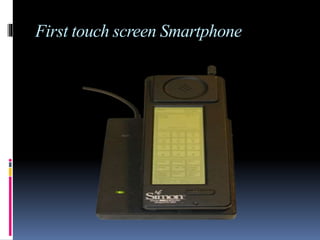
computer with touch screen technology. The first
touch screen phone was launched in 1992 by
IBM. The IBM Simon is also referred as the first
Smartphone.
First touch screen Smartphone
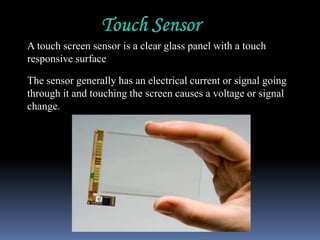
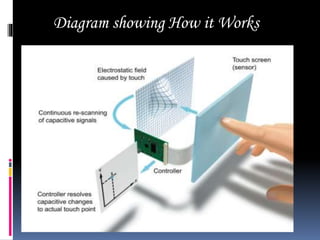
A touch screen sensor is a clear glass panel with a touch
responsive surface
The sensor generally has an electrical current or signal going
through it and touching the screen causes a voltage or signal
change.
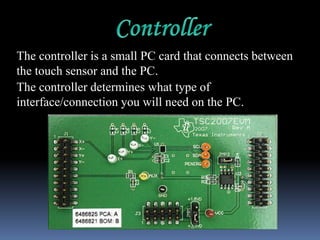
The controller is a small PC card that connects between
the touch sensor and the PC.
The controller determines what type of
interface/connection you will need on the PC.
The driver is a software that allows the touch
screen and computer to work together.
Most touch screen drivers today are a mouse-
emulation type driver.
Diagram showing How it Works
Pros & Cons
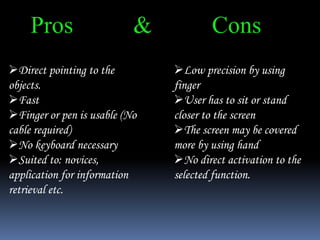
Direct pointing to the
objects.
Fast
Finger or pen is usable (No
cable required)
No keyboard necessary
Suited to: novices,
application for information
retrieval etc.
Low precision by using
finger
User has to sit or stand
closer to the screen
The screen may be covered
more by using hand
No direct activation to the
selected function.
TOUCH LESS TOUCH SCREEN
o Touch less control of
electrically operated
equipment is being
developed by Elliptic
Labs.
o This system depends on
hand or finger motions,
a hand wave in a certain
direction
o The sensor can be
placed either on the
screen or near the
screen.
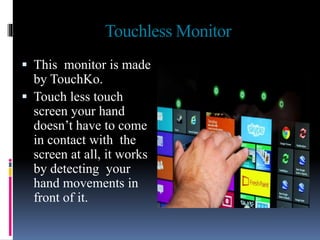
Touchless Monitor
 This monitor is made
by TouchKo.
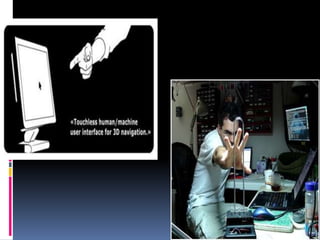
 Touch less touch
screen your hand
doesn’t have to come
in contact with the
screen at all, it works
by detecting your
hand movements in
front of it.
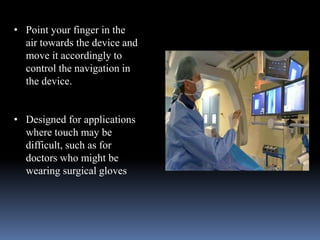
• Point your finger in the
air towards the device and
move it accordingly to
control the navigation in
the device.
• Designed for applications
where touch may be
difficult, such as for
doctors who might be
wearing surgical gloves
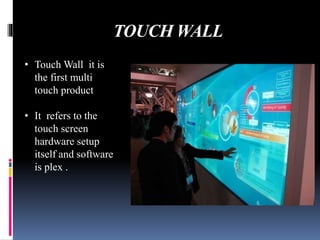
TOUCH WALL
• Touch Wall it is
the first multi
touch product
• It refers to the
touch screen
hardware setup
itself and software
is plex .
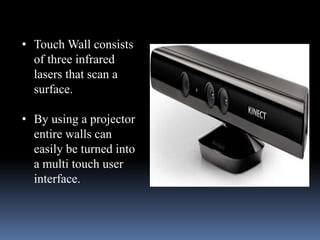
• Touch Wall consists
of three infrared
lasers that scan a
surface.
• By using a projector
entire walls can
easily be turned into
a multi touch user
interface.
Working:
 The system is capable of detecting movements in
3-dimensions without ever having to put your
fingers on the screen.
 Sensors are mounted around the screen that is
being used, by interacting in the line-of-sight of
these sensors the motion is detected and
interpreted into on-screen movements.
 The device is based on optical pattern recognition
using a solid state optical matrix sensor with a
lens to detect hand motions.
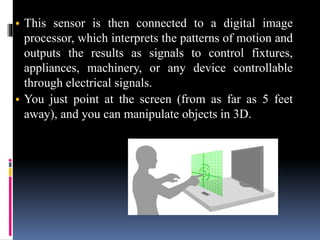
• This sensor is then connected to a digital image
processor, which interprets the patterns of motion and
outputs the results as signals to control fixtures,
appliances, machinery, or any device controllable
through electrical signals.
• You just point at the screen (from as far as 5 feet
away), and you can manipulate objects in 3D.
GBUI(gesture-based graphical user
Interface)
 A movement of part of
the body, especially a
hand or the head, to
express an idea or
meaning Based graphical
user interphase
 We have seen the futuristic user interfaces of
movies like Minority Report and the Matrix
Revolutions where people wave their hand in
3 dimensions and the computer understands
what the user wants and shifts and sorts data
with precision.
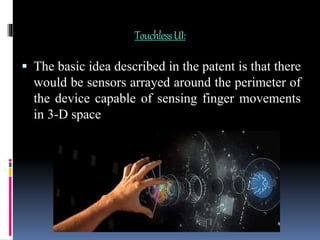
TouchlessUI:
 The basic idea described in the patent is that there
would be sensors arrayed around the perimeter of
the device capable of sensing finger movements
in 3-D space
Eight Minority Report
Inspired Touchless Technology:
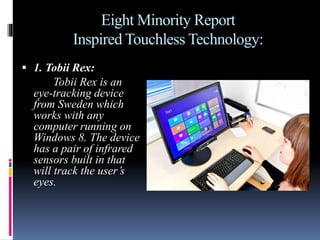
 1. Tobii Rex:
Tobii Rex is an
eye-tracking device
from Sweden which
works with any
computer running on
Windows 8. The device
has a pair of infrared
sensors built in that
will track the user’s
eyes.
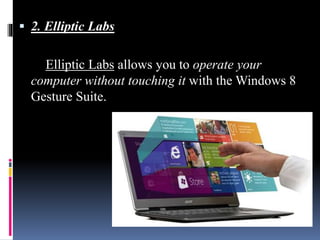
 2. Elliptic Labs
Elliptic Labs allows you to operate your
computer without touching it with the Windows 8
Gesture Suite.
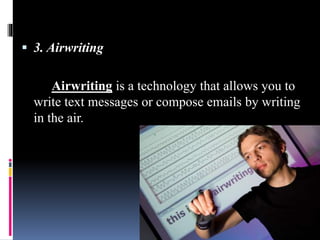
 3. Airwriting
Airwriting is a technology that allows you to
write text messages or compose emails by writing
in the air.
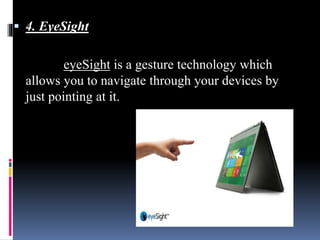
 4. EyeSight
eyeSight is a gesture technology which
allows you to navigate through your devices by
just pointing at it.
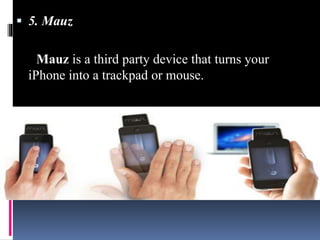
 5. Mauz
Mauz is a third party device that turns your
iPhone into a trackpad or mouse.
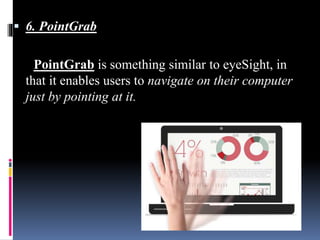
 6. PointGrab
PointGrab is something similar to eyeSight, in
that it enables users to navigate on their computer
just by pointing at it.
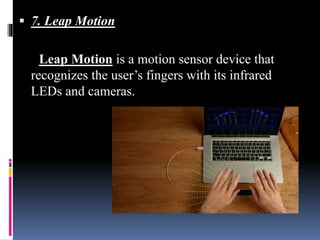
 7. Leap Motion
Leap Motion is a motion sensor device that
recognizes the user’s fingers with its infrared
LEDs and cameras.
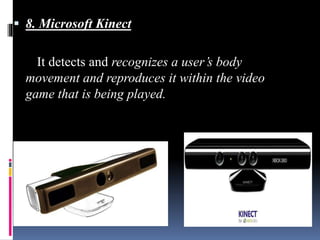
 8. Microsoft Kinect
It detects and recognizes a user’s body
movement and reproduces it within the video
game that is being played.

 TouchlessTechnology is still developing
 Many Future Aspects
 With this in few years our body can become
a input device
Bibliography:
• http://www.comogy.com/concepts/170-universal-
remote-concept.html
• http://www.hitslot.com/?p=214
• http://www.touchuserinterface.com/touchless-
touch-screen-that-senses-your.html
• http://www.etre.com/blog/elliptic_labs_touchless_u
ser_interface/
• http://www.lewisshepherd.wordpress.com/stop-
being-so-touchy
Touchless touch screen

Touchless touch screen

  • 1.
    SUBMITTED BY:- Naman Ajmera 16BCANO11 SUBMITTEDTO:- Prof. (Dr.) Deepak Dembla HOD- IT & Computer Application
  • 2.
    Content Touch screen History oftouch screen Working of touch screen Pors and cons Introduction to Touch Less Touch Screen Touch less monitor Touch wall Working GBUI Touch Screen UI Minority report inspired Touch Less technology Conclusion References
  • 3.
    Touch Screen  Atouch screen is computer display screen that is sensitive to human touch.  The display screen has a sensitive glass overlay placed on it and we could give the desired input by touching it.
  • 4.
    History  E.A. Johnsonof the Royal Radar Establishment, Malvern described his work on capacitive touch screens in a short article published in 1965 and then more fully—with photographs and diagrams—in an article published in 1967.  In 1983, the computer manufacturing company, Hewlett-Packard introduced the HP-150, a home computer with touch screen technology. The first touch screen phone was launched in 1992 by IBM. The IBM Simon is also referred as the first Smartphone.
  • 5.
  • 7.
    A touch screensensor is a clear glass panel with a touch responsive surface The sensor generally has an electrical current or signal going through it and touching the screen causes a voltage or signal change.
  • 8.
    The controller isa small PC card that connects between the touch sensor and the PC. The controller determines what type of interface/connection you will need on the PC.
  • 9.
    The driver isa software that allows the touch screen and computer to work together. Most touch screen drivers today are a mouse- emulation type driver.
  • 10.
  • 12.
    Pros & Cons Directpointing to the objects. Fast Finger or pen is usable (No cable required) No keyboard necessary Suited to: novices, application for information retrieval etc. Low precision by using finger User has to sit or stand closer to the screen The screen may be covered more by using hand No direct activation to the selected function.
  • 14.
    TOUCH LESS TOUCHSCREEN o Touch less control of electrically operated equipment is being developed by Elliptic Labs. o This system depends on hand or finger motions, a hand wave in a certain direction o The sensor can be placed either on the screen or near the screen.
  • 15.
    Touchless Monitor  Thismonitor is made by TouchKo.  Touch less touch screen your hand doesn’t have to come in contact with the screen at all, it works by detecting your hand movements in front of it.
  • 16.
    • Point yourfinger in the air towards the device and move it accordingly to control the navigation in the device. • Designed for applications where touch may be difficult, such as for doctors who might be wearing surgical gloves
  • 17.
    TOUCH WALL • TouchWall it is the first multi touch product • It refers to the touch screen hardware setup itself and software is plex .
  • 18.
    • Touch Wallconsists of three infrared lasers that scan a surface. • By using a projector entire walls can easily be turned into a multi touch user interface.
  • 19.
    Working:  The systemis capable of detecting movements in 3-dimensions without ever having to put your fingers on the screen.  Sensors are mounted around the screen that is being used, by interacting in the line-of-sight of these sensors the motion is detected and interpreted into on-screen movements.  The device is based on optical pattern recognition using a solid state optical matrix sensor with a lens to detect hand motions.
  • 21.
    • This sensoris then connected to a digital image processor, which interprets the patterns of motion and outputs the results as signals to control fixtures, appliances, machinery, or any device controllable through electrical signals. • You just point at the screen (from as far as 5 feet away), and you can manipulate objects in 3D.
  • 23.
    GBUI(gesture-based graphical user Interface) A movement of part of the body, especially a hand or the head, to express an idea or meaning Based graphical user interphase
  • 24.
     We haveseen the futuristic user interfaces of movies like Minority Report and the Matrix Revolutions where people wave their hand in 3 dimensions and the computer understands what the user wants and shifts and sorts data with precision.
  • 25.
    TouchlessUI:  The basicidea described in the patent is that there would be sensors arrayed around the perimeter of the device capable of sensing finger movements in 3-D space
  • 26.
    Eight Minority Report InspiredTouchless Technology:  1. Tobii Rex: Tobii Rex is an eye-tracking device from Sweden which works with any computer running on Windows 8. The device has a pair of infrared sensors built in that will track the user’s eyes.
  • 27.
     2. EllipticLabs Elliptic Labs allows you to operate your computer without touching it with the Windows 8 Gesture Suite.
  • 28.
     3. Airwriting Airwritingis a technology that allows you to write text messages or compose emails by writing in the air.
  • 29.
     4. EyeSight eyeSightis a gesture technology which allows you to navigate through your devices by just pointing at it.
  • 30.
     5. Mauz Mauzis a third party device that turns your iPhone into a trackpad or mouse.
  • 31.
     6. PointGrab PointGrabis something similar to eyeSight, in that it enables users to navigate on their computer just by pointing at it.
  • 32.
     7. LeapMotion Leap Motion is a motion sensor device that recognizes the user’s fingers with its infrared LEDs and cameras.
  • 33.
     8. MicrosoftKinect It detects and recognizes a user’s body movement and reproduces it within the video game that is being played.
  • 34.
     TouchlessTechnology isstill developing  Many Future Aspects  With this in few years our body can become a input device
  • 35.
    Bibliography: • http://www.comogy.com/concepts/170-universal- remote-concept.html • http://www.hitslot.com/?p=214 •http://www.touchuserinterface.com/touchless- touch-screen-that-senses-your.html • http://www.etre.com/blog/elliptic_labs_touchless_u ser_interface/ • http://www.lewisshepherd.wordpress.com/stop- being-so-touchy