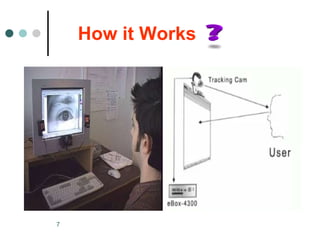
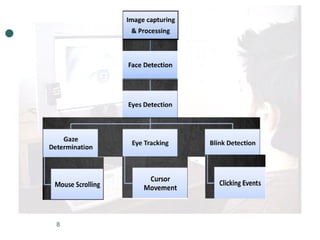
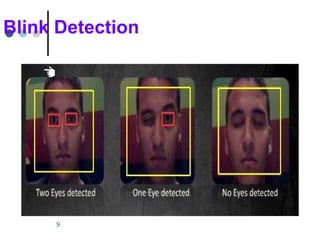
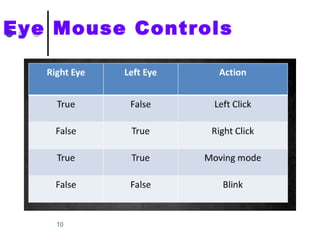
The document introduces the Eye Mouse, which allows computer control through eye movement and blinking rather than a physical mouse. It works by using software to detect blinks and eye movements to control the cursor. The Eye Mouse has benefits for disabled users and can be used for interactive games and ads. However, it also has limitations like camera resolution and potential eye strain from improper use.











![PERI-PROSTHETIC FRACTURE NAIL-PLATE CONSTRUCT [NPC].pptx](https://cdn.slidesharecdn.com/ss_thumbnails/drarunkumardrmohamedashrafperiprostheticfrasturenail-plateconstructnpc-260209164459-7e9d15a1-thumbnail.jpg?width=640&height=640&fit=bounds)


