GESTURE BASED
          COMPUTING
             Paul Coulton


Banksy
GESTURE BASED
          COMPUTING
             Paul Coulton
                            O’Sullivan
                            and Igoe


Banksy
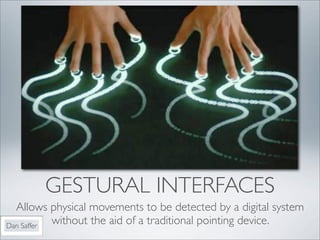
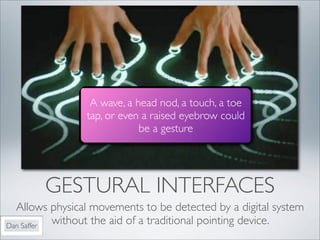
GESTURAL INTERFACES
  Allows physical movements to be detected by a digital system
Dan Saffer
           without the aid of a traditional pointing device.
A wave, a head nod, a touch, a toe
                tap, or even a raised eyebrow could
                            be a gesture


        GESTURAL INTERFACES
  Allows physical movements to be detected by a digital system
Dan Saffer
           without the aid of a traditional pointing device.
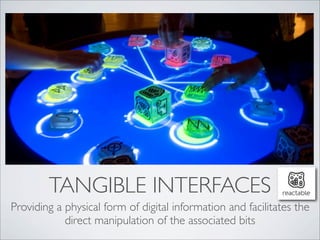
TANGIBLE INTERFACES
Providing a physical form of digital information and facilitates the
            direct manipulation of the associated bits
Text


Jesper Juul
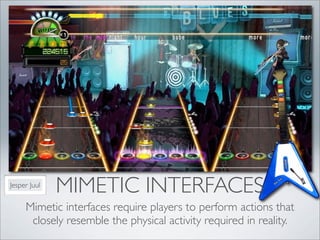
              MIMETIC INTERFACES
     Mimetic interfaces require players to perform actions that
      closely resemble the physical activity required in reality.
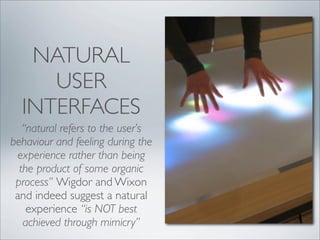
NATURAL
     USER
  INTERFACES
   “natural refers to the user’s
behaviour and feeling during the
 experience rather than being
  the product of some organic
 process” Wigdor and Wixon
 and indeed suggest a natural
    experience “is NOT best
   achieved through mimicry”
TYPES OF
      GESTURAL
      INTERFACE
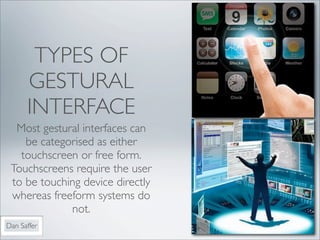
  Most gestural interfaces can
    be categorised as either
   touchscreen or free form.
 Touchscreens require the user
 to be touching device directly
 whereas freeform systems do
             not.
Dan Saffer
DIRECT VS INDIRECT
  MANIPULATION
Direct manipulation features a
   natural representation of task
   objects and actions promoting
       the notion of people
   performing a task themselves
     (directly) not through an
            intermediary.


DIRECT VS INDIRECT
  MANIPULATION
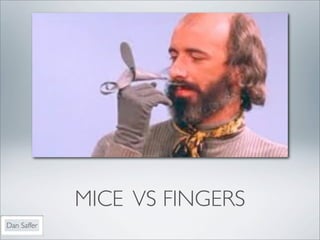
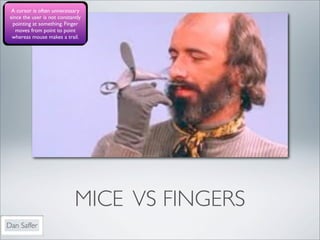
MICE VS FINGERS
Dan Saffer
A cursor is often unnecessary
 since the user is not constantly
  pointing at something. Finger
    moves from point to point
  whereas mouse makes a trail.


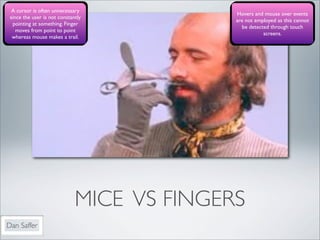
                              MICE VS FINGERS
Dan Saffer
A cursor is often unnecessary
                                            Hovers and mouse over events
 since the user is not constantly
                                            are not employed as this cannot
  pointing at something. Finger
                                              be detected through touch
    moves from point to point
                                                       screens.
  whereas mouse makes a trail.


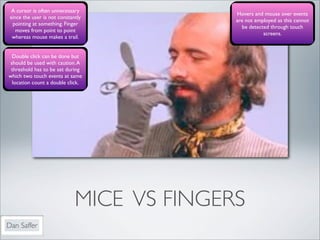
                              MICE VS FINGERS
Dan Saffer
A cursor is often unnecessary
                                            Hovers and mouse over events
 since the user is not constantly
                                            are not employed as this cannot
  pointing at something. Finger
                                              be detected through touch
    moves from point to point
                                                       screens.
  whereas mouse makes a trail.


  Double click can be done but
 should be used with caution. A
 threshold has to be set during
which two touch events at same
  location count a double click.


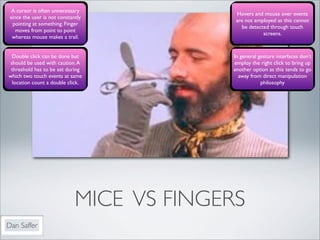
                              MICE VS FINGERS
Dan Saffer
A cursor is often unnecessary
                                            Hovers and mouse over events
 since the user is not constantly
                                            are not employed as this cannot
  pointing at something. Finger
                                              be detected through touch
    moves from point to point
                                                       screens.
  whereas mouse makes a trail.


  Double click can be done but             In general gesture interfaces don’t
 should be used with caution. A            employ the right click to bring up
 threshold has to be set during            another option as this tends to go
which two touch events at same               away from direct manipulation
  location count a double click.                       philosophy


                              MICE VS FINGERS
Dan Saffer
A cursor is often unnecessary
                                            Hovers and mouse over events
 since the user is not constantly
                                            are not employed as this cannot
  pointing at something. Finger
                                              be detected through touch
    moves from point to point
                                                       screens.
  whereas mouse makes a trail.


  Double click can be done but             In general gesture interfaces don’t
 should be used with caution. A            employ the right click to bring up
 threshold has to be set during            another option as this tends to go
which two touch events at same               away from direct manipulation
  location count a double click.                       philosophy


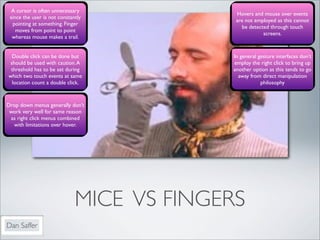
Drop down menus generally don’t
 work very well for same reason
 as right click menus combined
  with limitations over hover.


                              MICE VS FINGERS
Dan Saffer
A cursor is often unnecessary
                                            Hovers and mouse over events
 since the user is not constantly
                                            are not employed as this cannot
  pointing at something. Finger
                                              be detected through touch
    moves from point to point
                                                       screens.
  whereas mouse makes a trail.


  Double click can be done but             In general gesture interfaces don’t
 should be used with caution. A            employ the right click to bring up
 threshold has to be set during            another option as this tends to go
which two touch events at same               away from direct manipulation
  location count a double click.                       philosophy


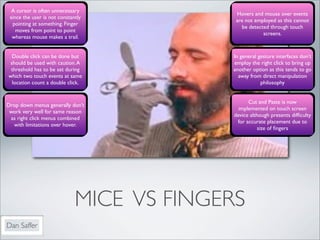
                                                  Cut and Paste is now
Drop down menus generally don’t
                                              implemented on touch screen
 work very well for same reason
                                            device although presents difficulty
 as right click menus combined
                                             for accurate placement due to
  with limitations over hover.
                                                       size of fingers


                              MICE VS FINGERS
Dan Saffer
A cursor is often unnecessary
                                            Hovers and mouse over events
 since the user is not constantly
                                            are not employed as this cannot
  pointing at something. Finger
                                              be detected through touch
    moves from point to point
                                                       screens.
  whereas mouse makes a trail.


  Double click can be done but             In general gesture interfaces don’t
 should be used with caution. A            employ the right click to bring up
 threshold has to be set during            another option as this tends to go
which two touch events at same               away from direct manipulation
  location count a double click.                       philosophy


                                                  Cut and Paste is now
Drop down menus generally don’t
                                              implemented on touch screen
 work very well for same reason
                                            device although presents difficulty
 as right click menus combined
                                             for accurate placement due to
  with limitations over hover.
                                                       size of fingers


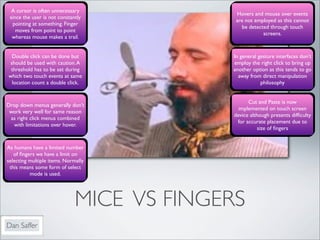
As humans have a limited number
   of fingers we have a limit on
selecting multiple items. Normally
 this means some form of select
          mode is used.


                              MICE VS FINGERS
Dan Saffer
A cursor is often unnecessary
                                            Hovers and mouse over events
 since the user is not constantly
                                            are not employed as this cannot
  pointing at something. Finger
                                              be detected through touch
    moves from point to point
                                                       screens.
  whereas mouse makes a trail.


  Double click can be done but             In general gesture interfaces don’t
 should be used with caution. A            employ the right click to bring up
 threshold has to be set during            another option as this tends to go
which two touch events at same               away from direct manipulation
  location count a double click.                       philosophy


                                                  Cut and Paste is now
Drop down menus generally don’t
                                              implemented on touch screen
 work very well for same reason
                                            device although presents difficulty
 as right click menus combined
                                             for accurate placement due to
  with limitations over hover.
                                                       size of fingers


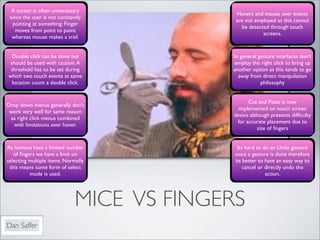
As humans have a limited number              Its hard to do an Undo gesture
   of fingers we have a limit on             once a gesture is done therefore
selecting multiple items. Normally          its better to have an easy way to
 this means some form of select                 cancel or directly undo the
          mode is used.                                   action.


                              MICE VS FINGERS
Dan Saffer
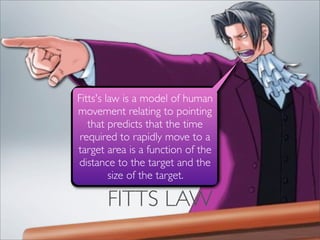
FITTS LAW
Fitts's law is a model of human
movement relating to pointing
   that predicts that the time
 required to rapidly move to a
target area is a function of the
distance to the target and the
         size of the target.

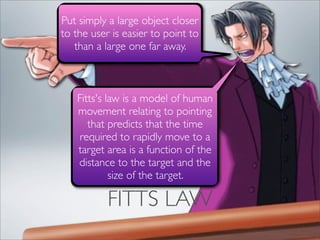
       FITTS LAW
Put simply a large object closer
to the user is easier to point to
   than a large one far away.


   Fitts's law is a model of human
   movement relating to pointing
      that predicts that the time
    required to rapidly move to a
   target area is a function of the
   distance to the target and the
            size of the target.

           FITTS LAW
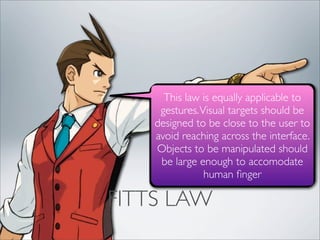
FITTS LAW
This law is equally applicable to
     gestures. Visual targets should be
    designed to be close to the user to
    avoid reaching across the interface.
    Objects to be manipulated should
     be large enough to accomodate
                human finger

FITTS LAW
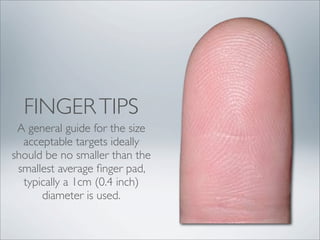
FINGER TIPS
 A general guide for the size
  acceptable targets ideally
should be no smaller than the
 smallest average finger pad,
  typically a 1cm (0.4 inch)
      diameter is used.
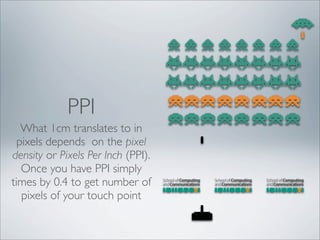
PPI
   What 1cm translates to in
  pixels depends on the pixel
density or Pixels Per Inch (PPI).
   Once you have PPI simply
times by 0.4 to get number of
   pixels of your touch point
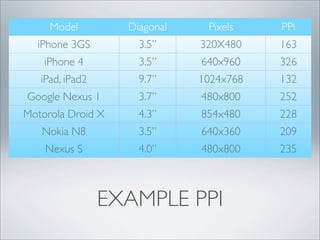
Model         Diagonal    Pixels    PPI
  iPhone 3GS         3.5”     320X480    163
    iPhone 4         3.5”     640x960    326
   iPad, iPad2       9.7”     1024x768   132
Google Nexus 1       3.7”     480x800    252
Motorola Droid X     4.3”     854x480    228
   Nokia N8          3.5”     640x360    209
    Nexus S          4.0”     480x800    235


                 EXAMPLE PPI
Dan Saffer


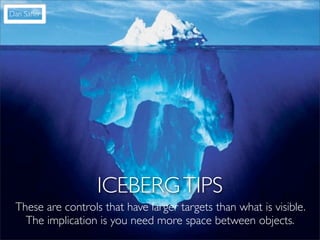
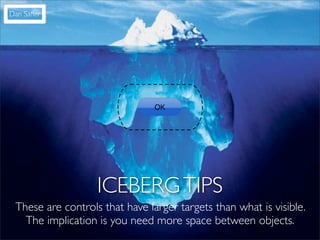
                   ICEBERG TIPS
 These are controls that have larger targets than what is visible.
   The implication is you need more space between objects.
Dan Saffer


                                OK


                   ICEBERG TIPS
 These are controls that have larger targets than what is visible.
   The implication is you need more space between objects.
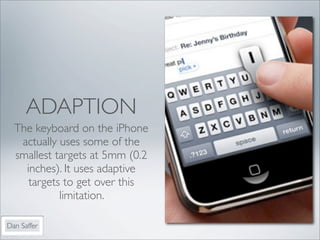
ADAPTION
  The keyboard on the iPhone
   actually uses some of the
  smallest targets at 5mm (0.2
    inches). It uses adaptive
     targets to get over this
            limitation.

Dan Saffer
Dan Saffer


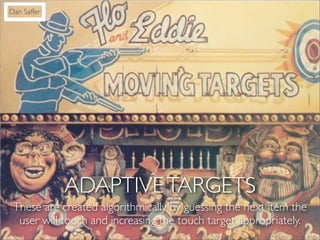
             ADAPTIVE TARGETS
 These are created algorithmically by guessing the next item the
  user will touch and increasing the touch target appropriately.
Dan Saffer


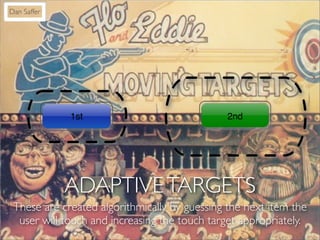
             1st                              2nd


             ADAPTIVE TARGETS
 These are created algorithmically by guessing the next item the
  user will touch and increasing the touch target appropriately.
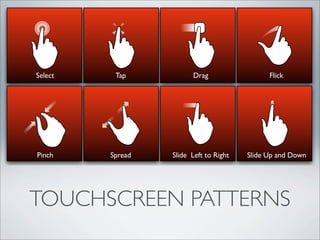
Select    Tap           Drag                  Flick


Pinch    Spread   Slide Left to Right   Slide Up and Down


TOUCHSCREEN PATTERNS
CURSE OF TWO FINGERED
       ZOOM!
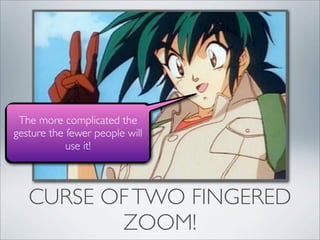
The more complicated the
gesture the fewer people will
            use it!


   CURSE OF TWO FINGERED
          ZOOM!
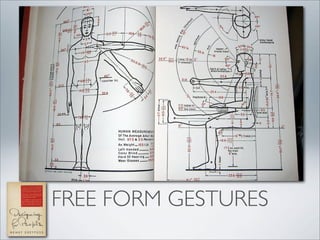
USER GENERATED
FREE FORM GESTURES
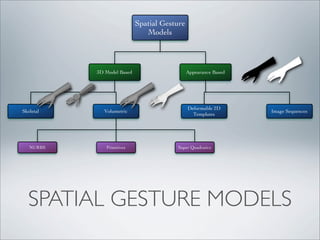
Spatial Gesture
                               Models


           3D Model Based                     Appearance Based


                                              Deformable 2D
Skeletal     Volumetric                                          Image Sequences
                                                Templates


   NURBS      Primitives                Super Quadratics


  SPATIAL GESTURE MODELS
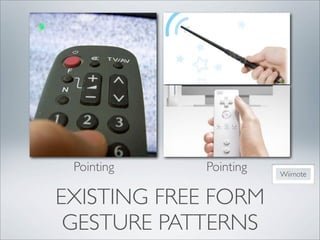
Pointing    Pointing   Wiimote


EXISTING FREE FORM
 GESTURE PATTERNS
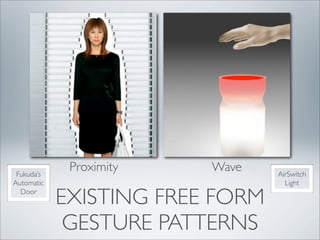
Fukuda’s
             Proximity   Wave    AirSwitch
Automatic                          Light
  Door
            EXISTING FREE FORM
             GESTURE PATTERNS
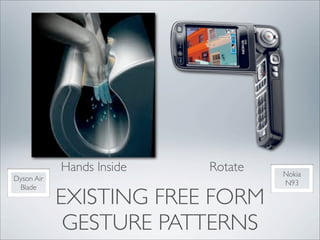
Hands Inside   Rotate   Nokia
Dyson Air
                                    N93
 Blade
            EXISTING FREE FORM
             GESTURE PATTERNS
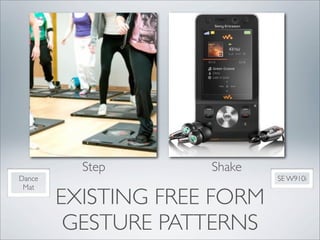
Step       Shake
Dance                        SE W910i
 Mat
        EXISTING FREE FORM
         GESTURE PATTERNS
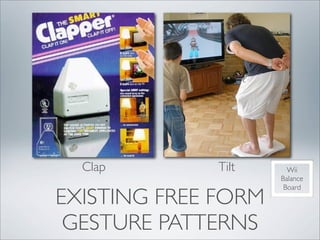
Clap        Tilt     Wii
                     Balance
                      Board
EXISTING FREE FORM
 GESTURE PATTERNS
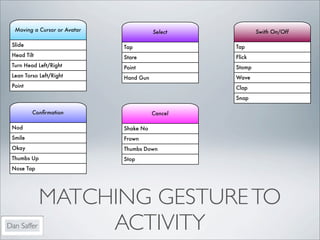
Moving a Cursor or Avatar              Select           Swith On/Off

 Slide                        Tap                 Tap
 Head Tilt                    Stare               Flick
 Turn Head Left/Right         Point               Stomp
 Lean Torso Left/Right        Hand Gun            Wave
 Point                                            Clap
                                                  Snap

         Confirmation                     Cancel

 Nod                          Shake No
 Smile                        Frown
 Okay                         Thumbs Down
 Thumbs Up                    Stop
 Nose Tap


             MATCHING GESTURE TO
Dan Saffer        ACTIVITY
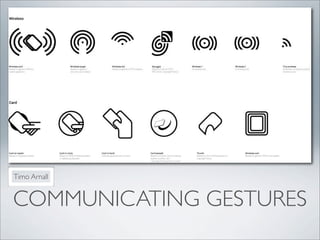
Timo Arnall


COMMUNICATING GESTURES
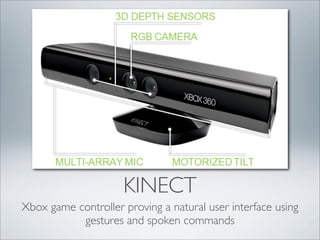
KINECT
Xbox game controller proving a natural user interface using
           gestures and spoken commands
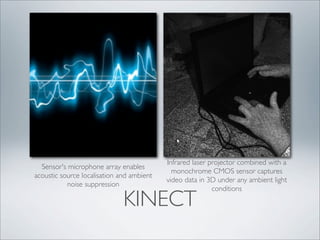
Infrared laser projector combined with a
  Sensor's microphone array enables
                                             monochrome CMOS sensor captures
acoustic source localisation and ambient
                                           video data in 3D under any ambient light
           noise suppression
                                                           conditions

                              KINECT
KINECT SDK
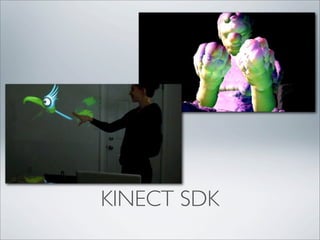
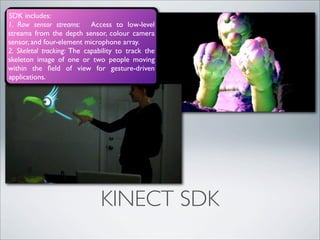
SDK includes:
1. Raw sensor streams: Access to low-level
streams from the depth sensor, colour camera
sensor, and four-element microphone array.
2. Skeletal tracking: The capability to track the
skeleton image of one or two people moving
within the field of view for gesture-driven
applications.


                              KINECT SDK
SDK includes:
1. Raw sensor streams: Access to low-level
streams from the depth sensor, colour camera
sensor, and four-element microphone array.
2. Skeletal tracking: The capability to track the
skeleton image of one or two people moving
within the field of view for gesture-driven
applications.


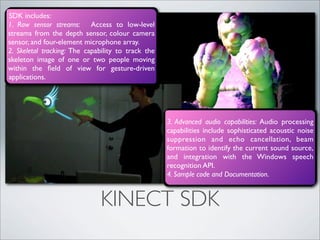
                                                    3. Advanced audio capabilities: Audio processing
                                                    capabilities include sophisticated acoustic noise
                                                    suppression and echo cancellation, beam
                                                    formation to identify the current sound source,
                                                    and integration with the Windows speech
                                                    recognition API.
                                                    4. Sample code and Documentation.


                              KINECT SDK
CONCLUSIONS

• Currently   gestures can be classified predominantly as touch or
  free form
• The finger is not a direct replacement for the mouse.
• The more complicated the gesture the fewer the number of
  people who will use it successfully.
• If gestures are not obvious to the user the need to be clearly
  communicated
• As yet our vocabulary of free form gestures is limited and
  needs much more development.
• Free form gestures should make the user embarrassed.
@mysticmobile


QUESTIONS

Gesture Based Computing

  • 1.
    GESTURE BASED COMPUTING Paul Coulton Banksy
  • 2.
    GESTURE BASED COMPUTING Paul Coulton O’Sullivan and Igoe Banksy
  • 3.
    GESTURAL INTERFACES Allows physical movements to be detected by a digital system Dan Saffer without the aid of a traditional pointing device.
  • 4.
    A wave, ahead nod, a touch, a toe tap, or even a raised eyebrow could be a gesture GESTURAL INTERFACES Allows physical movements to be detected by a digital system Dan Saffer without the aid of a traditional pointing device.
  • 5.
    TANGIBLE INTERFACES Providing aphysical form of digital information and facilitates the direct manipulation of the associated bits
  • 6.
    Text Jesper Juul MIMETIC INTERFACES Mimetic interfaces require players to perform actions that closely resemble the physical activity required in reality.
  • 7.
    NATURAL USER INTERFACES “natural refers to the user’s behaviour and feeling during the experience rather than being the product of some organic process” Wigdor and Wixon and indeed suggest a natural experience “is NOT best achieved through mimicry”
  • 8.
    TYPES OF GESTURAL INTERFACE Most gestural interfaces can be categorised as either touchscreen or free form. Touchscreens require the user to be touching device directly whereas freeform systems do not. Dan Saffer
  • 9.
    DIRECT VS INDIRECT MANIPULATION
  • 10.
    Direct manipulation featuresa natural representation of task objects and actions promoting the notion of people performing a task themselves (directly) not through an intermediary. DIRECT VS INDIRECT MANIPULATION
  • 11.
  • 12.
    A cursor isoften unnecessary since the user is not constantly pointing at something. Finger moves from point to point whereas mouse makes a trail. MICE VS FINGERS Dan Saffer
  • 13.
    A cursor isoften unnecessary Hovers and mouse over events since the user is not constantly are not employed as this cannot pointing at something. Finger be detected through touch moves from point to point screens. whereas mouse makes a trail. MICE VS FINGERS Dan Saffer
  • 14.
    A cursor isoften unnecessary Hovers and mouse over events since the user is not constantly are not employed as this cannot pointing at something. Finger be detected through touch moves from point to point screens. whereas mouse makes a trail. Double click can be done but should be used with caution. A threshold has to be set during which two touch events at same location count a double click. MICE VS FINGERS Dan Saffer
  • 15.
    A cursor isoften unnecessary Hovers and mouse over events since the user is not constantly are not employed as this cannot pointing at something. Finger be detected through touch moves from point to point screens. whereas mouse makes a trail. Double click can be done but In general gesture interfaces don’t should be used with caution. A employ the right click to bring up threshold has to be set during another option as this tends to go which two touch events at same away from direct manipulation location count a double click. philosophy MICE VS FINGERS Dan Saffer
  • 16.
    A cursor isoften unnecessary Hovers and mouse over events since the user is not constantly are not employed as this cannot pointing at something. Finger be detected through touch moves from point to point screens. whereas mouse makes a trail. Double click can be done but In general gesture interfaces don’t should be used with caution. A employ the right click to bring up threshold has to be set during another option as this tends to go which two touch events at same away from direct manipulation location count a double click. philosophy Drop down menus generally don’t work very well for same reason as right click menus combined with limitations over hover. MICE VS FINGERS Dan Saffer
  • 17.
    A cursor isoften unnecessary Hovers and mouse over events since the user is not constantly are not employed as this cannot pointing at something. Finger be detected through touch moves from point to point screens. whereas mouse makes a trail. Double click can be done but In general gesture interfaces don’t should be used with caution. A employ the right click to bring up threshold has to be set during another option as this tends to go which two touch events at same away from direct manipulation location count a double click. philosophy Cut and Paste is now Drop down menus generally don’t implemented on touch screen work very well for same reason device although presents difficulty as right click menus combined for accurate placement due to with limitations over hover. size of fingers MICE VS FINGERS Dan Saffer
  • 18.
    A cursor isoften unnecessary Hovers and mouse over events since the user is not constantly are not employed as this cannot pointing at something. Finger be detected through touch moves from point to point screens. whereas mouse makes a trail. Double click can be done but In general gesture interfaces don’t should be used with caution. A employ the right click to bring up threshold has to be set during another option as this tends to go which two touch events at same away from direct manipulation location count a double click. philosophy Cut and Paste is now Drop down menus generally don’t implemented on touch screen work very well for same reason device although presents difficulty as right click menus combined for accurate placement due to with limitations over hover. size of fingers As humans have a limited number of fingers we have a limit on selecting multiple items. Normally this means some form of select mode is used. MICE VS FINGERS Dan Saffer
  • 19.
    A cursor isoften unnecessary Hovers and mouse over events since the user is not constantly are not employed as this cannot pointing at something. Finger be detected through touch moves from point to point screens. whereas mouse makes a trail. Double click can be done but In general gesture interfaces don’t should be used with caution. A employ the right click to bring up threshold has to be set during another option as this tends to go which two touch events at same away from direct manipulation location count a double click. philosophy Cut and Paste is now Drop down menus generally don’t implemented on touch screen work very well for same reason device although presents difficulty as right click menus combined for accurate placement due to with limitations over hover. size of fingers As humans have a limited number Its hard to do an Undo gesture of fingers we have a limit on once a gesture is done therefore selecting multiple items. Normally its better to have an easy way to this means some form of select cancel or directly undo the mode is used. action. MICE VS FINGERS Dan Saffer
  • 20.
  • 21.
    Fitts's law isa model of human movement relating to pointing that predicts that the time required to rapidly move to a target area is a function of the distance to the target and the size of the target. FITTS LAW
  • 22.
    Put simply alarge object closer to the user is easier to point to than a large one far away. Fitts's law is a model of human movement relating to pointing that predicts that the time required to rapidly move to a target area is a function of the distance to the target and the size of the target. FITTS LAW
  • 23.
  • 24.
    This law isequally applicable to gestures. Visual targets should be designed to be close to the user to avoid reaching across the interface. Objects to be manipulated should be large enough to accomodate human finger FITTS LAW
  • 25.
    FINGER TIPS Ageneral guide for the size acceptable targets ideally should be no smaller than the smallest average finger pad, typically a 1cm (0.4 inch) diameter is used.
  • 26.
    PPI What 1cm translates to in pixels depends on the pixel density or Pixels Per Inch (PPI). Once you have PPI simply times by 0.4 to get number of pixels of your touch point
  • 27.
    Model Diagonal Pixels PPI iPhone 3GS 3.5” 320X480 163 iPhone 4 3.5” 640x960 326 iPad, iPad2 9.7” 1024x768 132 Google Nexus 1 3.7” 480x800 252 Motorola Droid X 4.3” 854x480 228 Nokia N8 3.5” 640x360 209 Nexus S 4.0” 480x800 235 EXAMPLE PPI
  • 28.
    Dan Saffer ICEBERG TIPS These are controls that have larger targets than what is visible. The implication is you need more space between objects.
  • 29.
    Dan Saffer OK ICEBERG TIPS These are controls that have larger targets than what is visible. The implication is you need more space between objects.
  • 30.
    ADAPTION Thekeyboard on the iPhone actually uses some of the smallest targets at 5mm (0.2 inches). It uses adaptive targets to get over this limitation. Dan Saffer
  • 31.
    Dan Saffer ADAPTIVE TARGETS These are created algorithmically by guessing the next item the user will touch and increasing the touch target appropriately.
  • 32.
    Dan Saffer 1st 2nd ADAPTIVE TARGETS These are created algorithmically by guessing the next item the user will touch and increasing the touch target appropriately.
  • 33.
    Select Tap Drag Flick Pinch Spread Slide Left to Right Slide Up and Down TOUCHSCREEN PATTERNS
  • 34.
    CURSE OF TWOFINGERED ZOOM!
  • 35.
    The more complicatedthe gesture the fewer people will use it! CURSE OF TWO FINGERED ZOOM!
  • 36.
  • 37.
  • 38.
    Spatial Gesture Models 3D Model Based Appearance Based Deformable 2D Skeletal Volumetric Image Sequences Templates NURBS Primitives Super Quadratics SPATIAL GESTURE MODELS
  • 39.
    Pointing Pointing Wiimote EXISTING FREE FORM GESTURE PATTERNS
  • 40.
    Fukuda’s Proximity Wave AirSwitch Automatic Light Door EXISTING FREE FORM GESTURE PATTERNS
  • 41.
    Hands Inside Rotate Nokia Dyson Air N93 Blade EXISTING FREE FORM GESTURE PATTERNS
  • 42.
    Step Shake Dance SE W910i Mat EXISTING FREE FORM GESTURE PATTERNS
  • 43.
    Clap Tilt Wii Balance Board EXISTING FREE FORM GESTURE PATTERNS
  • 44.
    Moving a Cursoror Avatar Select Swith On/Off Slide Tap Tap Head Tilt Stare Flick Turn Head Left/Right Point Stomp Lean Torso Left/Right Hand Gun Wave Point Clap Snap Confirmation Cancel Nod Shake No Smile Frown Okay Thumbs Down Thumbs Up Stop Nose Tap MATCHING GESTURE TO Dan Saffer ACTIVITY
  • 45.
  • 46.
    KINECT Xbox game controllerproving a natural user interface using gestures and spoken commands
  • 47.
    Infrared laser projectorcombined with a Sensor's microphone array enables monochrome CMOS sensor captures acoustic source localisation and ambient video data in 3D under any ambient light noise suppression conditions KINECT
  • 48.
  • 49.
    SDK includes: 1. Rawsensor streams: Access to low-level streams from the depth sensor, colour camera sensor, and four-element microphone array. 2. Skeletal tracking: The capability to track the skeleton image of one or two people moving within the field of view for gesture-driven applications. KINECT SDK
  • 50.
    SDK includes: 1. Rawsensor streams: Access to low-level streams from the depth sensor, colour camera sensor, and four-element microphone array. 2. Skeletal tracking: The capability to track the skeleton image of one or two people moving within the field of view for gesture-driven applications. 3. Advanced audio capabilities: Audio processing capabilities include sophisticated acoustic noise suppression and echo cancellation, beam formation to identify the current sound source, and integration with the Windows speech recognition API. 4. Sample code and Documentation. KINECT SDK
  • 51.
    CONCLUSIONS • Currently gestures can be classified predominantly as touch or free form • The finger is not a direct replacement for the mouse. • The more complicated the gesture the fewer the number of people who will use it successfully. • If gestures are not obvious to the user the need to be clearly communicated • As yet our vocabulary of free form gestures is limited and needs much more development. • Free form gestures should make the user embarrassed.
  • 52.