Vector vs. Bitmap
 Guilford County SciVis
        V104.03
Vector Images
            Vector images (also called
             outline images) are images
             made with lines, text, and
             shapes. Test type is
Grftil
C
V
S
n
d
o
us
 c
 y


             considered to be vector
             because it is composed of
             lines and curves.
Advantages of Vector Images
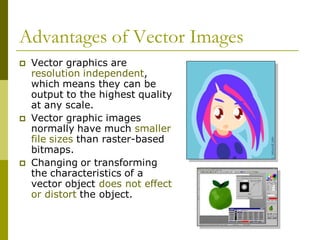
            Vector graphics are
             resolution independent,
             which means they can be
             output to the highest quality
Grftil
C
V
S
n
d
o
us
 c
 y
             at any scale.
            Vector graphic images
             normally have much smaller
             file sizes than raster-based
             bitmaps.
            Changing or transforming
             the characteristics of a
             vector object does not effect
             or distort the object.
Advantages of Vector Images
            Vector images are not
             limited to rectangular
             shapes like bitmaps.
Grftil
C
V
S
n
d
o
us
 c
 y
            An image can be
             enlarged or reduced
             without affecting the
             quality of the image.
            There is no
             background unless it
             is placed behind the
             image as a layer
Advantages of Vector Images
            Vector images have the appearance of artistic form
             such as cartoons.
            Vector images can be easily converted to bitmap
             images.
             Lines and curves are easily defined and will always be
Grftil
C
V
S
n
d
o
us
 c
 y


         
             smooth and retain their continuity.
Disadvantages of Vector Images
            The main disadvantage
             is they are not
             photorealistic.
            Vector images are
Grftil
C
V
S
n
d
o
us
 c
 y


             usually filled with solid
             or gradient colors but
             lack in depth and
             appearance in the
             values and colors of a
             true continuous tone
             image.
Creating Vector Images
           Vector images are
             drawn with basic line
             tools available in
             most graphic
Grftil
C
V
S
n
d
o
us
 c
 y


             software programs.
            The freehand tool is
             used to produce
             freeform lines.
            The pen tool (Bezier)
             is used to draw
             controlled curves
             called Bezier curves.
Classifications of Vector Images
            Simple line art is a
             1 bit graphic image
             with large areas of
             black and White.
Grftil
C
V
S
n
d
o
us
 c
 y


            Complex line art is
             made up of many
             curves with linear
             contrast but still
             maintains the quality
             of a black and white
             image.
Classifications of Vector Images
            High detail line art is
             composed of curves and
             stippled dots (simulates
             different styles of etching) to
             form values.
Grftil
C
V
S
n
d
o
us
 c
 y


            Colored vector images are
             composed of lines, solid
             colors, blended or gradient
             colors to simulate tonal
             changes and are produced
             using different color methods
             (opaque or transparent).
Common Rules for Vector Images
         • A common rule for vector
           images is to save the image in
           its native format in the
           software program being used
Grftil
C
V
S
n
d
o
us
 c
 y


           first, and then convert the
           image into other desired
           formats.
              • The native format for
                Corel Draw is .cdr
              • The native format for
                Adobe Illustrator is .ai
              • Photoshop = .psd and
                paint = .cpt
Bitmap Images
            Bitmap images (also called
             raster images) are made with
             pixels (picture element),
             which look like rectangles.
             All the pixels, when combined
Grftil
C
V
S
n
d
o
us
 c
 y


         
             for visual images, are called
             continuous tone images
             (contones).
            Bitmap images are resolution
             dependent, and this must be
             taken into consideration when
             producing images of different
             size and quality.
Bitmap Images
            Resolution is the density of the pixel grid. It is the
             number of pixels in an image and is referred to as
             dpi or dots per inch. Resolution is based on the
             number of pixels in an image, which is determined,
Grftil
C
V
S
n
d
o
us
 c
 y


             by its width and height of the pixels.

             Example: Image size = width in pixels x
                     height in pixels

            A pixel is the smallest display
             element that makes up the images
             seen on televisions and computer
             monitors.
Advantages of Bitmap Images
            Bitmap images are
             easily converted to
             different formats.
            Bitmap images are
Grftil
C
V
S
n
d
o
us
 c
 y


             easier to import into
             different software
             applications.
            Bitmap images produce
             a variety of continuous
             tone images.
            Bitmap images are
             better suited for most
             high quality renderings
             and web page graphics.
Disadvantages of Bitmap Images.
            Bitmap images produce
             larger files sizes.
            Bitmap images have
             restrictions in regards to
             alterations and modifications
Grftil
C
V
S
n
d
o
us
 c
 y


             such as scale, image
             distortion, and format
             conversion.
            There is a common
             appearance of blocked or
             jagged edges and blurriness
             in the image, which must be
             compensated for with
             sharpness filters.
Disadvantages of Bitmap Images.
            Substantial memory is
             required to work with
             bitmap images.
            When bitmap images
             are enlarged, jagged,
Grftil
C
V
S
n
d
o
us
 c
 y


             stair-stepped edges
             called aliasing appear.
            Anti-aliasing is available
             in some programs to
             help smooth jagged
             edges.
Basic Types of Bitmap Images
            Black and white
             images called line art
             are simple 1-bit images.
            Grayscale images
             contain various shades
Grftil
C
V
S
n
d
o
us
 c
 y


             of gray as well as black
             and white.
Basic Types of Bitmap Images
            Full color images use
             color information that
             can be described using a
             number of color spaces
Grftil
C
V
S
n
d
o
us
 c
 y


             such as RGB, CMYK or
             Lab colors.
Color Depth (bit depth)
             Color depth refers to the number of “colors”
              available and/or the amount of computer
              memory that will be required to store pixel
              values of an image.
Grftil
C
V
S
n
d
o
us
 c
 y


             A bit (binary digit) is the smallest unit of
              information used in a computer. The signal
              can be on or off, 1 or 0

             The higher the bit number, the more colors
              you have available, but the more computer
              memory required to store the image. File size
              should be considered when saving, creating,
              and scanning an image.
Color Depth Settings


Grftil
C
V
S
n
d
o
us
 c
 y
Image Resolution
            Image resolution is how sharp or clear an image
             is.
            Multiply the number of pixels across by the
             number of pixels up and down to find the total
             number on your screen.
Grftil
C
V
S
n
d
o
us
 c
 y


            Pixels are picture elements or the dots on the
             monitor. Your monitor is set to a certain
             number of pixels and the pixels are a fixed size.
            The more pixels that you have, the greater the
             memory needed to handle the display.
            Image resolution is measured in dots per inch
             (dpi) for printing and pixels per inch (ppi) for
             monitor displays.
Image Resolution
            The pixels per inch of a
             screen image translate
             directly into dots per inch on
             a printer. A 72-ppi image
             that would look fine on a
             monitor would look fuzzy
Grftil
C
V
S
n
d
o
us
 c
 y


             when printed at 72 dpi.
            It is important to scan images
             to match the proposed output
             for the best image quality.        300 dpi
                                                          72 dpi
               For example, an image
                 that is to be printed should
                 be scanned at a minimum
                 of 300 dpi.
Image resolution
            Resolution refers to image quality
             and sharpness. The higher the
             resolution, the larger the file size,
             but the clearer the image.
Grftil
C
V
S
n
d
o
us
 c
 y


            Images displayed on a monitor may
             not correlate with printed output
             size. Usually the printed image will
             be smaller than the screen image
             because of the higher printing
             resolution.
            Web images are typically around 72
             ppi. Printed images are generally
             300 dpi or greater. Monitor images
             are approximately 70-100 ppi.

Vectorbitmap

  • 1.
    Vector vs. Bitmap Guilford County SciVis V104.03
  • 2.
    Vector Images  Vector images (also called outline images) are images made with lines, text, and shapes. Test type is Grftil C V S n d o us c y considered to be vector because it is composed of lines and curves.
  • 3.
    Advantages of VectorImages  Vector graphics are resolution independent, which means they can be output to the highest quality Grftil C V S n d o us c y at any scale.  Vector graphic images normally have much smaller file sizes than raster-based bitmaps.  Changing or transforming the characteristics of a vector object does not effect or distort the object.
  • 4.
    Advantages of VectorImages  Vector images are not limited to rectangular shapes like bitmaps. Grftil C V S n d o us c y  An image can be enlarged or reduced without affecting the quality of the image.  There is no background unless it is placed behind the image as a layer
  • 5.
    Advantages of VectorImages  Vector images have the appearance of artistic form such as cartoons.  Vector images can be easily converted to bitmap images. Lines and curves are easily defined and will always be Grftil C V S n d o us c y  smooth and retain their continuity.
  • 6.
    Disadvantages of VectorImages  The main disadvantage is they are not photorealistic.  Vector images are Grftil C V S n d o us c y usually filled with solid or gradient colors but lack in depth and appearance in the values and colors of a true continuous tone image.
  • 7.
    Creating Vector Images Vector images are drawn with basic line tools available in most graphic Grftil C V S n d o us c y software programs.  The freehand tool is used to produce freeform lines.  The pen tool (Bezier) is used to draw controlled curves called Bezier curves.
  • 8.
    Classifications of VectorImages  Simple line art is a 1 bit graphic image with large areas of black and White. Grftil C V S n d o us c y  Complex line art is made up of many curves with linear contrast but still maintains the quality of a black and white image.
  • 9.
    Classifications of VectorImages  High detail line art is composed of curves and stippled dots (simulates different styles of etching) to form values. Grftil C V S n d o us c y  Colored vector images are composed of lines, solid colors, blended or gradient colors to simulate tonal changes and are produced using different color methods (opaque or transparent).
  • 10.
    Common Rules forVector Images • A common rule for vector images is to save the image in its native format in the software program being used Grftil C V S n d o us c y first, and then convert the image into other desired formats. • The native format for Corel Draw is .cdr • The native format for Adobe Illustrator is .ai • Photoshop = .psd and paint = .cpt
  • 11.
    Bitmap Images  Bitmap images (also called raster images) are made with pixels (picture element), which look like rectangles. All the pixels, when combined Grftil C V S n d o us c y  for visual images, are called continuous tone images (contones).  Bitmap images are resolution dependent, and this must be taken into consideration when producing images of different size and quality.
  • 12.
    Bitmap Images  Resolution is the density of the pixel grid. It is the number of pixels in an image and is referred to as dpi or dots per inch. Resolution is based on the number of pixels in an image, which is determined, Grftil C V S n d o us c y by its width and height of the pixels. Example: Image size = width in pixels x height in pixels  A pixel is the smallest display element that makes up the images seen on televisions and computer monitors.
  • 13.
    Advantages of BitmapImages  Bitmap images are easily converted to different formats.  Bitmap images are Grftil C V S n d o us c y easier to import into different software applications.  Bitmap images produce a variety of continuous tone images.  Bitmap images are better suited for most high quality renderings and web page graphics.
  • 14.
    Disadvantages of BitmapImages.  Bitmap images produce larger files sizes.  Bitmap images have restrictions in regards to alterations and modifications Grftil C V S n d o us c y such as scale, image distortion, and format conversion.  There is a common appearance of blocked or jagged edges and blurriness in the image, which must be compensated for with sharpness filters.
  • 15.
    Disadvantages of BitmapImages.  Substantial memory is required to work with bitmap images.  When bitmap images are enlarged, jagged, Grftil C V S n d o us c y stair-stepped edges called aliasing appear.  Anti-aliasing is available in some programs to help smooth jagged edges.
  • 16.
    Basic Types ofBitmap Images  Black and white images called line art are simple 1-bit images.  Grayscale images contain various shades Grftil C V S n d o us c y of gray as well as black and white.
  • 17.
    Basic Types ofBitmap Images  Full color images use color information that can be described using a number of color spaces Grftil C V S n d o us c y such as RGB, CMYK or Lab colors.
  • 18.
    Color Depth (bitdepth)  Color depth refers to the number of “colors” available and/or the amount of computer memory that will be required to store pixel values of an image. Grftil C V S n d o us c y  A bit (binary digit) is the smallest unit of information used in a computer. The signal can be on or off, 1 or 0  The higher the bit number, the more colors you have available, but the more computer memory required to store the image. File size should be considered when saving, creating, and scanning an image.
  • 19.
  • 20.
    Image Resolution  Image resolution is how sharp or clear an image is.  Multiply the number of pixels across by the number of pixels up and down to find the total number on your screen. Grftil C V S n d o us c y  Pixels are picture elements or the dots on the monitor. Your monitor is set to a certain number of pixels and the pixels are a fixed size.  The more pixels that you have, the greater the memory needed to handle the display.  Image resolution is measured in dots per inch (dpi) for printing and pixels per inch (ppi) for monitor displays.
  • 21.
    Image Resolution  The pixels per inch of a screen image translate directly into dots per inch on a printer. A 72-ppi image that would look fine on a monitor would look fuzzy Grftil C V S n d o us c y when printed at 72 dpi.  It is important to scan images to match the proposed output for the best image quality. 300 dpi 72 dpi  For example, an image that is to be printed should be scanned at a minimum of 300 dpi.
  • 22.
    Image resolution  Resolution refers to image quality and sharpness. The higher the resolution, the larger the file size, but the clearer the image. Grftil C V S n d o us c y  Images displayed on a monitor may not correlate with printed output size. Usually the printed image will be smaller than the screen image because of the higher printing resolution.  Web images are typically around 72 ppi. Printed images are generally 300 dpi or greater. Monitor images are approximately 70-100 ppi.