"Using Web 2.0  as a  Weapon Against Corruption" Prof. Tom Johnson Institute for Analytic Journalism Santa Fe, New Mexico USA t o m @ j t j o h n s o n . c o m Highway Africa 2006  Rhodes University Grahamstown, South Africa 11 September 2006
Objectives Think more deeply about how we do what we do as journalists We tend to think that being a journalist is “All About Story.”  (I think not.) Think about the  data  that goes into a story and how it flows
Objectives Think about journalism’s future as a team effort  How to maximize the effectiveness of the team in serving democratic societies Show some relatively new digital tools to build teams and enhance their coordination
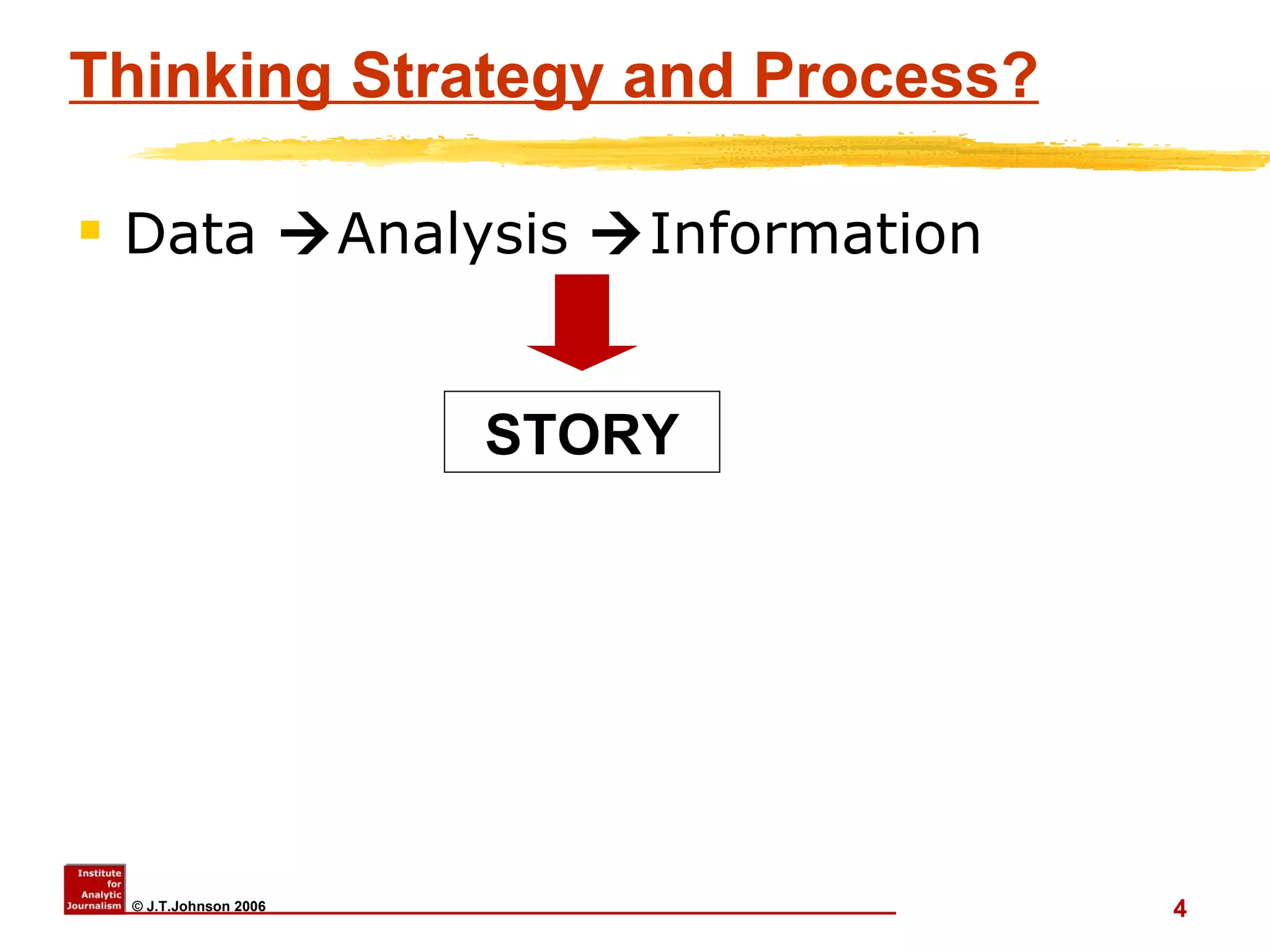
Thinking Strategy and Process? Data   Analysis   Information STORY
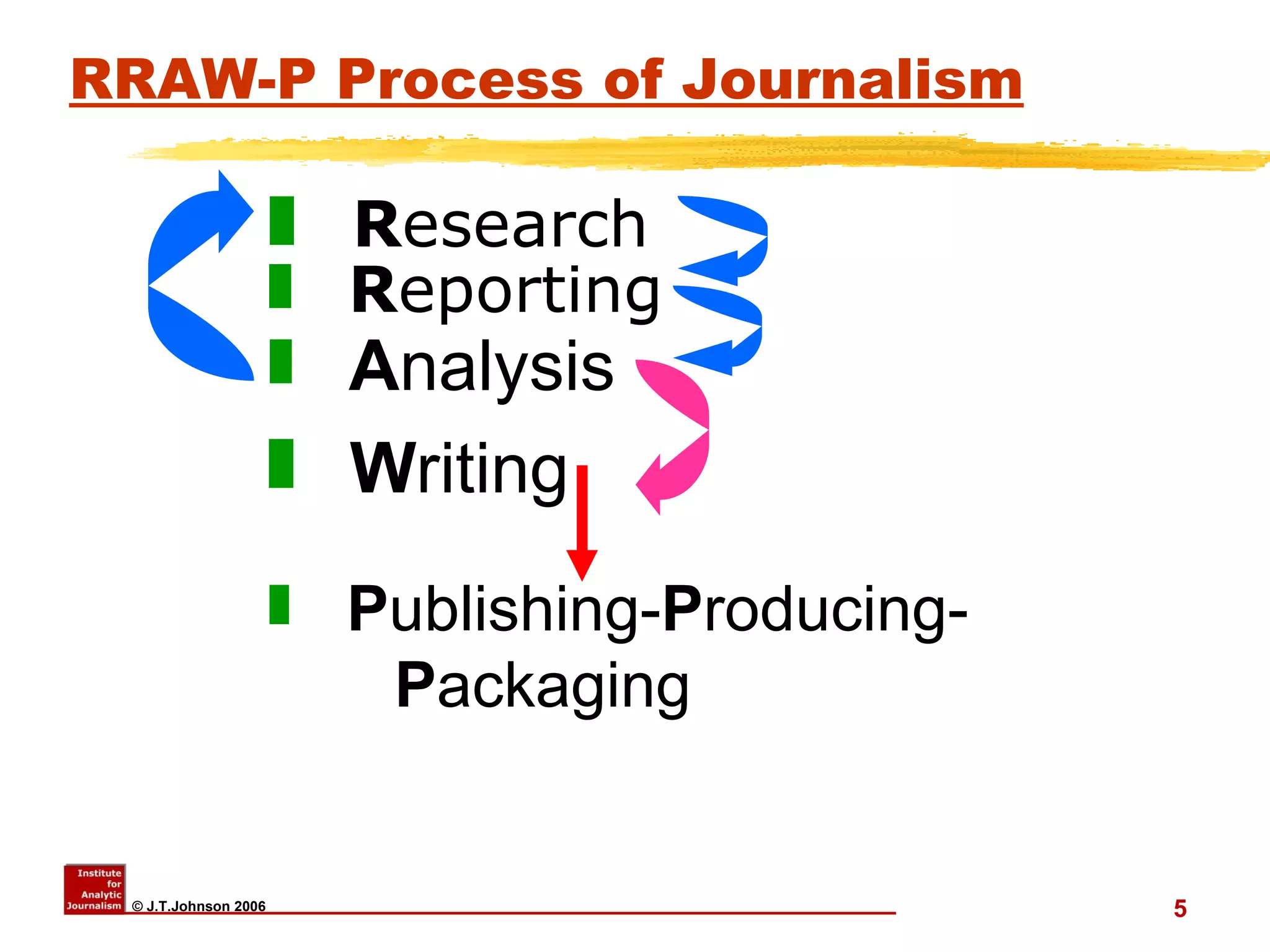
RRAW-P Process of Journalism R esearch R eporting A nalysis W riting P ublishing- P roducing-  P ackaging
Data/knowledge management You’re doing the Research You’re doing the Reporting You are doing – or need to do – some analysis But….
Data/knowledge management But…. Investigations  often involve a  BIG  topic: big concepts and big data Data is in different formats:  Documents Interview notes,  Photos, maps Financial records (hard copy; digital) Phone records Organization charts Social Network Analysis data/diagrams
Pre-Web 2.0? Old days : Applications and data limited to one desktop.  Yours or someone else’s. Access required you and data being in same place Difficult to share data; difficult (impossible?) for team to edit, update data Data security?  Low to none
What is “Web 2.0” ? Web-based  application software  Often open source: free or low-cost (so far) Continually collaboratively updated Individual users add their own data to the collective knowledge Possibly linking to other web-based tools/services
New info. tools Internet ( not  just “www”) info mgmt to desktop The data we need is often  NOT  local Stockholm Int’l Peace Research Institute  www.sipri.org/   Apply RRAW-P process Apply to plan projects Apply to manage projects Apply to review/edit work before publishing
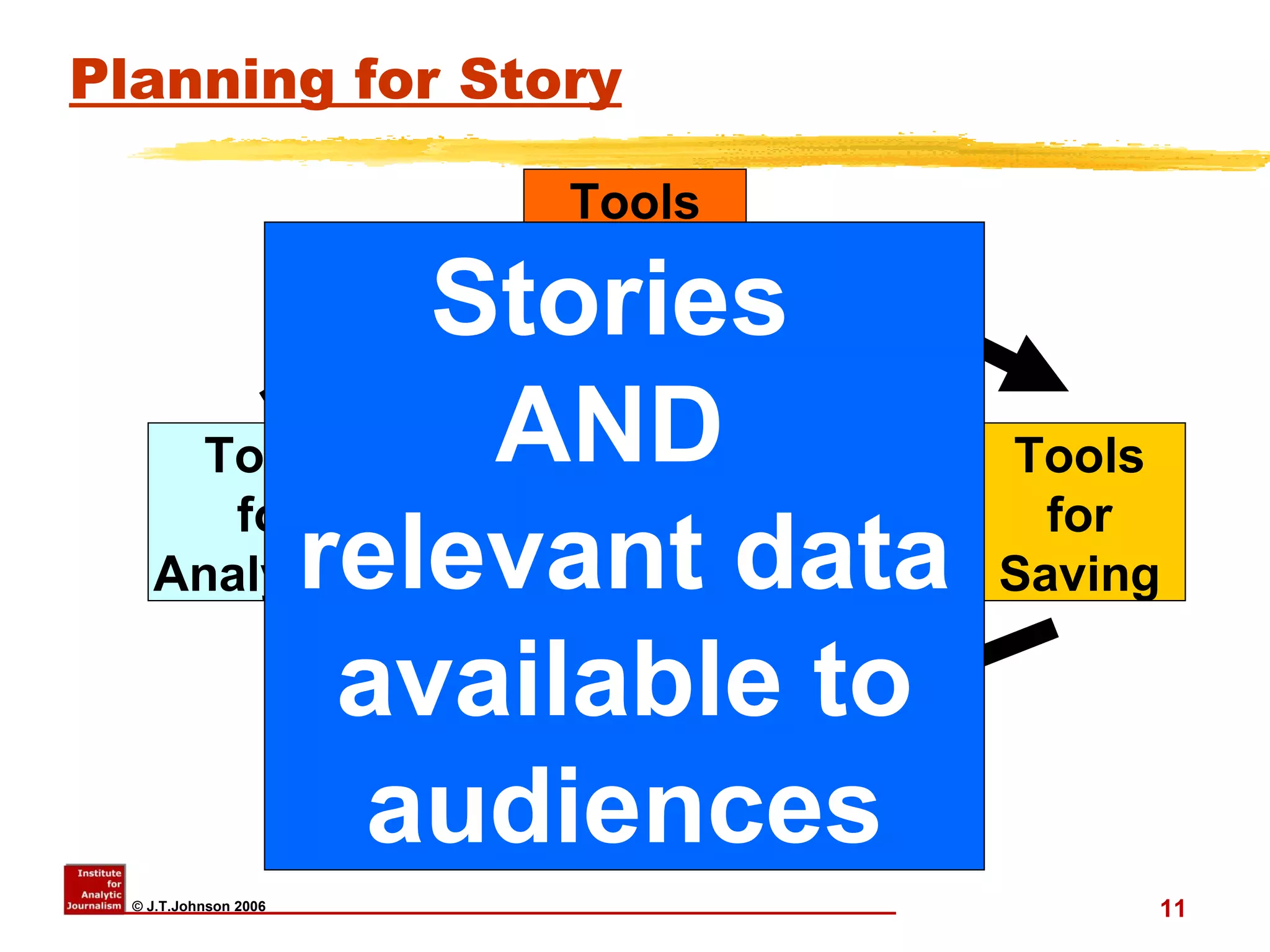
Planning for Story Tools for Finding Stories  AND  relevant data available to audiences Tools for Saving Tools for Sharing Tools for Analyzing
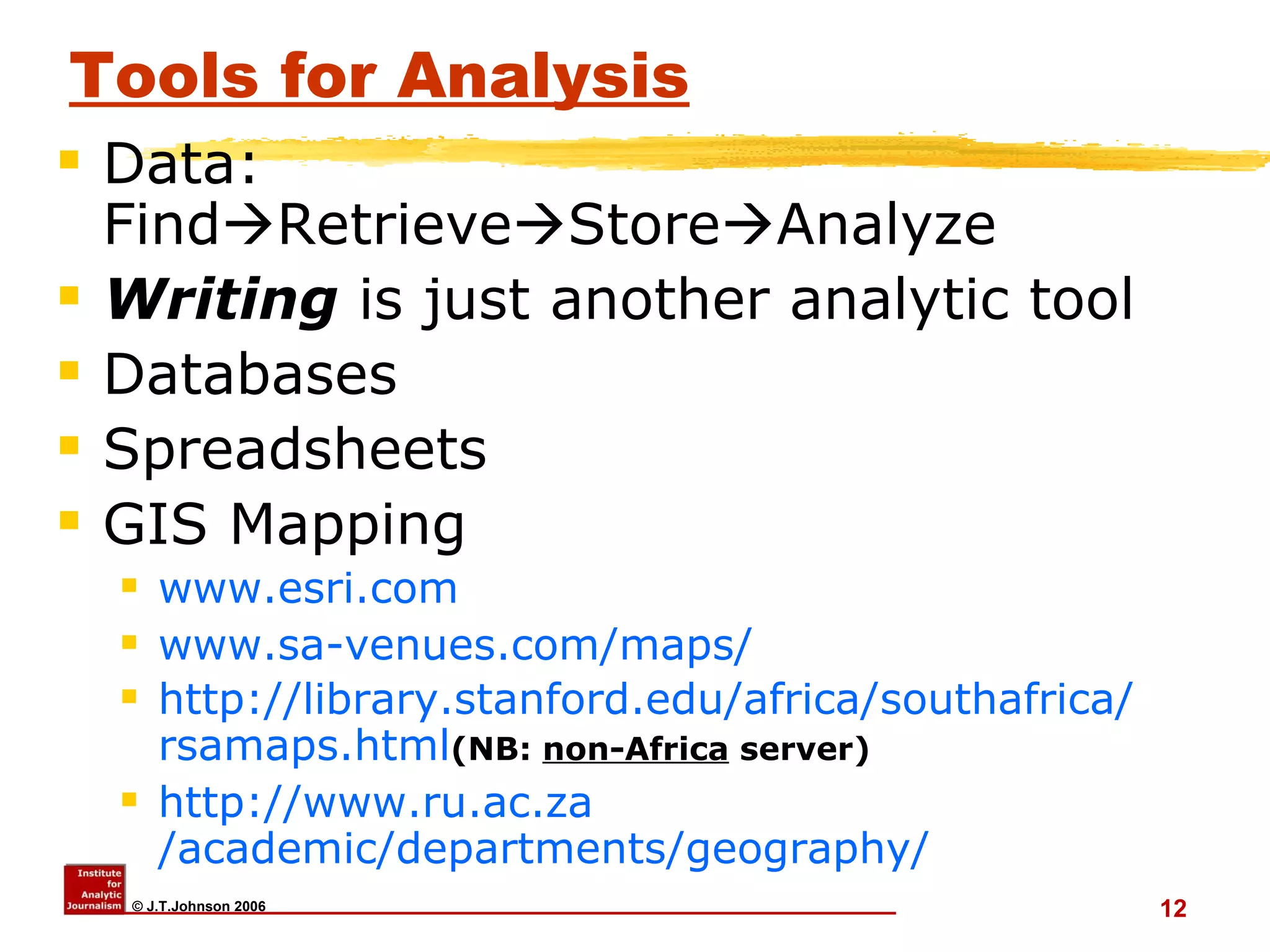
Tools for Analysis Data: Find  Retrieve  Store  Analyze Writing  is just another analytic tool Databases Spreadsheets GIS Mapping www.esri.com   www.sa-venues.com/maps / http:// library.stanford.edu/africa/southafrica / rsamaps.html (NB:  non-Africa  server) http:// www.ru.ac.za /academic/departments/geography/
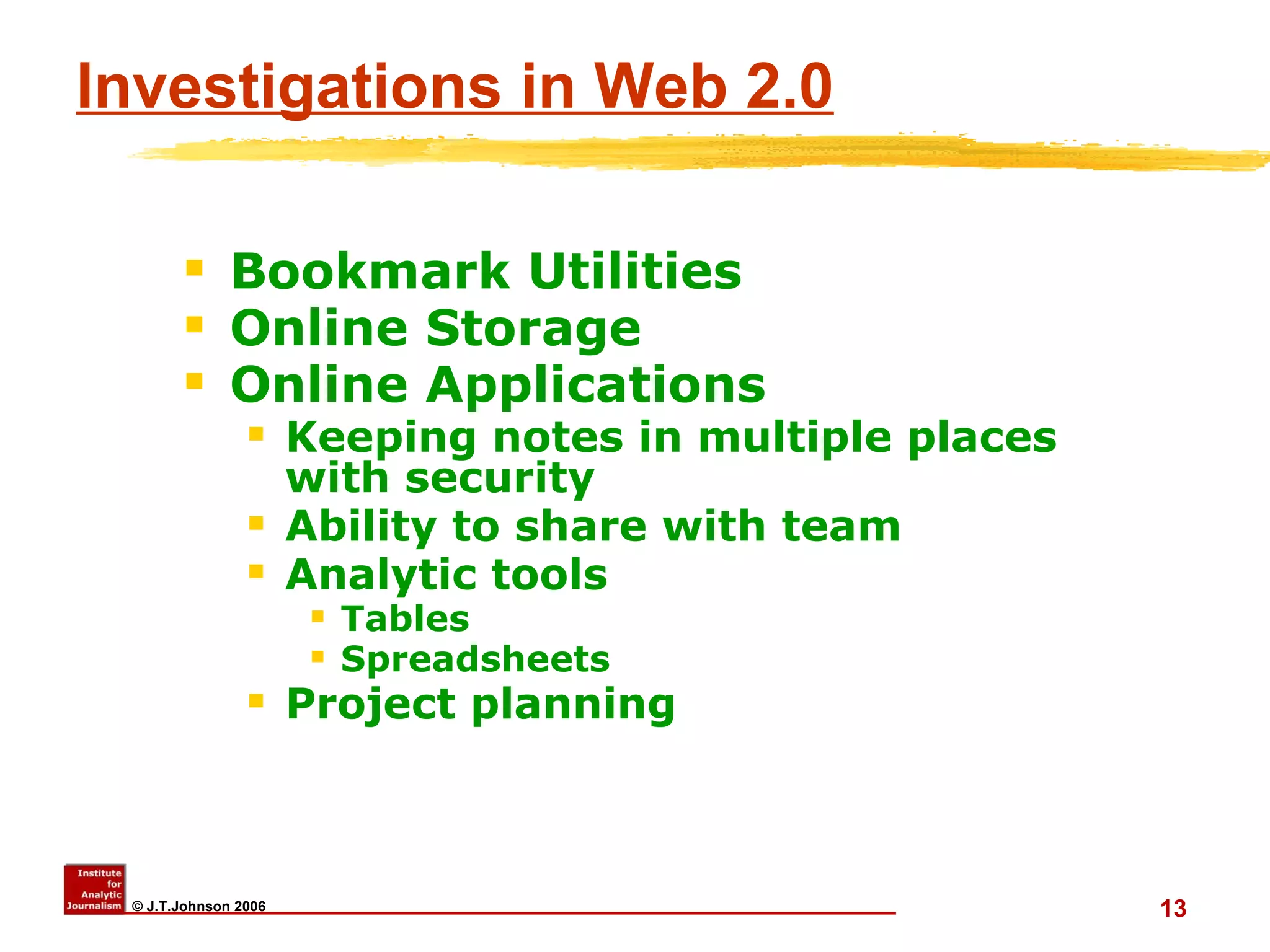
Investigations in Web 2.0 Bookmark Utilities Online Storage Online Applications Keeping notes in multiple places with security Ability to share with team Analytic tools Tables Spreadsheets Project planning
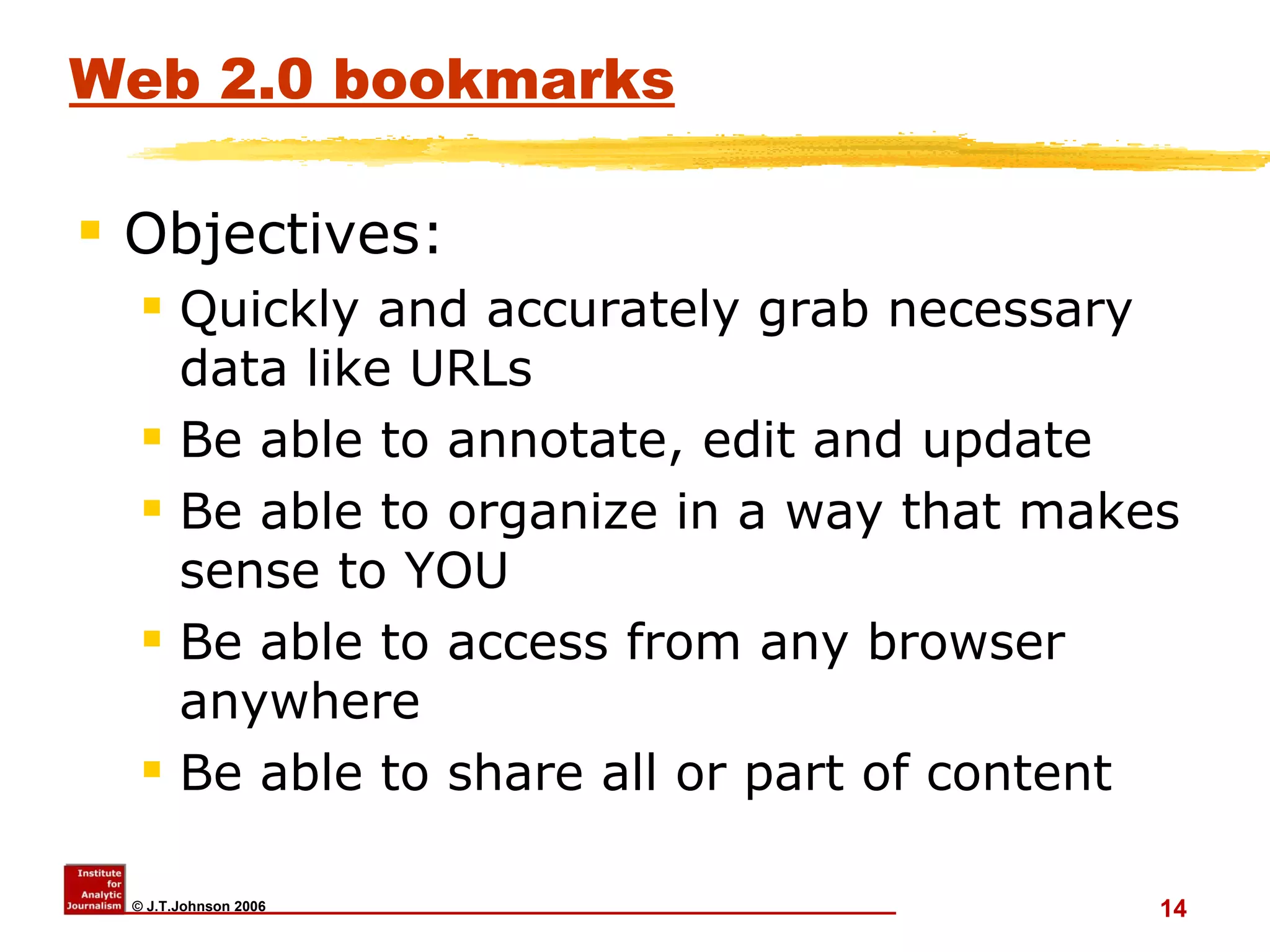
Web 2.0 bookmarks Objectives:  Quickly and accurately grab necessary data like URLs Be able to annotate, edit and update Be able to organize in a way that makes sense to YOU Be able to access from any browser anywhere Be able to share all or part of content
Web 2.0 bookmark utilities Favorites or Bookmarks in browsers are an insult.  Instead try: www.tucows.com   [Searchword “bookmark”] www.furl.net www.netsnippets.com www.blinklist.com
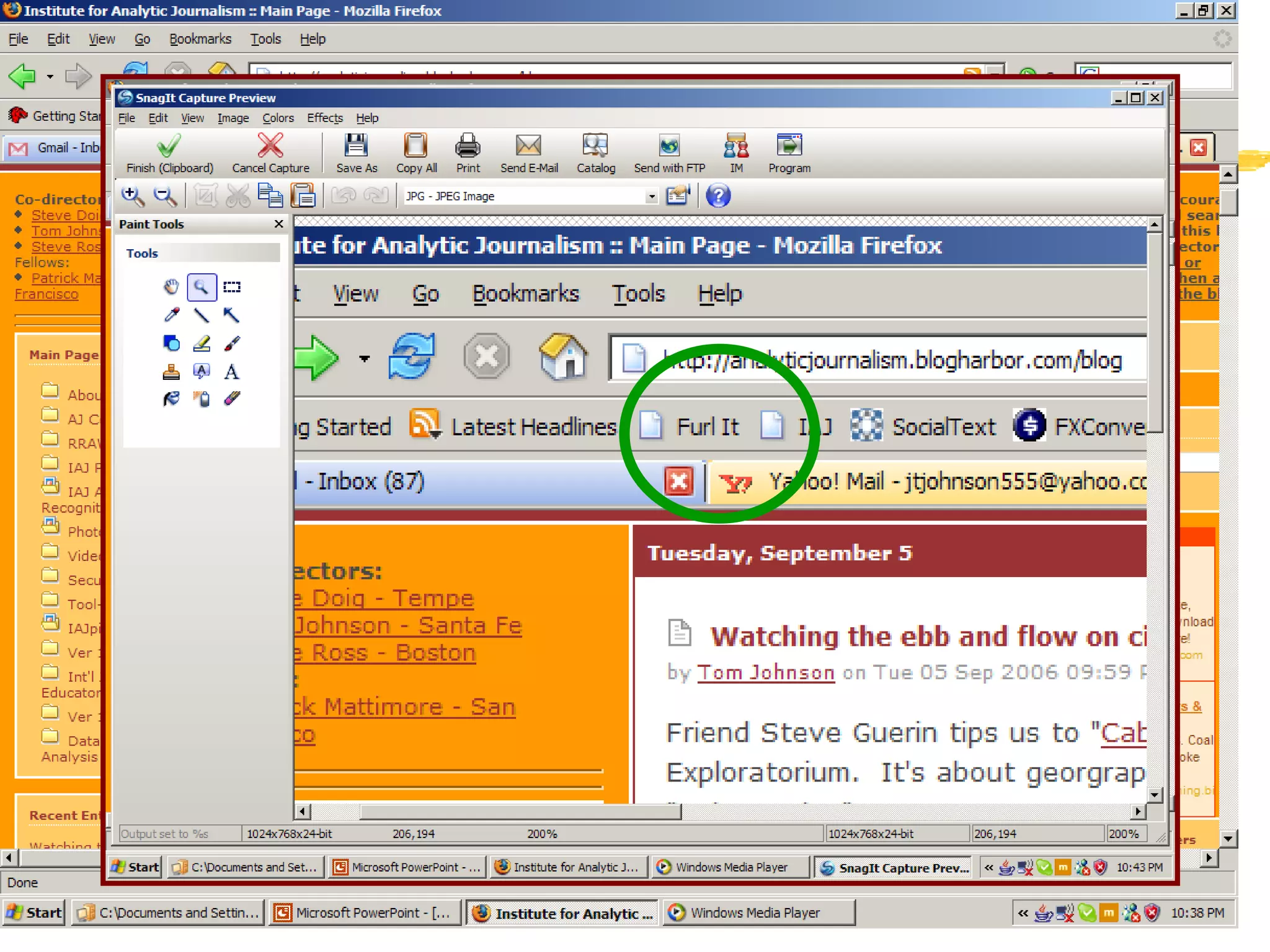
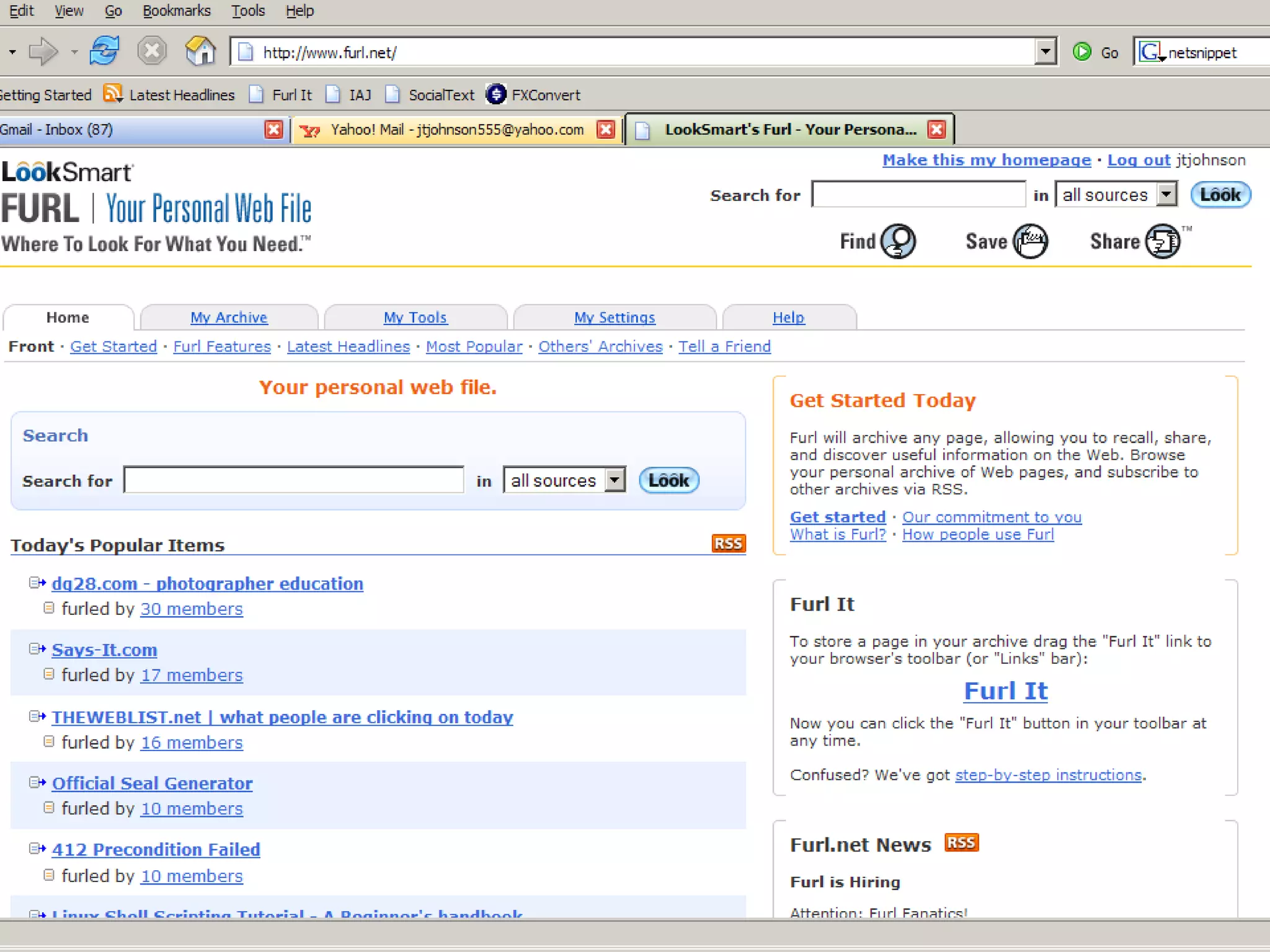
Furl demo #1
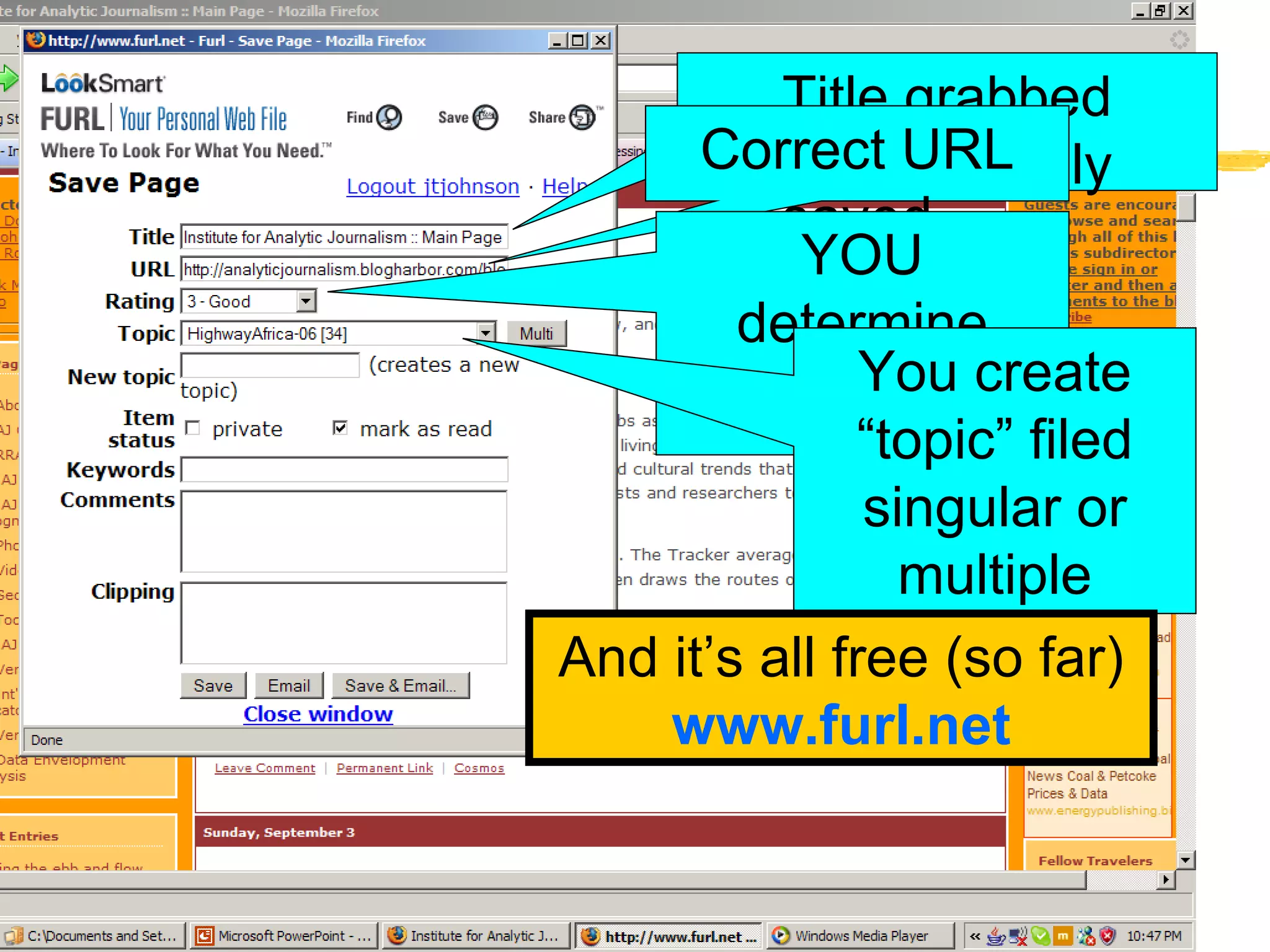
Furl demo #2 Title grabbed automatically Correct URL saved YOU determine ranking You create “topic” filed singular or multiple And it’s all free (so far) www.furl.net
Finding “Bookmark Managers” Do a search in Google or AltaVista or Metacrawler using phrase “bookmark managers” Go to “bookmark utilities”  http://www.looksmart.com/eus1/eus53832/eus171615/eus171694/eus171723/eus171729/r?l&   Note attributes available You probably want only one tool that meets your needs
Search at “www.tucows.com/ Tucows http://www.tucows.com/ Use “bookmark” but select your operating system Tucows is handy because you can usually download the program from Tucows
Online storage Next to online bookmarks, most valuable of web utilities If your car is stolen, with your laptop in it, you don’t care because the laptop isn’t valuable: what it holds is the most difficult -- and most expensive -- to replace.
Online Storage Google’s Gmail: 2.7gb (send file to yourself) My Yahoo: 30mgb in “Briefcase”  Can be shared. Free Online Storage  http:// www.emailaddresses.com/email_storage.htm This is a jump site to a collection of online storage sites, including most of these favorites listed below.
Online Storage Freedrive    http:// www.freedrive.com   50mgb free storage.   FortuneCity   http://www.fortunecity.com/free-services-b.shtml   100mgb free storage.    
Online     Desktop application Xdrive   http:// www.thinkfree.com/home_u.html  25mbg+ free storage.  Direct  access to your X:drive account [on you desktop hard drive] as if it were one of your local drives.  You can browse your X:drive account through Windows Explorer, save to your X:drive within applications, access and install files located in your X:drive over your Internet connection.
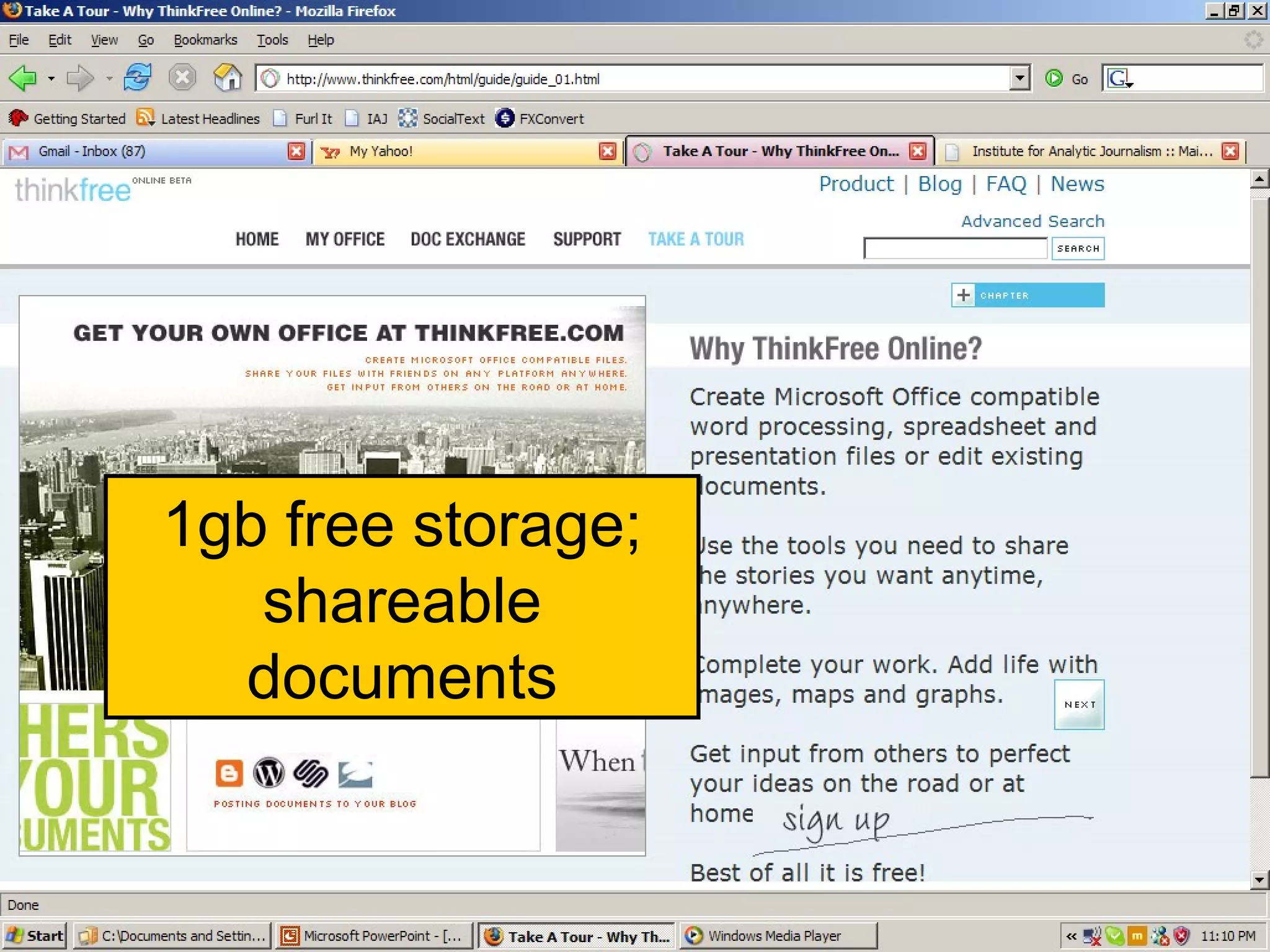
Online applications Thinkfree  http://www.thinkfree.com/ Suite of Microsoft Office-compatible applications. Work on  team  documents, spreadsheets, and presentations anywhere, anytime (or use your Microsoft Office documents with ThinkFree Office)... Store files and folders in web-based ThinkSafe cyberfolder...
Thinkfree #1 1gb free storage; shareable documents
A word of CAUTION!!!!!!!!!! Cyberspace and  dot comms are a  “sometimes thing.” Don’t rely on any one company or site to hold your valuable work.
Other Web 2.0 examples www.google.com   [click on “ More ”] www.writely.com www.socialtext.net   www.zoho.com mediawiki.org/wiki/MediaWiki
Web 2.0 Applications Google Apps for Your Domain, a software bundle aimed at small and midsize companies.  Free, ad-supported  Google's E-mail, calendar, and instant messaging with Web site creation software.  Hosted in Google's data center; branded with customers' domain names; packaged with management tools for IT pros.
Furl.net
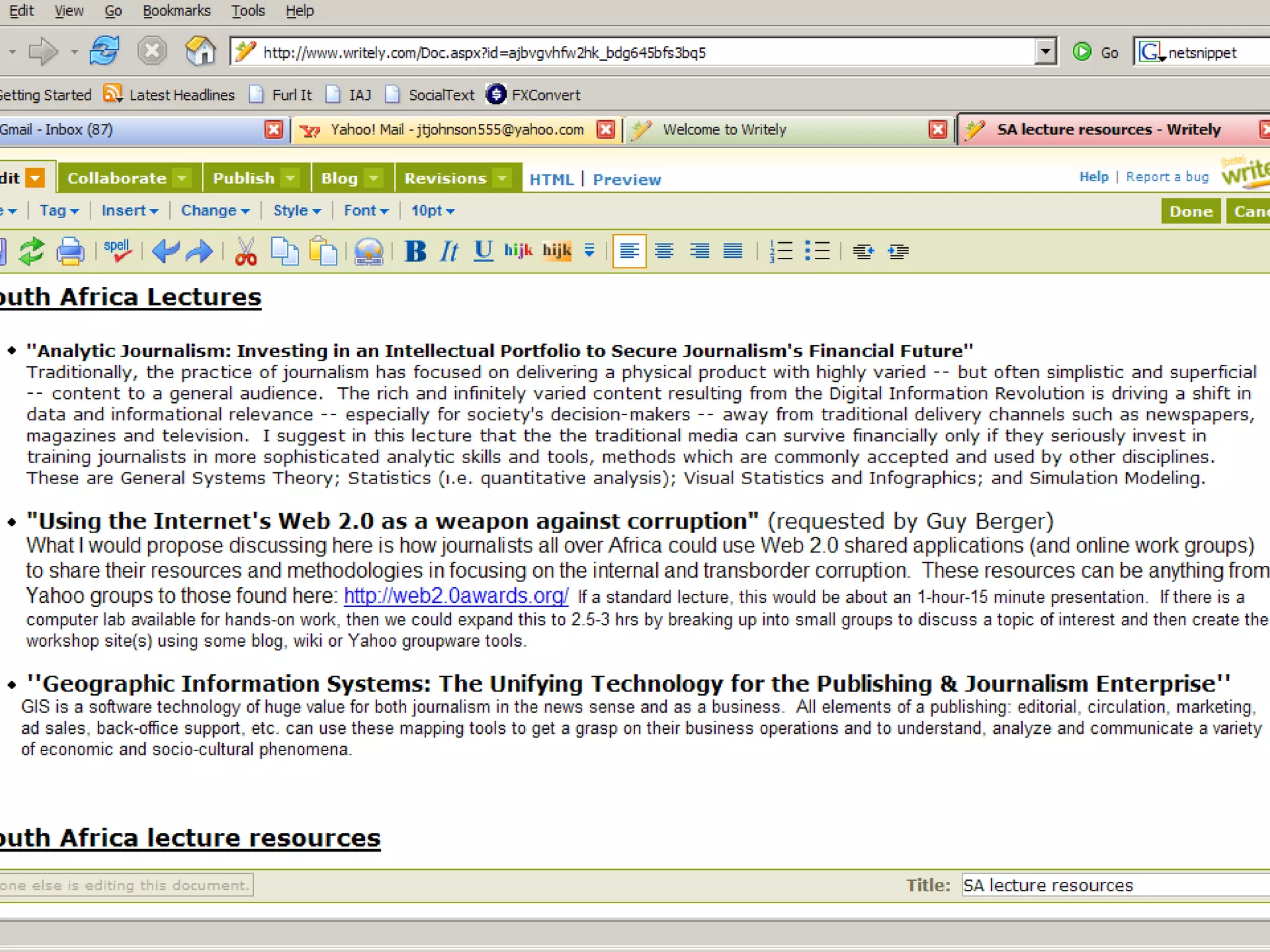
Writely
Web 2.0 Applications Welcome to Google Spreadsheet http://www.google.com/googlespreadsheets/tour1.html   Google Calendar http:// www.google.com/calendar/render?pli =1   Socialtext  http:// www.socialtext.net MediaWikies http://www.mediawiki.org/wiki/MediaWiki
Google Spreadsheets #1
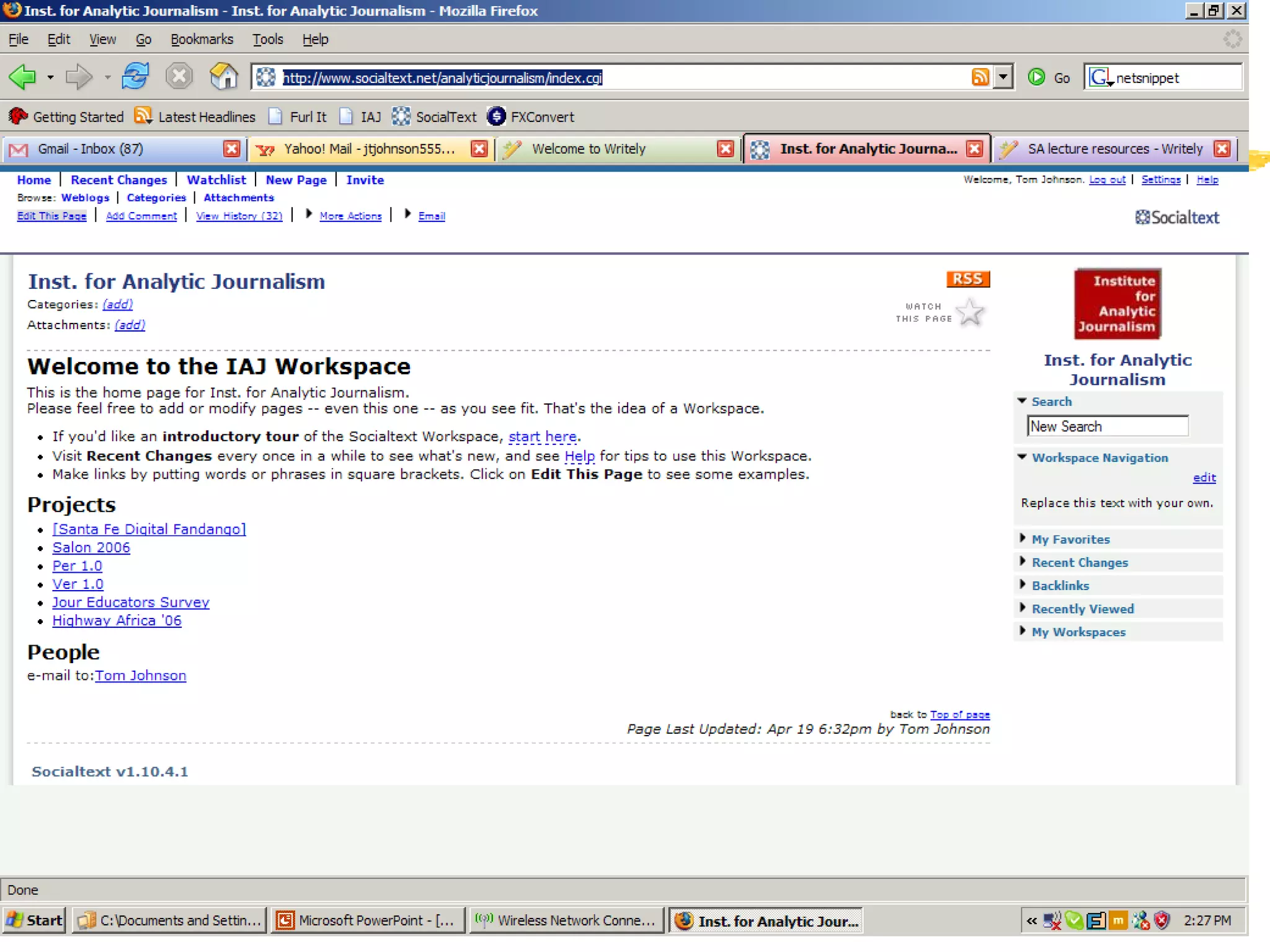
IAJ at Socialtext
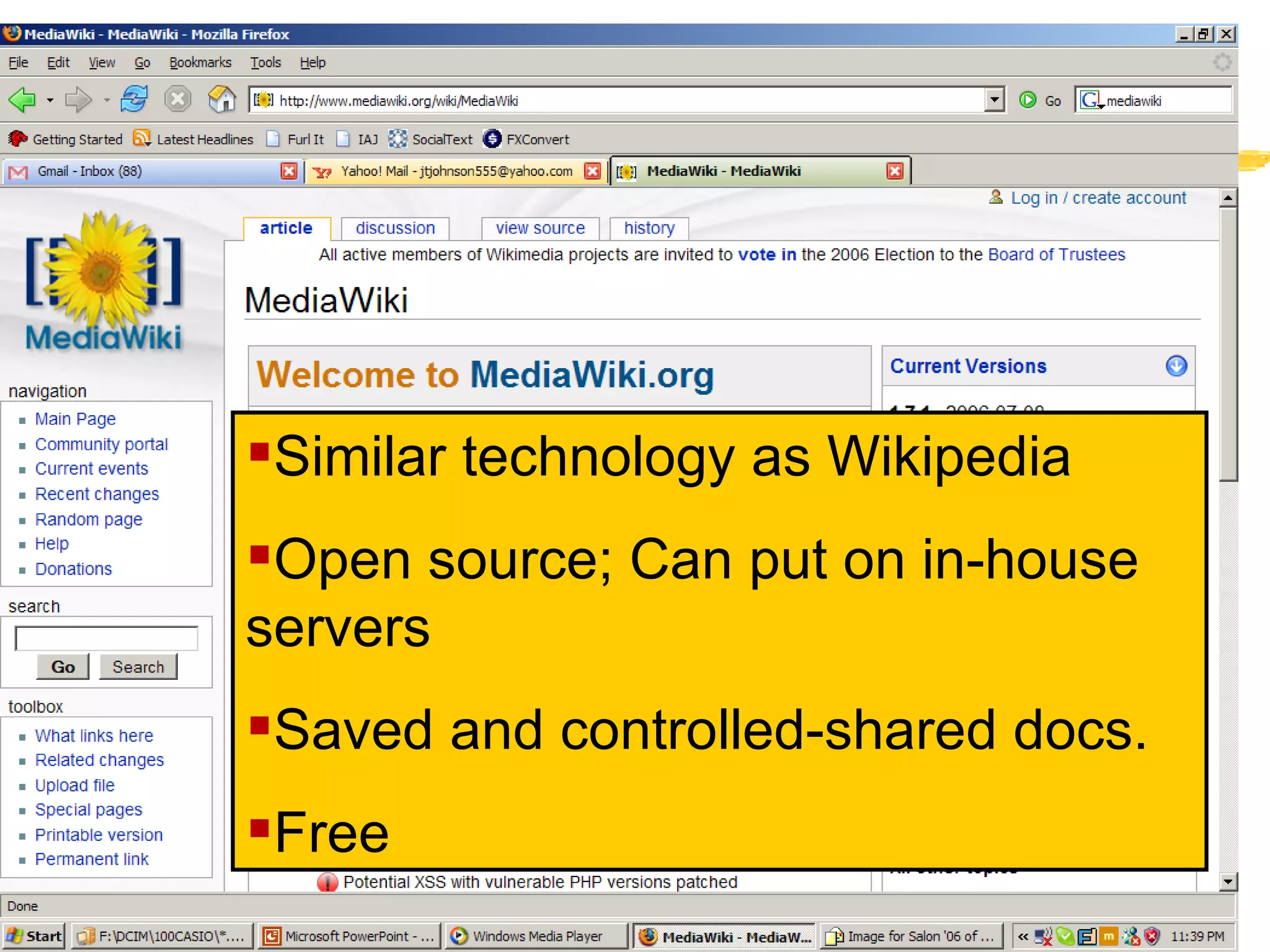
MediaWiki.org Similar technology as Wikipedia Open source; Can put on in-house servers Saved and controlled-shared docs. Free
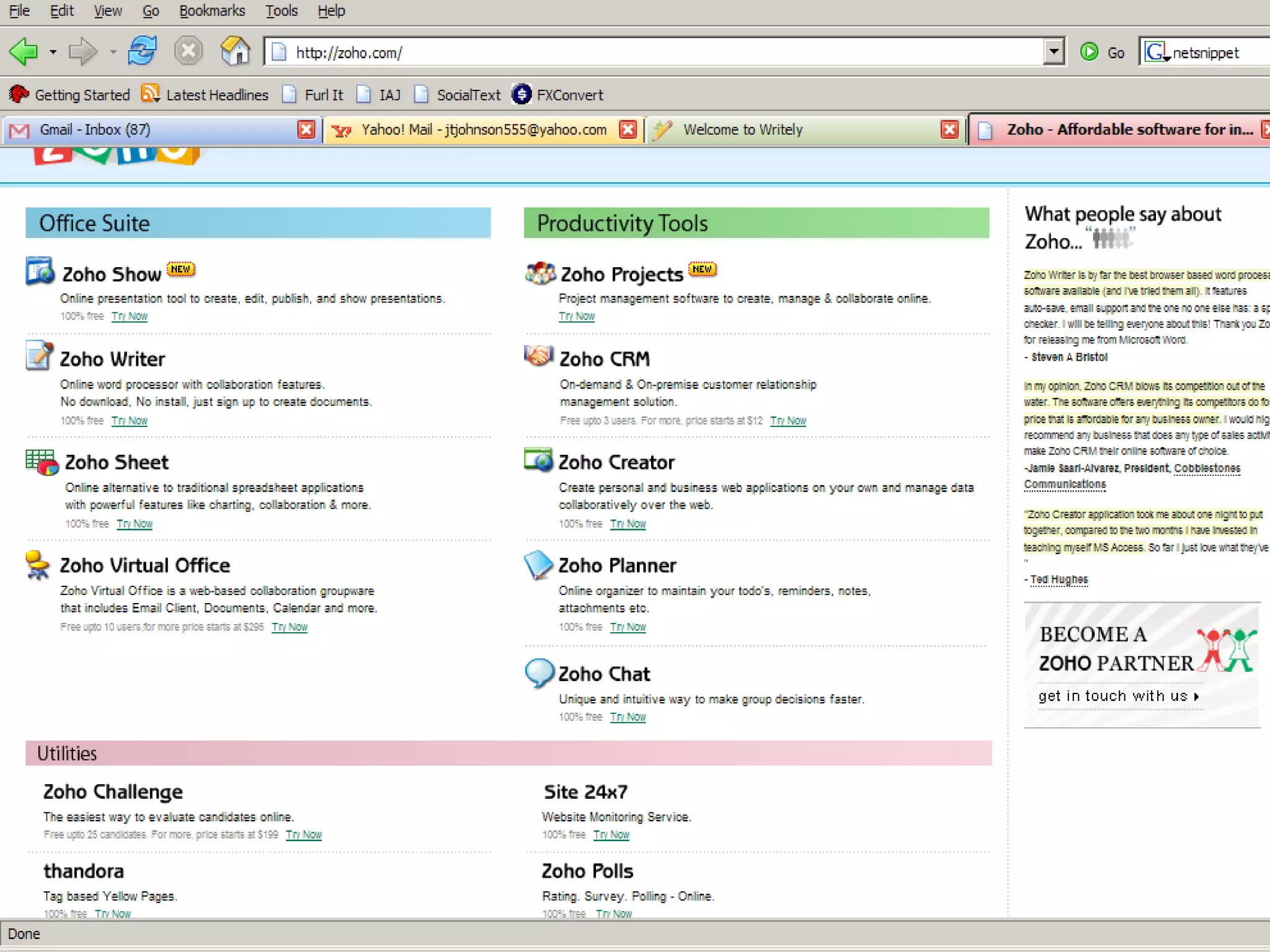
Web 2.0 applications Zoho  http:// zoho.com / Zoho Show:  Online presentation to create, edit, publish, and show presentations. 100% free
Zoho homepage /
Zoho – ProjectMgmt  (WWW.ZOHOPROJECTS.COM)
Investigations with Web 2.0: The Wrap Up Assume the data we want/need/use will be digital Assume we will be collaborating with colleagues Assume all of us will not be where the data is
Investigations with Web 2.0: The Wrap Up Assume we need back-ups and security Assume we need tools and skills to store, find, retrieve, analyze and share the data Assume we have to be in the “constant learning” mode
"Using Web 2.0  as a  Weapon Against Corruption" Prof. Tom Johnson Institute for Analytic Journalism Santa Fe, New Mexico USA t o m @ j t j o h n s o n . c o m Highway Africa 2006  Rhodes University Grahamstown, South Africa 11 September 2006
SEARCH ENGINE GUIDE:  Find the Right Tools for Your Research   Basic information about Web research tools.  Does not attempt to link to every search engine or other finding aid, but…. Important Facts About Search Engines   Search Engines   Meta Search Services   Indexes or Subject Directories   Databases [ Company ,  Health ,  Law ,  News  ...  more ] Specialty Search Services [ Health ,  Law ,  News  ...  more ] More Search Engine Resources
Standard Search Engines http://www.altavista.com http://www.excite.com  http://www.lycos.com  http://www.go.com http://www.hotbot.com http://www.google.com  http://www.yahoo.com http://www.wisenut.com  Quite generic in content  unless  using “advanced” techniques
Alternative Search Engines (category/collections/clustering): www.northernlight.com www.grokker.com search.yahoo.com www.soople.com   www.vivisimo.com teoma.com   clusty.com / a9.com Some are “for fee,” but very good Often  clustered  or  categorized  results
Metasearch Engines www.dogpile.com www.search.look smart.com  www.metacrawler.com   www.mamma.com   www.search.com www.alltheweb.com  www.zapmeta.com   Pros and cons
Manage your bookmarks IE’s “Favorites” and Netscape’s Bookmarks are inadequate for more than 25 bookmarks. Difficult or impossible to alphabetize Difficult or impossible to annotate Difficult or impossible to capture whole page and related links.  Page changes tomorrow and you’re left with only memories.
Finding “bookmark managers” Think about criteria you need: Date of capture Ability to annotate Ability to capture content and links Ability to exchange with others Ability to organize in different ways Always be accessible“
Let the “Alert Bots” Do the Walking As websites increase exponentially, impossible to track changes “Bots” (i.E. “Intelligent agents”) are on the job 24x7 “Alert” messages follow you via e-mail
Major Alert Sites for Journalists PassingNotes.com  http:// www.passingnotes.com/research.php?t =sub_pages&cat=35   Bill  Dedman’s   PowerReporting   http://powerreporting.com/category/Alerts_for_journalists Opportunity Alert Services http://www.umass.edu/research/ora/alert.html ChangeDetect http://www.changedetect.com/?msg=Complete+this+form Profusion http://www.profusion.com/
Finding listserv and newsgroups Listservs http:// www.liszt.com   http://tile.net/lists/ http:// www.lsoft.com/scripts/wl.exe?qL =journalism&F=L&F=T Newsgroups www.google.com
Why we need new tools and skills City of Tshwane and its budget  http:// www.tshwane.gov.za/docs_search.cfm Where did we find this document and when? Keep URL.  Keep digital file on PC and web storage Extract text for quotes? Extract financial tables for analysis?  (NB: Alphabetical organization isn’t always the best way to understand data) Extract infographics for print and TV? But how to do all these things and how to share the data and results?
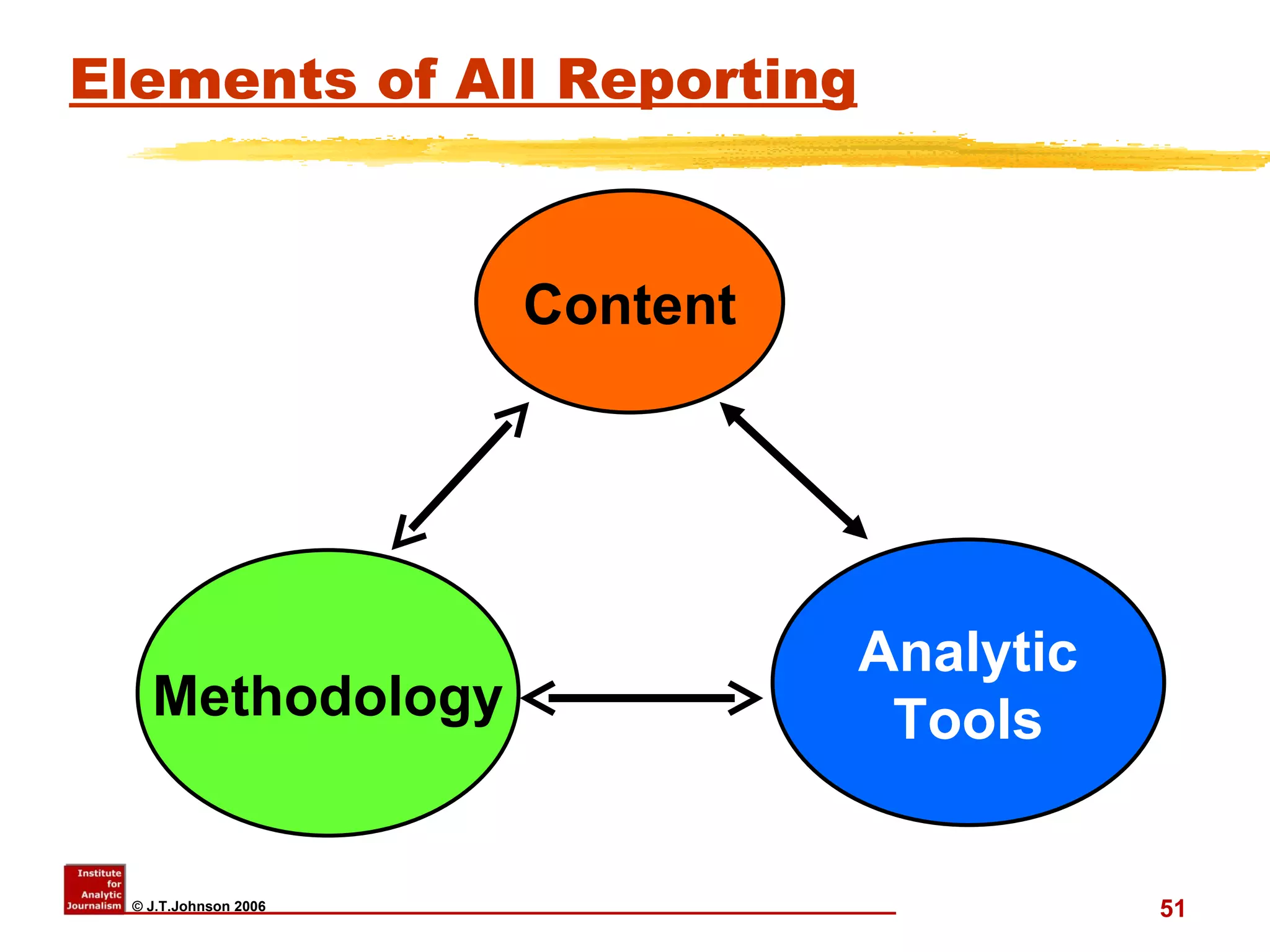
Elements of All Reporting Content Analytic Tools Methodology Content Analytic Tools Methodology

"Using Web 2.0 as a Weapon Against Corruption"

  • 1.
    "Using Web 2.0 as a Weapon Against Corruption" Prof. Tom Johnson Institute for Analytic Journalism Santa Fe, New Mexico USA t o m @ j t j o h n s o n . c o m Highway Africa 2006 Rhodes University Grahamstown, South Africa 11 September 2006
  • 2.
    Objectives Think moredeeply about how we do what we do as journalists We tend to think that being a journalist is “All About Story.” (I think not.) Think about the data that goes into a story and how it flows
  • 3.
    Objectives Think aboutjournalism’s future as a team effort How to maximize the effectiveness of the team in serving democratic societies Show some relatively new digital tools to build teams and enhance their coordination
  • 4.
    Thinking Strategy andProcess? Data  Analysis  Information STORY
  • 5.
    RRAW-P Process ofJournalism R esearch R eporting A nalysis W riting P ublishing- P roducing- P ackaging
  • 6.
    Data/knowledge management You’redoing the Research You’re doing the Reporting You are doing – or need to do – some analysis But….
  • 7.
    Data/knowledge management But….Investigations often involve a BIG topic: big concepts and big data Data is in different formats: Documents Interview notes, Photos, maps Financial records (hard copy; digital) Phone records Organization charts Social Network Analysis data/diagrams
  • 8.
    Pre-Web 2.0? Olddays : Applications and data limited to one desktop. Yours or someone else’s. Access required you and data being in same place Difficult to share data; difficult (impossible?) for team to edit, update data Data security? Low to none
  • 9.
    What is “Web2.0” ? Web-based application software Often open source: free or low-cost (so far) Continually collaboratively updated Individual users add their own data to the collective knowledge Possibly linking to other web-based tools/services
  • 10.
    New info. toolsInternet ( not just “www”) info mgmt to desktop The data we need is often NOT local Stockholm Int’l Peace Research Institute www.sipri.org/ Apply RRAW-P process Apply to plan projects Apply to manage projects Apply to review/edit work before publishing
  • 11.
    Planning for StoryTools for Finding Stories AND relevant data available to audiences Tools for Saving Tools for Sharing Tools for Analyzing
  • 12.
    Tools for AnalysisData: Find  Retrieve  Store  Analyze Writing is just another analytic tool Databases Spreadsheets GIS Mapping www.esri.com www.sa-venues.com/maps / http:// library.stanford.edu/africa/southafrica / rsamaps.html (NB: non-Africa server) http:// www.ru.ac.za /academic/departments/geography/
  • 13.
    Investigations in Web2.0 Bookmark Utilities Online Storage Online Applications Keeping notes in multiple places with security Ability to share with team Analytic tools Tables Spreadsheets Project planning
  • 14.
    Web 2.0 bookmarksObjectives: Quickly and accurately grab necessary data like URLs Be able to annotate, edit and update Be able to organize in a way that makes sense to YOU Be able to access from any browser anywhere Be able to share all or part of content
  • 15.
    Web 2.0 bookmarkutilities Favorites or Bookmarks in browsers are an insult. Instead try: www.tucows.com [Searchword “bookmark”] www.furl.net www.netsnippets.com www.blinklist.com
  • 16.
  • 17.
    Furl demo #2Title grabbed automatically Correct URL saved YOU determine ranking You create “topic” filed singular or multiple And it’s all free (so far) www.furl.net
  • 18.
    Finding “Bookmark Managers”Do a search in Google or AltaVista or Metacrawler using phrase “bookmark managers” Go to “bookmark utilities” http://www.looksmart.com/eus1/eus53832/eus171615/eus171694/eus171723/eus171729/r?l& Note attributes available You probably want only one tool that meets your needs
  • 19.
    Search at “www.tucows.com/Tucows http://www.tucows.com/ Use “bookmark” but select your operating system Tucows is handy because you can usually download the program from Tucows
  • 20.
    Online storage Nextto online bookmarks, most valuable of web utilities If your car is stolen, with your laptop in it, you don’t care because the laptop isn’t valuable: what it holds is the most difficult -- and most expensive -- to replace.
  • 21.
    Online Storage Google’sGmail: 2.7gb (send file to yourself) My Yahoo: 30mgb in “Briefcase” Can be shared. Free Online Storage http:// www.emailaddresses.com/email_storage.htm This is a jump site to a collection of online storage sites, including most of these favorites listed below.
  • 22.
    Online Storage Freedrive http:// www.freedrive.com 50mgb free storage. FortuneCity http://www.fortunecity.com/free-services-b.shtml 100mgb free storage.  
  • 23.
    Online  Desktop application Xdrive http:// www.thinkfree.com/home_u.html 25mbg+ free storage. Direct access to your X:drive account [on you desktop hard drive] as if it were one of your local drives. You can browse your X:drive account through Windows Explorer, save to your X:drive within applications, access and install files located in your X:drive over your Internet connection.
  • 24.
    Online applications Thinkfree http://www.thinkfree.com/ Suite of Microsoft Office-compatible applications. Work on team documents, spreadsheets, and presentations anywhere, anytime (or use your Microsoft Office documents with ThinkFree Office)... Store files and folders in web-based ThinkSafe cyberfolder...
  • 25.
    Thinkfree #1 1gbfree storage; shareable documents
  • 26.
    A word ofCAUTION!!!!!!!!!! Cyberspace and dot comms are a “sometimes thing.” Don’t rely on any one company or site to hold your valuable work.
  • 27.
    Other Web 2.0examples www.google.com [click on “ More ”] www.writely.com www.socialtext.net www.zoho.com mediawiki.org/wiki/MediaWiki
  • 28.
    Web 2.0 ApplicationsGoogle Apps for Your Domain, a software bundle aimed at small and midsize companies. Free, ad-supported Google's E-mail, calendar, and instant messaging with Web site creation software. Hosted in Google's data center; branded with customers' domain names; packaged with management tools for IT pros.
  • 29.
  • 30.
  • 31.
    Web 2.0 ApplicationsWelcome to Google Spreadsheet http://www.google.com/googlespreadsheets/tour1.html Google Calendar http:// www.google.com/calendar/render?pli =1 Socialtext http:// www.socialtext.net MediaWikies http://www.mediawiki.org/wiki/MediaWiki
  • 32.
  • 33.
  • 34.
    MediaWiki.org Similar technologyas Wikipedia Open source; Can put on in-house servers Saved and controlled-shared docs. Free
  • 35.
    Web 2.0 applicationsZoho http:// zoho.com / Zoho Show: Online presentation to create, edit, publish, and show presentations. 100% free
  • 36.
  • 37.
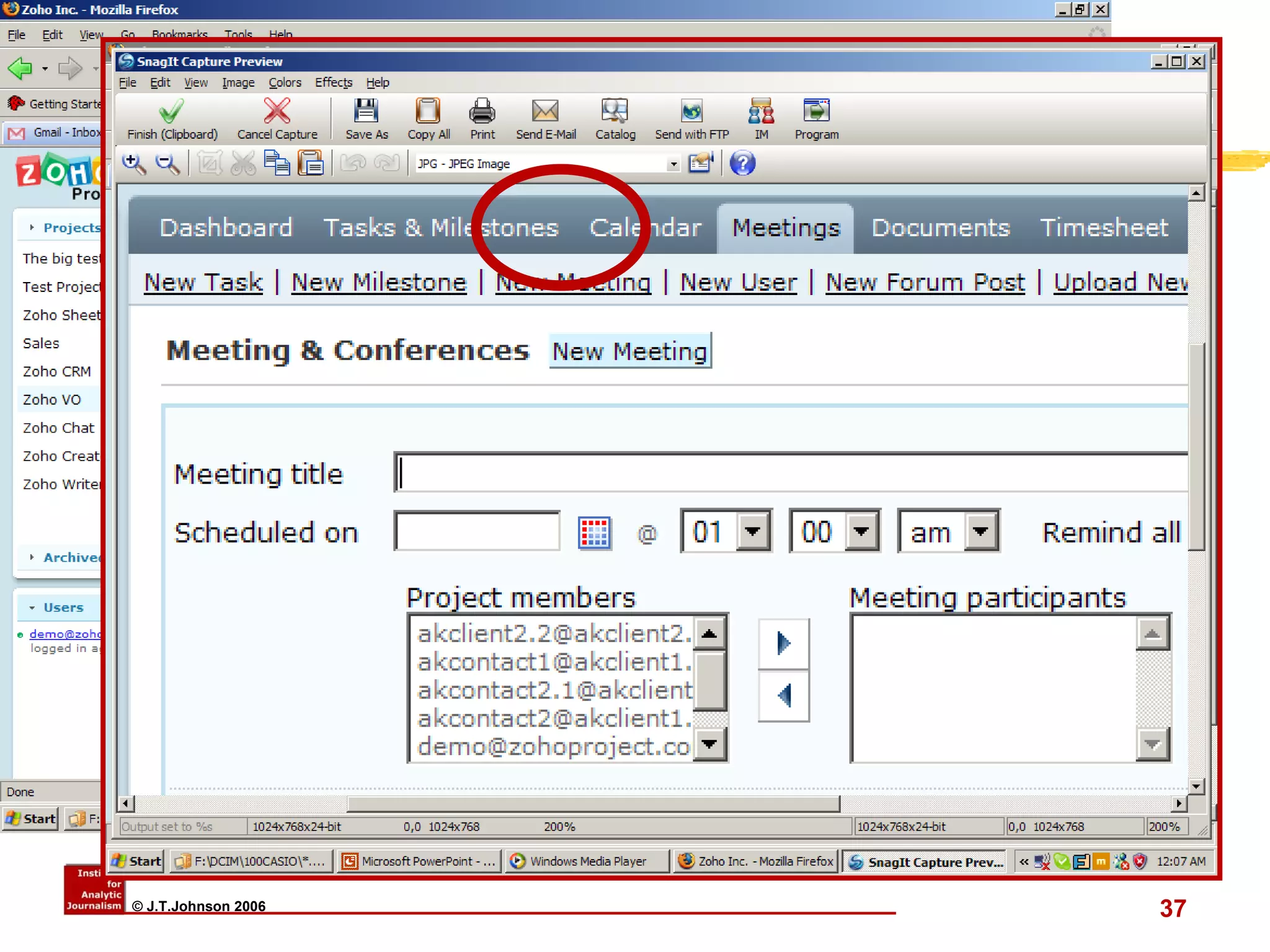
    Zoho – ProjectMgmt (WWW.ZOHOPROJECTS.COM)
  • 38.
    Investigations with Web2.0: The Wrap Up Assume the data we want/need/use will be digital Assume we will be collaborating with colleagues Assume all of us will not be where the data is
  • 39.
    Investigations with Web2.0: The Wrap Up Assume we need back-ups and security Assume we need tools and skills to store, find, retrieve, analyze and share the data Assume we have to be in the “constant learning” mode
  • 40.
    "Using Web 2.0 as a Weapon Against Corruption" Prof. Tom Johnson Institute for Analytic Journalism Santa Fe, New Mexico USA t o m @ j t j o h n s o n . c o m Highway Africa 2006 Rhodes University Grahamstown, South Africa 11 September 2006
  • 41.
    SEARCH ENGINE GUIDE: Find the Right Tools for Your Research Basic information about Web research tools. Does not attempt to link to every search engine or other finding aid, but…. Important Facts About Search Engines Search Engines Meta Search Services Indexes or Subject Directories Databases [ Company , Health , Law , News ... more ] Specialty Search Services [ Health , Law , News ... more ] More Search Engine Resources
  • 42.
    Standard Search Engineshttp://www.altavista.com http://www.excite.com http://www.lycos.com http://www.go.com http://www.hotbot.com http://www.google.com http://www.yahoo.com http://www.wisenut.com Quite generic in content unless using “advanced” techniques
  • 43.
    Alternative Search Engines(category/collections/clustering): www.northernlight.com www.grokker.com search.yahoo.com www.soople.com www.vivisimo.com teoma.com clusty.com / a9.com Some are “for fee,” but very good Often clustered or categorized results
  • 44.
    Metasearch Engines www.dogpile.comwww.search.look smart.com www.metacrawler.com www.mamma.com www.search.com www.alltheweb.com www.zapmeta.com Pros and cons
  • 45.
    Manage your bookmarksIE’s “Favorites” and Netscape’s Bookmarks are inadequate for more than 25 bookmarks. Difficult or impossible to alphabetize Difficult or impossible to annotate Difficult or impossible to capture whole page and related links. Page changes tomorrow and you’re left with only memories.
  • 46.
    Finding “bookmark managers”Think about criteria you need: Date of capture Ability to annotate Ability to capture content and links Ability to exchange with others Ability to organize in different ways Always be accessible“
  • 47.
    Let the “AlertBots” Do the Walking As websites increase exponentially, impossible to track changes “Bots” (i.E. “Intelligent agents”) are on the job 24x7 “Alert” messages follow you via e-mail
  • 48.
    Major Alert Sitesfor Journalists PassingNotes.com http:// www.passingnotes.com/research.php?t =sub_pages&cat=35 Bill Dedman’s PowerReporting http://powerreporting.com/category/Alerts_for_journalists Opportunity Alert Services http://www.umass.edu/research/ora/alert.html ChangeDetect http://www.changedetect.com/?msg=Complete+this+form Profusion http://www.profusion.com/
  • 49.
    Finding listserv andnewsgroups Listservs http:// www.liszt.com http://tile.net/lists/ http:// www.lsoft.com/scripts/wl.exe?qL =journalism&F=L&F=T Newsgroups www.google.com
  • 50.
    Why we neednew tools and skills City of Tshwane and its budget http:// www.tshwane.gov.za/docs_search.cfm Where did we find this document and when? Keep URL. Keep digital file on PC and web storage Extract text for quotes? Extract financial tables for analysis? (NB: Alphabetical organization isn’t always the best way to understand data) Extract infographics for print and TV? But how to do all these things and how to share the data and results?
  • 51.
    Elements of AllReporting Content Analytic Tools Methodology Content Analytic Tools Methodology