Kaye Bray, Ph.D.           Greg Hardin, M.L.S.
Assistant Professor        Reference Librarian
Texas Woman’s University   Texas Woman’s University
kbray1@twu.edu             ghardin@twu.edu
 To provide faculty and librarians examples of
  multimedia tools to supplement online
  instruction
 To demonstrate tools for asynchronous
  versus real-time communication
 To demonstrate the need to use online tools
  appropriately for best results
   Technology - The practical application of
    science to commerce or industry (WordNet 3.0)
   Multimedia - The combined use of media, such
    as movies, music, lighting, CD-ROMs, and the
    Internet, as for education or entertainment.
   Communication - the imparting or interchange
    of thoughts, opinions, or information by speech,
    writing, or signs.
   Instruction - knowledge or information
    imparted.
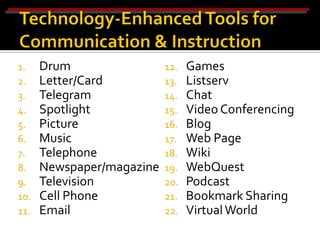
1.    Drum                 12.   Games
2.    Letter/Card          13.   Listserv
3.    Telegram             14.   Chat
4.    Spotlight            15.   Video Conferencing
5.    Picture              16.   Blog
6.    Music                17.   Web Page
7.    Telephone            18.   Wiki
8.    Newspaper/magazine   19.   WebQuest
9.    Television           20.   Podcast
10.   Cell Phone           21.   Bookmark Sharing
11.   Email                22.   Virtual World
“I believe that the
                  motion picture is destined
  to revolutionize our educational system
  and that in a few years it will supplant
  largely, if not entirely, the use of
  textbooks.”
     Thomas A. Edison, 1922

Movies, television… Technology will not
 replace books and teachers. It is just a
 tool!
1.    Email
2.    Podcasts
3.    Web Page Spinoffs
     a.   Blogs
     b.   Bookmark Sharing
     c.   WebQuests
     d.   Wikis
4.    Google Earth
5.    Online Videos
6.    Virtual Worlds
Communication / Instruction
   Communication
   Collaboration
   Communication
   24/7 access
   E-pals
   Fast notification to large groups of people
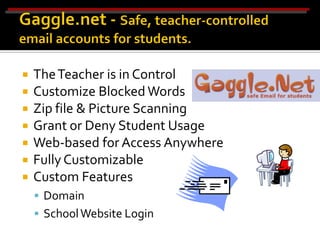
   The Teacher is in Control
   Customize Blocked Words
   Zip file & Picture Scanning
   Grant or Deny Student Usage
   Web-based for Access Anywhere
   Fully Customizable
   Custom Features
     Domain
     School Website Login
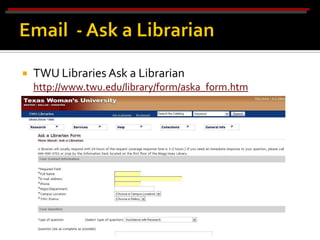
   TWU Libraries Ask a Librarian
    http://www.twu.edu/library/form/aska_form.htm
   Email:
     Asynchronous
     Pull technology
     Private (on own computer)
     Ubiquitous
     Listservs enable discussion
     Relatively easy to manage (archive)
   Limitations: Spam, filters; limited mailbox sizes;
    synchronous expectations; not totally private as can
    be read by system administrator
Communication / Instruction
   Podcast
     iPod + Broadcast = podcast
   Vodcast
     Video Podcast
   Accessible World Wide
     Anytime - Anywhere
   No Special Hardware or Software
     Listen straight from the web browser
     Download to a MP3 player
   Any data file type can be podcast
     Audio, Video, PDF, etc…
   Easy to find
     Share the Subscription URL
     ▪ (just like a web page)
   Difference between podcast and audio file
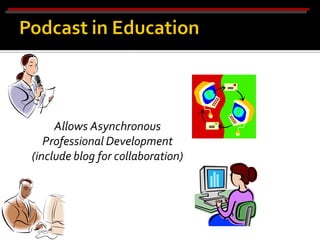
Allows Asynchronous
   Professional Development
(include blog for collaboration)
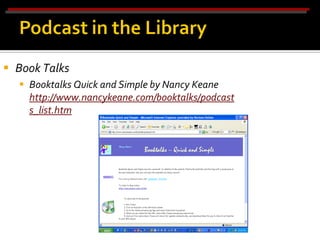
 Book Talks
   Booktalks Quick and Simple by Nancy Keane
    http://www.nancykeane.com/booktalks/podcast
    s_list.htm
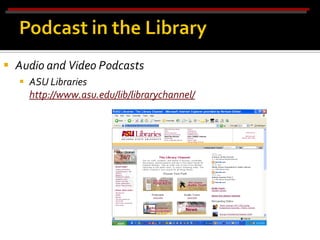
 Audio and Video Podcasts
   ASU Libraries
    http://www.asu.edu/lib/librarychannel/
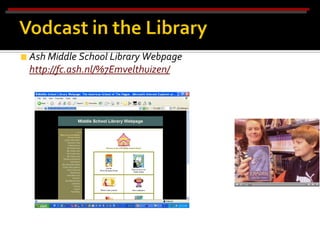
• Video Podcasts
    Ash Middle School Library Webpage
    http://fc.ash.nl/%7Emvelthuizen/
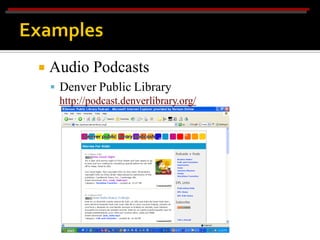
   Audio Podcasts
     Denver Public Library
      http://podcast.denverlibrary.org/
 Teachers can collaborate to contribute to a
  podcast on curricular topics
 Podcasts for students: Word of the day
 Audio recordings of guest speakers
 Students can create podcasts to communicate
  their research, debate issues, share their
  writing, review literature, etc.
 Educators can utilize some of
  the great educational podcasts
  on the Internet!
   Poetry podcasts
   Book talks
   Student debates
   Fan fiction
   Example: Episcopal School of Dallas
     Poetry http://esdnet.esdallas.org/~hansellm@esdallas.org/
Foreign Language:
   Pen pals via podcasting
   Class podcast in another language
   Commercials
   Foreign Language Lessons: http://www.podcasting-
    station.com/showrss.php?category=Educational%20Podcasts%3A%3AForeign
    %20Language%20Lessons


 Example: Episcopal School of Dallas
      Spanish http://esdnet.esdallas.org/~skeltonz@esdallas.org/
Math:
 Daily word problems
 Research on great mathematicians
 Dan’s Math Cast: http://www.dansmath.com/pages/podpage.html
Science:
    Research on scientific events
    Nasacast: http://www.nasa.gov/multimedia/podcasting/
 Social Studies:
 Historical tours
 Days in history
     Example: Alaska Podshow Podcast http://www.alaskapodshow.com/
     Example: Episcopal School of Dallas Student News
      http://eaglecast.wordpress.com/
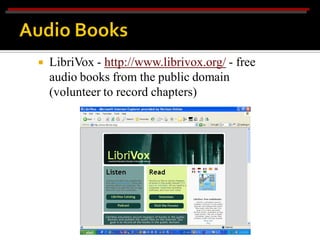
   LibriVox - http://www.librivox.org/ - free
    audio books from the public domain
    (volunteer to record chapters)
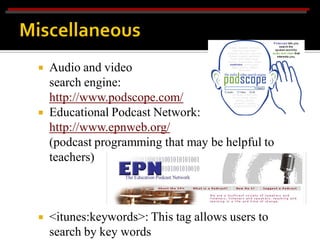
   Audio and video
    search engine:
    http://www.podscope.com/
   Educational Podcast Network:
    http://www.epnweb.org/
    (podcast programming that may be helpful to
    teachers)


   <itunes:keywords>: This tag allows users to
    search by key words
   Podcasts:
     Asynchronous
     Type of push technology
     Great for recordings of guest speakers and
    communication
   Regular feeds with updated information
   Most can be Google searched
   Give you the latest news
   Using RSS feeds, they can be subscribed to
 Limitations: Pull technology; more difficult to
  create; no feedback; overwhelming # of podcasts to
  choose from; not private
Communication / Instruction
   Web + Log = BLOG
   Old Style
     Email Listservs
     BBS (Bulletin Board Systems)
   Online Diary
   Online Journal
   Commentary
   News
   Social Networking
   What’s on a blog?
     Text
     Images
     Links
     Other Types of Media
     Post a Comment Feature
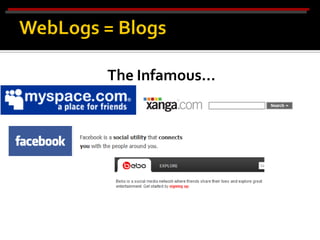
The Infamous…
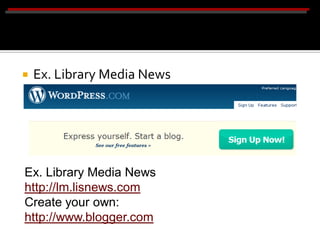
   Ex. Library Media News
    http://lm.lisnews.com
    Create your own: http://www.blogger.com


Ex. Library Media News
http://lm.lisnews.com
Create your own:
http://www.blogger.com
   Pen Pals
   Blog with other classes
   Blog with professionals in the work force
   Blog for tech support
 Current Professional Information, Best
  Practices, Book & Technology Reviews,
  Publicity/Outreach, Advocacy,
  Simplicity/Ease of Use
 Can be set where everyone can read and
  everyone can edit/few can edit, or it can be
  set up by a secured login.
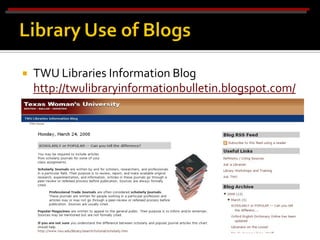
   TWU Libraries Information Blog
    http://twulibraryinformationbulletin.blogspot.com/
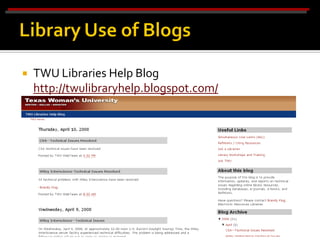
   TWU Libraries Help Blog
    http://twulibraryhelp.blogspot.com/
   Blogs:
    
    Asynchronous
    
    Type of push technology
    
    Great for announcements and information
    
    Most can be Google searched
    
    Give you the latest news
    
    Using RSS feeds, they can be subscribed to
 Limitations: Pull technology; Comments
  awkward for discussion; overwhelming # of blogs to
  choose from; not private
Communication / Instruction
   Bookmarks:
     Asynchronous
     Facilitates distribution of list of relevant Web sites
     Can be used for collaboration, with different
    people adding to the list
   Can be access anywhere with Internet connection
 Limitations: Pull technology; doesn’t lend to
  discussion about Web sites; not private
Communication / Instruction
   What is a WebQuest?
     According to WebQuest.org at http://webquest.org/index.php:


   "A WebQuest is an inquiry-oriented lesson
    format in which most or all the information
    that learners work with comes from the web."
   What is a WebQuest?      A WebQuest includes:
     Learning Activity        Introduction
     Lesson Document          Task
     Inquiry Oriented         Process
     Use the WWW
     Process
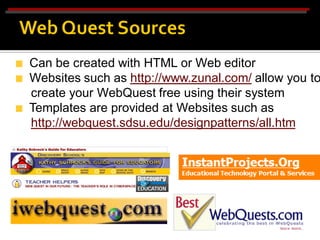
Can be created with HTML or Web editor
Websites such as http://www.zunal.com/ allow you to
create your WebQuest free using their system
Templates are provided at Websites such as
http://webquest.sdsu.edu/designpatterns/all.htm
   WebQuests:
    
    Asynchronous
    
    Lends for collaboration
    
    Great for tying assignment into the curriculum
    
    Teaches students to use technology as a tool
    
    Can be created by teacher or by students
 Limitations: Pull technology; time and skill is
  needed to create the WebQuest in addition to the
  curriculum-based lesson
Communication / Instruction
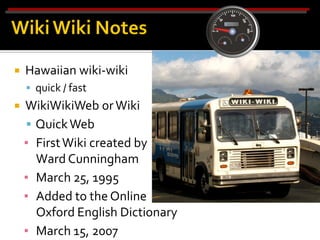
   Hawaiian wiki-wiki
     quick / fast
   WikiWikiWeb or Wiki
     Quick Web
    ▪ First Wiki created by
      Ward Cunningham
    ▪ March 25, 1995
    ▪ Added to the Online
      Oxford English Dictionary
    ▪ March 15, 2007
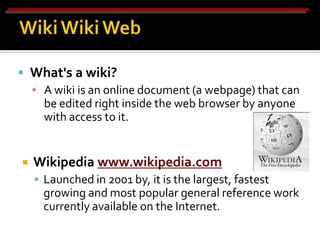
 What's a wiki?
  ▪ A wiki is an online document (a webpage) that can
    be edited right inside the web browser by anyone
    with access to it.


   Wikipedia www.wikipedia.com
     Launched in 2001 by, it is the largest, fastest
      growing and most popular general reference work
      currently available on the Internet.
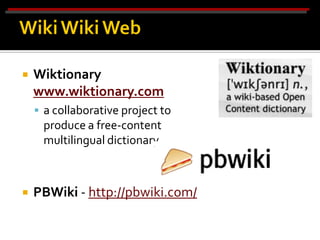
   Wiktionary
    www.wiktionary.com
     a collaborative project to
     produce a free-content
     multilingual dictionary.


   PBWiki - http://pbwiki.com/
   Collaborative software
   Replace intranets as we know them
   Scope & size, currency, multilingual, multicultural,
    cost is free, inaccurate information does not
    remain long – those who take “ownership” of
    certain topics are passionate and vigilant
   Can be set where everyone can read and everyone
    can edit/few can edit, or it can be set up by a
    secured login.
 Teachers can collaborate and contribute to a
  wiki on curricular topics
 Students can create wikis to communicate
  and collaborate their research, debate issues,
  share their writing, review literature, etc.
 Educators can utilize some of
  the great educational wikis
  on the Internet!
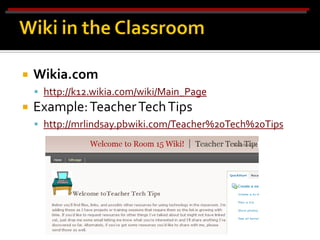
   Wikia.com
     http://k12.wikia.com/wiki/Main_Page
   Example: Teacher Tech Tips
     http://mrlindsay.pbwiki.com/Teacher%20Tech%20Tips
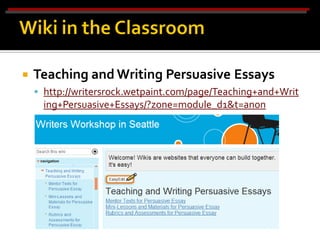
   Teaching and Writing Persuasive Essays
     http://writersrock.wetpaint.com/page/Teaching+and+Writ
      ing+Persuasive+Essays/?zone=module_d1&t=anon
   Wikis:
    
    Asynchronous
    
    Social and collaborative tool
    
    Easy to manage (easier than creating a web page)
    
    Versatile
 Limitations: Pull technology; anyone can edit
  an article, consensus over credentials; lack
  accountability & authority; lack of consistency;
  sense of anarchy and chaos – a “wild west
  mentality”
Instruction
   FREE!
   Virtual Field Trips
   Science Lessons
   Astronomy
   Geography
   History
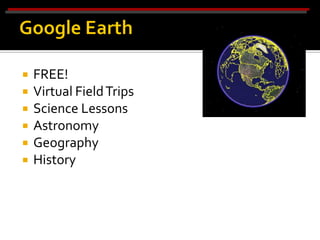
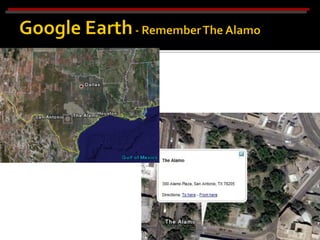
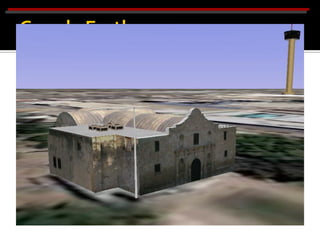
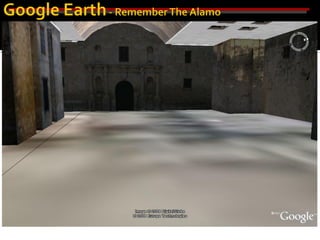
   Google Earth:
     Great for giving a perspective of the world
     3-D representation of sites that aren’t easily
      accessible
     Limitations: Sites that are up are limited
Instruction
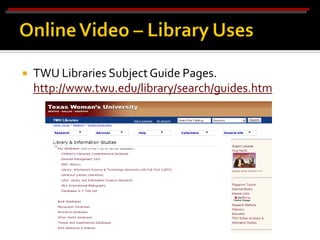
   TWU Libraries Subject Guide Pages.
    http://www.twu.edu/library/search/guides.htm
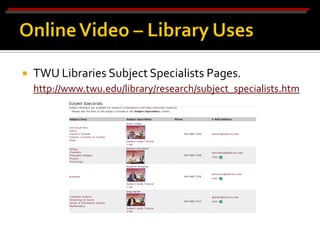
   TWU Libraries Subject Specialists Pages.
    http://www.twu.edu/library/research/subject_specialists.htm
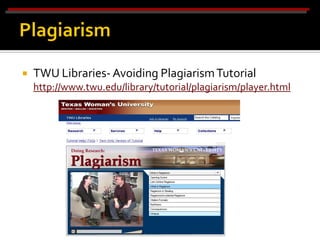
   TWU Libraries- Avoiding Plagiarism Tutorial
    http://www.twu.edu/library/tutorial/plagiarism/player.html
   Online Videos:
 Asynchronous
 Adds another dimension to instruction
 Creates a more personal interaction
 Use of both visual effects and sound to gain viewer’s
  attention
 Limitations: Pull technology; time consuming
  to create; learning curve; more efficient when
  viewed with fast Internet connection
Communication and Instruction
   Habbo Hotel
   Ty Girlz
   Webkinz
   Gaia Online
   Second Life
   Opened in 2000
   “Hangout for Teens” (for ages 13-18)
   Social networking website w/customizable avatar
   Guest rooms can be created & limited to specific
    users
   Used by youth organizations to educate about
    Internet safety, drug education, etc.
   Credits, bought w/$, are used to buy virtual
    furniture, etc.
   http://www.habbo.com/
   Opened April 13, 2007
   It’s a Girlz World!
   For ages 10-15
   Special code on girl doll label that allows access
   Avatars, games, chat room, & virtual economy
   http://www.tygirlz.com/
   Opened April 29, 2005
   Special code on stuffed animal label that allows
    access
   For ages 10-15
   KinzCash earned by answering knowledge
    questions, playing games, etc.
   KinzChat – users cannot type, but can choose
    phrases from list
   KinzChat Plus – words are restricted, must have
    parental permission
   http://www.webkinz.com/
   Opened February 18, 2003
   Create customizable avatar & virtual homes
   For ages 13-18
   Gaia Gold earned by playing fames or posting to
    forums – can also be bought at Target
   http://www.gaiaonline.com/
   Virtual World
   Launched in 2003, popular in 2006
   Downloadable client program – Second Life Viewer
   Motional avatars (residents)
   Local chat & global IM
   Residents create most content of world
   Building & selling virtual objects
   Linden Dollar exchangeable for currencies
   http://www.secondlife.com/
   Main grid for 18 & over
   Teen Second Life developed 2005
   For ages 13-17
   New identity/age measures proposed
   http://teen.secondlife.com/
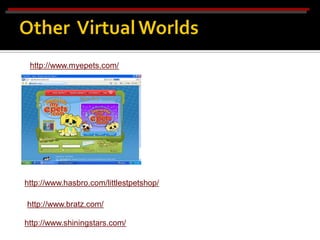
http://www.myepets.com/


http://www.hasbro.com/littlestpetshop/

http://www.bratz.com/

http://www.shiningstars.com/
   Virtual classrooms - universities
   Host lectures & projects online
   Librarians – Info Islands – virtual reference desk
   Info Islands – educational tools & services
   ISTE – first non-profit educational organization to
    purchase island
   Hope for future prek-12 educational uses
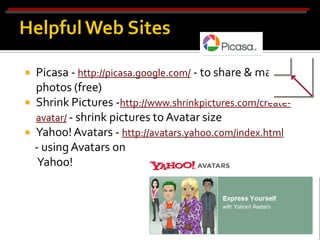
   Picasa - http://picasa.google.com/ - to share & manage
    photos (free)
   Shrink Pictures -http://www.shrinkpictures.com/create-
    avatar/ - shrink pictures to Avatar size
   Yahoo! Avatars - http://avatars.yahoo.com/index.html
    - using Avatars on
     Yahoo!
   SitePal - http://www.sitepal.com/


   Voki - http://www.voki.com/ - Create a character,
    make it talk, take it anywhere –
    free, but includes ads
   An avatar is a computer user's representation of
    himself or herself, whether in the form of a three-
    dimensional model used in computer games, or a
    two-dimensional icon (picture). (Wikipedia)
   Name for character in Ultima (series of computer
    games) 1985
   Enhances online communication or conversation
    capabilities
   Makes more interaction more personable
   Can be fictional representation or actual photo
   Introduce topics or aid with instruction for those
    who are better audio/visual learners
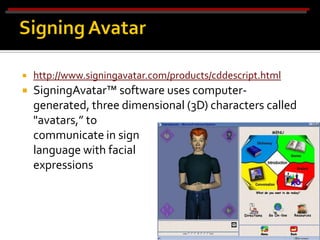
   http://www.signingavatar.com/products/cddescript.html
   SigningAvatar™ software uses computer-
    generated, three dimensional (3D) characters called
    "avatars,” to
    communicate in sign
    language with facial
    expressions
   Virtual Worlds:
     Synchronous
     Participants can create individual characters with
    unique identities
   Participants can interact
   Not bounded by physical laws
   Information can be manipulated in ways that are
    not normally possible in the real world
   Real-time voice communication is possible
 Limitations: Learning curve; expense
   Keep current!
   Insert one space after ending punctuation.
   Always capitalize the global Internet.
   Small percentage of people do the posting to blogs
    and wikis (1% of people create 99% of the postings
    or edits)
   Great online resources such as
    http://dictionary.reference.com/ and
    http://whatis.techtarget.com/
   Image Resizer from Power Toys
    http://www.microsoft.com/windowsxp/downloads/p
    owertoys/xppowertoys.mspx
   Audacity http://audacity.sourceforge.net.
    LAME MP3 Plug-in:
    http://audacity.sourceforge.net/download/windows
   An important role of the librarian and all
    educators is to be life-long learners and
    encourage others to do so.
   One way we can do this is to keep current with
    changes and new computer technologies and use
    them appropriately.

                    Thank you!

Tla2008 presentation

  • 1.
    Kaye Bray, Ph.D. Greg Hardin, M.L.S. Assistant Professor Reference Librarian Texas Woman’s University Texas Woman’s University kbray1@twu.edu ghardin@twu.edu
  • 2.
     To providefaculty and librarians examples of multimedia tools to supplement online instruction  To demonstrate tools for asynchronous versus real-time communication  To demonstrate the need to use online tools appropriately for best results
  • 3.
    Technology - The practical application of science to commerce or industry (WordNet 3.0)  Multimedia - The combined use of media, such as movies, music, lighting, CD-ROMs, and the Internet, as for education or entertainment.  Communication - the imparting or interchange of thoughts, opinions, or information by speech, writing, or signs.  Instruction - knowledge or information imparted.
  • 4.
    1. Drum 12. Games 2. Letter/Card 13. Listserv 3. Telegram 14. Chat 4. Spotlight 15. Video Conferencing 5. Picture 16. Blog 6. Music 17. Web Page 7. Telephone 18. Wiki 8. Newspaper/magazine 19. WebQuest 9. Television 20. Podcast 10. Cell Phone 21. Bookmark Sharing 11. Email 22. Virtual World
  • 5.
    “I believe thatthe motion picture is destined to revolutionize our educational system and that in a few years it will supplant largely, if not entirely, the use of textbooks.” Thomas A. Edison, 1922 Movies, television… Technology will not replace books and teachers. It is just a tool!
  • 6.
    1. Email 2. Podcasts 3. Web Page Spinoffs a. Blogs b. Bookmark Sharing c. WebQuests d. Wikis 4. Google Earth 5. Online Videos 6. Virtual Worlds
  • 7.
  • 8.
    Communication  Collaboration  Communication  24/7 access  E-pals  Fast notification to large groups of people
  • 9.
    The Teacher is in Control  Customize Blocked Words  Zip file & Picture Scanning  Grant or Deny Student Usage  Web-based for Access Anywhere  Fully Customizable  Custom Features  Domain  School Website Login
  • 10.
    TWU Libraries Ask a Librarian http://www.twu.edu/library/form/aska_form.htm
  • 11.
    Email:  Asynchronous  Pull technology  Private (on own computer)  Ubiquitous  Listservs enable discussion  Relatively easy to manage (archive)  Limitations: Spam, filters; limited mailbox sizes; synchronous expectations; not totally private as can be read by system administrator
  • 12.
  • 13.
    Podcast  iPod + Broadcast = podcast  Vodcast  Video Podcast  Accessible World Wide  Anytime - Anywhere  No Special Hardware or Software  Listen straight from the web browser  Download to a MP3 player
  • 14.
    Any data file type can be podcast  Audio, Video, PDF, etc…  Easy to find  Share the Subscription URL ▪ (just like a web page)  Difference between podcast and audio file
  • 15.
    Allows Asynchronous Professional Development (include blog for collaboration)
  • 16.
     Book Talks  Booktalks Quick and Simple by Nancy Keane http://www.nancykeane.com/booktalks/podcast s_list.htm
  • 17.
     Audio andVideo Podcasts  ASU Libraries http://www.asu.edu/lib/librarychannel/
  • 18.
    • Video Podcasts Ash Middle School Library Webpage http://fc.ash.nl/%7Emvelthuizen/
  • 19.
    Audio Podcasts  Denver Public Library http://podcast.denverlibrary.org/
  • 20.
     Teachers cancollaborate to contribute to a podcast on curricular topics  Podcasts for students: Word of the day  Audio recordings of guest speakers  Students can create podcasts to communicate their research, debate issues, share their writing, review literature, etc.  Educators can utilize some of the great educational podcasts on the Internet!
  • 21.
    Poetry podcasts  Book talks  Student debates  Fan fiction  Example: Episcopal School of Dallas  Poetry http://esdnet.esdallas.org/~hansellm@esdallas.org/
  • 22.
    Foreign Language:  Pen pals via podcasting  Class podcast in another language  Commercials  Foreign Language Lessons: http://www.podcasting- station.com/showrss.php?category=Educational%20Podcasts%3A%3AForeign %20Language%20Lessons  Example: Episcopal School of Dallas  Spanish http://esdnet.esdallas.org/~skeltonz@esdallas.org/
  • 23.
    Math:  Daily wordproblems  Research on great mathematicians  Dan’s Math Cast: http://www.dansmath.com/pages/podpage.html Science:  Research on scientific events  Nasacast: http://www.nasa.gov/multimedia/podcasting/ Social Studies:  Historical tours  Days in history  Example: Alaska Podshow Podcast http://www.alaskapodshow.com/  Example: Episcopal School of Dallas Student News http://eaglecast.wordpress.com/
  • 24.
    LibriVox - http://www.librivox.org/ - free audio books from the public domain (volunteer to record chapters)
  • 25.
    Audio and video search engine: http://www.podscope.com/  Educational Podcast Network: http://www.epnweb.org/ (podcast programming that may be helpful to teachers)  <itunes:keywords>: This tag allows users to search by key words
  • 26.
    Podcasts:  Asynchronous  Type of push technology  Great for recordings of guest speakers and communication  Regular feeds with updated information  Most can be Google searched  Give you the latest news  Using RSS feeds, they can be subscribed to  Limitations: Pull technology; more difficult to create; no feedback; overwhelming # of podcasts to choose from; not private
  • 27.
  • 28.
    Web + Log = BLOG  Old Style  Email Listservs  BBS (Bulletin Board Systems)  Online Diary  Online Journal  Commentary  News  Social Networking
  • 29.
    What’s on a blog?  Text  Images  Links  Other Types of Media  Post a Comment Feature
  • 30.
  • 31.
    Ex. Library Media News http://lm.lisnews.com Create your own: http://www.blogger.com Ex. Library Media News http://lm.lisnews.com Create your own: http://www.blogger.com
  • 32.
    Pen Pals  Blog with other classes  Blog with professionals in the work force  Blog for tech support
  • 33.
     Current ProfessionalInformation, Best Practices, Book & Technology Reviews, Publicity/Outreach, Advocacy, Simplicity/Ease of Use  Can be set where everyone can read and everyone can edit/few can edit, or it can be set up by a secured login.
  • 34.
    TWU Libraries Information Blog http://twulibraryinformationbulletin.blogspot.com/
  • 35.
    TWU Libraries Help Blog http://twulibraryhelp.blogspot.com/
  • 36.
    Blogs:  Asynchronous  Type of push technology  Great for announcements and information  Most can be Google searched  Give you the latest news  Using RSS feeds, they can be subscribed to  Limitations: Pull technology; Comments awkward for discussion; overwhelming # of blogs to choose from; not private
  • 37.
  • 39.
    Bookmarks:  Asynchronous  Facilitates distribution of list of relevant Web sites  Can be used for collaboration, with different people adding to the list  Can be access anywhere with Internet connection  Limitations: Pull technology; doesn’t lend to discussion about Web sites; not private
  • 40.
  • 41.
    What is a WebQuest?  According to WebQuest.org at http://webquest.org/index.php:  "A WebQuest is an inquiry-oriented lesson format in which most or all the information that learners work with comes from the web."
  • 42.
    What is a WebQuest?  A WebQuest includes:  Learning Activity  Introduction  Lesson Document  Task  Inquiry Oriented  Process  Use the WWW  Process
  • 43.
    Can be createdwith HTML or Web editor Websites such as http://www.zunal.com/ allow you to create your WebQuest free using their system Templates are provided at Websites such as http://webquest.sdsu.edu/designpatterns/all.htm
  • 44.
    WebQuests:  Asynchronous  Lends for collaboration  Great for tying assignment into the curriculum  Teaches students to use technology as a tool  Can be created by teacher or by students  Limitations: Pull technology; time and skill is needed to create the WebQuest in addition to the curriculum-based lesson
  • 45.
  • 46.
    Hawaiian wiki-wiki  quick / fast  WikiWikiWeb or Wiki  Quick Web ▪ First Wiki created by Ward Cunningham ▪ March 25, 1995 ▪ Added to the Online Oxford English Dictionary ▪ March 15, 2007
  • 47.
     What's awiki? ▪ A wiki is an online document (a webpage) that can be edited right inside the web browser by anyone with access to it.  Wikipedia www.wikipedia.com  Launched in 2001 by, it is the largest, fastest growing and most popular general reference work currently available on the Internet.
  • 48.
    Wiktionary www.wiktionary.com  a collaborative project to produce a free-content multilingual dictionary.  PBWiki - http://pbwiki.com/
  • 49.
    Collaborative software  Replace intranets as we know them  Scope & size, currency, multilingual, multicultural, cost is free, inaccurate information does not remain long – those who take “ownership” of certain topics are passionate and vigilant  Can be set where everyone can read and everyone can edit/few can edit, or it can be set up by a secured login.
  • 50.
     Teachers cancollaborate and contribute to a wiki on curricular topics  Students can create wikis to communicate and collaborate their research, debate issues, share their writing, review literature, etc.  Educators can utilize some of the great educational wikis on the Internet!
  • 51.
    Wikia.com  http://k12.wikia.com/wiki/Main_Page  Example: Teacher Tech Tips  http://mrlindsay.pbwiki.com/Teacher%20Tech%20Tips
  • 52.
    Teaching and Writing Persuasive Essays  http://writersrock.wetpaint.com/page/Teaching+and+Writ ing+Persuasive+Essays/?zone=module_d1&t=anon
  • 53.
    Wikis:  Asynchronous  Social and collaborative tool  Easy to manage (easier than creating a web page)  Versatile  Limitations: Pull technology; anyone can edit an article, consensus over credentials; lack accountability & authority; lack of consistency; sense of anarchy and chaos – a “wild west mentality”
  • 54.
  • 55.
    FREE!  Virtual Field Trips  Science Lessons  Astronomy  Geography  History
  • 59.
    Google Earth:  Great for giving a perspective of the world  3-D representation of sites that aren’t easily accessible  Limitations: Sites that are up are limited
  • 60.
  • 62.
    TWU Libraries Subject Guide Pages. http://www.twu.edu/library/search/guides.htm
  • 63.
    TWU Libraries Subject Specialists Pages. http://www.twu.edu/library/research/subject_specialists.htm
  • 64.
    TWU Libraries- Avoiding Plagiarism Tutorial http://www.twu.edu/library/tutorial/plagiarism/player.html
  • 65.
    Online Videos:  Asynchronous  Adds another dimension to instruction  Creates a more personal interaction  Use of both visual effects and sound to gain viewer’s attention  Limitations: Pull technology; time consuming to create; learning curve; more efficient when viewed with fast Internet connection
  • 66.
  • 67.
    Habbo Hotel  Ty Girlz  Webkinz  Gaia Online  Second Life
  • 68.
    Opened in 2000  “Hangout for Teens” (for ages 13-18)  Social networking website w/customizable avatar  Guest rooms can be created & limited to specific users  Used by youth organizations to educate about Internet safety, drug education, etc.  Credits, bought w/$, are used to buy virtual furniture, etc.  http://www.habbo.com/
  • 69.
    Opened April 13, 2007  It’s a Girlz World!  For ages 10-15  Special code on girl doll label that allows access  Avatars, games, chat room, & virtual economy  http://www.tygirlz.com/
  • 70.
    Opened April 29, 2005  Special code on stuffed animal label that allows access  For ages 10-15  KinzCash earned by answering knowledge questions, playing games, etc.  KinzChat – users cannot type, but can choose phrases from list  KinzChat Plus – words are restricted, must have parental permission  http://www.webkinz.com/
  • 71.
    Opened February 18, 2003  Create customizable avatar & virtual homes  For ages 13-18  Gaia Gold earned by playing fames or posting to forums – can also be bought at Target  http://www.gaiaonline.com/
  • 72.
    Virtual World  Launched in 2003, popular in 2006  Downloadable client program – Second Life Viewer  Motional avatars (residents)  Local chat & global IM  Residents create most content of world  Building & selling virtual objects  Linden Dollar exchangeable for currencies  http://www.secondlife.com/
  • 73.
    Main grid for 18 & over  Teen Second Life developed 2005  For ages 13-17  New identity/age measures proposed  http://teen.secondlife.com/
  • 74.
  • 75.
    Virtual classrooms - universities  Host lectures & projects online  Librarians – Info Islands – virtual reference desk  Info Islands – educational tools & services  ISTE – first non-profit educational organization to purchase island  Hope for future prek-12 educational uses
  • 76.
    Picasa - http://picasa.google.com/ - to share & manage photos (free)  Shrink Pictures -http://www.shrinkpictures.com/create- avatar/ - shrink pictures to Avatar size  Yahoo! Avatars - http://avatars.yahoo.com/index.html - using Avatars on Yahoo!
  • 77.
    SitePal - http://www.sitepal.com/  Voki - http://www.voki.com/ - Create a character, make it talk, take it anywhere – free, but includes ads
  • 78.
    An avatar is a computer user's representation of himself or herself, whether in the form of a three- dimensional model used in computer games, or a two-dimensional icon (picture). (Wikipedia)  Name for character in Ultima (series of computer games) 1985  Enhances online communication or conversation capabilities  Makes more interaction more personable  Can be fictional representation or actual photo  Introduce topics or aid with instruction for those who are better audio/visual learners
  • 79.
    http://www.signingavatar.com/products/cddescript.html  SigningAvatar™ software uses computer- generated, three dimensional (3D) characters called "avatars,” to communicate in sign language with facial expressions
  • 80.
    Virtual Worlds:  Synchronous  Participants can create individual characters with unique identities  Participants can interact  Not bounded by physical laws  Information can be manipulated in ways that are not normally possible in the real world  Real-time voice communication is possible  Limitations: Learning curve; expense
  • 81.
    Keep current!  Insert one space after ending punctuation.  Always capitalize the global Internet.  Small percentage of people do the posting to blogs and wikis (1% of people create 99% of the postings or edits)  Great online resources such as http://dictionary.reference.com/ and http://whatis.techtarget.com/  Image Resizer from Power Toys http://www.microsoft.com/windowsxp/downloads/p owertoys/xppowertoys.mspx  Audacity http://audacity.sourceforge.net. LAME MP3 Plug-in: http://audacity.sourceforge.net/download/windows
  • 82.
    An important role of the librarian and all educators is to be life-long learners and encourage others to do so.  One way we can do this is to keep current with changes and new computer technologies and use them appropriately. Thank you!