Practical uses for Web 2.0 – an overview Phil Bradley http://www.philb.com
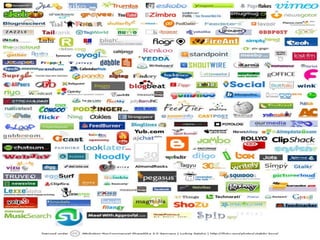
What is Web 2.0? Let’s just not go there shall we? Definitions are less important than what you can do with it Oh, if you really insist…
What is Web 2.0? Web 2.0 is a term often applied to a perceived ongoing transition of the World Wide Web from a collection of websites to a full-fledged computing platform serving web applications to end users. Ultimately Web 2.0 services are expected to replace desktop computing applications for many purposes.   Wikipedia entry
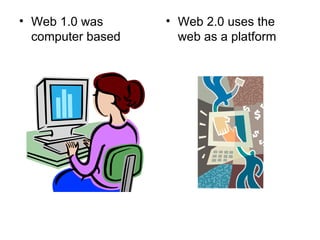
Web 1.0 was computer based Web 2.0 uses the web as a platform
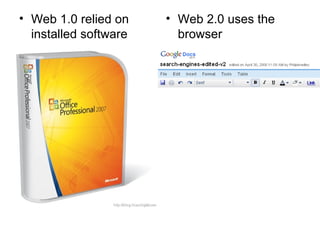
Web 1.0 relied on installed software Web 2.0 uses the browser
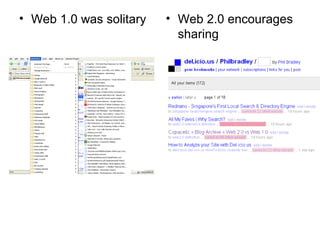
Web 1.0 was solitary Web 2.0 encourages sharing
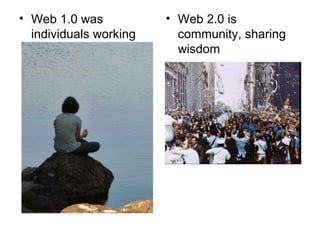
Web 1.0 was individuals working alone Web 2.0 is community, sharing wisdom
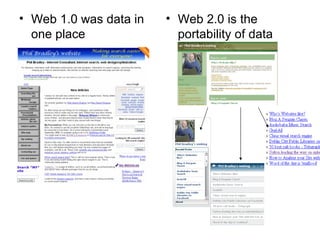
Web 1.0 was data in one place Web 2.0 is the portability of data
Web 1.0 was about consuming (data) Web 2.0 is about creating data Weblogs Photograph sharing Wikis Collaborative resources Social networking Bookmarking
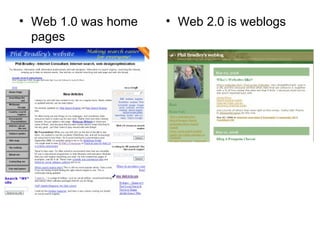
Web 1.0 was home pages Web 2.0 is weblogs
Web 1.0 was tracking information down Web 2.0 is having information come to you
Web 1.0 was badging your content Web 2.0 is getting the answer out there quickly
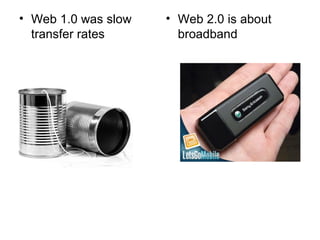
Web 1.0 was slow transfer rates Web 2.0 is about broadband
Web 1.0 was hardware $s Web 2.0 is broadband $s
Web 1.0 was getting it perfect Web 2.0 is doing it and moving on
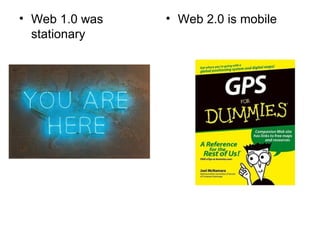
Web 1.0 was stationary Web 2.0 is mobile
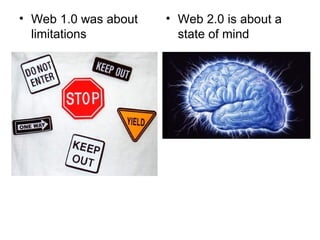
Web 1.0 was about limitations Web 2.0 is about a state of mind
Yes… but? “ It’s  vacuous marketing hype” “ Web 2.0 is totally silly” “ Meaningless” “ is made entirely of pretentious self serving morons.” “ a lot of thin but very hot air blown at you by those who are convinced that having nothing to say is by no means a good reason to shut up.”
So… Is it a question of degrees of difference?
Or… A difference of kind? (Is it or isn’t it a fad?)
 
So… How can I use it?
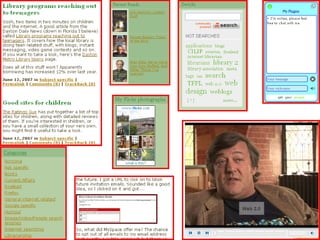
Communication & news gathering Weblogs Create a library weblog Additional or new library resources Introduce members of staff Use it as a repository of data and information by using categories and tags Don’t regard a weblog as a diary – it’s an important website in its own right…
 
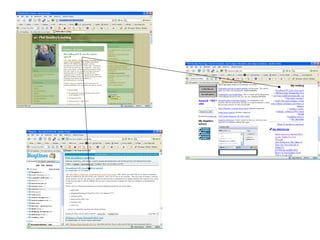
Weblogs continued… Use the weblog RSS feed on the site home page as a news feed Encourage people to add the feed to their start page or RSS reader Create a different weblog for a different subject area – invite other authors Use it in a different way, on a different page
 
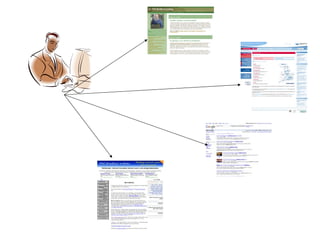
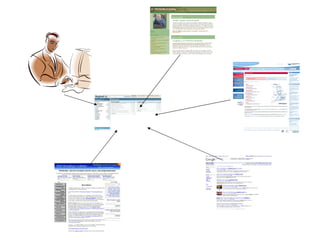
So what exactly is RSS again? Really Simple Search Rich Site Summary ‘ Read some stories’ Newsfeeds It’s a common way of transferring data from one resource to another one
 
 
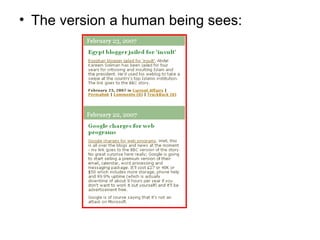
The version a human being sees:
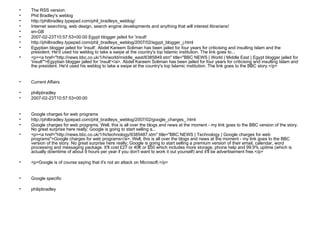
The RSS version: Phil Bradley's weblog http://philbradley.typepad.com/phil_bradleys_weblog/ Internet searching, web design, search engine developments and anything that will interest librarians! en-GB  2007-02-23T10:57:53+00:00 Egypt blogger jailed for 'insult' http://philbradley.typepad.com/phil_bradleys_weblog/2007/02/egypt_blogger_j.html Egyptian blogger jailed for 'insult'. Abdel Kareem Soliman has been jailed for four years for criticising and insulting Islam and the president. He'd used his weblog to take a swipe at the country's top Islamic institution. The link goes to... <p><a href=&quot;http://news.bbc.co.uk/1/hi/world/middle_east/6385849.stm&quot; title=&quot;BBC NEWS | World | Middle East | Egypt blogger jailed for 'insult'&quot;>Egyptian blogger jailed for 'insult'</a>. Abdel Kareem Soliman has been jailed for four years for criticising and insulting Islam and the president. He'd used his weblog to take a swipe at the country's top Islamic institution. The link goes to the BBC story.</p> Current Affairs philipbradley 2007-02-23T10:57:53+00:00 Google charges for web programs http://philbradley.typepad.com/phil_bradleys_weblog/2007/02/google_charges_.html Google charges for web programs. Well, this is all over the blogs and news at the moment - my link goes to the BBC version of the story. No great surprise here really; Google is going to start selling a... <p><a href=&quot;http://news.bbc.co.uk/1/hi/technology/6385487.stm&quot; title=&quot;BBC NEWS | Technology | Google charges for web programs&quot;>Google charges for web programs</a>. Well, this is all over the blogs and news at the moment - my link goes to the BBC version of the story. No great surprise here really; Google is going to start selling a premium version of their email, calendar, word processing and messaging package. It'll cost £27 or 40€ or $50 which includes more storage, phone help and 99.9% uptime (which is actually downtime of about 9 hours per year if you don't want to work it out yourself) and it'll be advertisement free.</p> <p>Google is of course saying that it's not an attack on Microsoft.</p> Google specific philipbradley
Each RSS resource has its own URL and other applications can point to that URL, gather the data and display it in a different format.
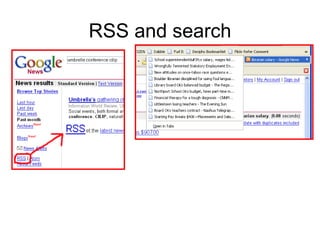
RSS and search
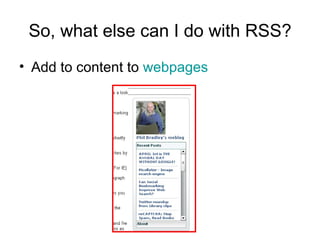
So, what else can I do with RSS? Add to content to  webpages
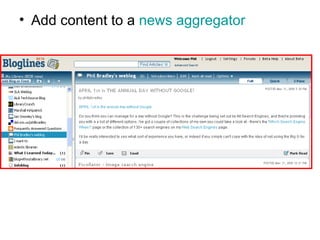
Add content to a  news aggregator
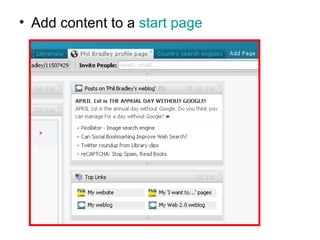
Add content to a  start page
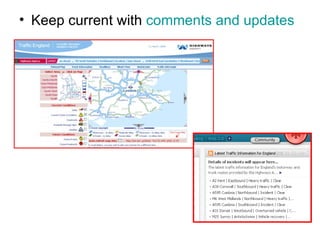
Keep current with  comments and updates
In conclusion therefore… RSS brings data to you, and allows you to send it out to other places.
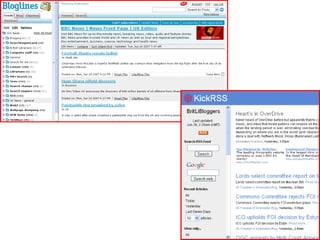
Using news aggregators Such as Bloglines or the Google Reader Keep up to date Up to the minute Create your own searches Use these to create your own news feeds Combine these and publish them for users
 
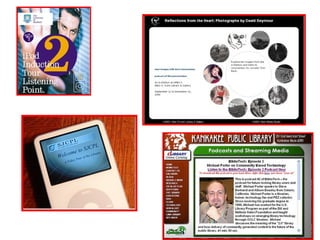
Communication - Podcasts Provide access to audio content Guides/tours around a library Content that can’t easily be made available in other formats Content that is accessible on the move Not time or place dependent.
 
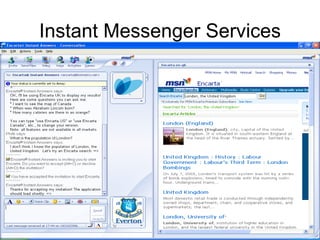
Instant messaging “ Email is for old people” Talk instantly back and forth Share files (or not!) Share webcam discussions Group chat IM from webpages Create chatrooms
Instant Messenger Services
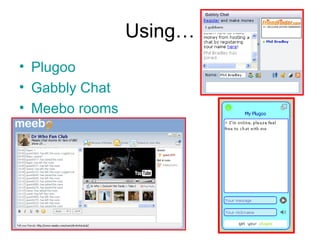
Using… Plugoo Gabbly  Chat Meebo  rooms
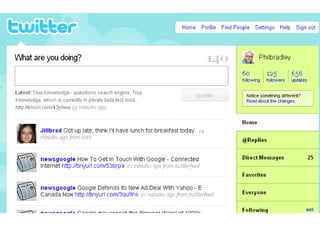
Communication - microblogging Twitter “ What are you doing?” 140 character messages News, information about you, your organisation Alerting service Port weblog entries across Use with a mobile phone
 
Collating and sharing data Providing answers to enquirers in a dynamic format Setting up a mechanism to self update Getting assistance from other people Sharing data easily and quickly
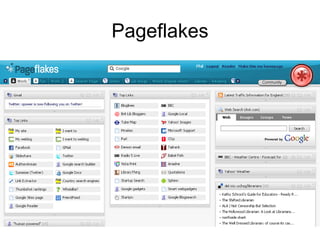
Collating data - Start Pages Pageflakes  or  Netvibes Collate data into one place Not machine dependent Good for: Links Email  Search engines RSS feeds Weather  Etc…
Using start pages Individually As a group Share tabbed pages Alternative to email contact To Do lists Note pads Always immediately available
Pageflakes
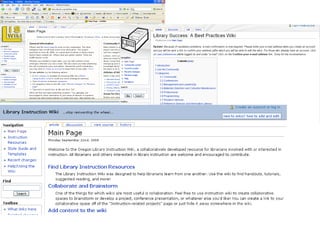
Collating content - Wikis Create your own websites Allow multiple authors Instant updating, editing Embed content from various sources
Example Wikis LIS wiki Library success wiki Wikipedia Peanut butter wiki Library Instruction wiki
 
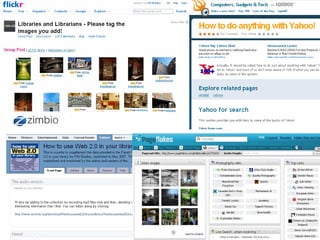
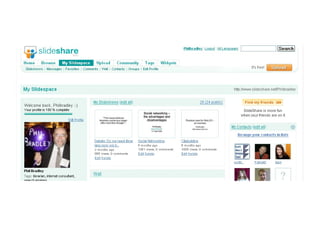
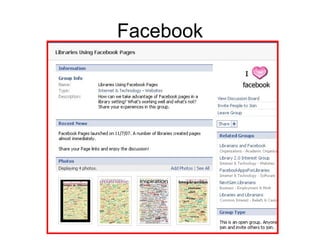
Collating data – other resources Flickr Zimbio Squidoo Facebook Slideshare
 
 
Facebook
Sharing resources Content in a wiki On a start page In a community Bookmarking services
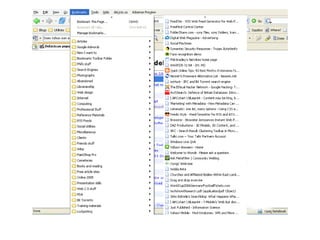
Bookmarking Limited to a specific machine Not informative Difficult to find what you want Inflexible Cannot easily share bookmarks
 
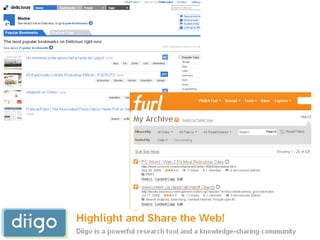
What are the alternatives? Del.icio.us Diigo FURL Simpy SPURL
 
You can: Share your bookmarks Between computers Between colleagues Between users Create bookmark sets To supplement projects To assist users Annotate (or tag) bookmarks
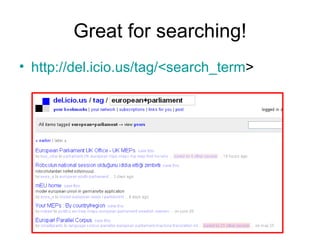
Great for searching! http://del.icio.us/tag/<search_term >
Get an RSS feed automatically http://del.icio.us/rss/tag/[insert your tag here]
Web 2.0 for searching - Search builders Create your own search engines Limit to trusted sites As small as you want, as large as you need Use the given URL or Cut and paste onto your own site Use them and then throw them
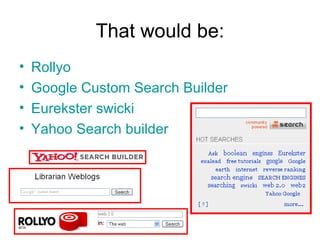
That would be: Rollyo Google Custom Search Builder Eurekster swicki Yahoo Search builder
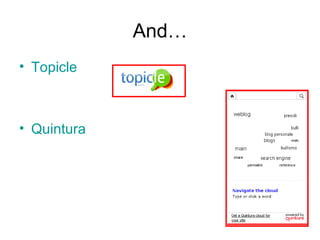
And… Topicle Quintura
Collaborate on knowledge Provide content onto a webpage Items, notes, articles Links to news or blogs Search functions Video options Let others collaborate
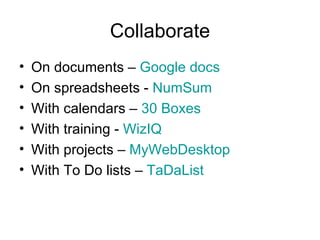
Collaborate On documents –  Google docs On spreadsheets -  NumSum With calendars –  30 Boxes With training -  WizIQ With projects –  MyWebDesktop With To Do lists –  TaDaList
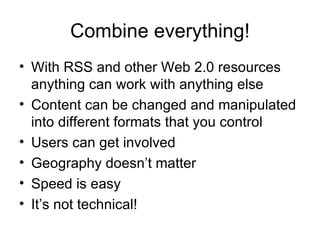
Combine everything! With RSS and other Web 2.0 resources anything can work with anything else Content can be changed and manipulated into different formats that you control Users can get involved Geography doesn’t matter Speed is easy It’s not technical!
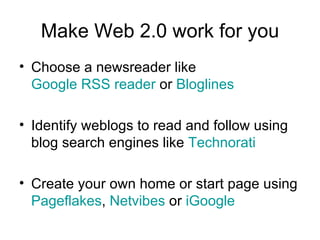
Make Web 2.0 work for you Choose a newsreader like  Google RSS reader  or  Bloglines Identify weblogs to read and follow using blog search engines like  Technorati Create your own home or start page using  Pageflakes ,  Netvibes  or  iGoogle
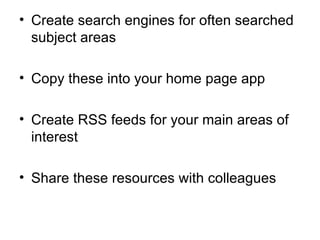
Create search engines for often searched subject areas  Copy these into your home page app Create RSS feeds for your main areas of interest Share these resources with colleagues
Share content Allow access to start page tabs Put your content onto a wiki Place material onto content sharing sites such as  Slideshare  and  Google docs
Involve others Communicate more widely with Instant Messaging or your own weblog or microblog Let them update and contribute to your content Let go of ownership and emphasis facilitation
And then… Start a library weblog? Create a flickr group  Podcast information
And then… Create del.icio.us or FURL accounts and share them Create a book reading club using LibraryThing, Amazon and a weblog Have a library tour on YouTube
Or even Create trading cards from Flickr photographs Create fun/interesting new posters Set up a Facebook, Bebo, MySpace account for the library
BUT…
Expect… “ It can’t be done” “ We don’t have the resources” “ Bandwidth problems” “ Security issues” “ Write a proposal” “ Not your job” “ Not enough time”
AND…
Ignore it! Because Web 2 is changing: The way we use the web The way we use information The way we find information The way we do our jobs The way we interact with people The way that we look at everything
FOREVER
Final thoughts: “ Librarians must be like Krishna! And descend into the world to combat ignorance!”  S.R. Ranganathan “ The librarian must be the librarian militant before he can be the librarian triumphant.”   Melvil Dewey
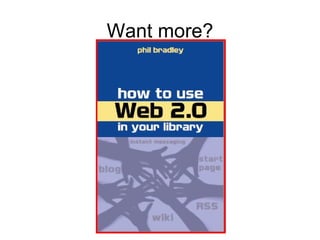
Want more?
Acknowledgements Slide 5  http://www.nasa.gov   Slide 7  http://www.bbc.co.uk   Slide 9  http://thederringdos.com/ Slide 9  http://www.problogger.net/wp-content/spiders-web.jpg   Slide 10  http://www.vorkt.com/   Slide 10  http://www.nps.gov/   Slide 11  http://www.tailoredtime.com/   Slide 11  http://www.letsgomobile.org/   Slide 13  http://www.ctp.co.uk/   Slide 13  http://www.hereticpress.com/   Slide 14  http://www.stdmfg.com/   Slide 14  http://ecx.images-amazon.com/   Slide 15  http://www.stainedglassoriginals.com   Slide 15  http://img.thesun.co.uk/
Thank you! Website:  http://www.philb.com “ I want to”:  http://www.philb.com/iwantto.htm   Weblog:  http://philbradley.typepad.com/i_want_to/   Presentations:  http://www.slideshare.net/Philbradley/

Web2toolsjan09

  • 1.
    Practical uses forWeb 2.0 – an overview Phil Bradley http://www.philb.com
  • 2.
    What is Web2.0? Let’s just not go there shall we? Definitions are less important than what you can do with it Oh, if you really insist…
  • 3.
    What is Web2.0? Web 2.0 is a term often applied to a perceived ongoing transition of the World Wide Web from a collection of websites to a full-fledged computing platform serving web applications to end users. Ultimately Web 2.0 services are expected to replace desktop computing applications for many purposes. Wikipedia entry
  • 4.
    Web 1.0 wascomputer based Web 2.0 uses the web as a platform
  • 5.
    Web 1.0 reliedon installed software Web 2.0 uses the browser
  • 6.
    Web 1.0 wassolitary Web 2.0 encourages sharing
  • 7.
    Web 1.0 wasindividuals working alone Web 2.0 is community, sharing wisdom
  • 8.
    Web 1.0 wasdata in one place Web 2.0 is the portability of data
  • 9.
    Web 1.0 wasabout consuming (data) Web 2.0 is about creating data Weblogs Photograph sharing Wikis Collaborative resources Social networking Bookmarking
  • 10.
    Web 1.0 washome pages Web 2.0 is weblogs
  • 11.
    Web 1.0 wastracking information down Web 2.0 is having information come to you
  • 12.
    Web 1.0 wasbadging your content Web 2.0 is getting the answer out there quickly
  • 13.
    Web 1.0 wasslow transfer rates Web 2.0 is about broadband
  • 14.
    Web 1.0 washardware $s Web 2.0 is broadband $s
  • 15.
    Web 1.0 wasgetting it perfect Web 2.0 is doing it and moving on
  • 16.
    Web 1.0 wasstationary Web 2.0 is mobile
  • 17.
    Web 1.0 wasabout limitations Web 2.0 is about a state of mind
  • 18.
    Yes… but? “It’s vacuous marketing hype” “ Web 2.0 is totally silly” “ Meaningless” “ is made entirely of pretentious self serving morons.” “ a lot of thin but very hot air blown at you by those who are convinced that having nothing to say is by no means a good reason to shut up.”
  • 19.
    So… Is ita question of degrees of difference?
  • 20.
    Or… A differenceof kind? (Is it or isn’t it a fad?)
  • 21.
  • 22.
    So… How canI use it?
  • 23.
    Communication & newsgathering Weblogs Create a library weblog Additional or new library resources Introduce members of staff Use it as a repository of data and information by using categories and tags Don’t regard a weblog as a diary – it’s an important website in its own right…
  • 24.
  • 25.
    Weblogs continued… Usethe weblog RSS feed on the site home page as a news feed Encourage people to add the feed to their start page or RSS reader Create a different weblog for a different subject area – invite other authors Use it in a different way, on a different page
  • 26.
  • 27.
    So what exactlyis RSS again? Really Simple Search Rich Site Summary ‘ Read some stories’ Newsfeeds It’s a common way of transferring data from one resource to another one
  • 28.
  • 29.
  • 30.
    The version ahuman being sees:
  • 31.
    The RSS version:Phil Bradley's weblog http://philbradley.typepad.com/phil_bradleys_weblog/ Internet searching, web design, search engine developments and anything that will interest librarians! en-GB 2007-02-23T10:57:53+00:00 Egypt blogger jailed for 'insult' http://philbradley.typepad.com/phil_bradleys_weblog/2007/02/egypt_blogger_j.html Egyptian blogger jailed for 'insult'. Abdel Kareem Soliman has been jailed for four years for criticising and insulting Islam and the president. He'd used his weblog to take a swipe at the country's top Islamic institution. The link goes to... <p><a href=&quot;http://news.bbc.co.uk/1/hi/world/middle_east/6385849.stm&quot; title=&quot;BBC NEWS | World | Middle East | Egypt blogger jailed for 'insult'&quot;>Egyptian blogger jailed for 'insult'</a>. Abdel Kareem Soliman has been jailed for four years for criticising and insulting Islam and the president. He'd used his weblog to take a swipe at the country's top Islamic institution. The link goes to the BBC story.</p> Current Affairs philipbradley 2007-02-23T10:57:53+00:00 Google charges for web programs http://philbradley.typepad.com/phil_bradleys_weblog/2007/02/google_charges_.html Google charges for web programs. Well, this is all over the blogs and news at the moment - my link goes to the BBC version of the story. No great surprise here really; Google is going to start selling a... <p><a href=&quot;http://news.bbc.co.uk/1/hi/technology/6385487.stm&quot; title=&quot;BBC NEWS | Technology | Google charges for web programs&quot;>Google charges for web programs</a>. Well, this is all over the blogs and news at the moment - my link goes to the BBC version of the story. No great surprise here really; Google is going to start selling a premium version of their email, calendar, word processing and messaging package. It'll cost £27 or 40€ or $50 which includes more storage, phone help and 99.9% uptime (which is actually downtime of about 9 hours per year if you don't want to work it out yourself) and it'll be advertisement free.</p> <p>Google is of course saying that it's not an attack on Microsoft.</p> Google specific philipbradley
  • 32.
    Each RSS resourcehas its own URL and other applications can point to that URL, gather the data and display it in a different format.
  • 33.
  • 34.
    So, what elsecan I do with RSS? Add to content to webpages
  • 35.
    Add content toa news aggregator
  • 36.
    Add content toa start page
  • 37.
    Keep current with comments and updates
  • 38.
    In conclusion therefore…RSS brings data to you, and allows you to send it out to other places.
  • 39.
    Using news aggregatorsSuch as Bloglines or the Google Reader Keep up to date Up to the minute Create your own searches Use these to create your own news feeds Combine these and publish them for users
  • 40.
  • 41.
    Communication - PodcastsProvide access to audio content Guides/tours around a library Content that can’t easily be made available in other formats Content that is accessible on the move Not time or place dependent.
  • 42.
  • 43.
    Instant messaging “Email is for old people” Talk instantly back and forth Share files (or not!) Share webcam discussions Group chat IM from webpages Create chatrooms
  • 44.
  • 45.
    Using… Plugoo Gabbly Chat Meebo rooms
  • 46.
    Communication - microbloggingTwitter “ What are you doing?” 140 character messages News, information about you, your organisation Alerting service Port weblog entries across Use with a mobile phone
  • 47.
  • 48.
    Collating and sharingdata Providing answers to enquirers in a dynamic format Setting up a mechanism to self update Getting assistance from other people Sharing data easily and quickly
  • 49.
    Collating data -Start Pages Pageflakes or Netvibes Collate data into one place Not machine dependent Good for: Links Email Search engines RSS feeds Weather Etc…
  • 50.
    Using start pagesIndividually As a group Share tabbed pages Alternative to email contact To Do lists Note pads Always immediately available
  • 51.
  • 52.
    Collating content -Wikis Create your own websites Allow multiple authors Instant updating, editing Embed content from various sources
  • 53.
    Example Wikis LISwiki Library success wiki Wikipedia Peanut butter wiki Library Instruction wiki
  • 54.
  • 55.
    Collating data –other resources Flickr Zimbio Squidoo Facebook Slideshare
  • 56.
  • 57.
  • 58.
  • 59.
    Sharing resources Contentin a wiki On a start page In a community Bookmarking services
  • 60.
    Bookmarking Limited toa specific machine Not informative Difficult to find what you want Inflexible Cannot easily share bookmarks
  • 61.
  • 62.
    What are thealternatives? Del.icio.us Diigo FURL Simpy SPURL
  • 63.
  • 64.
    You can: Shareyour bookmarks Between computers Between colleagues Between users Create bookmark sets To supplement projects To assist users Annotate (or tag) bookmarks
  • 65.
    Great for searching!http://del.icio.us/tag/<search_term >
  • 66.
    Get an RSSfeed automatically http://del.icio.us/rss/tag/[insert your tag here]
  • 67.
    Web 2.0 forsearching - Search builders Create your own search engines Limit to trusted sites As small as you want, as large as you need Use the given URL or Cut and paste onto your own site Use them and then throw them
  • 68.
    That would be:Rollyo Google Custom Search Builder Eurekster swicki Yahoo Search builder
  • 69.
  • 70.
    Collaborate on knowledgeProvide content onto a webpage Items, notes, articles Links to news or blogs Search functions Video options Let others collaborate
  • 71.
    Collaborate On documents– Google docs On spreadsheets - NumSum With calendars – 30 Boxes With training - WizIQ With projects – MyWebDesktop With To Do lists – TaDaList
  • 72.
    Combine everything! WithRSS and other Web 2.0 resources anything can work with anything else Content can be changed and manipulated into different formats that you control Users can get involved Geography doesn’t matter Speed is easy It’s not technical!
  • 73.
    Make Web 2.0work for you Choose a newsreader like Google RSS reader or Bloglines Identify weblogs to read and follow using blog search engines like Technorati Create your own home or start page using Pageflakes , Netvibes or iGoogle
  • 74.
    Create search enginesfor often searched subject areas Copy these into your home page app Create RSS feeds for your main areas of interest Share these resources with colleagues
  • 75.
    Share content Allowaccess to start page tabs Put your content onto a wiki Place material onto content sharing sites such as Slideshare and Google docs
  • 76.
    Involve others Communicatemore widely with Instant Messaging or your own weblog or microblog Let them update and contribute to your content Let go of ownership and emphasis facilitation
  • 77.
    And then… Starta library weblog? Create a flickr group Podcast information
  • 78.
    And then… Createdel.icio.us or FURL accounts and share them Create a book reading club using LibraryThing, Amazon and a weblog Have a library tour on YouTube
  • 79.
    Or even Createtrading cards from Flickr photographs Create fun/interesting new posters Set up a Facebook, Bebo, MySpace account for the library
  • 80.
  • 81.
    Expect… “ Itcan’t be done” “ We don’t have the resources” “ Bandwidth problems” “ Security issues” “ Write a proposal” “ Not your job” “ Not enough time”
  • 82.
  • 83.
    Ignore it! BecauseWeb 2 is changing: The way we use the web The way we use information The way we find information The way we do our jobs The way we interact with people The way that we look at everything
  • 84.
  • 85.
    Final thoughts: “Librarians must be like Krishna! And descend into the world to combat ignorance!” S.R. Ranganathan “ The librarian must be the librarian militant before he can be the librarian triumphant.” Melvil Dewey
  • 86.
  • 87.
    Acknowledgements Slide 5 http://www.nasa.gov Slide 7 http://www.bbc.co.uk Slide 9 http://thederringdos.com/ Slide 9 http://www.problogger.net/wp-content/spiders-web.jpg Slide 10 http://www.vorkt.com/ Slide 10 http://www.nps.gov/ Slide 11 http://www.tailoredtime.com/ Slide 11 http://www.letsgomobile.org/ Slide 13 http://www.ctp.co.uk/ Slide 13 http://www.hereticpress.com/ Slide 14 http://www.stdmfg.com/ Slide 14 http://ecx.images-amazon.com/ Slide 15 http://www.stainedglassoriginals.com Slide 15 http://img.thesun.co.uk/
  • 88.
    Thank you! Website: http://www.philb.com “ I want to”: http://www.philb.com/iwantto.htm Weblog: http://philbradley.typepad.com/i_want_to/ Presentations: http://www.slideshare.net/Philbradley/