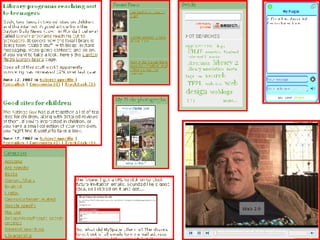



Practical uses for Web 2.0 in a library environment Phil Bradley UMBRELLA 2007
What is Web 2.0? Let’s just not go there shall we? Definitions are less important than what you can do with it Oh, if you really insist…
What is Web 2.0? Web 2.0 is a term often applied to a perceived ongoing transition of the World Wide Web from a collection of websites to a full-fledged computing platform serving web applications to end users. Ultimately Web 2.0 services are expected to replace desktop computing applications for many purposes.   Wikipedia entry
Yes… and? It’s a platform  It harnesses collective intelligence Data can be used and re-used in many ways Users are directly involved with development It’s not limited to a single device A rich user experience Tim O’Reilly ‘ What is Web 2.0?’
Yes… but? “ It’s  vacuous marketing hype” “ Web 2.0 is totally silly” “ Meaningless” “ is made entirely of pretentious self serving morons.” “ a lot of thin but very hot air blown at you by those who are convinced that having nothing to say is by no means a good reason to shut up.”
So…? The Web as a platform Collective intelligence The end of the software cycle Major change in the way we look at things Old wine and new bottles? Generic term applied to a variety of resources Web 2.0 is not a ‘thing’ – it’s a state of mind
Web 2.0 is not a thing – it’s a state of mind
OK… so how can I use it?  Weblogs Create a library weblog Additional or new library resources Introduce members of staff Use it as a repository of data and information by using categories and tags Don’t regard a weblog as a diary – it’s an important website in its own right…
 
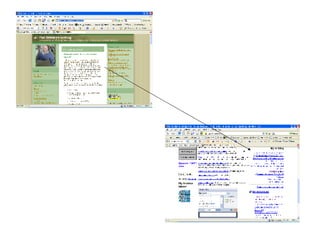
Weblogs continued… Use the weblog RSS feed on the site home page as a news feed Encourage people to add the feed to their start page or RSS reader Create a different weblog for a different subject area – invite other authors Use it in a different way, on a different page
 
 
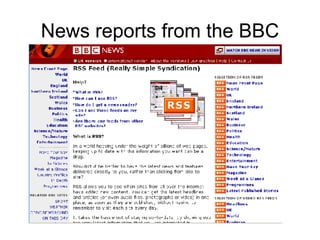
News reports from the BBC
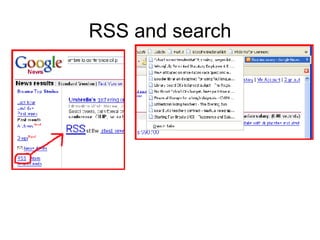
RSS and search
So, what else can I do with RSS? Add to content to  webpages Add content to a  news aggregator Add content to a  start page Keep current with  comments and updates In conclusion therefore… RSS brings data to you, and allows you to send it out to other places.
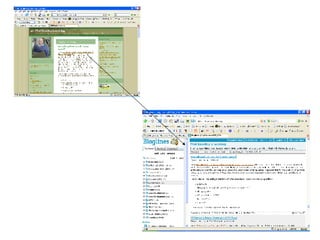
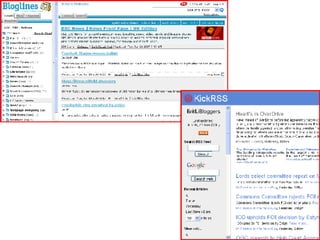
Using news aggregators Such as Bloglines or the Google Reader Keep up to date Up to the minute Create your own searches Use these to create your own news feeds Combine these and publish them for users
 
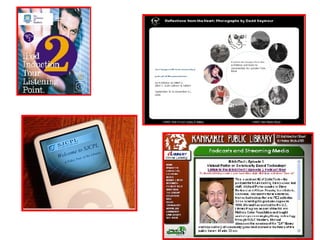
Podcasts Provide access to audio content Guides/tours around a library
 
Podcasts 2 Content that can’t easily be made available in other formats Content that is accessible on the move Not time or place dependent.
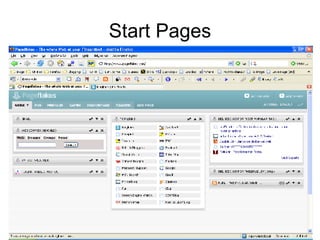
Start Pages Pageflakes Netvibes Collate data into one place Not machine dependent Good for: Links Email  Search engines RSS feeds Weather  Etc…
Start Pages
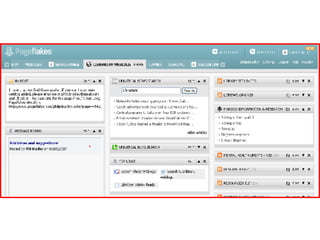
Using start pages Individually As a group Share tabbed pages Alternative to email contact To Do lists Note pads Always immediately available
 
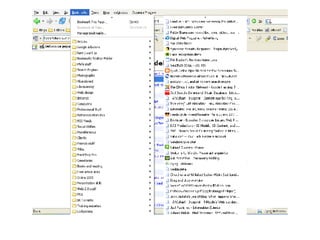
Bookmarking Limited to a specific machine Not informative Difficult to find what you wan Inflexible Cannot easily share bookmarks
 
What are the alternatives? Del.icio.us Diigo Raw Sugar  …
You can: Share your bookmarks Between computers Between colleagues Between users Create bookmark sets To supplement projects To assist users Annotate (or tag) bookmarks
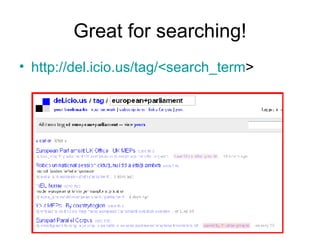
Great for searching! http://del.icio.us/tag/<search_term >
Search builders Create your own search engines Limit to trusted sites As small as you want, as large as you need Use the given URL or Cut and paste onto your own site Use them and then throw them
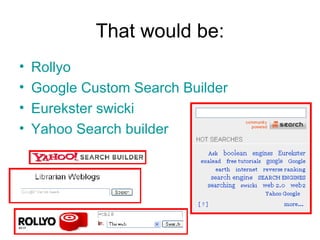
That would be: Rollyo Google Custom Search Builder Eurekster swicki Yahoo Search builder
Collaborate on knowledge Provide content onto a webpage Items, notes, articles Links to news or blogs Search functions Video options Let others collaborate
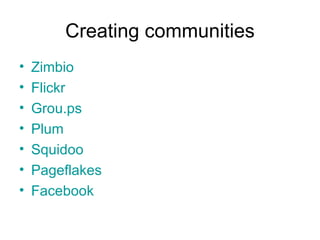
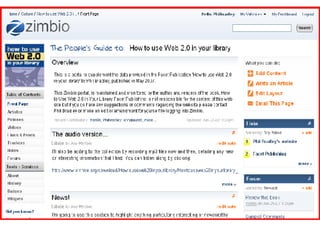
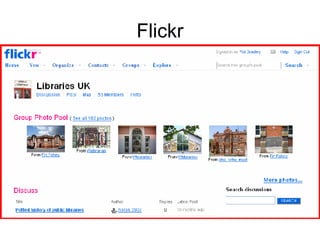
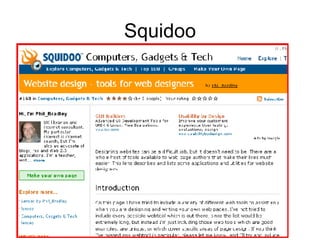
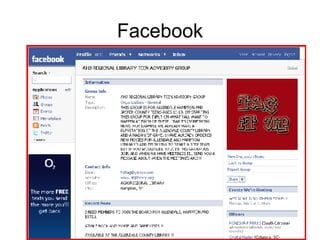
Creating communities Zimbio Flickr Grou.ps Plum Squidoo Pageflakes Facebook
 
Flickr
Squidoo
Facebook
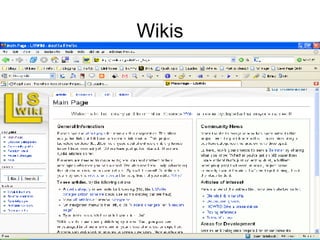
Wikis
Wikis LIS wiki Library success wiki Wikipedia Peanut butter wiki
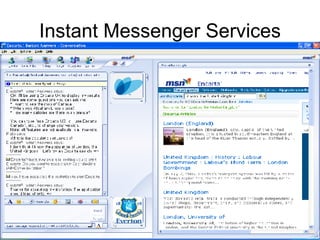
Instant messaging “ Email is for old people” Talk instantly back and forth Share files (or not!) Share webcam discussions Group chat IM from webpages Create chatrooms
Instant Messenger Services
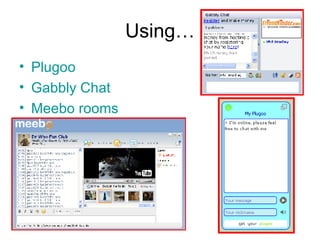
Using… Plugoo Gabbly  Chat Meebo  rooms
Collaborate On documents –  Google docs On spreadsheets -  NumSum With calendars -  Planzo With training -  Jybe With projects –  MyWebDesktop With To Do lists –  TaDaList With webpages –  Conversate
Mashups Mixing two or more resources together in interesting or unexpected ways to create an entirely new or different information resource. US Tornado history project Warsaw mashup Exeter college campus
Work with existing databases Go-go Google gadget Google books library look-up Second Life library Talis competition  entrants More examples from  Wikipedia
Combine everything! With RSS and other Web 2.0 resources anything can work with anything else Content can be changed and manipulated into different formats that you control Users can get involved Geography doesn’t matter Speed is easy It’s not technical!
So why not… Create search engines for subject groups Get users involved with a Zimbio group on an aspect of <whatever>? Create a Squidoo lens for a subject? Start a library weblog? Create a flickr group
Or… A podcast or a radio station, both involving music students A Pageflakes page that you can share with colleagues Create del.icio.us or FURL accounts and share them Start a wiki for all the librarians in the area
Or even Use instant messaging to provide information in a different way Create a book reading club using LibraryThing, Amazon and a weblog Have a library tour on YouTube
Or even Create trading cards from Flickr photographs Create fun/interesting new posters Set up a Facebook, Bebo, MySpace account for the library Publish your own books with Lulu Share presentations with Slideshare.net
BUT…
Expect… “ It can’t be done” “ We don’t have the resources” “ Bandwidth problems” “ Security issues” “ Write a proposal” “ Not your job” “ Not enough time”
AND…
Ignore it! Because Web 2 is changing: The way we use the web The way we use information The way we find information The way we do our jobs The way we interact with people The way that we look at everything
FOREVER
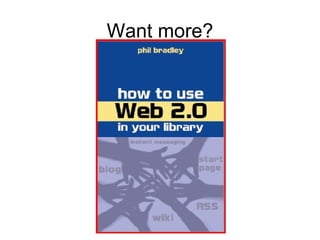
Want more?
Thank you! Website:  http://www.philb.com “ I want to”:  http://www.philb.com/iwantto.htm   Weblog:  http://philbradley.typepad.com/i_want_to/   Presentations:  http://www.slideshare.net/Philbradley/

Umbrella2007

  • 1.
    Practical uses forWeb 2.0 in a library environment Phil Bradley UMBRELLA 2007
  • 2.
    What is Web2.0? Let’s just not go there shall we? Definitions are less important than what you can do with it Oh, if you really insist…
  • 3.
    What is Web2.0? Web 2.0 is a term often applied to a perceived ongoing transition of the World Wide Web from a collection of websites to a full-fledged computing platform serving web applications to end users. Ultimately Web 2.0 services are expected to replace desktop computing applications for many purposes. Wikipedia entry
  • 4.
    Yes… and? It’sa platform It harnesses collective intelligence Data can be used and re-used in many ways Users are directly involved with development It’s not limited to a single device A rich user experience Tim O’Reilly ‘ What is Web 2.0?’
  • 5.
    Yes… but? “It’s vacuous marketing hype” “ Web 2.0 is totally silly” “ Meaningless” “ is made entirely of pretentious self serving morons.” “ a lot of thin but very hot air blown at you by those who are convinced that having nothing to say is by no means a good reason to shut up.”
  • 6.
    So…? The Webas a platform Collective intelligence The end of the software cycle Major change in the way we look at things Old wine and new bottles? Generic term applied to a variety of resources Web 2.0 is not a ‘thing’ – it’s a state of mind
  • 7.
    Web 2.0 isnot a thing – it’s a state of mind
  • 8.
    OK… so howcan I use it? Weblogs Create a library weblog Additional or new library resources Introduce members of staff Use it as a repository of data and information by using categories and tags Don’t regard a weblog as a diary – it’s an important website in its own right…
  • 9.
  • 10.
    Weblogs continued… Usethe weblog RSS feed on the site home page as a news feed Encourage people to add the feed to their start page or RSS reader Create a different weblog for a different subject area – invite other authors Use it in a different way, on a different page
  • 11.
  • 12.
  • 13.
  • 14.
  • 15.
    So, what elsecan I do with RSS? Add to content to webpages Add content to a news aggregator Add content to a start page Keep current with comments and updates In conclusion therefore… RSS brings data to you, and allows you to send it out to other places.
  • 16.
    Using news aggregatorsSuch as Bloglines or the Google Reader Keep up to date Up to the minute Create your own searches Use these to create your own news feeds Combine these and publish them for users
  • 17.
  • 18.
    Podcasts Provide accessto audio content Guides/tours around a library
  • 19.
  • 20.
    Podcasts 2 Contentthat can’t easily be made available in other formats Content that is accessible on the move Not time or place dependent.
  • 21.
    Start Pages PageflakesNetvibes Collate data into one place Not machine dependent Good for: Links Email Search engines RSS feeds Weather Etc…
  • 22.
  • 23.
    Using start pagesIndividually As a group Share tabbed pages Alternative to email contact To Do lists Note pads Always immediately available
  • 24.
  • 25.
    Bookmarking Limited toa specific machine Not informative Difficult to find what you wan Inflexible Cannot easily share bookmarks
  • 26.
  • 27.
    What are thealternatives? Del.icio.us Diigo Raw Sugar …
  • 28.
    You can: Shareyour bookmarks Between computers Between colleagues Between users Create bookmark sets To supplement projects To assist users Annotate (or tag) bookmarks
  • 29.
    Great for searching!http://del.icio.us/tag/<search_term >
  • 30.
    Search builders Createyour own search engines Limit to trusted sites As small as you want, as large as you need Use the given URL or Cut and paste onto your own site Use them and then throw them
  • 31.
    That would be:Rollyo Google Custom Search Builder Eurekster swicki Yahoo Search builder
  • 32.
    Collaborate on knowledgeProvide content onto a webpage Items, notes, articles Links to news or blogs Search functions Video options Let others collaborate
  • 33.
    Creating communities ZimbioFlickr Grou.ps Plum Squidoo Pageflakes Facebook
  • 34.
  • 35.
  • 36.
  • 37.
  • 38.
  • 39.
    Wikis LIS wikiLibrary success wiki Wikipedia Peanut butter wiki
  • 40.
    Instant messaging “Email is for old people” Talk instantly back and forth Share files (or not!) Share webcam discussions Group chat IM from webpages Create chatrooms
  • 41.
  • 42.
    Using… Plugoo Gabbly Chat Meebo rooms
  • 43.
    Collaborate On documents– Google docs On spreadsheets - NumSum With calendars - Planzo With training - Jybe With projects – MyWebDesktop With To Do lists – TaDaList With webpages – Conversate
  • 44.
    Mashups Mixing twoor more resources together in interesting or unexpected ways to create an entirely new or different information resource. US Tornado history project Warsaw mashup Exeter college campus
  • 45.
    Work with existingdatabases Go-go Google gadget Google books library look-up Second Life library Talis competition entrants More examples from Wikipedia
  • 46.
    Combine everything! WithRSS and other Web 2.0 resources anything can work with anything else Content can be changed and manipulated into different formats that you control Users can get involved Geography doesn’t matter Speed is easy It’s not technical!
  • 47.
    So why not…Create search engines for subject groups Get users involved with a Zimbio group on an aspect of <whatever>? Create a Squidoo lens for a subject? Start a library weblog? Create a flickr group
  • 48.
    Or… A podcastor a radio station, both involving music students A Pageflakes page that you can share with colleagues Create del.icio.us or FURL accounts and share them Start a wiki for all the librarians in the area
  • 49.
    Or even Useinstant messaging to provide information in a different way Create a book reading club using LibraryThing, Amazon and a weblog Have a library tour on YouTube
  • 50.
    Or even Createtrading cards from Flickr photographs Create fun/interesting new posters Set up a Facebook, Bebo, MySpace account for the library Publish your own books with Lulu Share presentations with Slideshare.net
  • 51.
  • 52.
    Expect… “ Itcan’t be done” “ We don’t have the resources” “ Bandwidth problems” “ Security issues” “ Write a proposal” “ Not your job” “ Not enough time”
  • 53.
  • 54.
    Ignore it! BecauseWeb 2 is changing: The way we use the web The way we use information The way we find information The way we do our jobs The way we interact with people The way that we look at everything
  • 55.
  • 56.
  • 57.
    Thank you! Website: http://www.philb.com “ I want to”: http://www.philb.com/iwantto.htm Weblog: http://philbradley.typepad.com/i_want_to/ Presentations: http://www.slideshare.net/Philbradley/