2009 Gold Rush Writer's Conference Mokelumne Hill, Calif. May 1-3, 2009 Laptop 1: Navigating The World  From Your Laptop Tom Johnson Institute for Analytic Journalism Santa Fe, New Mexico [email_address]
What we’re aiming for today Major changes in datasphere Open Source Web 2.0 (aka “Cloud Computing”) Effective  search-and-keep  tools Refining and refined search engines  (Hot Tip: Google ain’t the answer.) If time….look at some non-text web sites  Enrich your research Bring new levels of truth, detail, verisimilitude to your writing
What’s going on in the “datasphere”? Open Source People writing applications, add-ons, widgets for FREE Web 2.0  (aka “Cloud Computing”) Applications moving from  your  computer hard drive  to cyberspace Places more “intellectual” demands on the browser and browser extensions/add-ons Need Broadband  Be careful in cyberspace!  http://www.techcrunch.com/tag/deadpool/
What all this means to writers Datasphere is constantly changing Tools to navigate datasphere constantly changing We can be better at what we do if we constantly adapt to those changes Data In  Analysis  Info Out
How to navigate cyberspace? Current -  and updated  - browsers On how many of your computers? Do you need portability? (USB drives) Bookmark and note-keeping apps Sophisticated, flexible search engines “Invisible web” resources What’s behind the closed digital doors?
Alternative Web Browsers Major Browsers : Firefox, Opera, Safari, Google Chrome More Cross-Platform Browsers : Mozilla and Flock Windows Browsers : K-Meleon Macintosh Browsers : Camino, OmniWeb and iCab Linux Browsers : Konqueror, Galeon and Epiphany
All of these ALT browsers feature: Tabbed browsing; automatic updates Modern web pages with HTML, CSS, SSL, and JavaScript Cookies and cookie management Plug-ins and Java Ad blocking and/or pop-up blocking Download Managers Integrated Search Favorites/Bookmarks and import (and export)
Finding bookmark utilities Google  Search  words:  [+free +bookmark +programs] Surfpack http://freebookmark.surfpack.com /  (scroll down to see list) Tucows  (keyword: "bookmark") Windows has 498 hits  (last year 209) .  Mac has 27  (last year 25)
Effective search-and-keep tools Establish your criteria Are tools browser specific or generic? Bookmarks on YOUR hard drive and/or in the digital cloud Degree of control Make folders and sub-folders Annotate Add tag words Import/export entries E-mail full or partial set of bookmarks
Evaluation sites and tools Search Engine Directory Internet search engines categorized by topic as general and specialty search engines. Also resources and tools for exploring the  deep web , performing advanced research, and for learning about using search engine tools and technology.   http://www.searchengineguide.com/searchengines.html Social Bookmarking Social Bookmarking Faceoff  --  http://www.readwriteweb.com/archives/social_bookmarking_faceoff.php
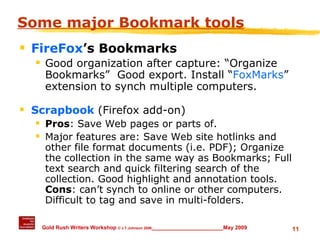
Some major Bookmark tools FireFox ’s Bookmarks Good organization after capture: “Organize Bookmarks”  Good export. Install “ FoxMarks ” extension to synch multiple computers. Scrapbook  (Firefox add-on) Pros : Save Web pages or parts of.  Major features are: Save Web site hotlinks and other file format documents (i.e. PDF); Organize the collection in the same way as Bookmarks; Full text search and quick filtering search of the collection. Good highlight and annotation tools.  Cons : can’t synch to online or other computers.  Difficult to tag and save in multi-folders.
Some major Bookmark tools Diigo.com   (TJ’s current favorite) Good highlighting, annotation and tagging.  Private or shared links. “Save and e-mail” feature. del.icio.us Allows access to the same bookmarks from any computer; add bookmarks from anywhere. Use  tags  (i.e. keywords) to organize and remember your bookmarks, which is a much more flexible system than folders. [Well,  maybe. ]
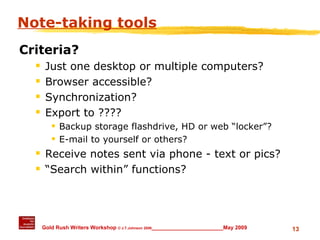
Note-taking tools Criteria? Just one desktop or multiple computers? Browser accessible? Synchronization? Export to ???? Backup storage flashdrive, HD or web “locker”? E-mail to yourself or others? Receive notes sent via phone - text or pics? “ Search within” functions?
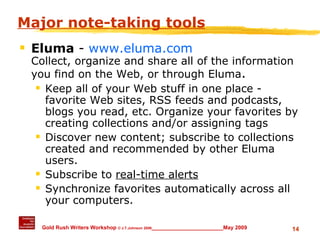
Major note-taking tools Eluma  -  www.eluma.com Collect, organize and share all of the information you find on the Web, or through Eluma .  Keep all of your Web stuff in one place - favorite Web sites, RSS feeds and podcasts, blogs you read, etc. Organize your favorites by creating collections and/or assigning tags Discover new content; subscribe to collections created and recommended by other Eluma users. Subscribe to  real-time alerts   Synchronize favorites automatically across all your computers.
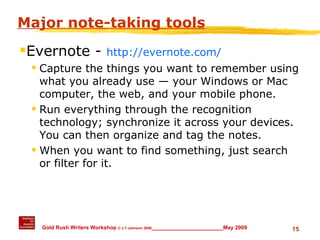
Major note-taking tools Evernote -  http://evernote.com/ Capture the things you want to remember using what you already use — your Windows or Mac computer, the web, and your mobile phone. Run everything through the recognition technology; synchronize it across your devices. You can then organize and tag the notes. When you want to find something, just search or filter for it.
Major note-taking tools Microsoft OneNote – ( 60 days  $100) http://office.microsoft.com/en-us/onenote/default.aspx One place to gather notes and information; search to find what you are looking for quickly Shared notebooks so that they can manage group work Multiple computers?  Use MS Windows Live to backup and synch http://www.officelive.com/  and  https://sync.live.com/home.aspx
First lesson of online research! Have a web-search strategy UCB “Five-Step Search Strategy” http://www.lib.berkeley.edu/TeachingLib/Guides/Internet/Strategies.html Understand how the search engine(s) work Google: Always  begin at “ Advanced Search ” and “ Advanced Search Tips ” Yahoo  More  ” All Search Services ” Ask.com Advanced Search Tips
The Deep - “Invisible” - Web #1 Deep Web Research 2008 http://www.llrx.com/features/deepweb2008.htm Marcus P. Zillman:    “The Deep Web covers [approx.] 900 billion pages of information located through the world wide web in various files and formats that the  current search engines on the Internet either cannot find or have difficulty accessing . Search engines currently locate approximately 20 billion pages.    “This article and guide is designed to give you the resources you need to better understand the history of the deep web research, as well as various classified resources that allow you to search through the currently available web to find those key sources of information nuggets only found by understanding how to search the "deep web".
Navigating the “Invisible Web” Start with reference librarians UC Berkeley Library’s  excellent  site www.lib.berkeley.edu/TeachingLib/Guides/Internet/InvisibleWeb.html Note search examples for Google and Yahoo keywords
Desktop Search Engines Copernic Desktop Search 3.2   Find files and emails fast along with its wide  network deployment options  http://www.copernic.com   Google Desktop Search your computer as easily as you search the web with Google Find and launch applications and files with just a few keystrokes http://desktop.google.com/
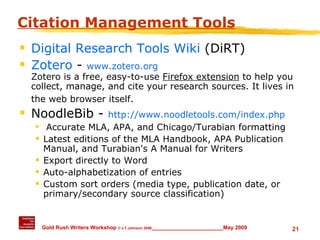
Citation Management Tools Digital Research Tools Wiki  (DiRT) Zotero  -  www.zotero.org Zotero is a free, easy-to-use  Firefox extension  to help you collect, manage, and cite your research sources. It lives in the web browser itself.   NoodleBib -  http://www.noodletools.com/index.php Accurate MLA, APA, and Chicago/Turabian formatting Latest editions of the MLA Handbook, APA Publication Manual, and Turabian's A Manual for Writers Export directly to Word Auto-alphabetization of entries Custom sort orders (media type, publication date, or primary/secondary source classification)
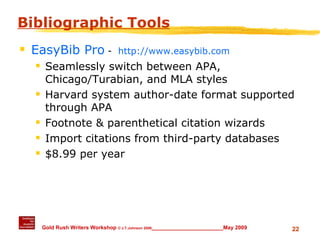
Bibliographic Tools EasyBib Pro   -  http://www.easybib.com   Seamlessly switch between APA, Chicago/Turabian, and MLA styles Harvard system author-date format supported through APA Footnote & parenthetical citation wizards Import citations from third-party databases $8.99 per year
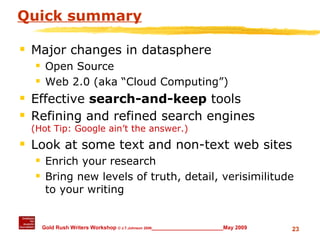
Quick summary Major changes in datasphere Open Source Web 2.0 (aka “Cloud Computing”) Effective  search-and-keep  tools Refining and refined search engines  (Hot Tip: Google ain’t the answer.) Look at some text and non-text web sites  Enrich your research Bring new levels of truth, detail, verisimilitude to your writing

Discovering The World From Your Laptop

  • 1.
    2009 Gold RushWriter's Conference Mokelumne Hill, Calif. May 1-3, 2009 Laptop 1: Navigating The World From Your Laptop Tom Johnson Institute for Analytic Journalism Santa Fe, New Mexico [email_address]
  • 2.
    What we’re aimingfor today Major changes in datasphere Open Source Web 2.0 (aka “Cloud Computing”) Effective search-and-keep tools Refining and refined search engines (Hot Tip: Google ain’t the answer.) If time….look at some non-text web sites Enrich your research Bring new levels of truth, detail, verisimilitude to your writing
  • 3.
    What’s going onin the “datasphere”? Open Source People writing applications, add-ons, widgets for FREE Web 2.0 (aka “Cloud Computing”) Applications moving from your computer hard drive to cyberspace Places more “intellectual” demands on the browser and browser extensions/add-ons Need Broadband Be careful in cyberspace! http://www.techcrunch.com/tag/deadpool/
  • 4.
    What all thismeans to writers Datasphere is constantly changing Tools to navigate datasphere constantly changing We can be better at what we do if we constantly adapt to those changes Data In  Analysis  Info Out
  • 5.
    How to navigatecyberspace? Current - and updated - browsers On how many of your computers? Do you need portability? (USB drives) Bookmark and note-keeping apps Sophisticated, flexible search engines “Invisible web” resources What’s behind the closed digital doors?
  • 6.
    Alternative Web BrowsersMajor Browsers : Firefox, Opera, Safari, Google Chrome More Cross-Platform Browsers : Mozilla and Flock Windows Browsers : K-Meleon Macintosh Browsers : Camino, OmniWeb and iCab Linux Browsers : Konqueror, Galeon and Epiphany
  • 7.
    All of theseALT browsers feature: Tabbed browsing; automatic updates Modern web pages with HTML, CSS, SSL, and JavaScript Cookies and cookie management Plug-ins and Java Ad blocking and/or pop-up blocking Download Managers Integrated Search Favorites/Bookmarks and import (and export)
  • 8.
    Finding bookmark utilitiesGoogle Search words: [+free +bookmark +programs] Surfpack http://freebookmark.surfpack.com / (scroll down to see list) Tucows (keyword: "bookmark") Windows has 498 hits (last year 209) . Mac has 27 (last year 25)
  • 9.
    Effective search-and-keep toolsEstablish your criteria Are tools browser specific or generic? Bookmarks on YOUR hard drive and/or in the digital cloud Degree of control Make folders and sub-folders Annotate Add tag words Import/export entries E-mail full or partial set of bookmarks
  • 10.
    Evaluation sites andtools Search Engine Directory Internet search engines categorized by topic as general and specialty search engines. Also resources and tools for exploring the deep web , performing advanced research, and for learning about using search engine tools and technology. http://www.searchengineguide.com/searchengines.html Social Bookmarking Social Bookmarking Faceoff -- http://www.readwriteweb.com/archives/social_bookmarking_faceoff.php
  • 11.
    Some major Bookmarktools FireFox ’s Bookmarks Good organization after capture: “Organize Bookmarks” Good export. Install “ FoxMarks ” extension to synch multiple computers. Scrapbook (Firefox add-on) Pros : Save Web pages or parts of. Major features are: Save Web site hotlinks and other file format documents (i.e. PDF); Organize the collection in the same way as Bookmarks; Full text search and quick filtering search of the collection. Good highlight and annotation tools. Cons : can’t synch to online or other computers. Difficult to tag and save in multi-folders.
  • 12.
    Some major Bookmarktools Diigo.com (TJ’s current favorite) Good highlighting, annotation and tagging. Private or shared links. “Save and e-mail” feature. del.icio.us Allows access to the same bookmarks from any computer; add bookmarks from anywhere. Use tags (i.e. keywords) to organize and remember your bookmarks, which is a much more flexible system than folders. [Well, maybe. ]
  • 13.
    Note-taking tools Criteria?Just one desktop or multiple computers? Browser accessible? Synchronization? Export to ???? Backup storage flashdrive, HD or web “locker”? E-mail to yourself or others? Receive notes sent via phone - text or pics? “ Search within” functions?
  • 14.
    Major note-taking toolsEluma - www.eluma.com Collect, organize and share all of the information you find on the Web, or through Eluma . Keep all of your Web stuff in one place - favorite Web sites, RSS feeds and podcasts, blogs you read, etc. Organize your favorites by creating collections and/or assigning tags Discover new content; subscribe to collections created and recommended by other Eluma users. Subscribe to real-time alerts Synchronize favorites automatically across all your computers.
  • 15.
    Major note-taking toolsEvernote - http://evernote.com/ Capture the things you want to remember using what you already use — your Windows or Mac computer, the web, and your mobile phone. Run everything through the recognition technology; synchronize it across your devices. You can then organize and tag the notes. When you want to find something, just search or filter for it.
  • 16.
    Major note-taking toolsMicrosoft OneNote – ( 60 days  $100) http://office.microsoft.com/en-us/onenote/default.aspx One place to gather notes and information; search to find what you are looking for quickly Shared notebooks so that they can manage group work Multiple computers? Use MS Windows Live to backup and synch http://www.officelive.com/ and https://sync.live.com/home.aspx
  • 17.
    First lesson ofonline research! Have a web-search strategy UCB “Five-Step Search Strategy” http://www.lib.berkeley.edu/TeachingLib/Guides/Internet/Strategies.html Understand how the search engine(s) work Google: Always begin at “ Advanced Search ” and “ Advanced Search Tips ” Yahoo  More  ” All Search Services ” Ask.com Advanced Search Tips
  • 18.
    The Deep -“Invisible” - Web #1 Deep Web Research 2008 http://www.llrx.com/features/deepweb2008.htm Marcus P. Zillman: “The Deep Web covers [approx.] 900 billion pages of information located through the world wide web in various files and formats that the current search engines on the Internet either cannot find or have difficulty accessing . Search engines currently locate approximately 20 billion pages. “This article and guide is designed to give you the resources you need to better understand the history of the deep web research, as well as various classified resources that allow you to search through the currently available web to find those key sources of information nuggets only found by understanding how to search the "deep web".
  • 19.
    Navigating the “InvisibleWeb” Start with reference librarians UC Berkeley Library’s excellent site www.lib.berkeley.edu/TeachingLib/Guides/Internet/InvisibleWeb.html Note search examples for Google and Yahoo keywords
  • 20.
    Desktop Search EnginesCopernic Desktop Search 3.2 Find files and emails fast along with its wide network deployment options http://www.copernic.com Google Desktop Search your computer as easily as you search the web with Google Find and launch applications and files with just a few keystrokes http://desktop.google.com/
  • 21.
    Citation Management ToolsDigital Research Tools Wiki (DiRT) Zotero - www.zotero.org Zotero is a free, easy-to-use Firefox extension to help you collect, manage, and cite your research sources. It lives in the web browser itself. NoodleBib - http://www.noodletools.com/index.php Accurate MLA, APA, and Chicago/Turabian formatting Latest editions of the MLA Handbook, APA Publication Manual, and Turabian's A Manual for Writers Export directly to Word Auto-alphabetization of entries Custom sort orders (media type, publication date, or primary/secondary source classification)
  • 22.
    Bibliographic Tools EasyBibPro - http://www.easybib.com Seamlessly switch between APA, Chicago/Turabian, and MLA styles Harvard system author-date format supported through APA Footnote & parenthetical citation wizards Import citations from third-party databases $8.99 per year
  • 23.
    Quick summary Majorchanges in datasphere Open Source Web 2.0 (aka “Cloud Computing”) Effective search-and-keep tools Refining and refined search engines (Hot Tip: Google ain’t the answer.) Look at some text and non-text web sites Enrich your research Bring new levels of truth, detail, verisimilitude to your writing

Editor's Notes

  • #7 Comparison of Web browsers at http://en.wikipedia.org/wiki/Comparison_of_web_browsers More and faster development for FireFox
  • #11 "Social bookmarking is a way for Internet users to store, organize, share and search bookmarks of web pages. In a social bookmarking system, users save links to web pages that they want to remember and/or share. These bookmarks are usually public, but depending on the service's features, may be saved privately, shared only with specific people or groups, shared only inside certain networks, or another combination of publicness and privateness. The allowed people can usually view these bookmarks chronologically, by category or tags, via a search engine, or even randomly." Can be collective, i.e. collaboration, but useful for individual user
  • #15 Eluma - www.eluma.com Collect, organize and share any and all of the information you find on the Web, or through Eluma . keep all of your Web stuff in one place - favorite Web sites, RSS feeds and podcasts that you’ve subscribed to, blogs you read, etc. You can organize your favorites by creating collections or assigning tags… or both. discover new content, and subscribe to collections that have been created and recommended by other Eluma users. subscribe to real-time alerts that show up right on your desktop. Synchronize your favorites automatically across all your computers.