Web 2.0 and emerging technology Phil Bradley Internet Consultant ASLIB March 2007
What is Web 2.0? Hundreds of definitions Every one is right, and wrong It really doesn’t matter what you call it, and how you define it However…
Change is afoot! Changes to the way your organisation creates information Stores information Shares information Relates to clients, customers, staff
Production of data Weblogs Allow you to get a message out quickly Show that you’re on top of the medium/message Allow you to react immediately Let you converse with your clients Provide useful information Central repository
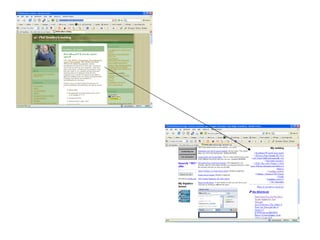
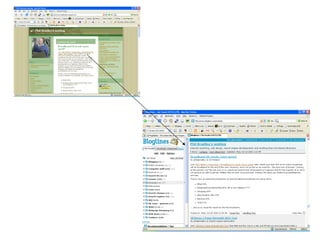
RSS and weblogs together Let you push your message out wider Get it picked up by more people Allow it to be changed and reformatted
 
 
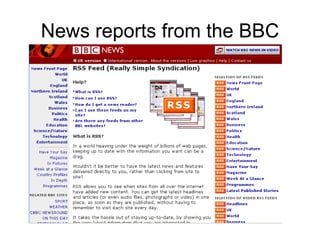
News reports from the BBC
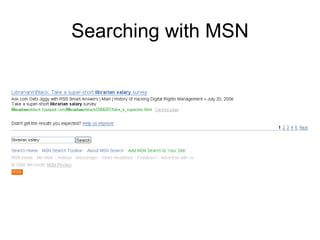
Searching with MSN
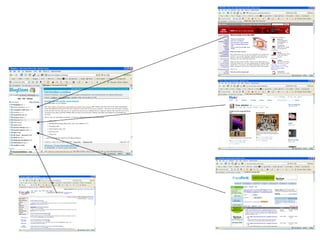
So, what else can I do with RSS? Add to content to  webpages Add content to a  news aggregator Add content to a  start page Keep current with  comments and updates In conclusion therefore… RSS brings data to you, and allows you to send it out to other places.
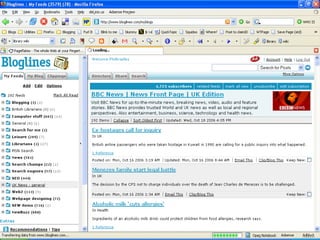
Using a newsreader A newsreader collates content from a wide variety of different RSS based resources Information comes to you Quick, fast and effective Keep on top of the news and world around you
 
 
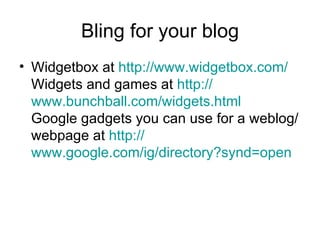
Bling for your blog Widgetbox at  http:// www.widgetbox.com / Widgets and games at  http:// www.bunchball.com/widgets.html Google gadgets you can use for a weblog/webpage at  http:// www.google.com/ig/directory?synd =open
More bling Widgets you can use if you use the TypePad system at  http:// www.sixapart.com/typepad/widgets / The blog juice calculator if you already have a blog at  http://www.text-link-ads.com/blog_juice /  or the Bloginfluence guide at  http:// www.bloginfluence.net /en/ Some examples of bling in use at  http:// bobhyatt.typepad.com /  and  http:// avc.blogs.com /
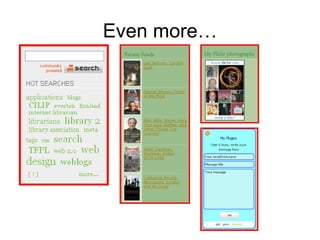
Even more…
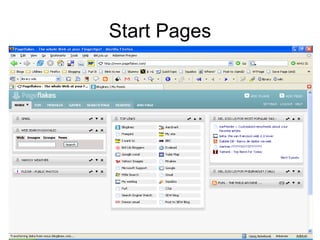
Start Pages Pageflakes Netvibes Collate data into one place Not machine dependent Good for: Links Email  Search engines RSS feeds Weather  Etc…
Start Pages
Using start pages Individually As a group Share tabbed pages Alternative to email contact To Do lists Note pads Always immediately available
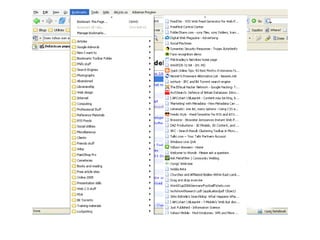
Bookmarking Limited to a specific machine Not informative Difficult to find what you wan Inflexible Cannot easily share bookmarks
 
What are the alternatives? Del.icio.us Diigo Raw Sugar  http://www.philb.com/iwantto/webpages.htm
You can: Share your bookmarks Between computers Between colleagues Between users Create bookmark sets To supplement projects To assist users Annotate (or tag) bookmarks
More options FURL SPURL SQUIDOO All ‘bookmarks on speed’ Indepth collections of your own material Not just limited to the URL or tags More flexibility
 
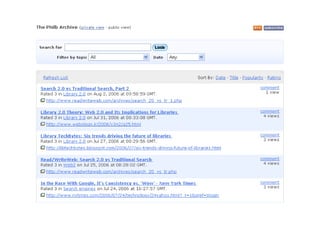
Search builders Create your own search engines Rollyo Eurekster swicki  and  my version Google  custom search  builder and  my version Yahoo search builder
Creating communities Zimbio Flickr Grou.ps Plum Squidoo Pageflakes
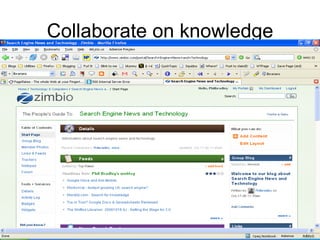
Collaborate on knowledge
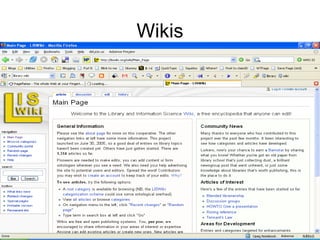
Wikis
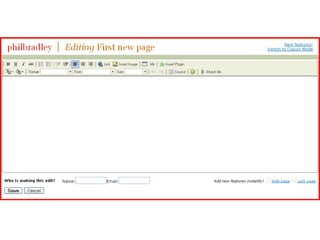
Wiki options Share information Collaborate as a group Quick and simple (?) Open to change and disruption Authority and authenticity issues Management http://www.wikimatrix.org/
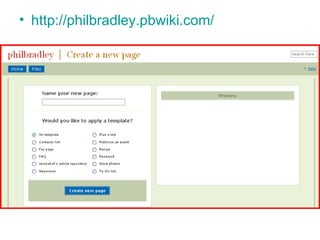
http://philbradley.pbwiki.com/
 
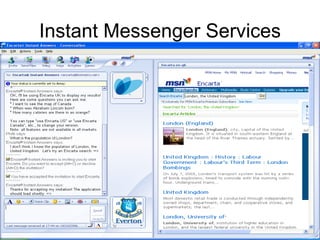
Instant Messenger Services
Consider Instant Messaging Always on Always available Can demonstrate an online search with Messenger Easy to point to/link to resources Incorporate video for face to face element
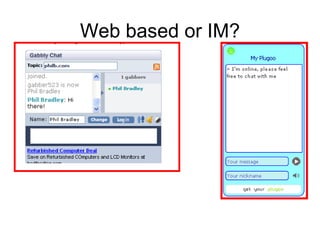
Web based or IM?
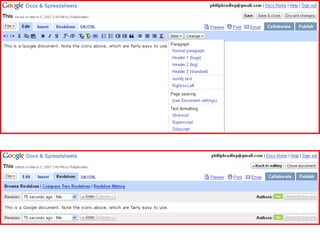
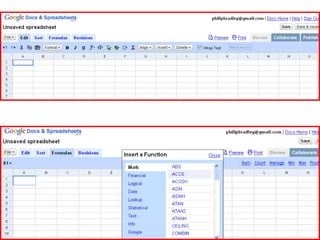
Collaborate On documents –  Google docs On spreadsheets -  NumSum With calendars -  Planzo With training -  Jybe With projects –  MyWebDesktop With To Do lists –  TaDaList With webpages –  Conversate
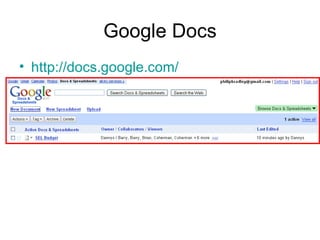
Google Docs http://docs.google.com/
 
 
Presentations Slideshare at  http://www.slideshare.net   Free Comments Save favourites Embed onto webpages Mine at  http://www.slideshare.net/Philbradley
Podcasting Podcasting, a portmanteau of Apple's "iPod" and "broadcasting", is a method of publishing files to the Internet, allowing users to subscribe to a feed and receive new files automatically by subscription, usually at no cost. It first became popular in late 2004, used largely for audio files.  en.wikipedia.org /wiki/Podcasting
Podcasting: the basics Computer Microphone Software Something to say Somewhere to host it
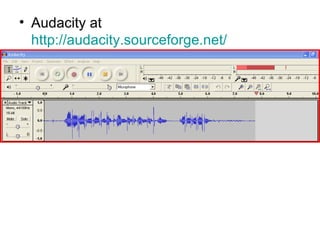
Audacity at  http://audacity.sourceforge.net/
Examples: http://www.tfpl.com/skills_development/courses/cdmp3.cfm?linkid=TR1004   http://www.tfpl.com/skills_development/courses/cd.cfm?linkid=TR1004&catid=c&searchid=2   http://ccf.union.shef.ac.uk/podcast.html   http://www.lbasg.group.shef.ac.uk/downloads/mainlibrary.html   http://www.wpi.edu/Academics/Library/Borrowing/Podcasts/audiotour.mp3
Storage services Esnips   5GB of free space http://www.ghacks.net/2005/11/22/free-file-host-list-november-2005/   Motionbox   (for video) Our media Orbitfiles Cl1p at  http://cl1p.net/philb
Case study A company selling holidays to India Doing quite well, but in a field that is competitive Knew they should have been ‘doing more’ Quite traditional Presentation was quite boring How to improve matters?
Weblog To keep customers up to date with what was going on in India Useful resource Kept their name up in search results (both traditional and weblog search engines) Repository of information Factual information, changes to visas etc Sales tool
Local operators could add content Describe various holidays and events Add local colour Clients invited to comment on weblog entries The weblog is also used to post/link to photographs on Flickr
Flickr A photograph sharing resource Provides an added dimension to information Can create your own groups, public or private Share information, set up forums and have discussions Link back to the weblog
Search builders They created search builders Different aspects of India Different aspects of travel (general/specific) Their website always listed first Good content, good resource Helpful for users Promotes their site
Start Pages Creating a start page on Pageflakes Staff Shared resources Common access to ‘to do’ lists Collections of RSS feeds in one place Material available for clients and customers Collate the data for them in one place Useful bookmarks for clients
Building a community Use Zimbio to create a community page Draw together information from varied resources Get clients and customers 100% involved Use them to create and share content
Bringing it together Add news/weblog entries to your site Add the results of searches Put search boxes on your site Encourage the use of Instant Messaging Pull in content from Flickr Link out to community based resources Your clients become collaborators
It all results in… Staff being more proactive Clients and customers getting involved Creation of new content Better, quicker, easier promotion of your company and products More effective working practices Faster response
Thank you for listening! Phil Bradley http://www.philb.com [email_address] http://www.philbradley.typepad.com/   http://philbradley.typepad.com/i_want_to/ http://www.slideshare.net/Philbradley/  to see this presentation online  http:// www.orbitfiles.com/download/Philb  to download it.

Web 2.0 and other emerging technologies

  • 1.
    Web 2.0 andemerging technology Phil Bradley Internet Consultant ASLIB March 2007
  • 2.
    What is Web2.0? Hundreds of definitions Every one is right, and wrong It really doesn’t matter what you call it, and how you define it However…
  • 3.
    Change is afoot!Changes to the way your organisation creates information Stores information Shares information Relates to clients, customers, staff
  • 4.
    Production of dataWeblogs Allow you to get a message out quickly Show that you’re on top of the medium/message Allow you to react immediately Let you converse with your clients Provide useful information Central repository
  • 5.
    RSS and weblogstogether Let you push your message out wider Get it picked up by more people Allow it to be changed and reformatted
  • 6.
  • 7.
  • 8.
  • 9.
  • 10.
    So, what elsecan I do with RSS? Add to content to webpages Add content to a news aggregator Add content to a start page Keep current with comments and updates In conclusion therefore… RSS brings data to you, and allows you to send it out to other places.
  • 11.
    Using a newsreaderA newsreader collates content from a wide variety of different RSS based resources Information comes to you Quick, fast and effective Keep on top of the news and world around you
  • 12.
  • 13.
  • 14.
    Bling for yourblog Widgetbox at http:// www.widgetbox.com / Widgets and games at http:// www.bunchball.com/widgets.html Google gadgets you can use for a weblog/webpage at http:// www.google.com/ig/directory?synd =open
  • 15.
    More bling Widgetsyou can use if you use the TypePad system at http:// www.sixapart.com/typepad/widgets / The blog juice calculator if you already have a blog at http://www.text-link-ads.com/blog_juice / or the Bloginfluence guide at http:// www.bloginfluence.net /en/ Some examples of bling in use at http:// bobhyatt.typepad.com / and http:// avc.blogs.com /
  • 16.
  • 17.
    Start Pages PageflakesNetvibes Collate data into one place Not machine dependent Good for: Links Email Search engines RSS feeds Weather Etc…
  • 18.
  • 19.
    Using start pagesIndividually As a group Share tabbed pages Alternative to email contact To Do lists Note pads Always immediately available
  • 20.
    Bookmarking Limited toa specific machine Not informative Difficult to find what you wan Inflexible Cannot easily share bookmarks
  • 21.
  • 22.
    What are thealternatives? Del.icio.us Diigo Raw Sugar http://www.philb.com/iwantto/webpages.htm
  • 23.
    You can: Shareyour bookmarks Between computers Between colleagues Between users Create bookmark sets To supplement projects To assist users Annotate (or tag) bookmarks
  • 24.
    More options FURLSPURL SQUIDOO All ‘bookmarks on speed’ Indepth collections of your own material Not just limited to the URL or tags More flexibility
  • 25.
  • 26.
    Search builders Createyour own search engines Rollyo Eurekster swicki and my version Google custom search builder and my version Yahoo search builder
  • 27.
    Creating communities ZimbioFlickr Grou.ps Plum Squidoo Pageflakes
  • 28.
  • 29.
  • 30.
    Wiki options Shareinformation Collaborate as a group Quick and simple (?) Open to change and disruption Authority and authenticity issues Management http://www.wikimatrix.org/
  • 31.
  • 32.
  • 33.
  • 34.
    Consider Instant MessagingAlways on Always available Can demonstrate an online search with Messenger Easy to point to/link to resources Incorporate video for face to face element
  • 35.
  • 36.
    Collaborate On documents– Google docs On spreadsheets - NumSum With calendars - Planzo With training - Jybe With projects – MyWebDesktop With To Do lists – TaDaList With webpages – Conversate
  • 37.
  • 38.
  • 39.
  • 40.
    Presentations Slideshare at http://www.slideshare.net Free Comments Save favourites Embed onto webpages Mine at http://www.slideshare.net/Philbradley
  • 41.
    Podcasting Podcasting, aportmanteau of Apple's "iPod" and "broadcasting", is a method of publishing files to the Internet, allowing users to subscribe to a feed and receive new files automatically by subscription, usually at no cost. It first became popular in late 2004, used largely for audio files. en.wikipedia.org /wiki/Podcasting
  • 42.
    Podcasting: the basicsComputer Microphone Software Something to say Somewhere to host it
  • 43.
    Audacity at http://audacity.sourceforge.net/
  • 44.
    Examples: http://www.tfpl.com/skills_development/courses/cdmp3.cfm?linkid=TR1004 http://www.tfpl.com/skills_development/courses/cd.cfm?linkid=TR1004&catid=c&searchid=2 http://ccf.union.shef.ac.uk/podcast.html http://www.lbasg.group.shef.ac.uk/downloads/mainlibrary.html http://www.wpi.edu/Academics/Library/Borrowing/Podcasts/audiotour.mp3
  • 45.
    Storage services Esnips 5GB of free space http://www.ghacks.net/2005/11/22/free-file-host-list-november-2005/ Motionbox (for video) Our media Orbitfiles Cl1p at http://cl1p.net/philb
  • 46.
    Case study Acompany selling holidays to India Doing quite well, but in a field that is competitive Knew they should have been ‘doing more’ Quite traditional Presentation was quite boring How to improve matters?
  • 47.
    Weblog To keepcustomers up to date with what was going on in India Useful resource Kept their name up in search results (both traditional and weblog search engines) Repository of information Factual information, changes to visas etc Sales tool
  • 48.
    Local operators couldadd content Describe various holidays and events Add local colour Clients invited to comment on weblog entries The weblog is also used to post/link to photographs on Flickr
  • 49.
    Flickr A photographsharing resource Provides an added dimension to information Can create your own groups, public or private Share information, set up forums and have discussions Link back to the weblog
  • 50.
    Search builders Theycreated search builders Different aspects of India Different aspects of travel (general/specific) Their website always listed first Good content, good resource Helpful for users Promotes their site
  • 51.
    Start Pages Creatinga start page on Pageflakes Staff Shared resources Common access to ‘to do’ lists Collections of RSS feeds in one place Material available for clients and customers Collate the data for them in one place Useful bookmarks for clients
  • 52.
    Building a communityUse Zimbio to create a community page Draw together information from varied resources Get clients and customers 100% involved Use them to create and share content
  • 53.
    Bringing it togetherAdd news/weblog entries to your site Add the results of searches Put search boxes on your site Encourage the use of Instant Messaging Pull in content from Flickr Link out to community based resources Your clients become collaborators
  • 54.
    It all resultsin… Staff being more proactive Clients and customers getting involved Creation of new content Better, quicker, easier promotion of your company and products More effective working practices Faster response
  • 55.
    Thank you forlistening! Phil Bradley http://www.philb.com [email_address] http://www.philbradley.typepad.com/ http://philbradley.typepad.com/i_want_to/ http://www.slideshare.net/Philbradley/ to see this presentation online http:// www.orbitfiles.com/download/Philb to download it.