U SI NG VI D EO I N THE EF L
              CL A SSRO O M


 Androniki Nistikaki - 1st Senior High School of
                    Vyronas, Athens, Greece
                   30/10/12

Greek Ministry of Education and Religious Affairs,
Culture and Sports.
USING VIDEO IN THE EFL CLASSROOM


“Today's kids are born digital -- born into a media-rich,
  networked world of infinite possibilities. But their digital
  lifestyle is about more than just cool gadgets; it's about
  engagement, self-directed learning, creativity, and
  empowerment. The Digital Generation Project tells their
  stories so that educators and parents can understand
  how kids learn, communicate, and socialize in very
  different ways than any previous generation.”
http://www.edutopia.org/digital-generation
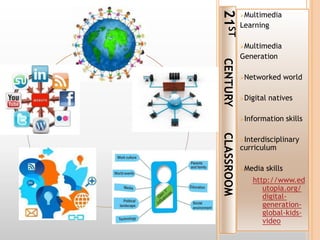
21ST
            Multimedia
            Learning

            Multimedia
            Generation


CENTURY
            Networked          world

            Digital   natives

            Information        skills


CLASSROOM
            Interdisciplinary
            curriculum

            Media     skills
               http://www.ed
                  utopia.org/
                  digital-
                  generation-
                  global-kids-
                  video
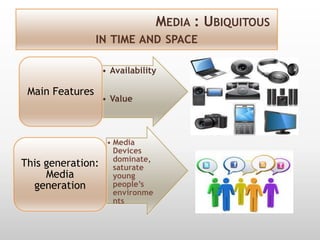
MEDIA : UBIQUITOUS
                 IN TIME AND SPACE

                   • Availability

 Main Features
                   • Value


                    • Media
                      Devices
                      dominate,
This generation:      saturate
     Media            young
  generation          people’s
                      environme
                      nts
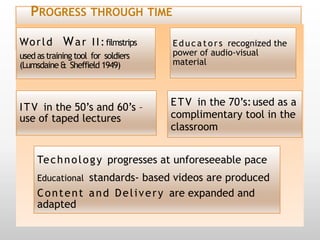
PROGRESS THROUGH TIME

Wo r l d     W a r I I : filmstrips   E d u c a t o r s recognized the
used as training tool for soldiers    power of audio-visual
(Lumsdaine & Sheffield 1949)          material


I T V in the 50’s and 60’s –          E T V in the 70’s: used as a
use of taped lectures                 complimentary tool in the
                                      classroom


     Te c h n o l o g y progresses at unforeseeable pace
     Educational standards- based videos are produced
     C o n t e n t a n d D e l i v e r y are expanded and
     adapted
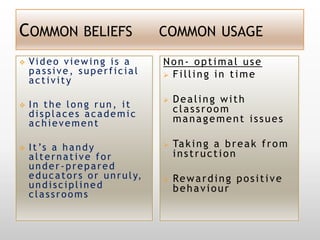
COMMON BELIEFS                           COMMON USAGE

   Video viewing is a                   Non- optimal use
    passive, superficial                  Filling in time
    activity
                                            Dealing with
   In the long run, it                      classroom
    displaces academic
    achievement                              management issues

   I t ’s a h a n d y                      Ta k i n g a b r e a k f r o m
    alternative for                          instruction
    under-prepared
    e d u c a t o r s o r u n r u l y,      Re w a r d i n g p o s i t i v e
    undisciplined                            behaviour
    classrooms
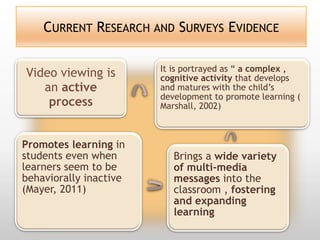
CURRENT RESEARCH AND SURVEYS EVIDENCE

                        It is portrayed as “ a complex ,
Video viewing is        cognitive activity that develops
   an active            and matures with the child’s
                        development to promote learning (
    process             Marshall, 2002)


Promotes learning in
students even when         Brings a wide variety
learners seem to be        of multi-media
behaviorally inactive      messages into the
(Mayer, 2011)              classroom , fostering
                           and expanding
                           learning
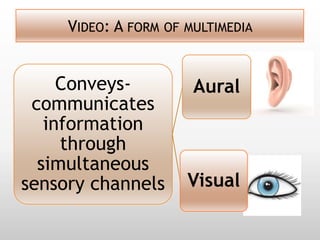
VIDEO: A FORM OF MULTIMEDIA


     Conveys-          Aural
 communicates
   information
     through
  simultaneous
sensory channels      Visual
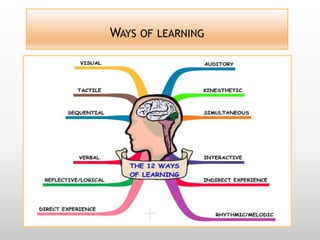
WAYS OF LEARNING
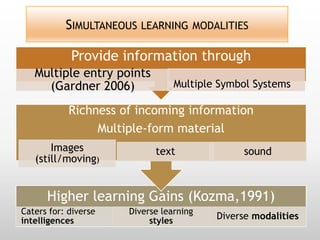
SIMULTANEOUS LEARNING MODALITIES

            Provide information through
   Multiple entry points
     (Gardner 2006)              Multiple Symbol Systems

            Richness of incoming information
                 Multiple-form material
       Images               text               sound
   (still/moving)


      Higher learning Gains (Kozma,1991)
Caters for: diverse   Diverse learning
intelligences              styles        Diverse modalities
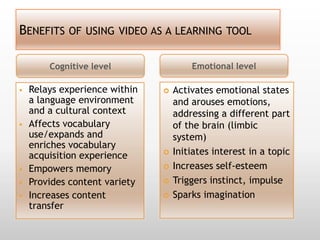
BENEFITS OF USING VIDEO AS A LEARNING TOOL

        Cognitive level                Emotional level

   Relays experience within      Activates emotional states
    a language environment         and arouses emotions,
    and a cultural context         addressing a different part
   Affects vocabulary             of the brain (limbic
    use/expands and                system)
    enriches vocabulary
    acquisition experience        Initiates interest in a topic
   Empowers memory               Increases self-esteem
   Provides content variety      Triggers instinct, impulse
   Increases content             Sparks imagination
    transfer
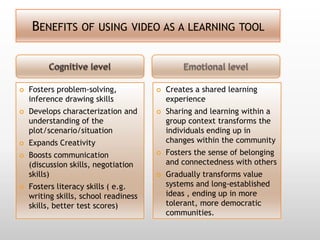
BENEFITS OF USING VIDEO AS A LEARNING TOOL


   Fosters problem-solving,              Creates a shared learning
    inference drawing skills               experience
   Develops characterization and         Sharing and learning within a
    understanding of the                   group context transforms the
    plot/scenario/situation                individuals ending up in
   Expands Creativity                     changes within the community
   Boosts communication                  Fosters the sense of belonging
    (discussion skills, negotiation        and connectedness with others
    skills)                               Gradually transforms value
   Fosters literacy skills ( e.g.         systems and long-established
    writing skills, school readiness       ideas , ending up in more
    skills, better test scores)            tolerant, more democratic
                                           communities.
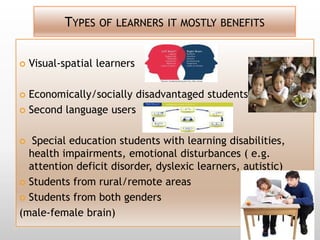
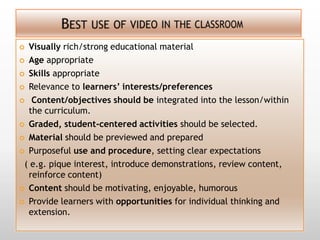
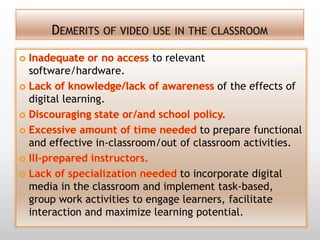
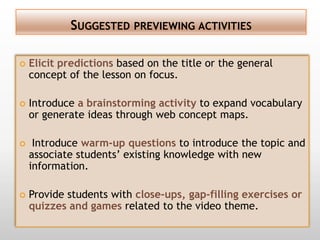
TYPES OF LEARNERS IT MOSTLY BENEFITS


   Visual-spatial learners

 Economically/socially disadvantaged students
 Second language users


  Special education students with learning disabilities,
  health impairments, emotional disturbances ( e.g.
  attention deficit disorder, dyslexic learners, autistic)
 Students from rural/remote areas

 Students from both genders

(male-female brain)
 Visually rich/strong educational material
 Age appropriate

 Skills appropriate

 Relevance to learners’ interests/preferences

 Content/objectives should be integrated into the lesson/within
  the curriculum.
 Graded, student-centered activities should be selected.

 Material should be previewed and prepared

 Purposeful use and procedure, setting clear expectations

 ( e.g. pique interest, introduce demonstrations, review content,
  reinforce content)
 Content should be motivating, enjoyable, humorous

 Provide learners with opportunities for individual thinking and
  extension.
to relevant
software/hardware.
                                       of the effects of
digital learning.

                                   to prepare functional
and effective in-classroom/out of classroom activities.

                               to incorporate digital
media in the classroom and implement task-based,
group work activities to engage learners, facilitate
interaction and maximize learning potential.
SUGGESTED PREVIEWING ACTIVITIES

   Elicit predictions based on the title or the general
    concept of the lesson on focus.

   Introduce a brainstorming activity to expand vocabulary
    or generate ideas through web concept maps.

    Introduce warm-up questions to introduce the topic and
    associate students’ existing knowledge with new
    information.

   Provide students with close-ups, gap-filling exercises or
    quizzes and games related to the video theme.
A VARIETY OF WHILE-VIEWING ACTIVITIES TO CHOOSE
                           FROM….

1.    Cloze-ups and open/close type questions based on the
      script or on teacher’s notes.
2.    True/false statements.
3.    Multiple-choice questions.
4.    Examples to clarify messages/situations/actions
      depicted in the video clip or the movie.
5.    Comparing and contrasting activities.
6.    Giving reasons for actions/events in the story.
7.    Active descriptions of characters/scenes.
8.    Taking interviews from a character in the story.
9.    Role plays
10.   Acting out scenes
A VARIETY OF WHILE-VIEWING ACTIVITIES TO CHOOSE
             FROM …..( CONTINUED)

11. Expression of personal emotions/beliefs/opinions
  related to the topic.
12. Sentence repetition exercises/ drills/singing along
  activities to foster listening/speaking skills.
13. Direction of students’ focus on various paralinguistic
  features to draw conclusions from/ to focus attention
  on.
14. Keeping down notes regarding key-concepts or
  important events in the story.
15. Matching exercise linking characters in the story to
  phrases uttered/to events taking place.
16. Jumbled sentences/ jumbled paragraphs to put in
  order.
POST-VIEWING ACTIVITIES TO IMPLEMENT
1.   Written assignment in the form of an essay, a review ,
     a narrative or a letter.
2.   Learning log to exercise self-reflection skills.
3.   Written assessment of the material used.
4.   Reading assignment related to the theme in question.
5.   Memory empowerment activities like descriptions of
     scenes previously seen or association of scenes and
     characters to own experience from real life.
6.   Web search related to the theme on focus.
7.   Familiarization with interactive digital tools and
     software that could be utilized to transform the script
     into a digital story or a vocabulary exercise into a
     flashcard or quiz game.
POST-VIEWING ACTIVITIES (CONTINUED)
   Encourage learning through exploration, interpretation and
    assessment of information resources by asking students to
    search and compare a variety of search engines or sites
    related to the topic.
   Artistic expression, artistic creation through a variety of
    activities like drawing , sketching, drama.
   Discussion to raise awareness of issues/concepts previously
    kept hidden/unnoticed.
   Expansion of in-classroom activities to out-of- classroom
    community service learning.
   Participation and Communication in Global education social
    networks.
   Collaborative learning activities that will encourage the
    exchange of ideas and the expression of emotions and
    personal values, being probably the most crucial factor in
    affective learning.
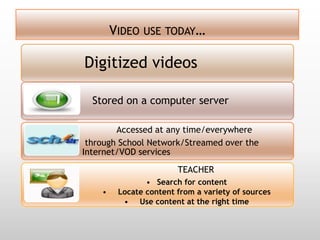
VIDEO USE TODAY…

Digitized videos

  Stored on a computer server

        Accessed at any time/everywhere
 through School Network/Streamed over the
Internet/VOD services
                        TEACHER
                • Search for content
    •    Locate content from a variety of sources
          • Use content at the right time
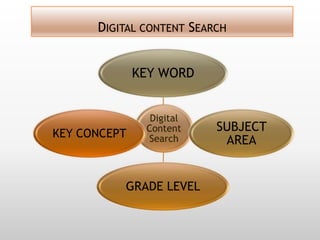
DIGITAL CONTENT SEARCH


              KEY WORD


                Digital
               Content    SUBJECT
KEY CONCEPT    Search      AREA


          GRADE LEVEL
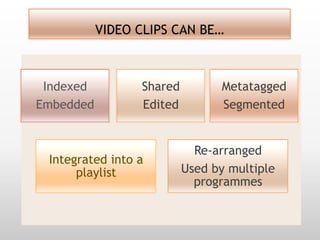
VIDEO CLIPS CAN BE…


 Indexed         Shared         Metatagged
Embedded         Edited         Segmented


                            Re-arranged
 Integrated into a
      playlist            Used by multiple
                            programmes
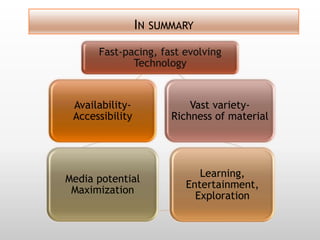
IN SUMMARY
      Fast-pacing, fast evolving
             Technology


 Availability-             Vast variety-
 Accessibility         Richness of material


                             Learning,
Media potential
                          Entertainment,
 Maximization
                            Exploration
RESOURCES AND CREDITS
 Using Educational Video in the Classroom:
Theory, Research and Practice By Emily Cruse
M.Ed., Curriculum Director, Library Video Company
http://www.safarimontage.com/pdfs/training/UsingEducati
  onalVideoInTheClassroom.pdf
 Purposeful Use of Film within the Classroom: Encouraging
  Student Engagement Presented by Mandy Latz
 http://www.eslpartyland.com/students/nov/movies.htm
 Listening, Viewing and Imagination:
Movies in EFL Classes Kusumarasdyati Faculty of Education
  Monash University Australia
 Movies to increase students’ motivation and production
  ETECS 2011, Monica Melendez
 http://ddeubel.edublogs.org/files/2011/06/Using_Video_In
  _The_Classroom-20mn397.pdf
RESOURCES AND CREDITS (CONTINUED)
   http://iteslj.org/Articles/Canning-Video

   http://www.eric.ed.gov/ERICWebPortal/search/detail
    mini.jsp?_nfpb=true&_&ERICExtSearch_SearchValue_0=
    EJ500322&ERICExtSearch_SearchType_0=no&accno=EJ5
    00322

   http://www.rcgd.isr.umich.edu/life/Readings2007/Mill
    er%20video%20reading%201.pdf

   http://eslinsider.com/how-to-teach-english-
    videos/lesson-planning
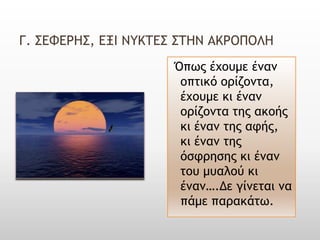
Γ. ΢ΕΥΕΡΗ΢, ΕΞΙ ΝΤΚΣΕ΢ ΢ΣΗΝ ΑΚΡΟΠΟΛΗ
                     Όπως έχουμε έμαμ
                      οπτικό ορίζομτα,
                      έχουμε κι έμαμ
                      ορίζομτα της ακοής
                      κι έμαμ της αφής,
                      κι έμαμ της
                      όσφρησης κι έμαμ
                      του μυαλού κι
                      έμαμ….Δε γίμεται μα
                      πάμε παρακάτω.

Using video in the efl classroom

  • 1.
    U SI NGVI D EO I N THE EF L CL A SSRO O M Androniki Nistikaki - 1st Senior High School of Vyronas, Athens, Greece 30/10/12 Greek Ministry of Education and Religious Affairs, Culture and Sports.
  • 2.
    USING VIDEO INTHE EFL CLASSROOM “Today's kids are born digital -- born into a media-rich, networked world of infinite possibilities. But their digital lifestyle is about more than just cool gadgets; it's about engagement, self-directed learning, creativity, and empowerment. The Digital Generation Project tells their stories so that educators and parents can understand how kids learn, communicate, and socialize in very different ways than any previous generation.” http://www.edutopia.org/digital-generation
  • 3.
    21ST Multimedia Learning Multimedia Generation CENTURY Networked world Digital natives Information skills CLASSROOM Interdisciplinary curriculum Media skills http://www.ed utopia.org/ digital- generation- global-kids- video
  • 4.
    MEDIA : UBIQUITOUS IN TIME AND SPACE • Availability Main Features • Value • Media Devices dominate, This generation: saturate Media young generation people’s environme nts
  • 5.
    PROGRESS THROUGH TIME Wor l d W a r I I : filmstrips E d u c a t o r s recognized the used as training tool for soldiers power of audio-visual (Lumsdaine & Sheffield 1949) material I T V in the 50’s and 60’s – E T V in the 70’s: used as a use of taped lectures complimentary tool in the classroom Te c h n o l o g y progresses at unforeseeable pace Educational standards- based videos are produced C o n t e n t a n d D e l i v e r y are expanded and adapted
  • 6.
    COMMON BELIEFS COMMON USAGE  Video viewing is a Non- optimal use passive, superficial  Filling in time activity  Dealing with  In the long run, it classroom displaces academic achievement management issues  I t ’s a h a n d y  Ta k i n g a b r e a k f r o m alternative for instruction under-prepared e d u c a t o r s o r u n r u l y,  Re w a r d i n g p o s i t i v e undisciplined behaviour classrooms
  • 7.
    CURRENT RESEARCH ANDSURVEYS EVIDENCE It is portrayed as “ a complex , Video viewing is cognitive activity that develops an active and matures with the child’s development to promote learning ( process Marshall, 2002) Promotes learning in students even when Brings a wide variety learners seem to be of multi-media behaviorally inactive messages into the (Mayer, 2011) classroom , fostering and expanding learning
  • 8.
    VIDEO: A FORMOF MULTIMEDIA Conveys- Aural communicates information through simultaneous sensory channels Visual
  • 9.
  • 10.
    SIMULTANEOUS LEARNING MODALITIES Provide information through Multiple entry points (Gardner 2006) Multiple Symbol Systems Richness of incoming information Multiple-form material Images text sound (still/moving) Higher learning Gains (Kozma,1991) Caters for: diverse Diverse learning intelligences styles Diverse modalities
  • 11.
    BENEFITS OF USINGVIDEO AS A LEARNING TOOL Cognitive level Emotional level  Relays experience within  Activates emotional states a language environment and arouses emotions, and a cultural context addressing a different part  Affects vocabulary of the brain (limbic use/expands and system) enriches vocabulary acquisition experience  Initiates interest in a topic  Empowers memory  Increases self-esteem  Provides content variety  Triggers instinct, impulse  Increases content  Sparks imagination transfer
  • 12.
    BENEFITS OF USINGVIDEO AS A LEARNING TOOL  Fosters problem-solving,  Creates a shared learning inference drawing skills experience  Develops characterization and  Sharing and learning within a understanding of the group context transforms the plot/scenario/situation individuals ending up in  Expands Creativity changes within the community  Boosts communication  Fosters the sense of belonging (discussion skills, negotiation and connectedness with others skills)  Gradually transforms value  Fosters literacy skills ( e.g. systems and long-established writing skills, school readiness ideas , ending up in more skills, better test scores) tolerant, more democratic communities.
  • 13.
    TYPES OF LEARNERSIT MOSTLY BENEFITS  Visual-spatial learners  Economically/socially disadvantaged students  Second language users  Special education students with learning disabilities, health impairments, emotional disturbances ( e.g. attention deficit disorder, dyslexic learners, autistic)  Students from rural/remote areas  Students from both genders (male-female brain)
  • 14.
     Visually rich/strongeducational material  Age appropriate  Skills appropriate  Relevance to learners’ interests/preferences  Content/objectives should be integrated into the lesson/within the curriculum.  Graded, student-centered activities should be selected.  Material should be previewed and prepared  Purposeful use and procedure, setting clear expectations ( e.g. pique interest, introduce demonstrations, review content, reinforce content)  Content should be motivating, enjoyable, humorous  Provide learners with opportunities for individual thinking and extension.
  • 15.
    to relevant software/hardware. of the effects of digital learning. to prepare functional and effective in-classroom/out of classroom activities. to incorporate digital media in the classroom and implement task-based, group work activities to engage learners, facilitate interaction and maximize learning potential.
  • 16.
    SUGGESTED PREVIEWING ACTIVITIES  Elicit predictions based on the title or the general concept of the lesson on focus.  Introduce a brainstorming activity to expand vocabulary or generate ideas through web concept maps.  Introduce warm-up questions to introduce the topic and associate students’ existing knowledge with new information.  Provide students with close-ups, gap-filling exercises or quizzes and games related to the video theme.
  • 17.
    A VARIETY OFWHILE-VIEWING ACTIVITIES TO CHOOSE FROM…. 1. Cloze-ups and open/close type questions based on the script or on teacher’s notes. 2. True/false statements. 3. Multiple-choice questions. 4. Examples to clarify messages/situations/actions depicted in the video clip or the movie. 5. Comparing and contrasting activities. 6. Giving reasons for actions/events in the story. 7. Active descriptions of characters/scenes. 8. Taking interviews from a character in the story. 9. Role plays 10. Acting out scenes
  • 18.
    A VARIETY OFWHILE-VIEWING ACTIVITIES TO CHOOSE FROM …..( CONTINUED) 11. Expression of personal emotions/beliefs/opinions related to the topic. 12. Sentence repetition exercises/ drills/singing along activities to foster listening/speaking skills. 13. Direction of students’ focus on various paralinguistic features to draw conclusions from/ to focus attention on. 14. Keeping down notes regarding key-concepts or important events in the story. 15. Matching exercise linking characters in the story to phrases uttered/to events taking place. 16. Jumbled sentences/ jumbled paragraphs to put in order.
  • 19.
    POST-VIEWING ACTIVITIES TOIMPLEMENT 1. Written assignment in the form of an essay, a review , a narrative or a letter. 2. Learning log to exercise self-reflection skills. 3. Written assessment of the material used. 4. Reading assignment related to the theme in question. 5. Memory empowerment activities like descriptions of scenes previously seen or association of scenes and characters to own experience from real life. 6. Web search related to the theme on focus. 7. Familiarization with interactive digital tools and software that could be utilized to transform the script into a digital story or a vocabulary exercise into a flashcard or quiz game.
  • 20.
    POST-VIEWING ACTIVITIES (CONTINUED)  Encourage learning through exploration, interpretation and assessment of information resources by asking students to search and compare a variety of search engines or sites related to the topic.  Artistic expression, artistic creation through a variety of activities like drawing , sketching, drama.  Discussion to raise awareness of issues/concepts previously kept hidden/unnoticed.  Expansion of in-classroom activities to out-of- classroom community service learning.  Participation and Communication in Global education social networks.  Collaborative learning activities that will encourage the exchange of ideas and the expression of emotions and personal values, being probably the most crucial factor in affective learning.
  • 21.
    VIDEO USE TODAY… Digitizedvideos Stored on a computer server Accessed at any time/everywhere through School Network/Streamed over the Internet/VOD services TEACHER • Search for content • Locate content from a variety of sources • Use content at the right time
  • 22.
    DIGITAL CONTENT SEARCH KEY WORD Digital Content SUBJECT KEY CONCEPT Search AREA GRADE LEVEL
  • 23.
    VIDEO CLIPS CANBE… Indexed Shared Metatagged Embedded Edited Segmented Re-arranged Integrated into a playlist Used by multiple programmes
  • 24.
    IN SUMMARY Fast-pacing, fast evolving Technology Availability- Vast variety- Accessibility Richness of material Learning, Media potential Entertainment, Maximization Exploration
  • 25.
    RESOURCES AND CREDITS Using Educational Video in the Classroom: Theory, Research and Practice By Emily Cruse M.Ed., Curriculum Director, Library Video Company http://www.safarimontage.com/pdfs/training/UsingEducati onalVideoInTheClassroom.pdf  Purposeful Use of Film within the Classroom: Encouraging Student Engagement Presented by Mandy Latz  http://www.eslpartyland.com/students/nov/movies.htm  Listening, Viewing and Imagination: Movies in EFL Classes Kusumarasdyati Faculty of Education Monash University Australia  Movies to increase students’ motivation and production ETECS 2011, Monica Melendez  http://ddeubel.edublogs.org/files/2011/06/Using_Video_In _The_Classroom-20mn397.pdf
  • 26.
    RESOURCES AND CREDITS(CONTINUED)  http://iteslj.org/Articles/Canning-Video  http://www.eric.ed.gov/ERICWebPortal/search/detail mini.jsp?_nfpb=true&_&ERICExtSearch_SearchValue_0= EJ500322&ERICExtSearch_SearchType_0=no&accno=EJ5 00322  http://www.rcgd.isr.umich.edu/life/Readings2007/Mill er%20video%20reading%201.pdf  http://eslinsider.com/how-to-teach-english- videos/lesson-planning
  • 27.
    Γ. ΢ΕΥΕΡΗ΢, ΕΞΙΝΤΚΣΕ΢ ΢ΣΗΝ ΑΚΡΟΠΟΛΗ Όπως έχουμε έμαμ οπτικό ορίζομτα, έχουμε κι έμαμ ορίζομτα της ακοής κι έμαμ της αφής, κι έμαμ της όσφρησης κι έμαμ του μυαλού κι έμαμ….Δε γίμεται μα πάμε παρακάτω.