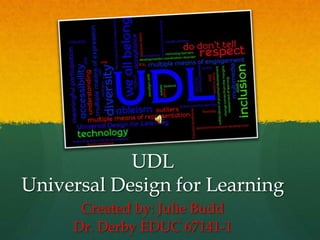
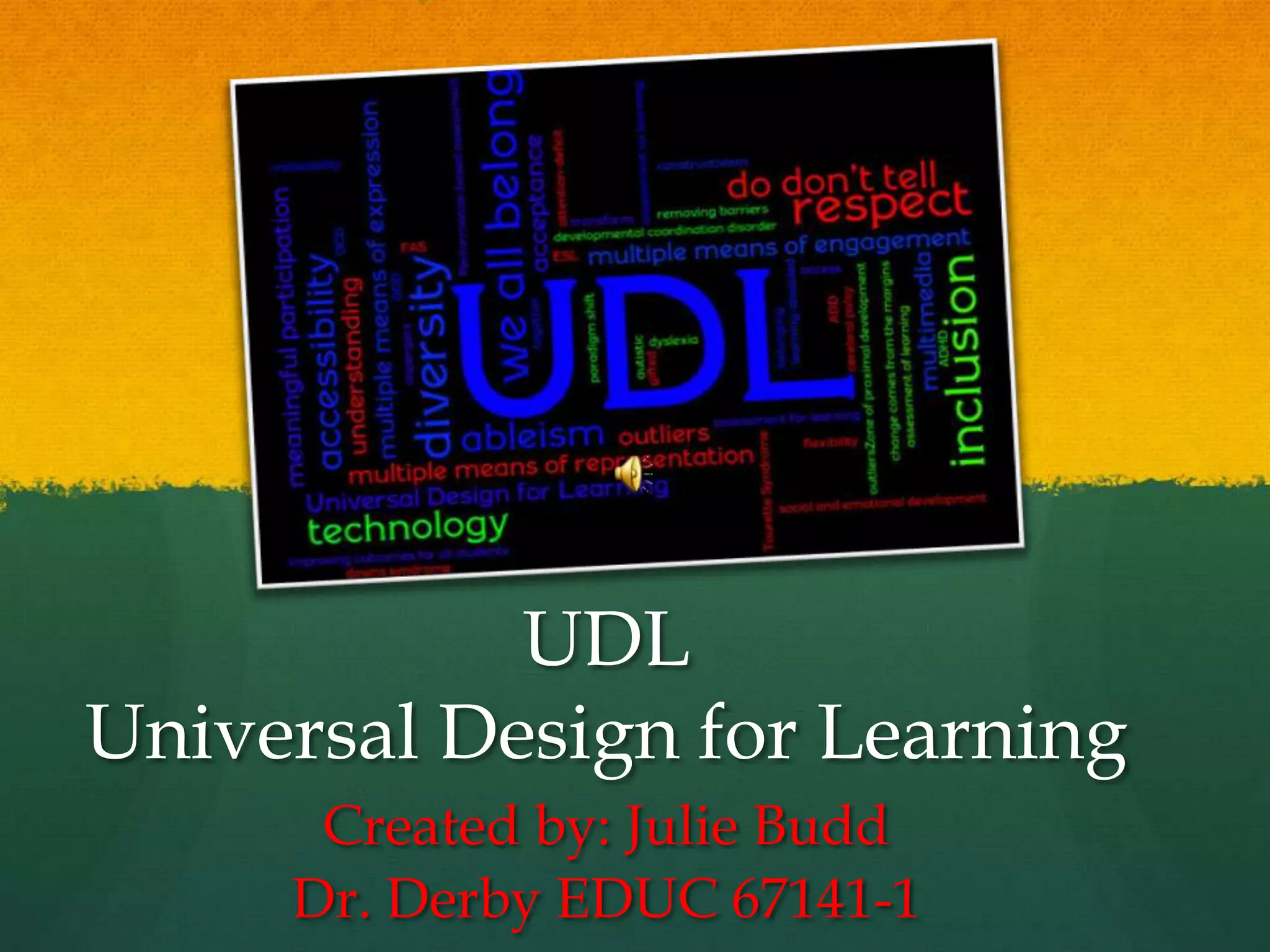
UDL
Universal Design for Learning
      Created by: Julie Budd
     Dr. Derby EDUC 67141-1
Universal
  Design for
  Learning
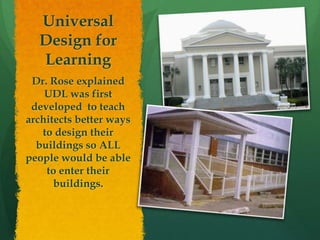
 Dr. Rose explained
    UDL was first
 developed to teach
architects better ways
   to design their
  buildings so ALL
people would be able
    to enter their
      buildings.
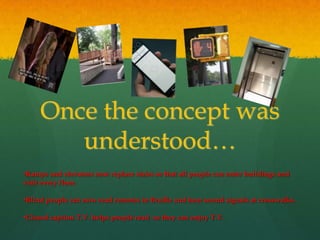
Once the concept was
        understood…
•Ramps and elevators now replace stairs so that all people can enter buildings and
visit every floor.

•Blind people can now read remotes in Braille and hear sound signals at crosswalks.

•Closed caption T.V. helps people read so they can enjoy T.V.
The Three Principles of
        UDL:
    1. Provide Multiple and Flexible
       Means of Representation
    2. Provide Multiple and Flexible
       Means of Action & Expression
    3. Provide Multiple and Flexible
       Means of Engagement
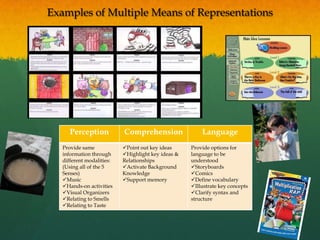
Examples of Multiple Means of Representations


      Perception           Comprehension                Language
   Provide same            Point out key ideas     Provide options for
   information through     Highlight key ideas &   language to be
   different modalities:   Relationships            understood
   (Using all of the 5     Activate Background     Storyboards
   Senses)                 Knowledge                Comics
   Music                  Support memory          Define vocabulary
   Hands-on activities                             Illustrate key concepts
   Visual Organizers                               Clarify syntax and
   Relating to Smells                              structure
   Relating to Taste
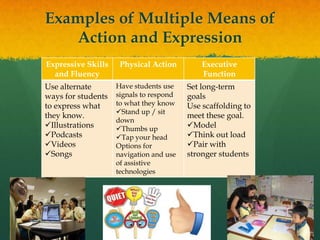
Examples of Multiple Means of
   Action and Expression
Expressive Skills    Physical Action         Executive
  and Fluency                                Function
Use alternate       Have students use    Set long-term
ways for students   signals to respond   goals
to express what     to what they know    Use scaffolding to
                    Stand up / sit
they know.                               meet these goal.
                    down
Illustrations      Thumbs up           Model
Podcasts           Tap your head       Think out load
Videos             Options for          Pair with
Songs              navigation and use   stronger students
                    of assistive
                    technologies
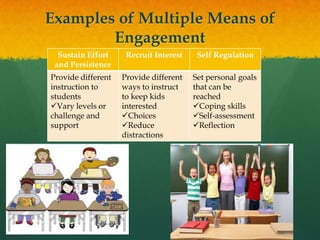
Examples of Multiple Means of
        Engagement
  Sustain Effort     Recruit Interest    Self Regulation
 and Persistence
Provide different   Provide different   Set personal goals
instruction to      ways to instruct    that can be
students            to keep kids        reached
Vary levels or     interested          Coping skills
challenge and       Choices            Self-assessment
support             Reduce             Reflection
                    distractions
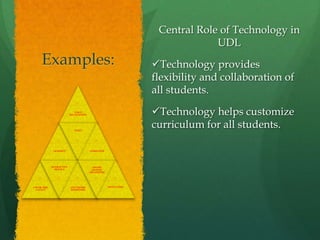
Central Role of Technology in
                                                                                  UDL
      Examples:                                                      Technology provides
                                                                     flexibility and collaboration of
                                                                     all students.
                                VOICE
                             RECOGNITION                             Technology helps customize
                                VIDEO
                                                                     curriculum for all students.

                GRAPHICS                   ANIMATION


               INTERACTIVE                   ONLINE
                 MODELS                     GRAPHIC
                                           ORGANIZERS


COLOR, SIZE,                 ELECTRONIC                 MOTIVATING
  LAYOUT                     REMINDERS
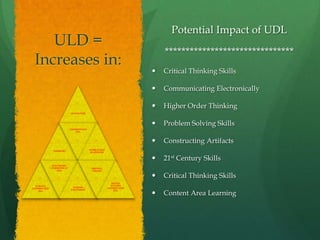
Potential Impact of UDL
    ULD =
                                                                      *******************************
 Increases in:
                                                                     Critical Thinking Skills

                                                                     Communicating Electronically

                                                                     Higher Order Thinking
                           MOVIATION


                                                                     Problem Solving Skills
                           UNDERSTAND
                              ING


                                                                     Constructing Artifacts
                                        WORK PLACE
              THINKING
                                        READINESS


                                                                     21st Century Skills
              ELECTRONIC
             COMMUNICAT                  WRITING
                  ION                    ONLINE

                                                                     Critical Thinking Skills
                                                       SOCIAL
  SCIENCE                                              STUDIES
                            SCHOOL                   UNDERSTAND
UNDERSTAND
                           ENJOYMENT

                                                                      Content Area Learning
                                                         ING
    ING
                                                                  
BRAIN RESEARCH TELLS US:
 “Individuals bring a huge                          3 Networks of the Brain
 variety of skills, needs, and
 interests to learning.            Recognition – Located in the back part of the brain. It
                                      is the “what “of learning. Processes and figures
 Neuroscience reveals that            out patterns.
 these differences are as varied
                                   Strategic - Located in the front part of the brain. It is the
 and unique as our DNA or               “how” of learning. Process actions and plans.
 fingerprints.”
                                   Affective – Located in the lowest section of the brain. It
 Retrieved from:                       is the “why” of learning. Emotions and evaluating
http://www.cast.org/teaching           patterns.

everystudent/tools/                Resource: Laureate Education, Inc. (Producer). (2009).
                                       Brain Research and Universal Design for Learning
                                       [Motion picture]. Reaching and engaging all
                                       learners through technology. Baltimore: Author. |
                                       Different parts of the brain control different aspects
                                       of learning.
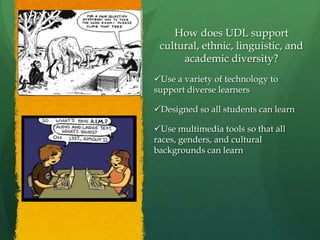
How does UDL support
 cultural, ethnic, linguistic, and
      academic diversity?
Use a variety of technology to
support diverse learners

Designed so all students can learn

Use multimedia tools so that all
races, genders, and cultural
backgrounds can learn
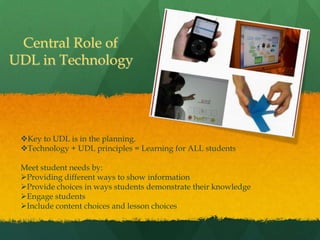
Central Role of
UDL in Technology


 Key to UDL is in the planning.
 Technology + UDL principles = Learning for ALL students

 Meet student needs by:
 Providing different ways to show information
 Provide choices in ways students demonstrate their knowledge
 Engage students
 Include content choices and lesson choices
CAST online tools and
               resources:
                                  CAST RESOURCES

Learn and personalize UDL by applying it to your students, curriculum and school.
     UDL Toolkits:
     http://www.cast.org/teachingeverystudent/toolkits/tk_introduction.cfm?tk_id=61

     Teaching Every Student in the Digital Age: Universal Design for Learning:
     http://www.cast.org/teachingeverystudent/ideas/tes
     UDL Solutions Finder:
     http://www.cast.org/teachingeverystudent/tools/udlsolutionsfinder.cfm

Identify and remove barriers from our teaching methods and curriculum.
     UDL Curriculum Barriers Finder:
     http://www.cast.org/teachingeverystudent/tools/curriculumbarriers.cfm

Help Individualize Instruction:
     UDL Class Profile Maker: http://www.cast.org/teachingeverystudent/tools/classprofile.cfm
     UDL Goal Setter: http://www.cast.org/teachingeverystudent/tools/udlgoalsetter.cfm
     Curriculum Content Resources: http://udlselfcheck.cast.org/resources.php#curriculum
     UDL Lesson Builder: http://lessonbuilder.cast.org/
     UDL Book Builder: http://bookbuilder.cast.org/
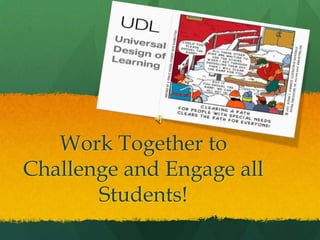
Work Together to
Challenge and Engage all
       Students!
Resources:

Center for Applied Special Technology. (2012). UDL guidelines, version 1.0.
Retrieved from http://www.udlcenter.org/aboutudl/udlguidelines

Laureate Education, Inc. (Executive Producer). (2010). Program thirteen. Brain
Research and Universal Design for Learning [Webcast]. Baltimore, MD: Author.

Rose, D., & Meyer, A. (2002). Teaching every student in the digital age: Universal
design for learning. Retrieved
fromhttp://www.cast.org/teachingeverystudent/ideas/tes/

Google images search retrieved from:
https://www.google.com/search?hl=en&tok=9InUJm2rZeibjFG3QiWK-
w&cp=12&gs_id=z&xhr=t&q=fingerprints&gs_sm=&gs_upl=&bav=on.2,or.r_gc
.r_pw.,cf.osb&biw=1024&bih=658&wrapid=tljp1327680629673021&um=1&ie=U
TF-8&tbm=isch&source=og&sa=N&tab=wi&ei=eswiT6H6GcHX0QHdn_n-
CA#um=1&hl=en&tbm=isch&sa=1&q=udl+&pbx=1&oq=udl+&aq=f&aqi=g10&
aql=&gs_sm=e&gs_upl=2948l4711l2l5491l10l10l0l0l0l8l717l4117l0.1.4.1.1.2.1l10l0
&bav=on.2,or.r_gc.r_pw.,cf.osb&fp=84f5b52edbd61a81&biw=1024&bih=658

Power point udl APP4 Budd Julie

  • 1.
    UDL Universal Design forLearning Created by: Julie Budd Dr. Derby EDUC 67141-1
  • 2.
    Universal Designfor Learning Dr. Rose explained UDL was first developed to teach architects better ways to design their buildings so ALL people would be able to enter their buildings.
  • 3.
    Once the conceptwas understood… •Ramps and elevators now replace stairs so that all people can enter buildings and visit every floor. •Blind people can now read remotes in Braille and hear sound signals at crosswalks. •Closed caption T.V. helps people read so they can enjoy T.V.
  • 4.
    The Three Principlesof UDL: 1. Provide Multiple and Flexible Means of Representation 2. Provide Multiple and Flexible Means of Action & Expression 3. Provide Multiple and Flexible Means of Engagement
  • 5.
    Examples of MultipleMeans of Representations Perception Comprehension Language Provide same Point out key ideas Provide options for information through Highlight key ideas & language to be different modalities: Relationships understood (Using all of the 5 Activate Background Storyboards Senses) Knowledge Comics Music Support memory Define vocabulary Hands-on activities Illustrate key concepts Visual Organizers Clarify syntax and Relating to Smells structure Relating to Taste
  • 6.
    Examples of MultipleMeans of Action and Expression Expressive Skills Physical Action Executive and Fluency Function Use alternate Have students use Set long-term ways for students signals to respond goals to express what to what they know Use scaffolding to Stand up / sit they know. meet these goal. down Illustrations Thumbs up Model Podcasts Tap your head Think out load Videos Options for Pair with Songs navigation and use stronger students of assistive technologies
  • 7.
    Examples of MultipleMeans of Engagement Sustain Effort Recruit Interest Self Regulation and Persistence Provide different Provide different Set personal goals instruction to ways to instruct that can be students to keep kids reached Vary levels or interested Coping skills challenge and Choices Self-assessment support Reduce Reflection distractions
  • 8.
    Central Role ofTechnology in UDL Examples: Technology provides flexibility and collaboration of all students. VOICE RECOGNITION Technology helps customize VIDEO curriculum for all students. GRAPHICS ANIMATION INTERACTIVE ONLINE MODELS GRAPHIC ORGANIZERS COLOR, SIZE, ELECTRONIC MOTIVATING LAYOUT REMINDERS
  • 9.
    Potential Impact ofUDL ULD = ******************************* Increases in:  Critical Thinking Skills  Communicating Electronically  Higher Order Thinking MOVIATION  Problem Solving Skills UNDERSTAND ING  Constructing Artifacts WORK PLACE THINKING READINESS  21st Century Skills ELECTRONIC COMMUNICAT WRITING ION ONLINE  Critical Thinking Skills SOCIAL SCIENCE STUDIES SCHOOL UNDERSTAND UNDERSTAND ENJOYMENT Content Area Learning ING ING 
  • 10.
    BRAIN RESEARCH TELLSUS: “Individuals bring a huge 3 Networks of the Brain variety of skills, needs, and interests to learning. Recognition – Located in the back part of the brain. It is the “what “of learning. Processes and figures Neuroscience reveals that out patterns. these differences are as varied Strategic - Located in the front part of the brain. It is the and unique as our DNA or “how” of learning. Process actions and plans. fingerprints.” Affective – Located in the lowest section of the brain. It Retrieved from: is the “why” of learning. Emotions and evaluating http://www.cast.org/teaching patterns. everystudent/tools/ Resource: Laureate Education, Inc. (Producer). (2009). Brain Research and Universal Design for Learning [Motion picture]. Reaching and engaging all learners through technology. Baltimore: Author. | Different parts of the brain control different aspects of learning.
  • 11.
    How does UDLsupport cultural, ethnic, linguistic, and academic diversity? Use a variety of technology to support diverse learners Designed so all students can learn Use multimedia tools so that all races, genders, and cultural backgrounds can learn
  • 12.
    Central Role of UDLin Technology Key to UDL is in the planning. Technology + UDL principles = Learning for ALL students Meet student needs by: Providing different ways to show information Provide choices in ways students demonstrate their knowledge Engage students Include content choices and lesson choices
  • 13.
    CAST online toolsand resources: CAST RESOURCES Learn and personalize UDL by applying it to your students, curriculum and school. UDL Toolkits: http://www.cast.org/teachingeverystudent/toolkits/tk_introduction.cfm?tk_id=61 Teaching Every Student in the Digital Age: Universal Design for Learning: http://www.cast.org/teachingeverystudent/ideas/tes UDL Solutions Finder: http://www.cast.org/teachingeverystudent/tools/udlsolutionsfinder.cfm Identify and remove barriers from our teaching methods and curriculum. UDL Curriculum Barriers Finder: http://www.cast.org/teachingeverystudent/tools/curriculumbarriers.cfm Help Individualize Instruction: UDL Class Profile Maker: http://www.cast.org/teachingeverystudent/tools/classprofile.cfm UDL Goal Setter: http://www.cast.org/teachingeverystudent/tools/udlgoalsetter.cfm Curriculum Content Resources: http://udlselfcheck.cast.org/resources.php#curriculum UDL Lesson Builder: http://lessonbuilder.cast.org/ UDL Book Builder: http://bookbuilder.cast.org/
  • 14.
    Work Together to Challengeand Engage all Students!
  • 15.
    Resources: Center for AppliedSpecial Technology. (2012). UDL guidelines, version 1.0. Retrieved from http://www.udlcenter.org/aboutudl/udlguidelines Laureate Education, Inc. (Executive Producer). (2010). Program thirteen. Brain Research and Universal Design for Learning [Webcast]. Baltimore, MD: Author. Rose, D., & Meyer, A. (2002). Teaching every student in the digital age: Universal design for learning. Retrieved fromhttp://www.cast.org/teachingeverystudent/ideas/tes/ Google images search retrieved from: https://www.google.com/search?hl=en&tok=9InUJm2rZeibjFG3QiWK- w&cp=12&gs_id=z&xhr=t&q=fingerprints&gs_sm=&gs_upl=&bav=on.2,or.r_gc .r_pw.,cf.osb&biw=1024&bih=658&wrapid=tljp1327680629673021&um=1&ie=U TF-8&tbm=isch&source=og&sa=N&tab=wi&ei=eswiT6H6GcHX0QHdn_n- CA#um=1&hl=en&tbm=isch&sa=1&q=udl+&pbx=1&oq=udl+&aq=f&aqi=g10& aql=&gs_sm=e&gs_upl=2948l4711l2l5491l10l10l0l0l0l8l717l4117l0.1.4.1.1.2.1l10l0 &bav=on.2,or.r_gc.r_pw.,cf.osb&fp=84f5b52edbd61a81&biw=1024&bih=658