Using Refworks

      CATHERINE FUNNELL
   SENIOR LIAISON LIBRARIAN
LAW AND MARKETING&ENTERPRISE
       SHEPPARD LIBRARY
          MARCH 2012
What is RefWorks?

 RefWorks is a Bibliographic Management
  System which allows you to create a
  quick, stand-alone bibliography
 Allows you to create your own personal
  citation database by importing references
  from online databases
 You can use these references in writing
  papers and automatically format
  bibliographies in seconds
Why Use RefWorks?

Fast, free and effective
Easy to use, web based and available
 from various platforms including
 Windows, Mac and Unix
Efficient way of formatting and
 saving citations found during the
 literature search process
Fast way of creating a Bibliography
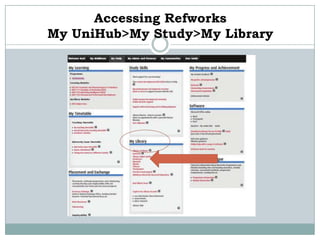
Accessing Refworks
My UniHub>My Study>My Library
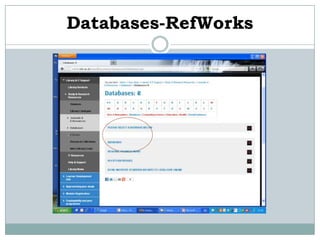
Databases-RefWorks
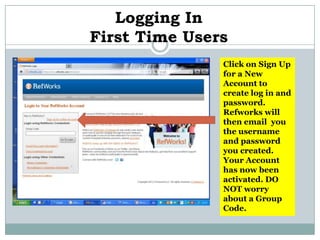
Logging In
First Time Users
               Click on Sign Up
               for a New
               Account to
               create log in and
               password.
               Refworks will
               then email you
               the username
               and password
               you created.
               Your Account
               has now been
               activated. DO
               NOT worry
               about a Group
               Code.
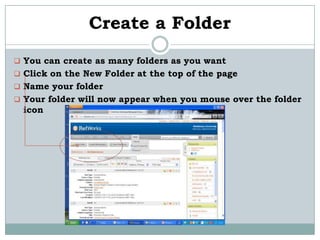
Create a Folder
 You can create as many folders as you want
 Click on the New Folder at the top of the page
 Name your folder
 Your folder will now appear when you mouse over the folder
  icon
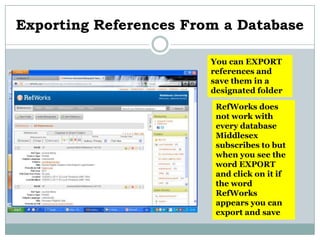
Exporting References From a Database

                        You can EXPORT
                        references and
                        save them in a
                        designated folder

                         RefWorks does
                         not work with
                         every database
                         Middlesex
                         subscribes to but
                         when you see the
                         word EXPORT
                         and click on it if
                         the word
                         RefWorks
                         appears you can
                         export and save
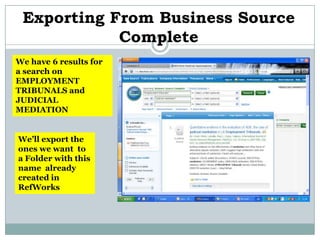
Exporting From Business Source
            Complete
We have 6 results for
a search on
EMPLOYMENT
TRIBUNALS and
JUDICIAL
MEDIATION


We’ll export the
ones we want to
a Folder with this
name already
created in
RefWorks
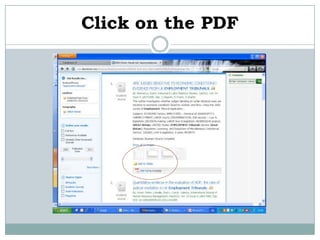
Click on the PDF
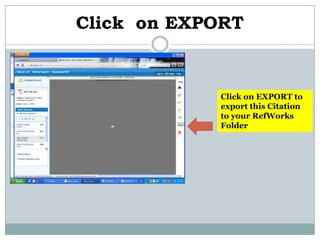
Click on EXPORT


            Click on EXPORT to
            export this Citation
            to your RefWorks
            Folder
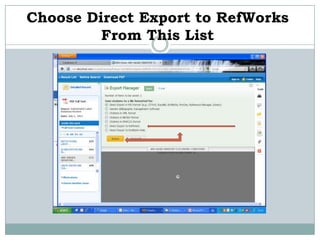
Choose Direct Export to RefWorks
         From This List
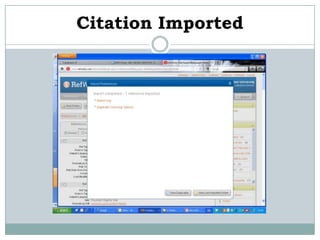
Citation Imported
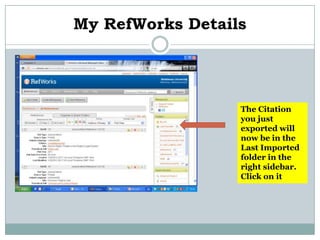
My RefWorks Details


                  The Citation
                  you just
                  exported will
                  now be in the
                  Last Imported
                  folder in the
                  right sidebar.
                  Click on it
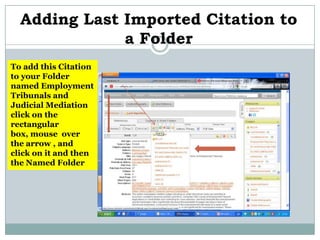
Adding Last Imported Citation to
              a Folder
To add this Citation
to your Folder
named Employment
Tribunals and
Judicial Mediation
click on the
rectangular
box, mouse over
the arrow , and
click on it and then
the Named Folder
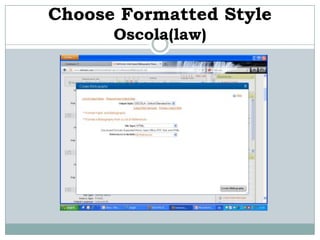
Choose Formatted Style
      Oscola(law)
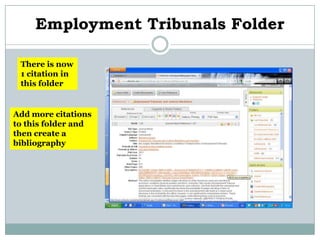
Employment Tribunals Folder

 There is now
 1 citation in
 this folder


Add more citations
to this folder and
then create a
bibliography
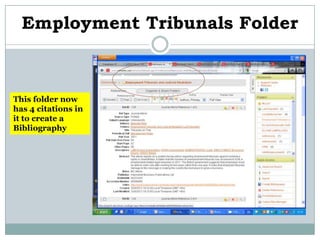
Employment Tribunals Folder


This folder now
has 4 citations in
it to create a
Bibliography
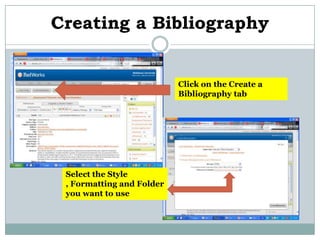
Creating a Bibliography


                           Click on the Create a
                           Bibliography tab


 Select the Style
 , Formatting and Folder
 you want to use
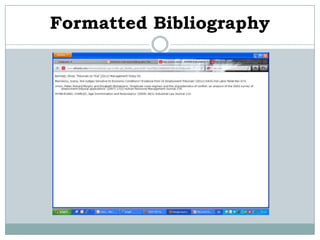
Formatted Bibliography
Finally

 Any questions please contact me at
 c.funnell@mdx.ac.uk
OR


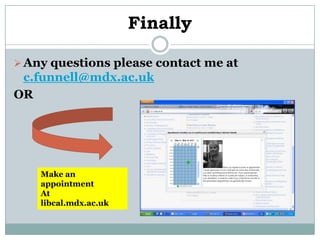
    Make an
    appointment
    At
    libcal.mdx.ac.uk

Using refworks

  • 1.
    Using Refworks CATHERINE FUNNELL SENIOR LIAISON LIBRARIAN LAW AND MARKETING&ENTERPRISE SHEPPARD LIBRARY MARCH 2012
  • 2.
    What is RefWorks? RefWorks is a Bibliographic Management System which allows you to create a quick, stand-alone bibliography  Allows you to create your own personal citation database by importing references from online databases  You can use these references in writing papers and automatically format bibliographies in seconds
  • 3.
    Why Use RefWorks? Fast,free and effective Easy to use, web based and available from various platforms including Windows, Mac and Unix Efficient way of formatting and saving citations found during the literature search process Fast way of creating a Bibliography
  • 4.
  • 5.
  • 6.
    Logging In First TimeUsers Click on Sign Up for a New Account to create log in and password. Refworks will then email you the username and password you created. Your Account has now been activated. DO NOT worry about a Group Code.
  • 7.
    Create a Folder You can create as many folders as you want  Click on the New Folder at the top of the page  Name your folder  Your folder will now appear when you mouse over the folder icon
  • 8.
    Exporting References Froma Database You can EXPORT references and save them in a designated folder RefWorks does not work with every database Middlesex subscribes to but when you see the word EXPORT and click on it if the word RefWorks appears you can export and save
  • 9.
    Exporting From BusinessSource Complete We have 6 results for a search on EMPLOYMENT TRIBUNALS and JUDICIAL MEDIATION We’ll export the ones we want to a Folder with this name already created in RefWorks
  • 10.
  • 11.
    Click on EXPORT Click on EXPORT to export this Citation to your RefWorks Folder
  • 12.
    Choose Direct Exportto RefWorks From This List
  • 13.
  • 14.
    My RefWorks Details The Citation you just exported will now be in the Last Imported folder in the right sidebar. Click on it
  • 15.
    Adding Last ImportedCitation to a Folder To add this Citation to your Folder named Employment Tribunals and Judicial Mediation click on the rectangular box, mouse over the arrow , and click on it and then the Named Folder
  • 16.
  • 17.
    Employment Tribunals Folder There is now 1 citation in this folder Add more citations to this folder and then create a bibliography
  • 18.
    Employment Tribunals Folder Thisfolder now has 4 citations in it to create a Bibliography
  • 19.
    Creating a Bibliography Click on the Create a Bibliography tab Select the Style , Formatting and Folder you want to use
  • 20.
  • 21.
    Finally  Any questionsplease contact me at c.funnell@mdx.ac.uk OR Make an appointment At libcal.mdx.ac.uk