LLM LIBRARY RESEARCH SKILLS
         SESSION #2
USING ELECTRONIC RESOURCES
            Catherine Funnell
   Sheppard Library Middlesex University
          c.funnell@mdx.ac.uk
             28 October 2011
Recap& Session Objectives

Last week we looked at navigating
 our way around UniHub and My
 Study /My Library to use the Library
 Catalogue and to locate generic
 library information
This week we will look at the
 subscription electronic resources to
 aid the research process
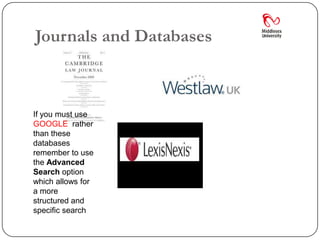
Journals and Databases


If you must use
GOOGLE rather
than these
databases
remember to use
the Advanced
Search option
which allows for
a more
structured and
specific search
Start With EJournals

We’ll start by looking at locating journals
 electronically

We’ll access it from the EResources page
 and then the Library Catalogue
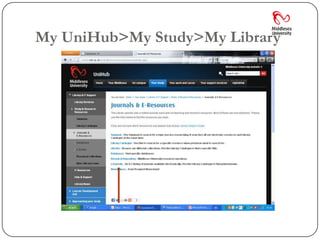
My UniHub>My Study>My Library
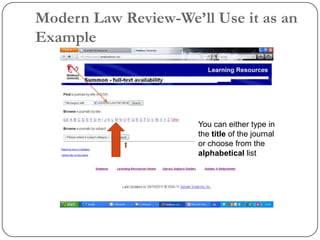
Modern Law Review-We’ll Use it as an
Example


                      You can either type in
                      the title of the journal
                      or choose from the
                      alphabetical list
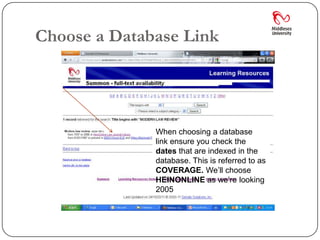
Choose a Database Link


              When choosing a database
              link ensure you check the
              dates that are indexed in the
              database. This is referred to as
              COVERAGE. We’ll choose
              HEINONLINE as we’re looking
              2005
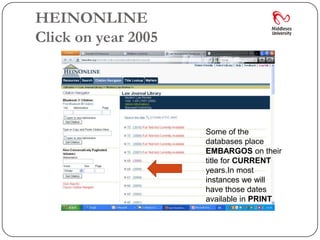
HEINONLINE
Click on year 2005


                     Some of the
                     databases place
                     EMBARGOS on their
                     title for CURRENT
                     years.In most
                     instances we will
                     have those dates
                     available in PRINT
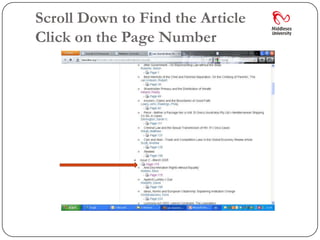
Scroll Down to Find the Article
Click on the Page Number
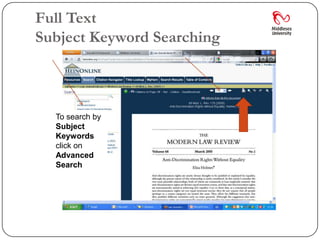
Full Text
Subject Keyword Searching


  To search by
  Subject
  Keywords
  click on
  Advanced
  Search
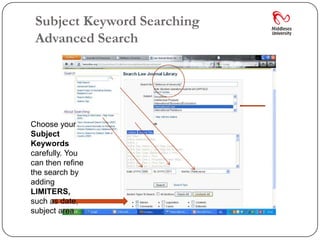
Subject Keyword Searching
 Advanced Search


Choose your
Subject
Keywords
carefully. You
can then refine
the search by
adding
LIMITERS,
such as date,
subject area
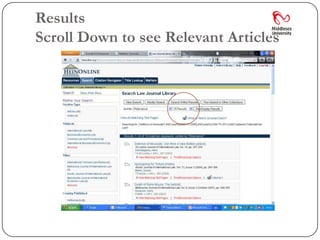
Results
Scroll Down to see Relevant Articles
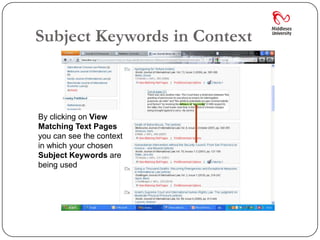
Subject Keywords in Context


By clicking on View
Matching Text Pages
you can see the context
in which your chosen
Subject Keywords are
being used
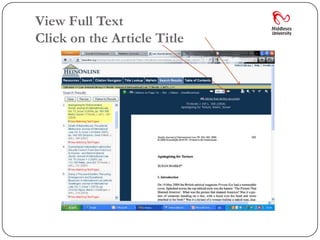
View Full Text
Click on the Article Title
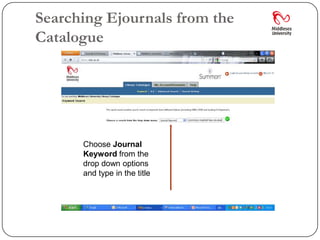
Searching Ejournals from the
Catalogue


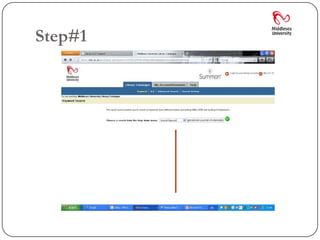
      Choose Journal
      Keyword from the
      drop down options
      and type in the title
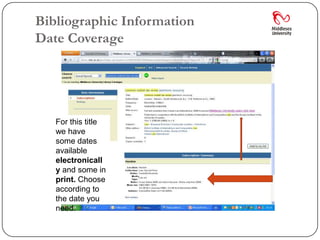
Bibliographic Information
Date Coverage


   For this title
   we have
   some dates
   available
   electronicall
   y and some in
   print. Choose
   according to
   the date you
   need.
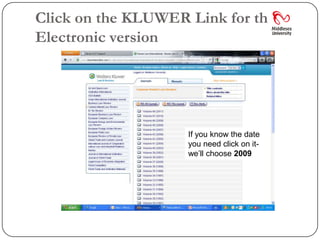
Click on the KLUWER Link for the
Electronic version


                    If you know the date
                    you need click on it-
                    we’ll choose 2009
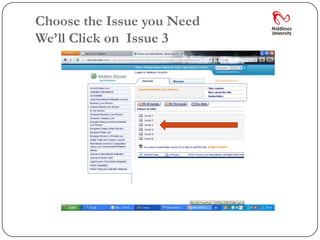
Choose the Issue you Need
We’ll Click on Issue 3
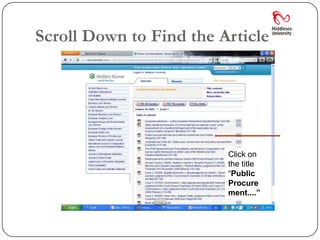
Scroll Down to Find the Article


                         Click on
                         the title
                         “Public
                         Procure
                         ment....”
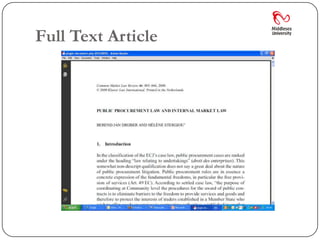
Full Text Article
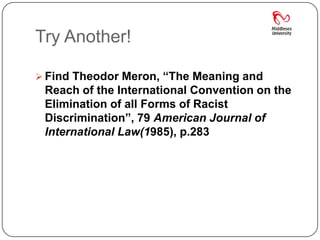
Try Another!

 Find Theodor Meron, “The Meaning and
 Reach of the International Convention on the
 Elimination of all Forms of Racist
 Discrimination”, 79 American Journal of
 International Law(1985), p.283
Step#1
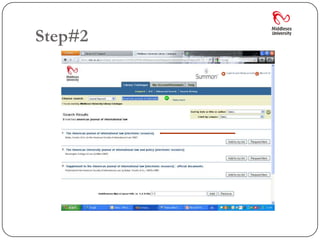
Step#2
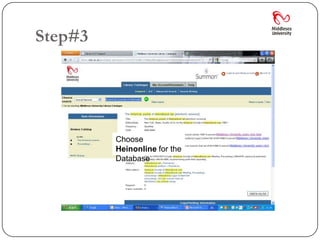
Step#3


         Choose
         Heinonline for the
         Database
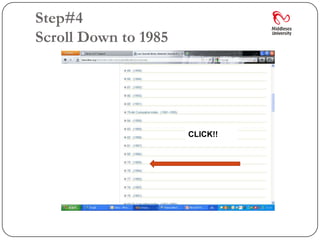
Step#4
Scroll Down to 1985


                      CLICK!!
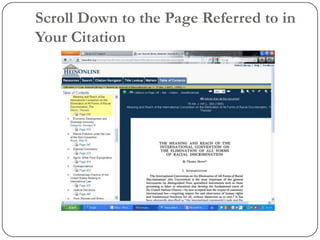
Scroll Down to the Page Referred to in
Your Citation
Recap
Heinonline
 Heinonline is essentially used to locate journal articles.
  It does NOT provide information on Cases(Modern) or
  legislation(Acts/Statutes)

 You can access it from the Databases Link on the My
  Library portlet OR if you know the journal titles from
  the Library Catalogue

 It also provides access to a series called “The English
  Reports” which gives you access to cases pre 1865
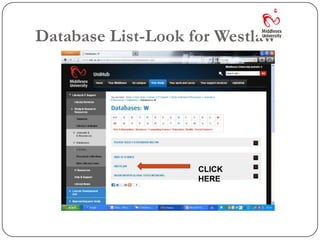
Database List-Look for Westlaw


                    CLICK
                    HERE
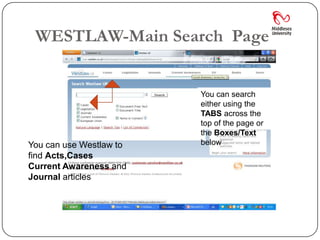
WESTLAW-Main Search Page


                         You can search
                         either using the
                         TABS across the
                         top of the page or
                         the Boxes/Text
          You            below
You can use Westlaw to
find Acts,Cases
Current Awareness and
Journal articles
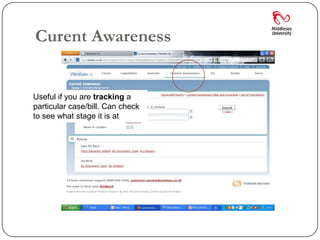
Curent Awareness


Useful if you are tracking a
particular case/bill. Can check
to see what stage it is at
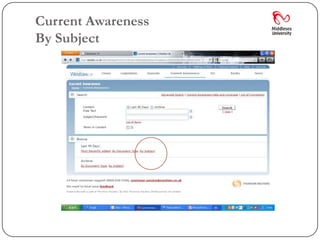
Current Awareness
By Subject
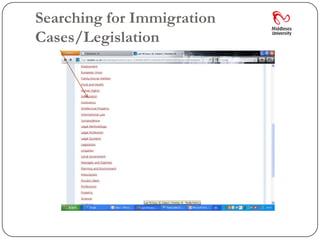
Searching for Immigration
Cases/Legislation
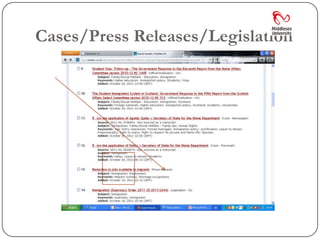
Cases/Press Releases/Legislation
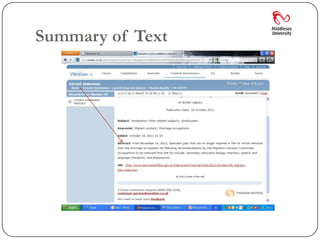
Summary of Text
WESTLAW-Cases
 When searching for Cases you can use either the
 BROWSE feature-which is useful if you know the
 name of the Law Report series in which the case
 has been reported-or the SEARCH window

 It may be easier to search by using the SEARCH
 window which allows you to search by PARTY
 NAMES, CITATION or FREE TEXT

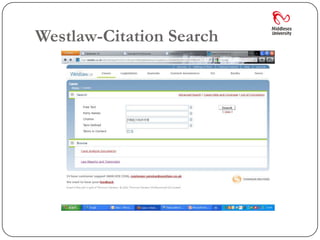
 We’’ll start with a CITATION search
Recap-Reading a Citation!
 Individual cases are arranged collectively in series of Law Reports. To
    locate a case you need to be able to understand the citation. Here is a
    sample Citation: Fisher v Bell [1960] 3 W.L.R. 919 The different parts of the
    Citation are explained below.

 Parties contesting the case  Fisher v Bell
 Year the case was reported 1960
 Volume of the law reports in which the case was reported 3

 W.L.R. is the abbreviation for the law report series in which the case can be
    found. The full title is Weekly Law Reports. You will need to know the full
    title as the law report series are arranged alphabetically by title in the law
    library.

 Page on which the case can be found 919
Westlaw-Citation Search
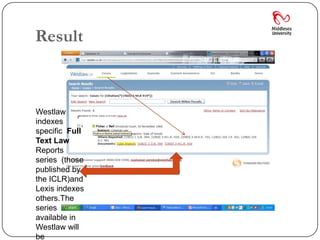
Result


Westlaw
indexes
specific Full
Text Law
Reports
series (those
published by
the ICLR)and
Lexis indexes
others.The
series
available in
Westlaw will
be
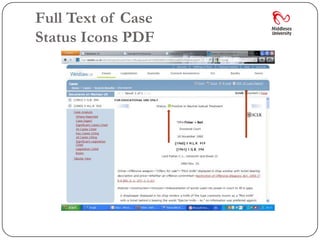
Full Text of Case
Status Icons PDF
Status Icons
 Cases that have been judicially considered elsewhere
  will have a status icon next to the title of the case
  indicating the nature of the consideration. A case which
  has received positive or neutral judicial consideration
  will be indicated by[C in green] whilst a case which has
  received mixed or mildly negative judicial consideration
  will be indicated by[! In yellow] A case in which at least
  one point of law has been overruled or reversed on
  appeal will be indicated by [- In red]. A[A In gold]
  indicates that an appeal is outstanding to the Court of
  Appeal (Civil Division) or Supreme Court, or an
  application for permission to appeal is outstanding to
  the Supreme Court. (see Westlaw Help for more
  information)
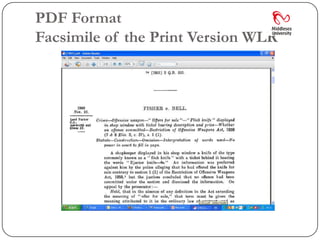
PDF Format
Facsimile of the Print Version WLR
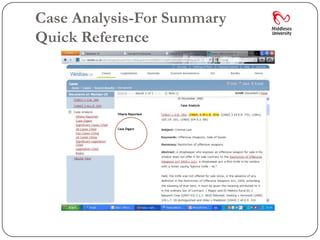
Case Analysis-For Summary
Quick Reference
Westlaw-Subject Searching Cases
 There are different ways of searching for cases
 on a specific subject


 We’ll do a general search first and then refine it-
 make it more specific-narrow our search!

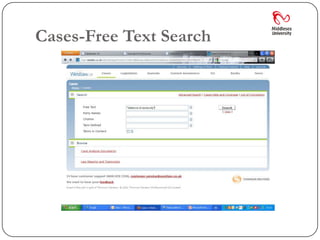
 We’ll use the PHRASE defence of necessity as
 our search term-FREE TEXT
Cases-Free Text Search
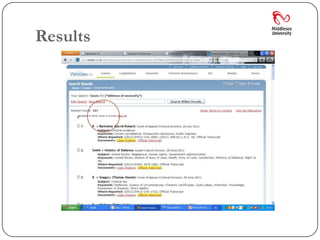
Results
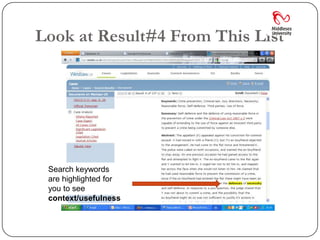
Look at Result#4 From This List


 Search keywords
 are highlighted for
 you to see
 context/usefulness
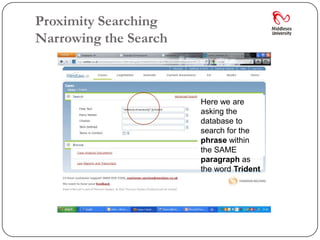
Proximity Searching
Narrowing the Search


                       Here we are
                       asking the
                       database to
                       search for the
                       phrase within
                       the SAME
                       paragraph as
                       the word Trident
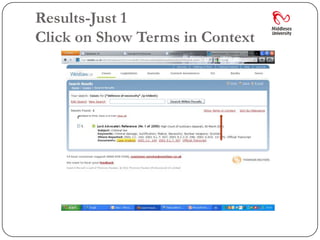
Results-Just 1
Click on Show Terms in Context
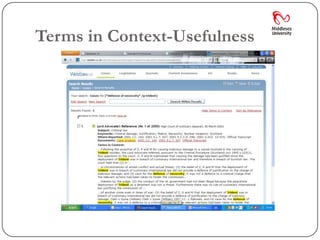
Terms in Context-Usefulness
Recap-Now Try This


Name the parties involved in the
 following CASE

[1914] 3 KB 259
Answer


The King(R) v Clerk of the Peace
 for Middlesex
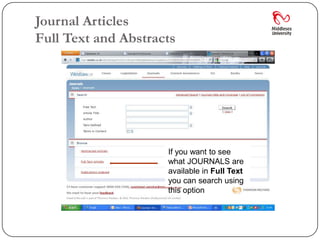
Journal Articles
Full Text and Abstracts


                     If you want to see
                     what JOURNALS are
                     available in Full Text
                     you can search using
                     this option
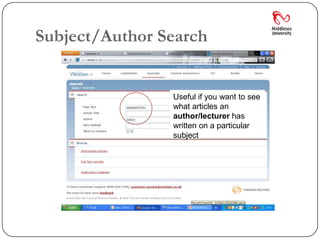
Subject/Author Search


                Useful if you want to see
                what articles an
                author/lecturer has
                written on a particular
                subject
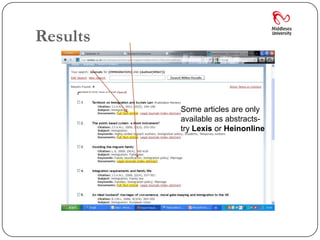
Results


          Some articles are only
          available as abstracts-
          try Lexis or Heinonline
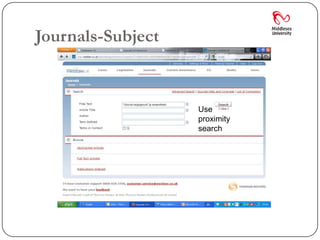
Journals-Subject


                   Use
                   proximity
                   search
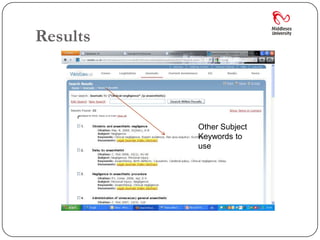
Results


          Other Subject
          Keywords to
          use
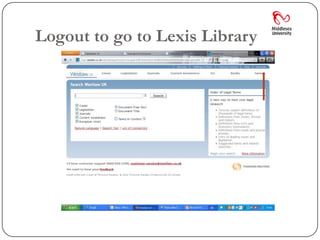
Logout to go to Lexis Library
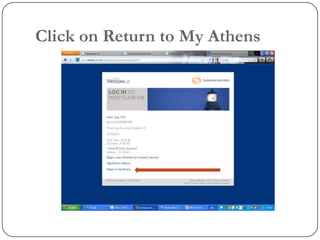
Click on Return to My Athens
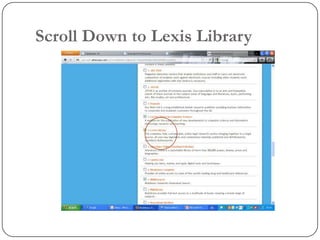
Scroll Down to Lexis Library
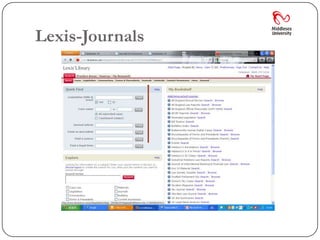
Lexis-Journals
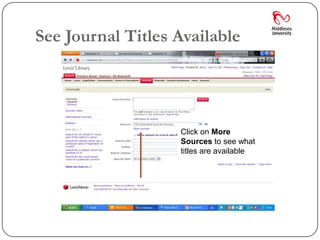
See Journal Titles Available


                   Click on More
                   Sources to see what
                   titles are available
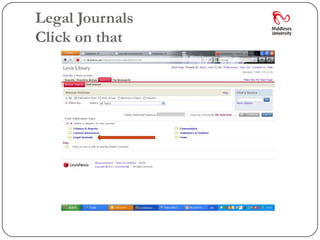
Legal Journals
Click on that
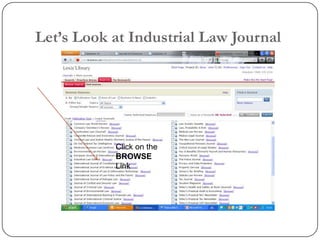
Let’s Look at Industrial Law Journal


           Click on the
           BROWSE
           Link
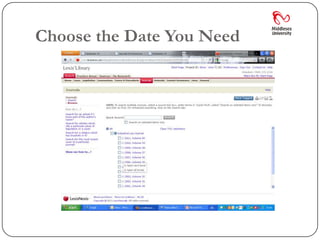
Choose the Date You Need
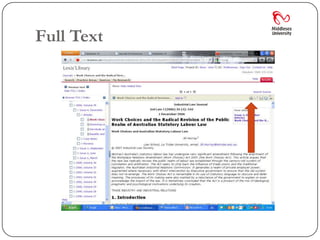
Full Text
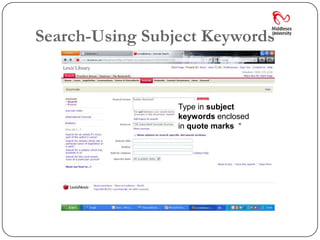
Search-Using Subject Keywords


                 Type in subject
                 keywords enclosed
                 in quote marks “
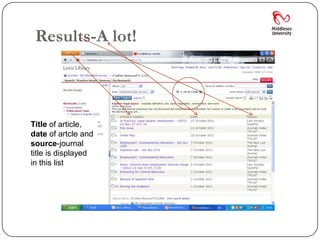
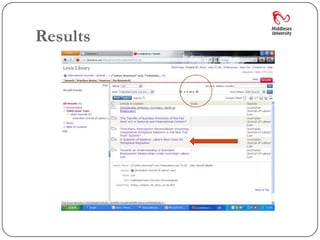
Results-A lot!


Title of article,
date of artcle and
source-journal
title is displayed
in this list
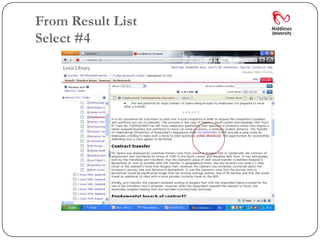
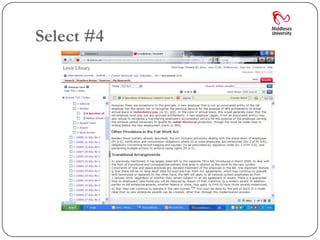
From Result List
Select #4
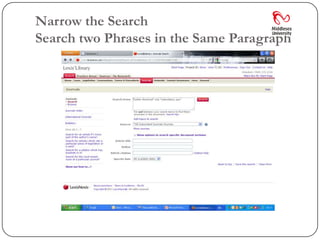
Narrow the Search
Search two Phrases in the Same Paragraph
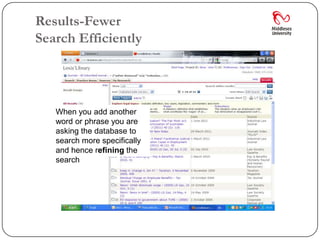
Results-Fewer
Search Efficiently


   When you add another
   word or phrase you are
   asking the database to
   search more specifically
   and hence refining the
   search
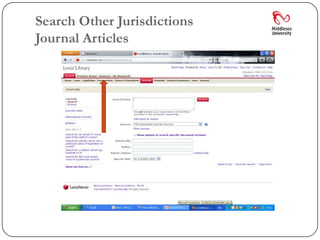
Search Other Jurisdictions
Journal Articles
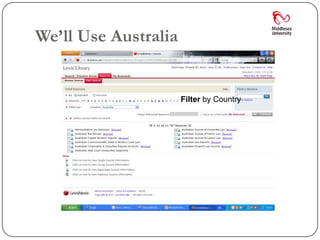
We’ll Use Australia

                 Select Filter by
                 Country by Country
                     Filter
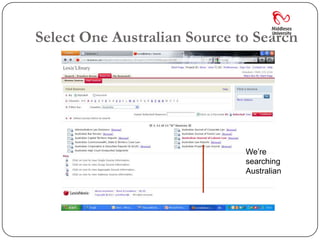
Select One Australian Source to Search


                              We’re
                              searching
                              Australian
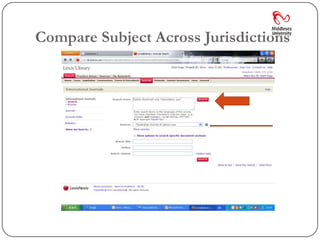
Compare Subject Across Jurisdictions
Results
Select #4
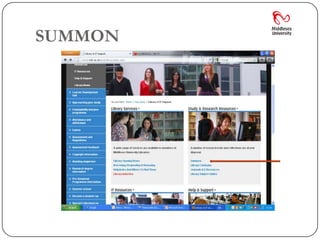
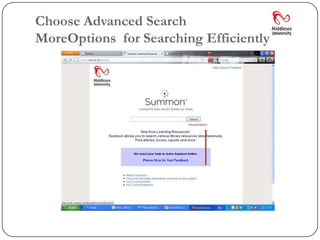
SUMMON
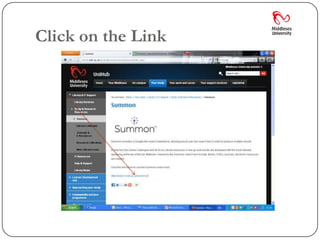
Click on the Link
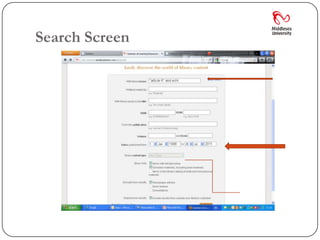
Choose Advanced Search
MoreOptions for Searching Efficiently
Search Screen
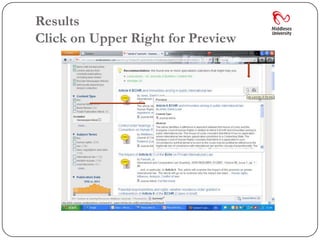
Results
Click on Upper Right for Preview
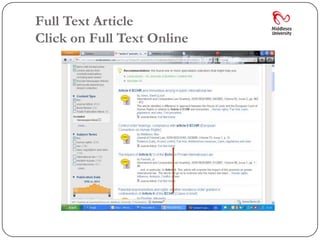
Full Text Article
Click on Full Text Online
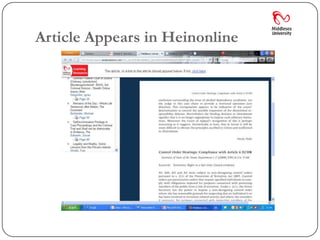
Article Appears in Heinonline
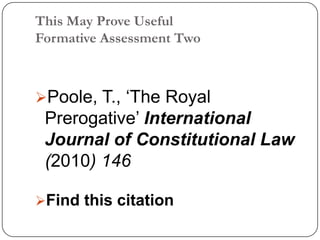
This May Prove Useful
Formative Assessment Two


Poole, T., ‘The Royal
 Prerogative’ International
 Journal of Constitutional Law
 (2010) 146

Find this citation
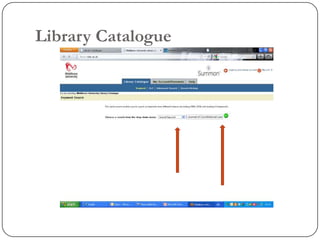
Library Catalogue
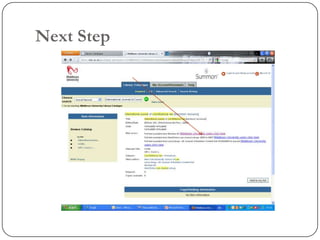
Next Step
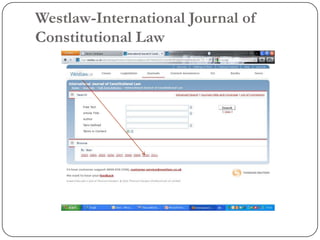
Westlaw-International Journal of
Constitutional Law
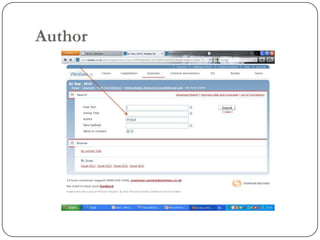
Author
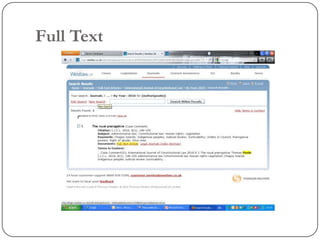
Full Text
Finally.........

I will put this presentation on my Law and
 Legal Research Subject Guide-the Subject
 Specialisms Page


See Library Subject Guides> My
 Sudy>My Library

Llmskillssession#2