CATHERINE FUNNELL
SENIOR LIAISON LIBRARY
SHEPPARD LIBRARY

LEX 4110
ISSUES IN EU LAW
PURPOSE OF SESSION
   Look at a few of the subscription databases with
    some possible topics you might use for your research
    proposal
   Useful websites freely available on the Internet-places
    to start for a literature search or research proposal
    pertaining to EU law
   Briefly look at SUMMON-for multi-database
    searching
LEGAL WRITING AND EFFECTIVE LITERATURE
SEARCHING
   Let‟s start by looking at some useful titles that
    we have in the library for legal writing

“Research and Writing in Law”-Hutchinson
“How to Write Law Essays”-Strong
“How to Write Better Law Essays”-Foster
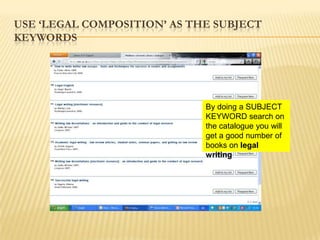
USE „LEGAL COMPOSITION‟ AS THE SUBJECT
KEYWORDS


                             By doing a SUBJECT
                             KEYWORD search on
                             the catalogue you will
                             get a good number of
                             books on legal
                             writing
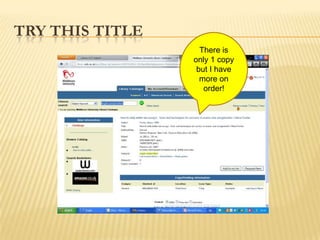
TRY THIS TITLE
                   There is
                 only 1 copy
                  but I have
                   more on
                    order!
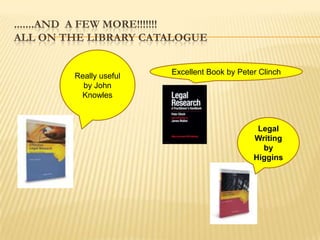
.......AND A FEW MORE!!!!!!!
ALL ON THE LIBRARY CATALOGUE


        Really useful   Excellent Book by Peter Clinch
          by John
         Knowles


                                               Legal
                                              Writing
                                                by
                                              Higgins
EFFECTIVE LITERATURE SEARCHING

   It helps to make a plan first as it may take much
    longer to do your literature search than you
    anticipated!
   You may also need to visit other libraries and/or
    order books /journal articles through Inter-library
    Loan
   Not everything can be found on the Internet!
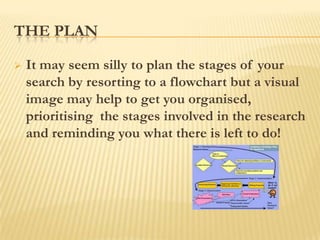
THE PLAN

   It may seem silly to plan the stages of your
    search by resorting to a flowchart but a visual
    image may help to get you organised,
    prioritising the stages involved in the research
    and reminding you what there is left to do!
THE PLAN
 You may want to start by searching for some
  general background information and then
  move to the more specific and current
  information
 Start thinking about specifc subject keywords
  that you would use when structuring your
  search strategies
 Remember alternative terms and spellings eg
  labour/labor, euthanasia/assisted suicide
THE INTERNET

  The Internet may be the quickest and most
   effective tool for accessing EU publications as
   more and more documents are being made
   available online. The EU‟s own website Europa
http://europa.eu/index_en.htm
is the obvious place to start but many find it diificult
   to navigate so you may find it easier to search
   using a search engine such as Google.However.....
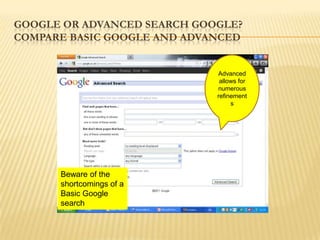
GOOGLE OR ADVANCED SEARCH GOOGLE?
COMPARE BASIC GOOGLE AND ADVANCED


                             Advanced
                              allows for
                             numerous
                             refinement
                                  s


      Beware of the
      shortcomings of a
      Basic Google
      search
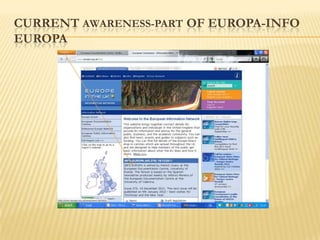
CURRENT AWARENESS-PART OF EUROPA-INFO
EUROPA
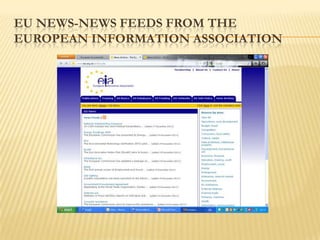
EU NEWS-NEWS FEEDS FROM THE
EUROPEAN INFORMATION ASSOCIATION
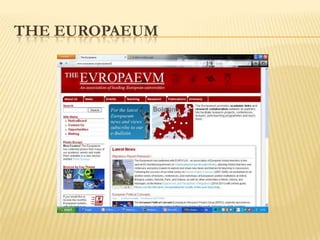
THE EUROPAEUM
ZETOC ALERTS-AVAILABLE FROM THE
DATABASES LISTINGS(MY UNIHUB)
   Zetoc provides access to the British Library‟s Electronic Table
    of Contents of around 20,000 current journals published each
    year
   Database covers 1993 to date and is updated daily
   Includes an email alerting service to enable you to stay up to
    date with relevant new articles and papers in your area of
    research
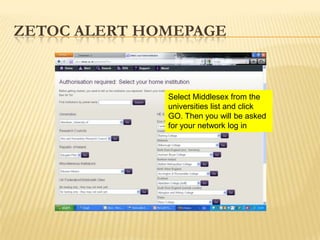
ZETOC ALERT HOMEPAGE


              Select Middlesex from the
              universities list and click
              GO. Then you will be asked
              for your network log in
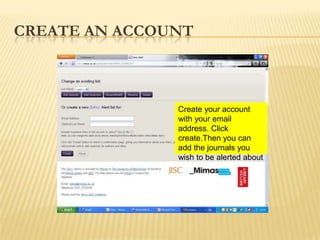
CREATE AN ACCOUNT


               Create your account
               with your email
               address. Click
               create.Then you can
               add the journals you
               wish to be alerted about
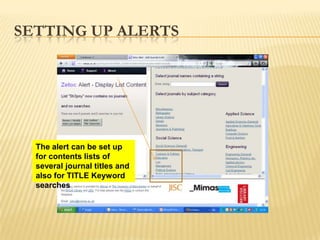
SETTING UP ALERTS


  The alert can be set up
  for contents lists of
  several journal titles and
  also for TITLE Keyword
  searches
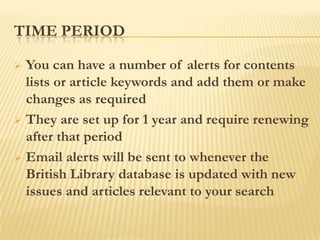
TIME PERIOD

 You can have a number of alerts for contents
  lists or article keywords and add them or make
  changes as required
 They are set up for 1 year and require renewing
  after that period
 Email alerts will be sent to whenever the
  British Library database is updated with new
  issues and articles relevant to your search
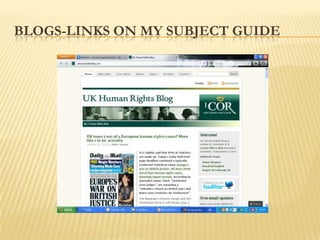
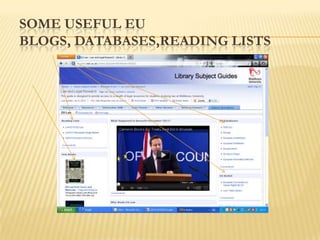
BLOGS-LINKS ON MY SUBJECT GUIDE
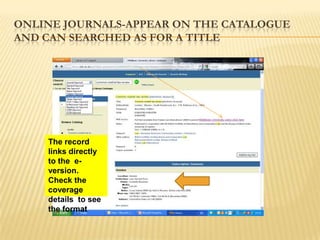
ONLINE JOURNALS-APPEAR ON THE CATALOGUE
AND CAN SEARCHED AS FOR A TITLE


    The record
    links directly
    to the e-
    version.
    Check the
    coverage
    details to see
    the format
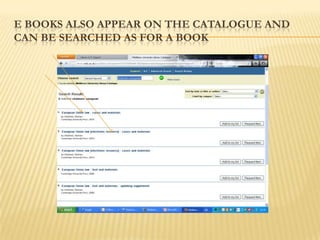
E BOOKS ALSO APPEAR ON THE CATALOGUE AND
CAN BE SEARCHED AS FOR A BOOK
ACCESSING E BOOKS AND ONLINE
JOURNALS-
 Access for all online or electronic resources to
  which Learning resources subscribes will
  requite a log in
 This is to identify users as Middlesex students
  or staff and therefore eligible under the user
  licence
 At some point then a log in screen will appear
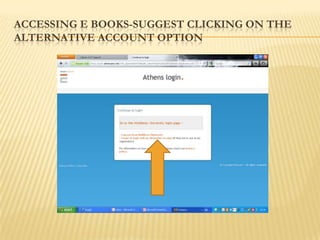
ACCESSING E BOOKS-SUGGEST CLICKING ON THE
ALTERNATIVE ACCOUNT OPTION
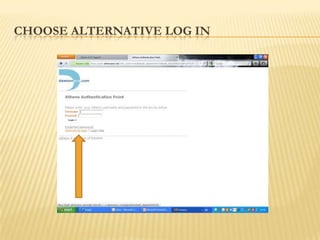
CHOOSE ALTERNATIVE LOG IN
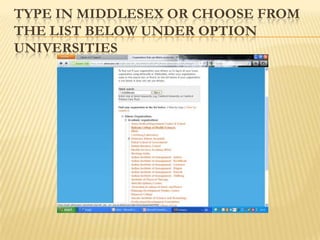
TYPE IN MIDDLESEX OR CHOOSE FROM
THE LIST BELOW UNDER OPTION
UNIVERSITIES
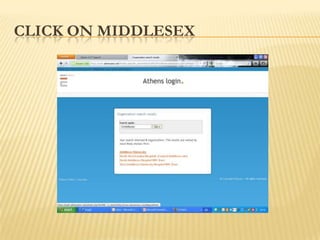
CLICK ON MIDDLESEX
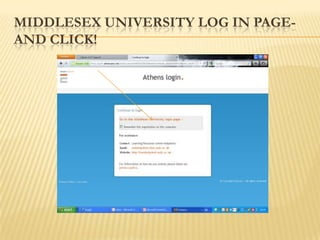
MIDDLESEX UNIVERSITY LOG IN PAGE-
AND CLICK!
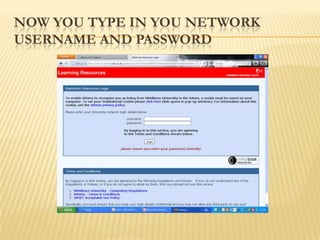
NOW YOU TYPE IN YOU NETWORK
USERNAME AND PASSWORD
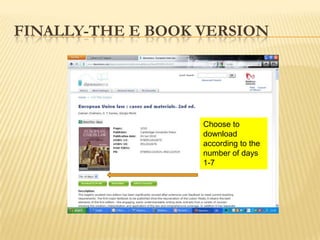
FINALLY-THE E BOOK VERSION


                  Choose from the
                   Choose to
                  options 1-7 number
                   download
                  of days you to the to
                   according want
                  download of days
                   number
                   1-7
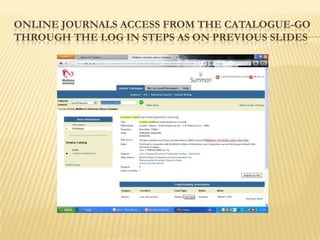
ONLINE JOURNALS ACCESS FROM THE CATALOGUE-GO
THROUGH THE LOG IN STEPS AS ON PREVIOUS SLIDES
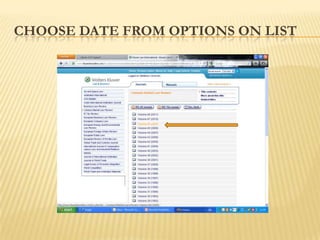
CHOOSE DATE FROM OPTIONS ON LIST
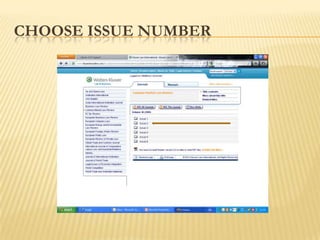
CHOOSE ISSUE NUMBER
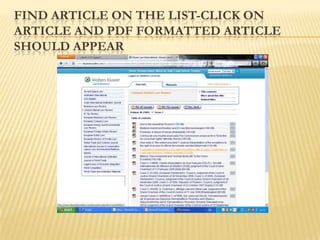
FIND ARTICLE ON THE LIST-CLICK ON
ARTICLE AND PDF FORMATTED ARTICLE
SHOULD APPEAR
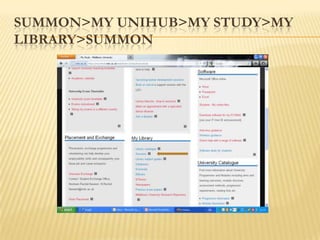
SUMMON>MY UNIHUB>MY STUDY>MY
LIBRARY>SUMMON
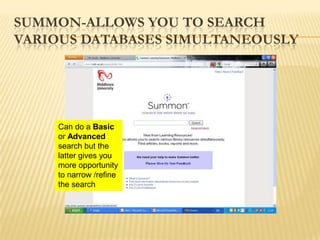
SUMMON-ALLOWS YOU TO SEARCH
VARIOUS DATABASES SIMULTANEOUSLY


    Can do a Basic
    or Advanced
    search but the
    latter gives you
    more opportunity
    to narrow /refine
    the search
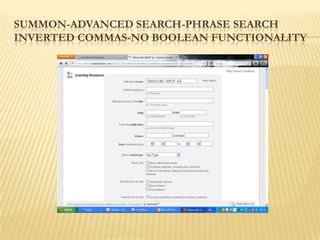
SUMMON-ADVANCED SEARCH-PHRASE SEARCH
INVERTED COMMAS-NO BOOLEAN FUNCTIONALITY
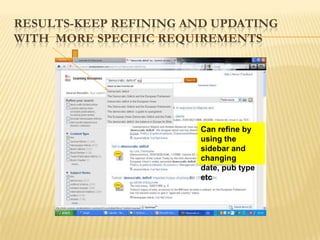
RESULTS-KEEP REFINING AND UPDATING
WITH MORE SPECIFIC REQUIREMENTS


                              Can refine by
                   Change the date, type of
                              using the
                   publication, subject terms
                              sidebar and
                   to get fewer and more
                              changing
                   meaningful results
                              date, pub type
                              etc
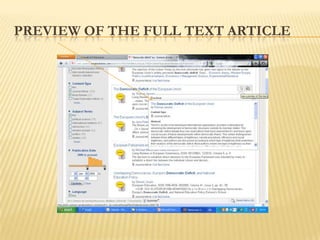
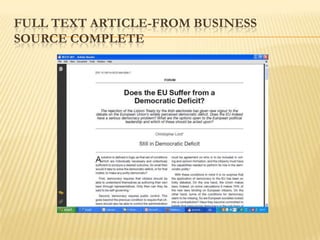
PREVIEW OF THE FULL TEXT ARTICLE
FULL TEXT ARTICLE-FROM BUSINESS
SOURCE COMPLETE
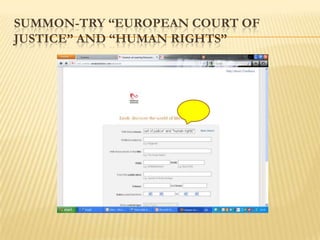
SUMMON-TRY “EUROPEAN COURT OF
JUSTICE” AND “HUMAN RIGHTS”
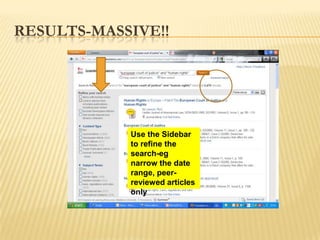
RESULTS-MASSIVE!!


            Use the Sidebar
            to refine the
            search-eg
            narrow the date
            range, peer-
            reviewed articles
            only
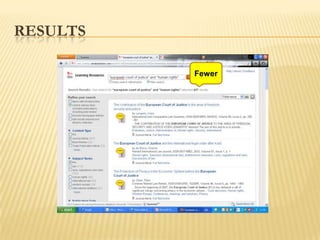
RESULTS

          Fewer
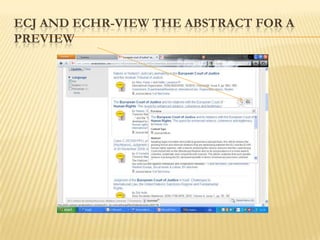
ECJ AND ECHR-VIEW THE ABSTRACT FOR A
PREVIEW
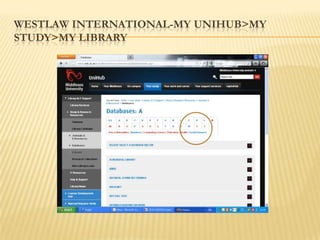
WESTLAW INTERNATIONAL-MY UNIHUB>MY
STUDY>MY LIBRARY
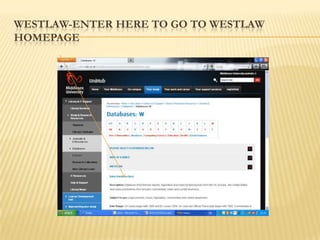
WESTLAW-ENTER HERE TO GO TO WESTLAW
HOMEPAGE
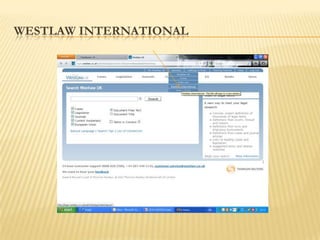
WESTLAW INTERNATIONAL
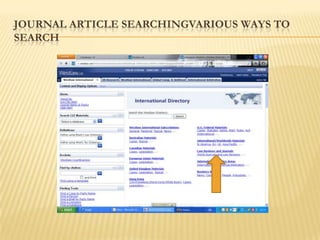
JOURNAL ARTICLE SEARCHINGVARIOUS WAYS TO
SEARCH
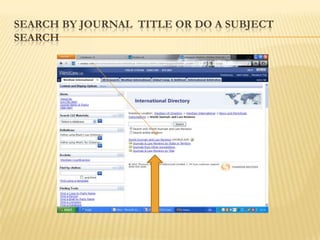
SEARCH BY JOURNAL TITLE OR DO A SUBJECT
SEARCH
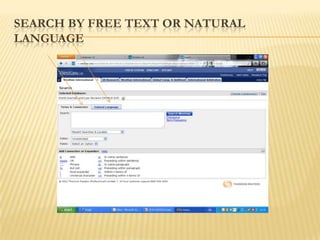
SEARCH BY FREE TEXT OR NATURAL
LANGUAGE
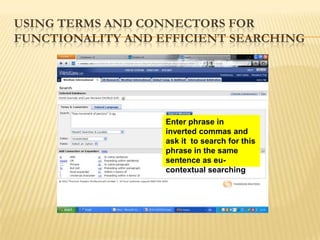
USING TERMS AND CONNECTORS FOR
FUNCTIONALITY AND EFFICIENT SEARCHING


                   Enter phrase in
                   inverted commas and
                   ask it to search for this
                   phrase in the same
                   sentence as eu-
                   contextual searching
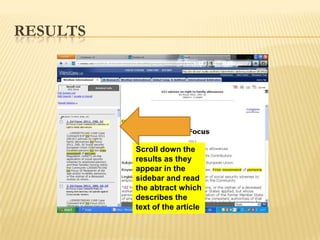
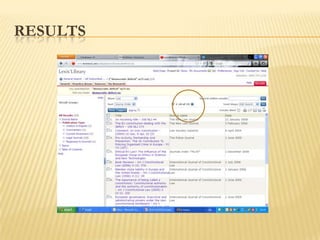
RESULTS


          Scroll down the
          results as they
          appear in the
          sidebar and read
          the abtract which
          describes the
          text of the article
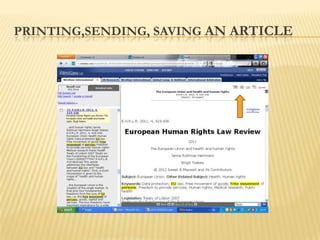
PRINTING,SENDING, SAVING AN ARTICLE
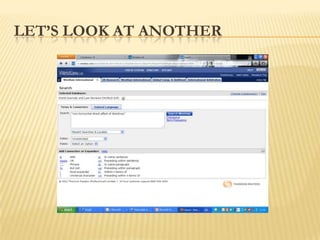
LET‟S LOOK AT ANOTHER
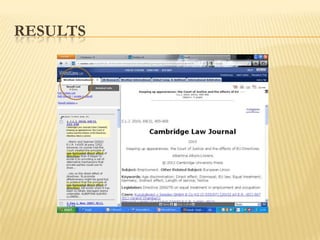
RESULTS
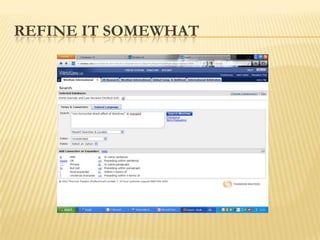
REFINE IT SOMEWHAT
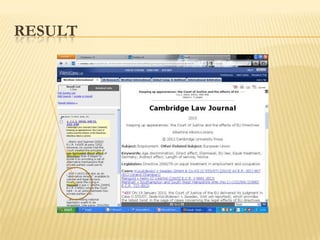
RESULT
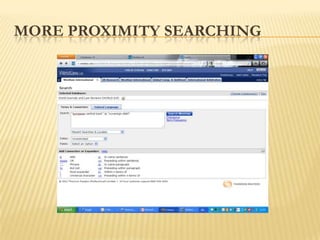
MORE PROXIMITY SEARCHING
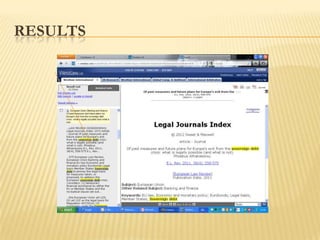
RESULTS
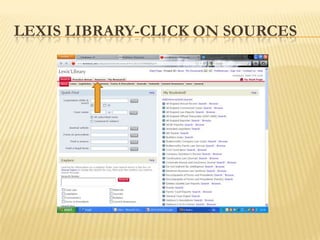
LEXIS LIBRARY-CLICK ON SOURCES
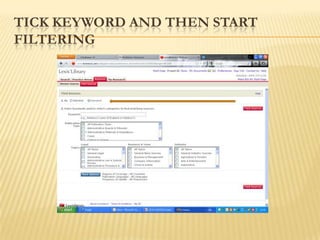
TICK KEYWORD AND THEN START
FILTERING
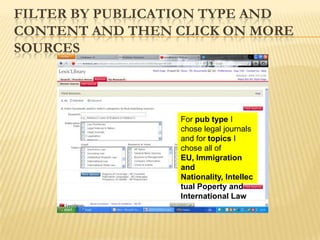
FILTER BY PUBLICATION TYPE AND
CONTENT AND THEN CLICK ON MORE
SOURCES


                 For pub type I
                 chose legal journals
                 and for topics I
                 chose all of
                 EU, Immigration
                 and
                 Nationality, Intellec
                 tual Poperty and
                 International Law
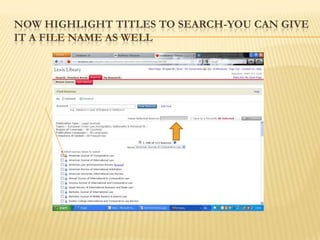
NOW HIGHLIGHT TITLES TO SEARCH-YOU CAN GIVE
IT A FILE NAME AS WELL
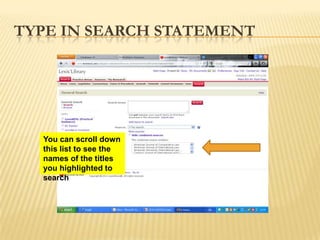
TYPE IN SEARCH STATEMENT


  You can scroll down
  this list to see the
  names of the titles
  you highlighted to
  search
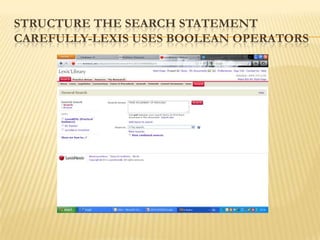
STRUCTURE THE SEARCH STATEMENT
CAREFULLY-LEXIS USES BOOLEAN OPERATORS
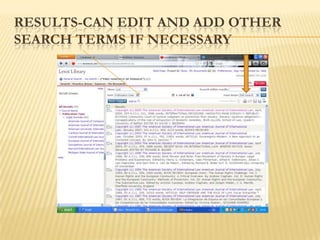
RESULTS-CAN EDIT AND ADD OTHER
SEARCH TERMS IF NECESSARY
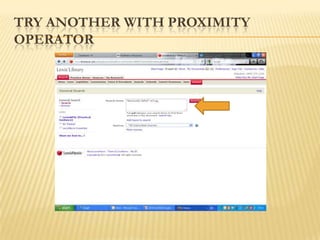
TRY ANOTHER WITH PROXIMITY
OPERATOR
RESULTS
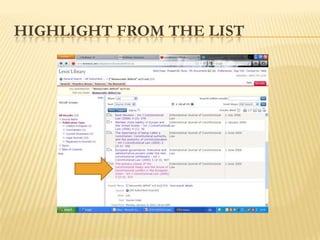
HIGHLIGHT FROM THE LIST
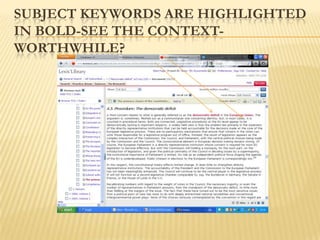
SUBJECT KEYWORDS ARE HIGHLIGHTED
IN BOLD-SEE THE CONTEXT-
WORTHWHILE?
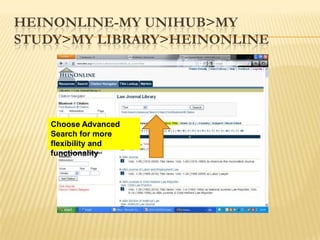
HEINONLINE-MY UNIHUB>MY
STUDY>MY LIBRARY>HEINONLINE


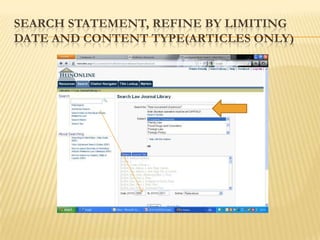
   Choose Advanced
   Search for more
   flexibility and
   functionality
SEARCH STATEMENT, REFINE BY LIMITING
DATE AND CONTENT TYPE(ARTICLES ONLY)
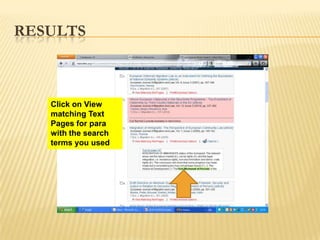
RESULTS


   Click on View
   matching Text
   Pages for para
   with the search
   terms you used
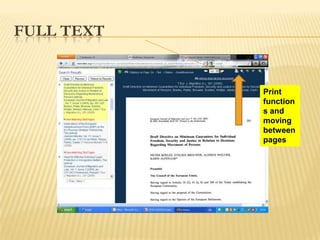
FULL TEXT


            Print
            function
            s and
            moving
            between
            pages
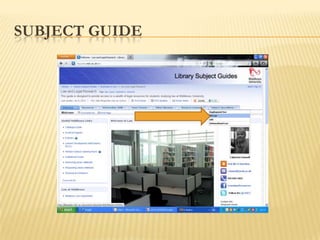
SUBJECT GUIDE
SOME USEFUL EU
BLOGS, DATABASES,READING LISTS

Lex4110 joe2012

  • 1.
    CATHERINE FUNNELL SENIOR LIAISONLIBRARY SHEPPARD LIBRARY LEX 4110 ISSUES IN EU LAW
  • 2.
    PURPOSE OF SESSION  Look at a few of the subscription databases with some possible topics you might use for your research proposal  Useful websites freely available on the Internet-places to start for a literature search or research proposal pertaining to EU law  Briefly look at SUMMON-for multi-database searching
  • 3.
    LEGAL WRITING ANDEFFECTIVE LITERATURE SEARCHING  Let‟s start by looking at some useful titles that we have in the library for legal writing “Research and Writing in Law”-Hutchinson “How to Write Law Essays”-Strong “How to Write Better Law Essays”-Foster
  • 4.
    USE „LEGAL COMPOSITION‟AS THE SUBJECT KEYWORDS By doing a SUBJECT KEYWORD search on the catalogue you will get a good number of books on legal writing
  • 5.
    TRY THIS TITLE There is only 1 copy but I have more on order!
  • 6.
    .......AND A FEWMORE!!!!!!! ALL ON THE LIBRARY CATALOGUE Really useful Excellent Book by Peter Clinch by John Knowles Legal Writing by Higgins
  • 7.
    EFFECTIVE LITERATURE SEARCHING  It helps to make a plan first as it may take much longer to do your literature search than you anticipated!  You may also need to visit other libraries and/or order books /journal articles through Inter-library Loan  Not everything can be found on the Internet!
  • 8.
    THE PLAN  It may seem silly to plan the stages of your search by resorting to a flowchart but a visual image may help to get you organised, prioritising the stages involved in the research and reminding you what there is left to do!
  • 9.
    THE PLAN  Youmay want to start by searching for some general background information and then move to the more specific and current information  Start thinking about specifc subject keywords that you would use when structuring your search strategies  Remember alternative terms and spellings eg labour/labor, euthanasia/assisted suicide
  • 10.
    THE INTERNET  The Internet may be the quickest and most effective tool for accessing EU publications as more and more documents are being made available online. The EU‟s own website Europa http://europa.eu/index_en.htm is the obvious place to start but many find it diificult to navigate so you may find it easier to search using a search engine such as Google.However.....
  • 11.
    GOOGLE OR ADVANCEDSEARCH GOOGLE? COMPARE BASIC GOOGLE AND ADVANCED Advanced allows for numerous refinement s Beware of the shortcomings of a Basic Google search
  • 12.
    CURRENT AWARENESS-PART OFEUROPA-INFO EUROPA
  • 13.
    EU NEWS-NEWS FEEDSFROM THE EUROPEAN INFORMATION ASSOCIATION
  • 14.
  • 15.
    ZETOC ALERTS-AVAILABLE FROMTHE DATABASES LISTINGS(MY UNIHUB)  Zetoc provides access to the British Library‟s Electronic Table of Contents of around 20,000 current journals published each year  Database covers 1993 to date and is updated daily  Includes an email alerting service to enable you to stay up to date with relevant new articles and papers in your area of research
  • 16.
    ZETOC ALERT HOMEPAGE Select Middlesex from the universities list and click GO. Then you will be asked for your network log in
  • 17.
    CREATE AN ACCOUNT Create your account with your email address. Click create.Then you can add the journals you wish to be alerted about
  • 18.
    SETTING UP ALERTS The alert can be set up for contents lists of several journal titles and also for TITLE Keyword searches
  • 19.
    TIME PERIOD  Youcan have a number of alerts for contents lists or article keywords and add them or make changes as required  They are set up for 1 year and require renewing after that period  Email alerts will be sent to whenever the British Library database is updated with new issues and articles relevant to your search
  • 20.
    BLOGS-LINKS ON MYSUBJECT GUIDE
  • 21.
    ONLINE JOURNALS-APPEAR ONTHE CATALOGUE AND CAN SEARCHED AS FOR A TITLE The record links directly to the e- version. Check the coverage details to see the format
  • 22.
    E BOOKS ALSOAPPEAR ON THE CATALOGUE AND CAN BE SEARCHED AS FOR A BOOK
  • 23.
    ACCESSING E BOOKSAND ONLINE JOURNALS-  Access for all online or electronic resources to which Learning resources subscribes will requite a log in  This is to identify users as Middlesex students or staff and therefore eligible under the user licence  At some point then a log in screen will appear
  • 24.
    ACCESSING E BOOKS-SUGGESTCLICKING ON THE ALTERNATIVE ACCOUNT OPTION
  • 25.
  • 26.
    TYPE IN MIDDLESEXOR CHOOSE FROM THE LIST BELOW UNDER OPTION UNIVERSITIES
  • 27.
  • 28.
    MIDDLESEX UNIVERSITY LOGIN PAGE- AND CLICK!
  • 29.
    NOW YOU TYPEIN YOU NETWORK USERNAME AND PASSWORD
  • 30.
    FINALLY-THE E BOOKVERSION Choose from the Choose to options 1-7 number download of days you to the to according want download of days number 1-7
  • 31.
    ONLINE JOURNALS ACCESSFROM THE CATALOGUE-GO THROUGH THE LOG IN STEPS AS ON PREVIOUS SLIDES
  • 32.
    CHOOSE DATE FROMOPTIONS ON LIST
  • 33.
  • 34.
    FIND ARTICLE ONTHE LIST-CLICK ON ARTICLE AND PDF FORMATTED ARTICLE SHOULD APPEAR
  • 35.
  • 36.
    SUMMON-ALLOWS YOU TOSEARCH VARIOUS DATABASES SIMULTANEOUSLY Can do a Basic or Advanced search but the latter gives you more opportunity to narrow /refine the search
  • 37.
    SUMMON-ADVANCED SEARCH-PHRASE SEARCH INVERTEDCOMMAS-NO BOOLEAN FUNCTIONALITY
  • 38.
    RESULTS-KEEP REFINING ANDUPDATING WITH MORE SPECIFIC REQUIREMENTS Can refine by Change the date, type of using the publication, subject terms sidebar and to get fewer and more changing meaningful results date, pub type etc
  • 39.
    PREVIEW OF THEFULL TEXT ARTICLE
  • 40.
    FULL TEXT ARTICLE-FROMBUSINESS SOURCE COMPLETE
  • 41.
    SUMMON-TRY “EUROPEAN COURTOF JUSTICE” AND “HUMAN RIGHTS”
  • 42.
    RESULTS-MASSIVE!! Use the Sidebar to refine the search-eg narrow the date range, peer- reviewed articles only
  • 43.
    RESULTS Fewer
  • 44.
    ECJ AND ECHR-VIEWTHE ABSTRACT FOR A PREVIEW
  • 45.
  • 46.
    WESTLAW-ENTER HERE TOGO TO WESTLAW HOMEPAGE
  • 47.
  • 48.
  • 49.
    SEARCH BY JOURNALTITLE OR DO A SUBJECT SEARCH
  • 50.
    SEARCH BY FREETEXT OR NATURAL LANGUAGE
  • 51.
    USING TERMS ANDCONNECTORS FOR FUNCTIONALITY AND EFFICIENT SEARCHING Enter phrase in inverted commas and ask it to search for this phrase in the same sentence as eu- contextual searching
  • 52.
    RESULTS Scroll down the results as they appear in the sidebar and read the abtract which describes the text of the article
  • 53.
  • 54.
  • 55.
  • 56.
  • 57.
  • 58.
  • 59.
  • 60.
  • 61.
    TICK KEYWORD ANDTHEN START FILTERING
  • 62.
    FILTER BY PUBLICATIONTYPE AND CONTENT AND THEN CLICK ON MORE SOURCES For pub type I chose legal journals and for topics I chose all of EU, Immigration and Nationality, Intellec tual Poperty and International Law
  • 63.
    NOW HIGHLIGHT TITLESTO SEARCH-YOU CAN GIVE IT A FILE NAME AS WELL
  • 64.
    TYPE IN SEARCHSTATEMENT You can scroll down this list to see the names of the titles you highlighted to search
  • 65.
    STRUCTURE THE SEARCHSTATEMENT CAREFULLY-LEXIS USES BOOLEAN OPERATORS
  • 66.
    RESULTS-CAN EDIT ANDADD OTHER SEARCH TERMS IF NECESSARY
  • 67.
    TRY ANOTHER WITHPROXIMITY OPERATOR
  • 68.
  • 69.
  • 70.
    SUBJECT KEYWORDS AREHIGHLIGHTED IN BOLD-SEE THE CONTEXT- WORTHWHILE?
  • 71.
    HEINONLINE-MY UNIHUB>MY STUDY>MY LIBRARY>HEINONLINE Choose Advanced Search for more flexibility and functionality
  • 72.
    SEARCH STATEMENT, REFINEBY LIMITING DATE AND CONTENT TYPE(ARTICLES ONLY)
  • 73.
    RESULTS Click on View matching Text Pages for para with the search terms you used
  • 74.
    FULL TEXT Print function s and moving between pages
  • 75.
  • 76.
    SOME USEFUL EU BLOGS,DATABASES,READING LISTS