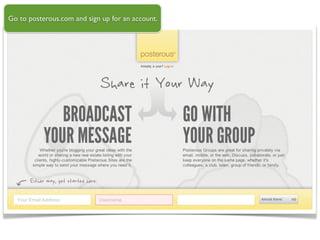
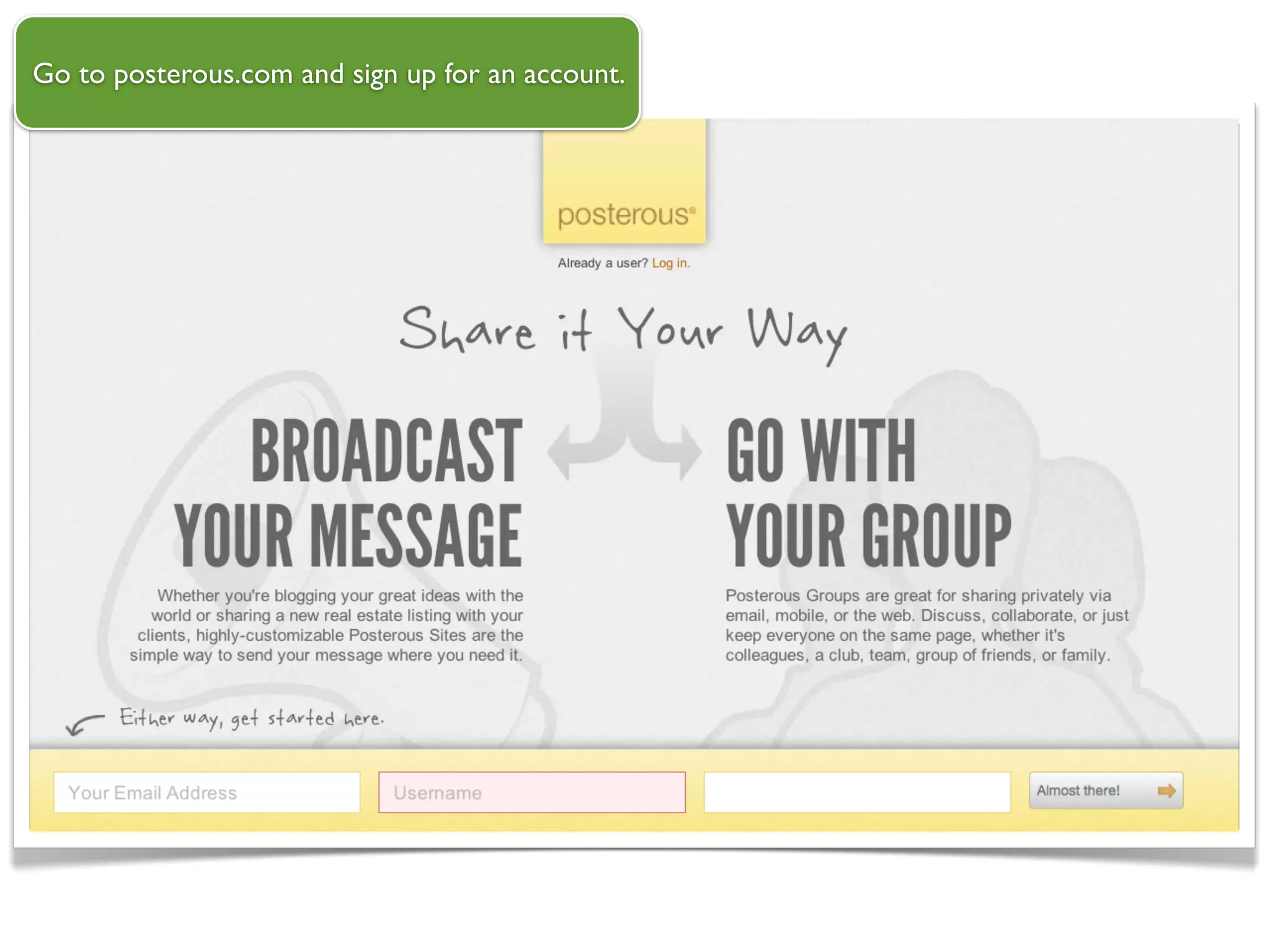
Go to posterous.com and sign up for an account.
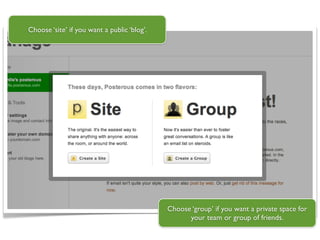
Choose ‘site’ if you want a public ‘blog’.


                                             Choose ‘group’ if you want a private space for
                                                   your team or group of friends.
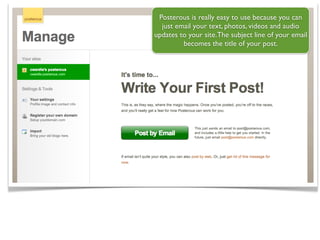
Posterous is really easy to use because you can
  just email your text, photos, videos and audio
updates to your site.The subject line of your email
         becomes the title of your post.
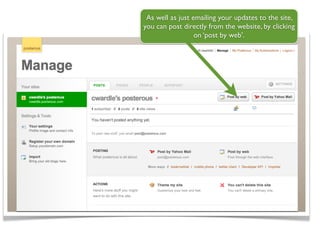
As well as just emailing your updates to the site,
you can post directly from the website, by clicking
                  on ‘post by web’.
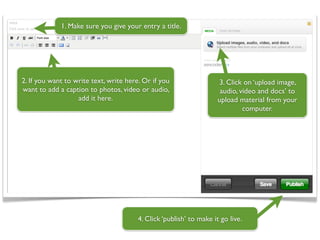
1. Make sure you give your entry a title.


2. If you want to write text, write here. Or if you                  3. Click on ‘upload image,
want to add a caption to photos, video or audio,                      audio, video and docs’ to
                   add it here.                                      upload material from your
                                                                              computer.


                                        4. Click ‘publish’ to make it go live.
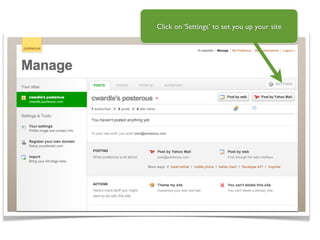
Click on ‘Settings’ to set you up your site
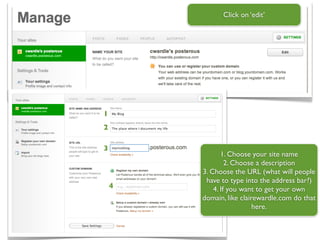
Click on ‘edit’


1
2

3
               1. Choose your site name
                 2. Choose a description
        3. Choose the URL (what will people
         have to type into the address bar?)
    4       4. If you want to get your own
        domain, like clairewardle.com do that
                          here.
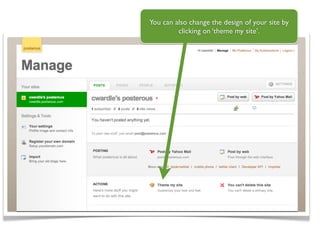
You can also change the design of your site by
         clicking on ‘theme my site’.
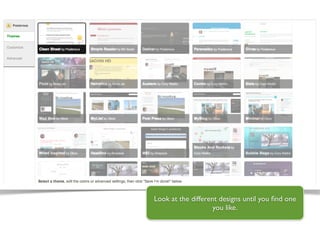
Look at the different designs until you find one
                    you like.
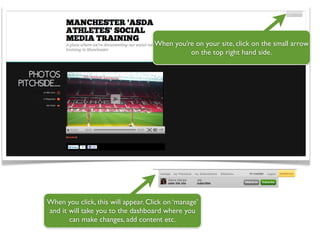
When you’re on your site, click on the small arrow
                                              on the top right hand side.


When you click, this will appear. Click on ‘manage’
and it will take you to the dashboard where you
       can make changes, add content etc.

Posterous guide

  • 1.
    Go to posterous.comand sign up for an account.
  • 2.
    Choose ‘site’ ifyou want a public ‘blog’. Choose ‘group’ if you want a private space for your team or group of friends.
  • 3.
    Posterous is reallyeasy to use because you can just email your text, photos, videos and audio updates to your site.The subject line of your email becomes the title of your post.
  • 4.
    As well asjust emailing your updates to the site, you can post directly from the website, by clicking on ‘post by web’.
  • 5.
    1. Make sureyou give your entry a title. 2. If you want to write text, write here. Or if you 3. Click on ‘upload image, want to add a caption to photos, video or audio, audio, video and docs’ to add it here. upload material from your computer. 4. Click ‘publish’ to make it go live.
  • 6.
    Click on ‘Settings’to set you up your site
  • 7.
    Click on ‘edit’ 1 2 3 1. Choose your site name 2. Choose a description 3. Choose the URL (what will people have to type into the address bar?) 4 4. If you want to get your own domain, like clairewardle.com do that here.
  • 8.
    You can alsochange the design of your site by clicking on ‘theme my site’.
  • 9.
    Look at thedifferent designs until you find one you like.
  • 10.
    When you’re onyour site, click on the small arrow on the top right hand side. When you click, this will appear. Click on ‘manage’ and it will take you to the dashboard where you can make changes, add content etc.