

Web Usability for Designers

Ben Woods

09.24.2009
Topics

• Usability: What is it?
  • Examples
• Selected Guidelines for Usability
• Do it yourself Usability Testing
• Learning More
• QA
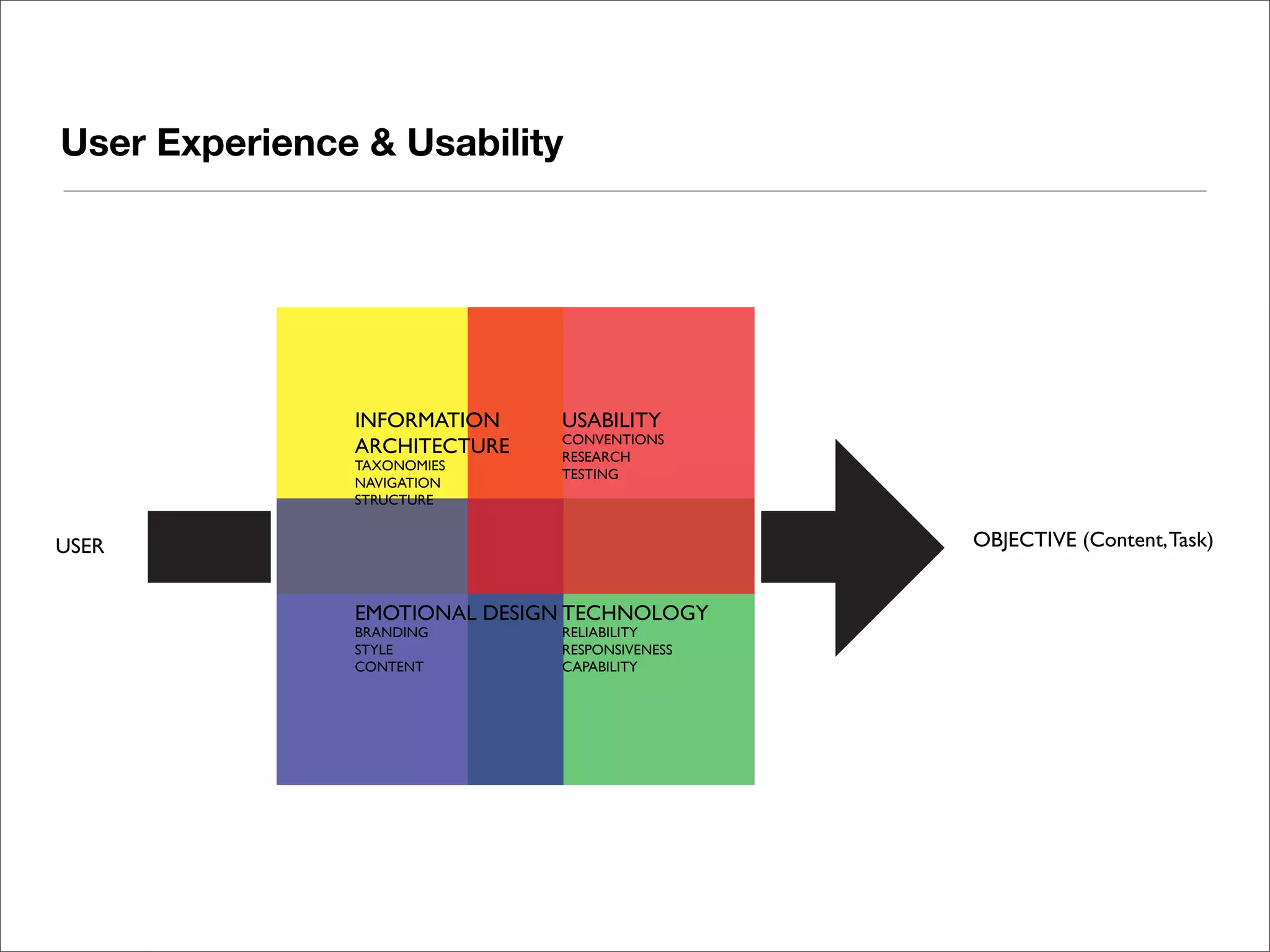
User Experience & Usability


               INFORMATION    USABILITY
                              CONVENTIONS
               ARCHITECTURE   RESEARCH
               TAXONOMIES
                              TESTING
               NAVIGATION
               STRUCTURE


USER                                           OBJECTIVE (Content, Task)


               EMOTIONAL DESIGN TECHNOLOGY
               BRANDING       RELIABILITY
               STYLE          RESPONSIVENESS
               CONTENT        CAPABILITY
User Experience


 Ensuring your audience can
 achieve their goals through
 thoughtful, meaningful design
Usability


 Usability is the degree to which
 something - software, hardware
 or anything else - is easy to use
 and a good fit for the people who
 use it.

 -UPA
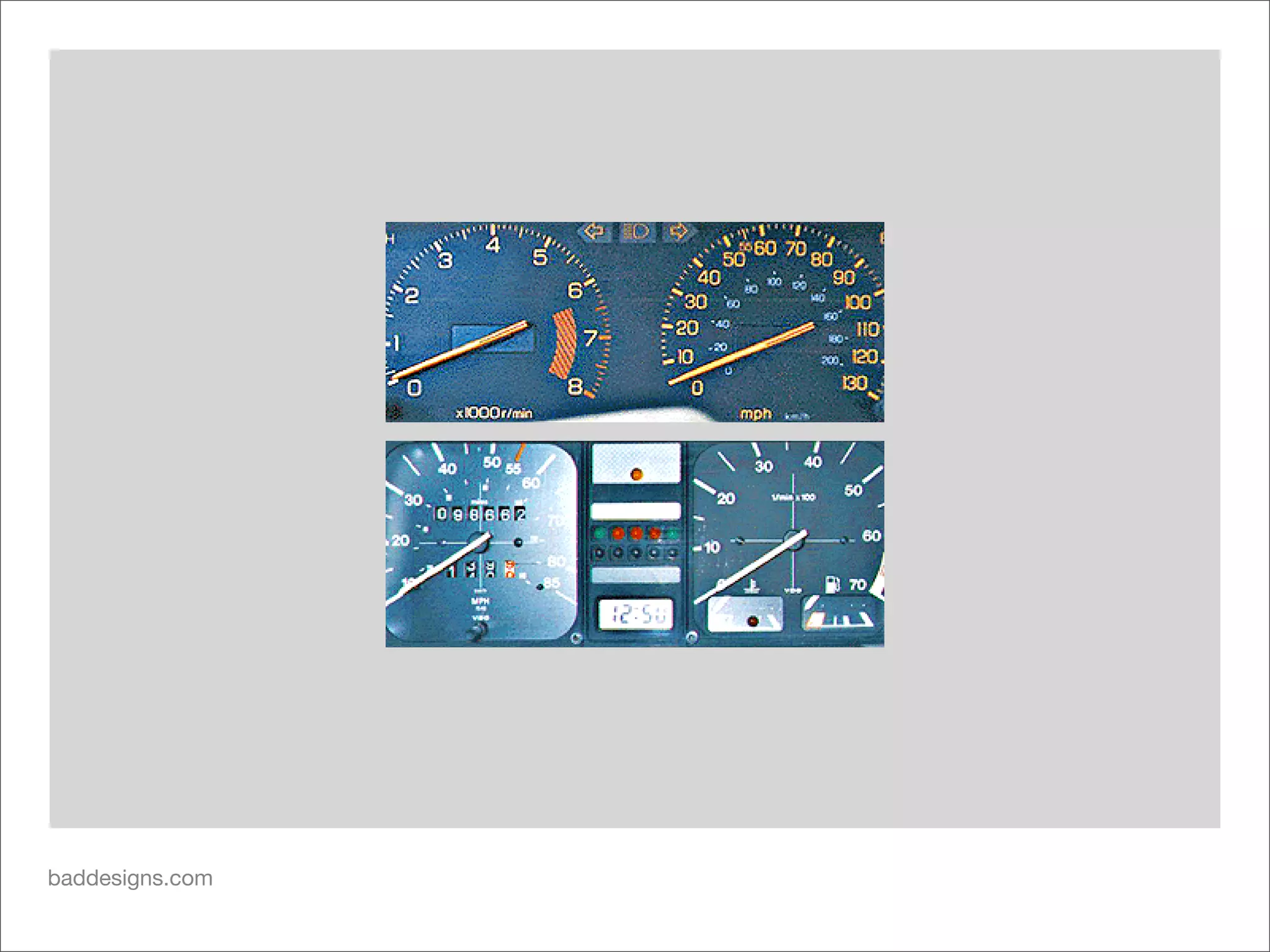
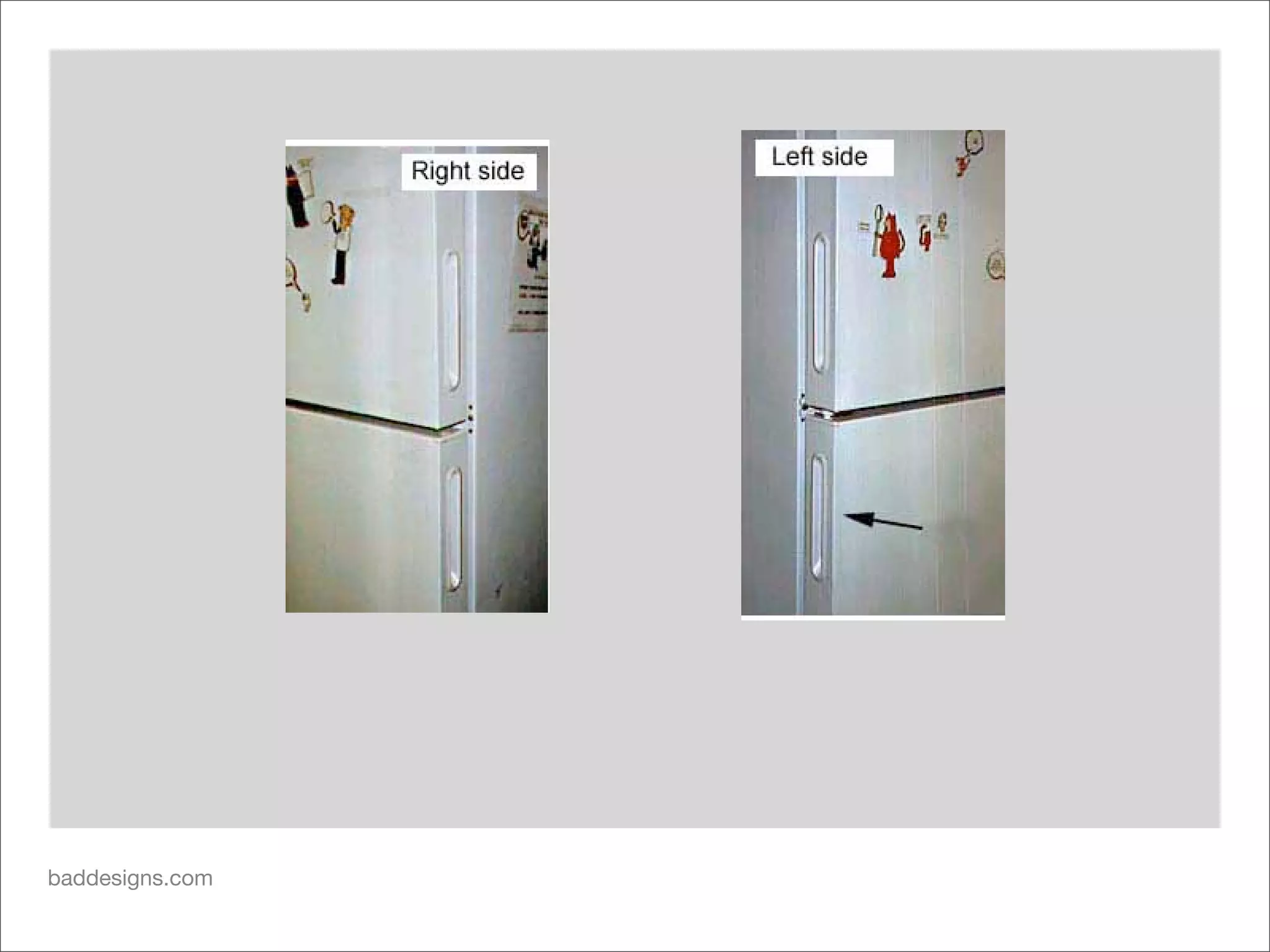
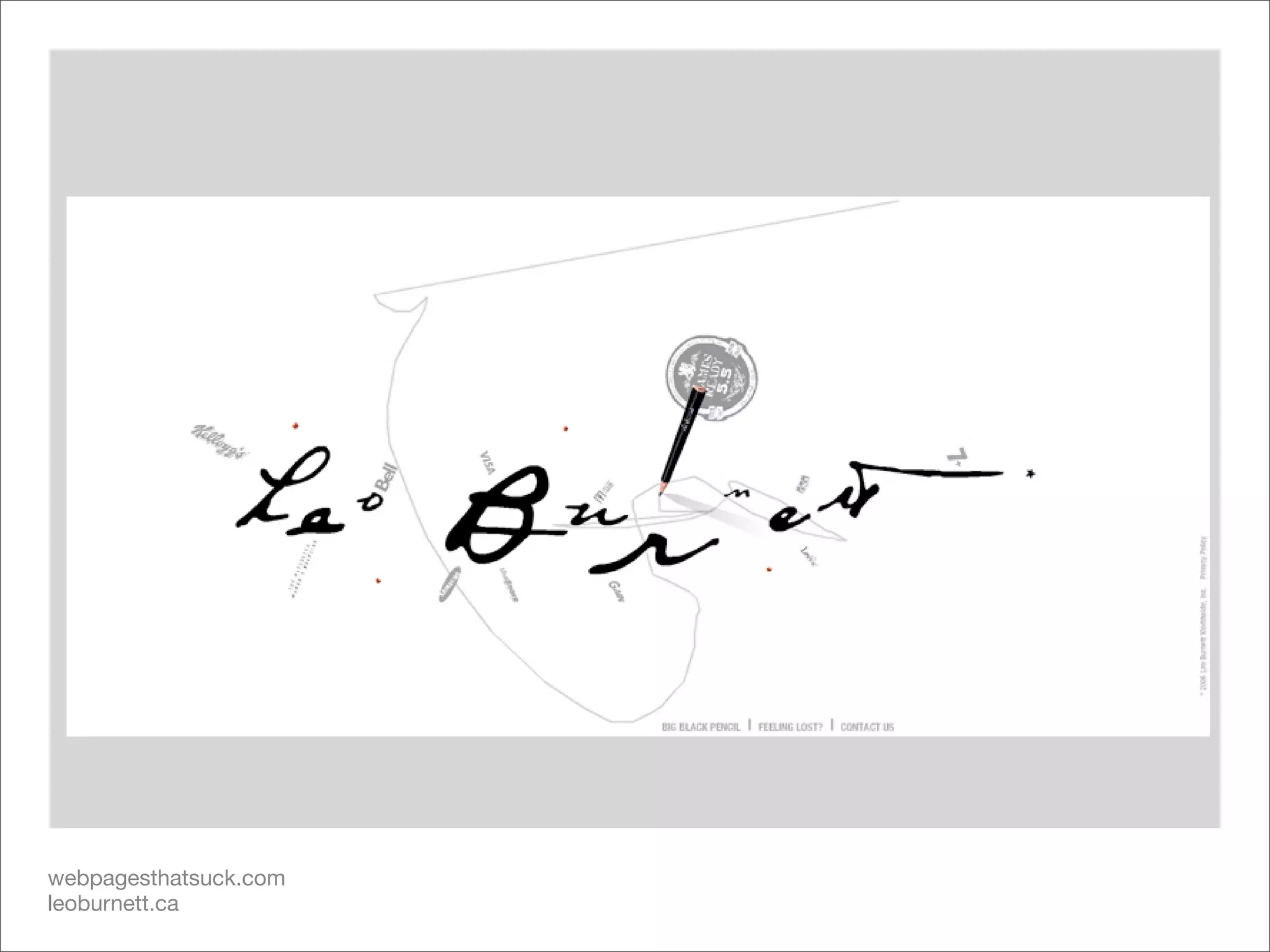
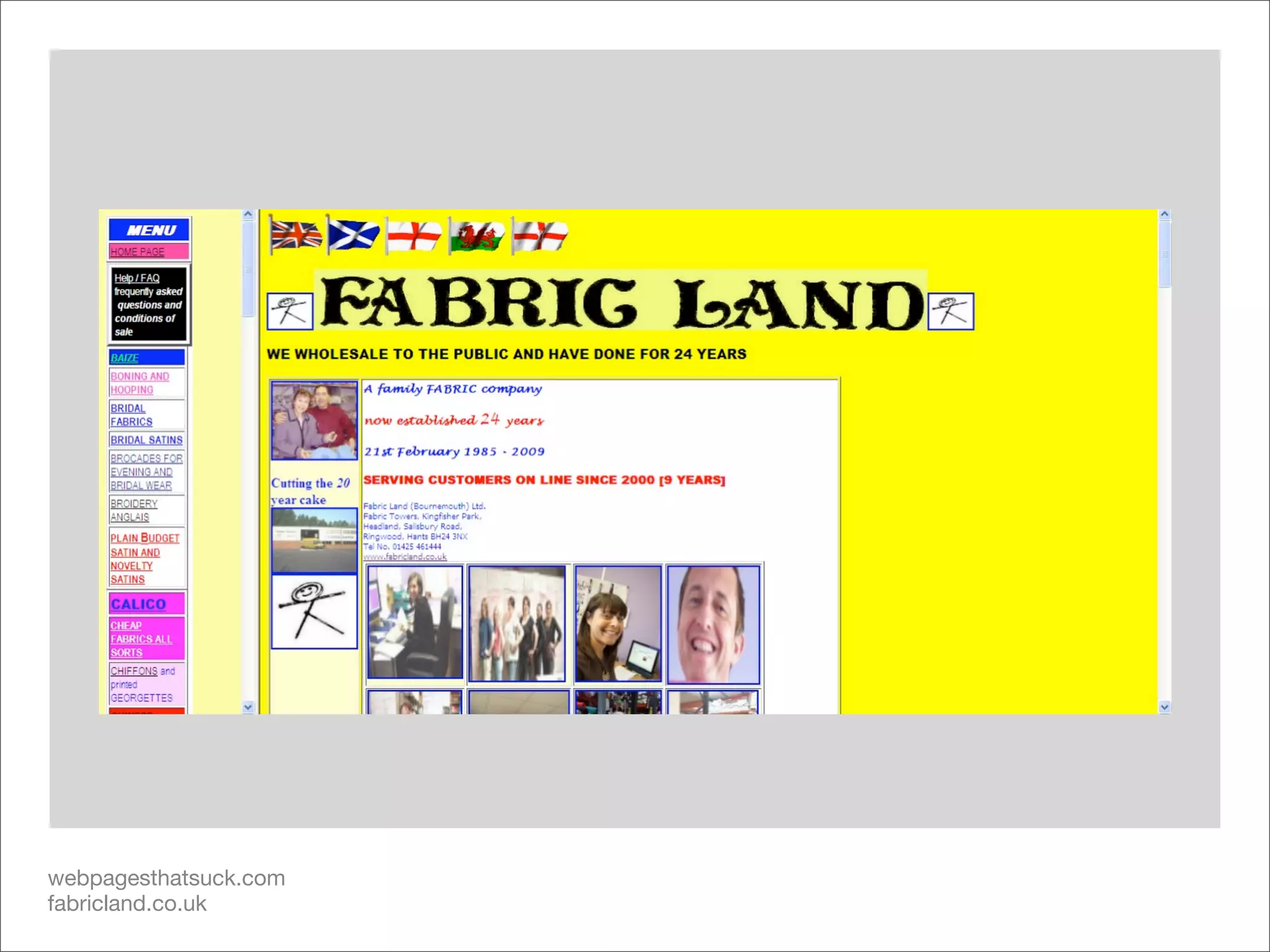
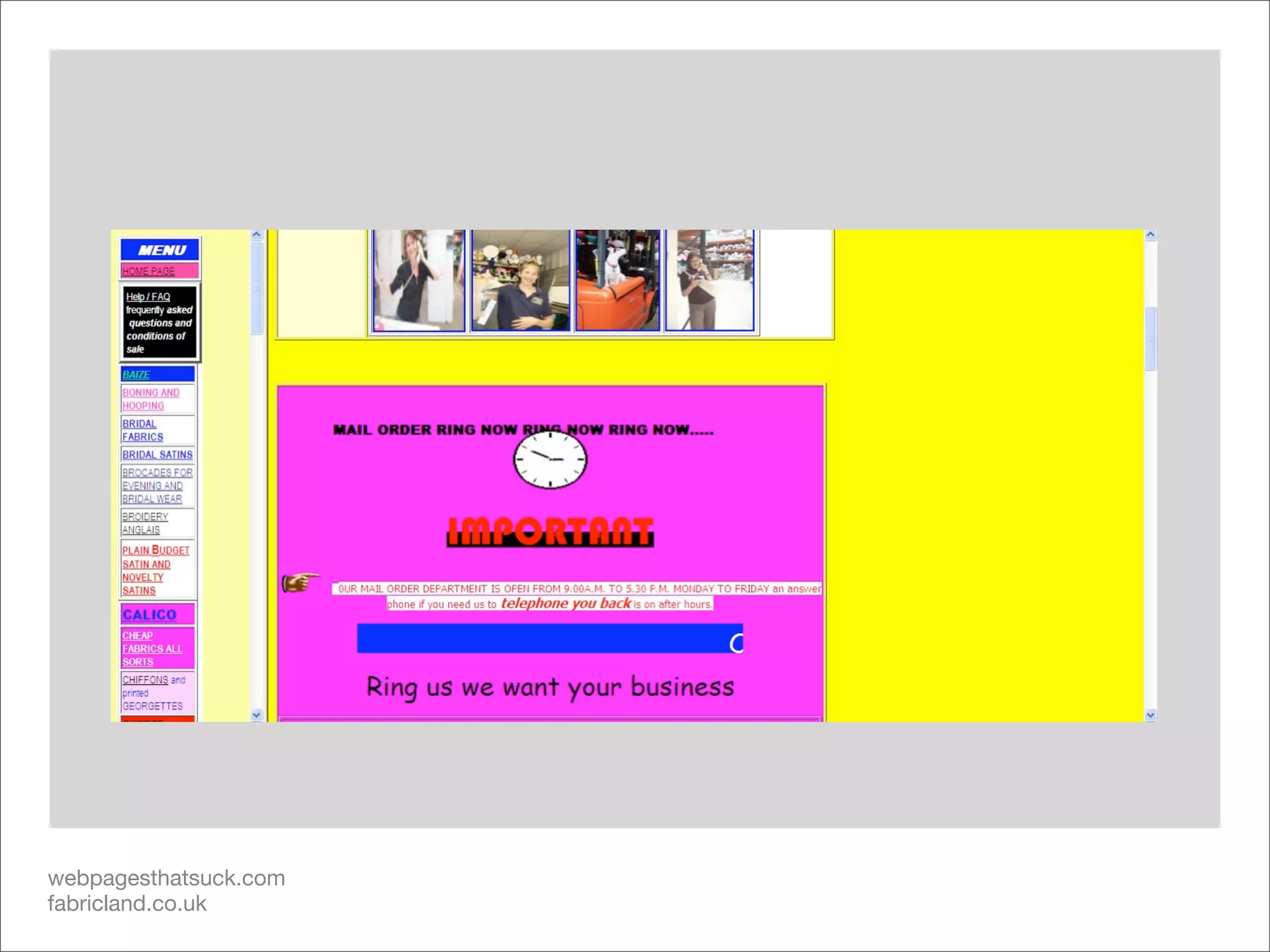
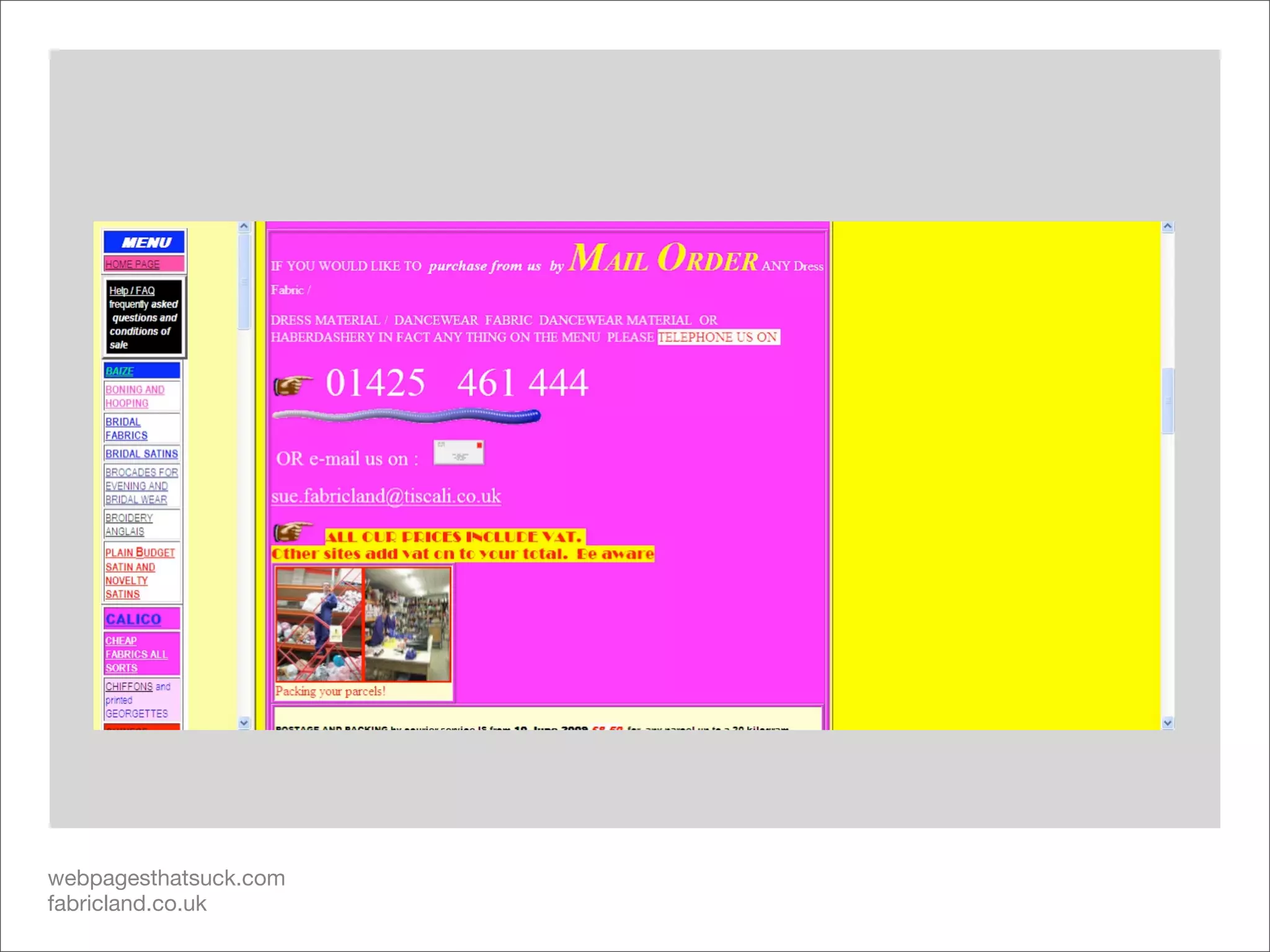
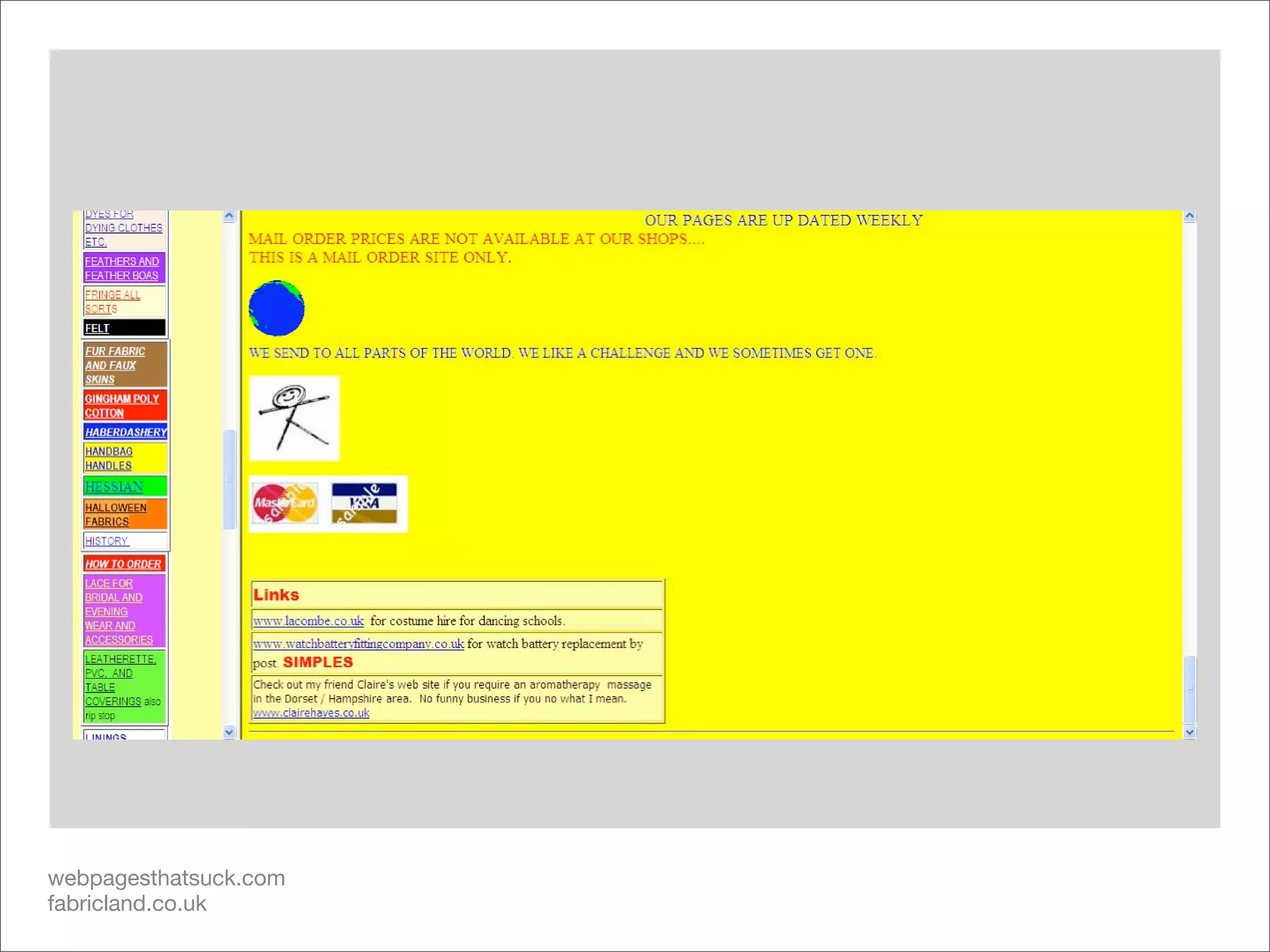
Low Usability: Where does it come from?

 It’s all around us, sometimes more or less obvious.


  Apathy                    Ignorance                  Over-Ambition
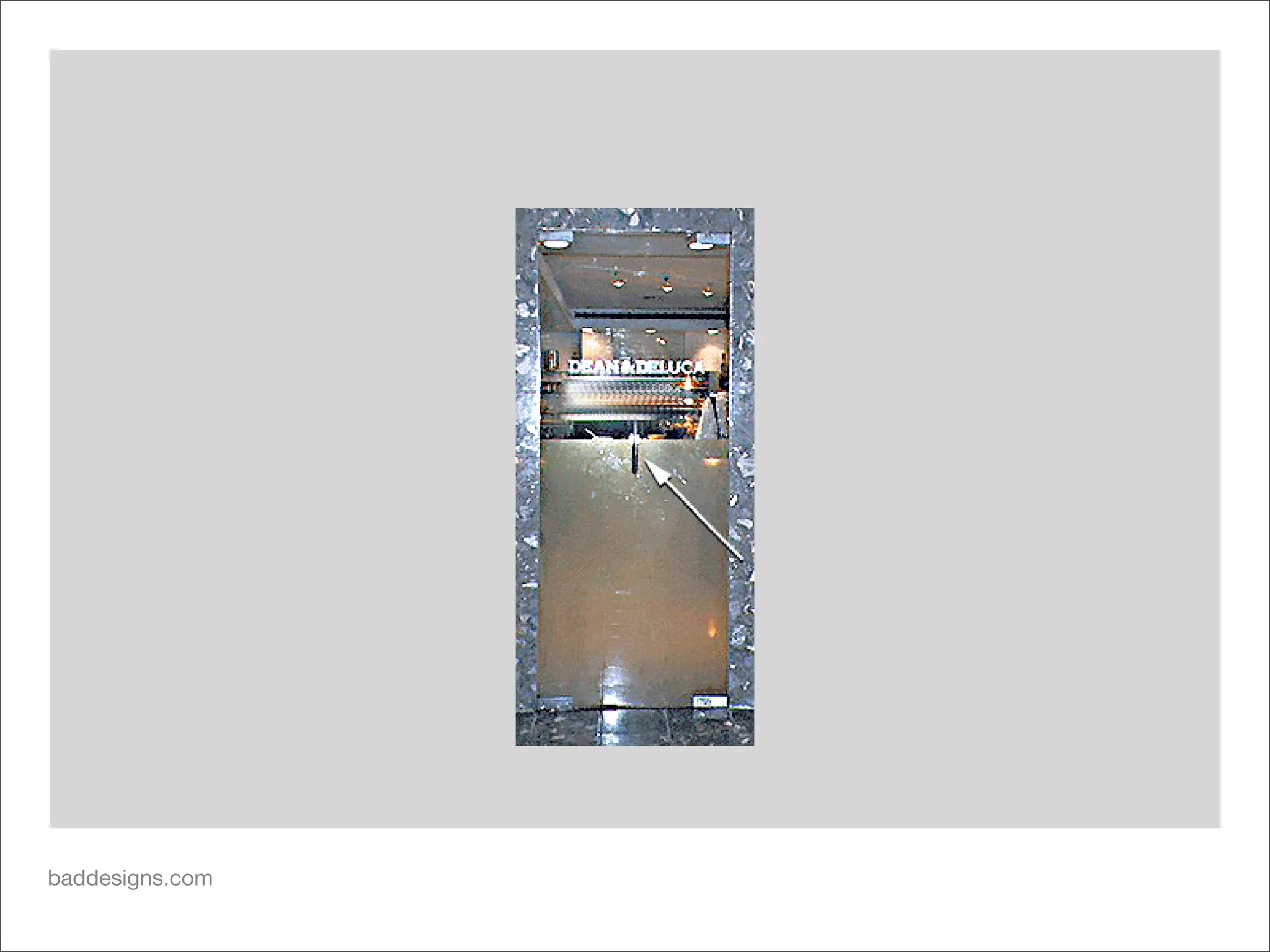
baddesigns.com
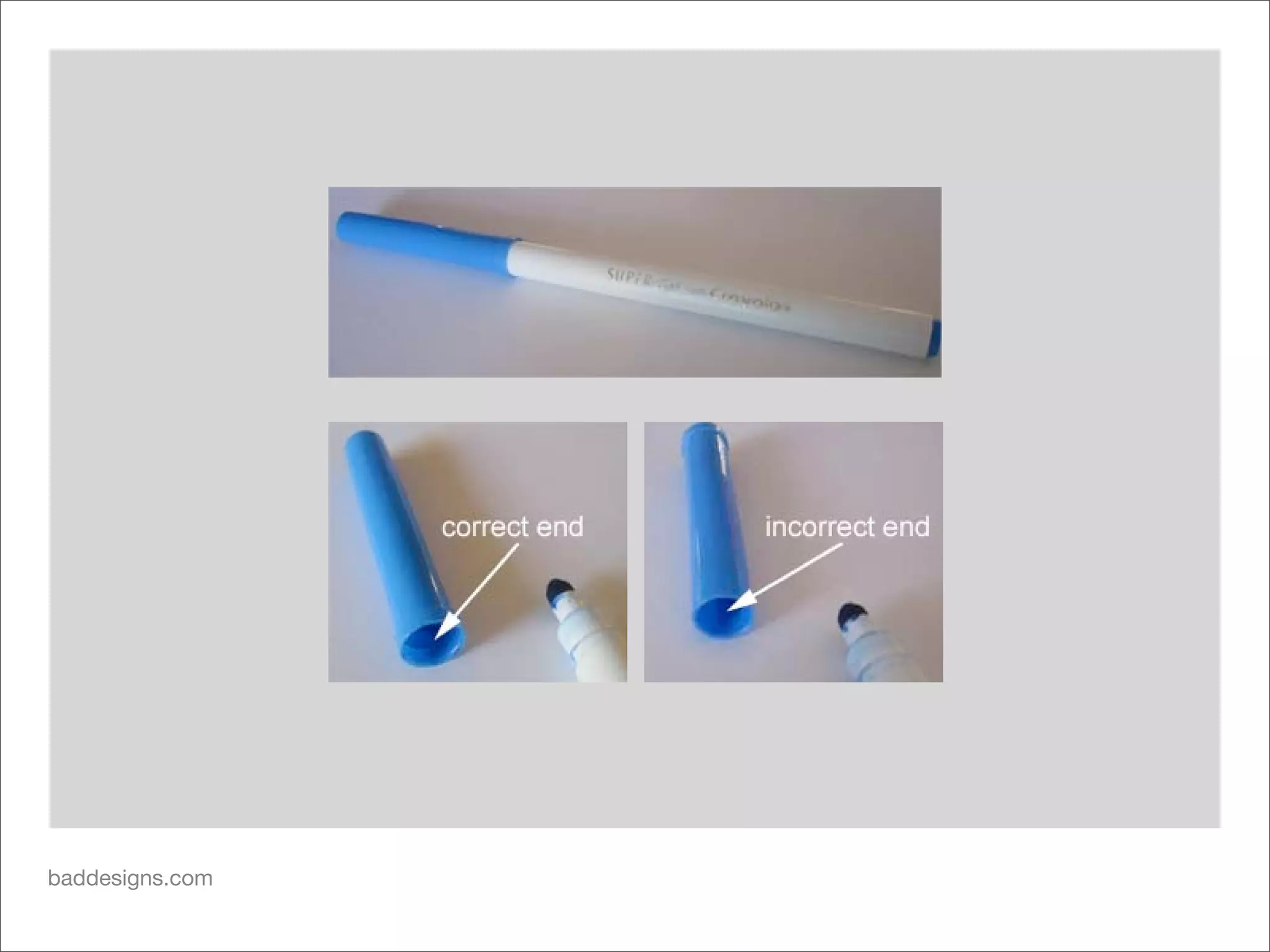
baddesigns.com
baddesigns.com
baddesigns.com
webpagesthatsuck.com
leoburnett.ca
webpagesthatsuck.com
fabricland.co.uk
webpagesthatsuck.com
fabricland.co.uk
webpagesthatsuck.com
fabricland.co.uk
webpagesthatsuck.com
fabricland.co.uk
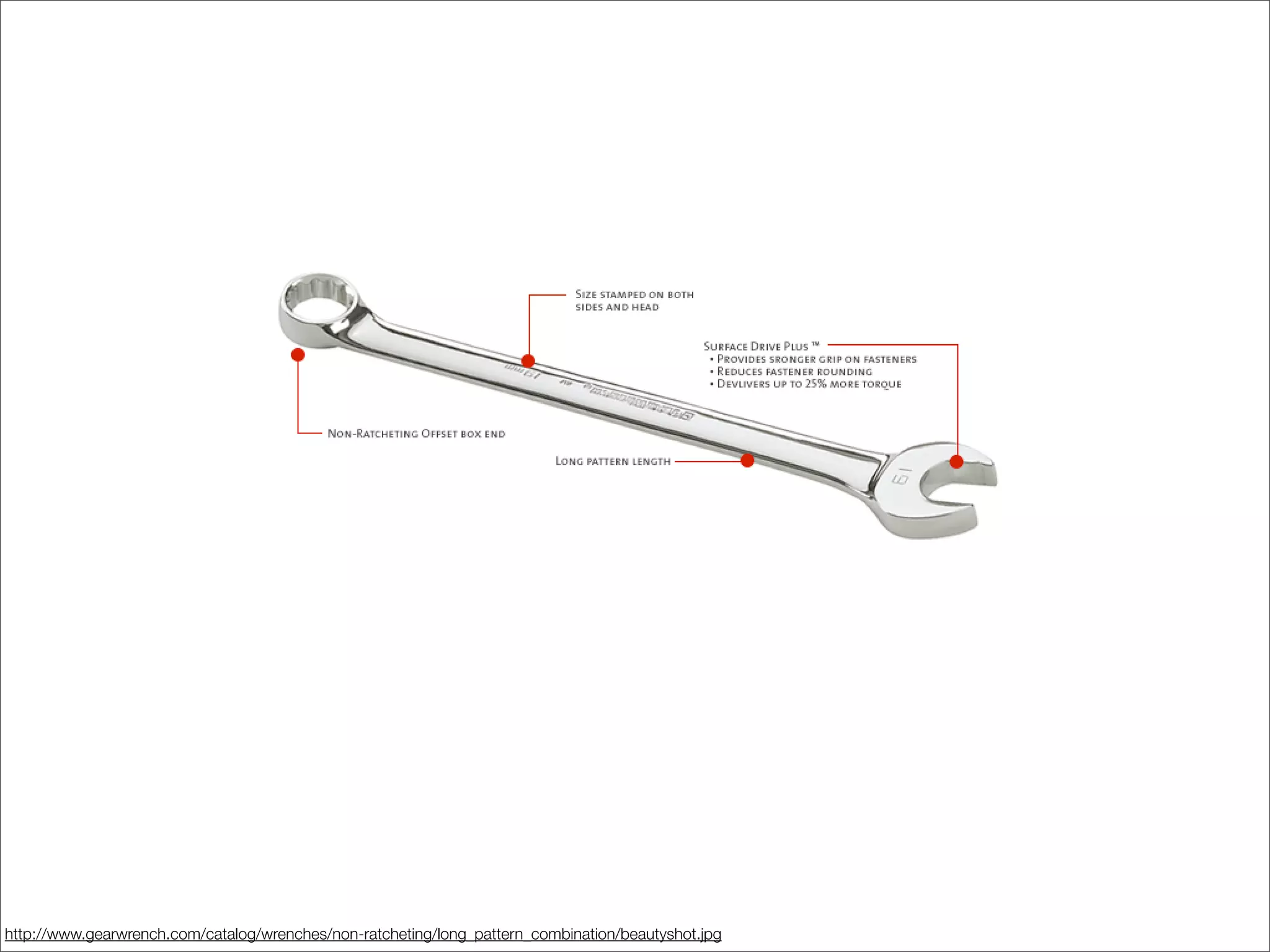
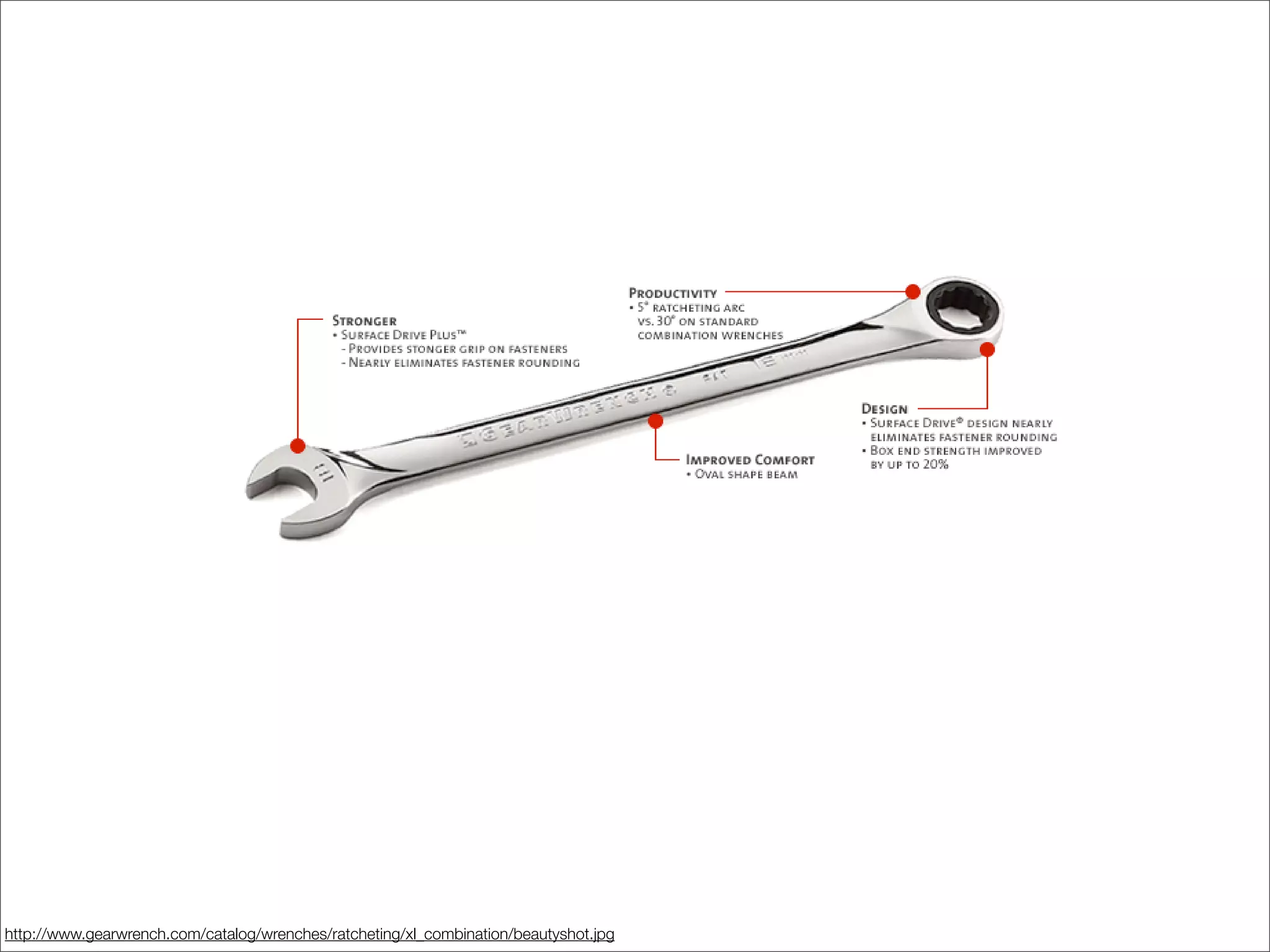
Designing Usability

• Who is your audience?
• What are they trying to do?
• How does your design help/hurt them?
http://www.gearwrench.com/catalog/wrenches/non-ratcheting/long_pattern_combination/beautyshot.jpg
http://www.gearwrench.com/catalog/wrenches/ratcheting/xl_combination/beautyshot.jpg
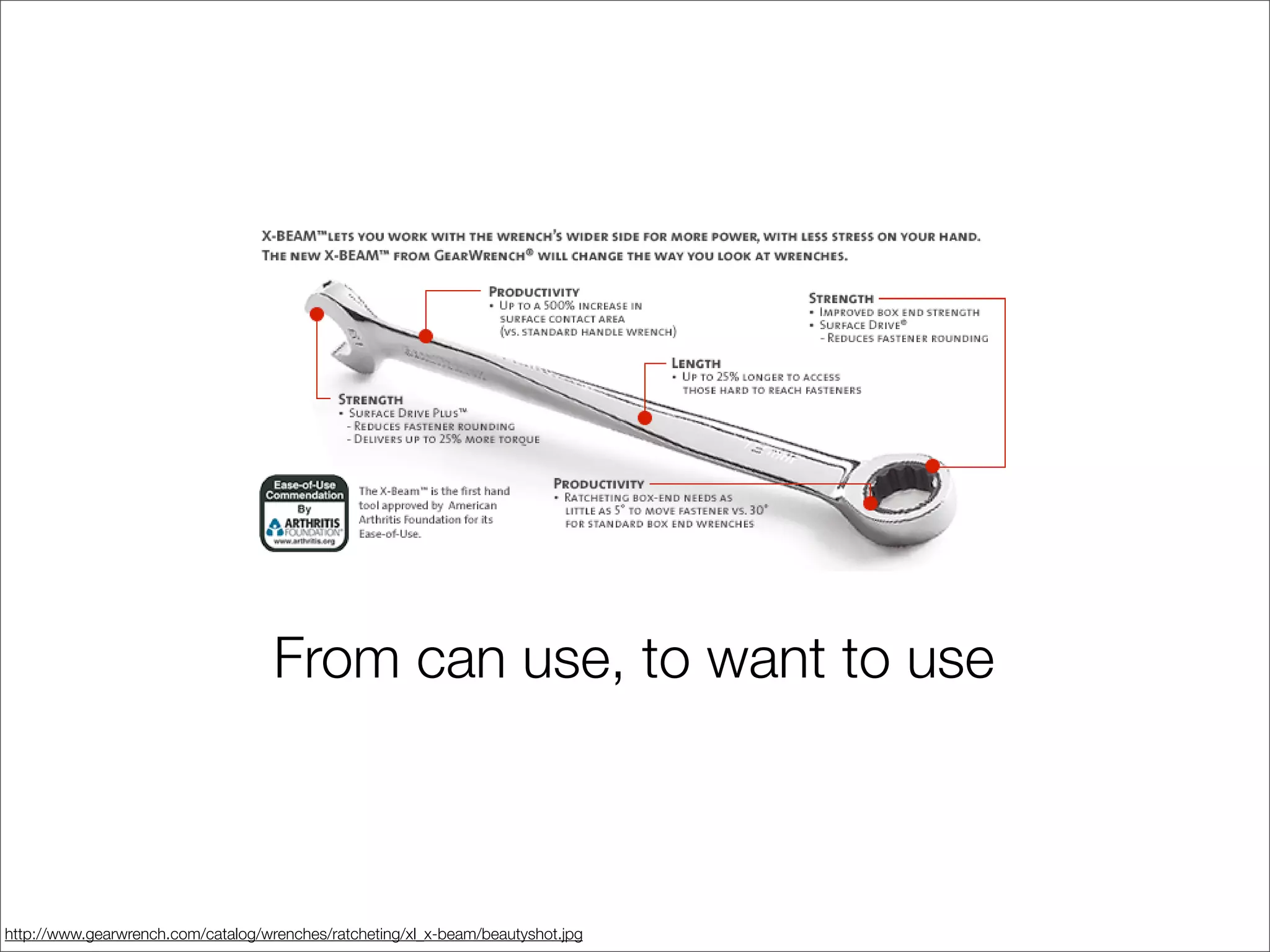
From can use, to want to use


http://www.gearwrench.com/catalog/wrenches/ratcheting/xl_x-beam/beautyshot.jpg
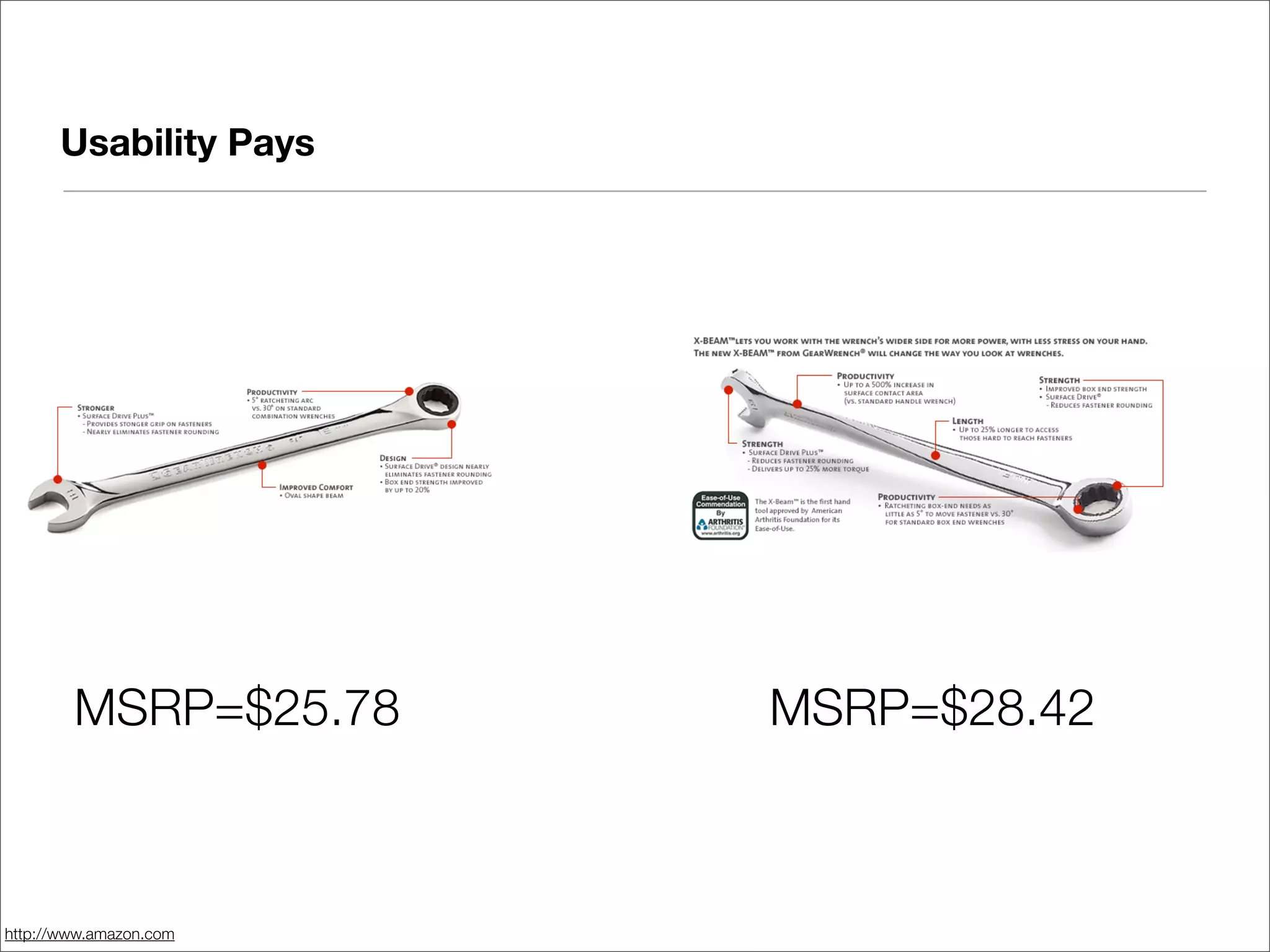
Usability Pays


        MSRP=$25.78     MSRP=$28.42


http://www.amazon.com
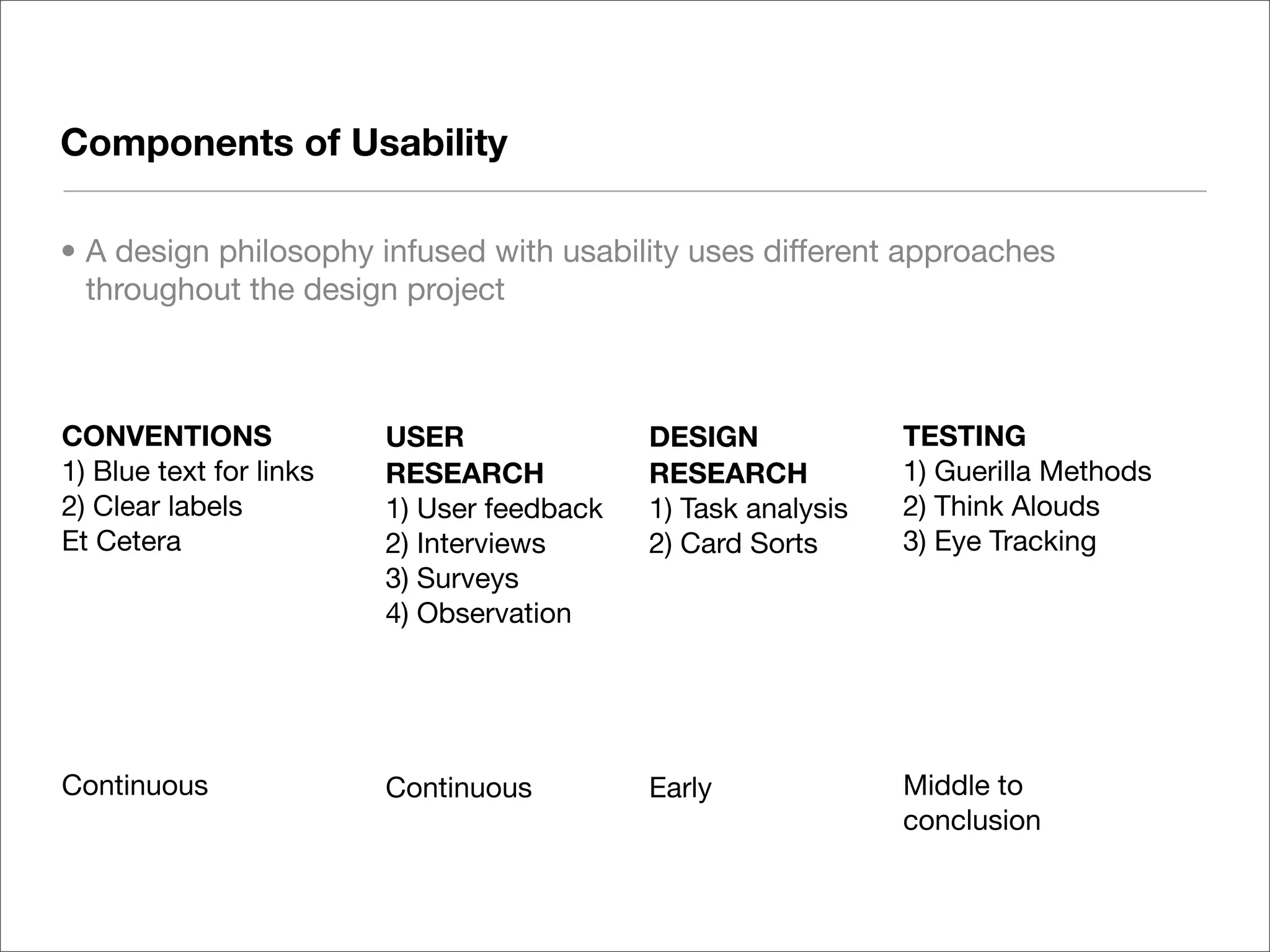
Components of Usability

• A design philosophy infused with usability uses different approaches
  throughout the design project


CONVENTIONS              USER               DESIGN             TESTING
1) Blue text for links   RESEARCH           RESEARCH           1) Guerilla Methods
2) Clear labels          1) User feedback   1) Task analysis   2) Think Alouds
Et Cetera                2) Interviews      2) Card Sorts      3) Eye Tracking
                         3) Surveys
                         4) Observation


Continuous               Continuous         Early              Middle to
                                                               conclusion
Selected Guidelines for Web Usability


** adapted from Jakob Nielsen’s Ten Usability Heuristics - www.useit.com/papers/heuristic/heuristic_list.html
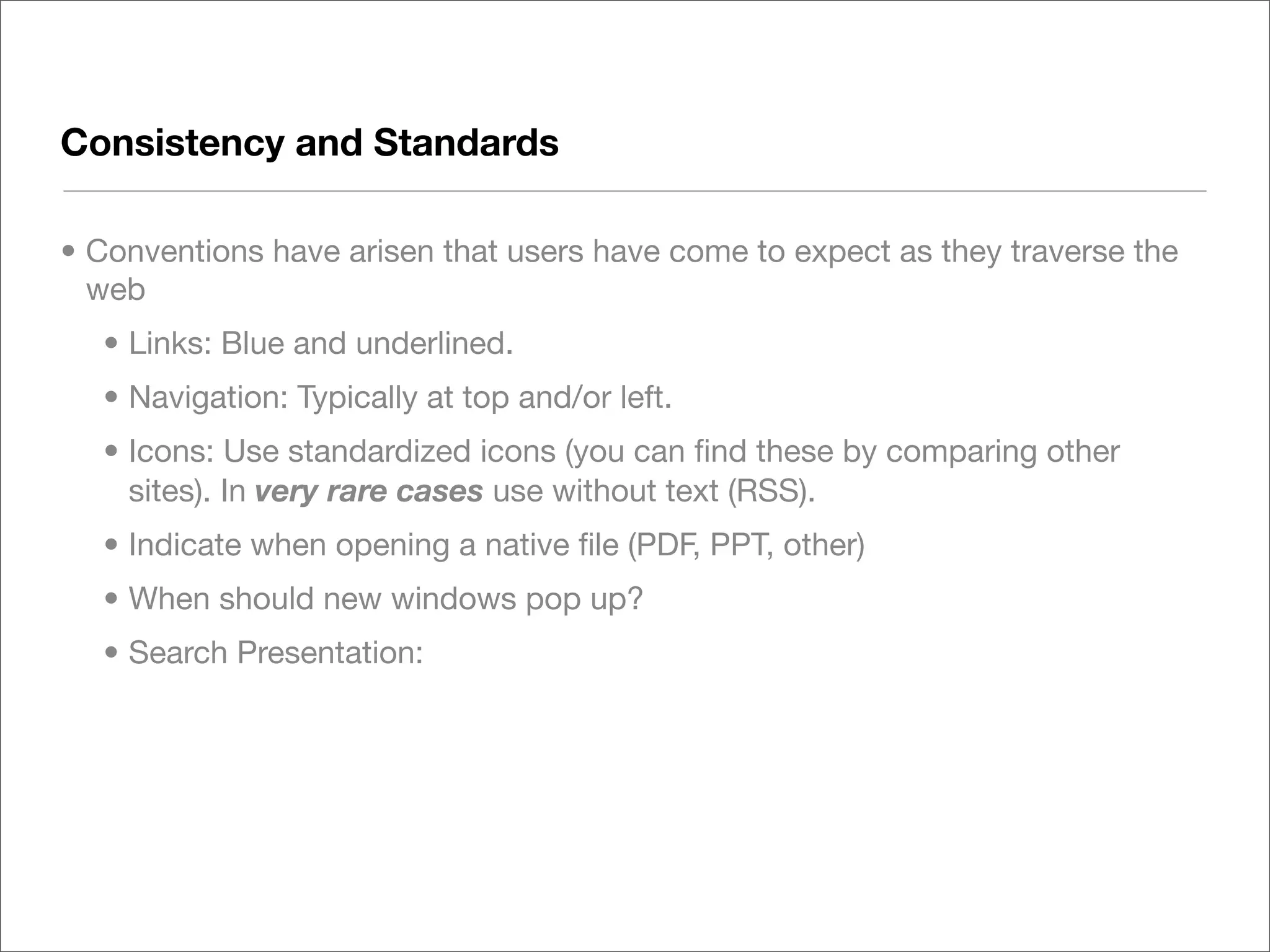
Consistency and Standards

• Conventions have arisen that users have come to expect as they traverse the
  web
  • Links: Blue and underlined.
  • Navigation: Typically at top and/or left.
  • Icons: Use standardized icons (you can find these by comparing other
    sites). In very rare cases use without text (RSS).
  • Indicate when opening a native file (PDF, PPT, other)
  • When should new windows pop up?
  • Search Presentation:
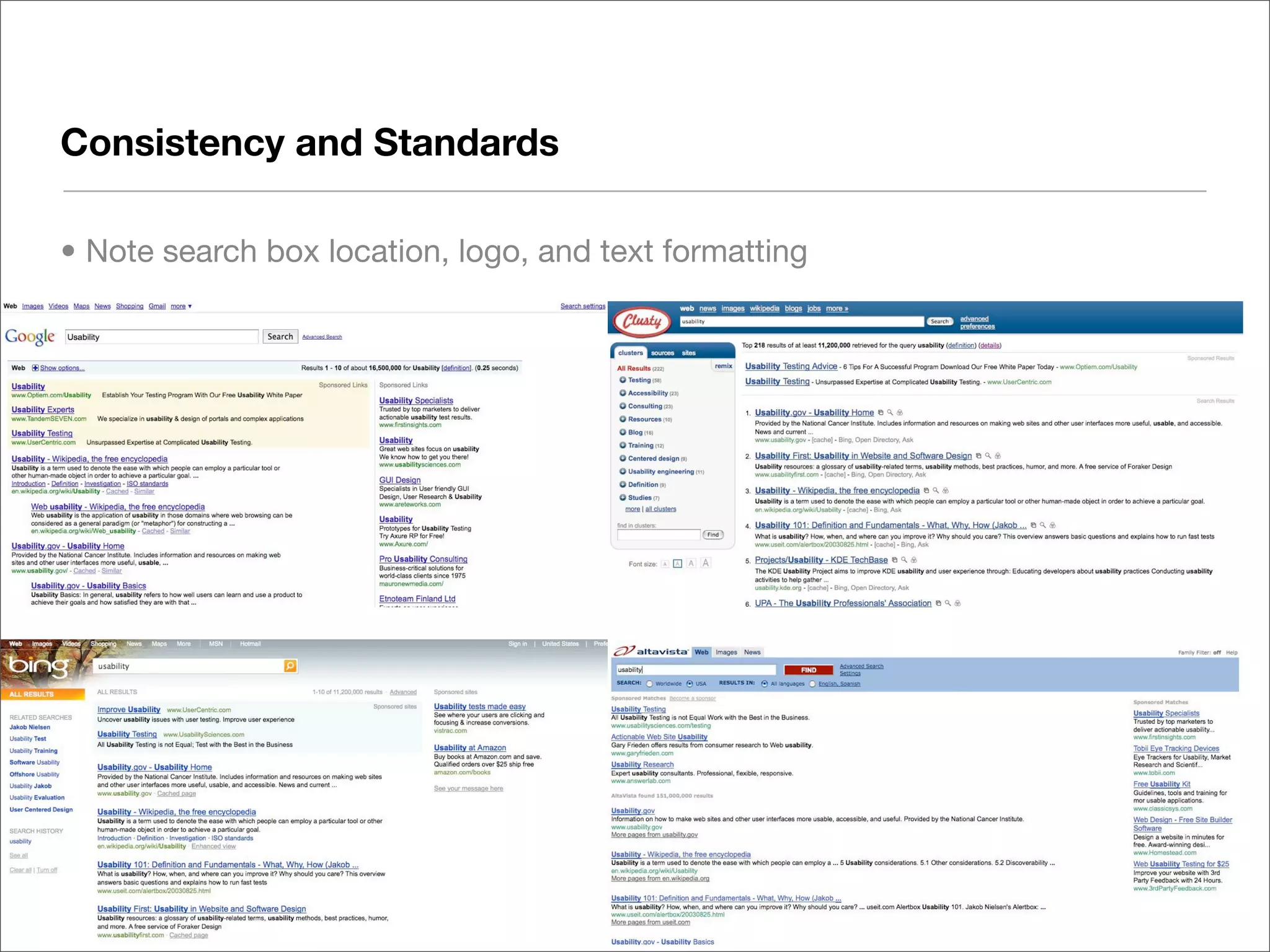
Consistency and Standards

• Note search box location, logo, and text formatting
Consistency and Standards

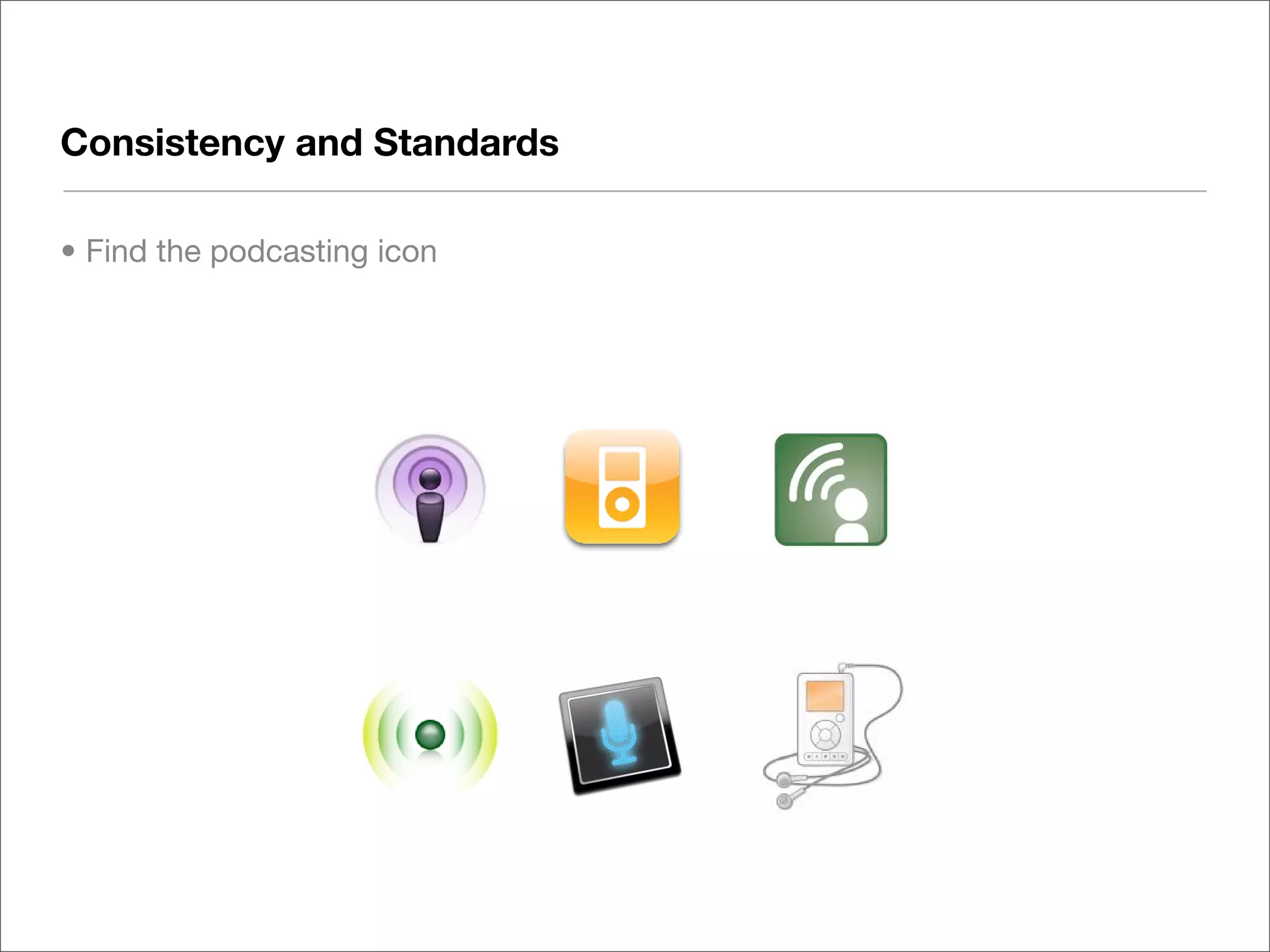
• Find the podcasting icon
Error Handling:
System Status, Error Prevention and Recovery

• People are well adapted to navigating the physical world, and solving problems
  when encountered. In hypermedia - not so much
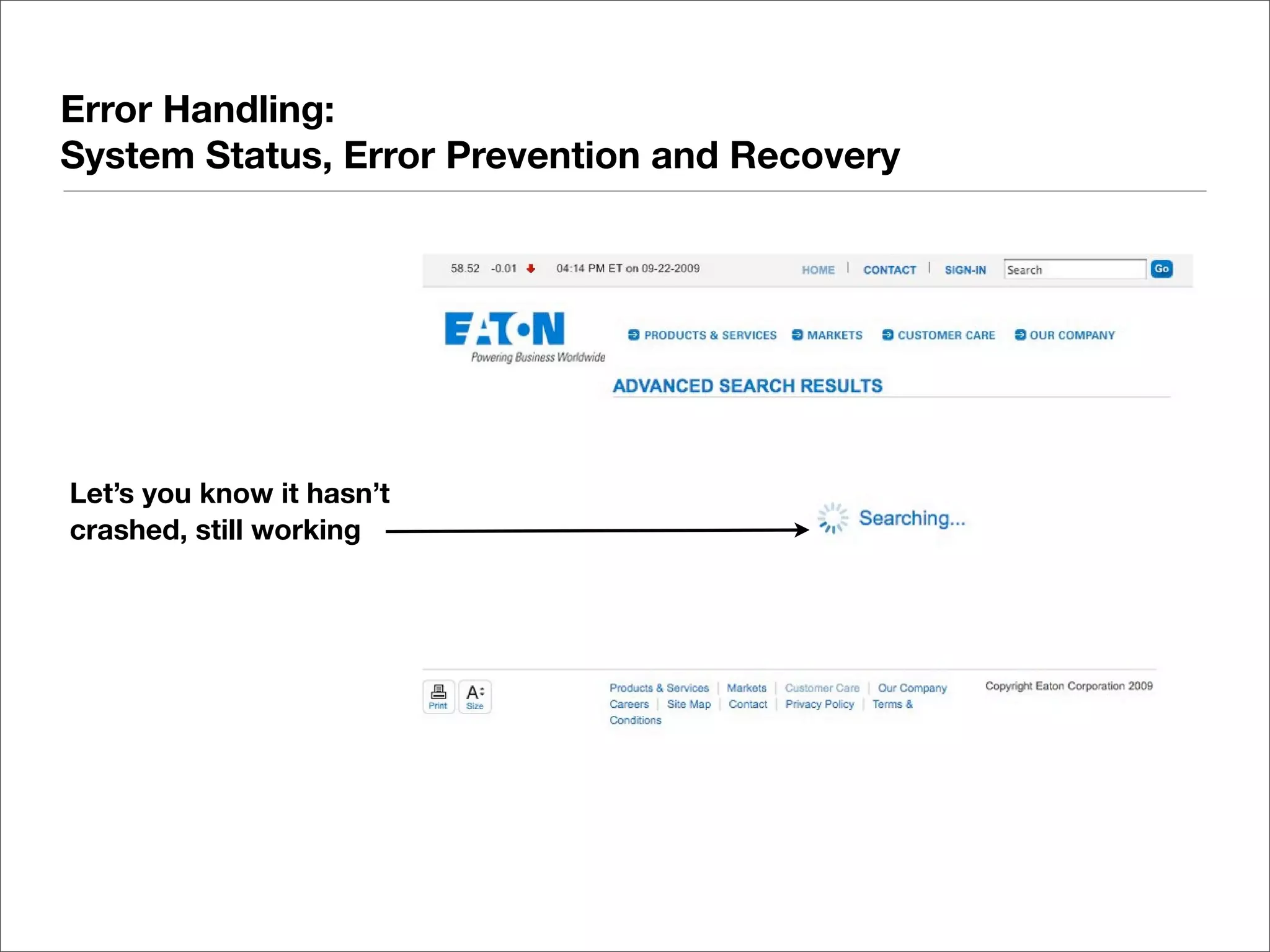
  • Let your users know if it a process is taking a long time
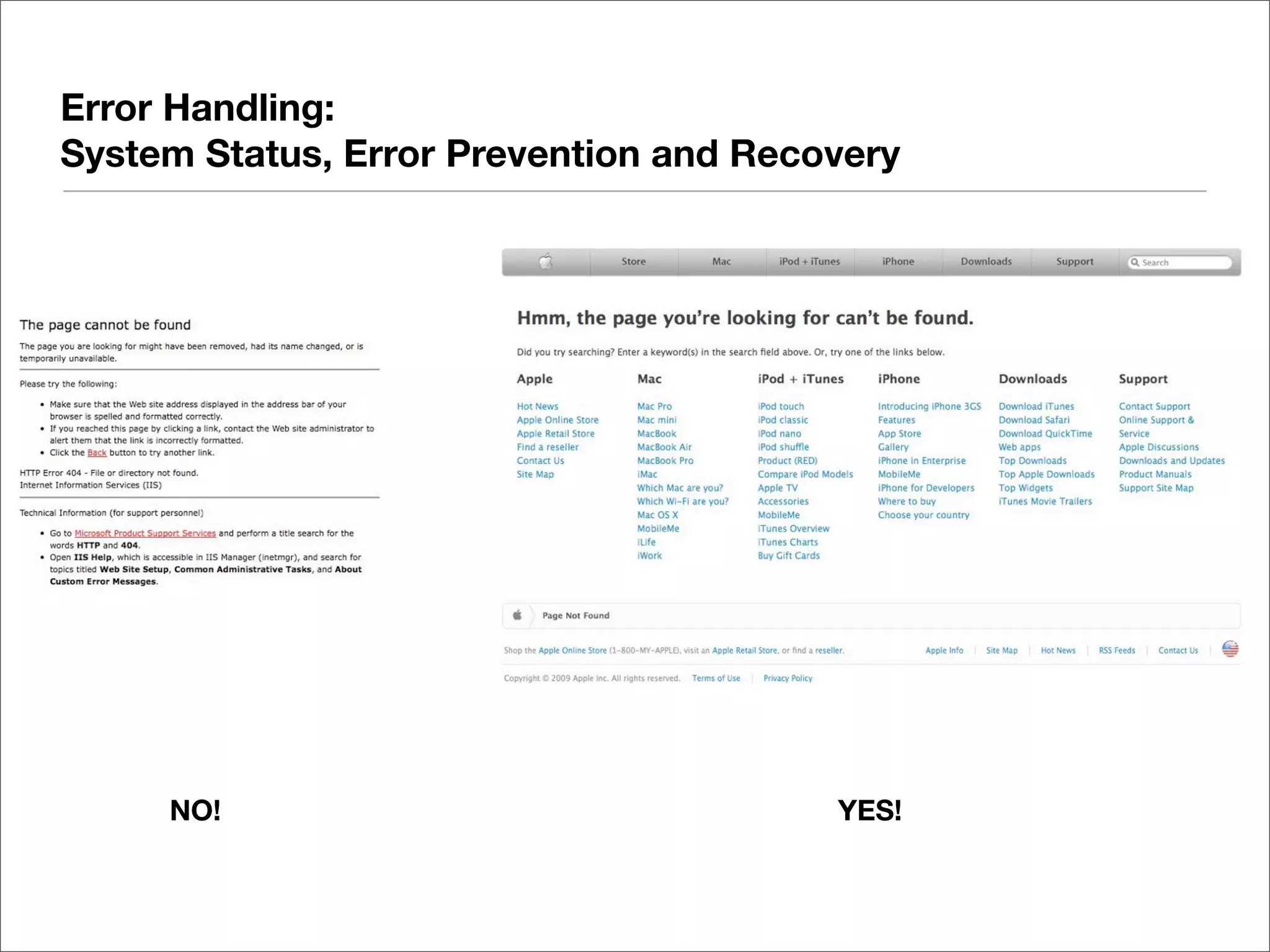
  • Provide error feedback in plain language
  • Good systems allow for quick recovery; great systems prevent it altogether
Error Handling:
System Status, Error Prevention and Recovery


Let’s you know it hasn’t
crashed, still working
Error Handling:
System Status, Error Prevention and Recovery


     NO!                                YES!
Recognition, not Recall

• Applications (MS Office, Creative Suite, etc) are used repeatedly, for long
  durations; thus processes may be taught and learned
• The relationship with a website is short-lived. Focus on making things easy to
  recognize, not necessarily easy to remember.
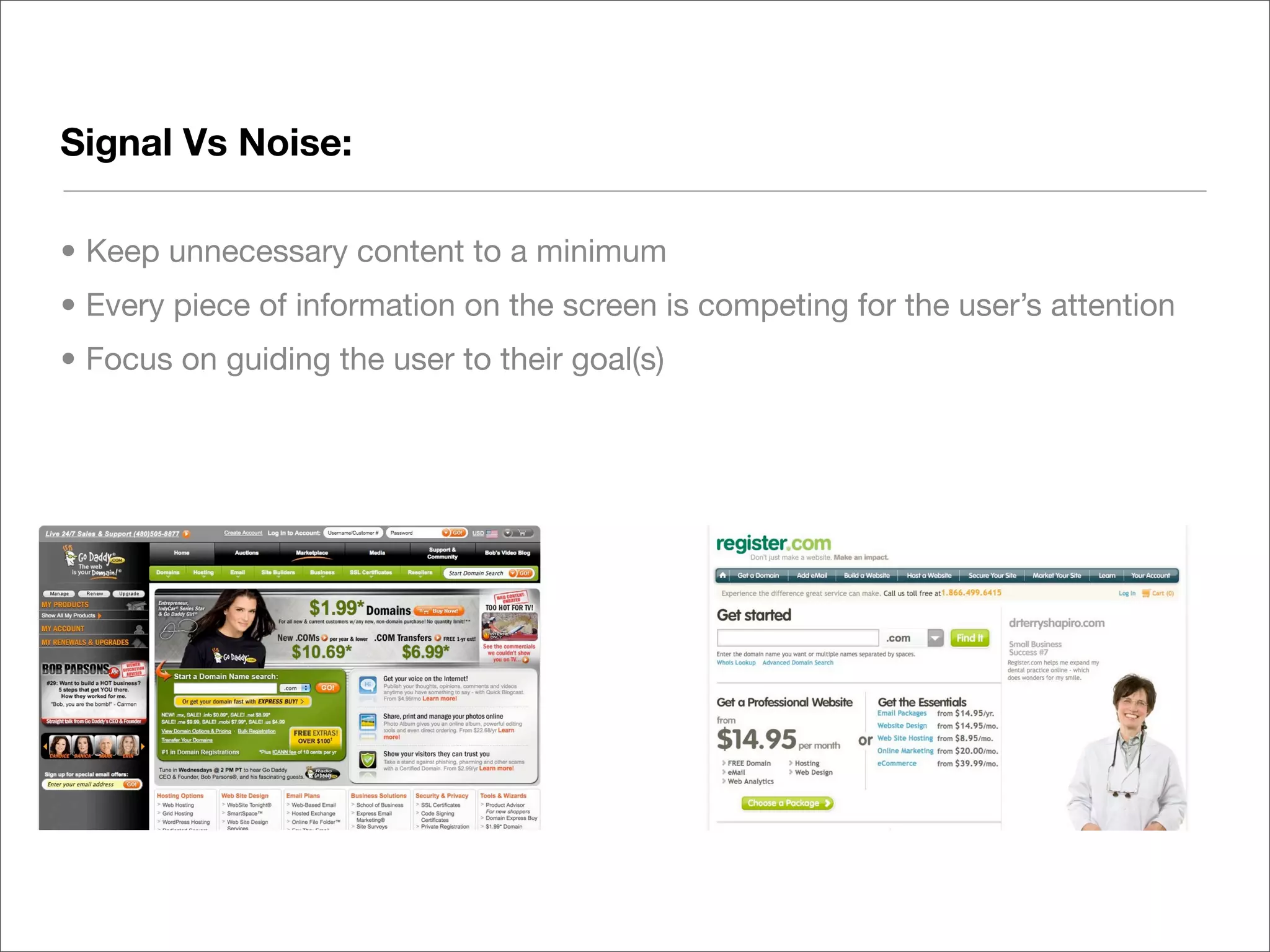
Signal Vs Noise:

• Keep unnecessary content to a minimum
• Every piece of information on the screen is competing for the user’s attention
• Focus on guiding the user to their goal(s)
DIY Usability Testing
Basic Usability testing can be done by anyone

• Keep costs low: test early, test often


• Use Guerrilla Methods, Discount testing, etc.
   • Use paper prototypes
   • Testing basic interactions
   • Doesn’t require user recruiting


• Lots of good resources for these techniques


   • Here’s a good technique…
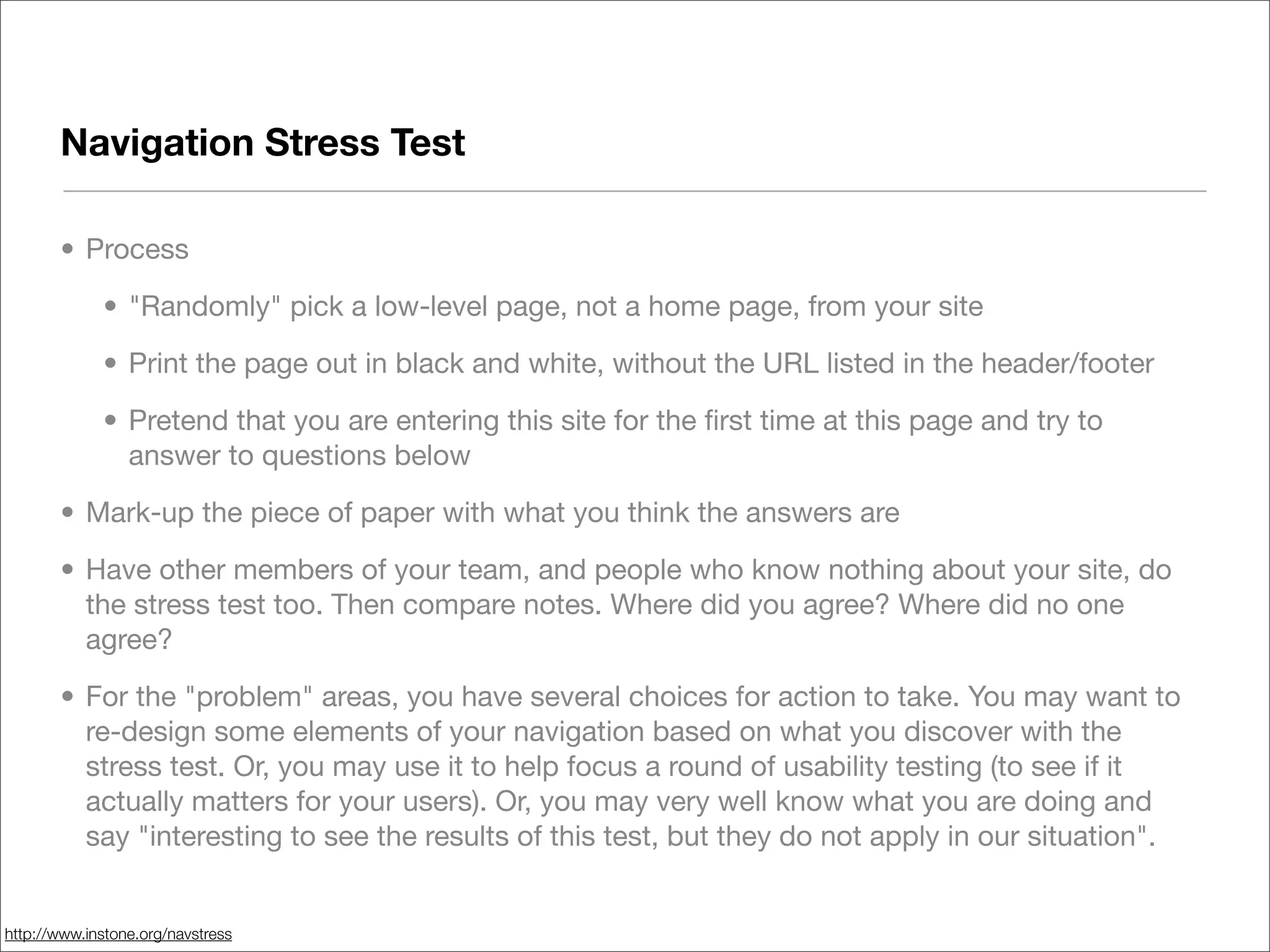
Navigation Stress Test

       • Process

             • "Randomly" pick a low-level page, not a home page, from your site

             • Print the page out in black and white, without the URL listed in the header/footer

             • Pretend that you are entering this site for the first time at this page and try to
               answer to questions below

       • Mark-up the piece of paper with what you think the answers are

       • Have other members of your team, and people who know nothing about your site, do
         the stress test too. Then compare notes. Where did you agree? Where did no one
         agree?

       • For the "problem" areas, you have several choices for action to take. You may want to
         re-design some elements of your navigation based on what you discover with the
         stress test. Or, you may use it to help focus a round of usability testing (to see if it
         actually matters for your users). Or, you may very well know what you are doing and
         say "interesting to see the results of this test, but they do not apply in our situation".


http://www.instone.org/navstress
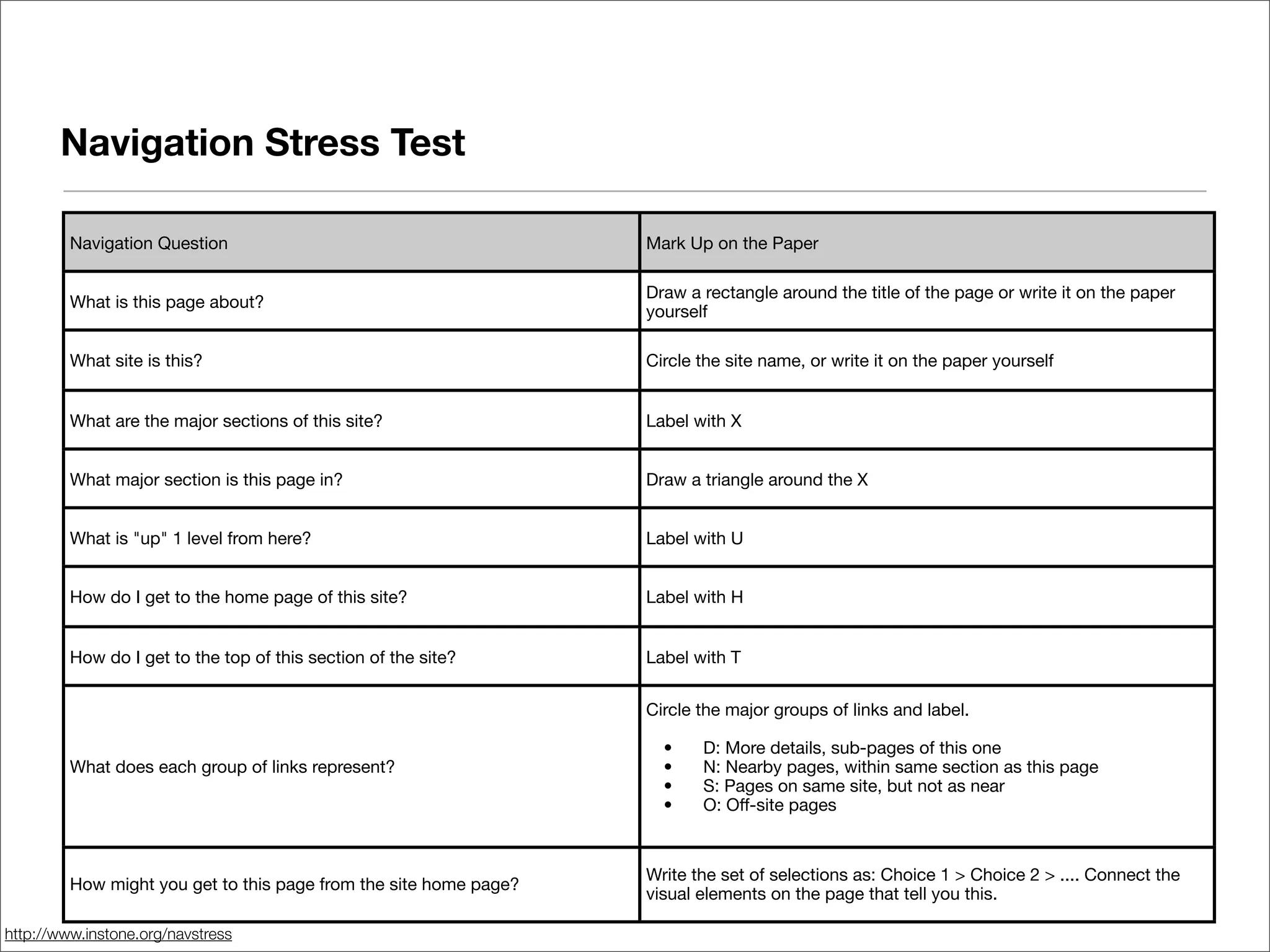
Navigation Stress Test

         Navigation Question                                       Mark Up on the Paper

                                                                   Draw a rectangle around the title of the page or write it on the paper
         What is this page about?
                                                                   yourself

         What site is this?                                        Circle the site name, or write it on the paper yourself


         What are the major sections of this site?                 Label with X


         What major section is this page in?                       Draw a triangle around the X


         What is "up" 1 level from here?                           Label with U


         How do I get to the home page of this site?               Label with H


         How do I get to the top of this section of the site?      Label with T


                                                                   Circle the major groups of links and label.

                                                                   
   •
   D: More details, sub-pages of this one
         What does each group of links represent?                  
   •
   N: Nearby pages, within same section as this page
                                                                   
   •
   S: Pages on same site, but not as near
                                                                   
   •
   O: Off-site pages


                                                                   Write the set of selections as: Choice 1 > Choice 2 > .... Connect the
         How might you get to this page from the site home page?
                                                                   visual elements on the page that tell you this.

http://www.instone.org/navstress
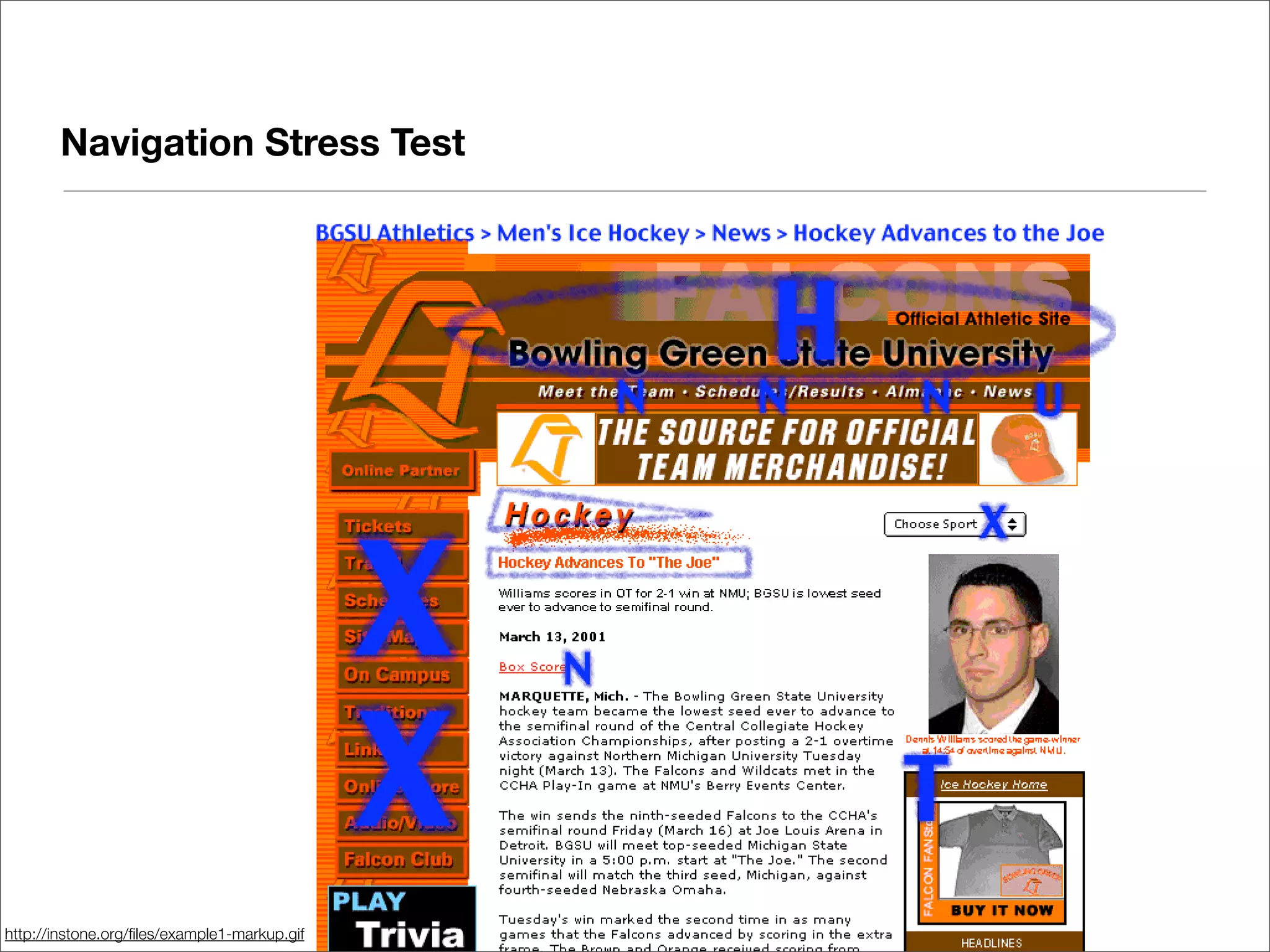
Navigation Stress Test


http://instone.org/files/example1-markup.gif
Learning More
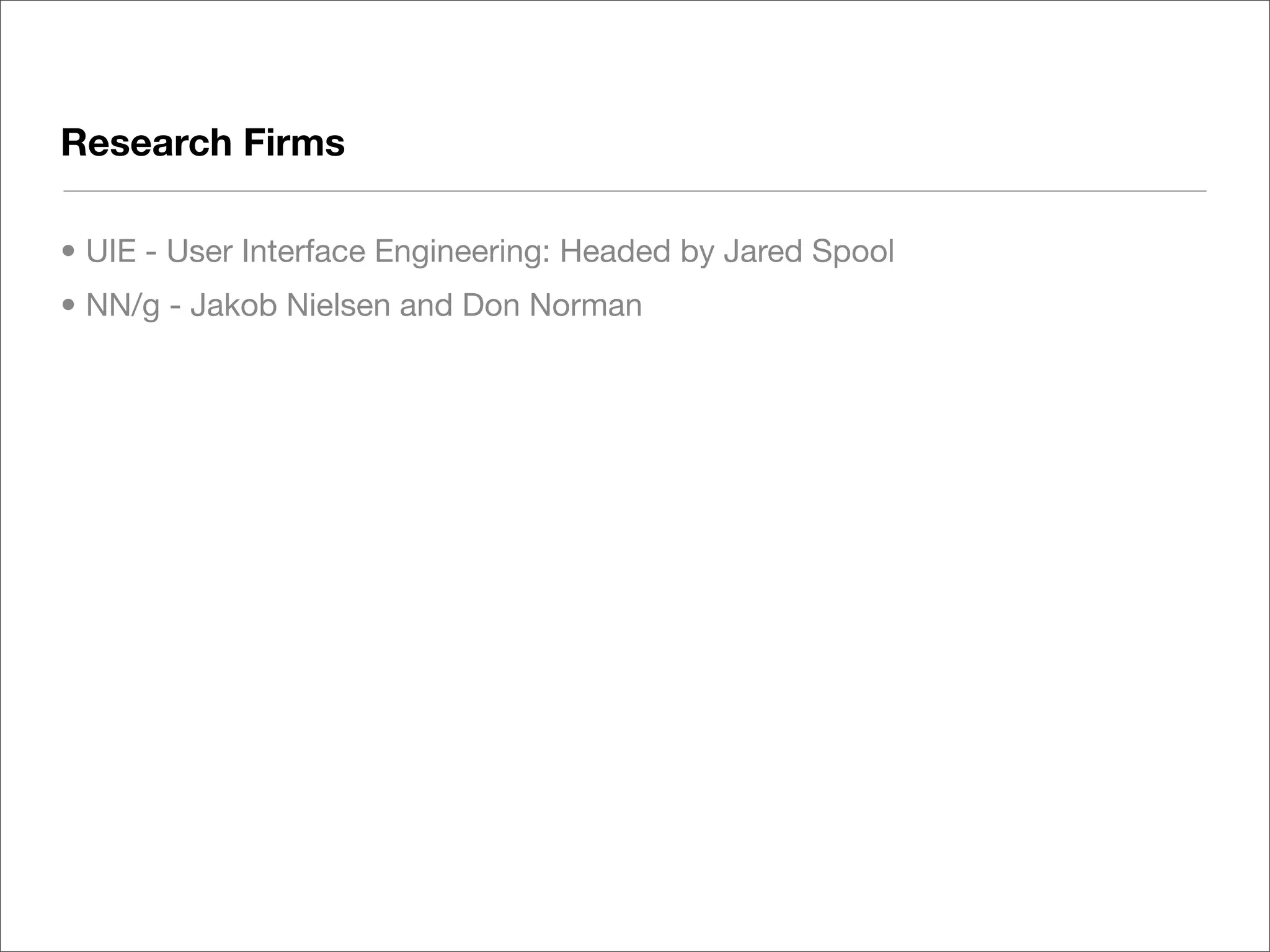
Research Firms

• UIE - User Interface Engineering: Headed by Jared Spool
• NN/g - Jakob Nielsen and Don Norman
Books

• Don’t Make me Think - Steve Krug
• Designing Web Usability - Jakob Nielsen
• Designing Web Navigation - James Kalbach
• Elements of User Experience - Jesse James Garrett
Organizations

• NEOUPA - www.neoupa.org
• UXNet - www.uxnet.org/cat/locales/cleveland
Q+A
THANK YOU

Usability for Web Designers

  • 1.
    Web Usability forDesigners Ben Woods 09.24.2009
  • 2.
    Topics • Usability: Whatis it? • Examples • Selected Guidelines for Usability • Do it yourself Usability Testing • Learning More • QA
  • 3.
    User Experience &Usability INFORMATION USABILITY CONVENTIONS ARCHITECTURE RESEARCH TAXONOMIES TESTING NAVIGATION STRUCTURE USER OBJECTIVE (Content, Task) EMOTIONAL DESIGN TECHNOLOGY BRANDING RELIABILITY STYLE RESPONSIVENESS CONTENT CAPABILITY
  • 4.
    User Experience Ensuringyour audience can achieve their goals through thoughtful, meaningful design
  • 5.
    Usability Usability isthe degree to which something - software, hardware or anything else - is easy to use and a good fit for the people who use it. -UPA
  • 6.
    Low Usability: Wheredoes it come from? It’s all around us, sometimes more or less obvious. Apathy Ignorance Over-Ambition
  • 7.
  • 8.
  • 9.
  • 10.
  • 11.
  • 12.
  • 13.
  • 14.
  • 15.
  • 16.
    Designing Usability • Whois your audience? • What are they trying to do? • How does your design help/hurt them?
  • 17.
  • 18.
  • 19.
    From can use,to want to use http://www.gearwrench.com/catalog/wrenches/ratcheting/xl_x-beam/beautyshot.jpg
  • 20.
    Usability Pays MSRP=$25.78 MSRP=$28.42 http://www.amazon.com
  • 21.
    Components of Usability •A design philosophy infused with usability uses different approaches throughout the design project CONVENTIONS USER DESIGN TESTING 1) Blue text for links RESEARCH RESEARCH 1) Guerilla Methods 2) Clear labels 1) User feedback 1) Task analysis 2) Think Alouds Et Cetera 2) Interviews 2) Card Sorts 3) Eye Tracking 3) Surveys 4) Observation Continuous Continuous Early Middle to conclusion
  • 22.
    Selected Guidelines forWeb Usability ** adapted from Jakob Nielsen’s Ten Usability Heuristics - www.useit.com/papers/heuristic/heuristic_list.html
  • 23.
    Consistency and Standards •Conventions have arisen that users have come to expect as they traverse the web • Links: Blue and underlined. • Navigation: Typically at top and/or left. • Icons: Use standardized icons (you can find these by comparing other sites). In very rare cases use without text (RSS). • Indicate when opening a native file (PDF, PPT, other) • When should new windows pop up? • Search Presentation:
  • 24.
    Consistency and Standards •Note search box location, logo, and text formatting
  • 25.
    Consistency and Standards •Find the podcasting icon
  • 26.
    Error Handling: System Status,Error Prevention and Recovery • People are well adapted to navigating the physical world, and solving problems when encountered. In hypermedia - not so much • Let your users know if it a process is taking a long time • Provide error feedback in plain language • Good systems allow for quick recovery; great systems prevent it altogether
  • 27.
    Error Handling: System Status,Error Prevention and Recovery Let’s you know it hasn’t crashed, still working
  • 28.
    Error Handling: System Status,Error Prevention and Recovery NO! YES!
  • 29.
    Recognition, not Recall •Applications (MS Office, Creative Suite, etc) are used repeatedly, for long durations; thus processes may be taught and learned • The relationship with a website is short-lived. Focus on making things easy to recognize, not necessarily easy to remember.
  • 30.
    Signal Vs Noise: •Keep unnecessary content to a minimum • Every piece of information on the screen is competing for the user’s attention • Focus on guiding the user to their goal(s)
  • 31.
  • 32.
    Basic Usability testingcan be done by anyone • Keep costs low: test early, test often • Use Guerrilla Methods, Discount testing, etc. • Use paper prototypes • Testing basic interactions • Doesn’t require user recruiting • Lots of good resources for these techniques • Here’s a good technique…
  • 33.
    Navigation Stress Test • Process • "Randomly" pick a low-level page, not a home page, from your site • Print the page out in black and white, without the URL listed in the header/footer • Pretend that you are entering this site for the first time at this page and try to answer to questions below • Mark-up the piece of paper with what you think the answers are • Have other members of your team, and people who know nothing about your site, do the stress test too. Then compare notes. Where did you agree? Where did no one agree? • For the "problem" areas, you have several choices for action to take. You may want to re-design some elements of your navigation based on what you discover with the stress test. Or, you may use it to help focus a round of usability testing (to see if it actually matters for your users). Or, you may very well know what you are doing and say "interesting to see the results of this test, but they do not apply in our situation". http://www.instone.org/navstress
  • 34.
    Navigation Stress Test Navigation Question Mark Up on the Paper Draw a rectangle around the title of the page or write it on the paper What is this page about? yourself What site is this? Circle the site name, or write it on the paper yourself What are the major sections of this site? Label with X What major section is this page in? Draw a triangle around the X What is "up" 1 level from here? Label with U How do I get to the home page of this site? Label with H How do I get to the top of this section of the site? Label with T Circle the major groups of links and label. • D: More details, sub-pages of this one What does each group of links represent? • N: Nearby pages, within same section as this page • S: Pages on same site, but not as near • O: Off-site pages Write the set of selections as: Choice 1 > Choice 2 > .... Connect the How might you get to this page from the site home page? visual elements on the page that tell you this. http://www.instone.org/navstress
  • 35.
  • 36.
  • 37.
    Research Firms • UIE- User Interface Engineering: Headed by Jared Spool • NN/g - Jakob Nielsen and Don Norman
  • 38.
    Books • Don’t Makeme Think - Steve Krug • Designing Web Usability - Jakob Nielsen • Designing Web Navigation - James Kalbach • Elements of User Experience - Jesse James Garrett
  • 39.
    Organizations • NEOUPA -www.neoupa.org • UXNet - www.uxnet.org/cat/locales/cleveland
  • 40.
  • 41.