Principles of 

interface design
BASIC PRINCIPLES OF

INTERFACE

DESIGN
http://afflatus.me/wp-content/uploads/2015/03/Digital_Menu-by-Cosmin-Capitanu.jpg
USER CENTERED DESIGN
User Centered Design is an iterative
methodology that puts the user at the
center of all design decisions
The ultimate goal of UCD is to optimize a user's
experience of a system, product, or process.
The philosophy is to “fail fast” to uncover problem areas earlier
using UCD methods instead of discovering the problems late in
development stages of the project.
What is UCD?
What is UCD?
Engeneering-driven design
History: designed what was
feasible and appropriate for
the system not what users
want and what was pleasure
for them.
UCD PRINCIPLES
UCD BENEFITS
ITERATIVE DESIGN
It is virtually impossible to design a
user interface that has no usability
problems from the start
Iteration = to step through one design version after
another. Conduct a usability evaluation (testing) for each
version and revise the next one based on findings.
ITERATIVE DESIGN
DesignDiscover Define
ITERATIVE DESIGN
Repeat as necessary
Design Prototype
Test & Evaluate
Design without analysis won’t solve
the right problem.
DISCOVER / RESEARCH
You need to know WHY they want to fire a gun.
Get know the users
User perspectives:
1. Needs and wants
2. Goals, motivations, triggers
3. Obstacles and limitations
4. Tasks, activities and behaviors
Understanding the perspective a user brings to a system
enables us to design that system to meet their needs.
DISCOVER / RESEARCH
5. Geography and language
6. Environment and gear
7. Work life and experience
How to do it?

(Qualitative methods)
• User interviews

• Focus Groups
Ethnographic
studiesRecommended Movie:
Kitchen stories
Learn from
NUMBERS
How to do it? (Quantitative)
Questionars / surveys

• Analytics

• Clickheat
Questionars
ANALYTICS
Google Analytics
CLICKHEAT
DEFINE / CONCEPT
clean up the messcreate personas
DEFINE / CONCEPT
Fictional characters based
on real user research
WHY CREATE THEM?
• We’re not always designing for ourselves
• Personas help us to prioritize the design consideration
• Build understanding and empathy - common shared
understanding of the user group
DEFINE / PERSONAS
Name and Intent
Goals
• From the user’s perspective (Wants and Needs)
Behaviors and attitudes
• How does this person make purchases,
approach the Internet, etc.
• What does this person think about your type of
services, product etc.
Scenarios
• Detailed situations where your site could help
PERSONA Ingredients
DESIGN!
DESIGN!
Sketch a lot of different ideas, FAST!

Then throw MOST of them away.

Look at the big picture first - people see the forest before the trees.
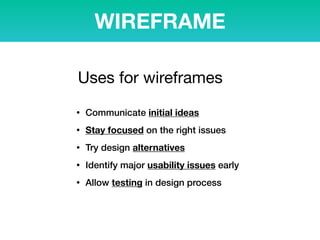
WIREFRAME
It states plainly and clearly what should go where.
It’s just like an architectural blueprint of a house.
WIREFRAME
• Communicate initial ideas
• Stay focused on the right issues
• Try design alternatives
• Identify major usability issues early
• Allow testing in design process
Uses for wireframes
PROTOTYPE
Any time during design cycle

Early stages
• Fewer resources spent
• People are open to change 

Late stages
• Require substantial work & resources
• People are more resistant to change
When to do prototyping
PROTOTYPE Evolution
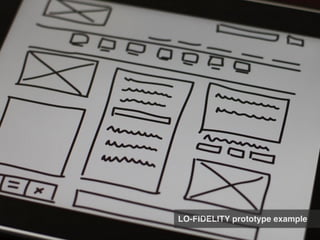
LOW-FI MED-FI HI-FI
LO-FIDELITY prototype example
MID-FIDELITY prototype example
Prototyping using a software
Prototyping TOOLS
BALSAMIQ

http://balsamiq.com/
PROTOSHARE

http://www.protoshare.com
AXURE

http://www.axure.com
UX PIN

http://www.uxpin.com/
PROTO

http://www.proto.io
INVISION

http://www.invisonapp.com
Design Studio
A way to generate many ideas and
solutions to a problem quickly through
sketching, iteration, and critique.
Design Studio
Collaborative and iterative workshop

Place for active discussion 

over the design
Design Studio
Why it works?

• Combination of solitary and group work

• Strict critique rules

• Ideas come from everyone and anywhere

• Brings the whole team together

• Speeds design

• Creates a shared understanding & ownership
Design Studio Flow
Round #1
Round #2
Round #3
Design Phase
Everyone
can DRAW
Don’t be afraid and shy!
SKETCHING shouldn’t be
perfect or pretty!
Critique Phase
Critique Phase: 


YOU PRESENT,

team members critique
Green for Good ideas
Red for Bad ideas
? for “not sure” - needs
to be tested
TEAM CAN ASK: Why?
For whom? How? What?
PAPER Prototypes
TESTING Setup
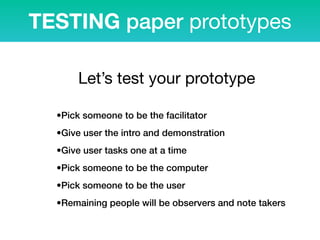
TESTING paper prototypes
•Pick someone to be the facilitator
•Give user the intro and demonstration
•Give user tasks one at a time
•Pick someone to be the computer
•Pick someone to be the user
•Remaining people will be observers and note takers
Let’s test your prototype
TESTING paper prototypes
•Stays neutral and quiet during the testing session
•Keeps neutral body language (poker face)
•No grunting, sighing, etc.
•No explaining
•Have the same person play computer in every session
The “computer”
https://www.youtube.com/watch?v=GrV2SZuRPv0
TESTING paper prototypes
https://www.youtube.com/watch?v=zJqiZrnJSuw
GAME PAPER PROTOTYPE
EVALUATE!
Make SURE the design WORKS
Evaluation is not about SUCCESS. It is about FAILURE.
Test EARLY and OFTEN!
USABILITY TESTING
is the technique that Lets you check whether the design works
for real users, diagnose problems and learn how to fix it.
STEP #1: Plan the test
• Sketch / Paper prototype
• HTML prototype
• Old design
• Competitor’s design
• Your own final website
EVERYTHING
What to test?
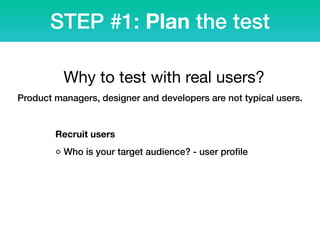
STEP #1: Plan the test


Recruit users
◦ Who is your target audience? - user profile
Why to test with real users?
Product managers, designer and developers are not typical users.
To identify a design's most important usability problems, testing
5 users is typically enough
STEP #1: Plan the test
How many users to test?
STEP #1: Plan the test
Tasks tips
1) Don’t use industry jargon
2) Ask specific questions to get specific answers
3) Ask about firsthand experiences
4) Define the timeline
You need to ask the right question in the right way.
You want results you can trust.
Prepare Environment
USABILITY LAB EXAMPLE
Usability LAB
USABILITY LAB EXAMPLE
Usability LAB
SIMPLE USABILITY LAB
EXAMPLE
Usability LAB
OBSERVERS ROOM
Usability LAB
the environment should be
as real as it is possible
Encourage participant to speak aloud
Don't rescue participants when they get stuck
Don't react negatively to mistakes
Avoid your body language and voice reactions
STEP #2: Run the test
Don’t make the user feel
guilty or dumb

Key properties of a usability professional: CURIOSITY & HUMILITY
Go through your notes and identify common problems
WRITE REPORT
• summarize your findings
• keep it simple
• focus just on fixing 2-3 things
STEP #3: Analyze findings
Modify design by findings
STEP #4: Modify & repeat
TEST AGAIN
Testing what’s obviously WRONG is a
WASTE of time and money.
Learn from FAILURE
More about Usability:

www.usability.gov


Design Patterns that work:

http://goodui.org

Free WebExpo conference speeches:

http://webexpo.cz/videa/en/
USEFUL LINKS
Zdeněk Lanc
UX designer
web:
www.yd.cz
e-mail:

yd@yd.cz


twitter:
@ZdenekLanc
Thank you!

Basic Principles of Interface design