Websites 101
What makes a great website is focus and clarity of
   purpose. A great website is unpretentious. It
   doesn’t pretend to be what it is not. It never
  wastes your time because it always gets to the
      point. A great website helps you to act.
                ~Gerry McGovern
What We’ll Cover
•   What is Web Usability and Why is it Important?
•   Principles of Web Usability
•   Usability Testing
•   Website Critique
•   Web Stats
•   Resources
What is Web Usability and
Why is it Important?
Web Usability


• Web usability refers to ease of use and visual design of your
  website
• The focus is on your users
Why is it Important?

• Good websites…
  • Are liked
  • Won’t drive people away
  • Won’t be distracting
  • Convey more information
  • Will be more compelling
  • Makes contributing easier
  • Will be visited again
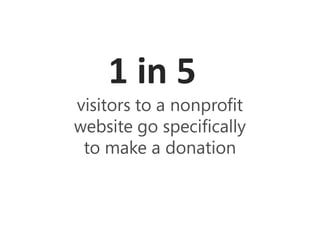
1 in 5
visitors to a nonprofit
website go specifically
 to make a donation
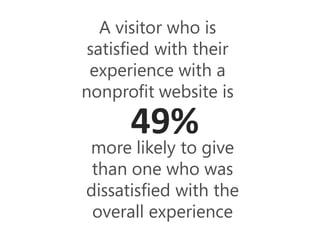
A visitor who is
 satisfied with their
 experience with a
nonprofit website is

      49%
more likely to give
 than one who was
dissatisfied with the
 overall experience
Return on Investment for Nonprofits


•   More engagement from users
•   Increase credibility & trust in your organization
•   Get more media coverage
•   Gain more support for your cause
•   Increase donations
Principles of Web Usability
Present Your Information
        in a Clear and Concise Way


•   Appearance
•   Functionality
•   Content
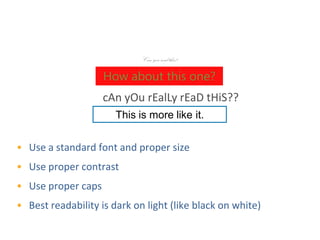
Make Text Easy to Read
                             Can you read this?

                    How about this one?
                    cAn yOu rEalLy rEaD tHiS??
                       This is more like it.


• Use a standard font and proper size
• Use proper contrast
• Use proper caps
• Best readability is dark on light (like black on white)
Whitespace


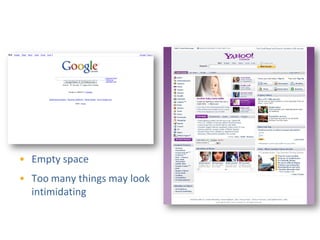
• Empty space
• Too many things may look
  intimidating
Follow Website Conventions

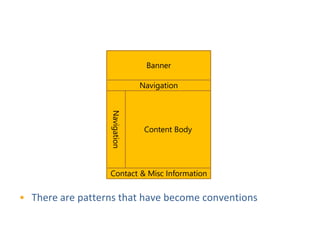
                                Banner

                               Navigation


                  Navigation

                                Content Body


                  Contact & Misc Information


• There are patterns that have become conventions
Follow Website Conventions
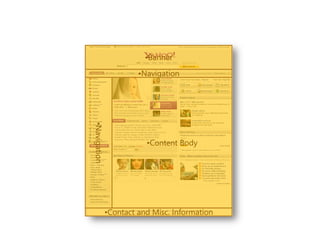
                          •Banner

                        •Navigation

     •Navigation


                          •Content Body


               •Contact and Misc. Information
Speed


• Make your pages load quickly
• Limit use of large pictures
• Interactive media can slow connection
Content


• Web writing is concise
• Keep paragraphs short and use bullet points
• Bold important points, but sparingly
Make navigating easy
               for users


•   Give the correct choices to the
    users (make section names self-
    explanatory)
•   Avoid too much scrolling
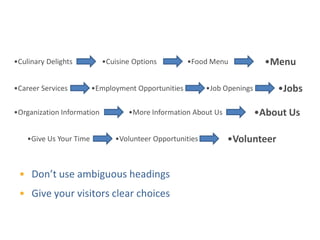
Self-Explanatory Choices

•Culinary Delights          •Cuisine Options         •Food Menu             •Menu

•Career Services         •Employment Opportunities        •Job Openings       •Jobs

•Organization Information          •More Information About Us             •About Us

    •Give Us Your Time         •Volunteer Opportunities         •Volunteer


 • Don’t use ambiguous headings
 • Give your visitors clear choices
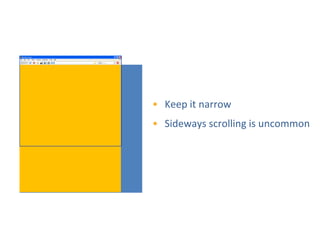
Avoid Too Much Scrolling


           • Keep it narrow
           • Sideways scrolling is uncommon
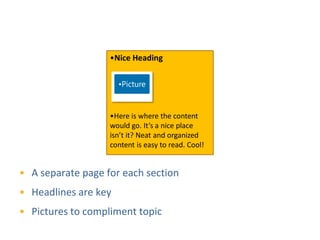
Page Organization
                   •Nice Heading

                      •Picture


                   •Here is where the content
                   would go. It’s a nice place
                   isn’t it? Neat and organized
                   content is easy to read. Cool!


• A separate page for each section
• Headlines are key
• Pictures to compliment topic
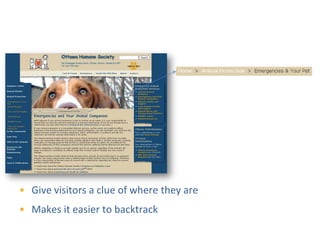
Breadcrumb Navigation


• Give visitors a clue of where they are
• Makes it easier to backtrack
Remove Ambiguity Regarding the
           Consequences of an Action


•   Make it easy to go back to
    the home page
•   Make mistakes easy to
    recover from
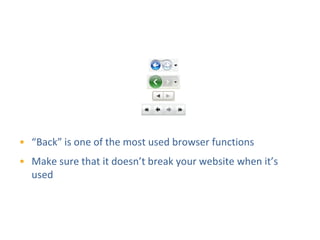
The Back Button


• “Back” is one of the most used browser functions
• Make sure that it doesn’t break your website when it’s
  used
Visual Consistency


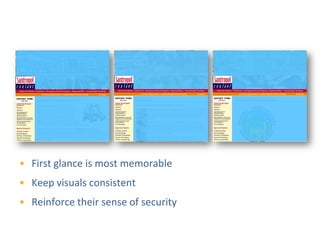
• First glance is most memorable
• Keep visuals consistent
• Reinforce their sense of security
Put the most important
            things in the right places

•   Have a clear description of
    what you do
•   Show your Donate Now
    button prominently
•   Complete contact
    information
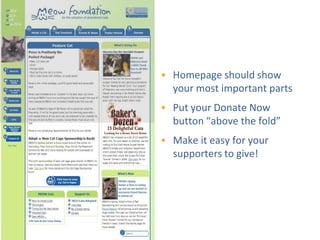
• Homepage should show
  your most important parts
• Put your Donate Now
  button “above the fold”
• Make it easy for your
  supporters to give!
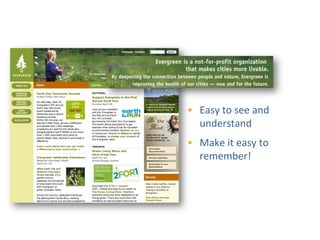
Show What You Do Clearly


              • Easy to see and
                understand
              • Make it easy to
                remember!
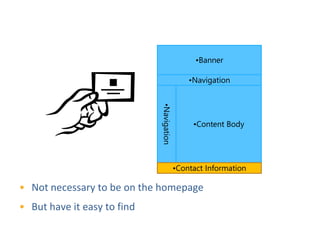
Make it Easy to Contact You
                                                 •Banner

                                               •Navigation


                             •Navigation
                                                •Content Body


                                           •Contact Information

• Not necessary to be on the homepage
• But have it easy to find
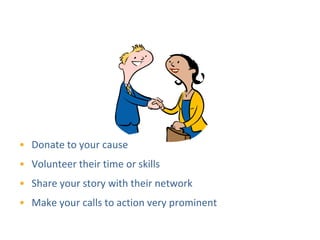
Show How People Can Get Involved


• Donate to your cause
• Volunteer their time or skills
• Share your story with their network
• Make your calls to action very prominent
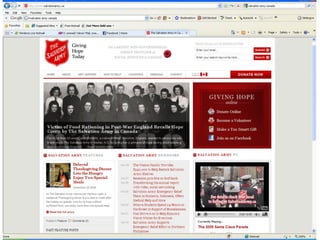
Salvation army example
Usability Testing
Testing Questions


1. Is it obvious what this site is about?
2. Is it easy to find what I need?
3. Are the most important things visible when I arrive?
DIY Usability Testing
                 Step 1: Find Testers


• Find 3-5 people who have some time to have a look at your
  website
• Testers should not already be familiar with your site
• Testers should be representative of your usual website
  users
DIY Usability Testing
                   Step 2: Using your site

• Ask testers to comment as they navigate your site
  (to give you insight about their choices)
• Ask testers to accomplish your main calls of action
       Sign up for your newsletter
       Click your Donate Now! Button
       Find and apply for volunteer opportunities
       Other ways they can get involved (buy tickets,
        buy products, join a group etc…)
       Find general information about your
        organization’s mission and mandate
       Contact your organization
DIY Usability Testing
                     Step 3: Observe
• Take note of:
  • How long each step takes to complete
  • Tester confusion at any point
  • Frustration
  • Ease of use
• Work with your web team to have the main
  issues and frustrations address
• … repeat your usability testing whenever you
  make major changes to your site
Survey Your Users


• Make a checklist that rates your website
• Free online surveys (www.surveymonkey.com)
• Put a link on your site
• Put it in your newsletter
• Try to get everyone to do it
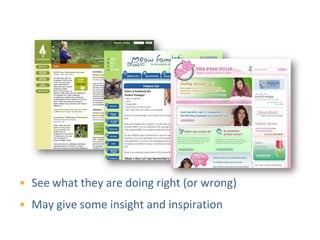
Check Out Other Charity Websites


• See what they are doing right (or wrong)
• May give some insight and inspiration
Website Critique
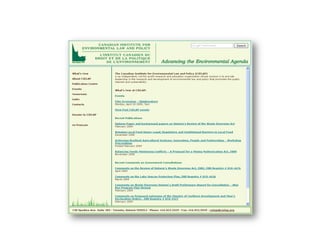
Original CIELAP Website
Modified CIELAP Website
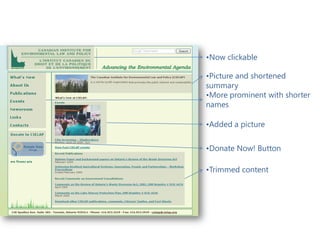
                •Now clickable

                •Picture and shortened
                summary
                •More prominent with shorter
                names

                •Added a picture

                •Donate Now! Button

                •Trimmed content
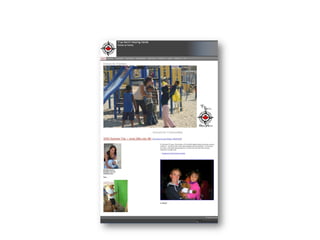
Original True North Website
Modified True North Website
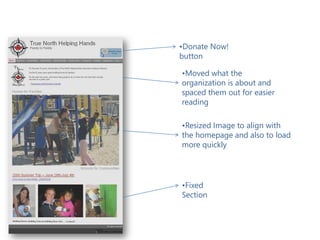
               •Donate Now!
               button

               •Moved what the
               organization is about and
               spaced them out for easier
               reading

               •Resized Image to align with
               the homepage and also to load
               more quickly


               •Fixed
               Section
Web Stats
Why Are Web Stats Important?


1. Understand your users
2. Know what people do on your site
3. Provides tangible feedback about your site
4. Leaves the guessing out of what works
Looking At Web Stats


•   Web stats can be confusing
•   Knowing where and what to look for helps
•   Here’s what you can take a look at now
Visitors


•    Gain insights about the visitors of your website
    1.   Unique visitors
    2.   First time vs. repeat visitors
    3.   Visitor loyalty
    4.   Length of visit
    5.   Browsers
    6.   Geographic profile & language
Content


•   Top content
•   Top landing pages
•   Top exit pages
Traffic Sources


•       Direct traffic: typed your address in a browser
•       Referring sites:
    •      Know your top referring sites
    •      Are your ads working?
•       Search Engines
    •      Keywords
Google Analytics


• Free service
• Comprehensive feature set
• Go to http://www.google.com/analytics/
Resources
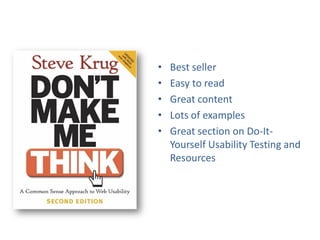
•   Best seller
•   Easy to read
•   Great content
•   Lots of examples
•   Great section on Do-It-
    Yourself Usability Testing and
    Resources
Medicine Hat 2010 - Websites 101
Medicine Hat 2010 - Websites 101
  • 1.
  • 2.
    What makes agreat website is focus and clarity of purpose. A great website is unpretentious. It doesn’t pretend to be what it is not. It never wastes your time because it always gets to the point. A great website helps you to act. ~Gerry McGovern
  • 3.
    What We’ll Cover • What is Web Usability and Why is it Important? • Principles of Web Usability • Usability Testing • Website Critique • Web Stats • Resources
  • 4.
    What is WebUsability and Why is it Important?
  • 5.
    Web Usability • Webusability refers to ease of use and visual design of your website • The focus is on your users
  • 6.
    Why is itImportant? • Good websites… • Are liked • Won’t drive people away • Won’t be distracting • Convey more information • Will be more compelling • Makes contributing easier • Will be visited again
  • 7.
    1 in 5 visitorsto a nonprofit website go specifically to make a donation
  • 8.
    A visitor whois satisfied with their experience with a nonprofit website is 49% more likely to give than one who was dissatisfied with the overall experience
  • 9.
    Return on Investmentfor Nonprofits • More engagement from users • Increase credibility & trust in your organization • Get more media coverage • Gain more support for your cause • Increase donations
  • 10.
  • 11.
    Present Your Information in a Clear and Concise Way • Appearance • Functionality • Content
  • 12.
    Make Text Easyto Read Can you read this? How about this one? cAn yOu rEalLy rEaD tHiS?? This is more like it. • Use a standard font and proper size • Use proper contrast • Use proper caps • Best readability is dark on light (like black on white)
  • 13.
    Whitespace • Empty space •Too many things may look intimidating
  • 14.
    Follow Website Conventions Banner Navigation Navigation Content Body Contact & Misc Information • There are patterns that have become conventions
  • 15.
    Follow Website Conventions •Banner •Navigation •Navigation •Content Body •Contact and Misc. Information
  • 16.
    Speed • Make yourpages load quickly • Limit use of large pictures • Interactive media can slow connection
  • 17.
    Content • Web writingis concise • Keep paragraphs short and use bullet points • Bold important points, but sparingly
  • 18.
    Make navigating easy for users • Give the correct choices to the users (make section names self- explanatory) • Avoid too much scrolling
  • 19.
    Self-Explanatory Choices •Culinary Delights •Cuisine Options •Food Menu •Menu •Career Services •Employment Opportunities •Job Openings •Jobs •Organization Information •More Information About Us •About Us •Give Us Your Time •Volunteer Opportunities •Volunteer • Don’t use ambiguous headings • Give your visitors clear choices
  • 20.
    Avoid Too MuchScrolling • Keep it narrow • Sideways scrolling is uncommon
  • 21.
    Page Organization •Nice Heading •Picture •Here is where the content would go. It’s a nice place isn’t it? Neat and organized content is easy to read. Cool! • A separate page for each section • Headlines are key • Pictures to compliment topic
  • 22.
    Breadcrumb Navigation • Givevisitors a clue of where they are • Makes it easier to backtrack
  • 23.
    Remove Ambiguity Regardingthe Consequences of an Action • Make it easy to go back to the home page • Make mistakes easy to recover from
  • 24.
    The Back Button •“Back” is one of the most used browser functions • Make sure that it doesn’t break your website when it’s used
  • 25.
    Visual Consistency • Firstglance is most memorable • Keep visuals consistent • Reinforce their sense of security
  • 26.
    Put the mostimportant things in the right places • Have a clear description of what you do • Show your Donate Now button prominently • Complete contact information
  • 27.
    • Homepage shouldshow your most important parts • Put your Donate Now button “above the fold” • Make it easy for your supporters to give!
  • 28.
    Show What YouDo Clearly • Easy to see and understand • Make it easy to remember!
  • 29.
    Make it Easyto Contact You •Banner •Navigation •Navigation •Content Body •Contact Information • Not necessary to be on the homepage • But have it easy to find
  • 30.
    Show How PeopleCan Get Involved • Donate to your cause • Volunteer their time or skills • Share your story with their network • Make your calls to action very prominent
  • 31.
  • 32.
  • 33.
    Testing Questions 1. Isit obvious what this site is about? 2. Is it easy to find what I need? 3. Are the most important things visible when I arrive?
  • 34.
    DIY Usability Testing Step 1: Find Testers • Find 3-5 people who have some time to have a look at your website • Testers should not already be familiar with your site • Testers should be representative of your usual website users
  • 35.
    DIY Usability Testing Step 2: Using your site • Ask testers to comment as they navigate your site (to give you insight about their choices) • Ask testers to accomplish your main calls of action  Sign up for your newsletter  Click your Donate Now! Button  Find and apply for volunteer opportunities  Other ways they can get involved (buy tickets, buy products, join a group etc…)  Find general information about your organization’s mission and mandate  Contact your organization
  • 36.
    DIY Usability Testing Step 3: Observe • Take note of: • How long each step takes to complete • Tester confusion at any point • Frustration • Ease of use • Work with your web team to have the main issues and frustrations address • … repeat your usability testing whenever you make major changes to your site
  • 37.
    Survey Your Users •Make a checklist that rates your website • Free online surveys (www.surveymonkey.com) • Put a link on your site • Put it in your newsletter • Try to get everyone to do it
  • 38.
    Check Out OtherCharity Websites • See what they are doing right (or wrong) • May give some insight and inspiration
  • 39.
  • 40.
  • 41.
    Modified CIELAP Website •Now clickable •Picture and shortened summary •More prominent with shorter names •Added a picture •Donate Now! Button •Trimmed content
  • 42.
  • 43.
    Modified True NorthWebsite •Donate Now! button •Moved what the organization is about and spaced them out for easier reading •Resized Image to align with the homepage and also to load more quickly •Fixed Section
  • 44.
  • 45.
    Why Are WebStats Important? 1. Understand your users 2. Know what people do on your site 3. Provides tangible feedback about your site 4. Leaves the guessing out of what works
  • 46.
    Looking At WebStats • Web stats can be confusing • Knowing where and what to look for helps • Here’s what you can take a look at now
  • 47.
    Visitors • Gain insights about the visitors of your website 1. Unique visitors 2. First time vs. repeat visitors 3. Visitor loyalty 4. Length of visit 5. Browsers 6. Geographic profile & language
  • 48.
    Content • Top content • Top landing pages • Top exit pages
  • 49.
    Traffic Sources • Direct traffic: typed your address in a browser • Referring sites: • Know your top referring sites • Are your ads working? • Search Engines • Keywords
  • 50.
    Google Analytics • Freeservice • Comprehensive feature set • Go to http://www.google.com/analytics/
  • 51.
  • 52.
    Best seller • Easy to read • Great content • Lots of examples • Great section on Do-It- Yourself Usability Testing and Resources