Up is Down, Black is White:
Using SCCM for Wrong and Right
Matt Nelson, Will Schroeder
Veris Group’s Adaptive Threat Division
@enigma0x3
❖ Penetration Tester and Red Teamer for the
Adaptive Threat Division (ATD) of Veris Group
❖ Active developer on the PowerShell Empire
project
❖ Offensive PowerShell advocate
❖ Sysadmin while in college
❖ Cons: Shmoocon (Firetalks), BSides DC
@harmj0y
❖ Security researcher and red teamer for the
Adaptive Threat Division of Veris Group
❖ Co-founder and active developer of the Veil-
Framework | PowerTools | Empire
❖ PowerSploit developer
❖ Microsoft CDM/PowerShell MVP
❖ Cons: Shmoocon, DEF CON, DerbyCon,
various BSides (including BSides Boston!)
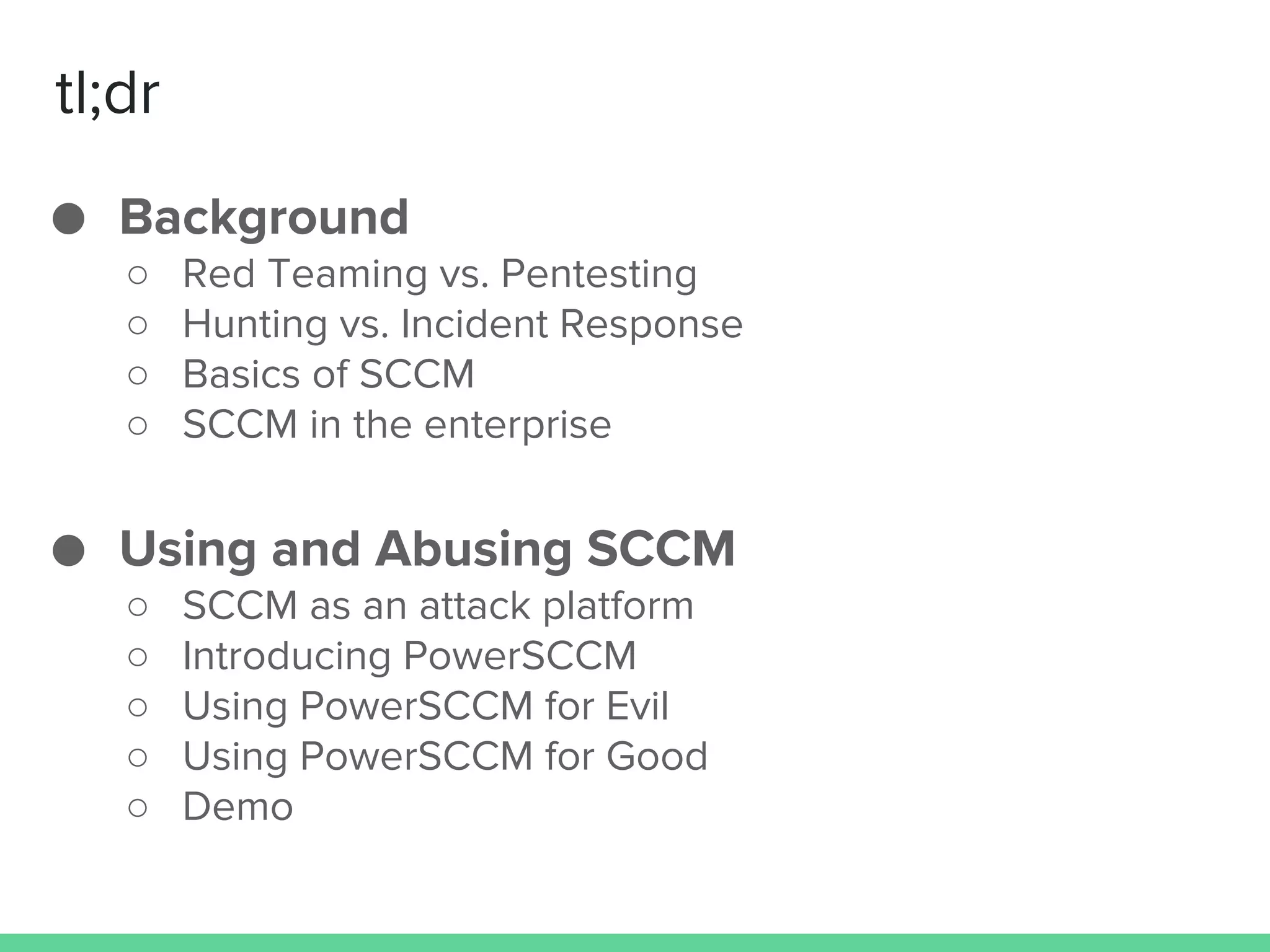
tl;dr
● Background
○ Red Teaming vs. Pentesting
○ Hunting vs. Incident Response
○ Basics of SCCM
○ SCCM in the enterprise
● Using and Abusing SCCM
○ SCCM as an attack platform
○ Introducing PowerSCCM
○ Using PowerSCCM for Evil
○ Using PowerSCCM for Good
○ Demo
Background
Pentesting vs Red Teaming
Hunting vs Incident Response
Pentesting
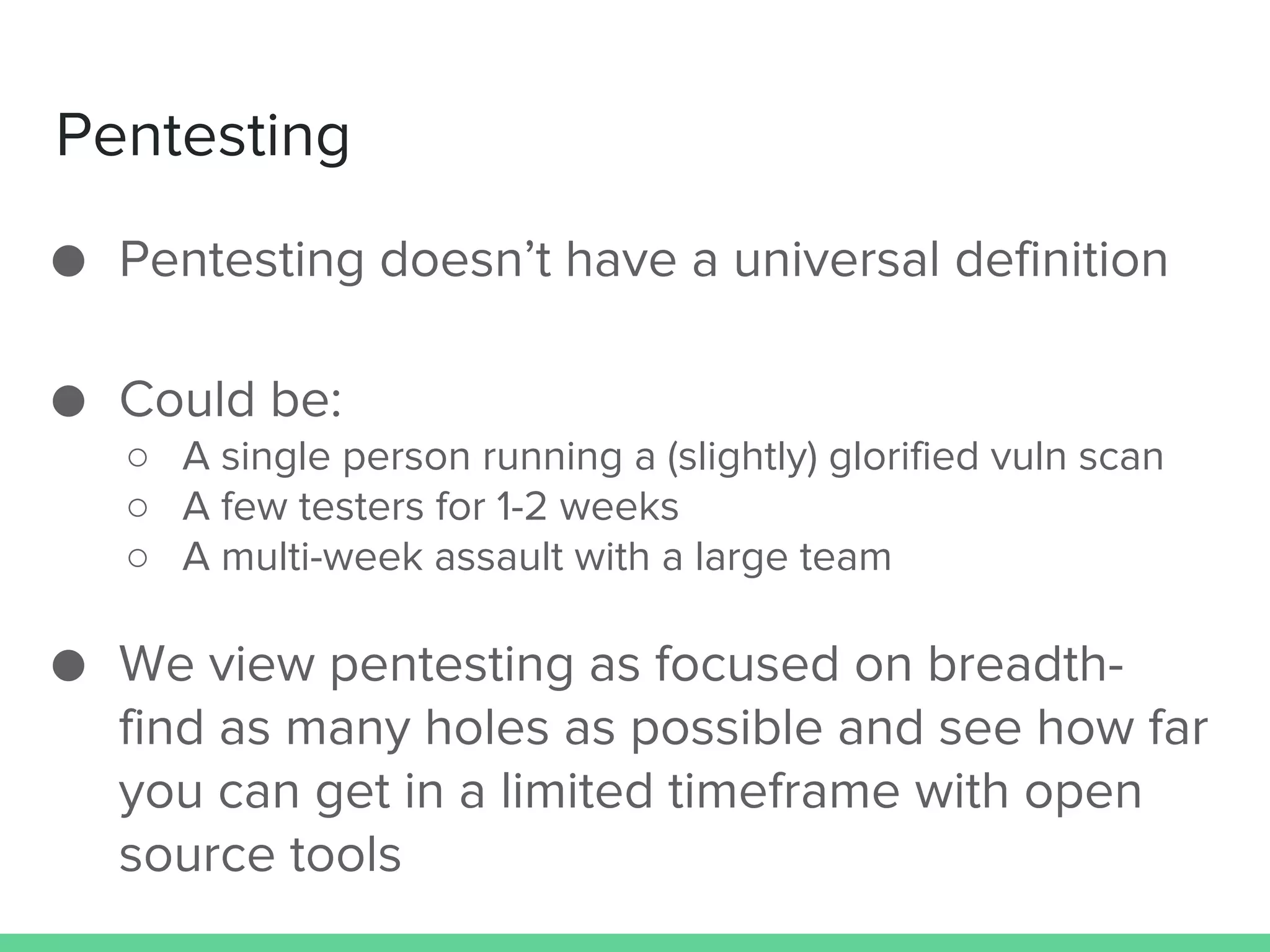
● Pentesting doesn’t have a universal definition
● Could be:
○ A single person running a (slightly) glorified vuln scan
○ A few testers for 1-2 weeks
○ A multi-week assault with a large team
● We view pentesting as focused on breadth-
find as many holes as possible and see how far
you can get in a limited timeframe with open
source tools
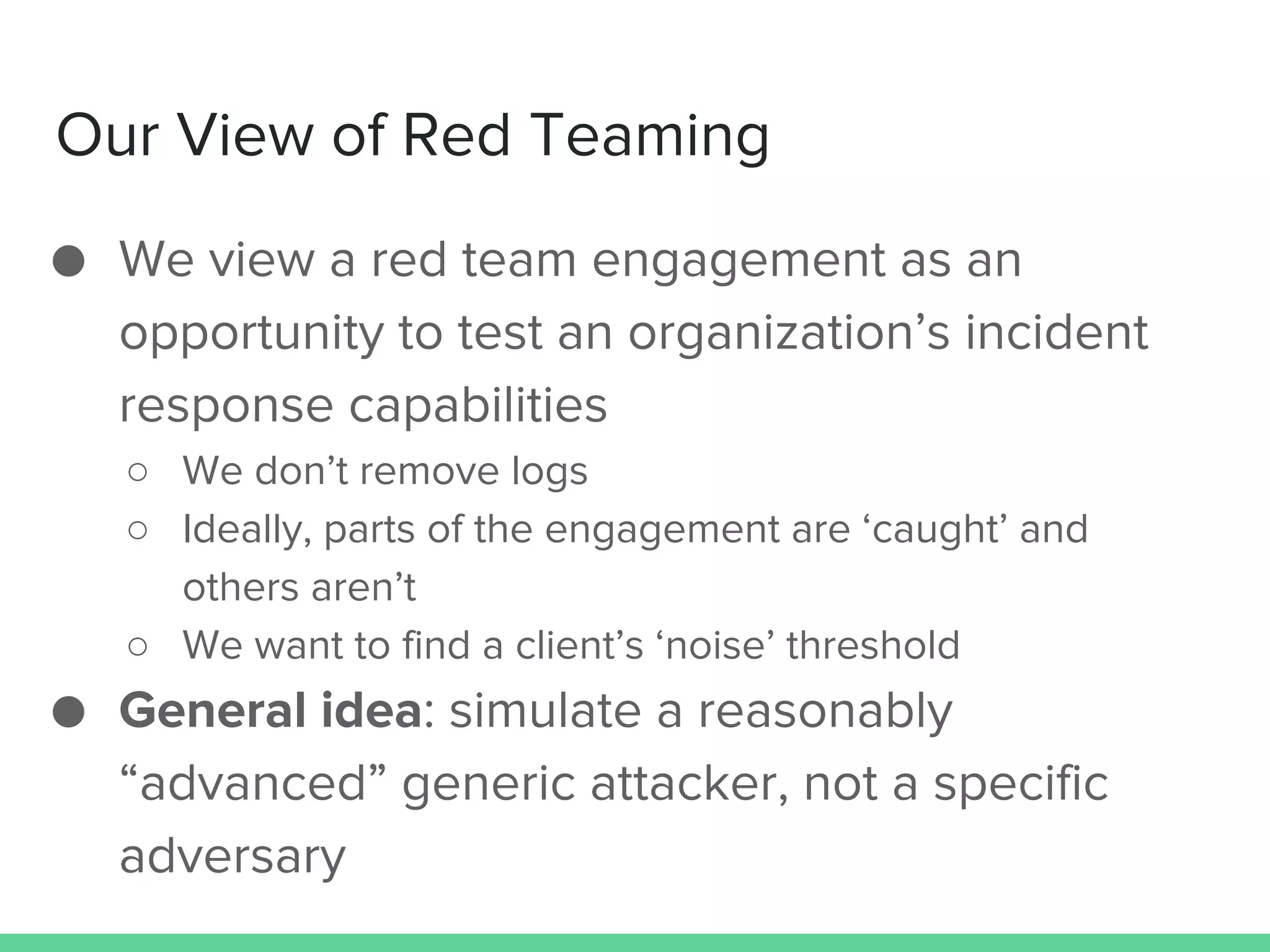
Our View of Red Teaming
● We view a red team engagement as an
opportunity to test an organization’s incident
response capabilities
○ We don’t remove logs
○ Ideally, parts of the engagement are ‘caught’ and
others aren’t
○ We want to find a client’s ‘noise’ threshold
● General idea: simulate a reasonably
“advanced” generic attacker, not a specific
adversary
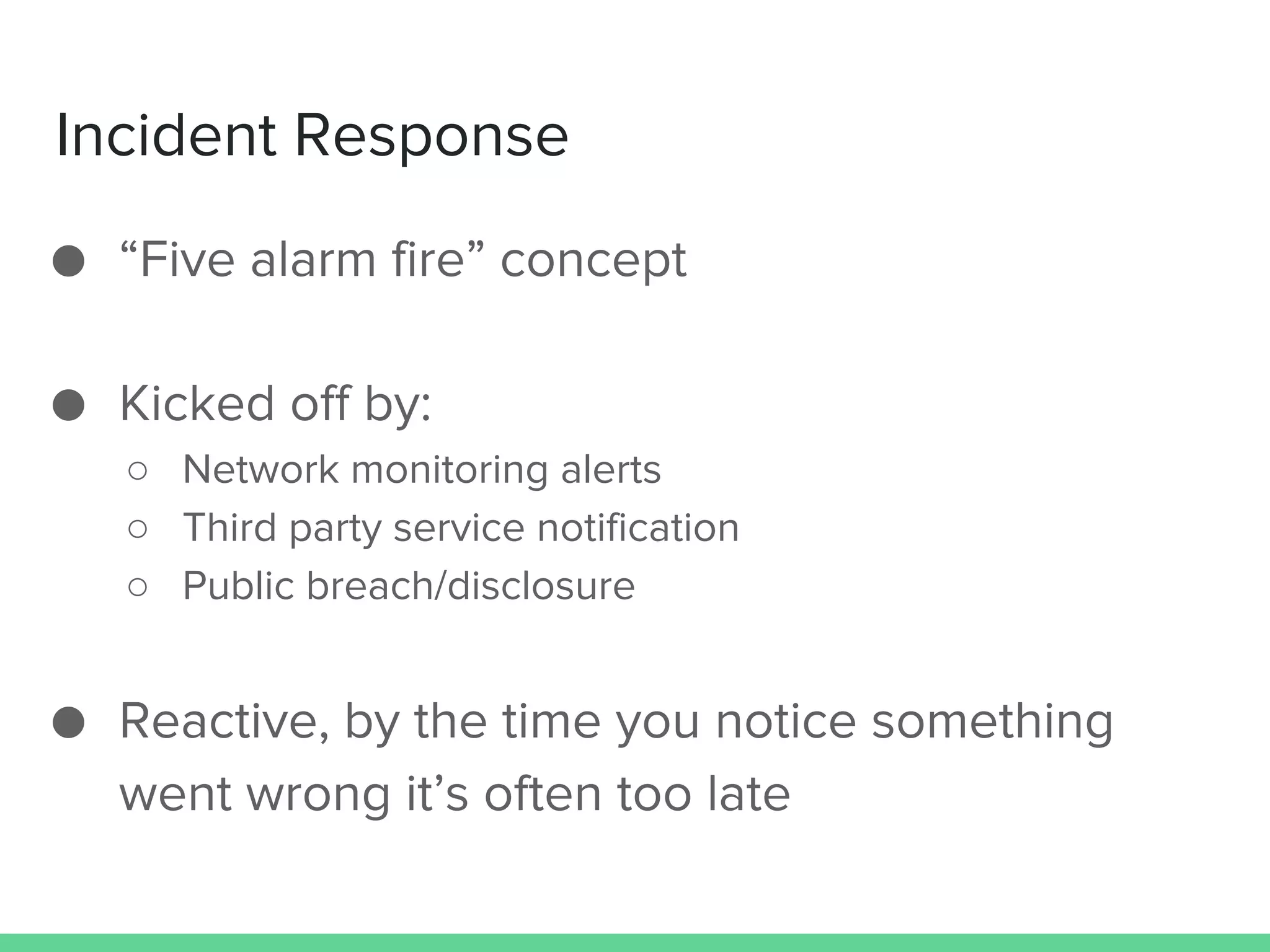
Incident Response
● “Five alarm fire” concept
● Kicked off by:
○ Network monitoring alerts
○ Third party service notification
○ Public breach/disclosure
● Reactive, by the time you notice something
went wrong it’s often too late
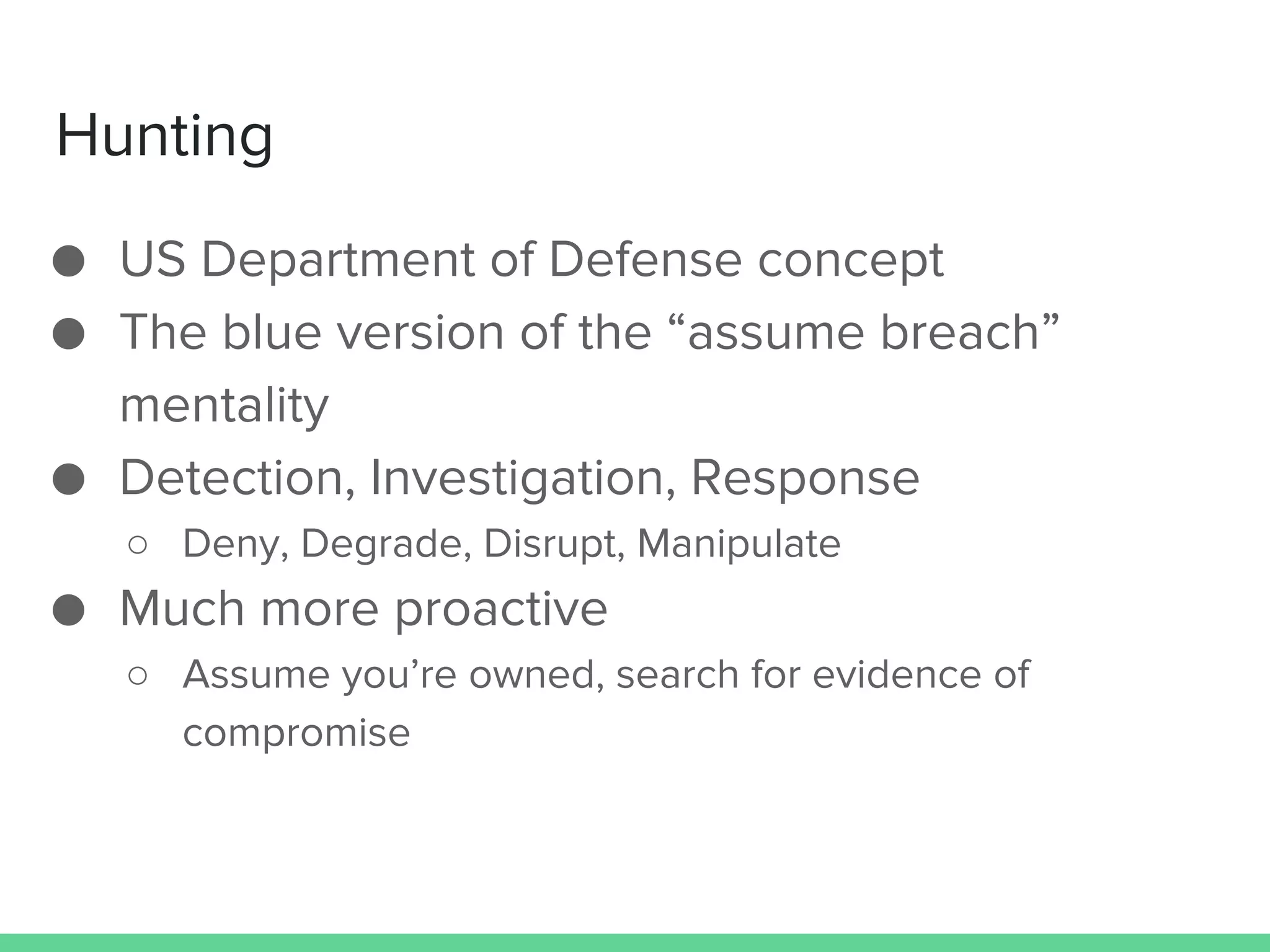
Hunting
● US Department of Defense concept
● The blue version of the “assume breach”
mentality
● Detection, Investigation, Response
○ Deny, Degrade, Disrupt, Manipulate
● Much more proactive
○ Assume you’re owned, search for evidence of
compromise
“Fundamentally, if somebody wants to get in,
they're getting in...Accept that...What we tell
clients is:
Number one, you're in the fight, whether you
thought you were or not.
Number two, you're almost certainly penetrated.”
Assume Breach
Michael Hayden
Former Director of CIA & NSA
SCCM
Microsoft’s System Center Configuration Manager
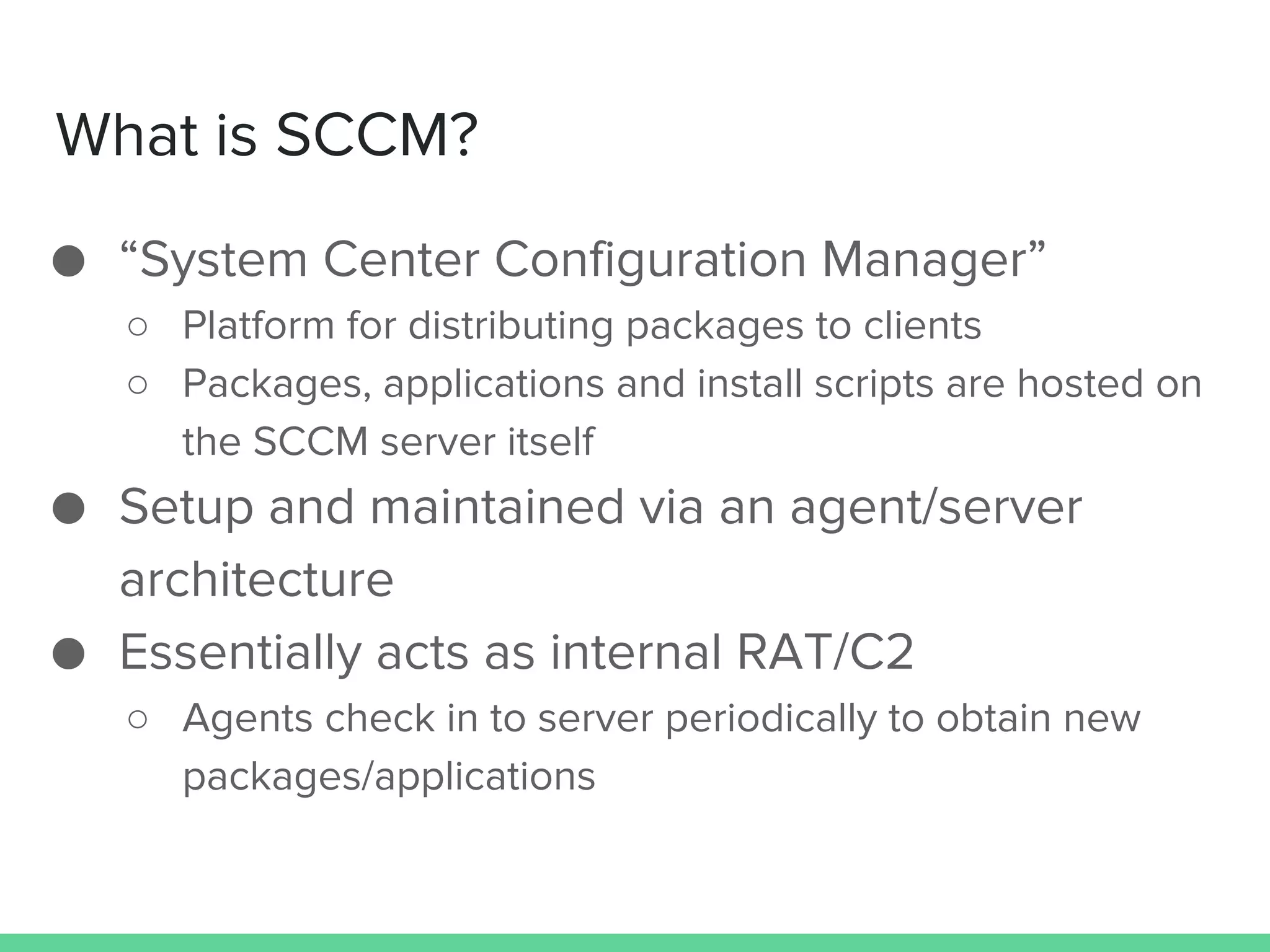
What is SCCM?
● “System Center Configuration Manager”
○ Platform for distributing packages to clients
○ Packages, applications and install scripts are hosted on
the SCCM server itself
● Setup and maintained via an agent/server
architecture
● Essentially acts as internal RAT/C2
○ Agents check in to server periodically to obtain new
packages/applications
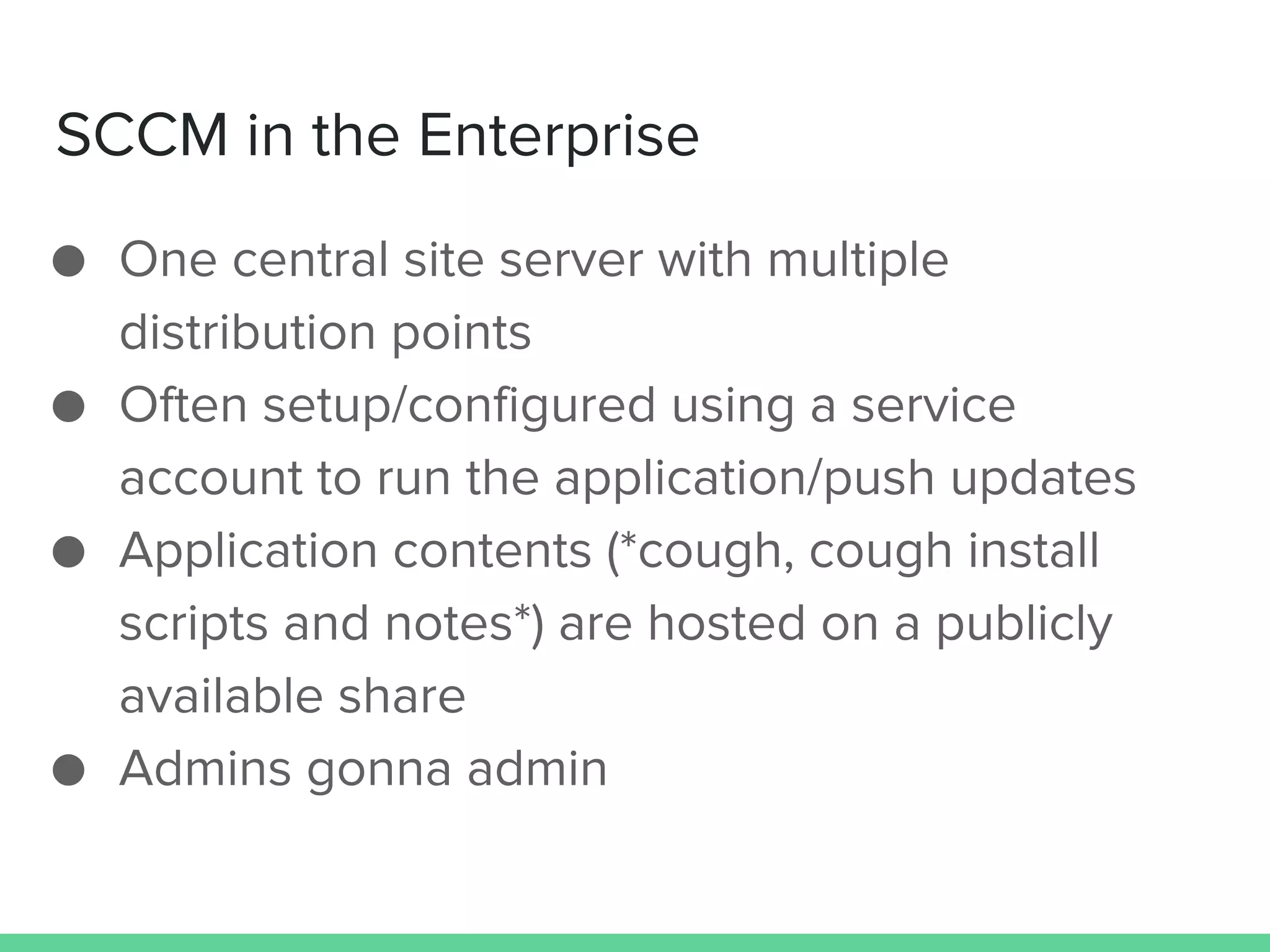
SCCM in the Enterprise
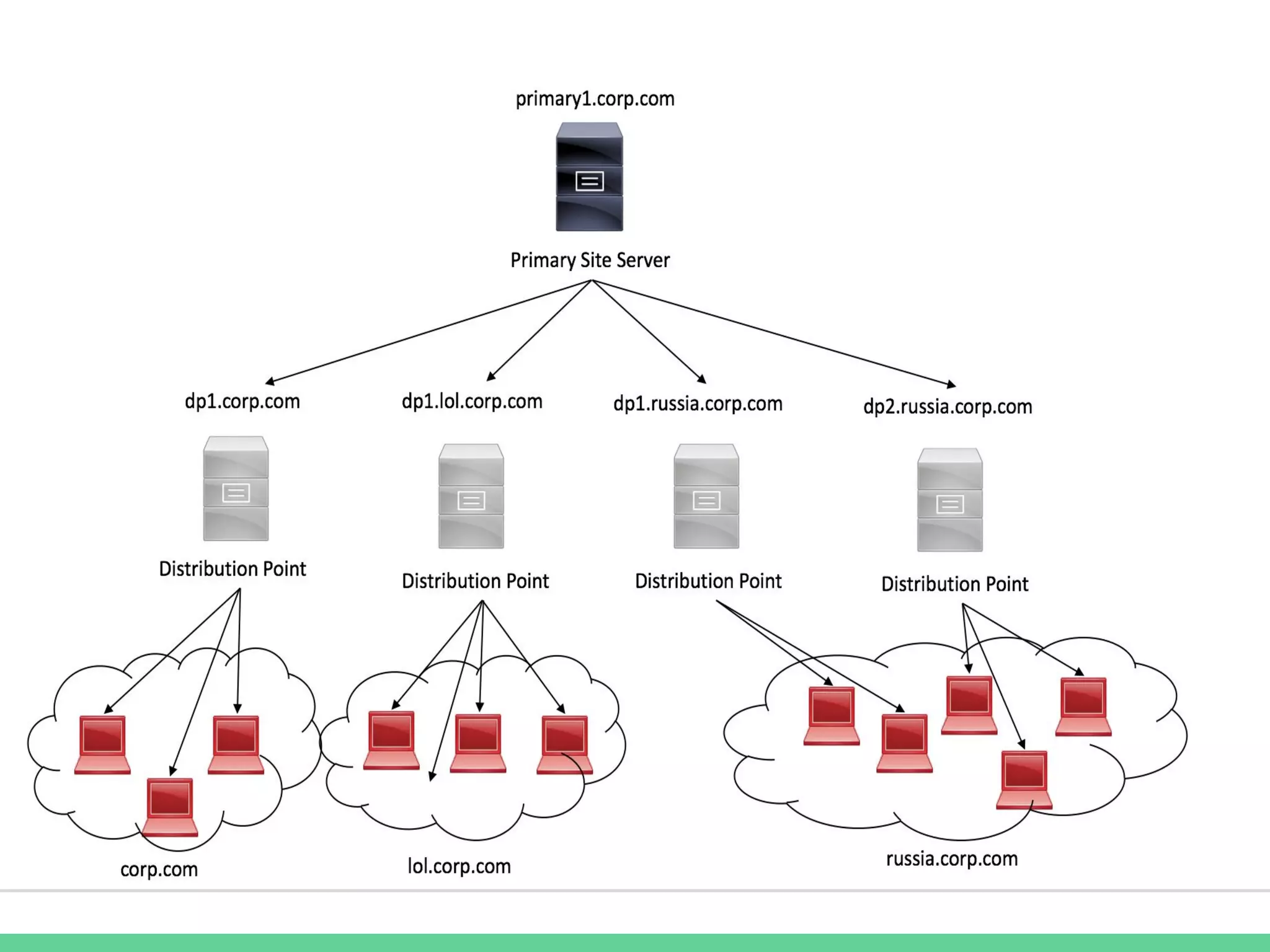
● One central site server with multiple
distribution points
● Often setup/configured using a service
account to run the application/push updates
● Application contents (*cough, cough install
scripts and notes*) are hosted on a publicly
available share
● Admins gonna admin
SQL vs. WMI for SCCM Management
● SCCM uses a combination of SQL and WMI to
store lots of client information
○ Some of this can be viewed directly through the
Configuration Manager interface, some can’t
● Bypassing the SCCM frontend and going
straight for the backend can be tricky
○ Determining which method (SQL/WMI) to retrieve
information or update information can also be a
challenge as both have their advantages and
disadvantages
SQL
● SCCM utilizes a ‘normal’ SQL Server 2012
backend
○ Great for information retrieval (useful for Hunt)
○ Finicky for data modification ( for Red Teaming)
● Using SQL for pulling information from SCCM
requires in-depth knowledge of the backend
database
○ SCCM pulls from multiple locations for one requested
piece of information
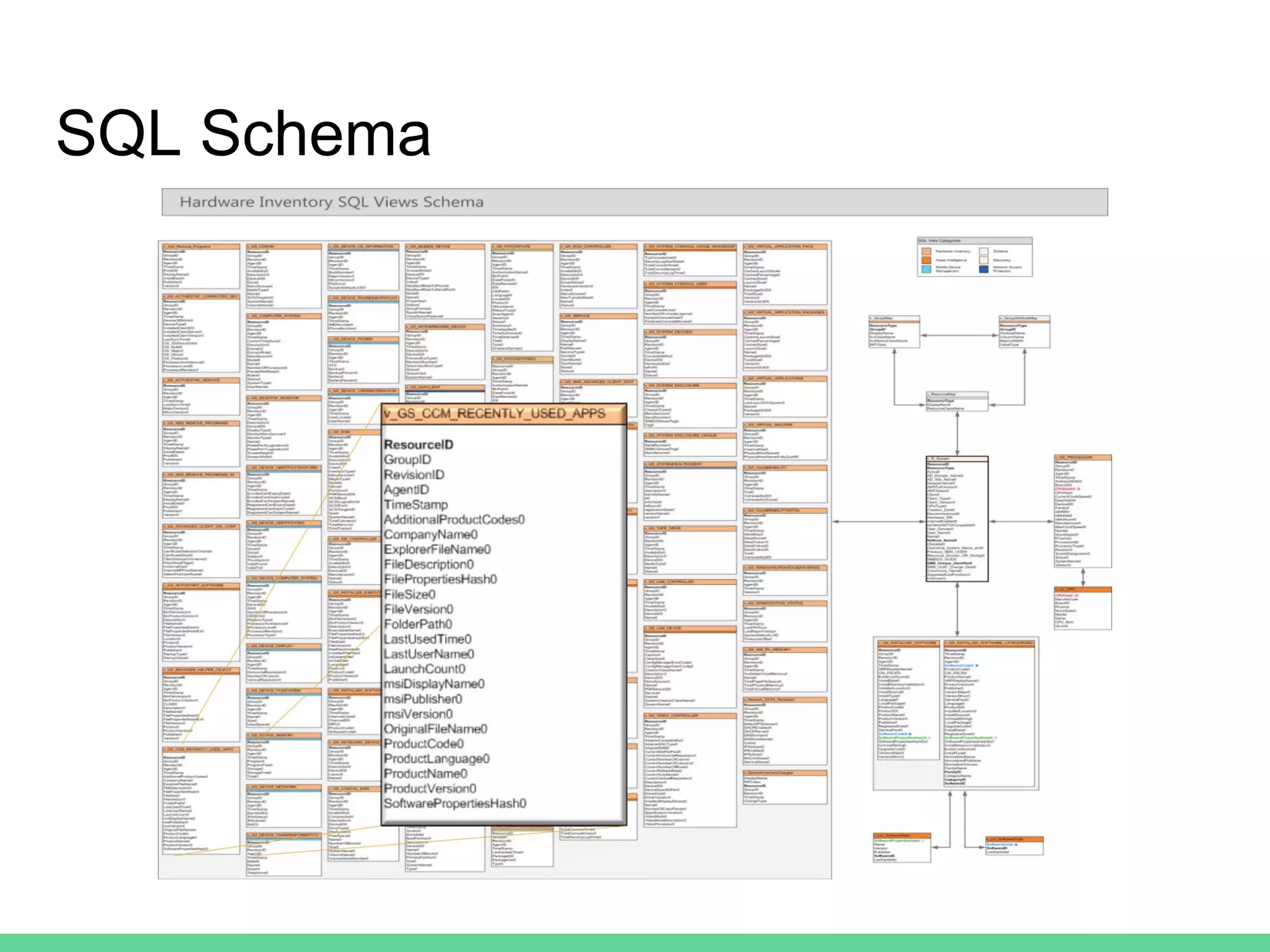
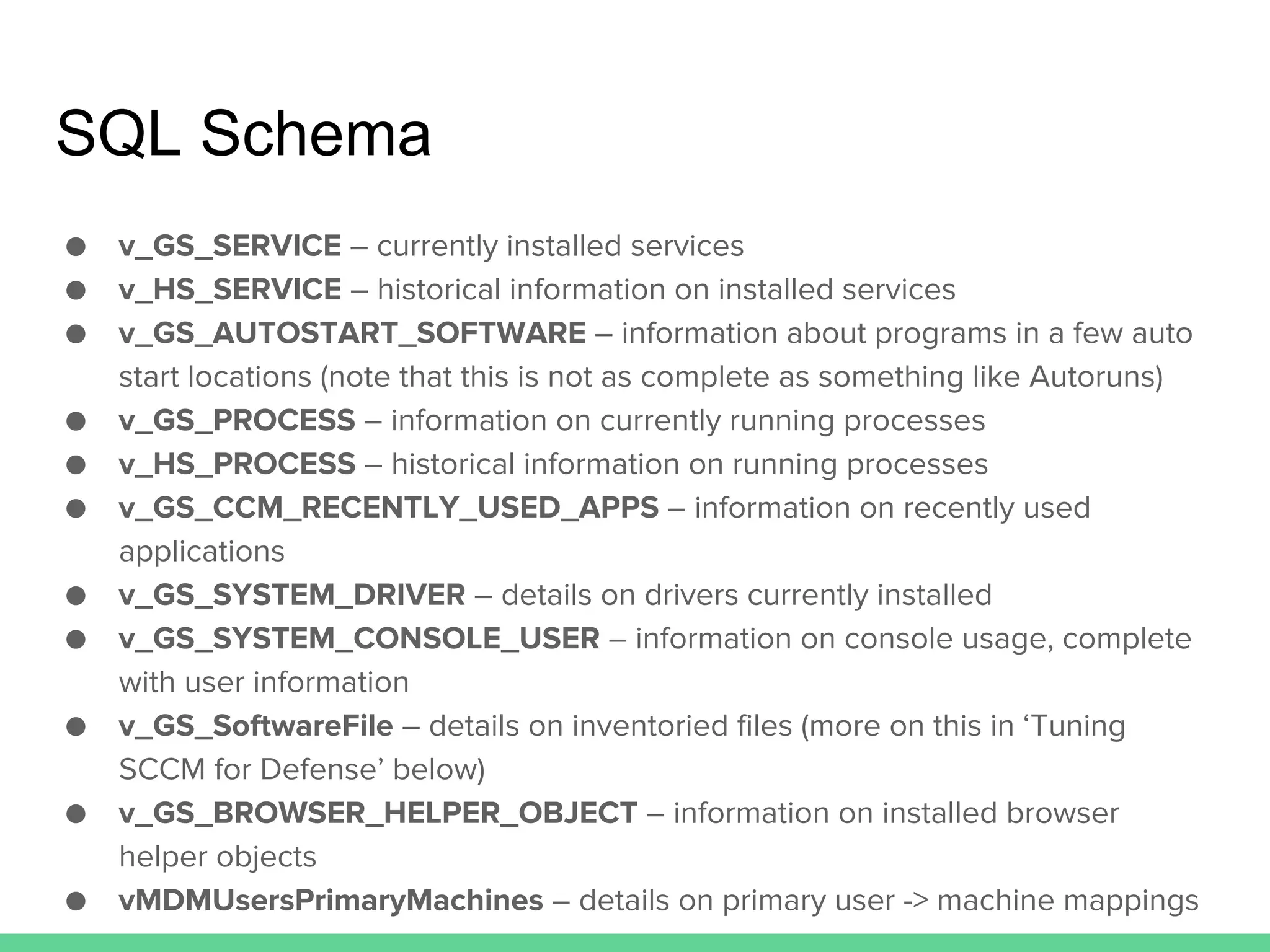
SQL Schema
SQL Schema
● v_GS_SERVICE – currently installed services
● v_HS_SERVICE – historical information on installed services
● v_GS_AUTOSTART_SOFTWARE – information about programs in a few auto
start locations (note that this is not as complete as something like Autoruns)
● v_GS_PROCESS – information on currently running processes
● v_HS_PROCESS – historical information on running processes
● v_GS_CCM_RECENTLY_USED_APPS – information on recently used
applications
● v_GS_SYSTEM_DRIVER – details on drivers currently installed
● v_GS_SYSTEM_CONSOLE_USER – information on console usage, complete
with user information
● v_GS_SoftwareFile – details on inventoried files (more on this in ‘Tuning
SCCM for Defense’ below)
● v_GS_BROWSER_HELPER_OBJECT – information on installed browser
helper objects
● vMDMUsersPrimaryMachines – details on primary user -> machine mappings
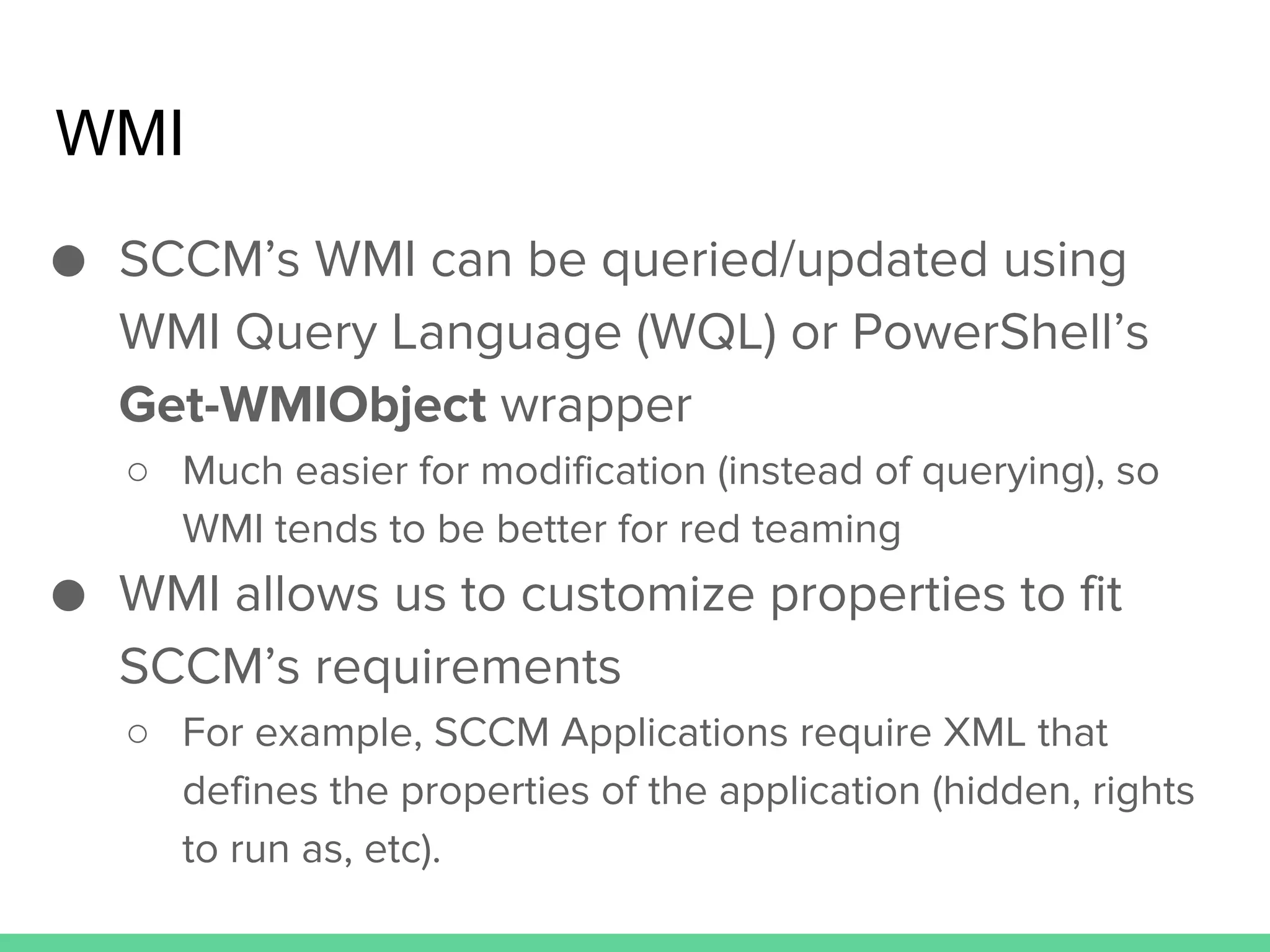
WMI
● SCCM’s WMI can be queried/updated using
WMI Query Language (WQL) or PowerShell’s
Get-WMIObject wrapper
○ Much easier for modification (instead of querying), so
WMI tends to be better for red teaming
● WMI allows us to customize properties to fit
SCCM’s requirements
○ For example, SCCM Applications require XML that
defines the properties of the application (hidden, rights
to run as, etc).
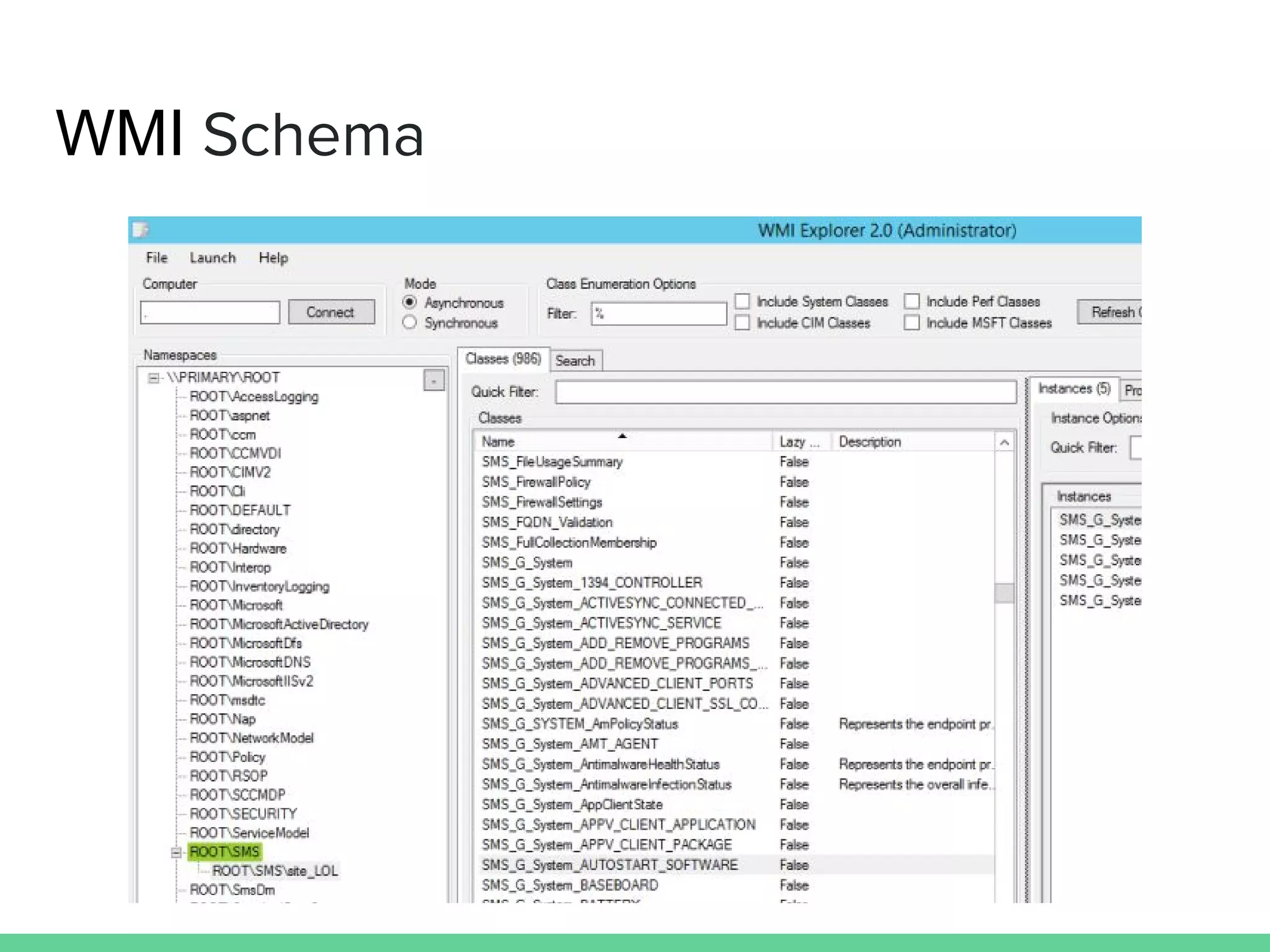
WMI Schema
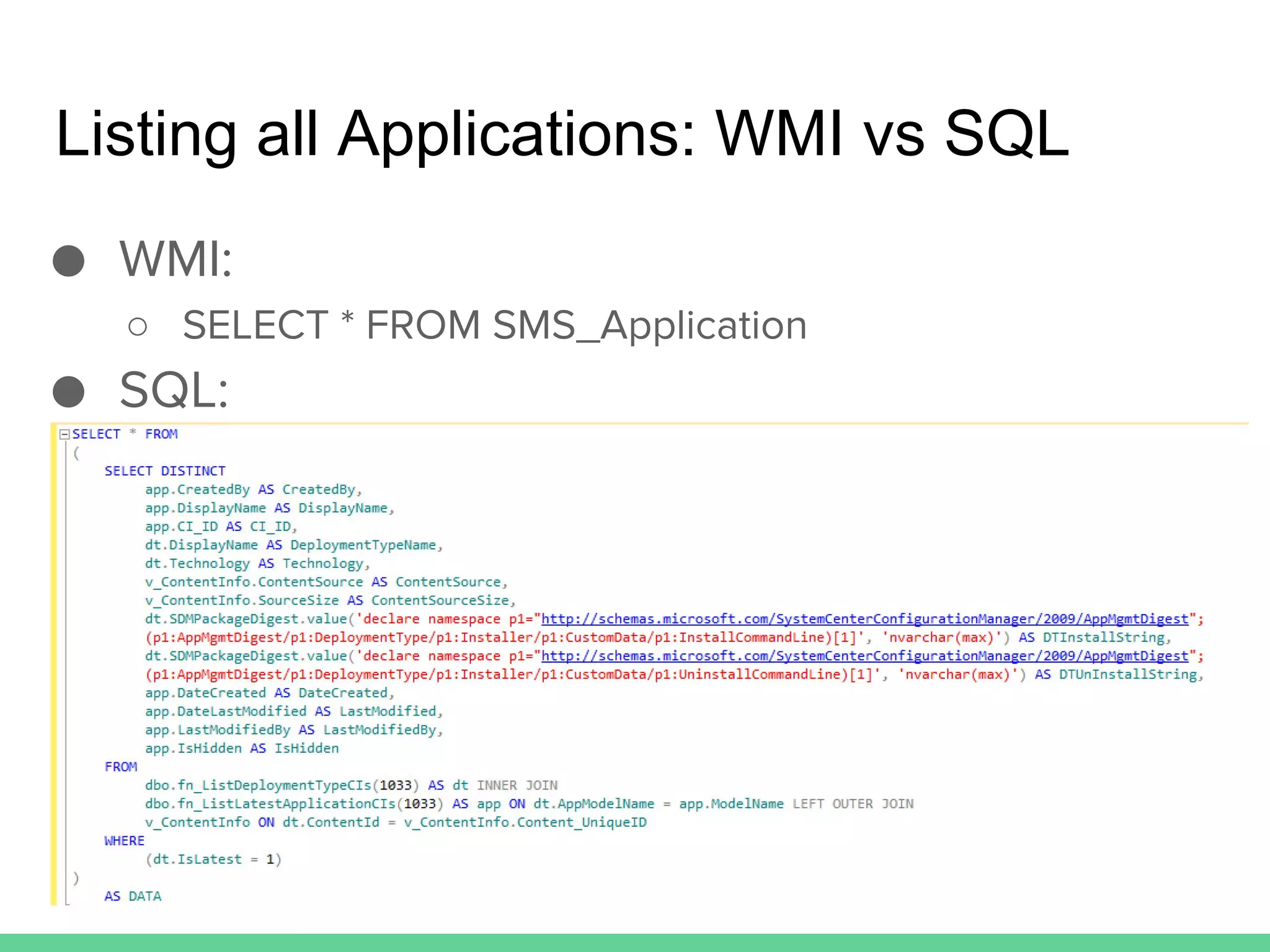
Listing all Applications: WMI vs SQL
● WMI:
○ SELECT * FROM SMS_Application
● SQL:
PowerSCCM
Our PowerShell SCCM Toolkit
● Encountered SCCM multiple times throughout
many engagements but often ignored it due to
our unfamiliarity
● Not a lot of public information on abusing it for
malicious purposes and the process to actually
abuse it was often tedious and manual
○ David Kennedy and Dave DeSimone gave a nice
presentation on using SCCM at Defcon 20 (Owning
One to Rule Them All)
Background/Motivations
Basic Usage
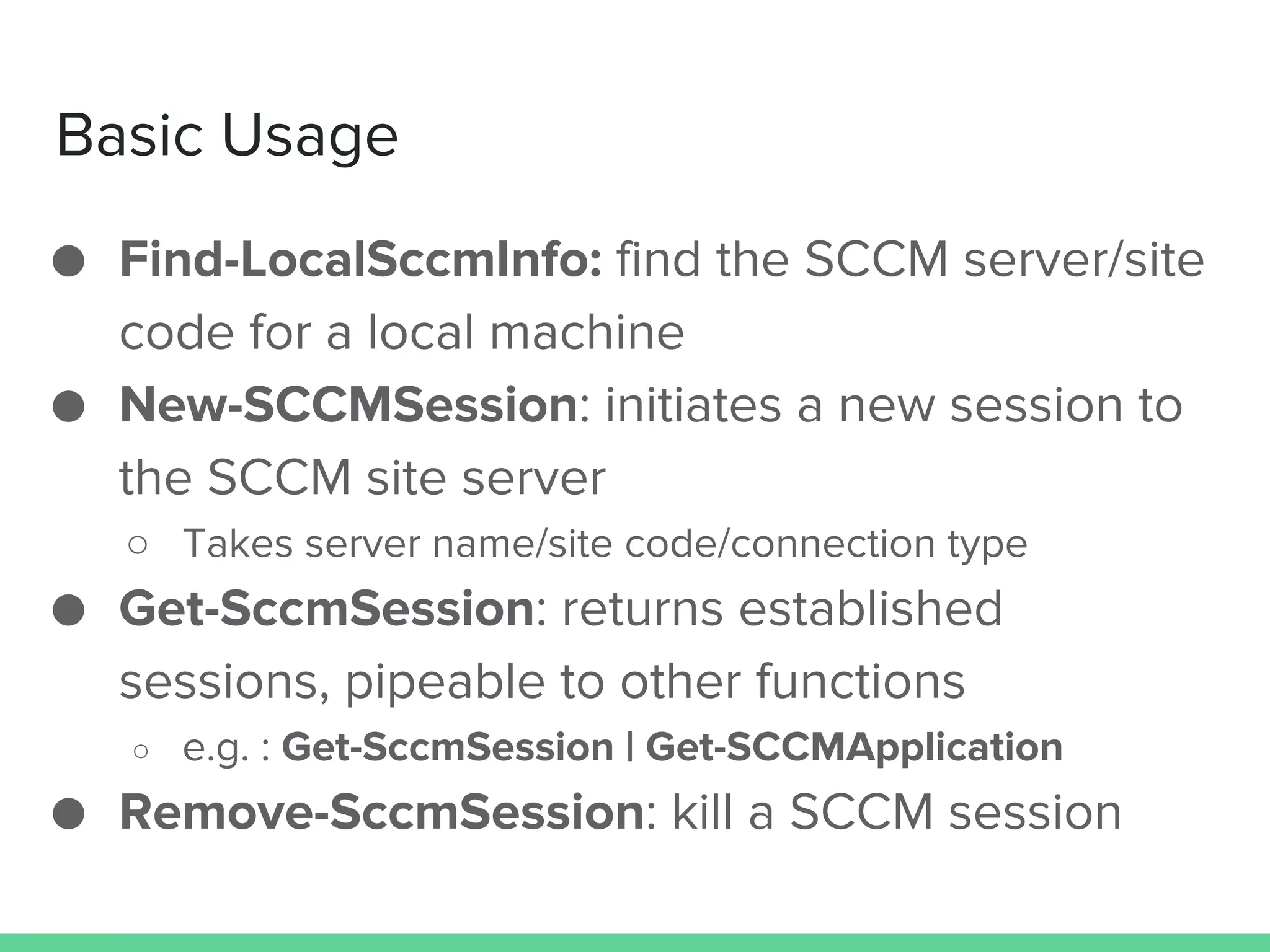
● Find-LocalSccmInfo: find the SCCM server/site
code for a local machine
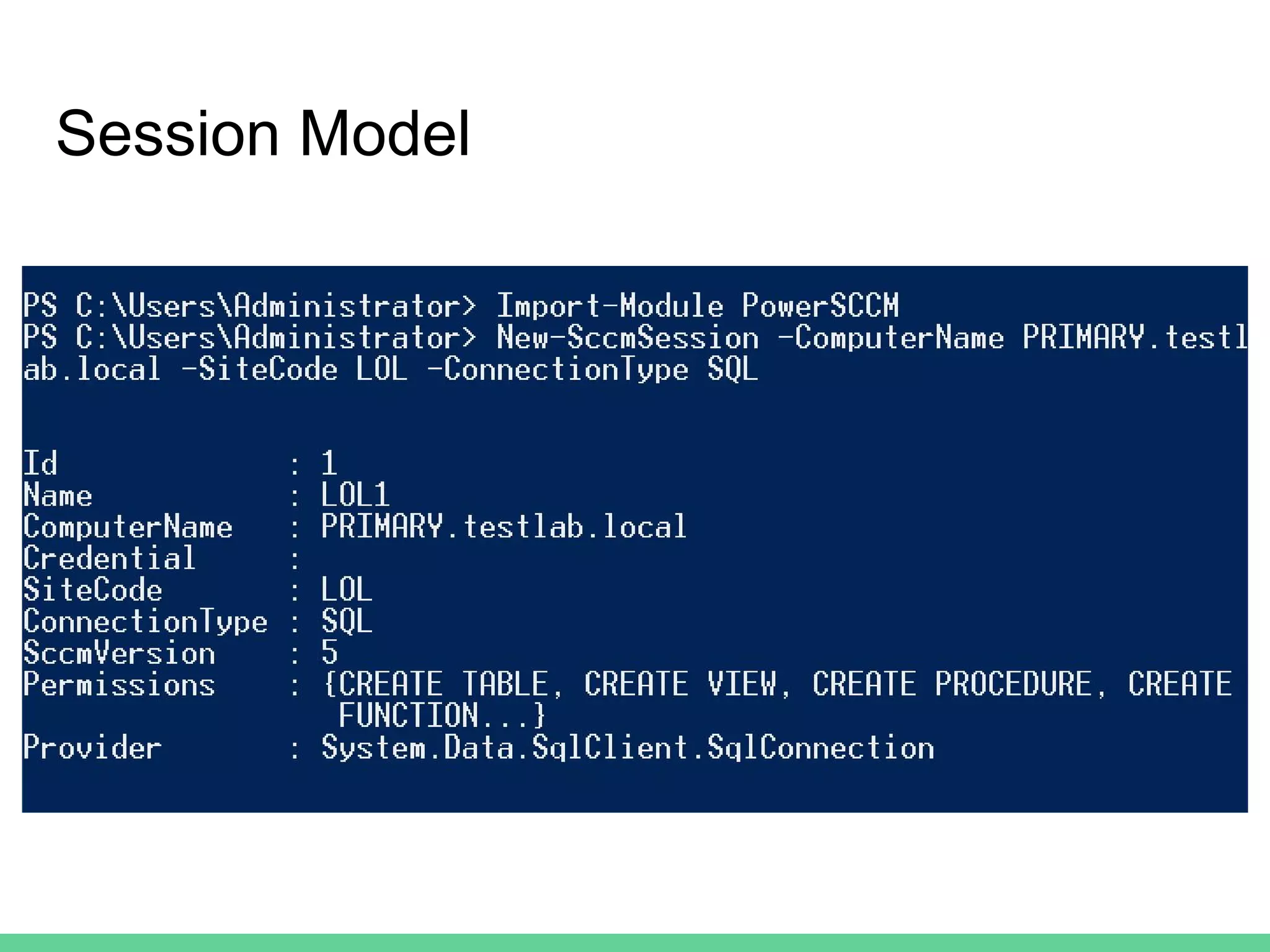
● New-SCCMSession: initiates a new session to
the SCCM site server
○ Takes server name/site code/connection type
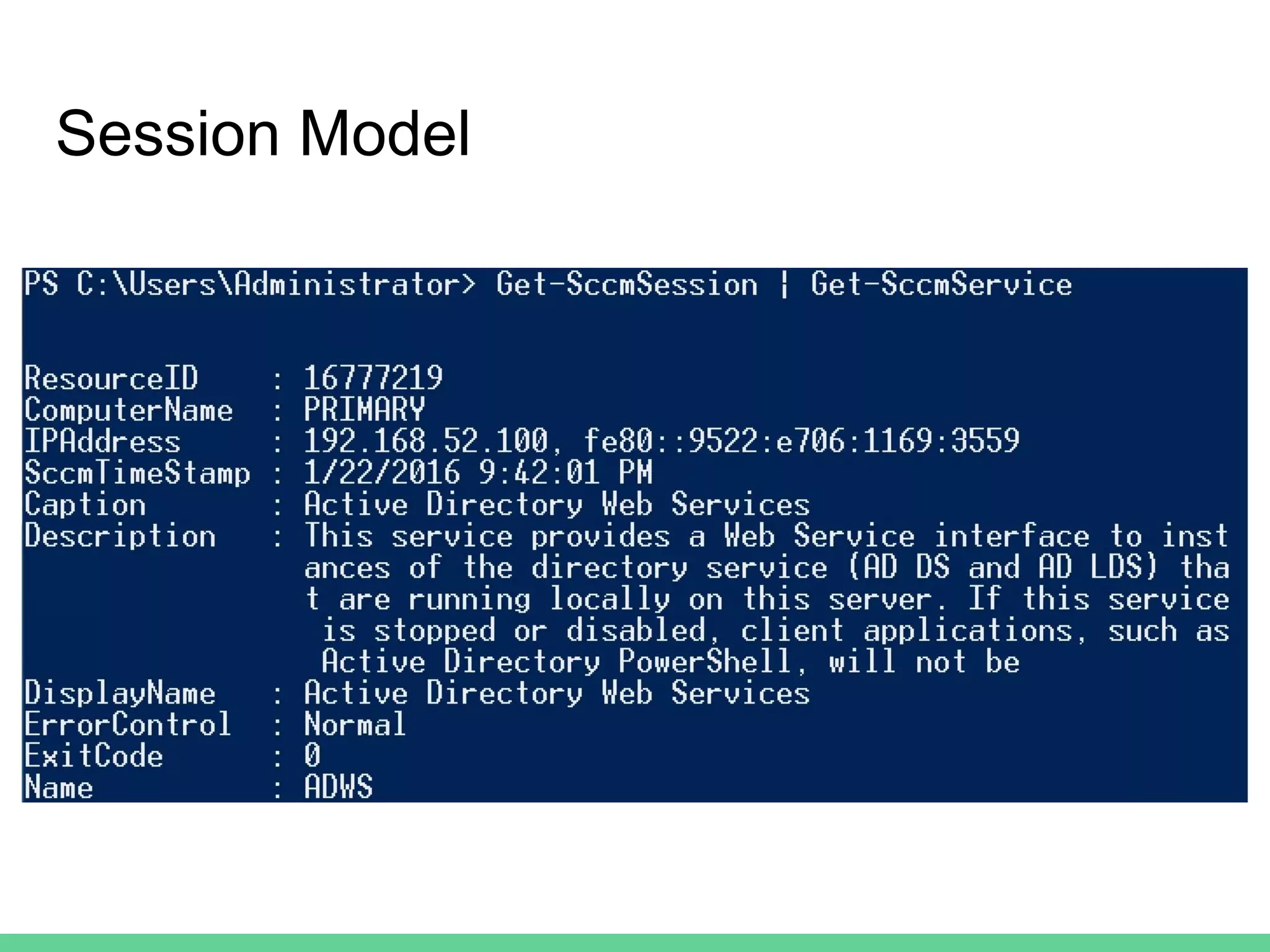
● Get-SccmSession: returns established
sessions, pipeable to other functions
○ e.g. : Get-SccmSession | Get-SCCMApplication
● Remove-SccmSession: kill a SCCM session
Session Model
Session Model
SCCM as an Attack Platform
Using Admins’ Tools Against Them
Hiding in Plain Sight
● SCCM traffic is completely normal in an
enterprise network
● Admins and security staff have a harder time
picking out malicious activity if it uses already
existing technology.
● Instead of looking “like an adversary”, become
a system administrator!
○ Utilize tools that exist and are expected in a target
network
Attacking SCCM Without DA
● Contrary to popular belief, attacking SCCM
does not require Domain Admin rights
○ all you need is local admin rights on the SCCM server!
● Most organizations try to practice the concept
of least privilege
● If you can compromise a server administrator
or SCCM admin, you can compromise SCCM,
and every machine administered by SCCM
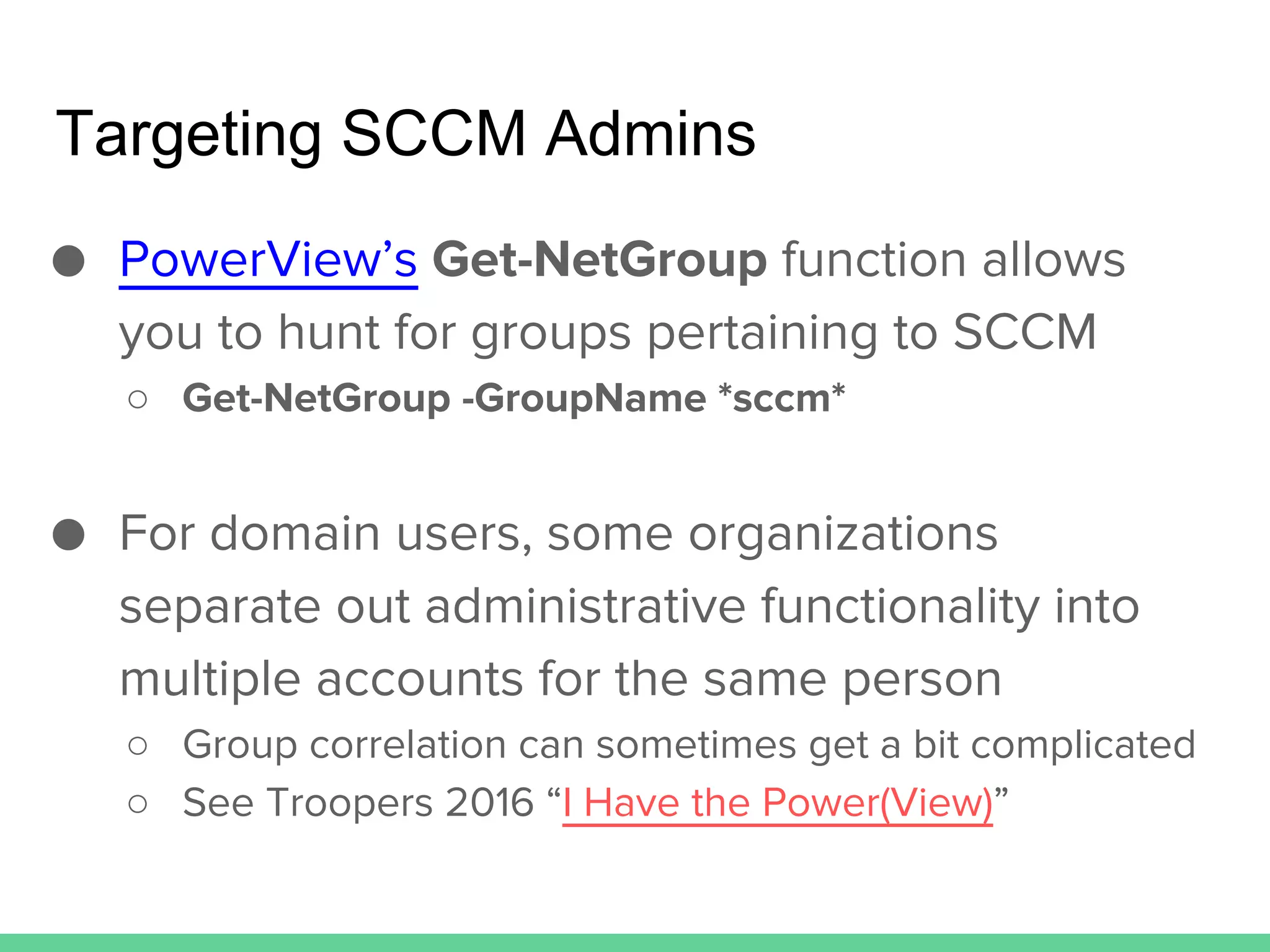
Targeting SCCM Admins
● PowerView’s Get-NetGroup function allows
you to hunt for groups pertaining to SCCM
○ Get-NetGroup -GroupName *sccm*
● For domain users, some organizations
separate out administrative functionality into
multiple accounts for the same person
○ Group correlation can sometimes get a bit complicated
○ See Troopers 2016 “I Have the Power(View)”
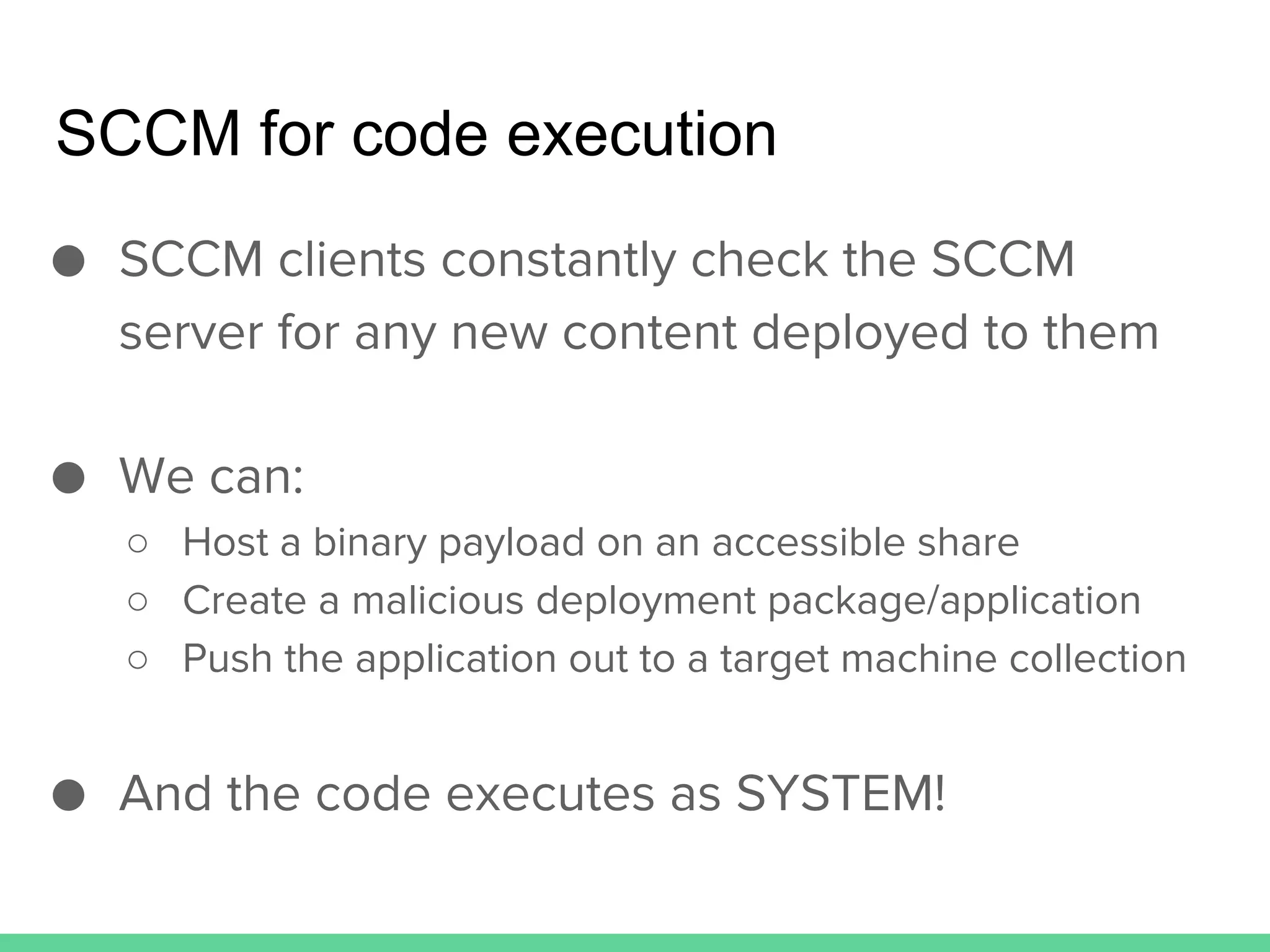
SCCM for code execution
● SCCM clients constantly check the SCCM
server for any new content deployed to them
● We can:
○ Host a binary payload on an accessible share
○ Create a malicious deployment package/application
○ Push the application out to a target machine collection
● And the code executes as SYSTEM!
Using PowerSCCM for ‘Evil’
Weaponizing Offensive SCCM
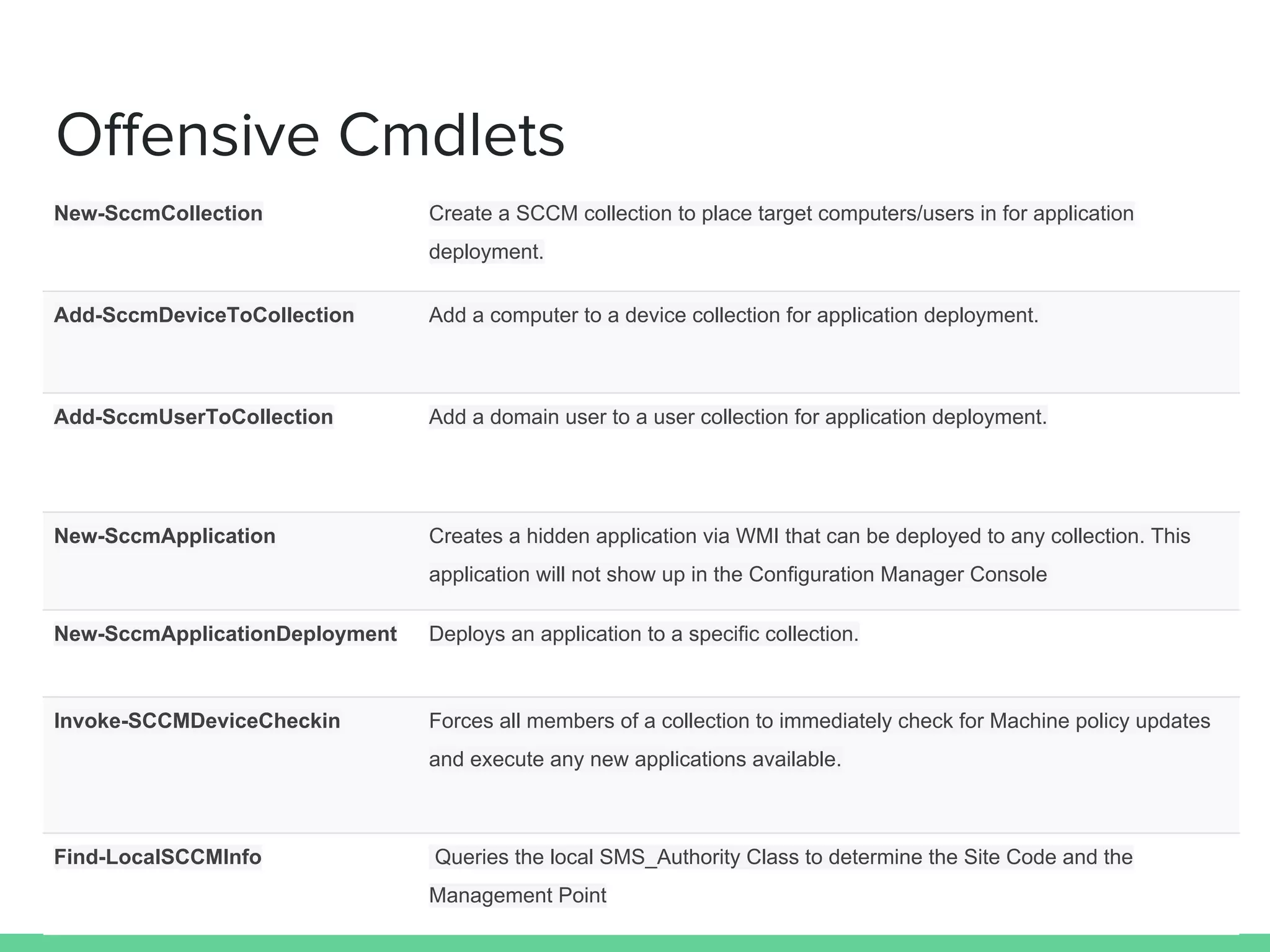
Offensive Cmdlets
New-SccmCollection Create a SCCM collection to place target computers/users in for application
deployment.
Add-SccmDeviceToCollection Add a computer to a device collection for application deployment.
Add-SccmUserToCollection Add a domain user to a user collection for application deployment.
New-SccmApplication Creates a hidden application via WMI that can be deployed to any collection. This
application will not show up in the Configuration Manager Console
New-SccmApplicationDeployment Deploys an application to a specific collection.
Invoke-SCCMDeviceCheckin Forces all members of a collection to immediately check for Machine policy updates
and execute any new applications available.
Find-LocalSCCMInfo Queries the local SMS_Authority Class to determine the Site Code and the
Management Point
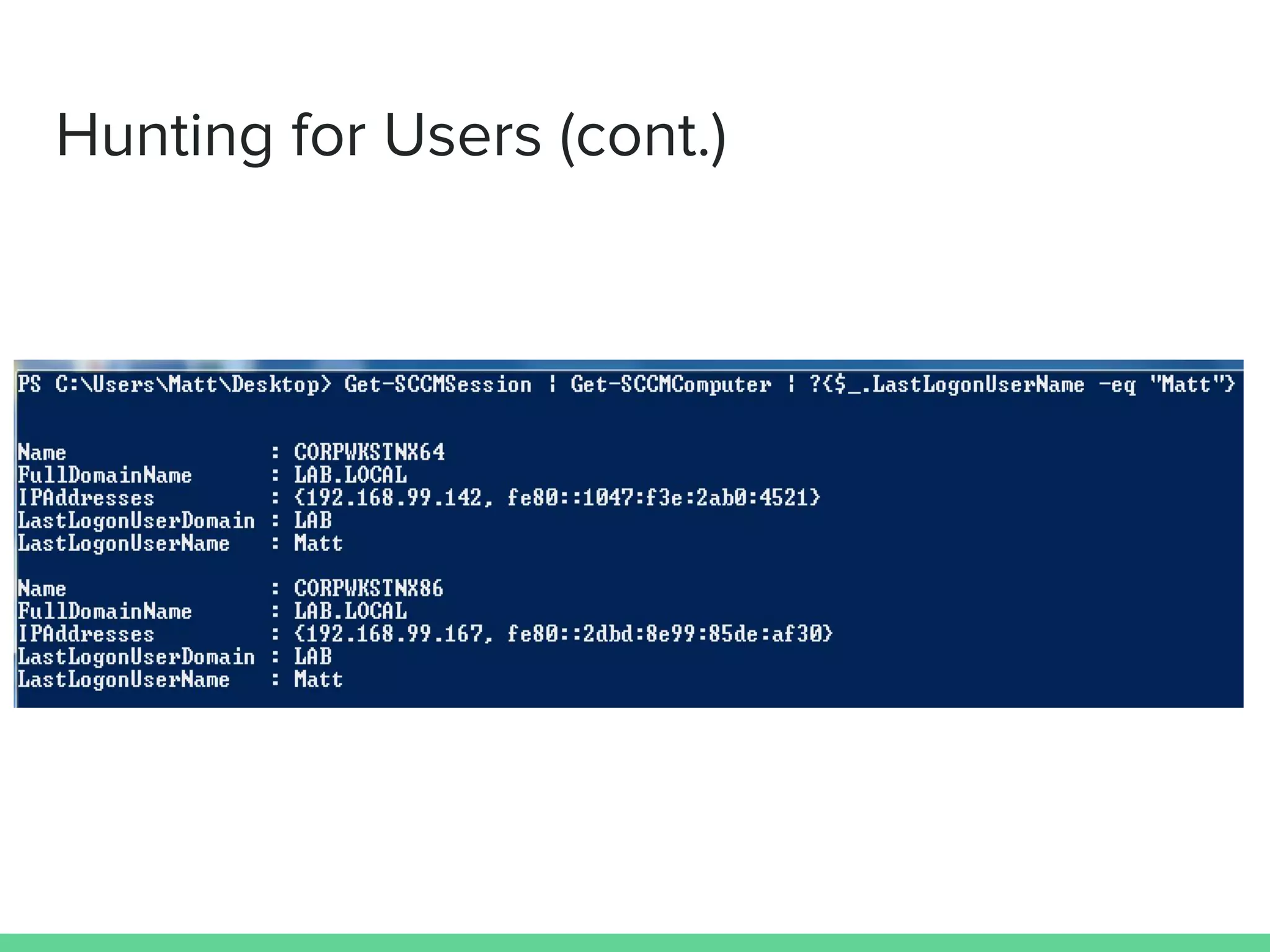
Hunting for Users
● PowerSCCM can ‘hunt’ for hosts that a user of
interest last logged into:
○ Get-SCCMSession | Get-SCCMComputer | ?{$_.
LastLogonUserName -eq "Matt"}
● You can also derive this information by
observing the console usage logged by SCCM
for each client:
○ Get-SCCMsession | Get-SccmConsoleUsage -
SystemConsoleUserFilter "LABMatt" | Select-Object
SystemName
Hunting for Users (cont.)
Grouping our Targets
● SCCM pushes content out only to specified
user/device groups (known as “collections”)
● After identifying where our target users are
logged in, we need to:
○ Group the targets into a device collection
○ Push out the malicious applications to the target
collection
● Mass pwnage == bad , targeted/controlled
pwnage == good
Grouping using PowerSCCM
● We can create the Device collection using the
New-SccmCollection cmdlet:
○ Get-SCCMSession | New-SccmCollection -
CollectionName “targets” -CollectionType “Device”
● With the collection created, we can add our
target hosts into it by using the Add-
SccmDeviceToCollection cmdlet:
○ Get-SCCMSession | Add-SccmDeviceToCollection -
ComputerNameToAdd "CORPWKSTNX64" -
CollectionName "targets"
Creating Malicious Applications
● PowerSCCM has heavily automated remotely
creating malicious applications
○ This can be done entirely from a normal workstation (no
RDP, etc.) by utilizing WMI
● SCCM stores a lot of the application info in the
SMS_Application WMI class
○ We are able to create a new hidden application by
populating the WMI class manually
○ Just set the ‘IsHidden’ field, yes it’s that easy
Creating Malicious Applications (cont.)
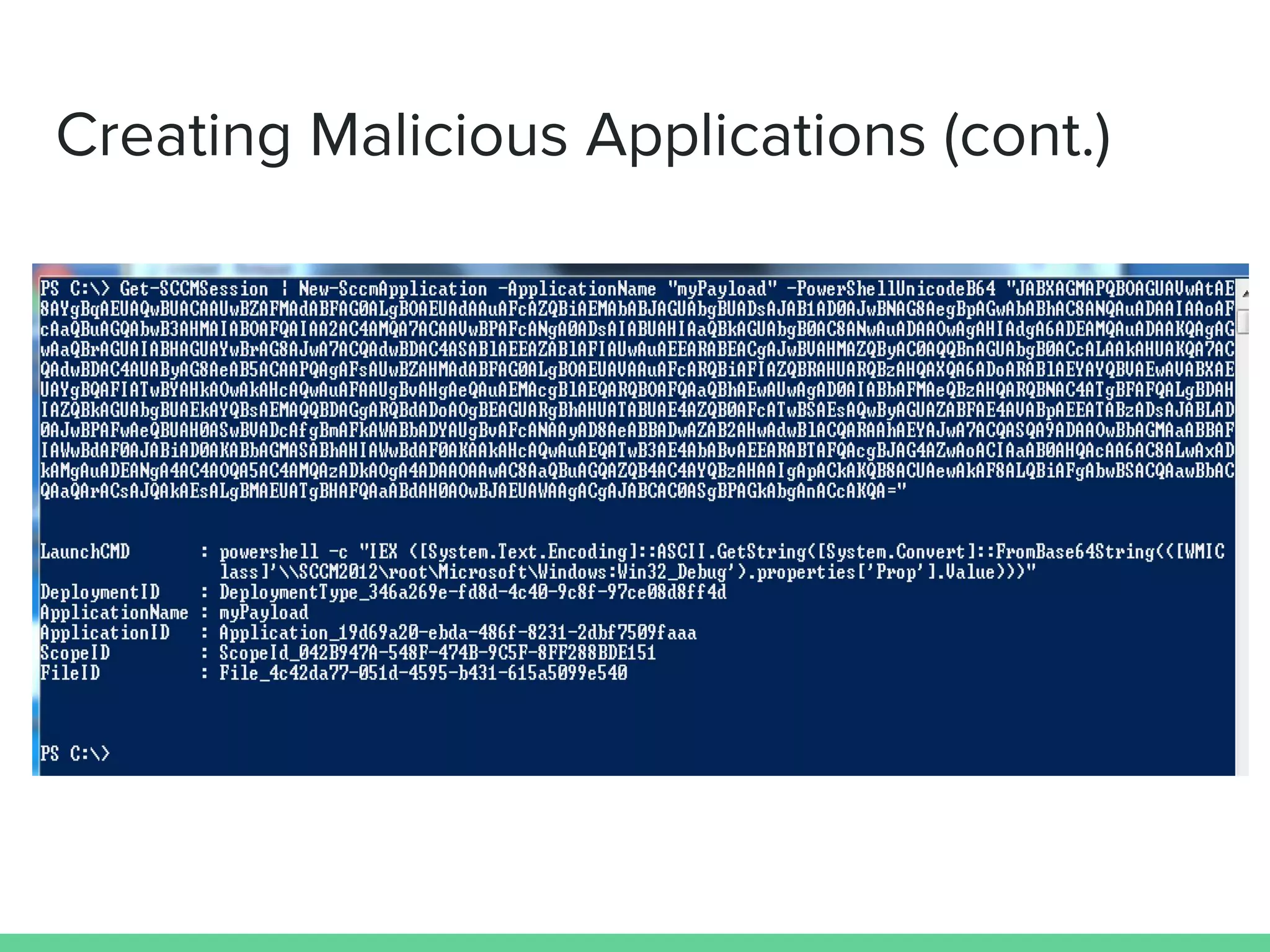
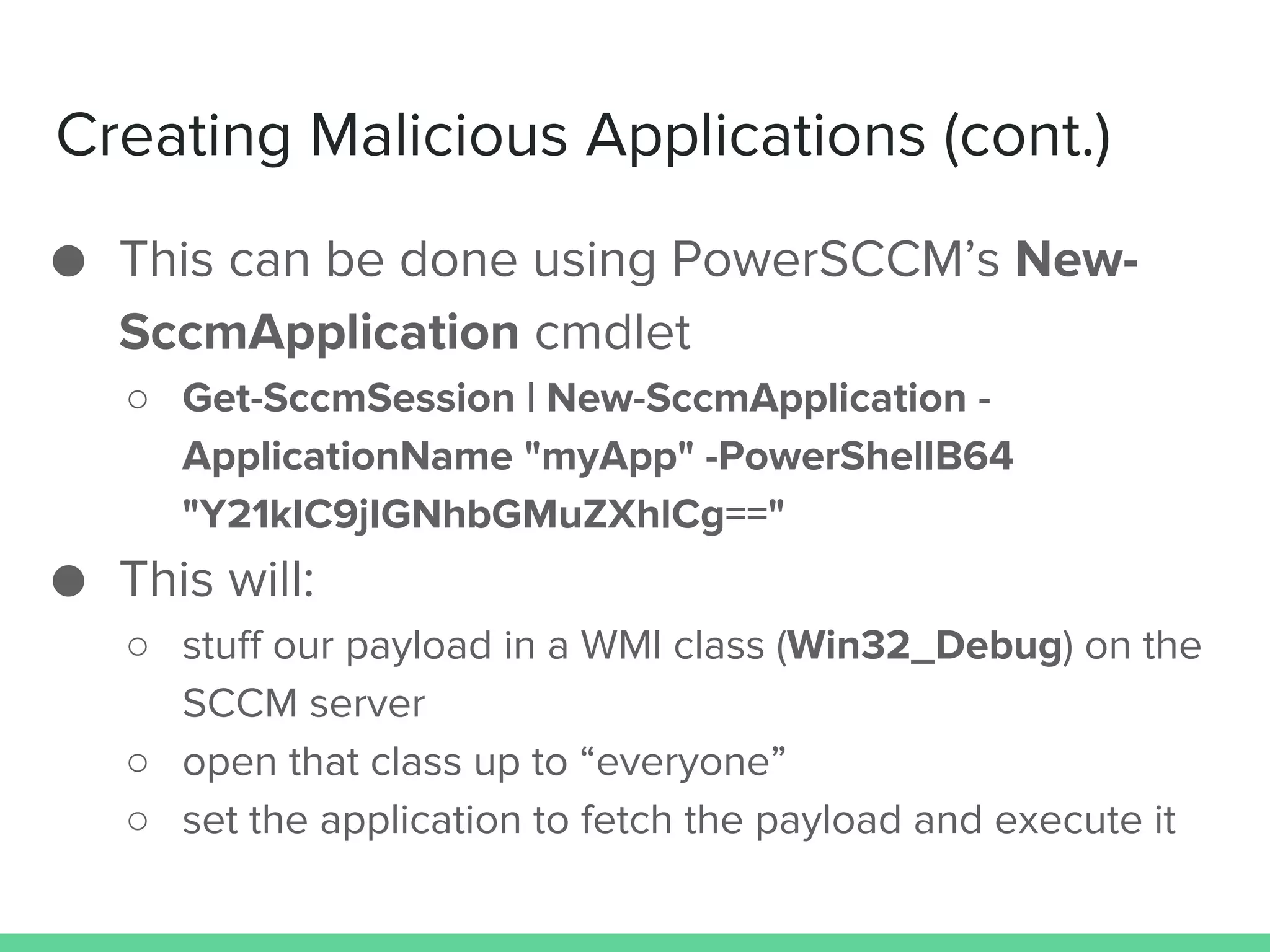
● This can be done using PowerSCCM’s New-
SccmApplication cmdlet
○ Get-SccmSession | New-SccmApplication -
ApplicationName "myApp" -PowerShellB64
"Y21kIC9jIGNhbGMuZXhlCg=="
● This will:
○ stuff our payload in a WMI class (Win32_Debug) on the
SCCM server
○ open that class up to “everyone”
○ set the application to fetch the payload and execute it
Creating Malicious Applications (cont.)
Deploying Malicious Applications
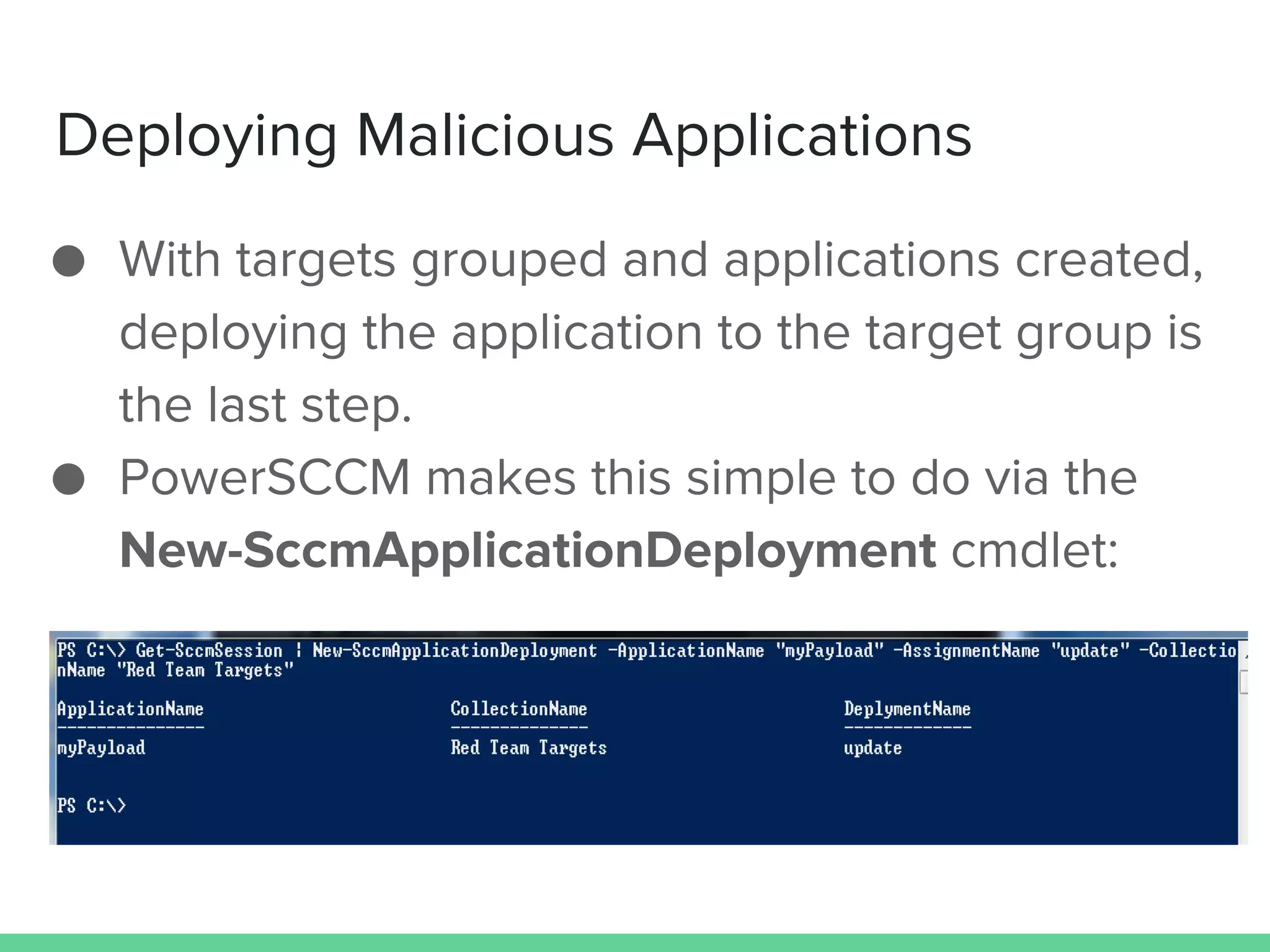
● With targets grouped and applications created,
deploying the application to the target group is
the last step.
● PowerSCCM makes this simple to do via the
New-SccmApplicationDeployment cmdlet:
Forcing Clients to Check-in
● After deploying the application, the client
needs to check-in before it will execute it.
● We can force client to check-in outside of the
normal interval with Invoke-
SccmDeviceCheckin:
○ We invoke the “InitiateClientOperation” method in the
SMS_ClientOperation WMI class on the SCCM Server
Using (Power)SCCM for ‘Good’
Why Not Use What’s Already Deployed?
SCCM As a Defensive Solution
● Since SCCM already acts as an inventory agent
for machines it’s installed on, we can take
advantage of a number of the information
gathering compoments
● Previous (defensive) work:
○ “Using SCCM to violate best practices” by Brandon Helms
○ “Microsoft’s Accidental Enterprise DFIR Tool” by Keith Tyler
○ “SCCM (System Center Configuration Manager) and Incident
Response” part 1 and part 2 on the Hexacorn blog
○ “Mining For Evil” by John McLeod and Mike Pilkington at the SANS
2013 DFIR Summit
Tuning SCCM For Defense (part 1)
● System Center Configuration Manager -> Administration ->
‘Client Settings’ -> client settings -> ‘Hardware Invetory’ ->
Set Classes’ , ensure the following are enabled:
○ AutoStart Software – Asset Intelligence (SMS_AutoStartSoftware)
○ Browser Helper Object – Asset Intelligence
(SMS_BrowserHelperObject)
○ Driver – VxD (Win32_DriverVXD)
○ Process (Win32_Process)
○ Recently Used Applications (CCM_RecentlyUsedApps)
○ Shares (Win32_Share)
○ System Console Usage – Asset Intelligence
(SMS_SystemConsoleUsage)
○ System Console User – Asset Intelligence (SMS_SystemConsoleUser)
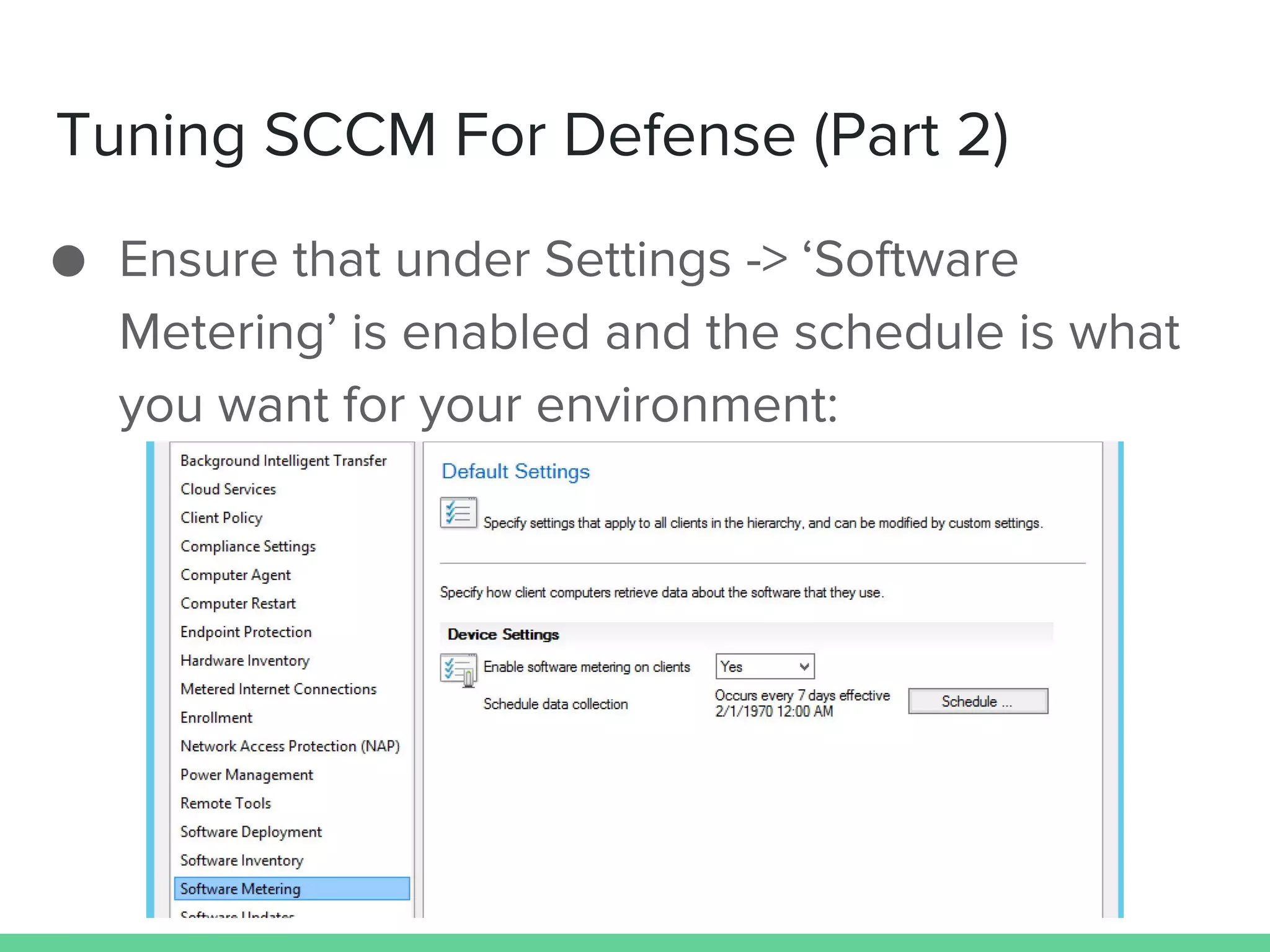
Tuning SCCM For Defense (Part 2)
● Ensure that under Settings -> ‘Software
Metering’ is enabled and the schedule is what
you want for your environment:
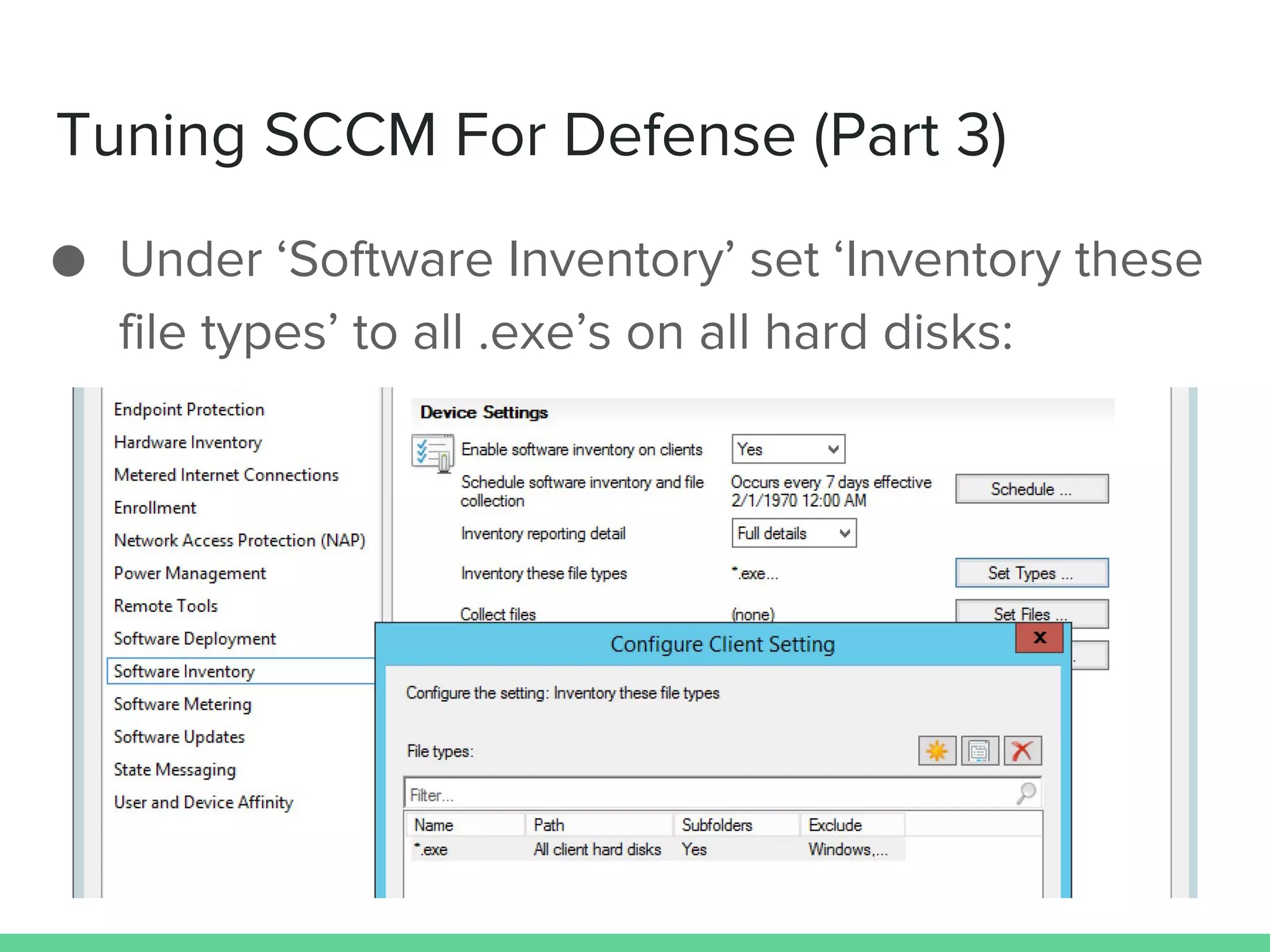
Tuning SCCM For Defense (Part 3)
● Under ‘Software Inventory’ set ‘Inventory these
file types’ to all .exe’s on all hard disks:
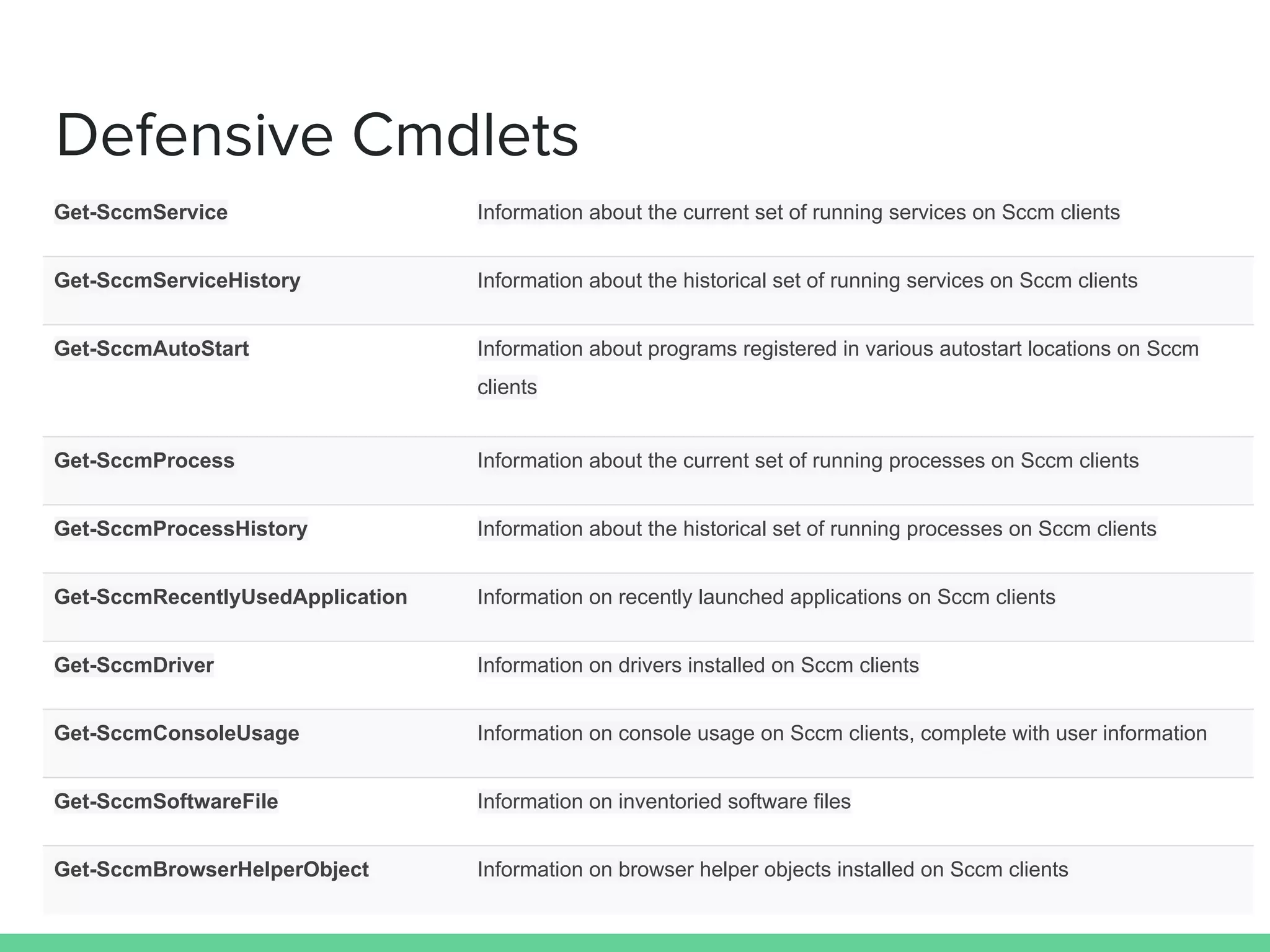
Defensive Cmdlets
Get-SccmService Information about the current set of running services on Sccm clients
Get-SccmServiceHistory Information about the historical set of running services on Sccm clients
Get-SccmAutoStart Information about programs registered in various autostart locations on Sccm
clients
Get-SccmProcess Information about the current set of running processes on Sccm clients
Get-SccmProcessHistory Information about the historical set of running processes on Sccm clients
Get-SccmRecentlyUsedApplication Information on recently launched applications on Sccm clients
Get-SccmDriver Information on drivers installed on Sccm clients
Get-SccmConsoleUsage Information on console usage on Sccm clients, complete with user information
Get-SccmSoftwareFile Information on inventoried software files
Get-SccmBrowserHelperObject Information on browser helper objects installed on Sccm clients
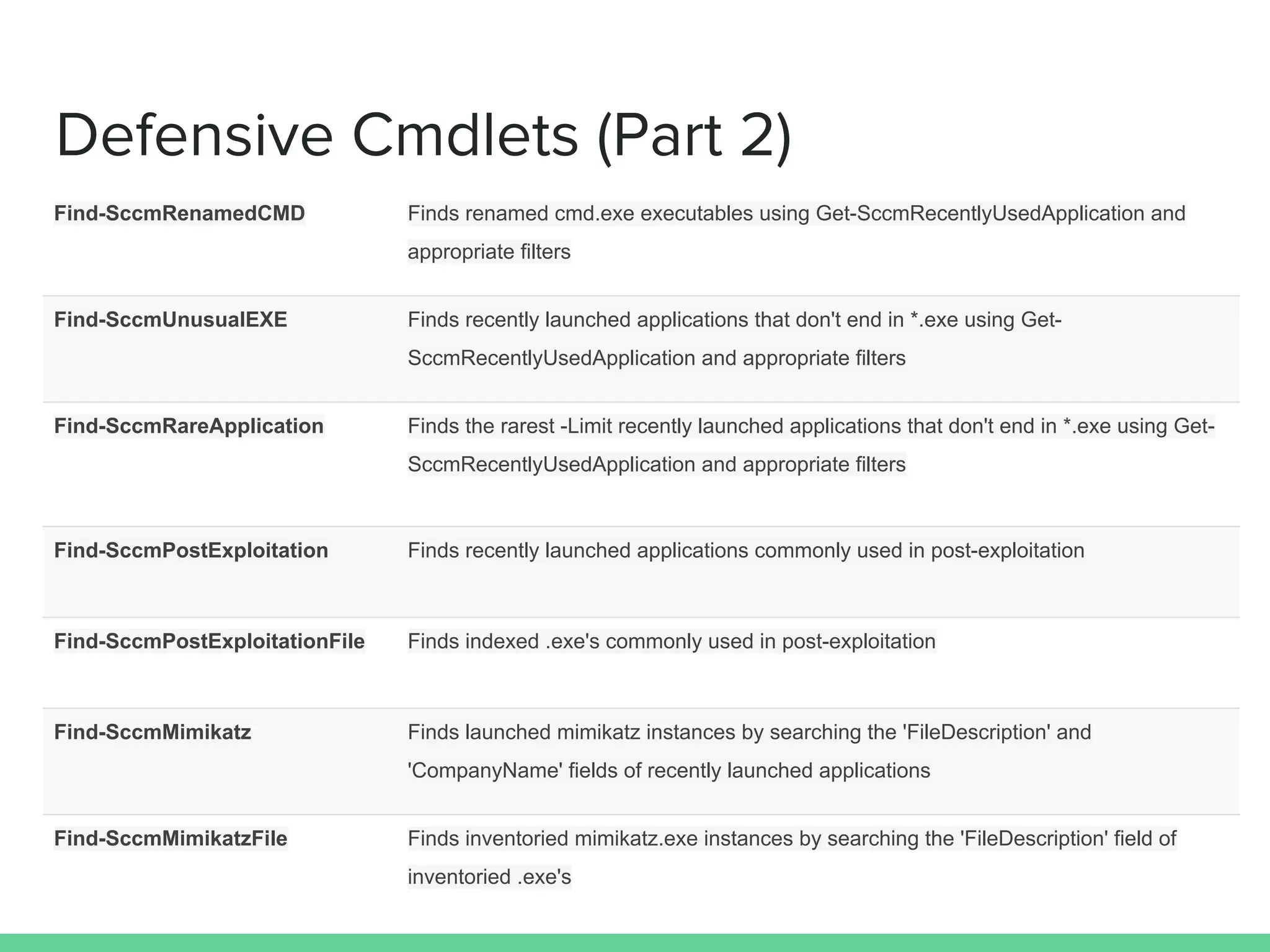
Defensive Cmdlets (Part 2)
Find-SccmRenamedCMD Finds renamed cmd.exe executables using Get-SccmRecentlyUsedApplication and
appropriate filters
Find-SccmUnusualEXE Finds recently launched applications that don't end in *.exe using Get-
SccmRecentlyUsedApplication and appropriate filters
Find-SccmRareApplication Finds the rarest -Limit recently launched applications that don't end in *.exe using Get-
SccmRecentlyUsedApplication and appropriate filters
Find-SccmPostExploitation Finds recently launched applications commonly used in post-exploitation
Find-SccmPostExploitationFile Finds indexed .exe's commonly used in post-exploitation
Find-SccmMimikatz Finds launched mimikatz instances by searching the 'FileDescription' and
'CompanyName' fields of recently launched applications
Find-SccmMimikatzFile Finds inventoried mimikatz.exe instances by searching the 'FileDescription' field of
inventoried .exe's
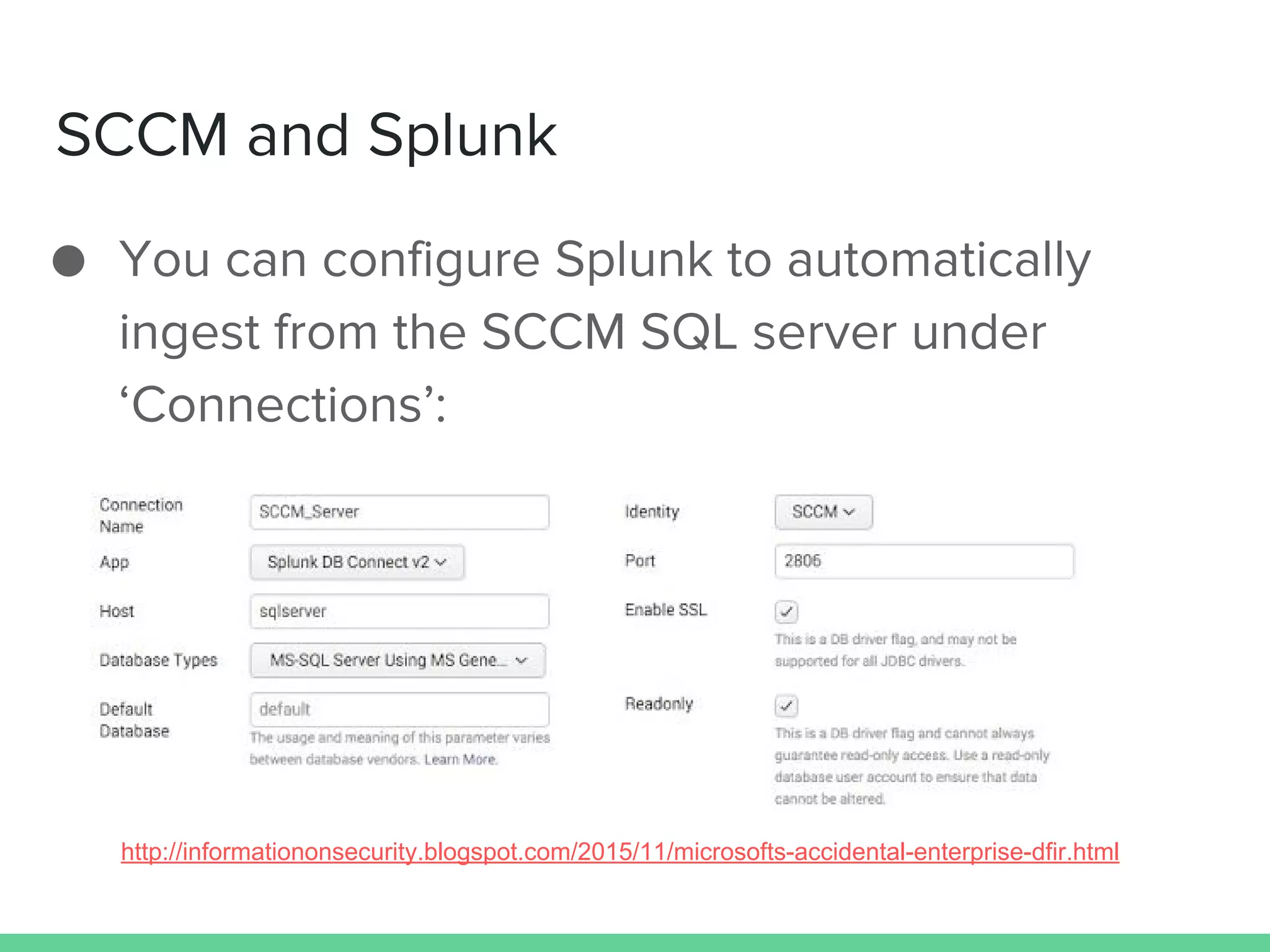
SCCM and Splunk
● You can configure Splunk to automatically
ingest from the SCCM SQL server under
‘Connections’:
http://informationonsecurity.blogspot.com/2015/11/microsofts-accidental-enterprise-dfir.html
DEMOS
Questions?
● Get PowerSCCM: https://github.
com/powershellmafia/PowerSCCM/
● Read more:
○ Red: http://enigma0x3.net/2016/02/29/offensive-
operations-with-powersccm/
○ Blue: http://www.harmj0y.net/blog/defense/powersccm/
● Contact us:
○ @enigma0x3
○ @harmj0y
○ #psempire on Freenode

Up is Down, Black is White: Using SCCM for Wrong and Right

  • 1.
    Up is Down,Black is White: Using SCCM for Wrong and Right Matt Nelson, Will Schroeder Veris Group’s Adaptive Threat Division
  • 2.
    @enigma0x3 ❖ Penetration Testerand Red Teamer for the Adaptive Threat Division (ATD) of Veris Group ❖ Active developer on the PowerShell Empire project ❖ Offensive PowerShell advocate ❖ Sysadmin while in college ❖ Cons: Shmoocon (Firetalks), BSides DC
  • 3.
    @harmj0y ❖ Security researcherand red teamer for the Adaptive Threat Division of Veris Group ❖ Co-founder and active developer of the Veil- Framework | PowerTools | Empire ❖ PowerSploit developer ❖ Microsoft CDM/PowerShell MVP ❖ Cons: Shmoocon, DEF CON, DerbyCon, various BSides (including BSides Boston!)
  • 4.
    tl;dr ● Background ○ RedTeaming vs. Pentesting ○ Hunting vs. Incident Response ○ Basics of SCCM ○ SCCM in the enterprise ● Using and Abusing SCCM ○ SCCM as an attack platform ○ Introducing PowerSCCM ○ Using PowerSCCM for Evil ○ Using PowerSCCM for Good ○ Demo
  • 5.
    Background Pentesting vs RedTeaming Hunting vs Incident Response
  • 6.
    Pentesting ● Pentesting doesn’thave a universal definition ● Could be: ○ A single person running a (slightly) glorified vuln scan ○ A few testers for 1-2 weeks ○ A multi-week assault with a large team ● We view pentesting as focused on breadth- find as many holes as possible and see how far you can get in a limited timeframe with open source tools
  • 7.
    Our View ofRed Teaming ● We view a red team engagement as an opportunity to test an organization’s incident response capabilities ○ We don’t remove logs ○ Ideally, parts of the engagement are ‘caught’ and others aren’t ○ We want to find a client’s ‘noise’ threshold ● General idea: simulate a reasonably “advanced” generic attacker, not a specific adversary
  • 8.
    Incident Response ● “Fivealarm fire” concept ● Kicked off by: ○ Network monitoring alerts ○ Third party service notification ○ Public breach/disclosure ● Reactive, by the time you notice something went wrong it’s often too late
  • 9.
    Hunting ● US Departmentof Defense concept ● The blue version of the “assume breach” mentality ● Detection, Investigation, Response ○ Deny, Degrade, Disrupt, Manipulate ● Much more proactive ○ Assume you’re owned, search for evidence of compromise
  • 10.
    “Fundamentally, if somebodywants to get in, they're getting in...Accept that...What we tell clients is: Number one, you're in the fight, whether you thought you were or not. Number two, you're almost certainly penetrated.” Assume Breach Michael Hayden Former Director of CIA & NSA
  • 11.
    SCCM Microsoft’s System CenterConfiguration Manager
  • 12.
    What is SCCM? ●“System Center Configuration Manager” ○ Platform for distributing packages to clients ○ Packages, applications and install scripts are hosted on the SCCM server itself ● Setup and maintained via an agent/server architecture ● Essentially acts as internal RAT/C2 ○ Agents check in to server periodically to obtain new packages/applications
  • 13.
    SCCM in theEnterprise ● One central site server with multiple distribution points ● Often setup/configured using a service account to run the application/push updates ● Application contents (*cough, cough install scripts and notes*) are hosted on a publicly available share ● Admins gonna admin
  • 15.
    SQL vs. WMIfor SCCM Management ● SCCM uses a combination of SQL and WMI to store lots of client information ○ Some of this can be viewed directly through the Configuration Manager interface, some can’t ● Bypassing the SCCM frontend and going straight for the backend can be tricky ○ Determining which method (SQL/WMI) to retrieve information or update information can also be a challenge as both have their advantages and disadvantages
  • 16.
    SQL ● SCCM utilizesa ‘normal’ SQL Server 2012 backend ○ Great for information retrieval (useful for Hunt) ○ Finicky for data modification ( for Red Teaming) ● Using SQL for pulling information from SCCM requires in-depth knowledge of the backend database ○ SCCM pulls from multiple locations for one requested piece of information
  • 17.
  • 18.
    SQL Schema ● v_GS_SERVICE– currently installed services ● v_HS_SERVICE – historical information on installed services ● v_GS_AUTOSTART_SOFTWARE – information about programs in a few auto start locations (note that this is not as complete as something like Autoruns) ● v_GS_PROCESS – information on currently running processes ● v_HS_PROCESS – historical information on running processes ● v_GS_CCM_RECENTLY_USED_APPS – information on recently used applications ● v_GS_SYSTEM_DRIVER – details on drivers currently installed ● v_GS_SYSTEM_CONSOLE_USER – information on console usage, complete with user information ● v_GS_SoftwareFile – details on inventoried files (more on this in ‘Tuning SCCM for Defense’ below) ● v_GS_BROWSER_HELPER_OBJECT – information on installed browser helper objects ● vMDMUsersPrimaryMachines – details on primary user -> machine mappings
  • 19.
    WMI ● SCCM’s WMIcan be queried/updated using WMI Query Language (WQL) or PowerShell’s Get-WMIObject wrapper ○ Much easier for modification (instead of querying), so WMI tends to be better for red teaming ● WMI allows us to customize properties to fit SCCM’s requirements ○ For example, SCCM Applications require XML that defines the properties of the application (hidden, rights to run as, etc).
  • 20.
  • 21.
    Listing all Applications:WMI vs SQL ● WMI: ○ SELECT * FROM SMS_Application ● SQL:
  • 22.
  • 23.
    ● Encountered SCCMmultiple times throughout many engagements but often ignored it due to our unfamiliarity ● Not a lot of public information on abusing it for malicious purposes and the process to actually abuse it was often tedious and manual ○ David Kennedy and Dave DeSimone gave a nice presentation on using SCCM at Defcon 20 (Owning One to Rule Them All) Background/Motivations
  • 24.
    Basic Usage ● Find-LocalSccmInfo:find the SCCM server/site code for a local machine ● New-SCCMSession: initiates a new session to the SCCM site server ○ Takes server name/site code/connection type ● Get-SccmSession: returns established sessions, pipeable to other functions ○ e.g. : Get-SccmSession | Get-SCCMApplication ● Remove-SccmSession: kill a SCCM session
  • 25.
  • 26.
  • 27.
    SCCM as anAttack Platform Using Admins’ Tools Against Them
  • 28.
    Hiding in PlainSight ● SCCM traffic is completely normal in an enterprise network ● Admins and security staff have a harder time picking out malicious activity if it uses already existing technology. ● Instead of looking “like an adversary”, become a system administrator! ○ Utilize tools that exist and are expected in a target network
  • 29.
    Attacking SCCM WithoutDA ● Contrary to popular belief, attacking SCCM does not require Domain Admin rights ○ all you need is local admin rights on the SCCM server! ● Most organizations try to practice the concept of least privilege ● If you can compromise a server administrator or SCCM admin, you can compromise SCCM, and every machine administered by SCCM
  • 30.
    Targeting SCCM Admins ●PowerView’s Get-NetGroup function allows you to hunt for groups pertaining to SCCM ○ Get-NetGroup -GroupName *sccm* ● For domain users, some organizations separate out administrative functionality into multiple accounts for the same person ○ Group correlation can sometimes get a bit complicated ○ See Troopers 2016 “I Have the Power(View)”
  • 31.
    SCCM for codeexecution ● SCCM clients constantly check the SCCM server for any new content deployed to them ● We can: ○ Host a binary payload on an accessible share ○ Create a malicious deployment package/application ○ Push the application out to a target machine collection ● And the code executes as SYSTEM!
  • 32.
    Using PowerSCCM for‘Evil’ Weaponizing Offensive SCCM
  • 33.
    Offensive Cmdlets New-SccmCollection Createa SCCM collection to place target computers/users in for application deployment. Add-SccmDeviceToCollection Add a computer to a device collection for application deployment. Add-SccmUserToCollection Add a domain user to a user collection for application deployment. New-SccmApplication Creates a hidden application via WMI that can be deployed to any collection. This application will not show up in the Configuration Manager Console New-SccmApplicationDeployment Deploys an application to a specific collection. Invoke-SCCMDeviceCheckin Forces all members of a collection to immediately check for Machine policy updates and execute any new applications available. Find-LocalSCCMInfo Queries the local SMS_Authority Class to determine the Site Code and the Management Point
  • 34.
    Hunting for Users ●PowerSCCM can ‘hunt’ for hosts that a user of interest last logged into: ○ Get-SCCMSession | Get-SCCMComputer | ?{$_. LastLogonUserName -eq "Matt"} ● You can also derive this information by observing the console usage logged by SCCM for each client: ○ Get-SCCMsession | Get-SccmConsoleUsage - SystemConsoleUserFilter "LABMatt" | Select-Object SystemName
  • 35.
  • 36.
    Grouping our Targets ●SCCM pushes content out only to specified user/device groups (known as “collections”) ● After identifying where our target users are logged in, we need to: ○ Group the targets into a device collection ○ Push out the malicious applications to the target collection ● Mass pwnage == bad , targeted/controlled pwnage == good
  • 37.
    Grouping using PowerSCCM ●We can create the Device collection using the New-SccmCollection cmdlet: ○ Get-SCCMSession | New-SccmCollection - CollectionName “targets” -CollectionType “Device” ● With the collection created, we can add our target hosts into it by using the Add- SccmDeviceToCollection cmdlet: ○ Get-SCCMSession | Add-SccmDeviceToCollection - ComputerNameToAdd "CORPWKSTNX64" - CollectionName "targets"
  • 38.
    Creating Malicious Applications ●PowerSCCM has heavily automated remotely creating malicious applications ○ This can be done entirely from a normal workstation (no RDP, etc.) by utilizing WMI ● SCCM stores a lot of the application info in the SMS_Application WMI class ○ We are able to create a new hidden application by populating the WMI class manually ○ Just set the ‘IsHidden’ field, yes it’s that easy
  • 39.
    Creating Malicious Applications(cont.) ● This can be done using PowerSCCM’s New- SccmApplication cmdlet ○ Get-SccmSession | New-SccmApplication - ApplicationName "myApp" -PowerShellB64 "Y21kIC9jIGNhbGMuZXhlCg==" ● This will: ○ stuff our payload in a WMI class (Win32_Debug) on the SCCM server ○ open that class up to “everyone” ○ set the application to fetch the payload and execute it
  • 40.
  • 41.
    Deploying Malicious Applications ●With targets grouped and applications created, deploying the application to the target group is the last step. ● PowerSCCM makes this simple to do via the New-SccmApplicationDeployment cmdlet:
  • 42.
    Forcing Clients toCheck-in ● After deploying the application, the client needs to check-in before it will execute it. ● We can force client to check-in outside of the normal interval with Invoke- SccmDeviceCheckin: ○ We invoke the “InitiateClientOperation” method in the SMS_ClientOperation WMI class on the SCCM Server
  • 43.
    Using (Power)SCCM for‘Good’ Why Not Use What’s Already Deployed?
  • 44.
    SCCM As aDefensive Solution ● Since SCCM already acts as an inventory agent for machines it’s installed on, we can take advantage of a number of the information gathering compoments ● Previous (defensive) work: ○ “Using SCCM to violate best practices” by Brandon Helms ○ “Microsoft’s Accidental Enterprise DFIR Tool” by Keith Tyler ○ “SCCM (System Center Configuration Manager) and Incident Response” part 1 and part 2 on the Hexacorn blog ○ “Mining For Evil” by John McLeod and Mike Pilkington at the SANS 2013 DFIR Summit
  • 45.
    Tuning SCCM ForDefense (part 1) ● System Center Configuration Manager -> Administration -> ‘Client Settings’ -> client settings -> ‘Hardware Invetory’ -> Set Classes’ , ensure the following are enabled: ○ AutoStart Software – Asset Intelligence (SMS_AutoStartSoftware) ○ Browser Helper Object – Asset Intelligence (SMS_BrowserHelperObject) ○ Driver – VxD (Win32_DriverVXD) ○ Process (Win32_Process) ○ Recently Used Applications (CCM_RecentlyUsedApps) ○ Shares (Win32_Share) ○ System Console Usage – Asset Intelligence (SMS_SystemConsoleUsage) ○ System Console User – Asset Intelligence (SMS_SystemConsoleUser)
  • 46.
    Tuning SCCM ForDefense (Part 2) ● Ensure that under Settings -> ‘Software Metering’ is enabled and the schedule is what you want for your environment:
  • 47.
    Tuning SCCM ForDefense (Part 3) ● Under ‘Software Inventory’ set ‘Inventory these file types’ to all .exe’s on all hard disks:
  • 48.
    Defensive Cmdlets Get-SccmService Informationabout the current set of running services on Sccm clients Get-SccmServiceHistory Information about the historical set of running services on Sccm clients Get-SccmAutoStart Information about programs registered in various autostart locations on Sccm clients Get-SccmProcess Information about the current set of running processes on Sccm clients Get-SccmProcessHistory Information about the historical set of running processes on Sccm clients Get-SccmRecentlyUsedApplication Information on recently launched applications on Sccm clients Get-SccmDriver Information on drivers installed on Sccm clients Get-SccmConsoleUsage Information on console usage on Sccm clients, complete with user information Get-SccmSoftwareFile Information on inventoried software files Get-SccmBrowserHelperObject Information on browser helper objects installed on Sccm clients
  • 49.
    Defensive Cmdlets (Part2) Find-SccmRenamedCMD Finds renamed cmd.exe executables using Get-SccmRecentlyUsedApplication and appropriate filters Find-SccmUnusualEXE Finds recently launched applications that don't end in *.exe using Get- SccmRecentlyUsedApplication and appropriate filters Find-SccmRareApplication Finds the rarest -Limit recently launched applications that don't end in *.exe using Get- SccmRecentlyUsedApplication and appropriate filters Find-SccmPostExploitation Finds recently launched applications commonly used in post-exploitation Find-SccmPostExploitationFile Finds indexed .exe's commonly used in post-exploitation Find-SccmMimikatz Finds launched mimikatz instances by searching the 'FileDescription' and 'CompanyName' fields of recently launched applications Find-SccmMimikatzFile Finds inventoried mimikatz.exe instances by searching the 'FileDescription' field of inventoried .exe's
  • 50.
    SCCM and Splunk ●You can configure Splunk to automatically ingest from the SCCM SQL server under ‘Connections’: http://informationonsecurity.blogspot.com/2015/11/microsofts-accidental-enterprise-dfir.html
  • 51.
  • 52.
    Questions? ● Get PowerSCCM:https://github. com/powershellmafia/PowerSCCM/ ● Read more: ○ Red: http://enigma0x3.net/2016/02/29/offensive- operations-with-powersccm/ ○ Blue: http://www.harmj0y.net/blog/defense/powersccm/ ● Contact us: ○ @enigma0x3 ○ @harmj0y ○ #psempire on Freenode