The document discusses best practices for container storage in 2017, addressing common myths and providing a review of six storage drivers, including their advantages and disadvantages. It emphasizes the importance of selecting the right storage driver based on use cases and highlights the challenges of benchmarking storage performance. The presentation aims to clarify misconceptions about container storage and guide users in choosing appropriate storage solutions.
Introduction to container storage best practices, myths, and foundational concepts, emphasizing the analogy between images and objects.
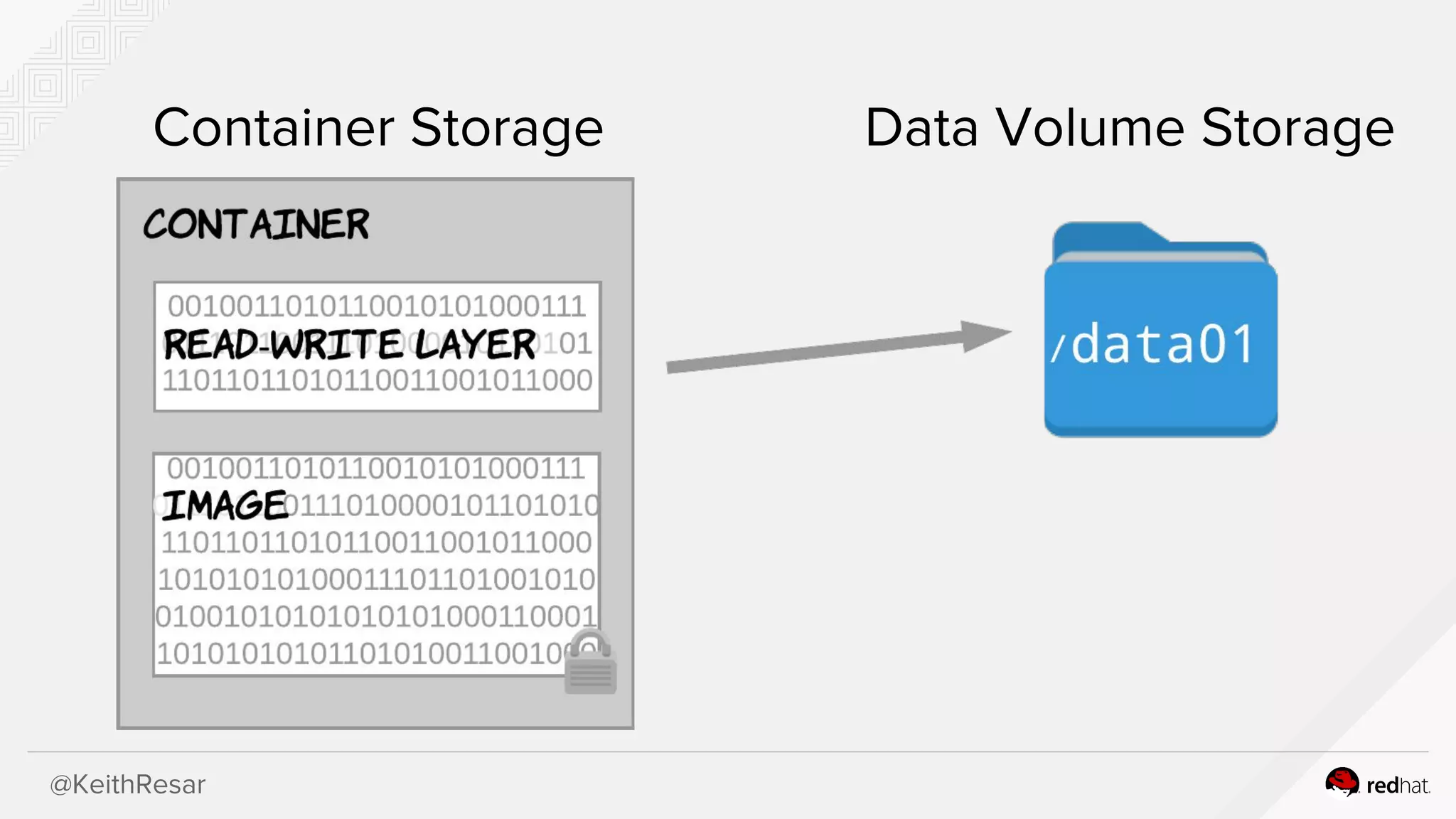
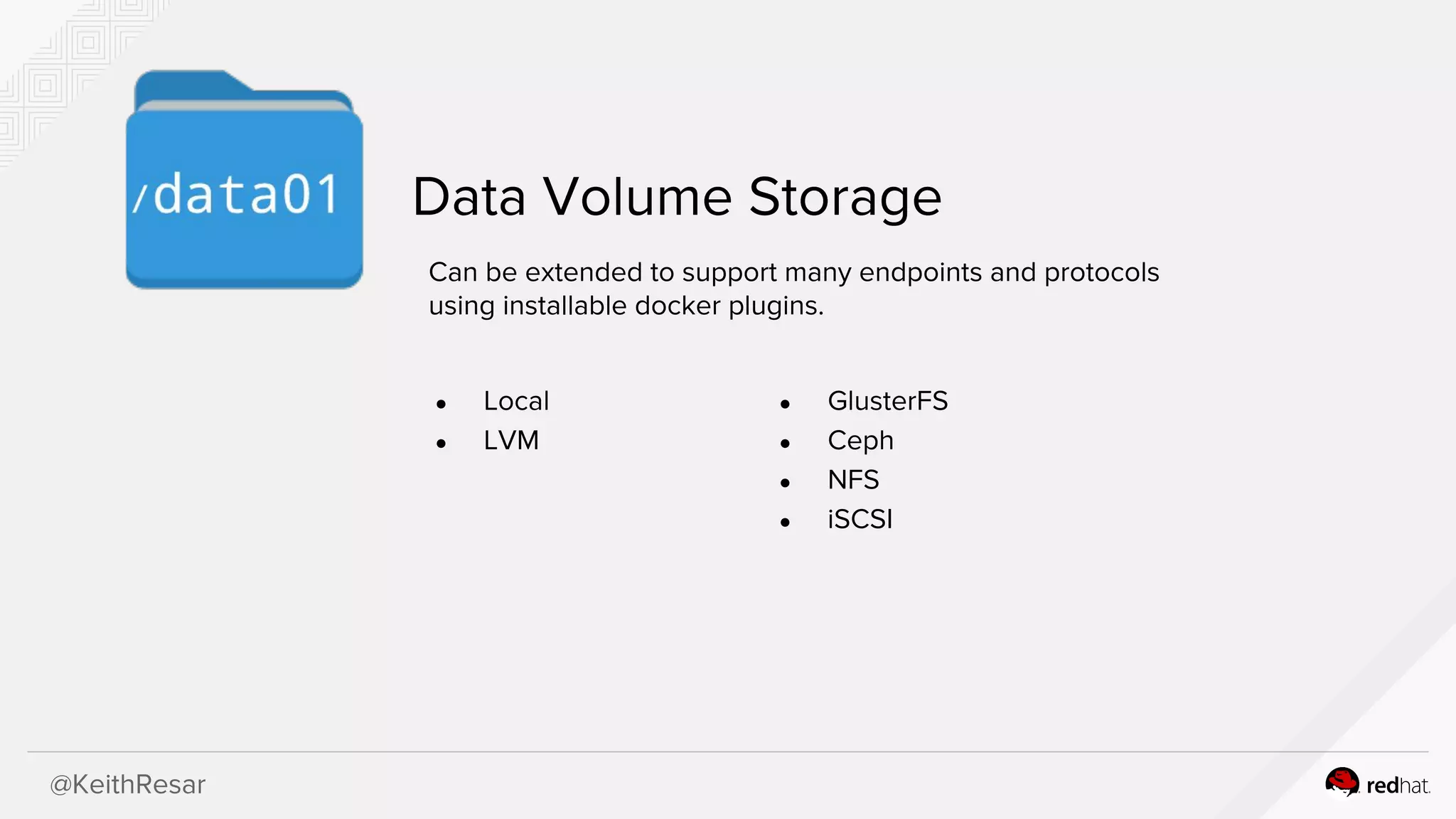
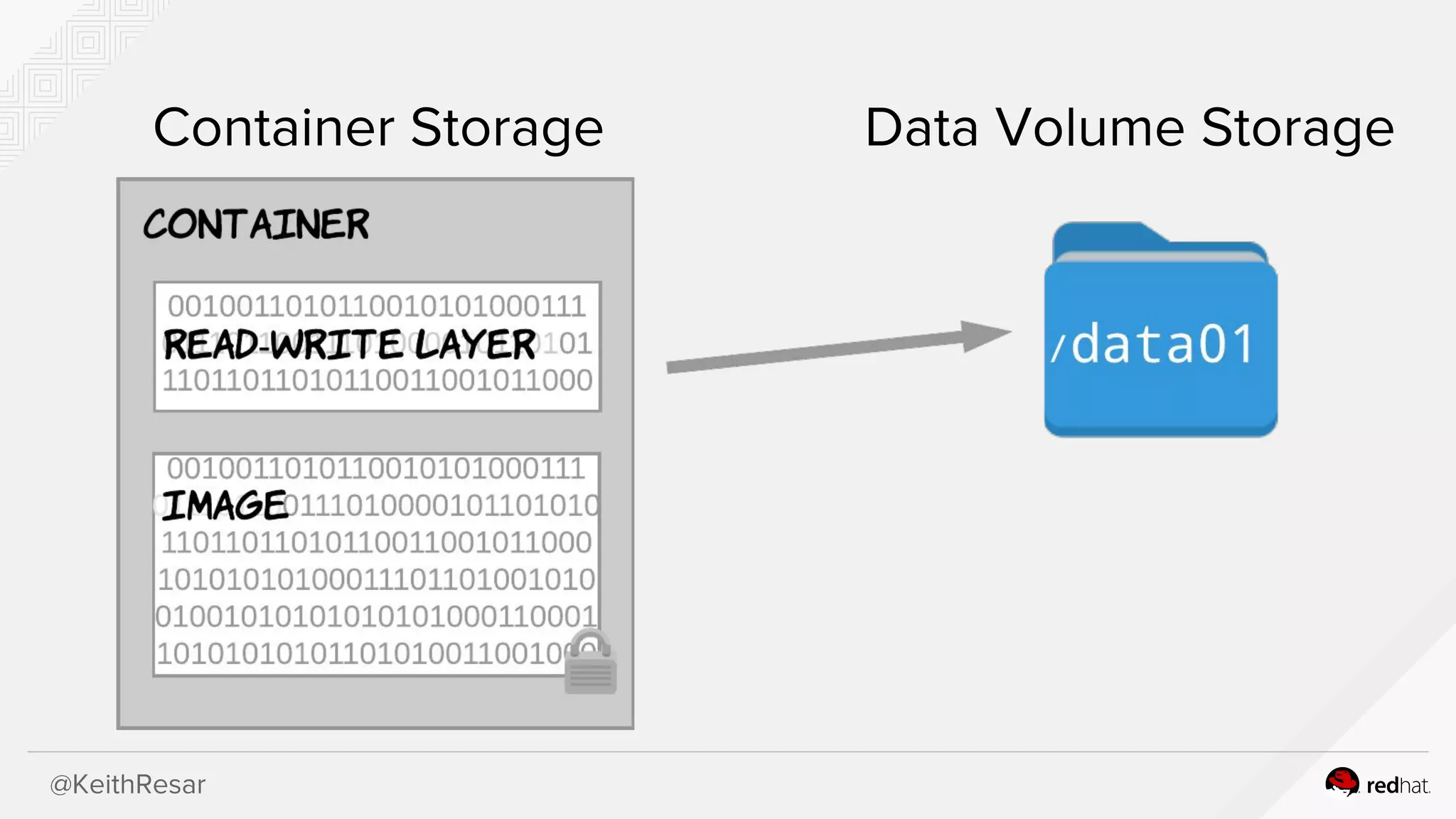
Exploration of data volume storage methods and compatibility with various protocols using Docker plugins.
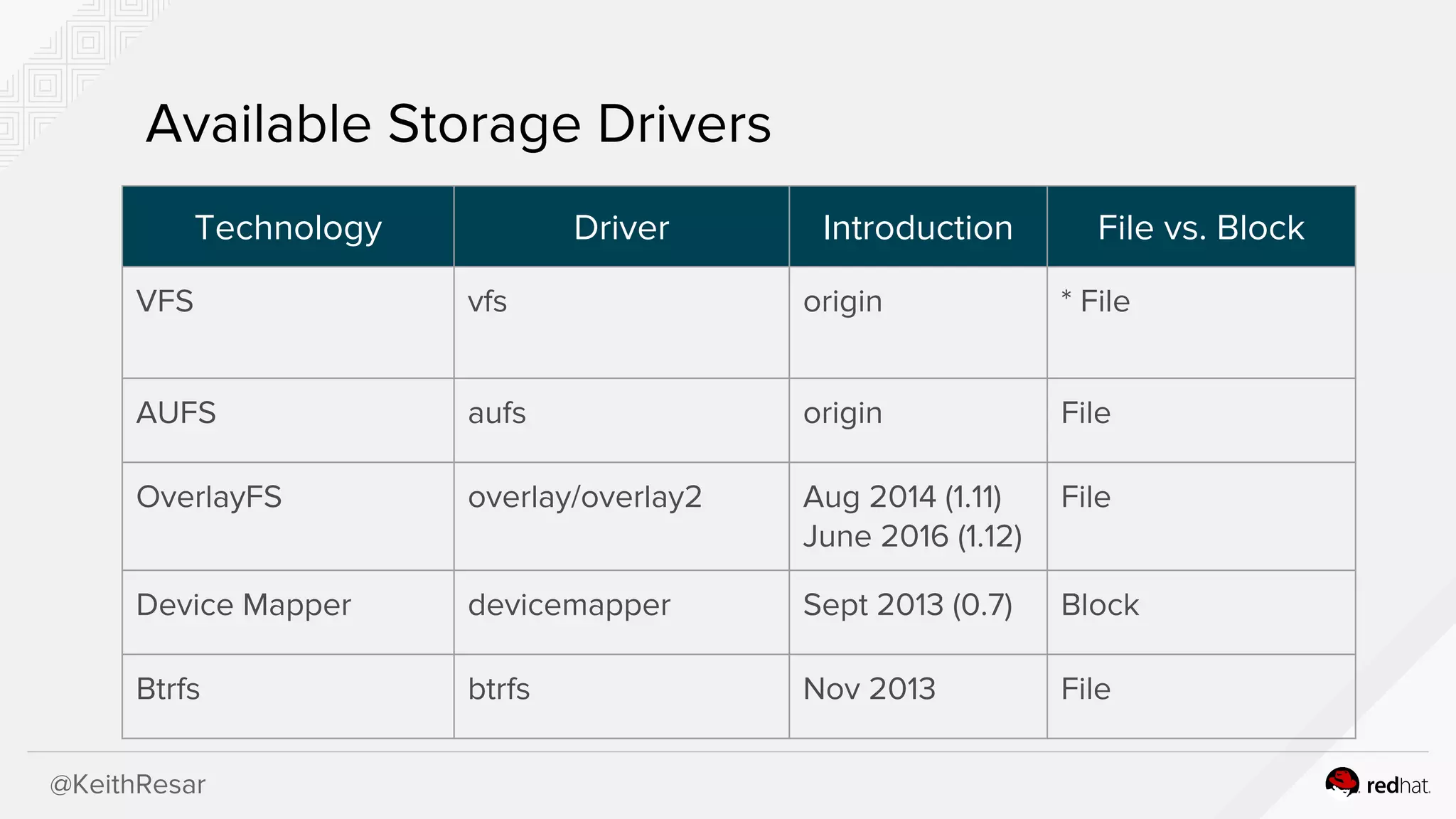
Detailed examination of six storage drivers including VFS, AUFS, Overlay, Overlay2, Devicemapper, and Btrfs, discussing their benefits and drawbacks.
Guidance on selecting a storage driver based on benchmarking approaches, emphasizing the complexity of interpreting benchmarks.
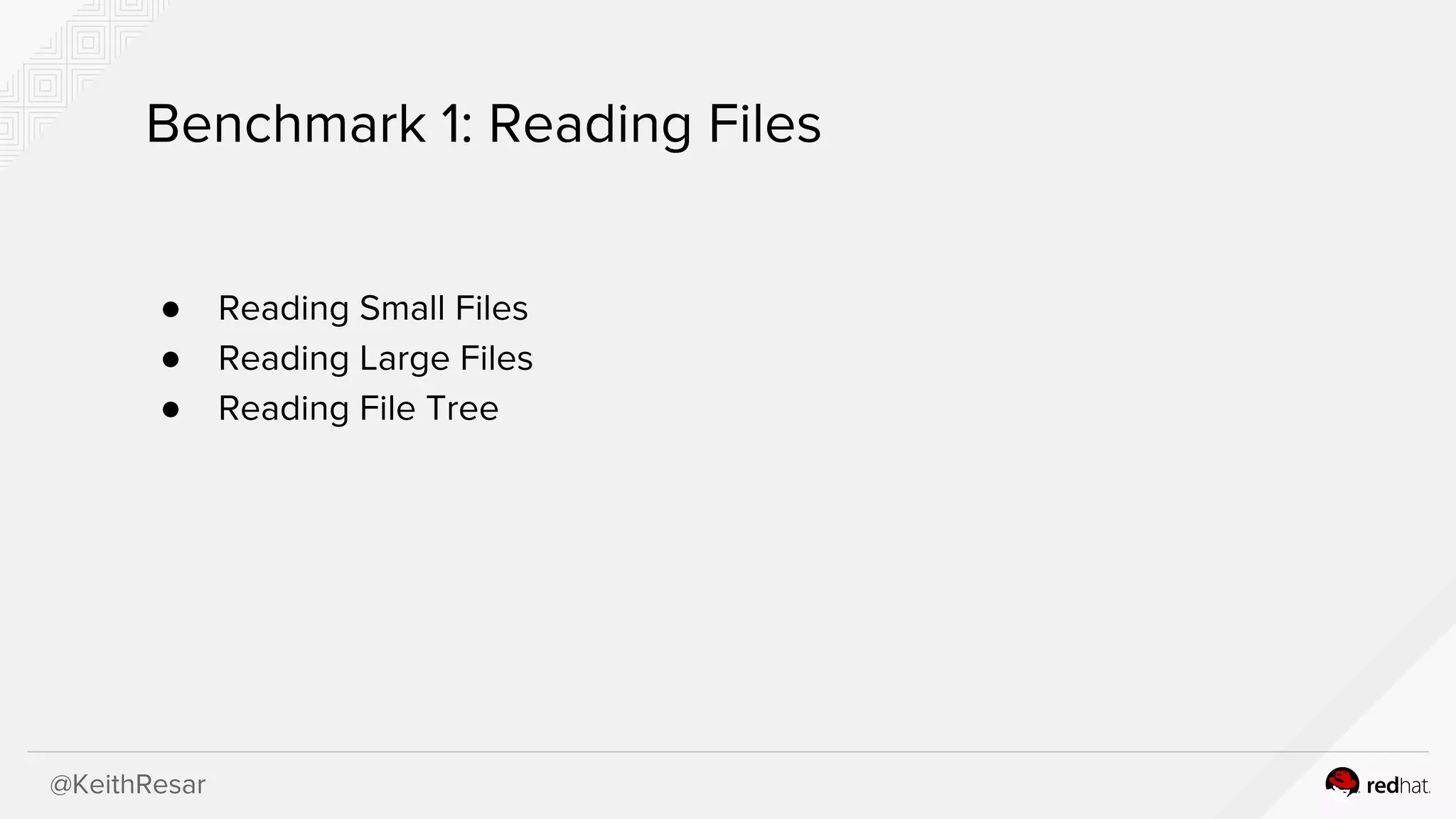
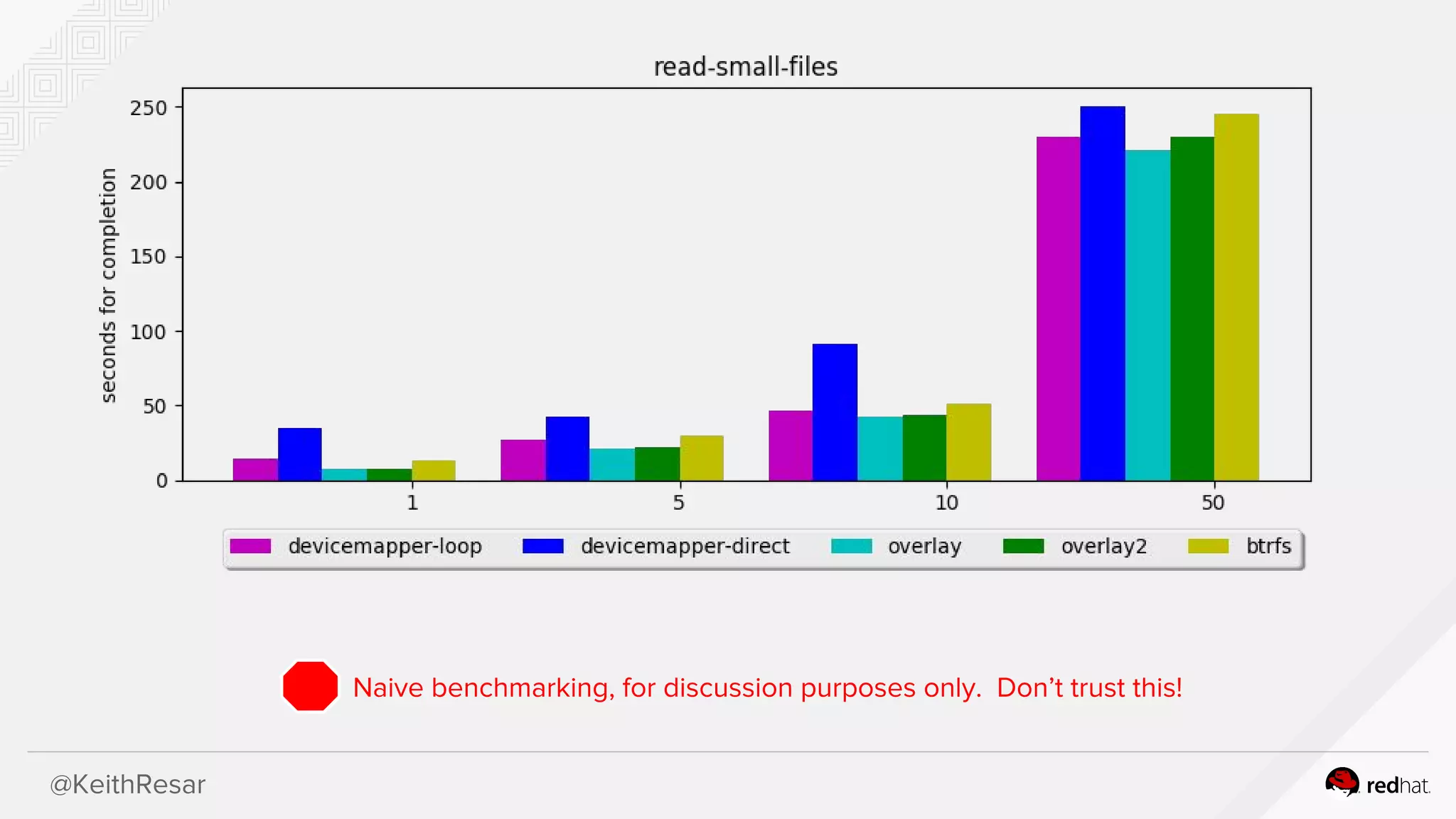
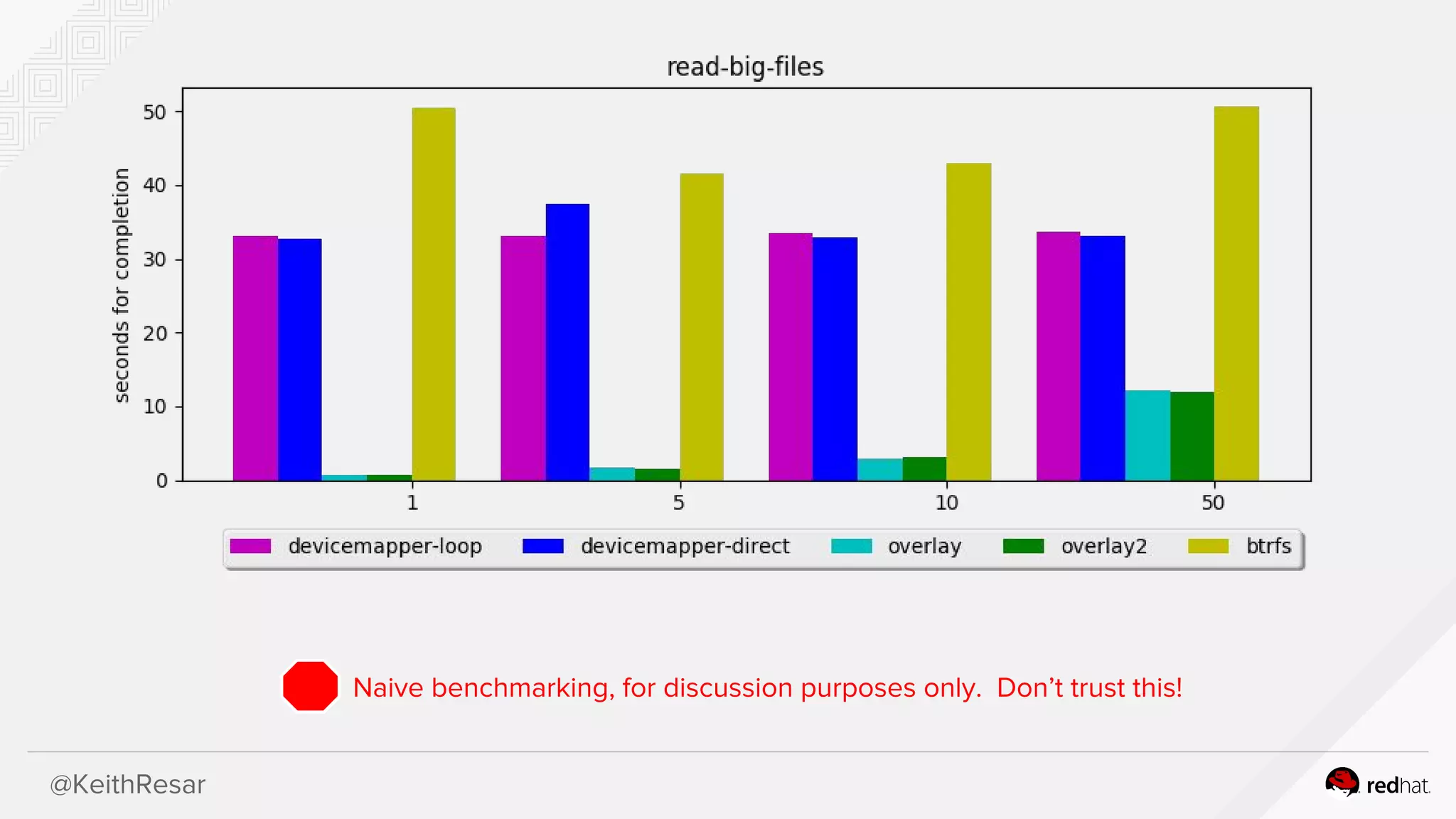
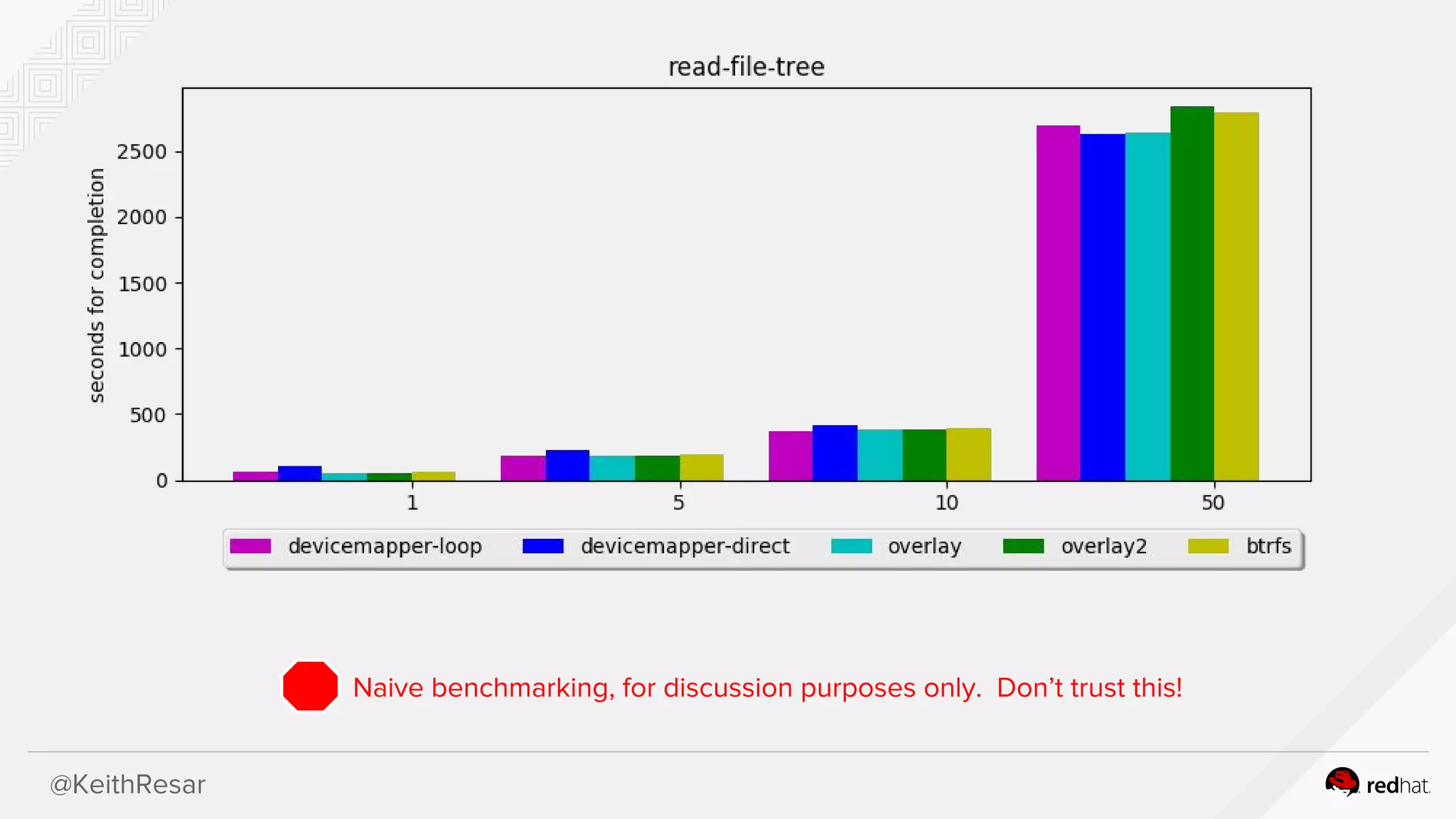
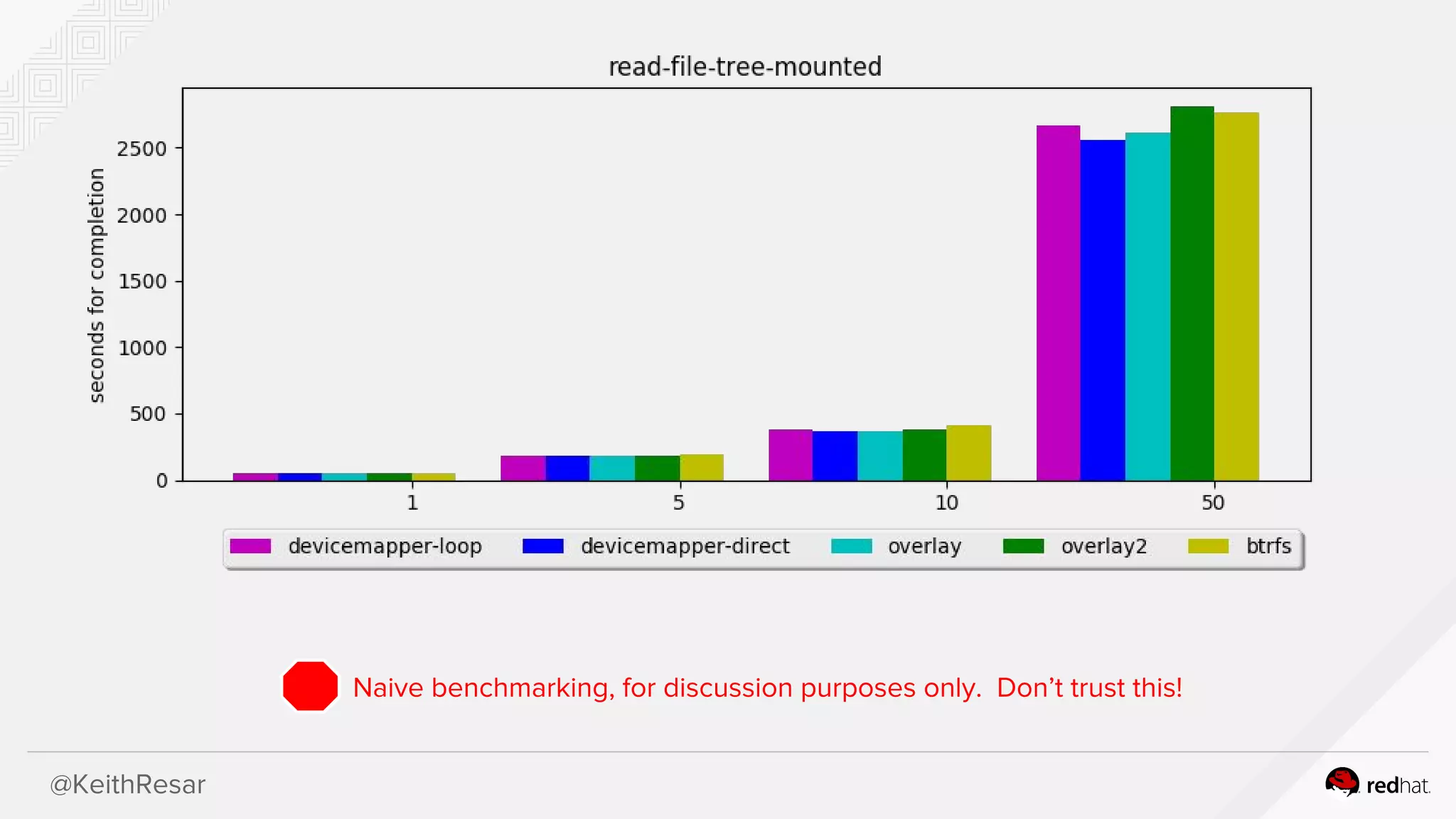
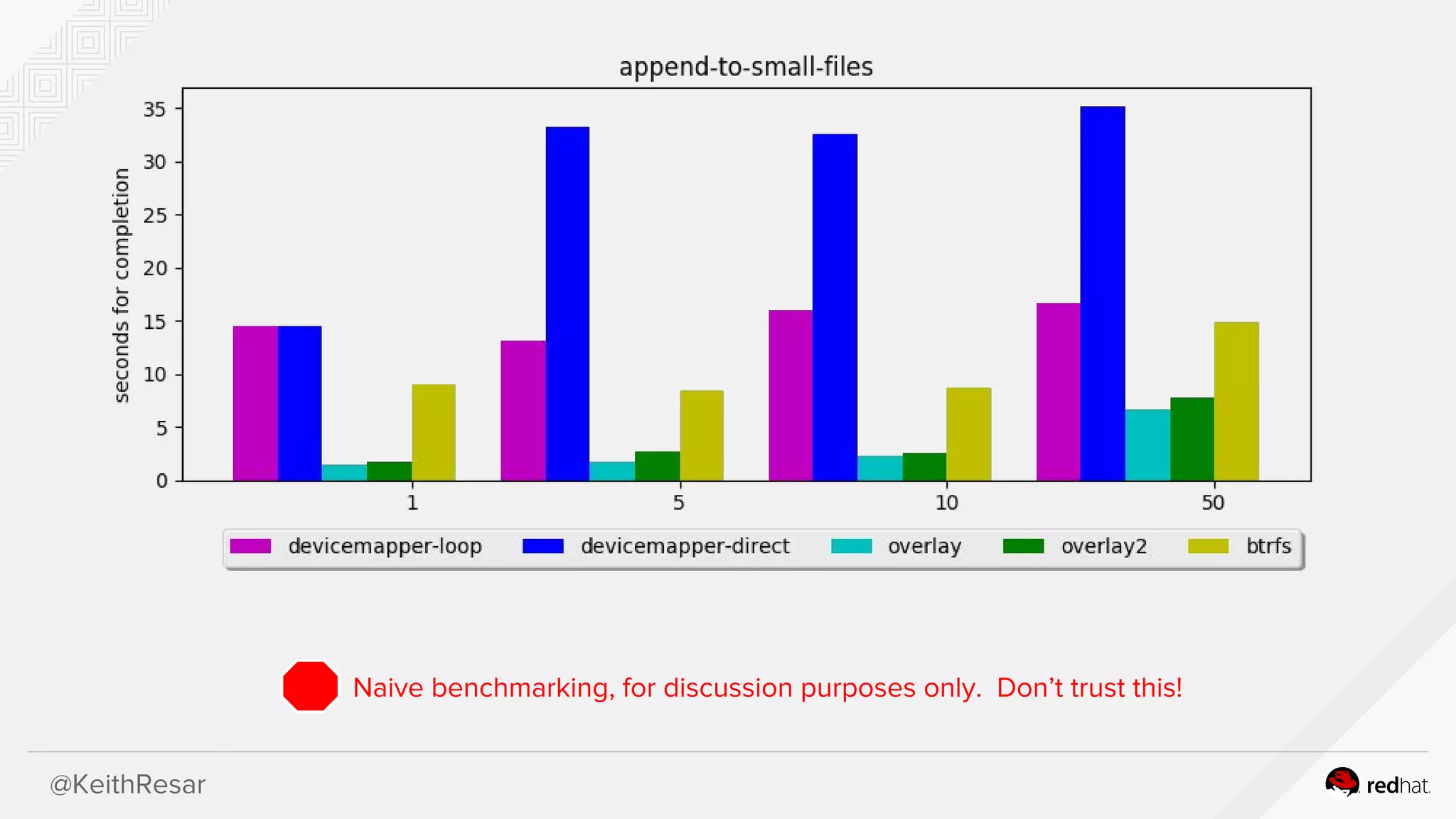
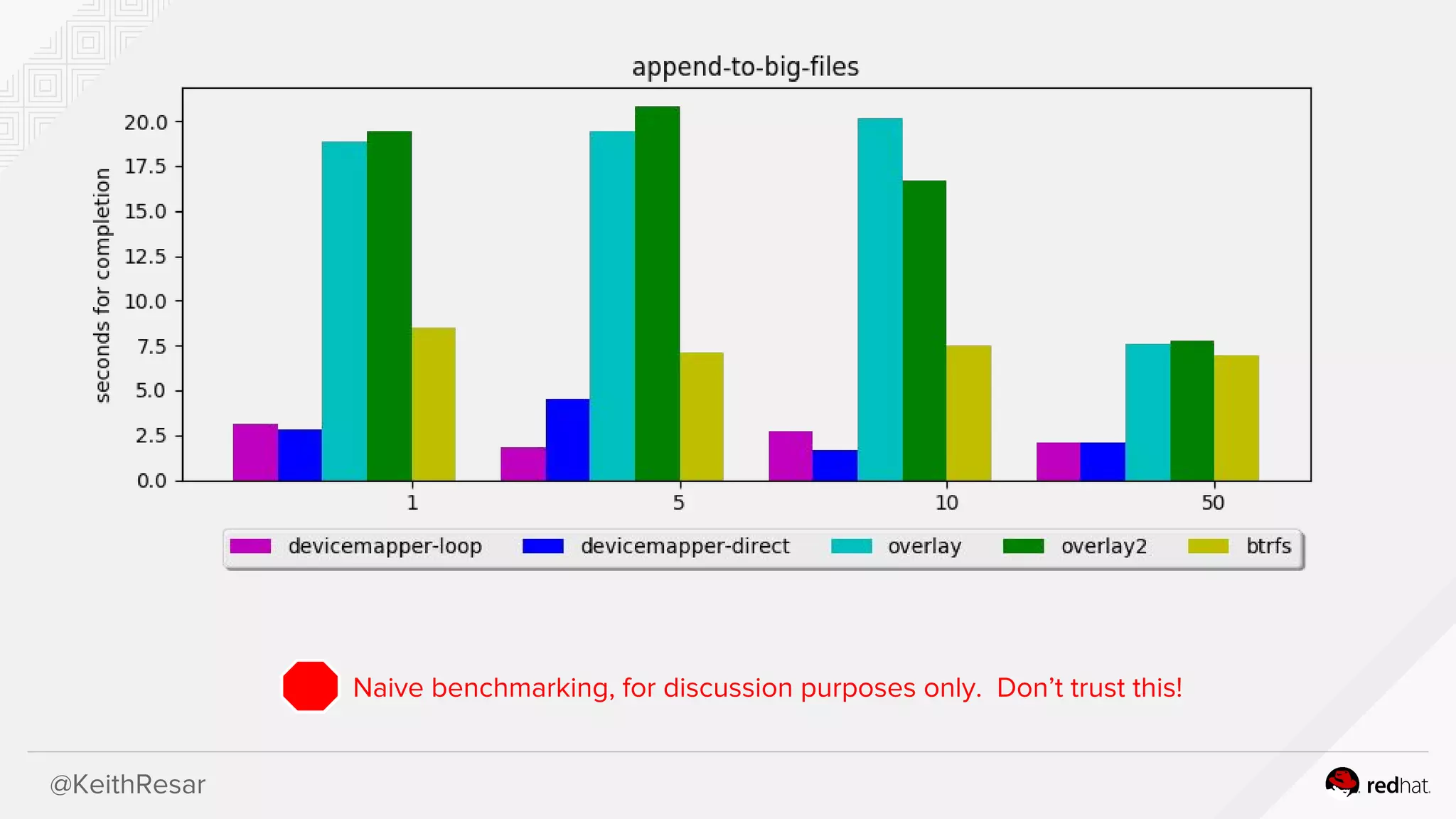
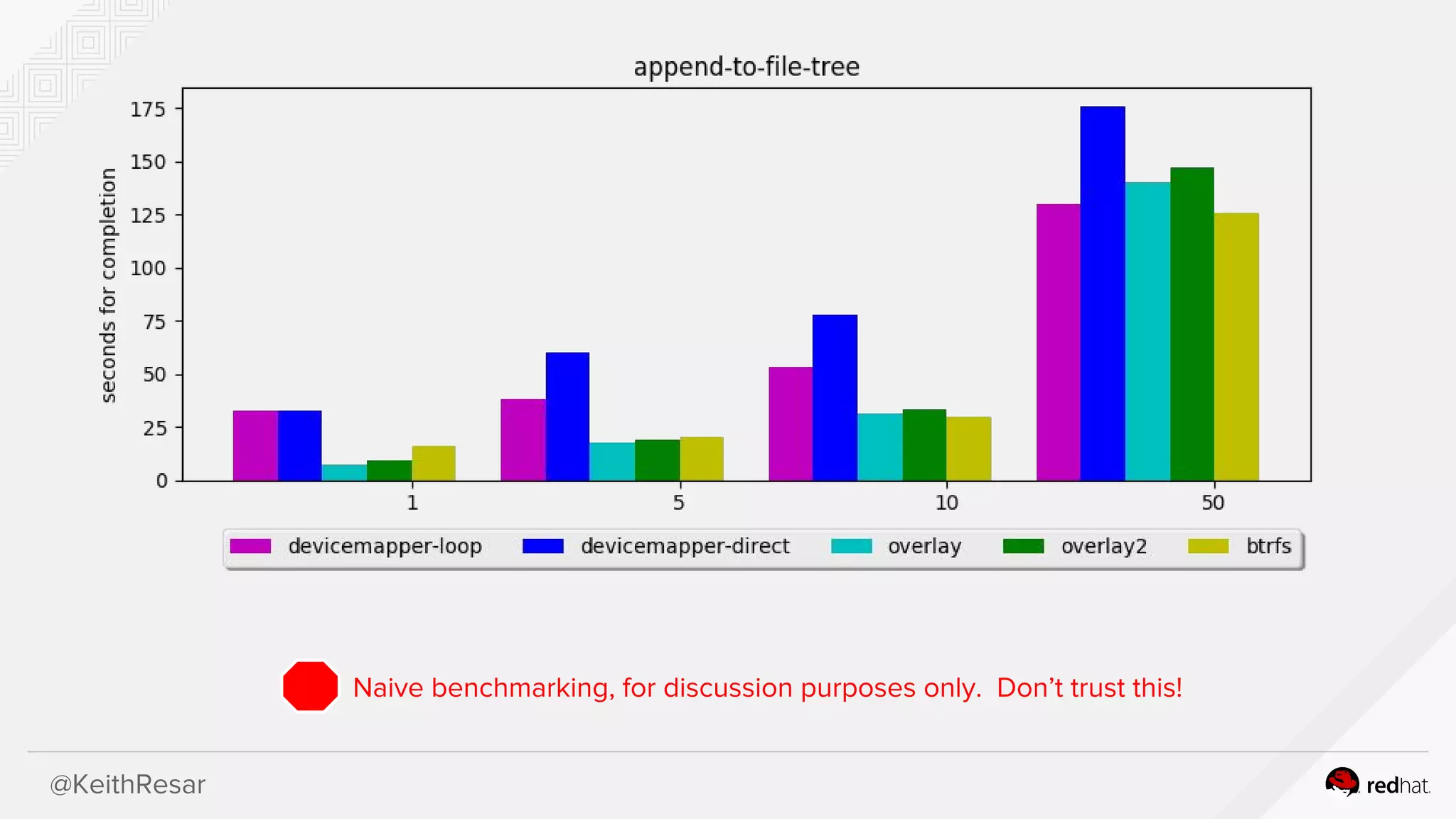
Various benchmarks for reading and appending files, with caution against trusting naive results.Summary of use cases for different storage drivers and links to additional resources, concluding with thanks and contact information.
@KeithResar
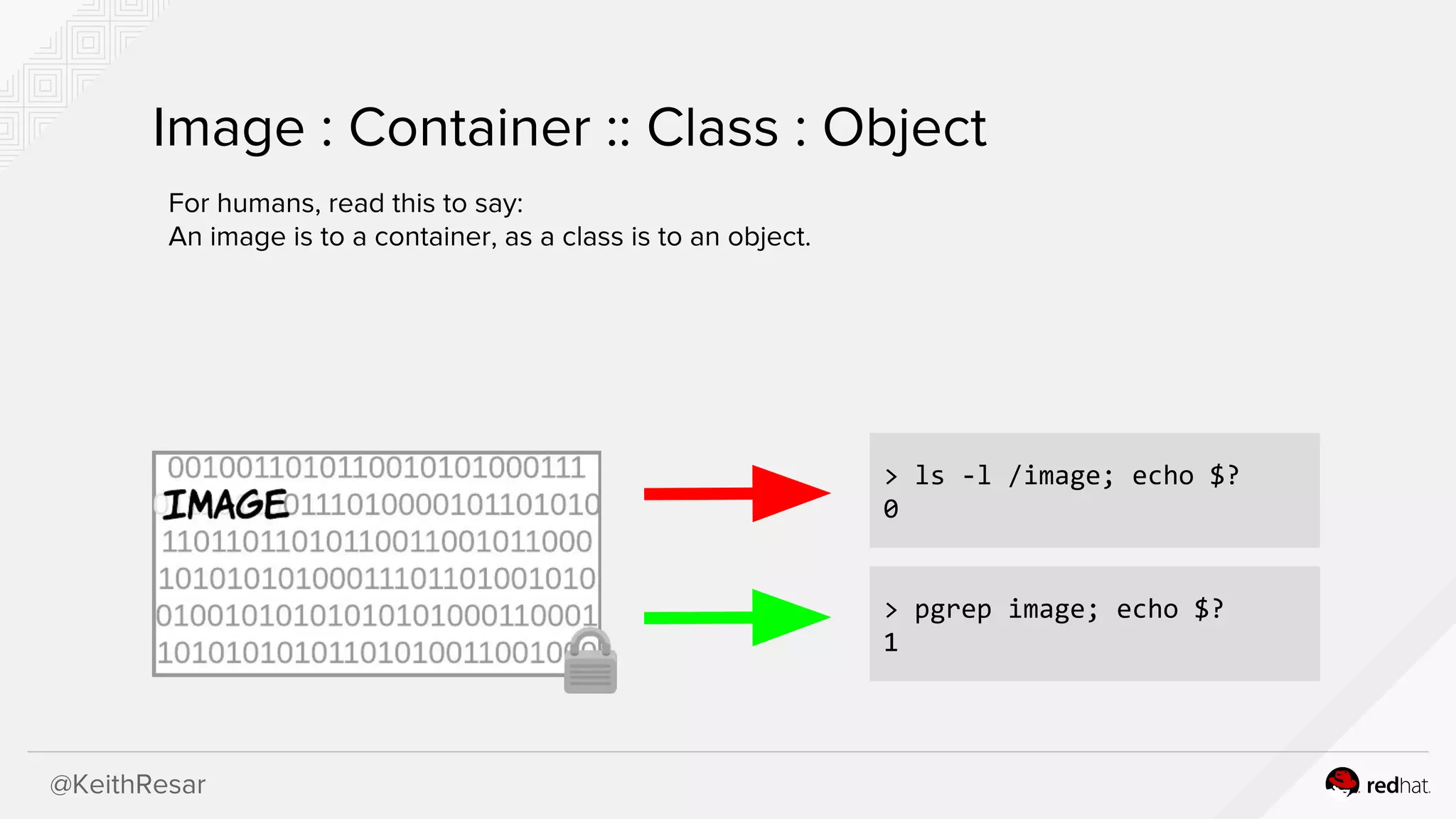
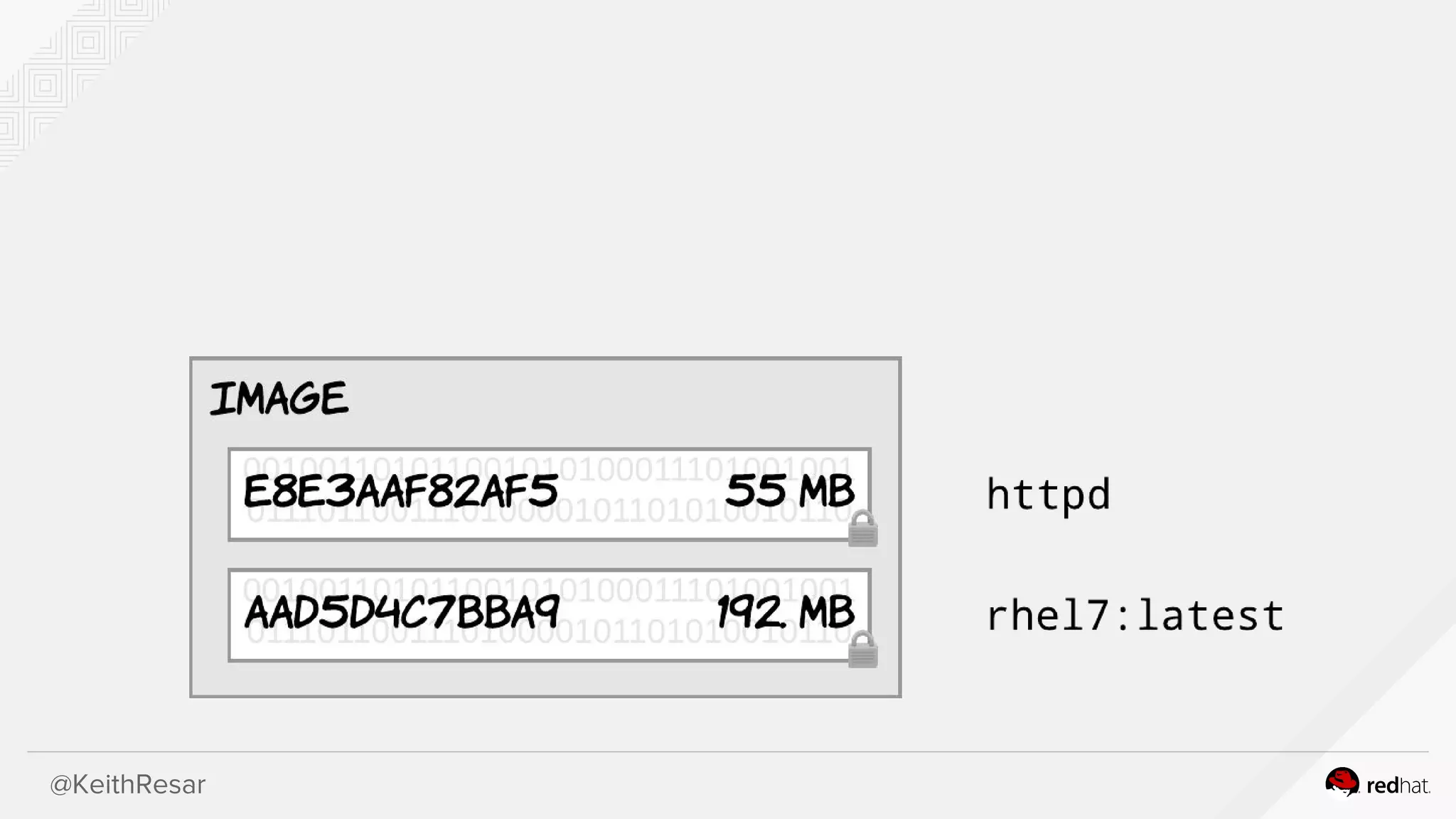
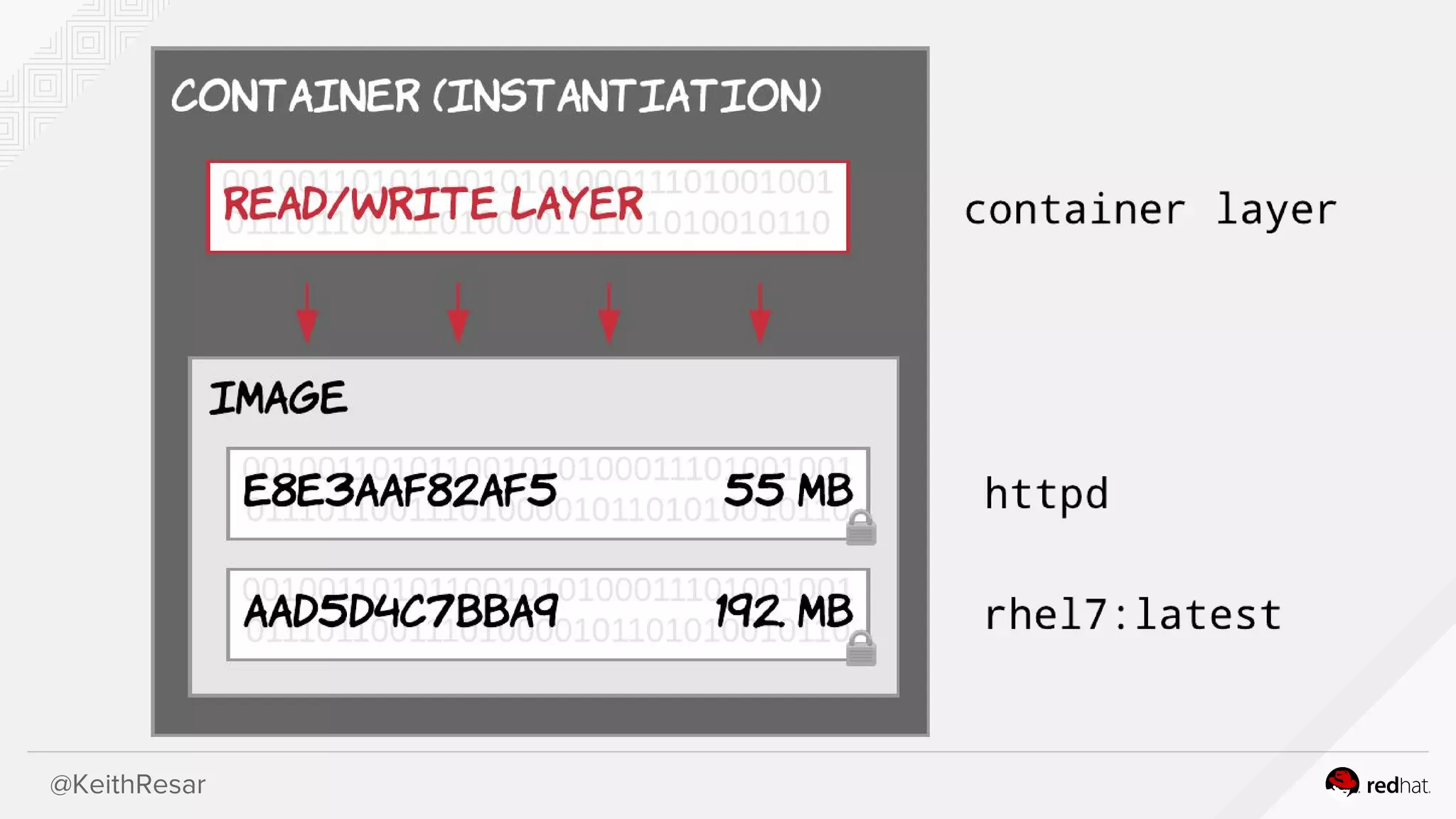
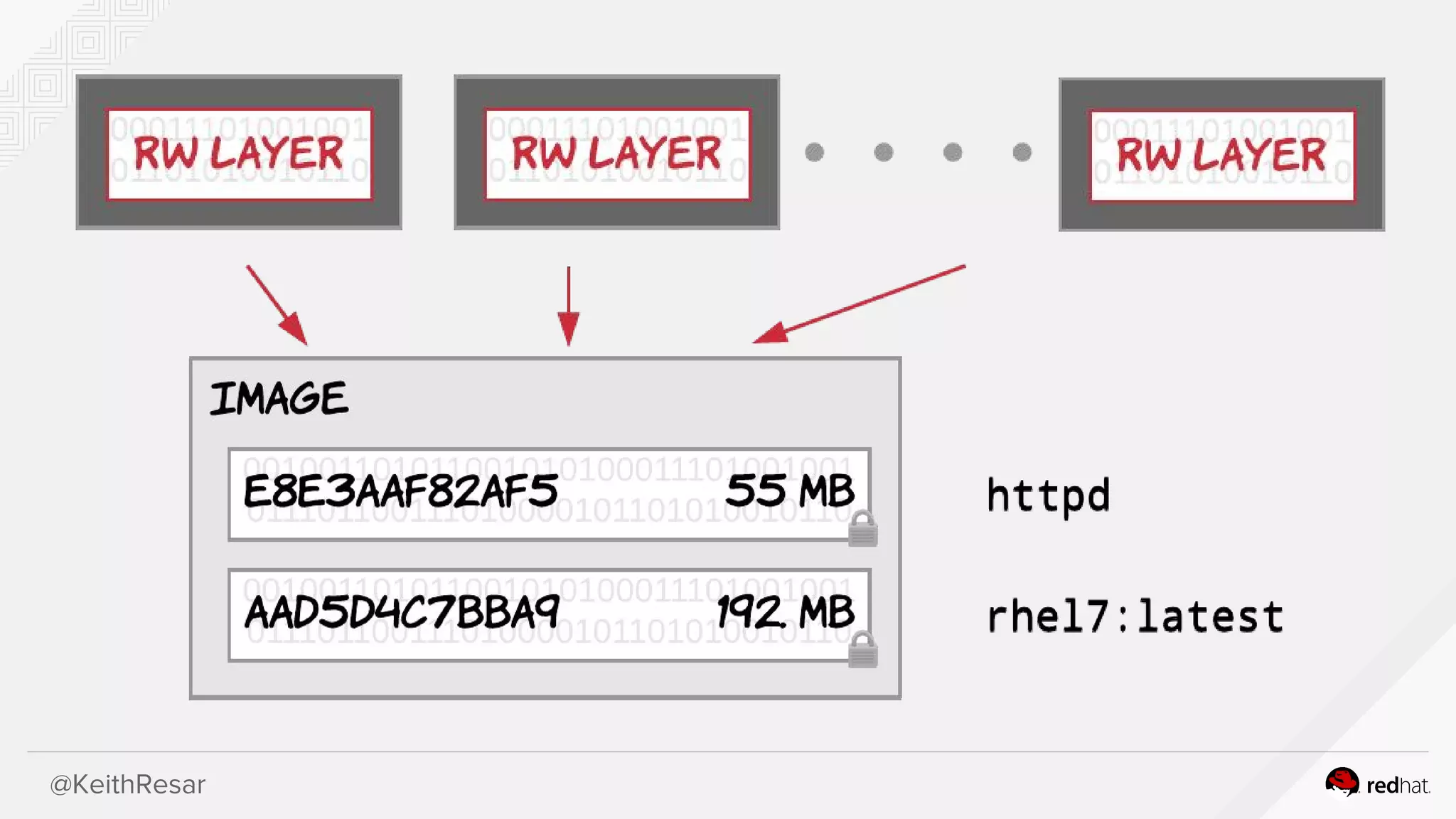
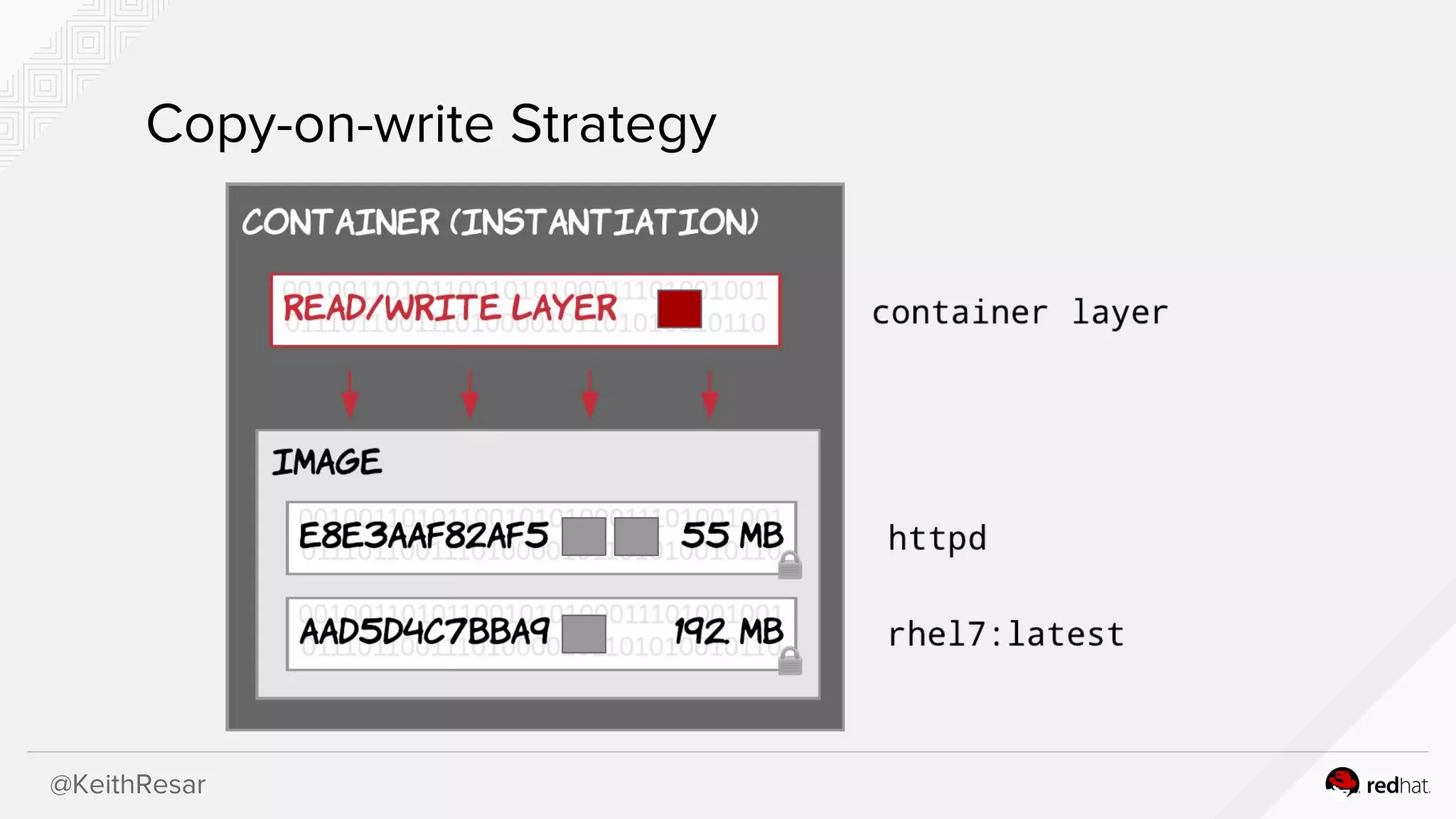
Image : Container:: Class : Object
For humans, read this to say:
An image is to a container, as a class is to an object.
> ls -l /image; echo $?
0
> pgrep image; echo $?
1
@KeithResar
Data Volume Storage
Canbe extended to support many endpoints and protocols
using installable docker plugins.
● Local
● LVM
● GlusterFS
● Ceph
● NFS
● iSCSI
@KeithResar
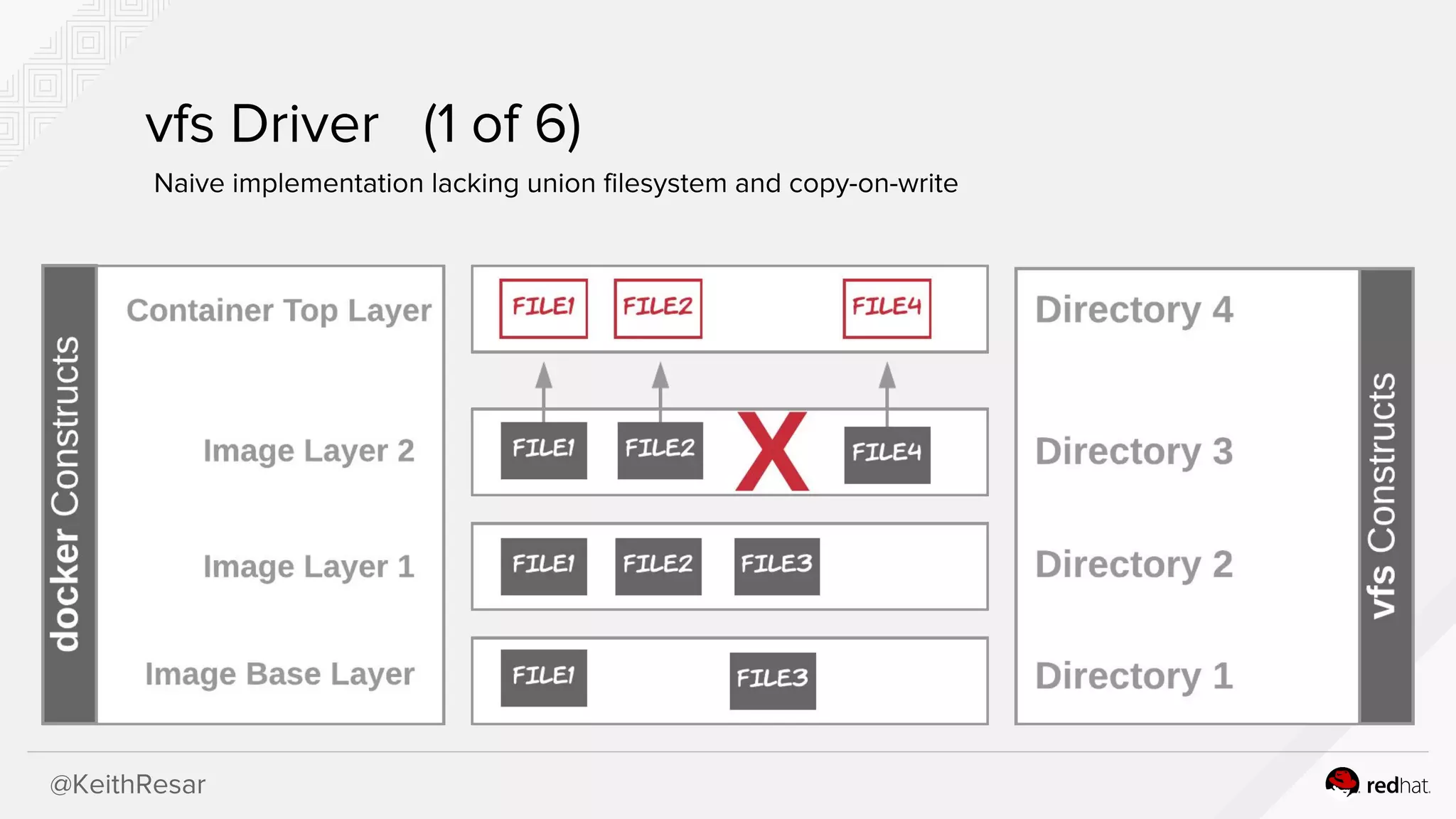
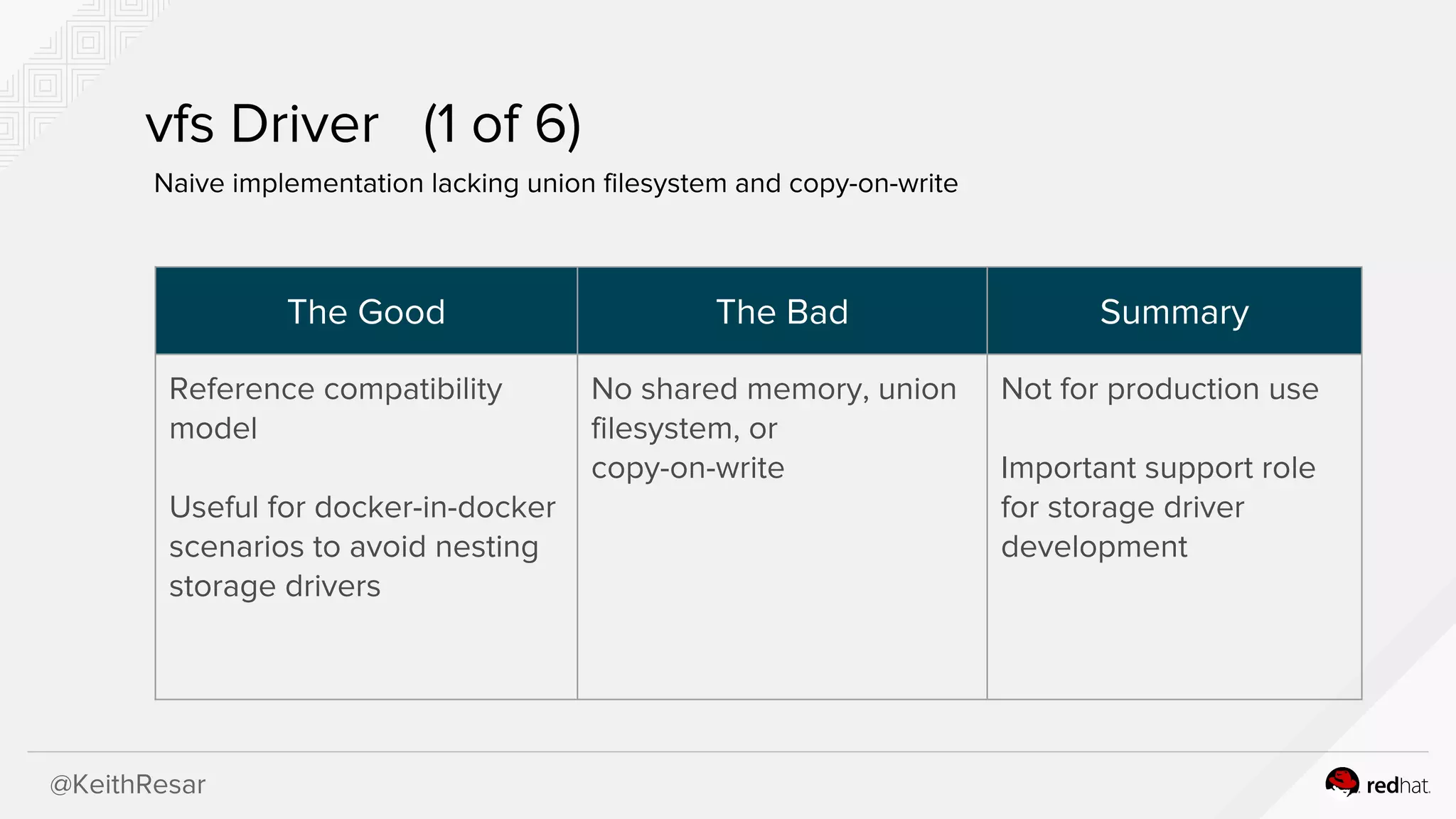
vfs Driver (1of 6)
Naive implementation lacking union filesystem and copy-on-write
The Good The Bad Summary
Reference compatibility
model
Useful for docker-in-docker
scenarios to avoid nesting
storage drivers
No shared memory, union
filesystem, or
copy-on-write
Not for production use
Important support role
for storage driver
development
17.
@KeithResar
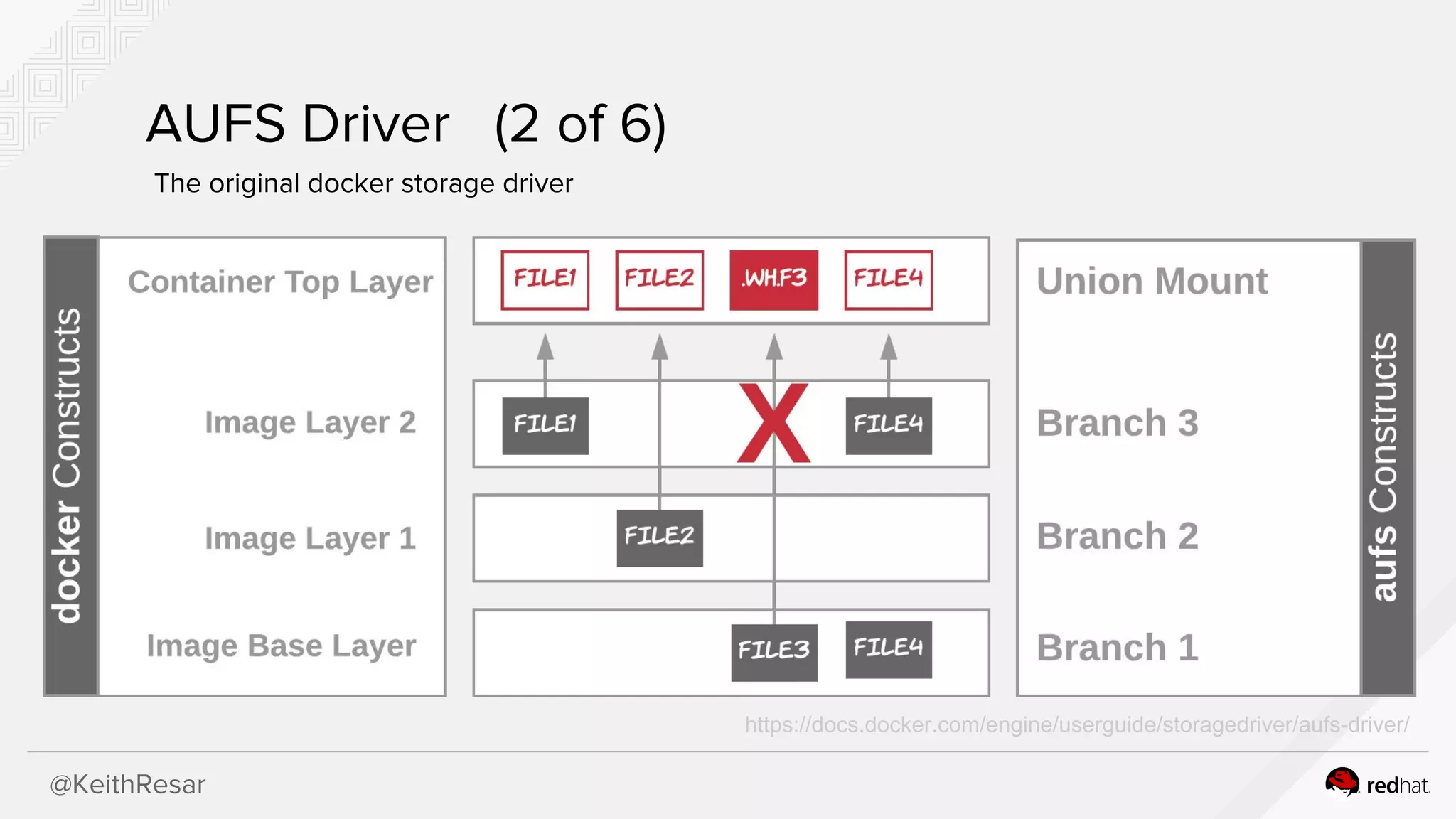
AUFS Driver (2of 6)
The original docker storage driver
https://docs.docker.com/engine/userguide/storagedriver/aufs-driver/
18.
@KeithResar
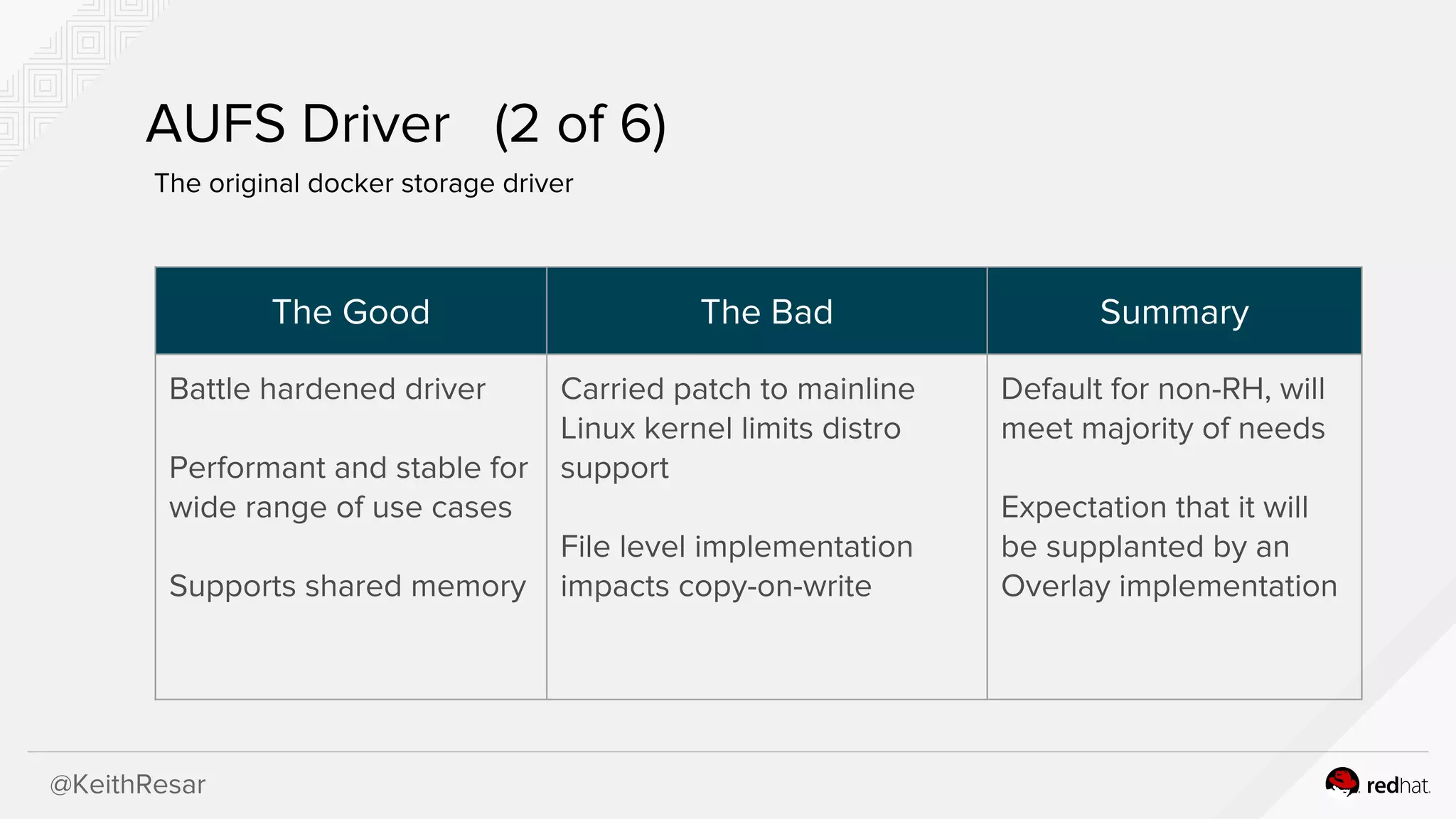
AUFS Driver (2of 6)
The original docker storage driver
The Good The Bad Summary
Battle hardened driver
Performant and stable for
wide range of use cases
Supports shared memory
Carried patch to mainline
Linux kernel limits distro
support
File level implementation
impacts copy-on-write
Default for non-RH, will
meet majority of needs
Expectation that it will
be supplanted by an
Overlay implementation
19.
@KeithResar
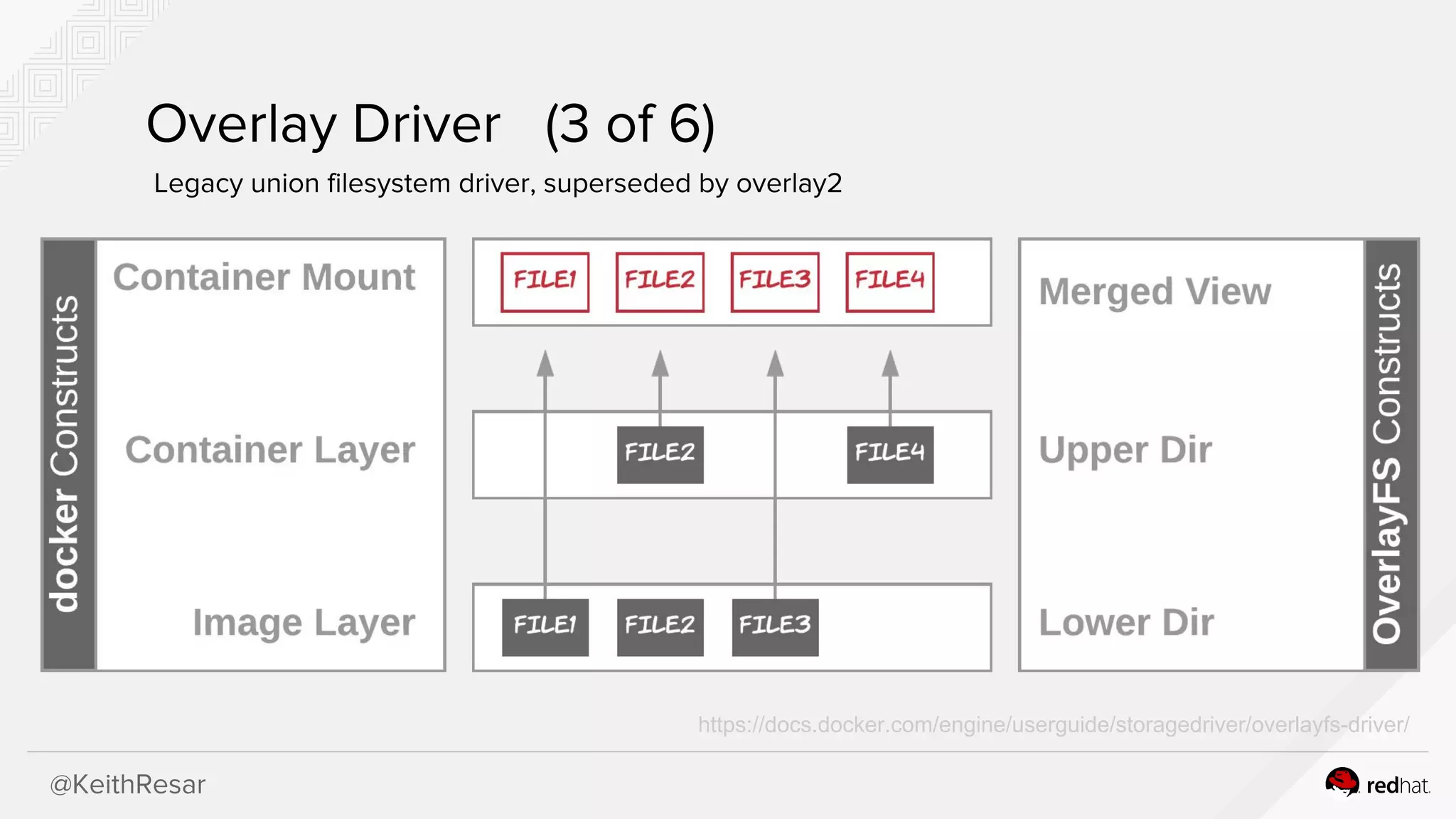
Overlay Driver (3of 6)
Legacy union filesystem driver, superseded by overlay2
https://docs.docker.com/engine/userguide/storagedriver/overlayfs-driver/
20.
@KeithResar
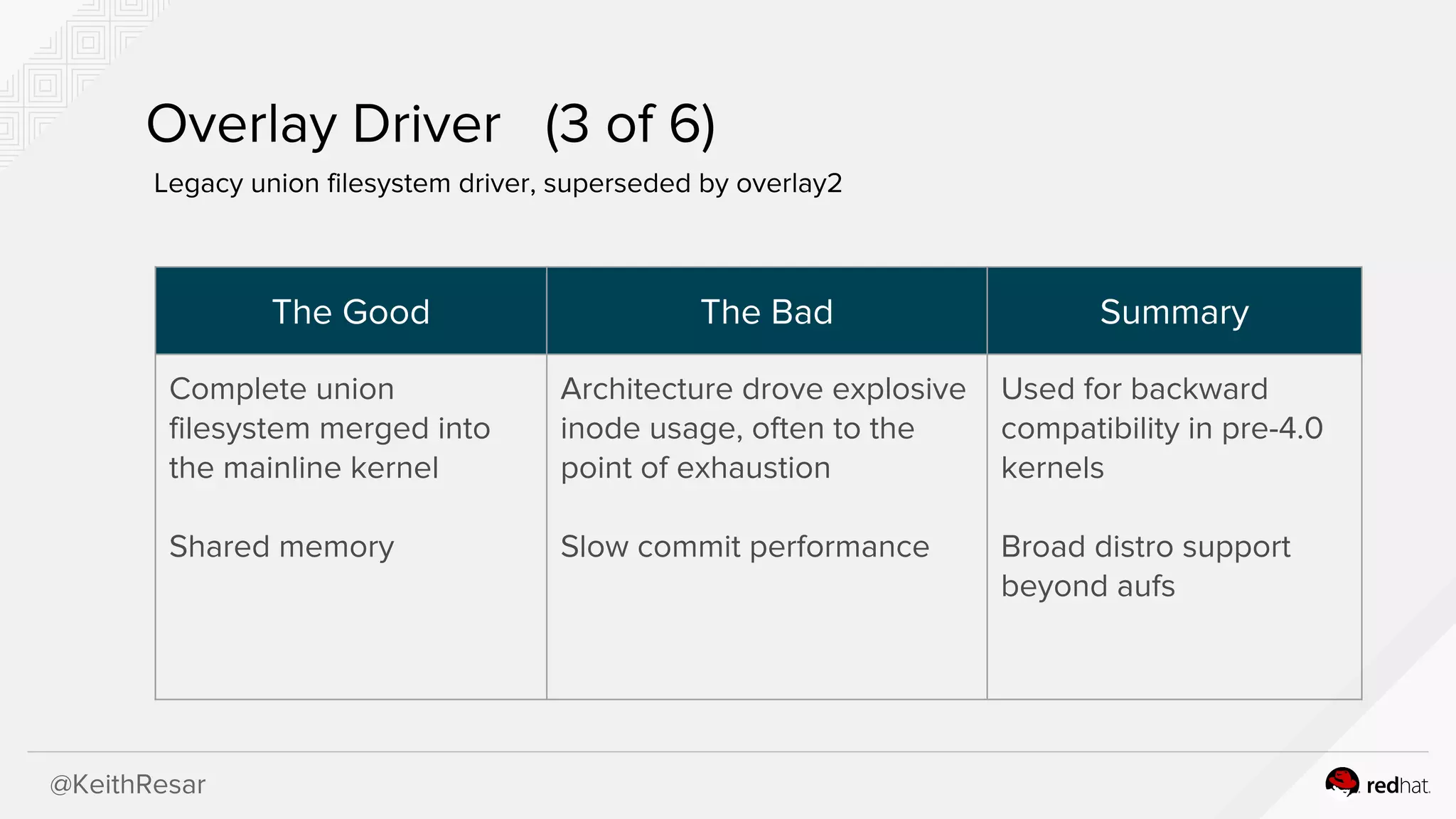
Overlay Driver (3of 6)
Legacy union filesystem driver, superseded by overlay2
The Good The Bad Summary
Complete union
filesystem merged into
the mainline kernel
Shared memory
Architecture drove explosive
inode usage, often to the
point of exhaustion
Slow commit performance
Used for backward
compatibility in pre-4.0
kernels
Broad distro support
beyond aufs
@KeithResar
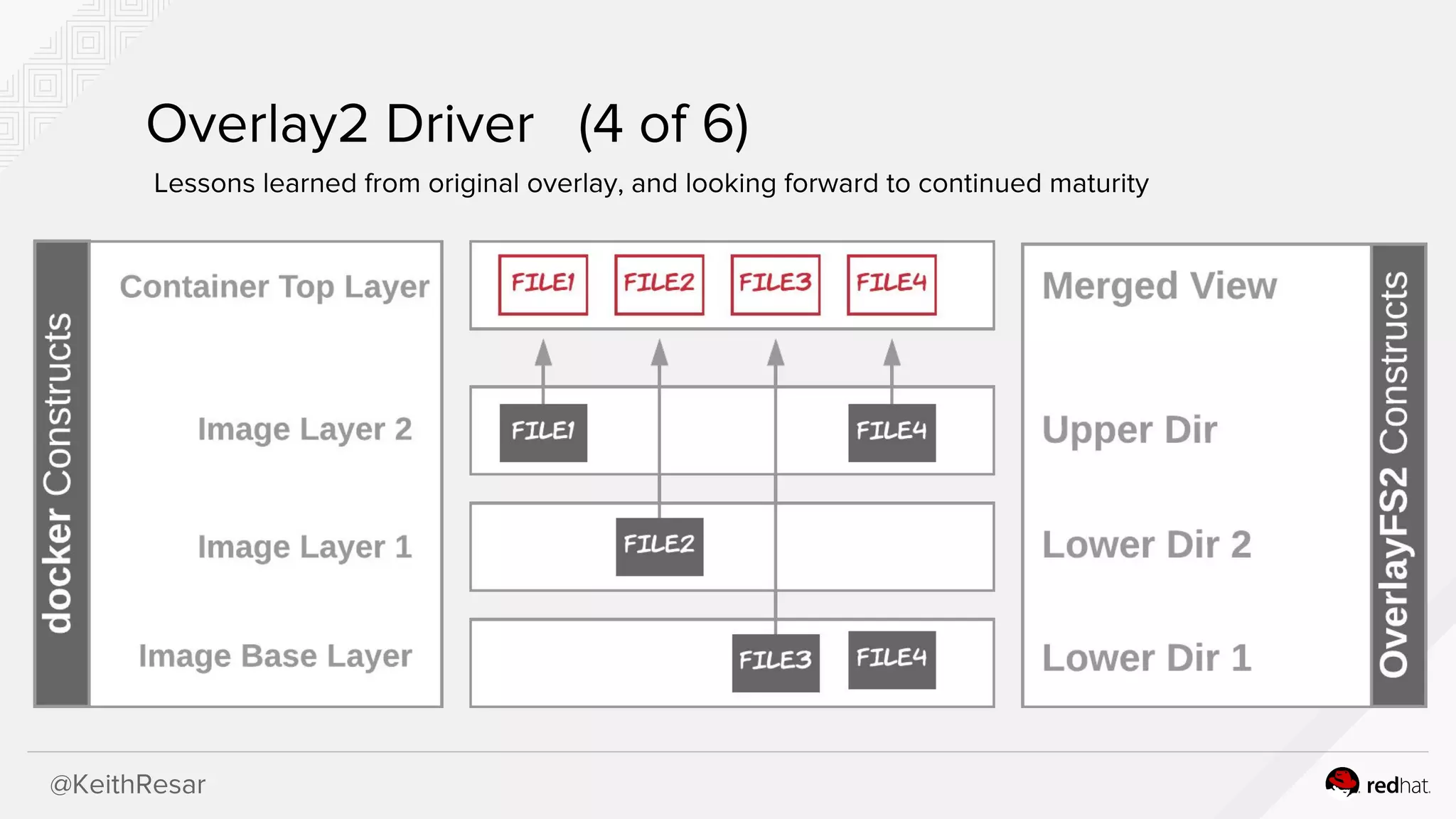
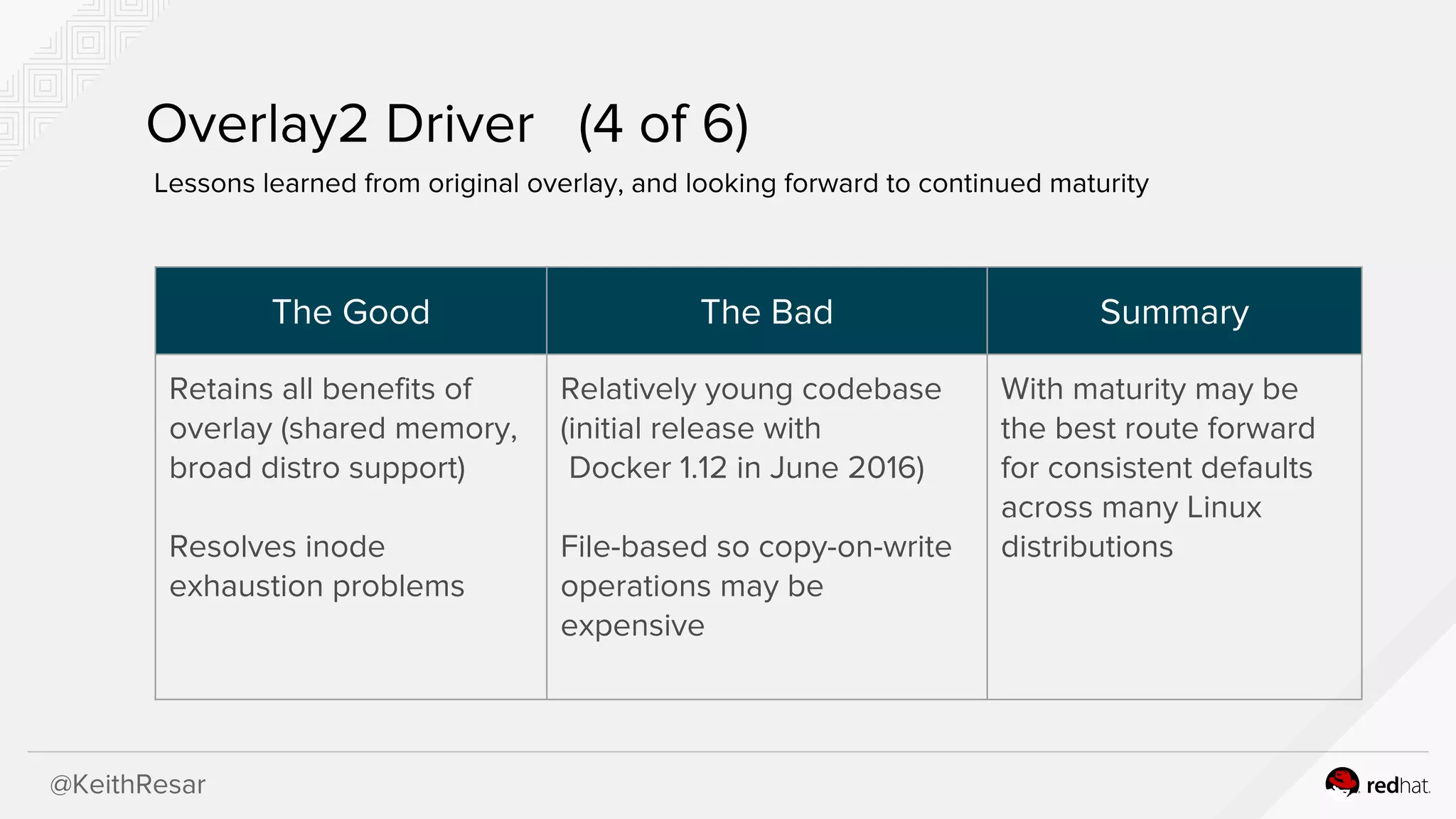
Overlay2 Driver (4of 6)
Lessons learned from original overlay, and looking forward to continued maturity
The Good The Bad Summary
Retains all benefits of
overlay (shared memory,
broad distro support)
Resolves inode
exhaustion problems
Relatively young codebase
(initial release with
Docker 1.12 in June 2016)
File-based so copy-on-write
operations may be
expensive
With maturity may be
the best route forward
for consistent defaults
across many Linux
distributions
@KeithResar
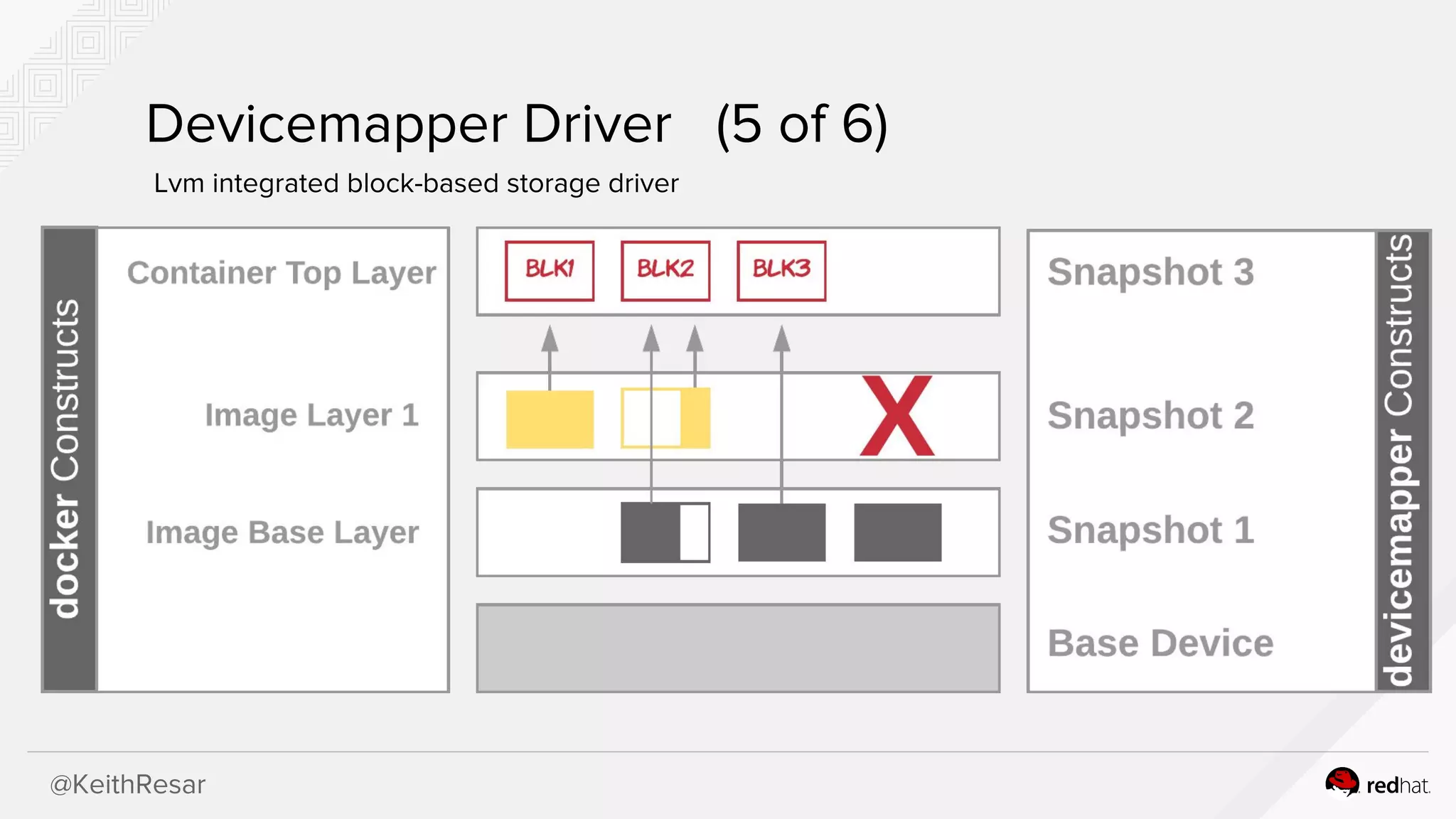
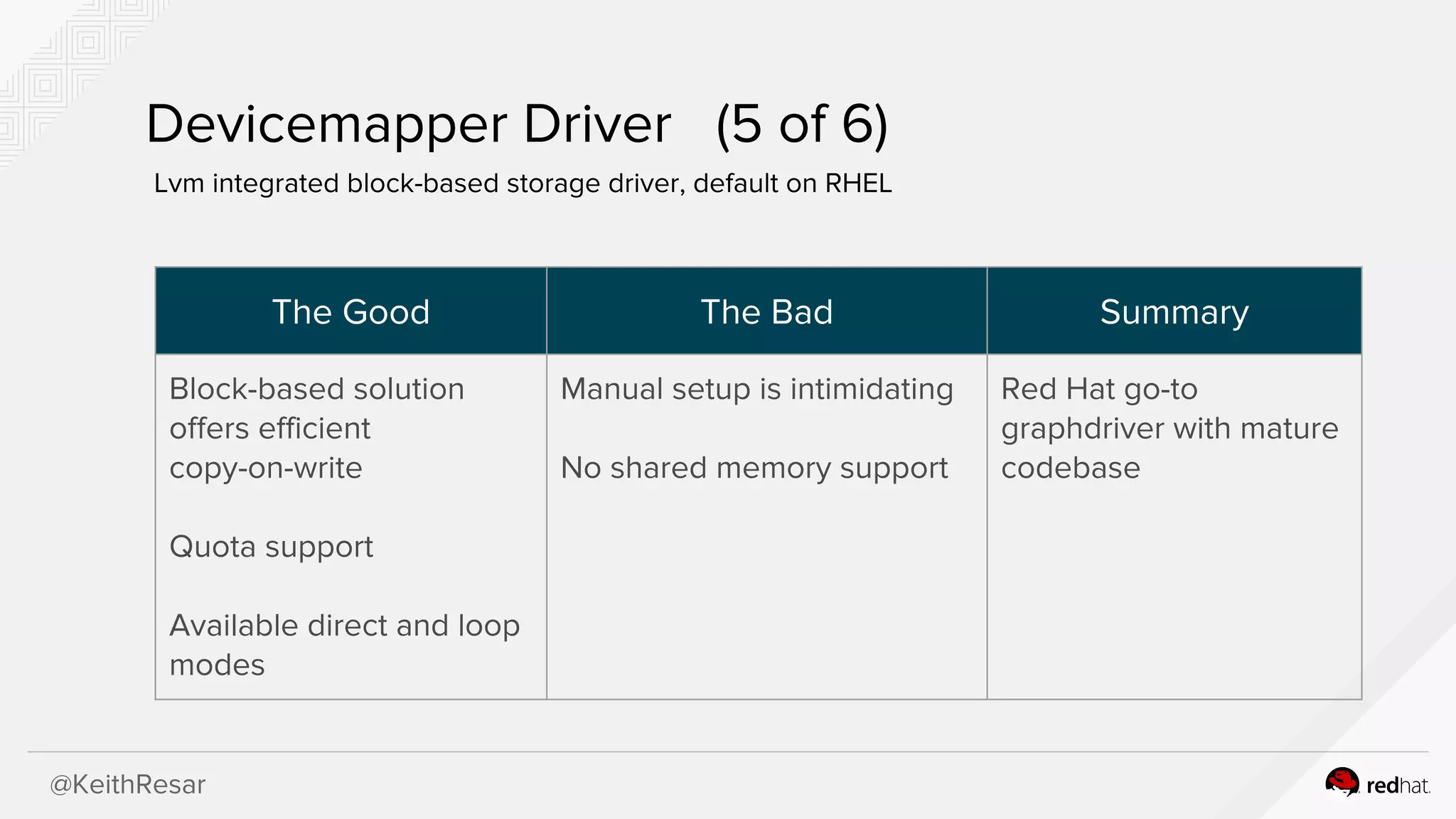
Devicemapper Driver (5of 6)
Lvm integrated block-based storage driver, default on RHEL
The Good The Bad Summary
Block-based solution
offers efficient
copy-on-write
Quota support
Available direct and loop
modes
Manual setup is intimidating
No shared memory support
Red Hat go-to
graphdriver with mature
codebase
25.
@KeithResar
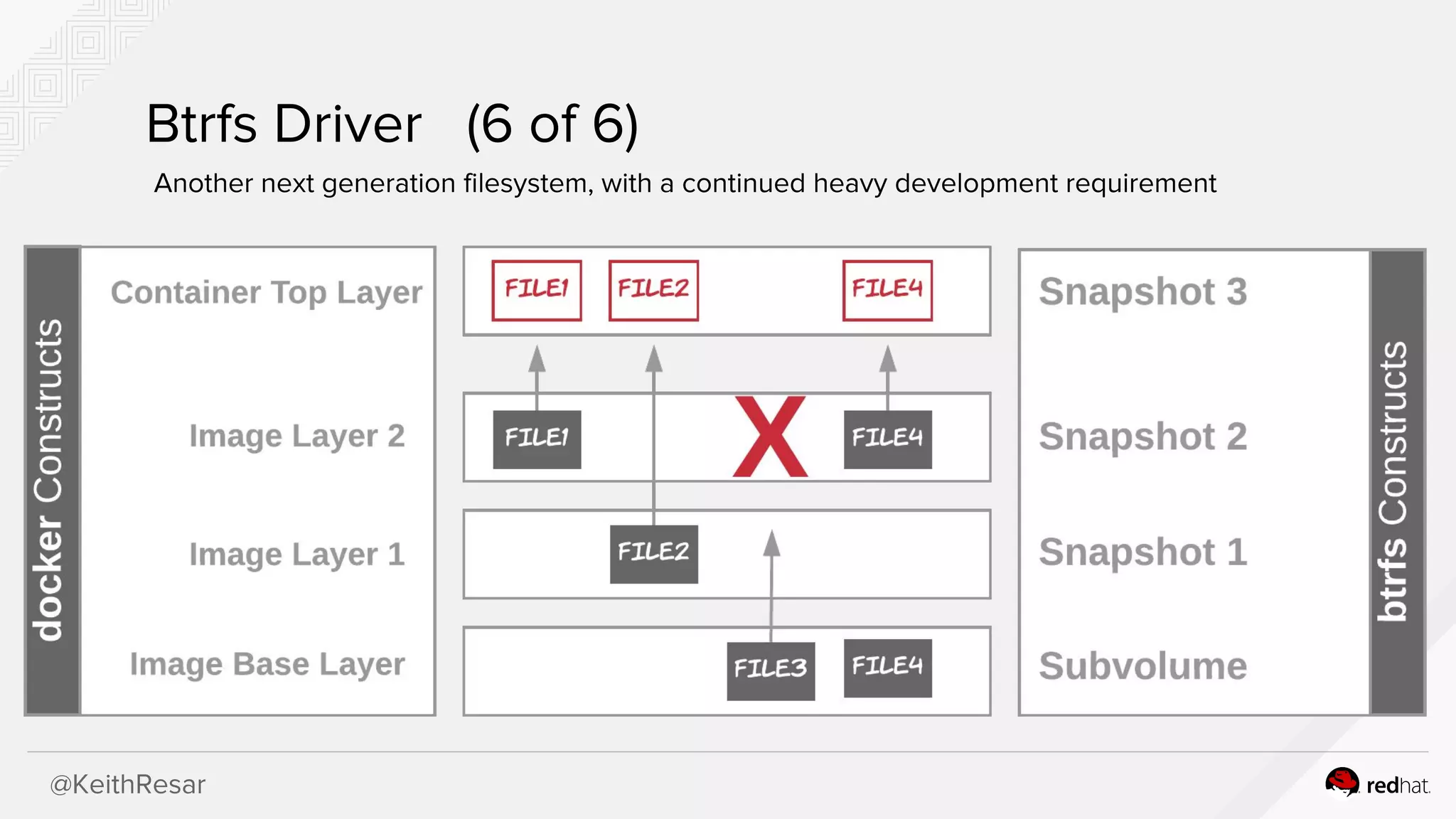
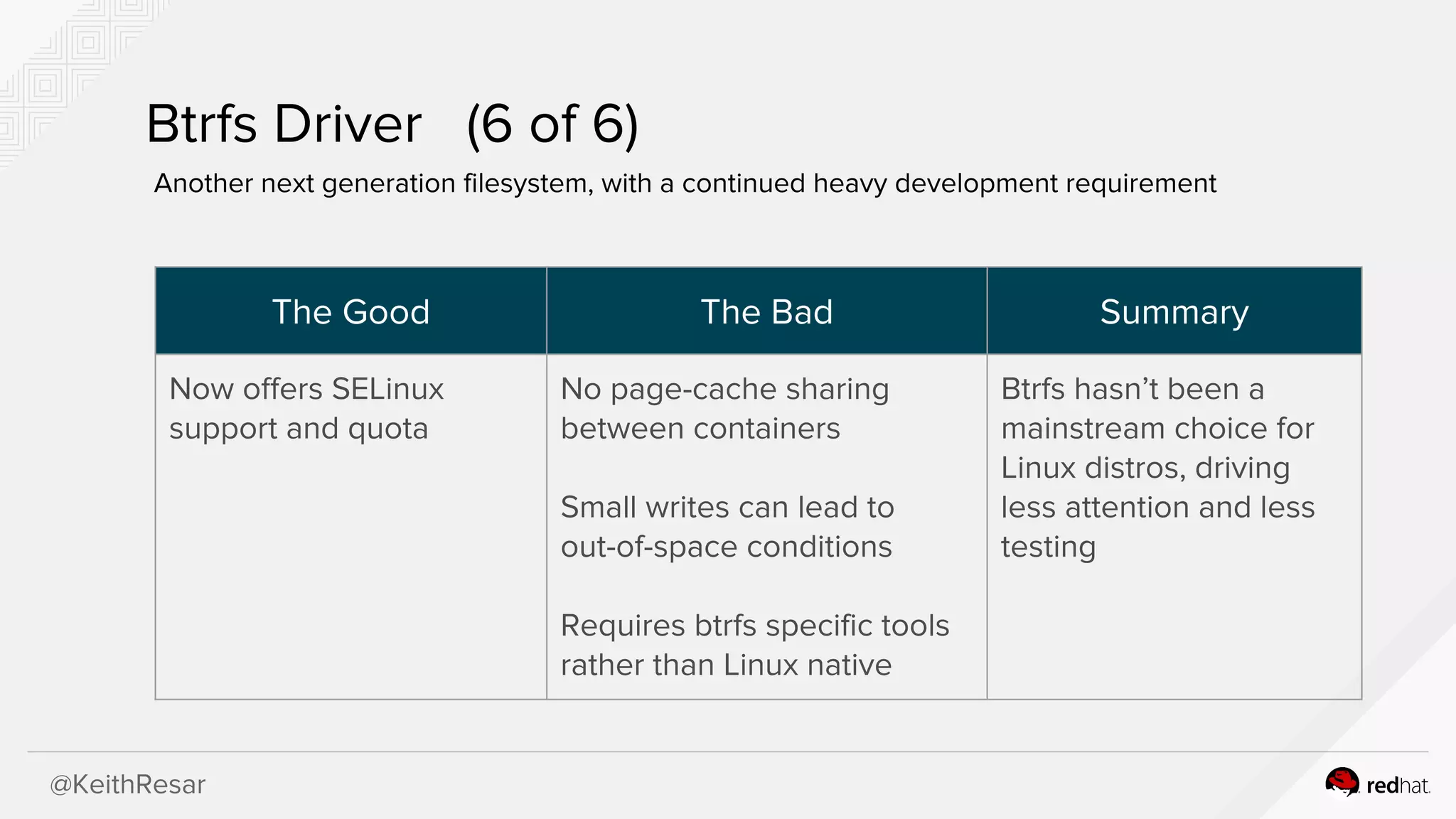
Btrfs Driver (6of 6)
Another next generation filesystem, with a continued heavy development requirement
26.
@KeithResar
Btrfs Driver (6of 6)
Another next generation filesystem, with a continued heavy development requirement
The Good The Bad Summary
Now offers SELinux
support and quota
No page-cache sharing
between containers
Small writes can lead to
out-of-space conditions
Requires btrfs specific tools
rather than Linux native
Btrfs hasn’t been a
mainstream choice for
Linux distros, driving
less attention and less
testing
@KeithResar
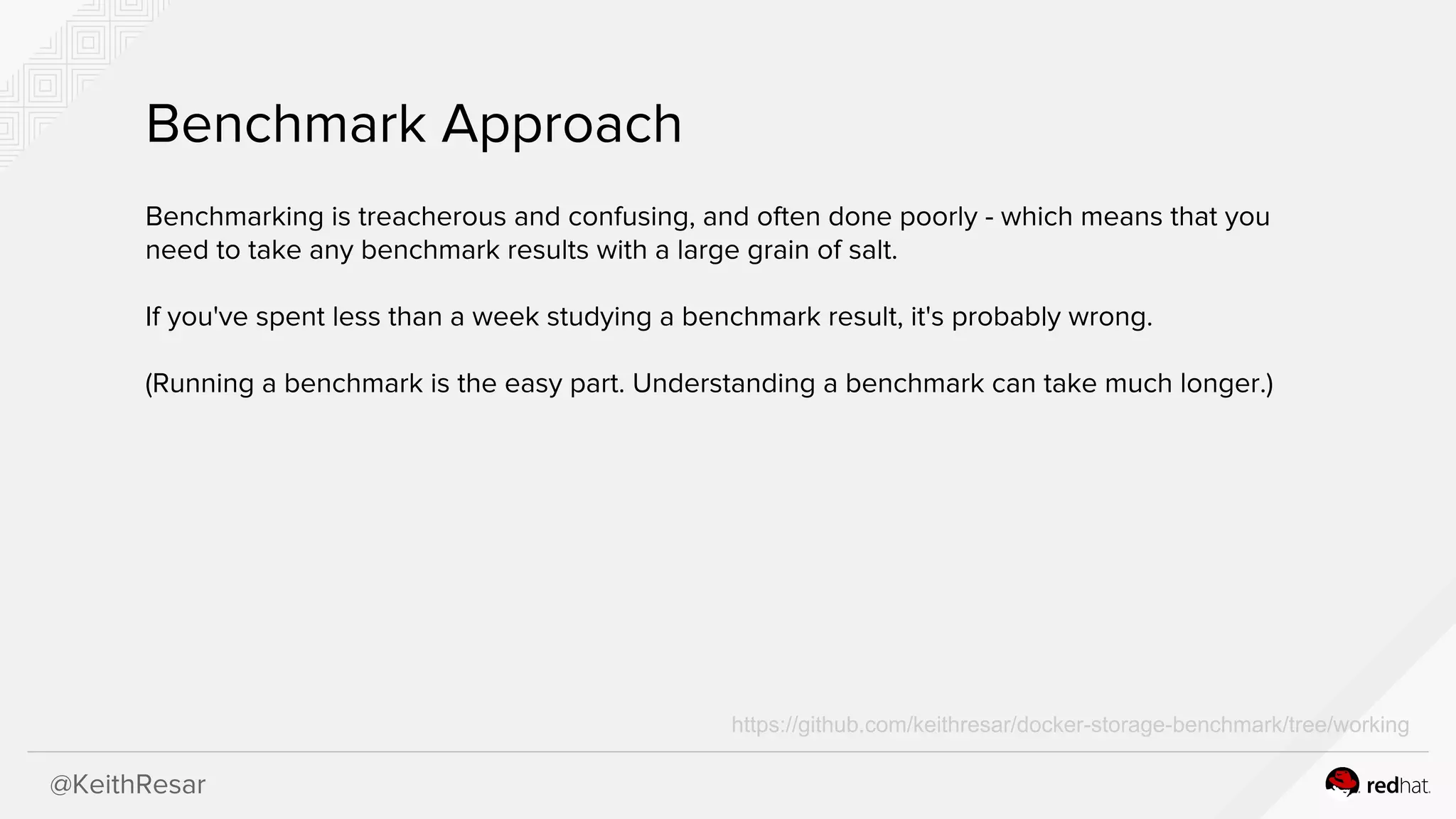
Benchmark Approach
Benchmarking istreacherous and confusing, and often done poorly - which means that you
need to take any benchmark results with a large grain of salt.
If you've spent less than a week studying a benchmark result, it's probably wrong.
(Running a benchmark is the easy part. Understanding a benchmark can take much longer.)
https://github.com/keithresar/docker-storage-benchmark/tree/working
@KeithResar
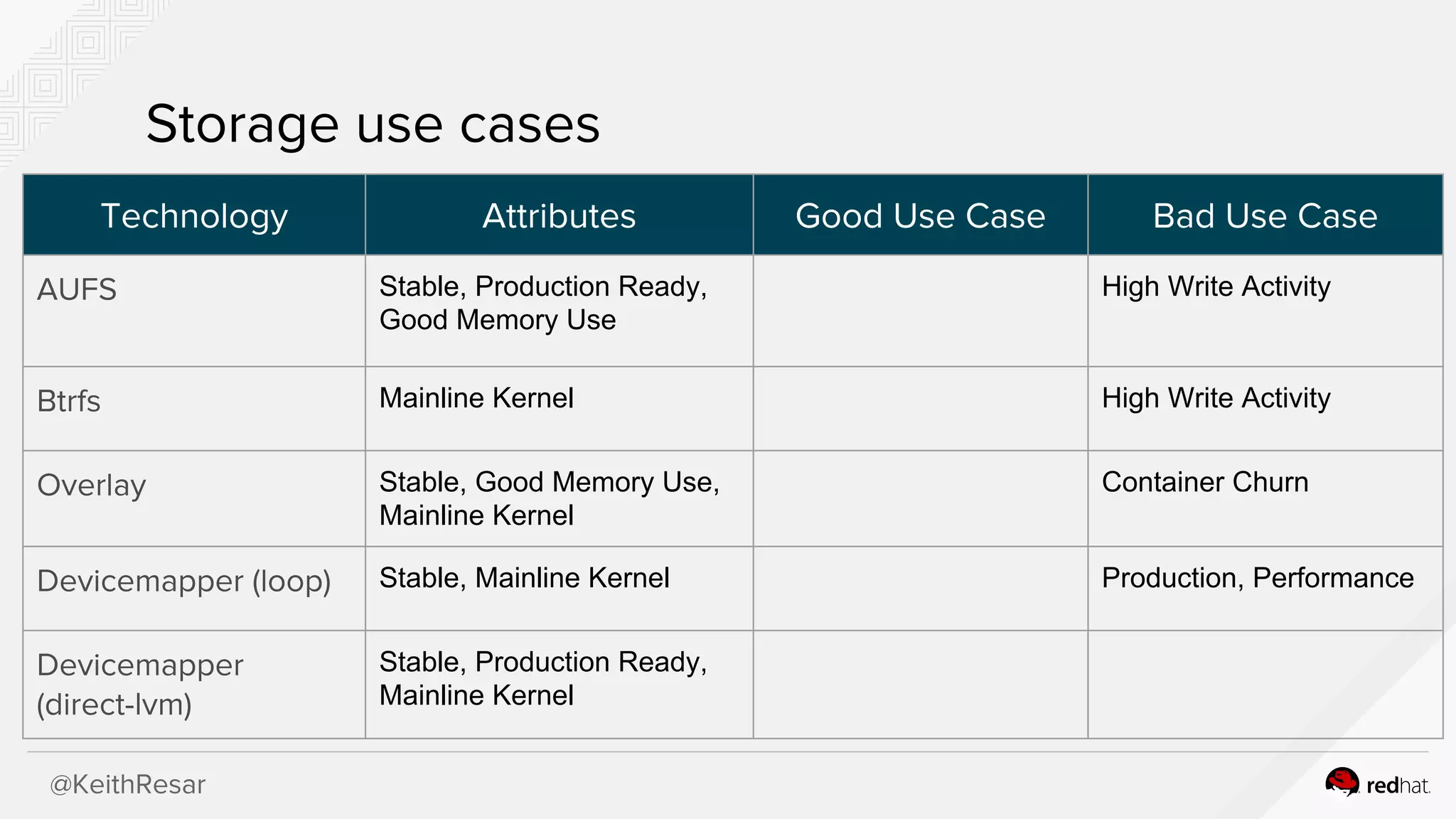
Storage use cases
TechnologyAttributes Good Use Case Bad Use Case
AUFS Stable, Production Ready,
Good Memory Use
High Write Activity
Btrfs Mainline Kernel High Write Activity
Overlay Stable, Good Memory Use,
Mainline Kernel
Container Churn
Devicemapper (loop) Stable, Mainline Kernel Production, Performance
Devicemapper
(direct-lvm)
Stable, Production Ready,
Mainline Kernel
39.
@KeithResar
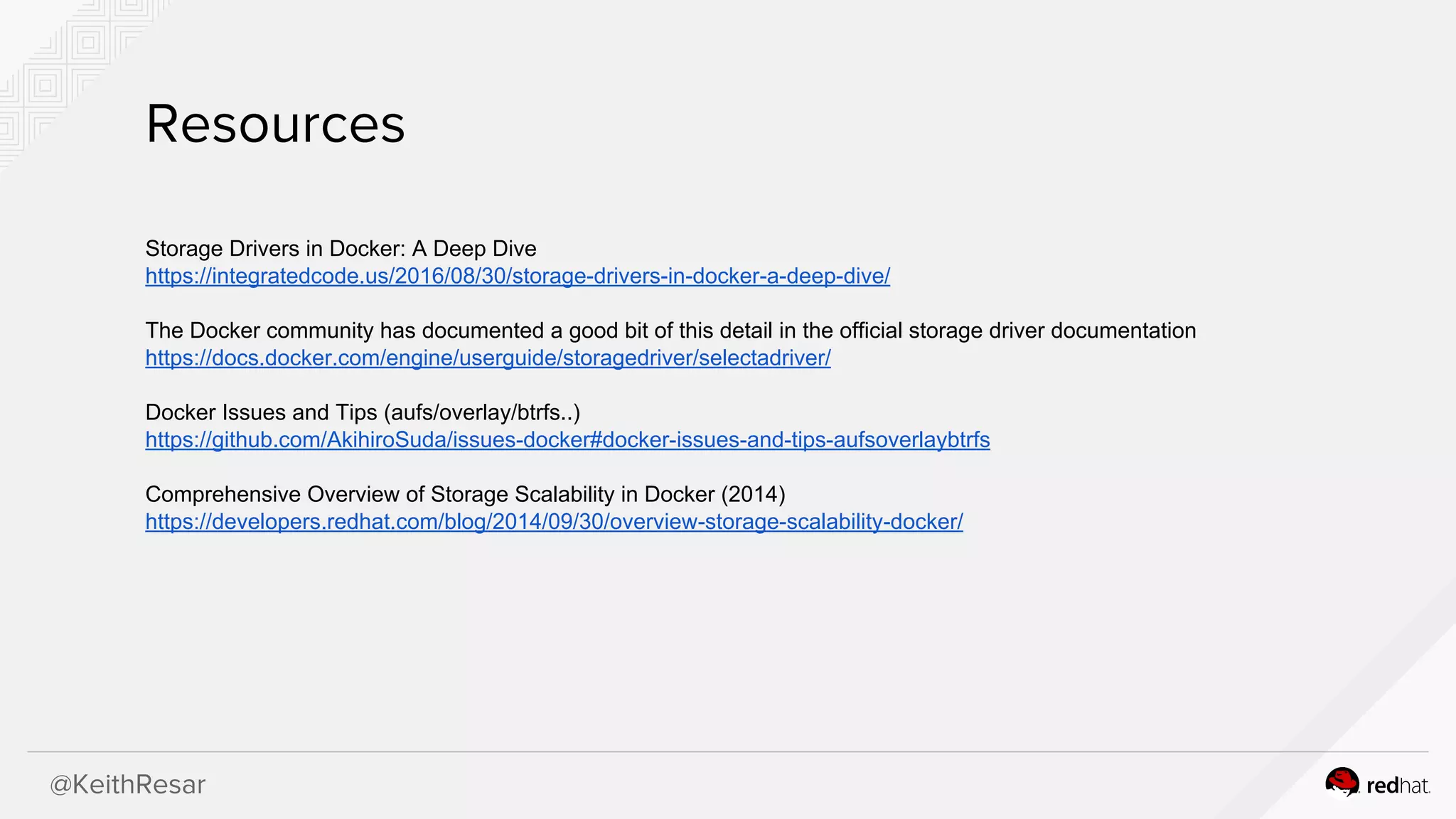
Resources
Storage Drivers inDocker: A Deep Dive
https://integratedcode.us/2016/08/30/storage-drivers-in-docker-a-deep-dive/
The Docker community has documented a good bit of this detail in the official storage driver documentation
https://docs.docker.com/engine/userguide/storagedriver/selectadriver/
Docker Issues and Tips (aufs/overlay/btrfs..)
https://github.com/AkihiroSuda/issues-docker#docker-issues-and-tips-aufsoverlaybtrfs
Comprehensive Overview of Storage Scalability in Docker (2014)
https://developers.redhat.com/blog/2014/09/30/overview-storage-scalability-docker/