http://metaatem.net/words


               Sally Norton-Darr, MS CCC-SLP
               Christopher R. Bugaj, MS CCC-SLP


             Eight of our most common, already
             available, recommendations
 Sally Norton-Darr
    snortondarr@yahoo.com


 Christopher Bugaj
   attipscast@gmail.com
   @attipscast via Twitter
   www.tinyurl.com/attipscast
   www.attipscast.wordpress.com

       For More Info:                    Facebook Site:
   http://iste.org/chewat            http://bit.ly/atbookfb

       Download a PDF of this entire presentation at
            http://slideshare.net/attipscast
USE WHATCHYA GOT!
   The Philosophy:
    Use the technology that is already in place first to
    meet the needs of students.
   This Philosophy means…
       Consider low tech strategies first, then move to high tech
        as needed
       Implement technology that is least restrictive
       Better rate of adoption and less chance of abandonment
       Use a Universal Design for Learning approach
       All students (not just those in special education) will
        benefit
       You’ll save money!!!!
       You’ll save time!!!!
       Students implement strategies faster
THE GREAT EIGHT
         (LINKS TO RESOURCES AT THE END OF THIS PRESENTATION)
1.    High-Contrast in Windows
2.    PhotoAlbum Feature of PowerPoint
         1.   Google Doc- http://bit.ly/attb102
         2.   PowerTalk Demo too!
3.    Visual Schedules (Linear and Amorphous)
4.    Keyboarding
5.    Social “Situation” Stories
6.    Sound Record Feature of MS Word*
7.    Graphic Organizers (paper, software, Internet)
8.    Pacing Boards (communication strategy)
9.    Social Bookmarking
10.   URL Shorteners & QR Code Generator
11.   Listening Stations (Incorporating Podcasts in the Classroom)
HIGH CONTRAST IN WINDOWS

   Tutorial – http://bit.ly/highcontrast4u

   Podcast – http://bit.ly/53audiohighcontrast

   Blog - http://bit.ly/episode53highcontrast

   Video - http://bit.ly/shiftaltprntscrn
PHOTOALBUM FEATURE OF POWERPOINT
   Tutorial - http://bit.ly/powerpointphotoalbum

   Podcast - http://bit.ly/ep39audiopowerpointphotoalbum

   Blog - http://bit.ly/ep39blogpowerpointphotoalbum

   Video - http://bit.ly/videopowerpointphotoalbum

   Implementation Ideas - http://bit.ly/attb102
VISUAL SCHEDULES
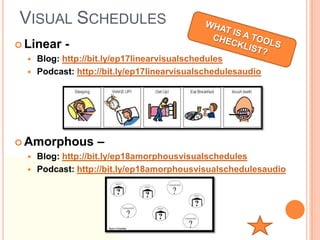
 Linear    -
     Blog: http://bit.ly/ep17linearvisualschedules
     Podcast: http://bit.ly/ep17linearvisualschedulesaudio


 Amorphous         –
     Blog: http://bit.ly/ep18amorphousvisualschedules
     Podcast: http://bit.ly/ep18amorphousvisualschedulesaudio
KEYBOARING/TYPING TUTORIALS
• Goodtyping.com
• Keybr.com                                  Podcast describing these:
                                              http://bit.ly/typingaudio1
• Buttonbeats.com
 o   The user makes music by
     pressing keys


• Play.typeracer.com
• Typingweb.com
• www.bbc.co.uk/schools/typing/
        HIAT Comparison Chart: http://bit.ly/HIATkeyboarding
SOCIAL SITUATION STORIES
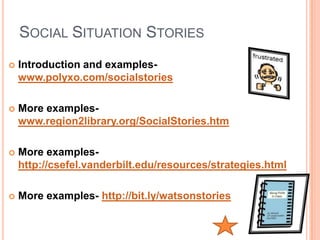
   Introduction and examples-
    www.polyxo.com/socialstories

   More examples-
    www.region2library.org/SocialStories.htm

   More examples-
    http://csefel.vanderbilt.edu/resources/strategies.html

   More examples- http://bit.ly/watsonstories
SOUND RECORD IN MS WORD
   Tutorial- http://bit.ly/recaudword

   Tutorial- http://tinyurl.com/quickrecord

   Blog- http://bit.ly/ep2blogrecinword

   Podcast- http://bit.ly/ep2audiorecinword
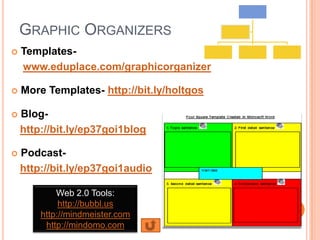
GRAPHIC ORGANIZERS
   Templates-
    www.eduplace.com/graphicorganizer

   More Templates- http://bit.ly/holtgos

   Blog-
    http://bit.ly/ep37goi1blog

   Podcast-
    http://bit.ly/ep37goi1audio

            Web 2.0 Tools:
             http://bubbl.us
        http://mindmeister.com
         http://mindomo.com
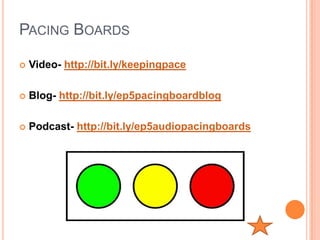
PACING BOARDS

   Video- http://bit.ly/keepingpace

   Blog- http://bit.ly/ep5pacingboardblog

   Podcast- http://bit.ly/ep5audiopacingboards
LISTENING STATIONS
   Tutorial- http://slidesha.re/powerofpodcastingpreso

   Research - http://bit.ly/audiostoriesimprovereading

   Blog- http://bit.ly/listeningstationblog

   Podcast- http://bit.ly/listeningstationaudio
SUBSCRIBE TO THESE:

ASHA Podcast

Teacher 2.0
                         Podiobooks.com
Grammar Girl

Edceptional

The Seedlings

Barefoot Books

Podcasting for Dummies
THESE TWO AREN’T BAD EITHER
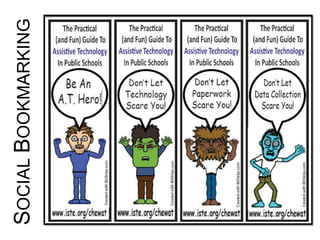
SOCIAL BOOKMARKING
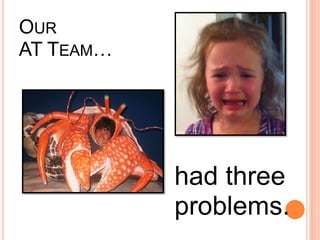
OUR
AT TEAM…


           had three
           problems.
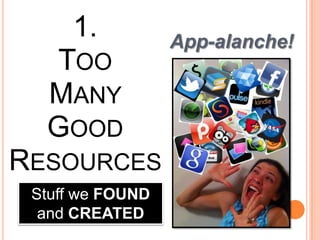
1.            App-alanche!
   TOO
   MANY
   GOOD
RESOURCES
        !
 Stuff we FOUND
  and CREATED
2.
 HOW TO
  SHARE
THESE WITH
EDUCATORS
    ?
         And Each Other?
3. DO WE WANT OUR WEBSITE
TO BE DYNAMIC OR STATIC?


   Some team members want one way,
Other team members want it the other way
Solution: Social Bookmarking!


    It’s a
    SNAP!


www.commoncraft.com/video/social-bookmarking
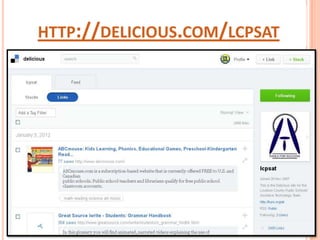
HTTP://DELICIOUS.COM/LCPSAT
Show Them! Show Them! Show
Them! Show Them! Show Them!
Show Them! Show Them! Show
Them! Show Them! Show Them!
   Show Them! Show Them!
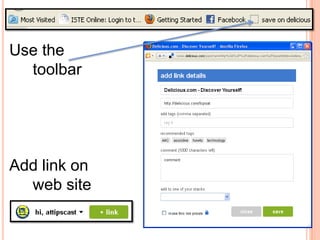
Use the
  toolbar


Add link on
  web site
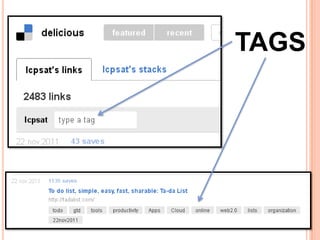
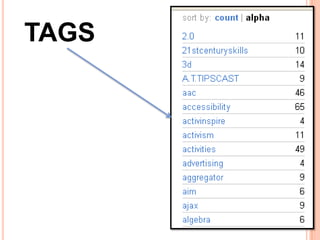
TAGGING   TAGS
TAGS
OTHER POINTS
Shared  Login vs. Individual Logins
Private (Internal) vs. Public (Open)
Toolbars for ease of use


Diigo.com - the other social bookmarking site
  • Shared Groups (Private and Public)
  • Highlighter and Sticky Note Tools
  • There’s an app
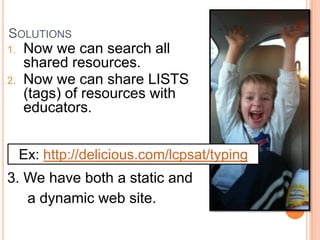
SOLUTIONS
1.   Now we can search all
     shared resources.
2.   Now we can share LISTS
     (tags) of resources with
     educators.


     Ex: http://delicious.com/lcpsat/typing
3. We have both a static and
   a dynamic web site.
http://delicious.com/lcpsat

        http://delicious.com/attipscast
WHICH IS
  SIMPLER
 AND MORE
MEMORABLE?
THIS….

http://attipscast.word
press.com/2011/02/0
1/episode-68-at-
smackdown-atia-
2011-orlando/
OR THIS….


  http://bit.ly/atsmackdown
BIT.LY
Free
Create memorable URLS
Gather metrics


NOT NECESSARILY SHORTER,
        JUST MORE MEMORABLE!
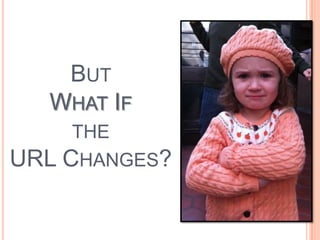
BUT
  WHAT IF
    THE
URL CHANGES?
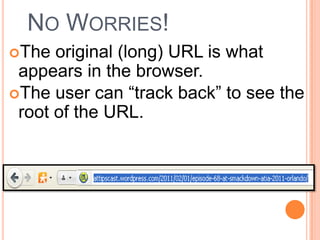
NO WORRIES!
The  original (long) URL is what
 appears in the browser.
The user can “track back” to see the
 root of the URL.
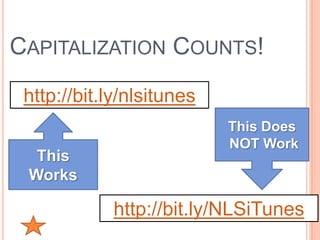
CAPITALIZATION COUNTS!
 http://bit.ly/nlsitunes
                           This Does
                           NOT Work
  This
 Works

             http://bit.ly/NLSiTunes
ASSESSMENTS (THE UDL WAY)
   Formative –
     Collect data based on completed activities
      (ex. screenshots, resourceful teacher
      response system, pictures drawn, voice
      recording, etc.)

   Summative –
     Applya rubric to evaluate overall content
     acquisition.
UDL IN ACTION!
 Team Teaching for Math –
 http://bit.ly/teamteachingmathvid

 Tool Choice Video –
 http://bit.ly/hiattoolschoice

Formative     Assessment Example –
 http://bit.ly/hiatgreekvid
           More videos - http://bit.ly/hiatudlvids
The Practical (and Fun) Guide to Assistive Technology
                  in Public Schools:
             http://iste.org/chewat
              http://udlcenter.org
                  http://cast.org
          http://delicious.com/lcpsat


    Download a PDF of this entire presentation at
         http://slideshare.net/attipscast

The Great Eleven - Ohio Version

  • 1.
    http://metaatem.net/words Sally Norton-Darr, MS CCC-SLP Christopher R. Bugaj, MS CCC-SLP Eight of our most common, already available, recommendations
  • 2.
     Sally Norton-Darr  snortondarr@yahoo.com  Christopher Bugaj  attipscast@gmail.com  @attipscast via Twitter  www.tinyurl.com/attipscast  www.attipscast.wordpress.com For More Info: Facebook Site: http://iste.org/chewat http://bit.ly/atbookfb Download a PDF of this entire presentation at http://slideshare.net/attipscast
  • 4.
    USE WHATCHYA GOT!  The Philosophy: Use the technology that is already in place first to meet the needs of students.  This Philosophy means…  Consider low tech strategies first, then move to high tech as needed  Implement technology that is least restrictive  Better rate of adoption and less chance of abandonment  Use a Universal Design for Learning approach  All students (not just those in special education) will benefit  You’ll save money!!!!  You’ll save time!!!!  Students implement strategies faster
  • 5.
    THE GREAT EIGHT (LINKS TO RESOURCES AT THE END OF THIS PRESENTATION) 1. High-Contrast in Windows 2. PhotoAlbum Feature of PowerPoint 1. Google Doc- http://bit.ly/attb102 2. PowerTalk Demo too! 3. Visual Schedules (Linear and Amorphous) 4. Keyboarding 5. Social “Situation” Stories 6. Sound Record Feature of MS Word* 7. Graphic Organizers (paper, software, Internet) 8. Pacing Boards (communication strategy) 9. Social Bookmarking 10. URL Shorteners & QR Code Generator 11. Listening Stations (Incorporating Podcasts in the Classroom)
  • 6.
    HIGH CONTRAST INWINDOWS  Tutorial – http://bit.ly/highcontrast4u  Podcast – http://bit.ly/53audiohighcontrast  Blog - http://bit.ly/episode53highcontrast  Video - http://bit.ly/shiftaltprntscrn
  • 7.
    PHOTOALBUM FEATURE OFPOWERPOINT  Tutorial - http://bit.ly/powerpointphotoalbum  Podcast - http://bit.ly/ep39audiopowerpointphotoalbum  Blog - http://bit.ly/ep39blogpowerpointphotoalbum  Video - http://bit.ly/videopowerpointphotoalbum  Implementation Ideas - http://bit.ly/attb102
  • 8.
    VISUAL SCHEDULES  Linear -  Blog: http://bit.ly/ep17linearvisualschedules  Podcast: http://bit.ly/ep17linearvisualschedulesaudio  Amorphous –  Blog: http://bit.ly/ep18amorphousvisualschedules  Podcast: http://bit.ly/ep18amorphousvisualschedulesaudio
  • 9.
    KEYBOARING/TYPING TUTORIALS • Goodtyping.com •Keybr.com Podcast describing these: http://bit.ly/typingaudio1 • Buttonbeats.com o The user makes music by pressing keys • Play.typeracer.com • Typingweb.com • www.bbc.co.uk/schools/typing/ HIAT Comparison Chart: http://bit.ly/HIATkeyboarding
  • 10.
    SOCIAL SITUATION STORIES  Introduction and examples- www.polyxo.com/socialstories  More examples- www.region2library.org/SocialStories.htm  More examples- http://csefel.vanderbilt.edu/resources/strategies.html  More examples- http://bit.ly/watsonstories
  • 11.
    SOUND RECORD INMS WORD  Tutorial- http://bit.ly/recaudword  Tutorial- http://tinyurl.com/quickrecord  Blog- http://bit.ly/ep2blogrecinword  Podcast- http://bit.ly/ep2audiorecinword
  • 12.
    GRAPHIC ORGANIZERS  Templates- www.eduplace.com/graphicorganizer  More Templates- http://bit.ly/holtgos  Blog- http://bit.ly/ep37goi1blog  Podcast- http://bit.ly/ep37goi1audio Web 2.0 Tools: http://bubbl.us http://mindmeister.com http://mindomo.com
  • 13.
    PACING BOARDS  Video- http://bit.ly/keepingpace  Blog- http://bit.ly/ep5pacingboardblog  Podcast- http://bit.ly/ep5audiopacingboards
  • 14.
    LISTENING STATIONS  Tutorial- http://slidesha.re/powerofpodcastingpreso  Research - http://bit.ly/audiostoriesimprovereading  Blog- http://bit.ly/listeningstationblog  Podcast- http://bit.ly/listeningstationaudio
  • 15.
    SUBSCRIBE TO THESE: ASHAPodcast Teacher 2.0 Podiobooks.com Grammar Girl Edceptional The Seedlings Barefoot Books Podcasting for Dummies
  • 16.
  • 17.
  • 18.
    OUR AT TEAM… had three problems.
  • 19.
    1. App-alanche! TOO MANY GOOD RESOURCES ! Stuff we FOUND and CREATED
  • 20.
    2. HOW TO SHARE THESE WITH EDUCATORS ? And Each Other?
  • 21.
    3. DO WEWANT OUR WEBSITE TO BE DYNAMIC OR STATIC? Some team members want one way, Other team members want it the other way
  • 22.
    Solution: Social Bookmarking! It’s a SNAP! www.commoncraft.com/video/social-bookmarking
  • 23.
  • 24.
    Show Them! ShowThem! Show Them! Show Them! Show Them! Show Them! Show Them! Show Them! Show Them! Show Them! Show Them! Show Them!
  • 25.
    Use the toolbar Add link on web site
  • 26.
  • 27.
  • 28.
    OTHER POINTS Shared Login vs. Individual Logins Private (Internal) vs. Public (Open) Toolbars for ease of use Diigo.com - the other social bookmarking site • Shared Groups (Private and Public) • Highlighter and Sticky Note Tools • There’s an app
  • 29.
    SOLUTIONS 1. Now we can search all shared resources. 2. Now we can share LISTS (tags) of resources with educators. Ex: http://delicious.com/lcpsat/typing 3. We have both a static and a dynamic web site.
  • 30.
    http://delicious.com/lcpsat http://delicious.com/attipscast
  • 31.
    WHICH IS SIMPLER AND MORE MEMORABLE?
  • 32.
  • 33.
    OR THIS…. http://bit.ly/atsmackdown
  • 34.
    BIT.LY Free Create memorable URLS Gathermetrics NOT NECESSARILY SHORTER, JUST MORE MEMORABLE!
  • 35.
    BUT WHATIF THE URL CHANGES?
  • 36.
    NO WORRIES! The original (long) URL is what appears in the browser. The user can “track back” to see the root of the URL.
  • 37.
    CAPITALIZATION COUNTS! http://bit.ly/nlsitunes This Does NOT Work This Works http://bit.ly/NLSiTunes
  • 38.
    ASSESSMENTS (THE UDLWAY)  Formative –  Collect data based on completed activities (ex. screenshots, resourceful teacher response system, pictures drawn, voice recording, etc.)  Summative –  Applya rubric to evaluate overall content acquisition.
  • 39.
    UDL IN ACTION! Team Teaching for Math – http://bit.ly/teamteachingmathvid  Tool Choice Video – http://bit.ly/hiattoolschoice Formative Assessment Example – http://bit.ly/hiatgreekvid More videos - http://bit.ly/hiatudlvids
  • 40.
    The Practical (andFun) Guide to Assistive Technology in Public Schools: http://iste.org/chewat http://udlcenter.org http://cast.org http://delicious.com/lcpsat Download a PDF of this entire presentation at http://slideshare.net/attipscast

Editor's Notes

  • #2 First strategy flickr
  • #3 Change color of texts
  • #6 We call out “What do you want to learn about” We demonstrate the top 1. We count up the numbers to determine the top one. We do this three separate time. State that these are sometimes in flux (sometimes there are 9 or 10).20 - 30 minutes – 10 minutes a piece.
  • #8 We call out “What do you want to learn about” We demonstrate the top 1. We count up the numbers to determine the top one. We do this three separate time. State that these are sometimes in flux (sometimes there are 9 or 10).20 - 30 minutes – 10 minutes a piece.
  • #9 We call out “What do you want to learn about” We demonstrate the top 1. We count up the numbers to determine the top one. We do this three separate time. State that these are sometimes in flux (sometimes there are 9 or 10).20 - 30 minutes – 10 minutes a piece.
  • #41 UVM UDLCASTNatludl\\A PDF of this entire presentation is available atIste/chewat