Technology Tools Overview

         Deborah Healey, dhealey@uoregon.edu
  University of Oregon, American English Institute
https://sites.google.com/site/techtoolsforbusyelteachers/
                           http://www.deborahhealey.com
Your tool collection?
Agenda
   Beliefs about teaching, learning, and
    technology
   Resources
       Planning tools
       Teaching/learning tools
       Assessment and feedback
       Motivators
Starting us off
What are your beliefs about teaching and
  learning?
  Thumbs up/thumbs down
 The Internet is a great

  resource for English language
  material.
 Students always do exactly what

  teachers want them to do.
 Teachers always make the right choices

  about online material.
Thumbs up/down
   Teachers need to create a good
    environment for learning.
   Technology is a distraction in the
    classroom.
   Students would rather talk to other
    students than to their teacher.
   Teachers always have lots of time.
   Students are experts in learning with
    technology.
Beliefs => use
Planning tools
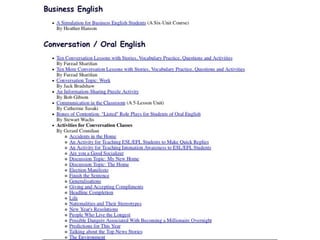
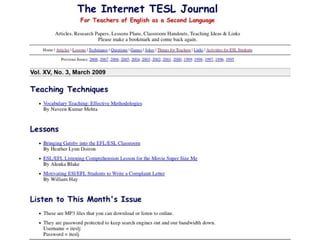
Lesson plans and articles:
iteslj.org lp art tech
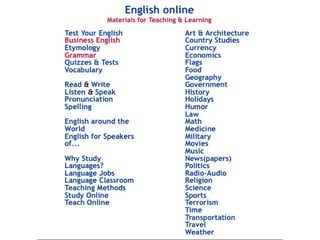
List of topics:
eleaston.com
Organizing your links:
www.delicious.com
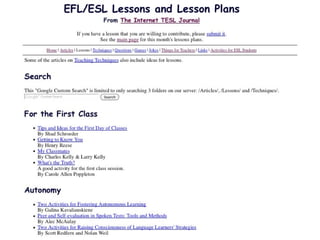
ITESLJ Lesson Plans
Internet TESL Journal
EL Easton

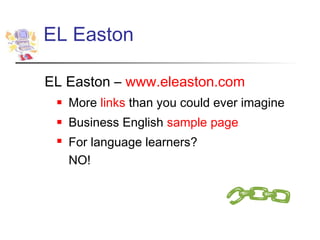
EL Easton – www.eleaston.com
    More links than you could ever imagine
    Business English sample page
    For language learners?
     NO!
EL Easton
Delicious.com
   Organize and find your web links
    From any computer
   Tap into what others have found and
    saved
   “Social bookmarking”
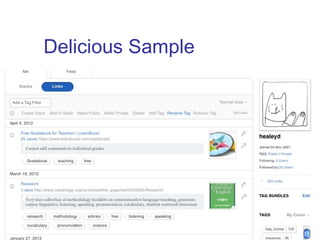
Delicious Sample
Controlled material

www.breakingnewsenglish.com
sample search
   Ready-made activities for use in class or
   outside of class – Everest mp3
   Easier: Football sample mp3


            Special English:
www.voanews.com/specialenglish          advice ...
Authentic material
Sources of academic texts:
www.deborahhealey.com/digitallibraries.htm
     DOAJ: www.doaj.org/ ol
     Openj-Gate: www.openj-gate.com/ (not
      now)
Literature – why digital?
     Project Gutenberg: www.gutenberg.org home
      audio popular
ConcepTest

When learners use a website, the teacher
   should do which of the following:
a) Give them the web address and tell them to
   try it.
b) Give them a list of suggested activities and
   have them choose one.
c) Assign a specific task related to information
   on the website as homework.
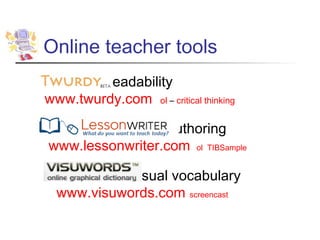
Online teacher tools
        readability
www.twurdy.com ol – critical thinking

                  authoring
www.lessonwriter.com ol TIBSample

            visual vocabulary
  www.visuwords.com screencast
   Register to create lessons
   Add a text; choose vocabulary,
    grammar points, pronunciation from the
    text
       It’s a machine- read carefully to be sure
        grammar and vocabulary are correct
   Add graphic organizers, comprehension
    questions
   Save or print
Assessment
   Rubrics with
    rubistar.4teachers.org sample1 sample2-revised

   Surveys with Google Forms
    docs.google.com => Forms
Feedback and sharing
   Word tools – sample - video
       Insert Comments
       Track Changes – Compare documents
   Sharing with Google Docs:
    docs.google.com
       Simultaneous editing from different locations
   Screencasting: ScreenR, Jing,
    Screencast-o-Matic
       Sample writing conference
Motivation to learn
   What motivates people to learn?
   What motivates students to learn?
   Your ideas...
Authentic audience
   Tandem learning
       www.slf.ruhr-uni-bochum.de/etandem/etindex
        ol
   Projects to join
               http://www.iearn.org/   ol
    

        www.thinkquest.org/en/projects/ ol
Authentic audience
   Blog – individual or class:
    www.blogger.com
   Web page (wiki): http://sites.google.com
    ol
   Student Forums at Dave’s ESL Café
    http://forums.eslcafe.com/student/ ol
   TakingITGlobal – student awareness
    and cultural forums: www.tigweb.org/    ol
Class discussion
   Focus on writing
   Any topic – chosen by the teacher or
    the class
   Plan ahead
       Have students work in groups
       Use as homework due in a week
       “Inverted classroom” ...
Class discussion
   Nicenet: www.nicenet.org
   Yahoo group: groups.yahoo.com
   Google group: groups.google.com
   Facebook - create a class Facebook
    page: www.facebook.com/
   “Inverted class”
Time to reflect…
Best use of technology in YOUR
classroom?
Overall..
   How much time could you save with
    good tools?
   How much motivation could students
    gain?
QuickWrite
   Take 2 minutes and write down three
    things that
       You learned and
       You will share with someone else
   Write another two things that
       You will try to use
“It’s not so much the program,
  more what you do with it”
       (Jones, 1986)
Thanks!
Deborah Healey
dhealey@uoregon.edu
www.deborahhealey.com


https://sites.google.com/site/techtool
  sforbusyelteachers/

Healey-Tech tools for busy teachers

  • 1.
    Technology Tools Overview Deborah Healey, dhealey@uoregon.edu University of Oregon, American English Institute https://sites.google.com/site/techtoolsforbusyelteachers/ http://www.deborahhealey.com
  • 2.
  • 3.
    Agenda  Beliefs about teaching, learning, and technology  Resources  Planning tools  Teaching/learning tools  Assessment and feedback  Motivators
  • 4.
    Starting us off Whatare your beliefs about teaching and learning? Thumbs up/thumbs down  The Internet is a great resource for English language material.  Students always do exactly what teachers want them to do.  Teachers always make the right choices about online material.
  • 5.
    Thumbs up/down  Teachers need to create a good environment for learning.  Technology is a distraction in the classroom.  Students would rather talk to other students than to their teacher.  Teachers always have lots of time.  Students are experts in learning with technology.
  • 6.
  • 7.
    Planning tools Lesson plansand articles: iteslj.org lp art tech List of topics: eleaston.com Organizing your links: www.delicious.com
  • 8.
  • 10.
  • 11.
    EL Easton EL Easton– www.eleaston.com  More links than you could ever imagine  Business English sample page  For language learners? NO!
  • 12.
  • 13.
    Delicious.com  Organize and find your web links From any computer  Tap into what others have found and saved  “Social bookmarking”
  • 14.
  • 15.
    Controlled material www.breakingnewsenglish.com sample search Ready-made activities for use in class or outside of class – Everest mp3 Easier: Football sample mp3 Special English: www.voanews.com/specialenglish advice ...
  • 16.
    Authentic material Sources ofacademic texts: www.deborahhealey.com/digitallibraries.htm  DOAJ: www.doaj.org/ ol  Openj-Gate: www.openj-gate.com/ (not now) Literature – why digital?  Project Gutenberg: www.gutenberg.org home audio popular
  • 17.
    ConcepTest When learners usea website, the teacher should do which of the following: a) Give them the web address and tell them to try it. b) Give them a list of suggested activities and have them choose one. c) Assign a specific task related to information on the website as homework.
  • 18.
    Online teacher tools readability www.twurdy.com ol – critical thinking authoring www.lessonwriter.com ol TIBSample visual vocabulary www.visuwords.com screencast
  • 19.
    Register to create lessons  Add a text; choose vocabulary, grammar points, pronunciation from the text  It’s a machine- read carefully to be sure grammar and vocabulary are correct  Add graphic organizers, comprehension questions  Save or print
  • 20.
    Assessment  Rubrics with rubistar.4teachers.org sample1 sample2-revised  Surveys with Google Forms docs.google.com => Forms
  • 21.
    Feedback and sharing  Word tools – sample - video  Insert Comments  Track Changes – Compare documents  Sharing with Google Docs: docs.google.com  Simultaneous editing from different locations  Screencasting: ScreenR, Jing, Screencast-o-Matic  Sample writing conference
  • 22.
    Motivation to learn  What motivates people to learn?  What motivates students to learn?  Your ideas...
  • 23.
    Authentic audience  Tandem learning  www.slf.ruhr-uni-bochum.de/etandem/etindex ol  Projects to join  http://www.iearn.org/ ol  www.thinkquest.org/en/projects/ ol
  • 24.
    Authentic audience  Blog – individual or class: www.blogger.com  Web page (wiki): http://sites.google.com ol  Student Forums at Dave’s ESL Café http://forums.eslcafe.com/student/ ol  TakingITGlobal – student awareness and cultural forums: www.tigweb.org/ ol
  • 25.
    Class discussion  Focus on writing  Any topic – chosen by the teacher or the class  Plan ahead  Have students work in groups  Use as homework due in a week  “Inverted classroom” ...
  • 26.
    Class discussion  Nicenet: www.nicenet.org  Yahoo group: groups.yahoo.com  Google group: groups.google.com  Facebook - create a class Facebook page: www.facebook.com/  “Inverted class”
  • 27.
    Time to reflect… Bestuse of technology in YOUR classroom?
  • 28.
    Overall..  How much time could you save with good tools?  How much motivation could students gain?
  • 29.
    QuickWrite  Take 2 minutes and write down three things that  You learned and  You will share with someone else  Write another two things that  You will try to use
  • 30.
    “It’s not somuch the program, more what you do with it” (Jones, 1986)
  • 31.

Editor's Notes

  • #3 http://www.school-clipart.com/_small/0511-0703-2214-4332.jpg
  • #5 Bottom line: what are your beliefs about teaching? Could do red and green, too.
  • #7 The beliefs we have as teachers affect how we teach, with and without technology. In this plenary, I ’ll talk about what you can do and why to use it – the ways that teachers can use technology intelligently to improve teaching and learning.
  • #9 Lesson plans – why are they useful? They ’re great for new teachers who want some tried-and-true techniques. Even skilled teachers sometimes need a few new ideas! ITESL-J offers both teacher-friendly articles and lots of lesson plans.
  • #12 Dave ’s is next
  • #13 Lots and lots and lots – but not organized by level. How would learners know what is useful for them? Overload of links – how do you choose? (Trial and error. Yuck.) For a teacher, the more focused links can be helpful. If you ’re looking for something new, this probably has it.
  • #16 BNE is one of my favorites. It comes with a lesson plan and many classroom activities for individuals, pairs, and groups. It has readings and audio on current topics. Teachers can choose what they want to use in the classroom – it gives lots of options. For students, it ’s still better if the teacher directs the activity. Students can do the gap fills, but they’re unlikely to do anything else.
  • #17 These are resources for yourself as a learner (maybe a grad student?) and for those who are working with more advanced learners. It ’s often difficult to get academic texts outside of a university. DOAJ and Openj-Gate both have hundreds of journals now that are academic and free. These are great resources, but not necessarily easy to search. In general, it ’s best for teachers to use them to find good material for learners unless your learners are quite advanced in language proficiency.
  • #18 B) and c) are both good options, depending on the website and the task. The web is like a library – there ’s a whole lot there, and students need help finding the right information that will help them reach their goals.
  • #20 Don ’t trust everything it says about grammar, roots and affixes
  • #22 Things you do now... Comments leave the original doc intact; track changes lets you see what ’s different http://www.youtube.com/watch?v=eRqUE6IHTEA – google docs video
  • #23 Think and discuss – move toward authentic audience, peers, creativity
  • #24 What kinds of students can use the ready-made courses? What does the teacher need to do to enable this to happen?
  • #25 What does the teacher need to do to enable this to happen?
  • #27 Different tools for different purposes. Nicenet focuses on discussion. It ’s plain text – no viruses or attachments. Yahoo Group and Facebook are more social. Yahoo has automatic email, which makes it easier for group discussions. Fb is… Fb
  • #28 We’ve seen a lot of possibilities – now it’s time to think about intelligent use in YOUR classroom