Using Technology to change Your Learning Landscape
Designing your Learning Landscape Landscape (verb)     to improve the appearance of (an area of land, a highway, etc.), as by planting trees, shrubs, or grass, or altering the contours of the ground   What tools do educators and students  use to landscape in your school community?     What drives your landscaping objectives?
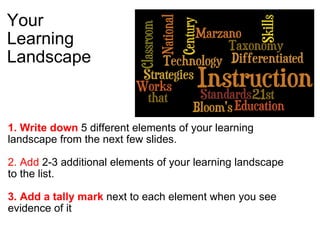
Your  Learning Landscape 1. Write down  5 different elements of your learning landscape from the next few slides.   2. Add  2-3 additional elements of your learning landscape to the list.   3. Add a tally mark  next to each element when you see evidence of it  
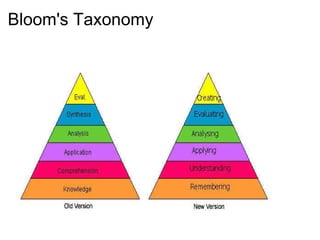
Bloom's Taxonomy  
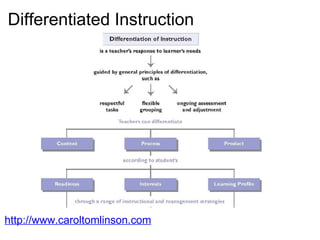
Differentiated Instruction http://www.caroltomlinson.com      
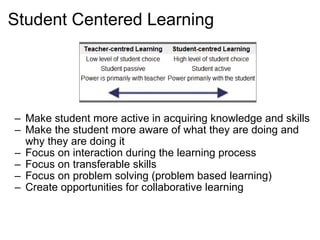
Student Centered Learning Make student more active in acquiring knowledge and skills Make the student more aware of what they are doing and why they are doing it Focus on interaction during the learning process Focus on transferable skills Focus on problem solving (problem based learning) Create opportunities for collaborative learning
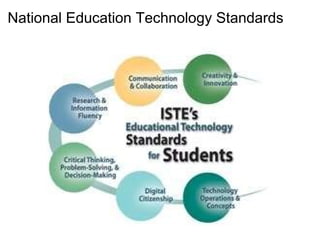
National Education Technology Standards  
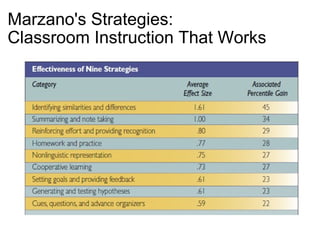
Marzano's Strategies: Classroom Instruction That Works    
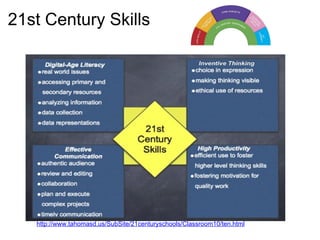
21st Century Skills http://www.tahomasd.us/SubSite/21centuryschools/Classroom10/ten.html  
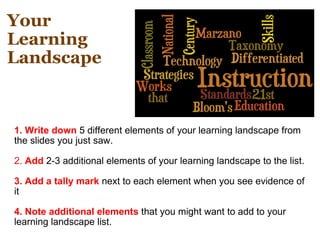
Your  Learning Landscape 1. Write down  5 different elements of your learning landscape from the slides you just saw.   2.  Add  2-3 additional elements of your learning landscape to the list.   3. Add a tally mark  next to each element when you see evidence of it   4. Note additional elements  that you might want to add to your learning landscape list.  
Eisenhower Middle School Kids  
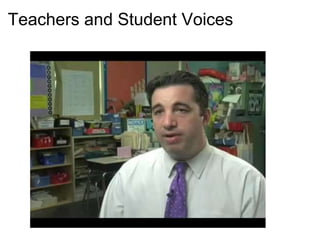
Teachers and Student Voices  
Live from St. Albans City School Inclusion in ways I could not have imagined!   Students participating in class even when they can't come to school in Mr. Allen's 6th grade class. Lesson using Google Doc  +  Google Audio Chat  (or Skype)         - 
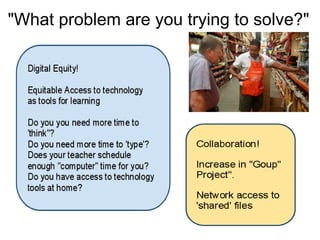
"What problem are you trying to solve?"
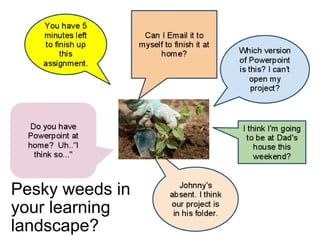
Pesky weeds in your learning landscape?  
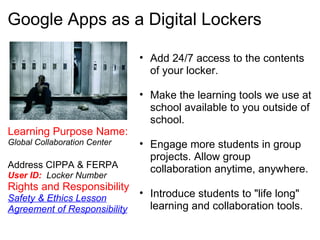
Google Apps as a Digital Lockers   Add 24/7 access to the contents of your locker.   Make the learning tools we use at school available to you outside of school.    Engage more students in group projects. Allow group collaboration anytime, anywhere.   Introduce students to "life long"  learning and collaboration tools. Learning Purpose Name:   Global Collaboration Center   Address CIPPA & FERPA  User ID:   Locker Number  Rights and Responsibility   Safety & Ethics Lesson    Agreement of Responsibility  
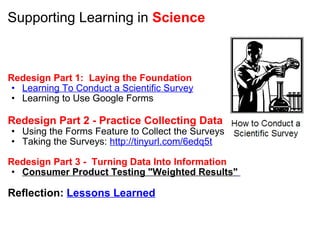
Supporting Learning in  Science     Redesign Part 1:  Laying the Foundation Learning To Conduct a Scientific Survey Learning to Use Google Forms    Redesign Part 2 - Practice Collecting Data Using the Forms Feature to Collect the Surveys Taking the Surveys:  http://tinyurl.com/6edq5t   Redesign Part 3 -  Turning Data Into Information Consumer Product Testing "Weighted Results"     Reflection:  Lessons Learned
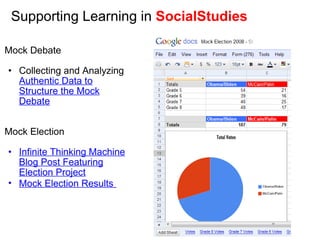
Supporting Learning in  SocialStudies  Mock Debate   Collecting and Analyzing  Authentic Data to Structure the Mock Debate     Mock Election   Infinite Thinking Machine Blog Post Featuring Election Project Mock Election Results    
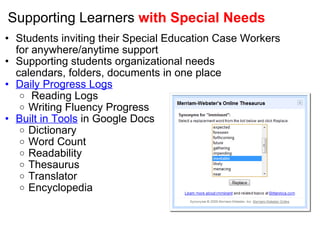
Supporting Learners  with Special Needs Students inviting their Special Education Case Workers for anywhere/anytime support Supporting students organizational needs calendars, folders, documents in one place Daily Progress Logs   Reading Logs  Writing Fluency Progress  Built in Tools  in Google Docs Dictionary Word Count Readability Thesaurus Translator  Encyclopedia           
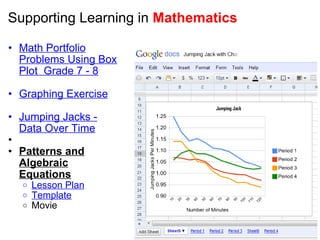
Supporting Learning in  Mathematics Math Portfolio Problems Using Box Plot  Grade 7 - 8   Graphing Exercise   Jumping Jacks - Data Over Time     Patterns and Algebraic Equations Lesson Plan Template Movie
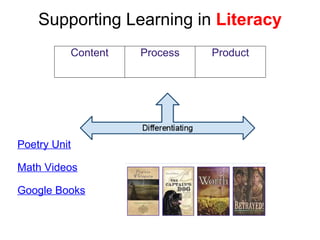
Supporting Learning in  Literacy          Poetry Unit   Math Videos   Google Books        Content Process Product
Supporting Learning in  Literacy Supporting the Writing Process          Peer Editing      Revision History      Collaborative Writing  (now Synchronous)      Blogging  (Authentic Audience)       Marzano Strategies      Scaffolding Research   Food Additive Research Skim, Scan & Scroll   (Teacher View)  
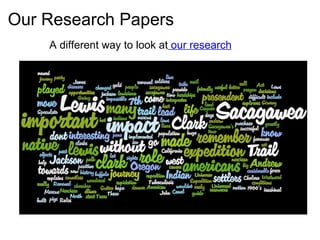
Our Research Papers   A different way to look at  our research
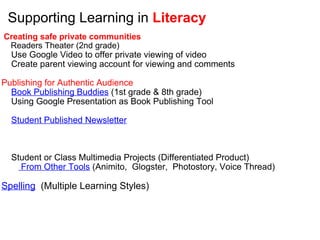
Supporting Learning in  Literacy   Creating safe private communities        Readers Theater (2nd grade)      Use Google Video to offer private viewing of video       Create parent viewing account for viewing and comments   Publishing for Authentic Audience      Book Publishing Buddies  (1st grade & 8th grade)       Using Google Presentation as Book Publishing Tool        Student Published Newsletter             Student or Class Multimedia Projects (Differentiated Product)           From Other Tools  (Animito,  Glogster,  Photostory, Voice Thread)      Spelling   (Multiple Learning Styles)    
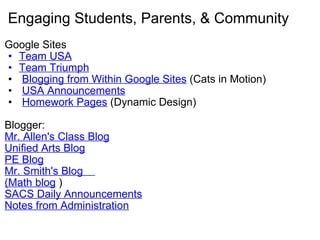
Engaging Students, Parents, & Community Google Sites Team USA Team Triumph   Blogging from Within Google Sites  (Cats in Motion)   USA Announcements   Homework Pages  (Dynamic Design)    Blogger:   Mr. Allen's Class Blog Unified Arts Blog PE Blog Mr. Smith's Blog     (Math blog  ) SACS Daily Announcements Notes from Administration
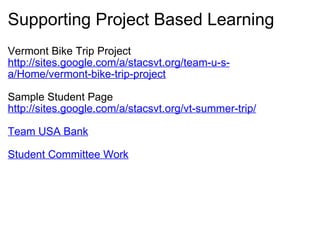
Supporting Project Based Learning Vermont Bike Trip Project http://sites.google.com/a/stacsvt.org/team-u-s-a/Home/vermont-bike-trip-project   Sample Student Page http://sites.google.com/a/stacsvt.org/vt-summer-trip/   Team USA Bank   Student Committee Work  
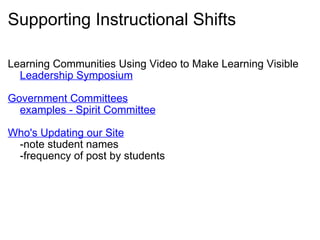
Supporting Instructional Shifts Learning Communities Using Video to Make Learning Visible      Leadership Symposium   Government Committees      examples - Spirit Committee   Who's Updating our Site      -note student names      -frequency of post by students  
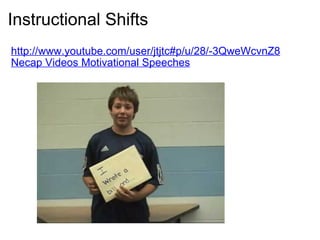
Instructional Shifts http://www.youtube.com/user/jtjtc#p/u/28/-3QweWcvnZ8 Necap Videos Motivational Speeches    
Resources Google Teachers Academy Resources   Google Education Community   Google for Educators     Classroom 2.0 Group on Google Apps   Google Teacher Group 33 Page Guide for using Google in Education    

Changing the Learning Landscape

  • 1.
    Using Technology tochange Your Learning Landscape
  • 2.
    Designing your LearningLandscape Landscape (verb)     to improve the appearance of (an area of land, a highway, etc.), as by planting trees, shrubs, or grass, or altering the contours of the ground   What tools do educators and students use to landscape in your school community?     What drives your landscaping objectives?
  • 3.
    Your LearningLandscape 1. Write down 5 different elements of your learning landscape from the next few slides.   2. Add 2-3 additional elements of your learning landscape to the list.   3. Add a tally mark  next to each element when you see evidence of it  
  • 4.
  • 5.
  • 6.
    Student Centered LearningMake student more active in acquiring knowledge and skills Make the student more aware of what they are doing and why they are doing it Focus on interaction during the learning process Focus on transferable skills Focus on problem solving (problem based learning) Create opportunities for collaborative learning
  • 7.
  • 8.
    Marzano's Strategies: ClassroomInstruction That Works    
  • 9.
    21st Century Skillshttp://www.tahomasd.us/SubSite/21centuryschools/Classroom10/ten.html  
  • 10.
    Your LearningLandscape 1. Write down 5 different elements of your learning landscape from the slides you just saw.   2. Add 2-3 additional elements of your learning landscape to the list.   3. Add a tally mark  next to each element when you see evidence of it   4. Note additional elements that you might want to add to your learning landscape list.  
  • 11.
  • 12.
  • 13.
    Live from St.Albans City School Inclusion in ways I could not have imagined!   Students participating in class even when they can't come to school in Mr. Allen's 6th grade class. Lesson using Google Doc +  Google Audio Chat  (or Skype)         - 
  • 14.
    "What problem areyou trying to solve?"
  • 15.
    Pesky weeds inyour learning landscape?  
  • 16.
    Google Apps asa Digital Lockers   Add 24/7 access to the contents of your locker.   Make the learning tools we use at school available to you outside of school.   Engage more students in group projects. Allow group collaboration anytime, anywhere.   Introduce students to "life long"  learning and collaboration tools. Learning Purpose Name: Global Collaboration Center   Address CIPPA & FERPA User ID:   Locker Number Rights and Responsibility Safety & Ethics Lesson   Agreement of Responsibility  
  • 17.
    Supporting Learning in Science     Redesign Part 1:  Laying the Foundation Learning To Conduct a Scientific Survey Learning to Use Google Forms   Redesign Part 2 - Practice Collecting Data Using the Forms Feature to Collect the Surveys Taking the Surveys: http://tinyurl.com/6edq5t   Redesign Part 3 -  Turning Data Into Information Consumer Product Testing "Weighted Results"     Reflection: Lessons Learned
  • 18.
    Supporting Learning in SocialStudies Mock Debate   Collecting and Analyzing Authentic Data to Structure the Mock Debate     Mock Election   Infinite Thinking Machine Blog Post Featuring Election Project Mock Election Results    
  • 19.
    Supporting Learners withSpecial Needs Students inviting their Special Education Case Workers for anywhere/anytime support Supporting students organizational needs calendars, folders, documents in one place Daily Progress Logs   Reading Logs  Writing Fluency Progress Built in Tools in Google Docs Dictionary Word Count Readability Thesaurus Translator Encyclopedia          
  • 20.
    Supporting Learning in Mathematics Math Portfolio Problems Using Box Plot  Grade 7 - 8   Graphing Exercise   Jumping Jacks - Data Over Time   Patterns and Algebraic Equations Lesson Plan Template Movie
  • 21.
    Supporting Learning in Literacy         Poetry Unit   Math Videos   Google Books     Content Process Product
  • 22.
    Supporting Learning in Literacy Supporting the Writing Process          Peer Editing      Revision History      Collaborative Writing (now Synchronous)     Blogging (Authentic Audience)     Marzano Strategies     Scaffolding Research   Food Additive Research Skim, Scan & Scroll   (Teacher View)  
  • 23.
    Our Research Papers  A different way to look at our research
  • 24.
    Supporting Learning in Literacy   Creating safe private communities        Readers Theater (2nd grade)      Use Google Video to offer private viewing of video      Create parent viewing account for viewing and comments   Publishing for Authentic Audience      Book Publishing Buddies (1st grade & 8th grade)       Using Google Presentation as Book Publishing Tool        Student Published Newsletter             Student or Class Multimedia Projects (Differentiated Product)           From Other Tools (Animito,  Glogster,  Photostory, Voice Thread)     Spelling   (Multiple Learning Styles)    
  • 25.
    Engaging Students, Parents,& Community Google Sites Team USA Team Triumph   Blogging from Within Google Sites  (Cats in Motion)   USA Announcements   Homework Pages (Dynamic Design)   Blogger:  Mr. Allen's Class Blog Unified Arts Blog PE Blog Mr. Smith's Blog    (Math blog ) SACS Daily Announcements Notes from Administration
  • 26.
    Supporting Project BasedLearning Vermont Bike Trip Project http://sites.google.com/a/stacsvt.org/team-u-s-a/Home/vermont-bike-trip-project   Sample Student Page http://sites.google.com/a/stacsvt.org/vt-summer-trip/   Team USA Bank   Student Committee Work  
  • 27.
    Supporting Instructional ShiftsLearning Communities Using Video to Make Learning Visible      Leadership Symposium   Government Committees      examples - Spirit Committee   Who's Updating our Site      -note student names      -frequency of post by students  
  • 28.
  • 29.
    Resources Google TeachersAcademy Resources   Google Education Community   Google for Educators   Classroom 2.0 Group on Google Apps   Google Teacher Group 33 Page Guide for using Google in Education    

Editor's Notes

  • #3 Landscape design is purposeful. It usually ADDS  or SUBTRACTS. Google Apps for your Domain gives you the possibily to do "both"  ("Add"  AND "Subtract" elements to your learning environment. If you are like most schools, your learning landscape probably includes one or more of the following    
  • #15 It would be my wish that most people came to me with a "landscape design" goal.  Often people come to me with more of "?Do we have or Can we get this technology tool? "   Whenever people come to me to either advocate for a new technology tool, I always start by asking "What problem are you trying to solve".   I belive that one of the reasons Google Apps has been such a successful tool in my school is that it entered the landscape trying to solve specific problems and that those problems related to STUDENT NEEDS (not teacher needs or administrative needs)      
  • #16 Great Landscape Design means addressing the WEEDS.
  • #17 Digital Lockers to 7th and 8th graders   Started with a project "purpose" in mind to use the tools.   The project leant itself to using several tools.   Consumer Product Testing Project   Student make a hypothese Collect Data Analyze Data Present Data   Sometimes teachers ask me to come in and and introduce the Gogle Apps Tools to them and their class.   The first thing I ask them is "what are you teaching now".     Let's design an activity related to what your are teaching where one of these tools becomes useful in completing that activity and intregal to the instructional design that supports your learning goals.
  • #29 Student Motivational   Authentic Audience Community Service