PRESENTED BY:
NIKHIL LOSALKA(30)
PANKAJ CHOWDHURY(31)
PRITAM BOSE(33)
TOUCH SCREEN
TECHNOLOGY
INTRODUCTION
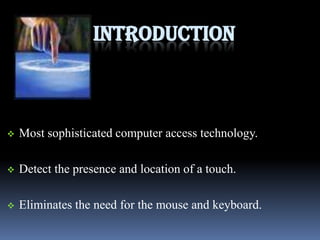
 Most sophisticated computer access technology.
 Detect the presence and location of a touch.
 Eliminates the need for the mouse and keyboard.
HISTORY
Emerged in the second half of the 1960s.
In 1971, Sam Hurst, invented first touch sensor
In 1977 , "touchscreen."
1) SURFACE ACOUSTIC WAVE:
 Uses ultrasonic waves.
 It is based on sending waves across a clear glass panel
with a series of transducers and reflectors.
Disadvantages
Touched by finger, gloved
hand, or soft-tip stylus.
Not completely sealable.
TECHNOLOGIES
2) RESISTIVE:
 Composed of two thin, metallic, conductive layers.
 Change in current is registered as touch event.
DISADVANTAGES
Offer only 75% clarity.
The layer can be damaged.
Cannot press hand down on the screen while writing.
3) CAPACITIVE:
Consists of insulator coated with a transparent
conductor.
Touching results in a distortion of the electrostatic field.
4) INFRARED:
It employs one of two very different methodologies.
Use an array of infrared light-emitting diodes.
5) Strain gauge :
 The screen is spring-mounted on the four corners.
 Used to determine deflection when the screen is
touched.
6) Optical imaging:
 Two or more image sensors are placed around the edges of
the screen.
 Revolutionizes the way we interface with computer
technology.
7) Dispersive signal technology:
Chemically-strengthened glass substrate with piezos
mounted on each corner.
Determines position by pinpointing the source of
“bending waves”.
Comparison of touchscreen technologies
Technology 4-Wire SAW 5-Wire Infrared Capacitive
Durability:5 year 5 Year 3 Year 3 Year 2 Year
Stability:High Higher High High Ok
Touch:Anything Finger/Pen Anything Sharp Conductive
Response
time:
<10ms 10ms <15ms <20ms <15ms
Monitor
option:
CRT CRT CRT or LCD CRT or LCD CRT or LCD
Waterproof:Good Ok Good Ok Good
CONSTRUCTION
Three main components:
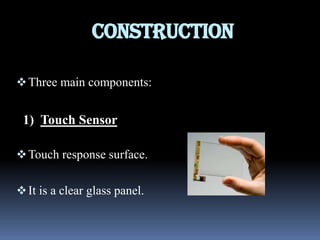
1) Touch Sensor
Touch response surface.
It is a clear glass panel.
2) Controller
Interface between a touch screen sensor and the device
the sensor is used to control.
Determines what type of interface/connection.
3) Software
Driver
Software update for the
PC system.
Allows the touchscreen
and computer to work
together.
APPLICATIONS
 Public Information Displays.
 Retail and Restaurant Systems .
 Customer Self-Service.
 Control and Automation Systems.
 Computer Based Training.
 Assistive Technology.
THANK YOU..!!

Touch screen technology

  • 1.
    PRESENTED BY: NIKHIL LOSALKA(30) PANKAJCHOWDHURY(31) PRITAM BOSE(33) TOUCH SCREEN TECHNOLOGY
  • 2.
    INTRODUCTION  Most sophisticatedcomputer access technology.  Detect the presence and location of a touch.  Eliminates the need for the mouse and keyboard.
  • 3.
    HISTORY Emerged in thesecond half of the 1960s. In 1971, Sam Hurst, invented first touch sensor In 1977 , "touchscreen."
  • 4.
    1) SURFACE ACOUSTICWAVE:  Uses ultrasonic waves.  It is based on sending waves across a clear glass panel with a series of transducers and reflectors.
  • 5.
    Disadvantages Touched by finger,gloved hand, or soft-tip stylus. Not completely sealable.
  • 6.
    TECHNOLOGIES 2) RESISTIVE:  Composedof two thin, metallic, conductive layers.  Change in current is registered as touch event.
  • 7.
    DISADVANTAGES Offer only 75%clarity. The layer can be damaged. Cannot press hand down on the screen while writing.
  • 8.
    3) CAPACITIVE: Consists ofinsulator coated with a transparent conductor. Touching results in a distortion of the electrostatic field.
  • 9.
    4) INFRARED: It employsone of two very different methodologies. Use an array of infrared light-emitting diodes.
  • 10.
    5) Strain gauge:  The screen is spring-mounted on the four corners.  Used to determine deflection when the screen is touched.
  • 11.
    6) Optical imaging: Two or more image sensors are placed around the edges of the screen.  Revolutionizes the way we interface with computer technology.
  • 12.
    7) Dispersive signaltechnology: Chemically-strengthened glass substrate with piezos mounted on each corner. Determines position by pinpointing the source of “bending waves”.
  • 13.
    Comparison of touchscreentechnologies Technology 4-Wire SAW 5-Wire Infrared Capacitive Durability:5 year 5 Year 3 Year 3 Year 2 Year Stability:High Higher High High Ok Touch:Anything Finger/Pen Anything Sharp Conductive Response time: <10ms 10ms <15ms <20ms <15ms Monitor option: CRT CRT CRT or LCD CRT or LCD CRT or LCD Waterproof:Good Ok Good Ok Good
  • 14.
    CONSTRUCTION Three main components: 1)Touch Sensor Touch response surface. It is a clear glass panel.
  • 15.
    2) Controller Interface betweena touch screen sensor and the device the sensor is used to control. Determines what type of interface/connection.
  • 16.
    3) Software Driver Software updatefor the PC system. Allows the touchscreen and computer to work together.
  • 17.
    APPLICATIONS  Public InformationDisplays.  Retail and Restaurant Systems .  Customer Self-Service.  Control and Automation Systems.  Computer Based Training.  Assistive Technology.
  • 18.