FOR 
BUSINESS
About.. 
Mission : “CONNECT THE 
WORLD’S PROFESSIONALS 
TO MAKE THEM MORE 
PRODUCTIVE AND 
SUCCESSFUL”. 
Started By Reid Hoffman In 2003, 
while it was officially launched on 
5th May’ 2003. 
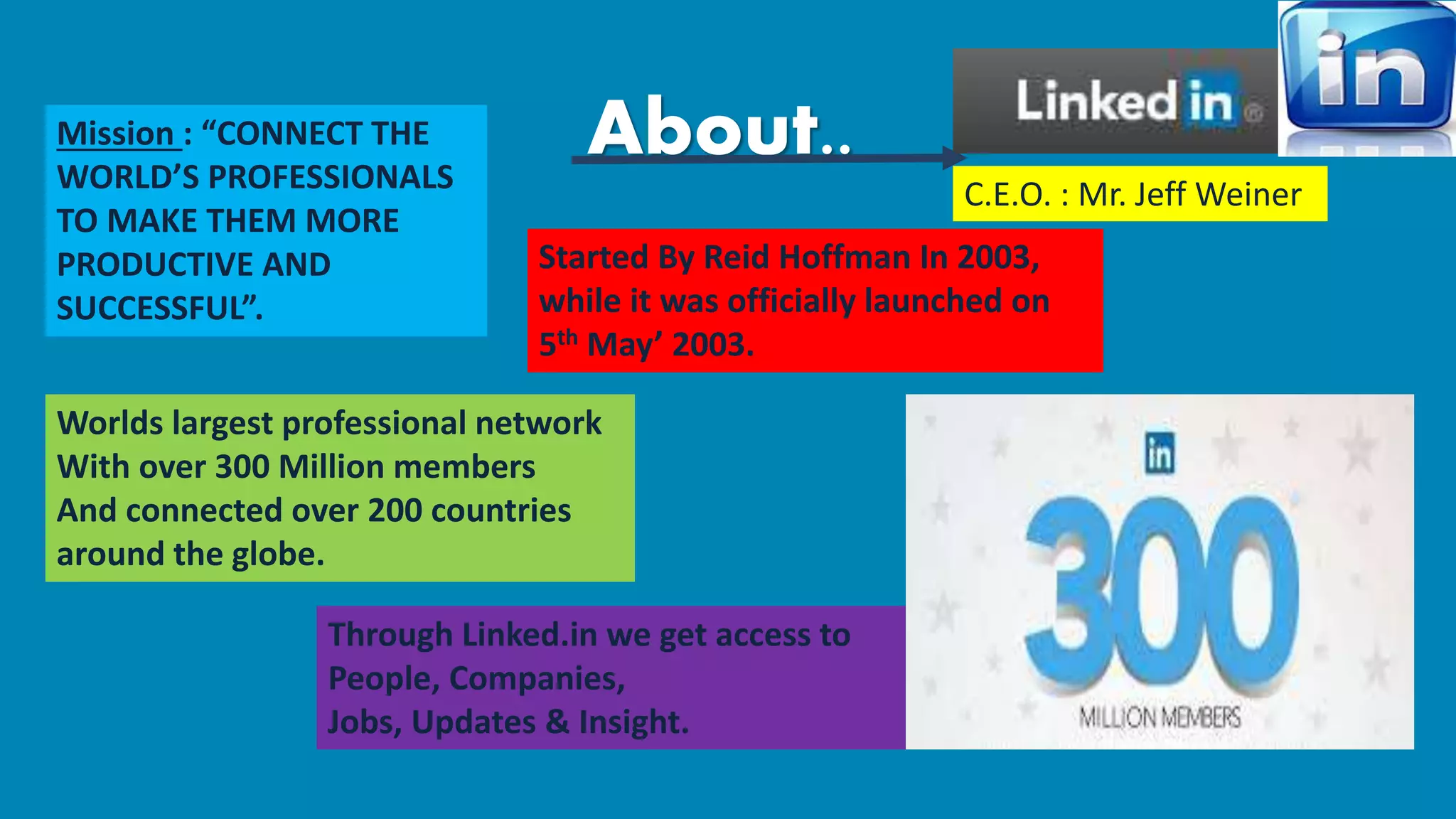
Worlds largest professional network 
With over 300 Million members 
And connected over 200 countries 
around the globe. 
Through Linked.in we get access to 
People, Companies, 
Jobs, Updates & Insight. 
C.E.O. : Mr. Jeff Weiner
Team of Linked.in consists of Highly 
Professional Executives from 
Companies Like 
Which makes them the World’s 
Largest Professional site. 
MORE 
Services offered : 
1. Advertising : Help reach targeted 
audience for as little as $10 per day. 
2. Business Services : Which helps 
Featuring Company’s website, Helps 
Small Business Grow and Prosper. 
3. Blog Services : Helps feature 
Company’s or Personal Blogs to a mass 
audience.
Comes in Multiple Languages as 
well as profiles can be translated 
into several languages, to be precise 
19 Languages 
Have over 300 Million users, if we diversify: 
18 Mn+ users – India 
7 Mn+ users – Canada 
2 Mn+ users – South Africa 
3 Mn+ users – Australia 
1 Mn+ users – UAE 
However highest contribution is of USA : 
74 Mn+ users 
Reaches to: 
Business seeking Employees 
Business to Individuals or Customers 
Individual seeking Employment. 
Also hosts 1.6 Million Groups which are 
sources to Jobs and gives us info about 
different Companies and their Employees
It has Pages of Small Entrepreneurs to Fortune 500 
Companies. 
Also, 
Gives Recruitment solutions used by over 85 
Fortune 100 Companies, 
Even facilitates Marketing Solutions, Sales Solutions 
for Companies & Organizations. 
It can be Accessed on: 
….Androids 
….BlackBerry 
….Windows 
IOS 
“A VERY USEFUL 
TOOL FOR NOT 
ONLY NEW OR 
SMALL 
ENTREPRENUERS 
BUT ALSO FOR 
LARGE 
COMPANIES”.
Company Page 
It helps us learn more about the Company, 
their Business, Brand, Products, Services 
and Even Job Opportunities. 
It helps grow Company’s network 
and even highlight their Expertise of 
the Business or Content. 
Also features the Employees, Followers 
from the prospective of who’s viewing the 
page, 
and people who view through them, 
Which are known as Second Degree 
Connections. 
Helps create links in the industry 
quickly. 
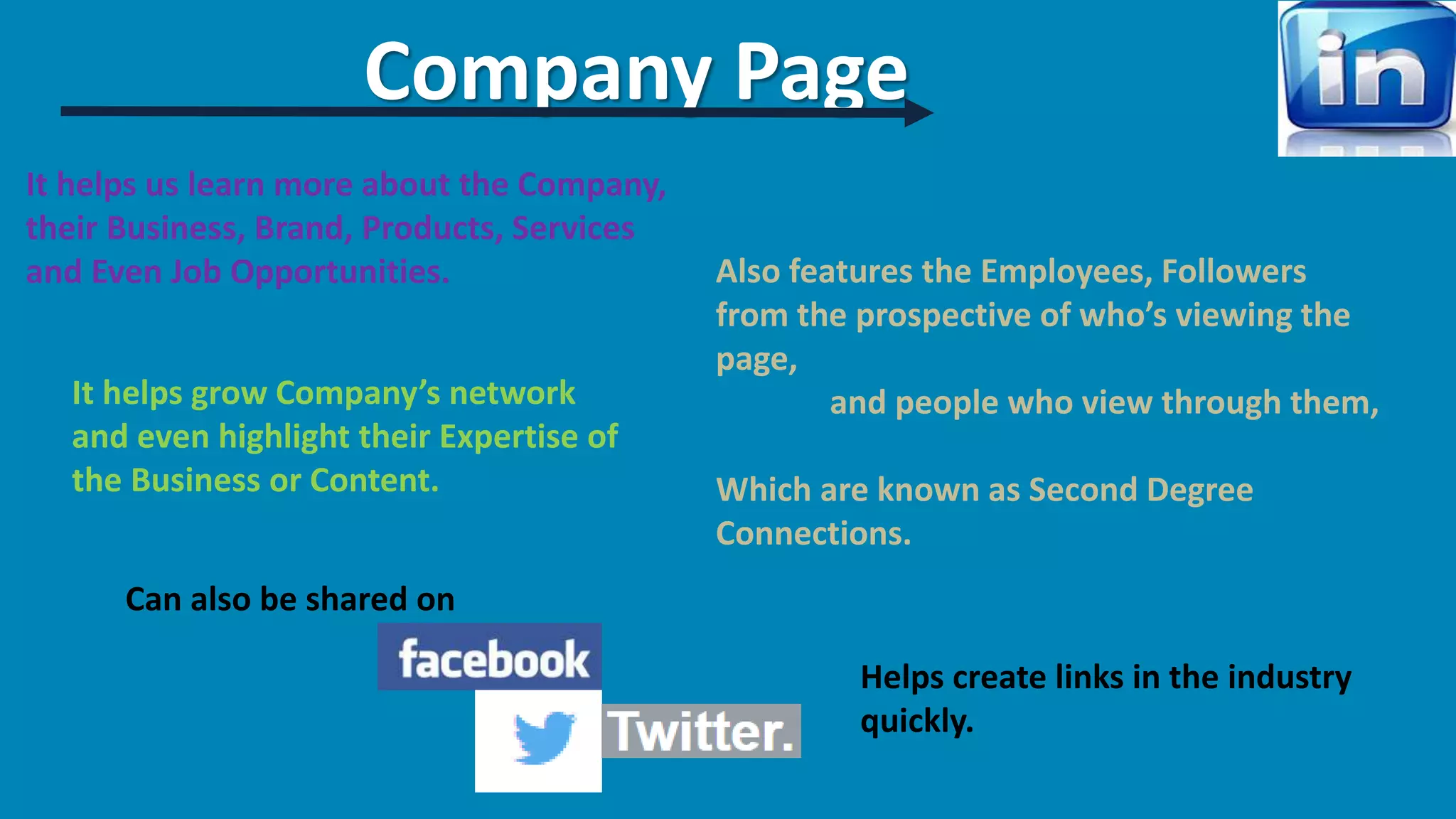
Can also be shared on
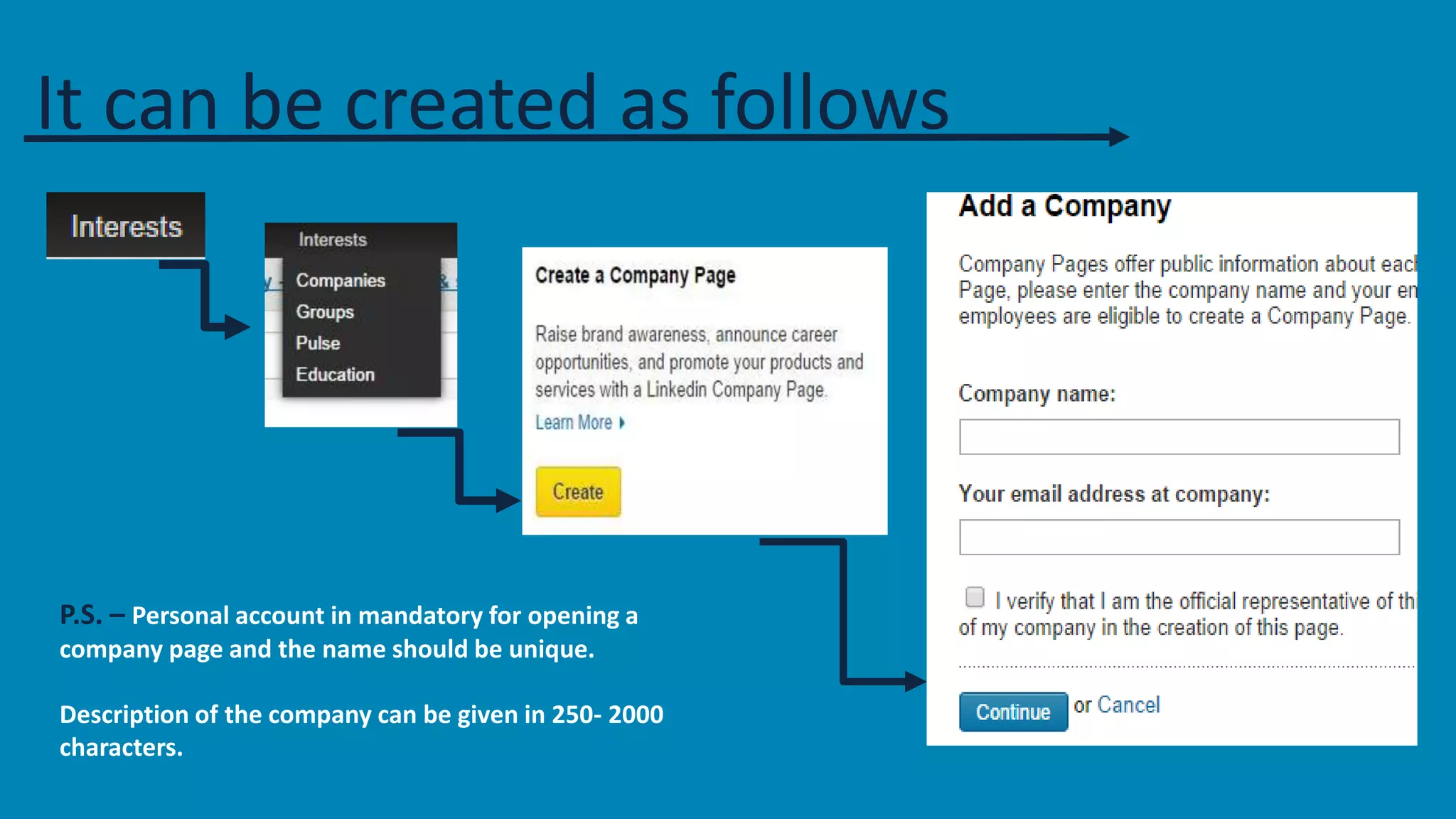
It can be created as follows 
P.S. – Personal account in mandatory for opening a 
company page and the name should be unique. 
Description of the company can be given in 250- 2000 
characters.
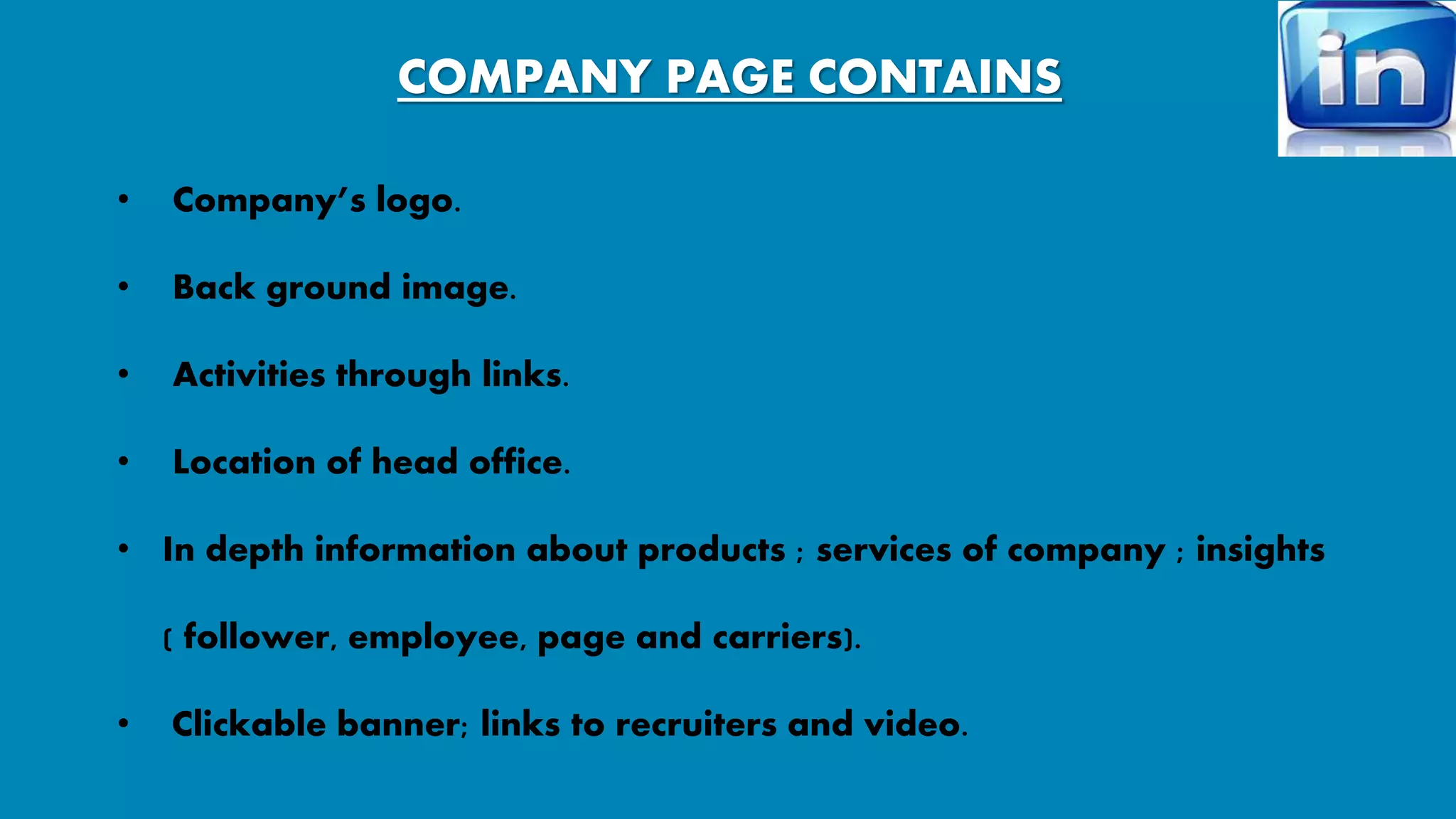
COMPANY PAGE CONTAINS 
• Company’s logo. 
• Back ground image. 
• Activities through links. 
• Location of head office. 
• In depth information about products ; services of company ; insights 
( follower, employee, page and carriers). 
• Clickable banner; links to recruiters and video.
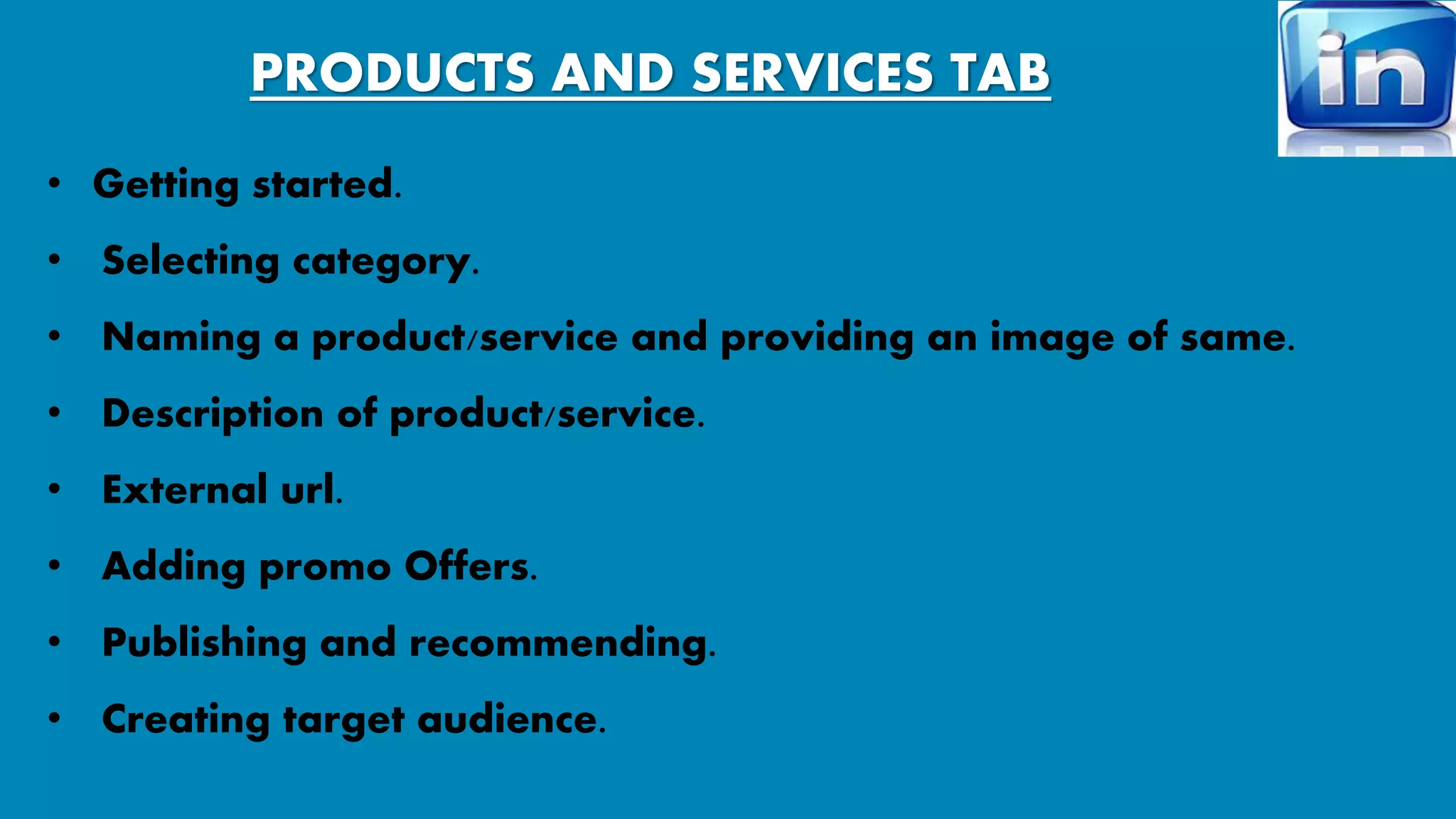
PRODUCTS AND SERVICES TAB 
• Getting started. 
• Selecting category. 
• Naming a product/service and providing an image of same. 
• Description of product/service. 
• External url. 
• Adding promo Offers. 
• Publishing and recommending. 
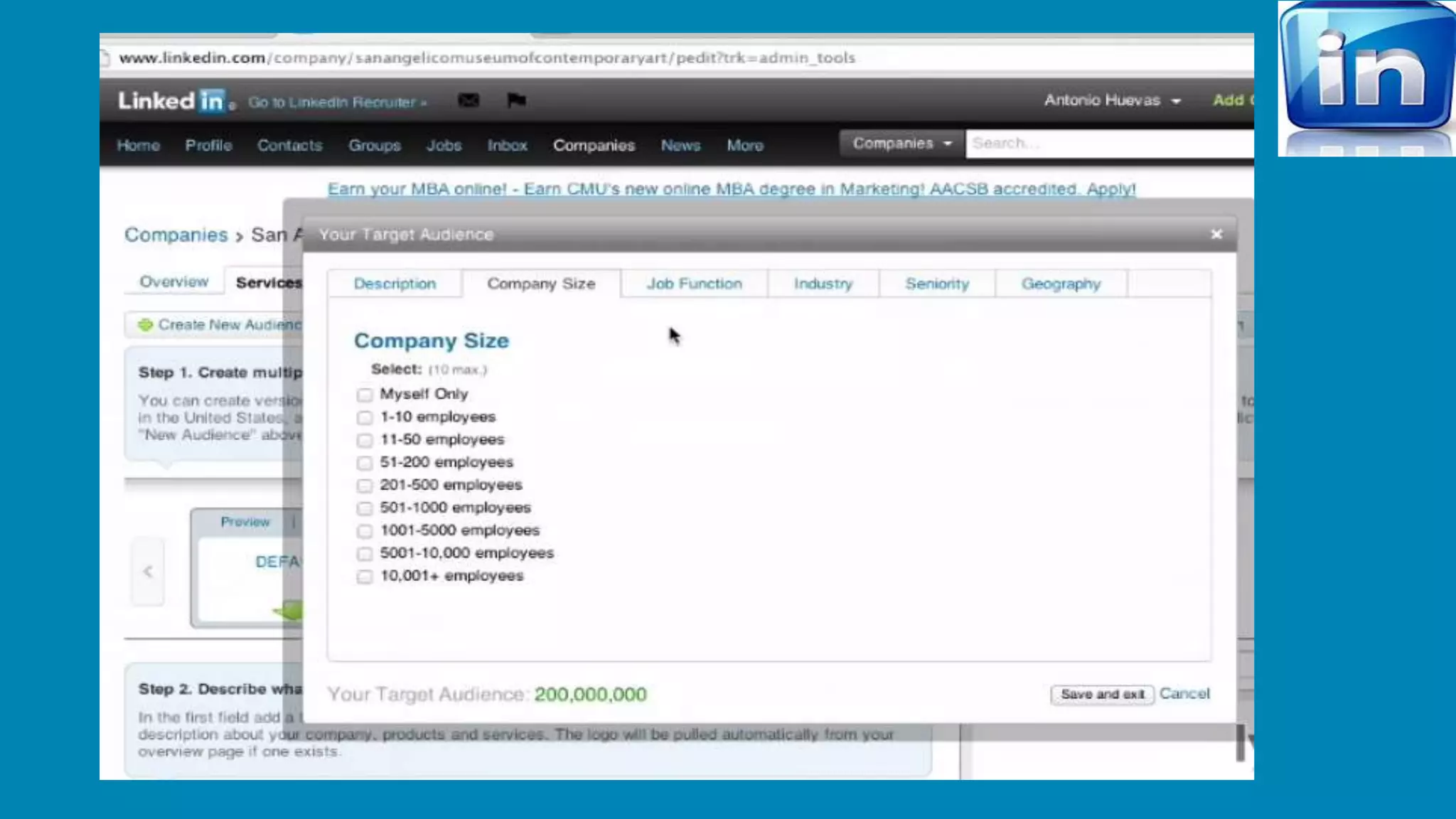
• Creating target audience.
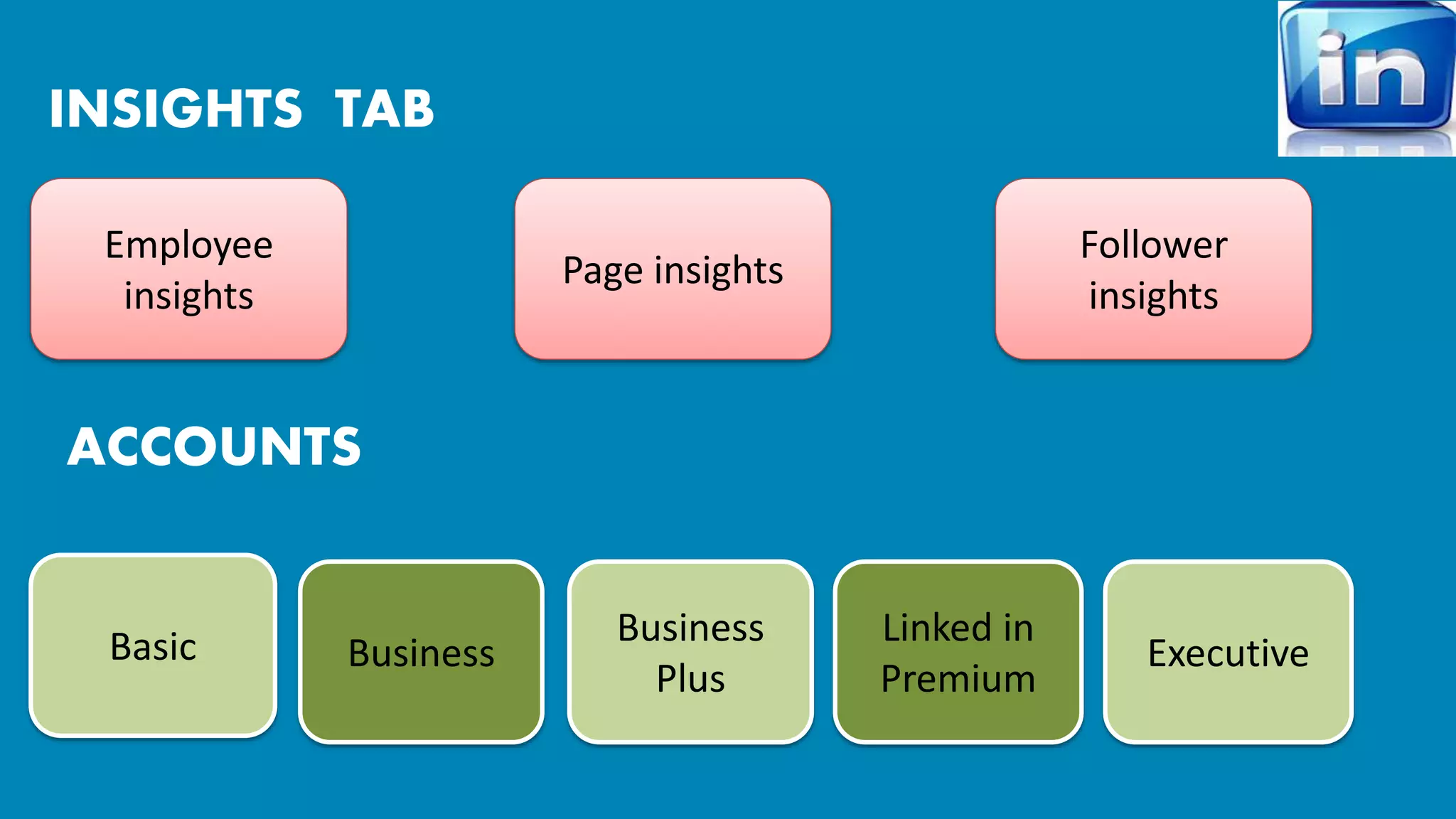
INSIGHTS TAB 
Employee 
insights 
Follower 
insights 
Page insights 
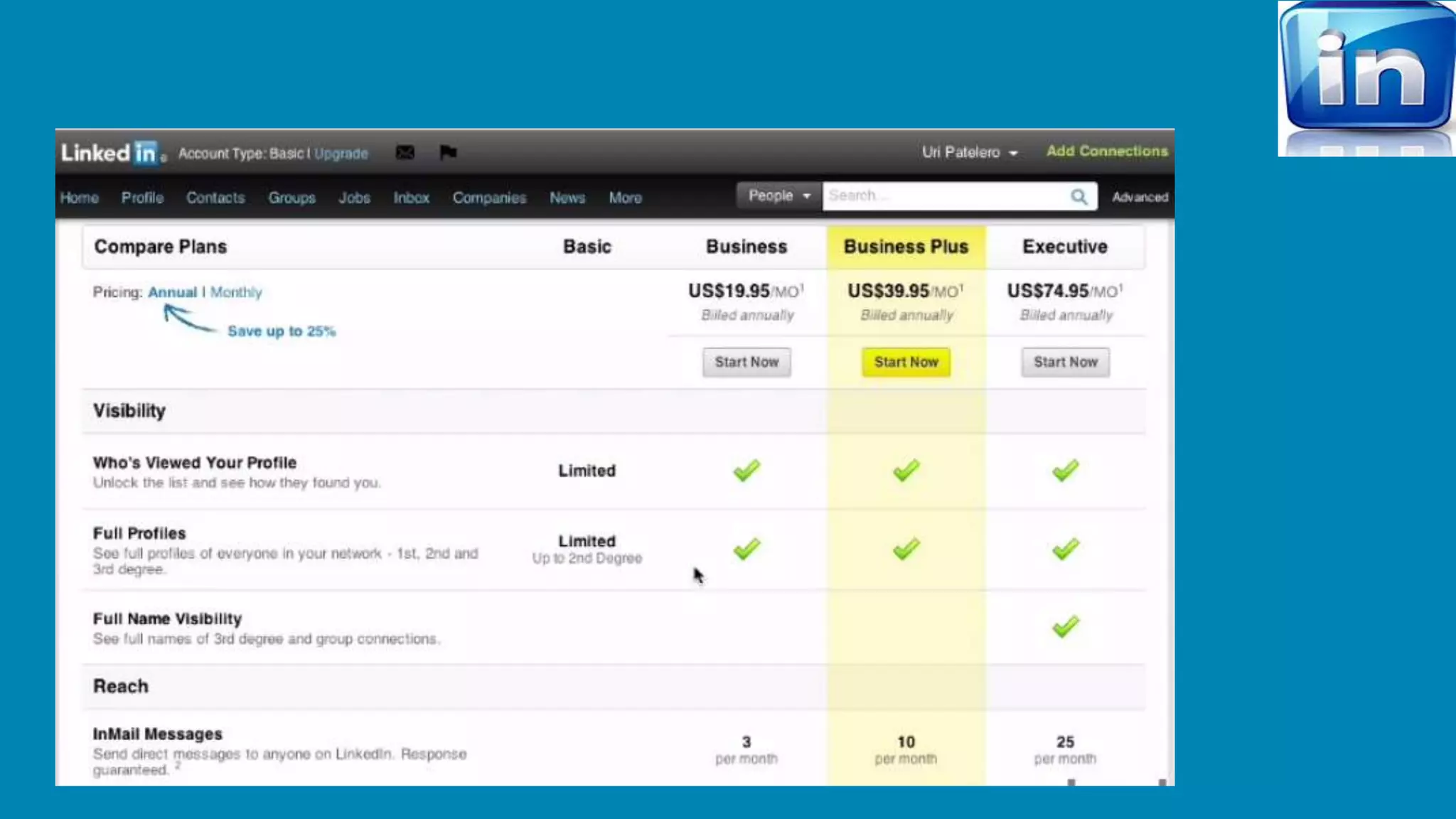
Basic Business 
Business 
Plus 
Executive 
Linked in 
Premium 
ACCOUNTS
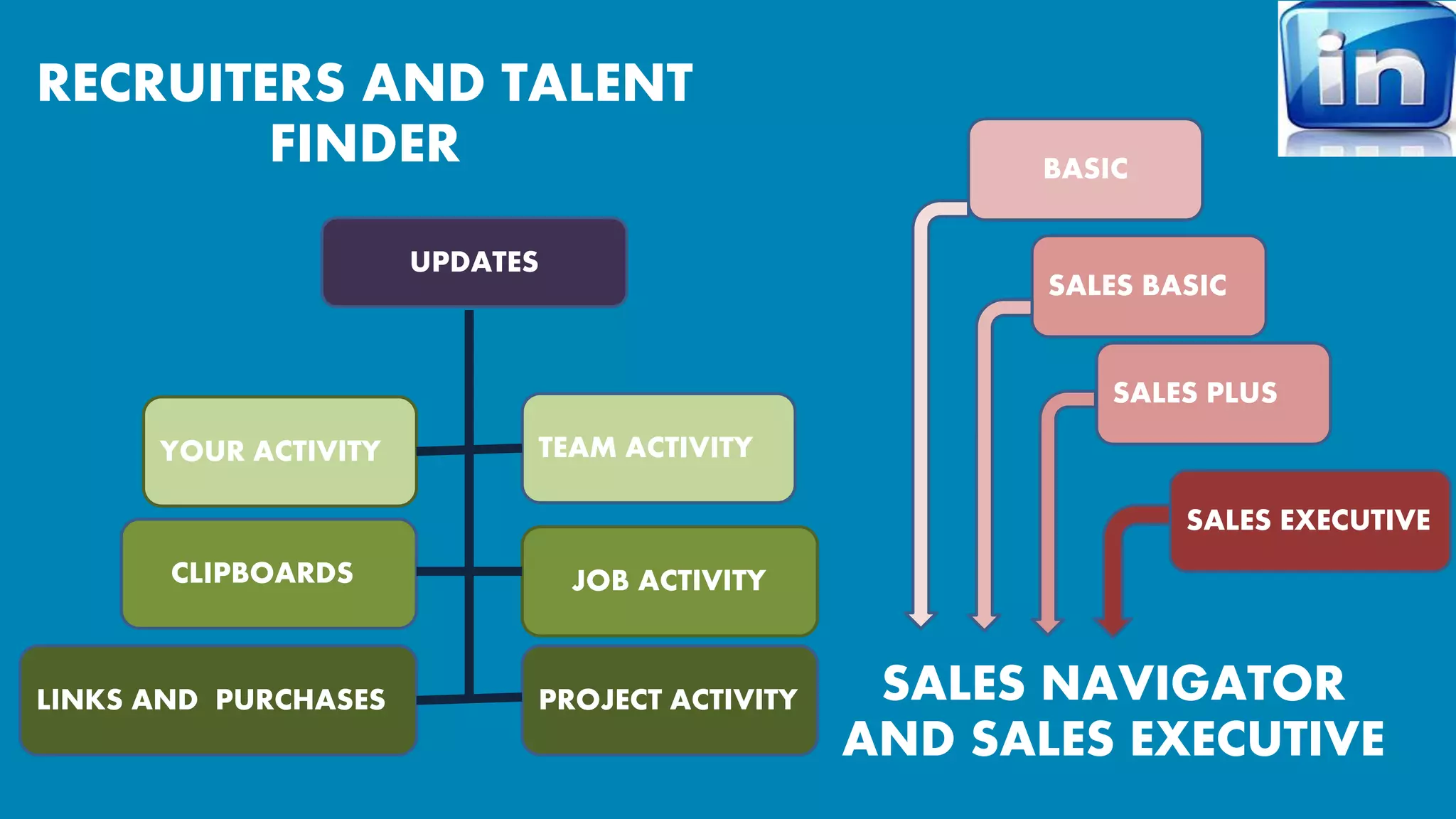
RECRUITERS AND TALENT 
FINDER 
BASIC 
SALES BASIC 
SALES PLUS 
SALES EXECUTIVE 
SALES NAVIGATOR 
AND SALES EXECUTIVE 
YOUR ACTIVITY TEAM ACTIVITY 
CLIPBOARDS JOB ACTIVITY 
PROJECT ACTIVITY 
LINKS AND PURCHASES 
UPDATES
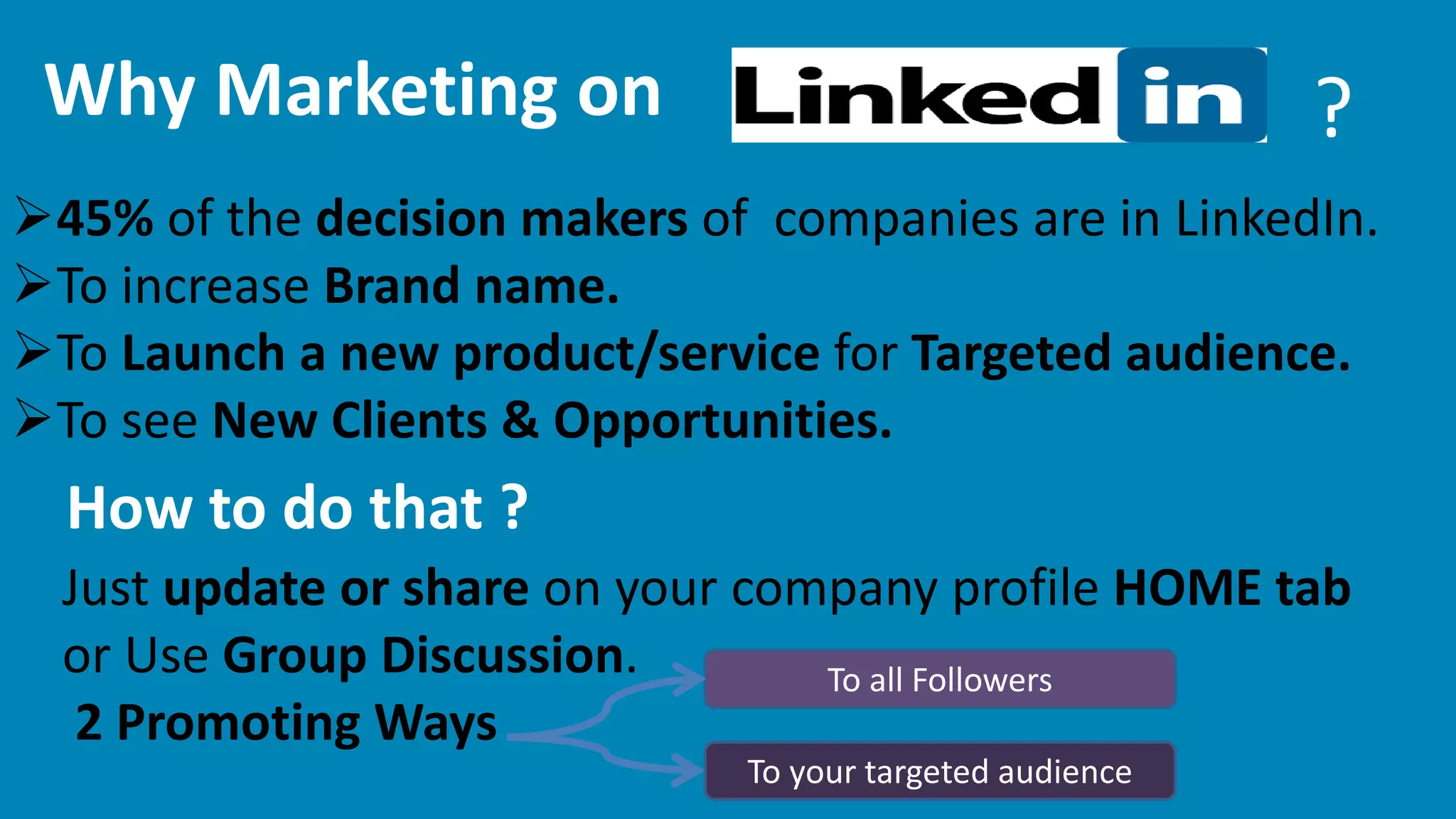
Why Marketing on ? 
45% of the decision makers of companies are in LinkedIn. 
To increase Brand name. 
To Launch a new product/service for Targeted audience. 
To see New Clients & Opportunities. 
How to do that ? 
Just update or share on your company profile HOME tab 
or Use Group Discussion. 
2 Promoting Ways 
To all Followers 
To your targeted audience
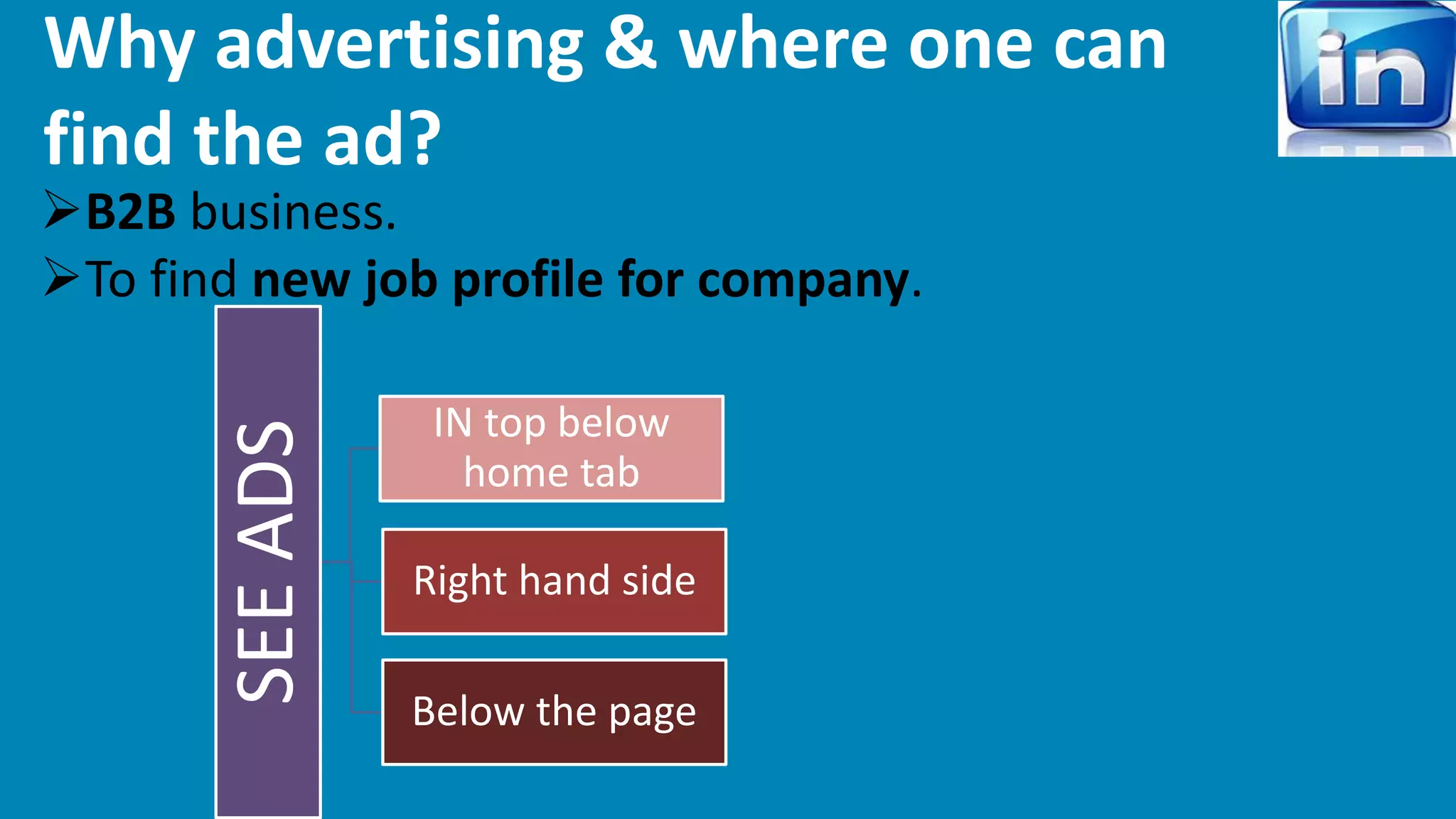
Why advertising & where one can 
find the ad? 
B2B business. 
To find new job profile for company. 
SEE ADS 
IN top below 
home tab 
Right hand side 
Below the page
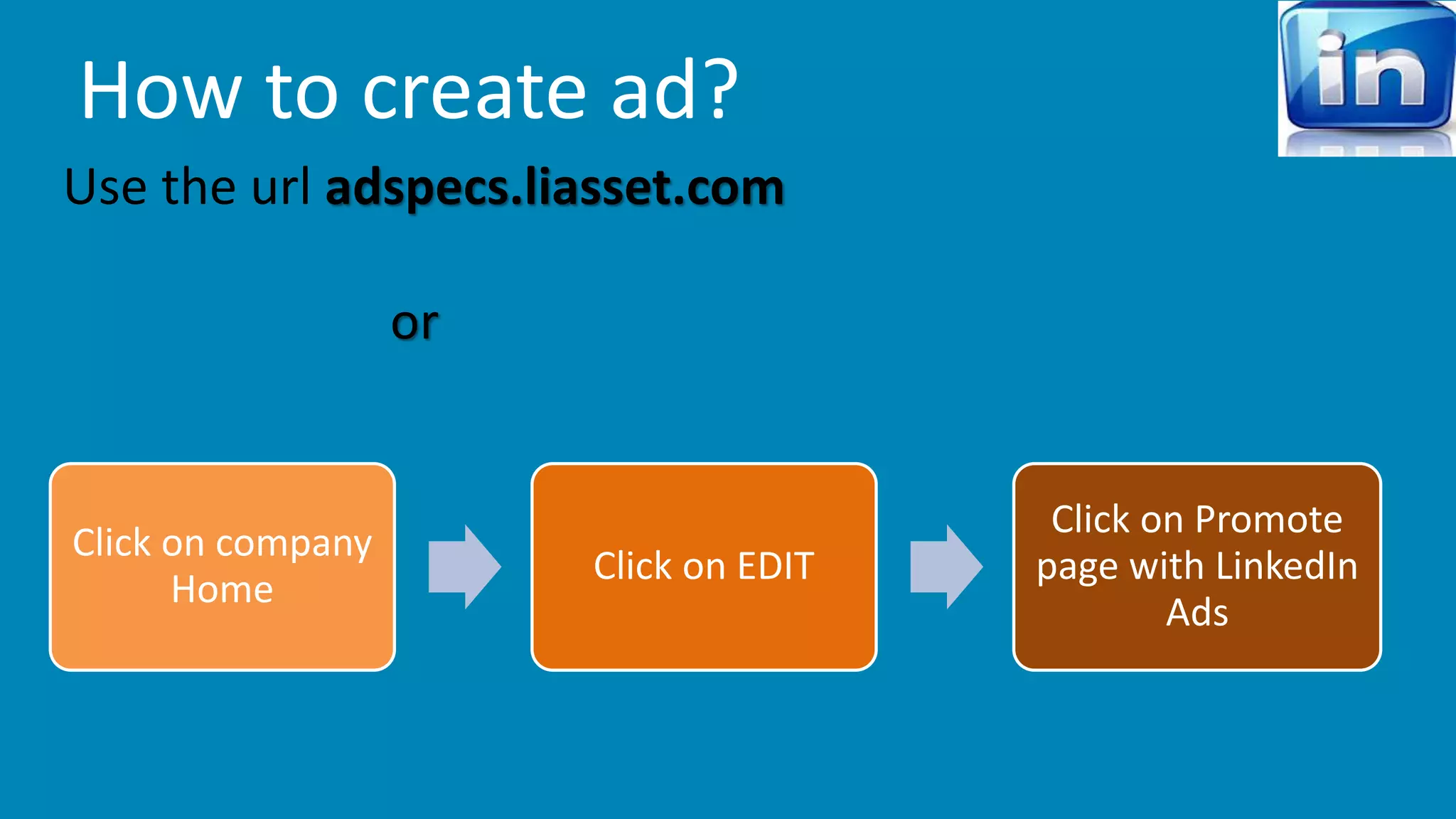
How to create ad? 
Use the url adspecs.liasset.com 
or 
Click on company 
Home 
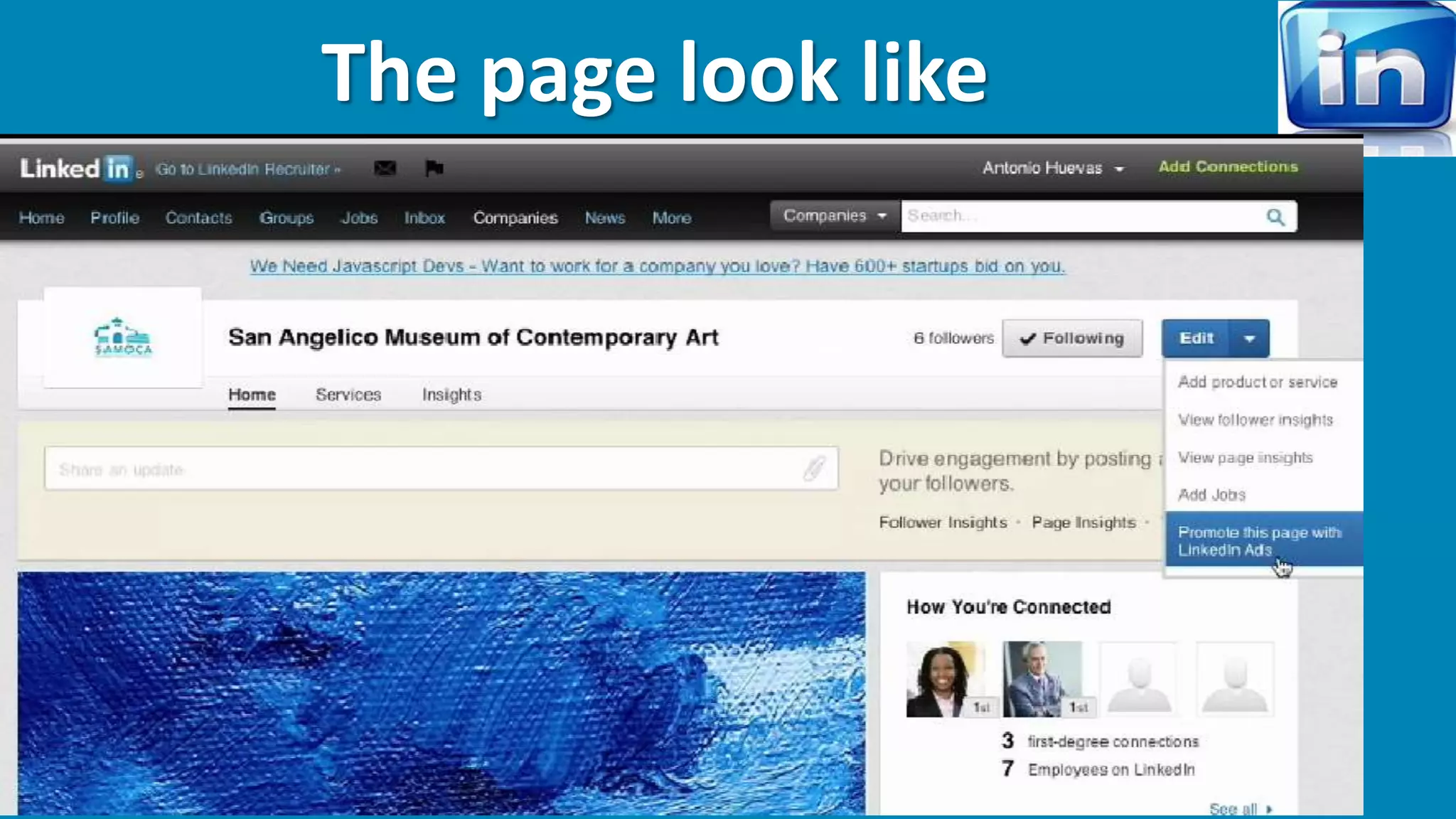
Click on EDIT 
Click on Promote 
page with LinkedIn 
Ads
The page look like
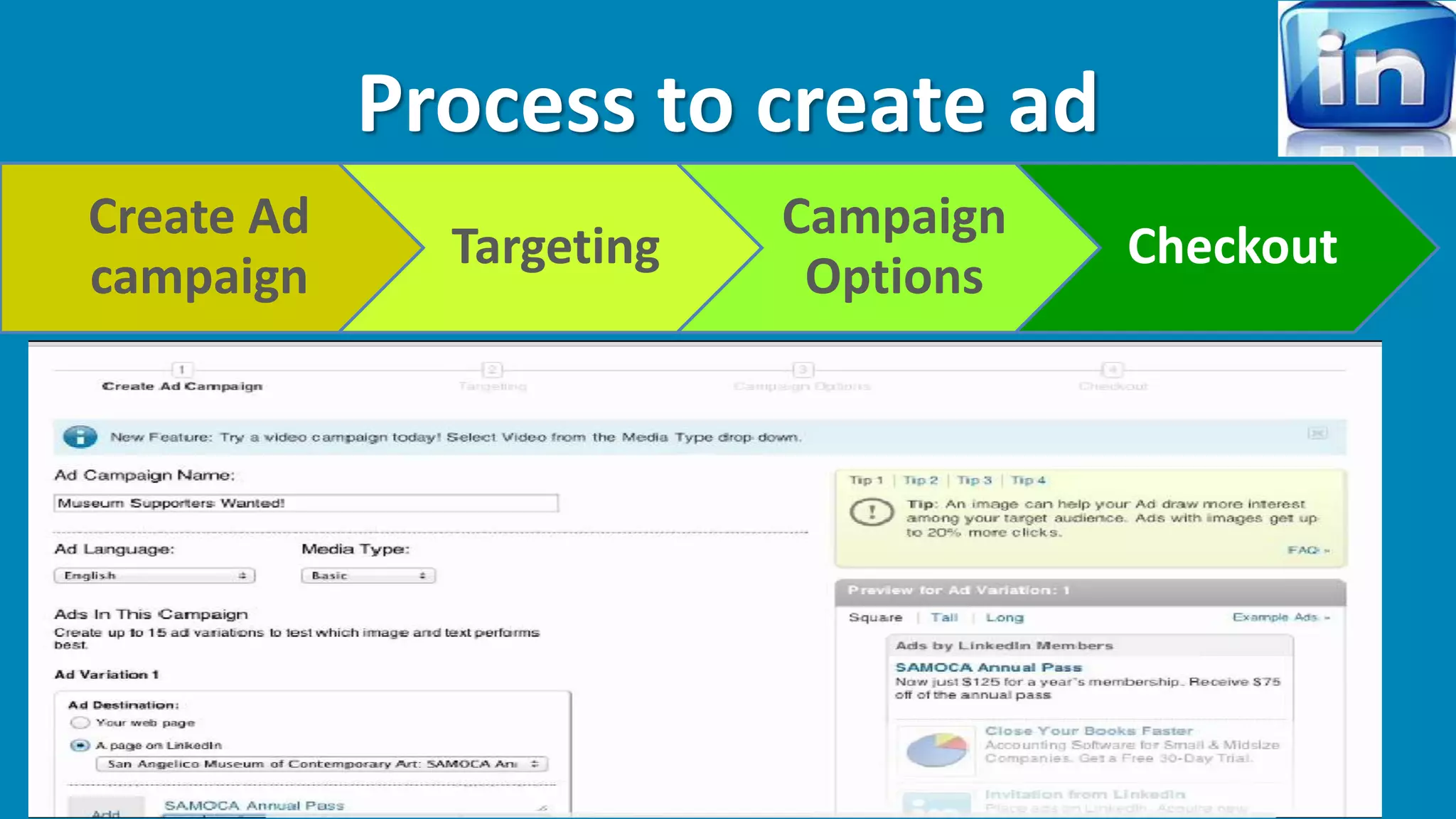
Process to create ad 
Create Ad 
campaign 
Targeting 
Campaign 
Options 
Checkout
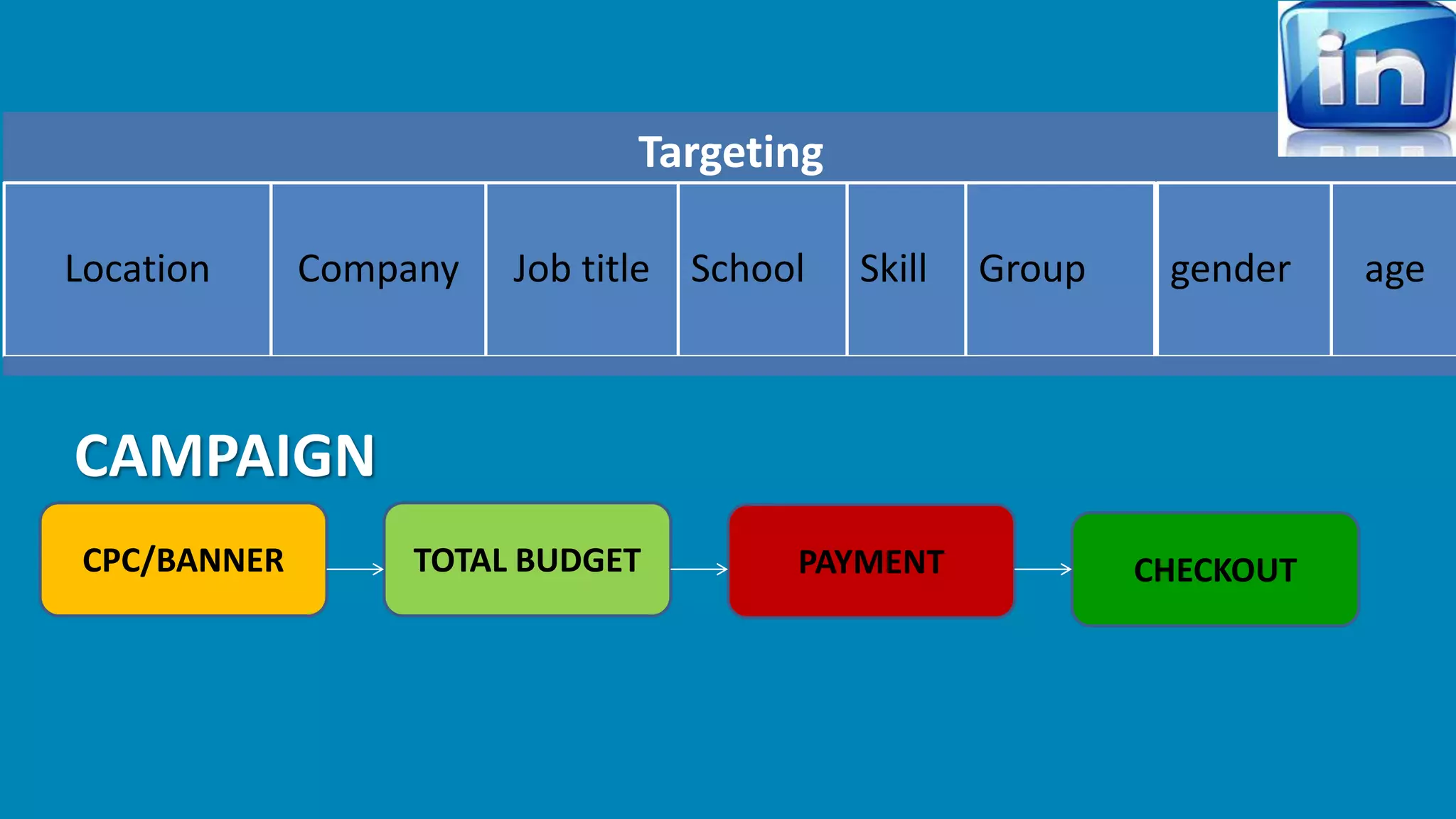
Targeting 
Location Company Job title School Skill Group gender age 
CAMPAIGN 
CPC/BANNER TOTAL BUDGET PAYMENT CHECKOUT
SOME IMPORTANT POINTS FOR INCREASE 
THE VISIBILITY 
Use best searched keyword in company profile and in 
description. 
Use url in web page and ask your employee to add the 
webpage in in their contact info. 
Ask your employee to follow you, share and comment 
and take part in the discussion and also can start 
discussion. 
Ask your star employee (CEO, MD..) to recommend your 
company.
Include images and videos to your post. 
Increase of followers number will help to increase search 
result. 
Share your update to a specific audience to get focused 
result. 
Look your competitor company & learn their strategies. 
Use some breaking news, interesting news, personnel 
suggestion for others. 
Share your company’s blog. 
Use other language options to view the page or translator 
to impact internationally.
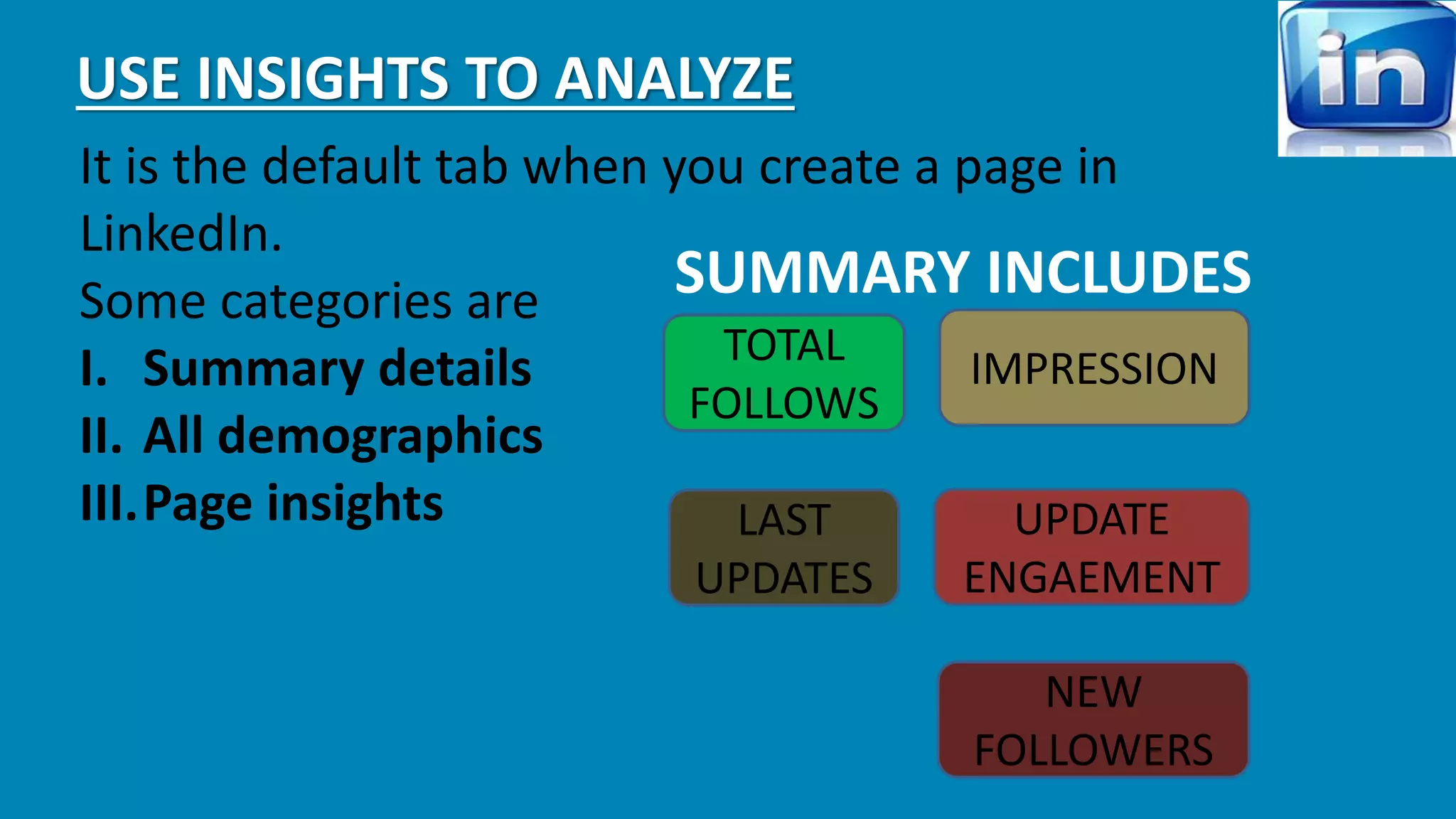
USE INSIGHTS TO ANALYZE 
It is the default tab when you create a page in 
LinkedIn. 
Some categories are 
I. Summary details 
II. All demographics 
III.Page insights 
SUMMARY INCLUDES 
TOTAL 
FOLLOWS 
IMPRESSION 
LAST 
UPDATES 
UPDATE 
ENGAEMENT 
NEW 
FOLLOWERS
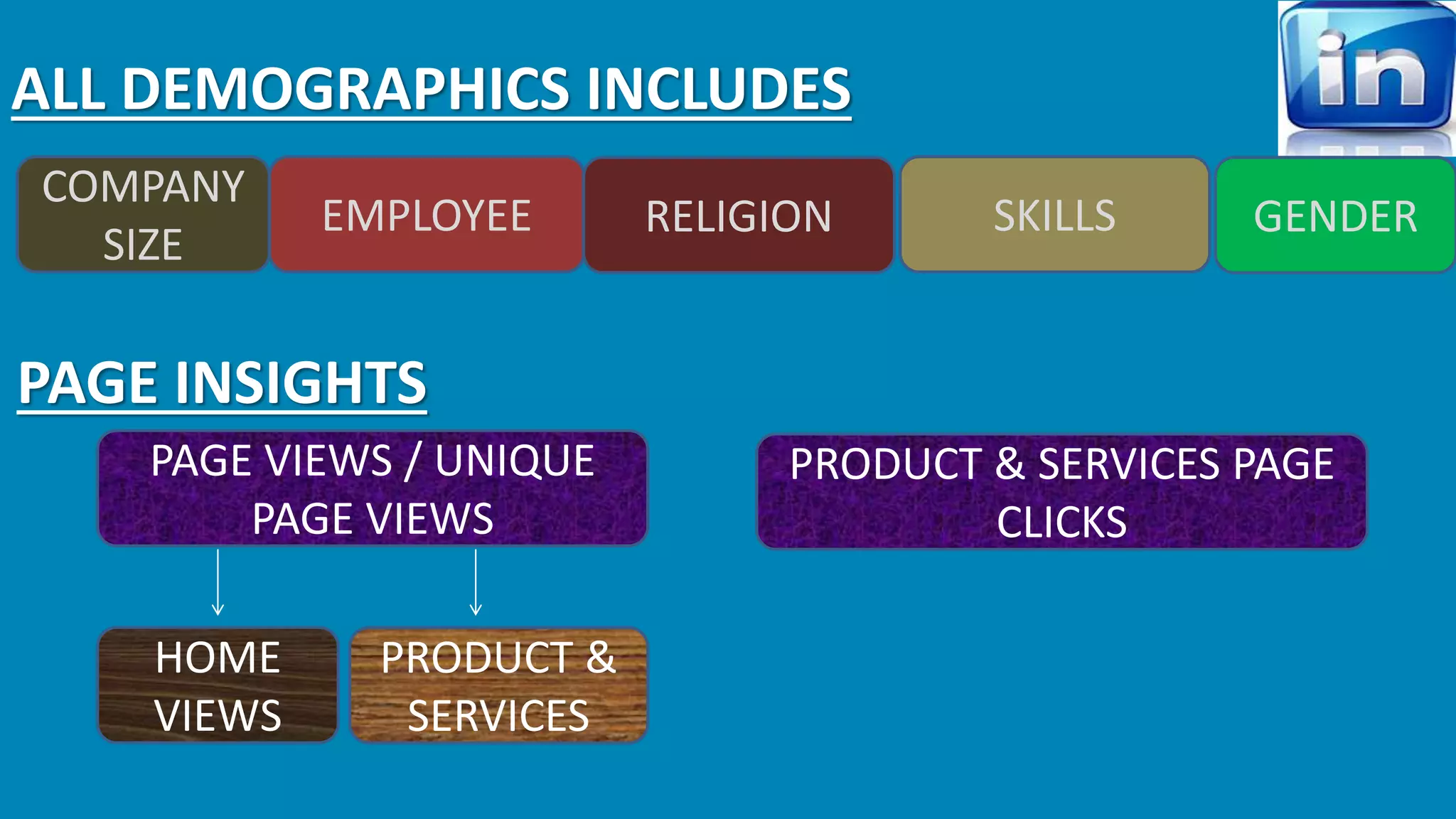
ALL DEMOGRAPHICS INCLUDES 
COMPANY 
SIZE 
EMPLOYEE RELIGION SKILLS GENDER 
PAGE INSIGHTS 
PAGE VIEWS / UNIQUE 
PAGE VIEWS 
PRODUCT & SERVICES PAGE 
CLICKS 
PRODUCT & 
SERVICES 
HOME 
VIEWS
HIRING TALENTS 
There are 2 ways of hiring talents in LINKEDIN. 
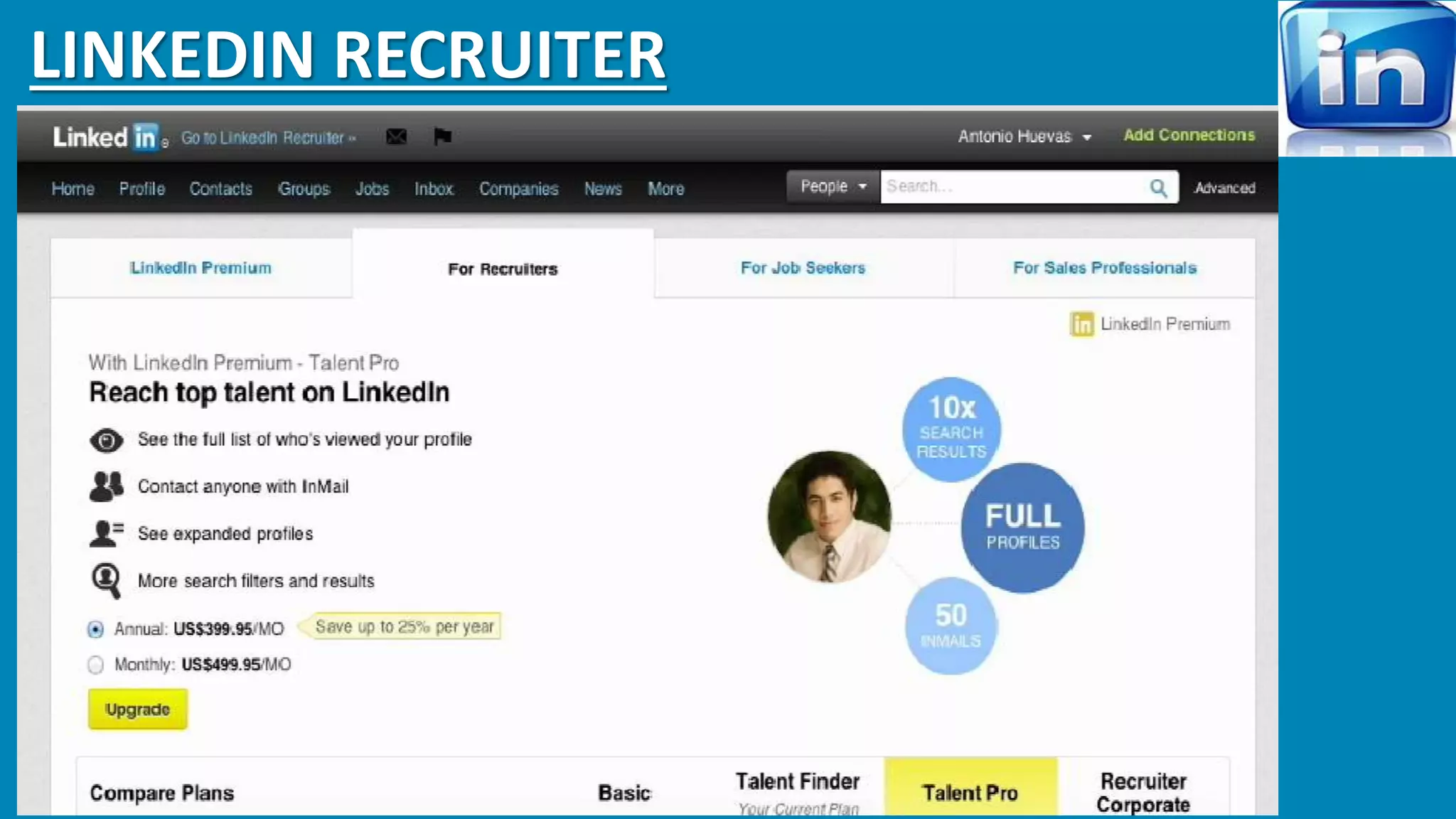
i. LinkedIn recruiter 
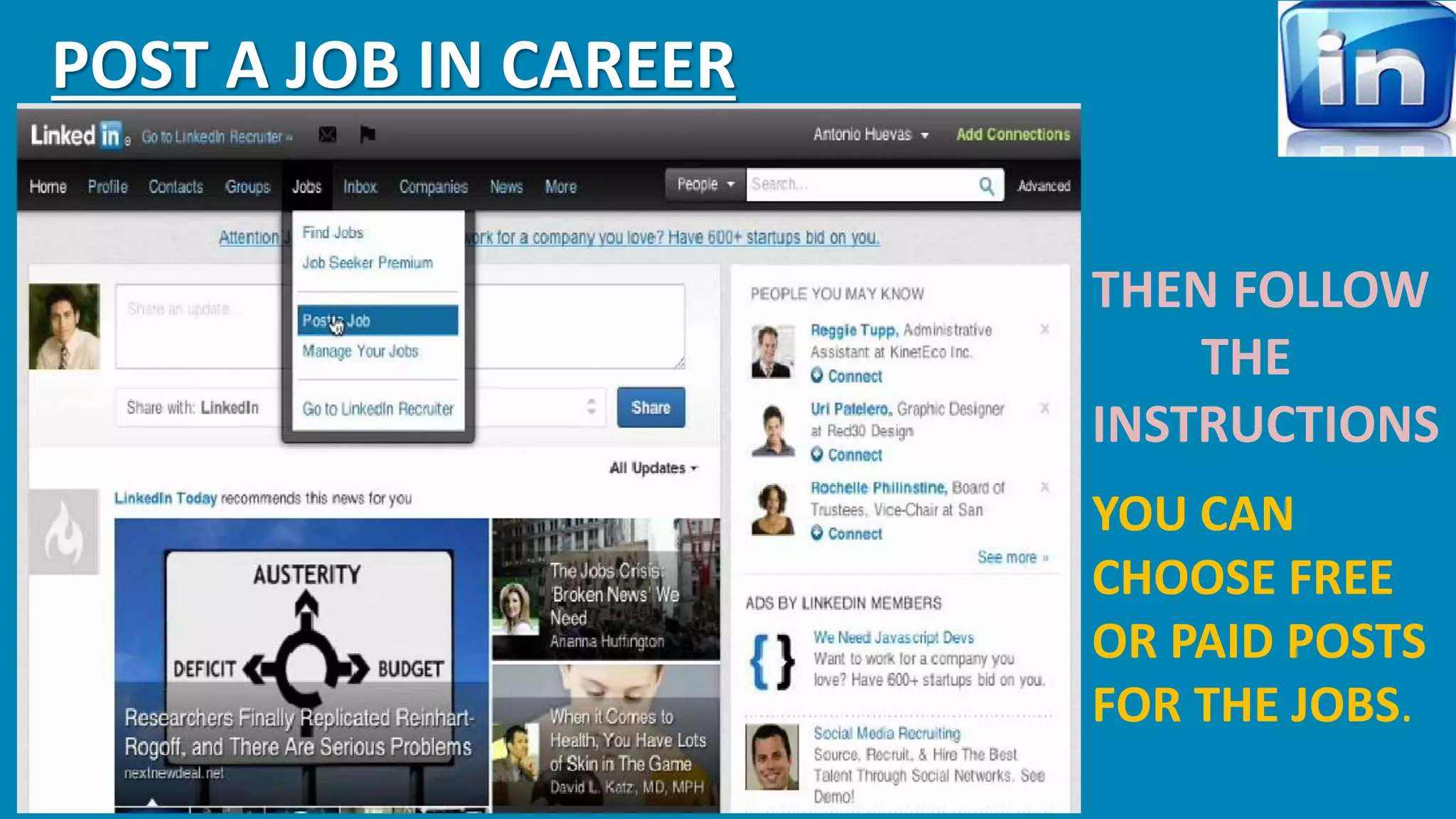
ii. Post jobs in career (we should have gold membership)
LINKEDIN RECRUITER
POST A JOB IN CAREER 
THEN FOLLOW 
THE 
INSTRUCTIONS 
YOU CAN 
CHOOSE FREE 
OR PAID POSTS 
FOR THE JOBS.
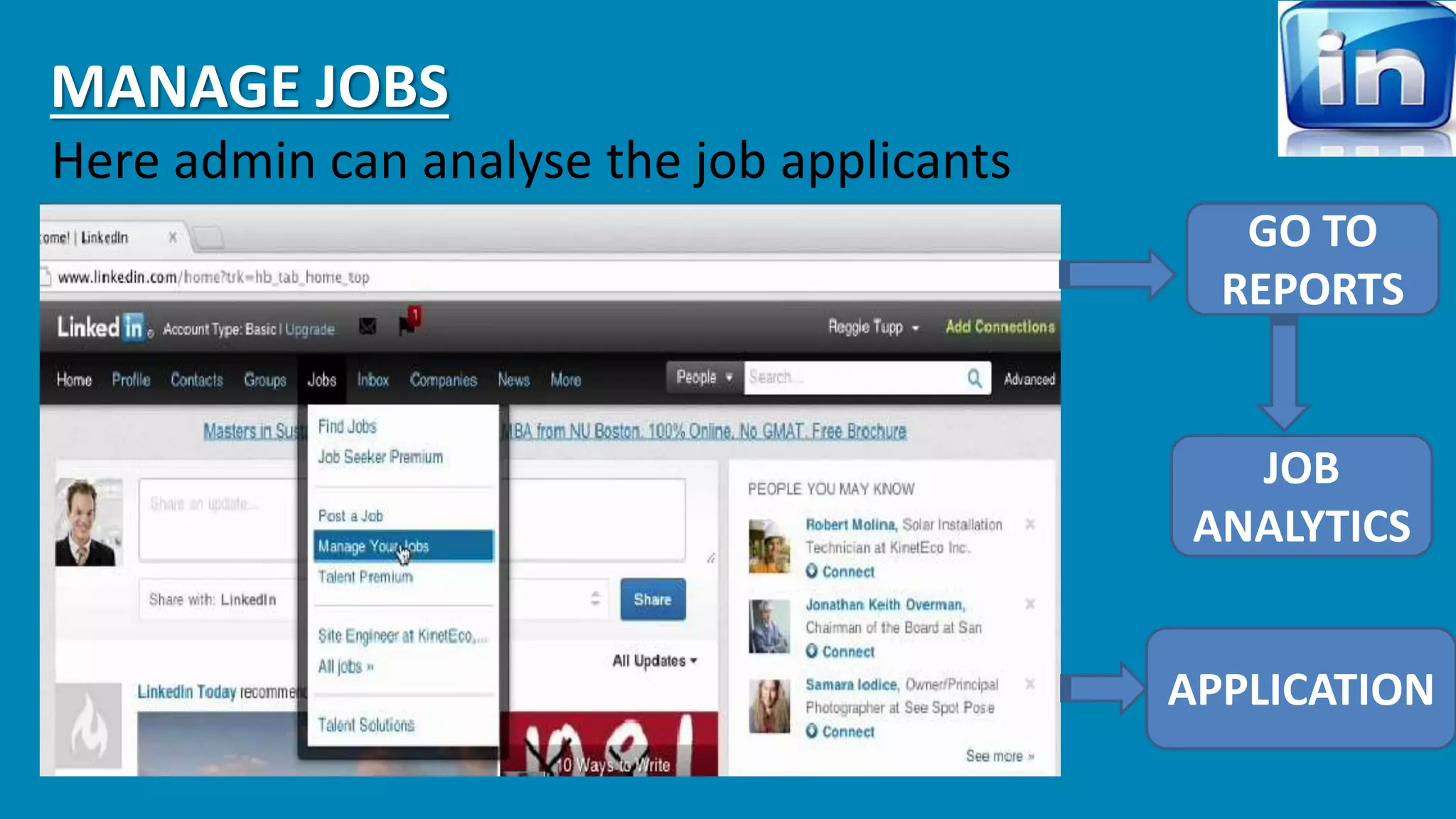
MANAGE JOBS 
Here admin can analyse the job applicants 
GO TO 
REPORTS 
JOB 
ANALYTICS 
APPLICATION
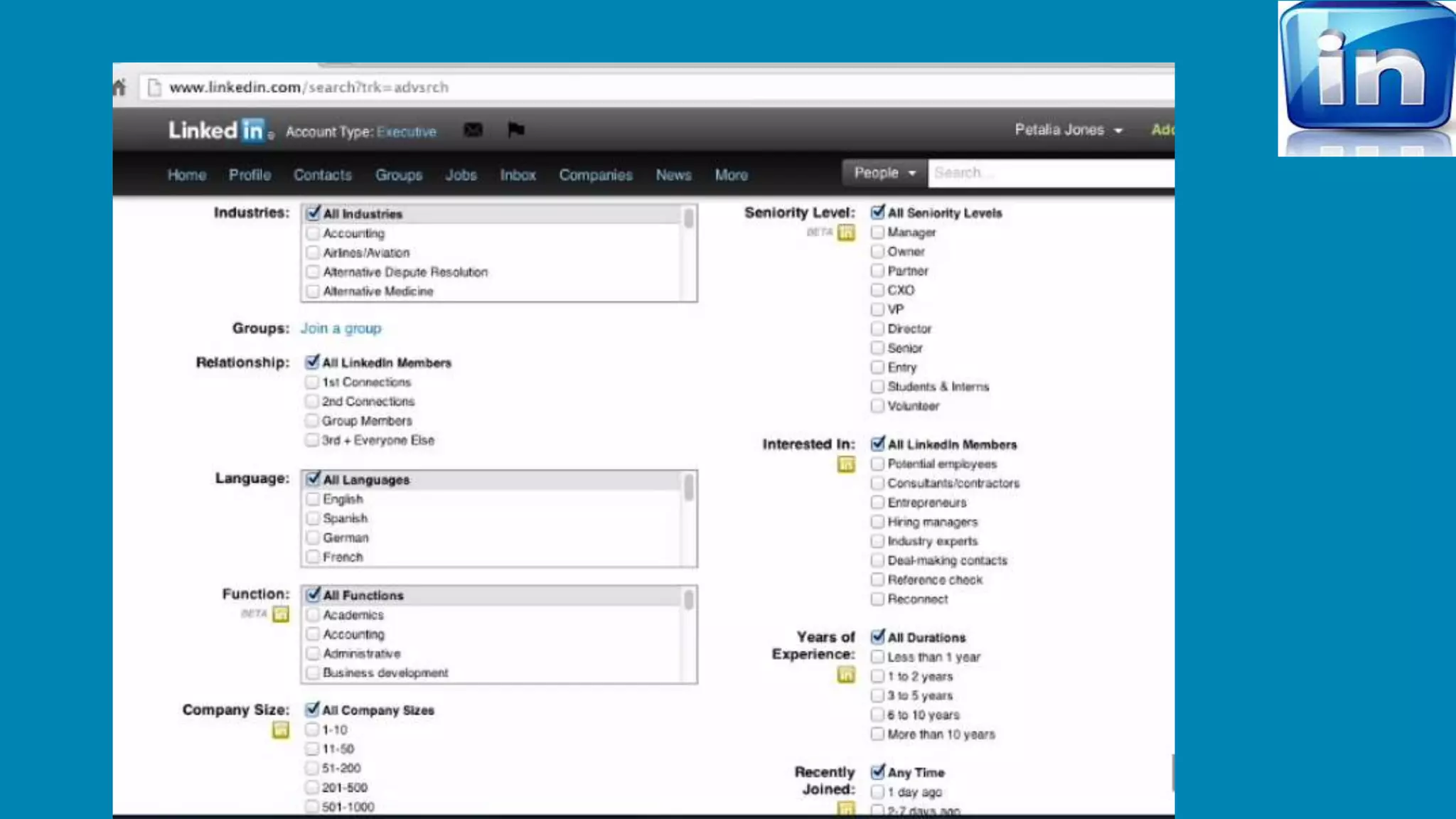
PROFILE SEARCH 
USE ADVANCE 
TAB TO USE 
PROFILE SEARCH 
USE GROUP 
CONVERSATION 
CHECK SIMILAR 
SKILLSETS 
CHECK PREVIOUS 
JOB PROFILE 
CREATE MORE 
CONNECTIONS 
USE YOUR 2ND AND 3RD 
CONNECTIONS ALSO
ENGAGING WITH FOLLOWERS 
• Company followers are very important from human resources and marketing 
perspective. 
• As the number of followers grows we are able to target specific audience based on 
their demographics. 
• We can develop “Targeted Audience” on LinkedIn on the condition we have 
minimum of 100 followers. 
• In order to build relationship with multiple followers we need to build content in 
various forums to build Trust, Credibility and Relevance. 
To Keep Existing Followers Engaged: 
• Break news. 
• Provide Incentives for following your page. 
• Promote jobs in your page. 
• Provide with e-book Links, webinar links, etc.
SERVICE PAGE BUILDING 
 Requires Requesting Recommendations for followers. 
 Follow other accounts of your followers like twitter to gain insights on your followers. 
 Always check with follower feedback. 
 Monitor follower insights. 
CO-ORDINATION OF THE COMPANY PAGE 
 Requires participation of various employees to meet objectives. 
 Updates should not overlap or compete with each other. 
 On posting specific updates always ensure the specific teams are 
available and ready to answer the queries of the audience.
SOCIAL MEDIA POLICY 
 Before launching the company page we need to preview the employee profiles 
to make necessary adjustments because employees form are vital part of our 
BRAND. 
Offer Engagement Guidelines- Guidelines include: 
 Specifying which platforms are allowed. 
 Proper approval process for company updates 
 Maintain Honesty, Integrity and Professionalism. 
 Maintain Confidentiality of information. 
 Monitoring Use.
INTEGRATING WITH WEBSITES AND OTHER PLATFORMS 
LinkedIn has some easy to use tools(Plug-Ins): 
http://developer.linkedin.com/plugins 
 SHARE BUTTON: Enable users to share your website with LinkedIn’s professional 
audience, and drive traffic back to your site. 
COMPANY FOLLOW BUTTON: Make it easy for prospective customers, job 
seekers, and business partners to engage with your company . 
MEMBER PROFILE PLUGIN: Bring LinkedIn member profiles to your site to help 
users discover common professional connections. 
COMPANY INSIDER : Show users customized information, including who in their 
network works at a particular company, and the list of new hires and job changes 
at the company. Users can also follow a company with one click to track news and 
insights.
CONCLUSION 
Complete company page 
Upgrading 
Generate recommendations 
Career tab compatibility 
List your peers 
Networking is 
Everything 
Little drops of water, little grains of sand, make the mighty ocean and 
the pleasant land........
Thank you

How to learn Linkedin for business and to develop company pages in linkedin

  • 1.
  • 2.
    About.. Mission :“CONNECT THE WORLD’S PROFESSIONALS TO MAKE THEM MORE PRODUCTIVE AND SUCCESSFUL”. Started By Reid Hoffman In 2003, while it was officially launched on 5th May’ 2003. Worlds largest professional network With over 300 Million members And connected over 200 countries around the globe. Through Linked.in we get access to People, Companies, Jobs, Updates & Insight. C.E.O. : Mr. Jeff Weiner
  • 3.
    Team of Linked.inconsists of Highly Professional Executives from Companies Like Which makes them the World’s Largest Professional site. MORE Services offered : 1. Advertising : Help reach targeted audience for as little as $10 per day. 2. Business Services : Which helps Featuring Company’s website, Helps Small Business Grow and Prosper. 3. Blog Services : Helps feature Company’s or Personal Blogs to a mass audience.
  • 4.
    Comes in MultipleLanguages as well as profiles can be translated into several languages, to be precise 19 Languages Have over 300 Million users, if we diversify: 18 Mn+ users – India 7 Mn+ users – Canada 2 Mn+ users – South Africa 3 Mn+ users – Australia 1 Mn+ users – UAE However highest contribution is of USA : 74 Mn+ users Reaches to: Business seeking Employees Business to Individuals or Customers Individual seeking Employment. Also hosts 1.6 Million Groups which are sources to Jobs and gives us info about different Companies and their Employees
  • 5.
    It has Pagesof Small Entrepreneurs to Fortune 500 Companies. Also, Gives Recruitment solutions used by over 85 Fortune 100 Companies, Even facilitates Marketing Solutions, Sales Solutions for Companies & Organizations. It can be Accessed on: ….Androids ….BlackBerry ….Windows IOS “A VERY USEFUL TOOL FOR NOT ONLY NEW OR SMALL ENTREPRENUERS BUT ALSO FOR LARGE COMPANIES”.
  • 6.
    Company Page Ithelps us learn more about the Company, their Business, Brand, Products, Services and Even Job Opportunities. It helps grow Company’s network and even highlight their Expertise of the Business or Content. Also features the Employees, Followers from the prospective of who’s viewing the page, and people who view through them, Which are known as Second Degree Connections. Helps create links in the industry quickly. Can also be shared on
  • 7.
    It can becreated as follows P.S. – Personal account in mandatory for opening a company page and the name should be unique. Description of the company can be given in 250- 2000 characters.
  • 8.
    COMPANY PAGE CONTAINS • Company’s logo. • Back ground image. • Activities through links. • Location of head office. • In depth information about products ; services of company ; insights ( follower, employee, page and carriers). • Clickable banner; links to recruiters and video.
  • 9.
    PRODUCTS AND SERVICESTAB • Getting started. • Selecting category. • Naming a product/service and providing an image of same. • Description of product/service. • External url. • Adding promo Offers. • Publishing and recommending. • Creating target audience.
  • 11.
    INSIGHTS TAB Employee insights Follower insights Page insights Basic Business Business Plus Executive Linked in Premium ACCOUNTS
  • 13.
    RECRUITERS AND TALENT FINDER BASIC SALES BASIC SALES PLUS SALES EXECUTIVE SALES NAVIGATOR AND SALES EXECUTIVE YOUR ACTIVITY TEAM ACTIVITY CLIPBOARDS JOB ACTIVITY PROJECT ACTIVITY LINKS AND PURCHASES UPDATES
  • 15.
    Why Marketing on? 45% of the decision makers of companies are in LinkedIn. To increase Brand name. To Launch a new product/service for Targeted audience. To see New Clients & Opportunities. How to do that ? Just update or share on your company profile HOME tab or Use Group Discussion. 2 Promoting Ways To all Followers To your targeted audience
  • 16.
    Why advertising &where one can find the ad? B2B business. To find new job profile for company. SEE ADS IN top below home tab Right hand side Below the page
  • 17.
    How to createad? Use the url adspecs.liasset.com or Click on company Home Click on EDIT Click on Promote page with LinkedIn Ads
  • 18.
  • 19.
    Process to createad Create Ad campaign Targeting Campaign Options Checkout
  • 20.
    Targeting Location CompanyJob title School Skill Group gender age CAMPAIGN CPC/BANNER TOTAL BUDGET PAYMENT CHECKOUT
  • 21.
    SOME IMPORTANT POINTSFOR INCREASE THE VISIBILITY Use best searched keyword in company profile and in description. Use url in web page and ask your employee to add the webpage in in their contact info. Ask your employee to follow you, share and comment and take part in the discussion and also can start discussion. Ask your star employee (CEO, MD..) to recommend your company.
  • 22.
    Include images andvideos to your post. Increase of followers number will help to increase search result. Share your update to a specific audience to get focused result. Look your competitor company & learn their strategies. Use some breaking news, interesting news, personnel suggestion for others. Share your company’s blog. Use other language options to view the page or translator to impact internationally.
  • 23.
    USE INSIGHTS TOANALYZE It is the default tab when you create a page in LinkedIn. Some categories are I. Summary details II. All demographics III.Page insights SUMMARY INCLUDES TOTAL FOLLOWS IMPRESSION LAST UPDATES UPDATE ENGAEMENT NEW FOLLOWERS
  • 24.
    ALL DEMOGRAPHICS INCLUDES COMPANY SIZE EMPLOYEE RELIGION SKILLS GENDER PAGE INSIGHTS PAGE VIEWS / UNIQUE PAGE VIEWS PRODUCT & SERVICES PAGE CLICKS PRODUCT & SERVICES HOME VIEWS
  • 25.
    HIRING TALENTS Thereare 2 ways of hiring talents in LINKEDIN. i. LinkedIn recruiter ii. Post jobs in career (we should have gold membership)
  • 26.
  • 27.
    POST A JOBIN CAREER THEN FOLLOW THE INSTRUCTIONS YOU CAN CHOOSE FREE OR PAID POSTS FOR THE JOBS.
  • 28.
    MANAGE JOBS Hereadmin can analyse the job applicants GO TO REPORTS JOB ANALYTICS APPLICATION
  • 29.
    PROFILE SEARCH USEADVANCE TAB TO USE PROFILE SEARCH USE GROUP CONVERSATION CHECK SIMILAR SKILLSETS CHECK PREVIOUS JOB PROFILE CREATE MORE CONNECTIONS USE YOUR 2ND AND 3RD CONNECTIONS ALSO
  • 30.
    ENGAGING WITH FOLLOWERS • Company followers are very important from human resources and marketing perspective. • As the number of followers grows we are able to target specific audience based on their demographics. • We can develop “Targeted Audience” on LinkedIn on the condition we have minimum of 100 followers. • In order to build relationship with multiple followers we need to build content in various forums to build Trust, Credibility and Relevance. To Keep Existing Followers Engaged: • Break news. • Provide Incentives for following your page. • Promote jobs in your page. • Provide with e-book Links, webinar links, etc.
  • 31.
    SERVICE PAGE BUILDING  Requires Requesting Recommendations for followers.  Follow other accounts of your followers like twitter to gain insights on your followers.  Always check with follower feedback.  Monitor follower insights. CO-ORDINATION OF THE COMPANY PAGE  Requires participation of various employees to meet objectives.  Updates should not overlap or compete with each other.  On posting specific updates always ensure the specific teams are available and ready to answer the queries of the audience.
  • 32.
    SOCIAL MEDIA POLICY  Before launching the company page we need to preview the employee profiles to make necessary adjustments because employees form are vital part of our BRAND. Offer Engagement Guidelines- Guidelines include:  Specifying which platforms are allowed.  Proper approval process for company updates  Maintain Honesty, Integrity and Professionalism.  Maintain Confidentiality of information.  Monitoring Use.
  • 33.
    INTEGRATING WITH WEBSITESAND OTHER PLATFORMS LinkedIn has some easy to use tools(Plug-Ins): http://developer.linkedin.com/plugins  SHARE BUTTON: Enable users to share your website with LinkedIn’s professional audience, and drive traffic back to your site. COMPANY FOLLOW BUTTON: Make it easy for prospective customers, job seekers, and business partners to engage with your company . MEMBER PROFILE PLUGIN: Bring LinkedIn member profiles to your site to help users discover common professional connections. COMPANY INSIDER : Show users customized information, including who in their network works at a particular company, and the list of new hires and job changes at the company. Users can also follow a company with one click to track news and insights.
  • 34.
    CONCLUSION Complete companypage Upgrading Generate recommendations Career tab compatibility List your peers Networking is Everything Little drops of water, little grains of sand, make the mighty ocean and the pleasant land........
  • 35.

Editor's Notes

  • #13  Target audience you can choose base on your age group, location, industry, interest etc like facebook.. Your updating should go maximum up to 3 per day or minimum 1 in a week. Share not for doing formalities. Don’t do it like you normally do in facebook and tweeter in your personal account to just to be social with your friends..it is your professional page..
  • #14  Target audience you can choose base on your age group, location, industry, interest etc like facebook.. Your updating should go maximum up to 3 per day or minimum 1 in a week. Share not for doing formalities. Don’t do it like you normally do in facebook and tweeter in your personal account to just to be social with your friends..it is your professional page..
  • #15  Target audience you can choose base on your age group, location, industry, interest etc like facebook.. Your updating should go maximum up to 3 per day or minimum 1 in a week. Share not for doing formalities. Don’t do it like you normally do in facebook and tweeter in your personal account to just to be social with your friends..it is your professional page..
  • #16  Target audience you can choose base on your age group, location, industry, interest etc like facebook.. Your updating should go maximum up to 3 per day or minimum 1 in a week. Share not for doing formalities. Don’t do it like you normally do in facebook and tweeter in your personal account to just to be social with your friends..it is your professional page..
  • #18 Home by admin
  • #20 Ad variation includes detail about your ad .. Description image/video.. Here in description you can not use numbers as it violets the law of linkedin(it thoughts as you are giving the ph. Number) but you can use $, rupee symbol before it to make it clear that it is the price..
  • #21 After Targeting you can see your targeted audience in numbers.
  • #22 After Targeting you can see your targeted audience in numbers.
  • #29 Application to filter your job applications.
  • #35 Conclusion : Make sure you create company page >> add products and features as they launch >> consider targeted products and services to fill in the gaps. Generate recommendations Add career tab Company page should work together with personal profiles with all your employees. Ensure your colleges are listed in your company page and have optimized their profiles >>> up and running with LinkedIn Networking >> Little drops of water, little grains of sand, make the mighty ocean and the pleasant land.