TEXT MEDIA AND
INFORMATION
TEXT
A simple and flexible format of presenting information or
conveying ideas whether hand-written printed or displayed
on-screen.
Text is available in different sources whether it is formal or
informal.
Text can be as short such as a single sentence or phrase, or
they can be as lengthy as news articles or investigative
reporting. NEX
B
A
C
K
CHARACTERISTICS OF TEXT MEDIA
AND INFORMATION
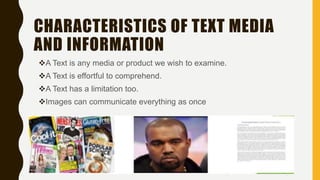
A Text is any media or product we wish to examine.
A Text is effortful to comprehend.
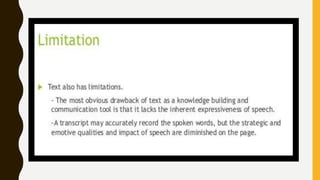
A Text has a limitation too.
Images can communicate everything as once
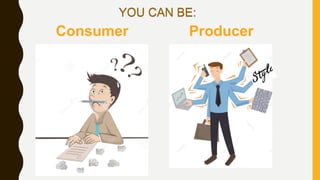
Consumer Producer
YOU CAN BE:
TYPES OF
TEXT
1.) HYPERTEXT
-Serve to link different
electronic documents
and enable users to
jump from one to other
in a nonlinear way
FOR EXAMPLE:
GO TO
PARADISE
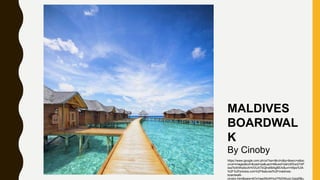
MALDIVES
BOARDWAL
K
By Cinoby
https://www.google.com.ph/url?sa=i&rct=j&q=&esrc=s&so
urce=images&cd=&cad=rja&uact=8&ved=2ahUKEwi27dP
iwa7kAhWaIbcAHVDUATkQjhx6BAgBEAI&url=https%3A
%2F%2Fphotos.com%2Ffeatured%2Fmaldives-
boardwalk-
cinoby.html&psig=AOvVaw28oWHuII7NIDWuoLGsig0f&u
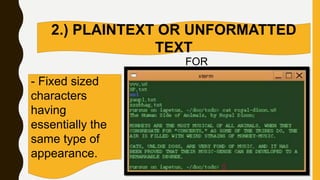
2.) PLAINTEXT OR UNFORMATTED
TEXT
- Fixed sized
characters
having
essentially the
same type of
appearance.
FOR
EXAMPLE:
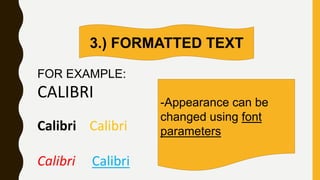
3.) FORMATTED TEXT
-Appearance can be
changed using font
parameters
FOR EXAMPLE:
CALIBRI
Calibri Calibri
Calibri Calibri
Text as Visual
Typeface ( also called font, font type, or type ) refers to the
representation or style of a text in the digital format.
A typeface is usually comprised of alphabets, numbers,
punctuation marks, symbols and other special characters. When
fonts are installed in the computer, they usually come in file
formats such as True Type Font (.ttf), Open Type Font (.otf), etc.
In the absence of images or drawings, text is the easiest way of
communicating to your audience. The use of various font types
can express different emotions or meaning.
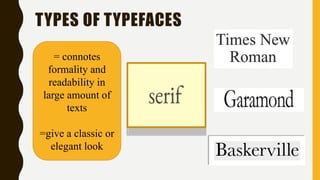
TYPES OF TYPEFACES
= connotes
formality and
readability in
large amount of
texts
=give a classic or
elegant look
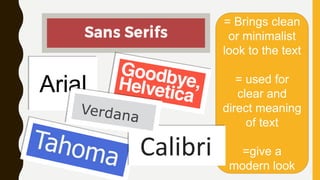
= Brings clean
or minimalist
look to the text
= used for
clear and
direct meaning
of text
=give a
modern look
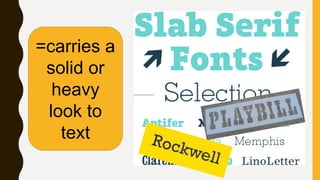
=carries a
solid or
heavy
look to
text
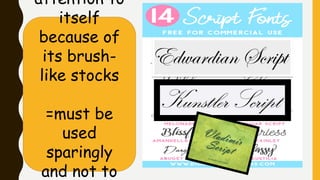
attention to
itself
because of
its brush-
like stocks
=must be
used
sparingly
and not to
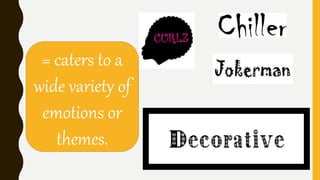
= caters to a
wide variety of
emotions or
themes.
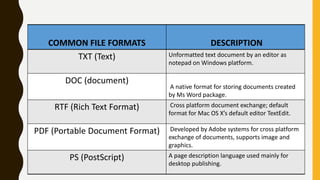
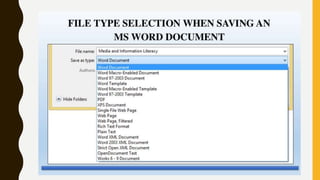
COMMON FILE FORMATS DESCRIPTION
TXT (Text) Unformatted text document by an editor as
notepad on Windows platform.
DOC (document)
A native format for storing documents created
by Ms Word package.
RTF (Rich Text Format) Cross platform document exchange; default
format for Mac OS X’s default editor TextEdit.
PDF (Portable Document Format) Developed by Adobe systems for cross platform
exchange of documents, supports image and
graphics.
PS (PostScript) A page description language used mainly for
desktop publishing.
DESIGN PRINCIPLES AND ELEMENTS
♥ Emphasis
♥ Appropriateness
♥ Proximity
♥ Alignment
♥ Organization
♥ Repetition
♥ Contrast
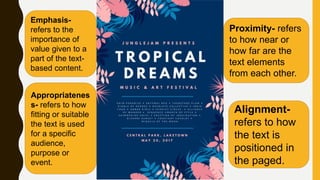
Emphasis-
refers to the
importance of
value given to a
part of the text-
based content.
Appropriatenes
s- refers to how
fitting or suitable
the text is used
for a specific
audience,
purpose or
event.
Proximity- refers
to how near or
how far are the
text elements
from each other.
Alignment-
refers to how
the text is
positioned in
the paged.
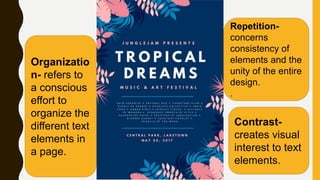
Organizatio
n- refers to
a conscious
effort to
organize the
different text
elements in
a page.
Repetition-
concerns
consistency of
elements and the
unity of the entire
design.
.
Contrast-
creates visual
interest to text
elements.
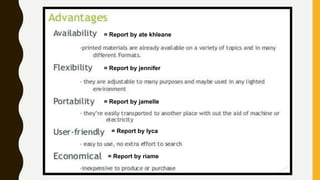
= Report by ate khleane
= Report by jennifer
= Report by jamelle
= Report by lyca
= Report by riame
THANK YOU FOR LISTENING!

Text media and information

  • 1.
  • 2.
    TEXT A simple andflexible format of presenting information or conveying ideas whether hand-written printed or displayed on-screen. Text is available in different sources whether it is formal or informal. Text can be as short such as a single sentence or phrase, or they can be as lengthy as news articles or investigative reporting. NEX
  • 3.
  • 4.
    CHARACTERISTICS OF TEXTMEDIA AND INFORMATION A Text is any media or product we wish to examine. A Text is effortful to comprehend. A Text has a limitation too. Images can communicate everything as once
  • 5.
  • 6.
  • 7.
    1.) HYPERTEXT -Serve tolink different electronic documents and enable users to jump from one to other in a nonlinear way FOR EXAMPLE: GO TO PARADISE
  • 8.
  • 9.
    2.) PLAINTEXT ORUNFORMATTED TEXT - Fixed sized characters having essentially the same type of appearance. FOR EXAMPLE:
  • 10.
    3.) FORMATTED TEXT -Appearancecan be changed using font parameters FOR EXAMPLE: CALIBRI Calibri Calibri Calibri Calibri
  • 11.
    Text as Visual Typeface( also called font, font type, or type ) refers to the representation or style of a text in the digital format. A typeface is usually comprised of alphabets, numbers, punctuation marks, symbols and other special characters. When fonts are installed in the computer, they usually come in file formats such as True Type Font (.ttf), Open Type Font (.otf), etc. In the absence of images or drawings, text is the easiest way of communicating to your audience. The use of various font types can express different emotions or meaning.
  • 12.
    TYPES OF TYPEFACES =connotes formality and readability in large amount of texts =give a classic or elegant look
  • 13.
    = Brings clean orminimalist look to the text = used for clear and direct meaning of text =give a modern look
  • 14.
  • 15.
    attention to itself because of itsbrush- like stocks =must be used sparingly and not to
  • 16.
    = caters toa wide variety of emotions or themes.
  • 17.
    COMMON FILE FORMATSDESCRIPTION TXT (Text) Unformatted text document by an editor as notepad on Windows platform. DOC (document) A native format for storing documents created by Ms Word package. RTF (Rich Text Format) Cross platform document exchange; default format for Mac OS X’s default editor TextEdit. PDF (Portable Document Format) Developed by Adobe systems for cross platform exchange of documents, supports image and graphics. PS (PostScript) A page description language used mainly for desktop publishing.
  • 19.
    DESIGN PRINCIPLES ANDELEMENTS ♥ Emphasis ♥ Appropriateness ♥ Proximity ♥ Alignment ♥ Organization ♥ Repetition ♥ Contrast
  • 20.
    Emphasis- refers to the importanceof value given to a part of the text- based content. Appropriatenes s- refers to how fitting or suitable the text is used for a specific audience, purpose or event. Proximity- refers to how near or how far are the text elements from each other. Alignment- refers to how the text is positioned in the paged.
  • 21.
    Organizatio n- refers to aconscious effort to organize the different text elements in a page. Repetition- concerns consistency of elements and the unity of the entire design. . Contrast- creates visual interest to text elements.
  • 22.
    = Report byate khleane = Report by jennifer = Report by jamelle = Report by lyca = Report by riame
  • 24.
    THANK YOU FORLISTENING!

Editor's Notes

  • #6 -In text media and information, We can either be a consumer or a producer of content. As a consumer, these are the questions that you need to ask with regards to the content of text media and information: • Who or what institution is sending this message? • What techniques are used to attract and hold attention? • What is the language used by the writer? • What views are represented? Are they balanced? • How might the message be interpreted in different ways? • What is omitted, slurred or added in the message? - As a producer of text media and information, we need to review the media and information design framework: target audience, author or sender, key content, purpose, form/style and format.
  • #11 FONT PARAMETERS ARE THE FONT STYLE, BOLD, ITALIC, FONT COLORS, UNDERLINED, ETC.