Swipe
Tableau - Line Chart
Tableau
In a line chart, a measure and a dimension are
taken along the two axes of the chart area.
The pair of values for each observation becomes a
point and the joining of all these points create a
line showing the variation or relationship between
the dimensions and measures chosen.
Tableau - Line Chart
Simple Line Chart
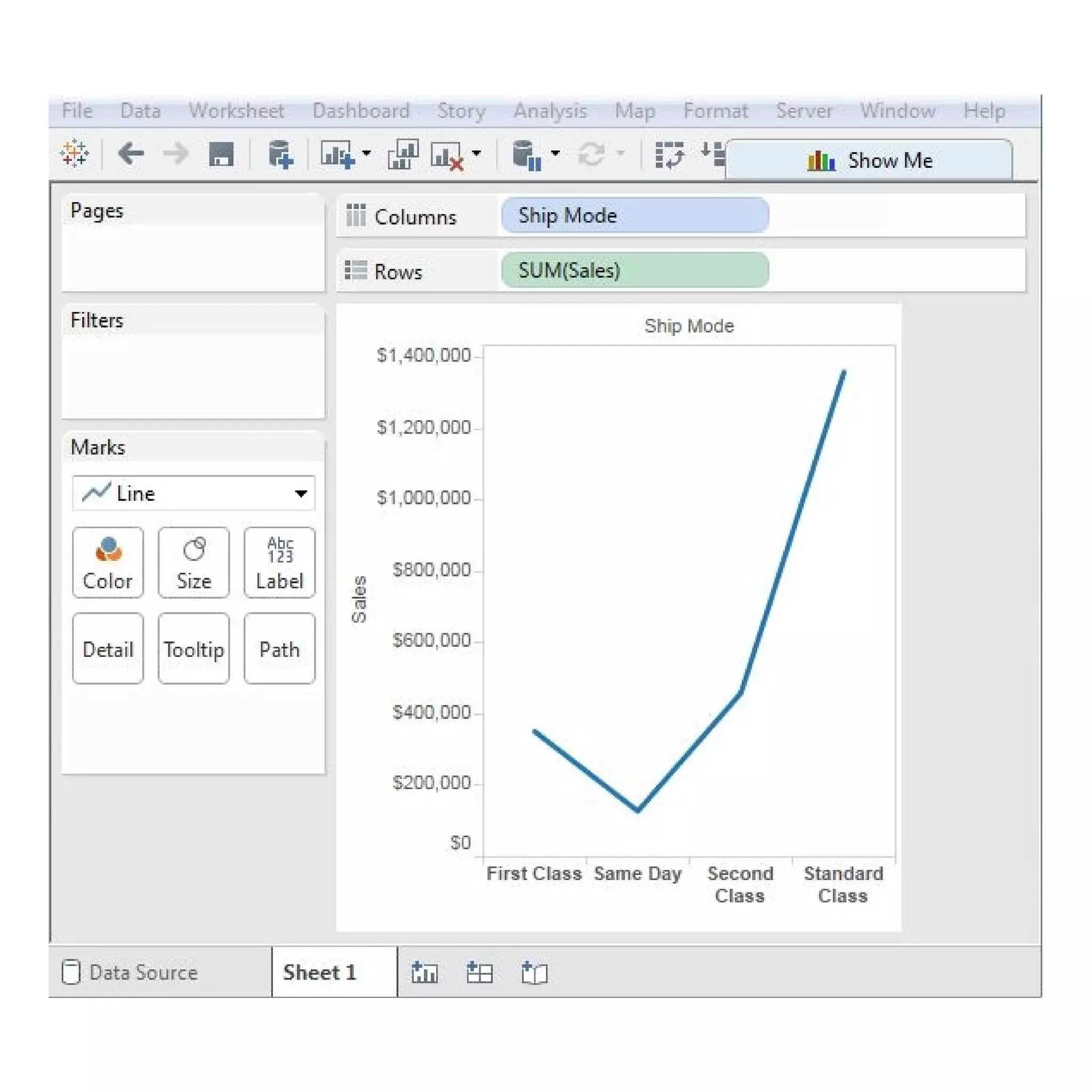
Choose one dimension and one measure to create
a simple line chart.
Drag the dimension Ship Mode to Columns Shelf
and Sales to the Rows shelf.
Choose the Line chart from the Marks card.
You will get the following line chart, which shows
the variation of Sales for different Ship modes.
Multiple Measure Line Chart
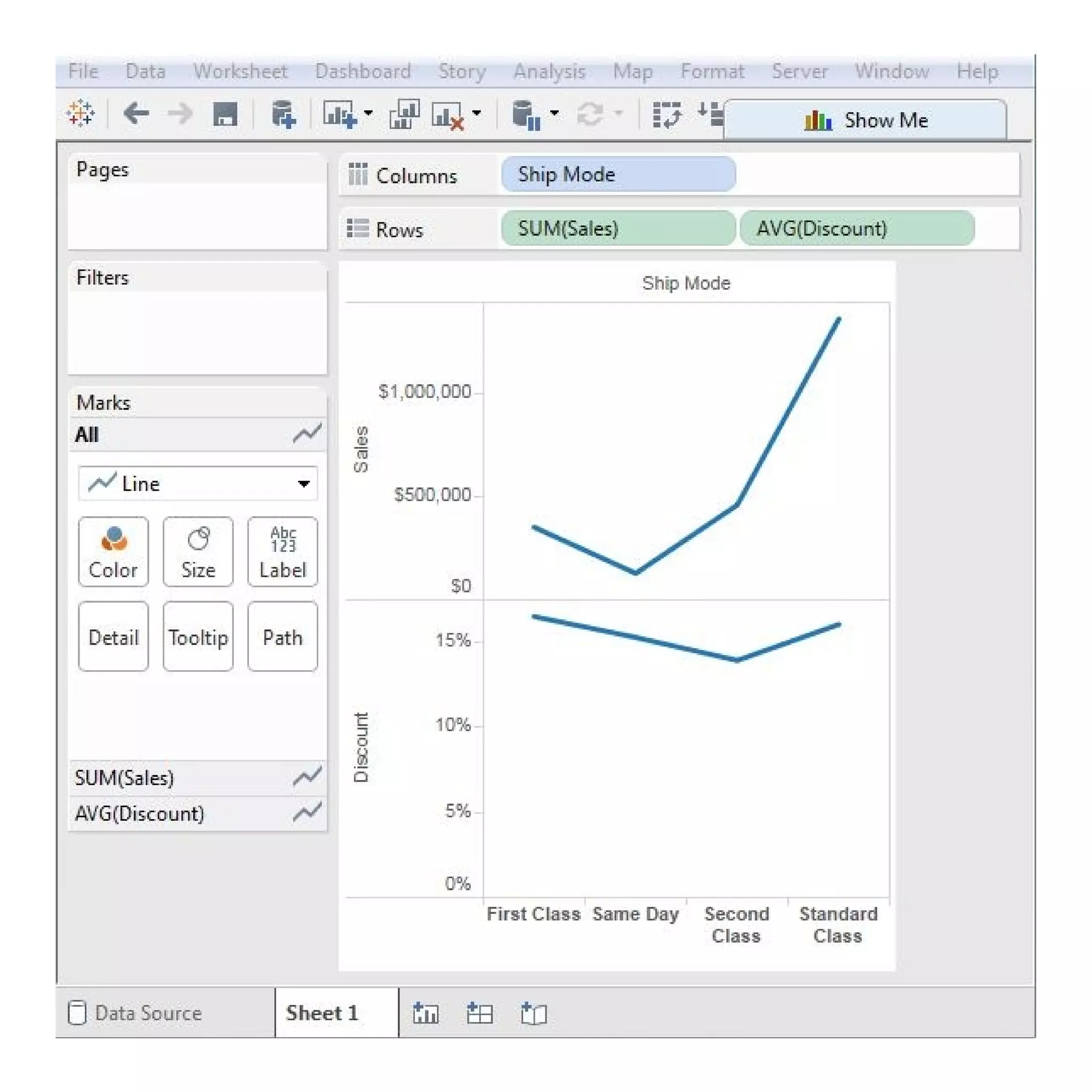
You can use one dimension with two or more
measures in a line chart.
This will produce multiple line charts, each in one
pane.
Each pane represents the variation of the
dimension with one of the measures.
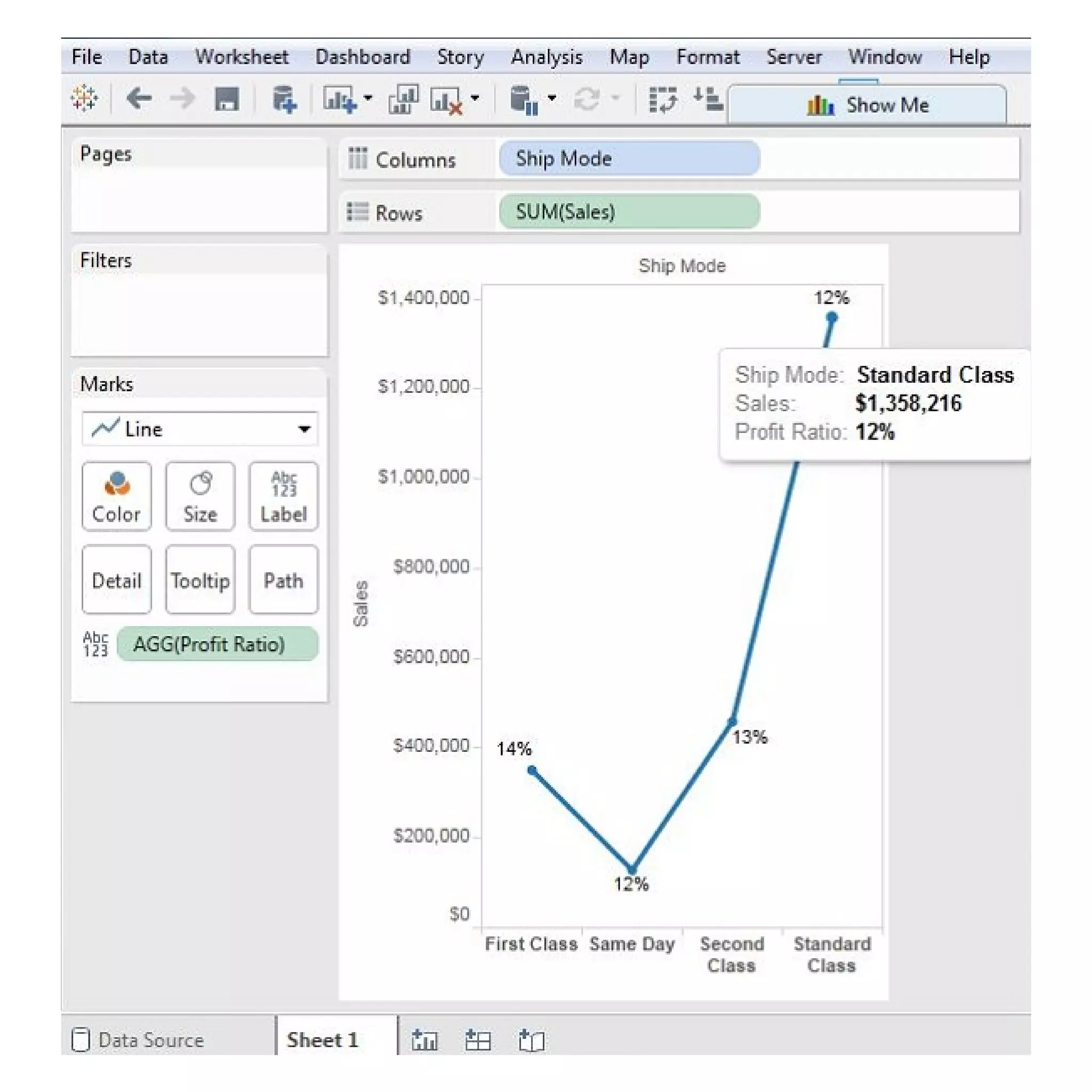
Each of the points making the line chart can be
labeled to make the values of the measure visible.
In this case, drop another measure Profit Ratio
into the labels pane in the Marks card.
Choose average as the aggregation and you will
get the following chart showing the labels.
Line Chart with Label
Tableau - Pie Chart
Tableau - Crosstab
Tableau - Scatter Plot
Stay Tuned with
Topics for next Post

Tableau line chart

  • 1.
    Swipe Tableau - LineChart Tableau
  • 2.
    In a linechart, a measure and a dimension are taken along the two axes of the chart area. The pair of values for each observation becomes a point and the joining of all these points create a line showing the variation or relationship between the dimensions and measures chosen. Tableau - Line Chart
  • 3.
    Simple Line Chart Chooseone dimension and one measure to create a simple line chart. Drag the dimension Ship Mode to Columns Shelf and Sales to the Rows shelf. Choose the Line chart from the Marks card. You will get the following line chart, which shows the variation of Sales for different Ship modes.
  • 5.
    Multiple Measure LineChart You can use one dimension with two or more measures in a line chart. This will produce multiple line charts, each in one pane. Each pane represents the variation of the dimension with one of the measures.
  • 7.
    Each of thepoints making the line chart can be labeled to make the values of the measure visible. In this case, drop another measure Profit Ratio into the labels pane in the Marks card. Choose average as the aggregation and you will get the following chart showing the labels. Line Chart with Label
  • 9.
    Tableau - PieChart Tableau - Crosstab Tableau - Scatter Plot Stay Tuned with Topics for next Post