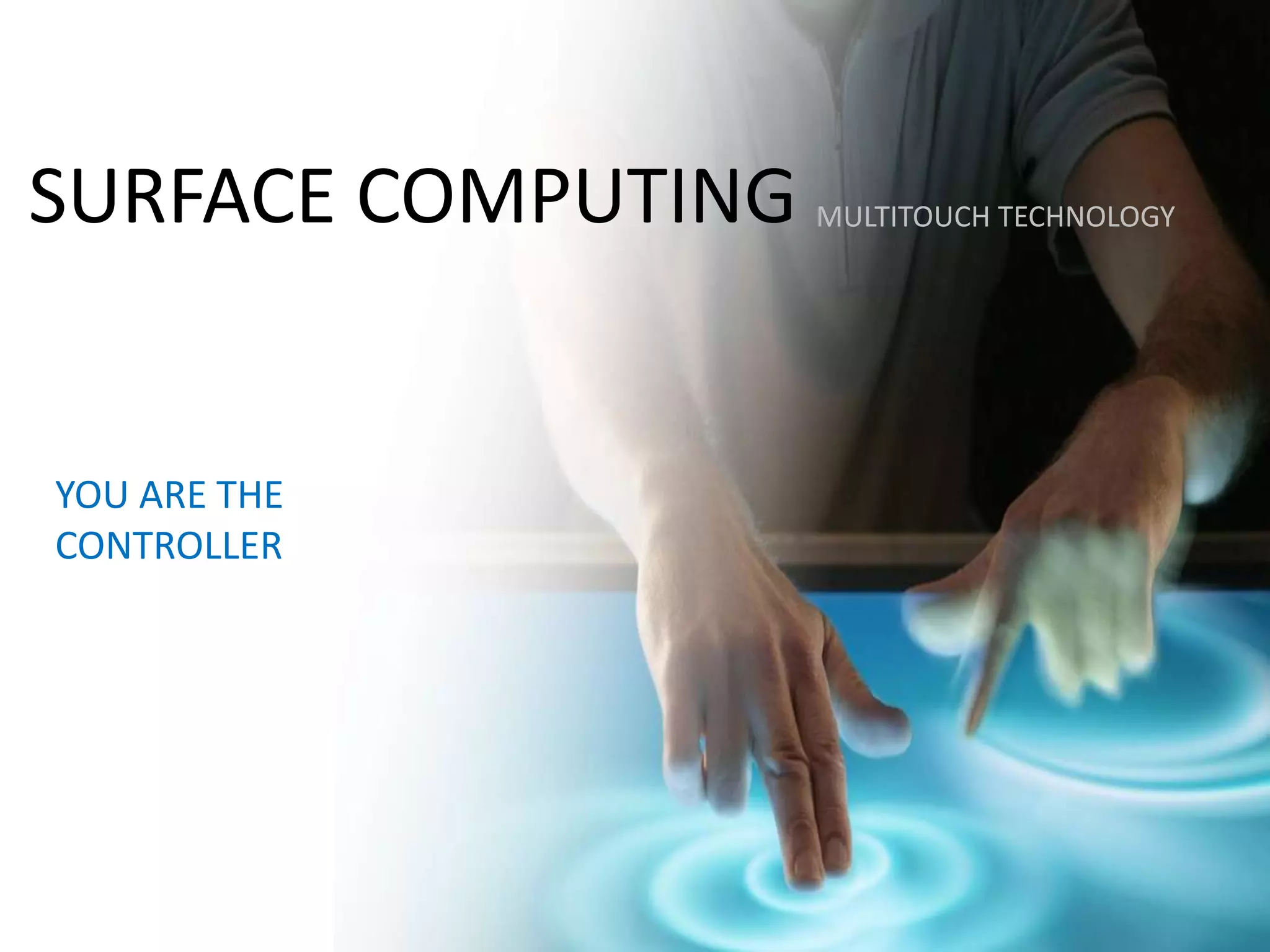
SURFACE COMPUTING
YOU ARE THE
CONTROLLER
MULTITOUCH TECHNOLOGY
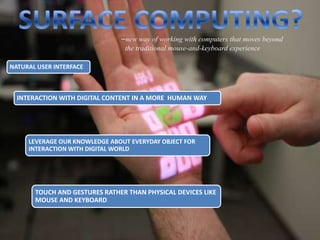
–new way of working with computers that moves beyond
the traditional mouse-and-keyboard experience
NATURAL USER INTERFACE
INTERACTION WITH DIGITAL CONTENT IN A MORE HUMAN WAY
LEVERAGE OUR KNOWLEDGE ABOUT EVERYDAY OBJECT FOR
INTERACTION WITH DIGITAL WORLD
TOUCH AND GESTURES RATHER THAN PHYSICAL DEVICES LIKE
MOUSE AND KEYBOARD
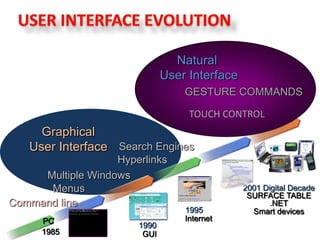
Graphical
User Interface
Command line
1985
PC
1990
GUI
Multiple Windows
Menus
1995
Internet
Hyperlinks
Search Engines
2001 Digital Decade
SURFACE TABLE
.NET
Smart devices
Natural
User Interface
GESTURE COMMANDS
TOUCH CONTROL
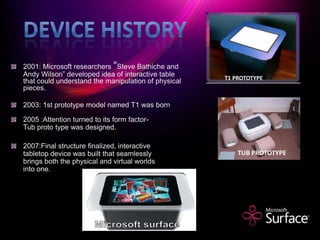
2001: Microsoft researchers “Steve Bathiche and
Andy Wilson” developed idea of interactive table
that could understand the manipulation of physical
pieces.
2003: 1st prototype model named T1 was born
2005 :Attention turned to its form factor-
Tub proto type was designed.
2007:Final structure finalized, interactive
tabletop device was built that seamlessly
brings both the physical and virtual worlds
into one.
T1 PROTOTYPE
TUB PROTOTYPE
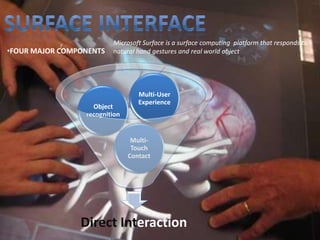
Microsoft Surface is a surface computing platform that responds to
natural hand gestures and real world object
Direct Interaction
Multi-
Touch
Contact
Object
recognition
Multi-User
Experience
•FOUR MAJOR COMPONENTS
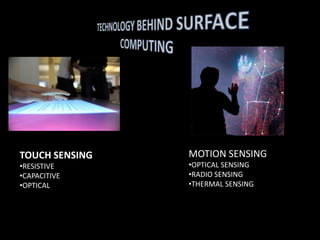
TOUCH SENSING
•RESISTIVE
•CAPACITIVE
•OPTICAL
MOTION SENSING
•OPTICAL SENSING
•RADIO SENSING
•THERMAL SENSING
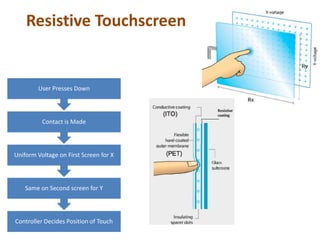
Controller Decides Position of Touch
Same on Second screen for Y
Uniform Voltage on First Screen for X
Contact is Made
User Presses Down
Resistive Touchscreen
WORKING
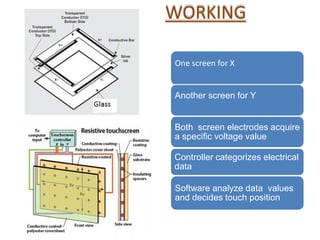
One screen for X
Another screen for Y
Both screen electrodes acquire
a specific voltage value
Controller categorizes electrical
data
Software analyze data values
and decides touch position
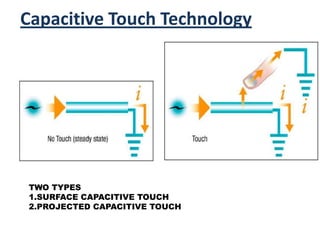
Capacitive Touch Technology
BEFORE
TWO TYPES
1.SURFACE CAPACITIVE TOUCH
2.PROJECTED CAPACITIVE TOUCH
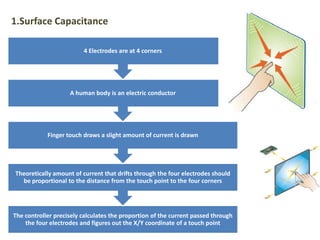
The controller precisely calculates the proportion of the current passed through
the four electrodes and figures out the X/Y coordinate of a touch point
Theoretically amount of current that drifts through the four electrodes should
be proportional to the distance from the touch point to the four corners
Finger touch draws a slight amount of current is drawn
A human body is an electric conductor
4 Electrodes are at 4 corners
1.Surface Capacitance
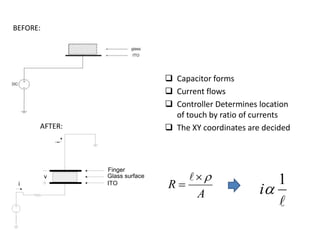
 Capacitor forms
 Current flows
 Controller Determines location
of touch by ratio of currents
 The XY coordinates are decided
ITO
Glass surface
Finger
i
i
v
A
R




1
i
BEFORE:
AFTER:
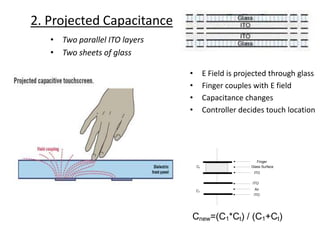
2. Projected Capacitance
• Two parallel ITO layers
• Two sheets of glass
• E Field is projected through glass
• Finger couples with E field
• Capacitance changes
• Controller decides touch location
ITO
Air
ITO
ITO
Glass Surface
Finger
C1
Ct
Cnew=(C1*Ct) / (C1+Ct)
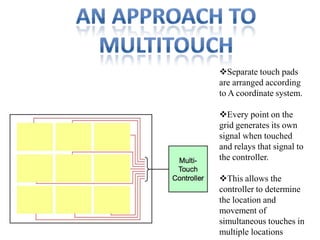
Separate touch pads
are arranged according
to A coordinate system.
Every point on the
grid generates its own
signal when touched
and relays that signal to
the controller.
This allows the
controller to determine
the location and
movement of
simultaneous touches in
multiple locations
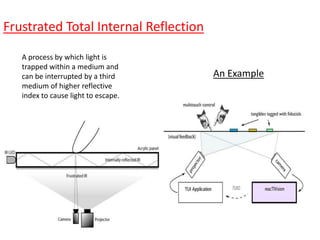
A process by which light is
trapped within a medium and
can be interrupted by a third
medium of higher reflective
index to cause light to escape.
Frustrated Total Internal Reflection
An Example
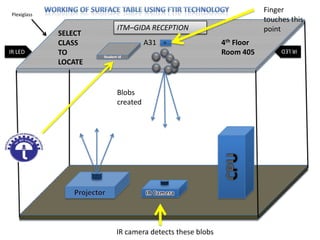
IR LED
IRLED
ITM–GIDA RECEPTION
SELECT
CLASS
TO
LOCATE
A31 4th Floor
Room 405
Finger
touches this
point
Blobs
created
IR camera detects these blobs
Plexiglass
Student id
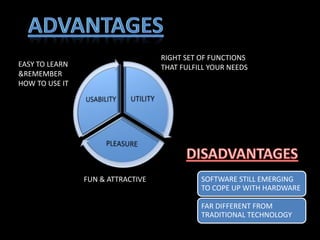
FUN & ATTRACTIVE
RIGHT SET OF FUNCTIONS
THAT FULFILL YOUR NEEDSEASY TO LEARN
&REMEMBER
HOW TO USE IT
SOFTWARE STILL EMERGING
TO COPE UP WITH HARDWARE
FAR DIFFERENT FROM
TRADITIONAL TECHNOLOGY
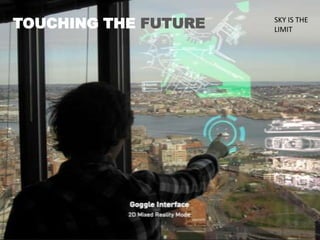
TOUCHING THE FUTURE SKY IS THE
LIMIT
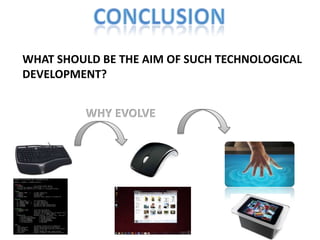
WHAT SHOULD BE THE AIM OF SUCH TECHNOLOGICAL
DEVELOPMENT?
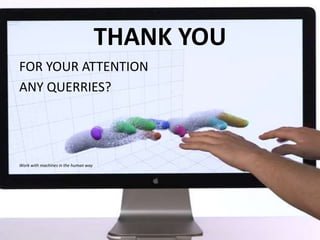
THANK YOU
FOR YOUR ATTENTION
ANY QUERRIES?
Work with machines in the human way

Surface Computing

  • 1.
    SURFACE COMPUTING YOU ARETHE CONTROLLER MULTITOUCH TECHNOLOGY
  • 2.
    –new way ofworking with computers that moves beyond the traditional mouse-and-keyboard experience NATURAL USER INTERFACE INTERACTION WITH DIGITAL CONTENT IN A MORE HUMAN WAY LEVERAGE OUR KNOWLEDGE ABOUT EVERYDAY OBJECT FOR INTERACTION WITH DIGITAL WORLD TOUCH AND GESTURES RATHER THAN PHYSICAL DEVICES LIKE MOUSE AND KEYBOARD
  • 3.
    Graphical User Interface Command line 1985 PC 1990 GUI MultipleWindows Menus 1995 Internet Hyperlinks Search Engines 2001 Digital Decade SURFACE TABLE .NET Smart devices Natural User Interface GESTURE COMMANDS TOUCH CONTROL
  • 4.
    2001: Microsoft researchers“Steve Bathiche and Andy Wilson” developed idea of interactive table that could understand the manipulation of physical pieces. 2003: 1st prototype model named T1 was born 2005 :Attention turned to its form factor- Tub proto type was designed. 2007:Final structure finalized, interactive tabletop device was built that seamlessly brings both the physical and virtual worlds into one. T1 PROTOTYPE TUB PROTOTYPE
  • 5.
    Microsoft Surface isa surface computing platform that responds to natural hand gestures and real world object Direct Interaction Multi- Touch Contact Object recognition Multi-User Experience •FOUR MAJOR COMPONENTS
  • 6.
  • 7.
    Controller Decides Positionof Touch Same on Second screen for Y Uniform Voltage on First Screen for X Contact is Made User Presses Down Resistive Touchscreen
  • 8.
    WORKING One screen forX Another screen for Y Both screen electrodes acquire a specific voltage value Controller categorizes electrical data Software analyze data values and decides touch position
  • 9.
    Capacitive Touch Technology BEFORE TWOTYPES 1.SURFACE CAPACITIVE TOUCH 2.PROJECTED CAPACITIVE TOUCH
  • 10.
    The controller preciselycalculates the proportion of the current passed through the four electrodes and figures out the X/Y coordinate of a touch point Theoretically amount of current that drifts through the four electrodes should be proportional to the distance from the touch point to the four corners Finger touch draws a slight amount of current is drawn A human body is an electric conductor 4 Electrodes are at 4 corners 1.Surface Capacitance
  • 11.
     Capacitor forms Current flows  Controller Determines location of touch by ratio of currents  The XY coordinates are decided ITO Glass surface Finger i i v A R     1 i BEFORE: AFTER:
  • 12.
    2. Projected Capacitance •Two parallel ITO layers • Two sheets of glass • E Field is projected through glass • Finger couples with E field • Capacitance changes • Controller decides touch location ITO Air ITO ITO Glass Surface Finger C1 Ct Cnew=(C1*Ct) / (C1+Ct)
  • 13.
    Separate touch pads arearranged according to A coordinate system. Every point on the grid generates its own signal when touched and relays that signal to the controller. This allows the controller to determine the location and movement of simultaneous touches in multiple locations
  • 15.
    A process bywhich light is trapped within a medium and can be interrupted by a third medium of higher reflective index to cause light to escape. Frustrated Total Internal Reflection An Example
  • 16.
    IR LED IRLED ITM–GIDA RECEPTION SELECT CLASS TO LOCATE A314th Floor Room 405 Finger touches this point Blobs created IR camera detects these blobs Plexiglass Student id
  • 17.
    FUN & ATTRACTIVE RIGHTSET OF FUNCTIONS THAT FULFILL YOUR NEEDSEASY TO LEARN &REMEMBER HOW TO USE IT SOFTWARE STILL EMERGING TO COPE UP WITH HARDWARE FAR DIFFERENT FROM TRADITIONAL TECHNOLOGY
  • 18.
    TOUCHING THE FUTURESKY IS THE LIMIT
  • 19.
    WHAT SHOULD BETHE AIM OF SUCH TECHNOLOGICAL DEVELOPMENT?
  • 20.
    THANK YOU FOR YOURATTENTION ANY QUERRIES? Work with machines in the human way