Touchscreen
Electronics And communication Engineering Department
Guided by :-
Mr. Hemant Kumar
Submitted by :-
Aditya Porwal
0802EC111004
Session 2012
1 Introduction
2 History
3 Technologies
3.1 Resistive
3.2 Surface acoustic wave
3.3 Capacitive
3.3.1 Surface capacitance
Content
3.4 Acoustic pulse recognition
4 Construction
5 Development
6 Ergonomics and usage
3.3.2 Projected capacitance
6.2 Fingerprints
6.3 "Gorilla arm"
7 Screen protectors
6.1 Fingernail as stylus
INTRODUCTION
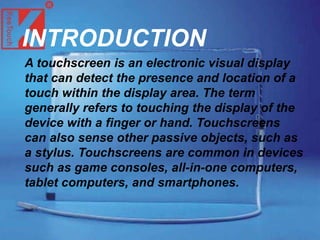
A touchscreen is an electronic visual display
that can detect the presence and location of a
touch within the display area. The term
generally refers to touching the display of the
device with a finger or hand. Touchscreens
can also sense other passive objects, such as
a stylus. Touchscreens are common in devices
such as game consoles, all-in-one computers,
tablet computers, and smartphones.
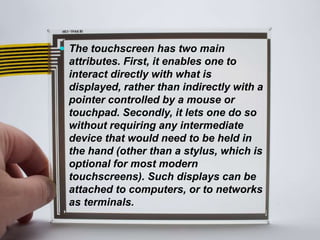
 The touchscreen has two main
attributes. First, it enables one to
interact directly with what is
displayed, rather than indirectly with a
pointer controlled by a mouse or
touchpad. Secondly, it lets one do so
without requiring any intermediate
device that would need to be held in
the hand (other than a stylus, which is
optional for most modern
touchscreens). Such displays can be
attached to computers, or to networks
as terminals.
 They also play a prominent role in
the design of digital appliances
such as the personal digital
assistant (PDA), satellite
navigation devices, mobile
phones, and video games.
The popularity of smartphones, tablet
computers and many types of
information appliances is driving the
demand and acceptance of common
touchscreens for portable and
functional electronics.
With a display of a simple smooth
surface, and direct interaction without
any hardware (keyboard or mouse)
between the user and content, fewer
accessories are required.
.
 Touchscreens are popular in the
medical field, and in heavy
industry, as well as kiosks such as
museum displays or room
automation, where keyboard and
mouse systems do not allow a
suitably intuitive, rapid, or
accurate interaction by the user
with the display's content
A child solves a
computerized puzzle
using a
touchscreen.
iPadtablet computer
on a stand
History
 The prototype x-y mutual
capacitance touchscreen (left)
developed at CERN in 1977 by
Bent Stumpe, a Danish
electronics engineer, for the
control room of CERN’s
accelerator SPS (Super Proton
Synchrotron). This was a further
development of the self-
capacitance screen (right), also
developed by Stumpe at CERN
in 1972.
 E.A. Johnson described his work on capacitive
touch screens in a short article published in 1965
 Bent Stumpe with the aid of Frank Beck, both
engineers from CERN, developed a transparent
touch screen in the early 1970s and it was
manufactured by CERN and put to use in 1973.
 American inventor G Samuel Hurst and the first
version produced in 1982.
 An early attempt at a handheld game console
with touchscreen controls was Sega's intended
successor to the Game Gear, though the device
was ultimately shelved and never released due to
the expensive cost of touchscreen technology in
the early 1990s.
 Touchscreens would not be popularly used for
video games until the release of the Nintendo DS
in 2004. Until recently, most consumer
touchscreens could only sense one point of
contact at a time, and few have had the capability
to sense how hard one is touching. This has
changed with the commercialization of multi-
touch technology.
Technologies
There are a variety of touchscreen technologies that
have different methods of sensing touch.
Resistive
 A resistive touchscreen panel comprises several
layers, the most important of which are two thin,
transparent electrically-resistive layers separated by a
thin space. These layers face each other, with a thin
gap between.The top screen (the screen that is
touched) has a coating on the underside surface of the
screen. Just beneath it is a similar resistive layer on
top of its substrate. One layer has conductive
connections along its sides, the other along top and
bottom. A voltage is passed through one layer, and
sensed at the other.
 When an object, such as a fingertip or stylus tip,
presses down on the outer surface, the two layers
touch to become connected at that point The
panel then behaves as a pair of voltage dividers,
one axis at a time. By rapidly switching between
each layer, the position of a pressure on the
screen can be read.
 Resistive touch is used in restaurants, factories
and hospitals due to its high resistance to liquids
and contaminants.
 A major benefit of resistive touch technology
is its low cost. Disadvantages include the
need to press down, and a risk of damage by
sharp objects.
 Resistive touchscreens also suffer from
poorer contrast, due to having additional
reflections from the extra layer of material
placed over the screen.
Surface acoustic wave
 Surface acoustic wave (SAW)
technology uses ultrasonic waves
that pass over the touchscreen
panel. When the panel is touched, a
portion of the wave is absorbed.
This change in the ultrasonic waves
registers the position of the touch
event and sends this information to
the controller for processing.
Surface wave touchscreen panels
can be damaged by outside
elements. Contaminants on the
surface can also interfere with the
functionality of the touchscreen.
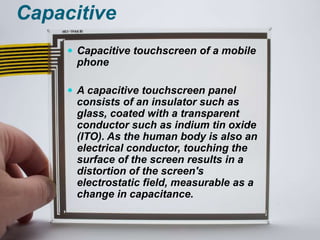
Capacitive
 Capacitive touchscreen of a mobile
phone
 A capacitive touchscreen panel
consists of an insulator such as
glass, coated with a transparent
conductor such as indium tin oxide
(ITO). As the human body is also an
electrical conductor, touching the
surface of the screen results in a
distortion of the screen's
electrostatic field, measurable as a
change in capacitance.
 Different technologies may be used to determine
the location of the touch. The location is then
sent to the controller for processing.
 Unlike a resistive touchscreen, one cannot use a
capacitive touchscreen through most types of
electrically insulating material, such as gloves;
one requires a special capacitive stylus, or a
special-application glove with an embroidered
patch of conductive thread passing through it
and contacting the user's fingertip.
 This disadvantage especially affects usability in
consumer electronics, such as touch tablet PCs
and capacitive smartphones in cold weather. In
response, there are gloves on the market with
one or more fingertips that include conductive
material, thus overcoming this limitation.
 In this basic technology, only
one side of the insulator is
coated with a conductive layer.
A small voltage is applied to the
layer, resulting in a uniform
electrostatic field. When a
conductor, such as a human
finger, touches the uncoated
surface, a capacitor is
dynamically formed. The
sensor's controller can
determine the location of the
touch indirectly from the
change in the capacitance as
measured from the four corners
of the panel.
Surface capacitance
Projected capacitance
 Back side of a Multitouch Globe,
based on Projected Capacitive
Touch (PCT) technology.
 Projected Capacitive Touch (PCT;
also PCAP) technology is a variant
of capacitive touch technology. All
PCT touch screens are made up of
a matrix of rows and columns of
conductive material, layered on
sheets of glass.
 This can be done either by etching a single
conductive layer to form a grid pattern of
electrodes, or by etching two separate,
perpendicular layers of conductive material with
parallel lines or tracks to form a grid. Voltage
applied to this grid creates a uniform
electrostatic field, which can be measured.
Acoustic pulse recognition
 In this system, introduced by Tyco
International's Elo division in 2006,
the key to the invention is that a touch
at each position on the glass
generates a unique sound. Four tiny
transducers attached to the edges of
the touchscreen glass pick up the
sound of the touch. The sound is then
digitized by the controller and
compared to a list of prerecorded
sounds for every position on the
glass. The cursor position is instantly
updated to the touch location. APR is
designed to ignore extraneous and
ambient sounds, since they do not
match a stored sound profile.
Construction
 There are several principal ways to
build a touchscreen. The key goals
are to recognize one or more
fingers touching a display, to
interpret the command that this
represents, and to communicate
the command to the appropriate
application.
 In the most popular techniques, the
capacitive or resistive approach,
there are typically four layers:
 Top polyester coated with a
transparent metallic conductive
coating on the bottom
 Adhesive spacer
 Glass layer coated with a
transparent metallic conductive
coating on the top
 Adhesive layer on the backside of
the glass for mounting.
 When a user touches the surface, the system
records the change in the electrical current that
flows through the display.
Development
 Most touchscreen patents were filed during the 1970s
and 1980s and have expired. Touchscreen component
manufacturing and product design are no longer
encumbered by royalties or legalities with regard to
patents and the use of touchscreen-enabled displays
is widespread.
 The development of multipoint touchscreens facilitated
the tracking of more than one finger on the screen;
thus, operations that require more than one finger are
possible. These devices also allow multiple users to
interact with the touchscreen simultaneously.
 With the growing use of touchscreens, the marginal
cost of touchscreen technology is routinely absorbed
into the products that incorporate it and is nearly
eliminated.
 Touchscreens now have proven reliability. Thus,
touchscreen displays are found today in airplanes,
automobiles, gaming consoles, machine control
systems, appliances, and handheld display devices
including the Nintendo DS and multi-touch enabled
cellphones; the touchscreen market for mobile
devices is projected to produce US$5 billion in
2009.
 The ability to accurately point on the screen itself
is also advancing with the emerging graphics
tablet/screen hybrids.
 TapSense, announced in October 2011, allows
touchscreens to distinguish what part of the
hand was used for input, such as the fingertip,
knuckle and fingernail. This could be used in a
variety of ways, for example, to copy and paste,
to capitalize letters, to active different drawing
modes, and similar.
Ergonomics and usage
 Fingernail as stylus
Pointed nail for easier typing. This concept--using a pointed
fingernail to specifically use as a stylus for writing-tablet
communication--appeared in the 1950 science fiction short
story "Scanners Live in Vain".
 These ergonomic issues of
direct touch can be bypassed
by using a different technique,
provided that the user's
fingernails are either short or
sufficiently long. Rather than
pressing with the soft skin of
an outstretched fingertip, the
finger is curled over, so that
the tip of a fingernail can be
used instead. This method
does not work on capacitive
touchscreens.
 The fingernail's hard, curved
surface contacts the touchscreen
at one very small point. Therefore,
much less finger pressure is
needed, much greater precision is
possible (approaching that of a
stylus, with a little experience),
much less skin oil is smeared onto
the screen, and the fingernail can
be silently moved across the
screen with very little resistance,
allowing for selecting text, moving
windows, or drawing lines.
 The human fingernail consists of
keratin which has a hardness and
smoothness similar to the tip of a
stylus (and so will not typically
scratch a touchscreen).
Alternatively, very short stylus
tips are available, which slip right
onto the end of a finger; this
increases visibility of the contact
point with the screen.
Fingerprints
 Touchscreens can suffer from the
problem of fingerprints on the
display. This can be mitigated by the
use of materials with optical
coatings designed to reduce the
visible effects of fingerprint oils, or
oleophobic coatings as used in the
iPhone 3GS, which lessen the actual
amount of oil residue, or by
installing a matte-finish anti-glare
screen protector, which creates a
slightly roughened surface that does
not easily retain smudges, or by
reducing skin contact by using a
fingernail or stylus.
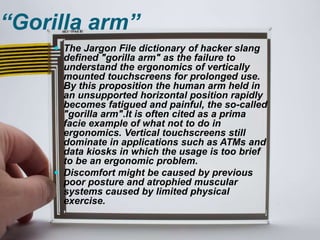
“Gorilla arm”
 The Jargon File dictionary of hacker slang
defined "gorilla arm" as the failure to
understand the ergonomics of vertically
mounted touchscreens for prolonged use.
By this proposition the human arm held in
an unsupported horizontal position rapidly
becomes fatigued and painful, the so-called
"gorilla arm".It is often cited as a prima
facie example of what not to do in
ergonomics. Vertical touchscreens still
dominate in applications such as ATMs and
data kiosks in which the usage is too brief
to be an ergonomic problem.
 Discomfort might be caused by previous
poor posture and atrophied muscular
systems caused by limited physical
exercise.
Screen protectors
 Some touchscreens, primarily
those employed in smartphones,
use transparent plastic
protectors to prevent any
scratches that might be caused
by day-to-day use from becoming
permanent.
Installing a screen protector on a
Nokia C2-02
THANK YOU

Touchscreen-MOBILE TECHNOLOGY

  • 1.
    Touchscreen Electronics And communicationEngineering Department Guided by :- Mr. Hemant Kumar Submitted by :- Aditya Porwal 0802EC111004 Session 2012
  • 2.
    1 Introduction 2 History 3Technologies 3.1 Resistive 3.2 Surface acoustic wave 3.3 Capacitive 3.3.1 Surface capacitance Content
  • 3.
    3.4 Acoustic pulserecognition 4 Construction 5 Development 6 Ergonomics and usage 3.3.2 Projected capacitance
  • 4.
    6.2 Fingerprints 6.3 "Gorillaarm" 7 Screen protectors 6.1 Fingernail as stylus
  • 5.
    INTRODUCTION A touchscreen isan electronic visual display that can detect the presence and location of a touch within the display area. The term generally refers to touching the display of the device with a finger or hand. Touchscreens can also sense other passive objects, such as a stylus. Touchscreens are common in devices such as game consoles, all-in-one computers, tablet computers, and smartphones.
  • 6.
     The touchscreenhas two main attributes. First, it enables one to interact directly with what is displayed, rather than indirectly with a pointer controlled by a mouse or touchpad. Secondly, it lets one do so without requiring any intermediate device that would need to be held in the hand (other than a stylus, which is optional for most modern touchscreens). Such displays can be attached to computers, or to networks as terminals.
  • 7.
     They alsoplay a prominent role in the design of digital appliances such as the personal digital assistant (PDA), satellite navigation devices, mobile phones, and video games.
  • 8.
    The popularity ofsmartphones, tablet computers and many types of information appliances is driving the demand and acceptance of common touchscreens for portable and functional electronics. With a display of a simple smooth surface, and direct interaction without any hardware (keyboard or mouse) between the user and content, fewer accessories are required. .
  • 9.
     Touchscreens arepopular in the medical field, and in heavy industry, as well as kiosks such as museum displays or room automation, where keyboard and mouse systems do not allow a suitably intuitive, rapid, or accurate interaction by the user with the display's content
  • 10.
    A child solvesa computerized puzzle using a touchscreen. iPadtablet computer on a stand
  • 11.
    History  The prototypex-y mutual capacitance touchscreen (left) developed at CERN in 1977 by Bent Stumpe, a Danish electronics engineer, for the control room of CERN’s accelerator SPS (Super Proton Synchrotron). This was a further development of the self- capacitance screen (right), also developed by Stumpe at CERN in 1972.
  • 12.
     E.A. Johnsondescribed his work on capacitive touch screens in a short article published in 1965  Bent Stumpe with the aid of Frank Beck, both engineers from CERN, developed a transparent touch screen in the early 1970s and it was manufactured by CERN and put to use in 1973.  American inventor G Samuel Hurst and the first version produced in 1982.
  • 13.
     An earlyattempt at a handheld game console with touchscreen controls was Sega's intended successor to the Game Gear, though the device was ultimately shelved and never released due to the expensive cost of touchscreen technology in the early 1990s.  Touchscreens would not be popularly used for video games until the release of the Nintendo DS in 2004. Until recently, most consumer touchscreens could only sense one point of contact at a time, and few have had the capability to sense how hard one is touching. This has changed with the commercialization of multi- touch technology.
  • 14.
    Technologies There are avariety of touchscreen technologies that have different methods of sensing touch. Resistive  A resistive touchscreen panel comprises several layers, the most important of which are two thin, transparent electrically-resistive layers separated by a thin space. These layers face each other, with a thin gap between.The top screen (the screen that is touched) has a coating on the underside surface of the screen. Just beneath it is a similar resistive layer on top of its substrate. One layer has conductive connections along its sides, the other along top and bottom. A voltage is passed through one layer, and sensed at the other.
  • 15.
     When anobject, such as a fingertip or stylus tip, presses down on the outer surface, the two layers touch to become connected at that point The panel then behaves as a pair of voltage dividers, one axis at a time. By rapidly switching between each layer, the position of a pressure on the screen can be read.  Resistive touch is used in restaurants, factories and hospitals due to its high resistance to liquids and contaminants.
  • 16.
     A majorbenefit of resistive touch technology is its low cost. Disadvantages include the need to press down, and a risk of damage by sharp objects.  Resistive touchscreens also suffer from poorer contrast, due to having additional reflections from the extra layer of material placed over the screen.
  • 17.
    Surface acoustic wave Surface acoustic wave (SAW) technology uses ultrasonic waves that pass over the touchscreen panel. When the panel is touched, a portion of the wave is absorbed. This change in the ultrasonic waves registers the position of the touch event and sends this information to the controller for processing. Surface wave touchscreen panels can be damaged by outside elements. Contaminants on the surface can also interfere with the functionality of the touchscreen.
  • 18.
    Capacitive  Capacitive touchscreenof a mobile phone  A capacitive touchscreen panel consists of an insulator such as glass, coated with a transparent conductor such as indium tin oxide (ITO). As the human body is also an electrical conductor, touching the surface of the screen results in a distortion of the screen's electrostatic field, measurable as a change in capacitance.
  • 19.
     Different technologiesmay be used to determine the location of the touch. The location is then sent to the controller for processing.  Unlike a resistive touchscreen, one cannot use a capacitive touchscreen through most types of electrically insulating material, such as gloves; one requires a special capacitive stylus, or a special-application glove with an embroidered patch of conductive thread passing through it and contacting the user's fingertip.
  • 20.
     This disadvantageespecially affects usability in consumer electronics, such as touch tablet PCs and capacitive smartphones in cold weather. In response, there are gloves on the market with one or more fingertips that include conductive material, thus overcoming this limitation.
  • 21.
     In thisbasic technology, only one side of the insulator is coated with a conductive layer. A small voltage is applied to the layer, resulting in a uniform electrostatic field. When a conductor, such as a human finger, touches the uncoated surface, a capacitor is dynamically formed. The sensor's controller can determine the location of the touch indirectly from the change in the capacitance as measured from the four corners of the panel. Surface capacitance
  • 22.
    Projected capacitance  Backside of a Multitouch Globe, based on Projected Capacitive Touch (PCT) technology.  Projected Capacitive Touch (PCT; also PCAP) technology is a variant of capacitive touch technology. All PCT touch screens are made up of a matrix of rows and columns of conductive material, layered on sheets of glass.
  • 23.
     This canbe done either by etching a single conductive layer to form a grid pattern of electrodes, or by etching two separate, perpendicular layers of conductive material with parallel lines or tracks to form a grid. Voltage applied to this grid creates a uniform electrostatic field, which can be measured.
  • 24.
    Acoustic pulse recognition In this system, introduced by Tyco International's Elo division in 2006, the key to the invention is that a touch at each position on the glass generates a unique sound. Four tiny transducers attached to the edges of the touchscreen glass pick up the sound of the touch. The sound is then digitized by the controller and compared to a list of prerecorded sounds for every position on the glass. The cursor position is instantly updated to the touch location. APR is designed to ignore extraneous and ambient sounds, since they do not match a stored sound profile.
  • 25.
    Construction  There areseveral principal ways to build a touchscreen. The key goals are to recognize one or more fingers touching a display, to interpret the command that this represents, and to communicate the command to the appropriate application.  In the most popular techniques, the capacitive or resistive approach, there are typically four layers:  Top polyester coated with a transparent metallic conductive coating on the bottom  Adhesive spacer  Glass layer coated with a transparent metallic conductive coating on the top  Adhesive layer on the backside of the glass for mounting.
  • 26.
     When auser touches the surface, the system records the change in the electrical current that flows through the display.
  • 27.
    Development  Most touchscreenpatents were filed during the 1970s and 1980s and have expired. Touchscreen component manufacturing and product design are no longer encumbered by royalties or legalities with regard to patents and the use of touchscreen-enabled displays is widespread.  The development of multipoint touchscreens facilitated the tracking of more than one finger on the screen; thus, operations that require more than one finger are possible. These devices also allow multiple users to interact with the touchscreen simultaneously.  With the growing use of touchscreens, the marginal cost of touchscreen technology is routinely absorbed into the products that incorporate it and is nearly eliminated.
  • 28.
     Touchscreens nowhave proven reliability. Thus, touchscreen displays are found today in airplanes, automobiles, gaming consoles, machine control systems, appliances, and handheld display devices including the Nintendo DS and multi-touch enabled cellphones; the touchscreen market for mobile devices is projected to produce US$5 billion in 2009.
  • 29.
     The abilityto accurately point on the screen itself is also advancing with the emerging graphics tablet/screen hybrids.  TapSense, announced in October 2011, allows touchscreens to distinguish what part of the hand was used for input, such as the fingertip, knuckle and fingernail. This could be used in a variety of ways, for example, to copy and paste, to capitalize letters, to active different drawing modes, and similar.
  • 30.
    Ergonomics and usage Fingernail as stylus Pointed nail for easier typing. This concept--using a pointed fingernail to specifically use as a stylus for writing-tablet communication--appeared in the 1950 science fiction short story "Scanners Live in Vain".
  • 31.
     These ergonomicissues of direct touch can be bypassed by using a different technique, provided that the user's fingernails are either short or sufficiently long. Rather than pressing with the soft skin of an outstretched fingertip, the finger is curled over, so that the tip of a fingernail can be used instead. This method does not work on capacitive touchscreens.
  • 32.
     The fingernail'shard, curved surface contacts the touchscreen at one very small point. Therefore, much less finger pressure is needed, much greater precision is possible (approaching that of a stylus, with a little experience), much less skin oil is smeared onto the screen, and the fingernail can be silently moved across the screen with very little resistance, allowing for selecting text, moving windows, or drawing lines.
  • 33.
     The humanfingernail consists of keratin which has a hardness and smoothness similar to the tip of a stylus (and so will not typically scratch a touchscreen). Alternatively, very short stylus tips are available, which slip right onto the end of a finger; this increases visibility of the contact point with the screen.
  • 34.
    Fingerprints  Touchscreens cansuffer from the problem of fingerprints on the display. This can be mitigated by the use of materials with optical coatings designed to reduce the visible effects of fingerprint oils, or oleophobic coatings as used in the iPhone 3GS, which lessen the actual amount of oil residue, or by installing a matte-finish anti-glare screen protector, which creates a slightly roughened surface that does not easily retain smudges, or by reducing skin contact by using a fingernail or stylus.
  • 35.
    “Gorilla arm”  TheJargon File dictionary of hacker slang defined "gorilla arm" as the failure to understand the ergonomics of vertically mounted touchscreens for prolonged use. By this proposition the human arm held in an unsupported horizontal position rapidly becomes fatigued and painful, the so-called "gorilla arm".It is often cited as a prima facie example of what not to do in ergonomics. Vertical touchscreens still dominate in applications such as ATMs and data kiosks in which the usage is too brief to be an ergonomic problem.  Discomfort might be caused by previous poor posture and atrophied muscular systems caused by limited physical exercise.
  • 36.
    Screen protectors  Sometouchscreens, primarily those employed in smartphones, use transparent plastic protectors to prevent any scratches that might be caused by day-to-day use from becoming permanent. Installing a screen protector on a Nokia C2-02
  • 37.