• Introduction
• Surface Computing
• History
• Interface Paradigm Shift
• Features
• Working
• Technology
• Users
• Advantages & Disadvantages
• Future Scope
• Conclusion
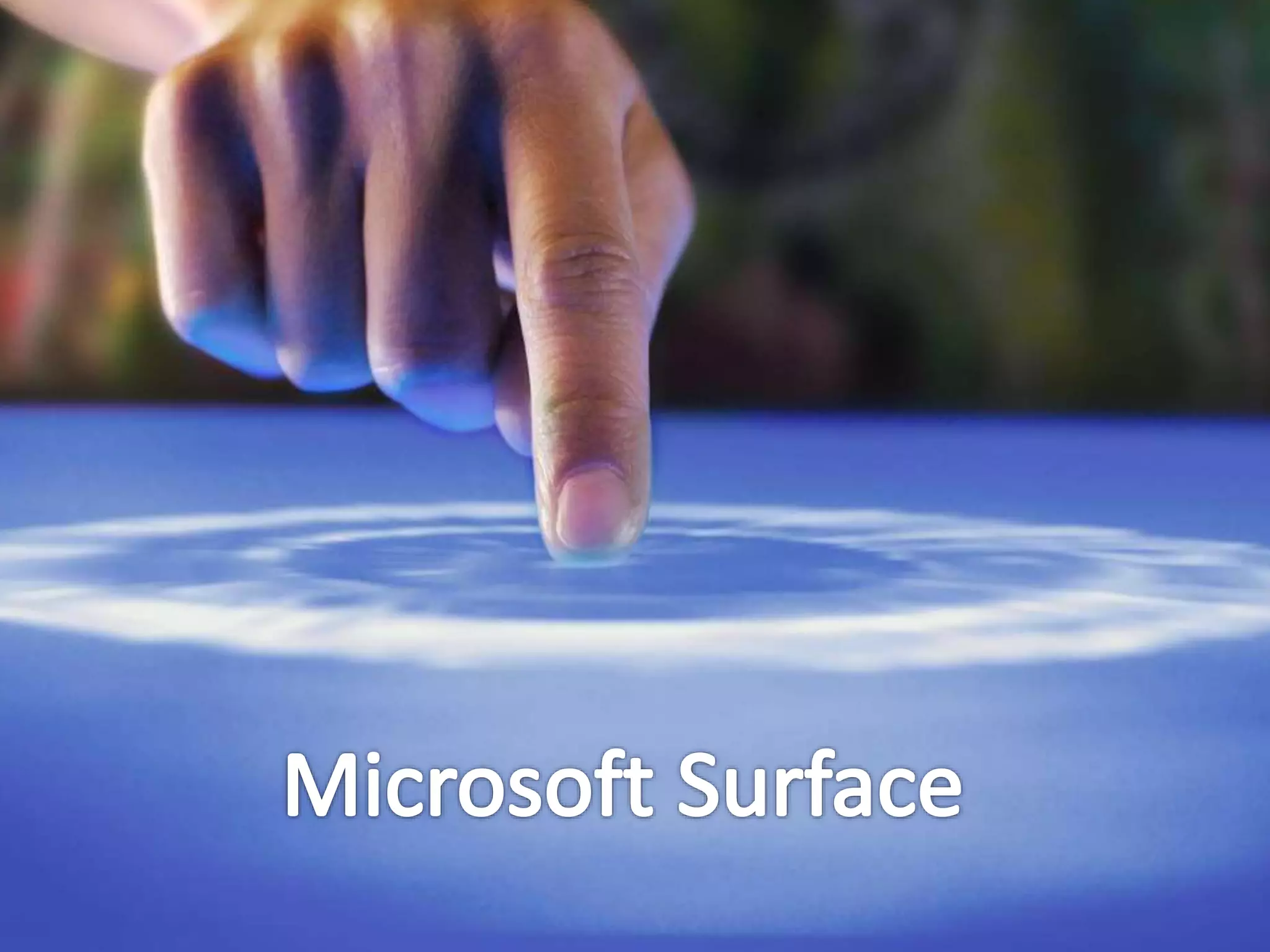
• Surface is the first commercially available surface
computer from Microsoft corps
• It turns an ordinary tabletop into an interactive
surface
• The Surface is a horizontal display on a table-like
form
• This product provides effortless interaction through
natural contents gestures, touch and physical objects
• Instead of a keyboard and mouse, the user interacts
directly with a touch-sensitive screen.
• Code name is Milan
 Surface computing is the term for the use of a
specialized computer in which traditional GUI
elements are replaced by everyday objects.
 Surface is a new technology platform where people
and devices interact with a flat computing table
 No mouse or keyboard
 User interacts with touch-sensitive screen. People
use their fingers and hands to manipulate
Microsoft researchers Steve Bathiche
and Andy Wilson developed idea of
interactive table that could understand
the manipulation of physical pieces.
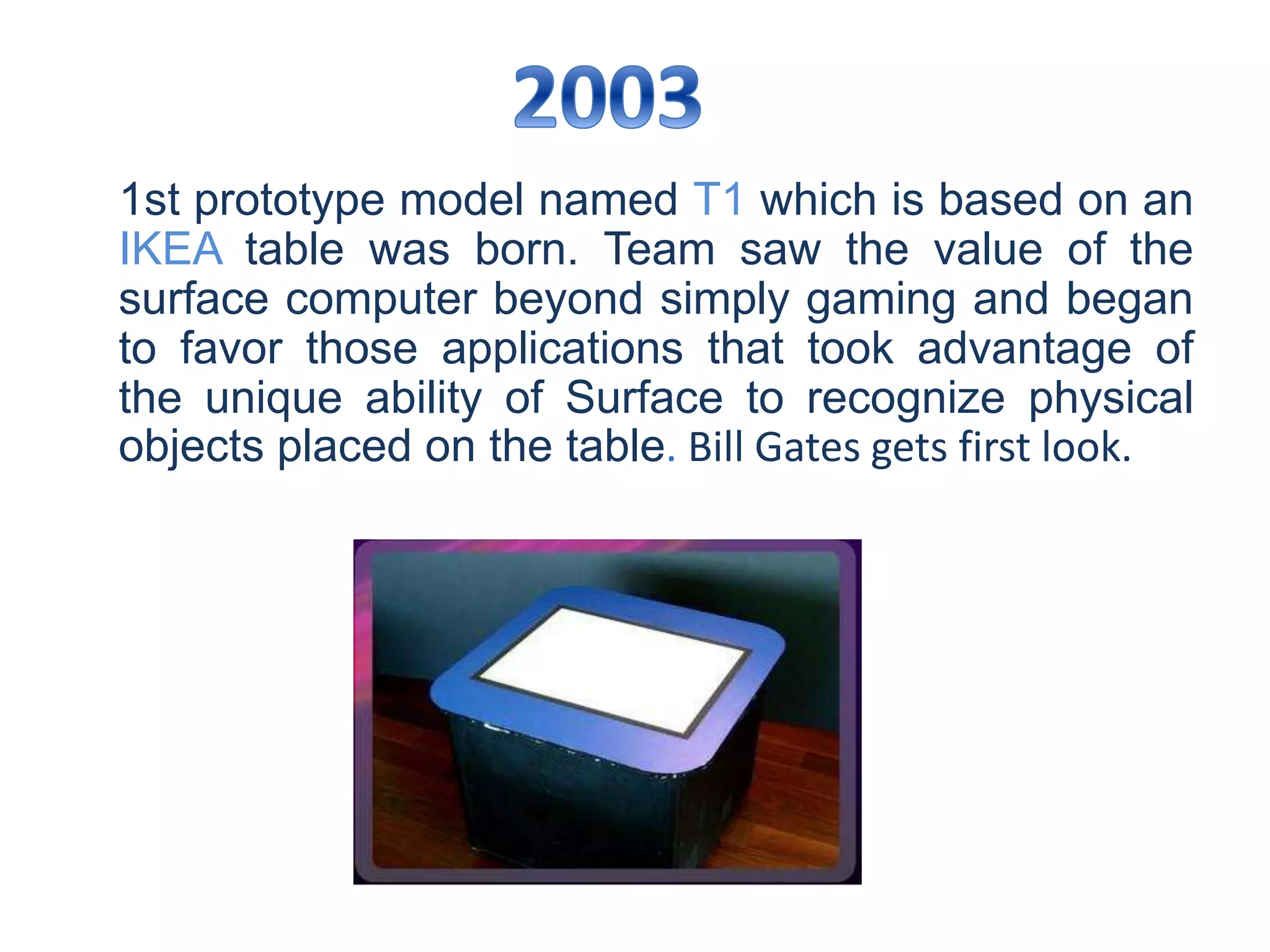
1st prototype model named T1 which is based on an
IKEA table was born. Team saw the value of the
surface computer beyond simply gaming and began
to favor those applications that took advantage of
the unique ability of Surface to recognize physical
objects placed on the table. Bill Gates gets first look.
The team built more than 85 early
prototypes for use by software developers,
hardware developers and user researchers.
The Cone was one of these prototypes.
A number of different experimental prototypes
were built, including the Tub model that was
encased in a rounded plastic shell, a desk-height
model with a square top and cloth-covered sides
and even a bar height model
Final structure finalized, interactive
tabletop device was built that seamlessly
brings both the physical and virtual worlds
into one.
2012 : Surface 1
2013 : Surface Pro
2013 : Surface 2
2013 : Surface Pro 2
2014 : Surface Pro 3
2015 : Surface 3
2015 : Surface Hub
2015 : Surface Pro 4
2015 : Surface Book
2016 : Surface Book i7
2017 : Surface Studio
A Command-line interface (CLI) is a
mechanism for interacting with a
computer operating system or
software by typing commands to
perform specific tasks.
A Graphical user interface (GUI) is a
type of user interface item that
allows people to interact with
programs in more ways than typing
such as computers.
A Natural user interface (NUI), relies
on a user being able to carry out
relatively natural motions, movements
or gestures that they quickly discover
control the computer application or
manipulate the on-screen content. The
most descriptive identifier of a NUI is
the lack of a physical keyboard and/or
mouse.
 Direct Interaction
 Multi-touch
 Multi-user
 Object recognition
 Tangible user interface
Direct Interaction
User can “grab ” the digital information
with their hands, interacting with a
content by touch and gesture. Without
the use of mouse & keyboard.
Multi-touch
Surface computing recognizes many points
of contact simultaneously, not just from one
finger like with a typical touch–screen, but
up to dozens of items at once. Surface is
optimized for 52 touches at a time.
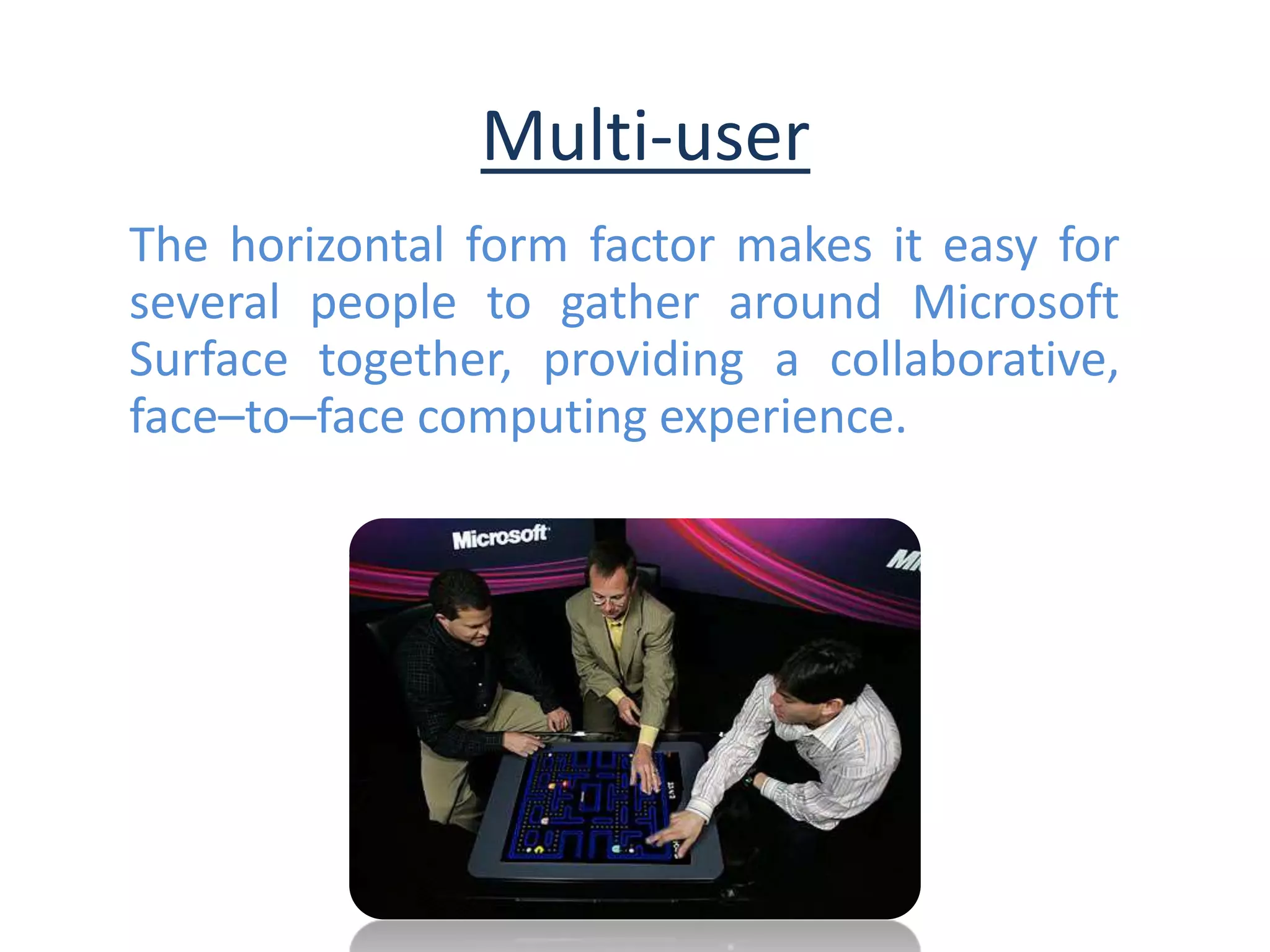
Multi-user
The horizontal form factor makes it easy for
several people to gather around Microsoft
Surface together, providing a collaborative,
face–to–face computing experience.
Object Recognition
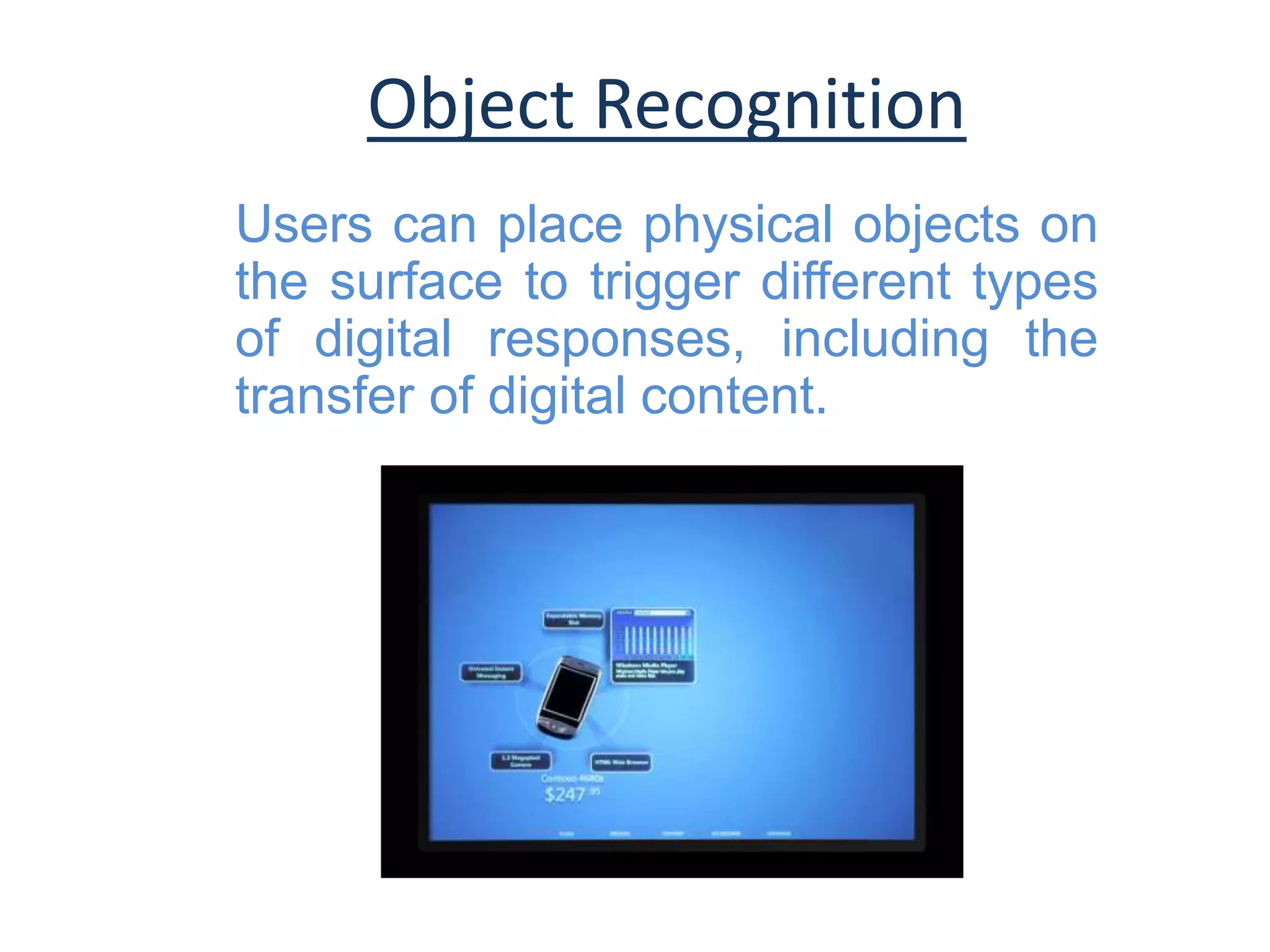
Users can place physical objects on
the surface to trigger different types
of digital responses, including the
transfer of digital content.
Tangible user interface
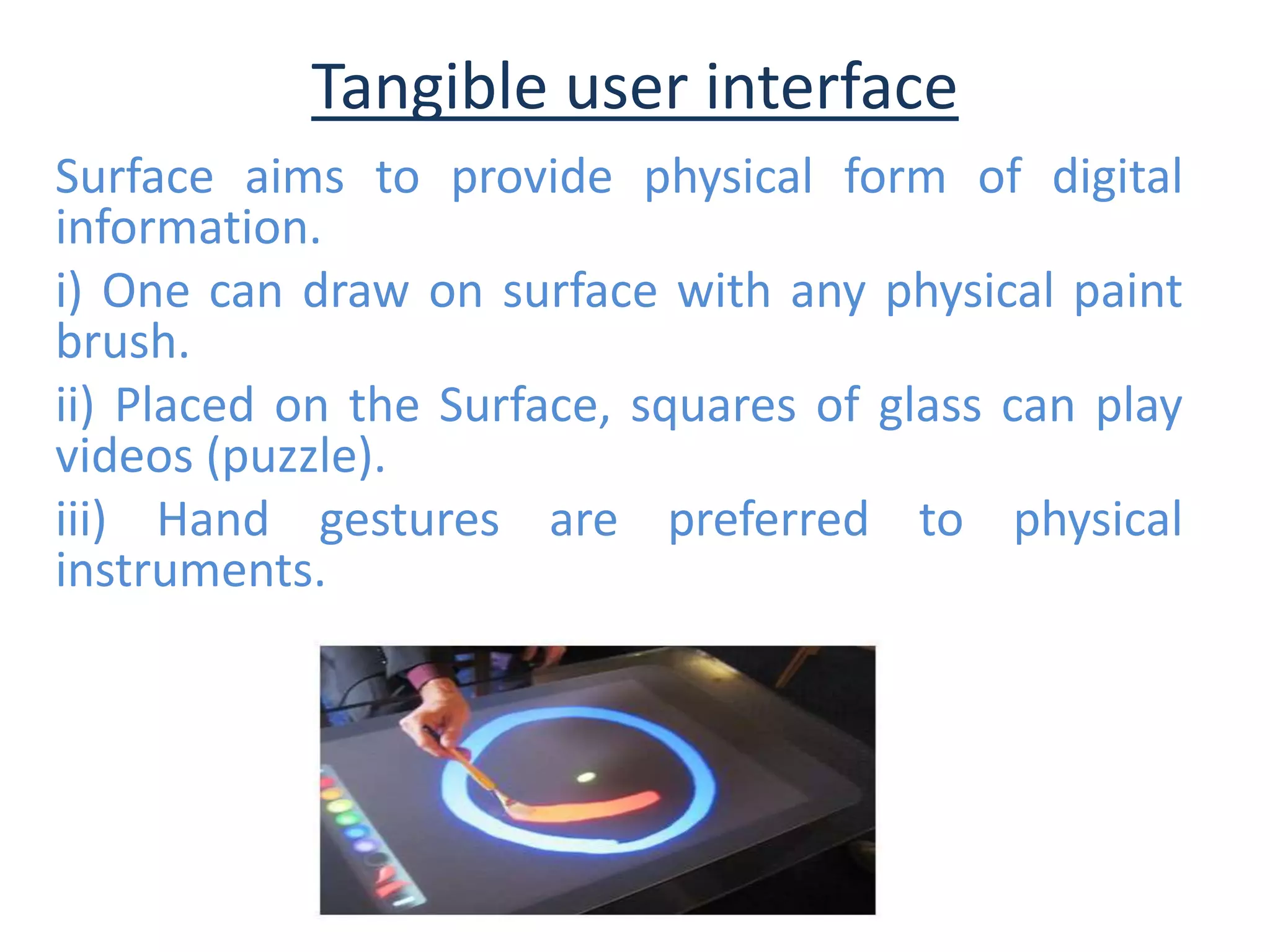
Surface aims to provide physical form of digital
information.
i) One can draw on surface with any physical paint
brush.
ii) Placed on the Surface, squares of glass can play
videos (puzzle).
iii) Hand gestures are preferred to physical
instruments.
 Pen computing
 Multi-touch
 Infrared
Pen Computing
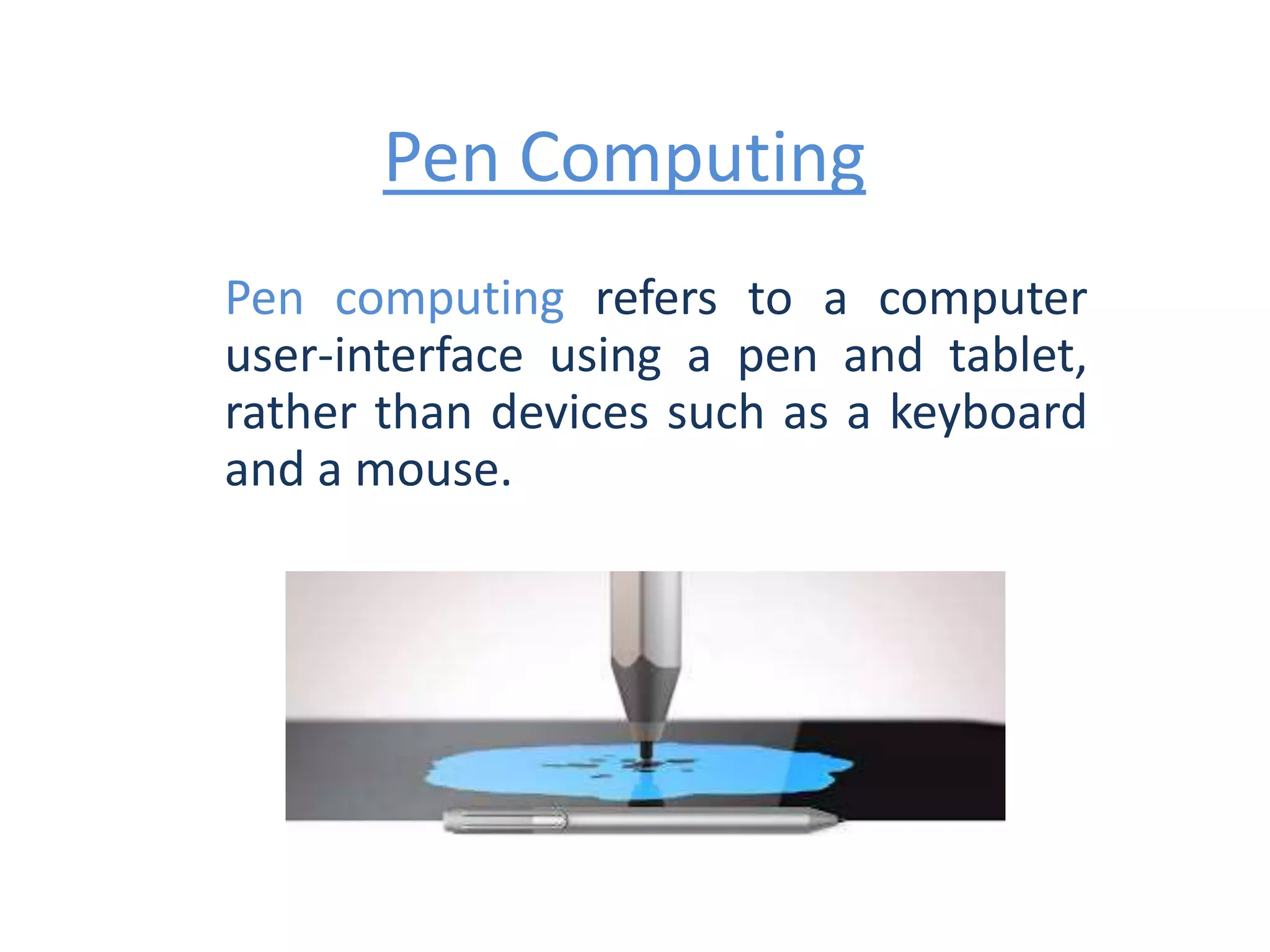
Pen computing refers to a computer
user-interface using a pen and tablet,
rather than devices such as a keyboard
and a mouse.
Multi-touch
Multi-touch refers to the ability to
simultaneously register three or more
distinct positions of input touches.
Infrared Technology
Infrared screens project horizontal and vertical
beams of infrared light over the surface of the
screen. When a finger or other object breaks those
beams, the X/Y coordinates are calculated. These
screens can also be used by users with gloves and
are relatively impervious to damage.
 Water(Pond Effect)
 Music
 Photos
 Dining & Restaurant uses
 Games & Casino
 Mobile Comparisons
 Map
Pond effect
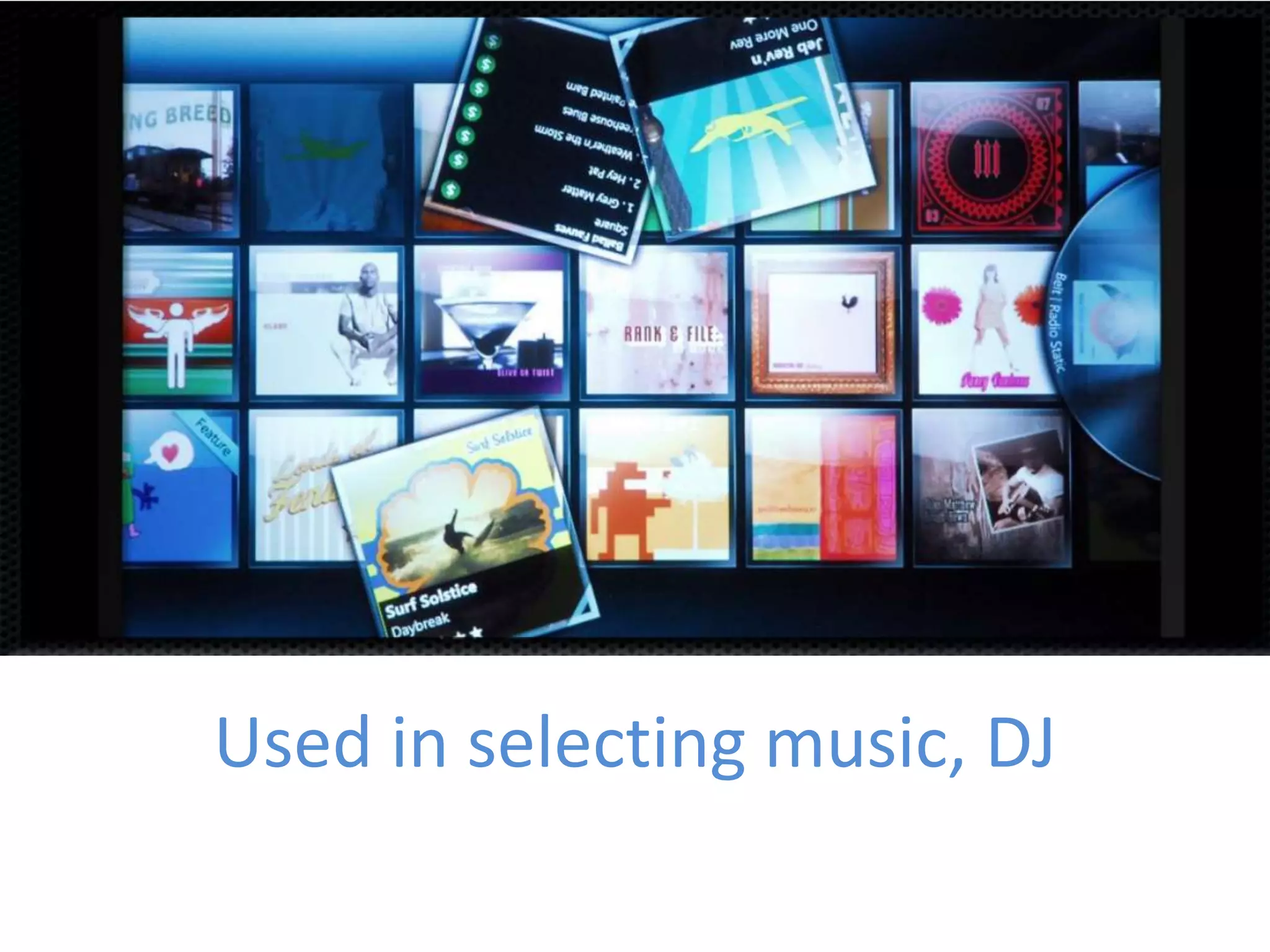
Used in selecting music, DJ
Used to share, resize, sort images
Used in restaurants for browsing a menu,
ordering or paying with a credit card.
Comparing Cell phones when
placed on the surface.
Planning trips with the help of
Maps.
Used in casino for gaming
AT&T is using Microsoft Surface
to interact with customers in new
ways and help them learn about
mobile devices and applications.
customizing drink orders,
playing games, or taking a
virtual tour and casino
For gaming
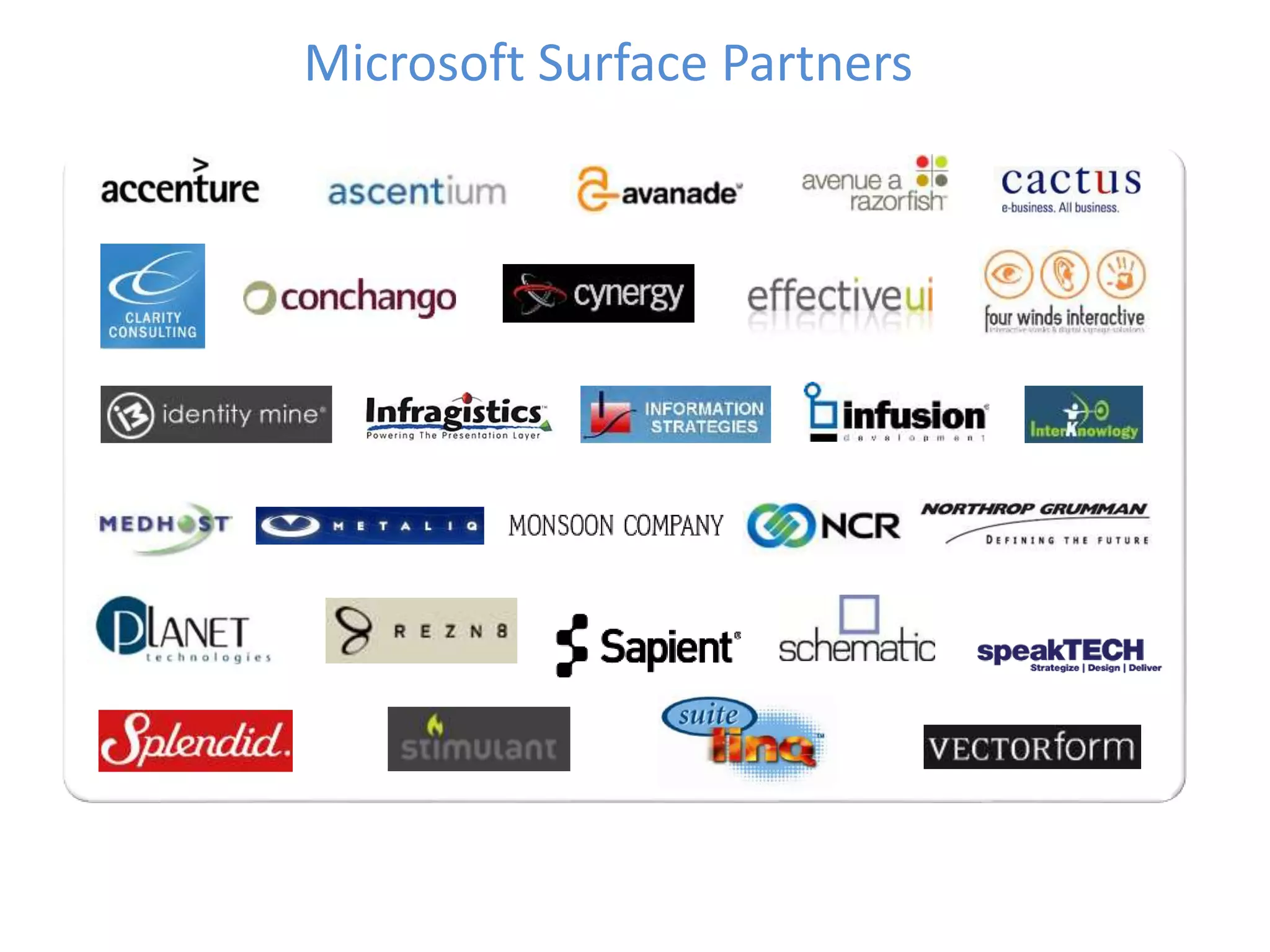
Microsoft Surface Partners
 We can direct interact with the computer
without using mouse and keyboard.
 Multiple user can interact at a same time.
 Any physical object can be directly
recognized.
 Microsoft Surface responds to many points
of contact simultaneously
 Designing made easier Time saving by
eliminating many processes.
 Wireless communication between two
object is possible.
 Very expensive
 Dim lighting required to avoid
washing out of screen.
 Barcode Required for an objects.
 This is insecure system.
• Keyboard & mouse
• Graphical user interface
• Touch screen
• Single user
• Crowd around
• Natural touch input
• Natural user interface
• Multi-touch screen
• Many users
• Gather around
Before Microsoft Surface After Microsoft Surface
Future Scope
• Surfaces-look up recipes on kitchen
• Each classroom and teacher would have
their Surface applications customized to fit
their specific curriculum.
• Create custom applications for specific
businesses or educational purposes
Earlier it was-
“ A computer on every Desktop”
Now we can say-
“ Turn your desk into a
Computer”
Microsoft surface

Microsoft surface

  • 2.
    • Introduction • SurfaceComputing • History • Interface Paradigm Shift • Features • Working • Technology • Users • Advantages & Disadvantages • Future Scope • Conclusion
  • 5.
    • Surface isthe first commercially available surface computer from Microsoft corps • It turns an ordinary tabletop into an interactive surface • The Surface is a horizontal display on a table-like form • This product provides effortless interaction through natural contents gestures, touch and physical objects • Instead of a keyboard and mouse, the user interacts directly with a touch-sensitive screen. • Code name is Milan
  • 7.
     Surface computingis the term for the use of a specialized computer in which traditional GUI elements are replaced by everyday objects.  Surface is a new technology platform where people and devices interact with a flat computing table  No mouse or keyboard  User interacts with touch-sensitive screen. People use their fingers and hands to manipulate
  • 9.
    Microsoft researchers SteveBathiche and Andy Wilson developed idea of interactive table that could understand the manipulation of physical pieces.
  • 10.
    1st prototype modelnamed T1 which is based on an IKEA table was born. Team saw the value of the surface computer beyond simply gaming and began to favor those applications that took advantage of the unique ability of Surface to recognize physical objects placed on the table. Bill Gates gets first look.
  • 11.
    The team builtmore than 85 early prototypes for use by software developers, hardware developers and user researchers. The Cone was one of these prototypes.
  • 12.
    A number ofdifferent experimental prototypes were built, including the Tub model that was encased in a rounded plastic shell, a desk-height model with a square top and cloth-covered sides and even a bar height model
  • 13.
    Final structure finalized,interactive tabletop device was built that seamlessly brings both the physical and virtual worlds into one.
  • 14.
    2012 : Surface1 2013 : Surface Pro 2013 : Surface 2 2013 : Surface Pro 2 2014 : Surface Pro 3 2015 : Surface 3 2015 : Surface Hub 2015 : Surface Pro 4 2015 : Surface Book 2016 : Surface Book i7 2017 : Surface Studio
  • 17.
    A Command-line interface(CLI) is a mechanism for interacting with a computer operating system or software by typing commands to perform specific tasks.
  • 18.
    A Graphical userinterface (GUI) is a type of user interface item that allows people to interact with programs in more ways than typing such as computers.
  • 19.
    A Natural userinterface (NUI), relies on a user being able to carry out relatively natural motions, movements or gestures that they quickly discover control the computer application or manipulate the on-screen content. The most descriptive identifier of a NUI is the lack of a physical keyboard and/or mouse.
  • 21.
     Direct Interaction Multi-touch  Multi-user  Object recognition  Tangible user interface
  • 22.
    Direct Interaction User can“grab ” the digital information with their hands, interacting with a content by touch and gesture. Without the use of mouse & keyboard.
  • 23.
    Multi-touch Surface computing recognizesmany points of contact simultaneously, not just from one finger like with a typical touch–screen, but up to dozens of items at once. Surface is optimized for 52 touches at a time.
  • 24.
    Multi-user The horizontal formfactor makes it easy for several people to gather around Microsoft Surface together, providing a collaborative, face–to–face computing experience.
  • 25.
    Object Recognition Users canplace physical objects on the surface to trigger different types of digital responses, including the transfer of digital content.
  • 26.
    Tangible user interface Surfaceaims to provide physical form of digital information. i) One can draw on surface with any physical paint brush. ii) Placed on the Surface, squares of glass can play videos (puzzle). iii) Hand gestures are preferred to physical instruments.
  • 30.
     Pen computing Multi-touch  Infrared
  • 31.
    Pen Computing Pen computingrefers to a computer user-interface using a pen and tablet, rather than devices such as a keyboard and a mouse.
  • 32.
    Multi-touch Multi-touch refers tothe ability to simultaneously register three or more distinct positions of input touches.
  • 33.
    Infrared Technology Infrared screensproject horizontal and vertical beams of infrared light over the surface of the screen. When a finger or other object breaks those beams, the X/Y coordinates are calculated. These screens can also be used by users with gloves and are relatively impervious to damage.
  • 35.
     Water(Pond Effect) Music  Photos  Dining & Restaurant uses  Games & Casino  Mobile Comparisons  Map
  • 36.
  • 37.
  • 38.
    Used to share,resize, sort images
  • 39.
    Used in restaurantsfor browsing a menu, ordering or paying with a credit card.
  • 40.
    Comparing Cell phoneswhen placed on the surface.
  • 41.
    Planning trips withthe help of Maps.
  • 42.
    Used in casinofor gaming
  • 44.
    AT&T is usingMicrosoft Surface to interact with customers in new ways and help them learn about mobile devices and applications.
  • 45.
    customizing drink orders, playinggames, or taking a virtual tour and casino
  • 46.
  • 47.
  • 49.
     We candirect interact with the computer without using mouse and keyboard.  Multiple user can interact at a same time.  Any physical object can be directly recognized.  Microsoft Surface responds to many points of contact simultaneously  Designing made easier Time saving by eliminating many processes.  Wireless communication between two object is possible.
  • 51.
     Very expensive Dim lighting required to avoid washing out of screen.  Barcode Required for an objects.  This is insecure system.
  • 53.
    • Keyboard &mouse • Graphical user interface • Touch screen • Single user • Crowd around • Natural touch input • Natural user interface • Multi-touch screen • Many users • Gather around Before Microsoft Surface After Microsoft Surface
  • 55.
    Future Scope • Surfaces-lookup recipes on kitchen • Each classroom and teacher would have their Surface applications customized to fit their specific curriculum. • Create custom applications for specific businesses or educational purposes
  • 57.
    Earlier it was- “A computer on every Desktop” Now we can say- “ Turn your desk into a Computer”