Storage Systems for
Big Data
Sameer Tiwari
Hadoop Storage Architect, Pivotal Inc.
stiwari@gopivotal.com, @sameertech
Storage Systems for
Big Data
Sameer Tiwari
Hadoop Storage Architect, Pivotal Inc.
stiwari@gopivotal.com, @sameertech
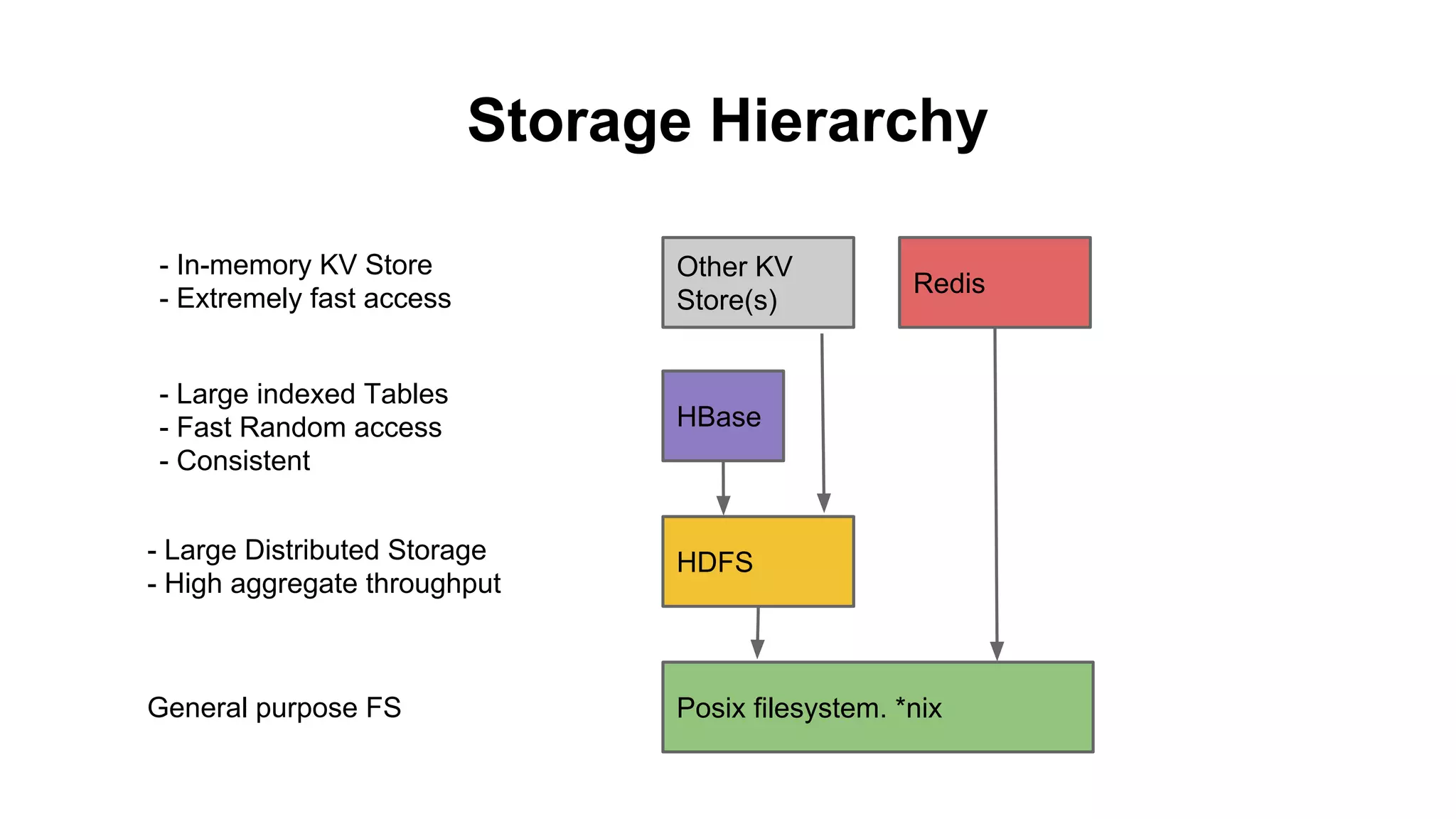
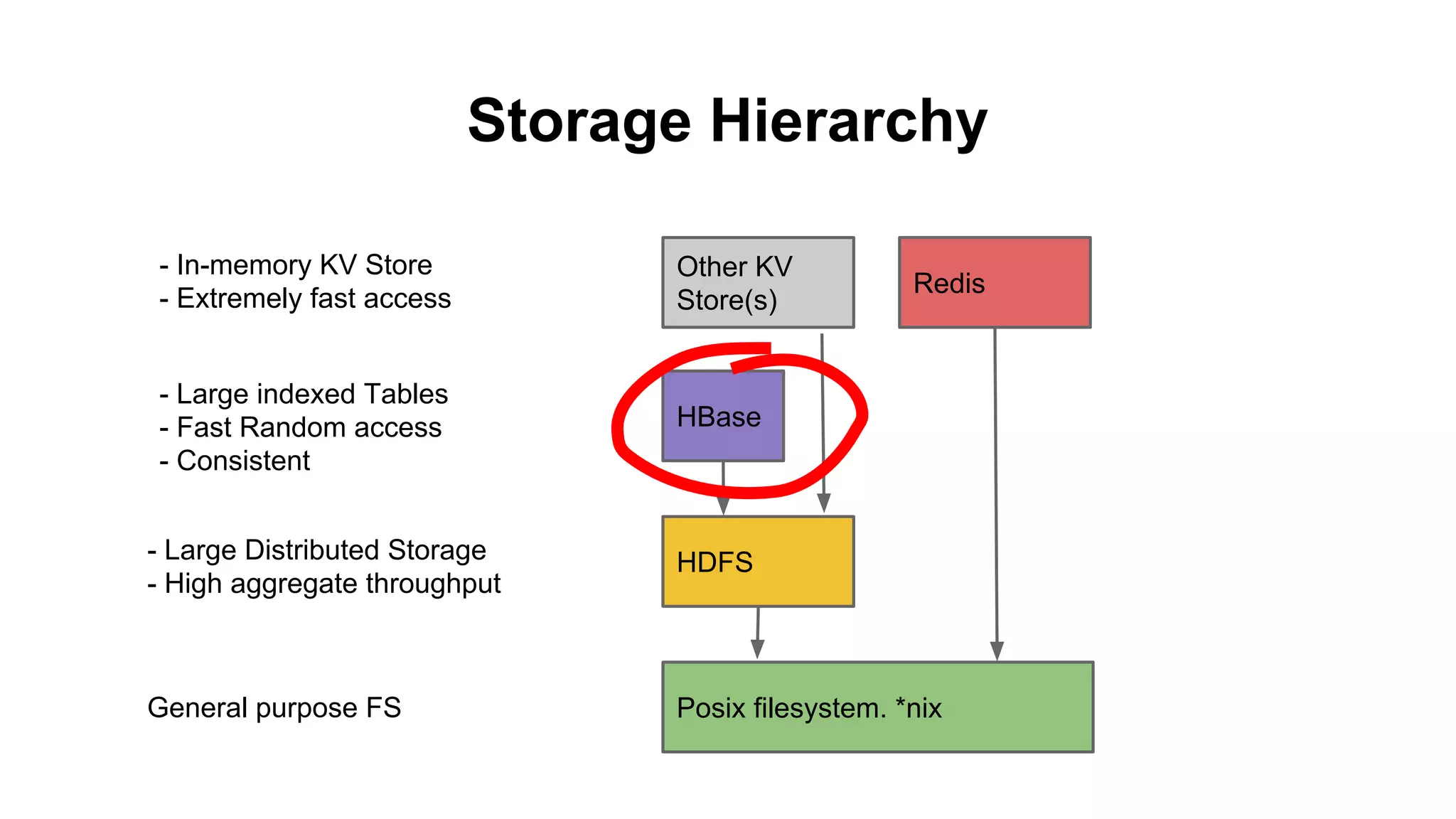
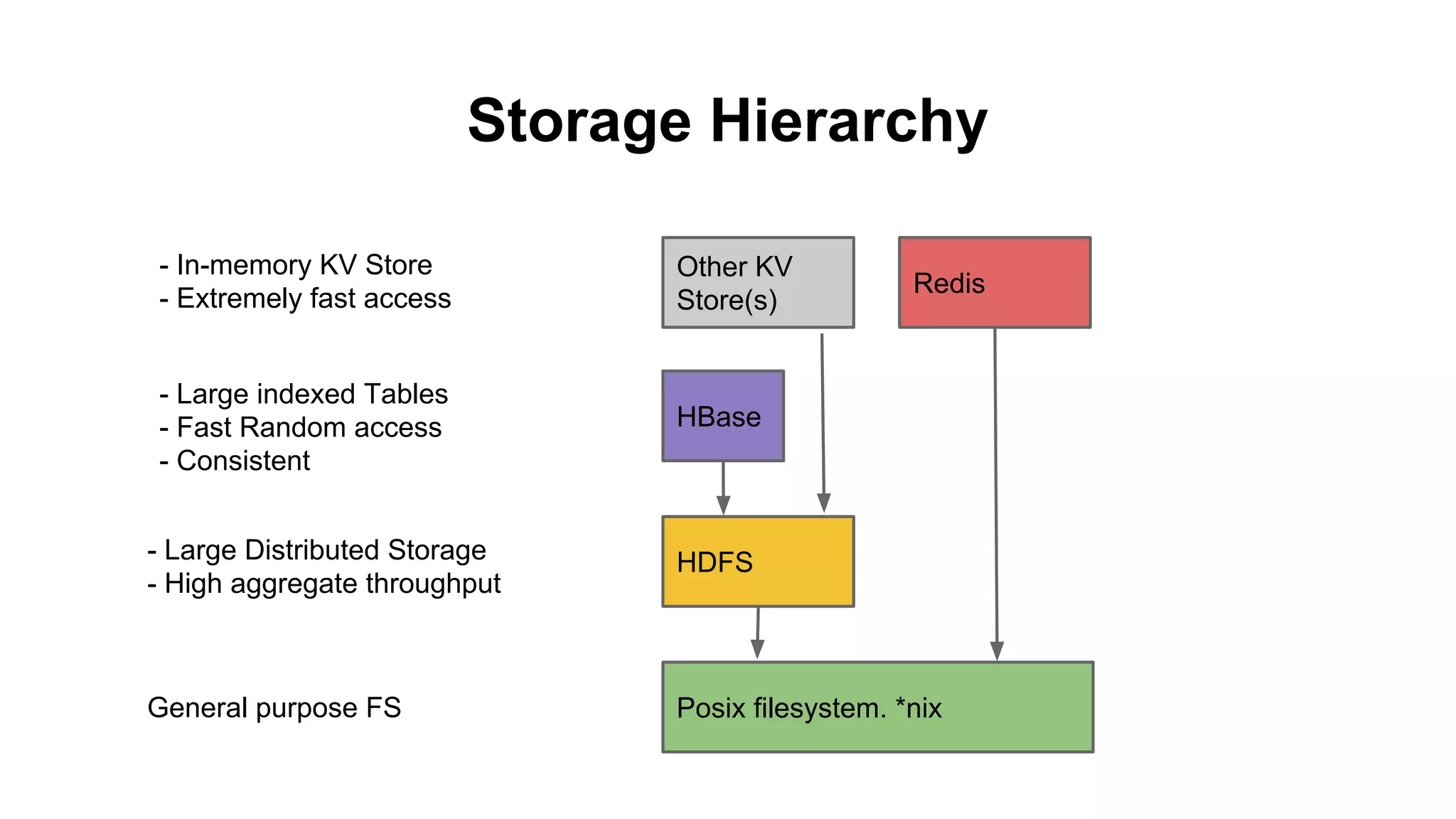
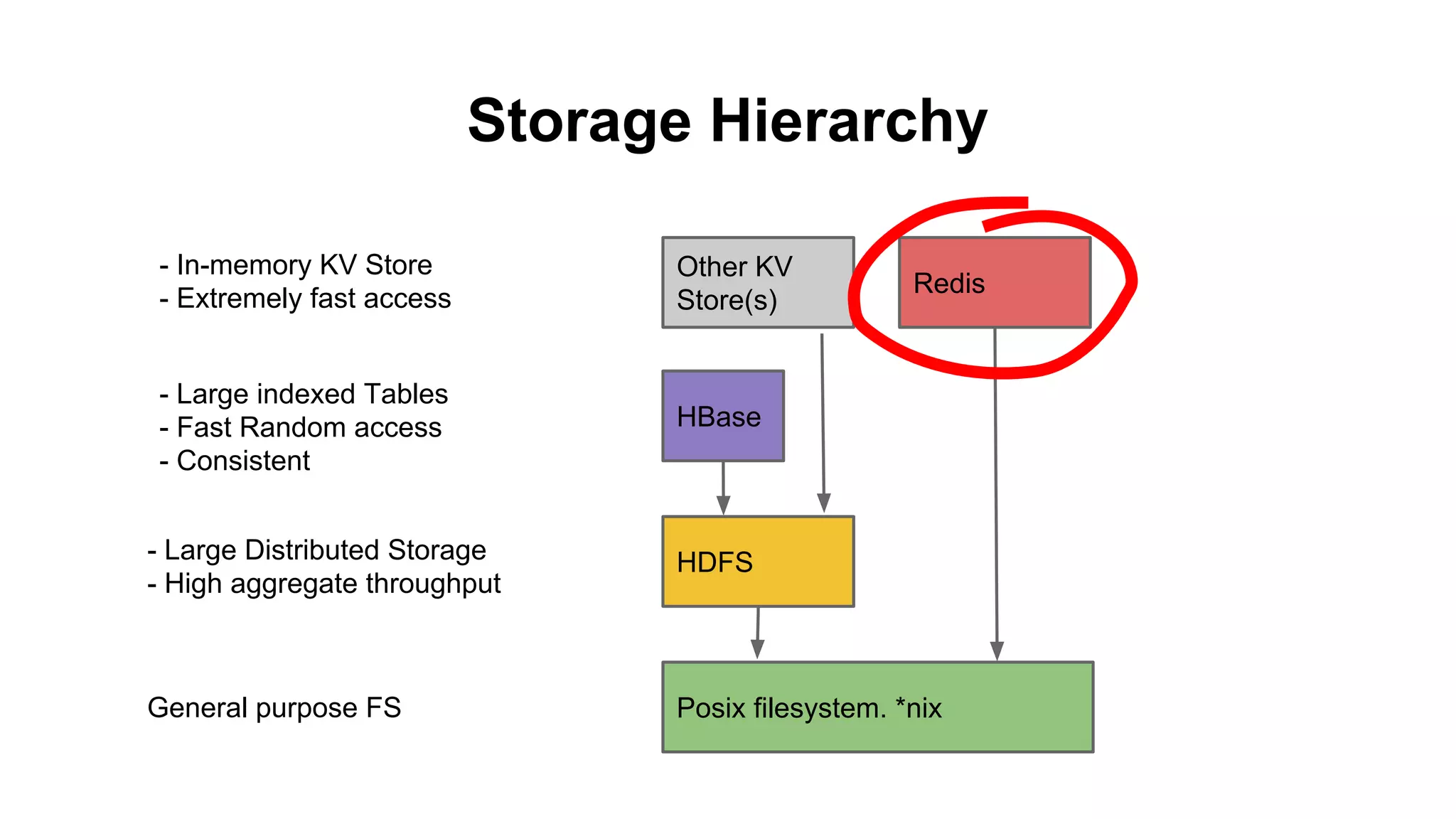
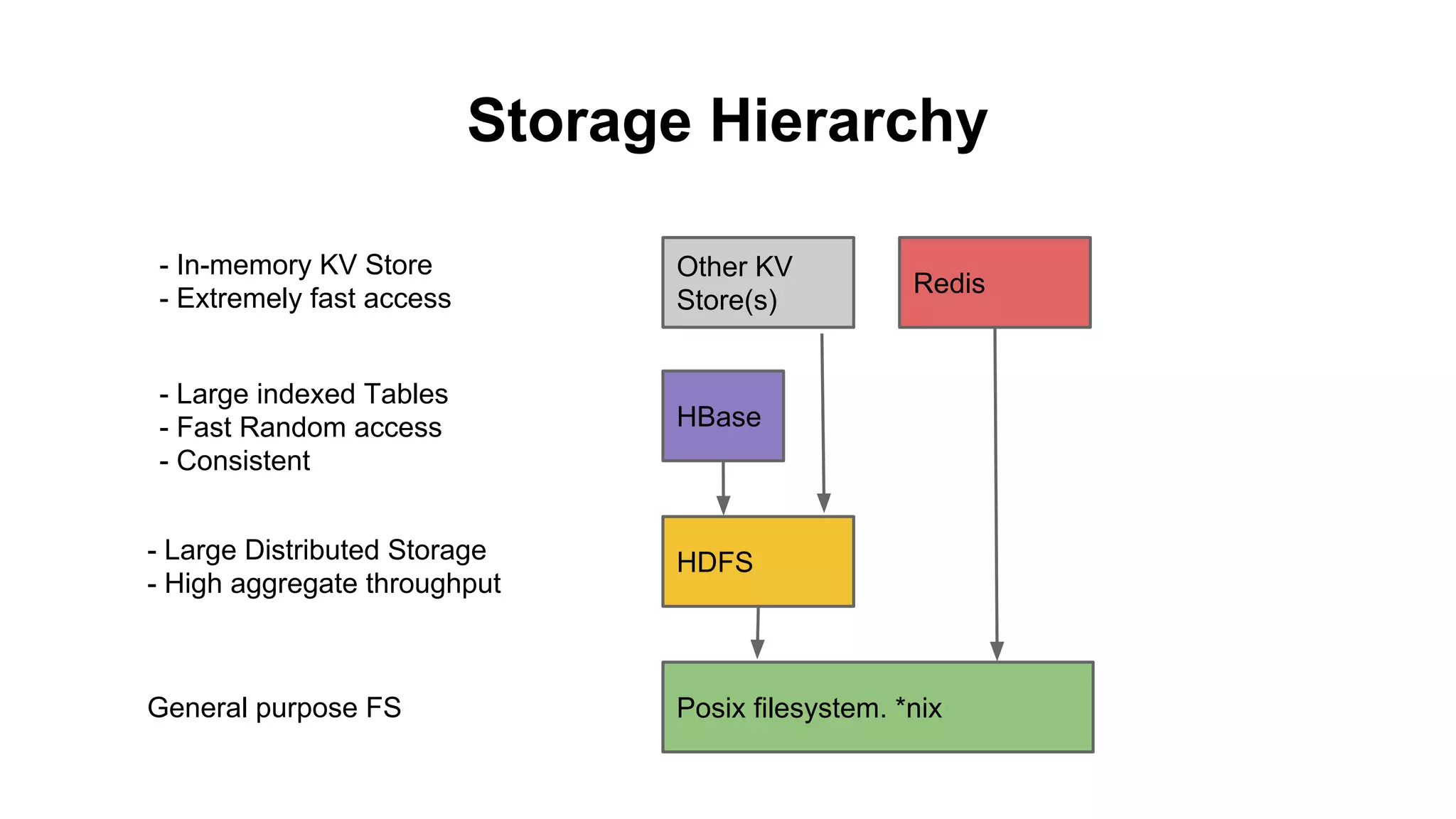
Storage Hierarchy
- In-memory KV Store
- Extremely fast access

Other KV
Store(s)

- Large indexed Tables
- Fast Random access
- Consistent

HBase

Redis

- Large Distributed Storage
- High aggregate throughput

HDFS

General purpose FS

Posix filesystem. *nix
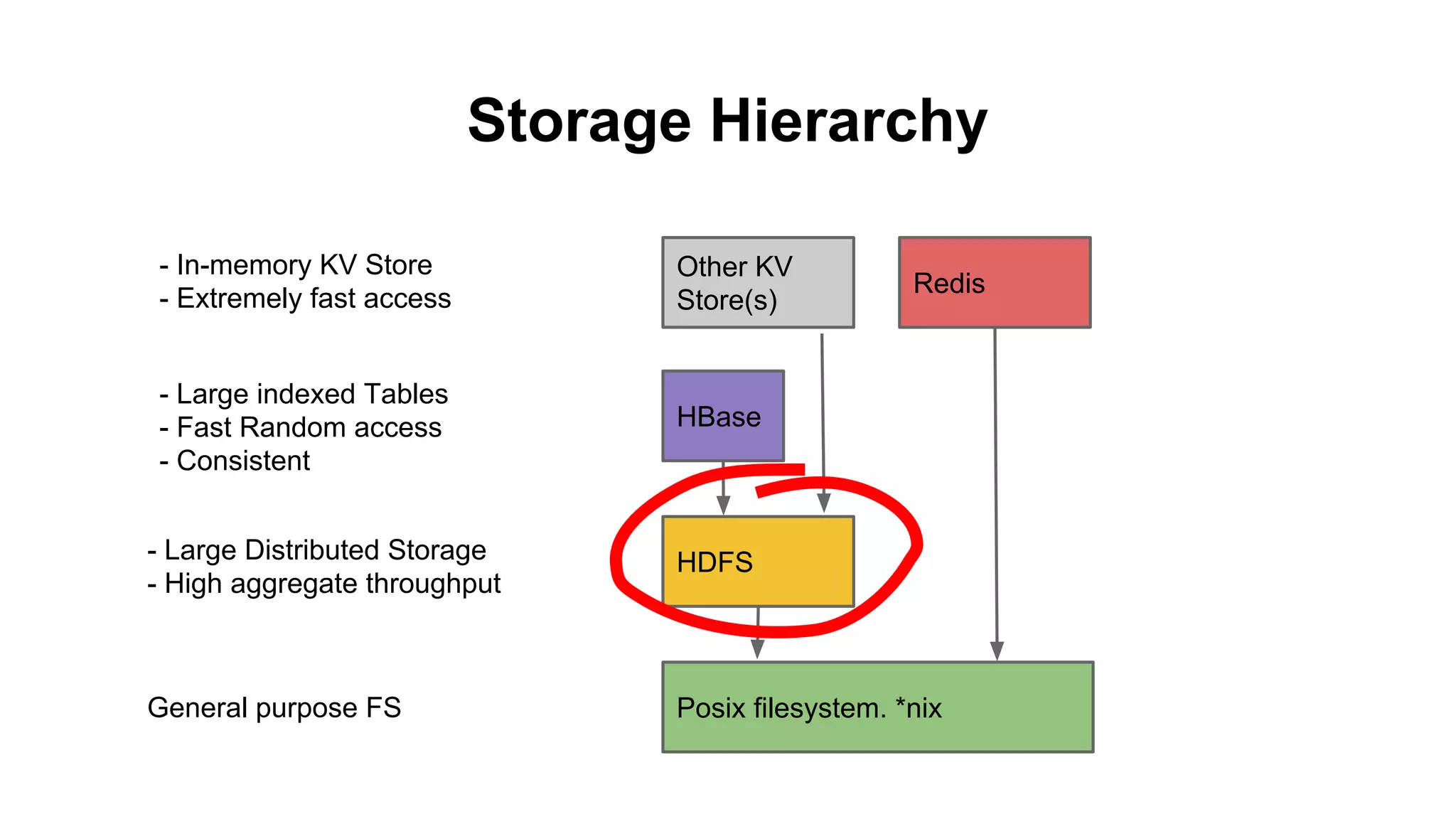
Storage Hierarchy
- In-memory KV Store
- Extremely fast access

Other KV
Store(s)

- Large indexed Tables
- Fast Random access
- Consistent

HBase

Redis

- Large Distributed Storage
- High aggregate throughput

HDFS

General purpose FS

Posix filesystem. *nix
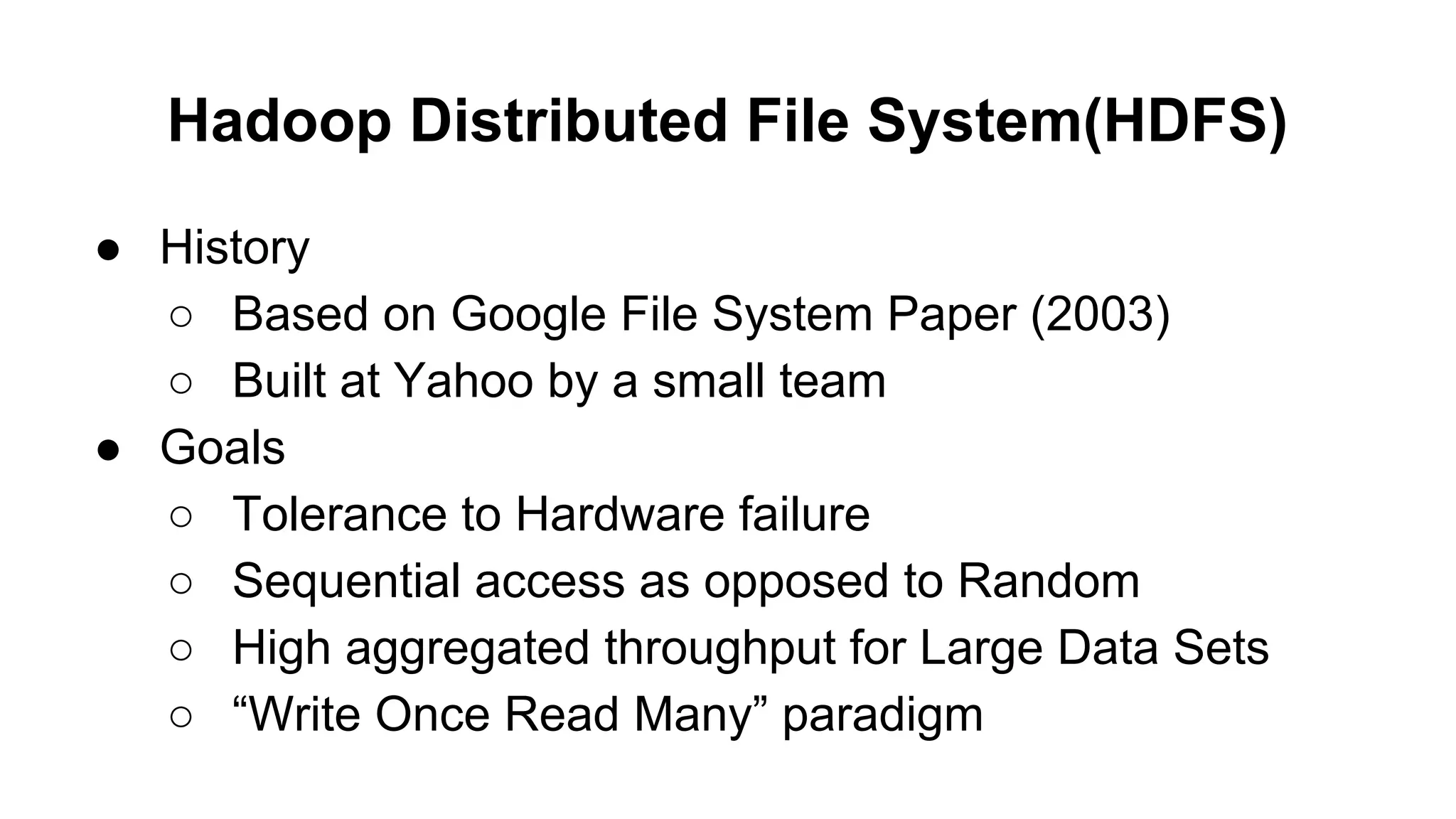
Hadoop Distributed File System(HDFS)
● History
○ Based on Google File System Paper (2003)
○ Built at Yahoo by a small team
● Goals
○ Tolerance to Hardware failure
○ Sequential access as opposed to Random
○ High aggregated throughput for Large Data Sets
○ “Write Once Read Many” paradigm
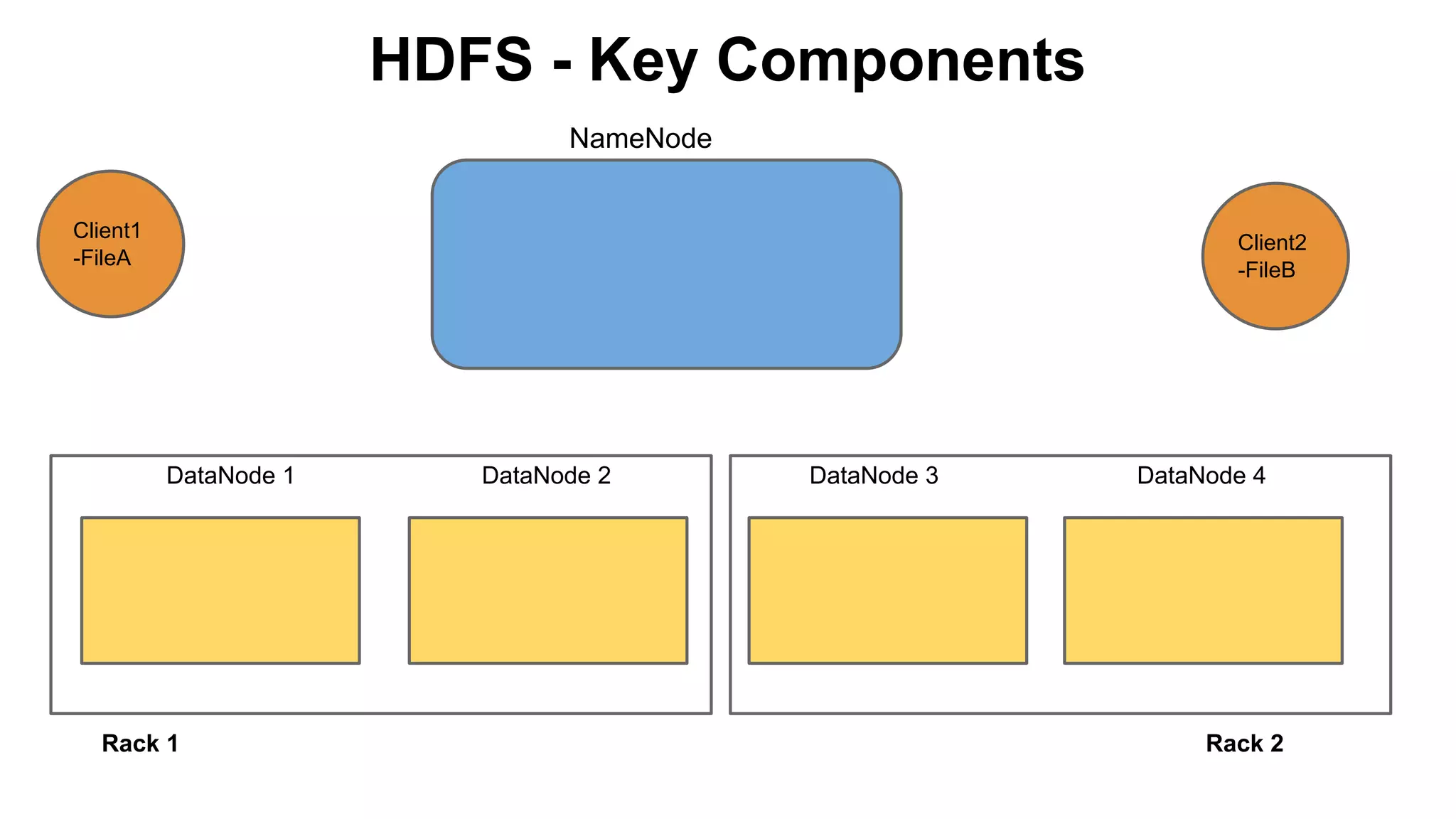
HDFS - Key Components
NameNode
Client1
-FileA

Client2
-FileB

DataNode 1

Rack 1

DataNode 2

DataNode 3

DataNode 4

Rack 2
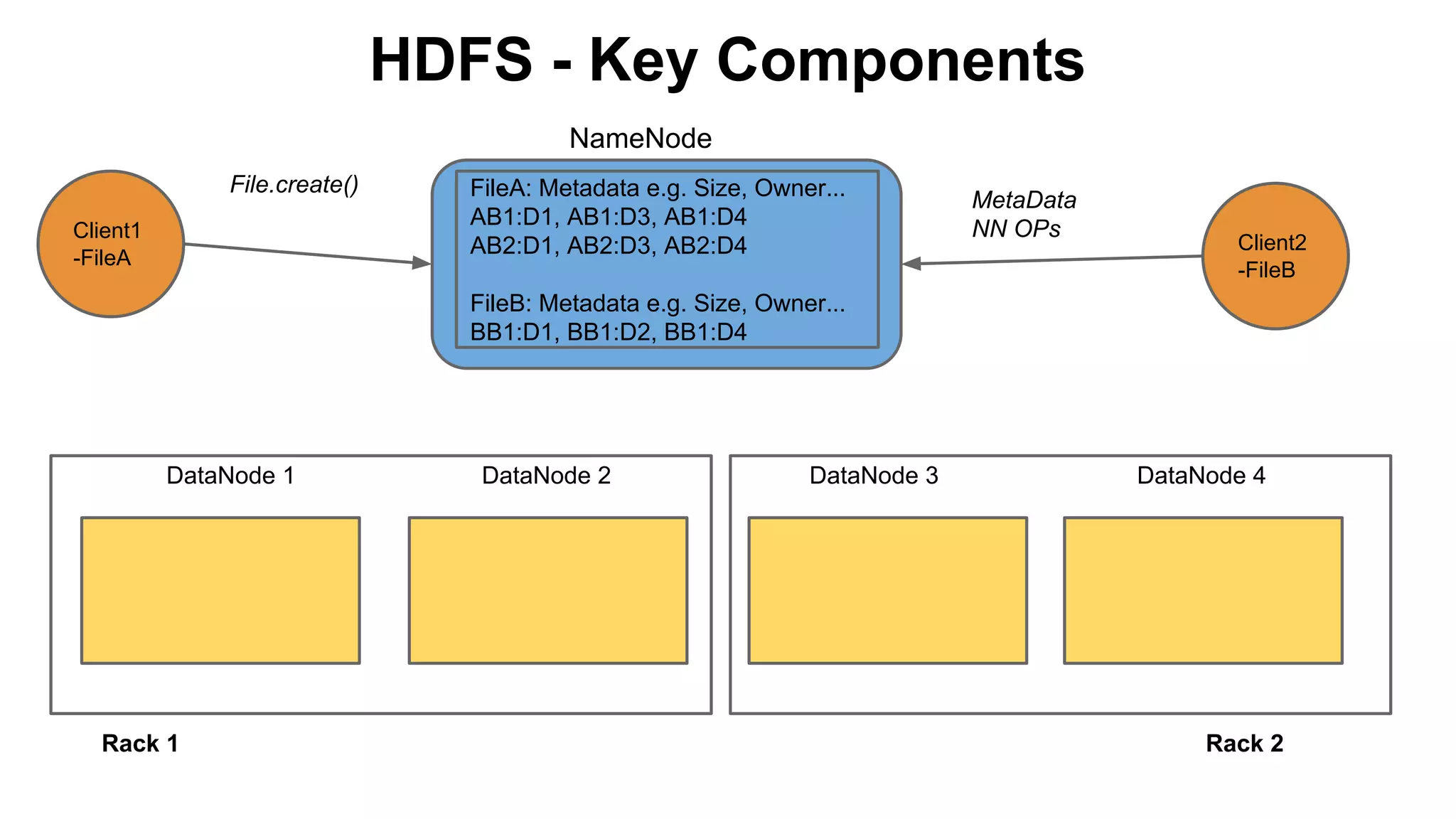
HDFS - Key Components
NameNode
File.create()
Client1
-FileA

FileA: Metadata e.g. Size, Owner...
AB1:D1, AB1:D3, AB1:D4
AB2:D1, AB2:D3, AB2:D4

MetaData
NN OPs

Client2
-FileB

FileB: Metadata e.g. Size, Owner...
BB1:D1, BB1:D2, BB1:D4

DataNode 1

Rack 1

DataNode 2

DataNode 3

DataNode 4

Rack 2
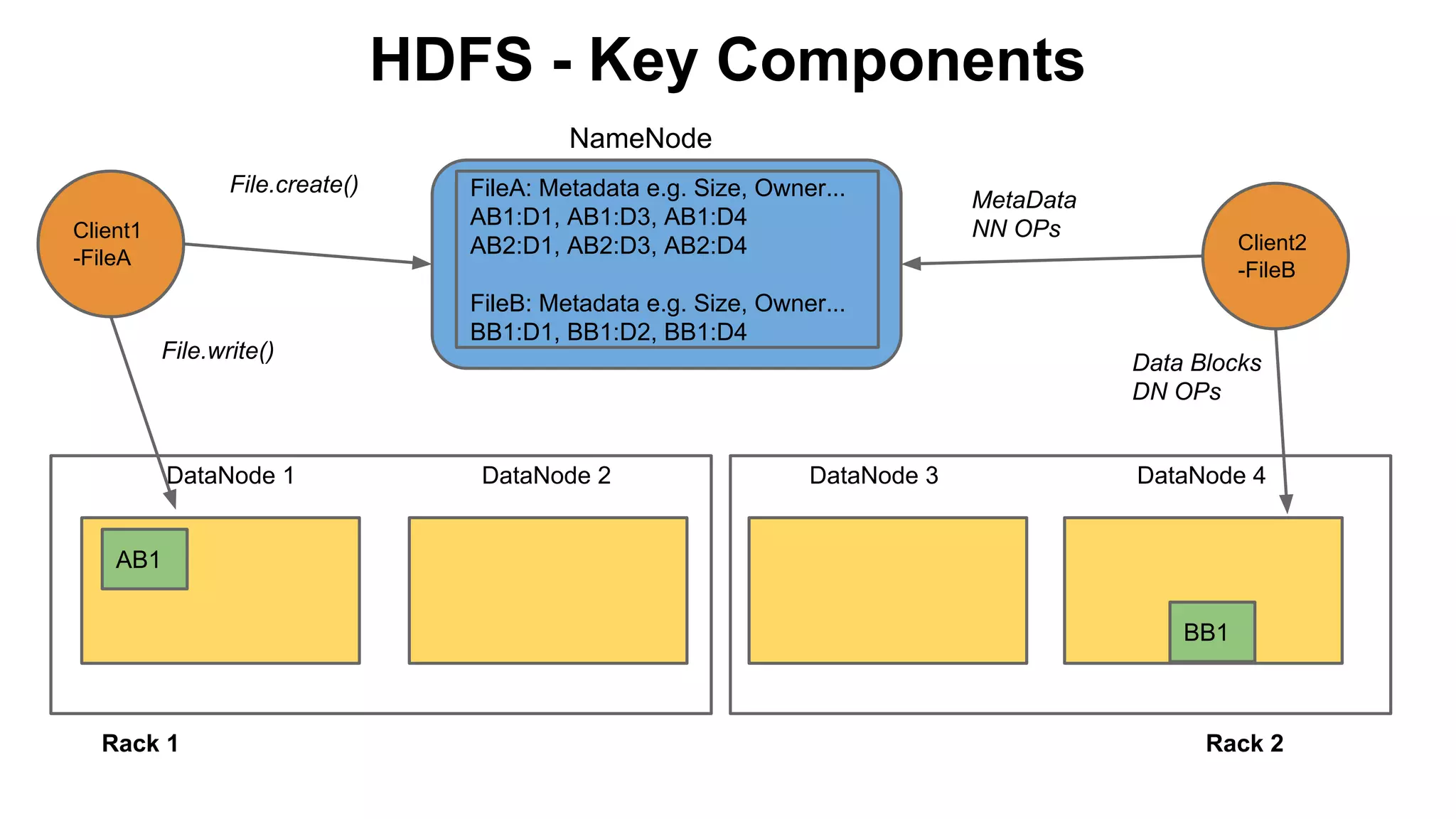
HDFS - Key Components
NameNode
File.create()
Client1
-FileA

File.write()

DataNode 1

FileA: Metadata e.g. Size, Owner...
AB1:D1, AB1:D3, AB1:D4
AB2:D1, AB2:D3, AB2:D4

MetaData
NN OPs

Client2
-FileB

FileB: Metadata e.g. Size, Owner...
BB1:D1, BB1:D2, BB1:D4
Data Blocks
DN OPs

DataNode 2

DataNode 3

DataNode 4

AB1
BB1

Rack 1

Rack 2
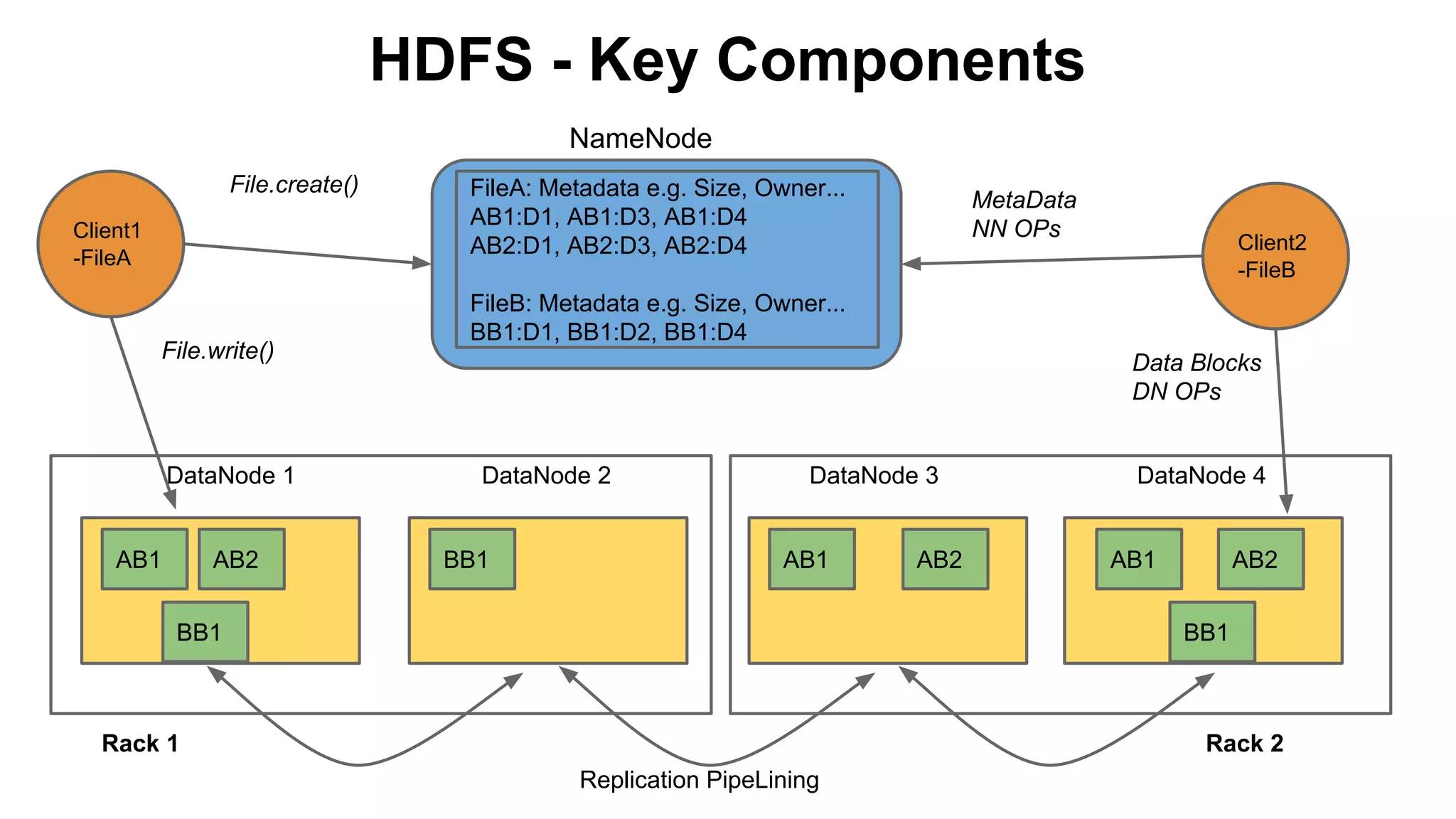
HDFS - Key Components
NameNode
File.create()
Client1
-FileA

File.write()

DataNode 1

AB1

AB2

FileA: Metadata e.g. Size, Owner...
AB1:D1, AB1:D3, AB1:D4
AB2:D1, AB2:D3, AB2:D4

MetaData
NN OPs

Client2
-FileB

FileB: Metadata e.g. Size, Owner...
BB1:D1, BB1:D2, BB1:D4
Data Blocks
DN OPs

DataNode 2

BB1

DataNode 3

AB1

BB1

AB2

DataNode 4

AB1

AB2
BB1

Rack 1

Rack 2
Replication PipeLining
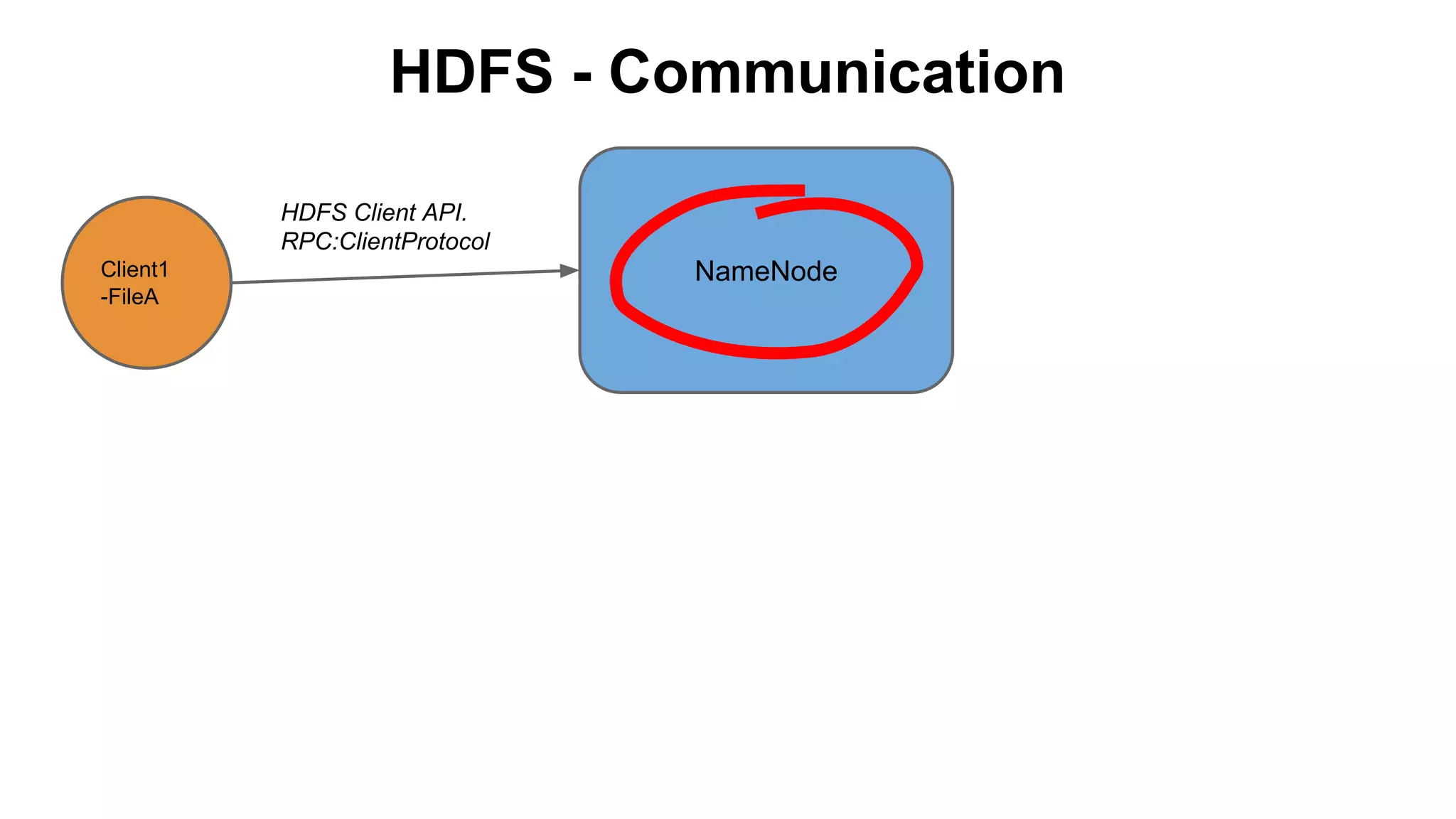
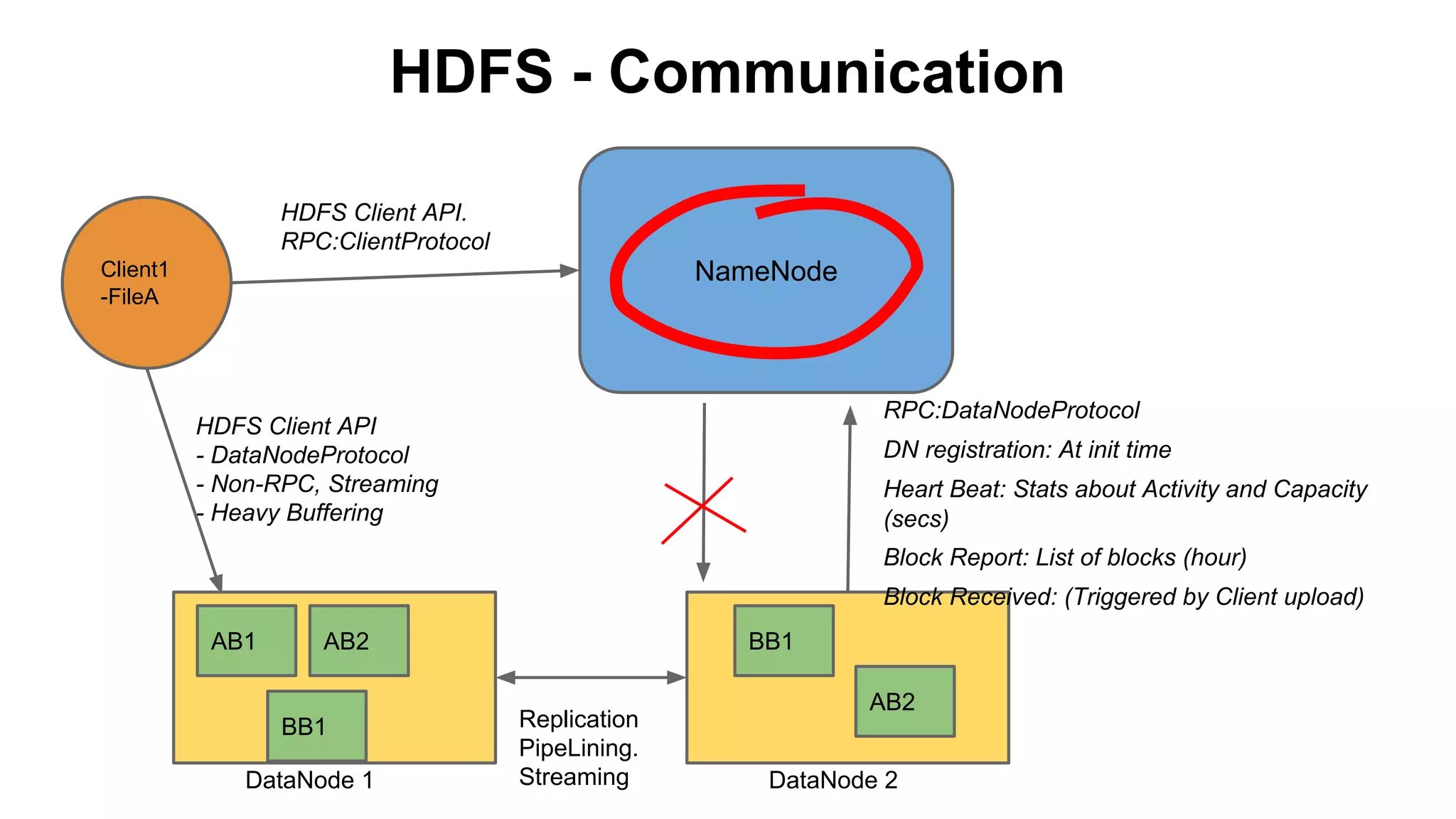
HDFS - Communication
HDFS Client API.
RPC:ClientProtocol
Client1
-FileA

NameNode
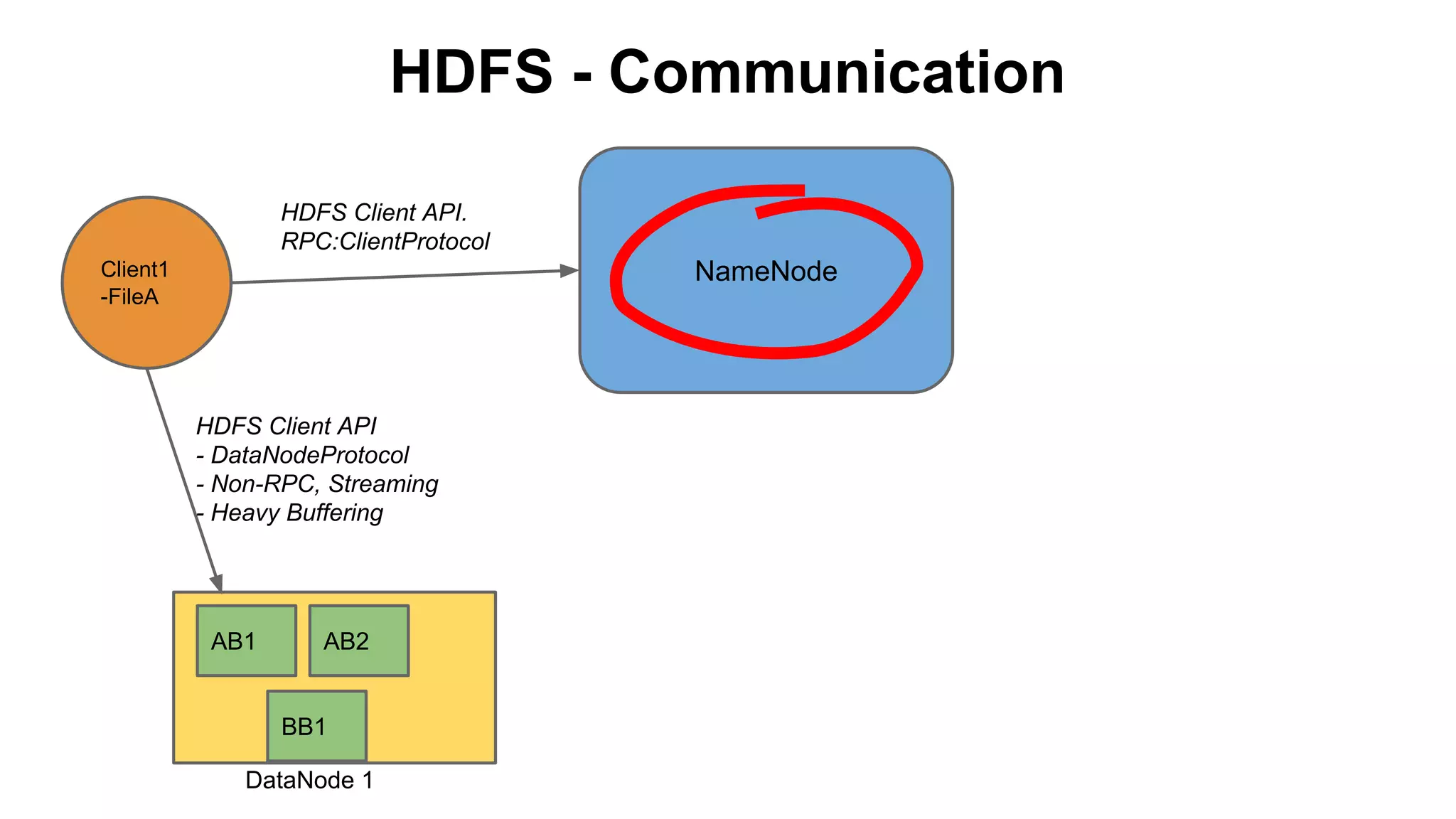
HDFS - Communication
HDFS Client API.
RPC:ClientProtocol

NameNode

Client1
-FileA

HDFS Client API
- DataNodeProtocol
- Non-RPC, Streaming
- Heavy Buffering

AB1

AB2

BB1
DataNode 1
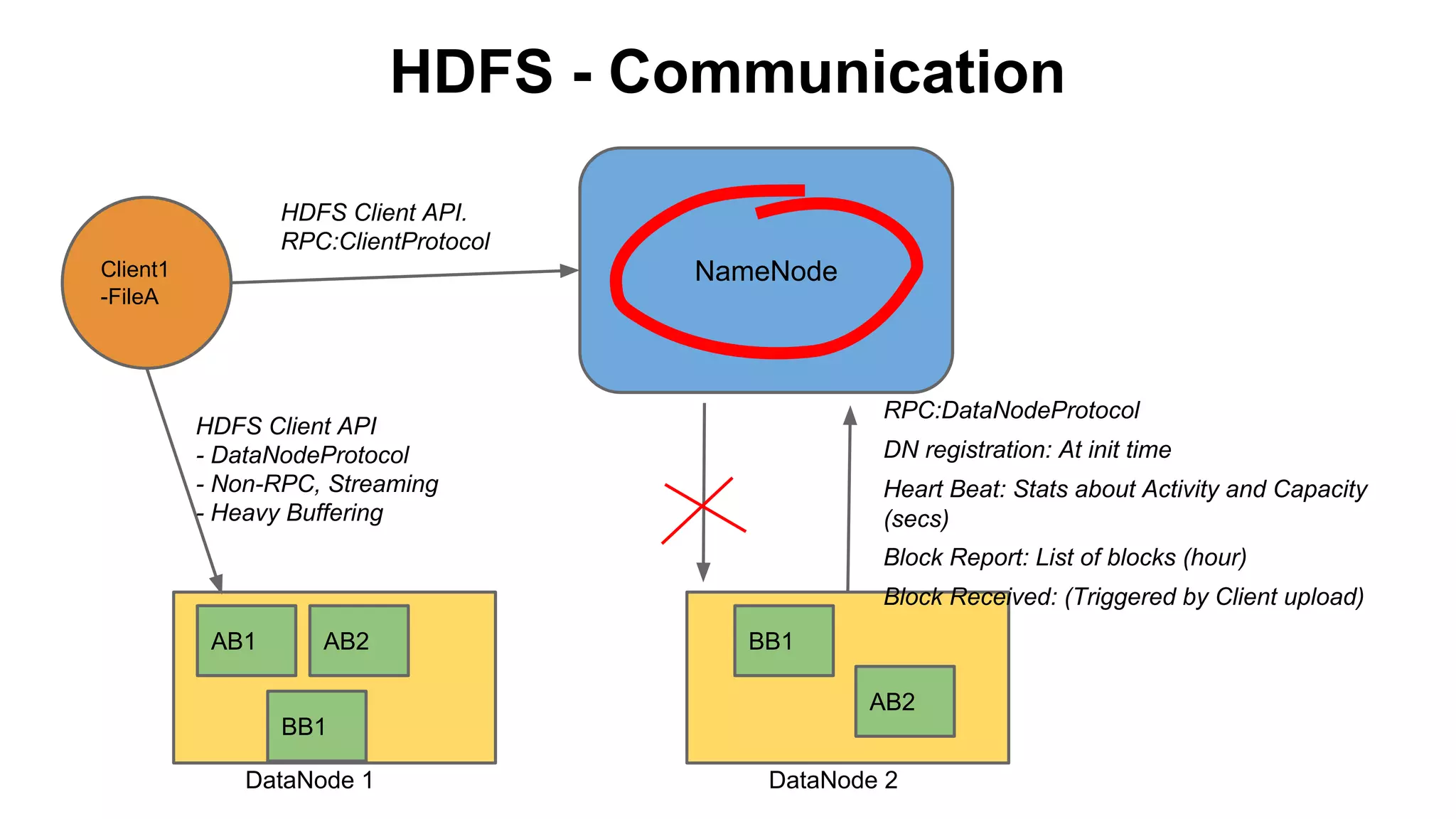
HDFS - Communication
HDFS Client API.
RPC:ClientProtocol

NameNode

Client1
-FileA

RPC:DataNodeProtocol

HDFS Client API
- DataNodeProtocol
- Non-RPC, Streaming
- Heavy Buffering

DN registration: At init time
Heart Beat: Stats about Activity and Capacity
(secs)
Block Report: List of blocks (hour)
Block Received: (Triggered by Client upload)

AB1

AB2

BB1
AB2

BB1
DataNode 1

DataNode 2
HDFS - Communication
HDFS Client API.
RPC:ClientProtocol

NameNode

Client1
-FileA

RPC:DataNodeProtocol

HDFS Client API
- DataNodeProtocol
- Non-RPC, Streaming
- Heavy Buffering

DN registration: At init time
Heart Beat: Stats about Activity and Capacity
(secs)
Block Report: List of blocks (hour)
Block Received: (Triggered by Client upload)

AB1

AB2

BB1
DataNode 1

BB1
Replication
PipeLining.
Streaming

AB2
DataNode 2
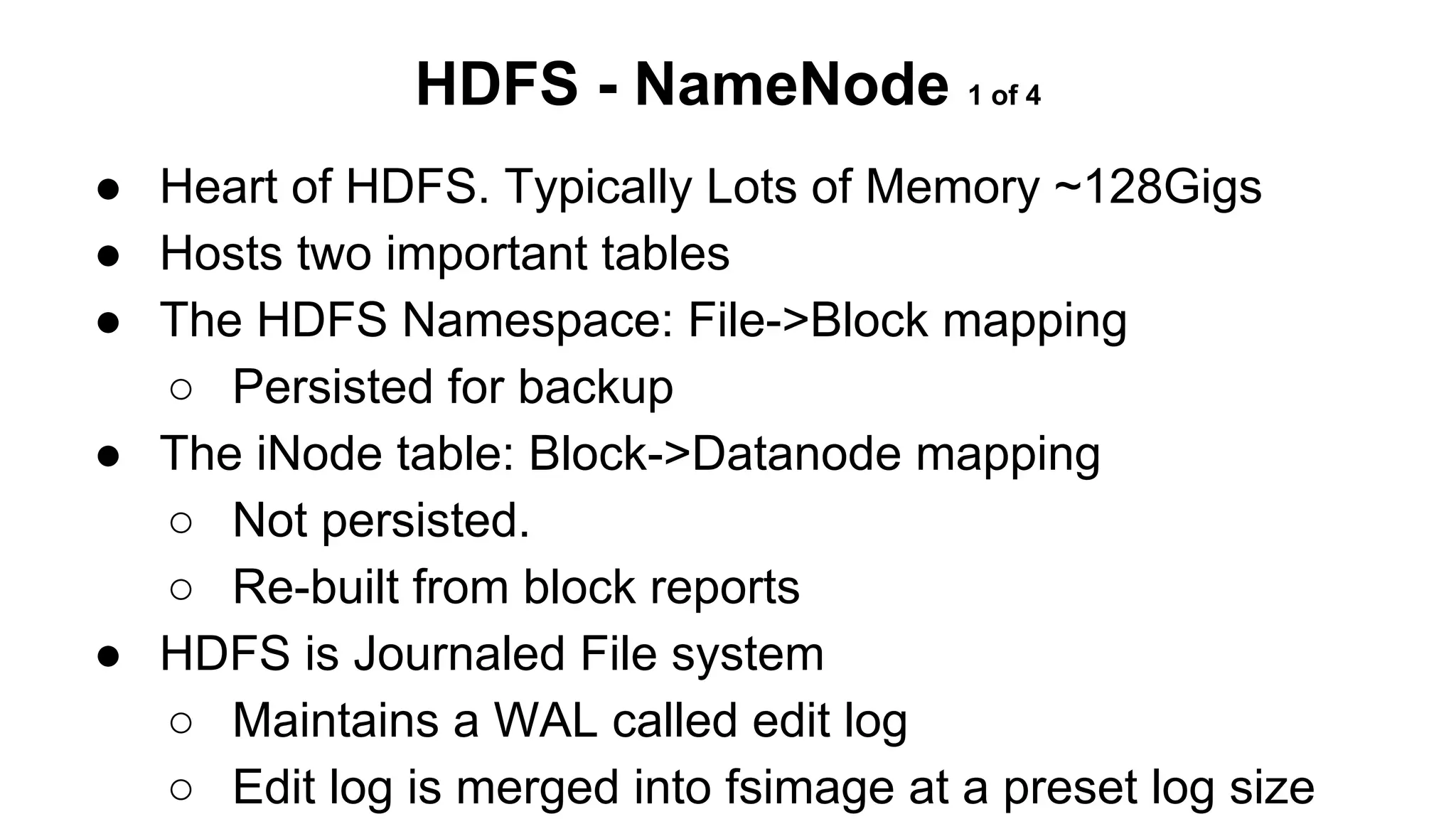
HDFS - NameNode 1 of 4
● Heart of HDFS. Typically Lots of Memory ~128Gigs
● Hosts two important tables
● The HDFS Namespace: File->Block mapping
○ Persisted for backup
● The iNode table: Block->Datanode mapping
○ Not persisted.
○ Re-built from block reports
● HDFS is Journaled File system
○ Maintains a WAL called edit log
○ Edit log is merged into fsimage at a preset log size
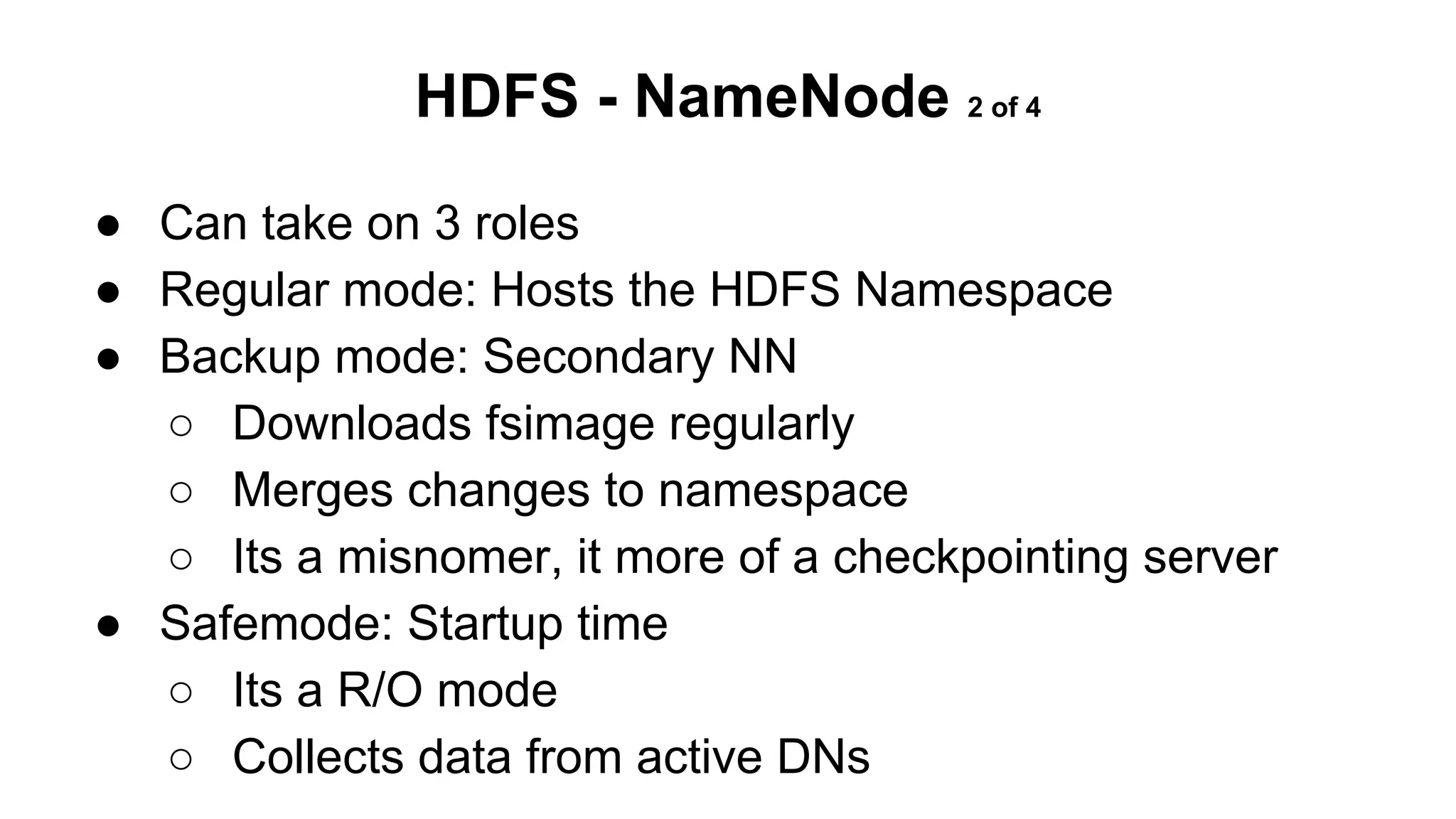
HDFS - NameNode 2 of 4
● Can take on 3 roles
● Regular mode: Hosts the HDFS Namespace
● Backup mode: Secondary NN
○ Downloads fsimage regularly
○ Merges changes to namespace
○ Its a misnomer, it more of a checkpointing server
● Safemode: Startup time
○ Its a R/O mode
○ Collects data from active DNs
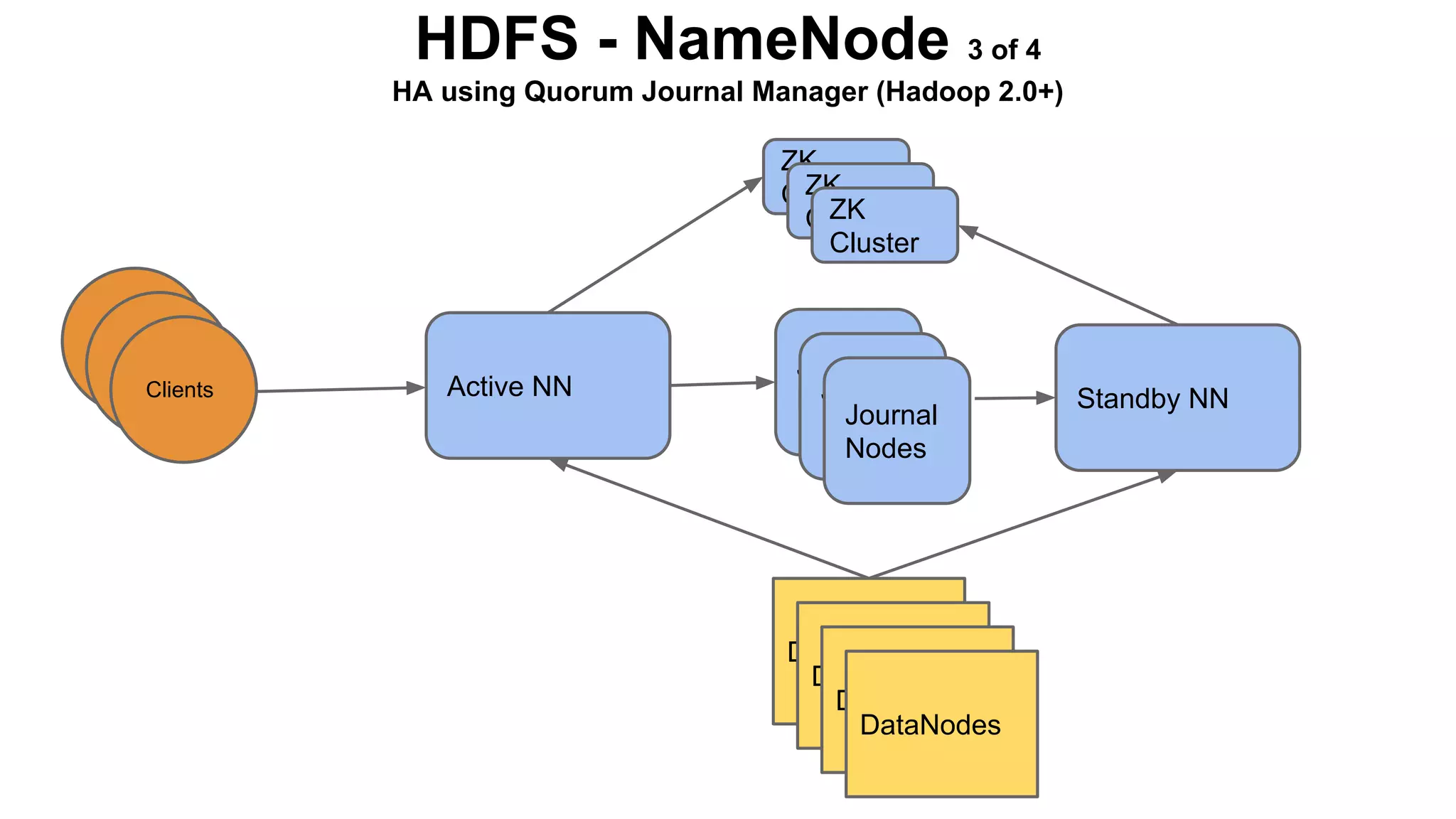
HDFS - NameNode 3 of 4
HA using Quorum Journal Manager (Hadoop 2.0+)
ZK
ZK
Cluster
ZK
Cluster
Cluster

Clients
Clients
Clients

Active NN

Journal
Journal
Nodes
Journal
Nodes
Nodes

DataNodes
DataNodes
DataNodes
DataNodes

Standby NN
HDFS - NameNode 4 of 4
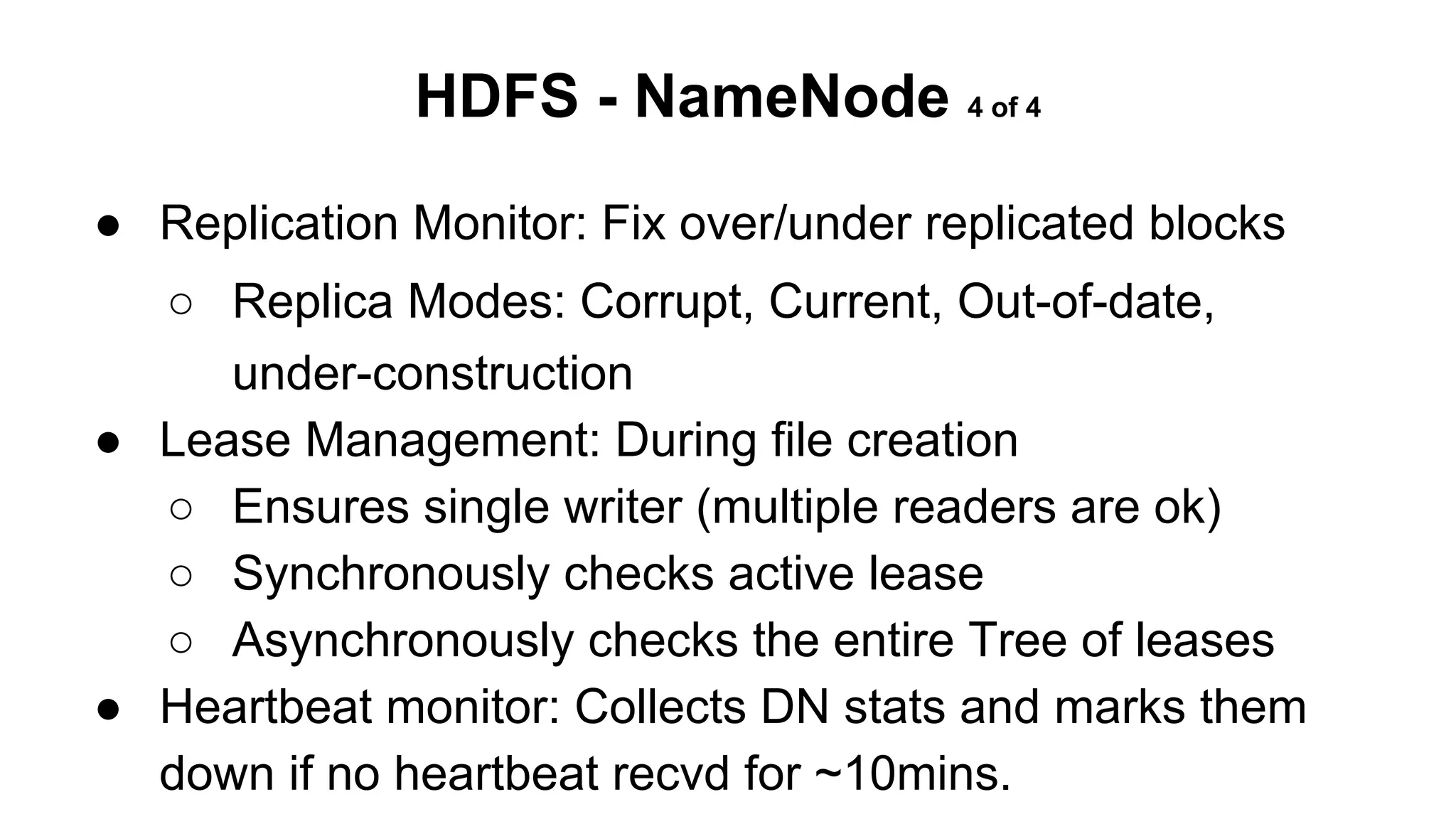
● Replication Monitor: Fix over/under replicated blocks
○ Replica Modes: Corrupt, Current, Out-of-date,
under-construction
● Lease Management: During file creation
○ Ensures single writer (multiple readers are ok)
○ Synchronously checks active lease
○ Asynchronously checks the entire Tree of leases
● Heartbeat monitor: Collects DN stats and marks them
down if no heartbeat recvd for ~10mins.
HDFS - DataNode
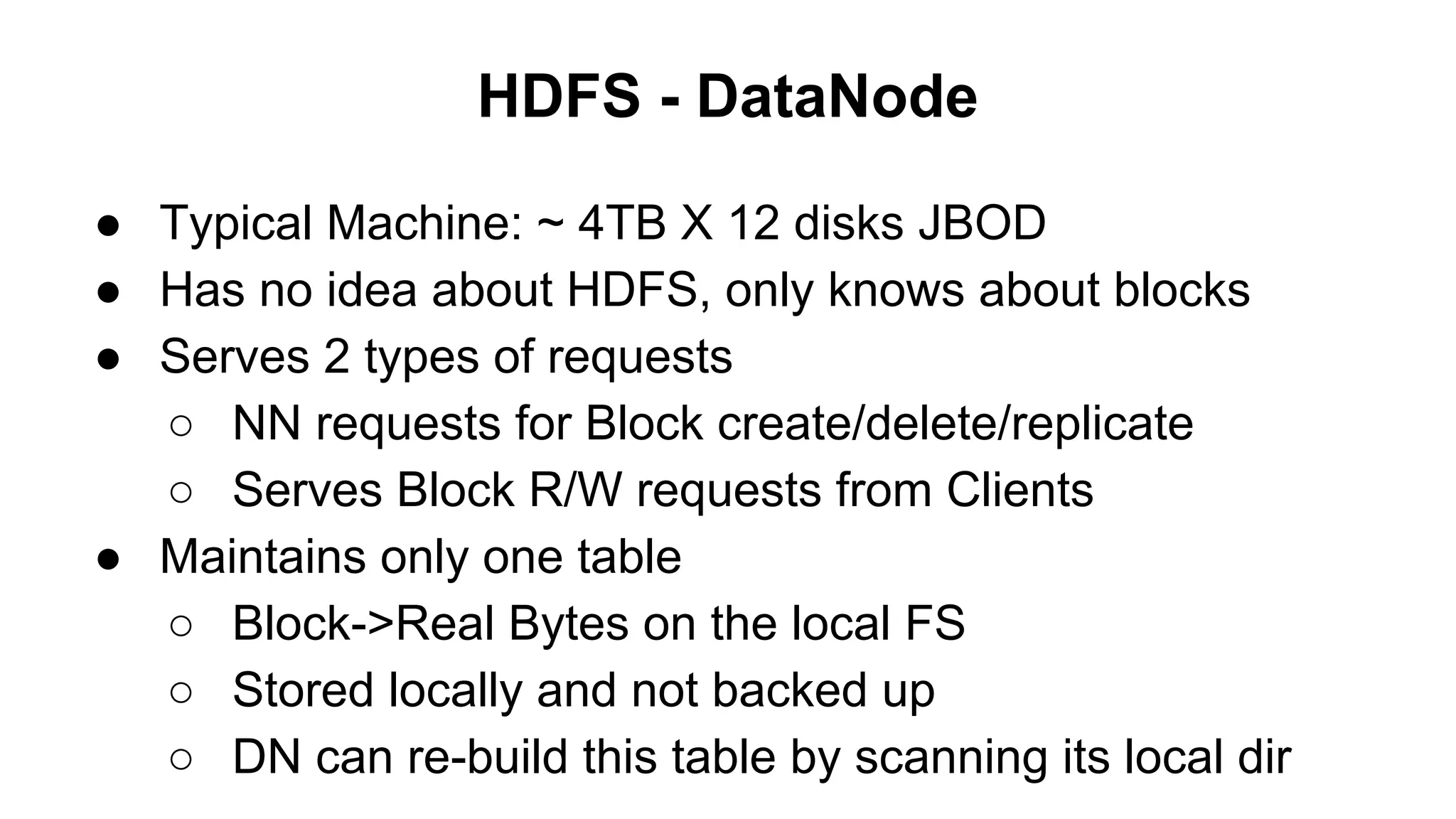
● Typical Machine: ~ 4TB X 12 disks JBOD
● Has no idea about HDFS, only knows about blocks
● Serves 2 types of requests
○ NN requests for Block create/delete/replicate
○ Serves Block R/W requests from Clients
● Maintains only one table
○ Block->Real Bytes on the local FS
○ Stored locally and not backed up
○ DN can re-build this table by scanning its local dir
HDFS - DataNode
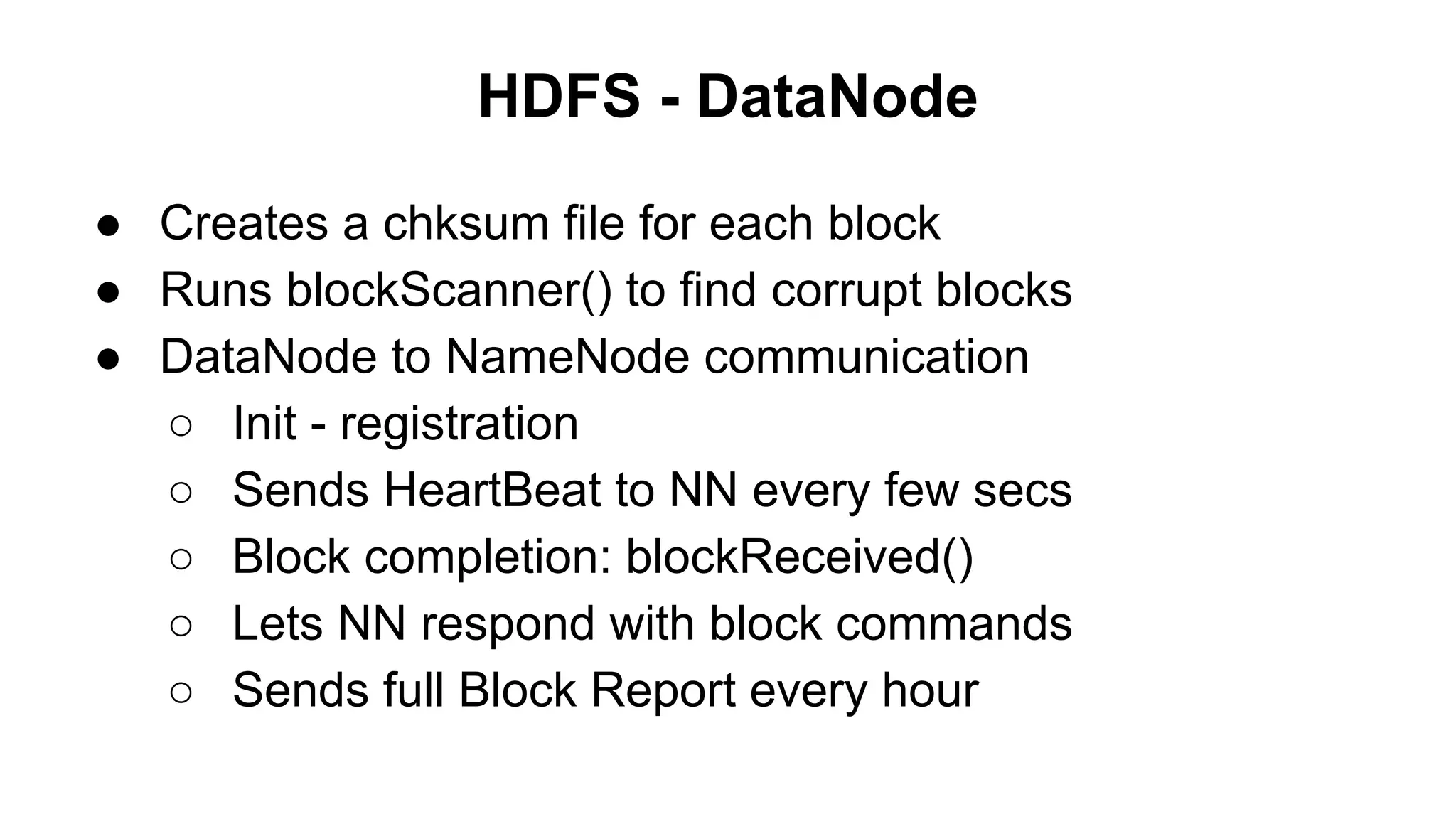
● Creates a chksum file for each block
● Runs blockScanner() to find corrupt blocks
● DataNode to NameNode communication
○ Init - registration
○ Sends HeartBeat to NN every few secs
○ Block completion: blockReceived()
○ Lets NN respond with block commands
○ Sends full Block Report every hour
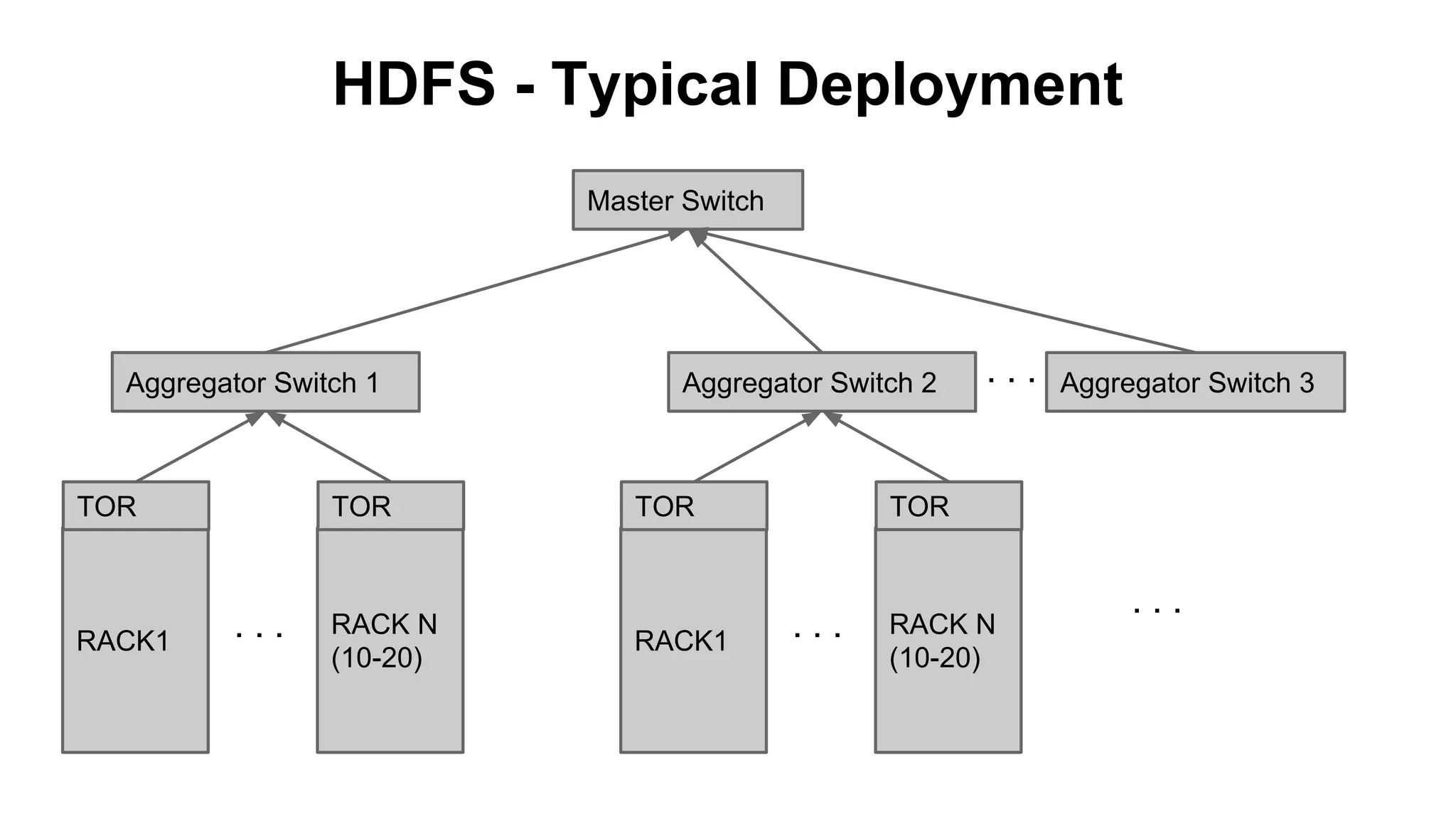
HDFS - Typical Deployment
Master Switch

Aggregator Switch 1

TOR

RACK1

TOR

...

RACK N
(10-20)

Aggregator Switch 2

TOR

RACK1

...

Aggregator Switch 3

TOR

...

RACK N
(10-20)

...
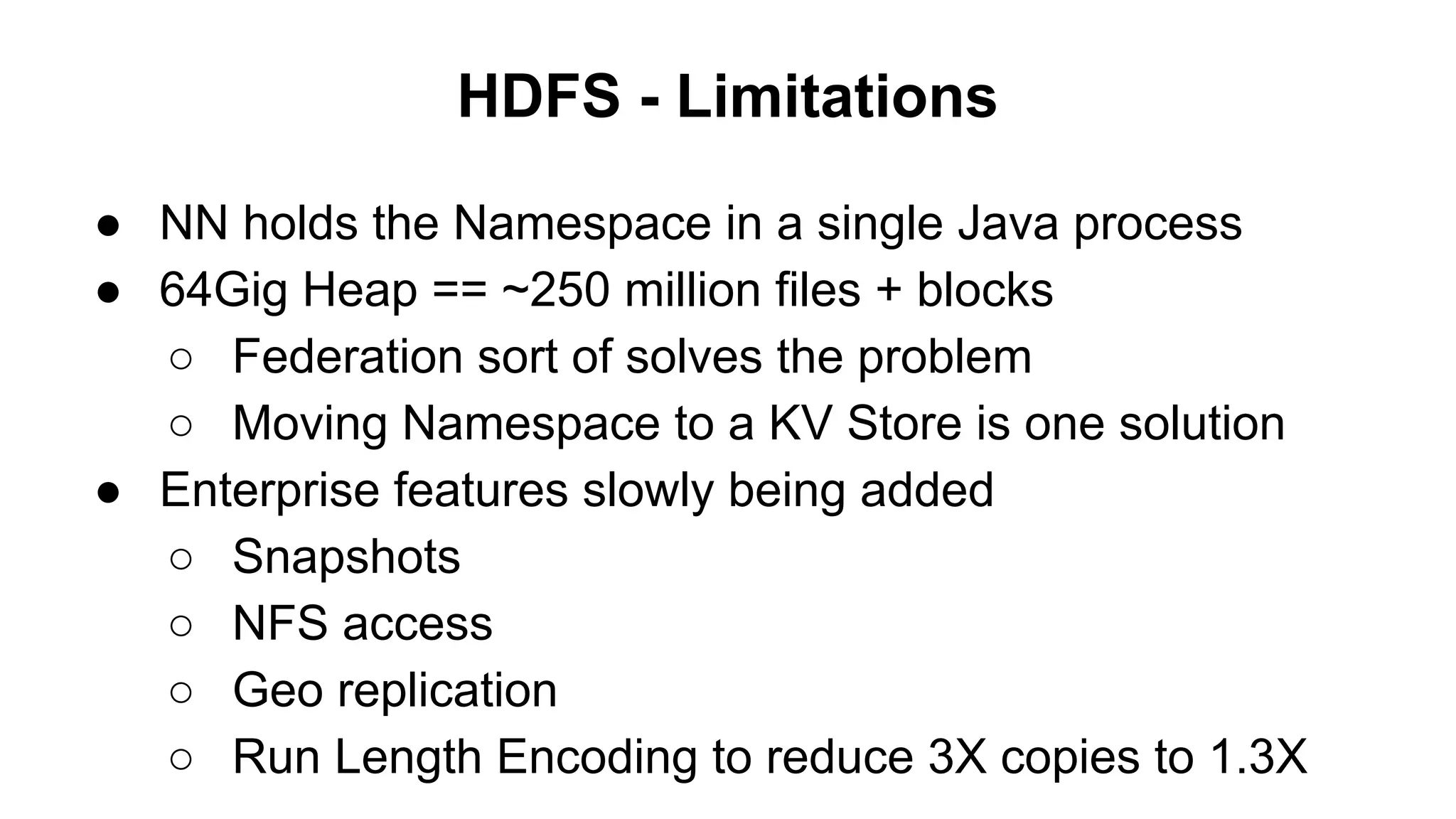
HDFS - Limitations
● NN holds the Namespace in a single Java process
● 64Gig Heap == ~250 million files + blocks
○ Federation sort of solves the problem
○ Moving Namespace to a KV Store is one solution
● Enterprise features slowly being added
○ Snapshots
○ NFS access
○ Geo replication
○ Run Length Encoding to reduce 3X copies to 1.3X
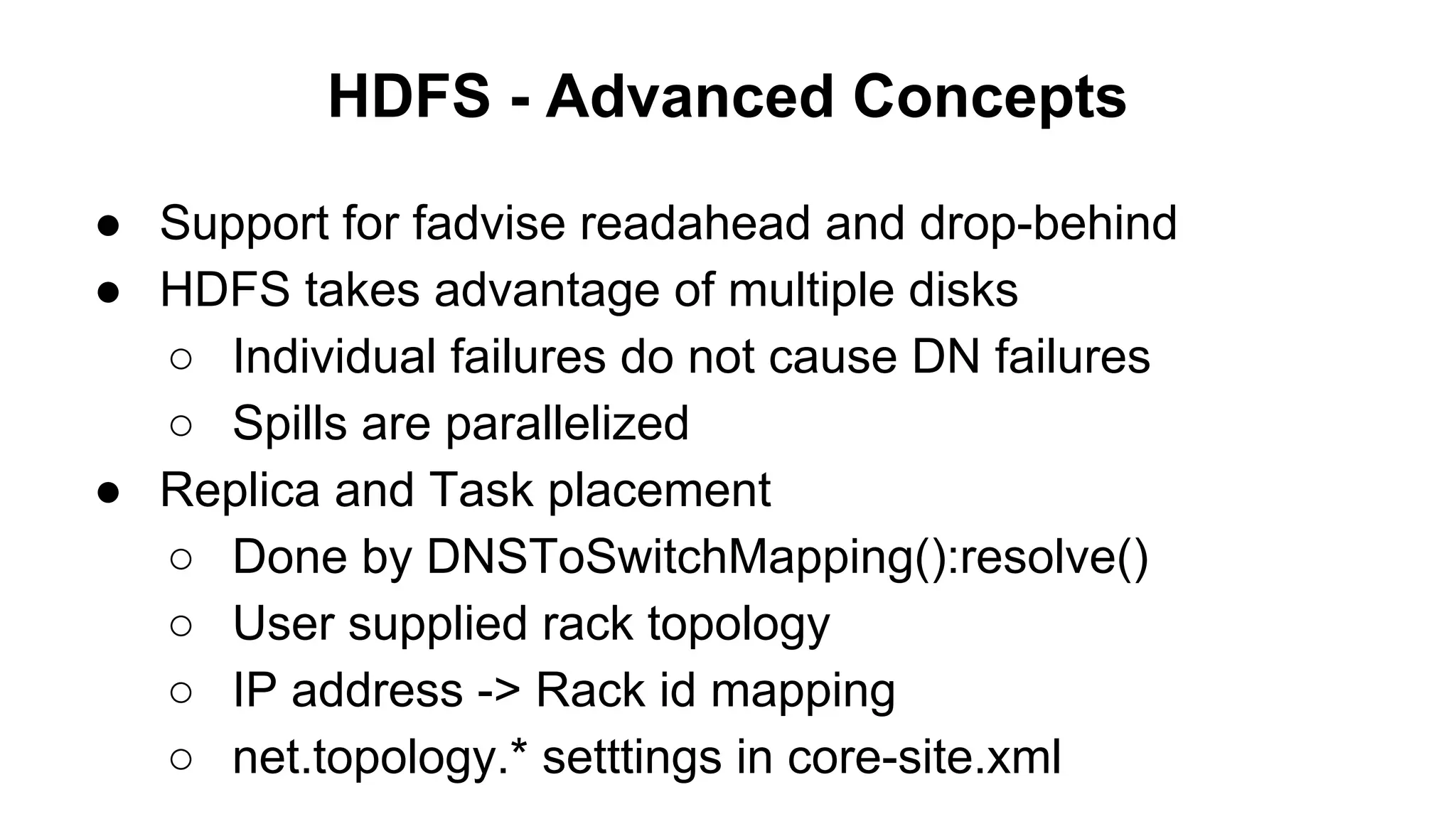
HDFS - Advanced Concepts
● Support for fadvise readahead and drop-behind
● HDFS takes advantage of multiple disks
○ Individual failures do not cause DN failures
○ Spills are parallelized
● Replica and Task placement
○ Done by DNSToSwitchMapping():resolve()
○ User supplied rack topology
○ IP address -> Rack id mapping
○ net.topology.* setttings in core-site.xml
HDFS - Advanced Concepts
● Couple of tools for Perf monitoring
○ Ganglia for HDFS
○ Nagios for general health of the machine.
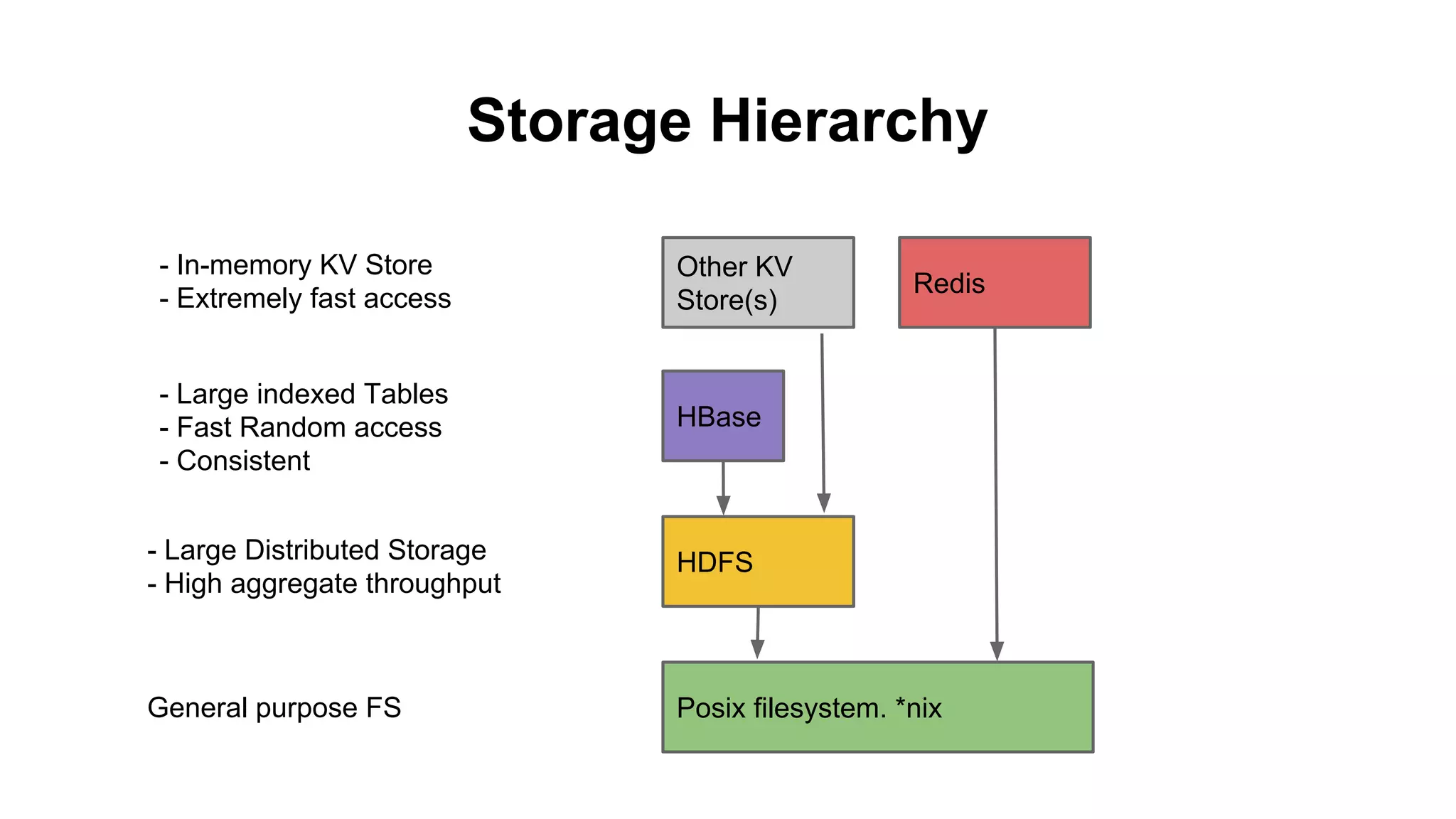
Storage Hierarchy
- In-memory KV Store
- Extremely fast access

Other KV
Store(s)

- Large indexed Tables
- Fast Random access
- Consistent

HBase

Redis

- Large Distributed Storage
- High aggregate throughput

HDFS

General purpose FS

Posix filesystem. *nix
Storage Hierarchy
- In-memory KV Store
- Extremely fast access

Other KV
Store(s)

- Large indexed Tables
- Fast Random access
- Consistent

HBase

Redis

- Large Distributed Storage
- High aggregate throughput

HDFS

General purpose FS

Posix filesystem. *nix
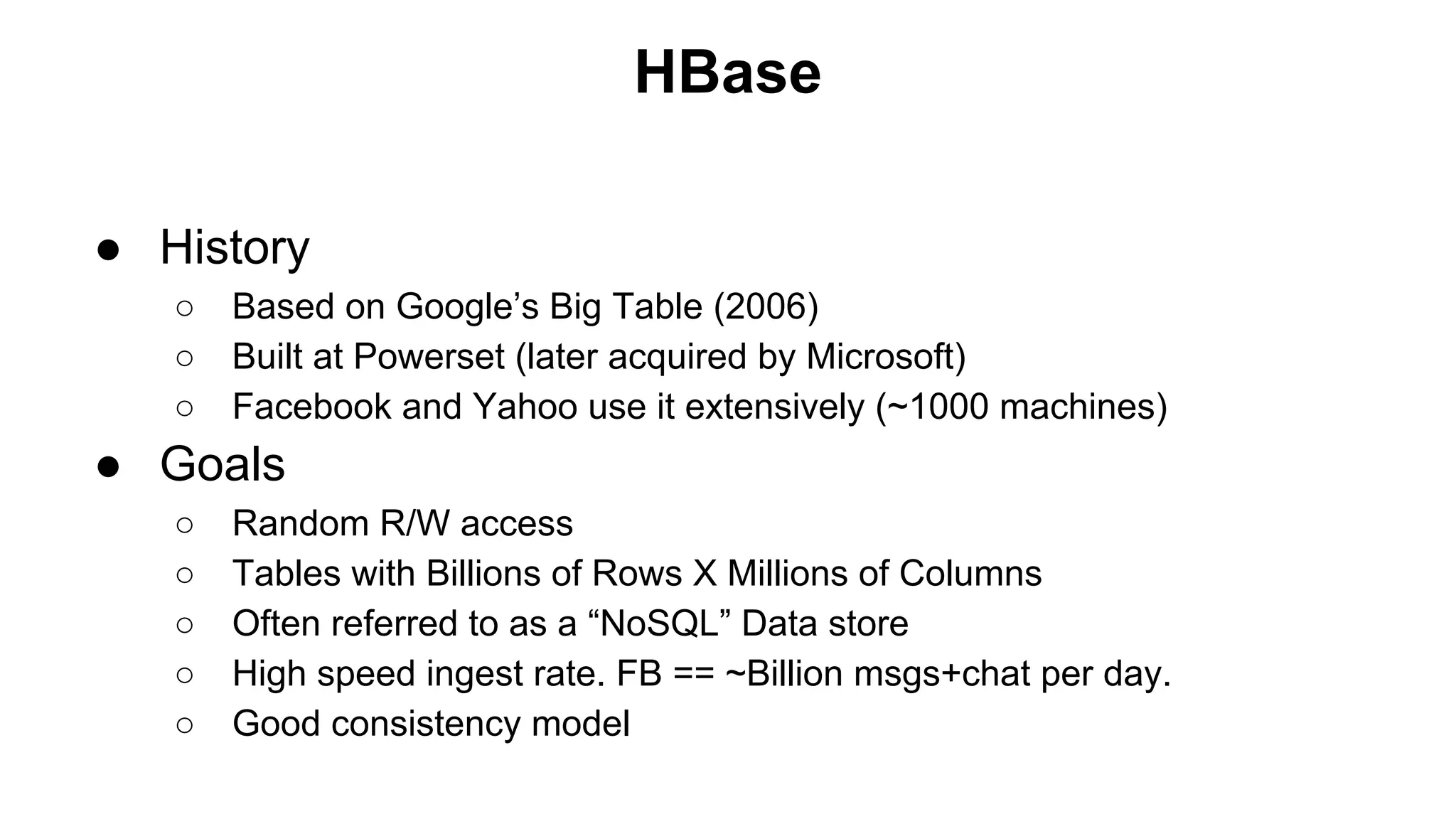
HBase
● History
○
○
○

Based on Google’s Big Table (2006)
Built at Powerset (later acquired by Microsoft)
Facebook and Yahoo use it extensively (~1000 machines)

● Goals
○
○
○
○
○

Random R/W access
Tables with Billions of Rows X Millions of Columns
Often referred to as a “NoSQL” Data store
High speed ingest rate. FB == ~Billion msgs+chat per day.
Good consistency model
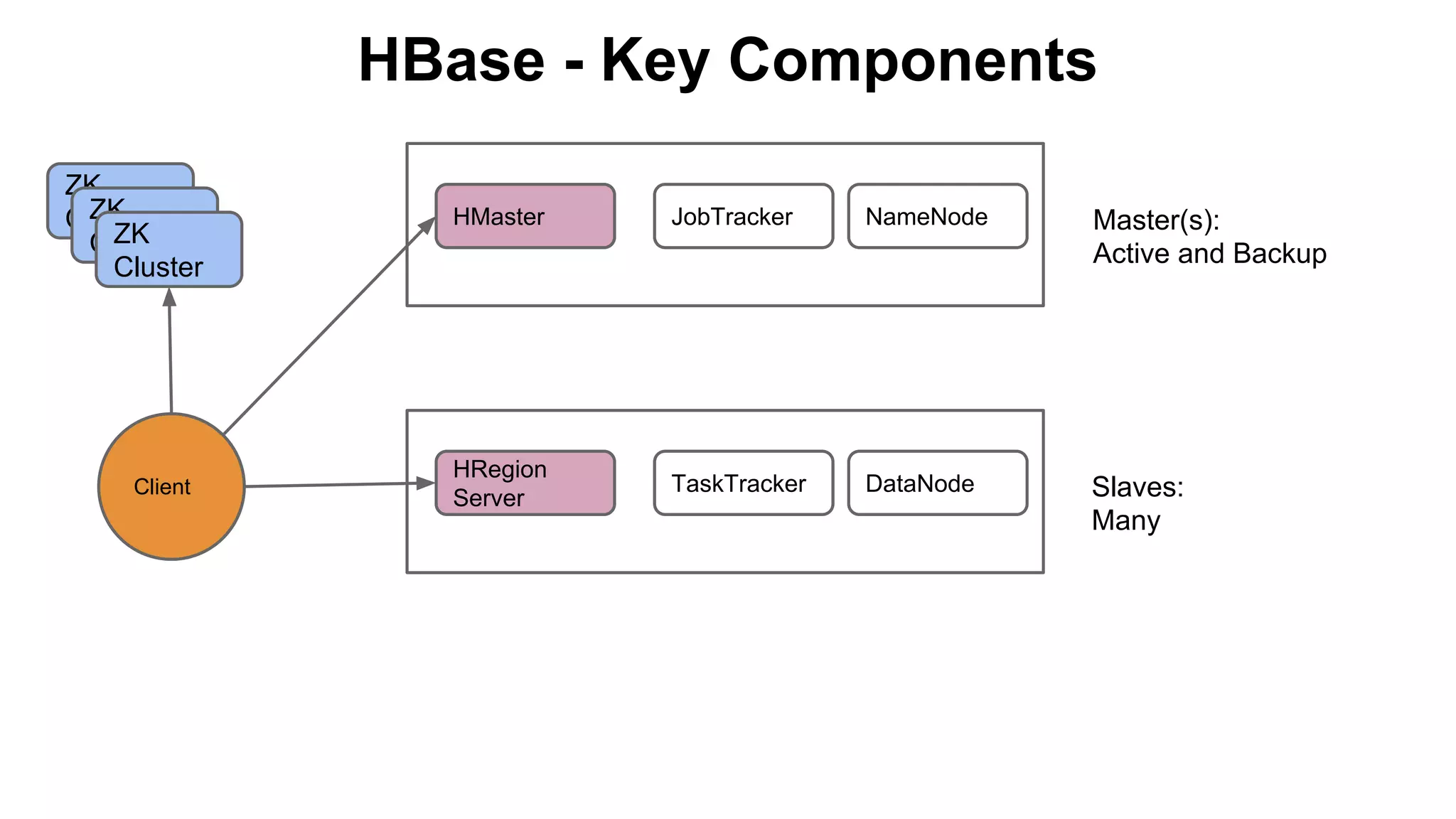
HBase - Key Components
ZK
ZK
Cluster
ZK
Cluster
Cluster

Client

HMaster

JobTracker

NameNode

Master(s):
Active and Backup

HRegion
Server

TaskTracker

DataNode

Slaves:
Many
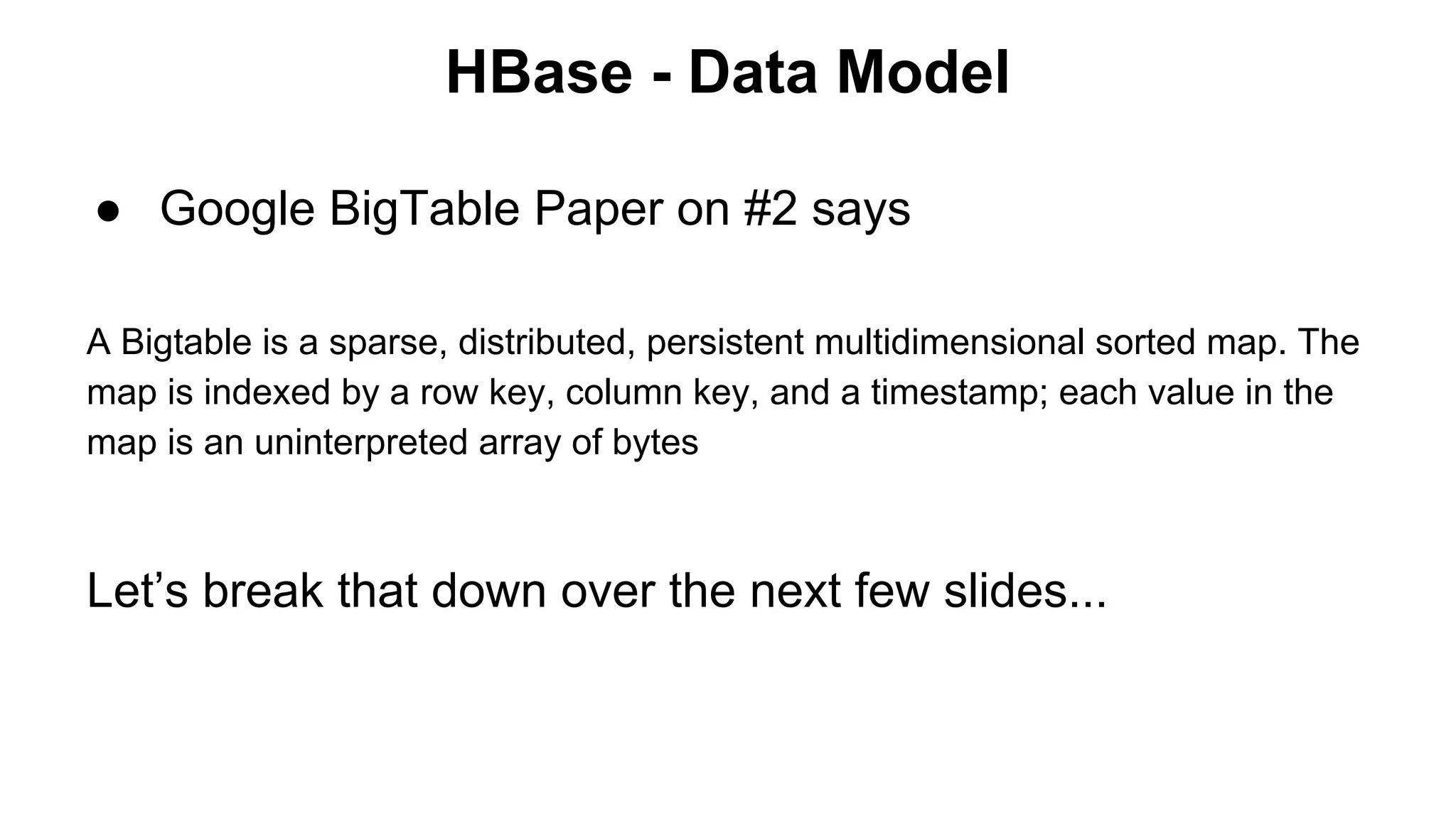
HBase - Data Model
● Google BigTable Paper on #2 says
A Bigtable is a sparse, distributed, persistent multidimensional sorted map. The
map is indexed by a row key, column key, and a timestamp; each value in the
map is an uninterpreted array of bytes

Let’s break that down over the next few slides...
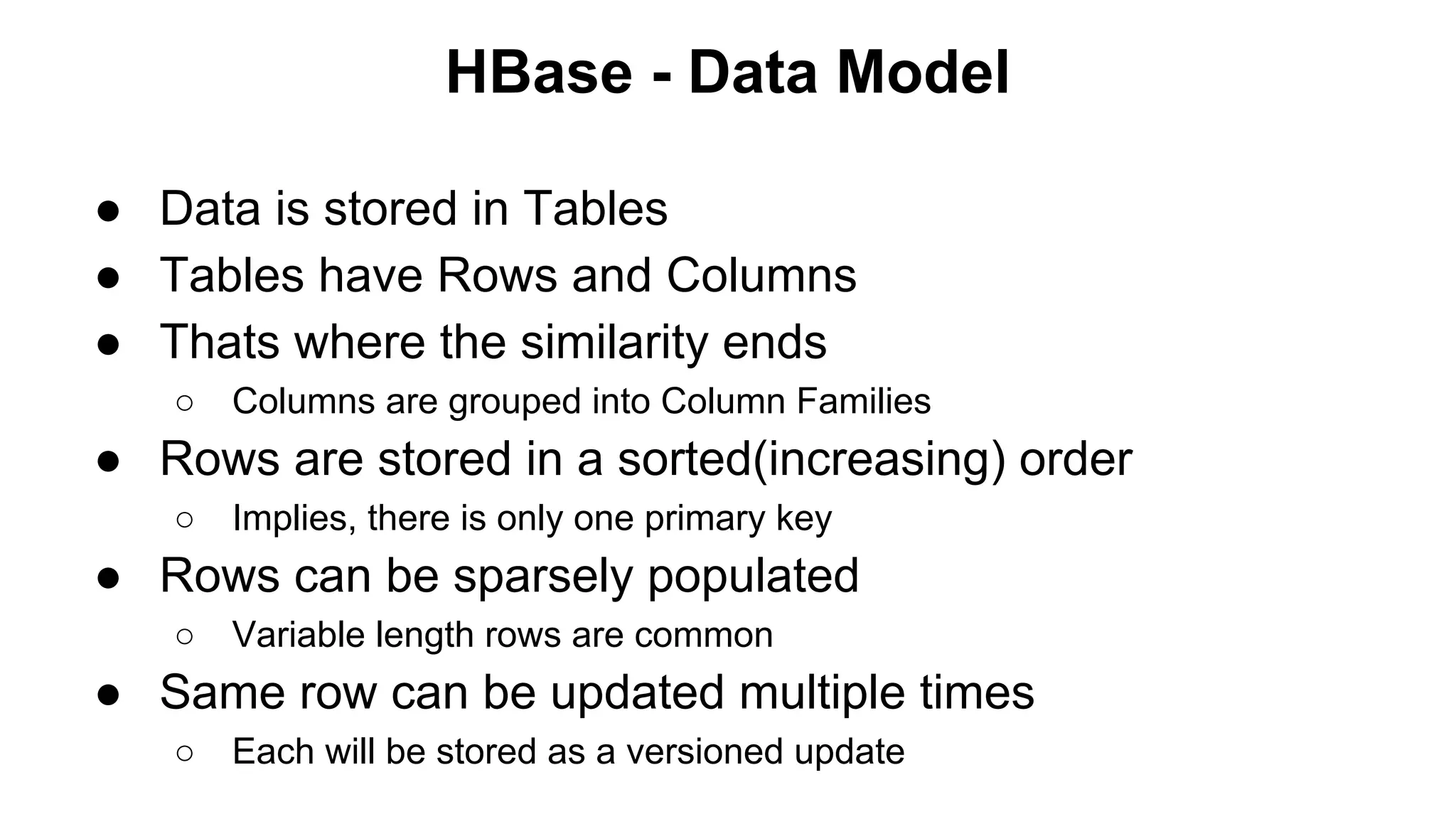
HBase - Data Model
● Data is stored in Tables
● Tables have Rows and Columns
● Thats where the similarity ends
○

Columns are grouped into Column Families

● Rows are stored in a sorted(increasing) order
○

Implies, there is only one primary key

● Rows can be sparsely populated
○

Variable length rows are common

● Same row can be updated multiple times
○

Each will be stored as a versioned update
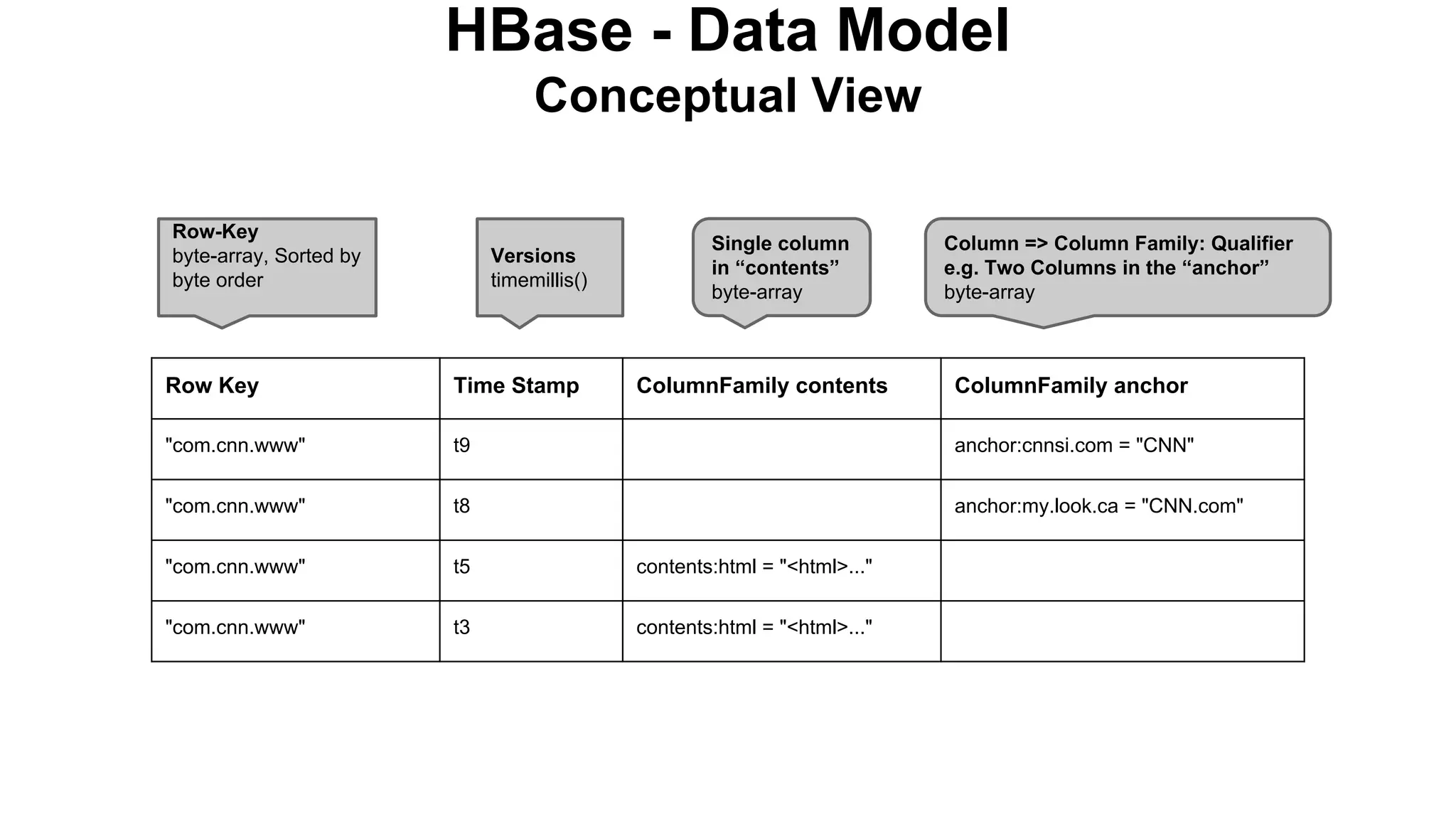
HBase - Data Model
Conceptual View
Row-Key
byte-array, Sorted by
byte order

Versions
timemillis()

Single column
in “contents”
byte-array

ColumnFamily contents

Column => Column Family: Qualifier
e.g. Two Columns in the “anchor”
byte-array

Row Key

Time Stamp

ColumnFamily anchor

"com.cnn.www"

t9

anchor:cnnsi.com = "CNN"

"com.cnn.www"

t8

anchor:my.look.ca = "CNN.com"

"com.cnn.www"

t5

contents:html = "<html>..."

"com.cnn.www"

t3

contents:html = "<html>..."
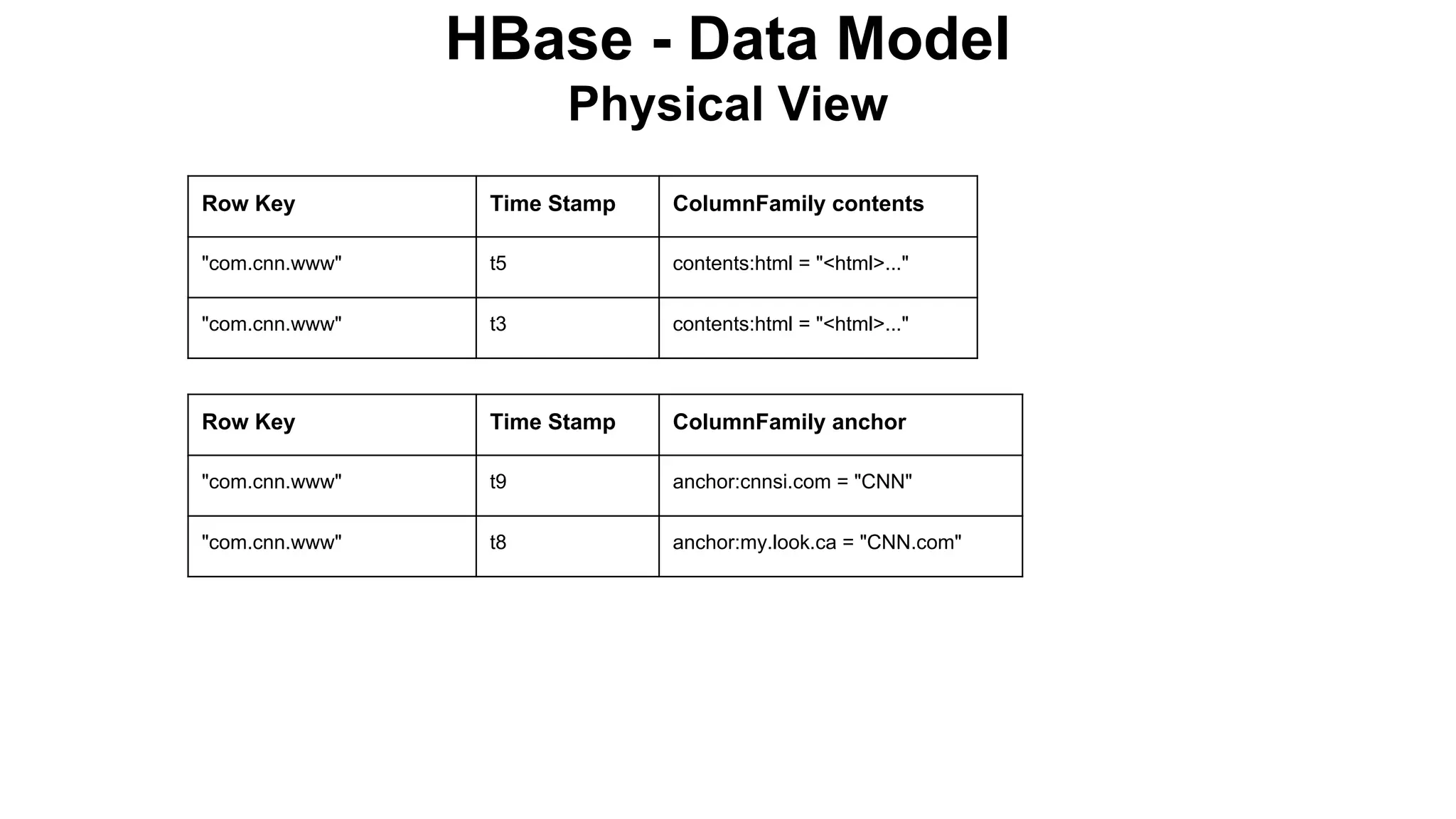
HBase - Data Model
Physical View
Row Key

Time Stamp

ColumnFamily contents

"com.cnn.www"

t5

contents:html = "<html>..."

"com.cnn.www"

t3

contents:html = "<html>..."

Row Key

Time Stamp

ColumnFamily anchor

"com.cnn.www"

t9

anchor:cnnsi.com = "CNN"

"com.cnn.www"

t8

anchor:my.look.ca = "CNN.com"
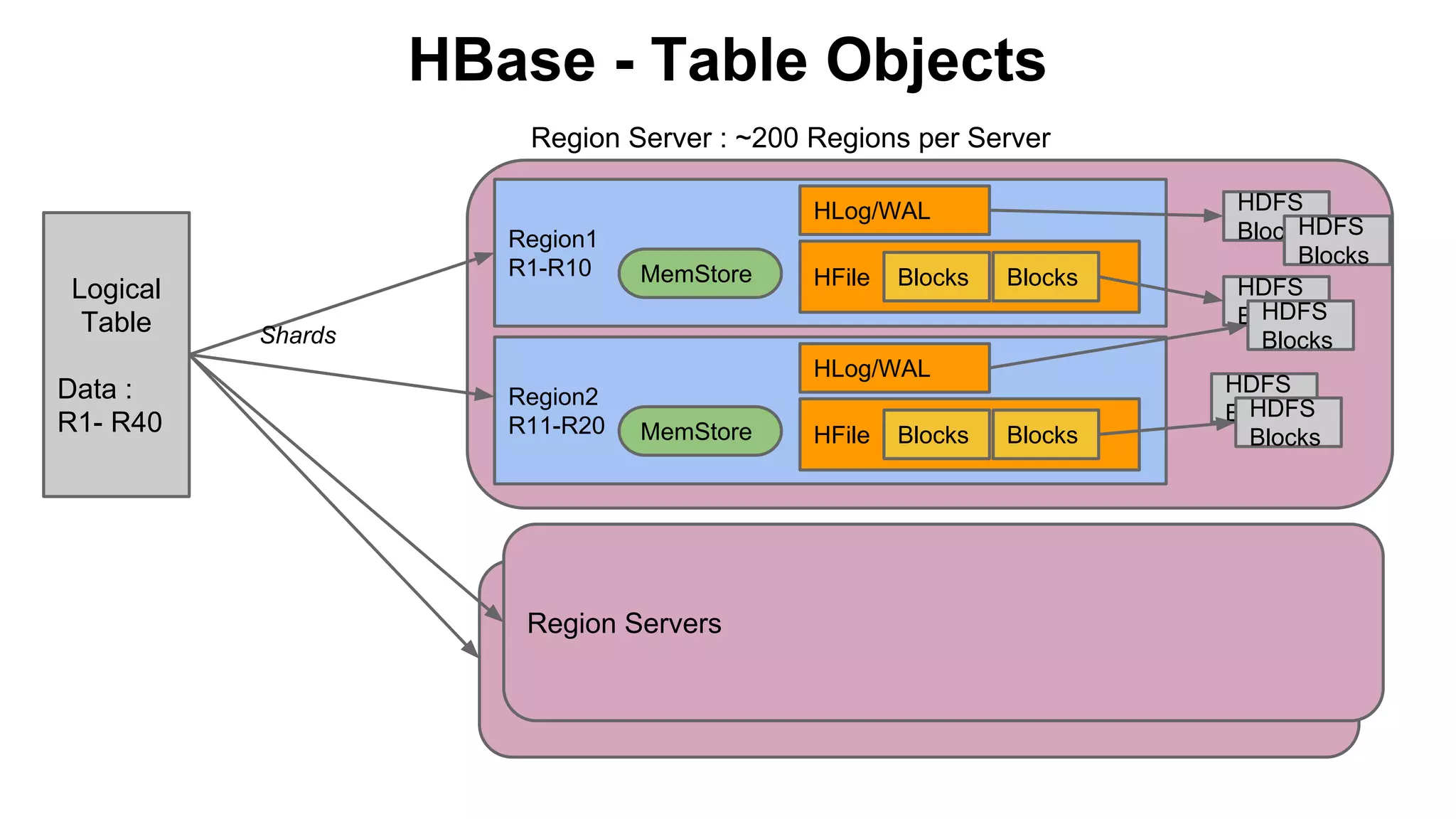
HBase - Table Objects
Region Server : ~200 Regions per Server
HLog/WAL

Logical
Table
Data :
R1- R40

Region1
R1-R10

MemStore

HFile

Blocks

Blocks

Shards
HLog/WAL
Region2
R11-R20

MemStore

Region Servers

HFile

Blocks

Blocks

HDFS
H
Blocks DFS
Blocks
HDFS
HDFS
Blocks
Blocks
HDFS
HDFS
Blocks
Blocks
HBase - Data Model Operations
○
○

HTable class offers 4 techniques: get, put, delete and scan.
The first 3 have a single or batch mode available
//Scan example
public static final byte[] CF1 = "empData1".getBytes();
public static final byte[] ATTR1 = "empId".getBytes();
HTable htable = new HTable(blah... // create an instance of HTable
Scan scan = new Scan();
scan.addColumn(CF1, ATTR1);
scan.setStartRow(Bytes.toBytes("200"));
scan.setStopRow(Bytes.toBytes("500"));
ResultScanner rs = htable.getScanner(scan);
try {
for (Result r = rs.next(); r != null; r = rs.next()) {
// do something with it...
} finally {
rs.close();
}
HBase - Data Versioning
○
○
○
○
○
○
○

○

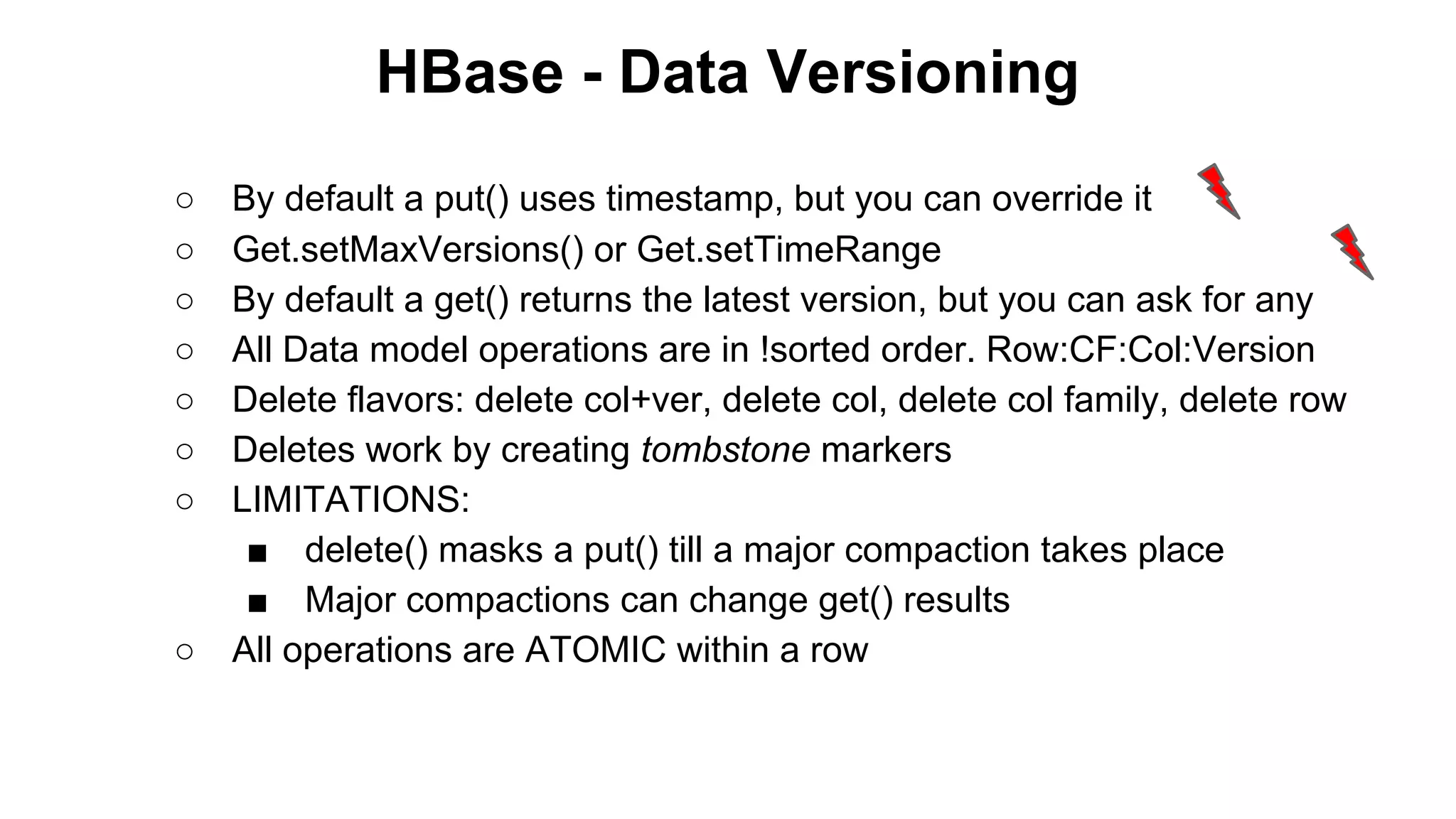
By default a put() uses timestamp, but you can override it
Get.setMaxVersions() or Get.setTimeRange
By default a get() returns the latest version, but you can ask for any
All Data model operations are in !sorted order. Row:CF:Col:Version
Delete flavors: delete col+ver, delete col, delete col family, delete row
Deletes work by creating tombstone markers
LIMITATIONS:
■ delete() masks a put() till a major compaction takes place
■ Major compactions can change get() results
All operations are ATOMIC within a row
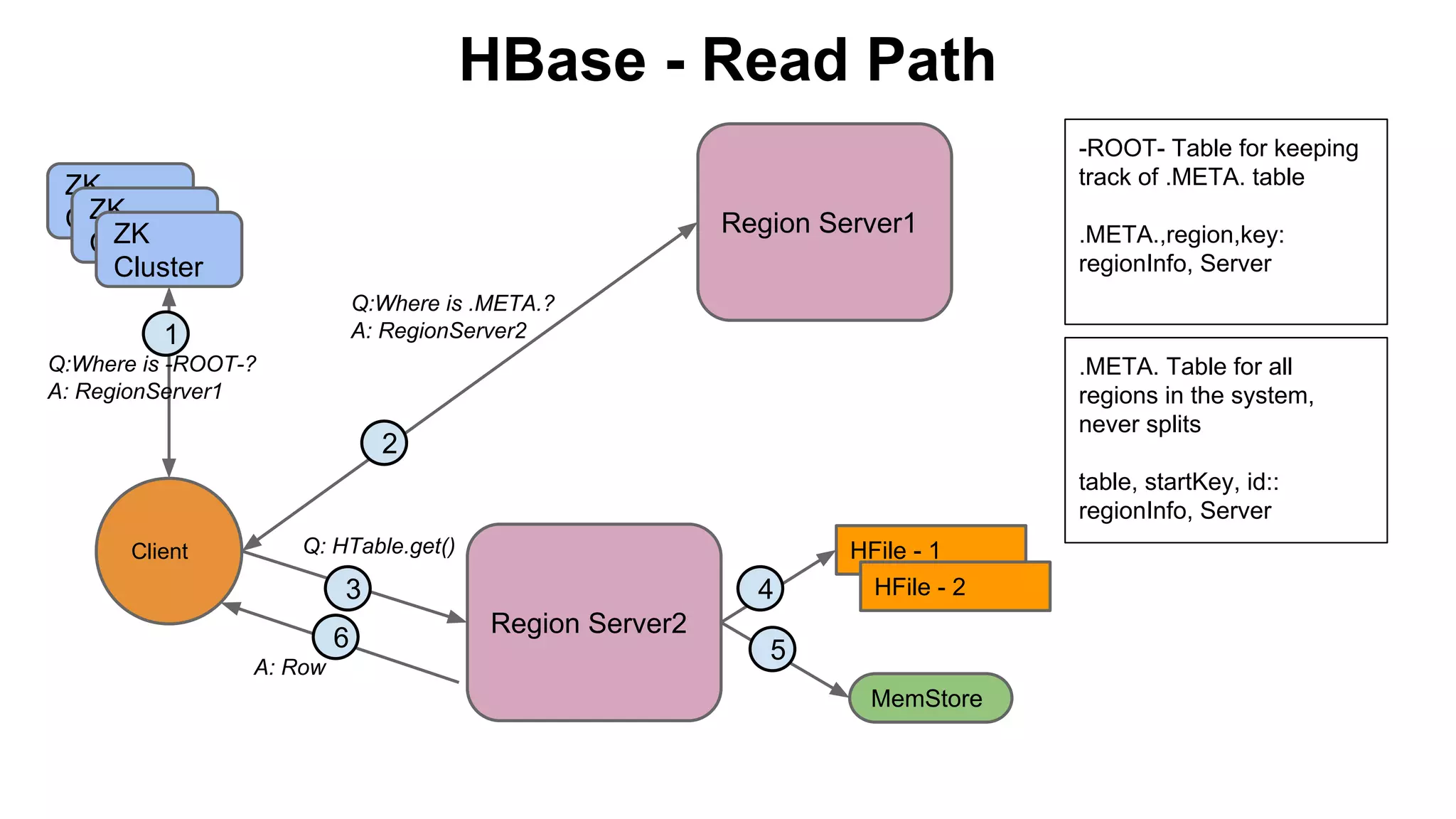
HBase - Read Path
-ROOT- Table for keeping
track of .META. table

ZK
ZK
Cluster
ZK
Cluster
Cluster

Region Server1

.META.,region,key:
regionInfo, Server

Q:Where is .META.?
A: RegionServer2

1
Q:Where is -ROOT-?
A: RegionServer1

.META. Table for all
regions in the system,
never splits

2

table, startKey, id::
regionInfo, Server
Client

Q: HTable.get()

3
6
A: Row

4

HFile - 1
HFile - 2

Region Server2
5
MemStore
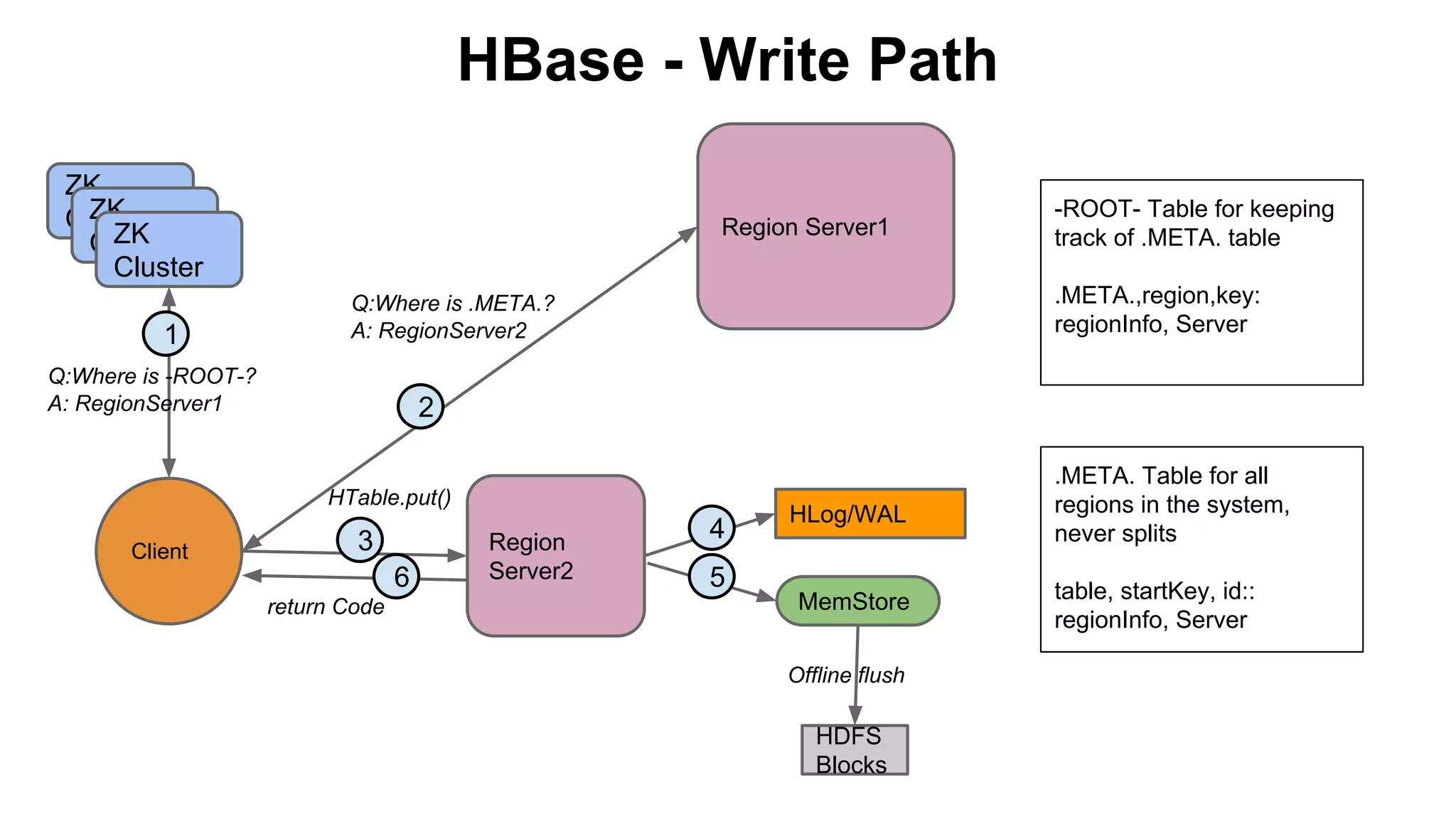
HBase - Write Path
ZK
ZK
Cluster
ZK
Cluster
Cluster
1

Region Server1

.META.,region,key:
regionInfo, Server

Q:Where is .META.?
A: RegionServer2

Q:Where is -ROOT-?
A: RegionServer1

2
HTable.put()

Client

-ROOT- Table for keeping
track of .META. table

3
6
return Code

Region
Server2

4
5

HLog/WAL

MemStore
Offline flush

HDFS
Blocks

.META. Table for all
regions in the system,
never splits
table, startKey, id::
regionInfo, Server
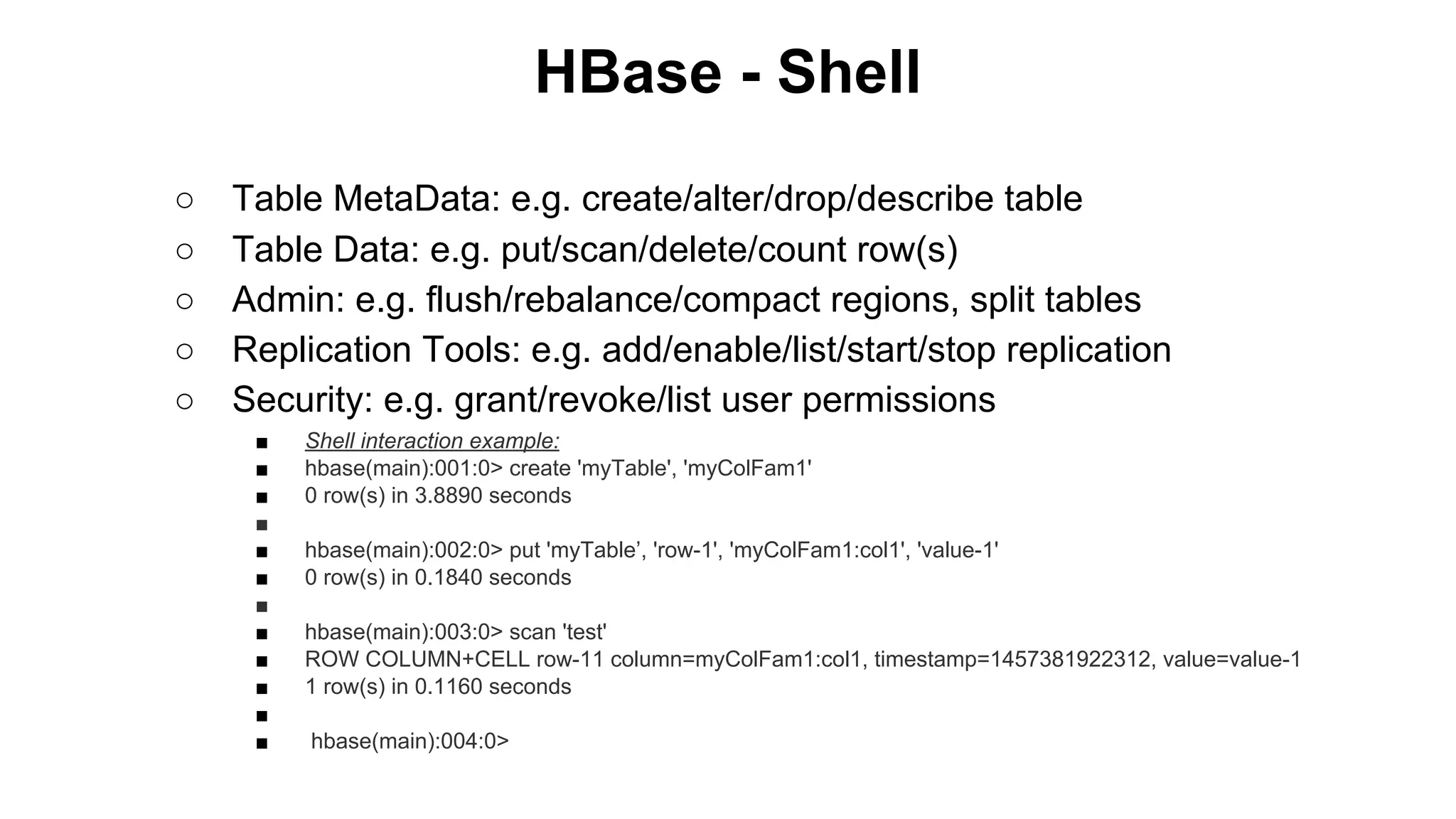
HBase - Shell
○
○
○
○
○

Table MetaData: e.g. create/alter/drop/describe table
Table Data: e.g. put/scan/delete/count row(s)
Admin: e.g. flush/rebalance/compact regions, split tables
Replication Tools: e.g. add/enable/list/start/stop replication
Security: e.g. grant/revoke/list user permissions
■
■
■
■
■
■
■
■
■
■
■
■

Shell interaction example:
hbase(main):001:0> create 'myTable', 'myColFam1'
0 row(s) in 3.8890 seconds
hbase(main):002:0> put 'myTable’, 'row-1', 'myColFam1:col1', 'value-1'
0 row(s) in 0.1840 seconds
hbase(main):003:0> scan 'test'
ROW COLUMN+CELL row-11 column=myColFam1:col1, timestamp=1457381922312, value=value-1
1 row(s) in 0.1160 seconds
hbase(main):004:0>
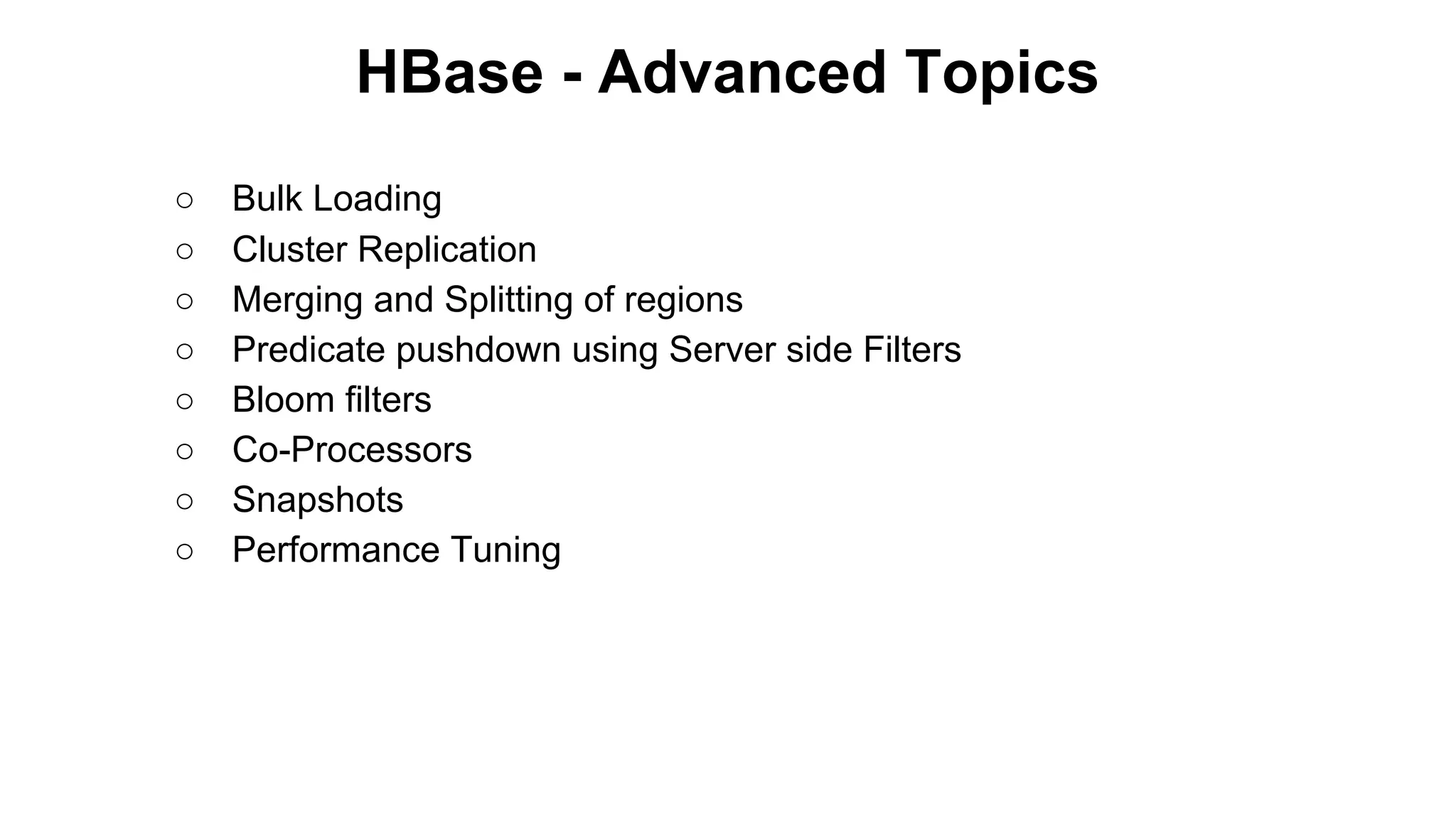
HBase - Advanced Topics
○
○
○
○
○
○
○
○

Bulk Loading
Cluster Replication
Merging and Splitting of regions
Predicate pushdown using Server side Filters
Bloom filters
Co-Processors
Snapshots
Performance Tuning
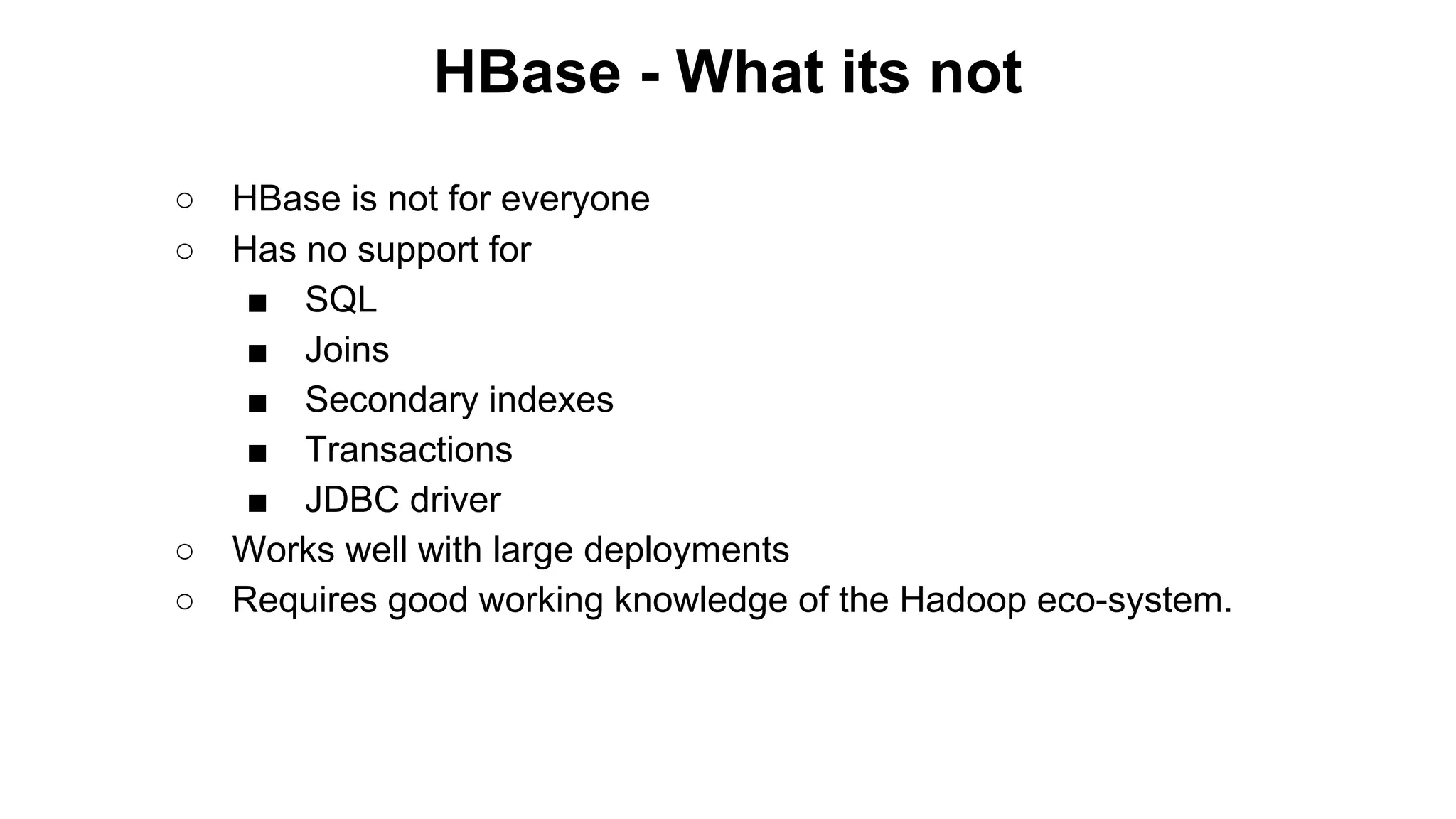
HBase - What its not
○
○

○
○

HBase is not for everyone
Has no support for
■ SQL
■ Joins
■ Secondary indexes
■ Transactions
■ JDBC driver
Works well with large deployments
Requires good working knowledge of the Hadoop eco-system.
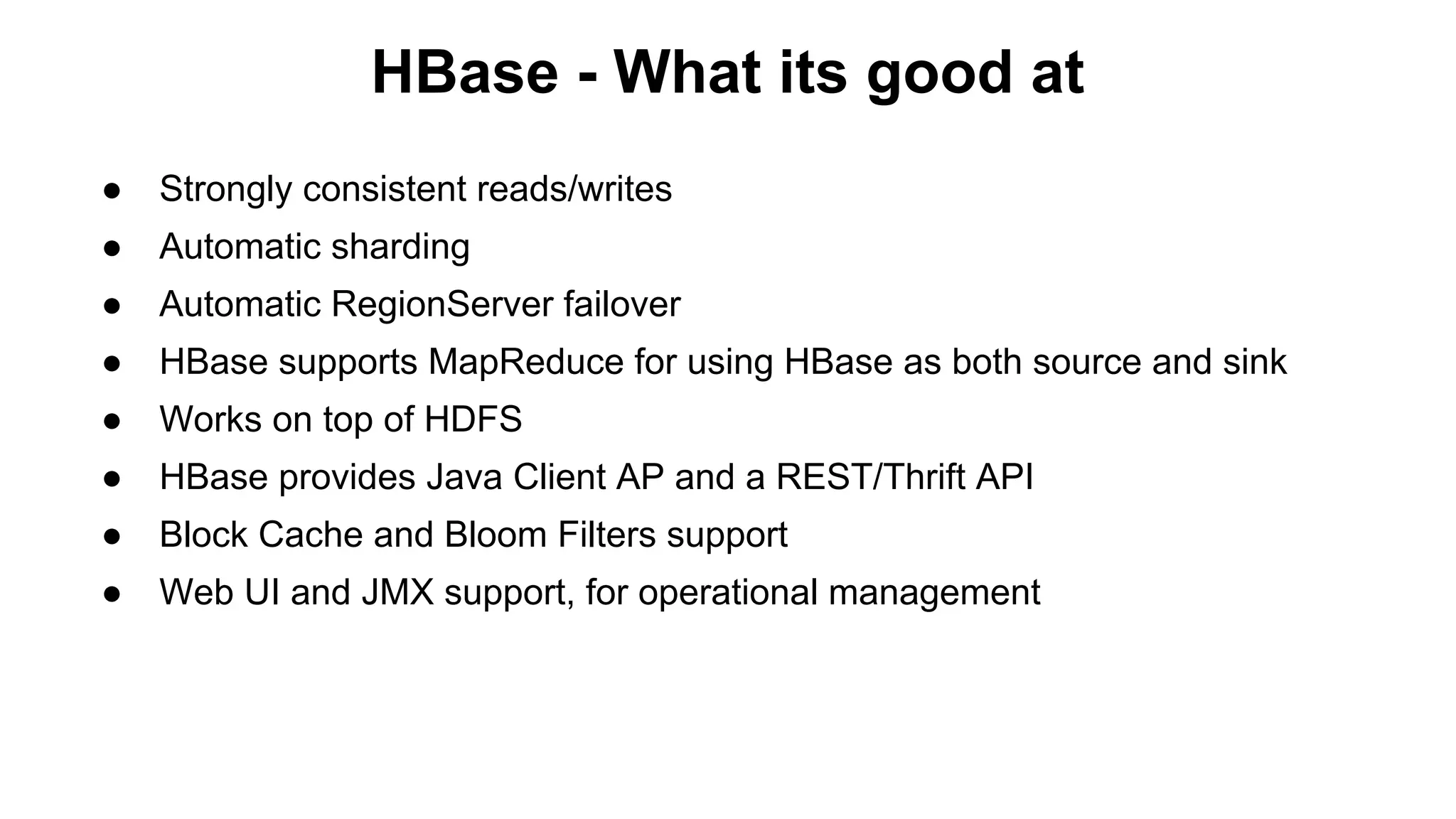
HBase - What its good at
●

Strongly consistent reads/writes

●

Automatic sharding

●

Automatic RegionServer failover

●

HBase supports MapReduce for using HBase as both source and sink

●

Works on top of HDFS

●

HBase provides Java Client AP and a REST/Thrift API

●

Block Cache and Bloom Filters support

●

Web UI and JMX support, for operational management
Storage Hierarchy
- In-memory KV Store
- Extremely fast access

Other KV
Store(s)

- Large indexed Tables
- Fast Random access
- Consistent

HBase

Redis

- Large Distributed Storage
- High aggregate throughput

HDFS

General purpose FS

Posix filesystem. *nix
Storage Hierarchy
- In-memory KV Store
- Extremely fast access

Other KV
Store(s)

- Large indexed Tables
- Fast Random access
- Consistent

HBase

Redis

- Large Distributed Storage
- High aggregate throughput

HDFS

General purpose FS

Posix filesystem. *nix
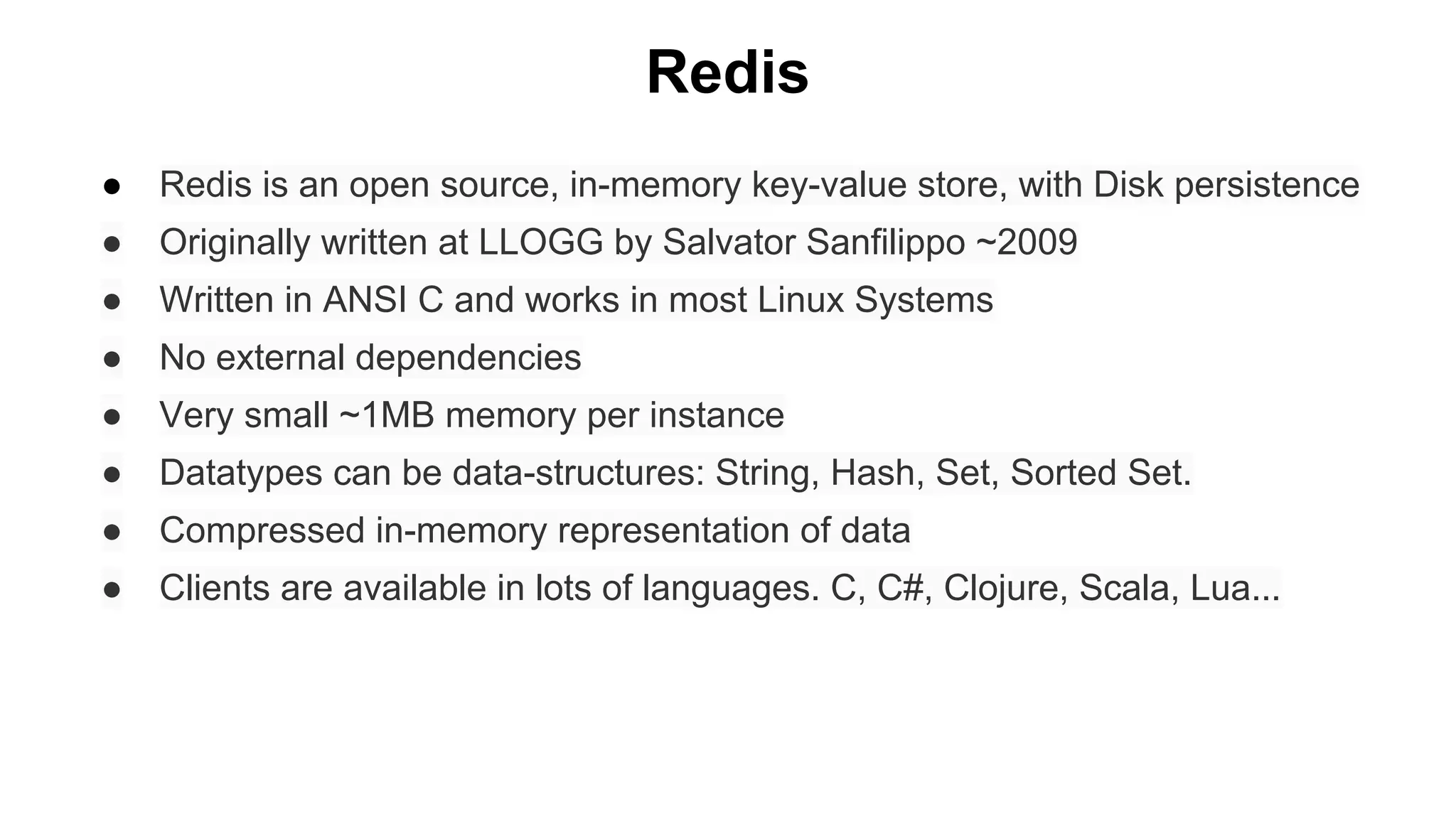
Redis
●

Redis is an open source, in-memory key-value store, with Disk persistence

●

Originally written at LLOGG by Salvator Sanfilippo ~2009

●

Written in ANSI C and works in most Linux Systems

●

No external dependencies

●

Very small ~1MB memory per instance

●

Datatypes can be data-structures: String, Hash, Set, Sorted Set.

●

Compressed in-memory representation of data

●

Clients are available in lots of languages. C, C#, Clojure, Scala, Lua...
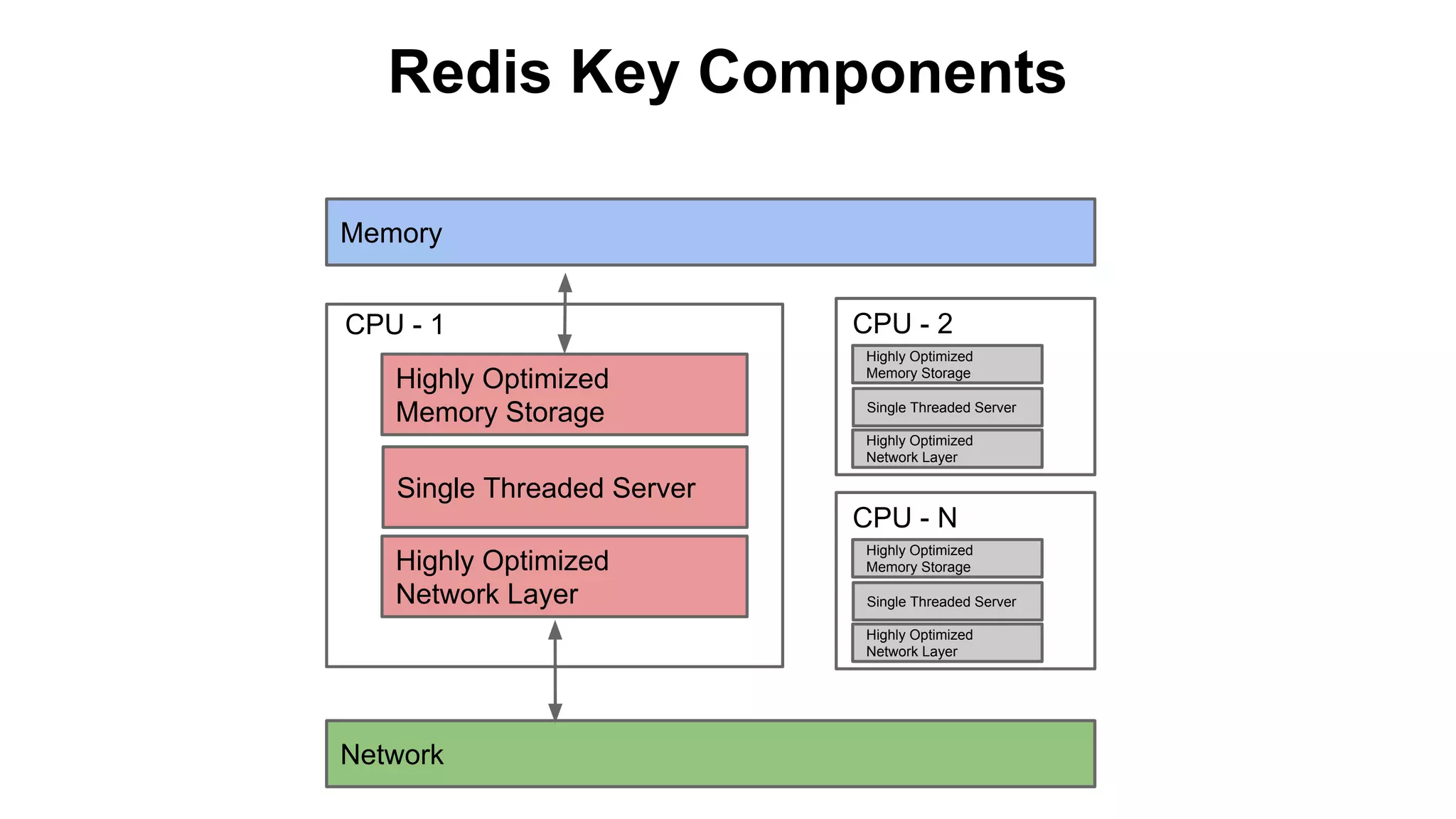
Redis Key Components
Memory
CPU - 1
Highly Optimized
Memory Storage

CPU - 2
Highly Optimized
Memory Storage
Single Threaded Server
Highly Optimized
Network Layer

Single Threaded Server
CPU - N
Highly Optimized
Network Layer

Highly Optimized
Memory Storage
Single Threaded Server
Highly Optimized
Network Layer

Network
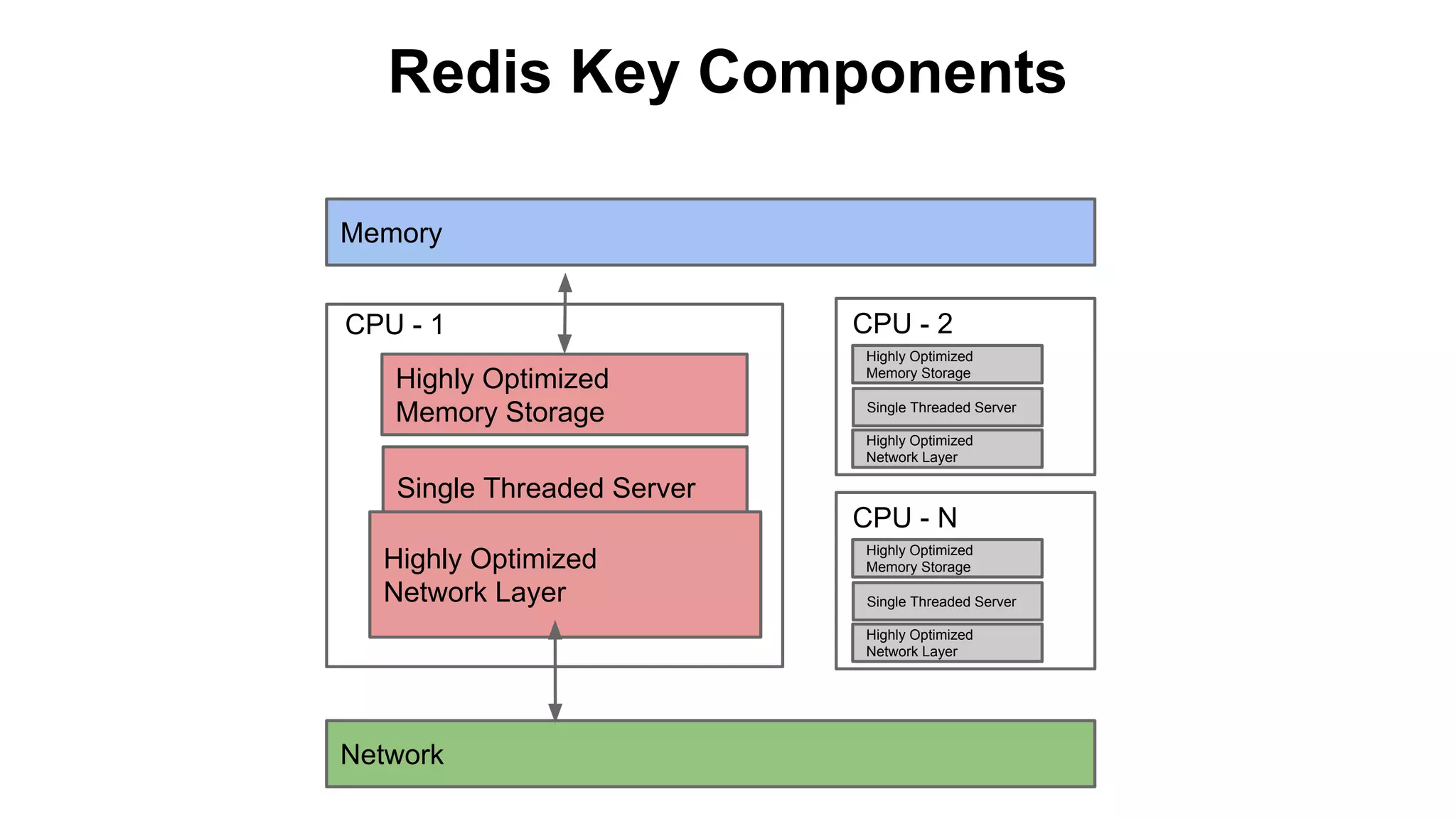
Redis Key Components
Memory
CPU - 1
Highly Optimized
Memory Storage

CPU - 2
Highly Optimized
Memory Storage
Single Threaded Server
Highly Optimized
Network Layer

Single Threaded Server
CPU - N
Highly Optimized
Network Layer

Highly Optimized
Memory Storage
Single Threaded Server
Highly Optimized
Network Layer

Network
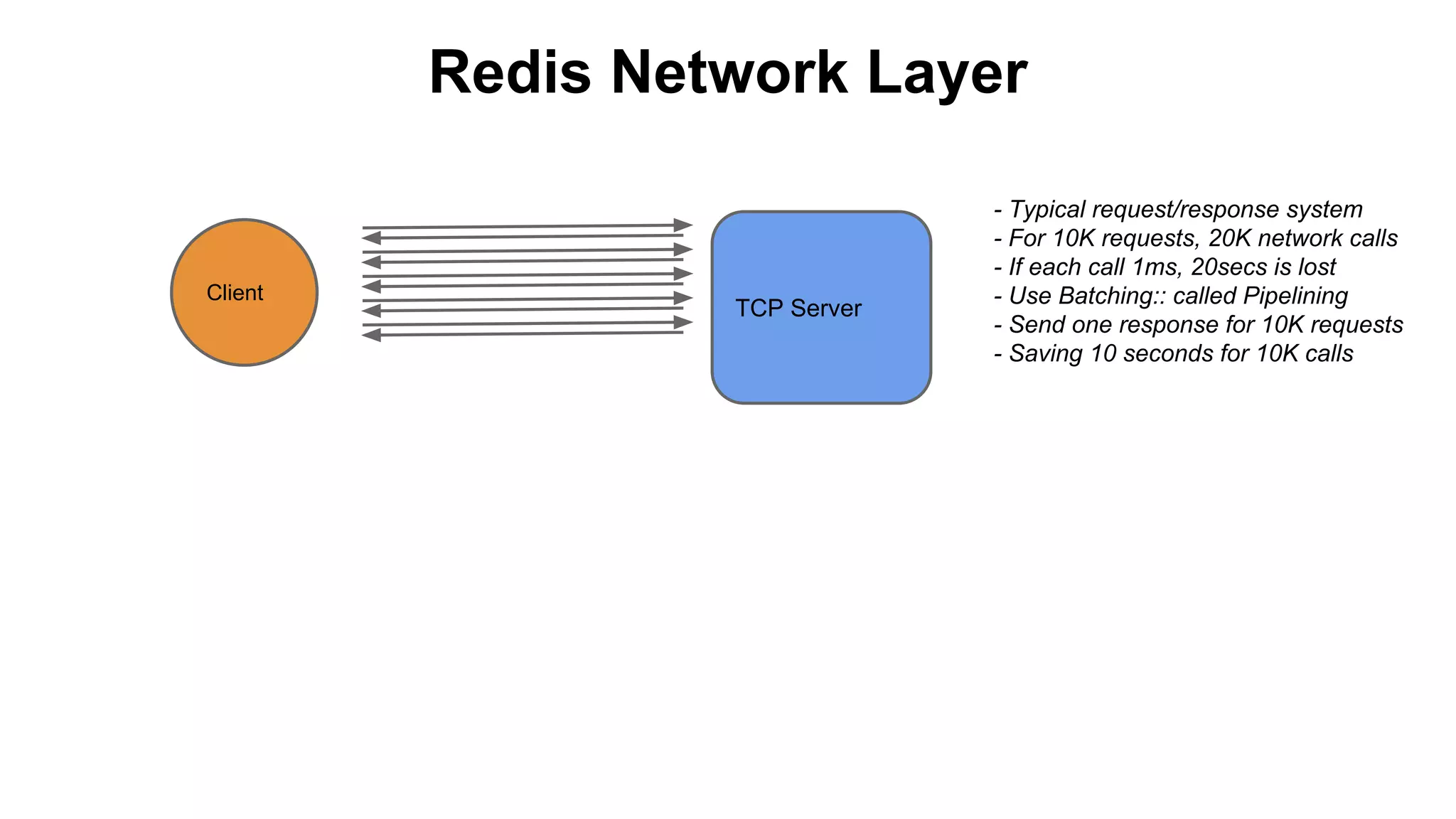
Redis Network Layer

Client

TCP Server

- Typical request/response system
- For 10K requests, 20K network calls
- If each call 1ms, 20secs is lost
- Use Batching:: called Pipelining
- Send one response for 10K requests
- Saving 10 seconds for 10K calls
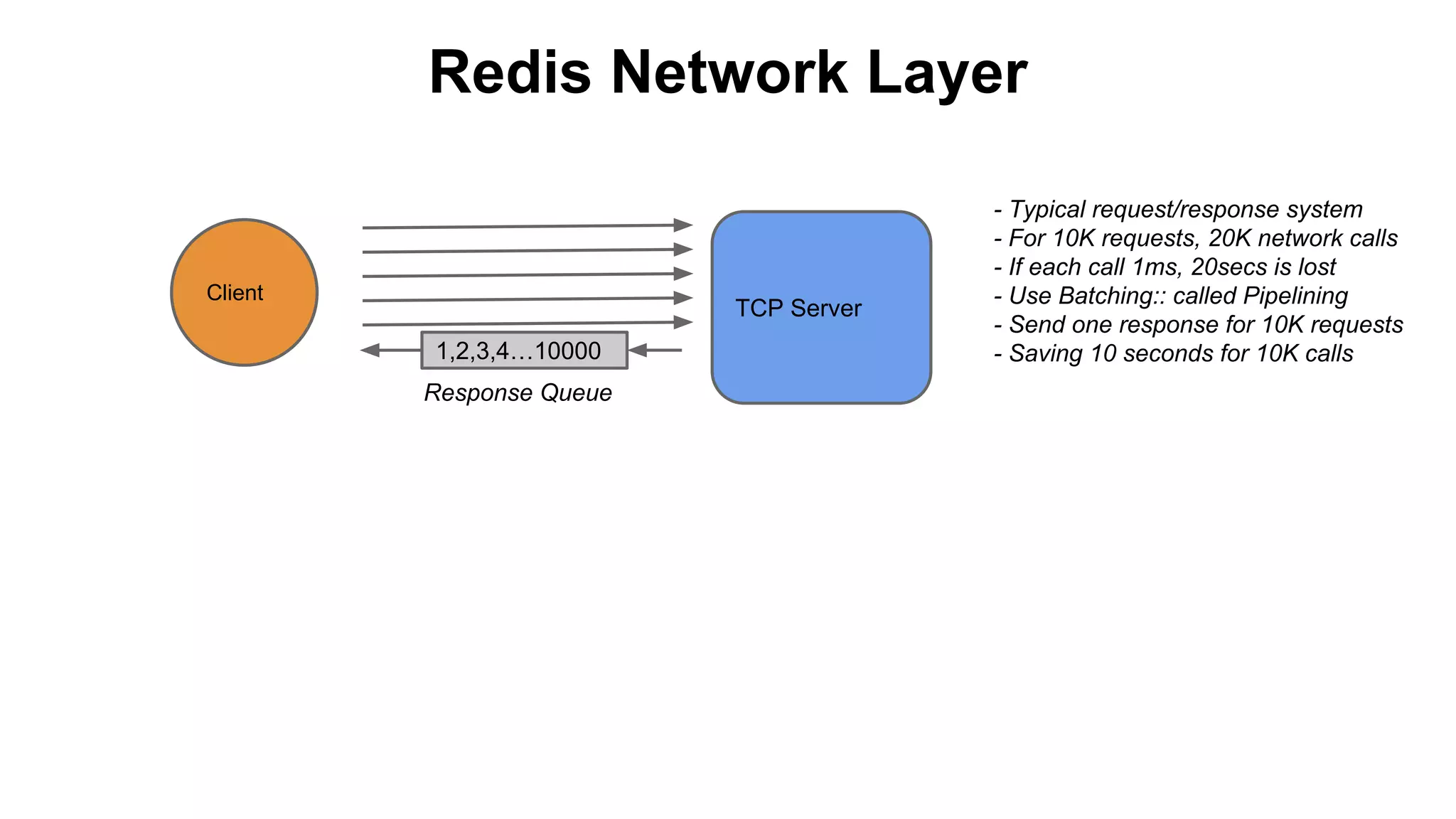
Redis Network Layer

Client

TCP Server
1,2,3,4…10000
Response Queue

- Typical request/response system
- For 10K requests, 20K network calls
- If each call 1ms, 20secs is lost
- Use Batching:: called Pipelining
- Send one response for 10K requests
- Saving 10 seconds for 10K calls
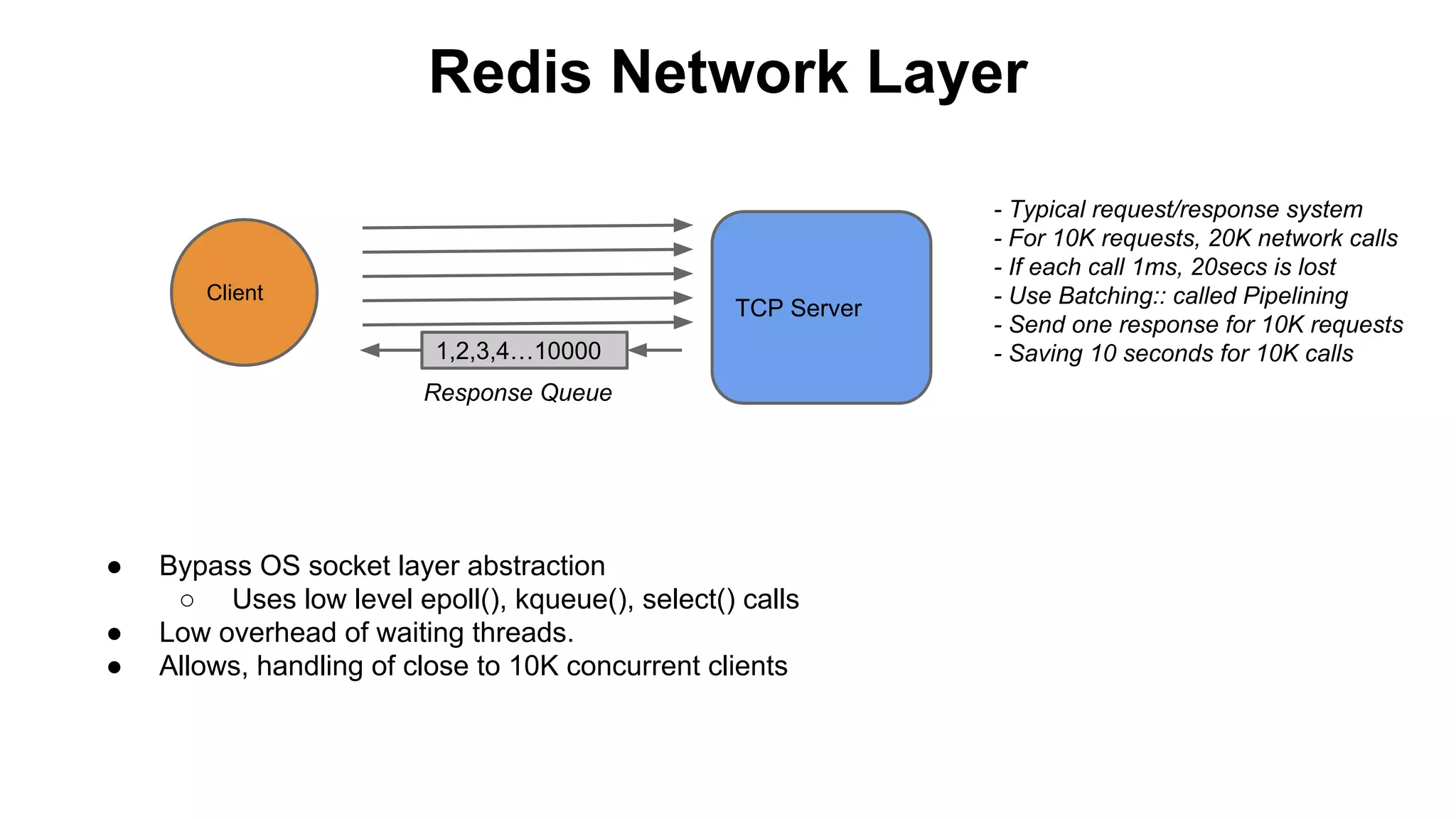
Redis Network Layer

Client

TCP Server
1,2,3,4…10000
Response Queue

●
●
●

Bypass OS socket layer abstraction
○ Uses low level epoll(), kqueue(), select() calls
Low overhead of waiting threads.
Allows, handling of close to 10K concurrent clients

- Typical request/response system
- For 10K requests, 20K network calls
- If each call 1ms, 20secs is lost
- Use Batching:: called Pipelining
- Send one response for 10K requests
- Saving 10 seconds for 10K calls
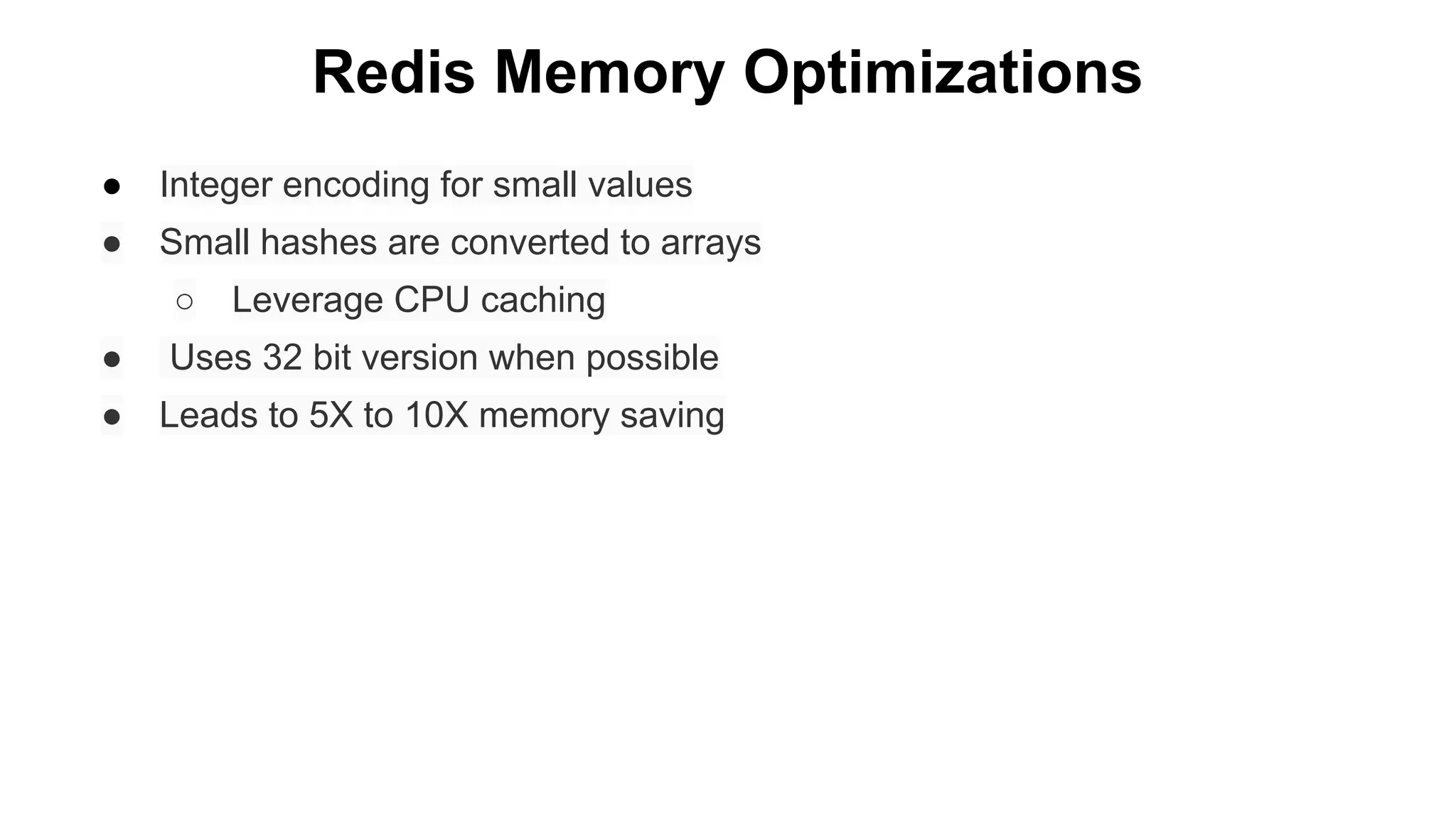
Redis Memory Optimizations
●

Integer encoding for small values

●

Small hashes are converted to arrays
○

Leverage CPU caching

●

Uses 32 bit version when possible

●

Leads to 5X to 10X memory saving
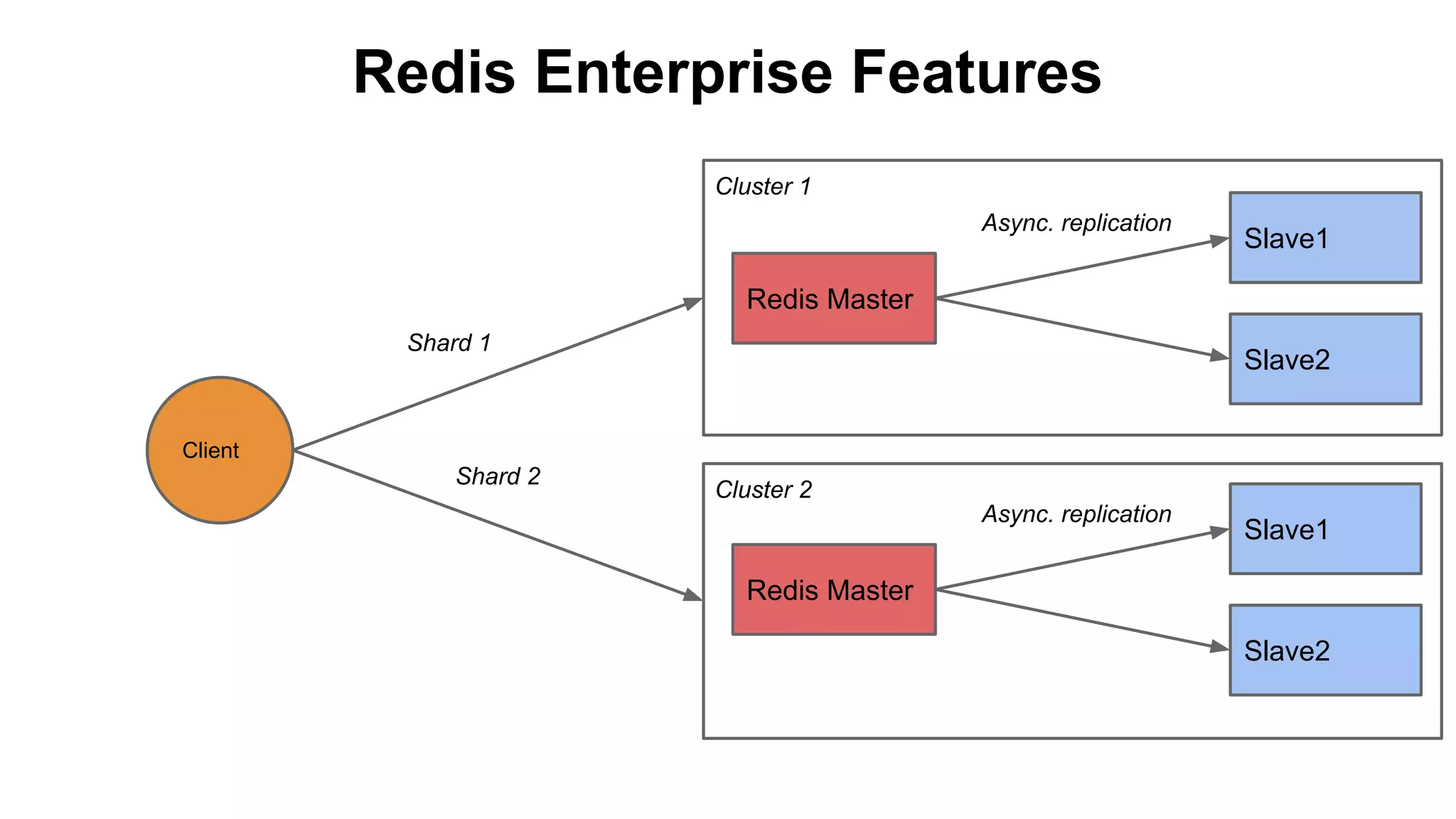
Redis Enterprise Features
Cluster 1
Async. replication

Slave1

Redis Master
Shard 1

Slave2

Client

Shard 2

Cluster 2
Async. replication

Slave1

Redis Master
Slave2
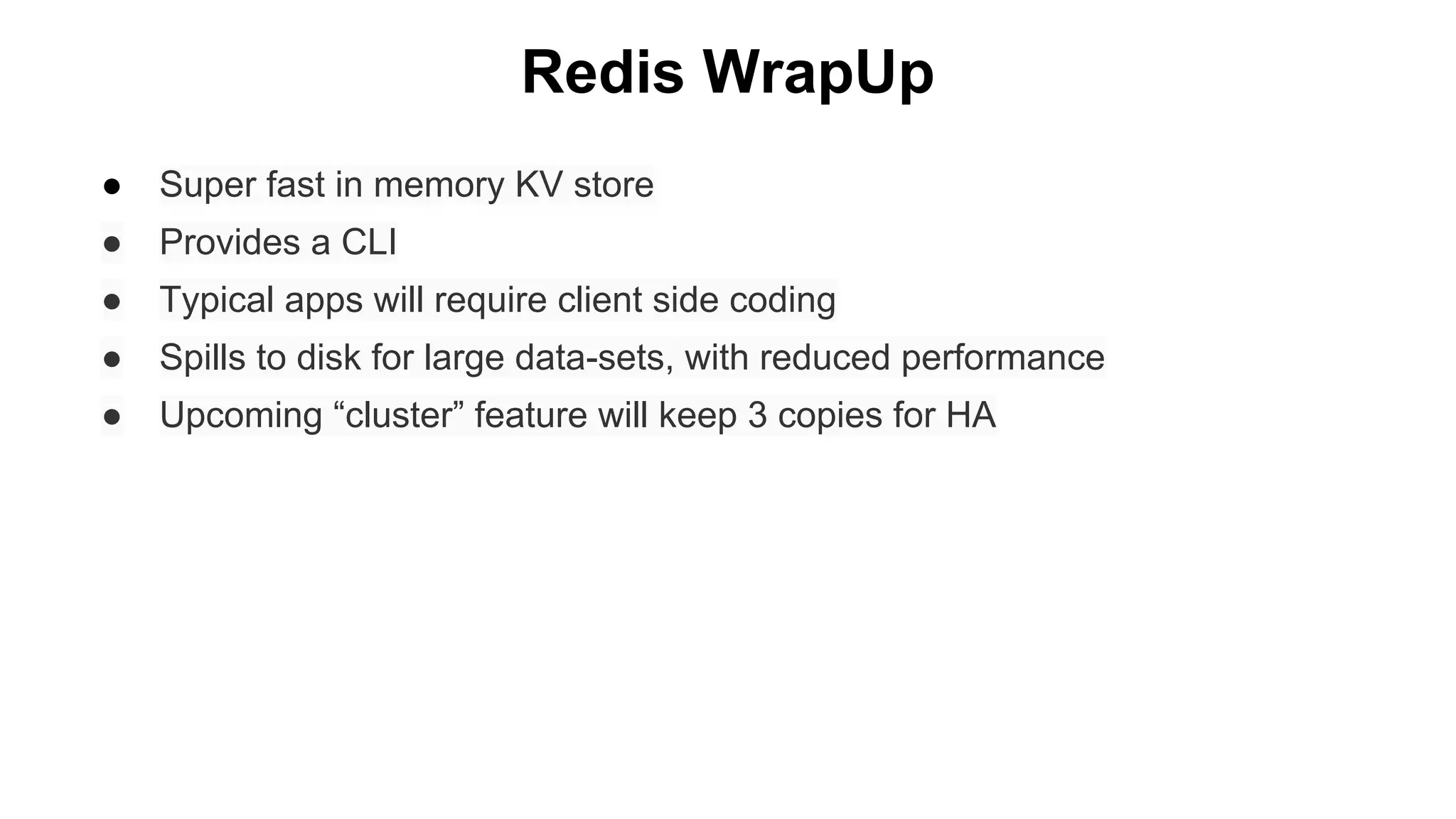
Redis WrapUp
●

Super fast in memory KV store

●

Provides a CLI

●

Typical apps will require client side coding

●

Spills to disk for large data-sets, with reduced performance

●

Upcoming “cluster” feature will keep 3 copies for HA
Storage Hierarchy
- In-memory KV Store
- Extremely fast access

Other KV
Store(s)

- Large indexed Tables
- Fast Random access
- Consistent

HBase

Redis

- Large Distributed Storage
- High aggregate throughput

HDFS

General purpose FS

Posix filesystem. *nix
Questions?
Storage Systems for
Big Data
Sameer Tiwari
Hadoop Storage Architect, Pivotal Inc.
stiwari@gopivotal.com, @sameertech

Storage Systems for big data - HDFS, HBase, and intro to KV Store - Redis

  • 1.
    Storage Systems for BigData Sameer Tiwari Hadoop Storage Architect, Pivotal Inc. stiwari@gopivotal.com, @sameertech
  • 2.
    Storage Systems for BigData Sameer Tiwari Hadoop Storage Architect, Pivotal Inc. stiwari@gopivotal.com, @sameertech
  • 3.
    Storage Hierarchy - In-memoryKV Store - Extremely fast access Other KV Store(s) - Large indexed Tables - Fast Random access - Consistent HBase Redis - Large Distributed Storage - High aggregate throughput HDFS General purpose FS Posix filesystem. *nix
  • 4.
    Storage Hierarchy - In-memoryKV Store - Extremely fast access Other KV Store(s) - Large indexed Tables - Fast Random access - Consistent HBase Redis - Large Distributed Storage - High aggregate throughput HDFS General purpose FS Posix filesystem. *nix
  • 5.
    Hadoop Distributed FileSystem(HDFS) ● History ○ Based on Google File System Paper (2003) ○ Built at Yahoo by a small team ● Goals ○ Tolerance to Hardware failure ○ Sequential access as opposed to Random ○ High aggregated throughput for Large Data Sets ○ “Write Once Read Many” paradigm
  • 6.
    HDFS - KeyComponents NameNode Client1 -FileA Client2 -FileB DataNode 1 Rack 1 DataNode 2 DataNode 3 DataNode 4 Rack 2
  • 7.
    HDFS - KeyComponents NameNode File.create() Client1 -FileA FileA: Metadata e.g. Size, Owner... AB1:D1, AB1:D3, AB1:D4 AB2:D1, AB2:D3, AB2:D4 MetaData NN OPs Client2 -FileB FileB: Metadata e.g. Size, Owner... BB1:D1, BB1:D2, BB1:D4 DataNode 1 Rack 1 DataNode 2 DataNode 3 DataNode 4 Rack 2
  • 8.
    HDFS - KeyComponents NameNode File.create() Client1 -FileA File.write() DataNode 1 FileA: Metadata e.g. Size, Owner... AB1:D1, AB1:D3, AB1:D4 AB2:D1, AB2:D3, AB2:D4 MetaData NN OPs Client2 -FileB FileB: Metadata e.g. Size, Owner... BB1:D1, BB1:D2, BB1:D4 Data Blocks DN OPs DataNode 2 DataNode 3 DataNode 4 AB1 BB1 Rack 1 Rack 2
  • 9.
    HDFS - KeyComponents NameNode File.create() Client1 -FileA File.write() DataNode 1 AB1 AB2 FileA: Metadata e.g. Size, Owner... AB1:D1, AB1:D3, AB1:D4 AB2:D1, AB2:D3, AB2:D4 MetaData NN OPs Client2 -FileB FileB: Metadata e.g. Size, Owner... BB1:D1, BB1:D2, BB1:D4 Data Blocks DN OPs DataNode 2 BB1 DataNode 3 AB1 BB1 AB2 DataNode 4 AB1 AB2 BB1 Rack 1 Rack 2 Replication PipeLining
  • 10.
    HDFS - Communication HDFSClient API. RPC:ClientProtocol Client1 -FileA NameNode
  • 11.
    HDFS - Communication HDFSClient API. RPC:ClientProtocol NameNode Client1 -FileA HDFS Client API - DataNodeProtocol - Non-RPC, Streaming - Heavy Buffering AB1 AB2 BB1 DataNode 1
  • 12.
    HDFS - Communication HDFSClient API. RPC:ClientProtocol NameNode Client1 -FileA RPC:DataNodeProtocol HDFS Client API - DataNodeProtocol - Non-RPC, Streaming - Heavy Buffering DN registration: At init time Heart Beat: Stats about Activity and Capacity (secs) Block Report: List of blocks (hour) Block Received: (Triggered by Client upload) AB1 AB2 BB1 AB2 BB1 DataNode 1 DataNode 2
  • 13.
    HDFS - Communication HDFSClient API. RPC:ClientProtocol NameNode Client1 -FileA RPC:DataNodeProtocol HDFS Client API - DataNodeProtocol - Non-RPC, Streaming - Heavy Buffering DN registration: At init time Heart Beat: Stats about Activity and Capacity (secs) Block Report: List of blocks (hour) Block Received: (Triggered by Client upload) AB1 AB2 BB1 DataNode 1 BB1 Replication PipeLining. Streaming AB2 DataNode 2
  • 14.
    HDFS - NameNode1 of 4 ● Heart of HDFS. Typically Lots of Memory ~128Gigs ● Hosts two important tables ● The HDFS Namespace: File->Block mapping ○ Persisted for backup ● The iNode table: Block->Datanode mapping ○ Not persisted. ○ Re-built from block reports ● HDFS is Journaled File system ○ Maintains a WAL called edit log ○ Edit log is merged into fsimage at a preset log size
  • 15.
    HDFS - NameNode2 of 4 ● Can take on 3 roles ● Regular mode: Hosts the HDFS Namespace ● Backup mode: Secondary NN ○ Downloads fsimage regularly ○ Merges changes to namespace ○ Its a misnomer, it more of a checkpointing server ● Safemode: Startup time ○ Its a R/O mode ○ Collects data from active DNs
  • 16.
    HDFS - NameNode3 of 4 HA using Quorum Journal Manager (Hadoop 2.0+) ZK ZK Cluster ZK Cluster Cluster Clients Clients Clients Active NN Journal Journal Nodes Journal Nodes Nodes DataNodes DataNodes DataNodes DataNodes Standby NN
  • 17.
    HDFS - NameNode4 of 4 ● Replication Monitor: Fix over/under replicated blocks ○ Replica Modes: Corrupt, Current, Out-of-date, under-construction ● Lease Management: During file creation ○ Ensures single writer (multiple readers are ok) ○ Synchronously checks active lease ○ Asynchronously checks the entire Tree of leases ● Heartbeat monitor: Collects DN stats and marks them down if no heartbeat recvd for ~10mins.
  • 18.
    HDFS - DataNode ●Typical Machine: ~ 4TB X 12 disks JBOD ● Has no idea about HDFS, only knows about blocks ● Serves 2 types of requests ○ NN requests for Block create/delete/replicate ○ Serves Block R/W requests from Clients ● Maintains only one table ○ Block->Real Bytes on the local FS ○ Stored locally and not backed up ○ DN can re-build this table by scanning its local dir
  • 19.
    HDFS - DataNode ●Creates a chksum file for each block ● Runs blockScanner() to find corrupt blocks ● DataNode to NameNode communication ○ Init - registration ○ Sends HeartBeat to NN every few secs ○ Block completion: blockReceived() ○ Lets NN respond with block commands ○ Sends full Block Report every hour
  • 20.
    HDFS - TypicalDeployment Master Switch Aggregator Switch 1 TOR RACK1 TOR ... RACK N (10-20) Aggregator Switch 2 TOR RACK1 ... Aggregator Switch 3 TOR ... RACK N (10-20) ...
  • 21.
    HDFS - Limitations ●NN holds the Namespace in a single Java process ● 64Gig Heap == ~250 million files + blocks ○ Federation sort of solves the problem ○ Moving Namespace to a KV Store is one solution ● Enterprise features slowly being added ○ Snapshots ○ NFS access ○ Geo replication ○ Run Length Encoding to reduce 3X copies to 1.3X
  • 22.
    HDFS - AdvancedConcepts ● Support for fadvise readahead and drop-behind ● HDFS takes advantage of multiple disks ○ Individual failures do not cause DN failures ○ Spills are parallelized ● Replica and Task placement ○ Done by DNSToSwitchMapping():resolve() ○ User supplied rack topology ○ IP address -> Rack id mapping ○ net.topology.* setttings in core-site.xml
  • 23.
    HDFS - AdvancedConcepts ● Couple of tools for Perf monitoring ○ Ganglia for HDFS ○ Nagios for general health of the machine.
  • 24.
    Storage Hierarchy - In-memoryKV Store - Extremely fast access Other KV Store(s) - Large indexed Tables - Fast Random access - Consistent HBase Redis - Large Distributed Storage - High aggregate throughput HDFS General purpose FS Posix filesystem. *nix
  • 25.
    Storage Hierarchy - In-memoryKV Store - Extremely fast access Other KV Store(s) - Large indexed Tables - Fast Random access - Consistent HBase Redis - Large Distributed Storage - High aggregate throughput HDFS General purpose FS Posix filesystem. *nix
  • 26.
    HBase ● History ○ ○ ○ Based onGoogle’s Big Table (2006) Built at Powerset (later acquired by Microsoft) Facebook and Yahoo use it extensively (~1000 machines) ● Goals ○ ○ ○ ○ ○ Random R/W access Tables with Billions of Rows X Millions of Columns Often referred to as a “NoSQL” Data store High speed ingest rate. FB == ~Billion msgs+chat per day. Good consistency model
  • 27.
    HBase - KeyComponents ZK ZK Cluster ZK Cluster Cluster Client HMaster JobTracker NameNode Master(s): Active and Backup HRegion Server TaskTracker DataNode Slaves: Many
  • 28.
    HBase - DataModel ● Google BigTable Paper on #2 says A Bigtable is a sparse, distributed, persistent multidimensional sorted map. The map is indexed by a row key, column key, and a timestamp; each value in the map is an uninterpreted array of bytes Let’s break that down over the next few slides...
  • 29.
    HBase - DataModel ● Data is stored in Tables ● Tables have Rows and Columns ● Thats where the similarity ends ○ Columns are grouped into Column Families ● Rows are stored in a sorted(increasing) order ○ Implies, there is only one primary key ● Rows can be sparsely populated ○ Variable length rows are common ● Same row can be updated multiple times ○ Each will be stored as a versioned update
  • 30.
    HBase - DataModel Conceptual View Row-Key byte-array, Sorted by byte order Versions timemillis() Single column in “contents” byte-array ColumnFamily contents Column => Column Family: Qualifier e.g. Two Columns in the “anchor” byte-array Row Key Time Stamp ColumnFamily anchor "com.cnn.www" t9 anchor:cnnsi.com = "CNN" "com.cnn.www" t8 anchor:my.look.ca = "CNN.com" "com.cnn.www" t5 contents:html = "<html>..." "com.cnn.www" t3 contents:html = "<html>..."
  • 31.
    HBase - DataModel Physical View Row Key Time Stamp ColumnFamily contents "com.cnn.www" t5 contents:html = "<html>..." "com.cnn.www" t3 contents:html = "<html>..." Row Key Time Stamp ColumnFamily anchor "com.cnn.www" t9 anchor:cnnsi.com = "CNN" "com.cnn.www" t8 anchor:my.look.ca = "CNN.com"
  • 32.
    HBase - TableObjects Region Server : ~200 Regions per Server HLog/WAL Logical Table Data : R1- R40 Region1 R1-R10 MemStore HFile Blocks Blocks Shards HLog/WAL Region2 R11-R20 MemStore Region Servers HFile Blocks Blocks HDFS H Blocks DFS Blocks HDFS HDFS Blocks Blocks HDFS HDFS Blocks Blocks
  • 33.
    HBase - DataModel Operations ○ ○ HTable class offers 4 techniques: get, put, delete and scan. The first 3 have a single or batch mode available //Scan example public static final byte[] CF1 = "empData1".getBytes(); public static final byte[] ATTR1 = "empId".getBytes(); HTable htable = new HTable(blah... // create an instance of HTable Scan scan = new Scan(); scan.addColumn(CF1, ATTR1); scan.setStartRow(Bytes.toBytes("200")); scan.setStopRow(Bytes.toBytes("500")); ResultScanner rs = htable.getScanner(scan); try { for (Result r = rs.next(); r != null; r = rs.next()) { // do something with it... } finally { rs.close(); }
  • 34.
    HBase - DataVersioning ○ ○ ○ ○ ○ ○ ○ ○ By default a put() uses timestamp, but you can override it Get.setMaxVersions() or Get.setTimeRange By default a get() returns the latest version, but you can ask for any All Data model operations are in !sorted order. Row:CF:Col:Version Delete flavors: delete col+ver, delete col, delete col family, delete row Deletes work by creating tombstone markers LIMITATIONS: ■ delete() masks a put() till a major compaction takes place ■ Major compactions can change get() results All operations are ATOMIC within a row
  • 35.
    HBase - ReadPath -ROOT- Table for keeping track of .META. table ZK ZK Cluster ZK Cluster Cluster Region Server1 .META.,region,key: regionInfo, Server Q:Where is .META.? A: RegionServer2 1 Q:Where is -ROOT-? A: RegionServer1 .META. Table for all regions in the system, never splits 2 table, startKey, id:: regionInfo, Server Client Q: HTable.get() 3 6 A: Row 4 HFile - 1 HFile - 2 Region Server2 5 MemStore
  • 36.
    HBase - WritePath ZK ZK Cluster ZK Cluster Cluster 1 Region Server1 .META.,region,key: regionInfo, Server Q:Where is .META.? A: RegionServer2 Q:Where is -ROOT-? A: RegionServer1 2 HTable.put() Client -ROOT- Table for keeping track of .META. table 3 6 return Code Region Server2 4 5 HLog/WAL MemStore Offline flush HDFS Blocks .META. Table for all regions in the system, never splits table, startKey, id:: regionInfo, Server
  • 37.
    HBase - Shell ○ ○ ○ ○ ○ TableMetaData: e.g. create/alter/drop/describe table Table Data: e.g. put/scan/delete/count row(s) Admin: e.g. flush/rebalance/compact regions, split tables Replication Tools: e.g. add/enable/list/start/stop replication Security: e.g. grant/revoke/list user permissions ■ ■ ■ ■ ■ ■ ■ ■ ■ ■ ■ ■ Shell interaction example: hbase(main):001:0> create 'myTable', 'myColFam1' 0 row(s) in 3.8890 seconds hbase(main):002:0> put 'myTable’, 'row-1', 'myColFam1:col1', 'value-1' 0 row(s) in 0.1840 seconds hbase(main):003:0> scan 'test' ROW COLUMN+CELL row-11 column=myColFam1:col1, timestamp=1457381922312, value=value-1 1 row(s) in 0.1160 seconds hbase(main):004:0>
  • 38.
    HBase - AdvancedTopics ○ ○ ○ ○ ○ ○ ○ ○ Bulk Loading Cluster Replication Merging and Splitting of regions Predicate pushdown using Server side Filters Bloom filters Co-Processors Snapshots Performance Tuning
  • 39.
    HBase - Whatits not ○ ○ ○ ○ HBase is not for everyone Has no support for ■ SQL ■ Joins ■ Secondary indexes ■ Transactions ■ JDBC driver Works well with large deployments Requires good working knowledge of the Hadoop eco-system.
  • 40.
    HBase - Whatits good at ● Strongly consistent reads/writes ● Automatic sharding ● Automatic RegionServer failover ● HBase supports MapReduce for using HBase as both source and sink ● Works on top of HDFS ● HBase provides Java Client AP and a REST/Thrift API ● Block Cache and Bloom Filters support ● Web UI and JMX support, for operational management
  • 41.
    Storage Hierarchy - In-memoryKV Store - Extremely fast access Other KV Store(s) - Large indexed Tables - Fast Random access - Consistent HBase Redis - Large Distributed Storage - High aggregate throughput HDFS General purpose FS Posix filesystem. *nix
  • 42.
    Storage Hierarchy - In-memoryKV Store - Extremely fast access Other KV Store(s) - Large indexed Tables - Fast Random access - Consistent HBase Redis - Large Distributed Storage - High aggregate throughput HDFS General purpose FS Posix filesystem. *nix
  • 43.
    Redis ● Redis is anopen source, in-memory key-value store, with Disk persistence ● Originally written at LLOGG by Salvator Sanfilippo ~2009 ● Written in ANSI C and works in most Linux Systems ● No external dependencies ● Very small ~1MB memory per instance ● Datatypes can be data-structures: String, Hash, Set, Sorted Set. ● Compressed in-memory representation of data ● Clients are available in lots of languages. C, C#, Clojure, Scala, Lua...
  • 44.
    Redis Key Components Memory CPU- 1 Highly Optimized Memory Storage CPU - 2 Highly Optimized Memory Storage Single Threaded Server Highly Optimized Network Layer Single Threaded Server CPU - N Highly Optimized Network Layer Highly Optimized Memory Storage Single Threaded Server Highly Optimized Network Layer Network
  • 45.
    Redis Key Components Memory CPU- 1 Highly Optimized Memory Storage CPU - 2 Highly Optimized Memory Storage Single Threaded Server Highly Optimized Network Layer Single Threaded Server CPU - N Highly Optimized Network Layer Highly Optimized Memory Storage Single Threaded Server Highly Optimized Network Layer Network
  • 46.
    Redis Network Layer Client TCPServer - Typical request/response system - For 10K requests, 20K network calls - If each call 1ms, 20secs is lost - Use Batching:: called Pipelining - Send one response for 10K requests - Saving 10 seconds for 10K calls
  • 47.
    Redis Network Layer Client TCPServer 1,2,3,4…10000 Response Queue - Typical request/response system - For 10K requests, 20K network calls - If each call 1ms, 20secs is lost - Use Batching:: called Pipelining - Send one response for 10K requests - Saving 10 seconds for 10K calls
  • 48.
    Redis Network Layer Client TCPServer 1,2,3,4…10000 Response Queue ● ● ● Bypass OS socket layer abstraction ○ Uses low level epoll(), kqueue(), select() calls Low overhead of waiting threads. Allows, handling of close to 10K concurrent clients - Typical request/response system - For 10K requests, 20K network calls - If each call 1ms, 20secs is lost - Use Batching:: called Pipelining - Send one response for 10K requests - Saving 10 seconds for 10K calls
  • 49.
    Redis Memory Optimizations ● Integerencoding for small values ● Small hashes are converted to arrays ○ Leverage CPU caching ● Uses 32 bit version when possible ● Leads to 5X to 10X memory saving
  • 50.
    Redis Enterprise Features Cluster1 Async. replication Slave1 Redis Master Shard 1 Slave2 Client Shard 2 Cluster 2 Async. replication Slave1 Redis Master Slave2
  • 51.
    Redis WrapUp ● Super fastin memory KV store ● Provides a CLI ● Typical apps will require client side coding ● Spills to disk for large data-sets, with reduced performance ● Upcoming “cluster” feature will keep 3 copies for HA
  • 52.
    Storage Hierarchy - In-memoryKV Store - Extremely fast access Other KV Store(s) - Large indexed Tables - Fast Random access - Consistent HBase Redis - Large Distributed Storage - High aggregate throughput HDFS General purpose FS Posix filesystem. *nix
  • 53.
  • 54.
    Storage Systems for BigData Sameer Tiwari Hadoop Storage Architect, Pivotal Inc. stiwari@gopivotal.com, @sameertech