Search-Driven Applications with
SharePoint 2013
#SPSBE16
Max Melcher
April 18th, 2015
PlatinumGoldSilver
Thanks to our sponsors!
Maximilian Melcher
Maximilian Melcher (MCSE, MCPD) is a Managing Consultant for Alegri
International Services in Munich, Germany. Max is a specialist in SharePoint
technologies focused on search, social computing, web content management
and collaboration. Max has led SharePoint implementations for Dax 30
companies since 2009. Max’s free time is spent on twitter mostly with a good
coffee in his hands.
Twitter: @maxmelcher
Blog: http://melcher.it
Email: Maximilian.Melcher@alegri.eu
www: http://alegri.de
2
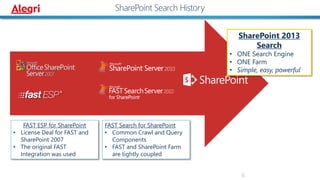
SharePoint Search History
FAST Search for SharePoint
• Common Crawl and Query
Components
• FAST and SharePoint Farm
are tightly coupled
FAST ESP for SharePoint
• License Deal for FAST and
SharePoint 2007
• The original FAST
Integration was used
SharePoint 2013
Search
• ONE Search Engine
• ONE Farm
• Simple, easy, powerful
6
5
6
7
2
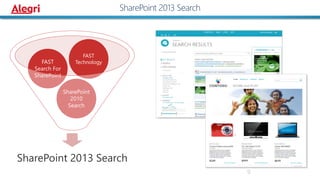
SharePoint 2013 Search
SharePoint
2010
Search
FAST
Search For
SharePoint
FAST
Technology
9
10
SharePoint 2013 Search
11
`
Exchange
SharePoint
Custom solution
Public API
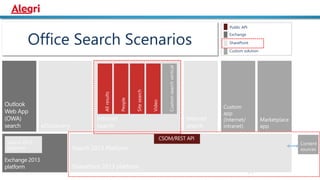
Office Search Scenarios
Public API
Unit of scale/role boundary
HTTP
File shares
SharePoint
User profiles
Lotus Notes
Documentum
Exchange folders
Custom - BCS
SharePoint
SP Apps
Devices
Non-SP UX
13
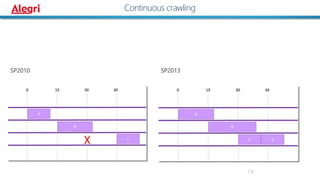
Continuous crawling
SP2010 SP2013
14
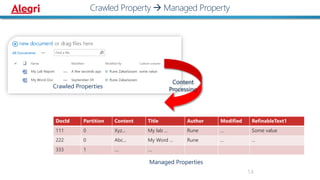
Crawled Property  Managed Property
DocId Partition Content Title Author Modified RefinableText1
111 0 Xyz... My lab ... Rune ... Some value
222 0 Abc... My Word ... Rune ... ...
333 1 .... ....
Crawled Properties
Managed Properties
Content
Processing
14
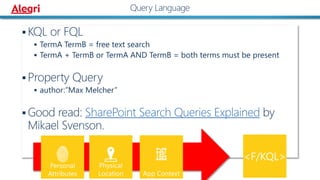
 KQL or FQL
 TermA TermB = free text search
 TermA + TermB or TermA AND TermB = both terms must be present
 Property Query
 author:”Max Melcher”
 Good read: SharePoint Search Queries Explained by
Mikael Svenson.
2
Query Language
Search-Driven Applications with
SharePoint 2013
#SPSBE16
Max Melcher
April 18th, 2015
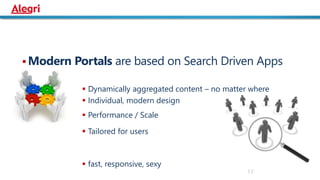
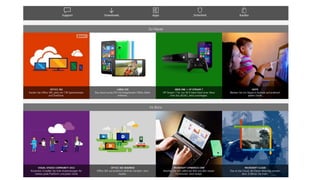
 Modern Portals are based on Search Driven Apps
 Dynamically aggregated content – no matter where
 Individual, modern design
 Performance / Scale
 Tailored for users
 fast, responsive, sexy
17
2
2
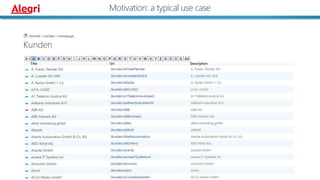
Motivation: a typical use case
2
Motivation: a typical use case
2
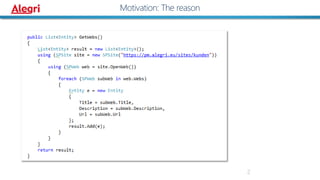
Motivation: The reason
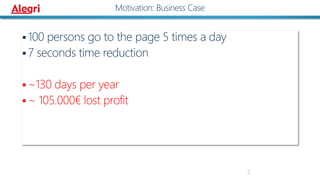
 100 persons go to the page 5 times a day
 7 seconds time reduction
 ~130 days per year
 ~ 105.000€ lost profit
2
Motivation: Business Case
24
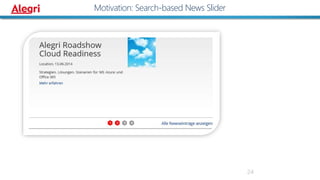
Motivation: Search-based News Slider
25
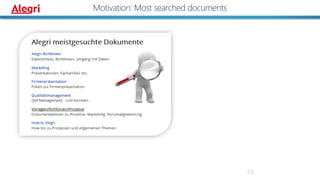
Motivation: Most searched documents
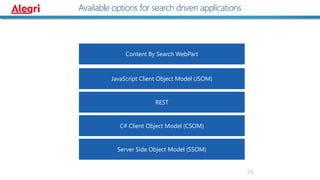
Available options for search driven applications
26
JavaScript Client Object Model (JSOM)
C# Client Object Model (CSOM)
REST
Server Side Object Model (SSOM)
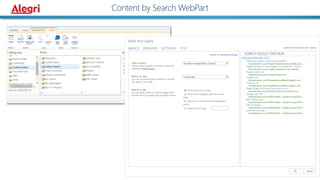
Content By Search WebPart
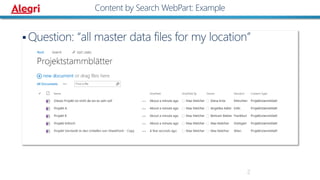
 Question: “all master data files for my location”
2
Content by Search WebPart: Example
2
Content by Search WebPart
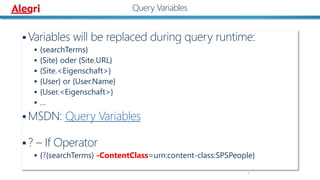
 Variables will be replaced during query runtime:
 {searchTerms}
 {Site} oder {Site.URL}
 {Site.<Eigenschaft>}
 {User} or {User.Name}
 {User.<Eigenschaft>}
 …
 MSDN: Query Variables
 ? – If Operator
 {?{searchTerms} -ContentClass=urn:content-class:SPSPeople}
2
Query Variables
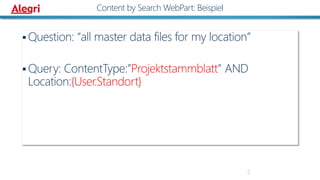
 Question: “all master data files for my location”
 Query: ContentType:”Projektstammblatt” AND
Location:{User.Standort}
2
Content by Search WebPart: Beispiel
31
JavaScript: Demo
2
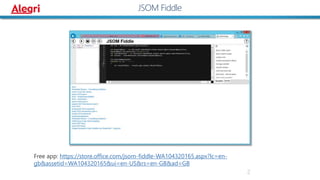
JSOM Fiddle
Free app: https://store.office.com/jsom-fiddle-WA104320165.aspx?lc=en-
gb&assetid=WA104320165&ui=en-US&rs=en-GB&ad=GB
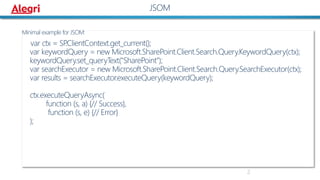
Minimal example for JSOM:
var ctx = SP.ClientContext.get_current();
var keywordQuery = new Microsoft.SharePoint.Client.Search.Query.KeywordQuery(ctx);
keywordQuery.set_queryText("SharePoint");
var searchExecutor = new Microsoft.SharePoint.Client.Search.Query.SearchExecutor(ctx);
var results = searchExecutor.executeQuery(keywordQuery);
ctx.executeQueryAsync(
function (s, a) {// Success},
function (s, e) {// Error}
);
2
JSOM
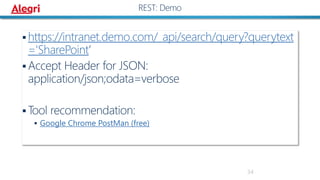
 https://intranet.demo.com/_api/search/query?querytext
='SharePoint’
 Accept Header for JSON:
application/json;odata=verbose
 Tool recommendation:
 Google Chrome PostMan (free)
34
REST: Demo
35
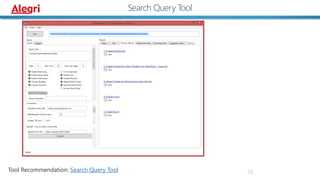
Search Query Tool
Tool Recommendation: Search Query Tool
36
CSOM: Demo
37
CSOM: Code
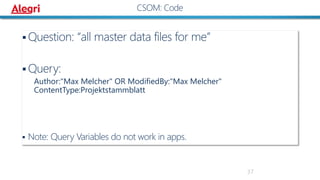
 Question: “all master data files for me”
 Query:
Author:"Max Melcher" OR ModifiedBy:"Max Melcher"
ContentType:Projektstammblatt
 Note: Query Variables do not work in apps.
2
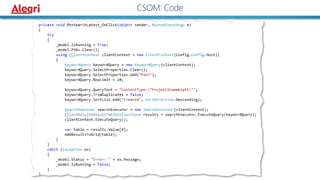
CSOM: Code
2
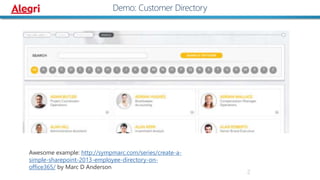
Demo: Customer Directory
Awesome example: http://sympmarc.com/series/create-a-
simple-sharepoint-2013-employee-directory-on-
office365/ by Marc D Anderson
40
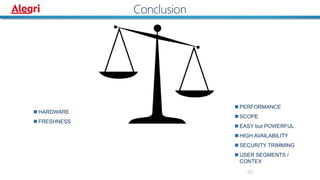
Conclusion
 PERFORMANCE
 SCOPE
 EASY but POWERFUL
 HIGH AVAILABILITY
 SECURITY TRIMMING
 USER SEGMENTS /
CONTEX
 HARDWARE
 FRESHNESS
41
Questions?
Thank you!
http://form.responster.com/yphpWK
#SPSBE16
http://melcher.it/s/4k
#SPSBE16
Implementing a better search experience
by Elio Struyf
- #SPSBE07
How to build your own Delve: combining machine learning, big data and SharePoint
by Joris Poelmans
- #SPSBE11
SPSBE Search Sessions

Spsbe16 searchdrivenapplications-150419151108-conversion-gate01

Editor's Notes

  • #2 Template may not be modified Twitter hashtag: #spsbe for all sessions
  • #6 http://farm5.staticflickr.com/4059/4339658005_53925274d5_o.jpg
  • #7 http://farm8.staticflickr.com/7056/6795013658_1399fd2592_o.jpg
  • #8 http://upload.wikimedia.org/wikipedia/commons/4/45/Binoculars_25x100.jpg
  • #17 Template may not be modified Twitter hashtag: #spsbe for all sessions
  • #19 Dell.com
  • #20 Microsoft.com
  • #28 path:https://intranet.demo.com/Projektstammbltter path:https://intranet.demo.com/Projektstammbltter filetype:infopathml Location:"{User.Standort}"
  • #39 CSOM code that queries SharePoint to retrieve latest items of content type “Projektstammblatt”