

What’s New in
SharePoint 2013 Search
          Agnes Molnar
Senior Search Solutions Consultant,
     SharePoint Server MVP
Introduction
• Senior Search Solutions Consultant
• SharePoint Server MVP

• Speaker, Blogger, Community Lead
     http://aghy.hu
     http://www.DoMoreWithSearch.com


     Agnes.Molnar@BAInsight.com
     @molnaragnes
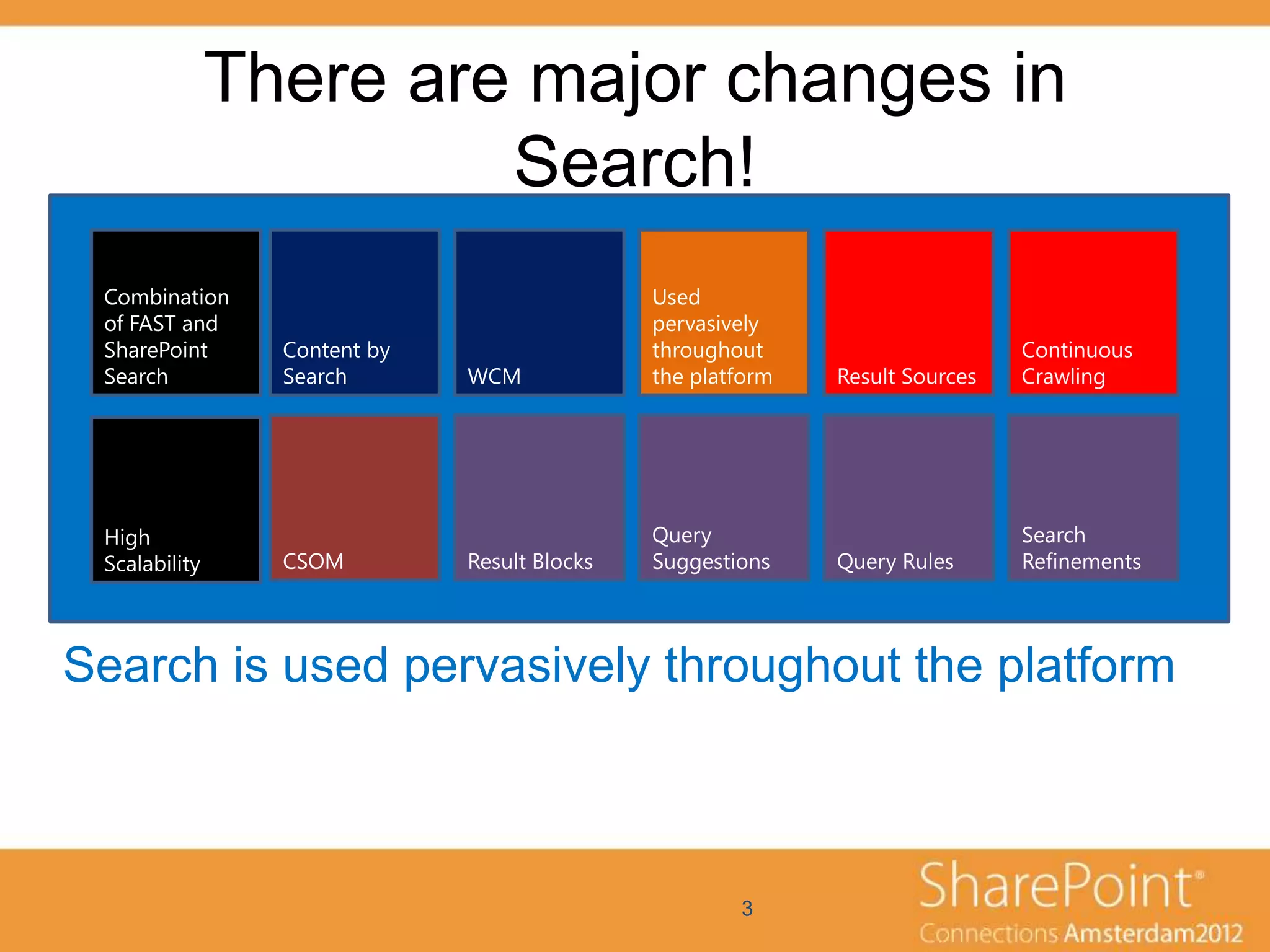
There are major changes in
                        Search!
 Combination                                  Used
 of FAST and                                  pervasively
 SharePoint      Content by                   throughout                      Continuous
 Search          Search       WCM             the platform   Result Sources   Crawling


 High                                         Query                           Search
 Scalability     CSOM         Result Blocks   Suggestions    Query Rules      Refinements


Search is used pervasively throughout the platform


                                                      3
Demo
New Search User Interface
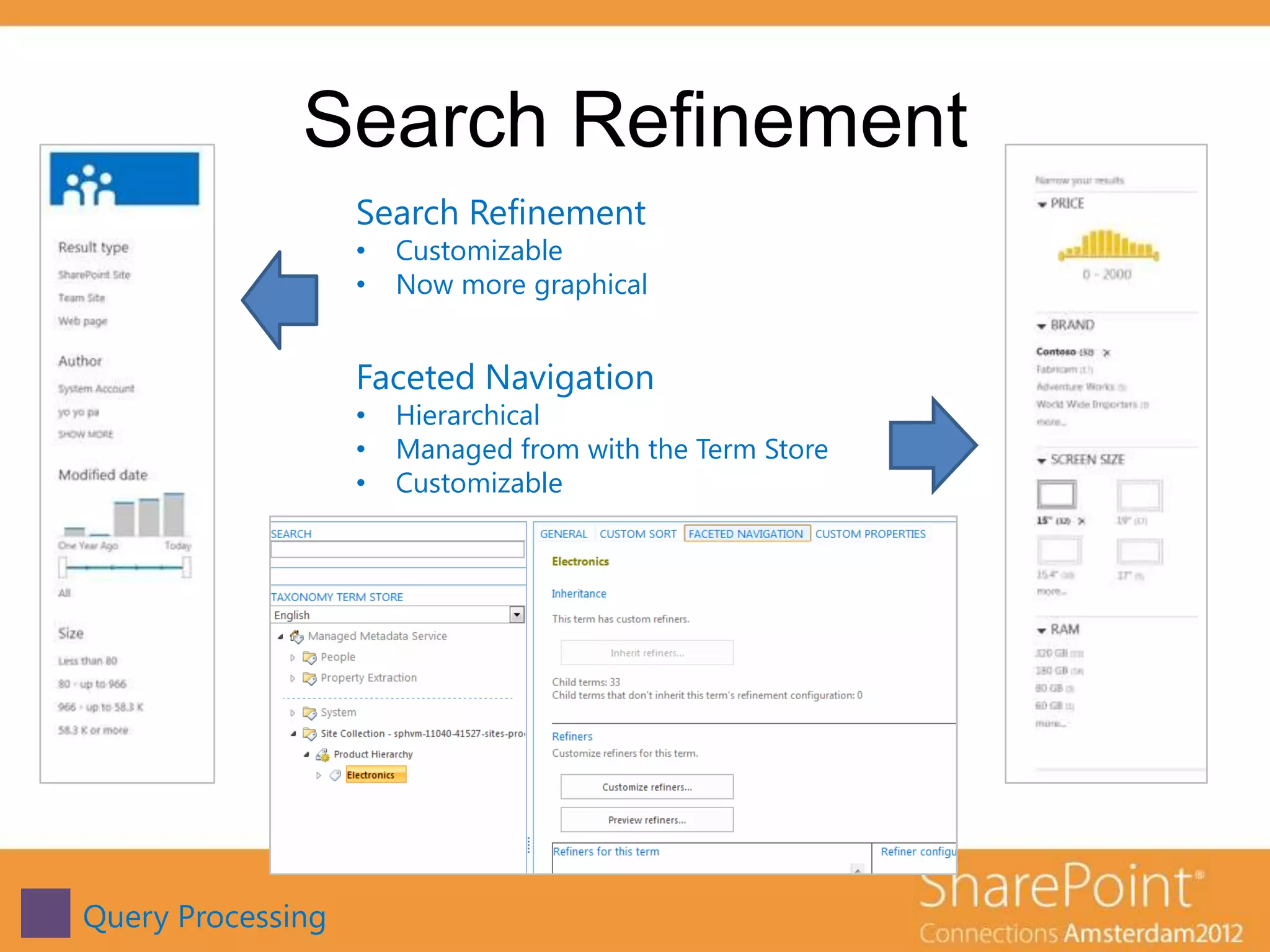
Search Refinement
                   Search Refinement
                   •   Customizable
                   •   Now more graphical


                   Faceted Navigation
                   •   Hierarchical
                   •   Managed from with the Term Store
                   •   Customizable


Query Processing
Demo
Search Refinement
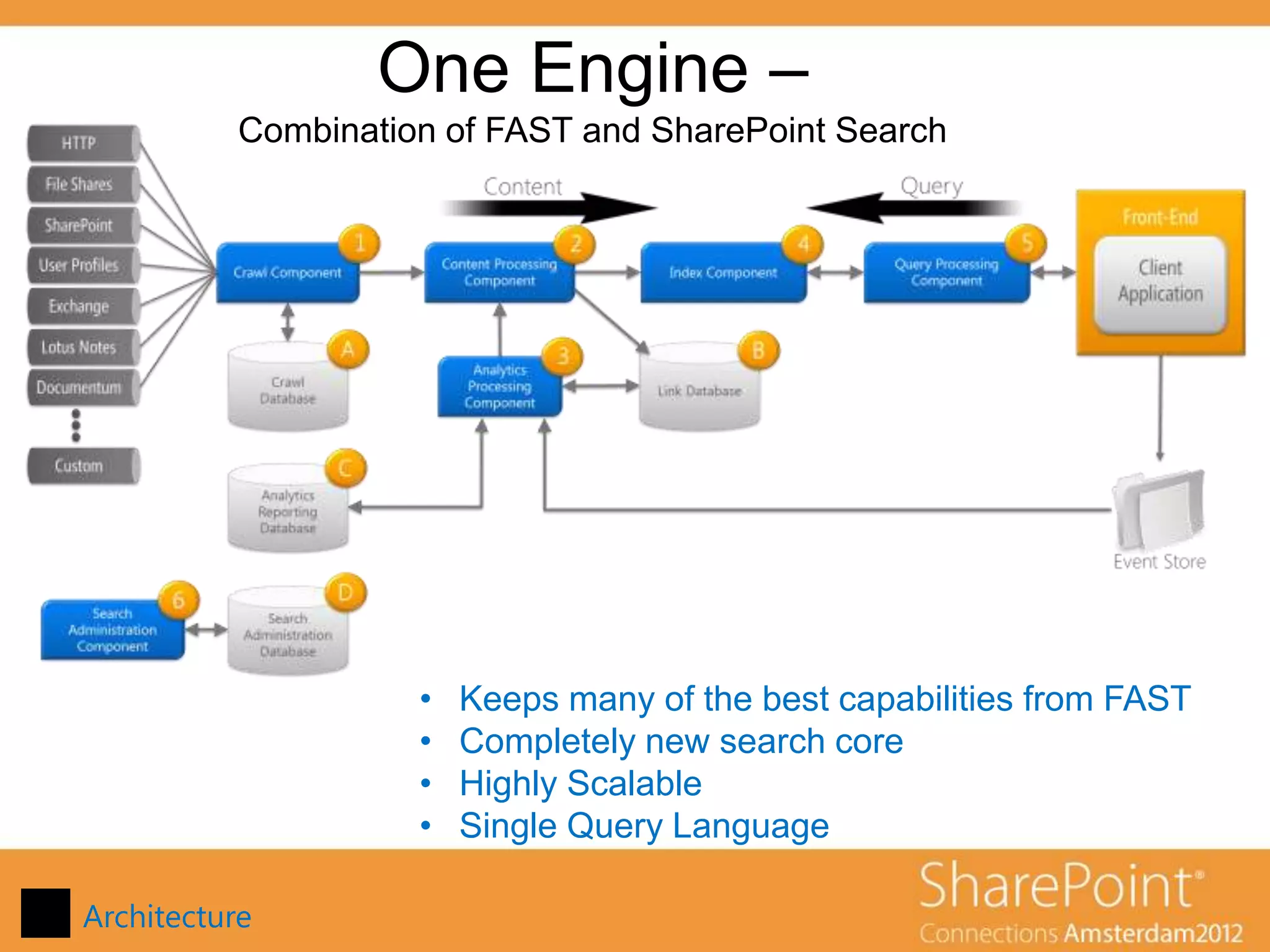
One Engine –
           Combination of FAST and SharePoint Search


                     •   Keeps many of the best capabilities from FAST
                     •   Completely new search core
                     •   Highly Scalable
                     •   Single Query Language

Architecture
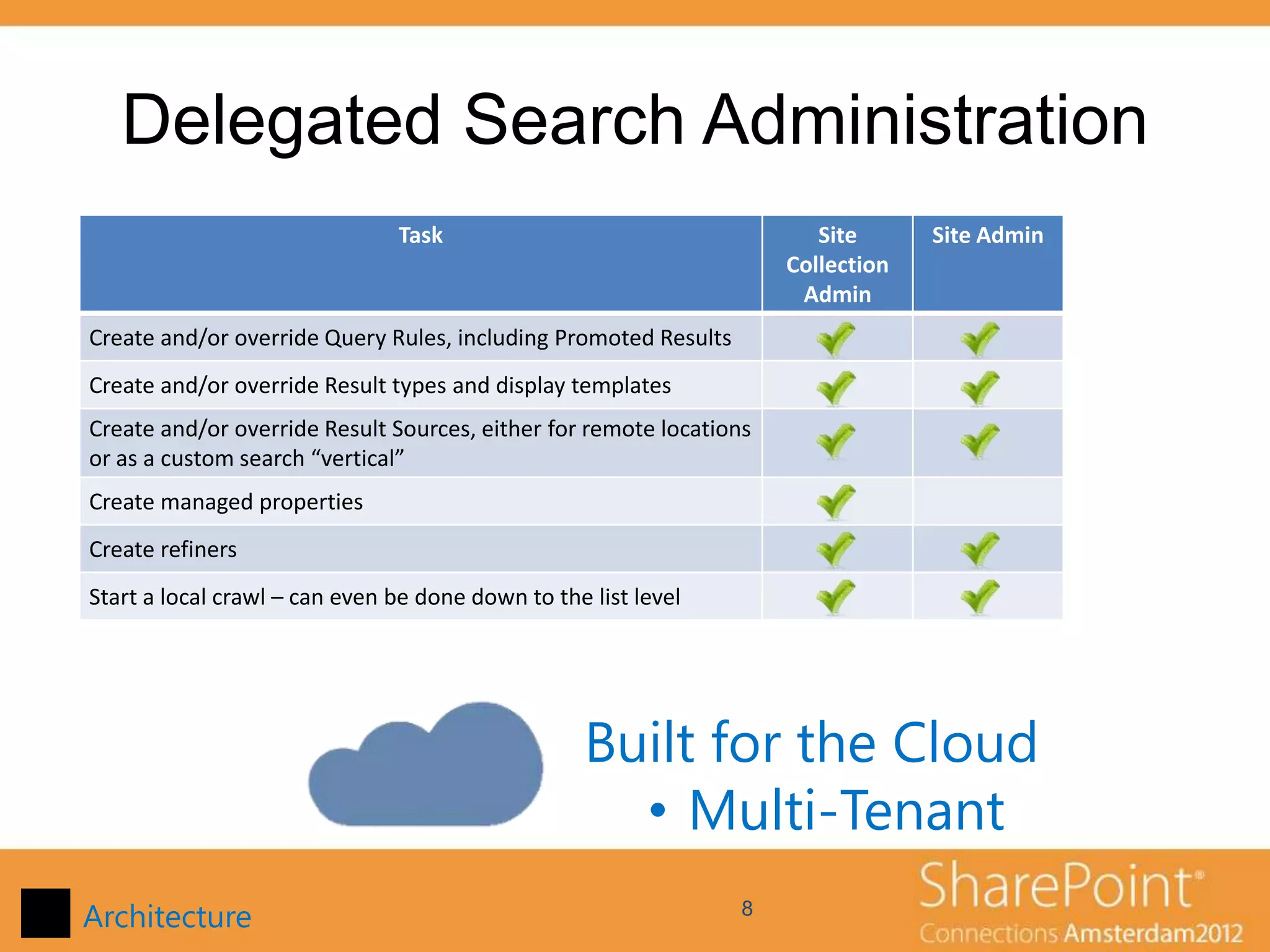
Delegated Search Administration
                               Task                                     Site      Site Admin
                                                                     Collection
                                                                      Admin
Create and/or override Query Rules, including Promoted Results
Create and/or override Result types and display templates
Create and/or override Result Sources, either for remote locations
or as a custom search “vertical”
Create managed properties
Create refiners
Start a local crawl – can even be done down to the list level


                                                   Built for the Cloud
                                                     • Multi-Tenant
Architecture                                                     8
Demo
Delegated Search Administration
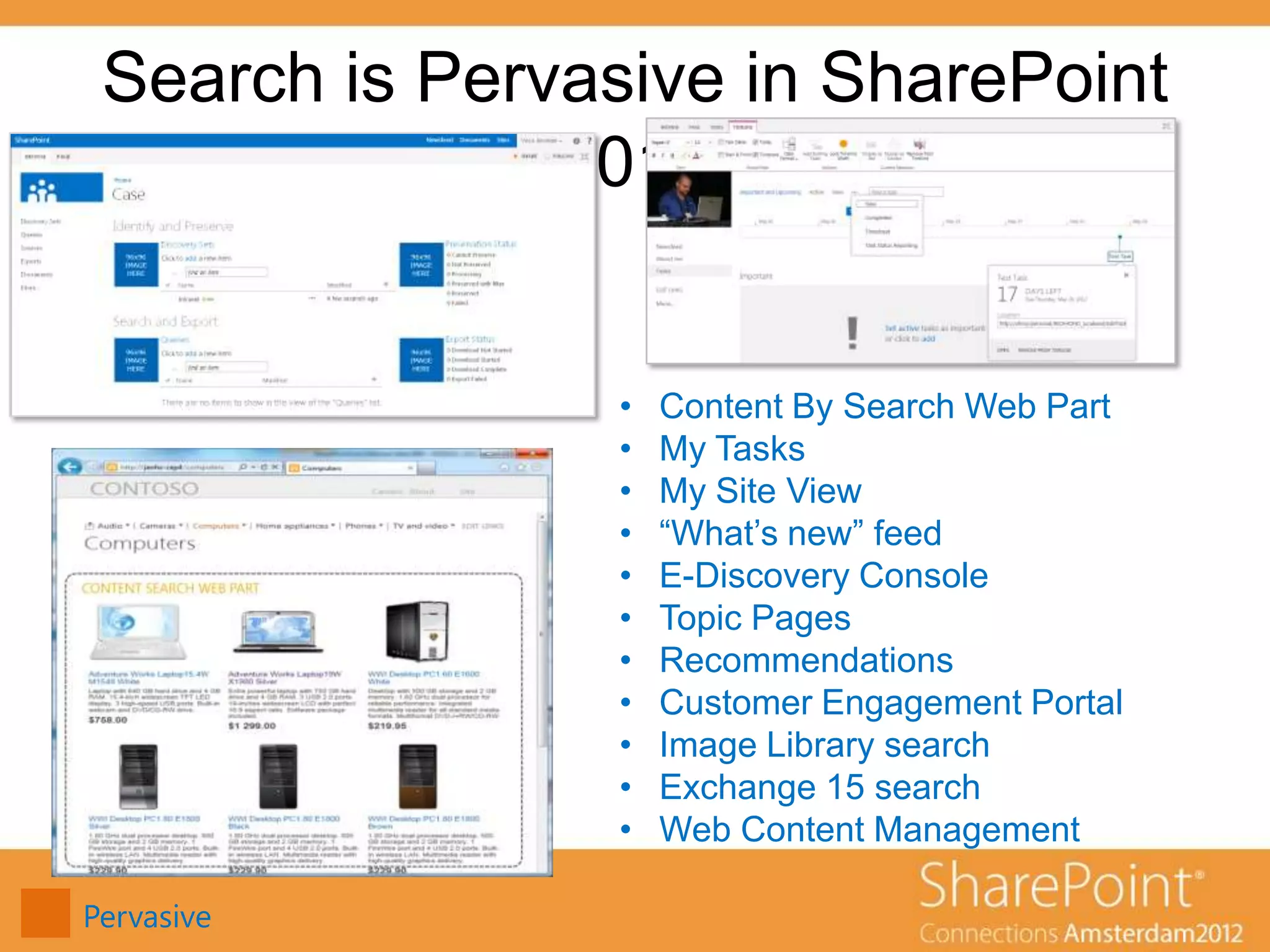
Search is Pervasive in SharePoint
               2013


                 •   Content By Search Web Part
                 •   My Tasks
                 •   My Site View
                 •   “What’s new” feed
                 •   E-Discovery Console
                 •   Topic Pages
                 •   Recommendations
                 •   Customer Engagement Portal
                 •   Image Library search
                 •   Exchange 15 search
                 •   Web Content Management

Pervasive
Demo
Content Search Web Part
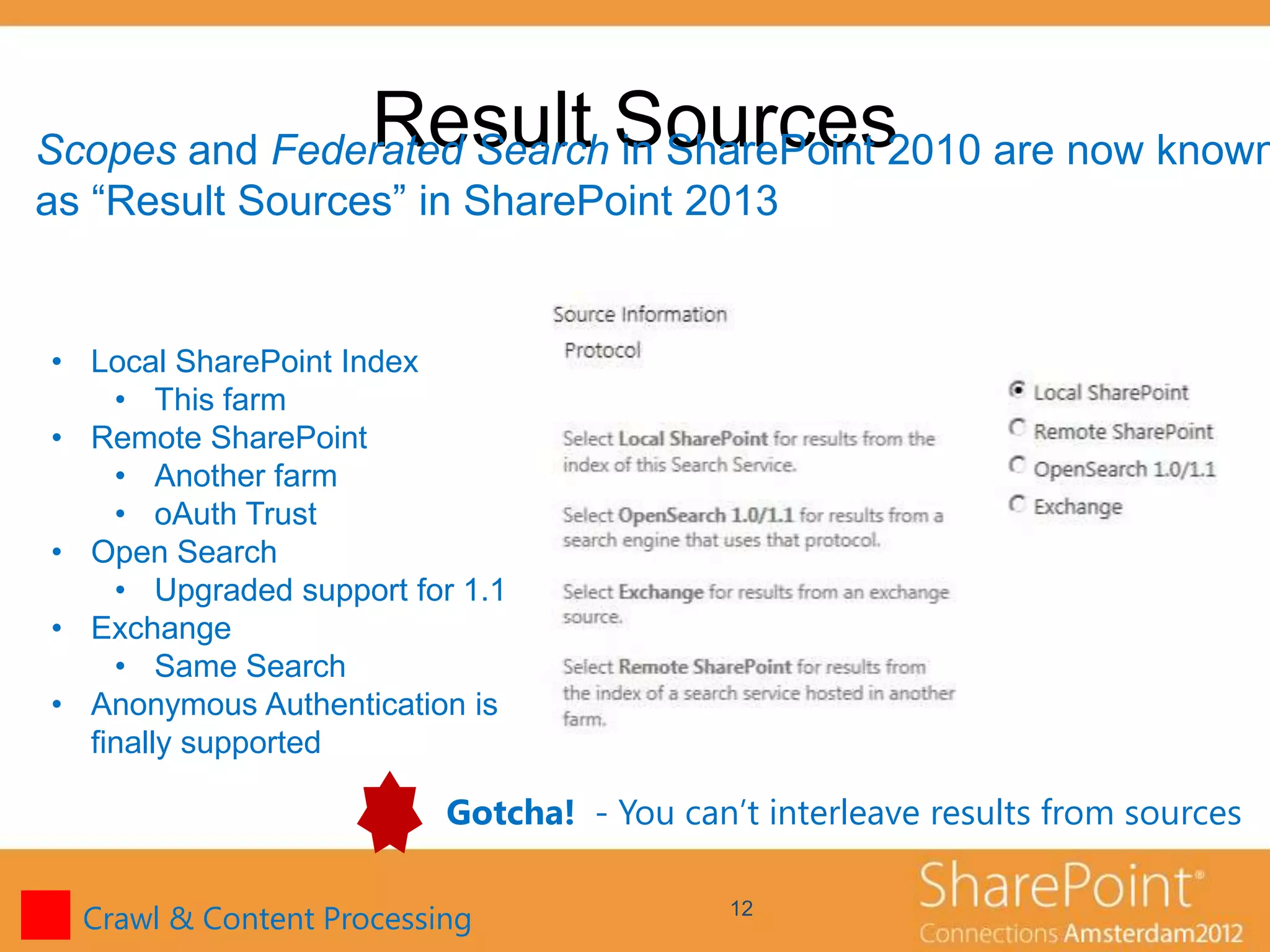
Result Sources
Scopes and Federated Search in SharePoint 2010 are now known
as “Result Sources” in SharePoint 2013


• Local SharePoint Index
    • This farm
• Remote SharePoint
    • Another farm
    • oAuth Trust
• Open Search
    • Upgraded support for 1.1
• Exchange
    • Same Search
• Anonymous Authentication is
  finally supported

                          Gotcha! - You can’t interleave results from sources

  Crawl & Content Processing                12
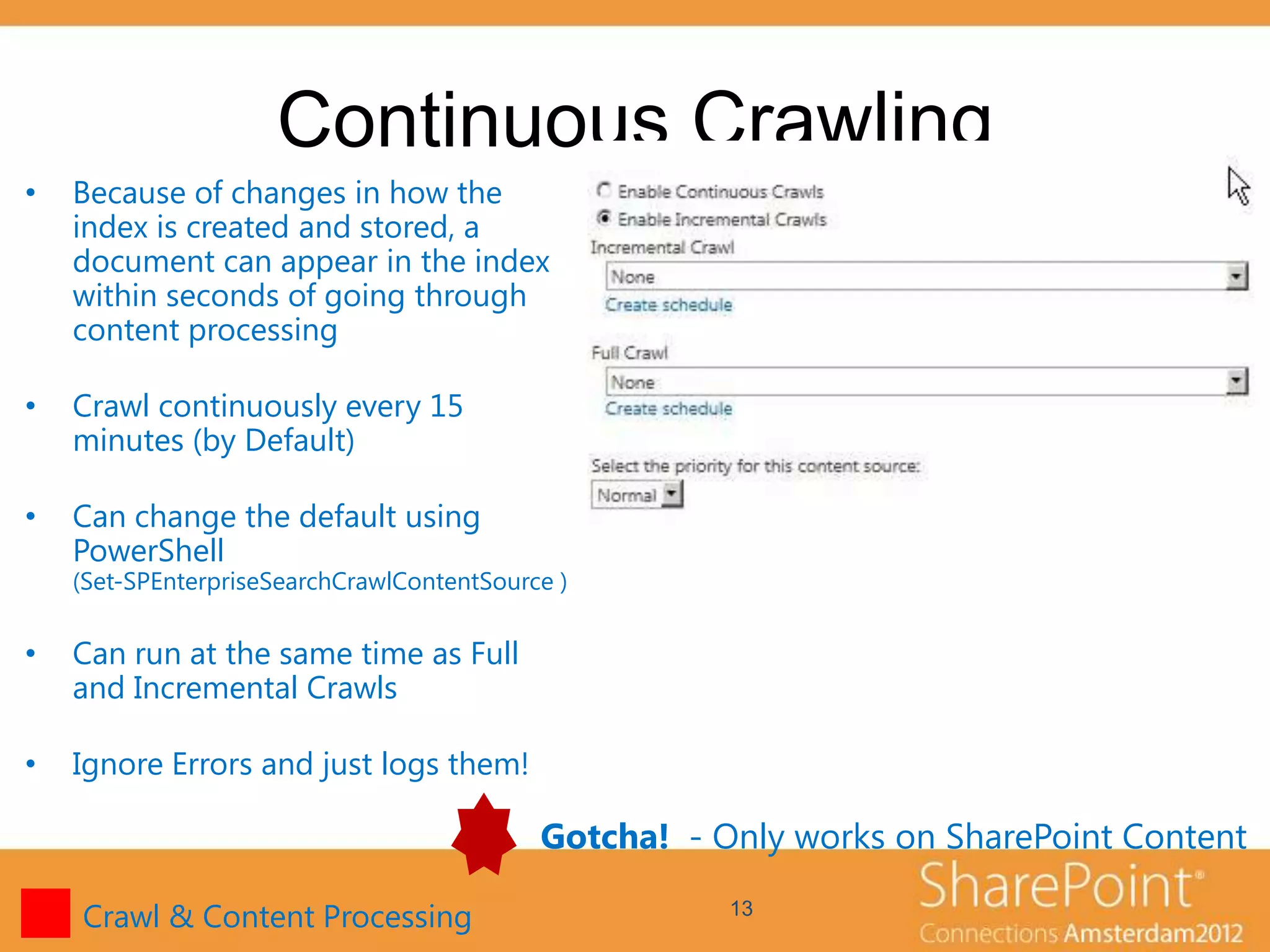
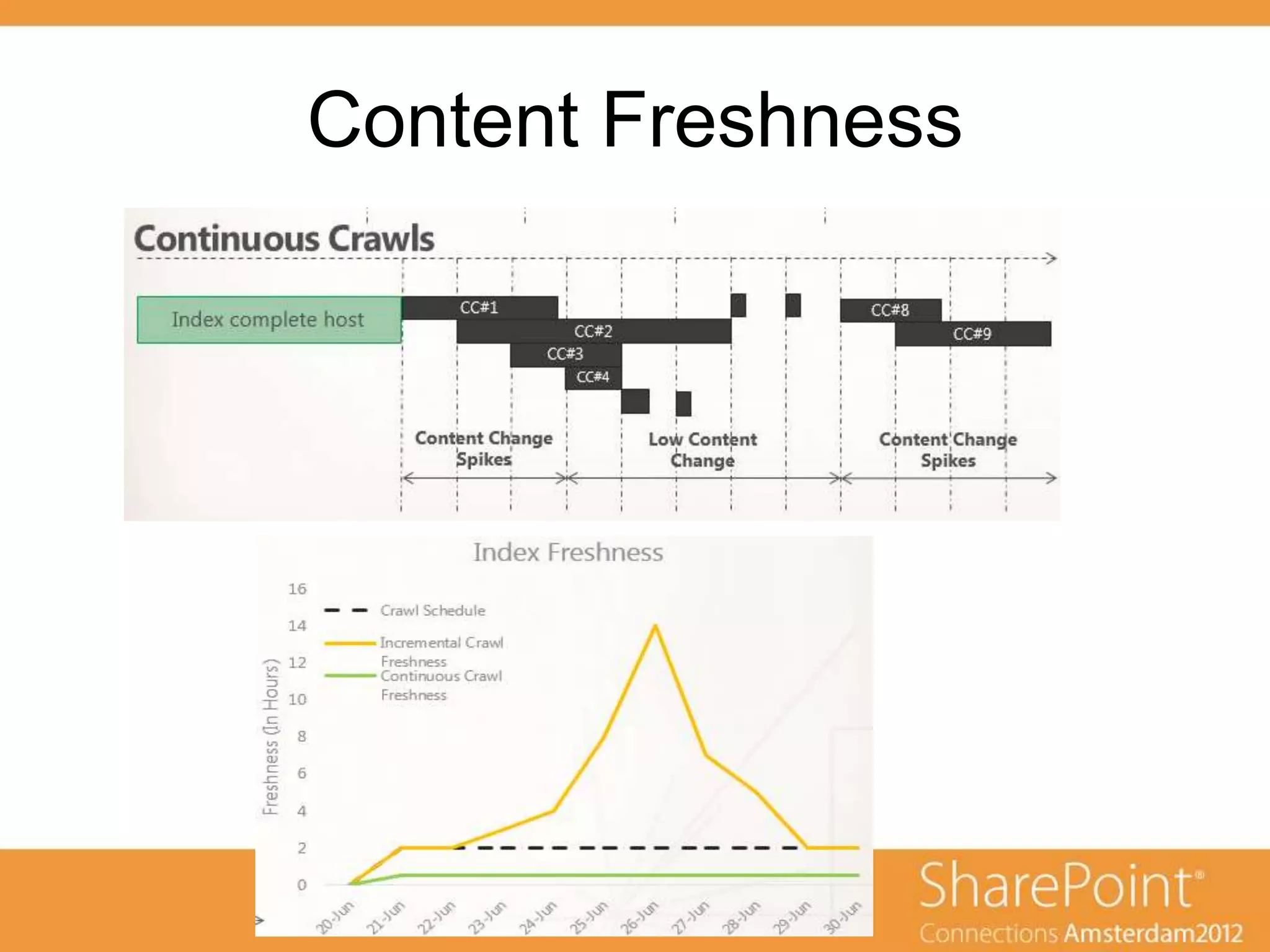
Continuous Crawling
•   Because of changes in how the
    index is created and stored, a
    document can appear in the index
    within seconds of going through
    content processing

•   Crawl continuously every 15
    minutes (by Default)

•   Can change the default using
    PowerShell
    (Set-SPEnterpriseSearchCrawlContentSource )


•   Can run at the same time as Full
    and Incremental Crawls

•   Ignore Errors and just logs them!

                                            Gotcha! - Only works on SharePoint Content

    Crawl & Content Processing                         13
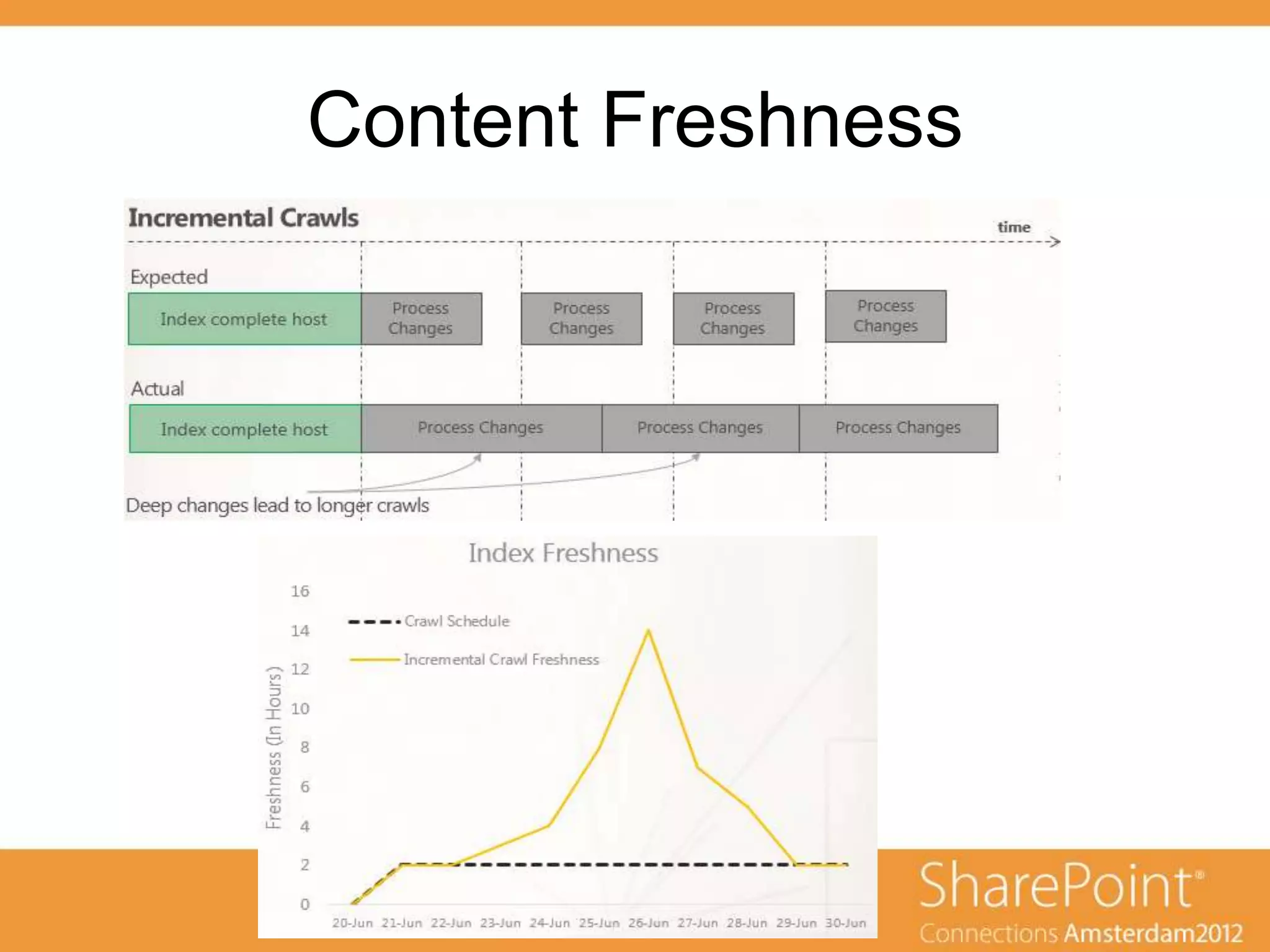
Content Freshness
Content Freshness
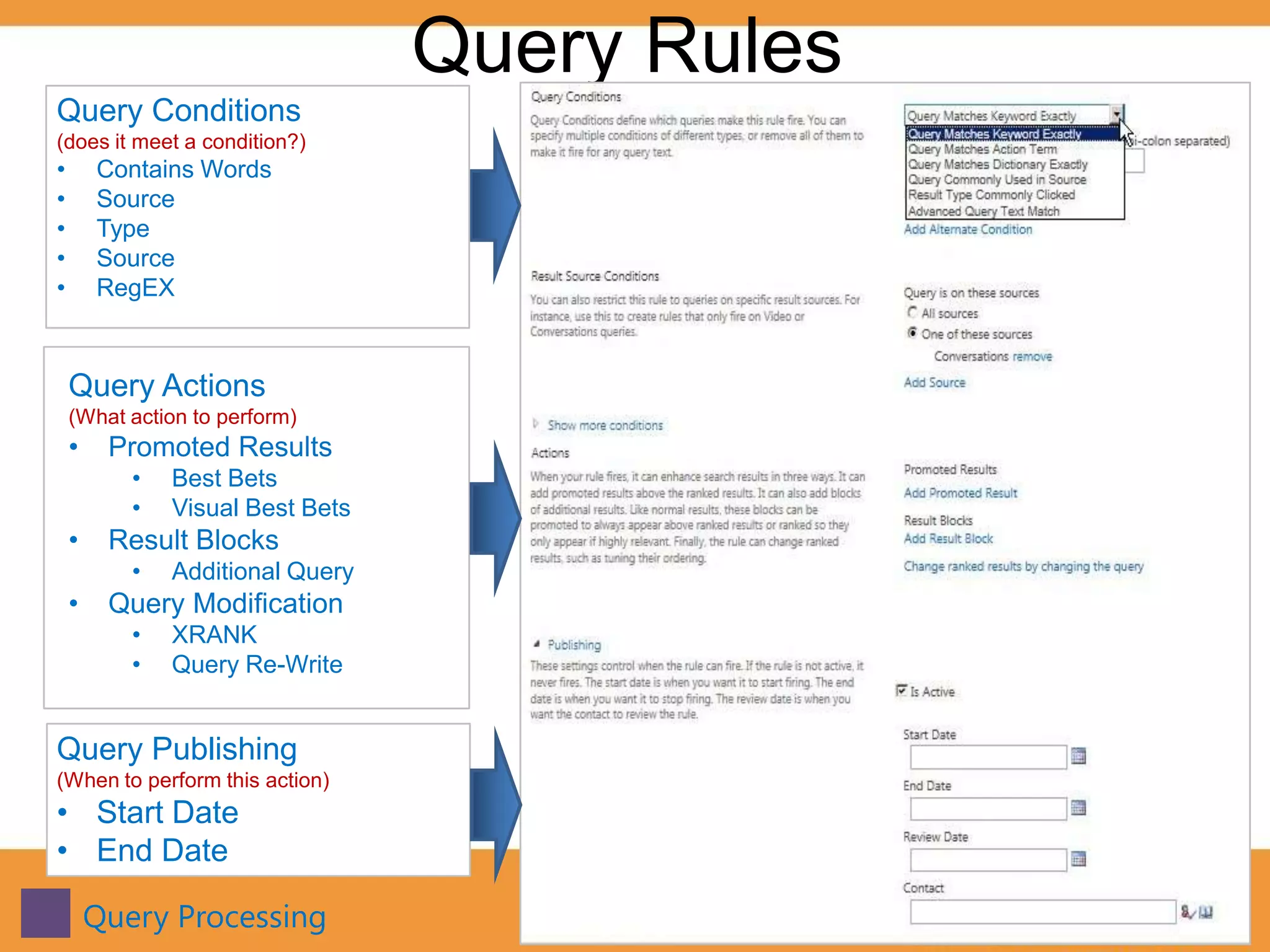
Query Rules
Query Conditions
(does it meet a condition?)
•       Contains Words
•       Source
•       Type
•       Source
•       RegEX


    Query Actions
    (What action to perform)
    •    Promoted Results
           •   Best Bets
           •   Visual Best Bets
    •    Result Blocks
           •   Additional Query
    •    Query Modification
           •   XRANK
           •   Query Re-Write


Query Publishing
(When to perform this action)
• Start Date
• End Date

        Query Processing                  16
Search Query Builder
New Tool to help you build complex queries

• Used Pervasively
    • Query Rules
    • Result Blocks
    • And More…
• Visually build complex queries
• Allows for testing queries
• Refiners
• Sorting


  Query Processing                           17
Demo
Query Builder
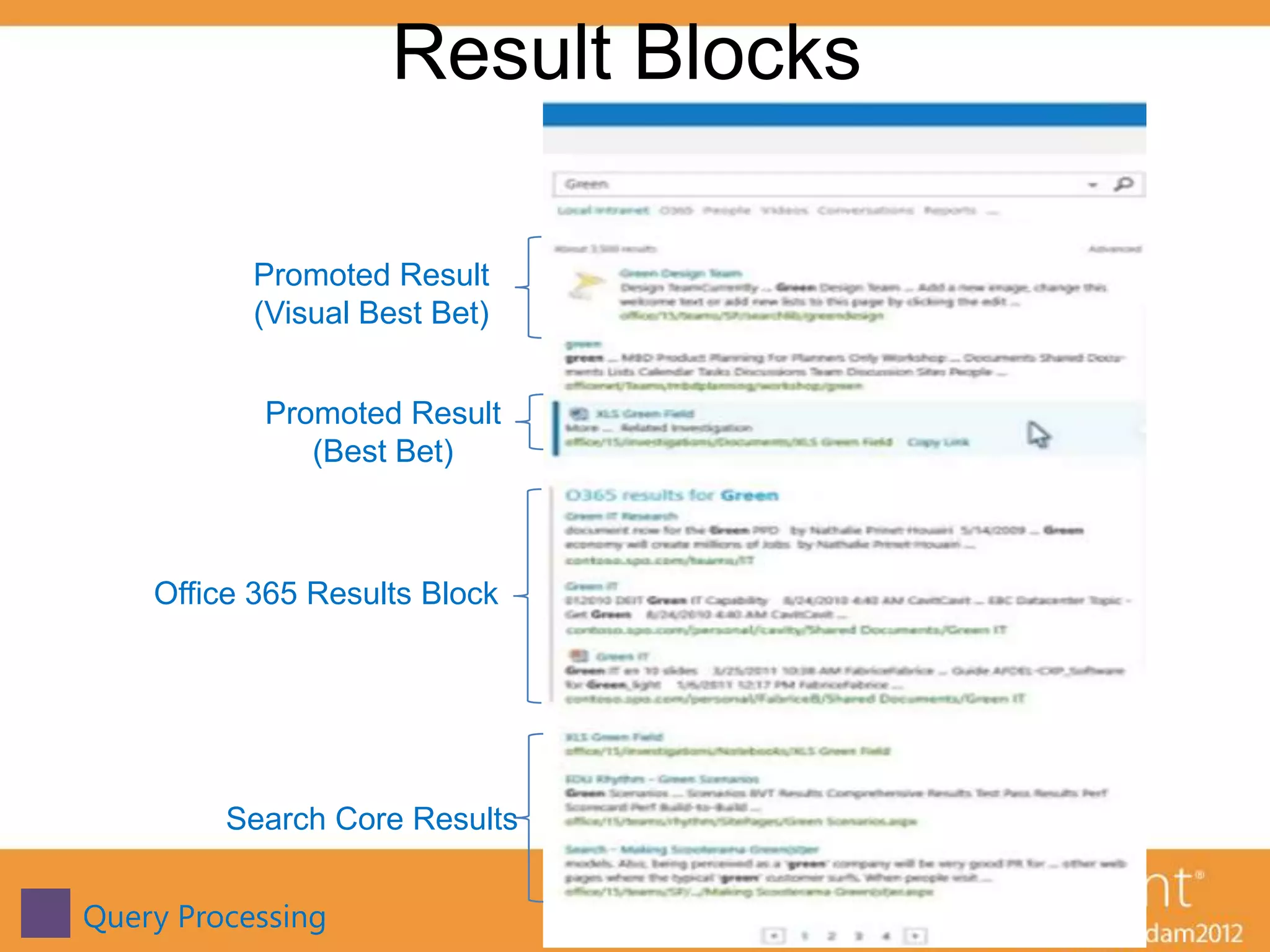
Result Blocks

           Promoted Result
           (Visual Best Bet)


           Promoted Result
              (Best Bet)


    Office 365 Results Block


         Search Core Results


Query Processing                    19
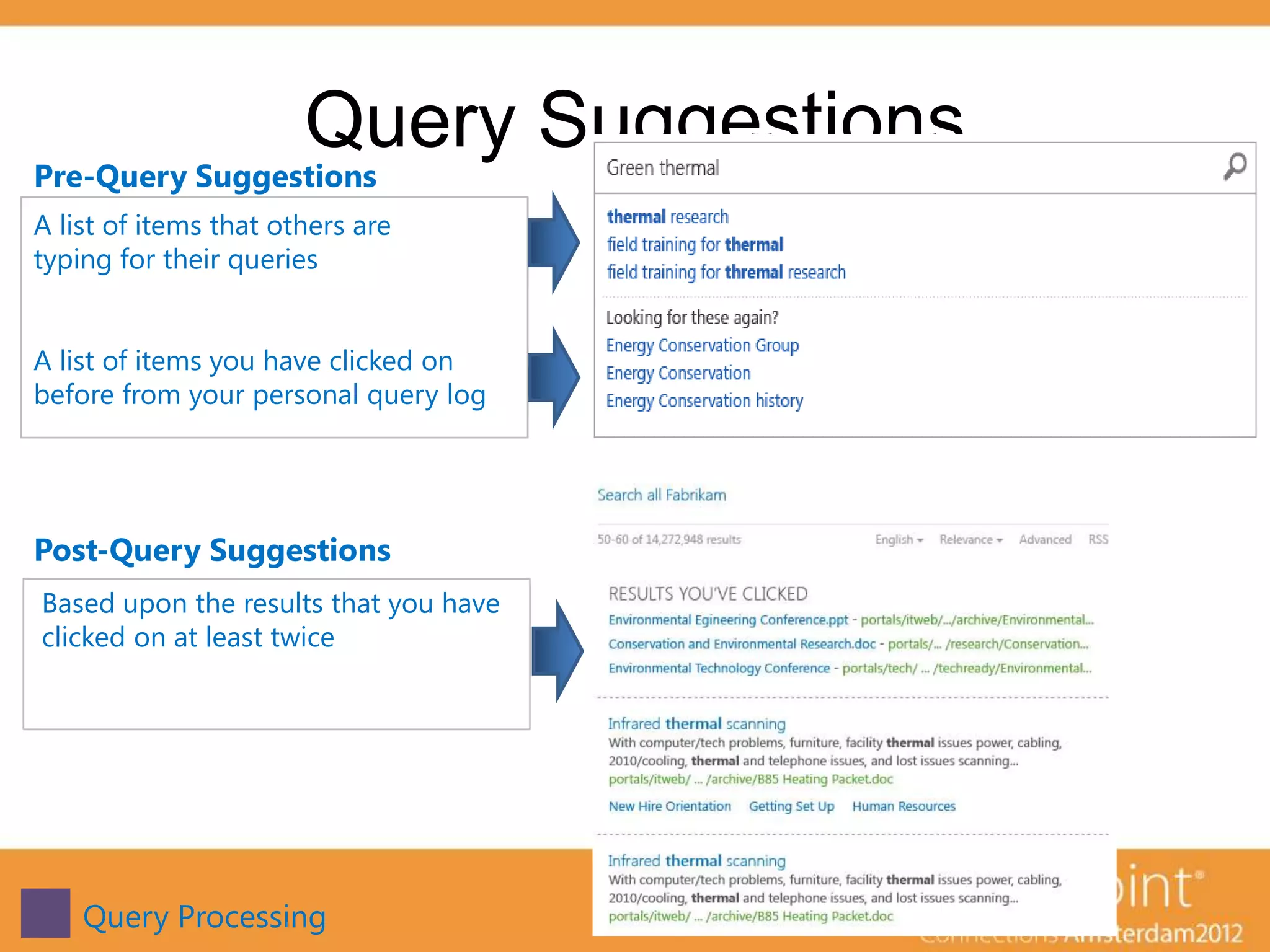
Query Suggestions
Pre-Query Suggestions
A list of items that others are
typing for their queries


A list of items you have clicked on
before from your personal query log


Post-Query Suggestions
Based upon the results that you have
clicked on at least twice


    Query Processing                   20
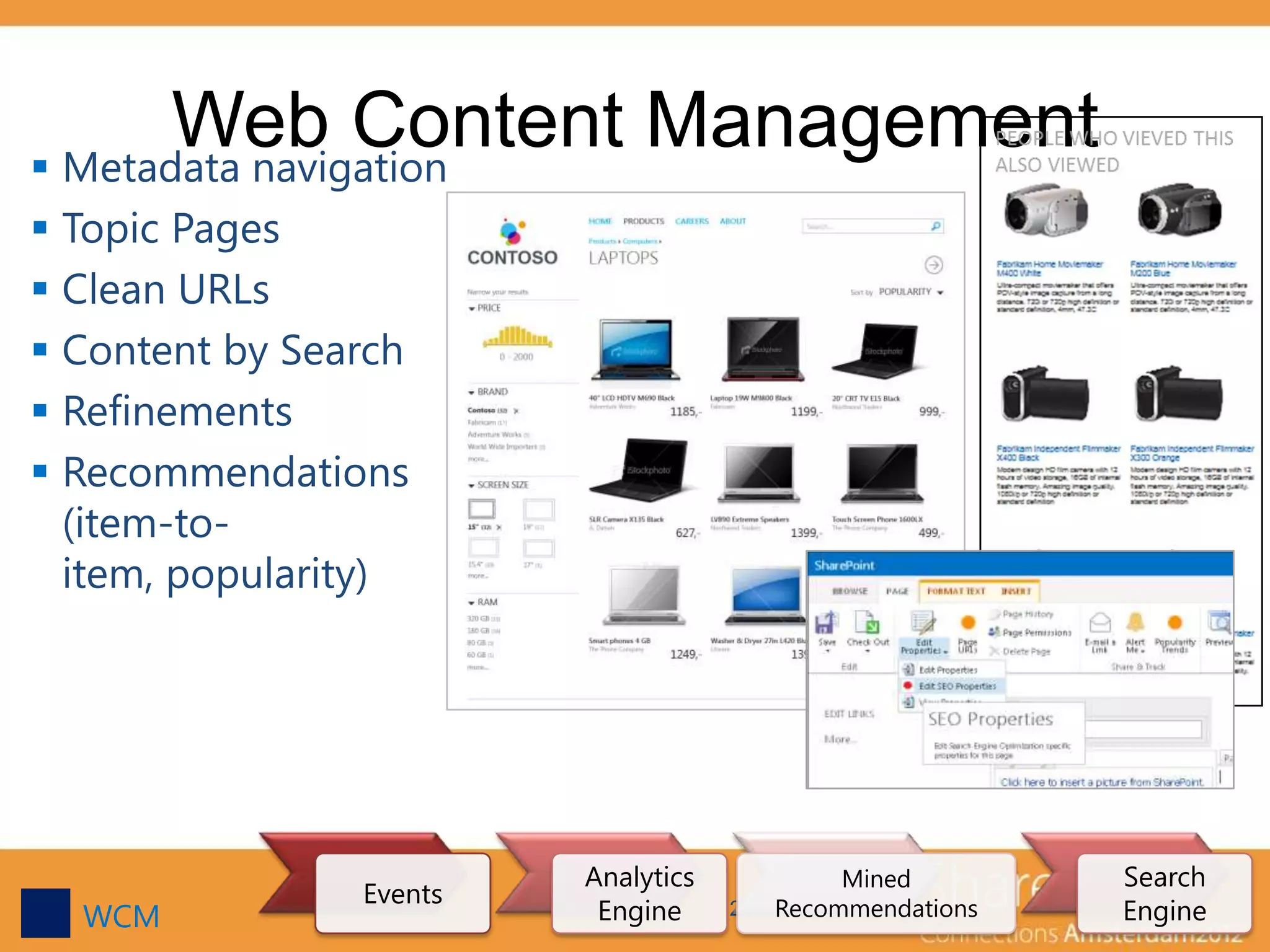
Web Content Management
 Metadata navigation
 Topic Pages
 Clean URLs
 Content by Search
 Refinements
 Recommendations
  (item-to-
  item, popularity)


                         Analytics           Mined        Search
                Events
  WCM                     Engine     21 Recommendations   Engine
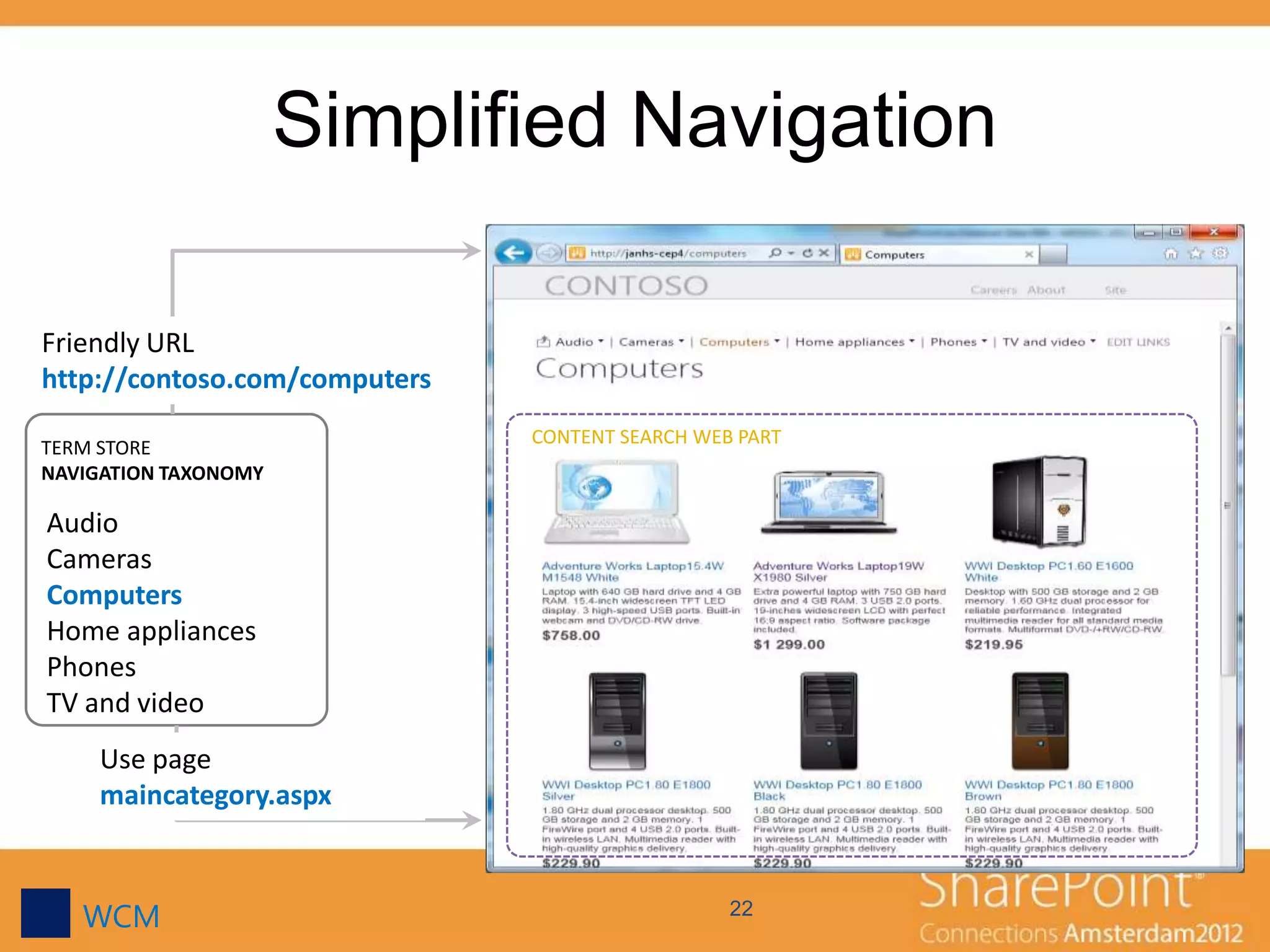
Simplified Navigation

Friendly URL
http://contoso.com/computers
                               CONTENT SEARCH WEB PART
TERM STORE
NAVIGATION TAXONOMY

Audio
Cameras
Computers
Home appliances
Phones
TV and video
     Use page
     maincategory.aspx


   WCM                                           22
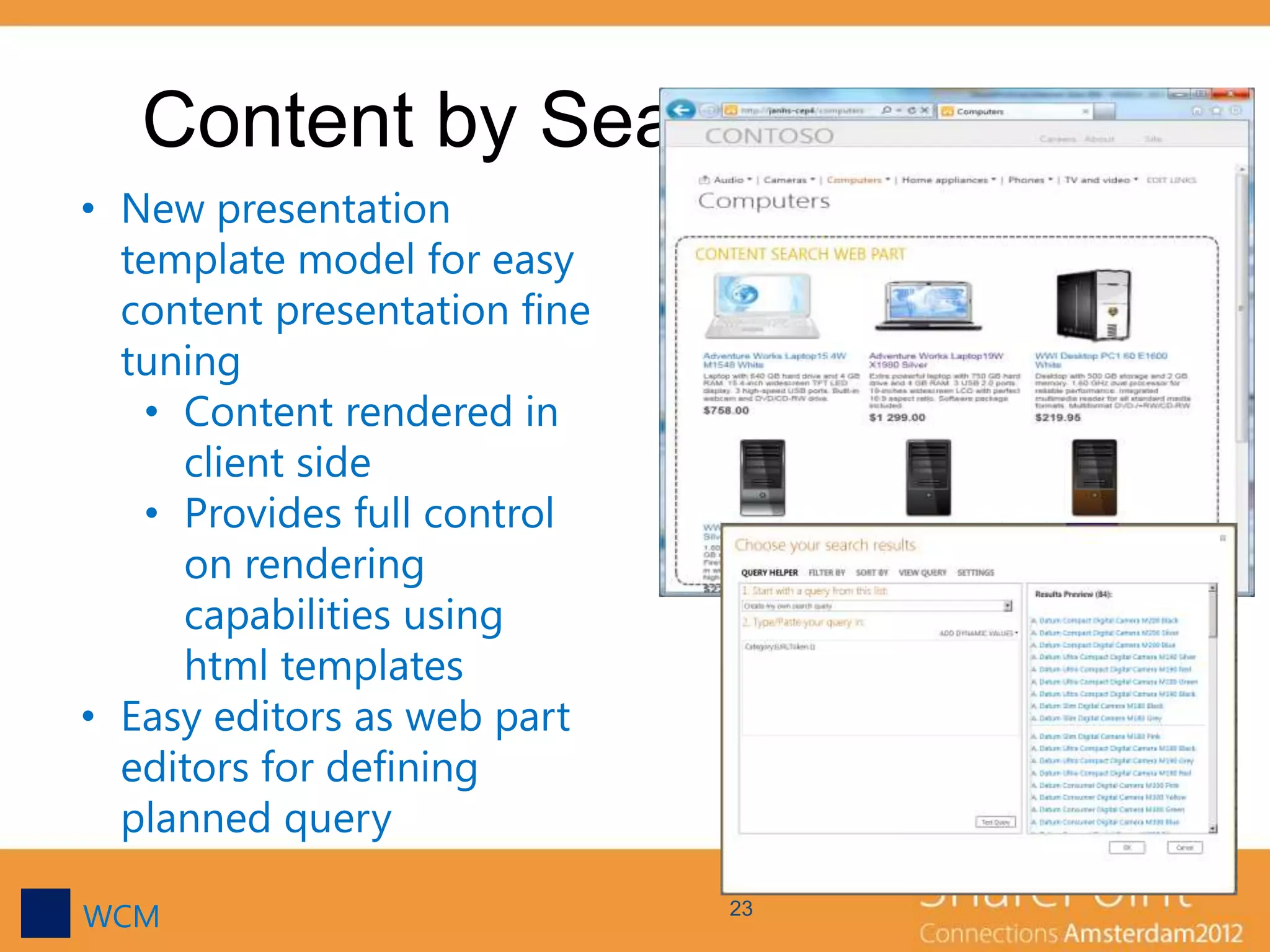
Content by Search Web Part
• New presentation
  template model for easy
  content presentation fine
  tuning
   • Content rendered in
     client side
   • Provides full control
     on rendering
     capabilities using
     html templates
• Easy editors as web part
  editors for defining
  planned query

WCM                           23
Key Takeaways
• One new Search Core
• Search is Pervasive is SharePoint 2013
• SharePoint 2013 provides more control over search
• Built with the Cloud in mind
   • multi-tenant scenarios
• SharePoint is now a viable WCM platform
  outside the firewall

• SharePoint Search Development is getting easier

  • XSLT

  • HTML & JavaScript        24
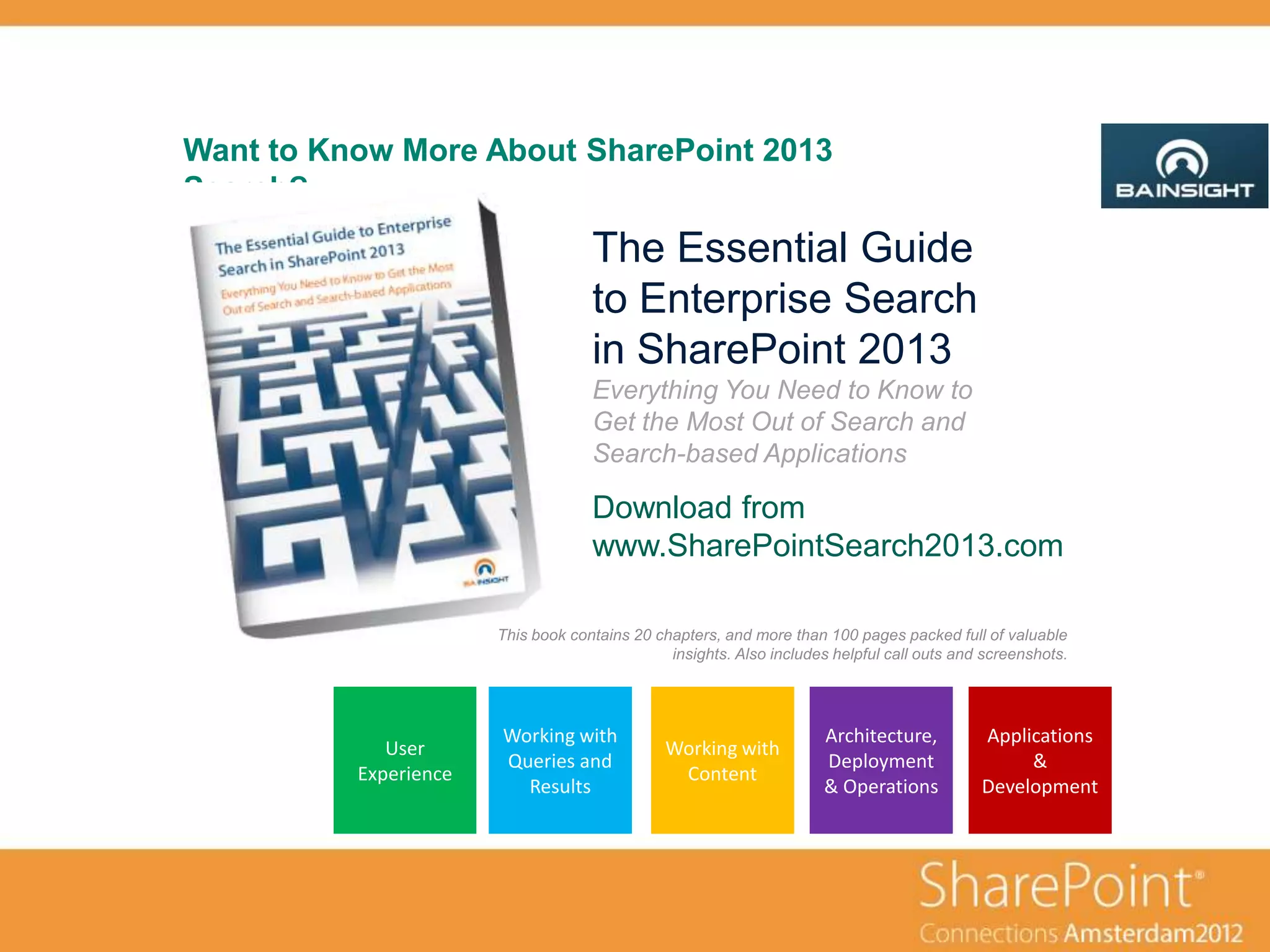
Want to Know More About SharePoint 2013
Search?
                                    The Essential Guide
                                    to Enterprise Search
                                    in SharePoint 2013
                                    Everything You Need to Know to
                                    Get the Most Out of Search and
                                    Search-based Applications

                                    Download from
                                    www.SharePointSearch2013.com

                       This book contains 20 chapters, and more than 100 pages packed full of valuable
                                               insights. Also includes helpful call outs and screenshots.


                       Working with                                  Architecture,          Applications
             User                              Working with
                       Queries and                                   Deployment                  &
          Experience                            Content
                         Results                                     & Operations           Development
Questions?

Email:      Agnes.Molnar@BAInsight.com
Twitter:    @molnaragnes

Blog: http://aghy.hu
      http://DoMoreWithSearch.com

SPConnections - What's new in SharePoint 2013 Search

  • 1.
    What’s New in SharePoint2013 Search Agnes Molnar Senior Search Solutions Consultant, SharePoint Server MVP
  • 2.
    Introduction • Senior SearchSolutions Consultant • SharePoint Server MVP • Speaker, Blogger, Community Lead http://aghy.hu http://www.DoMoreWithSearch.com Agnes.Molnar@BAInsight.com @molnaragnes
  • 3.
    There are majorchanges in Search! Combination Used of FAST and pervasively SharePoint Content by throughout Continuous Search Search WCM the platform Result Sources Crawling High Query Search Scalability CSOM Result Blocks Suggestions Query Rules Refinements Search is used pervasively throughout the platform 3
  • 4.
  • 5.
    Search Refinement Search Refinement • Customizable • Now more graphical Faceted Navigation • Hierarchical • Managed from with the Term Store • Customizable Query Processing
  • 6.
  • 7.
    One Engine – Combination of FAST and SharePoint Search • Keeps many of the best capabilities from FAST • Completely new search core • Highly Scalable • Single Query Language Architecture
  • 8.
    Delegated Search Administration Task Site Site Admin Collection Admin Create and/or override Query Rules, including Promoted Results Create and/or override Result types and display templates Create and/or override Result Sources, either for remote locations or as a custom search “vertical” Create managed properties Create refiners Start a local crawl – can even be done down to the list level Built for the Cloud • Multi-Tenant Architecture 8
  • 9.
  • 10.
    Search is Pervasivein SharePoint 2013 • Content By Search Web Part • My Tasks • My Site View • “What’s new” feed • E-Discovery Console • Topic Pages • Recommendations • Customer Engagement Portal • Image Library search • Exchange 15 search • Web Content Management Pervasive
  • 11.
  • 12.
    Result Sources Scopes andFederated Search in SharePoint 2010 are now known as “Result Sources” in SharePoint 2013 • Local SharePoint Index • This farm • Remote SharePoint • Another farm • oAuth Trust • Open Search • Upgraded support for 1.1 • Exchange • Same Search • Anonymous Authentication is finally supported Gotcha! - You can’t interleave results from sources Crawl & Content Processing 12
  • 13.
    Continuous Crawling • Because of changes in how the index is created and stored, a document can appear in the index within seconds of going through content processing • Crawl continuously every 15 minutes (by Default) • Can change the default using PowerShell (Set-SPEnterpriseSearchCrawlContentSource ) • Can run at the same time as Full and Incremental Crawls • Ignore Errors and just logs them! Gotcha! - Only works on SharePoint Content Crawl & Content Processing 13
  • 14.
  • 15.
  • 16.
    Query Rules Query Conditions (doesit meet a condition?) • Contains Words • Source • Type • Source • RegEX Query Actions (What action to perform) • Promoted Results • Best Bets • Visual Best Bets • Result Blocks • Additional Query • Query Modification • XRANK • Query Re-Write Query Publishing (When to perform this action) • Start Date • End Date Query Processing 16
  • 17.
    Search Query Builder NewTool to help you build complex queries • Used Pervasively • Query Rules • Result Blocks • And More… • Visually build complex queries • Allows for testing queries • Refiners • Sorting Query Processing 17
  • 18.
  • 19.
    Result Blocks Promoted Result (Visual Best Bet) Promoted Result (Best Bet) Office 365 Results Block Search Core Results Query Processing 19
  • 20.
    Query Suggestions Pre-Query Suggestions Alist of items that others are typing for their queries A list of items you have clicked on before from your personal query log Post-Query Suggestions Based upon the results that you have clicked on at least twice Query Processing 20
  • 21.
    Web Content Management Metadata navigation  Topic Pages  Clean URLs  Content by Search  Refinements  Recommendations (item-to- item, popularity) Analytics Mined Search Events WCM Engine 21 Recommendations Engine
  • 22.
    Simplified Navigation Friendly URL http://contoso.com/computers CONTENT SEARCH WEB PART TERM STORE NAVIGATION TAXONOMY Audio Cameras Computers Home appliances Phones TV and video Use page maincategory.aspx WCM 22
  • 23.
    Content by SearchWeb Part • New presentation template model for easy content presentation fine tuning • Content rendered in client side • Provides full control on rendering capabilities using html templates • Easy editors as web part editors for defining planned query WCM 23
  • 24.
    Key Takeaways • Onenew Search Core • Search is Pervasive is SharePoint 2013 • SharePoint 2013 provides more control over search • Built with the Cloud in mind • multi-tenant scenarios • SharePoint is now a viable WCM platform outside the firewall • SharePoint Search Development is getting easier • XSLT • HTML & JavaScript 24
  • 25.
    Want to KnowMore About SharePoint 2013 Search? The Essential Guide to Enterprise Search in SharePoint 2013 Everything You Need to Know to Get the Most Out of Search and Search-based Applications Download from www.SharePointSearch2013.com This book contains 20 chapters, and more than 100 pages packed full of valuable insights. Also includes helpful call outs and screenshots. Working with Architecture, Applications User Working with Queries and Deployment & Experience Content Results & Operations Development
  • 26.
    Questions? Email: Agnes.Molnar@BAInsight.com Twitter: @molnaragnes Blog: http://aghy.hu http://DoMoreWithSearch.com

Editor's Notes

  • #7 Design Manager / Edit Display TemplatesMaster Pages / Filters / Filter Default.htmlTitle: Refinement Item with CountsShowCounts = trueSave in a different name
  • #12 Communities