



SPTH05 Beyond the Search
   Center – Application or
                Solution?
                          Agnes Molnar
            Senior Search Solutions Consultant
                        SharePoint Server MVP

                             Level: Intermediate
Introduction

      •   Senior Search Solutions Consultant
      •   SharePoint Server MVP

      •   Speaker, Blogger, Community Lead
          http://aghy.hu
          http://www.DoMoreWithSearch.com


          Email:   aghy@aghy.hu
          Twitter: @molnaragnes
Search


   Search connects people


         to the information


they need to get their jobs done.
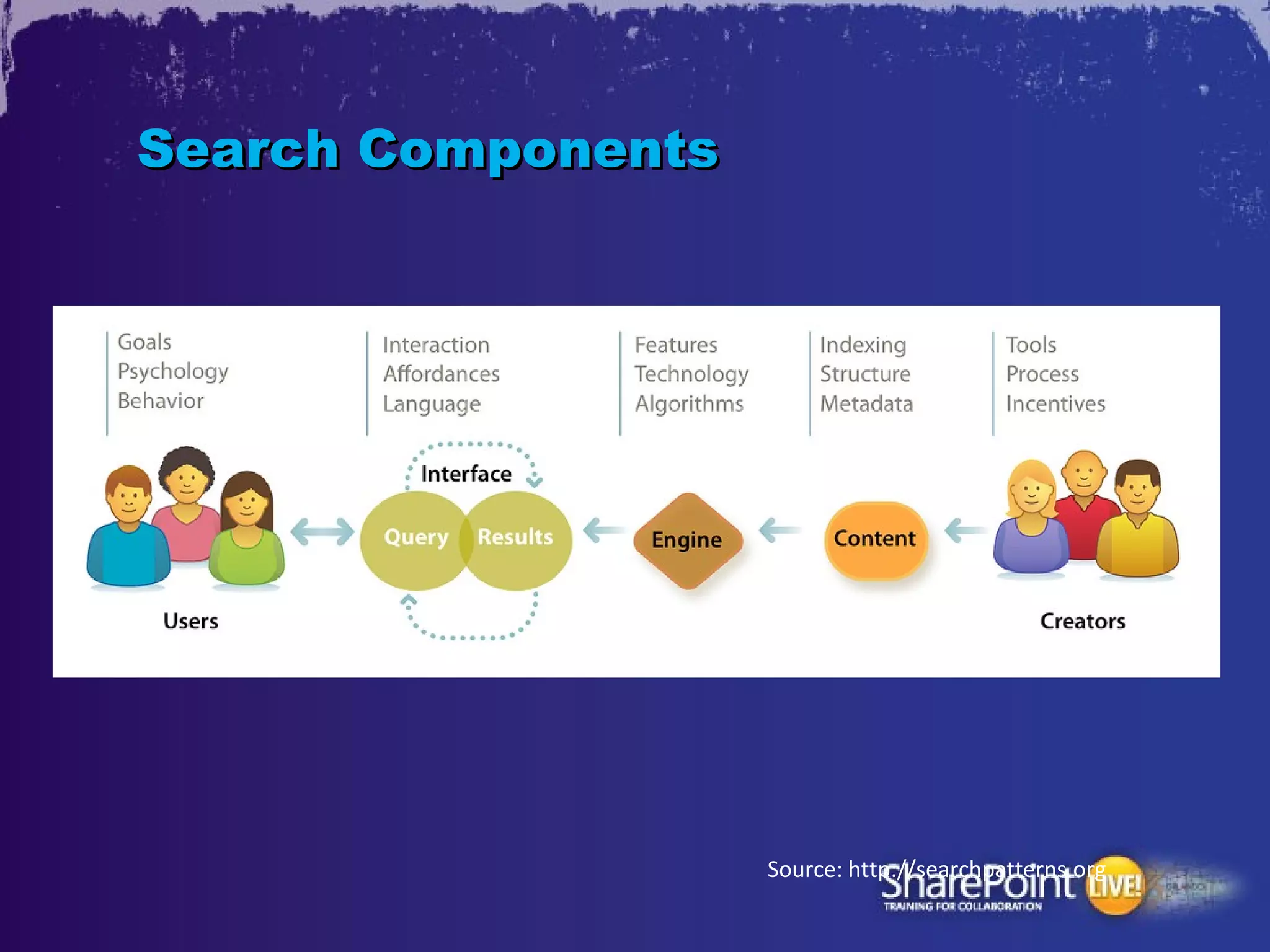
Search Components


                    Source: http://searchpatterns.org
Search
•   „I know what I’m searching for and
    know how to do that”

•   „I know what I’m searching for but I
    don’t know how to do that”

•   „I don’t know what I’m searching for”

•   „Am I Searching?...”
Enterprise Search


     Search Technology
   that your organization
      owns and controls
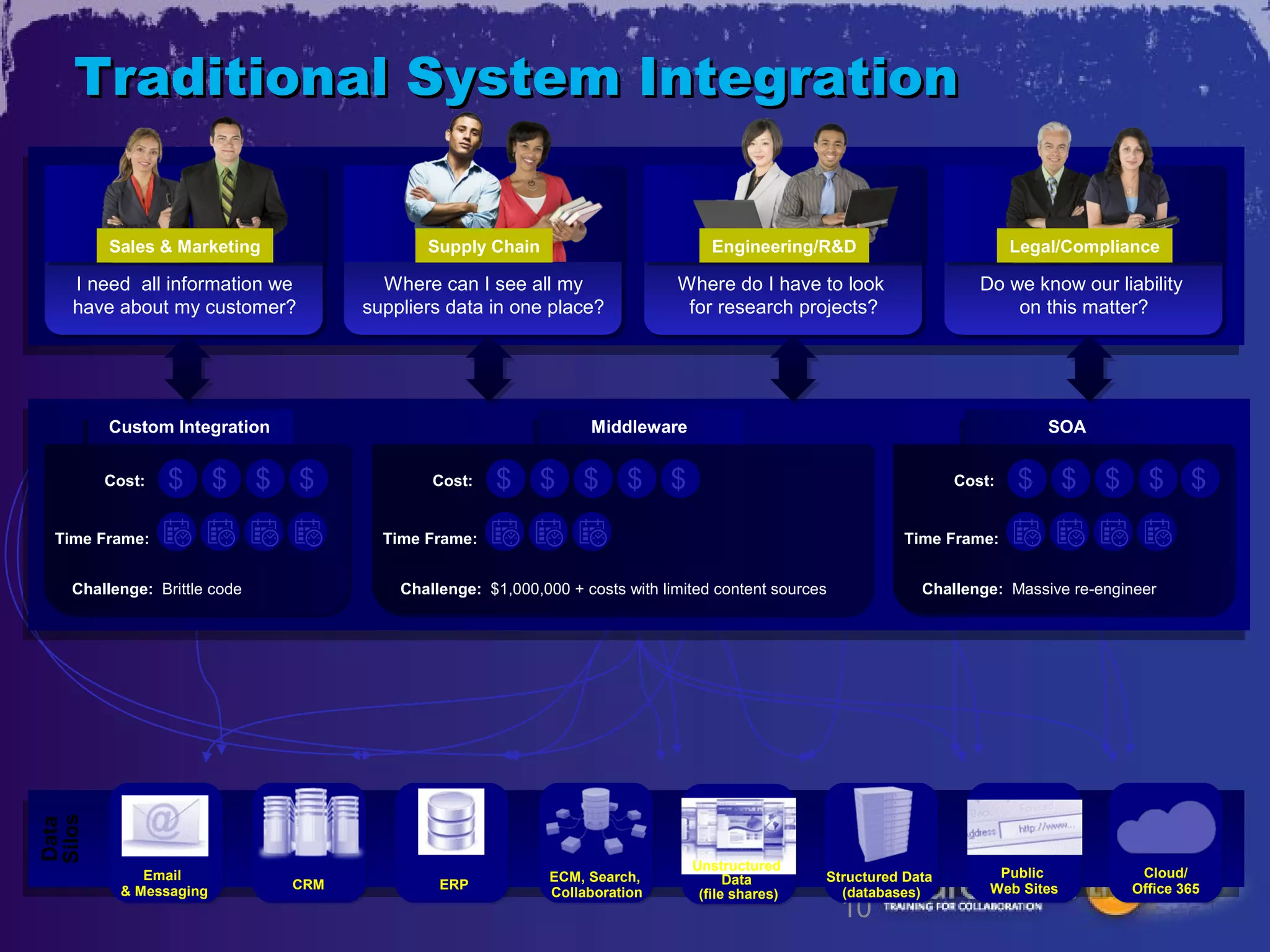
Traditional System Integration

        Sales & Marketing                 Supply Chain                           Engineering/R&D                          Legal/Compliance

   I need all information we         Where can I see all my                 Where do I have to look                  Do we know our liability
   have about my customer?         suppliers data in one place?              for research projects?                      on this matter?


        Custom Integration                                      Middleware                                                    SOA


        Cost:   $ $ $ $                    Cost:    $ $ $ $ $                                                     Cost:   $ $ $ $ $
 Time Frame:                         Time Frame:                                                           Time Frame:


   Challenge: Brittle code             Challenge: $1,000,000 + costs with limited content sources            Challenge: Massive re-engineer
Silos
Data


                                                                              Unstructured
            Email                                          ECM, Search,                         Structured Data        Public           Cloud/
                             CRM            ERP                                     Data
         & Messaging                                       Collaboration       (file shares)      (databases)         Web Sites        Office 365
                                                                                                    10
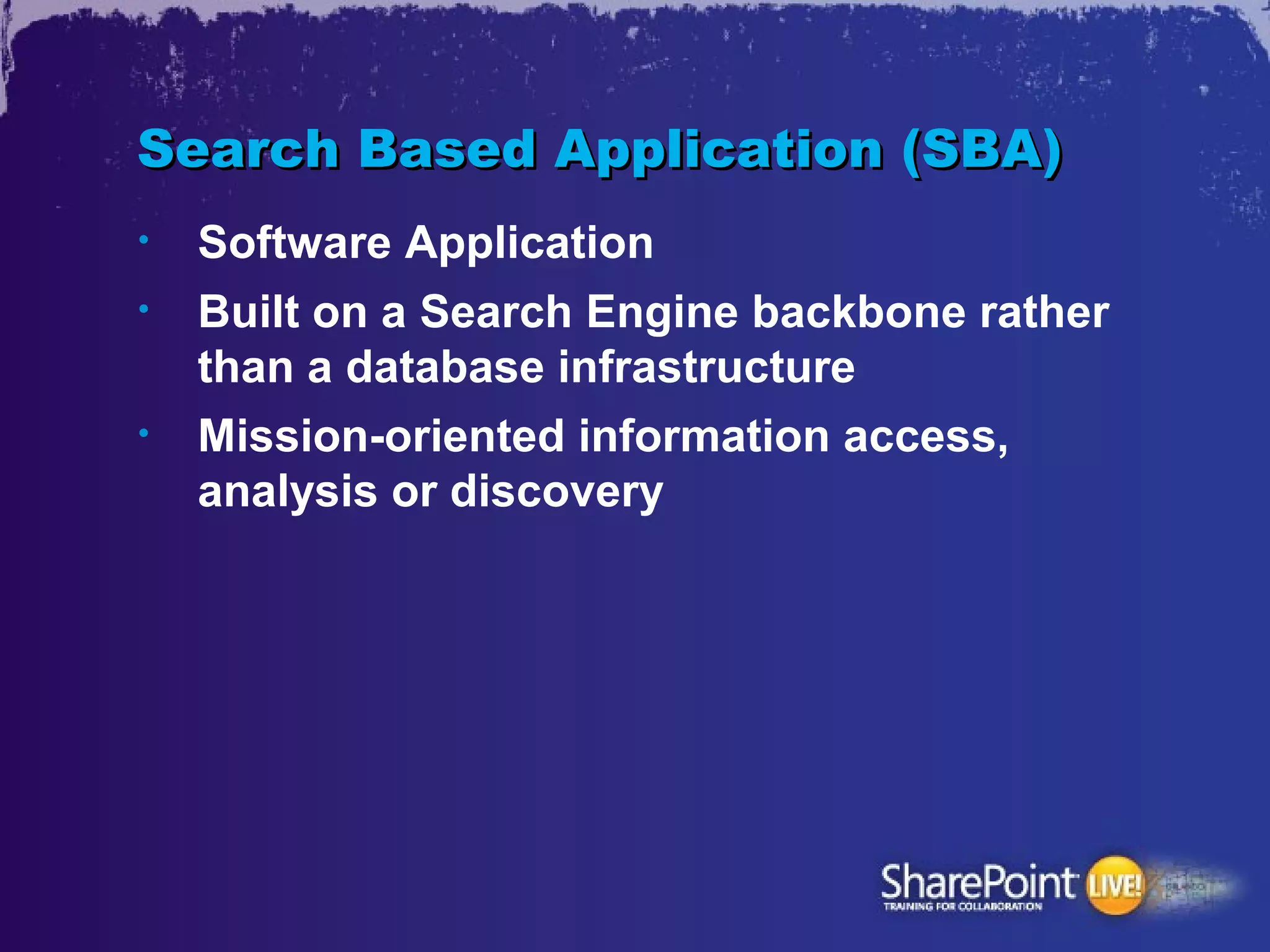
Search Based Application (SBA)
•   Software Application
•   Built on a Search Engine backbone rather
    than a database infrastructure
•   Mission-oriented information access,
    analysis or discovery
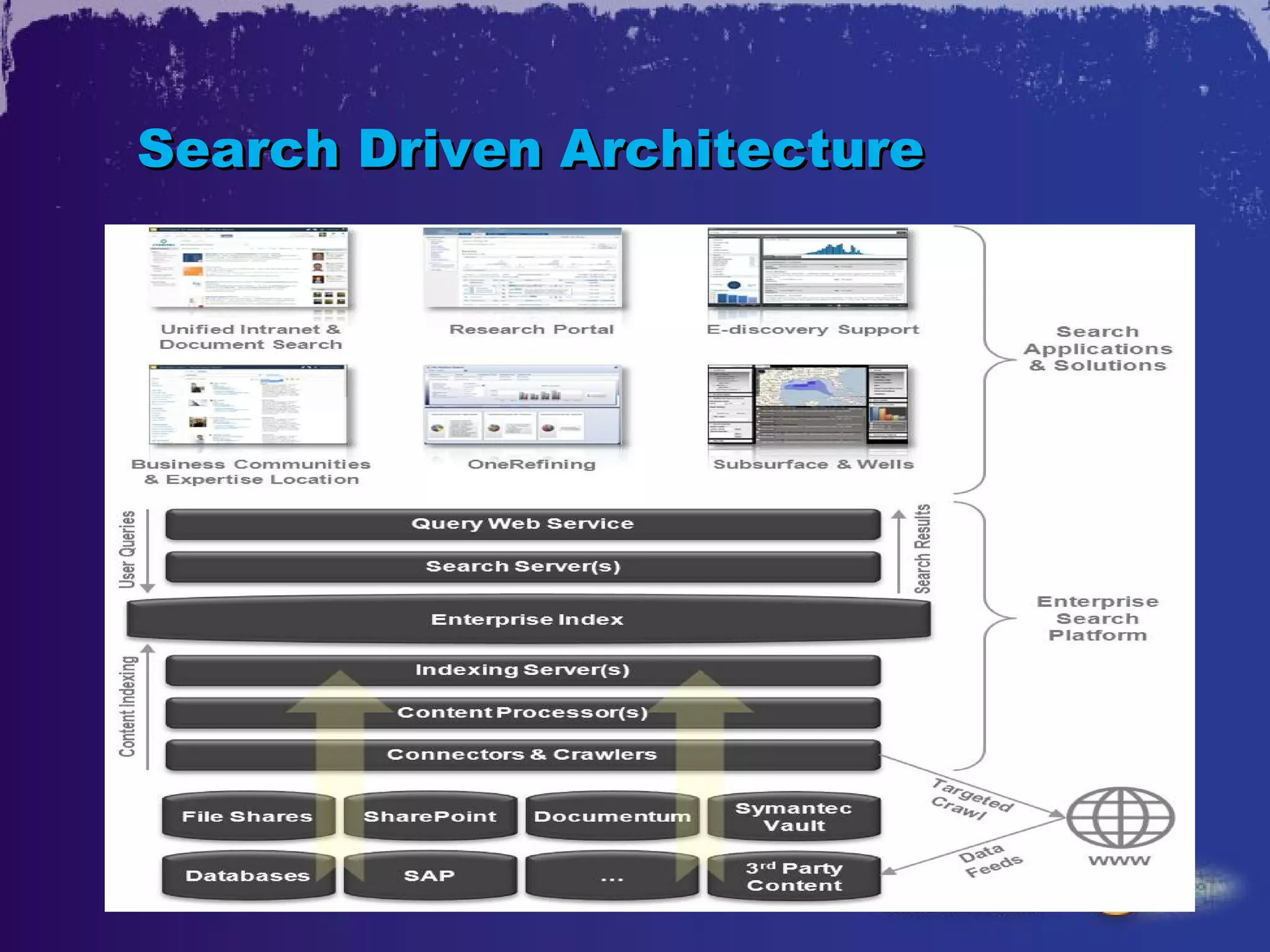
Search Driven Architecture
15
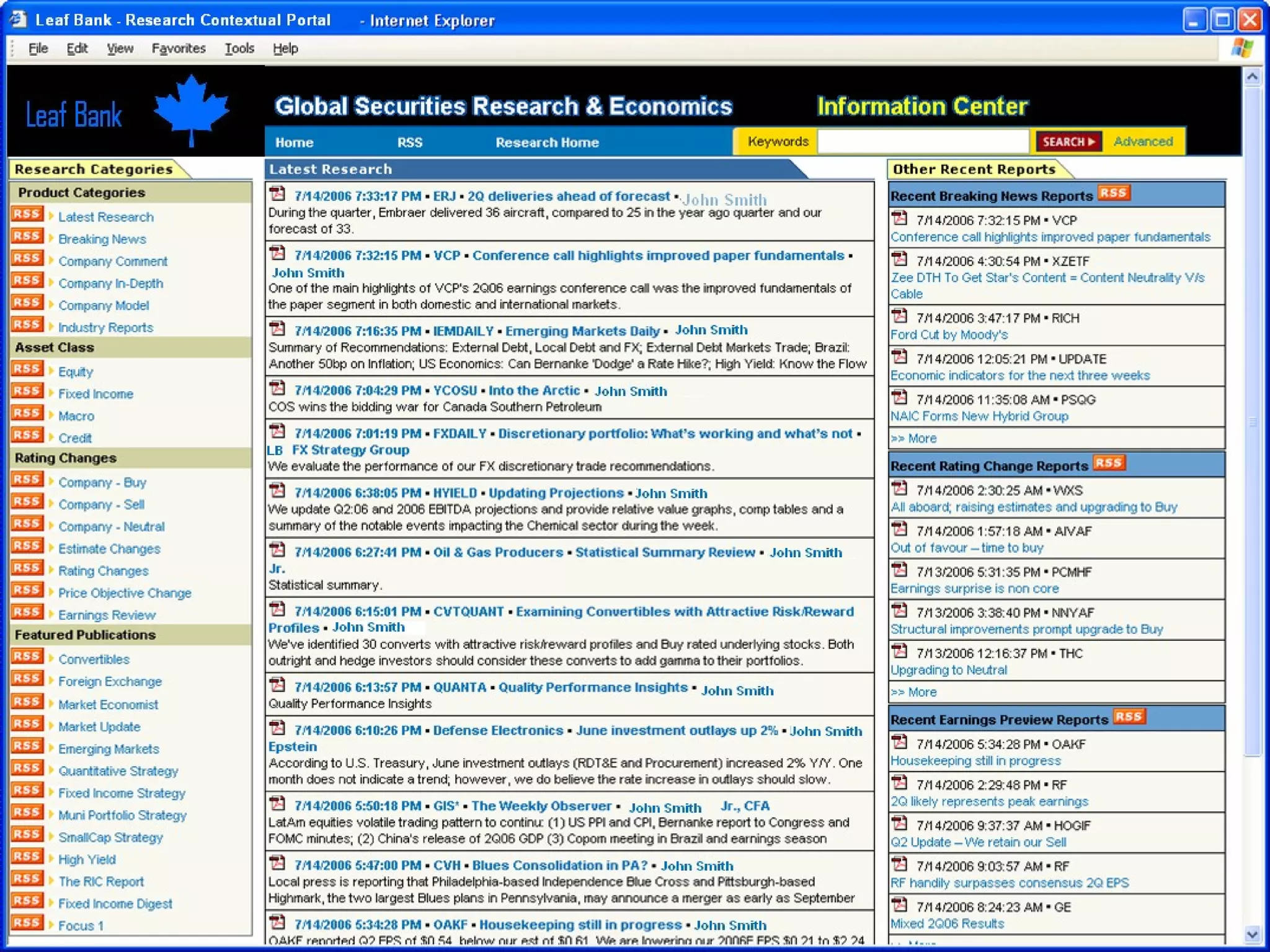
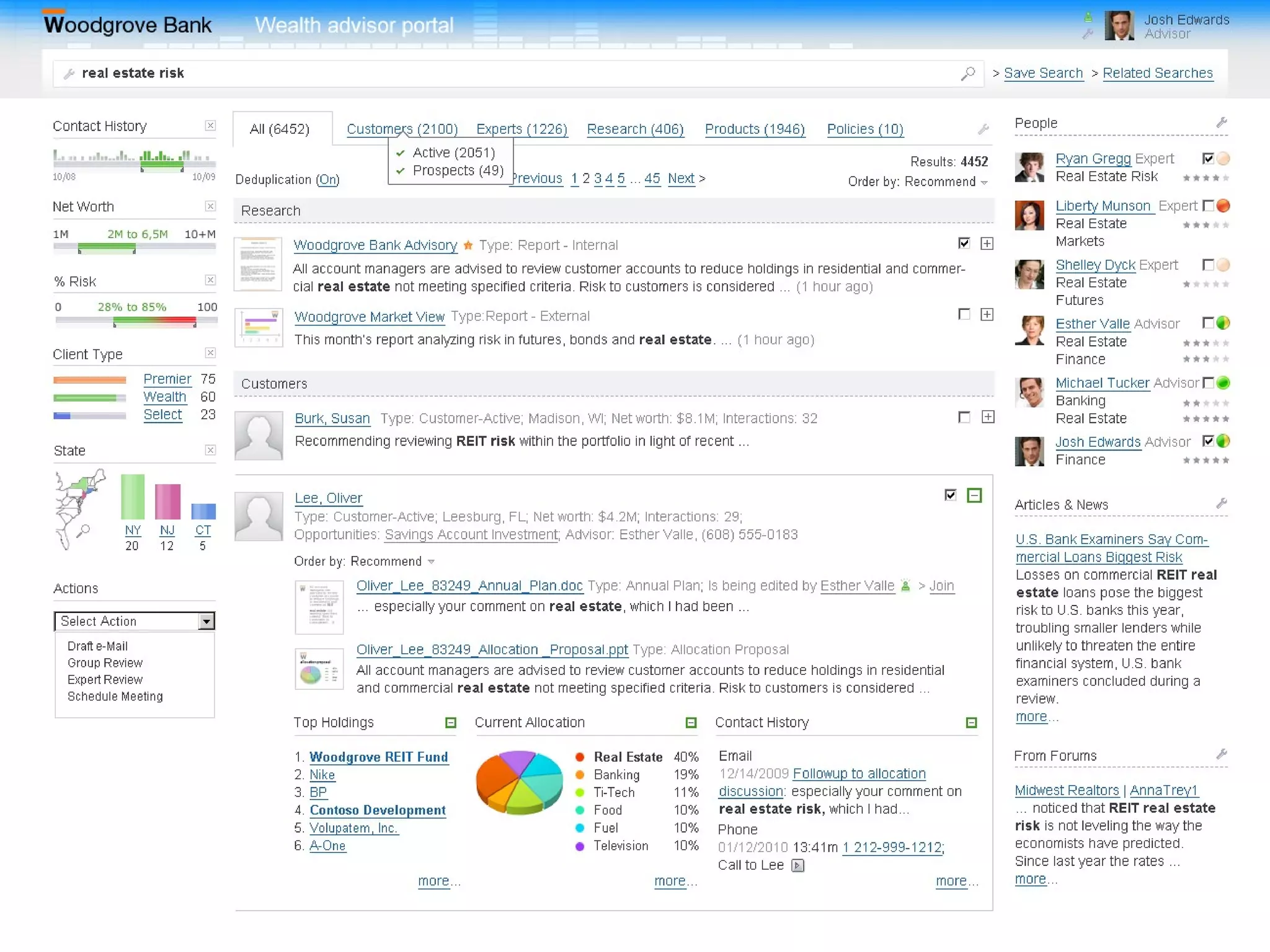
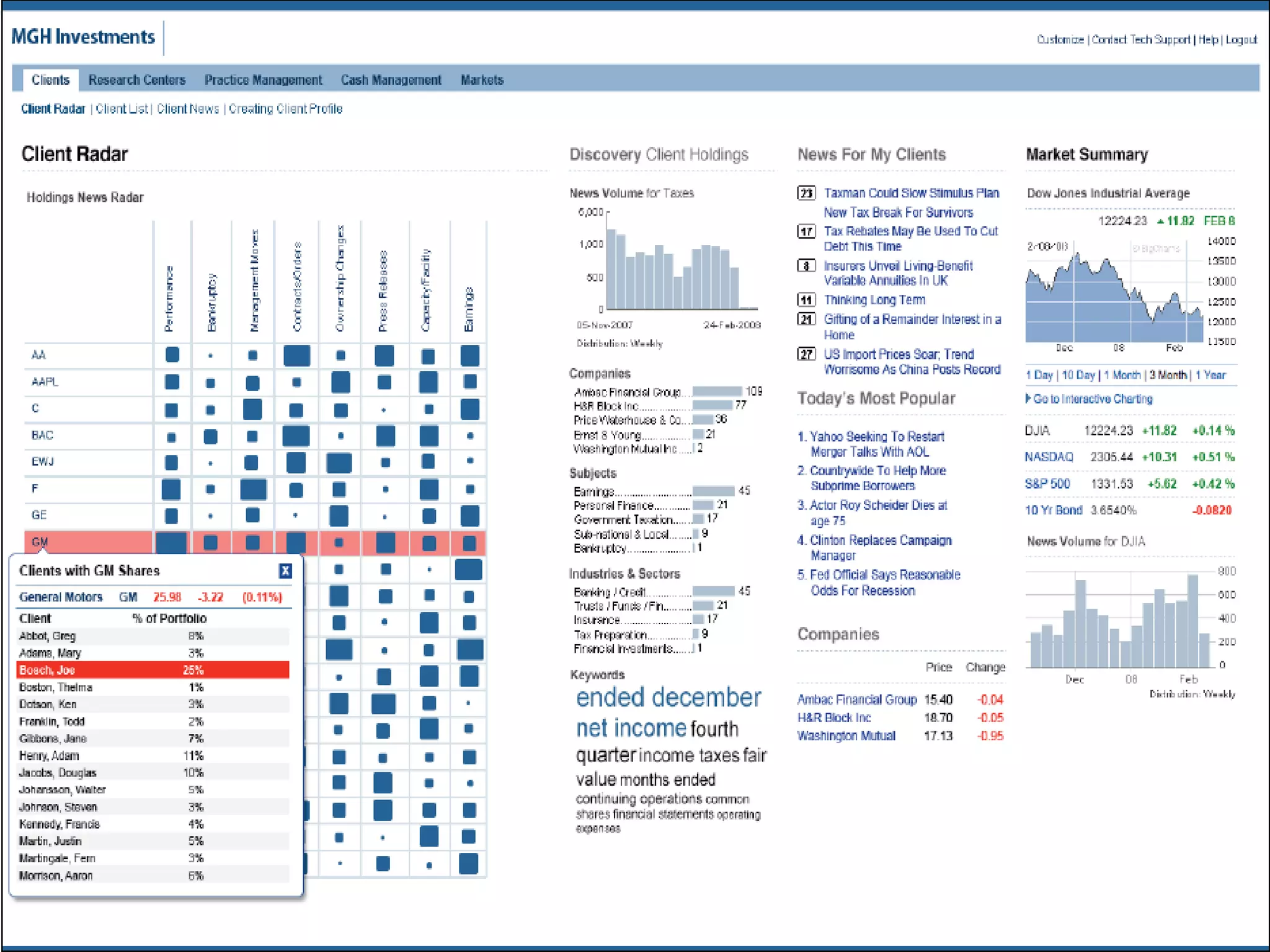
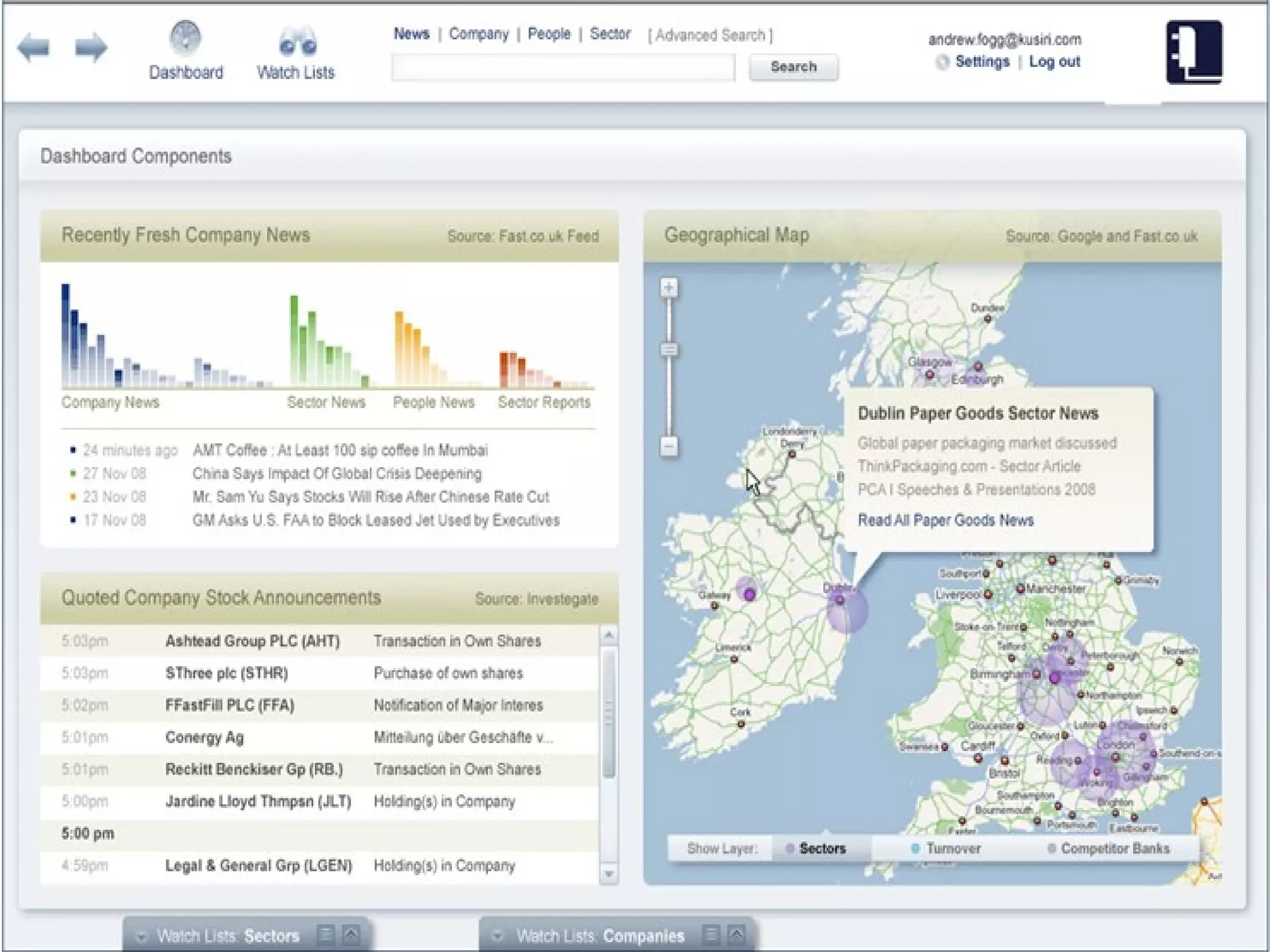
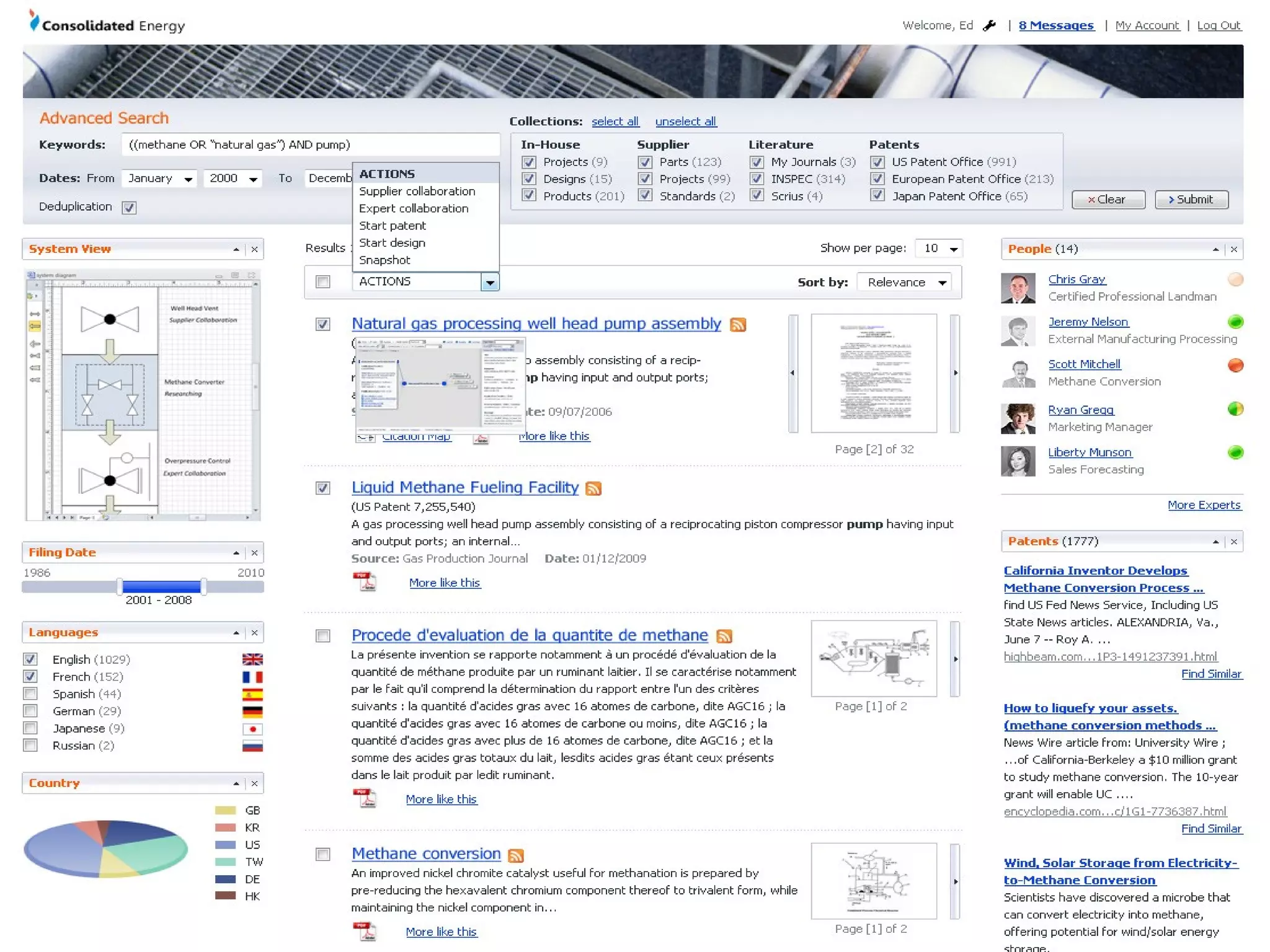
SBA Examples
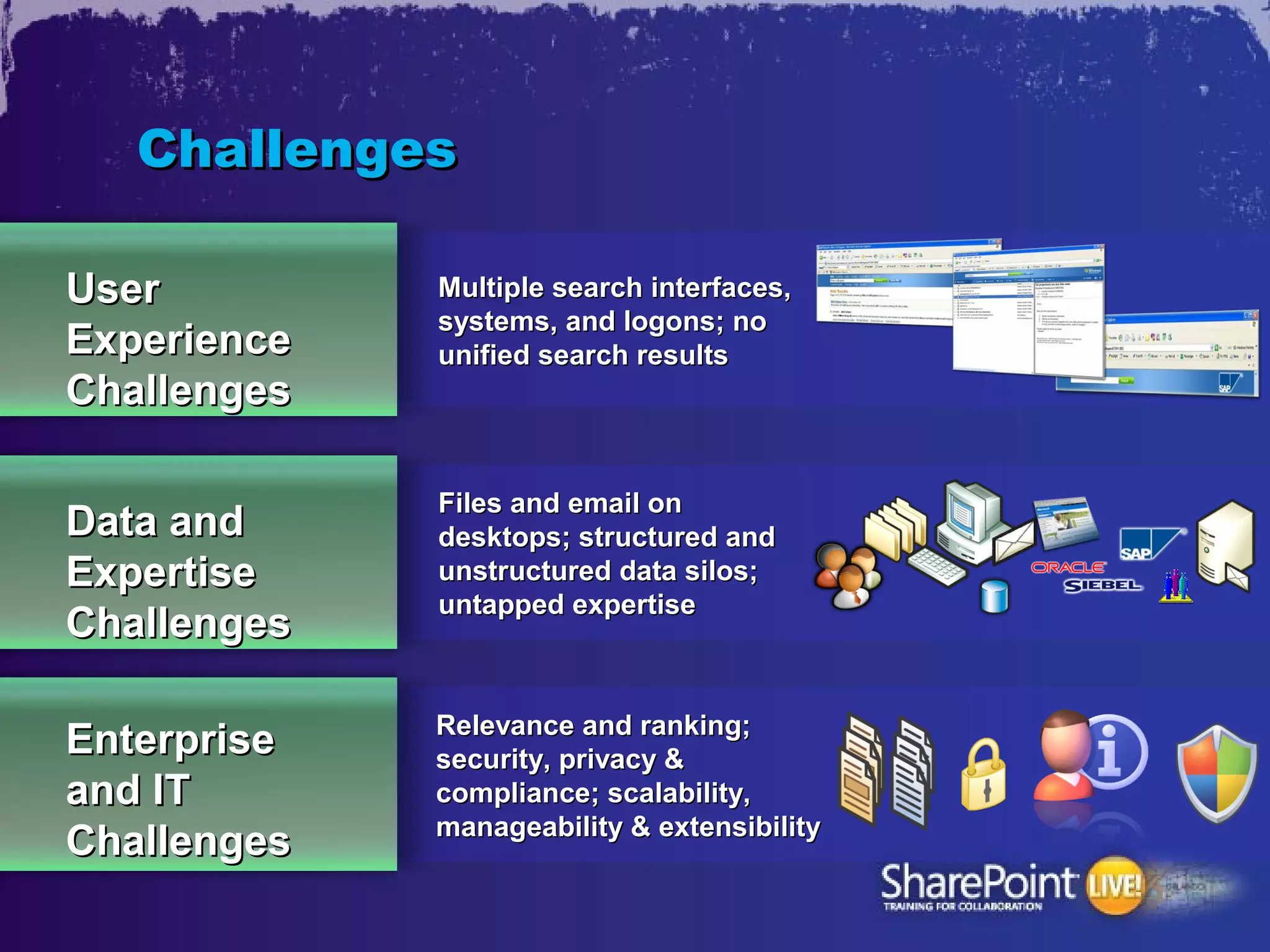
Challenges

User         Multiple search interfaces,
             systems, and logons; no
Experience   unified search results
Challenges

             Files and email on
Data and     desktops; structured and
Expertise    unstructured data silos;
             untapped expertise
Challenges

             Relevance and ranking;
Enterprise   security, privacy &
and IT       compliance; scalability,
             manageability & extensibility
Challenges
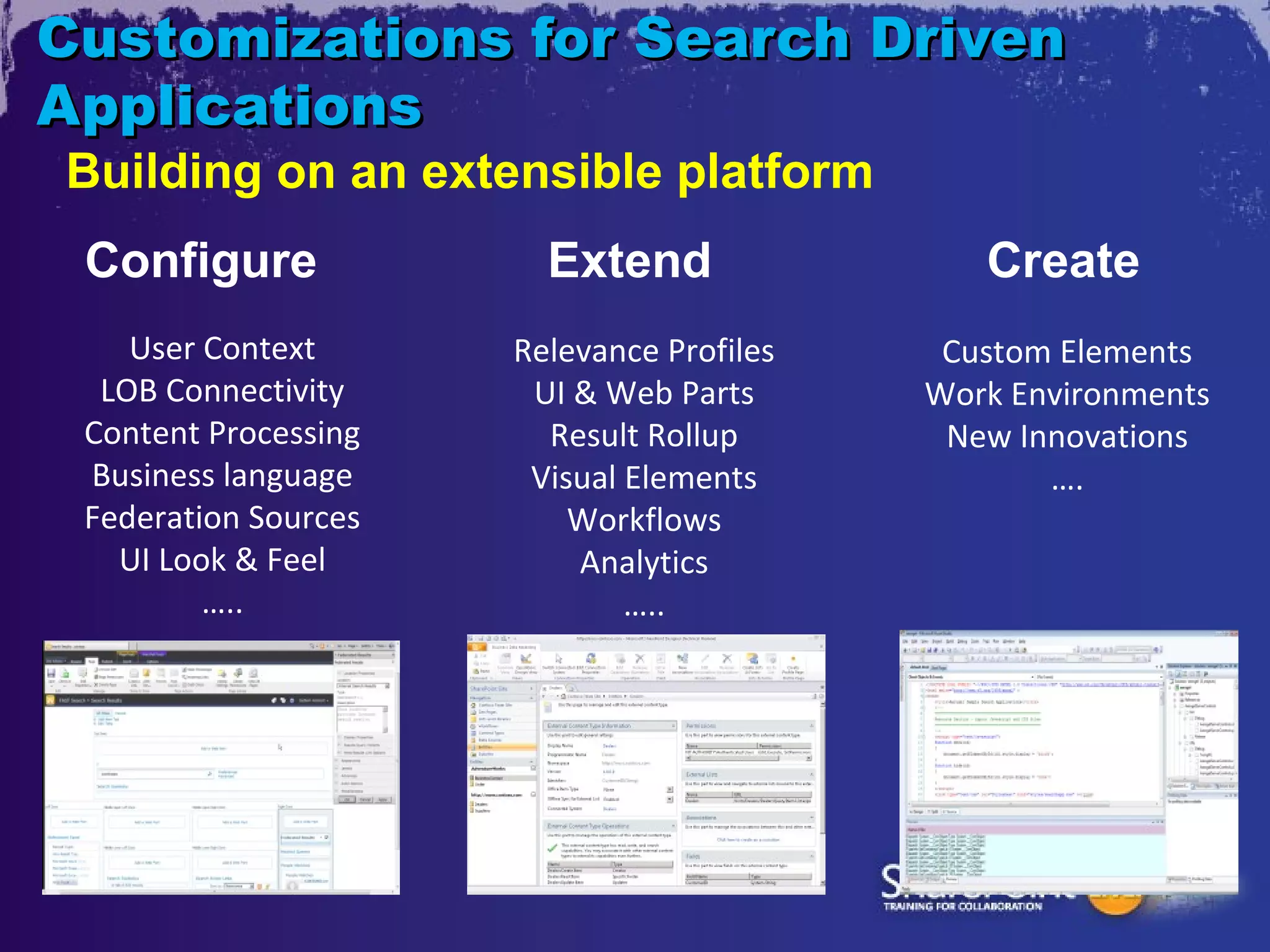
Customizations for Search Driven
Applications
Building on an extensible platform
 Configure              Extend                Create
    User Context      Relevance Profiles    Custom Elements
  LOB Connectivity     UI & Web Parts      Work Environments
 Content Processing     Result Rollup       New Innovations
 Business language     Visual Elements            ….
 Federation Sources       Workflows
   UI Look & Feel         Analytics
         …..                  …..
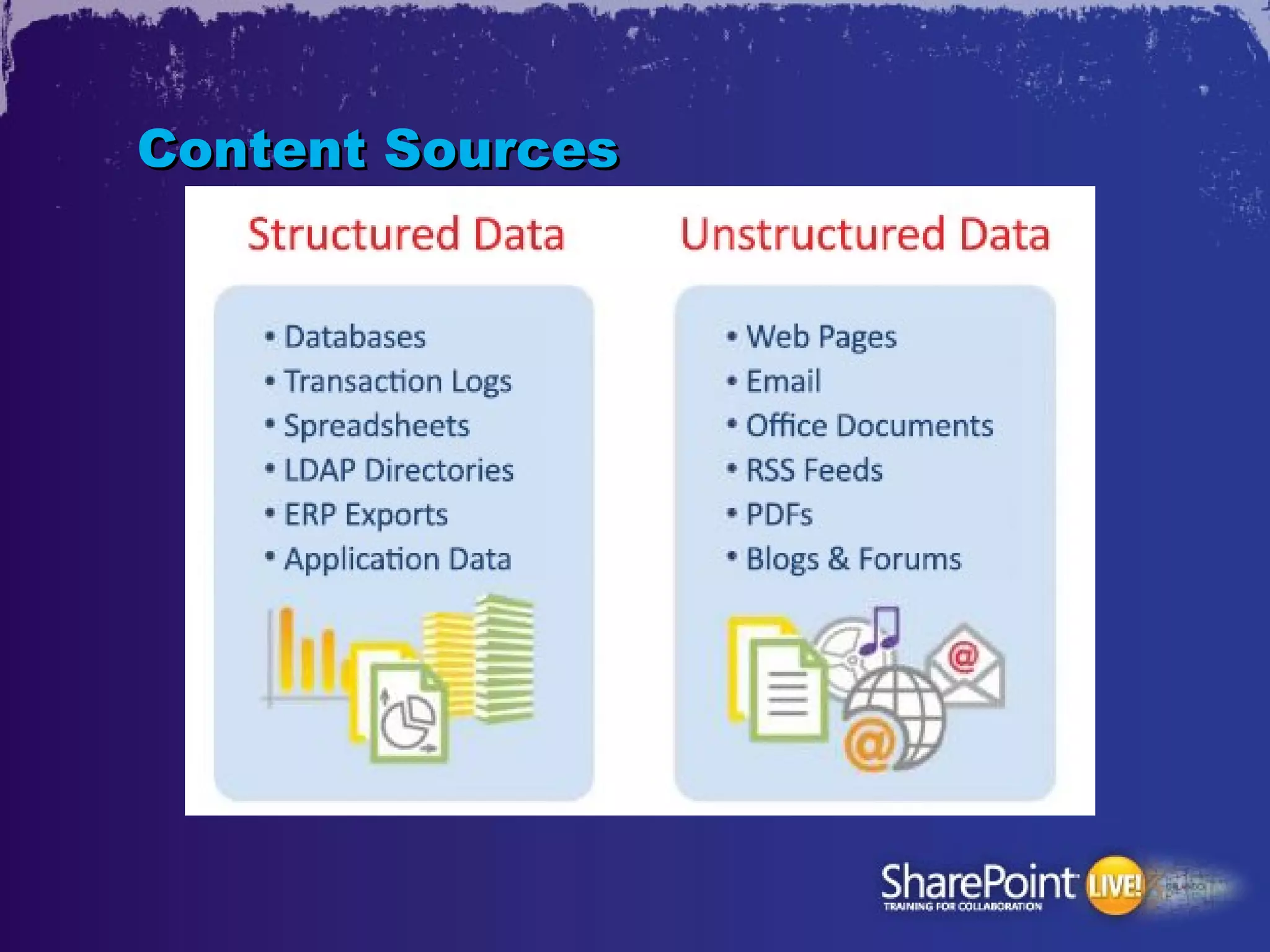
Content Sources
Content Sources in SBAs
•   Combine (join) data
•   Connect data
    – Existing relationships in the source system
    – Newly discovered, cross-system relationships
•   Aggregate data
•   Visualize data
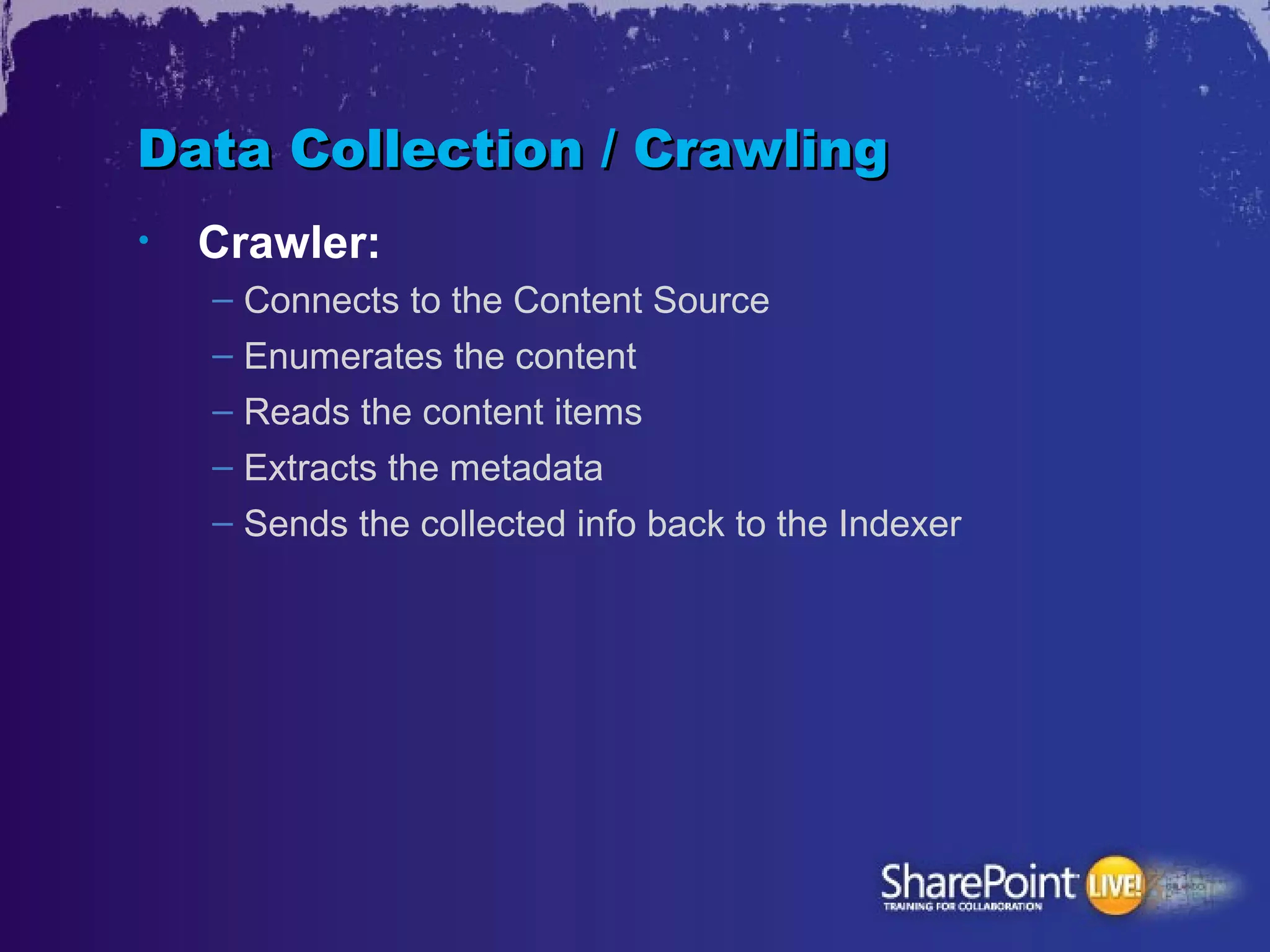
Data Collection / Crawling
•   Crawler:
    – Connects to the Content Source
    – Enumerates the content
    – Reads the content items
    – Extracts the metadata
    – Sends the collected info back to the Indexer
Data Collection / Crawling
•   Connector: Enables to access different
    types of content

•   OOTB:
    – SharePoint
    – File Share
    – Web site
    – Business Data
    – Exchange Public Folders
    – Custom Connectors
    – (Lotus Notes)
    – (Documentum)
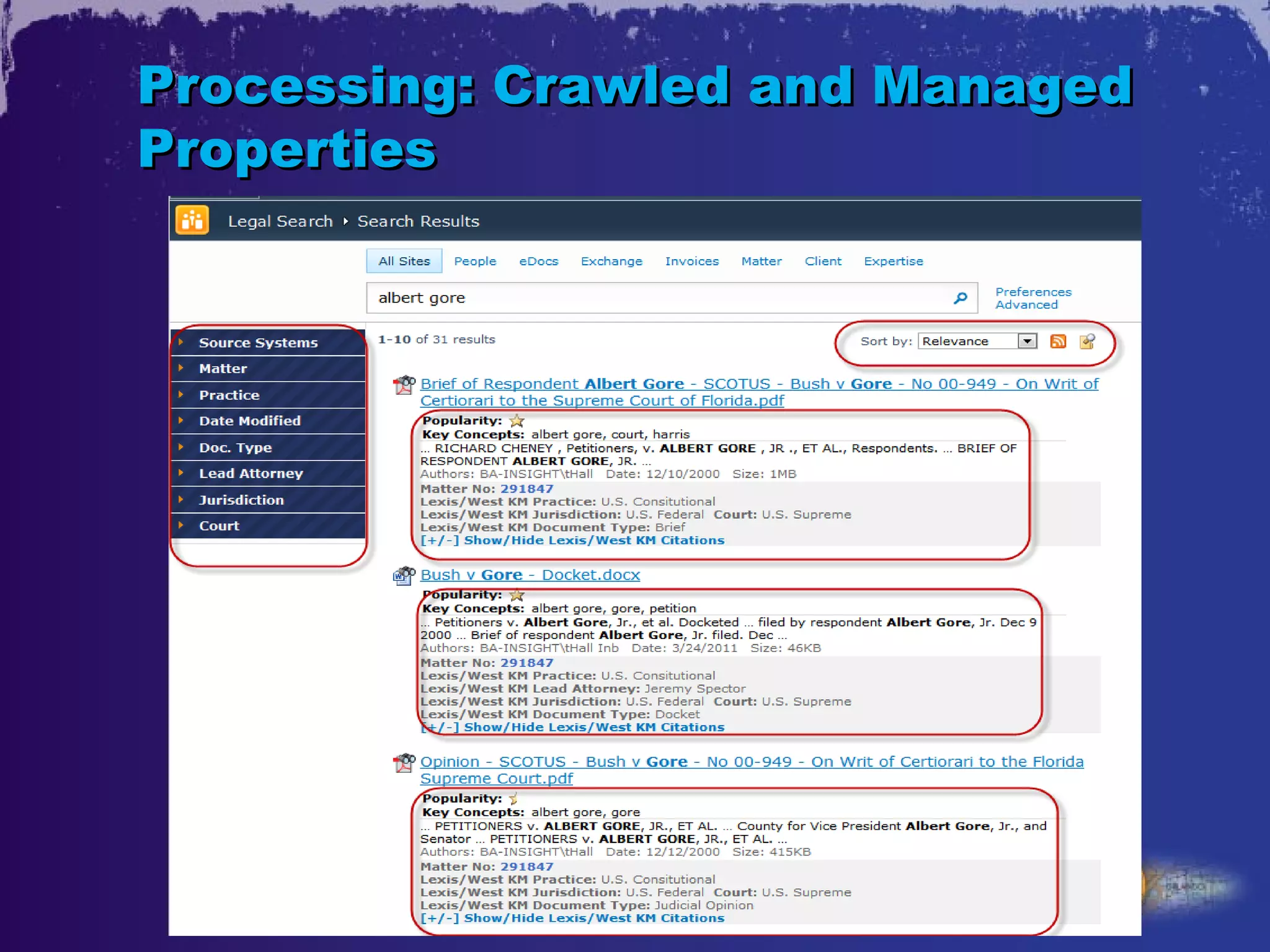
Processing: Crawled and Managed
Properties
•   Crawled property: metadata extracted
    from the documents/items during the
    crawl.

•   Managed property: can appear in refined
    searches and helps users perform more
    successful queries
Processing: Crawled and Managed
Properties
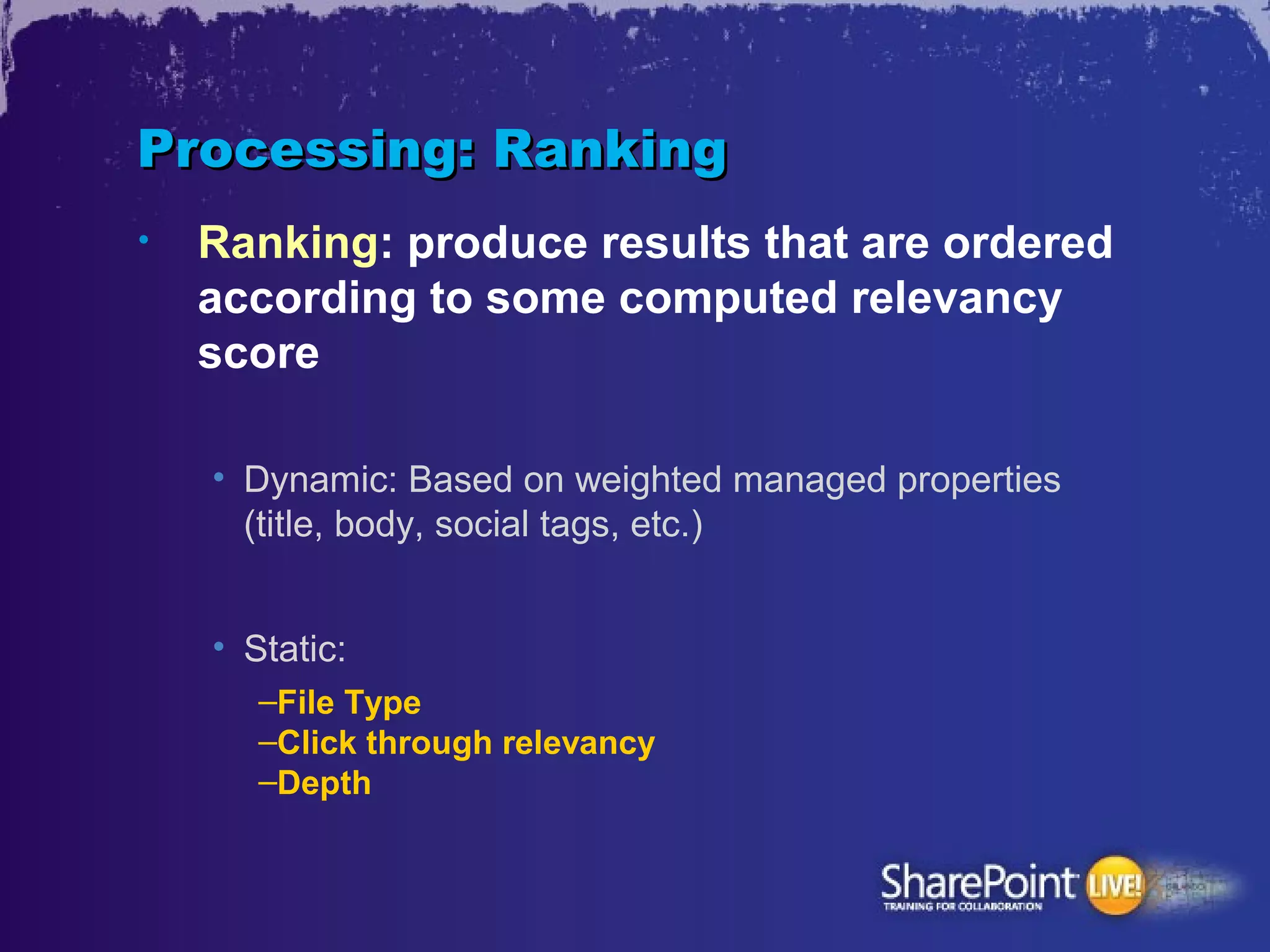
Processing: Ranking
•   Ranking: produce results that are ordered
    according to some computed relevancy
    score

    • Dynamic: Based on weighted managed properties
      (title, body, social tags, etc.)


    • Static:
       –File Type
       –Click through relevancy
       –Depth
User Interface
•   OOTB UI elements
    – Refinement Panel
    – Core Results Web Part
    – etc.
•   Federation
•   People Search
•   Scopes
•   Custom Web Parts
    – Visual Navigation
    – Mashups
    – Etc.
•   Workflows – Act on Items Immediately
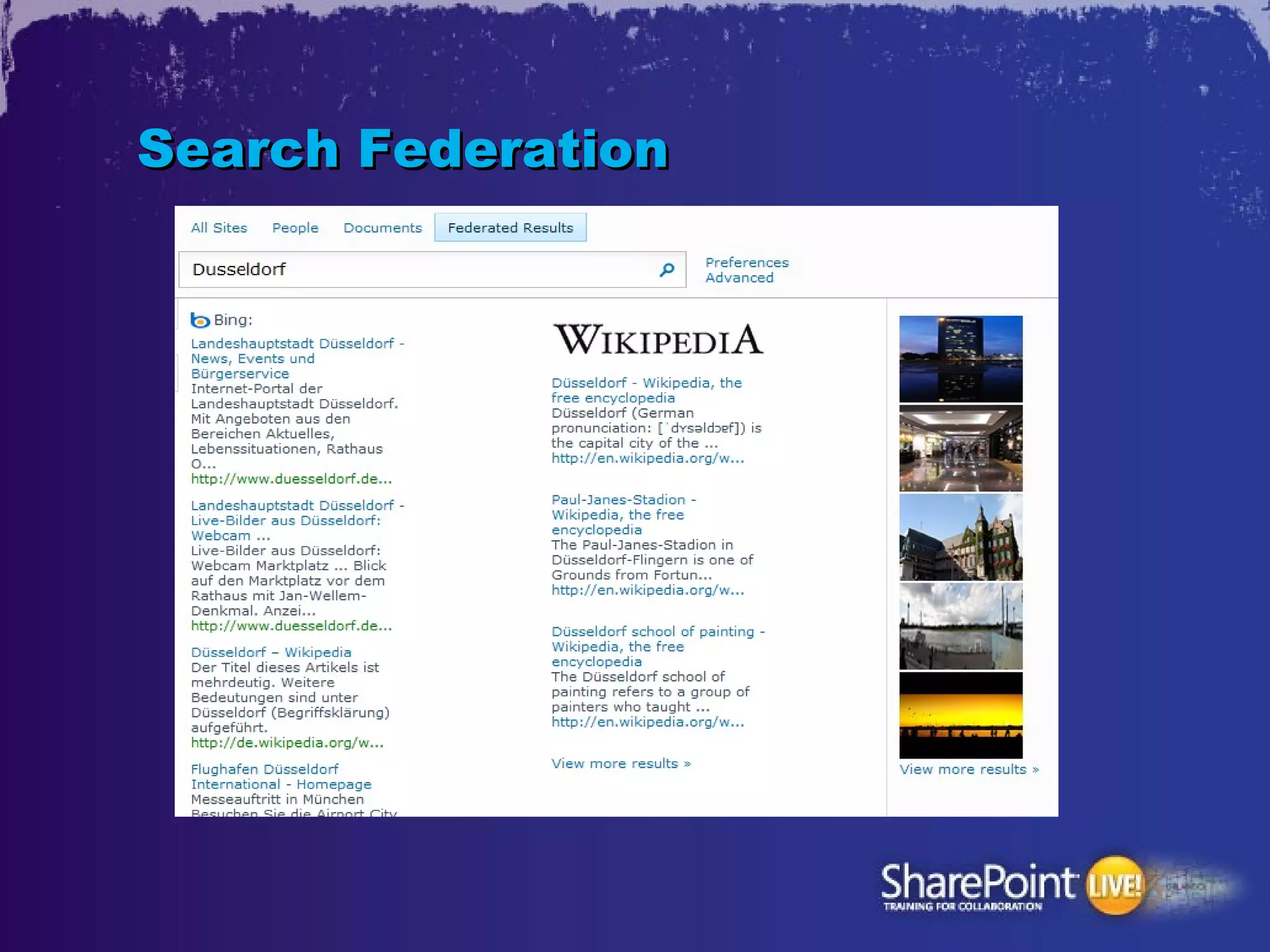
Search Federation
•   Using remote index for queries
•   Location type:
     – SharePoint Search index
     – FAST index
     – OpenSearch 1.0/1.1
Search Federation
Summary
•   Search Based Applications?
    – Need to Aggregate Heterogeneous Content
    – Neet to Process Large Volume of Data
    – Need for Real Time Information
    – Need for Ad Hoc Reporting
Want to Know More About SharePoint 2013
Search?
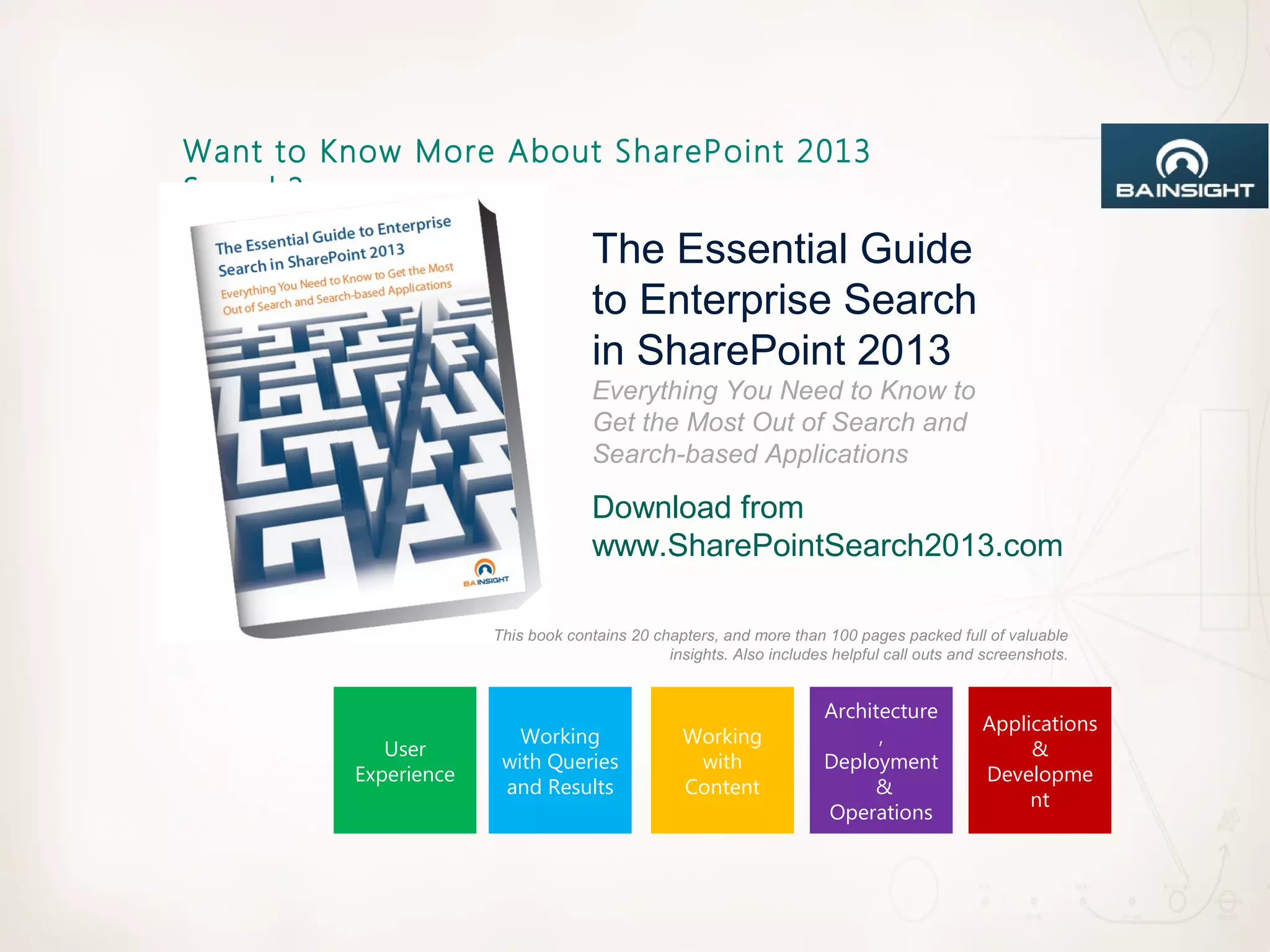
                                    The Essential Guide
                                    to Enterprise Search
                                    in SharePoint 2013
                                    Everything You Need to Know to
                                    Get the Most Out of Search and
                                    Search-based Applications

                                    Download from
                                    www.SharePointSearch2013.com

                      This book contains 20 chapters, and more than 100 pages packed full of valuable
                                              insights. Also includes helpful call outs and screenshots.


                                                                     Architecture
                                                                                           Applications
                         Working                 Working                   ,
            User                                                                                &
                       with Queries               with               Deployment
         Experience                                                                        Developme
                       and Results               Content                  &
                                                                                                nt
                                                                     Operations
Questions?
Email:      Agnes.Molnar@BAInsight.com
Twitter:    @molnaragnes


Blog: http://aghy.hu
      http://DoMoreWithSearch.com

SPLive Orlando - Beyond the Search Center - Application or Solution?

  • 1.
    SPTH05 Beyond theSearch Center – Application or Solution? Agnes Molnar Senior Search Solutions Consultant SharePoint Server MVP Level: Intermediate
  • 2.
    Introduction • Senior Search Solutions Consultant • SharePoint Server MVP • Speaker, Blogger, Community Lead http://aghy.hu http://www.DoMoreWithSearch.com Email: aghy@aghy.hu Twitter: @molnaragnes
  • 4.
    Search Search connects people to the information they need to get their jobs done.
  • 6.
    Search Components Source: http://searchpatterns.org
  • 7.
    Search • „I know what I’m searching for and know how to do that” • „I know what I’m searching for but I don’t know how to do that” • „I don’t know what I’m searching for” • „Am I Searching?...”
  • 8.
    Enterprise Search Search Technology that your organization owns and controls
  • 10.
    Traditional System Integration Sales & Marketing Supply Chain Engineering/R&D Legal/Compliance I need all information we Where can I see all my Where do I have to look Do we know our liability have about my customer? suppliers data in one place? for research projects? on this matter? Custom Integration Middleware SOA Cost: $ $ $ $ Cost: $ $ $ $ $ Cost: $ $ $ $ $ Time Frame: Time Frame: Time Frame: Challenge: Brittle code Challenge: $1,000,000 + costs with limited content sources Challenge: Massive re-engineer Silos Data Unstructured Email ECM, Search, Structured Data Public Cloud/ CRM ERP Data & Messaging Collaboration (file shares) (databases) Web Sites Office 365 10
  • 11.
    Search Based Application(SBA) • Software Application • Built on a Search Engine backbone rather than a database infrastructure • Mission-oriented information access, analysis or discovery
  • 12.
  • 15.
  • 16.
  • 18.
    Challenges User Multiple search interfaces, systems, and logons; no Experience unified search results Challenges Files and email on Data and desktops; structured and Expertise unstructured data silos; untapped expertise Challenges Relevance and ranking; Enterprise security, privacy & and IT compliance; scalability, manageability & extensibility Challenges
  • 20.
    Customizations for SearchDriven Applications Building on an extensible platform Configure Extend Create User Context Relevance Profiles Custom Elements LOB Connectivity UI & Web Parts Work Environments Content Processing Result Rollup New Innovations Business language Visual Elements …. Federation Sources Workflows UI Look & Feel Analytics ….. …..
  • 21.
  • 22.
    Content Sources inSBAs • Combine (join) data • Connect data – Existing relationships in the source system – Newly discovered, cross-system relationships • Aggregate data • Visualize data
  • 23.
    Data Collection /Crawling • Crawler: – Connects to the Content Source – Enumerates the content – Reads the content items – Extracts the metadata – Sends the collected info back to the Indexer
  • 24.
    Data Collection /Crawling • Connector: Enables to access different types of content • OOTB: – SharePoint – File Share – Web site – Business Data – Exchange Public Folders – Custom Connectors – (Lotus Notes) – (Documentum)
  • 25.
    Processing: Crawled andManaged Properties • Crawled property: metadata extracted from the documents/items during the crawl. • Managed property: can appear in refined searches and helps users perform more successful queries
  • 26.
    Processing: Crawled andManaged Properties
  • 27.
    Processing: Ranking • Ranking: produce results that are ordered according to some computed relevancy score • Dynamic: Based on weighted managed properties (title, body, social tags, etc.) • Static: –File Type –Click through relevancy –Depth
  • 28.
    User Interface • OOTB UI elements – Refinement Panel – Core Results Web Part – etc. • Federation • People Search • Scopes • Custom Web Parts – Visual Navigation – Mashups – Etc. • Workflows – Act on Items Immediately
  • 29.
    Search Federation • Using remote index for queries • Location type: – SharePoint Search index – FAST index – OpenSearch 1.0/1.1
  • 30.
  • 31.
    Summary • Search Based Applications? – Need to Aggregate Heterogeneous Content – Neet to Process Large Volume of Data – Need for Real Time Information – Need for Ad Hoc Reporting
  • 32.
    Want to KnowMore About SharePoint 2013 Search? The Essential Guide to Enterprise Search in SharePoint 2013 Everything You Need to Know to Get the Most Out of Search and Search-based Applications Download from www.SharePointSearch2013.com This book contains 20 chapters, and more than 100 pages packed full of valuable insights. Also includes helpful call outs and screenshots. Architecture Applications Working Working , User & with Queries with Deployment Experience Developme and Results Content & nt Operations
  • 33.
    Questions? Email: Agnes.Molnar@BAInsight.com Twitter: @molnaragnes Blog: http://aghy.hu http://DoMoreWithSearch.com

Editor's Notes

  • #2 SharePoint Live! Orlando 2012 © 2012 SharePoint Live! All rights reserved.
  • #9 No longer within the firewall Relevance is critical Search within the organization „ Transparent” Search Search Driven Applications
  • #12 Customer Service + support Logistical track and trace Contextual advertising Decision intelligence E-Discovery
  • #14 Built by Customer: Merrill Lynch Financial Services Research Portal Screenshot 1 of 2
  • #15 MOCKUP Only Wealth Management Advisor portal
  • #16 Built by Customer and Microsoft Services: Dow Jones Investment portfolio analysis application
  • #18 MOCKUP ONLY Innovation portal
  • #21 Time: 2 minutes. Speaker Notes: There are three levels of search customization that cover the spectrum: Configuring out of the box behavior Extending existing components (e.g. Web Parts) Creating brand new components The actual tools (sharepoint, SPD, VS) are provided as *examples* of the tools that you would work with at each of these levels.