Chapter 10C# .NET Events
Button Click eventMouse Down eventKey Down eventLeave eventWhat will we be learning?
An Event is when something special happensInbuilt code gets activated when the Event happenedThe Event is then said to be “handled”GUI Events such as when a button is clicked, when the mouse right click and moreEvent
An event can be a mouse click, a keystroke or an alarmA class that raised the event is known as "event sender"A method used to handle a particular event is known as "event handler"In Visual Studio IDE, the mechanism is done automatically
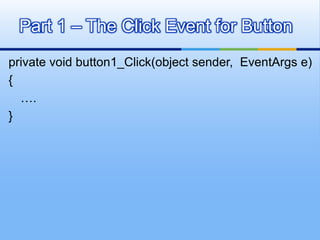
private void button1_Click(object sender,  EventArgs e){   	….}Part 1 – The Click Event for Button
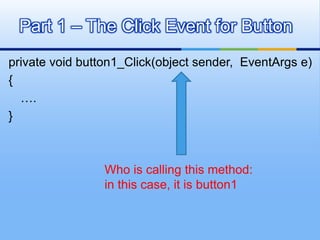
private void button1_Click(object sender,  EventArgs e){   	….}Part 1 – The Click Event for ButtonWho is calling this method:in this case, it is button1
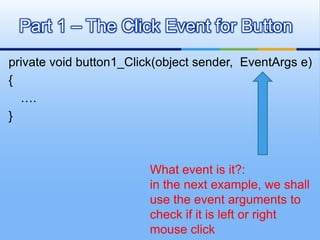
private void button1_Click(object sender,  EventArgs e){   	….}Part 1 – The Click Event for ButtonWhat event is it?:in the next example, we shall use the event arguments to check if it is left or right mouse click
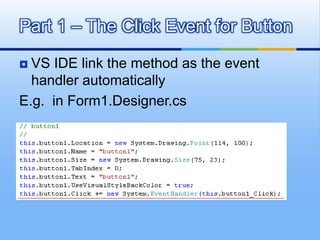
VS IDE link the method as the event handler automaticallyE.g.  in Form1.Designer.csPart 1 – The Click Event for Button
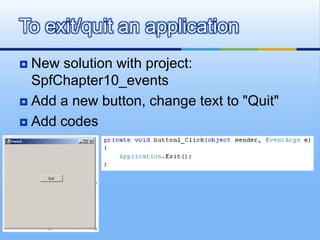
New solution with project:  SpfChapter10_eventsAdd a new button, change text to "Quit"Add codesTo exit/quit an application
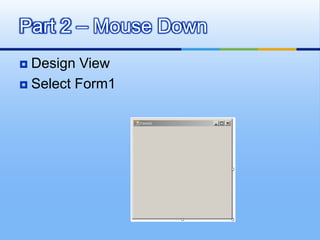
Design ViewSelect Form1Part 2 – Mouse Down
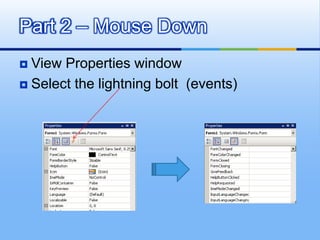
View Properties windowSelect the lightning bolt  (events)Part 2 – Mouse Down
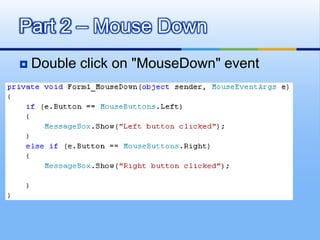
Double click on "MouseDown" eventPart 2 – Mouse Down
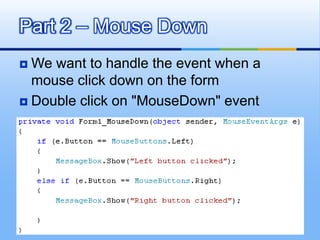
We want to handle the event when a mouse click down on the formDouble click on "MouseDown" eventPart 2 – Mouse Down
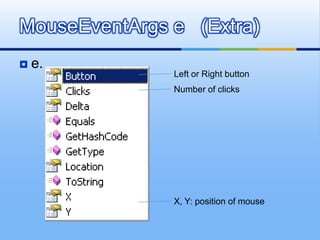
e.MouseEventArgs e   (Extra)Left or Right buttonNumber of clicksX, Y: position of mouse
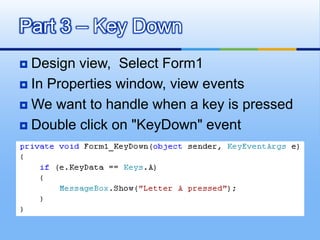
Design view,  Select Form1In Properties window, view eventsWe want to handle when a key is pressedDouble click on "KeyDown" eventPart 3 – Key Down
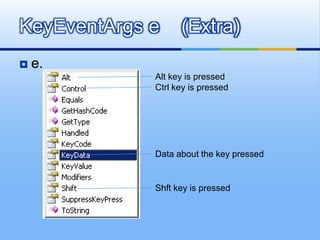
e.KeyEventArgs e    (Extra)Alt key is pressedCtrl key is pressedData about the key pressedShft key is pressed
Design view,  Add a new textboxIn Properties window, view eventsWe want to handle after user key in some text and leaving the textboxPart 4 – Leave event
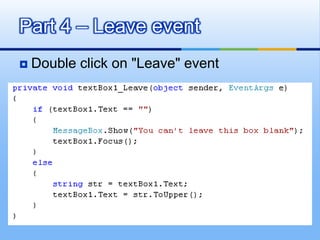
Double click on "Leave" eventPart 4 – Leave event
The TabIndex property refers to which control will be selected when the Tab key is pressedThe TabIndex allows you to set the Tab order for all the controls on your form TabIndex
Button Click eventMouse Down eventKey Down eventLeave eventSummary

Spf chapter10 events

  • 1.
  • 2.
    Button Click eventMouseDown eventKey Down eventLeave eventWhat will we be learning?
  • 3.
    An Event iswhen something special happensInbuilt code gets activated when the Event happenedThe Event is then said to be “handled”GUI Events such as when a button is clicked, when the mouse right click and moreEvent
  • 4.
    An event canbe a mouse click, a keystroke or an alarmA class that raised the event is known as "event sender"A method used to handle a particular event is known as "event handler"In Visual Studio IDE, the mechanism is done automatically
  • 5.
    private void button1_Click(objectsender, EventArgs e){ ….}Part 1 – The Click Event for Button
  • 6.
    private void button1_Click(objectsender, EventArgs e){ ….}Part 1 – The Click Event for ButtonWho is calling this method:in this case, it is button1
  • 7.
    private void button1_Click(objectsender, EventArgs e){ ….}Part 1 – The Click Event for ButtonWhat event is it?:in the next example, we shall use the event arguments to check if it is left or right mouse click
  • 8.
    VS IDE linkthe method as the event handler automaticallyE.g. in Form1.Designer.csPart 1 – The Click Event for Button
  • 9.
    New solution withproject: SpfChapter10_eventsAdd a new button, change text to "Quit"Add codesTo exit/quit an application
  • 10.
  • 11.
    View Properties windowSelectthe lightning bolt (events)Part 2 – Mouse Down
  • 12.
    Double click on"MouseDown" eventPart 2 – Mouse Down
  • 13.
    We want tohandle the event when a mouse click down on the formDouble click on "MouseDown" eventPart 2 – Mouse Down
  • 14.
    e.MouseEventArgs e (Extra)Left or Right buttonNumber of clicksX, Y: position of mouse
  • 15.
    Design view, Select Form1In Properties window, view eventsWe want to handle when a key is pressedDouble click on "KeyDown" eventPart 3 – Key Down
  • 16.
    e.KeyEventArgs e (Extra)Alt key is pressedCtrl key is pressedData about the key pressedShft key is pressed
  • 17.
    Design view, Add a new textboxIn Properties window, view eventsWe want to handle after user key in some text and leaving the textboxPart 4 – Leave event
  • 18.
    Double click on"Leave" eventPart 4 – Leave event
  • 19.
    The TabIndex propertyrefers to which control will be selected when the Tab key is pressedThe TabIndex allows you to set the Tab order for all the controls on your form TabIndex
  • 20.
    Button Click eventMouseDown eventKey Down eventLeave eventSummary